Compare commits
489 Commits
| Author | SHA1 | Date | |
|---|---|---|---|
 amanape amanape
|
5c798fe7a6 | ||
|
tofarr
|
8a93da51be | ||
|
mamoodi
|
6f2e678028 | ||
|
Xingyao Wang
|
da23189e4c | ||
|
dependabot[bot]
|
2cf77e2589 | ||
|
dependabot[bot]
|
58e9b31d08 | ||
|
dependabot[bot]
|
53c2932fa5 | ||
|
dependabot[bot]
|
ad4e5b3851 | ||
|
dependabot[bot]
|
a56850a4e3 | ||
|
Abhijeetsingh Meena
|
173018eb58 | ||
|
Xingyao Wang
|
6bbd75c6e7 | ||
|
Xingyao Wang
|
50c13aad98 | ||
|
tofarr
|
15df12cf15 | ||
|
dependabot[bot]
|
9862d93cfb | ||
|
Peyton Walters
|
9566ca4a3c | ||
|
dependabot[bot]
|
0ca66beac9 | ||
|
dependabot[bot]
|
0d93c5914d | ||
|
tofarr
|
d47f3e854b | ||
|
Robert Brennan
|
f60652dc5a | ||
|
Kilian Lieret
|
746e6595d5 | ||
|
dependabot[bot]
|
7c95fd6038 | ||
|
sp.wack
|
78cf9d5dec | ||
|
sp.wack
|
5eae10d1e2 | ||
|
sp.wack
|
8fa3591073 | ||
|
sp.wack
|
70bd710e82 | ||
|
Robert Brennan
|
63ff69fd97 | ||
|
sp.wack
|
640ce0f60d | ||
|
Xingyao Wang
|
25f9413965 | ||
|
dependabot[bot]
|
4e8cfb0d60 | ||
|
Xingyao Wang
|
4dfc7a7ef0 | ||
|
Boxuan Li
|
7186224899 | ||
|
Xingyao Wang
|
343cc8710f | ||
|
Engel Nyst
|
20455cea3e | ||
|
Engel Nyst
|
df23168c10 | ||
|
OpenHands
|
ff8a9a1a56 | ||
|
Engel Nyst
|
edcc391768 | ||
|
Amir
|
87021bd78f | ||
|
dependabot[bot]
|
2692c0c8fd | ||
|
dependabot[bot]
|
81d455a33b | ||
|
dependabot[bot]
|
495fc47c28 | ||
|
sp.wack
|
6a7abcc7c9 | ||
|
tofarr
|
4c5e2a339f | ||
|
Engel Nyst
|
caa77cf7a6 | ||
|
Xingyao Wang
|
a3c49538fc | ||
|
mamoodi
|
c3764a7422 | ||
|
sp.wack
|
36e304b3da | ||
|
Robert Brennan
|
62a58ea5d3 | ||
|
dependabot[bot]
|
33a74e2792 | ||
|
tofarr
|
f867fda2f9 | ||
|
mamoodi
|
2d2d3ccfa5 | ||
|
Xingyao Wang
|
b23c7aab5a | ||
|
sp.wack
|
a6993b7bf5 | ||
|
dependabot[bot]
|
77772b6954 | ||
|
mamoodi
|
ea883d4d18 | ||
|
dependabot[bot]
|
3f36338d19 | ||
|
Robert Brennan
|
ae6c489423 | ||
|
dependabot[bot]
|
8937c2ff12 | ||
|
Robert Brennan
|
45fb4fb9bc | ||
|
dependabot[bot]
|
aae9b5ba5d | ||
|
dependabot[bot]
|
f2321dbfae | ||
|
dependabot[bot]
|
5ec3cb0ac9 | ||
|
dependabot[bot]
|
217eb5dee2 | ||
|
dependabot[bot]
|
f47afa9ebc | ||
|
dependabot[bot]
|
72db908251 | ||
|
dependabot[bot]
|
45a9d0ba9a | ||
|
dependabot[bot]
|
1a65094377 | ||
|
dependabot[bot]
|
2d4c79f181 | ||
|
sp.wack
|
d5fc8bc65f | ||
|
sp.wack
|
51387a52c1 | ||
|
sp.wack
|
fe084b4b16 | ||
|
tofarr
|
5097c4fe71 | ||
|
sp.wack
|
be5f9772e6 | ||
|
OpenHands
|
39798e9758 | ||
|
sp.wack
|
d81a330a13 | ||
|
mamoodi
|
81d3a2881a | ||
|
dependabot[bot]
|
59fbc11afe | ||
|
dependabot[bot]
|
1db912aed3 | ||
|
dependabot[bot]
|
e459069941 | ||
|
dependabot[bot]
|
411e66395d | ||
|
dependabot[bot]
|
bf61bcb34a | ||
|
dependabot[bot]
|
69f2bf93c1 | ||
|
sp.wack
|
3661893161 | ||
|
sp.wack
|
ebeda8bcfb | ||
|
sp.wack
|
ce18792b12 | ||
|
sp.wack
|
ef3e106543 | ||
|
sp.wack
|
9d6c1e569d | ||
|
tofarr
|
cdd05a98db | ||
|
Boxuan Li
|
568c8ce993 | ||
|
JeevaRamanathan
|
9296cedbed | ||
|
Robert Brennan
|
98b39023f4 | ||
|
Engel Nyst
|
e6847e9e61 | ||
|
Alejandro Cuadron Lafuente
|
a3571ec510 | ||
|
Aditya Bharat Soni
|
0809d26f4d | ||
|
Xingyao Wang
|
9c07370559 | ||
|
sp.wack
|
bfdd7fd620 | ||
|
dependabot[bot]
|
0186674352 | ||
|
dependabot[bot]
|
d4666cdc7d | ||
|
dependabot[bot]
|
3886fa8b04 | ||
|
dependabot[bot]
|
46299301f2 | ||
|
dependabot[bot]
|
7be224e595 | ||
|
dependabot[bot]
|
11ea248b41 | ||
|
dependabot[bot]
|
097de51be2 | ||
|
dependabot[bot]
|
cd0198b87f | ||
|
Xingyao Wang
|
01ae54a69d | ||
|
dependabot[bot]
|
93f95d85de | ||
|
Engel Nyst
|
6b1f23a20a | ||
|
mamoodi
|
09243eba07 | ||
|
mamoodi
|
e3450bb8c9 | ||
|
Naman Tyagi
|
583b54c854 | ||
|
Engel Nyst
|
8c32ef2234 | ||
|
Engel Nyst
|
9d0e6a24bc | ||
|
Boxuan Li
|
40d2935911 | ||
|
Robert Brennan
|
42c118f4b4 | ||
|
tofarr
|
e60eaf9a52 | ||
|
dependabot[bot]
|
1354675ce3 | ||
|
dependabot[bot]
|
2eb42cb4f4 | ||
|
dependabot[bot]
|
00f961822a | ||
|
dependabot[bot]
|
62c39def7c | ||
|
dependabot[bot]
|
e986e78b31 | ||
|
dependabot[bot]
|
6d461a4934 | ||
|
tobitege
|
25462ae394 | ||
|
dependabot[bot]
|
ad60ef11ad | ||
|
dependabot[bot]
|
ceebbcac2a | ||
|
Xingyao Wang
|
245334e89d | ||
|
Xingyao Wang
|
80a631361b | ||
|
Xingyao Wang
|
9cc9b19958 | ||
|
Xingyao Wang
|
0c2a35b256 | ||
|
Robert Brennan
|
641a15356f | ||
|
Xingyao Wang
|
42649745bd | ||
|
Vaishakh
|
4678ae4ebd | ||
|
Robert Brennan
|
2f310d9338 | ||
|
tofarr
|
ee6a1cf334 | ||
|
tofarr
|
152f99c64f | ||
|
tofarr
|
909e332207 | ||
|
dependabot[bot]
|
053e2f90d5 | ||
|
dependabot[bot]
|
bd4640924c | ||
|
dependabot[bot]
|
f26861aa93 | ||
|
mamoodi
|
cf9f980a22 | ||
|
Xingyao Wang
|
16a2cf37da | ||
|
Robert Brennan
|
9c95d0ff58 | ||
|
Graham Neubig
|
9641bfbd3e | ||
|
Ikko Eltociear Ashimine
|
5c31fd9357 | ||
|
Engel Nyst
|
1abfd3b808 | ||
|
Xingyao Wang
|
e0594432e2 | ||
|
Xingyao Wang
|
e81c5597d6 | ||
|
Rehan Ganapathy
|
c8a933590a | ||
|
mamoodi
|
dd228c07e0 | ||
|
tofarr
|
e0f8a5d508 | ||
|
dependabot[bot]
|
e93db80769 | ||
|
dependabot[bot]
|
14a4e1018a | ||
|
dependabot[bot]
|
bb151655cc | ||
|
dependabot[bot]
|
471867859f | ||
|
dependabot[bot]
|
a1d09c4437 | ||
|
dependabot[bot]
|
240b500acf | ||
|
Xingyao Wang
|
d518ca08b7 | ||
|
Graham Neubig
|
52e0630af8 | ||
|
Graham Neubig
|
178dbfaf4a | ||
|
Xingyao Wang
|
240a470a1d | ||
|
Xingyao Wang
|
dd2cb4399a | ||
|
tofarr
|
4eaf28d7b1 | ||
|
Engel Nyst
|
5a45c648a8 | ||
|
Xingyao Wang
|
3cf794faef | ||
|
mamoodi
|
04643d6f3c | ||
|
Xingyao Wang
|
53a015f718 | ||
|
Graham Neubig
|
148d22e1af | ||
|
Robert Brennan
|
31b2e4b5b2 | ||
|
dependabot[bot]
|
1d6633164f | ||
|
dependabot[bot]
|
dd89cfba2a | ||
|
mamoodi
|
0144caaf1f | ||
|
Robert Brennan
|
ec1a86f150 | ||
|
dependabot[bot]
|
926af7f5fd | ||
|
dependabot[bot]
|
cc55c6dbe5 | ||
|
OpenHands
|
c777cfeacf | ||
|
dependabot[bot]
|
823966c24e | ||
|
dependabot[bot]
|
adba7dad96 | ||
|
Xingyao Wang
|
1109637efb | ||
|
mamoodi
|
71adfeebab | ||
|
Robert Brennan
|
8059e8e298 | ||
|
Xingyao Wang
|
54ac340e0b | ||
|
dependabot[bot]
|
13901b4b5a | ||
|
dependabot[bot]
|
0b27d51135 | ||
|
dependabot[bot]
|
f0ce682fa0 | ||
|
dependabot[bot]
|
3567911da8 | ||
|
Graham Neubig
|
215d227e5a | ||
|
mamoodi
|
50e6cc6156 | ||
|
Xingyao Wang
|
8d6eda3623 | ||
|
Cole Murray
|
d5f965b474 | ||
|
tobitege
|
c3bbe604eb | ||
|
Ana Noemi
|
c7fe39998c | ||
|
Xingyao Wang
|
ec6e07647f | ||
|
Graham Neubig
|
e744eadb8b | ||
|
Engel Nyst
|
e582806004 | ||
|
OpenHands
|
f427f9d8d4 | ||
|
Graham Neubig
|
d669c7b60d | ||
|
dependabot[bot]
|
42be4ee5bc | ||
|
Engel Nyst
|
f994277d0f | ||
|
tofarr
|
5ccee7c8a7 | ||
|
tobitege
|
575a829d94 | ||
|
Xingyao Wang
|
2bed3a424c | ||
|
Xingyao Wang
|
a4cc010110 | ||
|
tobitege
|
9651368e6a | ||
|
tofarr
|
c5025fb66e | ||
|
Robert Brennan
|
3f9111c615 | ||
|
dependabot[bot]
|
89e95f2671 | ||
|
dependabot[bot]
|
5bfa0c2f8d | ||
|
dependabot[bot]
|
84141f656d | ||
|
dependabot[bot]
|
6ff7506581 | ||
|
dependabot[bot]
|
41dc7f0256 | ||
|
Xingyao Wang
|
34f3b61536 | ||
|
dependabot[bot]
|
4533c47595 | ||
|
Xingyao Wang
|
47774e60b0 | ||
|
Robert Brennan
|
b78f646b65 | ||
|
Amir
|
3e5c01dfc8 | ||
|
tobitege
|
29c34e0b6a | ||
|
tofarr
|
c919086e25 | ||
|
Engel Nyst
|
0a03c802f5 | ||
|
Xingyao Wang
|
081ebdbdd8 | ||
|
dependabot[bot]
|
572c7b726d | ||
|
Xingyao Wang
|
cfc5bb70c1 | ||
|
dependabot[bot]
|
008b866a38 | ||
|
dependabot[bot]
|
676ad3e140 | ||
|
dependabot[bot]
|
19278de5d0 | ||
|
dependabot[bot]
|
891e4a8d34 | ||
|
dependabot[bot]
|
85be8607e0 | ||
|
dependabot[bot]
|
49b244610c | ||
|
dependabot[bot]
|
b347b1d06f | ||
|
dependabot[bot]
|
0c86a60b35 | ||
|
tofarr
|
01317138e2 | ||
|
Xingyao Wang
|
e03855cd7f | ||
|
jaki300
|
757c9593f1 | ||
|
mamoodi
|
266e8ff951 | ||
|
dependabot[bot]
|
3e79cd12a6 | ||
|
tobitege
|
2cc1c3ef42 | ||
|
dependabot[bot]
|
ef0b08a46e | ||
|
dependabot[bot]
|
f1d5202884 | ||
|
dependabot[bot]
|
11cedfb854 | ||
|
dependabot[bot]
|
6d103a0db2 | ||
|
Engel Nyst
|
798aaeaef6 | ||
|
tofarr
|
0df4b97e5b | ||
|
Xingyao Wang
|
81b3cd71b3 | ||
|
Robert Brennan
|
9241ae2148 | ||
|
dependabot[bot]
|
d3f86e052a | ||
|
dependabot[bot]
|
e0c65f8f9c | ||
|
dependabot[bot]
|
394ab360a8 | ||
|
dependabot[bot]
|
8a146d5ced | ||
|
mamoodi
|
1d052818ae | ||
|
tofarr
|
ee284bae8f | ||
|
Xingyao Wang
|
1b1d8f0b02 | ||
|
tobitege
|
c32cec7f89 | ||
|
Robert Brennan
|
7b2b1eff57 | ||
|
dependabot[bot]
|
2f1b537471 | ||
|
dependabot[bot]
|
f2a71eb388 | ||
|
dependabot[bot]
|
63c5d74169 | ||
|
dependabot[bot]
|
5d77aec90b | ||
|
Xingyao Wang
|
a66e738957 | ||
|
dependabot[bot]
|
582f07f9c9 | ||
|
sp.wack
|
83b7fcc3ed | ||
|
Graham Neubig
|
dc418e7b71 | ||
|
mamoodi
|
dd3d1497f6 | ||
|
Xingyao Wang
|
8ea2d61ff2 | ||
|
Graham Neubig
|
73ded7de10 | ||
|
dependabot[bot]
|
3f6aa0d1f1 | ||
|
dependabot[bot]
|
2556767ccb | ||
|
tobitege
|
fbef93b762 | ||
|
dependabot[bot]
|
3a93fd4c64 | ||
|
dependabot[bot]
|
a12e8cf06a | ||
|
dependabot[bot]
|
69479852ff | ||
|
dependabot[bot]
|
7024e973d4 | ||
|
dependabot[bot]
|
a260cc8dc8 | ||
|
dependabot[bot]
|
7e53c96b14 | ||
|
dependabot[bot]
|
96b23d2e4c | ||
|
dependabot[bot]
|
b97aa10b66 | ||
|
Aavash Baral
|
b61455042f | ||
|
Ikko Eltociear Ashimine
|
c84495830e | ||
|
Xingyao Wang
|
3435f1e5d8 | ||
|
Xingyao Wang
|
714e46f29a | ||
|
mamoodi
|
e0608af0b3 | ||
|
Xingyao Wang
|
402a03cb9a | ||
|
tobitege
|
01462e11d7 | ||
|
Engel Nyst
|
ebd93977cd | ||
|
mamoodi
|
ef189d52a5 | ||
|
mamoodi
|
3c77cc80dc | ||
|
dependabot[bot]
|
31b189c9af | ||
|
dependabot[bot]
|
a7630c399a | ||
|
dependabot[bot]
|
86521c971b | ||
|
tobitege
|
6682e0f1dd | ||
|
dependabot[bot]
|
031b91457a | ||
|
Xingyao Wang
|
b13ed017d8 | ||
|
Robert Brennan
|
72ca1690a7 | ||
|
tobitege
|
45066f19dc | ||
|
dependabot[bot]
|
809903bad4 | ||
|
dependabot[bot]
|
071f1f0e13 | ||
|
dependabot[bot]
|
08a505406b | ||
|
dependabot[bot]
|
1756b85675 | ||
|
dependabot[bot]
|
e8ab8f1146 | ||
|
dependabot[bot]
|
a6ea4c2a60 | ||
|
dependabot[bot]
|
1e7f398376 | ||
|
niliy01
|
0f6fb0f80e | ||
|
dependabot[bot]
|
bd1f0f1671 | ||
|
tobitege
|
2842efa0e8 | ||
|
tobitege
|
620526b8b4 | ||
|
tofarr
|
31dbd3d02e | ||
|
tofarr
|
dd7174e559 | ||
|
Engel Nyst
|
8fdfece059 | ||
|
tofarr
|
ad0b549d8b | ||
|
Engel Nyst
|
47f60b8275 | ||
|
Xingyao Wang
|
5d7f2fd4ae | ||
|
dependabot[bot]
|
22e885736b | ||
|
dependabot[bot]
|
f9589a552e | ||
|
dependabot[bot]
|
043fb2771d | ||
|
dependabot[bot]
|
b95740cc55 | ||
|
Robert Brennan
|
c864715b43 | ||
|
Robert Brennan
|
a7f1bca586 | ||
|
tobitege
|
b4408b41c9 | ||
|
Engel Nyst
|
e3be71f523 | ||
|
dependabot[bot]
|
dbe767325f | ||
|
dependabot[bot]
|
ec0fe35d48 | ||
|
dependabot[bot]
|
883f36b005 | ||
|
dependabot[bot]
|
dc6b4b7296 | ||
|
dependabot[bot]
|
fe0a8eb036 | ||
|
tobitege
|
c3117e8c39 | ||
|
Qiang Li
|
f7ebc1cf1f | ||
|
mamoodi
|
8a419b5c45 | ||
|
dependabot[bot]
|
9787a31ba1 | ||
|
dependabot[bot]
|
31296624d1 | ||
|
dependabot[bot]
|
656222f416 | ||
|
dependabot[bot]
|
a4e61faf56 | ||
|
dependabot[bot]
|
f4657edc48 | ||
|
Engel Nyst
|
ef09f0fe37 | ||
|
Xingyao Wang
|
f996b31d64 | ||
|
mamoodi
|
fa0d9cfa42 | ||
|
niliy01
|
07a094e701 | ||
|
tobitege
|
52c5abccbf | ||
|
dependabot[bot]
|
29b0e62cd7 | ||
|
dependabot[bot]
|
2a10ff1374 | ||
|
dependabot[bot]
|
592c9580d2 | ||
|
niliy01
|
804674bb9f | ||
|
Engel Nyst
|
41a54378dc | ||
|
mamoodi
|
9d4eb7d19d | ||
|
dependabot[bot]
|
d886bf7e2b | ||
|
dependabot[bot]
|
dcede97f68 | ||
|
dependabot[bot]
|
531aec404a | ||
|
dependabot[bot]
|
b7e050eaf6 | ||
|
dependabot[bot]
|
1cc1016768 | ||
|
dependabot[bot]
|
d3c2a022b3 | ||
|
dependabot[bot]
|
88abf1b5d8 | ||
|
mamoodi
|
834296f7b4 | ||
|
Graham Neubig
|
243cb492aa | ||
|
mamoodi
|
f11e767eb5 | ||
|
tofarr
|
0db664986d | ||
|
tobitege
|
a33f61c025 | ||
|
tobitege
|
a45b20a406 | ||
|
Engel Nyst
|
f6709d08ef | ||
|
Xingyao Wang
|
2b3925278d | ||
|
tobitege
|
ecf4aed28b | ||
|
mamoodi
|
a97ef34139 | ||
|
tobitege
|
554636cf2a | ||
|
tobitege
|
57390eb26b | ||
|
Engel Nyst
|
379f2b6f23 | ||
|
Graham Neubig
|
26cc1670ad | ||
|
dependabot[bot]
|
cbeae3e612 | ||
|
dependabot[bot]
|
434951af23 | ||
|
dependabot[bot]
|
900d819394 | ||
|
Xingyao Wang
|
3a1b8c093b | ||
|
dependabot[bot]
|
cea6b6e30e | ||
|
dependabot[bot]
|
0233cd7848 | ||
|
dependabot[bot]
|
95edc1b5cf | ||
|
tobitege
|
6111f530c2 | ||
|
Xingyao Wang
|
78c5f58adc | ||
|
dependabot[bot]
|
7506b20087 | ||
|
mamoodi
|
bff9296d68 | ||
|
mamoodi
|
4b5240cdf7 | ||
|
Robert Brennan
|
9ef79cbe22 | ||
|
Robert Brennan
|
1f13d80ddc | ||
|
Robert Brennan
|
58de5221f5 | ||
|
Robert Brennan
|
9bbb35ec18 | ||
|
Xingyao Wang
|
797f02ff6f | ||
|
Xingyao Wang
|
47d9621742 | ||
|
dependabot[bot]
|
8c12f5b67d | ||
|
dependabot[bot]
|
6132a58367 | ||
|
Xingyao Wang
|
2fe2f4c530 | ||
|
tofarr
|
4d8f812f88 | ||
|
tofarr
|
e5cb80d59d | ||
|
sp.wack
|
ee9bea393f | ||
|
dependabot[bot]
|
940de86caa | ||
|
Frank Xu
|
fe5ecb6da8 | ||
|
mamoodi
|
41b8f3e4a7 | ||
|
dependabot[bot]
|
93ecd82e61 | ||
|
dependabot[bot]
|
052149ccf3 | ||
|
dependabot[bot]
|
3aba722a59 | ||
|
dependabot[bot]
|
4738640f4e | ||
|
dependabot[bot]
|
bf6f7b9943 | ||
|
dependabot[bot]
|
0f20965999 | ||
|
dependabot[bot]
|
e6034b301b | ||
|
dependabot[bot]
|
9e50b88f9f | ||
|
dependabot[bot]
|
fd0ecdd4e0 | ||
|
Robert Brennan
|
c6105f264f | ||
|
Engel Nyst
|
93f271579c | ||
|
Boxuan Li
|
1976763152 | ||
|
Engel Nyst
|
516ca701d4 | ||
|
mamoodi
|
f3b2085f9b | ||
|
Cole Murray
|
97a03faf33 | ||
|
dependabot[bot]
|
06ed142191 | ||
|
dependabot[bot]
|
dbd0786345 | ||
|
dependabot[bot]
|
3bc9a485b8 | ||
|
dependabot[bot]
|
2b845d9568 | ||
|
dependabot[bot]
|
d7e0db0b35 | ||
|
dependabot[bot]
|
508681691a | ||
|
tobitege
|
1c9b4ad78a | ||
|
dependabot[bot]
|
ecb1b9b2a0 | ||
|
dependabot[bot]
|
e4f8708656 | ||
|
dependabot[bot]
|
822de89394 | ||
|
Robert Brennan
|
c5e89be6de | ||
|
dependabot[bot]
|
386688da5f | ||
|
dependabot[bot]
|
6c01d25976 | ||
|
dependabot[bot]
|
05e2b0c352 | ||
|
dependabot[bot]
|
5066468c36 | ||
|
dependabot[bot]
|
9349009074 | ||
|
tobitege
|
5ffff742de | ||
|
dependabot[bot]
|
50dc17c65c | ||
|
Robert Brennan
|
f4d6b3262d | ||
|
Robert Brennan
|
cb3168da12 | ||
|
tobitege
|
2b7517e542 | ||
|
Cole Murray
|
dadada18ce | ||
|
Robert Brennan
|
ab3851593d | ||
|
dependabot[bot]
|
5100d12cea | ||
|
mamoodi
|
a9cf7e6ee6 | ||
|
sp.wack
|
8392a3fb6b | ||
|
dependabot[bot]
|
c376b81505 | ||
|
dependabot[bot]
|
8440604dd1 | ||
|
dependabot[bot]
|
a4d75cd190 | ||
|
dependabot[bot]
|
4db929b986 | ||
|
dependabot[bot]
|
b6b38fcd37 | ||
|
dependabot[bot]
|
d619be96d1 | ||
|
dependabot[bot]
|
6f44ea0115 | ||
|
Robert Brennan
|
0f118df910 | ||
|
Jiayi Pan
|
43c4a7fff4 | ||
|
tobitege
|
57187417b7 | ||
|
tobitege
|
03b5b03bb2 | ||
|
dependabot[bot]
|
681276f27c | ||
|
niliy01
|
82a154f7e7 | ||
|
dependabot[bot]
|
5b7ab28511 | ||
|
dependabot[bot]
|
ca3f39e918 | ||
|
dependabot[bot]
|
6c2630e506 | ||
|
dependabot[bot]
|
260e41486e | ||
|
dependabot[bot]
|
9b0fb8f81a | ||
|
dependabot[bot]
|
cd360ef6aa | ||
|
dependabot[bot]
|
5bb46525a4 | ||
|
dependabot[bot]
|
f80e4a9e5d | ||
|
mamoodi
|
60c5fd41ec | ||
|
Xingyao Wang
|
688068a44e | ||
|
Robert Brennan
|
ee158feb15 | ||
|
dependabot[bot]
|
ec25abd98b | ||
|
leo
|
bb28dea51f | ||
|
Robert Brennan
|
2a99aa6679 | ||
|
mamoodi
|
add4653335 | ||
|
Robert Brennan
|
2557c18fb1 | ||
|
tobitege
|
bc31fb15fe | ||
|
mamoodi
|
1b66f2e777 | ||
|
mamoodi
|
d1a741792f | ||
|
Shubham raj
|
2bc3e8d584 | ||
|
sp.wack
|
0bb0903a22 | ||
|
dependabot[bot]
|
dd3a701b93 | ||
|
dependabot[bot]
|
d4e6ea5e49 | ||
|
mamoodi
|
510a82a039 | ||
|
Xingyao Wang
|
d8a87d7ccb | ||
|
tofarr
|
ff64085042 | ||
|
mamoodi
|
31a2dbb372 | ||
|
sp.wack
|
7df3ca4ac8 | ||
|
dependabot[bot]
|
0a9369df5e | ||
|
dependabot[bot]
|
327393670a | ||
|
Xingyao Wang
|
d283420ac2 | ||
|
dependabot[bot]
|
57ad0583b7 | ||
|
dependabot[bot]
|
2f359b4f29 | ||
|
dependabot[bot]
|
5f3ee286bf | ||
|
Mislav Balunovic
|
f979d612ec | ||
|
Boxuan Li
|
75d5591816 | ||
|
tobitege
|
7068a73ae7 | ||
|
Yufan Song
|
15a32e973e | ||
|
mamoodi
|
6fcc4ca052 | ||
|
tobitege
|
c83fab8a00 | ||
|
Boxuan Li
|
1e2796e168 | ||
|
dependabot[bot]
|
e5bff4bca8 | ||
|
dependabot[bot]
|
72a705f9a5 | ||
|
dependabot[bot]
|
6b8adde7bc | ||
|
dependabot[bot]
|
a130367ec7 | ||
|
dependabot[bot]
|
52cc0977ca | ||
|
dependabot[bot]
|
1955fba2ca | ||
|
dependabot[bot]
|
46dae57cf2 |
@@ -1 +1 @@
|
||||
The files in this directory configure a development container for GitHub Codespaces.
|
||||
The files in this directory configure a development container for GitHub Codespaces.
|
||||
|
||||
@@ -2,7 +2,5 @@
|
||||
sudo apt update
|
||||
sudo apt install -y netcat
|
||||
sudo add-apt-repository -y ppa:deadsnakes/ppa
|
||||
sudo apt install -y python3.11
|
||||
curl -sSL https://install.python-poetry.org | python3.11 -
|
||||
# chromadb requires SQLite > 3.35 but SQLite in Python3.11.9 comes with 3.31.1
|
||||
sudo cp /opt/conda/lib/libsqlite3.so.0 /lib/x86_64-linux-gnu/libsqlite3.so.0
|
||||
sudo apt install -y python3.12
|
||||
curl -sSL https://install.python-poetry.org | python3.12 -
|
||||
|
||||
@@ -5,71 +5,55 @@ labels: ['bug']
|
||||
body:
|
||||
- type: markdown
|
||||
attributes:
|
||||
value: Thank you for taking the time to fill out this bug report. We greatly appreciate your effort to complete this template fully. Please provide as much information as possible to help us understand and address the issue effectively.
|
||||
value: Thank you for taking the time to fill out this bug report. Please provide as much information as possible to help us understand and address the issue effectively.
|
||||
|
||||
- type: checkboxes
|
||||
attributes:
|
||||
label: Is there an existing issue for the same bug?
|
||||
description: Please check if an issue already exists for the bug you encountered.
|
||||
options:
|
||||
- label: I have checked the troubleshooting document at https://docs.all-hands.dev/modules/usage/troubleshooting
|
||||
required: true
|
||||
- label: I have checked the existing issues.
|
||||
required: true
|
||||
|
||||
- type: textarea
|
||||
id: bug-description
|
||||
attributes:
|
||||
label: Describe the bug
|
||||
description: Provide a short description of the problem.
|
||||
label: Describe the bug and reproduction steps
|
||||
description: Provide a description of the issue along with any reproduction steps.
|
||||
validations:
|
||||
required: true
|
||||
|
||||
- type: textarea
|
||||
id: current-version
|
||||
- type: dropdown
|
||||
id: installation
|
||||
attributes:
|
||||
label: Current OpenHands version
|
||||
description: What version of OpenHands are you using? If you're running in docker, tell us the tag you're using (e.g. ghcr.io/all-hands-ai/openhands:0.3.1).
|
||||
render: bash
|
||||
validations:
|
||||
required: true
|
||||
label: OpenHands Installation
|
||||
description: How are you running OpenHands?
|
||||
options:
|
||||
- Docker command in README
|
||||
- Development workflow
|
||||
default: 0
|
||||
|
||||
- type: textarea
|
||||
id: config
|
||||
- type: input
|
||||
id: openhands-version
|
||||
attributes:
|
||||
label: Installation and Configuration
|
||||
description: Please provide any commands you ran and any configuration (redacting API keys)
|
||||
render: bash
|
||||
validations:
|
||||
required: true
|
||||
label: OpenHands Version
|
||||
description: What version of OpenHands are you using?
|
||||
placeholder: ex. 0.9.8, main, etc.
|
||||
|
||||
- type: textarea
|
||||
id: model-agent
|
||||
attributes:
|
||||
label: Model and Agent
|
||||
description: What model and agent are you using? You can see these settings in the UI by clicking the settings wheel.
|
||||
placeholder: |
|
||||
- Model:
|
||||
- Agent:
|
||||
|
||||
- type: textarea
|
||||
id: os-version
|
||||
- type: dropdown
|
||||
id: os
|
||||
attributes:
|
||||
label: Operating System
|
||||
description: What Operating System are you using? Linux, Mac OS, WSL on Windows
|
||||
|
||||
- type: textarea
|
||||
id: repro-steps
|
||||
attributes:
|
||||
label: Reproduction Steps
|
||||
description: Please list the steps to reproduce the issue.
|
||||
placeholder: |
|
||||
1.
|
||||
2.
|
||||
3.
|
||||
options:
|
||||
- MacOS
|
||||
- Linux
|
||||
- WSL on Windows
|
||||
|
||||
- type: textarea
|
||||
id: additional-context
|
||||
attributes:
|
||||
label: Logs, Errors, Screenshots, and Additional Context
|
||||
description: If you want to share the chat history you can click the thumbs-down (👎) button above the input field and you will get a shareable link (you can also click thumbs up when things are going well of course!). LLM logs will be stored in the `logs/llm/default` folder. Please add any additional context about the problem here.
|
||||
description: Please provide any additional information you think might help. If you want to share the chat history
|
||||
you can click the thumbs-down (👎) button above the input field and you will get a shareable link
|
||||
(you can also click thumbs up when things are going well of course!). LLM logs will be stored in the
|
||||
`logs/llm/default` folder. Please add any additional context about the problem here.
|
||||
|
||||
@@ -1,6 +1,6 @@
|
||||
**Short description of the problem this fixes or functionality that this introduces. This may be used for the CHANGELOG**
|
||||
|
||||
**End-user friendly description of the problem this fixes or functionality that this introduces**
|
||||
|
||||
- [ ] Include this change in the Release Notes. If checked, you must provide an **end-user friendly** description for your change below
|
||||
|
||||
---
|
||||
**Give a summary of what the PR does, explaining any non-trivial design decisions**
|
||||
|
||||
@@ -14,6 +14,11 @@ on:
|
||||
branches:
|
||||
- main
|
||||
|
||||
# If triggered by a PR, it will be in the same group. However, each commit on main will be in its own unique group
|
||||
concurrency:
|
||||
group: ${{ github.workflow }}-${{ (github.head_ref && github.ref) || github.run_id }}
|
||||
cancel-in-progress: true
|
||||
|
||||
jobs:
|
||||
# Build the documentation website
|
||||
build:
|
||||
@@ -32,7 +37,7 @@ jobs:
|
||||
- name: Set up Python
|
||||
uses: actions/setup-python@v5
|
||||
with:
|
||||
python-version: '3.11'
|
||||
python-version: '3.12'
|
||||
- name: Generate Python Docs
|
||||
run: rm -rf docs/modules/python && pip install pydoc-markdown && pydoc-markdown
|
||||
- name: Install dependencies
|
||||
|
||||
@@ -9,25 +9,48 @@ on:
|
||||
- main
|
||||
pull_request:
|
||||
|
||||
# If triggered by a PR, it will be in the same group. However, each commit on main will be in its own unique group
|
||||
concurrency:
|
||||
group: ${{ github.workflow }}-${{ (github.head_ref && github.ref) || github.run_id }}
|
||||
cancel-in-progress: true
|
||||
|
||||
jobs:
|
||||
test:
|
||||
runs-on: ubuntu-latest
|
||||
steps:
|
||||
- uses: actions/checkout@v4
|
||||
- name: Free Disk Space (Ubuntu)
|
||||
uses: jlumbroso/free-disk-space@main
|
||||
with:
|
||||
# this might remove tools that are actually needed,
|
||||
# if set to "true" but frees about 6 GB
|
||||
tool-cache: true
|
||||
# all of these default to true, but feel free to set to
|
||||
# "false" if necessary for your workflow
|
||||
android: true
|
||||
dotnet: true
|
||||
haskell: true
|
||||
large-packages: true
|
||||
docker-images: false
|
||||
swap-storage: true
|
||||
- name: Set up Docker Buildx
|
||||
id: buildx
|
||||
uses: docker/setup-buildx-action@v3
|
||||
- name: Install poetry via pipx
|
||||
run: pipx install poetry
|
||||
- name: Set up Python
|
||||
uses: actions/setup-python@v5
|
||||
with:
|
||||
python-version: '3.11'
|
||||
- name: Set up environment
|
||||
run: |
|
||||
curl -sSL https://install.python-poetry.org | python3 -
|
||||
poetry install --without evaluation,llama-index
|
||||
poetry run playwright install --with-deps chromium
|
||||
wget https://huggingface.co/BAAI/bge-small-en-v1.5/raw/main/1_Pooling/config.json -P /tmp/llama_index/models--BAAI--bge-small-en-v1.5/snapshots/5c38ec7c405ec4b44b94cc5a9bb96e735b38267a/1_Pooling/
|
||||
python-version: '3.12'
|
||||
cache: 'poetry'
|
||||
- name: Install Python dependencies using Poetry
|
||||
run: poetry install --without evaluation,llama-index
|
||||
- name: Build Environment
|
||||
run: make build
|
||||
- name: Run tests
|
||||
run: |
|
||||
set -e
|
||||
poetry run python openhands/core/main.py -t "do a flip" -d ./workspace/ -c DummyAgent
|
||||
SANDBOX_FORCE_REBUILD_RUNTIME=True poetry run python3 openhands/core/main.py -t "do a flip" -d ./workspace/ -c DummyAgent
|
||||
- name: Check exit code
|
||||
run: |
|
||||
if [ $? -ne 0 ]; then
|
||||
|
||||
@@ -12,6 +12,11 @@ on:
|
||||
- 'frontend/**'
|
||||
- '.github/workflows/fe-unit-tests.yml'
|
||||
|
||||
# If triggered by a PR, it will be in the same group. However, each commit on main will be in its own unique group
|
||||
concurrency:
|
||||
group: ${{ github.workflow }}-${{ (github.head_ref && github.ref) || github.run_id }}
|
||||
cancel-in-progress: true
|
||||
|
||||
jobs:
|
||||
# Run frontend unit tests
|
||||
fe-test:
|
||||
|
||||
@@ -0,0 +1,481 @@
|
||||
# Workflow that builds, tests and then pushes the OpenHands and runtime docker images to the ghcr.io repository
|
||||
name: Build, Test and Publish RT Image
|
||||
|
||||
# Always run on "main"
|
||||
# Always run on tags
|
||||
# Always run on PRs
|
||||
# Can also be triggered manually
|
||||
on:
|
||||
push:
|
||||
branches:
|
||||
- main
|
||||
tags:
|
||||
- '*'
|
||||
pull_request:
|
||||
workflow_dispatch:
|
||||
inputs:
|
||||
reason:
|
||||
description: 'Reason for manual trigger'
|
||||
required: true
|
||||
default: ''
|
||||
|
||||
# If triggered by a PR, it will be in the same group. However, each commit on main will be in its own unique group
|
||||
concurrency:
|
||||
group: ${{ github.workflow }}-${{ (github.head_ref && github.ref) || github.run_id }}
|
||||
cancel-in-progress: true
|
||||
|
||||
env:
|
||||
BASE_IMAGE_FOR_HASH_EQUIVALENCE_TEST: nikolaik/python-nodejs:python3.12-nodejs22
|
||||
RELEVANT_SHA: ${{ github.event.pull_request.head.sha || github.sha }}
|
||||
|
||||
jobs:
|
||||
# Builds the OpenHands Docker images
|
||||
ghcr_build_app:
|
||||
name: Build App Image
|
||||
runs-on: ubuntu-latest
|
||||
permissions:
|
||||
contents: read
|
||||
packages: write
|
||||
outputs:
|
||||
hash_from_app_image: ${{ steps.get_hash_in_app_image.outputs.hash_from_app_image }}
|
||||
steps:
|
||||
- name: Checkout
|
||||
uses: actions/checkout@v4
|
||||
- name: Free Disk Space (Ubuntu)
|
||||
uses: jlumbroso/free-disk-space@main
|
||||
with:
|
||||
# this might remove tools that are actually needed,
|
||||
# if set to "true" but frees about 6 GB
|
||||
tool-cache: true
|
||||
# all of these default to true, but feel free to set to
|
||||
# "false" if necessary for your workflow
|
||||
android: true
|
||||
dotnet: true
|
||||
haskell: true
|
||||
large-packages: true
|
||||
docker-images: false
|
||||
swap-storage: true
|
||||
- name: Set up QEMU
|
||||
uses: docker/setup-qemu-action@v3.0.0
|
||||
with:
|
||||
image: tonistiigi/binfmt:latest
|
||||
- name: Login to GHCR
|
||||
uses: docker/login-action@v3
|
||||
with:
|
||||
registry: ghcr.io
|
||||
username: ${{ github.repository_owner }}
|
||||
password: ${{ secrets.GITHUB_TOKEN }}
|
||||
- name: Set up Docker Buildx
|
||||
id: buildx
|
||||
uses: docker/setup-buildx-action@v3
|
||||
- name: Build and push app image
|
||||
if: "!github.event.pull_request.head.repo.fork"
|
||||
run: |
|
||||
./containers/build.sh -i openhands -o ${{ github.repository_owner }} --push
|
||||
- name: Build app image
|
||||
if: "github.event.pull_request.head.repo.fork"
|
||||
run: |
|
||||
./containers/build.sh -i openhands -o ${{ github.repository_owner }} --load
|
||||
- name: Get hash in App Image
|
||||
id: get_hash_in_app_image
|
||||
run: |
|
||||
# Lowercase the repository owner
|
||||
export REPO_OWNER=${{ github.repository_owner }}
|
||||
REPO_OWNER=$(echo $REPO_OWNER | tr '[:upper:]' '[:lower:]')
|
||||
# Run the build script in the app image
|
||||
docker run -e SANDBOX_USER_ID=0 -v /var/run/docker.sock:/var/run/docker.sock ghcr.io/${REPO_OWNER}/openhands:${{ env.RELEVANT_SHA }} /bin/bash -c "mkdir -p containers/runtime; python3 openhands/runtime/utils/runtime_build.py --base_image ${{ env.BASE_IMAGE_FOR_HASH_EQUIVALENCE_TEST }} --build_folder containers/runtime --force_rebuild" 2>&1 | tee docker-outputs.txt
|
||||
# Get the hash from the build script
|
||||
hash_from_app_image=$(cat docker-outputs.txt | grep "Hash for docker build directory" | awk -F "): " '{print $2}' | uniq | head -n1)
|
||||
echo "hash_from_app_image=$hash_from_app_image" >> $GITHUB_OUTPUT
|
||||
echo "Hash from app image: $hash_from_app_image"
|
||||
# This test should move when we have a test suite for the app image
|
||||
- name: Test docker in App Image
|
||||
run: |
|
||||
# Lowercase the repository owner
|
||||
export REPO_OWNER=${{ github.repository_owner }}
|
||||
REPO_OWNER=$(echo $REPO_OWNER | tr '[:upper:]' '[:lower:]')
|
||||
|
||||
docker run -e SANDBOX_USER_ID=0 -v /var/run/docker.sock:/var/run/docker.sock ghcr.io/${REPO_OWNER}/openhands:${{ env.RELEVANT_SHA }} /bin/bash -c "docker run hello-world"
|
||||
|
||||
# Builds the runtime Docker images
|
||||
ghcr_build_runtime:
|
||||
name: Build Image
|
||||
runs-on: ubuntu-latest
|
||||
permissions:
|
||||
contents: read
|
||||
packages: write
|
||||
strategy:
|
||||
matrix:
|
||||
base_image:
|
||||
- image: 'nikolaik/python-nodejs:python3.12-nodejs22'
|
||||
tag: nikolaik
|
||||
steps:
|
||||
- name: Checkout
|
||||
uses: actions/checkout@v4
|
||||
- name: Free Disk Space (Ubuntu)
|
||||
uses: jlumbroso/free-disk-space@main
|
||||
with:
|
||||
# this might remove tools that are actually needed,
|
||||
# if set to "true" but frees about 6 GB
|
||||
tool-cache: true
|
||||
# all of these default to true, but feel free to set to
|
||||
# "false" if necessary for your workflow
|
||||
android: true
|
||||
dotnet: true
|
||||
haskell: true
|
||||
large-packages: true
|
||||
docker-images: false
|
||||
swap-storage: true
|
||||
- name: Set up QEMU
|
||||
uses: docker/setup-qemu-action@v3.0.0
|
||||
with:
|
||||
image: tonistiigi/binfmt:latest
|
||||
- name: Login to GHCR
|
||||
uses: docker/login-action@v3
|
||||
with:
|
||||
registry: ghcr.io
|
||||
username: ${{ github.repository_owner }}
|
||||
password: ${{ secrets.GITHUB_TOKEN }}
|
||||
- name: Set up Docker Buildx
|
||||
id: buildx
|
||||
uses: docker/setup-buildx-action@v3
|
||||
- name: Set up Python
|
||||
uses: actions/setup-python@v5
|
||||
with:
|
||||
python-version: '3.12'
|
||||
- name: Cache Poetry dependencies
|
||||
uses: actions/cache@v4
|
||||
with:
|
||||
path: |
|
||||
~/.cache/pypoetry
|
||||
~/.virtualenvs
|
||||
key: ${{ runner.os }}-poetry-${{ hashFiles('**/poetry.lock') }}
|
||||
restore-keys: |
|
||||
${{ runner.os }}-poetry-
|
||||
- name: Install poetry via pipx
|
||||
run: pipx install poetry
|
||||
- name: Install Python dependencies using Poetry
|
||||
run: make install-python-dependencies
|
||||
- name: Create source distribution and Dockerfile
|
||||
run: poetry run python3 openhands/runtime/utils/runtime_build.py --base_image ${{ matrix.base_image.image }} --build_folder containers/runtime --force_rebuild
|
||||
- name: Build and push runtime image ${{ matrix.base_image.image }}
|
||||
if: github.event.pull_request.head.repo.fork != true
|
||||
run: |
|
||||
./containers/build.sh -i runtime -o ${{ github.repository_owner }} --push -t ${{ matrix.base_image.tag }}
|
||||
# Forked repos can't push to GHCR, so we need to upload the image as an artifact
|
||||
- name: Build runtime image ${{ matrix.base_image.image }} for fork
|
||||
if: github.event.pull_request.head.repo.fork
|
||||
uses: docker/build-push-action@v6
|
||||
with:
|
||||
tags: ghcr.io/all-hands-ai/runtime:${{ env.RELEVANT_SHA }}-${{ matrix.base_image.tag }}
|
||||
outputs: type=docker,dest=/tmp/runtime-${{ matrix.base_image.tag }}.tar
|
||||
context: containers/runtime
|
||||
- name: Upload runtime image for fork
|
||||
if: github.event.pull_request.head.repo.fork
|
||||
uses: actions/upload-artifact@v4
|
||||
with:
|
||||
name: runtime-${{ matrix.base_image.tag }}
|
||||
path: /tmp/runtime-${{ matrix.base_image.tag }}.tar
|
||||
|
||||
verify_hash_equivalence_in_runtime_and_app:
|
||||
name: Verify Hash Equivalence in Runtime and Docker images
|
||||
runs-on: ubuntu-latest
|
||||
needs: [ghcr_build_runtime, ghcr_build_app]
|
||||
strategy:
|
||||
fail-fast: false
|
||||
matrix:
|
||||
base_image: ['nikolaik']
|
||||
steps:
|
||||
- uses: actions/checkout@v4
|
||||
- name: Cache Poetry dependencies
|
||||
uses: actions/cache@v4
|
||||
with:
|
||||
path: |
|
||||
~/.cache/pypoetry
|
||||
~/.virtualenvs
|
||||
key: ${{ runner.os }}-poetry-${{ hashFiles('**/poetry.lock') }}
|
||||
restore-keys: |
|
||||
${{ runner.os }}-poetry-
|
||||
- name: Set up Python
|
||||
uses: actions/setup-python@v5
|
||||
with:
|
||||
python-version: '3.12'
|
||||
- name: Install poetry via pipx
|
||||
run: pipx install poetry
|
||||
- name: Install Python dependencies using Poetry
|
||||
run: make install-python-dependencies
|
||||
- name: Get hash in App Image
|
||||
run: |
|
||||
echo "Hash from app image: ${{ needs.ghcr_build_app.outputs.hash_from_app_image }}"
|
||||
echo "hash_from_app_image=${{ needs.ghcr_build_app.outputs.hash_from_app_image }}" >> $GITHUB_ENV
|
||||
|
||||
- name: Get hash using code (development mode)
|
||||
run: |
|
||||
mkdir -p containers/runtime
|
||||
poetry run python3 openhands/runtime/utils/runtime_build.py --base_image ${{ env.BASE_IMAGE_FOR_HASH_EQUIVALENCE_TEST }} --build_folder containers/runtime --force_rebuild > output.txt 2>&1
|
||||
hash_from_code=$(cat output.txt | grep "Hash for docker build directory" | awk -F "): " '{print $2}' | uniq | head -n1)
|
||||
echo "hash_from_code=$hash_from_code" >> $GITHUB_ENV
|
||||
|
||||
- name: Compare hashes
|
||||
run: |
|
||||
echo "Hash from App Image: ${{ env.hash_from_app_image }}"
|
||||
echo "Hash from Code: ${{ env.hash_from_code }}"
|
||||
if [ "${{ env.hash_from_app_image }}" = "${{ env.hash_from_code }}" ]; then
|
||||
echo "Hashes match!"
|
||||
else
|
||||
echo "Hashes do not match!"
|
||||
exit 1
|
||||
fi
|
||||
|
||||
# Run unit tests with the EventStream runtime Docker images as root
|
||||
test_runtime_root:
|
||||
name: RT Unit Tests (Root)
|
||||
needs: [ghcr_build_runtime]
|
||||
runs-on: ubuntu-latest
|
||||
strategy:
|
||||
fail-fast: false
|
||||
matrix:
|
||||
base_image: ['nikolaik']
|
||||
steps:
|
||||
- uses: actions/checkout@v4
|
||||
- name: Free Disk Space (Ubuntu)
|
||||
uses: jlumbroso/free-disk-space@main
|
||||
with:
|
||||
# this might remove tools that are actually needed,
|
||||
# if set to "true" but frees about 6 GB
|
||||
tool-cache: true
|
||||
# all of these default to true, but feel free to set to
|
||||
# "false" if necessary for your workflow
|
||||
android: true
|
||||
dotnet: true
|
||||
haskell: true
|
||||
large-packages: true
|
||||
docker-images: false
|
||||
swap-storage: true
|
||||
- name: Set up Docker Buildx
|
||||
id: buildx
|
||||
uses: docker/setup-buildx-action@v3
|
||||
# Forked repos can't push to GHCR, so we need to download the image as an artifact
|
||||
- name: Download runtime image for fork
|
||||
if: github.event.pull_request.head.repo.fork
|
||||
uses: actions/download-artifact@v4
|
||||
with:
|
||||
name: runtime-${{ matrix.base_image }}
|
||||
path: /tmp
|
||||
- name: Load runtime image for fork
|
||||
if: github.event.pull_request.head.repo.fork
|
||||
run: |
|
||||
docker load --input /tmp/runtime-${{ matrix.base_image }}.tar
|
||||
- name: Cache Poetry dependencies
|
||||
uses: actions/cache@v4
|
||||
with:
|
||||
path: |
|
||||
~/.cache/pypoetry
|
||||
~/.virtualenvs
|
||||
key: ${{ runner.os }}-poetry-${{ hashFiles('**/poetry.lock') }}
|
||||
restore-keys: |
|
||||
${{ runner.os }}-poetry-
|
||||
- name: Set up Python
|
||||
uses: actions/setup-python@v5
|
||||
with:
|
||||
python-version: '3.12'
|
||||
- name: Install poetry via pipx
|
||||
run: pipx install poetry
|
||||
- name: Install Python dependencies using Poetry
|
||||
run: make install-python-dependencies
|
||||
- name: Run runtime tests
|
||||
run: |
|
||||
# We install pytest-xdist in order to run tests across CPUs
|
||||
poetry run pip install pytest-xdist
|
||||
|
||||
# Install to be able to retry on failures for flaky tests
|
||||
poetry run pip install pytest-rerunfailures
|
||||
|
||||
image_name=ghcr.io/${{ github.repository_owner }}/runtime:${{ env.RELEVANT_SHA }}-${{ matrix.base_image }}
|
||||
image_name=$(echo $image_name | tr '[:upper:]' '[:lower:]')
|
||||
|
||||
SKIP_CONTAINER_LOGS=true \
|
||||
TEST_RUNTIME=eventstream \
|
||||
SANDBOX_USER_ID=$(id -u) \
|
||||
SANDBOX_RUNTIME_CONTAINER_IMAGE=$image_name \
|
||||
TEST_IN_CI=true \
|
||||
RUN_AS_OPENHANDS=false \
|
||||
poetry run pytest -n 3 -raRs --reruns 2 --reruns-delay 5 --cov=openhands --cov-report=xml -s ./tests/runtime
|
||||
- name: Upload coverage to Codecov
|
||||
uses: codecov/codecov-action@v4
|
||||
env:
|
||||
CODECOV_TOKEN: ${{ secrets.CODECOV_TOKEN }}
|
||||
|
||||
# Run unit tests with the EventStream runtime Docker images as openhands user
|
||||
test_runtime_oh:
|
||||
name: RT Unit Tests (openhands)
|
||||
runs-on: ubuntu-latest
|
||||
needs: [ghcr_build_runtime]
|
||||
strategy:
|
||||
matrix:
|
||||
base_image: ['nikolaik']
|
||||
steps:
|
||||
- uses: actions/checkout@v4
|
||||
- name: Free Disk Space (Ubuntu)
|
||||
uses: jlumbroso/free-disk-space@main
|
||||
with:
|
||||
# this might remove tools that are actually needed,
|
||||
# if set to "true" but frees about 6 GB
|
||||
tool-cache: true
|
||||
# all of these default to true, but feel free to set to
|
||||
# "false" if necessary for your workflow
|
||||
android: true
|
||||
dotnet: true
|
||||
haskell: true
|
||||
large-packages: true
|
||||
docker-images: false
|
||||
swap-storage: true
|
||||
- name: Set up Docker Buildx
|
||||
id: buildx
|
||||
uses: docker/setup-buildx-action@v3
|
||||
# Forked repos can't push to GHCR, so we need to download the image as an artifact
|
||||
- name: Download runtime image for fork
|
||||
if: github.event.pull_request.head.repo.fork
|
||||
uses: actions/download-artifact@v4
|
||||
with:
|
||||
name: runtime-${{ matrix.base_image }}
|
||||
path: /tmp
|
||||
- name: Load runtime image for fork
|
||||
if: github.event.pull_request.head.repo.fork
|
||||
run: |
|
||||
docker load --input /tmp/runtime-${{ matrix.base_image }}.tar
|
||||
- name: Cache Poetry dependencies
|
||||
uses: actions/cache@v4
|
||||
with:
|
||||
path: |
|
||||
~/.cache/pypoetry
|
||||
~/.virtualenvs
|
||||
key: ${{ runner.os }}-poetry-${{ hashFiles('**/poetry.lock') }}
|
||||
restore-keys: |
|
||||
${{ runner.os }}-poetry-
|
||||
- name: Set up Python
|
||||
uses: actions/setup-python@v5
|
||||
with:
|
||||
python-version: '3.12'
|
||||
- name: Install poetry via pipx
|
||||
run: pipx install poetry
|
||||
- name: Install Python dependencies using Poetry
|
||||
run: make install-python-dependencies
|
||||
- name: Run runtime tests
|
||||
run: |
|
||||
# We install pytest-xdist in order to run tests across CPUs
|
||||
poetry run pip install pytest-xdist
|
||||
|
||||
# Install to be able to retry on failures for flaky tests
|
||||
poetry run pip install pytest-rerunfailures
|
||||
|
||||
image_name=ghcr.io/${{ github.repository_owner }}/runtime:${{ env.RELEVANT_SHA }}-${{ matrix.base_image }}
|
||||
image_name=$(echo $image_name | tr '[:upper:]' '[:lower:]')
|
||||
|
||||
SKIP_CONTAINER_LOGS=true \
|
||||
TEST_RUNTIME=eventstream \
|
||||
SANDBOX_USER_ID=$(id -u) \
|
||||
SANDBOX_RUNTIME_CONTAINER_IMAGE=$image_name \
|
||||
TEST_IN_CI=true \
|
||||
RUN_AS_OPENHANDS=true \
|
||||
poetry run pytest -n 3 -raRs --reruns 2 --reruns-delay 5 --cov=openhands --cov-report=xml -s ./tests/runtime
|
||||
- name: Upload coverage to Codecov
|
||||
uses: codecov/codecov-action@v4
|
||||
env:
|
||||
CODECOV_TOKEN: ${{ secrets.CODECOV_TOKEN }}
|
||||
|
||||
# Run integration tests with the eventstream runtime Docker image
|
||||
runtime_integration_tests_on_linux:
|
||||
name: RT Integration Tests (Linux)
|
||||
runs-on: ubuntu-latest
|
||||
needs: [ghcr_build_runtime]
|
||||
strategy:
|
||||
fail-fast: false
|
||||
matrix:
|
||||
base_image: ['nikolaik']
|
||||
steps:
|
||||
- uses: actions/checkout@v4
|
||||
- name: Free Disk Space (Ubuntu)
|
||||
uses: jlumbroso/free-disk-space@main
|
||||
with:
|
||||
# this might remove tools that are actually needed,
|
||||
# if set to "true" but frees about 6 GB
|
||||
tool-cache: true
|
||||
# all of these default to true, but feel free to set to
|
||||
# "false" if necessary for your workflow
|
||||
android: true
|
||||
dotnet: true
|
||||
haskell: true
|
||||
large-packages: true
|
||||
docker-images: false
|
||||
swap-storage: true
|
||||
- name: Set up Docker Buildx
|
||||
id: buildx
|
||||
uses: docker/setup-buildx-action@v3
|
||||
# Forked repos can't push to GHCR, so we need to download the image as an artifact
|
||||
- name: Download runtime image for fork
|
||||
if: github.event.pull_request.head.repo.fork
|
||||
uses: actions/download-artifact@v4
|
||||
with:
|
||||
name: runtime-${{ matrix.base_image }}
|
||||
path: /tmp
|
||||
- name: Load runtime image for fork
|
||||
if: github.event.pull_request.head.repo.fork
|
||||
run: |
|
||||
docker load --input /tmp/runtime-${{ matrix.base_image }}.tar
|
||||
- name: Cache Poetry dependencies
|
||||
uses: actions/cache@v4
|
||||
with:
|
||||
path: |
|
||||
~/.cache/pypoetry
|
||||
~/.virtualenvs
|
||||
key: ${{ runner.os }}-poetry-${{ hashFiles('**/poetry.lock') }}
|
||||
restore-keys: |
|
||||
${{ runner.os }}-poetry-
|
||||
- name: Set up Python
|
||||
uses: actions/setup-python@v5
|
||||
with:
|
||||
python-version: '3.12'
|
||||
- name: Install poetry via pipx
|
||||
run: pipx install poetry
|
||||
- name: Install Python dependencies using Poetry
|
||||
run: make install-python-dependencies
|
||||
- name: Run integration tests
|
||||
run: |
|
||||
image_name=ghcr.io/${{ github.repository_owner }}/runtime:${{ env.RELEVANT_SHA }}-${{ matrix.base_image }}
|
||||
image_name=$(echo $image_name | tr '[:upper:]' '[:lower:]')
|
||||
|
||||
TEST_RUNTIME=eventstream \
|
||||
SANDBOX_USER_ID=$(id -u) \
|
||||
SANDBOX_RUNTIME_CONTAINER_IMAGE=$image_name \
|
||||
TEST_IN_CI=true \
|
||||
TEST_ONLY=true \
|
||||
./tests/integration/regenerate.sh
|
||||
- name: Upload coverage to Codecov
|
||||
uses: codecov/codecov-action@v4
|
||||
env:
|
||||
CODECOV_TOKEN: ${{ secrets.CODECOV_TOKEN }}
|
||||
|
||||
# The two following jobs (named identically) are to check whether all the runtime tests have passed as the
|
||||
# "All Runtime Tests Passed" is a required job for PRs to merge
|
||||
# Due to this bug: https://github.com/actions/runner/issues/2566, we want to create a job that runs when the
|
||||
# prerequisites have been cancelled or failed so merging is disallowed, otherwise Github considers "skipped" as "success"
|
||||
runtime_tests_check_success:
|
||||
name: All Runtime Tests Passed
|
||||
if: ${{ !cancelled() && !contains(needs.*.result, 'failure') && !contains(needs.*.result, 'cancelled') }}
|
||||
runs-on: ubuntu-latest
|
||||
needs: [test_runtime_root, test_runtime_oh, runtime_integration_tests_on_linux, verify_hash_equivalence_in_runtime_and_app]
|
||||
steps:
|
||||
- name: All tests passed
|
||||
run: echo "All runtime tests have passed successfully!"
|
||||
|
||||
runtime_tests_check_fail:
|
||||
name: All Runtime Tests Passed
|
||||
if: ${{ cancelled() || contains(needs.*.result, 'failure') || contains(needs.*.result, 'cancelled') }}
|
||||
runs-on: ubuntu-latest
|
||||
needs: [test_runtime_root, test_runtime_oh, runtime_integration_tests_on_linux, verify_hash_equivalence_in_runtime_and_app]
|
||||
steps:
|
||||
- name: Some tests failed
|
||||
run: |
|
||||
echo "Some runtime tests failed or were cancelled"
|
||||
exit 1
|
||||
@@ -1,65 +0,0 @@
|
||||
# Workflow that builds, tests and then pushes the app docker images to the ghcr.io repository
|
||||
name: Build and Publish App Image
|
||||
|
||||
# Always run on "main"
|
||||
# Always run on tags
|
||||
# Always run on PRs
|
||||
# Can also be triggered manually
|
||||
on:
|
||||
push:
|
||||
branches:
|
||||
- main
|
||||
tags:
|
||||
- '*'
|
||||
pull_request:
|
||||
workflow_dispatch:
|
||||
inputs:
|
||||
reason:
|
||||
description: 'Reason for manual trigger'
|
||||
required: true
|
||||
default: ''
|
||||
|
||||
jobs:
|
||||
# Builds the OpenHands Docker images
|
||||
ghcr_build:
|
||||
name: Build App Image
|
||||
runs-on: ubuntu-latest
|
||||
permissions:
|
||||
contents: read
|
||||
packages: write
|
||||
steps:
|
||||
- name: Checkout
|
||||
uses: actions/checkout@v4
|
||||
- name: Free Disk Space (Ubuntu)
|
||||
uses: jlumbroso/free-disk-space@main
|
||||
with:
|
||||
# this might remove tools that are actually needed,
|
||||
# if set to "true" but frees about 6 GB
|
||||
tool-cache: true
|
||||
# all of these default to true, but feel free to set to
|
||||
# "false" if necessary for your workflow
|
||||
android: true
|
||||
dotnet: true
|
||||
haskell: true
|
||||
large-packages: true
|
||||
docker-images: false
|
||||
swap-storage: true
|
||||
- name: Set up QEMU
|
||||
uses: docker/setup-qemu-action@v3
|
||||
- name: Login to GHCR
|
||||
uses: docker/login-action@v3
|
||||
with:
|
||||
registry: ghcr.io
|
||||
username: ${{ github.repository_owner }}
|
||||
password: ${{ secrets.GITHUB_TOKEN }}
|
||||
- name: Set up Docker Buildx
|
||||
id: buildx
|
||||
uses: docker/setup-buildx-action@v3
|
||||
- name: Build and push app image
|
||||
if: "!github.event.pull_request.head.repo.fork"
|
||||
run: |
|
||||
./containers/build.sh openhands ${{ github.repository_owner }} --push
|
||||
- name: Build app image
|
||||
if: "github.event.pull_request.head.repo.fork"
|
||||
run: |
|
||||
./containers/build.sh openhands image ${{ github.repository_owner }}
|
||||
@@ -1,211 +0,0 @@
|
||||
# Workflow that builds, tests and then pushes the runtime docker images to the ghcr.io repository
|
||||
name: Build, Test and Publish Runtime Image
|
||||
|
||||
# Only run one workflow of the same group at a time.
|
||||
# There can be at most one running and one pending job in a concurrency group at any time.
|
||||
concurrency:
|
||||
group: ${{ github.workflow }}-${{ github.ref }}
|
||||
cancel-in-progress: ${{ github.ref != 'refs/heads/main' }}
|
||||
|
||||
# Always run on "main"
|
||||
# Always run on tags
|
||||
# Always run on PRs
|
||||
# Can also be triggered manually
|
||||
on:
|
||||
push:
|
||||
branches:
|
||||
- main
|
||||
tags:
|
||||
- '*'
|
||||
pull_request:
|
||||
workflow_dispatch:
|
||||
inputs:
|
||||
reason:
|
||||
description: 'Reason for manual trigger'
|
||||
required: true
|
||||
default: ''
|
||||
|
||||
jobs:
|
||||
# Builds the runtime Docker images
|
||||
ghcr_build_runtime:
|
||||
name: Build Image
|
||||
runs-on: ubuntu-latest
|
||||
permissions:
|
||||
contents: read
|
||||
packages: write
|
||||
strategy:
|
||||
matrix:
|
||||
base_image:
|
||||
- image: 'nikolaik/python-nodejs:python3.11-nodejs22'
|
||||
tag: nikolaik
|
||||
- image: 'python:3.11-bookworm'
|
||||
tag: python
|
||||
- image: 'node:22-bookworm'
|
||||
tag: node
|
||||
steps:
|
||||
- name: Checkout
|
||||
uses: actions/checkout@v4
|
||||
- name: Free Disk Space (Ubuntu)
|
||||
uses: jlumbroso/free-disk-space@main
|
||||
with:
|
||||
# this might remove tools that are actually needed,
|
||||
# if set to "true" but frees about 6 GB
|
||||
tool-cache: true
|
||||
# all of these default to true, but feel free to set to
|
||||
# "false" if necessary for your workflow
|
||||
android: true
|
||||
dotnet: true
|
||||
haskell: true
|
||||
large-packages: true
|
||||
docker-images: false
|
||||
swap-storage: true
|
||||
- name: Set up QEMU
|
||||
uses: docker/setup-qemu-action@v3
|
||||
- name: Login to GHCR
|
||||
uses: docker/login-action@v3
|
||||
with:
|
||||
registry: ghcr.io
|
||||
username: ${{ github.repository_owner }}
|
||||
password: ${{ secrets.GITHUB_TOKEN }}
|
||||
- name: Set up Docker Buildx
|
||||
id: buildx
|
||||
uses: docker/setup-buildx-action@v3
|
||||
- name: Install poetry via pipx
|
||||
run: pipx install poetry
|
||||
- name: Set up Python
|
||||
uses: actions/setup-python@v5
|
||||
with:
|
||||
python-version: '3.11'
|
||||
cache: 'poetry'
|
||||
- name: Install Python dependencies using Poetry
|
||||
run: make install-python-dependencies
|
||||
- name: Create source distribution and Dockerfile
|
||||
run: poetry run python3 openhands/runtime/utils/runtime_build.py --base_image ${{ matrix.base_image.image }} --build_folder containers/runtime --force_rebuild
|
||||
- name: Build and push runtime image ${{ matrix.base_image.image }}
|
||||
if: "!github.event.pull_request.head.repo.fork"
|
||||
run: |
|
||||
./containers/build.sh runtime ${{ github.repository_owner }} --push ${{ matrix.base_image.tag }}
|
||||
# Forked repos can't push to GHCR, so we need to upload the image as an artifact
|
||||
- name: Build runtime image ${{ matrix.base_image.image }} for fork
|
||||
if: "github.event.pull_request.head.repo.fork"
|
||||
uses: docker/build-push-action@v6
|
||||
with:
|
||||
tags: ghcr.io/all-hands-ai/runtime:${{ github.sha }}-${{ matrix.base_image.tag }}
|
||||
outputs: type=docker,dest=/tmp/runtime-${{ matrix.base_image.tag }}.tar
|
||||
context: containers/runtime
|
||||
- name: Upload runtime image for fork
|
||||
if: "github.event.pull_request.head.repo.fork"
|
||||
uses: actions/upload-artifact@v4
|
||||
with:
|
||||
name: runtime-${{ matrix.base_image.tag }}
|
||||
path: /tmp/runtime-${{ matrix.base_image.tag }}.tar
|
||||
|
||||
# Run unit tests with the EventStream runtime Docker images
|
||||
test_runtime:
|
||||
name: Test Runtime
|
||||
runs-on: ubuntu-latest
|
||||
needs: [ghcr_build_runtime]
|
||||
strategy:
|
||||
matrix:
|
||||
base_image: ['nikolaik', 'python', 'node']
|
||||
steps:
|
||||
- uses: actions/checkout@v4
|
||||
- name: Free Disk Space (Ubuntu)
|
||||
uses: jlumbroso/free-disk-space@main
|
||||
with:
|
||||
tool-cache: true
|
||||
android: true
|
||||
dotnet: true
|
||||
haskell: true
|
||||
large-packages: true
|
||||
swap-storage: true
|
||||
# Forked repos can't push to GHCR, so we need to download the image as an artifact
|
||||
- name: Download runtime image for fork
|
||||
if: "github.event.pull_request.head.repo.fork"
|
||||
uses: actions/download-artifact@v4
|
||||
with:
|
||||
name: runtime-${{ matrix.base_image }}
|
||||
path: /tmp
|
||||
- name: Load runtime image for fork
|
||||
if: "github.event.pull_request.head.repo.fork"
|
||||
run: |
|
||||
docker load --input /tmp/runtime-${{ matrix.base_image }}.tar
|
||||
- name: Install poetry via pipx
|
||||
run: pipx install poetry
|
||||
- name: Set up Python
|
||||
uses: actions/setup-python@v5
|
||||
with:
|
||||
python-version: '3.11'
|
||||
cache: 'poetry'
|
||||
- name: Install Python dependencies using Poetry
|
||||
run: make install-python-dependencies
|
||||
- name: Run runtime tests
|
||||
run: |
|
||||
image_name=ghcr.io/${{ github.repository_owner }}/runtime:${{ github.sha }}-${{ matrix.base_image }}
|
||||
image_name=$(echo $image_name | tr '[:upper:]' '[:lower:]')
|
||||
|
||||
TEST_RUNTIME=eventstream \
|
||||
SANDBOX_USER_ID=$(id -u) \
|
||||
SANDBOX_BASE_CONTAINER_IMAGE=$image_name \
|
||||
TEST_IN_CI=true \
|
||||
poetry run pytest --cov=agenthub --cov=openhands --cov-report=xml -s ./tests/runtime
|
||||
- name: Upload coverage to Codecov
|
||||
uses: codecov/codecov-action@v4
|
||||
env:
|
||||
CODECOV_TOKEN: ${{ secrets.CODECOV_TOKEN }}
|
||||
|
||||
# Run integration tests with the eventstream runtime Docker image
|
||||
runtime_integration_tests_on_linux:
|
||||
name: Runtime Integration Tests on Linux
|
||||
runs-on: ubuntu-latest
|
||||
needs: [ghcr_build_runtime]
|
||||
strategy:
|
||||
fail-fast: false
|
||||
matrix:
|
||||
base_image: ['nikolaik', 'python', 'node']
|
||||
steps:
|
||||
- uses: actions/checkout@v4
|
||||
# Forked repos can't push to GHCR, so we need to download the image as an artifact
|
||||
- name: Download runtime image for fork
|
||||
if: "github.event.pull_request.head.repo.fork"
|
||||
uses: actions/download-artifact@v4
|
||||
with:
|
||||
name: runtime-${{ matrix.base_image }}
|
||||
path: /tmp
|
||||
- name: Load runtime image for fork
|
||||
if: "github.event.pull_request.head.repo.fork"
|
||||
run: |
|
||||
docker load --input /tmp/runtime-${{ matrix.base_image }}.tar
|
||||
- name: Install poetry via pipx
|
||||
run: pipx install poetry
|
||||
- name: Set up Python
|
||||
uses: actions/setup-python@v5
|
||||
with:
|
||||
python-version: '3.11'
|
||||
cache: 'poetry'
|
||||
- name: Install Python dependencies using Poetry
|
||||
run: make install-python-dependencies
|
||||
- name: Run integration tests
|
||||
run: |
|
||||
image_name=ghcr.io/${{ github.repository_owner }}/runtime:${{ github.sha }}-${{ matrix.base_image }}
|
||||
image_name=$(echo $image_name | tr '[:upper:]' '[:lower:]')
|
||||
|
||||
TEST_RUNTIME=eventstream \
|
||||
SANDBOX_USER_ID=$(id -u) \
|
||||
SANDBOX_BASE_CONTAINER_IMAGE=$image_name \
|
||||
TEST_IN_CI=true \
|
||||
TEST_ONLY=true \
|
||||
./tests/integration/regenerate.sh
|
||||
- name: Upload coverage to Codecov
|
||||
uses: codecov/codecov-action@v4
|
||||
env:
|
||||
CODECOV_TOKEN: ${{ secrets.CODECOV_TOKEN }}
|
||||
|
||||
# Checks that all runtime tests have passed
|
||||
all_runtime_tests_passed:
|
||||
name: All Runtime Tests Passed
|
||||
runs-on: ubuntu-latest
|
||||
needs: [test_runtime, runtime_integration_tests_on_linux]
|
||||
steps:
|
||||
- name: All tests passed
|
||||
run: echo "All runtime tests have passed successfully!"
|
||||
@@ -10,6 +10,11 @@ on:
|
||||
- main
|
||||
pull_request:
|
||||
|
||||
# If triggered by a PR, it will be in the same group. However, each commit on main will be in its own unique group
|
||||
concurrency:
|
||||
group: ${{ github.workflow }}-${{ (github.head_ref && github.ref) || github.run_id }}
|
||||
cancel-in-progress: true
|
||||
|
||||
jobs:
|
||||
# Run lint on the frontend code
|
||||
lint-frontend:
|
||||
@@ -41,9 +46,9 @@ jobs:
|
||||
- name: Set up python
|
||||
uses: actions/setup-python@v5
|
||||
with:
|
||||
python-version: 3.11
|
||||
python-version: 3.12
|
||||
cache: 'pip'
|
||||
- name: Install pre-commit
|
||||
run: pip install pre-commit==3.7.0
|
||||
- name: Run pre-commit hooks
|
||||
run: pre-commit run --files openhands/**/* agenthub/**/* evaluation/**/* tests/**/* --show-diff-on-failure --config ./dev_config/python/.pre-commit-config.yaml
|
||||
run: pre-commit run --files openhands/**/* evaluation/**/* tests/**/* --show-diff-on-failure --config ./dev_config/python/.pre-commit-config.yaml
|
||||
|
||||
@@ -0,0 +1,13 @@
|
||||
name: Resolve Issues with OpenHands
|
||||
|
||||
on:
|
||||
issues:
|
||||
types: [labeled]
|
||||
|
||||
jobs:
|
||||
call-openhands-resolver:
|
||||
uses: All-Hands-AI/openhands-resolver/.github/workflows/openhands-resolver.yml@main
|
||||
if: github.event.label.name == 'fix-me'
|
||||
with:
|
||||
issue_number: ${{ github.event.issue.number }}
|
||||
secrets: inherit
|
||||
@@ -10,6 +10,11 @@ on:
|
||||
- main
|
||||
pull_request:
|
||||
|
||||
# If triggered by a PR, it will be in the same group. However, each commit on main will be in its own unique group
|
||||
concurrency:
|
||||
group: ${{ github.workflow }}-${{ (github.head_ref && github.ref) || github.run_id }}
|
||||
cancel-in-progress: true
|
||||
|
||||
jobs:
|
||||
# Run python unit tests on macOS
|
||||
test-on-macos:
|
||||
@@ -19,16 +24,24 @@ jobs:
|
||||
INSTALL_DOCKER: '1' # Set to '0' to skip Docker installation
|
||||
strategy:
|
||||
matrix:
|
||||
python-version: ['3.11']
|
||||
python-version: ['3.12']
|
||||
steps:
|
||||
- uses: actions/checkout@v4
|
||||
- name: Install poetry via pipx
|
||||
run: pipx install poetry
|
||||
- name: Set up Python ${{ matrix.python-version }}
|
||||
uses: actions/setup-python@v5
|
||||
with:
|
||||
python-version: ${{ matrix.python-version }}
|
||||
cache: 'poetry'
|
||||
- name: Cache Poetry dependencies
|
||||
uses: actions/cache@v4
|
||||
with:
|
||||
path: |
|
||||
~/.cache/pypoetry
|
||||
~/.virtualenvs
|
||||
key: ${{ runner.os }}-poetry-${{ hashFiles('**/poetry.lock') }}
|
||||
restore-keys: |
|
||||
${{ runner.os }}-poetry-
|
||||
- name: Install poetry via pipx
|
||||
run: pipx install poetry
|
||||
- name: Install Python dependencies using Poetry
|
||||
run: poetry install --without evaluation,llama-index
|
||||
- name: Install & Start Docker
|
||||
@@ -81,8 +94,11 @@ jobs:
|
||||
sudo ln -sf $HOME/.colima/default/docker.sock /var/run/docker.sock
|
||||
- name: Build Environment
|
||||
run: make build
|
||||
- name: Set up Docker Buildx
|
||||
id: buildx
|
||||
uses: docker/setup-buildx-action@v3
|
||||
- name: Run Tests
|
||||
run: poetry run pytest --forked --cov=agenthub --cov=openhands --cov-report=xml ./tests/unit
|
||||
run: poetry run pytest --forked --cov=openhands --cov-report=xml ./tests/unit --ignore=tests/unit/test_memory.py
|
||||
- name: Upload coverage to Codecov
|
||||
uses: codecov/codecov-action@v4
|
||||
env:
|
||||
@@ -96,9 +112,12 @@ jobs:
|
||||
INSTALL_DOCKER: '0' # Set to '0' to skip Docker installation
|
||||
strategy:
|
||||
matrix:
|
||||
python-version: ['3.11']
|
||||
python-version: ['3.12']
|
||||
steps:
|
||||
- uses: actions/checkout@v4
|
||||
- name: Set up Docker Buildx
|
||||
id: buildx
|
||||
uses: docker/setup-buildx-action@v3
|
||||
- name: Install poetry via pipx
|
||||
run: pipx install poetry
|
||||
- name: Set up Python
|
||||
@@ -111,7 +130,7 @@ jobs:
|
||||
- name: Build Environment
|
||||
run: make build
|
||||
- name: Run Tests
|
||||
run: poetry run pytest --forked --cov=agenthub --cov=openhands --cov-report=xml -svv ./tests/unit
|
||||
run: poetry run pytest --forked --cov=openhands --cov-report=xml -svv ./tests/unit --ignore=tests/unit/test_memory.py
|
||||
- name: Upload coverage to Codecov
|
||||
uses: codecov/codecov-action@v4
|
||||
env:
|
||||
|
||||
@@ -1,9 +1,14 @@
|
||||
name: Release workflow
|
||||
# Publishes the OpenHands PyPi package
|
||||
name: Publish PyPi Package
|
||||
|
||||
# Triggered manually
|
||||
on:
|
||||
push:
|
||||
tags:
|
||||
- "[0-9]+.[0-9]+.[0-9]+*"
|
||||
workflow_dispatch:
|
||||
inputs:
|
||||
reason:
|
||||
description: 'Reason for manual trigger'
|
||||
required: true
|
||||
default: ''
|
||||
|
||||
jobs:
|
||||
release:
|
||||
@@ -12,7 +17,7 @@ jobs:
|
||||
- uses: actions/checkout@v4
|
||||
- uses: actions/setup-python@v5
|
||||
with:
|
||||
python-version: 3.11
|
||||
python-version: 3.12
|
||||
- name: Install Poetry
|
||||
uses: snok/install-poetry@v1.4.1
|
||||
with:
|
||||
@@ -21,6 +26,6 @@ jobs:
|
||||
- name: Install Poetry Dependencies
|
||||
run: poetry install --no-interaction --no-root
|
||||
- name: Build poetry project
|
||||
run: poetry build -v
|
||||
run: ./build.sh
|
||||
- name: publish
|
||||
run: poetry publish -u __token__ -p ${{ secrets.PYPI_TOKEN }}
|
||||
|
||||
@@ -3,6 +3,23 @@ name: Regenerate Integration Tests
|
||||
|
||||
on:
|
||||
workflow_dispatch:
|
||||
inputs:
|
||||
debug:
|
||||
description: 'Enable debug mode'
|
||||
type: boolean
|
||||
default: true
|
||||
log_to_file:
|
||||
description: 'Enable logging to file'
|
||||
type: boolean
|
||||
default: true
|
||||
force_regenerate_tests:
|
||||
description: 'Force regeneration of tests'
|
||||
type: boolean
|
||||
default: false
|
||||
force_use_llm:
|
||||
description: 'Force use of LLM'
|
||||
type: boolean
|
||||
default: false
|
||||
|
||||
jobs:
|
||||
regenerate_integration_tests:
|
||||
@@ -12,21 +29,35 @@ jobs:
|
||||
steps:
|
||||
- name: Checkout repository
|
||||
uses: actions/checkout@v4
|
||||
- name: Install poetry via pipx
|
||||
run: pipx install poetry
|
||||
- name: Set up Docker Buildx
|
||||
id: buildx
|
||||
uses: docker/setup-buildx-action@v3
|
||||
- name: Set up Python
|
||||
uses: actions/setup-python@v5
|
||||
with:
|
||||
python-version: ${{ matrix.python-version }}
|
||||
cache: 'poetry'
|
||||
python-version: "3.12"
|
||||
- name: Cache Poetry dependencies
|
||||
uses: actions/cache@v4
|
||||
with:
|
||||
path: |
|
||||
~/.cache/pypoetry
|
||||
~/.virtualenvs
|
||||
key: ${{ runner.os }}-poetry-${{ hashFiles('**/poetry.lock') }}
|
||||
restore-keys: |
|
||||
${{ runner.os }}-poetry-
|
||||
- name: Install poetry via pipx
|
||||
run: pipx install poetry
|
||||
- name: Install Python dependencies using Poetry
|
||||
run: poetry install --without evaluation,llama-index
|
||||
run: make install-python-dependencies
|
||||
- name: Build Environment
|
||||
run: make build
|
||||
|
||||
- name: Regenerate integration tests
|
||||
run: ./tests/integration/regenerate.sh
|
||||
|
||||
run: |
|
||||
DEBUG=${{ inputs.debug }} \
|
||||
LOG_TO_FILE=${{ inputs.log_to_file }} \
|
||||
FORCE_REGENERATE=${{ inputs.force_regenerate_tests }} \
|
||||
FORCE_USE_LLM=${{ inputs.force_use_llm }} \
|
||||
./tests/integration/regenerate.sh
|
||||
- name: Commit changes
|
||||
run: |
|
||||
if git diff --quiet --exit-code; then
|
||||
@@ -37,5 +68,6 @@ jobs:
|
||||
git config --global user.name 'github-actions[bot]'
|
||||
git config --global user.email 'github-actions[bot]@users.noreply.github.com'
|
||||
git add .
|
||||
git commit -m "Regenerate integration tests"
|
||||
# run it twice in case pre-commit makes changes
|
||||
git commit -am "Regenerate integration tests" || git commit -am "Regenerate integration tests"
|
||||
git push
|
||||
|
||||
@@ -15,10 +15,13 @@ jobs:
|
||||
runs-on: ubuntu-latest
|
||||
steps:
|
||||
- uses: actions/checkout@v4
|
||||
- name: Set up Docker Buildx
|
||||
id: buildx
|
||||
uses: docker/setup-buildx-action@v3
|
||||
- name: Set up Python
|
||||
uses: actions/setup-python@v5
|
||||
with:
|
||||
python-version: '3.11'
|
||||
python-version: '3.12'
|
||||
- name: install git, github cli
|
||||
run: |
|
||||
sudo apt-get install -y git gh
|
||||
|
||||
@@ -1,113 +0,0 @@
|
||||
# Workflow that uses OpenHands to resolve a GitHub issue. Issue must be labeled 'solve-this'
|
||||
name: Use OpenHands to Resolve GitHub Issue
|
||||
|
||||
on:
|
||||
issues:
|
||||
types: [labeled]
|
||||
|
||||
permissions:
|
||||
contents: write
|
||||
pull-requests: write
|
||||
issues: write
|
||||
|
||||
jobs:
|
||||
dogfood:
|
||||
if: github.event.label.name == 'solve-this'
|
||||
runs-on: ubuntu-latest
|
||||
container:
|
||||
image: ghcr.io/all-hands-ai/openhands
|
||||
volumes:
|
||||
- /var/run/docker.sock:/var/run/docker.sock
|
||||
steps:
|
||||
- name: install git, github cli
|
||||
run: apt-get install -y git gh
|
||||
- name: Checkout Repository
|
||||
uses: actions/checkout@v4
|
||||
- name: Write Task File
|
||||
env:
|
||||
ISSUE_TITLE: ${{ github.event.issue.title }}
|
||||
ISSUE_BODY: ${{ github.event.issue.body }}
|
||||
run: |
|
||||
echo "TITLE:" > task.txt
|
||||
echo "${ISSUE_TITLE}" >> task.txt
|
||||
echo "" >> task.txt
|
||||
echo "BODY:" >> task.txt
|
||||
echo "${ISSUE_BODY}" >> task.txt
|
||||
- name: Set up environment
|
||||
run: |
|
||||
curl -sSL https://install.python-poetry.org | python3 -
|
||||
export PATH="/github/home/.local/bin:$PATH"
|
||||
poetry install --without evaluation,llama-index
|
||||
poetry run playwright install --with-deps chromium
|
||||
- name: Run OpenHands
|
||||
env:
|
||||
ISSUE_TITLE: ${{ github.event.issue.title }}
|
||||
ISSUE_BODY: ${{ github.event.issue.body }}
|
||||
LLM_API_KEY: ${{ secrets.OPENAI_API_KEY }}
|
||||
OPENAI_API_KEY: ${{ secrets.OPENAI_API_KEY }}
|
||||
run: |
|
||||
# Append path to launch poetry
|
||||
export PATH="/github/home/.local/bin:$PATH"
|
||||
# Append path to correctly import package, note: must set pwd at first
|
||||
export PYTHONPATH=$(pwd):$PYTHONPATH
|
||||
WORKSPACE_MOUNT_PATH=$GITHUB_WORKSPACE poetry run python ./openhands/core/main.py -i 50 -f task.txt -d $GITHUB_WORKSPACE
|
||||
rm task.txt
|
||||
- name: Setup Git, Create Branch, and Commit Changes
|
||||
run: |
|
||||
# Setup Git configuration
|
||||
git config --global --add safe.directory $PWD
|
||||
git config --global user.name 'OpenHands'
|
||||
git config --global user.email 'OpenHands@users.noreply.github.com'
|
||||
|
||||
# Create a unique branch name with a timestamp
|
||||
BRANCH_NAME="fix/${{ github.event.issue.number }}-$(date +%Y%m%d%H%M%S)"
|
||||
|
||||
# Checkout new branch
|
||||
git checkout -b $BRANCH_NAME
|
||||
|
||||
# Add all changes to staging, except task.txt
|
||||
git add --all -- ':!task.txt'
|
||||
|
||||
# Commit the changes, if any
|
||||
git commit -m "OpenHands: Resolve Issue #${{ github.event.issue.number }}"
|
||||
if [ $? -ne 0 ]; then
|
||||
echo "No changes to commit."
|
||||
exit 0
|
||||
fi
|
||||
|
||||
# Push changes
|
||||
git push --set-upstream origin $BRANCH_NAME
|
||||
- name: Fetch Default Branch
|
||||
env:
|
||||
GH_TOKEN: ${{ github.token }}
|
||||
run: |
|
||||
# Fetch the default branch using gh cli
|
||||
DEFAULT_BRANCH=$(gh repo view --json defaultBranchRef --jq .defaultBranchRef.name)
|
||||
echo "Default branch is $DEFAULT_BRANCH"
|
||||
echo "DEFAULT_BRANCH=$DEFAULT_BRANCH" >> $GITHUB_ENV
|
||||
- name: Generate PR
|
||||
env:
|
||||
GH_TOKEN: ${{ github.token }}
|
||||
run: |
|
||||
# Create PR and capture URL
|
||||
PR_URL=$(gh pr create \
|
||||
--title "OpenHands: Resolve Issue #2" \
|
||||
--body "This PR was generated by OpenHands to resolve issue #2" \
|
||||
--repo "foragerr/OpenHands" \
|
||||
--head "${{ github.head_ref }}" \
|
||||
--base "${{ env.DEFAULT_BRANCH }}" \
|
||||
| grep -o 'https://github.com/[^ ]*')
|
||||
|
||||
# Extract PR number from URL
|
||||
PR_NUMBER=$(echo "$PR_URL" | grep -o '[0-9]\+$')
|
||||
|
||||
# Set environment vars
|
||||
echo "PR_URL=$PR_URL" >> $GITHUB_ENV
|
||||
echo "PR_NUMBER=$PR_NUMBER" >> $GITHUB_ENV
|
||||
|
||||
- name: Post Comment
|
||||
env:
|
||||
GH_TOKEN: ${{ github.token }}
|
||||
run: |
|
||||
gh issue comment ${{ github.event.issue.number }} \
|
||||
-b "OpenHands raised [PR #${{ env.PR_NUMBER }}](${{ env.PR_URL }}) to resolve this issue."
|
||||
@@ -121,6 +121,7 @@ celerybeat.pid
|
||||
|
||||
# Environments
|
||||
.env
|
||||
frontend/.env
|
||||
.venv
|
||||
env/
|
||||
venv/
|
||||
@@ -217,8 +218,6 @@ config.toml
|
||||
config.toml_
|
||||
config.toml.bak
|
||||
|
||||
containers/agnostic_sandbox
|
||||
|
||||
# swe-bench-eval
|
||||
image_build_logs
|
||||
run_instance_logs
|
||||
@@ -228,3 +227,4 @@ runtime_*.tar
|
||||
# docker build
|
||||
containers/runtime/Dockerfile
|
||||
containers/runtime/project.tar.gz
|
||||
containers/runtime/code
|
||||
|
||||
@@ -0,0 +1,28 @@
|
||||
OpenHands is an automated AI software engineer. It is a repo with a Python backend
|
||||
(in the `openhands` directory) and TypeScript frontend (in the `frontend` directory).
|
||||
|
||||
General Setup:
|
||||
- To set up the entire repo, including frontend and backend, run `make build`
|
||||
- To run linting and type-checking before finishing the job, run `poetry run pre-commit run --all-files --config ./dev_config/python/.pre-commit-config.yaml`
|
||||
|
||||
Backend:
|
||||
- Located in the `openhands` directory
|
||||
- Testing:
|
||||
- All tests are in `tests/unit/test_*.py`
|
||||
- To test new code, run `poetry run pytest tests/unit/test_xxx.py` where `xxx` is the appropriate file for the current functionality
|
||||
- Write all tests with pytest
|
||||
|
||||
Frontend:
|
||||
- Located in the `frontend` directory
|
||||
- Prerequisites: A recent version of NodeJS / NPM
|
||||
- Setup: Run `npm install` in the frontend directory
|
||||
- Testing:
|
||||
- Run tests: `npm run test`
|
||||
- To run specific tests: `npm run test -- -t "TestName"`
|
||||
- Building:
|
||||
- Build for production: `npm run build`
|
||||
- Environment Variables:
|
||||
- Set in `frontend/.env` or as environment variables
|
||||
- Available variables: VITE_BACKEND_HOST, VITE_USE_TLS, VITE_INSECURE_SKIP_VERIFY, VITE_FRONTEND_PORT
|
||||
- Internationalization:
|
||||
- Generate i18n declaration file: `npm run make-i18n`
|
||||
@@ -8,16 +8,17 @@ There are many ways that you can contribute:
|
||||
|
||||
1. **Download and use** OpenHands, and send [issues](https://github.com/All-Hands-AI/OpenHands/issues) when you encounter something that isn't working or a feature that you'd like to see.
|
||||
2. **Send feedback** after each session by [clicking the thumbs-up thumbs-down buttons](https://docs.all-hands.dev/modules/usage/feedback), so we can see where things are working and failing, and also build an open dataset for training code agents.
|
||||
3. **Improve the Codebase** by sending PRs (see details below). In particular, we have some [good first issue](https://github.com/All-Hands-AI/OpenHands/labels/good%20first%20issue) issues that may be ones to start on.
|
||||
3. **Improve the Codebase** by sending PRs (see details below). In particular, we have some [good first issues](https://github.com/All-Hands-AI/OpenHands/labels/good%20first%20issue) that may be ones to start on.
|
||||
|
||||
## Understanding OpenHands's CodeBase
|
||||
|
||||
To understand the codebase, please refer to the README in each module:
|
||||
- [frontend](./frontend/README.md)
|
||||
- [agenthub](./agenthub/README.md)
|
||||
- [evaluation](./evaluation/README.md)
|
||||
- [openhands](./openhands/README.md)
|
||||
- [server](./openhands/server/README.md)
|
||||
- [agenthub](./openhands/agenthub/README.md)
|
||||
- [server](./openhands/server/README.md)
|
||||
|
||||
|
||||
When you write code, it is also good to write tests. Please navigate to the `tests` folder to see existing test suites.
|
||||
At the moment, we have two kinds of tests: `unit` and `integration`. Please refer to the README for each test suite. These tests also run on GitHub's continuous integration to ensure quality of the project.
|
||||
|
||||
@@ -2,7 +2,7 @@
|
||||
|
||||
## Contributors
|
||||
|
||||
We would like to thank all the [contributors](https://github.com/All-Hands-AI/OpenHands/graphs/contributors) who have helped make OpenHands possible. Your dedication and hard work are greatly appreciated.
|
||||
We would like to thank all the [contributors](https://github.com/All-Hands-AI/OpenHands/graphs/contributors) who have helped make OpenHands possible. We greatly appreciate your dedication and hard work.
|
||||
|
||||
## Open Source Projects
|
||||
|
||||
@@ -10,7 +10,7 @@ OpenHands includes and adapts the following open source projects. We are gratefu
|
||||
|
||||
#### [SWE Agent](https://github.com/princeton-nlp/swe-agent)
|
||||
- License: MIT License
|
||||
- Description: Adapted for use in OpenHands's agenthub
|
||||
- Description: Adapted for use in OpenHands's agent hub
|
||||
|
||||
#### [Aider](https://github.com/paul-gauthier/aider)
|
||||
- License: Apache License 2.0
|
||||
|
||||
@@ -7,7 +7,7 @@ Otherwise, you can clone the OpenHands project directly.
|
||||
### 1. Requirements
|
||||
* Linux, Mac OS, or [WSL on Windows](https://learn.microsoft.com/en-us/windows/wsl/install) [ Ubuntu <= 22.04]
|
||||
* [Docker](https://docs.docker.com/engine/install/) (For those on MacOS, make sure to allow the default Docker socket to be used from advanced settings!)
|
||||
* [Python](https://www.python.org/downloads/) = 3.11
|
||||
* [Python](https://www.python.org/downloads/) = 3.12
|
||||
* [NodeJS](https://nodejs.org/en/download/package-manager) >= 18.17.1
|
||||
* [Poetry](https://python-poetry.org/docs/#installing-with-the-official-installer) >= 1.8
|
||||
* netcat => sudo apt-get install netcat
|
||||
@@ -22,8 +22,8 @@ If you want to develop without system admin/sudo access to upgrade/install `Pyth
|
||||
curl -L -O "https://github.com/conda-forge/miniforge/releases/latest/download/Miniforge3-$(uname)-$(uname -m).sh"
|
||||
bash Miniforge3-$(uname)-$(uname -m).sh
|
||||
|
||||
# Install Python 3.11, nodejs, and poetry
|
||||
mamba install python=3.11
|
||||
# Install Python 3.12, nodejs, and poetry
|
||||
mamba install python=3.12
|
||||
mamba install conda-forge::nodejs
|
||||
mamba install conda-forge::poetry
|
||||
```
|
||||
@@ -97,3 +97,33 @@ Please refer to [this README](./tests/integration/README.md) for details.
|
||||
### 9. Add or update dependency
|
||||
1. Add your dependency in `pyproject.toml` or use `poetry add xxx`
|
||||
2. Update the poetry.lock file via `poetry lock --no-update`
|
||||
|
||||
### 9. Use existing Docker image
|
||||
To reduce build time (e.g., if no changes were made to the client-runtime component), you can use an existing Docker container image. Follow these steps:
|
||||
1. Set the SANDBOX_RUNTIME_CONTAINER_IMAGE environment variable to the desired Docker image.
|
||||
2. Example: export SANDBOX_RUNTIME_CONTAINER_IMAGE=ghcr.io/all-hands-ai/runtime:0.9-nikolaik
|
||||
|
||||
## Develop inside Docker container
|
||||
|
||||
TL;DR
|
||||
|
||||
```bash
|
||||
make docker-dev
|
||||
```
|
||||
|
||||
See more details [here](./containers/dev/README.md)
|
||||
|
||||
If you are just interested in running `OpenHands` without installing all the required tools on your host.
|
||||
|
||||
```bash
|
||||
make docker-run
|
||||
```
|
||||
|
||||
If you do not have `make` on your host, run:
|
||||
|
||||
```bash
|
||||
cd ./containers/dev
|
||||
./dev.sh
|
||||
```
|
||||
|
||||
You do need [Docker](https://docs.docker.com/engine/install/) installed on your host though.
|
||||
|
||||
@@ -2,14 +2,15 @@ SHELL=/bin/bash
|
||||
# Makefile for OpenHands project
|
||||
|
||||
# Variables
|
||||
BACKEND_HOST ?= "127.0.0.1"
|
||||
BACKEND_PORT = 3000
|
||||
BACKEND_HOST = "127.0.0.1:$(BACKEND_PORT)"
|
||||
BACKEND_HOST_PORT = "$(BACKEND_HOST):$(BACKEND_PORT)"
|
||||
FRONTEND_PORT = 3001
|
||||
DEFAULT_WORKSPACE_DIR = "./workspace"
|
||||
DEFAULT_MODEL = "gpt-4o"
|
||||
CONFIG_FILE = config.toml
|
||||
PRE_COMMIT_CONFIG_PATH = "./dev_config/python/.pre-commit-config.yaml"
|
||||
PYTHON_VERSION = 3.11
|
||||
PYTHON_VERSION = 3.12
|
||||
|
||||
# ANSI color codes
|
||||
GREEN=$(shell tput -Txterm setaf 2)
|
||||
@@ -189,12 +190,12 @@ build-frontend:
|
||||
# Start backend
|
||||
start-backend:
|
||||
@echo "$(YELLOW)Starting backend...$(RESET)"
|
||||
@poetry run uvicorn openhands.server.listen:app --port $(BACKEND_PORT) --reload --reload-exclude "workspace/*"
|
||||
@poetry run uvicorn openhands.server.listen:app --host $(BACKEND_HOST) --port $(BACKEND_PORT) --reload --reload-exclude "$(shell pwd)/workspace"
|
||||
|
||||
# Start frontend
|
||||
start-frontend:
|
||||
@echo "$(YELLOW)Starting frontend...$(RESET)"
|
||||
@cd frontend && VITE_BACKEND_HOST=$(BACKEND_HOST) VITE_FRONTEND_PORT=$(FRONTEND_PORT) npm run start
|
||||
@cd frontend && VITE_BACKEND_HOST=$(BACKEND_HOST_PORT) VITE_FRONTEND_PORT=$(FRONTEND_PORT) npm run start -- --port $(FRONTEND_PORT)
|
||||
|
||||
# Common setup for running the app (non-callable)
|
||||
_run_setup:
|
||||
@@ -204,7 +205,7 @@ _run_setup:
|
||||
fi
|
||||
@mkdir -p logs
|
||||
@echo "$(YELLOW)Starting backend server...$(RESET)"
|
||||
@poetry run uvicorn openhands.server.listen:app --port $(BACKEND_PORT) &
|
||||
@poetry run uvicorn openhands.server.listen:app --host $(BACKEND_HOST) --port $(BACKEND_PORT) &
|
||||
@echo "$(YELLOW)Waiting for the backend to start...$(RESET)"
|
||||
@until nc -z localhost $(BACKEND_PORT); do sleep 0.1; done
|
||||
@echo "$(GREEN)Backend started successfully.$(RESET)"
|
||||
@@ -216,6 +217,20 @@ run:
|
||||
@cd frontend && echo "$(BLUE)Starting frontend with npm...$(RESET)" && npm run start -- --port $(FRONTEND_PORT)
|
||||
@echo "$(GREEN)Application started successfully.$(RESET)"
|
||||
|
||||
# Run the app (in docker)
|
||||
docker-run: WORKSPACE_BASE ?= $(PWD)/workspace
|
||||
docker-run:
|
||||
@if [ -f /.dockerenv ]; then \
|
||||
echo "Running inside a Docker container. Exiting..."; \
|
||||
exit 0; \
|
||||
else \
|
||||
echo "$(YELLOW)Running the app in Docker $(OPTIONS)...$(RESET)"; \
|
||||
export WORKSPACE_BASE=${WORKSPACE_BASE}; \
|
||||
export SANDBOX_USER_ID=$(shell id -u); \
|
||||
export DATE=$(shell date +%Y%m%d%H%M%S); \
|
||||
docker compose up $(OPTIONS); \
|
||||
fi
|
||||
|
||||
# Run the app (WSL mode)
|
||||
run-wsl:
|
||||
@echo "$(YELLOW)Running the app in WSL mode...$(RESET)"
|
||||
@@ -280,6 +295,16 @@ setup-config-prompts:
|
||||
fi
|
||||
|
||||
|
||||
# Develop in container
|
||||
docker-dev:
|
||||
@if [ -f /.dockerenv ]; then \
|
||||
echo "Running inside a Docker container. Exiting..."; \
|
||||
exit 0; \
|
||||
else \
|
||||
echo "$(YELLOW)Build and run in Docker $(OPTIONS)...$(RESET)"; \
|
||||
./containers/dev/dev.sh $(OPTIONS); \
|
||||
fi
|
||||
|
||||
# Clean up all caches
|
||||
clean:
|
||||
@echo "$(YELLOW)Cleaning up caches...$(RESET)"
|
||||
@@ -298,7 +323,10 @@ help:
|
||||
@echo " $(GREEN)start-frontend$(RESET) - Start the frontend server for the OpenHands project."
|
||||
@echo " $(GREEN)run$(RESET) - Run the OpenHands application, starting both backend and frontend servers."
|
||||
@echo " Backend Log file will be stored in the 'logs' directory."
|
||||
@echo " $(GREEN)docker-dev$(RESET) - Build and run the OpenHands application in Docker."
|
||||
@echo " $(GREEN)docker-run$(RESET) - Run the OpenHands application, starting both backend and frontend servers in Docker."
|
||||
@echo " $(GREEN)help$(RESET) - Display this help message, providing information on available targets."
|
||||
|
||||
# Phony targets
|
||||
.PHONY: build check-dependencies check-python check-npm check-docker check-poetry install-python-dependencies install-frontend-dependencies install-pre-commit-hooks lint start-backend start-frontend run run-wsl setup-config setup-config-prompts help
|
||||
.PHONY: docker-dev docker-run
|
||||
|
||||
@@ -1,65 +1,51 @@
|
||||
<a name="readme-top"></a>
|
||||
|
||||
<!--
|
||||
*** Thanks for checking out the Best-README-Template. If you have a suggestion
|
||||
*** that would make this better, please fork the repo and create a pull request
|
||||
*** or simply open an issue with the tag "enhancement".
|
||||
*** Don't forget to give the project a star!
|
||||
*** Thanks again! Now go create something AMAZING! :D
|
||||
-->
|
||||
<div align="center">
|
||||
<img src="./docs/static/img/logo.png" alt="Logo" width="200">
|
||||
<h1 align="center">OpenHands: Code Less, Make More</h1>
|
||||
</div>
|
||||
|
||||
<!-- PROJECT SHIELDS -->
|
||||
<!--
|
||||
*** I'm using markdown "reference style" links for readability.
|
||||
*** Reference links are enclosed in brackets [ ] instead of parentheses ( ).
|
||||
*** See the bottom of this document for the declaration of the reference variables
|
||||
*** for contributors-url, forks-url, etc. This is an optional, concise syntax you may use.
|
||||
*** https://www.markdownguide.org/basic-syntax/#reference-style-links
|
||||
-->
|
||||
|
||||
<div align="center">
|
||||
<a href="https://github.com/All-Hands-AI/OpenHands/graphs/contributors"><img src="https://img.shields.io/github/contributors/All-Hands-AI/OpenHands?style=for-the-badge&color=blue" alt="Contributors"></a>
|
||||
<a href="https://github.com/All-Hands-AI/OpenHands/network/members"><img src="https://img.shields.io/github/forks/All-Hands-AI/OpenHands?style=for-the-badge&color=blue" alt="Forks"></a>
|
||||
<a href="https://github.com/All-Hands-AI/OpenHands/stargazers"><img src="https://img.shields.io/github/stars/All-Hands-AI/OpenHands?style=for-the-badge&color=blue" alt="Stargazers"></a>
|
||||
<a href="https://github.com/All-Hands-AI/OpenHands/issues"><img src="https://img.shields.io/github/issues/All-Hands-AI/OpenHands?style=for-the-badge&color=blue" alt="Issues"></a>
|
||||
<a href="https://codecov.io/github/All-Hands-AI/OpenHands?branch=main"><img alt="CodeCov" src="https://img.shields.io/codecov/c/github/All-Hands-AI/OpenHands?style=for-the-badge&color=blue"></a>
|
||||
<a href="https://github.com/All-Hands-AI/OpenHands/blob/main/LICENSE"><img src="https://img.shields.io/github/license/All-Hands-AI/OpenHands?style=for-the-badge&color=blue" alt="MIT License"></a>
|
||||
<a href="https://github.com/All-Hands-AI/OpenHands/blob/main/CREDITS.md"><img src="https://img.shields.io/badge/Project-Credits-blue?style=for-the-badge&color=blue" alt="Credits"></a>
|
||||
<br/>
|
||||
<a href="https://join.slack.com/t/opendevin/shared_invite/zt-2oikve2hu-UDxHeo8nsE69y6T7yFX_BA"><img src="https://img.shields.io/badge/Slack-Join%20Us-red?logo=slack&logoColor=white&style=for-the-badge" alt="Join our Slack community"></a>
|
||||
<a href="https://discord.gg/ESHStjSjD4"><img src="https://img.shields.io/badge/Discord-Join%20Us-purple?logo=discord&logoColor=white&style=for-the-badge" alt="Join our Discord community"></a>
|
||||
<a href="https://codecov.io/github/All-Hands-AI/OpenHands?branch=main"><img alt="CodeCov" src="https://img.shields.io/codecov/c/github/All-Hands-AI/OpenHands?style=for-the-badge"></a>
|
||||
</div>
|
||||
|
||||
<!-- PROJECT LOGO -->
|
||||
<div align="center">
|
||||
<img src="./docs/static/img/logo.png" alt="Logo" width="200" height="200">
|
||||
<h1 align="center">OpenHands: Code Less, Make More</h1>
|
||||
<a href="https://docs.all-hands.dev/modules/usage/intro"><img src="https://img.shields.io/badge/Documentation-OpenHands-blue?logo=googledocs&logoColor=white&style=for-the-badge" alt="Check out the documentation"></a>
|
||||
<a href="https://arxiv.org/abs/2407.16741"><img src="https://img.shields.io/badge/Paper-%20on%20Arxiv-red?logo=arxiv&style=for-the-badge" alt="Paper on Arxiv"></a>
|
||||
<a href="https://github.com/All-Hands-AI/OpenHands/blob/main/CREDITS.md"><img src="https://img.shields.io/badge/Project-Credits-blue?style=for-the-badge&color=FFE165&logo=github&logoColor=white" alt="Credits"></a>
|
||||
<br/>
|
||||
<a href="https://huggingface.co/spaces/OpenDevin/evaluation"><img src="https://img.shields.io/badge/Evaluation-Benchmark%20on%20HF%20Space-green?logo=huggingface&style=for-the-badge" alt="Evaluation Benchmark"></a>
|
||||
<a href="https://docs.all-hands.dev/modules/usage/getting-started"><img src="https://img.shields.io/badge/Documentation-000?logo=googledocs&logoColor=FFE165&style=for-the-badge" alt="Check out the documentation"></a>
|
||||
<a href="https://arxiv.org/abs/2407.16741"><img src="https://img.shields.io/badge/Paper%20on%20Arxiv-000?logoColor=FFE165&logo=arxiv&style=for-the-badge" alt="Paper on Arxiv"></a>
|
||||
<a href="https://huggingface.co/spaces/OpenHands/evaluation"><img src="https://img.shields.io/badge/Benchmark%20score-000?logoColor=FFE165&logo=huggingface&style=for-the-badge" alt="Evaluation Benchmark Score"></a>
|
||||
<hr>
|
||||
</div>
|
||||
<hr>
|
||||
|
||||
Welcome to OpenHands, a platform for autonomous software engineers, powered by AI and LLMs (previously called "OpenDevin").
|
||||
Welcome to OpenHands (formerly OpenDevin), a platform for software development agents powered by AI.
|
||||
|
||||
OpenHands agents collaborate with human developers to write code, fix bugs, and ship features.
|
||||
OpenHands agents can do anything a human developer can: modify code, run commands, browse the web,
|
||||
call APIs, and yes—even copy code snippets from StackOverflow.
|
||||
|
||||
Learn more at [docs.all-hands.dev](https://docs.all-hands.dev), or jump to the [Quick Start](#-quick-start).
|
||||
|
||||

|
||||
|
||||
## ⚡ Getting Started
|
||||
OpenHands works best with Docker version 26.0.0+ (Docker Desktop 4.31.0+).
|
||||
You must be using Linux, Mac OS, or WSL on Windows.
|
||||
## ⚡ Quick Start
|
||||
|
||||
To start OpenHands in a docker container, run the following commands in your terminal:
|
||||
The easiest way to run OpenHands is in Docker. You can change `WORKSPACE_BASE` below to
|
||||
point OpenHands to existing code that you'd like to modify.
|
||||
|
||||
> [!WARNING]
|
||||
> When you run the following command, files in `./workspace` may be modified or deleted.
|
||||
See the [Installation](https://docs.all-hands.dev/modules/usage/installation) guide for
|
||||
system requirements and more information.
|
||||
|
||||
```bash
|
||||
WORKSPACE_BASE=$(pwd)/workspace
|
||||
docker run -it \
|
||||
--pull=always \
|
||||
export WORKSPACE_BASE=$(pwd)/workspace
|
||||
|
||||
docker pull ghcr.io/all-hands-ai/runtime:0.9-nikolaik
|
||||
|
||||
docker run -it --pull=always \
|
||||
-e SANDBOX_RUNTIME_CONTAINER_IMAGE=ghcr.io/all-hands-ai/runtime:0.9-nikolaik \
|
||||
-e SANDBOX_USER_ID=$(id -u) \
|
||||
-e WORKSPACE_MOUNT_PATH=$WORKSPACE_BASE \
|
||||
-v $WORKSPACE_BASE:/opt/workspace_base \
|
||||
@@ -70,29 +56,27 @@ docker run -it \
|
||||
ghcr.io/all-hands-ai/openhands:0.9
|
||||
```
|
||||
|
||||
> [!NOTE]
|
||||
> This command pulls the `0.9` tag, which represents the most recent stable release of OpenHands. You have other options as well:
|
||||
> - For a specific release version, use `ghcr.io/all-hands-ai/openhands:<OpenHands_version>` (replace <OpenHands_version> with the desired version number).
|
||||
> - For the most up-to-date development version, use `ghcr.io/all-hands-ai/openhands:main`. This version may be **(unstable!)** and is recommended for testing or development purposes only.
|
||||
>
|
||||
> Choose the tag that best suits your needs based on stability requirements and desired features.
|
||||
You'll find OpenHands running at [http://localhost:3000](http://localhost:3000)!
|
||||
|
||||
You'll find OpenHands running at [http://localhost:3000](http://localhost:3000) with access to `./workspace`. To have OpenHands operate on your code, place it in `./workspace`.
|
||||
OpenHands will only have access to this workspace folder. The rest of your system will not be affected as it runs in a secured docker sandbox.
|
||||
You'll need a model provider and API key. One option that works well: [Claude 3.5 Sonnet](https://www.anthropic.com/api), but you have [many options](https://docs.all-hands.dev/modules/usage/llms).
|
||||
|
||||
Upon opening OpenHands, you must select the appropriate `Model` and enter the `API Key` within the settings that should pop up automatically. These can be set at any time by selecting
|
||||
the `Settings` button (gear icon) in the UI. If the required `Model` does not exist in the list, you can manually enter it in the text box.
|
||||
---
|
||||
|
||||
For the development workflow, see [Development.md](https://github.com/All-Hands-AI/OpenHands/blob/main/Development.md).
|
||||
You can also run OpenHands in a scriptable [headless mode](https://docs.all-hands.dev/modules/usage/how-to/headless-mode),
|
||||
or as an [interactive CLI](https://docs.all-hands.dev/modules/usage/how-to/cli-mode).
|
||||
|
||||
Are you having trouble? Check out our [Troubleshooting Guide](https://docs.all-hands.dev/modules/usage/troubleshooting).
|
||||
Visit [Installation](https://docs.all-hands.dev/modules/usage/installation) for more information and setup instructions.
|
||||
|
||||
## 🚀 Documentation
|
||||
If you want to modify the OpenHands source code, check out [Development.md](https://github.com/All-Hands-AI/OpenHands/blob/main/Development.md).
|
||||
|
||||
Having issues? The [Troubleshooting Guide](https://docs.all-hands.dev/modules/usage/troubleshooting) can help.
|
||||
|
||||
## 📖 Documentation
|
||||
|
||||
To learn more about the project, and for tips on using OpenHands,
|
||||
**check out our [documentation](https://docs.all-hands.dev/modules/usage/intro)**.
|
||||
**check out our [documentation](https://docs.all-hands.dev/modules/usage/getting-started)**.
|
||||
|
||||
There you'll find resources on how to use different LLM providers (like ollama and Anthropic's Claude),
|
||||
There you'll find resources on how to use different LLM providers,
|
||||
troubleshooting resources, and advanced configuration options.
|
||||
|
||||
## 🤝 How to Contribute
|
||||
@@ -127,17 +111,6 @@ Let's make software engineering better together!
|
||||
|
||||
Distributed under the MIT License. See [`LICENSE`](./LICENSE) for more information.
|
||||
|
||||
[contributors-shield]: https://img.shields.io/github/contributors/All-Hands-AI/OpenHands?style=for-the-badge
|
||||
[contributors-url]: https://github.com/All-Hands-AI/OpenHands/graphs/contributors
|
||||
[forks-shield]: https://img.shields.io/github/forks/All-Hands-AI/OpenHands?style=for-the-badge
|
||||
[forks-url]: https://github.com/All-Hands-AI/OpenHands/network/members
|
||||
[stars-shield]: https://img.shields.io/github/stars/All-Hands-AI/OpenHands?style=for-the-badge
|
||||
[stars-url]: https://github.com/All-Hands-AI/OpenHands/stargazers
|
||||
[issues-shield]: https://img.shields.io/github/issues/All-Hands-AI/OpenHands?style=for-the-badge
|
||||
[issues-url]: https://github.com/All-Hands-AI/OpenHands/issues
|
||||
[license-shield]: https://img.shields.io/github/license/All-Hands-AI/OpenHands?style=for-the-badge
|
||||
[license-url]: https://github.com/All-Hands-AI/OpenHands/blob/main/LICENSE
|
||||
|
||||
## 🙏 Acknowledgements
|
||||
|
||||
OpenHands is built by a large number of contributors, and every contribution is greatly appreciated! We also build upon other open source projects, and we are deeply thankful for their work.
|
||||
@@ -147,8 +120,8 @@ For a list of open source projects and licenses used in OpenHands, please see ou
|
||||
## 📚 Cite
|
||||
|
||||
```
|
||||
@misc{opendevin,
|
||||
title={{OpenDevin: An Open Platform for AI Software Developers as Generalist Agents}},
|
||||
@misc{openhands,
|
||||
title={{OpenHands: An Open Platform for AI Software Developers as Generalist Agents}},
|
||||
author={Xingyao Wang and Boxuan Li and Yufan Song and Frank F. Xu and Xiangru Tang and Mingchen Zhuge and Jiayi Pan and Yueqi Song and Bowen Li and Jaskirat Singh and Hoang H. Tran and Fuqiang Li and Ren Ma and Mingzhang Zheng and Bill Qian and Yanjun Shao and Niklas Muennighoff and Yizhe Zhang and Binyuan Hui and Junyang Lin and Robert Brennan and Hao Peng and Heng Ji and Graham Neubig},
|
||||
year={2024},
|
||||
eprint={2407.16741},
|
||||
|
||||
@@ -1,88 +0,0 @@
|
||||
import ast
|
||||
|
||||
from openhands.controller.action_parser import ActionParser, ResponseParser
|
||||
from openhands.core.logger import openhands_logger as logger
|
||||
from openhands.events.action import (
|
||||
Action,
|
||||
BrowseInteractiveAction,
|
||||
)
|
||||
|
||||
|
||||
class BrowsingResponseParser(ResponseParser):
|
||||
def __init__(self):
|
||||
# Need to pay attention to the item order in self.action_parsers
|
||||
super().__init__()
|
||||
self.action_parsers = [BrowsingActionParserMessage()]
|
||||
self.default_parser = BrowsingActionParserBrowseInteractive()
|
||||
|
||||
def parse(self, response: str) -> Action:
|
||||
action_str = self.parse_response(response)
|
||||
return self.parse_action(action_str)
|
||||
|
||||
def parse_response(self, response) -> str:
|
||||
action_str = response['choices'][0]['message']['content']
|
||||
if action_str is None:
|
||||
return ''
|
||||
action_str = action_str.strip()
|
||||
if not action_str.endswith('```'):
|
||||
action_str = action_str + ')```'
|
||||
logger.info(action_str)
|
||||
return action_str
|
||||
|
||||
def parse_action(self, action_str: str) -> Action:
|
||||
for action_parser in self.action_parsers:
|
||||
if action_parser.check_condition(action_str):
|
||||
return action_parser.parse(action_str)
|
||||
return self.default_parser.parse(action_str)
|
||||
|
||||
|
||||
class BrowsingActionParserMessage(ActionParser):
|
||||
"""Parser action:
|
||||
- BrowseInteractiveAction(browser_actions) - unexpected response format, message back to user
|
||||
"""
|
||||
|
||||
def __init__(
|
||||
self,
|
||||
):
|
||||
pass
|
||||
|
||||
def check_condition(self, action_str: str) -> bool:
|
||||
return '```' not in action_str
|
||||
|
||||
def parse(self, action_str: str) -> Action:
|
||||
msg = f'send_msg_to_user("""{action_str}""")'
|
||||
return BrowseInteractiveAction(
|
||||
browser_actions=msg,
|
||||
thought=action_str,
|
||||
browsergym_send_msg_to_user=action_str,
|
||||
)
|
||||
|
||||
|
||||
class BrowsingActionParserBrowseInteractive(ActionParser):
|
||||
"""Parser action:
|
||||
- BrowseInteractiveAction(browser_actions) - handle send message to user function call in BrowserGym
|
||||
"""
|
||||
|
||||
def __init__(
|
||||
self,
|
||||
):
|
||||
pass
|
||||
|
||||
def check_condition(self, action_str: str) -> bool:
|
||||
return True
|
||||
|
||||
def parse(self, action_str: str) -> Action:
|
||||
thought = action_str.split('```')[0].strip()
|
||||
action_str = action_str.split('```')[1].strip()
|
||||
msg_content = ''
|
||||
for sub_action in action_str.split('\n'):
|
||||
if 'send_msg_to_user(' in sub_action:
|
||||
tree = ast.parse(sub_action)
|
||||
args = tree.body[0].value.args # type: ignore
|
||||
msg_content = args[0].value
|
||||
|
||||
return BrowseInteractiveAction(
|
||||
browser_actions=action_str,
|
||||
thought=thought,
|
||||
browsergym_send_msg_to_user=msg_content,
|
||||
)
|
||||
@@ -1,41 +0,0 @@
|
||||
{% set MINIMAL_SYSTEM_PREFIX %}
|
||||
A chat between a curious user and an artificial intelligence assistant. The assistant gives helpful, detailed, and polite answers to the user's questions.
|
||||
The assistant can use an interactive Python (Jupyter Notebook) environment, executing code with <execute_ipython>.
|
||||
<execute_ipython>
|
||||
print("Hello World!")
|
||||
</execute_ipython>
|
||||
The assistant can execute bash commands on behalf of the user by wrapping them with <execute_bash> and </execute_bash>.
|
||||
|
||||
For example, you can list the files in the current directory by <execute_bash> ls </execute_bash>.
|
||||
Important, however: do not run interactive commands. You do not have access to stdin.
|
||||
Also, you need to handle commands that may run indefinitely and not return a result. For such cases, you should redirect the output to a file and run the command in the background to avoid blocking the execution.
|
||||
For example, to run a Python script that might run indefinitely without returning immediately, you can use the following format: <execute_bash> python3 app.py > server.log 2>&1 & </execute_bash>
|
||||
Also, if a command execution result saying like: Command: "npm start" timed out. Sending SIGINT to the process, you should also retry with running the command in the background.
|
||||
{% endset %}
|
||||
{% set BROWSING_PREFIX %}
|
||||
The assistant can browse the Internet with <execute_browse> and </execute_browse>.
|
||||
For example, <execute_browse> Tell me the usa's president using google search </execute_browse>.
|
||||
Or <execute_browse> Tell me what is in http://example.com </execute_browse>.
|
||||
{% endset %}
|
||||
{% set PIP_INSTALL_PREFIX %}
|
||||
The assistant can install Python packages using the %pip magic command in an IPython environment by using the following syntax: <execute_ipython> %pip install [package needed] </execute_ipython> and should always import packages and define variables before starting to use them.
|
||||
{% endset %}
|
||||
{% set SYSTEM_PREFIX = MINIMAL_SYSTEM_PREFIX + BROWSING_PREFIX + PIP_INSTALL_PREFIX %}
|
||||
{% set COMMAND_DOCS %}
|
||||
Apart from the standard Python library, the assistant can also use the following functions (already imported) in <execute_ipython> environment:
|
||||
{{ agent_skills_docs }}
|
||||
Please note that THE `edit_file_by_replace`, `append_file` and `insert_content_at_line` FUNCTIONS REQUIRE PROPER INDENTATION. If the assistant would like to add the line ' print(x)', it must fully write that out, with all those spaces before the code! Indentation is important and code that is not indented correctly will fail and require fixing before it can be run.
|
||||
{% endset %}
|
||||
{% set SYSTEM_SUFFIX %}
|
||||
Responses should be concise.
|
||||
The assistant should attempt fewer things at a time instead of putting too many commands OR too much code in one "execute" block.
|
||||
Include ONLY ONE <execute_ipython>, <execute_bash>, or <execute_browse> per response, unless the assistant is finished with the task or needs more input or action from the user in order to proceed.
|
||||
If the assistant is finished with the task you MUST include <finish></finish> in your response.
|
||||
IMPORTANT: Execute code using <execute_ipython>, <execute_bash>, or <execute_browse> whenever possible.
|
||||
The assistant should utilize full file paths and the 'pwd' command to prevent path-related errors. The assistant should refrain from excessive apologies in its responses.
|
||||
|
||||
{% endset %}
|
||||
{# Combine all parts without newlines between them #}
|
||||
{{ SYSTEM_PREFIX -}}
|
||||
{{- COMMAND_DOCS -}}
|
||||
{{- SYSTEM_SUFFIX }}
|
||||
@@ -0,0 +1,5 @@
|
||||
#!/bin/bash
|
||||
set -e
|
||||
|
||||
cp pyproject.toml poetry.lock openhands
|
||||
poetry build -v
|
||||
@@ -0,0 +1,22 @@
|
||||
#
|
||||
services:
|
||||
openhands:
|
||||
build:
|
||||
context: ./
|
||||
dockerfile: ./containers/app/Dockerfile
|
||||
image: openhands:latest
|
||||
container_name: openhands-app-${DATE:-}
|
||||
environment:
|
||||
- SANDBOX_RUNTIME_CONTAINER_IMAGE=${SANDBOX_RUNTIME_CONTAINER_IMAGE:-ghcr.io/all-hands-ai/runtime:0.9-nikolaik}
|
||||
- SANDBOX_USER_ID=${SANDBOX_USER_ID:-1234}
|
||||
- WORKSPACE_MOUNT_PATH=${WORKSPACE_BASE:-$PWD/workspace}
|
||||
ports:
|
||||
- "3000:3000"
|
||||
extra_hosts:
|
||||
- "host.docker.internal:host-gateway"
|
||||
volumes:
|
||||
- /var/run/docker.sock:/var/run/docker.sock
|
||||
- ${WORKSPACE_BASE:-$PWD/workspace}:/opt/workspace_base
|
||||
pull_policy: build
|
||||
stdin_open: true
|
||||
tty: true
|
||||
@@ -13,6 +13,10 @@
|
||||
# API key for E2B
|
||||
#e2b_api_key = ""
|
||||
|
||||
# API key for Modal
|
||||
#modal_api_token_id = ""
|
||||
#modal_api_token_secret = ""
|
||||
|
||||
# Base path for the workspace
|
||||
workspace_base = "./workspace"
|
||||
|
||||
@@ -28,6 +32,9 @@ workspace_base = "./workspace"
|
||||
# Enable saving and restoring the session when run from CLI
|
||||
#enable_cli_session = false
|
||||
|
||||
# Path to store trajectories
|
||||
#trajectories_path="./trajectories"
|
||||
|
||||
# File store path
|
||||
#file_store_path = "/tmp/file_store"
|
||||
|
||||
@@ -112,7 +119,7 @@ api_key = "your-api-key"
|
||||
#embedding_deployment_name = ""
|
||||
|
||||
# Embedding model to use
|
||||
embedding_model = ""
|
||||
embedding_model = "local"
|
||||
|
||||
# Maximum number of characters in an observation's content
|
||||
#max_message_chars = 10000
|
||||
@@ -126,21 +133,29 @@ embedding_model = ""
|
||||
# Model to use
|
||||
model = "gpt-4o"
|
||||
|
||||
# Number of retries to attempt
|
||||
#num_retries = 5
|
||||
# Number of retries to attempt when an operation fails with the LLM.
|
||||
# Increase this value to allow more attempts before giving up
|
||||
#num_retries = 8
|
||||
|
||||
# Retry maximum wait time
|
||||
#retry_max_wait = 60
|
||||
# Maximum wait time (in seconds) between retry attempts
|
||||
# This caps the exponential backoff to prevent excessively long
|
||||
#retry_max_wait = 120
|
||||
|
||||
# Retry minimum wait time
|
||||
#retry_min_wait = 3
|
||||
# Minimum wait time (in seconds) between retry attempts
|
||||
# This sets the initial delay before the first retry
|
||||
#retry_min_wait = 15
|
||||
|
||||
# Retry multiplier for exponential backoff
|
||||
# Multiplier for exponential backoff calculation
|
||||
# The wait time increases by this factor after each failed attempt
|
||||
# A value of 2.0 means each retry waits twice as long as the previous one
|
||||
#retry_multiplier = 2.0
|
||||
|
||||
# Drop any unmapped (unsupported) params without causing an exception
|
||||
#drop_params = false
|
||||
|
||||
# Using the prompt caching feature if provided by the LLM and supported
|
||||
#caching_prompt = true
|
||||
|
||||
# Base URL for the OLLAMA API
|
||||
#ollama_base_url = ""
|
||||
|
||||
@@ -151,14 +166,17 @@ model = "gpt-4o"
|
||||
#timeout = 0
|
||||
|
||||
# Top p for the API
|
||||
#top_p = 0.5
|
||||
#top_p = 1.0
|
||||
|
||||
[llm.gpt3]
|
||||
# If model is vision capable, this option allows to disable image processing (useful for cost reduction).
|
||||
#disable_vision = true
|
||||
|
||||
[llm.gpt4o-mini]
|
||||
# API key to use
|
||||
api_key = "your-api-key"
|
||||
|
||||
# Model to use
|
||||
model = "gpt-3.5"
|
||||
model = "gpt-4o-mini"
|
||||
|
||||
#################################### Agent ###################################
|
||||
# Configuration for agents (group name starts with 'agent')
|
||||
@@ -174,10 +192,10 @@ model = "gpt-3.5"
|
||||
#memory_enabled = false
|
||||
|
||||
# Memory maximum threads
|
||||
#memory_max_threads = 2
|
||||
#memory_max_threads = 3
|
||||
|
||||
# LLM config group to use
|
||||
#llm_config = 'llm'
|
||||
#llm_config = 'your-llm-config-group'
|
||||
|
||||
[agent.RepoExplorerAgent]
|
||||
# Example: use a cheaper model for RepoExplorerAgent to reduce cost, especially
|
||||
@@ -195,7 +213,7 @@ llm_config = 'gpt3'
|
||||
#user_id = 1000
|
||||
|
||||
# Container image to use for the sandbox
|
||||
#base_container_image = "nikolaik/python-nodejs:python3.11-nodejs22"
|
||||
#base_container_image = "nikolaik/python-nodejs:python3.12-nodejs22"
|
||||
|
||||
# Use host network
|
||||
#use_host_network = false
|
||||
@@ -221,7 +239,7 @@ llm_config = 'gpt3'
|
||||
[security]
|
||||
|
||||
# Enable confirmation mode
|
||||
#confirmation_mode = true
|
||||
#confirmation_mode = false
|
||||
|
||||
# The security analyzer to use
|
||||
#security_analyzer = ""
|
||||
|
||||
@@ -28,7 +28,7 @@ COPY ./pyproject.toml ./poetry.lock ./
|
||||
RUN touch README.md
|
||||
RUN export POETRY_CACHE_DIR && poetry install --without evaluation,llama-index --no-root && rm -rf $POETRY_CACHE_DIR
|
||||
|
||||
FROM python:3.12.3-slim AS runtime
|
||||
FROM python:3.12.3-slim AS openhands-app
|
||||
|
||||
WORKDIR /app
|
||||
|
||||
@@ -37,7 +37,7 @@ ARG OPENHANDS_BUILD_VERSION #re-declare for this section
|
||||
ENV RUN_AS_OPENHANDS=true
|
||||
# A random number--we need this to be different from the user's UID on the host machine
|
||||
ENV OPENHANDS_USER_ID=42420
|
||||
ENV SANDBOX_API_HOSTNAME=host.docker.internal
|
||||
ENV SANDBOX_LOCAL_RUNTIME_URL=http://host.docker.internal
|
||||
ENV USE_HOST_NETWORK=false
|
||||
ENV WORKSPACE_BASE=/opt/workspace_base
|
||||
ENV OPENHANDS_BUILD_VERSION=$OPENHANDS_BUILD_VERSION
|
||||
@@ -46,6 +46,14 @@ RUN mkdir -p $WORKSPACE_BASE
|
||||
RUN apt-get update -y \
|
||||
&& apt-get install -y curl ssh sudo
|
||||
|
||||
# Install Docker - https://docs.docker.com/engine/install/debian/
|
||||
RUN apt-get install ca-certificates curl \
|
||||
&& curl -fsSL https://download.docker.com/linux/debian/gpg -o /etc/apt/keyrings/docker.asc \
|
||||
&& chmod a+r /etc/apt/keyrings/docker.asc \
|
||||
&& echo "deb [arch=$(dpkg --print-architecture) signed-by=/etc/apt/keyrings/docker.asc] https://download.docker.com/linux/debian bookworm stable" | sudo tee /etc/apt/sources.list.d/docker.list > /dev/null \
|
||||
&& apt-get update \
|
||||
&& apt install -y docker-ce
|
||||
|
||||
# Default is 1000, but OSX is often 501
|
||||
RUN sed -i 's/^UID_MIN.*/UID_MIN 499/' /etc/login.defs
|
||||
# Default is 60000, but we've seen up to 200000
|
||||
@@ -69,11 +77,12 @@ RUN playwright install --with-deps chromium
|
||||
|
||||
COPY --chown=openhands:app --chmod=770 ./openhands ./openhands
|
||||
COPY --chown=openhands:app --chmod=777 ./openhands/runtime/plugins ./openhands/runtime/plugins
|
||||
COPY --chown=openhands:app --chmod=770 ./agenthub ./agenthub
|
||||
COPY --chown=openhands:app --chmod=770 ./pyproject.toml ./pyproject.toml
|
||||
COPY --chown=openhands:app --chmod=770 ./poetry.lock ./poetry.lock
|
||||
COPY --chown=openhands:app --chmod=770 ./README.md ./README.md
|
||||
COPY --chown=openhands:app --chmod=770 ./MANIFEST.in ./MANIFEST.in
|
||||
COPY --chown=openhands:app --chmod=770 ./openhands/agenthub ./openhands/agenthub
|
||||
COPY --chown=openhands:app ./pyproject.toml ./pyproject.toml
|
||||
COPY --chown=openhands:app ./poetry.lock ./poetry.lock
|
||||
COPY --chown=openhands:app ./README.md ./README.md
|
||||
COPY --chown=openhands:app ./MANIFEST.in ./MANIFEST.in
|
||||
COPY --chown=openhands:app ./LICENSE ./LICENSE
|
||||
|
||||
# This is run as "openhands" user, and will create __pycache__ with openhands:openhands ownership
|
||||
RUN python openhands/core/download.py # No-op to download assets
|
||||
@@ -81,7 +90,7 @@ RUN python openhands/core/download.py # No-op to download assets
|
||||
# openhands:openhands -> openhands:app
|
||||
RUN find /app \! -group app -exec chgrp app {} +
|
||||
|
||||
COPY --chown=openhands:app --chmod=770 --from=frontend-builder /app/dist ./frontend/dist
|
||||
COPY --chown=openhands:app --chmod=770 --from=frontend-builder /app/build/client ./frontend/build
|
||||
COPY --chown=openhands:app --chmod=770 ./containers/app/entrypoint.sh /app/entrypoint.sh
|
||||
|
||||
USER root
|
||||
|
||||
@@ -1,13 +1,40 @@
|
||||
#!/bin/bash
|
||||
set -eo pipefail
|
||||
|
||||
image_name=$1
|
||||
org_name=$2
|
||||
# Initialize variables with default values
|
||||
image_name=""
|
||||
org_name=""
|
||||
push=0
|
||||
if [[ $3 == "--push" ]]; then
|
||||
push=1
|
||||
load=0
|
||||
tag_suffix=""
|
||||
|
||||
# Function to display usage information
|
||||
usage() {
|
||||
echo "Usage: $0 -i <image_name> [-o <org_name>] [--push] [--load] [-t <tag_suffix>]"
|
||||
echo " -i: Image name (required)"
|
||||
echo " -o: Organization name"
|
||||
echo " --push: Push the image"
|
||||
echo " --load: Load the image"
|
||||
echo " -t: Tag suffix"
|
||||
exit 1
|
||||
}
|
||||
|
||||
# Parse command-line options
|
||||
while [[ $# -gt 0 ]]; do
|
||||
case $1 in
|
||||
-i) image_name="$2"; shift 2 ;;
|
||||
-o) org_name="$2"; shift 2 ;;
|
||||
--push) push=1; shift ;;
|
||||
--load) load=1; shift ;;
|
||||
-t) tag_suffix="$2"; shift 2 ;;
|
||||
*) usage ;;
|
||||
esac
|
||||
done
|
||||
# Check if required arguments are provided
|
||||
if [[ -z "$image_name" ]]; then
|
||||
echo "Error: Image name is required."
|
||||
usage
|
||||
fi
|
||||
tag_suffix=$4
|
||||
|
||||
echo "Building: $image_name"
|
||||
tags=()
|
||||
@@ -17,10 +44,10 @@ OPENHANDS_BUILD_VERSION="dev"
|
||||
cache_tag_base="buildcache"
|
||||
cache_tag="$cache_tag_base"
|
||||
|
||||
if [[ -n $GITHUB_SHA ]]; then
|
||||
git_hash=$(git rev-parse --short "$GITHUB_SHA")
|
||||
if [[ -n $RELEVANT_SHA ]]; then
|
||||
git_hash=$(git rev-parse --short "$RELEVANT_SHA")
|
||||
tags+=("$git_hash")
|
||||
tags+=("$GITHUB_SHA")
|
||||
tags+=("$RELEVANT_SHA")
|
||||
fi
|
||||
|
||||
if [[ -n $GITHUB_REF_NAME ]]; then
|
||||
@@ -95,14 +122,35 @@ if [[ $push -eq 1 ]]; then
|
||||
args+=" --cache-to=type=registry,ref=$DOCKER_REPOSITORY:$cache_tag,mode=max"
|
||||
fi
|
||||
|
||||
if [[ $load -eq 1 ]]; then
|
||||
args+=" --load"
|
||||
fi
|
||||
|
||||
echo "Args: $args"
|
||||
|
||||
# Modify the platform selection based on --load flag
|
||||
if [[ $load -eq 1 ]]; then
|
||||
# When loading, build only for the current platform
|
||||
platform=$(docker version -f '{{.Server.Os}}/{{.Server.Arch}}')
|
||||
else
|
||||
# For push or without load, build for multiple platforms
|
||||
platform="linux/amd64,linux/arm64"
|
||||
fi
|
||||
|
||||
echo "Building for platform(s): $platform"
|
||||
|
||||
docker buildx build \
|
||||
$args \
|
||||
--build-arg OPENHANDS_BUILD_VERSION="$OPENHANDS_BUILD_VERSION" \
|
||||
--cache-from=type=registry,ref=$DOCKER_REPOSITORY:$cache_tag \
|
||||
--cache-from=type=registry,ref=$DOCKER_REPOSITORY:$cache_tag_base-main \
|
||||
--platform linux/amd64,linux/arm64 \
|
||||
--platform $platform \
|
||||
--provenance=false \
|
||||
-f "$dir/Dockerfile" \
|
||||
"$DOCKER_BASE_DIR"
|
||||
|
||||
# If load was requested, print the loaded images
|
||||
if [[ $load -eq 1 ]]; then
|
||||
echo "Local images built:"
|
||||
docker images "$DOCKER_REPOSITORY" --format "{{.Repository}}:{{.Tag}}"
|
||||
fi
|
||||
|
||||
@@ -0,0 +1,124 @@
|
||||
# syntax=docker/dockerfile:1
|
||||
|
||||
###
|
||||
FROM ubuntu:22.04 AS dind
|
||||
|
||||
# https://docs.docker.com/engine/install/ubuntu/
|
||||
RUN apt-get update && apt-get install -y \
|
||||
ca-certificates \
|
||||
curl \
|
||||
&& install -m 0755 -d /etc/apt/keyrings \
|
||||
&& curl -fsSL https://download.docker.com/linux/ubuntu/gpg -o /etc/apt/keyrings/docker.asc \
|
||||
&& chmod a+r /etc/apt/keyrings/docker.asc \
|
||||
&& echo \
|
||||
"deb [arch=$(dpkg --print-architecture) signed-by=/etc/apt/keyrings/docker.asc] https://download.docker.com/linux/ubuntu \
|
||||
$(. /etc/os-release && echo "$VERSION_CODENAME") stable" | tee /etc/apt/sources.list.d/docker.list > /dev/null
|
||||
|
||||
RUN apt-get update && apt-get install -y \
|
||||
docker-ce \
|
||||
docker-ce-cli \
|
||||
containerd.io \
|
||||
docker-buildx-plugin \
|
||||
docker-compose-plugin \
|
||||
&& rm -rf /var/lib/apt/lists/* \
|
||||
&& apt-get clean \
|
||||
&& apt-get autoremove -y
|
||||
|
||||
###
|
||||
FROM dind AS openhands
|
||||
|
||||
ENV DEBIAN_FRONTEND=noninteractive
|
||||
|
||||
#
|
||||
RUN apt-get update && apt-get install -y \
|
||||
bash \
|
||||
build-essential \
|
||||
curl \
|
||||
git \
|
||||
git-lfs \
|
||||
software-properties-common \
|
||||
make \
|
||||
netcat \
|
||||
sudo \
|
||||
wget \
|
||||
&& rm -rf /var/lib/apt/lists/* \
|
||||
&& apt-get clean \
|
||||
&& apt-get autoremove -y
|
||||
|
||||
# https://github.com/cli/cli/blob/trunk/docs/install_linux.md
|
||||
RUN curl -fsSL https://cli.github.com/packages/githubcli-archive-keyring.gpg | dd of=/usr/share/keyrings/githubcli-archive-keyring.gpg \
|
||||
&& chmod go+r /usr/share/keyrings/githubcli-archive-keyring.gpg \
|
||||
&& echo "deb [arch=$(dpkg --print-architecture) signed-by=/usr/share/keyrings/githubcli-archive-keyring.gpg] https://cli.github.com/packages stable main" | tee /etc/apt/sources.list.d/github-cli.list > /dev/null \
|
||||
&& apt-get update && apt-get -y install \
|
||||
gh \
|
||||
&& rm -rf /var/lib/apt/lists/* \
|
||||
&& apt-get clean \
|
||||
&& apt-get autoremove -y
|
||||
|
||||
# Python 3.12
|
||||
RUN add-apt-repository ppa:deadsnakes/ppa \
|
||||
&& apt-get update \
|
||||
&& apt-get install -y python3.12 python3.12-venv python3.12-dev python3-pip \
|
||||
&& ln -s /usr/bin/python3.12 /usr/bin/python
|
||||
|
||||
# NodeJS >= 18.17.1
|
||||
RUN curl -fsSL https://deb.nodesource.com/setup_18.x | bash - \
|
||||
&& apt-get install -y nodejs
|
||||
|
||||
# Poetry >= 1.8
|
||||
RUN curl -fsSL https://install.python-poetry.org | python3.12 - \
|
||||
&& ln -s ~/.local/bin/poetry /usr/local/bin/poetry
|
||||
|
||||
#
|
||||
RUN <<EOF
|
||||
#!/bin/bash
|
||||
printf "#!/bin/bash
|
||||
set +x
|
||||
uname -a
|
||||
docker --version
|
||||
gh --version | head -n 1
|
||||
git --version
|
||||
#
|
||||
python --version
|
||||
echo node `node --version`
|
||||
echo npm `npm --version`
|
||||
poetry --version
|
||||
netcat -h 2>&1 | head -n 1
|
||||
" > /version.sh
|
||||
chmod a+x /version.sh
|
||||
EOF
|
||||
|
||||
###
|
||||
FROM openhands AS dev
|
||||
|
||||
RUN apt-get update && apt-get install -y \
|
||||
dnsutils \
|
||||
file \
|
||||
iproute2 \
|
||||
jq \
|
||||
lsof \
|
||||
ripgrep \
|
||||
silversearcher-ag \
|
||||
vim \
|
||||
&& rm -rf /var/lib/apt/lists/* \
|
||||
&& apt-get clean \
|
||||
&& apt-get autoremove -y
|
||||
|
||||
WORKDIR /app
|
||||
|
||||
# cache build dependencies
|
||||
RUN \
|
||||
--mount=type=bind,source=./,target=/app/ \
|
||||
<<EOF
|
||||
#!/bin/bash
|
||||
make -s clean
|
||||
make -s check-dependencies
|
||||
make -s install-python-dependencies
|
||||
|
||||
# NOTE
|
||||
# node_modules are .dockerignore-d therefore not mountable
|
||||
# make -s install-frontend-dependencies
|
||||
EOF
|
||||
|
||||
#
|
||||
CMD ["bash"]
|
||||
@@ -0,0 +1,54 @@
|
||||
# Develop in Docker
|
||||
|
||||
Install [Docker](https://docs.docker.com/engine/install/) on your host machine and run:
|
||||
|
||||
```bash
|
||||
make docker-dev
|
||||
# same as:
|
||||
cd ./containers/dev
|
||||
./dev.sh
|
||||
```
|
||||
|
||||
It could take some time if you are running for the first time as Docker will pull all the tools required for building OpenHands. The next time you run again, it should be instant.
|
||||
|
||||
## Build and run
|
||||
|
||||
If everything goes well, you should be inside a container after Docker finishes building the `openhands:dev` image similar to the following:
|
||||
|
||||
```bash
|
||||
Build and run in Docker ...
|
||||
root@93fc0005fcd2:/app#
|
||||
```
|
||||
|
||||
You may now proceed with the normal [build and run](../../Development.md) workflow as if you were on the host.
|
||||
|
||||
## Make changes
|
||||
|
||||
The source code on the host is mounted as `/app` inside docker. You may edit the files as usual either inside the Docker container or on your host with your favorite IDE/editors.
|
||||
|
||||
The following are also mapped as readonly from your host:
|
||||
|
||||
```yaml
|
||||
# host credentials
|
||||
- $HOME/.git-credentials:/root/.git-credentials:ro
|
||||
- $HOME/.gitconfig:/root/.gitconfig:ro
|
||||
- $HOME/.npmrc:/root/.npmrc:ro
|
||||
```
|
||||
|
||||
## VSCode
|
||||
|
||||
Alternatively, if you use VSCode, you could also [attach to the running container](https://code.visualstudio.com/docs/devcontainers/attach-container).
|
||||
|
||||
See details for [developing in docker](https://code.visualstudio.com/docs/devcontainers/containers) or simply ask `OpenHands` ;-)
|
||||
|
||||
## Rebuild dev image
|
||||
|
||||
You could optionally pass additional options to the build script.
|
||||
|
||||
```bash
|
||||
make docker-dev OPTIONS="--build"
|
||||
# or
|
||||
./containers/dev/dev.sh --build
|
||||
```
|
||||
|
||||
See [docker compose run](https://docs.docker.com/reference/cli/docker/compose/run/) for more options.
|
||||
@@ -0,0 +1,38 @@
|
||||
#
|
||||
services:
|
||||
dev:
|
||||
privileged: true
|
||||
build:
|
||||
context: ${OPENHANDS_WORKSPACE:-../../}
|
||||
dockerfile: ./containers/dev/Dockerfile
|
||||
image: openhands:dev
|
||||
container_name: openhands-dev
|
||||
environment:
|
||||
- BACKEND_HOST=${BACKEND_HOST:-"0.0.0.0"}
|
||||
- SANDBOX_API_HOSTNAME=host.docker.internal
|
||||
#
|
||||
- SANDBOX_RUNTIME_CONTAINER_IMAGE=${SANDBOX_RUNTIME_CONTAINER_IMAGE:-ghcr.io/all-hands-ai/runtime:0.9-nikolaik}
|
||||
- SANDBOX_USER_ID=${SANDBOX_USER_ID:-1234}
|
||||
- WORKSPACE_MOUNT_PATH=${WORKSPACE_BASE:-$PWD/workspace}
|
||||
ports:
|
||||
- "3000:3000"
|
||||
extra_hosts:
|
||||
- "host.docker.internal:host-gateway"
|
||||
volumes:
|
||||
- /var/run/docker.sock:/var/run/docker.sock
|
||||
- ${WORKSPACE_BASE:-$PWD/workspace}:/opt/workspace_base
|
||||
# source code
|
||||
- ${OPENHANDS_WORKSPACE:-../../}:/app
|
||||
# host credentials
|
||||
- $HOME/.git-credentials:/root/.git-credentials:ro
|
||||
- $HOME/.gitconfig:/root/.gitconfig:ro
|
||||
- $HOME/.npmrc:/root/.npmrc:ro
|
||||
# cache
|
||||
- cache-data:/root/.cache
|
||||
pull_policy: never
|
||||
stdin_open: true
|
||||
tty: true
|
||||
|
||||
##
|
||||
volumes:
|
||||
cache-data:
|
||||
@@ -0,0 +1,39 @@
|
||||
#!/bin/bash
|
||||
set -o pipefail
|
||||
|
||||
function get_docker() {
|
||||
echo "Docker is required to build and run OpenHands."
|
||||
echo "https://docs.docker.com/get-started/get-docker/"
|
||||
exit 1
|
||||
}
|
||||
|
||||
function check_tools() {
|
||||
command -v docker &>/dev/null || get_docker
|
||||
}
|
||||
|
||||
function exit_if_indocker() {
|
||||
if [ -f /.dockerenv ]; then
|
||||
echo "Running inside a Docker container. Exiting..."
|
||||
exit 1
|
||||
fi
|
||||
}
|
||||
|
||||
#
|
||||
exit_if_indocker
|
||||
|
||||
check_tools
|
||||
|
||||
##
|
||||
OPENHANDS_WORKSPACE=$(git rev-parse --show-toplevel)
|
||||
|
||||
cd "$OPENHANDS_WORKSPACE/containers/dev/" || exit 1
|
||||
|
||||
##
|
||||
export BACKEND_HOST="0.0.0.0"
|
||||
#
|
||||
export SANDBOX_USER_ID=$(id -u)
|
||||
export WORKSPACE_BASE=${WORKSPACE_BASE:-$OPENHANDS_WORKSPACE/workspace}
|
||||
|
||||
docker compose run --rm --service-ports "$@" dev
|
||||
|
||||
##
|
||||
@@ -1,11 +1,12 @@
|
||||
# Dynamic constructed Dockerfile
|
||||
# Dynamically constructed Dockerfile
|
||||
|
||||
This folder builds runtime image (sandbox), which will use a `Dockerfile` that is dynamically generated depends on the `base_image` AND a [Python source distribution](https://docs.python.org/3.10/distutils/sourcedist.html) that's based on the current commit of `openhands`.
|
||||
This folder builds a runtime image (sandbox), which will use a dynamically generated `Dockerfile`
|
||||
that depends on the `base_image` **AND** a [Python source distribution](https://docs.python.org/3.10/distutils/sourcedist.html) that is based on the current commit of `openhands`.
|
||||
|
||||
The following command will generate Dockerfile for `ubuntu:22.04` and the source distribution `.tar` into `containers/runtime`.
|
||||
The following command will generate a `Dockerfile` file for `nikolaik/python-nodejs:python3.12-nodejs22` (the default base image), an updated `config.sh` and the runtime source distribution files/folders into `containers/runtime`:
|
||||
|
||||
```bash
|
||||
poetry run python3 openhands/runtime/utils/runtime_build.py \
|
||||
--base_image ubuntu:22.04 \
|
||||
--base_image nikolaik/python-nodejs:python3.12-nodejs22 \
|
||||
--build_folder containers/runtime
|
||||
```
|
||||
|
||||
@@ -1,44 +0,0 @@
|
||||
FROM ubuntu:22.04
|
||||
|
||||
# install basic packages
|
||||
RUN apt-get update && apt-get install -y \
|
||||
curl \
|
||||
wget \
|
||||
git \
|
||||
vim \
|
||||
nano \
|
||||
unzip \
|
||||
zip \
|
||||
python3 \
|
||||
python3-pip \
|
||||
python3-venv \
|
||||
python3-dev \
|
||||
build-essential \
|
||||
openssh-server \
|
||||
sudo \
|
||||
gcc \
|
||||
jq \
|
||||
g++ \
|
||||
make \
|
||||
iproute2 \
|
||||
&& rm -rf /var/lib/apt/lists/*
|
||||
|
||||
RUN mkdir -p -m0755 /var/run/sshd
|
||||
|
||||
# symlink python3 to python
|
||||
RUN ln -s /usr/bin/python3 /usr/bin/python
|
||||
|
||||
# ==== OpenHands Runtime Client ====
|
||||
RUN mkdir -p /openhands && mkdir -p /openhands/logs && chmod 777 /openhands/logs
|
||||
RUN wget --progress=bar:force -O Miniforge3.sh "https://github.com/conda-forge/miniforge/releases/latest/download/Miniforge3-$(uname)-$(uname -m).sh"
|
||||
RUN bash Miniforge3.sh -b -p /openhands/miniforge3
|
||||
RUN chmod -R g+w /openhands/miniforge3
|
||||
RUN bash -c ". /openhands/miniforge3/etc/profile.d/conda.sh && conda config --set changeps1 False && conda config --append channels conda-forge"
|
||||
RUN echo "" > /openhands/bash.bashrc
|
||||
RUN rm -f Miniforge3.sh
|
||||
|
||||
# - agentskills dependencies
|
||||
RUN /openhands/miniforge3/bin/pip install --upgrade pip
|
||||
RUN /openhands/miniforge3/bin/pip install jupyterlab notebook jupyter_kernel_gateway flake8
|
||||
RUN /openhands/miniforge3/bin/pip install python-docx PyPDF2 python-pptx pylatexenc openai
|
||||
RUN /openhands/miniforge3/bin/pip install python-dotenv toml termcolor pydantic python-docx pyyaml docker pexpect tenacity e2b browsergym minio
|
||||
@@ -1,4 +0,0 @@
|
||||
DOCKER_REGISTRY=ghcr.io
|
||||
DOCKER_ORG=all-hands-ai
|
||||
DOCKER_IMAGE=sandbox
|
||||
DOCKER_BASE_DIR="."
|
||||
@@ -38,6 +38,6 @@ repos:
|
||||
- id: mypy
|
||||
additional_dependencies:
|
||||
[types-requests, types-setuptools, types-pyyaml, types-toml]
|
||||
entry: mypy --config-file dev_config/python/mypy.ini openhands/ agenthub/
|
||||
entry: mypy --config-file dev_config/python/mypy.ini openhands/
|
||||
always_run: true
|
||||
pass_filenames: false
|
||||
|
||||
@@ -4,8 +4,8 @@ import { themes as prismThemes } from "prism-react-renderer";
|
||||
|
||||
const config: Config = {
|
||||
title: "OpenHands",
|
||||
tagline: "An Open Platform for AI Software Developers as Generalist Agents",
|
||||
favicon: "img/logo.png",
|
||||
tagline: "Code Less, Make More",
|
||||
favicon: "img/logo-square.png",
|
||||
|
||||
// Set the production url of your site here
|
||||
url: "https://docs.all-hands.dev",
|
||||
@@ -73,23 +73,28 @@ const config: Config = {
|
||||
type: "docSidebar",
|
||||
sidebarId: "docsSidebar",
|
||||
position: "left",
|
||||
label: "Docs",
|
||||
label: "User Guides",
|
||||
},
|
||||
{
|
||||
type: "docSidebar",
|
||||
sidebarId: "apiSidebar",
|
||||
position: "left",
|
||||
label: "Codebase",
|
||||
label: "Python API",
|
||||
},
|
||||
{
|
||||
type: 'localeDropdown',
|
||||
position: 'left',
|
||||
},
|
||||
{
|
||||
href: "https://all-hands.dev",
|
||||
label: "Company",
|
||||
position: "right",
|
||||
},
|
||||
{
|
||||
href: "https://github.com/All-Hands-AI/OpenHands",
|
||||
label: "GitHub",
|
||||
position: "right",
|
||||
},
|
||||
{
|
||||
type: 'localeDropdown',
|
||||
position: 'left',
|
||||
},
|
||||
],
|
||||
},
|
||||
prism: {
|
||||
|
||||
@@ -59,10 +59,6 @@ Félicitations !
|
||||
|
||||
## Explication technique
|
||||
|
||||
Le code pertinent est défini dans [ssh_box.py](https://github.com/All-Hands-AI/OpenHands/blob/main/openhands/runtime/docker/ssh_box.py) et [image_agnostic_util.py](https://github.com/All-Hands-AI/OpenHands/blob/main/openhands/runtime/docker/image_agnostic_util.py).
|
||||
|
||||
En particulier, ssh_box.py vérifie l'objet config pour ```config.sandbox.base_container_image``` et ensuite tente de récupérer l'image à l'aide de [get_od_sandbox_image](https://github.com/All-Hands-AI/OpenHands/blob/main/openhands/runtime/docker/image_agnostic_util.py#L72), qui est défini dans image_agnostic_util.py.
|
||||
|
||||
Lorsqu'une image personnalisée est utilisée pour la première fois, elle ne sera pas trouvée et donc elle sera construite (à l'exécution ultérieure, l'image construite sera trouvée et renvoyée).
|
||||
|
||||
L'image personnalisée est construite avec [_build_sandbox_image()](https://github.com/All-Hands-AI/OpenHands/blob/main/openhands/runtime/docker/image_agnostic_util.py#L29), qui crée un fichier docker en utilisant votre image personnalisée comme base et configure ensuite l'environnement pour OpenHands, comme ceci:
|
||||
|
||||
@@ -41,4 +41,4 @@ ne peut être aussi puissant que les modèles qui le pilotent -- heureusement, l
|
||||
|
||||
Certains LLM ont des limites de taux et peuvent nécessiter des réessais. OpenHands réessaiera automatiquement les demandes s'il reçoit une erreur 429 ou une erreur de connexion API.
|
||||
Vous pouvez définir les variables d'environnement `LLM_NUM_RETRIES`, `LLM_RETRY_MIN_WAIT`, `LLM_RETRY_MAX_WAIT` pour contrôler le nombre de réessais et le temps entre les réessais.
|
||||
Par défaut, `LLM_NUM_RETRIES` est 5 et `LLM_RETRY_MIN_WAIT`, `LLM_RETRY_MAX_WAIT` sont respectivement de 3 secondes et 60 secondes.
|
||||
Par défaut, `LLM_NUM_RETRIES` est 8 et `LLM_RETRY_MIN_WAIT`, `LLM_RETRY_MAX_WAIT` sont respectivement de 15 secondes et 120 secondes.
|
||||
|
||||
@@ -43,4 +43,4 @@ OpenHands 将向你配置的 LLM 发出许多提示。大多数这些 LLM 都是
|
||||
|
||||
一些 LLM 有速率限制,可能需要重试操作。OpenHands 会在收到 429 错误或 API 连接错误时自动重试请求。
|
||||
你可以设置 `LLM_NUM_RETRIES`,`LLM_RETRY_MIN_WAIT`,`LLM_RETRY_MAX_WAIT` 环境变量来控制重试次数和重试之间的时间。
|
||||
默认情况下,`LLM_NUM_RETRIES` 为 5,`LLM_RETRY_MIN_WAIT` 和 `LLM_RETRY_MAX_WAIT` 分别为 3 秒和 60 秒。
|
||||
默认情况下,`LLM_NUM_RETRIES` 为 8,`LLM_RETRY_MIN_WAIT` 和 `LLM_RETRY_MAX_WAIT` 分别为 15 秒和 120 秒。
|
||||
|
||||
@@ -74,7 +74,7 @@ WORKSPACE_DIR="$(pwd)/workspace"
|
||||
|
||||
如有需要,可以替换您选择的 `LLM_MODEL`。
|
||||
|
||||
完成!现在您可以通过 `make run` 启动 Devin 而无需 Docker。现在您应该可以连接到 `http://localhost:3000/`
|
||||
完成!现在您可以通过 `make run` 启动 OpenHands 而无需 Docker。现在您应该可以连接到 `http://localhost:3000/`
|
||||
|
||||
## 选择您的模型
|
||||
|
||||
|
||||
@@ -1,10 +1,7 @@
|
||||
---
|
||||
sidebar_position: 8
|
||||
---
|
||||
|
||||
# 📚 Misc
|
||||
|
||||
## ⭐️ Research Strategy
|
||||
|
||||
Achieving full replication of production-grade applications with LLMs is a complex endeavor. Our strategy involves:
|
||||
|
||||
1. **Core Technical Research:** Focusing on foundational research to understand and improve the technical aspects of code generation and handling
|
||||
@@ -13,9 +10,11 @@ Achieving full replication of production-grade applications with LLMs is a compl
|
||||
4. **Evaluation:** Establishing comprehensive evaluation metrics to better understand and improve our models
|
||||
|
||||
## 🚧 Default Agent
|
||||
|
||||
Our default Agent is currently the [CodeActAgent](agents), which is capable of generating code and handling files.
|
||||
|
||||
## 🤝 How to Contribute
|
||||
|
||||
OpenHands is a community-driven project, and we welcome contributions from everyone. Whether you're a developer, a researcher, or simply enthusiastic about advancing the field of software engineering with AI, there are many ways to get involved:
|
||||
|
||||
- **Code Contributions:** Help us develop the core functionalities, frontend interface, or sandboxing solutions
|
||||
@@ -25,6 +24,7 @@ OpenHands is a community-driven project, and we welcome contributions from every
|
||||
For details, please check [this document](https://github.com/All-Hands-AI/OpenHands/blob/main/CONTRIBUTING.md).
|
||||
|
||||
## 🤖 Join Our Community
|
||||
|
||||
We have both Slack workspace for the collaboration on building OpenHands and Discord server for discussion about anything related, e.g., this project, LLM, agent, etc.
|
||||
|
||||
- [Slack workspace](https://join.slack.com/t/opendevin/shared_invite/zt-2oikve2hu-UDxHeo8nsE69y6T7yFX_BA)
|
||||
@@ -37,6 +37,7 @@ If you would love to contribute, feel free to join our community. Let's simplify
|
||||
[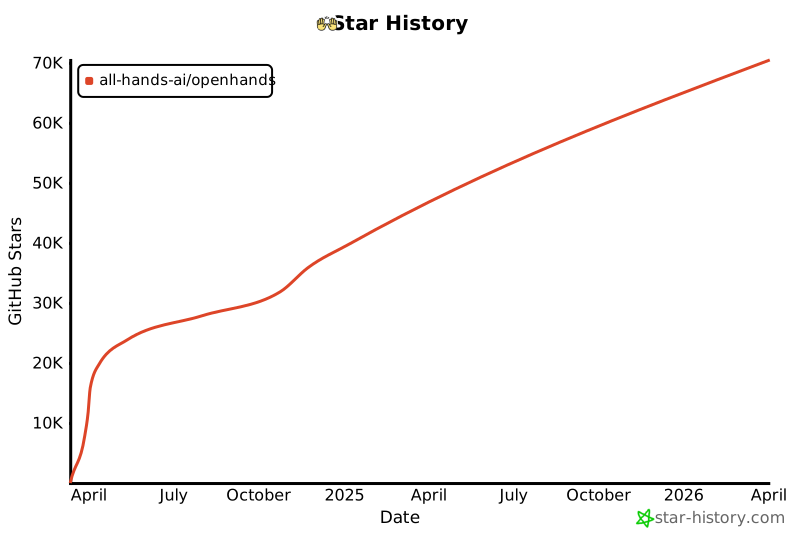](https://star-history.com/#All-Hands-AI/OpenHands&Date)
|
||||
|
||||
## 🛠️ Built With
|
||||
|
||||
OpenHands is built using a combination of powerful frameworks and libraries, providing a robust foundation for its development. Here are the key technologies used in the project:
|
||||
|
||||
       
|
||||
@@ -44,4 +45,5 @@ OpenHands is built using a combination of powerful frameworks and libraries, pro
|
||||
Please note that the selection of these technologies is in progress, and additional technologies may be added or existing ones may be removed as the project evolves. We strive to adopt the most suitable and efficient tools to enhance the capabilities of OpenHands.
|
||||
|
||||
## 📜 License
|
||||
|
||||
Distributed under the MIT License. See [our license](https://github.com/All-Hands-AI/OpenHands/blob/main/LICENSE) for more information.
|
||||
|
||||
@@ -1,10 +1,9 @@
|
||||
---
|
||||
sidebar_position: 3
|
||||
---
|
||||
|
||||
# 🧠 Main Agent and Capabilities
|
||||
|
||||
## CodeActAgent
|
||||
|
||||
### Description
|
||||
|
||||
This agent implements the CodeAct idea ([paper](https://arxiv.org/abs/2402.01030), [tweet](https://twitter.com/xingyaow_/status/1754556835703751087)) that consolidates LLM agents’ **act**ions into a
|
||||
unified **code** action space for both _simplicity_ and _performance_.
|
||||
|
||||
@@ -19,6 +18,7 @@ The conceptual idea is illustrated below. At each turn, the agent can:
|
||||

|
||||
|
||||
### Demo
|
||||
|
||||
https://github.com/All-Hands-AI/OpenHands/assets/38853559/f592a192-e86c-4f48-ad31-d69282d5f6ac
|
||||
|
||||
_Example of CodeActAgent with `gpt-4-turbo-2024-04-09` performing a data science task (linear regression)_.
|
||||
|
||||
@@ -1,7 +1,3 @@
|
||||
---
|
||||
sidebar_position: 7
|
||||
---
|
||||
|
||||
# 🏛️ System Architecture
|
||||
|
||||
<div style={{ textAlign: 'center' }}>
|
||||
@@ -47,8 +47,8 @@ graph TD
|
||||
```
|
||||
|
||||
1. User Input: The user provides a custom base Docker image
|
||||
2. Image Building: OpenHands builds a new Docker image (the "OD runtime image") based on the user-provided image. This new image includes OpenHands-specific code, primarily the "runtime client"
|
||||
3. Container Launch: When OpenHands starts, it launches a Docker container using the OD runtime image
|
||||
2. Image Building: OpenHands builds a new Docker image (the "OH runtime image") based on the user-provided image. This new image includes OpenHands-specific code, primarily the "runtime client"
|
||||
3. Container Launch: When OpenHands starts, it launches a Docker container using the OH runtime image
|
||||
4. Client Initialization: The runtime client initializes inside the container, setting up necessary components like a bash shell and loading any specified plugins
|
||||
5. Communication: The OpenHands backend (`runtime.py`) communicates with the runtime client over RESTful API, sending actions and receiving observations
|
||||
6. Action Execution: The runtime client receives actions from the backend, executes them in the sandboxed environment, and sends back observations
|
||||
@@ -62,7 +62,7 @@ The role of the client:
|
||||
- It formats and returns observations to the backend, ensuring a consistent interface for processing results
|
||||
|
||||
|
||||
## How OpenHands builds and maintains OD Runtime images
|
||||
## How OpenHands builds and maintains OH Runtime images
|
||||
|
||||
OpenHands' approach to building and managing runtime images ensures efficiency, consistency, and flexibility in creating and maintaining Docker images for both production and development environments.
|
||||
|
||||
@@ -80,9 +80,9 @@ OpenHands uses a dual-tagging system for its runtime images to balance reproduci
|
||||
- This ensures reproducibility; the same hash always means the same image contents
|
||||
|
||||
2. Generic tag: `{target_image_repo}:{target_image_tag}`.
|
||||
Example: `runtime:od_v0.8.3_ubuntu_tag_22.04`
|
||||
Example: `runtime:oh_v0.9.3_ubuntu_tag_22.04`
|
||||
|
||||
- This tag follows the format: `runtime:od_v{OD_VERSION}_{BASE_IMAGE_NAME}_tag_{BASE_IMAGE_TAG}`
|
||||
- This tag follows the format: `runtime:oh_v{OH_VERSION}_{BASE_IMAGE_NAME}_tag_{BASE_IMAGE_TAG}`
|
||||
- It represents the latest build for a particular base image and OpenHands version combination
|
||||
- This tag is updated whenever a new image is built from the same base image, even if the source code changes
|
||||
|
||||
@@ -94,11 +94,11 @@ The hash-based tag ensures reproducibility, while the generic tag provides a sta
|
||||
- Hash-based tag: `{target_image_repo}:{target_image_hash_tag}`.
|
||||
Example: `runtime:abc123def456`
|
||||
- Generic tag: `{target_image_repo}:{target_image_tag}`.
|
||||
Example: `runtime:od_v0.8.3_ubuntu_tag_22.04`
|
||||
Example: `runtime:oh_v0.9.3_ubuntu_tag_22.04`
|
||||
|
||||
2. Build Process:
|
||||
- a. Convert the base image name to an OD runtime image name
|
||||
Example: `ubuntu:22.04` -> `runtime:od_v0.8.3_ubuntu_tag_22.04`
|
||||
- a. Convert the base image name to an OH runtime image name
|
||||
Example: `ubuntu:22.04` -> `runtime:oh_v0.9.3_ubuntu_tag_22.04`
|
||||
- b. Generate a build context (Dockerfile and OpenHands source code) and calculate its hash
|
||||
- c. Check for an existing image with the calculated hash
|
||||
- d. If not found, check for a recent compatible image to use as a base
|
||||
@@ -108,7 +108,7 @@ The hash-based tag ensures reproducibility, while the generic tag provides a sta
|
||||
3. Image Reuse and Rebuilding Logic:
|
||||
The system follows these steps to determine whether to build a new image or use an existing one from a user-provided (base) image (e.g., `ubuntu:22.04`):
|
||||
- a. If an image exists with the same hash (e.g., `runtime:abc123def456`), it will be reused as is
|
||||
- b. If the exact hash is not found, the system will try to rebuild using the latest generic image (e.g., `runtime:od_v0.8.3_ubuntu_tag_22.04`) as a base. This saves time by leveraging existing dependencies
|
||||
- b. If the exact hash is not found, the system will try to rebuild using the latest generic image (e.g., `runtime:oh_v0.9.3_ubuntu_tag_22.04`) as a base. This saves time by leveraging existing dependencies
|
||||
- c. If neither the hash-tagged nor the generic-tagged image is found, the system will build the image completely from scratch
|
||||
|
||||
4. Caching and Efficiency:
|
||||
@@ -121,10 +121,10 @@ Here's a flowchart illustrating the build process:
|
||||
```mermaid
|
||||
flowchart TD
|
||||
A[Start] --> B{Convert base image name}
|
||||
B --> |ubuntu:22.04 -> runtime:od_v0.8.3_ubuntu_tag_22.04| C[Generate build context and hash]
|
||||
B --> |ubuntu:22.04 -> runtime:oh_v0.9.3_ubuntu_tag_22.04| C[Generate build context and hash]
|
||||
C --> D{Check for existing image with hash}
|
||||
D -->|Found runtime:abc123def456| E[Use existing image]
|
||||
D -->|Not found| F{Check for runtime:od_v0.8.3_ubuntu_tag_22.04}
|
||||
D -->|Not found| F{Check for runtime:oh_v0.9.3_ubuntu_tag_22.04}
|
||||
F -->|Found| G[Rebuild based on recent image]
|
||||
F -->|Not found| H[Build from scratch]
|
||||
G --> I[Tag with hash and generic tags]
|
||||
@@ -137,13 +137,13 @@ This approach ensures that:
|
||||
|
||||
1. Identical source code and Dockerfile always produce the same image (via hash-based tags)
|
||||
2. The system can quickly rebuild images when minor changes occur (by leveraging recent compatible images)
|
||||
3. The generic tag (e.g., `runtime:od_v0.8.3_ubuntu_tag_22.04`) always points to the latest build for a particular base image and OpenHands version combination
|
||||
3. The generic tag (e.g., `runtime:oh_v0.9.3_ubuntu_tag_22.04`) always points to the latest build for a particular base image and OpenHands version combination
|
||||
|
||||
## Runtime Plugin System
|
||||
|
||||
The OpenHands Runtime supports a plugin system that allows for extending functionality and customizing the runtime environment. Plugins are initialized when the runtime client starts up.
|
||||
|
||||
Check [an example of Jupyter plugin here](https://github.com/All-Hands-AI/OpenHands/blob/9c44d94cef32e6426ebd8deeeb52963153b2348a/openhands/runtime/plugins/jupyter/__init__.py#L30-L63) if you want to implement your own plugin.
|
||||
Check [an example of Jupyter plugin here](https://github.com/All-Hands-AI/OpenHands/blob/ecf4aed28b0cf7c18d4d8ff554883ba182fc6bdd/openhands/runtime/plugins/jupyter/__init__.py#L21-L55) if you want to implement your own plugin.
|
||||
|
||||
*More details about the Plugin system are still under construction - contributions are welcomed!*
|
||||
|
||||
|
||||
@@ -1,7 +1,3 @@
|
||||
---
|
||||
sidebar_position: 5
|
||||
---
|
||||
|
||||
# ✅ Providing Feedback
|
||||
|
||||
When using OpenHands, you will encounter cases where things work well, and others where they don't. We encourage you to provide feedback when you use OpenHands to help give feedback to the development team, and perhaps more importantly, create an open corpus of coding agent training examples -- Share-OpenHands!
|
||||
|
||||
@@ -0,0 +1,111 @@
|
||||
# Getting Started with OpenHands
|
||||
|
||||
So you've [installed OpenHands](./installation) and have
|
||||
[set up your LLM](./installation#setup). Now what?
|
||||
|
||||
OpenHands can help you tackle a wide variety of engineering tasks. But the technology
|
||||
is still new, and we're a long way off from having agents that can take on large, complicated
|
||||
engineering tasks without any guidance. So it's important to get a feel for what the agent
|
||||
does well, and where it might need some help.
|
||||
|
||||
## Hello World
|
||||
|
||||
The first thing you might want to try is a simple "hello world" example.
|
||||
This can be more complicated than it sounds!
|
||||
|
||||
Try prompting the agent with:
|
||||
> Please write a bash script hello.sh that prints "hello world!"
|
||||
|
||||
You should see that the agent not only writes the script, it sets the correct
|
||||
permissions and runs the script to check the output.
|
||||
|
||||
You can continue prompting the agent to refine your code. This is a great way to
|
||||
work with agents. Start simple, and iterate.
|
||||
|
||||
> Please modify hello.sh so that it accepts a name as the first argument, but defaults to "world"
|
||||
|
||||
You can also work in any language you need, though the agent might need to spend some
|
||||
time setting up its environment!
|
||||
|
||||
> Please convert hello.sh to a Ruby script, and run it
|
||||
|
||||
## Building From Scratch
|
||||
|
||||
Agents do exceptionally well at "greenfield" tasks (tasks where they don't need
|
||||
any context about an existing codebase) and they can just start from scratch.
|
||||
|
||||
It's best to start with a simple task, and then iterate on it. It's also best to be
|
||||
as specific as possible about what you want, what the tech stack should be, etc.
|
||||
|
||||
For example, we might build a TODO app:
|
||||
|
||||
> Please build a basic TODO list app in React. It should be frontend-only, and all state
|
||||
> should be kept in localStorage.
|
||||
|
||||
We can keep iterating on the app once the skeleton is there:
|
||||
|
||||
> Please allow adding an optional due date to every task
|
||||
|
||||
Just like with normal development, it's good to commit and push your code frequently.
|
||||
This way you can always revert back to an old state if the agent goes off track.
|
||||
You can ask the agent to commit and push for you:
|
||||
|
||||
> Please commit the changes and push them to a new branch called "feature/due-dates"
|
||||
|
||||
|
||||
## Adding New Code
|
||||
|
||||
OpenHands can also do a great job adding new code to an existing code base.
|
||||
|
||||
For example, you can ask OpenHands to add a new GitHub action to your project
|
||||
which lints your code. OpenHands may take a peek at your codebase to see what language
|
||||
it should use, but then it can just drop a new file into `./github/workflows/lint.yml`
|
||||
|
||||
> Please add a GitHub action that lints the code in this repository
|
||||
|
||||
Some tasks might require a bit more context. While OpenHands can use `ls` and `grep`
|
||||
to search through your codebase, providing context up front allows it to move faster,
|
||||
and more accurately. And it'll cost you fewer tokens!
|
||||
|
||||
> Please modify ./backend/api/routes.js to add a new route that returns a list of all tasks
|
||||
|
||||
> Please add a new React component that displays a list of Widgets to the ./frontend/components
|
||||
> directory. It should use the existing Widget component.
|
||||
|
||||
## Refactoring
|
||||
|
||||
OpenHands does great at refactoring existing code, especially in small chunks.
|
||||
You probably don't want to try rearchitecting your whole codebase, but breaking up
|
||||
long files and functions, renaming variables, etc. tend to work very well.
|
||||
|
||||
> Please rename all the single-letter variables in ./app.go
|
||||
|
||||
> Please break the function `build_and_deploy_widgets` into two functions, `build_widgets` and `deploy_widgets` in widget.php
|
||||
|
||||
> Please break ./api/routes.js into separate files for each route
|
||||
|
||||
## Bug Fixes
|
||||
|
||||
OpenHands can also help you track down and fix bugs in your code. But, as any
|
||||
developer knows, bug fixing can be extremely tricky, and often OpenHands will need more context.
|
||||
It helps if you've diagnosed the bug, but want OpenHands to figure out the logic.
|
||||
|
||||
> Currently the email field in the `/subscribe` endpoint is rejecting .io domains. Please fix this.
|
||||
|
||||
> The `search_widgets` function in ./app.py is doing a case-sensitive search. Please make it case-insensitive.
|
||||
|
||||
It often helps to do test-driven development when bugfixing with an agent.
|
||||
You can ask the agent to write a new test, and then iterate until it fixes the bug:
|
||||
|
||||
> The `hello` function crashes on the empty string. Please write a test that reproduces this bug, then fix the code so it passes.
|
||||
|
||||
## More
|
||||
|
||||
OpenHands is capable of helping out on just about any coding task. But it takes some practice
|
||||
to get the most out of it. Remember to:
|
||||
* Keep your tasks small
|
||||
* Be as specific as possible
|
||||
* Provide as much context as possible
|
||||
* Commit and push frequently
|
||||
|
||||
See [Prompting Best Practices](./prompting-best-practices) for more tips on how to get the most out of OpenHands.
|
||||
@@ -0,0 +1,108 @@
|
||||
# CLI Mode
|
||||
|
||||
OpenHands can be run in an interactive CLI mode, which allows users to start an interactive session via the command line.
|
||||
|
||||
This mode is different from the [headless mode](headless-mode), which is non-interactive and better for scripting.
|
||||
|
||||
## With Python
|
||||
|
||||
To start an interactive OpenHands session via the command line, follow these steps:
|
||||
|
||||
1. Ensure you have followed the [Development setup instructions](https://github.com/All-Hands-AI/OpenHands/blob/main/Development.md).
|
||||
|
||||
2. Run the following command:
|
||||
|
||||
```bash
|
||||
poetry run python -m openhands.core.cli
|
||||
```
|
||||
|
||||
This command will start an interactive session where you can input tasks and receive responses from OpenHands.
|
||||
|
||||
You'll need to be sure to set your model, API key, and other settings via environment variables
|
||||
[or the `config.toml` file](https://github.com/All-Hands-AI/OpenHands/blob/main/config.template.toml).
|
||||
|
||||
|
||||
## With Docker
|
||||
|
||||
To run OpenHands in CLI mode with Docker, follow these steps:
|
||||
|
||||
1. Set `WORKSPACE_BASE` to the directory you want OpenHands to edit:
|
||||
|
||||
```bash
|
||||
WORKSPACE_BASE=$(pwd)/workspace
|
||||
```
|
||||
|
||||
2. Set `LLM_MODEL` to the model you want to use:
|
||||
|
||||
```bash
|
||||
LLM_MODEL="anthropic/claude-3-5-sonnet-20240620"
|
||||
```
|
||||
|
||||
3. Set `LLM_API_KEY` to your API key:
|
||||
|
||||
```bash
|
||||
LLM_API_KEY="sk_test_12345"
|
||||
```
|
||||
|
||||
4. Run the following Docker command:
|
||||
|
||||
```bash
|
||||
docker run -it \
|
||||
--pull=always \
|
||||
-e SANDBOX_USER_ID=$(id -u) \
|
||||
-e WORKSPACE_MOUNT_PATH=$WORKSPACE_BASE \
|
||||
-e LLM_API_KEY=$LLM_API_KEY \
|
||||
-e LLM_MODEL=$LLM_MODEL \
|
||||
-v $WORKSPACE_BASE:/opt/workspace_base \
|
||||
-v /var/run/docker.sock:/var/run/docker.sock \
|
||||
--add-host host.docker.internal:host-gateway \
|
||||
--name openhands-app-$(date +%Y%m%d%H%M%S) \
|
||||
ghcr.io/all-hands-ai/openhands:0.9 \
|
||||
python -m openhands.core.cli
|
||||
```
|
||||
|
||||
This command will start an interactive session in Docker where you can input tasks and receive responses from OpenHands.
|
||||
|
||||
## Examples of CLI Commands and Expected Outputs
|
||||
|
||||
Here are some examples of CLI commands and their expected outputs:
|
||||
|
||||
### Example 1: Simple Task
|
||||
|
||||
```bash
|
||||
How can I help? >> Write a Python script that prints "Hello, World!"
|
||||
```
|
||||
|
||||
Expected Output:
|
||||
|
||||
```bash
|
||||
🤖 Sure! Here is a Python script that prints "Hello, World!":
|
||||
|
||||
❯ print("Hello, World!")
|
||||
```
|
||||
|
||||
### Example 2: Bash Command
|
||||
|
||||
```bash
|
||||
How can I help? >> Create a directory named "test_dir"
|
||||
```
|
||||
|
||||
Expected Output:
|
||||
|
||||
```bash
|
||||
🤖 Creating a directory named "test_dir":
|
||||
|
||||
❯ mkdir test_dir
|
||||
```
|
||||
|
||||
### Example 3: Error Handling
|
||||
|
||||
```bash
|
||||
How can I help? >> Delete a non-existent file
|
||||
```
|
||||
|
||||
Expected Output:
|
||||
|
||||
```bash
|
||||
🤖 An error occurred. Please try again.
|
||||
```
|
||||
@@ -1,26 +1,19 @@
|
||||
# Create and Use a Custom Docker Sandbox
|
||||
# Custom Sandbox
|
||||
|
||||
The default OpenHands sandbox comes with a [minimal ubuntu configuration](https://github.com/All-Hands-AI/OpenHands/blob/main/containers/sandbox/Dockerfile).
|
||||
Your use case may need additional software installed by default.
|
||||
The sandbox is where the agent does its work. Instead of running commands directly on your computer
|
||||
(which could be dangerous), the agent runs them inside of a Docker container.
|
||||
|
||||
The default OpenHands sandbox (`python-nodejs:python3.12-nodejs22`
|
||||
from [nikolaik/python-nodejs](https://hub.docker.com/r/nikolaik/python-nodejs)) comes with some packages installed such
|
||||
as python and Node.js but your use case may need additional software installed by default.
|
||||
|
||||
There are two ways you can do so:
|
||||
|
||||
1. Use an existing image from docker hub. For instance, if you want to have `nodejs` installed, you can do so by using the `node:20` image
|
||||
2. Creating your own custom docker image and using it
|
||||
1. Use an existing image from docker hub.
|
||||
2. Creating your own custom docker image and using it.
|
||||
|
||||
If you want to take the first approach, you can skip the `Create Your Docker Image` section.
|
||||
|
||||
For a more feature-rich environment, you might consider using pre-built images like **[nikolaik/python-nodejs](https://hub.docker.com/r/nikolaik/python-nodejs)**, which comes with both Python and Node.js pre-installed, along with many other useful tools and libraries, like:
|
||||
|
||||
- Node.js: 22.x
|
||||
- npm: 10.x
|
||||
- yarn: stable
|
||||
- Python: latest
|
||||
- pip: latest
|
||||
- pipenv: latest
|
||||
- poetry: latest
|
||||
- uv: latest
|
||||
|
||||
## Setup
|
||||
|
||||
Make sure you are able to run OpenHands using the [Development.md](https://github.com/All-Hands-AI/OpenHands/blob/main/Development.md) first.
|
||||
@@ -79,7 +72,7 @@ Run OpenHands by running ```make run``` in the top level directory.
|
||||
|
||||
Navigate to ```localhost:3001``` and check if your desired dependencies are available.
|
||||
|
||||
In the case of the example above, running ```node -v``` in the terminal produces ```v20.15.0```
|
||||
In the case of the example above, running ```node -v``` in the terminal produces ```v20.15.0```.
|
||||
|
||||
Congratulations!
|
||||
|
||||
|
||||
@@ -0,0 +1,71 @@
|
||||
# Debugging
|
||||
|
||||
The following is intended as a primer on debugging OpenHands for Development purposes.
|
||||
|
||||
## Server / VSCode
|
||||
|
||||
The following `launch.json` will allow debugging the agent, controller and server elements, but not the sandbox (Which runs inside docker). It will ignore any changes inside the `workspace/` directory:
|
||||
|
||||
```
|
||||
{
|
||||
"version": "0.2.0",
|
||||
"configurations": [
|
||||
{
|
||||
"name": "OpenHands CLI",
|
||||
"type": "debugpy",
|
||||
"request": "launch",
|
||||
"module": "openhands.core.cli",
|
||||
"justMyCode": false
|
||||
},
|
||||
{
|
||||
"name": "OpenHands WebApp",
|
||||
"type": "debugpy",
|
||||
"request": "launch",
|
||||
"module": "uvicorn",
|
||||
"args": [
|
||||
"openhands.server.listen:app",
|
||||
"--reload",
|
||||
"--reload-exclude",
|
||||
"${workspaceFolder}/workspace",
|
||||
"--port",
|
||||
"3000"
|
||||
],
|
||||
"justMyCode": false
|
||||
}
|
||||
]
|
||||
}
|
||||
```
|
||||
|
||||
More specific debugging configurations which include more parameters may be specified:
|
||||
|
||||
```
|
||||
...
|
||||
{
|
||||
"name": "Debug CodeAct",
|
||||
"type": "debugpy",
|
||||
"request": "launch",
|
||||
"module": "openhands.core.main",
|
||||
"args": [
|
||||
"-t",
|
||||
"Ask me what your task is.",
|
||||
"-d",
|
||||
"${workspaceFolder}/workspace",
|
||||
"-c",
|
||||
"CodeActAgent",
|
||||
"-l",
|
||||
"llm.o1",
|
||||
"-n",
|
||||
"prompts"
|
||||
],
|
||||
"justMyCode": false
|
||||
}
|
||||
...
|
||||
```
|
||||
|
||||
Values in the snippet above can be updated such that:
|
||||
|
||||
* *t*: the task
|
||||
* *d*: the openhands workspace directory
|
||||
* *c*: the agent
|
||||
* *l*: the LLM config (pre-defined in config.toml)
|
||||
* *n*: session name (e.g. eventstream name)
|
||||
@@ -1,4 +1,4 @@
|
||||
# Contribute to OpenHands Evaluation Harness
|
||||
# Evaluation
|
||||
|
||||
This guide provides an overview of how to integrate your own evaluation benchmark into the OpenHands framework.
|
||||
|
||||
@@ -12,7 +12,7 @@ Here's an example configuration file you can use to define and use multiple LLMs
|
||||
```toml
|
||||
[llm]
|
||||
# IMPORTANT: add your API key here, and set the model to the one you want to evaluate
|
||||
model = "gpt-4o-2024-05-13"
|
||||
model = "claude-3-5-sonnet-20240620"
|
||||
api_key = "sk-XXX"
|
||||
|
||||
[llm.eval_gpt4_1106_preview_llm]
|
||||
@@ -84,7 +84,7 @@ To create an evaluation workflow for your benchmark, follow these steps:
|
||||
|
||||
1. Import relevant OpenHands utilities:
|
||||
```python
|
||||
import agenthub
|
||||
import openhands.agenthub
|
||||
from evaluation.utils.shared import (
|
||||
EvalMetadata,
|
||||
EvalOutput,
|
||||
@@ -136,7 +136,7 @@ To create an evaluation workflow for your benchmark, follow these steps:
|
||||
```python
|
||||
def process_instance(instance: pd.Series, metadata: EvalMetadata) -> EvalOutput:
|
||||
config = get_config(instance, metadata)
|
||||
runtime = create_runtime(config, sid=instance.instance_id)
|
||||
runtime = create_runtime(config)
|
||||
initialize_runtime(runtime, instance)
|
||||
|
||||
instruction = get_instruction(instance, metadata)
|
||||
|
||||
@@ -0,0 +1,15 @@
|
||||
# Using the OpenHands GitHub Action
|
||||
|
||||
This guide explains how to use the OpenHands GitHub Action, both within the OpenHands repository and in your own projects.
|
||||
|
||||
## Using the Action in the OpenHands Repository
|
||||
|
||||
To use the OpenHands GitHub Action in the OpenHands repository, an OpenHands maintainer can:
|
||||
|
||||
1. Create an issue in the repository.
|
||||
2. Add the `fix-me` label to the issue.
|
||||
3. The action will automatically trigger and attempt to resolve the issue.
|
||||
|
||||
## Installing the Action in a New Repository
|
||||
|
||||
To install the OpenHands GitHub Action in your own repository, follow the [directions in the OpenHands Resolver repo](https://github.com/All-Hands-AI/OpenHands-resolver?tab=readme-ov-file#using-the-github-actions-workflow).
|
||||
@@ -0,0 +1,51 @@
|
||||
# GUI Mode
|
||||
|
||||
## Introduction
|
||||
|
||||
OpenHands provides a user-friendly Graphical User Interface (GUI) mode for interacting with the AI assistant. This mode offers an intuitive way to set up the environment, manage settings, and communicate with the AI.
|
||||
|
||||
## Installation and Setup
|
||||
|
||||
1. Follow the instructions in the [Installation](../installation) guide to install OpenHands.
|
||||
|
||||
2. After running the command, access OpenHands at [http://localhost:3000](http://localhost:3000).
|
||||
|
||||
## Interacting with the GUI
|
||||
|
||||
### Initial Setup
|
||||
|
||||
1. Upon first launch, you'll see a settings modal.
|
||||
2. Select an `LLM Provider` and `LLM Model` from the dropdown menus.
|
||||
3. Enter the corresponding `API Key` for your chosen provider.
|
||||
4. Click "Save" to apply the settings.
|
||||
|
||||
### Advanced Settings
|
||||
|
||||
1. Toggle `Advanced Options` to access additional settings.
|
||||
2. Use the `Custom Model` text box to manually enter a model if it's not in the list.
|
||||
3. Specify a `Base URL` if required by your LLM provider.
|
||||
|
||||
### Main Interface
|
||||
|
||||
The main interface consists of several key components:
|
||||
|
||||
1. **Chat Window**: The central area where you can view the conversation history with the AI assistant.
|
||||
2. **Input Box**: Located at the bottom of the screen, use this to type your messages or commands to the AI.
|
||||
3. **Send Button**: Click this to send your message to the AI.
|
||||
4. **Settings Button**: A gear icon that opens the settings modal, allowing you to adjust your configuration at any time.
|
||||
5. **Workspace Panel**: Displays the files and folders in your workspace, allowing you to navigate and view files, or the agent's past commands or web browsing history.
|
||||
|
||||
### Interacting with the AI
|
||||
|
||||
1. Type your question, request, or task description in the input box.
|
||||
2. Click the send button or press Enter to submit your message.
|
||||
3. The AI will process your input and provide a response in the chat window.
|
||||
4. You can continue the conversation by asking follow-up questions or providing additional information.
|
||||
|
||||
## Tips for Effective Use
|
||||
|
||||
1. Be specific in your requests to get the most accurate and helpful responses, as described in the [prompting best practices](../prompting-best-practices).
|
||||
2. Use the workspace panel to explore your project structure.
|
||||
3. Use one of the recommended models, as described in the [LLMs section](usage/llms/llms.md).
|
||||
|
||||
Remember, the GUI mode of OpenHands is designed to make your interaction with the AI assistant as smooth and intuitive as possible. Don't hesitate to explore its features to maximize your productivity.
|
||||
@@ -1,9 +1,12 @@
|
||||
# Running in Headless Mode
|
||||
# Headless Mode
|
||||
|
||||
You can run OpenHands via a CLI, without starting the web application. This makes it easy
|
||||
to automate tasks with OpenHands.
|
||||
You can run OpenHands with a single command, without starting the web application.
|
||||
This makes it easy to write scripts and automate tasks with OpenHands.
|
||||
|
||||
This is different from [CLI Mode](cli-mode), which is interactive, and better for active development.
|
||||
|
||||
## With Python
|
||||
|
||||
To run OpenHands in headless mode with Python,
|
||||
[follow the Development setup instructions](https://github.com/All-Hands-AI/OpenHands/blob/main/Development.md),
|
||||
and then run:
|
||||
@@ -12,19 +15,32 @@ and then run:
|
||||
poetry run python -m openhands.core.main -t "write a bash script that prints hi"
|
||||
```
|
||||
|
||||
You'll need to be sure to set your model, API key, and other settings via environment variables
|
||||
[or the `config.toml` file](https://github.com/All-Hands-AI/OpenHands/blob/main/config.template.toml).
|
||||
|
||||
## With Docker
|
||||
To run OpenHands in headless mode with Docker, run:
|
||||
|
||||
1. Set `WORKSPACE_BASE` to the directory you want OpenHands to edit:
|
||||
|
||||
```bash
|
||||
# Set WORKSPACE_BASE to the directory you want OpenHands to edit
|
||||
WORKSPACE_BASE=$(pwd)/workspace
|
||||
```
|
||||
|
||||
# Set LLM_API_KEY to an API key, e.g. for OpenAI or Anthropic
|
||||
LLM_API_KEY="abcde"
|
||||
2. Set `LLM_MODEL` to the model you want to use:
|
||||
|
||||
# Set LLM_MODEL to the model you want to use
|
||||
LLM_MODEL="gpt-4o"
|
||||
```bash
|
||||
LLM_MODEL="anthropic/claude-3-5-sonnet-20240620"
|
||||
```
|
||||
|
||||
3. Set `LLM_API_KEY` to your API key:
|
||||
|
||||
```bash
|
||||
LLM_API_KEY="sk_test_12345"
|
||||
```
|
||||
|
||||
4. Run the following Docker command:
|
||||
|
||||
```bash
|
||||
docker run -it \
|
||||
--pull=always \
|
||||
-e SANDBOX_USER_ID=$(id -u) \
|
||||
@@ -35,7 +51,6 @@ docker run -it \
|
||||
-v /var/run/docker.sock:/var/run/docker.sock \
|
||||
--add-host host.docker.internal:host-gateway \
|
||||
--name openhands-app-$(date +%Y%m%d%H%M%S) \
|
||||
ghcr.io/all-hands-ai/openhands:main \ # TODO: pin a version here
|
||||
python -m openhands.core.main \
|
||||
-t "Write a bash script that prints Hello World"
|
||||
ghcr.io/all-hands-ai/openhands:0.9 \
|
||||
python -m openhands.core.main -t "write a bash script that prints hi"
|
||||
```
|
||||
|
||||
@@ -1,5 +0,0 @@
|
||||
---
|
||||
sidebar_position: 6
|
||||
---
|
||||
|
||||
# 🔎 How To Section
|
||||
@@ -1,11 +1,12 @@
|
||||
# Use OpenHands in OpenShift/K8S
|
||||
# Kubernetes
|
||||
|
||||
There are different ways this can be accomplished. This guide goes through one possible way:
|
||||
There are different ways you might run OpenHands on Kubernetes or OpenShift. This guide goes through one possible way:
|
||||
1. Create a PV "as a cluster admin" to map workspace_base data and docker directory to the pod through the worker node
|
||||
2. Create a PVC to be able to mount those PVs to the pod
|
||||
3. Create a pod which contains two containers; the OpenHands and Sandbox containers
|
||||
|
||||
## Detailed Steps for the Example Above
|
||||
|
||||
> Note: Make sure you are logged in to the cluster first with the proper account for each step. PV creation requires cluster administrator!
|
||||
|
||||
> Make sure you have read/write permissions on the hostPath used below (i.e. /tmp/workspace)
|
||||
@@ -176,6 +177,7 @@ spec:
|
||||
claimName: docker-pvc
|
||||
```
|
||||
|
||||
|
||||
```bash
|
||||
# create the pod
|
||||
$ oc create -f pod.yaml
|
||||
@@ -261,3 +263,167 @@ Events: <none>
|
||||
6. Connect to OpenHands UI, configure the Agent, then test:
|
||||
|
||||

|
||||
|
||||
|
||||
|
||||
## GCP GKE Openhands deployment
|
||||
|
||||
**Warning**: this deployment grants the OpenHands application access to the Kubernetes docker socket, which creates security risk. Use at your own discretion.
|
||||
1- Create policy for privillege access
|
||||
2- Create gke credentials(optional)
|
||||
3- Create openhands deployment
|
||||
4- Verification and ui access commands
|
||||
5- Tshoot pod to verify the internal container
|
||||
|
||||
1. create policy for privillege access
|
||||
```bash
|
||||
apiVersion: rbac.authorization.k8s.io/v1
|
||||
kind: ClusterRole
|
||||
metadata:
|
||||
name: privileged-role
|
||||
rules:
|
||||
- apiGroups: [""]
|
||||
resources: ["pods"]
|
||||
verbs: ["create", "get", "list", "watch", "delete"]
|
||||
- apiGroups: ["apps"]
|
||||
resources: ["deployments"]
|
||||
verbs: ["create", "get", "list", "watch", "delete"]
|
||||
- apiGroups: [""]
|
||||
resources: ["pods/exec"]
|
||||
verbs: ["create"]
|
||||
- apiGroups: [""]
|
||||
resources: ["pods/log"]
|
||||
verbs: ["get"]
|
||||
---
|
||||
apiVersion: rbac.authorization.k8s.io/v1
|
||||
kind: ClusterRoleBinding
|
||||
metadata:
|
||||
name: privileged-role-binding
|
||||
roleRef:
|
||||
apiGroup: rbac.authorization.k8s.io
|
||||
kind: ClusterRole
|
||||
name: privileged-role
|
||||
subjects:
|
||||
- kind: ServiceAccount
|
||||
name: default # Change to your service account name
|
||||
namespace: default
|
||||
```
|
||||
2. create gke credentials(optional)
|
||||
```bash
|
||||
kubectl create secret generic google-cloud-key \
|
||||
--from-file=key.json=/path/to/your/google-cloud-key.json
|
||||
```
|
||||
3. create openhands deployment
|
||||
## as this is tested for the single worker node if you have multiple specify the flag for the single worker
|
||||
|
||||
```bash
|
||||
kind: Deployment
|
||||
metadata:
|
||||
name: openhands-app-2024
|
||||
labels:
|
||||
app: openhands-app-2024
|
||||
spec:
|
||||
replicas: 1 # You can increase this number for multiple replicas
|
||||
selector:
|
||||
matchLabels:
|
||||
app: openhands-app-2024
|
||||
template:
|
||||
metadata:
|
||||
labels:
|
||||
app: openhands-app-2024
|
||||
spec:
|
||||
containers:
|
||||
- name: openhands-app-2024
|
||||
image: ghcr.io/all-hands-ai/openhands:main
|
||||
env:
|
||||
- name: SANDBOX_USER_ID
|
||||
value: "1000"
|
||||
- name: SANDBOX_API_HOSTNAME
|
||||
value: '10.164.0.4'
|
||||
- name: WORKSPACE_MOUNT_PATH
|
||||
value: "/tmp/workspace_base"
|
||||
- name: GOOGLE_APPLICATION_CREDENTIALS
|
||||
value: "/tmp/workspace_base/google-cloud-key.json"
|
||||
volumeMounts:
|
||||
- name: workspace-volume
|
||||
mountPath: /tmp/workspace_base
|
||||
- name: docker-sock
|
||||
mountPath: /var/run/docker.sock
|
||||
- name: google-credentials
|
||||
mountPath: "/tmp/workspace_base/google-cloud-key.json"
|
||||
securityContext:
|
||||
privileged: true # Add this to allow privileged access
|
||||
ports:
|
||||
- containerPort: 3000
|
||||
- name: openhands-sandbox-2024
|
||||
image: ghcr.io/opendevin/sandbox:main
|
||||
# securityContext:
|
||||
# privileged: true # Add this to allow privileged access
|
||||
ports:
|
||||
- containerPort: 51963
|
||||
command: ["/usr/sbin/sshd", "-D", "-p 51963", "-o", "PermitRootLogin=yes"]
|
||||
volumes:
|
||||
#- name: workspace-volume
|
||||
# persistentVolumeClaim:
|
||||
# claimName: workspace-pvc
|
||||
- name: workspace-volume
|
||||
emptyDir: {}
|
||||
- name: docker-sock
|
||||
hostPath:
|
||||
path: /var/run/docker.sock # Use host's Docker socket
|
||||
type: Socket
|
||||
- name: google-credentials
|
||||
secret:
|
||||
secretName: google-cloud-key
|
||||
---
|
||||
apiVersion: v1
|
||||
kind: Service
|
||||
metadata:
|
||||
name: openhands-app-2024-svc
|
||||
spec:
|
||||
selector:
|
||||
app: openhands-app-2024
|
||||
ports:
|
||||
- name: http
|
||||
protocol: TCP
|
||||
port: 80
|
||||
targetPort: 3000
|
||||
- name: ssh
|
||||
protocol: TCP
|
||||
port: 51963
|
||||
targetPort: 51963
|
||||
type: LoadBalancer
|
||||
```
|
||||
|
||||
5. Tshoot pod to verify the internal container
|
||||
### if you want to know more regarding the internal container runtime use below mention pod deployment use kubectl exec -it to enter into container and you can check the contaienr run time using normal docker commands like "docker ps -a"
|
||||
|
||||
```bash
|
||||
apiVersion: apps/v1
|
||||
kind: Deployment
|
||||
metadata:
|
||||
name: docker-in-docker
|
||||
spec:
|
||||
replicas: 1
|
||||
selector:
|
||||
matchLabels:
|
||||
app: docker-in-docker
|
||||
template:
|
||||
metadata:
|
||||
labels:
|
||||
app: docker-in-docker
|
||||
spec:
|
||||
containers:
|
||||
- name: dind
|
||||
image: docker:20.10-dind
|
||||
securityContext:
|
||||
privileged: true
|
||||
volumeMounts:
|
||||
- name: docker-sock
|
||||
mountPath: /var/run/docker.sock
|
||||
volumes:
|
||||
- name: docker-sock
|
||||
hostPath:
|
||||
path: /var/run/docker.sock
|
||||
type: Socket
|
||||
```
|
||||
|
||||
@@ -0,0 +1,63 @@
|
||||
# Installation
|
||||
|
||||
## System Requirements
|
||||
|
||||
* Docker version 26.0.0+ or Docker Desktop 4.31.0+.
|
||||
* You must be using Linux or Mac OS.
|
||||
* If you are on Windows, you must use [WSL](https://learn.microsoft.com/en-us/windows/wsl/install).
|
||||
|
||||
## Start the app
|
||||
|
||||
The easiest way to run OpenHands is in Docker. You can change `WORKSPACE_BASE` below to point OpenHands to
|
||||
existing code that you'd like to modify.
|
||||
|
||||
```bash
|
||||
export WORKSPACE_BASE=$(pwd)/workspace
|
||||
|
||||
docker pull ghcr.io/all-hands-ai/runtime:0.9-nikolaik
|
||||
|
||||
docker run -it --pull=always \
|
||||
-e SANDBOX_RUNTIME_CONTAINER_IMAGE=ghcr.io/all-hands-ai/runtime:0.9-nikolaik \
|
||||
-e SANDBOX_USER_ID=$(id -u) \
|
||||
-e WORKSPACE_MOUNT_PATH=$WORKSPACE_BASE \
|
||||
-v $WORKSPACE_BASE:/opt/workspace_base \
|
||||
-v /var/run/docker.sock:/var/run/docker.sock \
|
||||
-p 3000:3000 \
|
||||
--add-host host.docker.internal:host-gateway \
|
||||
--name openhands-app-$(date +%Y%m%d%H%M%S) \
|
||||
ghcr.io/all-hands-ai/openhands:0.9
|
||||
```
|
||||
|
||||
You can also run OpenHands in a scriptable [headless mode](https://docs.all-hands.dev/modules/usage/how-to/headless-mode), as an [interactive CLI](https://docs.all-hands.dev/modules/usage/how-to/cli-mode), or using the [OpenHands GitHub Action](https://docs.all-hands.dev/modules/usage/how-to/github-action).
|
||||
|
||||
## Setup
|
||||
|
||||
After running the command above, you'll find OpenHands running at [http://localhost:3000](http://localhost:3000).
|
||||
|
||||
The agent will have access to the `./workspace` folder to do its work. You can copy existing code here, or change `WORKSPACE_BASE` in the
|
||||
command to point to an existing folder.
|
||||
|
||||
Upon launching OpenHands, you'll see a settings modal. You **must** select an `LLM Provider` and `LLM Model` and enter a corresponding `API Key`.
|
||||
These can be changed at any time by selecting the `Settings` button (gear icon) in the UI.
|
||||
|
||||
If the required `LLM Model` does not exist in the list, you can toggle `Advanced Options` and manually enter it with the correct prefix
|
||||
in the `Custom Model` text box.
|
||||
The `Advanced Options` also allow you to specify a `Base URL` if required.
|
||||
|
||||
<div style={{ display: 'flex', justifyContent: 'center', gap: '20px' }}>
|
||||
<img src="/img/settings-screenshot.png" alt="settings-modal" width="340" />
|
||||
<img src="/img/settings-advanced.png" alt="settings-modal" width="335" />
|
||||
</div>
|
||||
|
||||
## Versions
|
||||
|
||||
The command above pulls the most recent stable release of OpenHands. You have other options as well:
|
||||
- For a specific release, use `ghcr.io/all-hands-ai/openhands:$VERSION`, replacing $VERSION with the version number.
|
||||
- We use semver, and release major, minor, and patch tags. So `0.9` will automatically point to the latest `0.9.x` release, and `0` will point to the latest `0.x.x` release.
|
||||
- For the most up-to-date development version, you can use `ghcr.io/all-hands-ai/openhands:main`. This version is unstable and is recommended for testing or development purposes only.
|
||||
|
||||
You can choose the tag that best suits your needs based on stability requirements and desired features.
|
||||
|
||||
For the development workflow, see [Development.md](https://github.com/All-Hands-AI/OpenHands/blob/main/Development.md).
|
||||
|
||||
Are you having trouble? Check out our [Troubleshooting Guide](https://docs.all-hands.dev/modules/usage/troubleshooting).
|
||||
@@ -1,71 +0,0 @@
|
||||
---
|
||||
sidebar_position: 1
|
||||
---
|
||||
|
||||
# 💻 OpenHands
|
||||
|
||||
OpenHands is an **autonomous AI software engineer** capable of executing complex engineering tasks and collaborating actively with users on software development projects.
|
||||
This project is fully open-source, so you can use and modify it however you like.
|
||||
|
||||
:::tip
|
||||
Explore the codebase of OpenHands on [GitHub](https://github.com/All-Hands-AI/OpenHands) or join one of our communities!
|
||||
|
||||
<a href="https://github.com/All-Hands-AI/OpenHands/graphs/contributors">
|
||||
<img
|
||||
src="https://img.shields.io/github/contributors/All-Hands-AI/OpenHands?style=for-the-badge"
|
||||
alt="Contributors"
|
||||
/>
|
||||
</a>
|
||||
<a href="https://github.com/All-Hands-AI/OpenHands/network/members">
|
||||
<img
|
||||
src="https://img.shields.io/github/forks/All-Hands-AI/OpenHands?style=for-the-badge"
|
||||
alt="Forks"
|
||||
/>
|
||||
</a>
|
||||
<a href="https://github.com/All-Hands-AI/OpenHands/stargazers">
|
||||
<img
|
||||
src="https://img.shields.io/github/stars/All-Hands-AI/OpenHands?style=for-the-badge"
|
||||
alt="Stargazers"
|
||||
/>
|
||||
</a>
|
||||
<a href="https://github.com/All-Hands-AI/OpenHands/issues">
|
||||
<img
|
||||
src="https://img.shields.io/github/issues/All-Hands-AI/OpenHands?style=for-the-badge"
|
||||
alt="Issues"
|
||||
/>
|
||||
</a>
|
||||
<br></br>
|
||||
<a href="https://github.com/All-Hands-AI/OpenHands/blob/main/LICENSE">
|
||||
<img
|
||||
src="https://img.shields.io/github/license/All-Hands-AI/OpenHands?style=for-the-badge"
|
||||
alt="MIT License"
|
||||
/>
|
||||
</a>
|
||||
<br></br>
|
||||
<a href="https://join.slack.com/t/opendevin/shared_invite/zt-2oikve2hu-UDxHeo8nsE69y6T7yFX_BA">
|
||||
<img
|
||||
src="https://img.shields.io/badge/Slack-Join%20Us-red?logo=slack&logoColor=white&style=for-the-badge"
|
||||
alt="Join our Slack community"
|
||||
/>
|
||||
</a>
|
||||
<a href="https://discord.gg/ESHStjSjD4">
|
||||
<img
|
||||
src="https://img.shields.io/badge/Discord-Join%20Us-purple?logo=discord&logoColor=white&style=for-the-badge"
|
||||
alt="Join our Discord community"
|
||||
/>
|
||||
</a>
|
||||
:::
|
||||
|
||||
## 🛠️ Getting Started
|
||||
[Check out the getting started guide on Github](https://github.com/All-Hands-AI/OpenHands?tab=readme-ov-file#-getting-started)
|
||||
|
||||
[contributors-shield]: https://img.shields.io/github/contributors/All-Hands-AI/OpenHands?style=for-the-badge
|
||||
[contributors-url]: https://github.com/All-Hands-AI/OpenHands/graphs/contributors
|
||||
[forks-shield]: https://img.shields.io/github/forks/All-Hands-AI/OpenHands?style=for-the-badge
|
||||
[forks-url]: https://github.com/All-Hands-AI/OpenHands/network/members
|
||||
[stars-shield]: https://img.shields.io/github/stars/All-Hands-AI/OpenHands?style=for-the-badge
|
||||
[stars-url]: https://github.com/All-Hands-AI/OpenHands/stargazers
|
||||
[issues-shield]: https://img.shields.io/github/issues/All-Hands-AI/OpenHands?style=for-the-badge
|
||||
[issues-url]: https://github.com/All-Hands-AI/OpenHands/issues
|
||||
[license-shield]: https://img.shields.io/github/license/All-Hands-AI/OpenHands?style=for-the-badge
|
||||
[license-url]: https://github.com/All-Hands-AI/OpenHands/blob/main/LICENSE
|
||||
@@ -1,55 +1,46 @@
|
||||
# Azure OpenAI LLM
|
||||
# Azure
|
||||
|
||||
## Completion
|
||||
OpenHands uses LiteLLM to make calls to Azure's chat models. You can find their documentation on using Azure as a provider [here](https://docs.litellm.ai/docs/providers/azure).
|
||||
|
||||
OpenHands uses LiteLLM for completion calls. You can find their documentation on Azure [here](https://docs.litellm.ai/docs/providers/azure)
|
||||
## Azure OpenAI Configuration
|
||||
|
||||
### Azure openai configs
|
||||
|
||||
When running the OpenHands Docker image, you'll need to set the following environment variables using `-e`:
|
||||
When running OpenHands, you'll need to set the following environment variable using `-e` in the
|
||||
[docker run command](/modules/usage/installation):
|
||||
|
||||
```
|
||||
LLM_BASE_URL="<azure-api-base-url>" # e.g. "https://openai-gpt-4-test-v-1.openai.azure.com/"
|
||||
LLM_API_KEY="<azure-api-key>"
|
||||
LLM_MODEL="azure/<your-gpt-deployment-name>"
|
||||
LLM_API_VERSION="<api-version>" # e.g. "2024-02-15-preview"
|
||||
LLM_API_VERSION="<api-version>" # e.g. "2023-05-15"
|
||||
```
|
||||
|
||||
Example:
|
||||
```bash
|
||||
docker run -it \
|
||||
--pull=always \
|
||||
-e SANDBOX_USER_ID=$(id -u) \
|
||||
-e WORKSPACE_MOUNT_PATH=$WORKSPACE_BASE \
|
||||
-e LLM_BASE_URL="x.openai.azure.com" \
|
||||
-e LLM_API_VERSION="2024-02-15-preview" \
|
||||
-v $WORKSPACE_BASE:/opt/workspace_base \
|
||||
-v /var/run/docker.sock:/var/run/docker.sock \
|
||||
-p 3000:3000 \
|
||||
--add-host host.docker.internal:host-gateway \
|
||||
--name openhands-app-$(date +%Y%m%d%H%M%S) \
|
||||
ghcr.io/all-hands-ai/openhands:main
|
||||
docker run -it --pull=always \
|
||||
-e LLM_API_VERSION="2023-05-15"
|
||||
...
|
||||
```
|
||||
|
||||
You can set the LLM_MODEL and LLM_API_KEY in the OpenHands UI itself.
|
||||
Then set the following in the OpenHands UI through the Settings:
|
||||
|
||||
:::note
|
||||
You can find your ChatGPT deployment name on the deployments page in Azure. It could be the same with the chat model name (e.g. 'GPT4-1106-preview'), by default or initially set, but it doesn't have to be the same. Run openhands, and when you load it in the browser, go to Settings and set model as above: "azure/<your-actual-gpt-deployment-name>". If it's not in the list, enter your own text and save it.
|
||||
You will need your ChatGPT deployment name which can be found on the deployments page in Azure. This is referenced as
|
||||
<deployment-name> below.
|
||||
:::
|
||||
|
||||
* Enable `Advanced Options`
|
||||
* `Custom Model` to azure/<deployment-name>
|
||||
* `Base URL` to your Azure API Base URL (e.g. `https://example-endpoint.openai.azure.com`)
|
||||
* `API Key` to your Azure API key
|
||||
|
||||
## Embeddings
|
||||
|
||||
OpenHands uses llama-index for embeddings. You can find their documentation on Azure [here](https://docs.llamaindex.ai/en/stable/api_reference/embeddings/azure_openai/)
|
||||
OpenHands uses llama-index for embeddings. You can find their documentation on Azure [here](https://docs.llamaindex.ai/en/stable/api_reference/embeddings/azure_openai/).
|
||||
|
||||
### Azure openai configs
|
||||
### Azure OpenAI Configuration
|
||||
|
||||
The model used for Azure OpenAI embeddings is "text-embedding-ada-002".
|
||||
You need the correct deployment name for this model in your Azure account.
|
||||
|
||||
When running OpenHands in Docker, set the following environment variables using `-e`:
|
||||
When running OpenHands, set the following environment variables using `-e` in the
|
||||
[docker run command](/modules/usage/installation):
|
||||
|
||||
```
|
||||
LLM_EMBEDDING_MODEL="azureopenai"
|
||||
LLM_EMBEDDING_DEPLOYMENT_NAME="<your-embedding-deployment-name>" # e.g. "TextEmbedding...<etc>"
|
||||
LLM_API_VERSION="<api-version>" # e.g. "2024-02-15-preview"
|
||||
LLM_EMBEDDING_DEPLOYMENT_NAME="<your-embedding-deployment-name>" # e.g. "TextEmbedding...<etc>"
|
||||
LLM_API_VERSION="<api-version>" # e.g. "2024-02-15-preview"
|
||||
```
|
||||
|
||||
@@ -1,28 +1,30 @@
|
||||
# Google Gemini/Vertex LLM
|
||||
# Google Gemini/Vertex
|
||||
|
||||
## Completion
|
||||
|
||||
OpenHands uses LiteLLM for completion calls. The following resources are relevant for using OpenHands with Google's LLMs
|
||||
OpenHands uses LiteLLM to make calls to Google's chat models. You can find their documentation on using Google as a provider:
|
||||
|
||||
- [Gemini - Google AI Studio](https://docs.litellm.ai/docs/providers/gemini)
|
||||
- [VertexAI - Google Cloud Platform](https://docs.litellm.ai/docs/providers/vertex)
|
||||
|
||||
### Gemini - Google AI Studio Configs
|
||||
## Gemini - Google AI Studio Configs
|
||||
|
||||
To use Gemini through Google AI Studio when running the OpenHands Docker image, you'll need to set the following environment variables using `-e`:
|
||||
When running OpenHands, you'll need to set the following in the OpenHands UI through the Settings:
|
||||
* `LLM Provider` to `Gemini`
|
||||
* `LLM Model` to the model you will be using.
|
||||
If the model is not in the list, toggle `Advanced Options`, and enter it in `Custom Model` (e.g. gemini/<model-name> like `gemini/gemini-1.5-pro`).
|
||||
* `API Key` to your Gemini API key
|
||||
|
||||
```
|
||||
GEMINI_API_KEY="<your-google-api-key>"
|
||||
LLM_MODEL="gemini/gemini-1.5-pro"
|
||||
```
|
||||
## VertexAI - Google Cloud Platform Configs
|
||||
|
||||
### Vertex AI - Google Cloud Platform Configs
|
||||
|
||||
To use Vertex AI through Google Cloud Platform when running the OpenHands Docker image, you'll need to set the following environment variables using `-e`:
|
||||
To use Vertex AI through Google Cloud Platform when running OpenHands, you'll need to set the following environment
|
||||
variables using `-e` in the [docker run command](/modules/usage/installation):
|
||||
|
||||
```
|
||||
GOOGLE_APPLICATION_CREDENTIALS="<json-dump-of-gcp-service-account-json>"
|
||||
VERTEXAI_PROJECT="<your-gcp-project-id>"
|
||||
VERTEXAI_LOCATION="<your-gcp-location>"
|
||||
LLM_MODEL="vertex_ai/<desired-llm-model>"
|
||||
```
|
||||
|
||||
Then set the following in the OpenHands UI through the Settings:
|
||||
* `LLM Provider` to `VertexAI`
|
||||
* `LLM Model` to the model you will be using.
|
||||
If the model is not in the list, toggle `Advanced Options`, and enter it in `Custom Model` (e.g. vertex_ai/<model-name>).
|
||||
|
||||
@@ -0,0 +1,23 @@
|
||||
# Groq
|
||||
|
||||
OpenHands uses LiteLLM to make calls to chat models on Groq. You can find their documentation on using Groq as a provider [here](https://docs.litellm.ai/docs/providers/groq).
|
||||
|
||||
## Configuration
|
||||
|
||||
When running OpenHands, you'll need to set the following in the OpenHands UI through the Settings:
|
||||
* `LLM Provider` to `Groq`
|
||||
* `LLM Model` to the model you will be using. [Visit here to see the list of
|
||||
models that Groq hosts](https://console.groq.com/docs/models). If the model is not in the list, toggle
|
||||
`Advanced Options`, and enter it in `Custom Model` (e.g. groq/<model-name> like `groq/llama3-70b-8192`).
|
||||
* `API key` to your Groq API key. To find or create your Groq API Key, [see here](https://console.groq.com/keys).
|
||||
|
||||
|
||||
|
||||
## Using Groq as an OpenAI-Compatible Endpoint
|
||||
|
||||
The Groq endpoint for chat completion is [mostly OpenAI-compatible](https://console.groq.com/docs/openai). Therefore, you can access Groq models as you
|
||||
would access any OpenAI-compatible endpoint. You can set the following in the OpenHands UI through the Settings:
|
||||
* Enable `Advanced Options`
|
||||
* `Custom Model` to the prefix `openai/` + the model you will be using (e.g. `openai/llama3-70b-8192`)
|
||||
* `Base URL` to `https://api.groq.com/openai/v1`
|
||||
* `API Key` to your Groq API key
|
||||
@@ -1,46 +1,88 @@
|
||||
---
|
||||
sidebar_position: 2
|
||||
---
|
||||
|
||||
# 🤖 LLM Backends
|
||||
|
||||
OpenHands can connect to many LLMs. However, the recommended models to use are GPT-4 and Claude 3.5.
|
||||
OpenHands can connect to any LLM supported by LiteLLM. However, it requires a powerful model to work.
|
||||
|
||||
Current local and open source models are not nearly as powerful. When using an alternative model, you may see long
|
||||
wait times between messages, poor responses, or errors about malformed JSON. OpenHands can only be as powerful as the
|
||||
models driving it.
|
||||
For a full list of the LM providers and models available, please consult the
|
||||
[litellm documentation](https://docs.litellm.ai/docs/providers).
|
||||
## Model Recommendations
|
||||
|
||||
Based on a recent evaluation of language models for coding tasks (using the SWE-bench dataset), we can provide some recommendations for model selection. The full analysis can be found in [this blog article](https://www.all-hands.dev/blog/evaluation-of-llms-as-coding-agents-on-swe-bench-at-30x-speed).
|
||||
|
||||
When choosing a model, consider both the quality of outputs and the associated costs. Here's a summary of the findings:
|
||||
|
||||
- Claude 3.5 Sonnet is the best by a fair amount, achieving a 27% resolve rate with the default agent in OpenHands.
|
||||
- GPT-4o lags behind, and o1-mini actually performed somewhat worse than GPT-4o. We went in and analyzed the results a little, and briefly it seemed like o1 was sometimes "overthinking" things, performing extra environment configuration tasks when it could just go ahead and finish the task.
|
||||
- Finally, the strongest open models were Llama 3.1 405 B and deepseek-v2.5, and they performed reasonably, even besting some of the closed models.
|
||||
|
||||
Please refer to the [full article](https://www.all-hands.dev/blog/evaluation-of-llms-as-coding-agents-on-swe-bench-at-30x-speed) for more details.
|
||||
|
||||
Based on these findings and community feedback, the following models have been verified to work reasonably well with OpenHands:
|
||||
|
||||
- claude-3-5-sonnet (recommended)
|
||||
- gpt-4 / gpt-4o
|
||||
- llama-3.1-405b
|
||||
- deepseek-v2.5
|
||||
|
||||
:::warning
|
||||
OpenHands will issue many prompts to the LLM you configure. Most of these LLMs cost money--be sure to set spending limits and monitor usage.
|
||||
OpenHands will issue many prompts to the LLM you configure. Most of these LLMs cost money, so be sure to set spending
|
||||
limits and monitor usage.
|
||||
:::
|
||||
|
||||
The `LLM_MODEL` environment variable controls which model is used in programmatic interactions.
|
||||
But when using the OpenHands UI, you'll need to choose your model in the settings window.
|
||||
If you have successfully run OpenHands with specific LLMs not in the list, please add them to the verified list. We
|
||||
also encourage you to open a PR to share your setup process to help others using the same provider and LLM!
|
||||
|
||||
The following environment variables might be necessary for some LLMs/providers:
|
||||
For a full list of the providers and models available, please consult the
|
||||
[litellm documentation](https://docs.litellm.ai/docs/providers).
|
||||
|
||||
- `LLM_API_KEY`
|
||||
- `LLM_BASE_URL`
|
||||
:::note
|
||||
Most current local and open source models are not as powerful. When using such models, you may see long
|
||||
wait times between messages, poor responses, or errors about malformed JSON. OpenHands can only be as powerful as the
|
||||
models driving it. However, if you do find ones that work, please add them to the verified list above.
|
||||
:::
|
||||
|
||||
## LLM Configuration
|
||||
|
||||
The following can be set in the OpenHands UI through the Settings:
|
||||
|
||||
- `LLM Provider`
|
||||
- `LLM Model`
|
||||
- `API Key`
|
||||
- `Base URL` (through `Advanced Settings`)
|
||||
|
||||
There are some settings that may be necessary for some LLMs/providers that cannot be set through the UI. Instead, these
|
||||
can be set through environment variables passed to the [docker run command](/modules/usage/installation)
|
||||
using `-e`:
|
||||
|
||||
- `LLM_API_VERSION`
|
||||
- `LLM_EMBEDDING_MODEL`
|
||||
- `LLM_EMBEDDING_DEPLOYMENT_NAME`
|
||||
- `LLM_API_VERSION`
|
||||
- `LLM_DROP_PARAMS`
|
||||
- `LLM_DISABLE_VISION`
|
||||
- `LLM_CACHING_PROMPT`
|
||||
|
||||
We have a few guides for running OpenHands with specific model providers:
|
||||
|
||||
- [OpenAI](llms/openai-llms)
|
||||
- [ollama](llms/local-llms)
|
||||
- [Azure](llms/azure-llms)
|
||||
- [Google](llms/google-llms)
|
||||
- [Groq](llms/groq)
|
||||
- [OpenAI](llms/openai-llms)
|
||||
- [OpenRouter](llms/openrouter)
|
||||
|
||||
If you're using another provider, we encourage you to open a PR to share your setup!
|
||||
### API retries and rate limits
|
||||
|
||||
## API retries and rate limits
|
||||
LLM providers typically have rate limits, sometimes very low, and may require retries. OpenHands will automatically retry requests if it receives a Rate Limit Error (429 error code), API connection error, or other transient errors.
|
||||
|
||||
Some LLMs have rate limits and may require retries. OpenHands will automatically retry requests if it receives a 429 error or API connection error.
|
||||
You can set the following environment variables to control the number of retries and the time between retries:
|
||||
* `LLM_NUM_RETRIES` (Default of 5)
|
||||
* `LLM_RETRY_MIN_WAIT` (Default of 3 seconds)
|
||||
* `LLM_RETRY_MAX_WAIT` (Default of 60 seconds)
|
||||
You can customize these options as you need for the provider you're using. Check their documentation, and set the following environment variables to control the number of retries and the time between retries:
|
||||
|
||||
- `LLM_NUM_RETRIES` (Default of 8)
|
||||
- `LLM_RETRY_MIN_WAIT` (Default of 15 seconds)
|
||||
- `LLM_RETRY_MAX_WAIT` (Default of 120 seconds)
|
||||
- `LLM_RETRY_MULTIPLIER` (Default of 2)
|
||||
|
||||
If you are running OpenHands in development mode, you can also set these options in the `config.toml` file:
|
||||
|
||||
```toml
|
||||
[llm]
|
||||
num_retries = 8
|
||||
retry_min_wait = 15
|
||||
retry_max_wait = 120
|
||||
retry_multiplier = 2
|
||||
```
|
||||
|
||||
@@ -1,7 +1,11 @@
|
||||
# Local LLM with Ollama
|
||||
|
||||
:::warning
|
||||
When using a Local LLM, OpenHands may have limited functionality.
|
||||
:::
|
||||
|
||||
Ensure that you have the Ollama server up and running.
|
||||
For detailed startup instructions, refer to [here](https://github.com/ollama/ollama)
|
||||
For detailed startup instructions, refer to [here](https://github.com/ollama/ollama).
|
||||
|
||||
This guide assumes you've started ollama with `ollama serve`. If you're running ollama differently (e.g. inside docker), the instructions might need to be modified. Please note that if you're running WSL the default ollama configuration blocks requests from docker containers. See [here](#configuring-ollama-service-wsl-en).
|
||||
|
||||
@@ -24,17 +28,14 @@ mistral:7b-instruct-v0.2-q4_K_M eb14864c7427 4.4 GB 2 weeks ago
|
||||
starcoder2:latest f67ae0f64584 1.7 GB 19 hours ago
|
||||
```
|
||||
|
||||
## Start OpenHands
|
||||
## Run OpenHands with Docker
|
||||
|
||||
### Docker
|
||||
|
||||
Use the instructions [here](../intro) to start OpenHands using Docker.
|
||||
### Start OpenHands
|
||||
Use the instructions [here](../getting-started) to start OpenHands using Docker.
|
||||
But when running `docker run`, you'll need to add a few more arguments:
|
||||
|
||||
```bash
|
||||
--add-host host.docker.internal:host-gateway \
|
||||
-e LLM_API_KEY="ollama" \
|
||||
-e LLM_BASE_URL="http://host.docker.internal:11434" \
|
||||
-e LLM_OLLAMA_BASE_URL="http://host.docker.internal:11434" \
|
||||
```
|
||||
|
||||
@@ -51,8 +52,6 @@ docker run \
|
||||
--pull=always \
|
||||
--add-host host.docker.internal:host-gateway \
|
||||
-e SANDBOX_USER_ID=$(id -u) \
|
||||
-e LLM_API_KEY="ollama" \
|
||||
-e LLM_BASE_URL="http://host.docker.internal:11434" \
|
||||
-e LLM_OLLAMA_BASE_URL="http://host.docker.internal:11434" \
|
||||
-e WORKSPACE_MOUNT_PATH=$WORKSPACE_BASE \
|
||||
-v $WORKSPACE_BASE:/opt/workspace_base \
|
||||
@@ -63,6 +62,16 @@ docker run \
|
||||
|
||||
You should now be able to connect to `http://localhost:3000/`
|
||||
|
||||
### Configure the Web Application
|
||||
|
||||
When running `openhands`, you'll need to set the following in the OpenHands UI through the Settings:
|
||||
- the model to "ollama/<model-name>"
|
||||
- the base url to `http://host.docker.internal:11434`
|
||||
- the API key is optional, you can use any string, such as `ollama`.
|
||||
|
||||
|
||||
## Run OpenHands in Development Mode
|
||||
|
||||
### Build from Source
|
||||
|
||||
Use the instructions in [Development.md](https://github.com/All-Hands-AI/OpenHands/blob/main/Development.md) to build OpenHands.
|
||||
@@ -73,23 +82,22 @@ Make sure `config.toml` is there by running `make setup-config` which will creat
|
||||
workspace_base="./workspace"
|
||||
|
||||
[llm]
|
||||
model="ollama/codellama:7b"
|
||||
api_key="ollama"
|
||||
embedding_model="local"
|
||||
base_url="http://localhost:11434"
|
||||
ollama_base_url="http://localhost:11434"
|
||||
|
||||
```
|
||||
|
||||
Replace `LLM_MODEL` of your choice if you need to.
|
||||
Done! Now you can start OpenHands by: `make run`. You now should be able to connect to `http://localhost:3000/`
|
||||
|
||||
Done! Now you can start OpenHands by: `make run` without Docker. You now should be able to connect to `http://localhost:3000/`
|
||||
|
||||
## Select your Model
|
||||
### Configure the Web Application
|
||||
|
||||
In the OpenHands UI, click on the Settings wheel in the bottom-left corner.
|
||||
Then in the `Model` input, enter `ollama/codellama:7b`, or the name of the model you pulled earlier.
|
||||
If it doesn’t show up in a dropdown, that’s fine, just type it in. Click Save when you’re done.
|
||||
If it doesn’t show up in the dropdown, enable `Advanced Settings` and type it in. Please note: you need the model name as listed by `ollama list`, with the prefix `ollama/`.
|
||||
|
||||
In the API Key field, enter `ollama` or any value, since you don't need a particular key.
|
||||
|
||||
In the Base URL field, enter `http://localhost:11434`.
|
||||
|
||||
And now you're ready to go!
|
||||
|
||||
@@ -196,9 +204,9 @@ base_url="http://localhost:1234/v1"
|
||||
custom_llm_provider="openai"
|
||||
```
|
||||
|
||||
Done! Now you can start Devin by: `make run` without Docker. You now should be able to connect to `http://localhost:3000/`
|
||||
Done! Now you can start OpenHands by: `make run` without Docker. You now should be able to connect to `http://localhost:3000/`
|
||||
|
||||
# Note:
|
||||
# Note
|
||||
|
||||
For WSL, run the following commands in cmd to set up the networking mode to mirrored:
|
||||
|
||||
|
||||
@@ -1,75 +1,24 @@
|
||||
# OpenAI
|
||||
|
||||
OpenHands uses [LiteLLM](https://www.litellm.ai/) to make calls to OpenAI's chat models. You can find their full documentation on OpenAI chat calls [here](https://docs.litellm.ai/docs/providers/openai).
|
||||
OpenHands uses LiteLLM to make calls to OpenAI's chat models. You can find their documentation on using OpenAI as a provider [here](https://docs.litellm.ai/docs/providers/openai).
|
||||
|
||||
## Configuration
|
||||
|
||||
### Manual Configuration
|
||||
|
||||
When running the OpenHands Docker image, you'll need to set the following environment variables:
|
||||
|
||||
```sh
|
||||
LLM_MODEL="openai/<gpt-model-name>" # e.g. "openai/gpt-4o"
|
||||
LLM_API_KEY="<your-openai-project-api-key>"
|
||||
```
|
||||
|
||||
To see a full list of OpenAI models that LiteLLM supports, please visit https://docs.litellm.ai/docs/providers/openai#openai-chat-completion-models.
|
||||
|
||||
To find or create your OpenAI Project API Key, please visit https://platform.openai.com/api-keys.
|
||||
|
||||
**Example**:
|
||||
|
||||
```sh
|
||||
export WORKSPACE_BASE=$(pwd)/workspace
|
||||
|
||||
docker run -it \
|
||||
--pull=always \
|
||||
-e SANDBOX_USER_ID=$(id -u) \
|
||||
-e LLM_MODEL="openai/<gpt-model-name>" \
|
||||
-e LLM_API_KEY="<your-openai-project-api-key>" \
|
||||
-e WORKSPACE_MOUNT_PATH=$WORKSPACE_BASE \
|
||||
-v $WORKSPACE_BASE:/opt/workspace_base \
|
||||
-v /var/run/docker.sock:/var/run/docker.sock \
|
||||
-p 3000:3000 \
|
||||
--add-host host.docker.internal:host-gateway \
|
||||
--name openhands-app-$(date +%Y%m%d%H%M%S) \
|
||||
ghcr.io/opendevin/opendevin:0.8
|
||||
```
|
||||
|
||||
### UI Configuration
|
||||
|
||||
You can also directly set the `LLM_MODEL` and `LLM_API_KEY` in the OpenHands client itself. Follow this guide to get up and running with the OpenHands client.
|
||||
|
||||
From there, you can set your model and API key in the settings window.
|
||||
When running OpenHands, you'll need to set the following in the OpenHands UI through the Settings:
|
||||
* `LLM Provider` to `OpenAI`
|
||||
* `LLM Model` to the model you will be using.
|
||||
[Visit here to see a full list of OpenAI models that LiteLLM supports.](https://docs.litellm.ai/docs/providers/openai#openai-chat-completion-models)
|
||||
If the model is not in the list, toggle `Advanced Options`, and enter it in `Custom Model` (e.g. openai/<model-name> like `openai/gpt-4o`).
|
||||
* `API Key` to your OpenAI API key. To find or create your OpenAI Project API Key, [see here](https://platform.openai.com/api-keys).
|
||||
|
||||
## Using OpenAI-Compatible Endpoints
|
||||
|
||||
Just as for OpenAI Chat completions, we use LiteLLM for OpenAI-compatible endpoints. You can find their full documentation on this topic [here](https://docs.litellm.ai/docs/providers/openai_compatible).
|
||||
|
||||
When running the OpenHands Docker image, you'll need to set the following environment variables:
|
||||
## Using an OpenAI Proxy
|
||||
|
||||
```sh
|
||||
LLM_BASE_URL="<api-base-url>" # e.g. "http://0.0.0.0:3000"
|
||||
LLM_MODEL="openai/<model-name>" # e.g. "openai/mistral"
|
||||
LLM_API_KEY="<your-api-key>"
|
||||
```
|
||||
|
||||
**Example**:
|
||||
|
||||
```sh
|
||||
export WORKSPACE_BASE=$(pwd)/workspace
|
||||
|
||||
docker run -it \
|
||||
--pull=always \
|
||||
-e SANDBOX_USER_ID=$(id -u) \
|
||||
-e WORKSPACE_MOUNT_PATH=$WORKSPACE_BASE \
|
||||
-e LLM_BASE_URL="<api-base-url>" \
|
||||
-e LLM_MODEL="openai/<model-name>" \
|
||||
-e LLM_API_KEY="<your-api-key>" \
|
||||
-v $WORKSPACE_BASE:/opt/workspace_base \
|
||||
-v /var/run/docker.sock:/var/run/docker.sock \
|
||||
-p 3000:3000 \
|
||||
--add-host host.docker.internal:host-gateway \
|
||||
--name openhands-app-$(date +%Y%m%d%H%M%S) \
|
||||
ghcr.io/opendevin/opendevin:0.8
|
||||
```
|
||||
If you're using an OpenAI proxy, you'll need to set the following in the OpenHands UI through the Settings:
|
||||
* Enable `Advanced Options`
|
||||
* `Custom Model` to openai/<model-name> (e.g. `openai/gpt-4o` or openai/<proxy-prefix>/<model-name>)
|
||||
* `Base URL` to the URL of your OpenAI proxy
|
||||
* `API Key` to your OpenAI API key
|
||||
|
||||
@@ -0,0 +1,12 @@
|
||||
# OpenRouter
|
||||
|
||||
OpenHands uses LiteLLM to make calls to chat models on OpenRouter. You can find their documentation on using OpenRouter as a provider [here](https://docs.litellm.ai/docs/providers/openrouter).
|
||||
|
||||
## Configuration
|
||||
|
||||
When running OpenHands, you'll need to set the following in the OpenHands UI through the Settings:
|
||||
* `LLM Provider` to `OpenRouter`
|
||||
* `LLM Model` to the model you will be using.
|
||||
[Visit here to see a full list of OpenRouter models](https://openrouter.ai/models).
|
||||
If the model is not in the list, toggle `Advanced Options`, and enter it in `Custom Model` (e.g. openrouter/<model-name> like `openrouter/anthropic/claude-3.5-sonnet`).
|
||||
* `API Key` to your OpenRouter API key.
|
||||
@@ -0,0 +1,41 @@
|
||||
# Prompting Best Practices
|
||||
|
||||
When working with OpenHands AI software developer, it's crucial to provide clear and effective prompts. This guide outlines best practices for creating prompts that will yield the most accurate and useful responses.
|
||||
|
||||
## Characteristics of Good Prompts
|
||||
|
||||
Good prompts are:
|
||||
|
||||
1. **Concrete**: They explain exactly what functionality should be added or what error needs to be fixed.
|
||||
2. **Location-specific**: If known, they explain the locations in the code base that should be modified.
|
||||
3. **Appropriately scoped**: They should be the size of a single feature, typically not exceeding 100 lines of code.
|
||||
|
||||
## Examples
|
||||
|
||||
### Good Prompt Examples
|
||||
|
||||
1. "Add a function `calculate_average` in `utils/math_operations.py` that takes a list of numbers as input and returns their average."
|
||||
|
||||
2. "Fix the TypeError in `frontend/src/components/UserProfile.tsx` occurring on line 42. The error suggests we're trying to access a property of undefined."
|
||||
|
||||
3. "Implement input validation for the email field in the registration form. Update `frontend/src/components/RegistrationForm.tsx` to check if the email is in a valid format before submission."
|
||||
|
||||
### Bad Prompt Examples
|
||||
|
||||
1. "Make the code better." (Too vague, not concrete)
|
||||
|
||||
2. "Rewrite the entire backend to use a different framework." (Not appropriately scoped)
|
||||
|
||||
3. "There's a bug somewhere in the user authentication. Can you find and fix it?" (Lacks specificity and location information)
|
||||
|
||||
## Tips for Effective Prompting
|
||||
|
||||
1. Be as specific as possible about the desired outcome or the problem to be solved.
|
||||
2. Provide context, including relevant file paths and line numbers if available.
|
||||
3. Break down large tasks into smaller, manageable prompts.
|
||||
4. Include any relevant error messages or logs.
|
||||
5. Specify the programming language or framework if it's not obvious from the context.
|
||||
|
||||
Remember, the more precise and informative your prompt is, the better the AI can assist you in developing or modifying the OpenHands software.
|
||||
|
||||
See [Getting Started with OpenHands](./getting-started) for more examples of helpful prompts.
|
||||
@@ -1,7 +1,3 @@
|
||||
---
|
||||
sidebar_position: 4
|
||||
---
|
||||
|
||||
# 🚧 Troubleshooting
|
||||
|
||||
There are some error messages that frequently get reported by users.
|
||||
@@ -9,13 +5,14 @@ We'll try to make the install process easier, but for now you can look for your
|
||||
If you find more information or a workaround for one of these issues, please open a *PR* to add details to this file.
|
||||
|
||||
:::tip
|
||||
If you're running on Windows and having trouble, check out our [Notes for Windows and WSL users](troubleshooting/windows).
|
||||
OpenHands only supports Windows via [WSL](https://learn.microsoft.com/en-us/windows/wsl/install).
|
||||
Please be sure to run all commands inside your WSL terminal.
|
||||
Check out [Notes for WSL on Windows Users](troubleshooting/windows) for some troubleshooting guides.
|
||||
:::
|
||||
|
||||
## Common Issues
|
||||
|
||||
* [Unable to connect to Docker](#unable-to-connect-to-docker)
|
||||
* [Unable to connect to SSH box](#unable-to-connect-to-ssh-box)
|
||||
* [404 Resource not found](#404-resource-not-found)
|
||||
* [`make build` getting stuck on package installations](#make-build-getting-stuck-on-package-installations)
|
||||
* [Sessions are not restored](#sessions-are-not-restored)
|
||||
@@ -45,58 +42,6 @@ OpenHands uses a Docker container to do its work safely, without potentially bre
|
||||
* If you are on a Mac, check the [permissions requirements](https://docs.docker.com/desktop/mac/permission-requirements/) and in particular consider enabling the `Allow the default Docker socket to be used` under `Settings > Advanced` in Docker Desktop.
|
||||
* In addition, upgrade your Docker to the latest version under `Check for Updates`
|
||||
|
||||
---
|
||||
### Unable to connect to SSH box
|
||||
|
||||
[GitHub Issue](https://github.com/All-Hands-AI/OpenHands/issues/1156)
|
||||
|
||||
**Symptoms**
|
||||
|
||||
```python
|
||||
self.shell = DockerSSHBox(
|
||||
...
|
||||
pexpect.pxssh.ExceptionPxssh: Could not establish connection to host
|
||||
```
|
||||
|
||||
**Details**
|
||||
|
||||
By default, OpenHands connects to a running container using SSH. On some machines,
|
||||
especially Windows, this seems to fail.
|
||||
|
||||
**Workarounds**
|
||||
|
||||
* Restart your computer (sometimes it does work)
|
||||
* Be sure to have the latest versions of WSL and Docker
|
||||
* Check that your distribution in WSL is up to date as well
|
||||
* Try [this reinstallation guide](https://github.com/All-Hands-AI/OpenHands/issues/1156#issuecomment-2064549427)
|
||||
|
||||
---
|
||||
### Unable to connect to LLM
|
||||
|
||||
[GitHub Issue](https://github.com/All-Hands-AI/OpenHands/issues/1208)
|
||||
|
||||
**Symptoms**
|
||||
|
||||
```python
|
||||
File "/app/.venv/lib/python3.12/site-packages/openai/_exceptions.py", line 81, in __init__
|
||||
super().__init__(message, response.request, body=body)
|
||||
^^^^^^^^^^^^^^^^
|
||||
AttributeError: 'NoneType' object has no attribute 'request'
|
||||
```
|
||||
|
||||
**Details**
|
||||
|
||||
[GitHub Issues](https://github.com/All-Hands-AI/OpenHands/issues?q=is%3Aissue+is%3Aopen+404)
|
||||
|
||||
This usually happens with *local* LLM setups, when OpenHands can't connect to the LLM server.
|
||||
See our guide for [local LLMs](llms/local-llms) for more information.
|
||||
|
||||
**Workarounds**
|
||||
|
||||
* Check your `base_url` in your config.toml (if it exists) under the "llm" section
|
||||
* Check that ollama (or whatever LLM you're using) is running OK
|
||||
* Make sure you're using `--add-host host.docker.internal:host-gateway` when running in Docker
|
||||
|
||||
---
|
||||
### `404 Resource not found`
|
||||
|
||||
@@ -138,7 +83,6 @@ the API endpoint you're trying to connect to. Most often this happens for Azure
|
||||
* If you're running inside the UI, be sure to set the `model` in the settings modal
|
||||
* If you're running headless (via main.py) be sure to set `LLM_MODEL` in your env/config
|
||||
* Make sure you've followed any special instructions for your LLM provider
|
||||
* [ollama](/modules/usage/llms/local-llms)
|
||||
* [Azure](/modules/usage/llms/azure-llms)
|
||||
* [Google](/modules/usage/llms/google-llms)
|
||||
* Make sure your API key is correct
|
||||
|
||||
@@ -1,4 +1,4 @@
|
||||
# Notes for Windows and WSL Users
|
||||
# Notes for WSL on Windows Users
|
||||
|
||||
OpenHands only supports Windows via [WSL](https://learn.microsoft.com/en-us/windows/wsl/install).
|
||||
Please be sure to run all commands inside your WSL terminal.
|
||||
|
||||
@@ -1,7 +1,3 @@
|
||||
---
|
||||
sidebar_position: 8
|
||||
---
|
||||
|
||||
# ⬆️ Upgrade Guide
|
||||
|
||||
## 0.8.0 (2024-07-13)
|
||||
|
||||
@@ -14,7 +14,7 @@
|
||||
"@docusaurus/theme-mermaid": "^3.5.2",
|
||||
"@mdx-js/react": "^3.0.0",
|
||||
"clsx": "^2.0.0",
|
||||
"prism-react-renderer": "^2.3.0",
|
||||
"prism-react-renderer": "^2.4.0",
|
||||
"react": "^18.3.1",
|
||||
"react-dom": "^18.3.1",
|
||||
"react-icons": "^5.3.0",
|
||||
@@ -24,7 +24,7 @@
|
||||
"@docusaurus/module-type-aliases": "^3.5.1",
|
||||
"@docusaurus/tsconfig": "^3.5.2",
|
||||
"@docusaurus/types": "^3.5.1",
|
||||
"typescript": "~5.5.4"
|
||||
"typescript": "~5.6.3"
|
||||
},
|
||||
"engines": {
|
||||
"node": ">=18.0"
|
||||
@@ -12640,9 +12640,9 @@
|
||||
}
|
||||
},
|
||||
"node_modules/prism-react-renderer": {
|
||||
"version": "2.3.1",
|
||||
"resolved": "https://registry.npmjs.org/prism-react-renderer/-/prism-react-renderer-2.3.1.tgz",
|
||||
"integrity": "sha512-Rdf+HzBLR7KYjzpJ1rSoxT9ioO85nZngQEoFIhL07XhtJHlCU3SOz0GJ6+qvMyQe0Se+BV3qpe6Yd/NmQF5Juw==",
|
||||
"version": "2.4.0",
|
||||
"resolved": "https://registry.npmjs.org/prism-react-renderer/-/prism-react-renderer-2.4.0.tgz",
|
||||
"integrity": "sha512-327BsVCD/unU4CNLZTWVHyUHKnsqcvj2qbPlQ8MiBE2eq2rgctjigPA1Gp9HLF83kZ20zNN6jgizHJeEsyFYOw==",
|
||||
"dependencies": {
|
||||
"@types/prismjs": "^1.26.0",
|
||||
"clsx": "^2.0.0"
|
||||
@@ -14853,9 +14853,9 @@
|
||||
}
|
||||
},
|
||||
"node_modules/typescript": {
|
||||
"version": "5.5.4",
|
||||
"resolved": "https://registry.npmjs.org/typescript/-/typescript-5.5.4.tgz",
|
||||
"integrity": "sha512-Mtq29sKDAEYP7aljRgtPOpTvOfbwRWlS6dPRzwjdE+C0R4brX/GUyhHSecbHMFLNBLcJIPt9nl9yG5TZ1weH+Q==",
|
||||
"version": "5.6.3",
|
||||
"resolved": "https://registry.npmjs.org/typescript/-/typescript-5.6.3.tgz",
|
||||
"integrity": "sha512-hjcS1mhfuyi4WW8IWtjP7brDrG2cuDZukyrYrSauoXGNgx0S7zceP07adYkJycEr56BOUTNPzbInooiN3fn1qw==",
|
||||
"bin": {
|
||||
"tsc": "bin/tsc",
|
||||
"tsserver": "bin/tsserver"
|
||||
|
||||
@@ -21,7 +21,7 @@
|
||||
"@docusaurus/theme-mermaid": "^3.5.2",
|
||||
"@mdx-js/react": "^3.0.0",
|
||||
"clsx": "^2.0.0",
|
||||
"prism-react-renderer": "^2.3.0",
|
||||
"prism-react-renderer": "^2.4.0",
|
||||
"react": "^18.3.1",
|
||||
"react-dom": "^18.3.1",
|
||||
"react-icons": "^5.3.0",
|
||||
@@ -31,7 +31,7 @@
|
||||
"@docusaurus/module-type-aliases": "^3.5.1",
|
||||
"@docusaurus/tsconfig": "^3.5.2",
|
||||
"@docusaurus/types": "^3.5.1",
|
||||
"typescript": "~5.5.4"
|
||||
"typescript": "~5.6.3"
|
||||
},
|
||||
"browserslist": {
|
||||
"production": [
|
||||
|
||||
@@ -1,8 +1,155 @@
|
||||
import type { SidebarsConfig } from "@docusaurus/plugin-content-docs";
|
||||
|
||||
const sidebars: SidebarsConfig = {
|
||||
docsSidebar: [{ type: "autogenerated", dirName: "usage" }],
|
||||
apiSidebar: [require("./modules/python/sidebar.json")],
|
||||
docsSidebar: [
|
||||
{
|
||||
type: 'doc',
|
||||
label: 'Installation',
|
||||
id: 'usage/installation',
|
||||
},
|
||||
{
|
||||
type: 'doc',
|
||||
label: 'Getting Started',
|
||||
id: 'usage/getting-started',
|
||||
},
|
||||
{
|
||||
type: 'doc',
|
||||
label: 'Prompting Best Practices',
|
||||
id: 'usage/prompting-best-practices',
|
||||
},
|
||||
{
|
||||
type: 'category',
|
||||
label: 'Usage Methods',
|
||||
items: [
|
||||
{
|
||||
type: 'doc',
|
||||
label: 'GUI Mode',
|
||||
id: 'usage/how-to/gui-mode',
|
||||
},
|
||||
{
|
||||
type: 'doc',
|
||||
label: 'CLI Mode',
|
||||
id: 'usage/how-to/cli-mode',
|
||||
},
|
||||
{
|
||||
type: 'doc',
|
||||
label: 'Headless Mode',
|
||||
id: 'usage/how-to/headless-mode',
|
||||
},
|
||||
{
|
||||
type: 'doc',
|
||||
label: 'Github Actions',
|
||||
id: 'usage/how-to/github-action',
|
||||
},
|
||||
],
|
||||
},
|
||||
{
|
||||
type: 'category',
|
||||
label: 'Advanced Configuration',
|
||||
items: [
|
||||
{
|
||||
type: 'category',
|
||||
label: 'LLM Configuration',
|
||||
items: [
|
||||
{
|
||||
type: 'doc',
|
||||
label: 'Overview',
|
||||
id: 'usage/llms/llms',
|
||||
},
|
||||
{
|
||||
type: 'category',
|
||||
label: 'Providers',
|
||||
items: [
|
||||
{
|
||||
type: 'doc',
|
||||
label: 'Azure',
|
||||
id: 'usage/llms/azure-llms',
|
||||
},
|
||||
{
|
||||
type: 'doc',
|
||||
label: 'Google',
|
||||
id: 'usage/llms/google-llms',
|
||||
},
|
||||
{
|
||||
type: 'doc',
|
||||
label: 'Groq',
|
||||
id: 'usage/llms/groq',
|
||||
},
|
||||
{
|
||||
type: 'doc',
|
||||
label: 'OpenAI',
|
||||
id: 'usage/llms/openai-llms',
|
||||
},
|
||||
{
|
||||
type: 'doc',
|
||||
label: 'OpenRouter',
|
||||
id: 'usage/llms/openrouter',
|
||||
},
|
||||
],
|
||||
},
|
||||
],
|
||||
},
|
||||
{
|
||||
type: 'doc',
|
||||
label: 'Custom Sandbox',
|
||||
id: 'usage/how-to/custom-sandbox-guide',
|
||||
},
|
||||
],
|
||||
},
|
||||
{
|
||||
type: 'doc',
|
||||
label: 'Troubleshooting',
|
||||
id: 'usage/troubleshooting/troubleshooting',
|
||||
},
|
||||
{
|
||||
type: 'doc',
|
||||
label: 'Feedback',
|
||||
id: 'usage/feedback',
|
||||
},
|
||||
{
|
||||
type: 'category',
|
||||
label: 'For OpenHands Developers',
|
||||
items: [
|
||||
{
|
||||
type: 'category',
|
||||
label: 'Architecture',
|
||||
items: [
|
||||
{
|
||||
type: 'doc',
|
||||
label: 'Backend',
|
||||
id: 'usage/architecture/backend',
|
||||
},
|
||||
{
|
||||
type: 'doc',
|
||||
label: 'Runtime',
|
||||
id: 'usage/architecture/runtime',
|
||||
},
|
||||
],
|
||||
},
|
||||
{
|
||||
type: 'doc',
|
||||
label: 'Debugging',
|
||||
id: 'usage/how-to/debugging',
|
||||
},
|
||||
{
|
||||
type: 'doc',
|
||||
label: 'Evaluation',
|
||||
id: 'usage/how-to/evaluation-harness',
|
||||
},
|
||||
{
|
||||
type: 'doc',
|
||||
label: 'Kubernetes Deployment',
|
||||
id: 'usage/how-to/openshift-example',
|
||||
},
|
||||
],
|
||||
},
|
||||
{
|
||||
type: 'doc',
|
||||
label: 'About',
|
||||
id: 'usage/about',
|
||||
}
|
||||
],
|
||||
};
|
||||
|
||||
export default sidebars;
|
||||
|
||||
@@ -7,17 +7,6 @@ function CustomFooter() {
|
||||
return (
|
||||
<footer className="custom-footer">
|
||||
<div className="footer-content">
|
||||
<div className="footer-top">
|
||||
<div className="footer-title">
|
||||
<Translate id="footer.title">OpenHands</Translate>
|
||||
</div>
|
||||
<div className="footer-link">
|
||||
<a href="/modules/usage/intro">
|
||||
<Translate id="footer.docs">Docs</Translate>
|
||||
</a>
|
||||
</div>
|
||||
</div>
|
||||
|
||||
<div className="footer-icons">
|
||||
<a href="https://join.slack.com/t/opendevin/shared_invite/zt-2oikve2hu-UDxHeo8nsE69y6T7yFX_BA" target="_blank" rel="noopener noreferrer">
|
||||
<FaSlack />
|
||||
@@ -32,7 +21,7 @@ function CustomFooter() {
|
||||
<div className="footer-bottom">
|
||||
<p>
|
||||
<Translate id="footer.copyright" values={{ year: new Date().getFullYear() }}>
|
||||
{'Copyright © {year} OpenHands'}
|
||||
{'Copyright © {year} All Hands AI, Inc'}
|
||||
</Translate>
|
||||
</p>
|
||||
</div>
|
||||
|
||||
@@ -17,23 +17,19 @@ export function HomepageHeader() {
|
||||
|
||||
<p className="header-subtitle">{siteConfig.tagline}</p>
|
||||
|
||||
<div className="header-links">
|
||||
<a href="https://github.com/All-Hands-AI/OpenHands">
|
||||
<img src="https://img.shields.io/badge/Code-Github-purple?logo=github&logoColor=white&style=for-the-badge" alt="Code" />
|
||||
</a>
|
||||
<a href="https://join.slack.com/t/opendevin/shared_invite/zt-2oikve2hu-UDxHeo8nsE69y6T7yFX_BA">
|
||||
<img src="https://img.shields.io/badge/Slack-Join%20Us-red?logo=slack&logoColor=white&style=for-the-badge" alt="Join our Slack community" />
|
||||
</a>
|
||||
<a href="https://discord.gg/ESHStjSjD4">
|
||||
<img src="https://img.shields.io/badge/Discord-Join%20Us-purple?logo=discord&logoColor=white&style=for-the-badge" alt="Join our Discord community" />
|
||||
</a>
|
||||
|
||||
<a href="https://arxiv.org/abs/2407.16741">
|
||||
<img src="https://img.shields.io/badge/Paper-%20on%20Arxiv-red?logo=arxiv&style=for-the-badge" alt="Paper on Arxiv" />
|
||||
</a>
|
||||
<a href="https://huggingface.co/spaces/OpenDevin/evaluation">
|
||||
<img src="https://img.shields.io/badge/Evaluation-Benchmark%20on%20HF%20Space-green?logo=huggingface&style=for-the-badge" alt="Evaluation Benchmark" />
|
||||
</a>
|
||||
<div align="center" className="header-links">
|
||||
<a href="https://github.com/All-Hands-AI/OpenHands/graphs/contributors"><img src="https://img.shields.io/github/contributors/All-Hands-AI/OpenHands?style=for-the-badge&color=blue" alt="Contributors" /></a>
|
||||
<a href="https://github.com/All-Hands-AI/OpenHands/stargazers"><img src="https://img.shields.io/github/stars/All-Hands-AI/OpenHands?style=for-the-badge&color=blue" alt="Stargazers" /></a>
|
||||
<a href="https://codecov.io/github/All-Hands-AI/OpenHands?branch=main"><img alt="CodeCov" src="https://img.shields.io/codecov/c/github/All-Hands-AI/OpenHands?style=for-the-badge&color=blue" /></a>
|
||||
<a href="https://github.com/All-Hands-AI/OpenHands/blob/main/LICENSE"><img src="https://img.shields.io/github/license/All-Hands-AI/OpenHands?style=for-the-badge&color=blue" alt="MIT License" /></a>
|
||||
<br/>
|
||||
<a href="https://join.slack.com/t/opendevin/shared_invite/zt-2oikve2hu-UDxHeo8nsE69y6T7yFX_BA"><img src="https://img.shields.io/badge/Slack-Join%20Us-red?logo=slack&logoColor=white&style=for-the-badge" alt="Join our Slack community" /></a>
|
||||
<a href="https://discord.gg/ESHStjSjD4"><img src="https://img.shields.io/badge/Discord-Join%20Us-purple?logo=discord&logoColor=white&style=for-the-badge" alt="Join our Discord community" /></a>
|
||||
<a href="https://github.com/All-Hands-AI/OpenHands/blob/main/CREDITS.md"><img src="https://img.shields.io/badge/Project-Credits-blue?style=for-the-badge&color=FFE165&logo=github&logoColor=white" alt="Credits" /></a>
|
||||
<br/>
|
||||
<a href="https://docs.all-hands.dev/modules/usage/getting-started"><img src="https://img.shields.io/badge/Documentation-000?logo=googledocs&logoColor=FFE165&style=for-the-badge" alt="Check out the documentation" /></a>
|
||||
<a href="https://arxiv.org/abs/2407.16741"><img src="https://img.shields.io/badge/Paper%20on%20Arxiv-000?logoColor=FFE165&logo=arxiv&style=for-the-badge" alt="Paper on Arxiv" /></a>
|
||||
<a href="https://huggingface.co/spaces/OpenHands/evaluation"><img src="https://img.shields.io/badge/Benchmark%20score-000?logoColor=FFE165&logo=huggingface&style=for-the-badge" alt="Evaluation Benchmark Score" /></a>
|
||||
</div>
|
||||
|
||||
<Demo />
|
||||
|
||||
@@ -7,8 +7,10 @@
|
||||
/* You can override the default Infima variables here. */
|
||||
|
||||
:root {
|
||||
--ifm-color-primary: #4465db;
|
||||
--ifm-code-font-size: 95%;
|
||||
--ifm-color-primary: #000;
|
||||
--ifm-background-color: #F1EAE0;
|
||||
--ifm-navbar-background-color: #F1EAE0;
|
||||
--docusaurus-highlighted-code-line-bg: rgba(0, 0, 0, 0.1);
|
||||
--secondary: #171717;
|
||||
--secondary-dark: #0a0a0a;
|
||||
@@ -17,21 +19,15 @@
|
||||
|
||||
/* For readability concerns, you should choose a lighter palette in dark mode. */
|
||||
[data-theme="dark"] {
|
||||
--ifm-color-primary: #4465db;
|
||||
--ifm-color-primary: #FFF;
|
||||
--ifm-background-color: #000;
|
||||
--ifm-navbar-background-color: #000;
|
||||
--docusaurus-highlighted-code-line-bg: rgba(0, 0, 0, 0.3);
|
||||
--secondary: #737373;
|
||||
--secondary-dark: #171717;
|
||||
--secondary-light: #d4d4d4;
|
||||
--secondary-light: #ccc;
|
||||
}
|
||||
|
||||
.footer--dark {
|
||||
background-image: linear-gradient(
|
||||
140deg,
|
||||
var(--secondary) 20%,
|
||||
var(--secondary-light) 100%
|
||||
);
|
||||
}
|
||||
|
||||
.a {
|
||||
article a, .a {
|
||||
text-decoration: underline;
|
||||
}
|
||||
}
|
||||
|
||||
@@ -2,13 +2,19 @@
|
||||
|
||||
.custom-footer {
|
||||
background-color: dark;
|
||||
color: white;
|
||||
height: 200px;
|
||||
color: #000;
|
||||
height: 100px;
|
||||
/* background: linear-gradient(to bottom, #1a1a1a, #1a1a1a); */
|
||||
background: linear-gradient(to bottom, #1f2937, #000000);
|
||||
background-color: #F1EAE0;
|
||||
|
||||
}
|
||||
|
||||
[data-theme="dark"] .custom-footer {
|
||||
background-color: #000;
|
||||
color: #fff;
|
||||
}
|
||||
|
||||
|
||||
.footer-content {
|
||||
display: flex;
|
||||
flex-direction: column;
|
||||
@@ -47,7 +53,6 @@
|
||||
}
|
||||
|
||||
.footer-community {
|
||||
text-transform: uppercase;
|
||||
font-weight: 300;
|
||||
}
|
||||
|
||||
@@ -65,7 +70,3 @@
|
||||
.footer-icons a:hover {
|
||||
color: white;
|
||||
}
|
||||
|
||||
.footer-bottom {
|
||||
text-transform: uppercase;
|
||||
}
|
||||
|
||||
@@ -2,8 +2,6 @@
|
||||
|
||||
.homepage-header {
|
||||
height: 800px;
|
||||
color: white;
|
||||
background: linear-gradient(to top, #64748b, #000000);
|
||||
}
|
||||
|
||||
.header-content {
|
||||
|
||||
@@ -20,8 +20,7 @@ export default function Home(): JSX.Element {
|
||||
title={`${siteConfig.title}`}
|
||||
description={translate({
|
||||
id: 'homepage.description',
|
||||
message: 'An Open Platform for AI Software Developers as Generalist Agents',
|
||||
description: 'The homepage description',
|
||||
message: 'Code Less, Make More',
|
||||
})}
|
||||
>
|
||||
<HomepageHeader />
|
||||
|
||||

|
After Width: | Height: | Size: 1.1 MiB |

|
Before Width: | Height: | Size: 386 KiB After Width: | Height: | Size: 21 KiB |

|
After Width: | Height: | Size: 24 KiB |

|
After Width: | Height: | Size: 26 KiB |
@@ -22,6 +22,7 @@ from openhands.core.config import (
|
||||
)
|
||||
from openhands.core.logger import openhands_logger as logger
|
||||
from openhands.core.main import create_runtime, run_controller
|
||||
from openhands.events.action import MessageAction
|
||||
|
||||
game = None
|
||||
|
||||
@@ -62,7 +63,7 @@ def get_config(
|
||||
runtime='eventstream',
|
||||
max_iterations=metadata.max_iterations,
|
||||
sandbox=SandboxConfig(
|
||||
base_container_image='python:3.11-bookworm',
|
||||
base_container_image='python:3.12-bookworm',
|
||||
enable_auto_lint=False,
|
||||
use_host_network=False,
|
||||
),
|
||||
@@ -117,12 +118,12 @@ def process_instance(
|
||||
instruction += AGENT_CLS_TO_INST_SUFFIX[metadata.agent_class]
|
||||
|
||||
# Here's how you can run the agent (similar to the `main` function) and get the final task state
|
||||
runtime = create_runtime(config, sid=instance['text'].strip())
|
||||
runtime = create_runtime(config)
|
||||
|
||||
state: State | None = asyncio.run(
|
||||
run_controller(
|
||||
config=config,
|
||||
task_str=instruction,
|
||||
initial_user_action=MessageAction(content=instruction),
|
||||
runtime=runtime,
|
||||
fake_user_response_fn=AGENT_CLS_TO_FAKE_USER_RESPONSE_FN[
|
||||
metadata.agent_class
|
||||
|
||||
@@ -36,7 +36,7 @@ fi
|
||||
|
||||
# IMPORTANT: Because Agent's prompt changes fairly often in the rapidly evolving codebase of OpenHands
|
||||
# We need to track the version of Agent in the evaluation to make sure results are comparable
|
||||
AGENT_VERSION=v$(poetry run python -c "import agenthub; from openhands.controller.agent import Agent; print(Agent.get_cls('$AGENT').VERSION)")
|
||||
AGENT_VERSION=v$(poetry run python -c "import openhands.agenthub; from openhands.controller.agent import Agent; print(Agent.get_cls('$AGENT').VERSION)")
|
||||
|
||||
echo "AGENT: $AGENT"
|
||||
echo "AGENT_VERSION: $AGENT_VERSION"
|
||||
@@ -50,7 +50,6 @@ COMMAND="poetry run python evaluation/EDA/run_infer.py \
|
||||
--data-split test \
|
||||
--max-iterations 20 \
|
||||
--OPENAI_API_KEY $OPENAI_API_KEY \
|
||||
--max-chars 10000000 \
|
||||
--eval-num-workers $NUM_WORKERS \
|
||||
--eval-note ${AGENT_VERSION}_${DATASET}"
|
||||
|
||||
|
||||
@@ -9,12 +9,12 @@ To better organize the evaluation folder, we should follow the rules below:
|
||||
- Each subfolder contains a specific benchmark or experiment. For example, `evaluation/swe_bench` should contain
|
||||
all the preprocessing/evaluation/analysis scripts.
|
||||
- Raw data and experimental records should not be stored within this repo.
|
||||
- For model outputs, they should be stored at [this huggingface space](https://huggingface.co/spaces/OpenDevin/evaluation) for visualization.
|
||||
- For model outputs, they should be stored at [this huggingface space](https://huggingface.co/spaces/OpenHands/evaluation) for visualization.
|
||||
- Important data files of manageable size and analysis scripts (e.g., jupyter notebooks) can be directly uploaded to this repo.
|
||||
|
||||
## Supported Benchmarks
|
||||
|
||||
To learn more about how to integrate your benchmark into OpenHands, check out [tutorial here](https://docs.all-hands.dev/modules/usage/evaluation_harness).
|
||||
To learn more about how to integrate your benchmark into OpenHands, check out [tutorial here](https://docs.all-hands.dev/modules/usage/how-to/evaluation-harness).
|
||||
|
||||
### Software Engineering
|
||||
|
||||
@@ -69,8 +69,8 @@ temperature = 0.0
|
||||
|
||||
### Result Visualization
|
||||
|
||||
Check [this huggingface space](https://huggingface.co/spaces/OpenDevin/evaluation) for visualization of existing experimental results.
|
||||
Check [this huggingface space](https://huggingface.co/spaces/OpenHands/evaluation) for visualization of existing experimental results.
|
||||
|
||||
### Upload your results
|
||||
|
||||
You can start your own fork of [our huggingface evaluation outputs](https://huggingface.co/spaces/OpenDevin/evaluation) and submit a PR of your evaluation results to our hosted huggingface repo via PR following the guide [here](https://huggingface.co/docs/hub/en/repositories-pull-requests-discussions#pull-requests-and-discussions).
|
||||
You can start your own fork of [our huggingface evaluation outputs](https://huggingface.co/spaces/OpenHands/evaluation) and submit a PR of your evaluation results to our hosted huggingface repo via PR following the guide [here](https://huggingface.co/docs/hub/en/repositories-pull-requests-discussions#pull-requests-and-discussions).
|
||||
|
||||
@@ -44,7 +44,7 @@ def get_config(
|
||||
runtime='eventstream',
|
||||
max_iterations=metadata.max_iterations,
|
||||
sandbox=SandboxConfig(
|
||||
base_container_image='python:3.11-bookworm',
|
||||
base_container_image='python:3.12-bookworm',
|
||||
enable_auto_lint=True,
|
||||
use_host_network=False,
|
||||
),
|
||||
@@ -209,7 +209,7 @@ def process_instance(
|
||||
# create sandbox and run the agent
|
||||
# =============================================
|
||||
|
||||
runtime: Runtime = create_runtime(config, sid=instance.instance_id)
|
||||
runtime: Runtime = create_runtime(config)
|
||||
|
||||
initialize_runtime(runtime, instance=instance)
|
||||
|
||||
@@ -217,7 +217,7 @@ def process_instance(
|
||||
state: State | None = asyncio.run(
|
||||
run_controller(
|
||||
config=config,
|
||||
task_str=instruction,
|
||||
initial_user_action=MessageAction(content=instruction),
|
||||
runtime=runtime,
|
||||
fake_user_response_fn=FAKE_RESPONSES[metadata.agent_class],
|
||||
)
|
||||
|
||||
@@ -30,7 +30,6 @@ COMMAND="export PYTHONPATH=evaluation/agent_bench:\$PYTHONPATH && poetry run pyt
|
||||
--agent-cls $AGENT \
|
||||
--llm-config $MODEL_CONFIG \
|
||||
--max-iterations 30 \
|
||||
--max-chars 10000000 \
|
||||
--eval-num-workers $NUM_WORKERS \
|
||||
--eval-note $AGENT_VERSION"
|
||||
|
||||
|
||||
@@ -59,15 +59,13 @@ You can update the arguments in the script
|
||||
## Summarize Results
|
||||
|
||||
```bash
|
||||
poetry run python ./evaluation/aider_bench/scripts/summarize_results.py [path_to_output_jsonl_file] [model_name]
|
||||
# with optional SKIP_NUM
|
||||
poetry run python SKIP_NUM=12 ./evaluation/aider_bench/scripts/summarize_results.py [path_to_output_jsonl_file] [model_name]
|
||||
poetry run python ./evaluation/aider_bench/scripts/summarize_results.py [path_to_output_jsonl_file]
|
||||
```
|
||||
|
||||
Full example:
|
||||
|
||||
```bash
|
||||
poetry run python ./evaluation/aider_bench/scripts/summarize_results.py evaluation/evaluation_outputs/outputs/AiderBench/CodeActAgent/claude-3-5-sonnet@20240620_maxiter_30_N_v1.9/output.jsonl claude-3-5-sonnet@20240620
|
||||
poetry run python ./evaluation/aider_bench/scripts/summarize_results.py evaluation/evaluation_outputs/outputs/AiderBench/CodeActAgent/claude-3-5-sonnet@20240620_maxiter_30_N_v1.9/output.jsonl
|
||||
```
|
||||
|
||||
This will list the instances that passed and the instances that failed. For each
|
||||
@@ -81,21 +79,3 @@ outcome of the tests. If there are no syntax or indentation errors, you can
|
||||
expect to see something like "`..F...EF..`", where "`.`" means the test case
|
||||
passed, "`E`" means there was an error while executing the test case and "`F`"
|
||||
means some assertion failed and some returned output was not as expected.
|
||||
|
||||
## Visualization
|
||||
|
||||
If the required Python libraries are installed (`matplotlib.pyplot` and `seaborn`),
|
||||
the `summarize_results.py` script will also generate two histograms to
|
||||
the output folder.
|
||||
|
||||
### Cost Histogram
|
||||
|
||||
The cost histogram shows the number of successful and failed instances per cost point.
|
||||
|
||||

|
||||
|
||||
### Actions Histogram
|
||||
|
||||
The actions histogram shows per number of actions the number of successful and failed instances.
|
||||
|
||||

|
||||
|
||||

|
Before Width: | Height: | Size: 24 KiB |

|
Before Width: | Height: | Size: 26 KiB |
@@ -1,4 +1,5 @@
|
||||
import asyncio
|
||||
import copy
|
||||
import os
|
||||
import tempfile
|
||||
from typing import Any
|
||||
@@ -24,11 +25,12 @@ from openhands.core.config import (
|
||||
AppConfig,
|
||||
SandboxConfig,
|
||||
get_llm_config_arg,
|
||||
load_from_toml,
|
||||
parse_arguments,
|
||||
)
|
||||
from openhands.core.logger import openhands_logger as logger
|
||||
from openhands.core.main import create_runtime, run_controller
|
||||
from openhands.events.action import CmdRunAction
|
||||
from openhands.events.action import CmdRunAction, MessageAction
|
||||
from openhands.events.observation import CmdOutputObservation
|
||||
from openhands.runtime.runtime import Runtime
|
||||
|
||||
@@ -59,6 +61,13 @@ def get_config(
|
||||
workspace_mount_path=None,
|
||||
)
|
||||
config.set_llm_config(metadata.llm_config)
|
||||
|
||||
# copy 'draft_editor' config if exists
|
||||
config_copy = copy.deepcopy(config)
|
||||
load_from_toml(config_copy)
|
||||
if 'draft_editor' in config_copy.llms:
|
||||
config.set_llm_config(config_copy.llms['draft_editor'], 'draft_editor')
|
||||
|
||||
return config
|
||||
|
||||
|
||||
@@ -129,7 +138,7 @@ def complete_runtime(
|
||||
logger.info(f'Running test file: {script_name}')
|
||||
|
||||
action = CmdRunAction(
|
||||
command=f'python -m unittest {script_name}',
|
||||
command=f'python3 -m unittest {script_name}',
|
||||
keep_prompt=False,
|
||||
)
|
||||
logger.info(action, extra={'msg_type': 'ACTION'})
|
||||
@@ -194,7 +203,7 @@ def process_instance(
|
||||
# create sandbox and run the agent
|
||||
# =============================================
|
||||
|
||||
runtime: Runtime = create_runtime(config, sid=str(instance.instance_id))
|
||||
runtime: Runtime = create_runtime(config)
|
||||
|
||||
initialize_runtime(runtime, instance=instance)
|
||||
|
||||
@@ -202,7 +211,7 @@ def process_instance(
|
||||
state: State | None = asyncio.run(
|
||||
run_controller(
|
||||
config=config,
|
||||
task_str=instruction,
|
||||
initial_user_action=MessageAction(content=instruction),
|
||||
runtime=runtime,
|
||||
fake_user_response_fn=FAKE_RESPONSES[metadata.agent_class],
|
||||
)
|
||||
|
||||
@@ -27,19 +27,24 @@ echo "AGENT: $AGENT"
|
||||
echo "AGENT_VERSION: $AGENT_VERSION"
|
||||
echo "MODEL_CONFIG: $MODEL_CONFIG"
|
||||
|
||||
COMMAND="export PYTHONPATH=evaluation/aider_bench:\$PYTHONPATH && poetry run python evaluation/aider_bench/run_infer.py \
|
||||
--agent-cls $AGENT \
|
||||
--llm-config $MODEL_CONFIG \
|
||||
--max-iterations 30 \
|
||||
--max-chars 10000000 \
|
||||
--eval-num-workers $NUM_WORKERS \
|
||||
--eval-note $AGENT_VERSION"
|
||||
EVAL_NOTE=$AGENT_VERSION
|
||||
|
||||
# Default to NOT use unit tests.
|
||||
if [ -z "$USE_UNIT_TESTS" ]; then
|
||||
export USE_UNIT_TESTS=false
|
||||
fi
|
||||
echo "USE_UNIT_TESTS: $USE_UNIT_TESTS"
|
||||
# If use unit tests, set EVAL_NOTE to the commit hash
|
||||
if [ "$USE_UNIT_TESTS" = true ]; then
|
||||
EVAL_NOTE=$EVAL_NOTE-w-test
|
||||
fi
|
||||
|
||||
COMMAND="export PYTHONPATH=evaluation/aider_bench:\$PYTHONPATH && poetry run python evaluation/aider_bench/run_infer.py \
|
||||
--agent-cls $AGENT \
|
||||
--llm-config $MODEL_CONFIG \
|
||||
--max-iterations 30 \
|
||||
--eval-num-workers $NUM_WORKERS \
|
||||
--eval-note $EVAL_NOTE"
|
||||
|
||||
if [ -n "$EVAL_LIMIT" ]; then
|
||||
echo "EVAL_LIMIT: $EVAL_LIMIT"
|
||||
|
||||
@@ -1,61 +1,25 @@
|
||||
import json
|
||||
import os
|
||||
import sys
|
||||
import argparse
|
||||
|
||||
import numpy as np
|
||||
import pandas as pd
|
||||
|
||||
# Try to import visualization libraries
|
||||
visualization_available = False
|
||||
try:
|
||||
import matplotlib.pyplot as plt
|
||||
import seaborn as sns
|
||||
|
||||
visualization_available = True
|
||||
except ImportError:
|
||||
print(
|
||||
'\n*** WARNING: libraries matplotlib and/or seaborn are not installed.\n*** Visualization will not be available!\n'
|
||||
)
|
||||
|
||||
|
||||
def show_usage():
|
||||
print(
|
||||
'Usage: poetry run python summarize_results.py <path_to_output_jsonl_file> <model_name>'
|
||||
)
|
||||
print(
|
||||
'Example:\npoetry run python summarize_results.py evaluation/evaluation_outputs/outputs/AiderBench/CodeActAgent/claude-3-5-sonnet@20240620_maxiter_30_N_v1.9/output.jsonl claude-3-5-sonnet@20240620\n'
|
||||
)
|
||||
|
||||
|
||||
def print_error(message: str):
|
||||
print(f'\n***\n*** ERROR: {message}\n***\n')
|
||||
show_usage()
|
||||
|
||||
|
||||
def extract_test_results(res_file_path: str) -> tuple[list[str], list[str]]:
|
||||
def extract_test_results(df: pd.DataFrame) -> tuple[list[str], list[str]]:
|
||||
passed = []
|
||||
failed = []
|
||||
with open(res_file_path, 'r') as file:
|
||||
for line in file:
|
||||
data = json.loads(line.strip())
|
||||
instance_id = data['instance_id']
|
||||
resolved = False
|
||||
if 'test_result' in data and 'exit_code' in data['test_result']:
|
||||
resolved = data['test_result']['exit_code'] == 0
|
||||
if resolved:
|
||||
passed.append(instance_id)
|
||||
else:
|
||||
failed.append(instance_id)
|
||||
for _, row in df.iterrows():
|
||||
instance_id = row['instance_id']
|
||||
resolved = False
|
||||
if 'test_result' in row and 'exit_code' in row['test_result']:
|
||||
resolved = row['test_result']['exit_code'] == 0
|
||||
if resolved:
|
||||
passed.append(instance_id)
|
||||
else:
|
||||
failed.append(instance_id)
|
||||
return passed, failed
|
||||
|
||||
|
||||
def visualize_results(json_file_path: str, model: str, output_dir: str):
|
||||
# based on a Colab notebook by RajMaheshwari
|
||||
with open(json_file_path, 'r') as f:
|
||||
data = [json.loads(line) for line in f]
|
||||
|
||||
df = pd.DataFrame.from_records(data)
|
||||
|
||||
def visualize_results(df: pd.DataFrame):
|
||||
df1 = pd.DataFrame()
|
||||
df1['cost'] = df['metrics'].apply(pd.Series)['accumulated_cost']
|
||||
df1['result'] = (
|
||||
@@ -67,60 +31,35 @@ def visualize_results(json_file_path: str, model: str, output_dir: str):
|
||||
total = df.shape[0]
|
||||
resolve_rate = round((passed / total) * 100, 2)
|
||||
|
||||
print('Number of passed tests:', f'{passed}/{total}')
|
||||
print('Number of passed tests:', f'{passed}/{total} {resolve_rate:.2f}%')
|
||||
print('\nDescriptive statistics for number of actions:')
|
||||
print(df1['actions'].describe())
|
||||
print('\nDescriptive statistics for costs:')
|
||||
print(df1['cost'].describe())
|
||||
|
||||
if not visualization_available:
|
||||
return resolve_rate
|
||||
# Bin counts for actions
|
||||
action_bins = pd.cut(df1['actions'], bins=range(0, 32, 2))
|
||||
print('\nAction bin counts:')
|
||||
print(action_bins.value_counts().sort_index())
|
||||
|
||||
# Cost histogram
|
||||
plt.figure(figsize=(10, 6))
|
||||
bins = 10
|
||||
mx = pd.Series.max(df1['cost'])
|
||||
g = sns.histplot(df1, x='cost', bins=bins, hue='result', multiple='stack')
|
||||
x_ticks = np.around(np.linspace(0, mx, bins + 1), 3)
|
||||
g.set_xticks(x_ticks)
|
||||
g.set_xlabel('Cost in $')
|
||||
g.set_title(f'MODEL: {model}, RESOLVE_RATE: {resolve_rate}%', size=9)
|
||||
plt.tight_layout()
|
||||
plt.savefig(os.path.join(output_dir, 'cost_histogram.png'))
|
||||
plt.close()
|
||||
|
||||
# Actions histogram
|
||||
plt.figure(figsize=(10, 6))
|
||||
bins = np.arange(0, 31, 2)
|
||||
g = sns.histplot(df1, x='actions', bins=bins, hue='result', multiple='stack')
|
||||
g.set_xticks(bins)
|
||||
g.set_xlabel('# of actions')
|
||||
g.set_title(f'MODEL: {model}, RESOLVE_RATE: {resolve_rate}%', size=9)
|
||||
plt.tight_layout()
|
||||
plt.savefig(os.path.join(output_dir, 'actions_histogram.png'))
|
||||
plt.close()
|
||||
# Bin counts for costs
|
||||
cost_bins = pd.cut(df1['cost'], bins=10)
|
||||
print('\nCost bin counts:')
|
||||
print(cost_bins.value_counts().sort_index())
|
||||
|
||||
return resolve_rate
|
||||
|
||||
|
||||
if __name__ == '__main__':
|
||||
if len(sys.argv) != 3:
|
||||
print_error('Argument(s) missing!')
|
||||
sys.exit(1)
|
||||
parser = argparse.ArgumentParser(description='Summarize AiderBench results')
|
||||
parser.add_argument('input_filepath', type=str, help='Path to the JSONL file')
|
||||
args = parser.parse_args()
|
||||
|
||||
json_file_path = sys.argv[1]
|
||||
model_name = sys.argv[2]
|
||||
# Create DataFrame from JSONL file
|
||||
df = pd.read_json(args.input_filepath, lines=True)
|
||||
|
||||
if not os.path.exists(json_file_path):
|
||||
print_error('Output file does not exist!')
|
||||
sys.exit(1)
|
||||
if not os.path.isfile(json_file_path):
|
||||
print_error('Path-to-output-file is not a file!')
|
||||
sys.exit(1)
|
||||
|
||||
output_dir = os.path.dirname(json_file_path)
|
||||
if not os.access(output_dir, os.W_OK):
|
||||
print_error('Output folder is not writable!')
|
||||
sys.exit(1)
|
||||
|
||||
passed_tests, failed_tests = extract_test_results(json_file_path)
|
||||
resolve_rate = visualize_results(json_file_path, model_name, output_dir)
|
||||
passed_tests, failed_tests = extract_test_results(df)
|
||||
resolve_rate = visualize_results(df)
|
||||
|
||||
print(
|
||||
f'\nPassed {len(passed_tests)} tests, failed {len(failed_tests)} tests, resolve rate = {resolve_rate:.2f}%'
|
||||
@@ -129,7 +68,3 @@ if __name__ == '__main__':
|
||||
print(passed_tests)
|
||||
print('FAILED TESTS:')
|
||||
print(failed_tests)
|
||||
print(
|
||||
'\nVisualization results were saved as cost_histogram.png and actions_histogram.png'
|
||||
)
|
||||
print('in folder: ', output_dir)
|
||||
|
||||
@@ -27,7 +27,7 @@ from openhands.core.config import (
|
||||
)
|
||||
from openhands.core.logger import openhands_logger as logger
|
||||
from openhands.core.main import create_runtime, run_controller
|
||||
from openhands.events.action import CmdRunAction
|
||||
from openhands.events.action import CmdRunAction, MessageAction
|
||||
from openhands.events.observation import CmdOutputObservation
|
||||
from openhands.runtime.runtime import Runtime
|
||||
|
||||
@@ -274,10 +274,7 @@ def process_instance(
|
||||
# NOTE: You can actually set slightly different instruction for different agents
|
||||
instruction += AGENT_CLS_TO_INST_SUFFIX[metadata.agent_class]
|
||||
|
||||
# use a session id for concurrent evaluation
|
||||
sid = instance.instance_id.replace('/', '__')
|
||||
|
||||
runtime = create_runtime(config, sid=sid)
|
||||
runtime = create_runtime(config)
|
||||
|
||||
initialize_runtime(runtime, instance)
|
||||
|
||||
@@ -285,7 +282,7 @@ def process_instance(
|
||||
state: State | None = asyncio.run(
|
||||
run_controller(
|
||||
config=config,
|
||||
task_str=instruction,
|
||||
initial_user_action=MessageAction(content=instruction),
|
||||
runtime=runtime,
|
||||
fake_user_response_fn=AGENT_CLS_TO_FAKE_USER_RESPONSE_FN[
|
||||
metadata.agent_class
|
||||
|
||||
@@ -32,7 +32,6 @@ COMMAND="poetry run python evaluation/biocoder/run_infer.py \
|
||||
--agent-cls $AGENT \
|
||||
--llm-config $MODEL_CONFIG \
|
||||
--max-iterations 10 \
|
||||
--max-chars 10000000 \
|
||||
--eval-num-workers $NUM_WORKERS \
|
||||
--eval-note ${AGENT_VERSION}_${DATASET}"
|
||||
|
||||
|
||||
@@ -75,7 +75,7 @@ def get_config(
|
||||
runtime='eventstream',
|
||||
max_iterations=metadata.max_iterations,
|
||||
sandbox=SandboxConfig(
|
||||
base_container_image='python:3.11-bookworm',
|
||||
base_container_image='python:3.12-bookworm',
|
||||
enable_auto_lint=True,
|
||||
use_host_network=False,
|
||||
),
|
||||
@@ -402,14 +402,14 @@ def process_instance(
|
||||
# NOTE: You can actually set slightly different instruction for different agents
|
||||
instruction += AGENT_CLS_TO_INST_SUFFIX[metadata.agent_class]
|
||||
|
||||
runtime = create_runtime(config, sid=instance_id)
|
||||
runtime = create_runtime(config)
|
||||
initialize_runtime(runtime, instance)
|
||||
|
||||
# Here's how you can run the agent (similar to the `main` function) and get the final task state
|
||||
state: State | None = asyncio.run(
|
||||
run_controller(
|
||||
config=config,
|
||||
task_str=instruction,
|
||||
initial_user_action=MessageAction(content=instruction),
|
||||
fake_user_response_fn=AGENT_CLS_TO_FAKE_USER_RESPONSE_FN[
|
||||
metadata.agent_class
|
||||
],
|
||||
|
||||
@@ -30,7 +30,6 @@ COMMAND="poetry run python evaluation/bird/run_infer.py \
|
||||
--agent-cls $AGENT \
|
||||
--llm-config $MODEL_CONFIG \
|
||||
--max-iterations 5 \
|
||||
--max-chars 10000000 \
|
||||
--eval-num-workers $NUM_WORKERS \
|
||||
--eval-note $AGENT_VERSION" \
|
||||
|
||||
|
||||