 44646c401c
* small tweaks on content page, pushing to origin

* collectionsfirst edit half done

* improved tip on create an item

* reworked intro sections of content docs

* added on import/export and layouts pages

* finished content.md first draft, added some structural details

* content-collections.md first draft complete

* renamed content-collections.md to 'Collection Page' and content-items.md to 'Item Page'

* content-items.md first draft finished

* content-layouts.md first draft complete

* import/export first draft *almost* done

* imports/export first draft done

* forgot to manually add import/export file to commit

* moved layouts into utilities

* import-export first draft done

* Initial proofread of all content docs

* addressed most comments from github review

* media added

* widows

* Update docs/app/content.md

Co-authored-by: Rijk van Zanten <rijkvanzanten@me.com>

* applied half of rijk's edit requests, waiting for replies to add the other half

* finished applying rijk's edit requests

* Fix active link style in docs sidebar nav

* Add cloud exclusive mention

* The last of it... Until Loris edits

* final proofread

Co-authored-by: Eron Powell <eronpowell@Erons-MBP-2.local>
Co-authored-by: rijkvanzanten <rijkvanzanten@me.com>
3.0 KiB
Content
The Content Module is the primary way for Users to interact with Items in a Collection. Regardless of what your data model contains (be it blog posts, event bookings, IoT fleets, geo-positions, CRM, or whatever!) the Content Module enables Users to view and manage, sort and search, or import and export data.
::: tip Before You Begin
To efficiently use this Module, you will need to know about Collections, Items and Fields.
:::
Collection Page
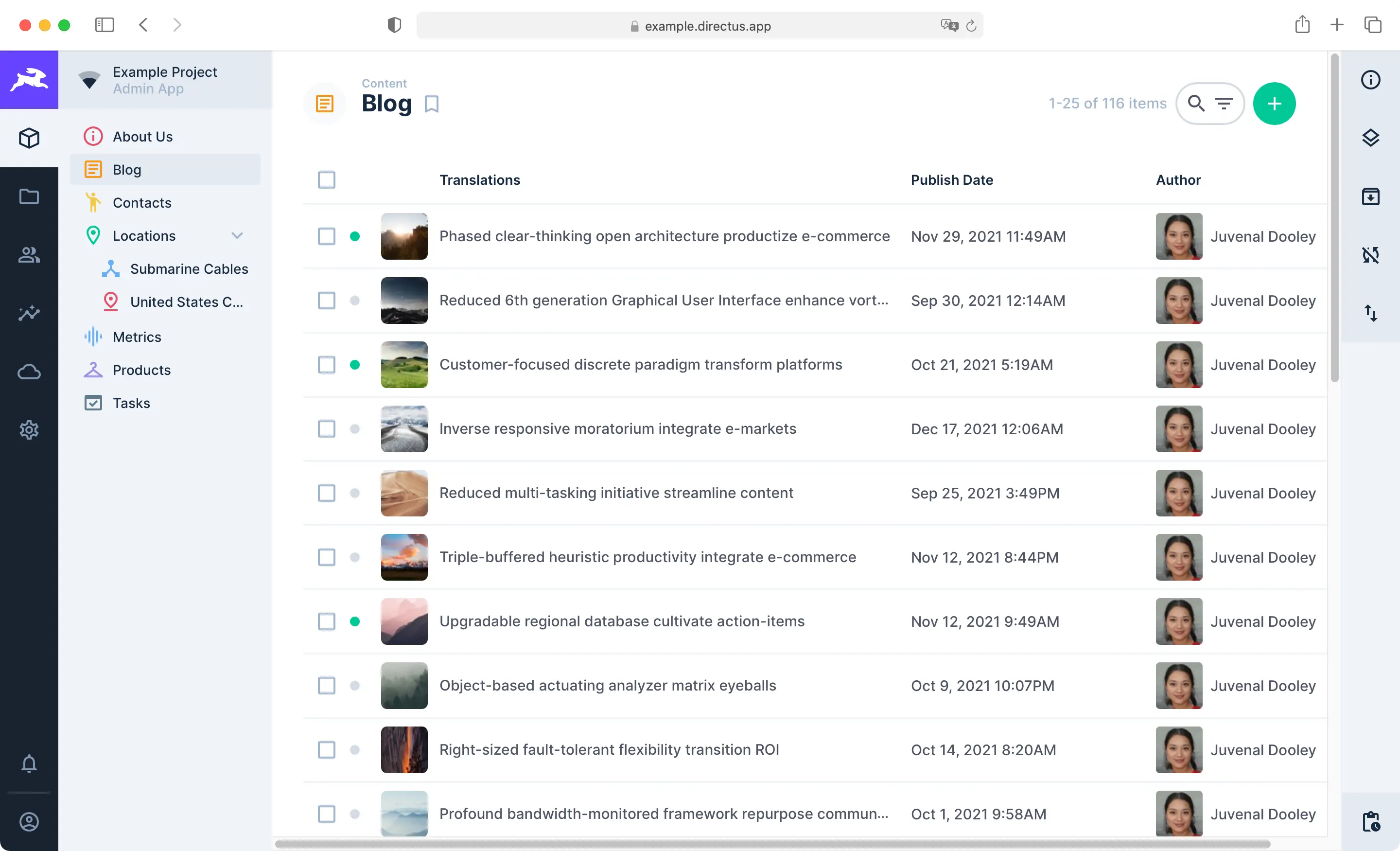
The Content Module is composed of Collection Pages and Item Pages. Use the Navigation Bar on the left to move between Collections. Each Collection Page displays all Items in its Collection and comes with highly configurable Layouts for browsing, visualizing, and managing Items. The Page Header includes key action buttons for sorting, searching, filtering, creating, editing, archiving, and deleting multiple Items. To learn more, see our guide on the Collection Page.
:::tip
This Module is for managing Items. Collections are not managed through this Module, as that creates changes in the fundamental data model. Administrators manage Collections via the Settings menu. To learn more, see our guide on data model configuration.
:::
Item Page

When an Item is clicked on within the Collection Page, its Item Page is opened. This is a form primarily for viewing, editing and deleting an Item. Options for commenting on, sharing, archiving, and reverting the Item are included as well. To learn more, see our guide on the Item Page.
::: tip Manage Items via the API
This section explains how to create, view, update, and delete Items within the Directus App. However, all actions
performed in the app can also be done programmatically.
Learn how to manage Items via the API.
:::
Data Sharing
In a given Project, some Collections will likely be hidden for the Public as well as other Roles. There may be cases when you want to share an Item with a person (or people) that don't have the permissions to see it. This is where Shares come in to play. You can share Item from a Collection with anyone, regardless of their permissions and even if they are not Users within the project. To learn more, see our guide on Data Sharing.