Note: This is a work in progress. 🏗️🚧
This is a simple music player that I made for my own use. It is written in Rust and uses [rodio](https://github.com/RustAudio/rodio), [symphonia](https://github.com/pdeljanov/Symphonia), and [gRPC](https://grpc.io/) libraries.
Music is played through the server's audio device. The daemon stores info about all available music, and this info can be easily searched and retrieved.
Like [mpd](https://github.com/MusicPlayerDaemon/MPD) or [Mopidy](https://github.com/mopidy/mopidy) but written in Rust.
> [!NOTE]
> **Looking for more?**
> If you're interested in this project, you might want to check out [Rockbox Zig](https://github.com/tsirysndr/rockbox-zig),
> a music player daemon built on the [Rockbox](https://www.rockbox.org) Open Source Firmware. It offers advanced audio playback
> features, bringing the best of Rockbox to modern platforms with the power of [Zig](https://ziglang.org/) and [Rust](https://www.rust-lang.org).
>
## Installation
Compiling from source, without Nix:
```bash
# Install dependencies
brew install protobuf # macOS
sudo apt-get install -y libasound2-dev protobuf-compiler # Ubuntu/Debian
choco install protoc # Windows using Chocolatey Package Manager
# Compile
git clone https://github.com/tsirysndr/music-player.git
cd music-player/webui/musicplayer
nvm install # install node version specified in .nvmrc (optional on windows)
bun install && bun run build # build webui
cd ../..
cargo install --path .
```
With Nix:
```bash
git clone https://github.com/tsirysndr/music-player.git
cd music-player
nix develop --experimental-features "nix-command flakes"
cd webui/musicplayer
bun install && bun run build # build webui
cd ../..
cargo install --path .
```
### macOS/Linux
Using [Homebrew](https://brew.sh/):
```bash
brew install tsirysndr/tap/musicplayer
```
Using [Nix](https://nixos.org/):
```bash
cachix use tsirysndr
nix profile install --experimental-features "nix-command flakes" github:tsirysndr/music-player
```
Or download the latest release for your platform [here](https://github.com/tsirysndr/music-player/releases).
## 📦 Downloads
**Latest (Desktop):**
- `Mac`: arm64: [music-player-desktop_v0.2.0-alpha.12_aarch64-apple-darwin.tar.gz](https://github.com/tsirysndr/music-player/releases/download/v0.2.0-alpha.12/music-player-desktop_v0.2.0-alpha.12_aarch64-apple-darwin.tar.gz) intel: [Music_Player_v0.2.0-alpha.12_x64.dmg](https://github.com/tsirysndr/music-player/releases/download/v0.2.0-alpha.12/Music_Player_v0.2.0-alpha.12_x64.dmg)
- `Linux`: [music-player_v0.2.0-alpha.12_amd64.deb](https://github.com/tsirysndr/music-player/releases/download/v0.2.0-alpha.12/music-player_v0.2.0-alpha.12_amd64.deb)
- `Windows`: [Music_Player_x64_en-US.msi](https://github.com/tsirysndr/music-player/releases/download/v0.2.0-alpha.12/Music_Player_x64_en-US.msi)
**Latest (CLI):**
- `Mac`: arm64: [music-player_v0.2.0-alpha.12_aarch64-apple-darwin.tar.gz](https://github.com/tsirysndr/music-player/releases/download/v0.2.0-alpha.12/music-player_v0.2.0-alpha.12_aarch64-apple-darwin.tar.gz) intel: [music-player_v0.2.0-alpha.12_x86_64-apple-darwin.tar.gz](https://github.com/tsirysndr/music-player/releases/download/v0.2.0-alpha.12/music-player_v0.2.0-alpha.12_x86_64-apple-darwin.tar.gz)
- `Linux`: [music-player_v0.2.0-alpha.12_x86_64-unknown-linux-gnu.tar.gz](https://github.com/tsirysndr/music-player/releases/download/v0.2.0-alpha.12/music-player_v0.2.0-alpha.12_x86_64-unknown-linux-gnu.tar.gz)
- `Windows`: [music-player_x86_64-pc-windows-gnu.tar.gz](https://github.com/tsirysndr/music-player/releases/download/v0.2.0-alpha.12/music-player_x86_64-pc-windows-gnu.tar.gz)
[Other version...](https://github.com/tsirysndr/music-player/releases)
## Start the server
```bash
music-player
```
## Usage
```
USAGE:
music-player [SUBCOMMAND]
OPTIONS:
-h, --help Print help information
-V, --version Print version information
SUBCOMMANDS:
albums List all albums
artists List all artists
help Print this message or the help of the given subcommand(s)
next Play the next song
pause Pause the current song
open Open audio file
playlist Manage playlists
prev Play the previous song
queue Manage the queue
play Resume the current song
scan Scan music library: $HOME/Music
search Search for a song, album, artist or playlist
stop Stop the current song
tracks List all tracks
```
### GraphQL API
```bash
# Start the server
music-player
```
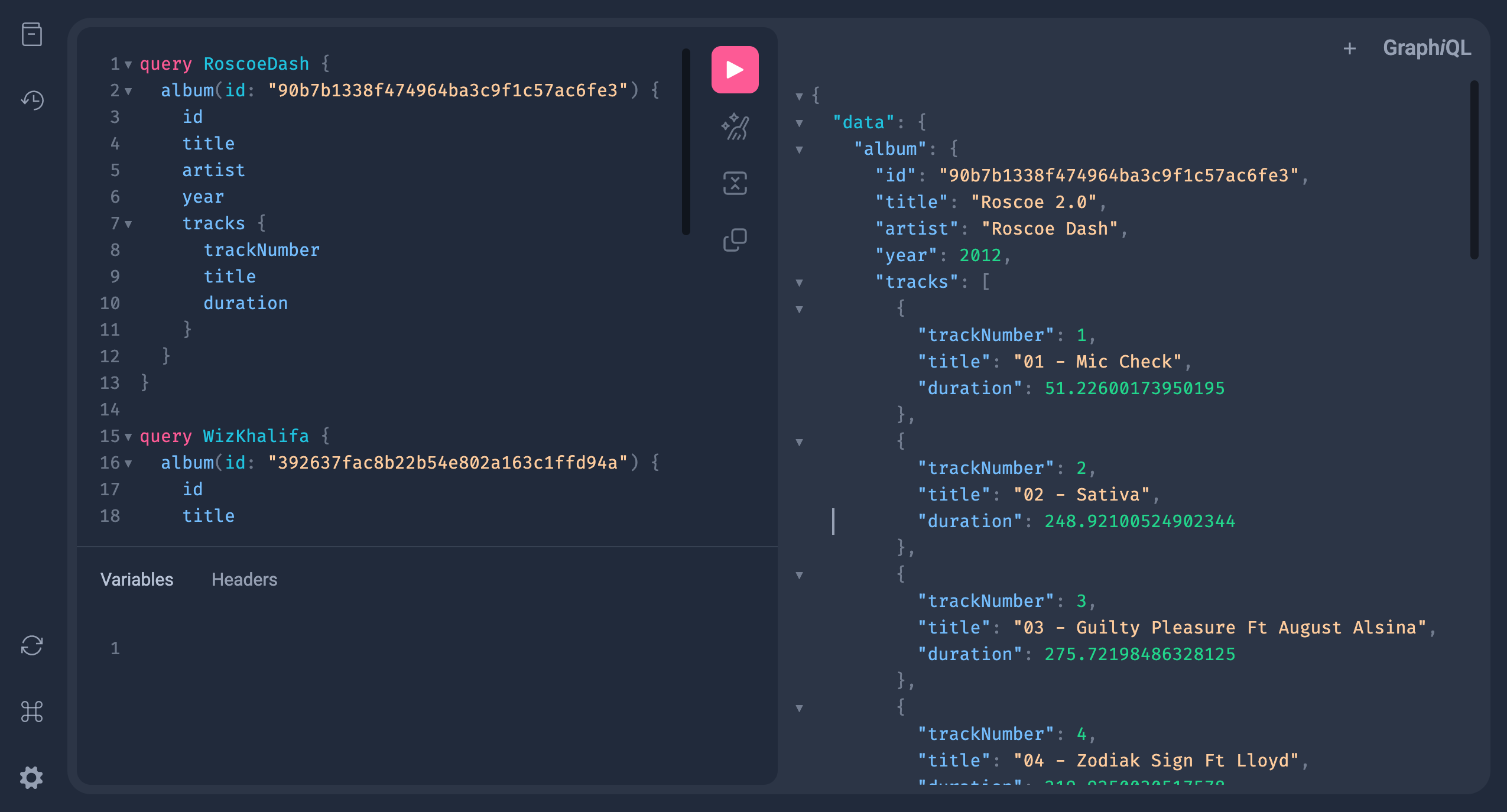
Open [http://localhost:5053/graphiql](http://localhost:5053/graphiql) in your browser.
### Features
- [x] Play music from specified path
- [x] Configuration file support
- [x] [gRPC API](https://buf.build/tsiry/musicserverapis/docs/main:music.v1alpha1) for controlling the player
- [x] Scan music library
- [x] Play/Pause/Stop music
- [x] Next/Previous track
- [x] Create/Delete playlists
- [x] Music Player Client
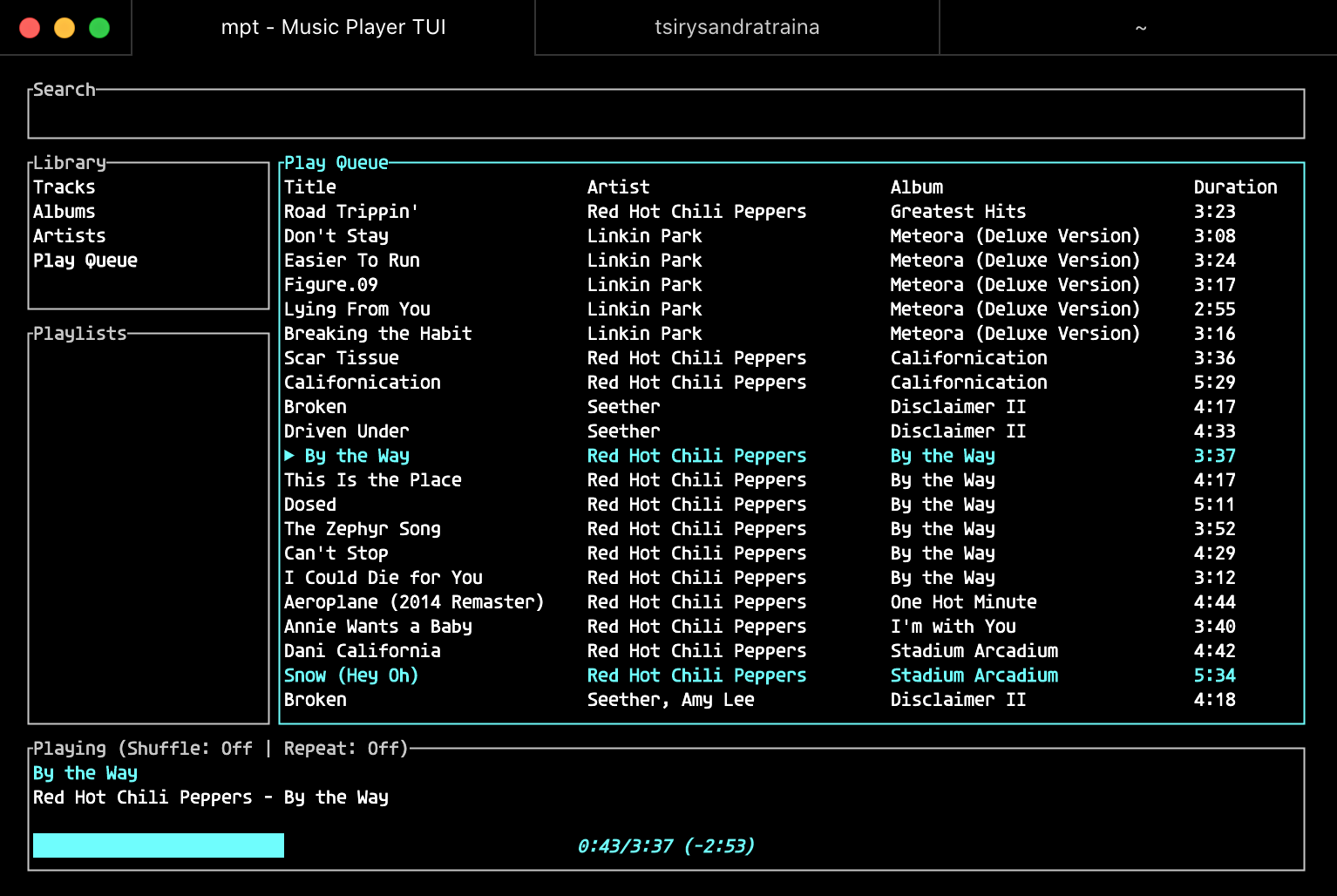
- [x] Terminal UI (using [tui-rs](https://github.com/fdehau/tui-rs))
- [x] GraphQL API
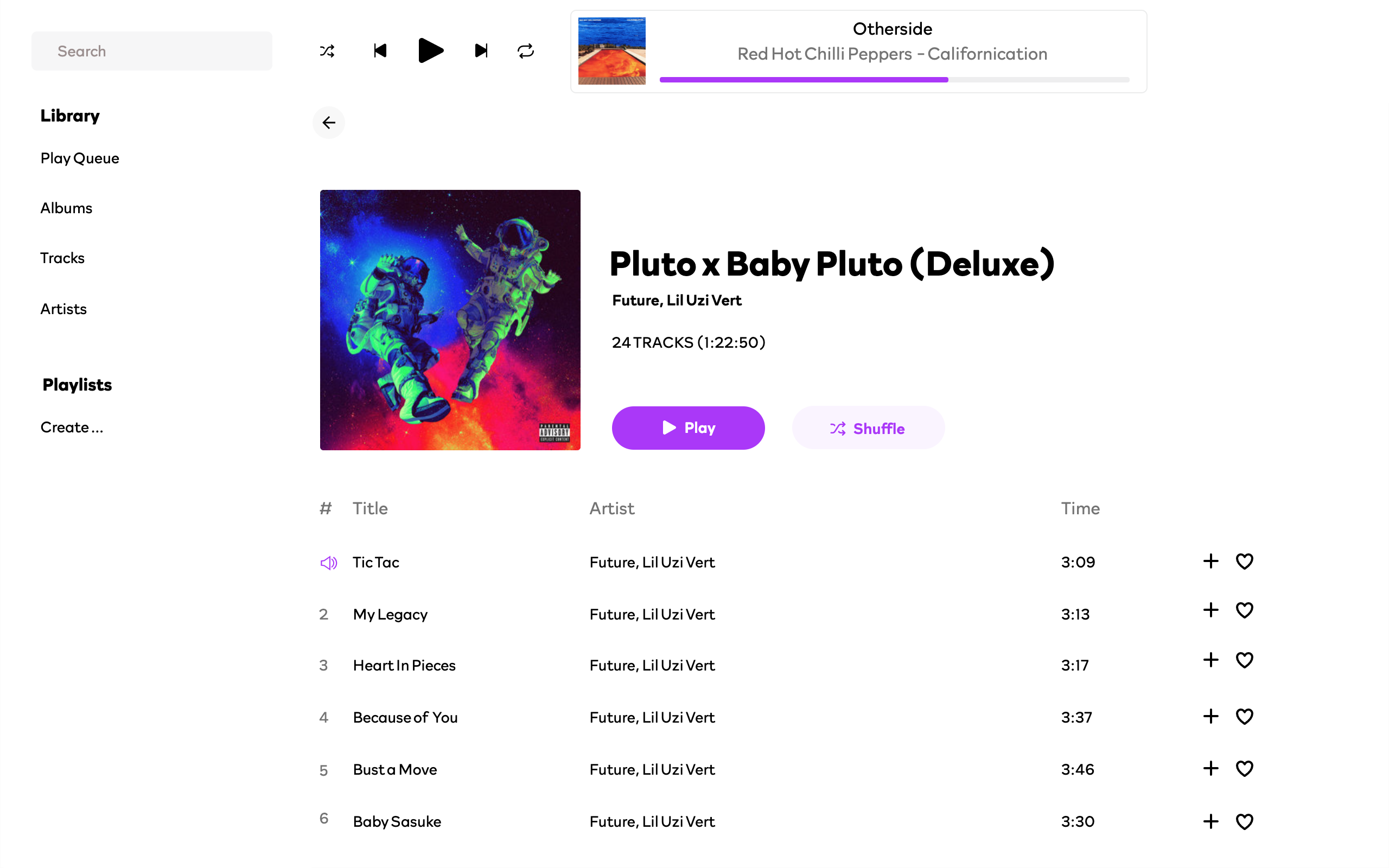
- [x] Web UI
- [ ] Desktop version (using [gtk-rs](https://gtk-rs.org/))
- [x] Android Library (See [songbird-android](https://github.com/tsirysndr/songbird-android) and [songbird-android-rs](https://github.com/tsirysndr/songbird-android-rs))
- [ ] iOS Library
- [ ] Mobile version (React Native)
- [x] Stream to Chromecast
- [ ] Stream to Airplay
- [x] Stream to Kodi
- [x] Stream to UPnP Media Renderer
- [ ] Stream from Youtube (audio only)
- [ ] Stream from Spotify
- [ ] Stream from Soundcloud
- [ ] Stream from Deezer
- [ ] Stream from DatPiff
- [ ] Stream from Tidal
- [ ] Stream from [MyVazo](https://myvazo.com/)
## ✨ Star History