GPT CLI to auto-generate impressive commits in 1 second
Killing lame commits with AI 🤯🔫
---
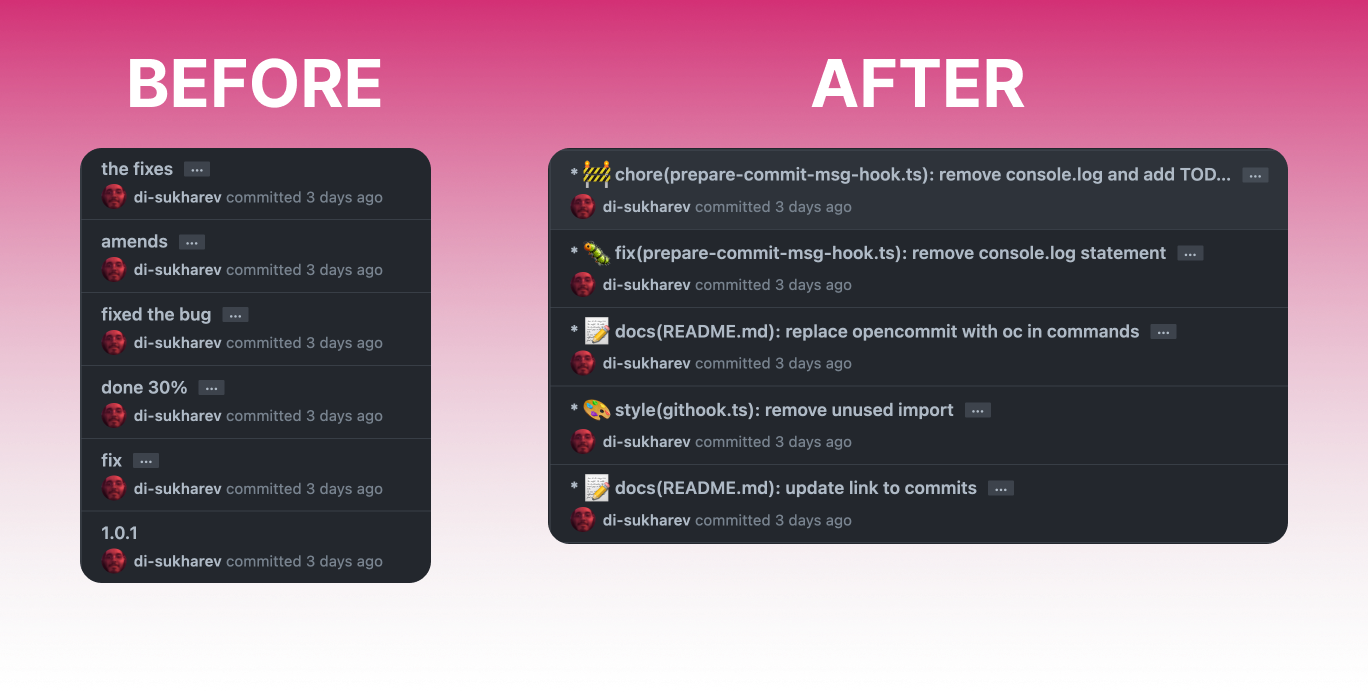
All the commits in this repo are done with OpenCommit — look into [the commits](https://github.com/di-sukharev/opencommit/commit/eae7618d575ee8d2e9fff5de56da79d40c4bc5fc) to see how OpenCommit works. Emoji and long commit description text is configurable.
## Setup
> The minimum supported version of Node.js is the latest v14. Check your Node.js version with `node --version`.
1. Install opencommit globally to use in any repository:
```sh
npm install -g opencommit
```
2. Get your API key from [OpenAI](https://platform.openai.com/account/api-keys)
3. Set the key to opencommit config:
```sh
opencommit config set OPENAI_API_KEY=
```
Your api key is stored locally in `~/.opencommit` config file.
## Usage
You can call `opencommit` directly to generate a commit message for your staged changes:
```sh
git add
opencommit
```
You can also use the `oc` shortcut:
```sh
git add
oc
```
## Features
### Preface commits with emoji 🤠
[GitMoji](https://gitmoji.dev/) convention is used.
To add emoji:
```sh
oc config set emoji=true
```
To remove emoji:
```sh
oc config set emoji=false
```
### Postface commits with descriptions of changes
To add descriptions:
```sh
oc config set description=true
```
To remove description:
```sh
oc config set description=false
```
## Git hook
You can set opencommit as Git [`prepare-commit-msg`](https://git-scm.com/docs/githooks#_prepare_commit_msg) hook. Hook integrates with you IDE Source Control and allows you edit the message before commit.
To set the hook:
```sh
oc hook set
```
To unset the hook:
```sh
oc hook unset
```
To use the hook:
```sh
git add
git commit
```
Or follow the process of your IDE Source Control feature, when it calls `git commit` command — OpenCommit will integrate into the flow.
## Payments
You pay for your own requests to OpenAI API. OpenCommit uses ChatGPT official model, that is ~10x times cheaper than GPT-3.