mirror of
https://github.com/Significant-Gravitas/AutoGPT.git
synced 2026-01-13 00:58:16 -05:00
Compare commits
192 Commits
remove-git
...
bently/ope
| Author | SHA1 | Date | |
|---|---|---|---|

|
235715e054 | ||
|
|
d0ec31b698 | ||
|
|
fa1b486c64 | ||
|
|
21084c5817 | ||
|
|
82fd3166ef | ||
|
|
f833fa3624 | ||
|
|
e6f9870f2e | ||
|
|
6e319a6881 | ||
|
|
64edf12c31 | ||
|
|
e1795b8216 | ||
|
|
057d0848ef | ||
|
|
2dc673614f | ||
|
|
24e08d57ef | ||
|
|
bd540b5cc4 | ||
|
|
6d192429a6 | ||
|
|
314a24ab8f | ||
|
|
ff962d8d88 | ||
|
|
5e5182e236 | ||
|
|
04dcd230cd | ||
|
|
c8b46109fe | ||
|
|
c00caa4bcf | ||
|
|
e382dcf823 | ||
|
|
27e6c3a95d | ||
|
|
aaf650ee23 | ||
|
|
4c003d6e20 | ||
|
|
8264d7bf5a | ||
|
|
37b7053e14 | ||
|
|
354e626965 | ||
|
|
90371e1781 | ||
|
|
e128bfaf5f | ||
|
|
62c420e26f | ||
|
|
97a5582c34 | ||
|
|
78b84289cb | ||
|
|
9e22409d66 | ||
|
|
e7c075a521 | ||
|
|
555e113706 | ||
|
|
420e6cae2f | ||
|
|
920f931a21 | ||
|
|
e874318832 | ||
|
|
cb4b96a70c | ||
|
|
03ea4c2690 | ||
|
|
e70e613f73 | ||
|
|
854f6dcaec | ||
|
|
ea5ba9d193 | ||
|
|
da14957fce | ||
|
|
629f575dde | ||
|
|
8883d7db53 | ||
|
|
a6063e1550 | ||
|
|
e311847fa8 | ||
|
|
d673bf741a | ||
|
|
110e093e7b | ||
|
|
93b6e0ee51 | ||
|
|
450f120510 | ||
|
|
2355d56801 | ||
|
|
d3dae2264d | ||
|
|
58313d9ae7 | ||
|
|
9e7dd4be74 | ||
|
|
6550bdc10c | ||
|
|
0b9f3be6b8 | ||
|
|
a2d8d9bac9 | ||
|
|
b7096e01fb | ||
|
|
bffb92bfbc | ||
|
|
2ecce27653 | ||
|
|
1089551869 | ||
|
|
58af7f9466 | ||
|
|
b89609fd16 | ||
|
|
dcfc3a4dad | ||
|
|
7cf6d3ff79 | ||
|
|
f4f164ac15 | ||
|
|
cd9d041fe5 | ||
|
|
0fb8a84382 | ||
|
|
a408da8317 | ||
|
|
976ff04cce | ||
|
|
3c91038089 | ||
|
|
d4b441932d | ||
|
|
14ddb915bf | ||
|
|
d6cbb48609 | ||
|
|
3789b00479 | ||
|
|
f94e81f48b | ||
|
|
e10c4ee4cd | ||
|
|
81dee568cb | ||
|
|
7929f1a4ac | ||
|
|
0a28c72bad | ||
|
|
b9861a5308 | ||
|
|
af3a2bb5f5 | ||
|
|
2f174837bd | ||
|
|
b30eaf653a | ||
|
|
d9c9b22886 | ||
|
|
ff71b0beb7 | ||
|
|
57cc8b69e9 | ||
|
|
7ce0c655d0 | ||
|
|
1e755f9e8d | ||
|
|
f9bedb0fd9 | ||
|
|
a32bc72314 | ||
|
|
227092b669 | ||
|
|
39556a71cc | ||
|
|
1fb8c1adac | ||
|
|
37e1780d76 | ||
|
|
0df2199c42 | ||
|
|
200800312a | ||
|
|
b7a90ce768 | ||
|
|
f359ed0983 | ||
|
|
6456285753 | ||
|
|
833944e228 | ||
|
|
db0e726954 | ||
|
|
08612cc3bf | ||
|
|
7415e24fc3 | ||
|
|
ecb054af56 | ||
|
|
39f70b0c83 | ||
|
|
7cb4d4a903 | ||
|
|
8feaced92e | ||
|
|
97e4cceb94 | ||
|
|
2fa4fd23af | ||
|
|
976ea7cd3c | ||
|
|
d5ab83aa34 | ||
|
|
cbae8b5c14 | ||
|
|
854080f7af | ||
|
|
fbb3891e79 | ||
|
|
4d8ee65ca7 | ||
|
|
6093acc813 | ||
|
|
785a40ff9d | ||
|
|
2bc22c5450 | ||
|
|
cdc658695f | ||
|
|
dd960f9306 | ||
|
|
6e1c9d44a4 | ||
|
|
26bcb26bb7 | ||
|
|
f04ddceacf | ||
|
|
3e01b19d6f | ||
|
|
9f1e521857 | ||
|
|
d9226888b2 | ||
|
|
210d7738b9 | ||
|
|
c19ab2b24f | ||
|
|
02dc198a9f | ||
|
|
227cf41612 | ||
|
|
66f373fb57 | ||
|
|
8f3ed733b9 | ||
|
|
9f71cd2437 | ||
|
|
6ec708c771 | ||
|
|
af3febd79f | ||
|
|
60e0d4c530 | ||
|
|
4aeae53a61 | ||
|
|
d5c4eca739 | ||
|
|
1e4ef7b313 | ||
|
|
fd18877dae | ||
|
|
c754ecd5d1 | ||
|
|
e688cc31f0 | ||
|
|
b803e42189 | ||
|
|
04769c54e4 | ||
|
|
8f18aebf90 | ||
|
|
8e5535157f | ||
|
|
8f43a346e9 | ||
|
|
f2cb553c9a | ||
|
|
4c17277539 | ||
|
|
2cd914d366 | ||
|
|
39084192ff | ||
|
|
23dfdad454 | ||
|
|
4de0fd8cbd | ||
|
|
e3a5663a05 | ||
|
|
246bc850a1 | ||
|
|
319232568a | ||
|
|
f71d97dd48 | ||
|
|
7a932cdf00 | ||
|
|
4e76768bc9 | ||
|
|
cb9ad6f64d | ||
|
|
16df151977 | ||
|
|
f67c2147a7 | ||
|
|
738c8ffff0 | ||
|
|
f107ff8cf0 | ||
|
|
2c13a2706c | ||
|
|
46c1762fb0 | ||
|
|
4e02f7ddb5 | ||
|
|
edcbbbce25 | ||
|
|
cdae98d36b | ||
|
|
5292736779 | ||
|
|
e16d58af0c | ||
|
|
f80bc0a523 | ||
|
|
a5ee640935 | ||
|
|
4c325724ec | ||
|
|
3475aaf384 | ||
|
|
bcc5282aba | ||
|
|
2cca4fa47f | ||
|
|
e8d7dfa386 | ||
|
|
4f81246fd4 | ||
|
|
4fe62b8063 | ||
|
|
b3967fd597 | ||
|
|
1f05881283 | ||
|
|
a9afb3cbff | ||
|
|
c562b3b6a3 | ||
|
|
b0cbf711dc | ||
|
|
7e02cfdc9f | ||
|
|
34fdbaa26b | ||
|
|
818d391284 |
28
.dockerignore
Normal file
28
.dockerignore
Normal file
@@ -0,0 +1,28 @@
|
||||
# Ignore everything by default, selectively add things to context
|
||||
*
|
||||
|
||||
# AutoGPT
|
||||
!autogpt/autogpt/
|
||||
!autogpt/pyproject.toml
|
||||
!autogpt/poetry.lock
|
||||
!autogpt/README.md
|
||||
!autogpt/tests/
|
||||
|
||||
# Benchmark
|
||||
!benchmark/agbenchmark/
|
||||
!benchmark/pyproject.toml
|
||||
!benchmark/poetry.lock
|
||||
!benchmark/README.md
|
||||
|
||||
# Forge
|
||||
!forge/forge/
|
||||
!forge/pyproject.toml
|
||||
!forge/poetry.lock
|
||||
!forge/README.md
|
||||
|
||||
# Frontend
|
||||
!frontend/build/web/
|
||||
|
||||
# Explicitly re-ignore some folders
|
||||
.*
|
||||
**/__pycache__
|
||||
7
.gitattributes
vendored
7
.gitattributes
vendored
@@ -1,3 +1,8 @@
|
||||
frontend/build/* linguist-generated
|
||||
frontend/build/** linguist-generated
|
||||
|
||||
**/poetry.lock linguist-generated
|
||||
|
||||
docs/_javascript/** linguist-vendored
|
||||
|
||||
# Exclude VCR cassettes from stats
|
||||
forge/tests/vcr_cassettes/**/**.y*ml linguist-generated
|
||||
|
||||
4
.github/CODEOWNERS
vendored
4
.github/CODEOWNERS
vendored
@@ -1,5 +1,5 @@
|
||||
.github/workflows/ @Significant-Gravitas/devops
|
||||
autogpts/autogpt/ @Significant-Gravitas/maintainers
|
||||
autogpts/forge/ @Significant-Gravitas/forge-maintainers
|
||||
autogpt/ @Significant-Gravitas/maintainers
|
||||
forge/ @Significant-Gravitas/forge-maintainers
|
||||
benchmark/ @Significant-Gravitas/benchmark-maintainers
|
||||
frontend/ @Significant-Gravitas/frontend-maintainers
|
||||
|
||||
4
.github/ISSUE_TEMPLATE/1.bug.yml
vendored
4
.github/ISSUE_TEMPLATE/1.bug.yml
vendored
@@ -16,7 +16,7 @@ body:
|
||||
[discussions]: https://github.com/Significant-Gravitas/AutoGPT/discussions
|
||||
[#tech-support]: https://discord.com/channels/1092243196446249134/1092275629602394184
|
||||
[existing issues]: https://github.com/Significant-Gravitas/AutoGPT/issues?q=is%3Aissue
|
||||
[wiki page on Contributing]: https://github.com/Significant-Gravitas/Nexus/wiki/Contributing
|
||||
[wiki page on Contributing]: https://github.com/Significant-Gravitas/AutoGPT/wiki/Contributing
|
||||
|
||||
- type: checkboxes
|
||||
attributes:
|
||||
@@ -90,7 +90,7 @@ body:
|
||||
attributes:
|
||||
label: Do you use OpenAI GPT-3 or GPT-4?
|
||||
description: >
|
||||
If you are using AutoGPT with `--gpt3only`, your problems may be caused by
|
||||
If you are using AutoGPT with `SMART_LLM=gpt-3.5-turbo`, your problems may be caused by
|
||||
the [limitations](https://github.com/Significant-Gravitas/AutoGPT/issues?q=is%3Aissue+label%3A%22AI+model+limitation%22) of GPT-3.5.
|
||||
options:
|
||||
- GPT-3.5
|
||||
|
||||
2
.github/ISSUE_TEMPLATE/2.feature.yml
vendored
2
.github/ISSUE_TEMPLATE/2.feature.yml
vendored
@@ -5,7 +5,7 @@ body:
|
||||
- type: markdown
|
||||
attributes:
|
||||
value: |
|
||||
First, check out our [wiki page on Contributing](https://github.com/Significant-Gravitas/Nexus/wiki/Contributing)
|
||||
First, check out our [wiki page on Contributing](https://github.com/Significant-Gravitas/AutoGPT/wiki/Contributing)
|
||||
Please provide a searchable summary of the issue in the title above ⬆️.
|
||||
- type: checkboxes
|
||||
attributes:
|
||||
|
||||
2
.github/PULL_REQUEST_TEMPLATE.md
vendored
2
.github/PULL_REQUEST_TEMPLATE.md
vendored
@@ -10,7 +10,7 @@
|
||||
|
||||
<!--
|
||||
Check out our contribution guide:
|
||||
https://github.com/Significant-Gravitas/Nexus/wiki/Contributing
|
||||
https://github.com/Significant-Gravitas/AutoGPT/wiki/Contributing
|
||||
|
||||
1. Avoid duplicate work, issues, PRs etc.
|
||||
2. Also consider contributing something other than code; see the [contribution guide]
|
||||
|
||||
16
.github/labeler.yml
vendored
16
.github/labeler.yml
vendored
@@ -1,10 +1,10 @@
|
||||
AutoGPT Agent:
|
||||
- changed-files:
|
||||
- any-glob-to-any-file: autogpts/autogpt/**
|
||||
- any-glob-to-any-file: autogpt/**
|
||||
|
||||
Forge:
|
||||
- changed-files:
|
||||
- any-glob-to-any-file: autogpts/forge/**
|
||||
- any-glob-to-any-file: forge/**
|
||||
|
||||
Benchmark:
|
||||
- changed-files:
|
||||
@@ -14,10 +14,14 @@ Frontend:
|
||||
- changed-files:
|
||||
- any-glob-to-any-file: frontend/**
|
||||
|
||||
Arena:
|
||||
- changed-files:
|
||||
- any-glob-to-any-file: arena/**
|
||||
|
||||
documentation:
|
||||
- changed-files:
|
||||
- any-glob-to-any-file: docs/**
|
||||
|
||||
Builder:
|
||||
- changed-files:
|
||||
- any-glob-to-any-file: rnd/autogpt_builder/**
|
||||
|
||||
Server:
|
||||
- changed-files:
|
||||
- any-glob-to-any-file: rnd/autogpt_server/**
|
||||
|
||||
169
.github/workflows/arena-intake.yml
vendored
169
.github/workflows/arena-intake.yml
vendored
@@ -1,169 +0,0 @@
|
||||
name: Arena intake
|
||||
|
||||
on:
|
||||
# We recommend `pull_request_target` so that github secrets are available.
|
||||
# In `pull_request` we wouldn't be able to change labels of fork PRs
|
||||
pull_request_target:
|
||||
types: [ opened, synchronize ]
|
||||
paths:
|
||||
- 'arena/**'
|
||||
|
||||
jobs:
|
||||
check:
|
||||
permissions:
|
||||
pull-requests: write
|
||||
runs-on: ubuntu-latest
|
||||
steps:
|
||||
- name: Checkout PR
|
||||
uses: actions/checkout@v4
|
||||
with:
|
||||
ref: ${{ github.event.pull_request.head.sha }}
|
||||
|
||||
- name: Check Arena entry
|
||||
uses: actions/github-script@v7
|
||||
with:
|
||||
script: |
|
||||
console.log('⚙️ Setting up...');
|
||||
|
||||
const fs = require('fs');
|
||||
const path = require('path');
|
||||
|
||||
const pr = context.payload.pull_request;
|
||||
const isFork = pr.head.repo.fork;
|
||||
|
||||
console.log('🔄️ Fetching PR diff metadata...');
|
||||
const prFilesChanged = (await github.rest.pulls.listFiles({
|
||||
owner: context.repo.owner,
|
||||
repo: context.repo.repo,
|
||||
pull_number: pr.number,
|
||||
})).data;
|
||||
console.debug(prFilesChanged);
|
||||
const arenaFilesChanged = prFilesChanged.filter(
|
||||
({ filename: file }) => file.startsWith('arena/') && file.endsWith('.json')
|
||||
);
|
||||
const hasChangesInAutogptsFolder = prFilesChanged.some(
|
||||
({ filename }) => filename.startsWith('autogpts/')
|
||||
);
|
||||
|
||||
console.log(`🗒️ ${arenaFilesChanged.length} arena entries affected`);
|
||||
console.debug(arenaFilesChanged);
|
||||
if (arenaFilesChanged.length === 0) {
|
||||
// If no files in `arena/` are changed, this job does not need to run.
|
||||
return;
|
||||
}
|
||||
|
||||
let close = false;
|
||||
let flagForManualCheck = false;
|
||||
let issues = [];
|
||||
|
||||
if (isFork) {
|
||||
if (arenaFilesChanged.length > 1) {
|
||||
// Impacting multiple entries in `arena/` is not allowed
|
||||
issues.push('This pull request impacts multiple arena entries');
|
||||
}
|
||||
if (hasChangesInAutogptsFolder) {
|
||||
// PRs that include the custom agent are generally not allowed
|
||||
issues.push(
|
||||
'This pull request includes changes in `autogpts/`.\n'
|
||||
+ 'Please make sure to only submit your arena entry (`arena/*.json`), '
|
||||
+ 'and not to accidentally include your custom agent itself.'
|
||||
);
|
||||
}
|
||||
}
|
||||
|
||||
if (arenaFilesChanged.length === 1) {
|
||||
const newArenaFile = arenaFilesChanged[0]
|
||||
const newArenaFileName = path.basename(newArenaFile.filename)
|
||||
console.log(`🗒️ Arena entry in PR: ${newArenaFile}`);
|
||||
|
||||
if (newArenaFile.status != 'added') {
|
||||
flagForManualCheck = true;
|
||||
}
|
||||
|
||||
if (pr.mergeable != false) {
|
||||
const newArenaEntry = JSON.parse(fs.readFileSync(newArenaFile.filename));
|
||||
const allArenaFiles = await (await glob.create('arena/*.json')).glob();
|
||||
console.debug(newArenaEntry);
|
||||
|
||||
console.log(`➡️ Checking ${newArenaFileName} against existing entries...`);
|
||||
for (const file of allArenaFiles) {
|
||||
const existingEntryName = path.basename(file);
|
||||
|
||||
if (existingEntryName === newArenaFileName) {
|
||||
continue;
|
||||
}
|
||||
|
||||
console.debug(`Checking against ${existingEntryName}...`);
|
||||
|
||||
const arenaEntry = JSON.parse(fs.readFileSync(file));
|
||||
if (arenaEntry.github_repo_url === newArenaEntry.github_repo_url) {
|
||||
console.log(`⚠️ Duplicate detected: ${existingEntryName}`);
|
||||
issues.push(
|
||||
`The \`github_repo_url\` specified in __${newArenaFileName}__ `
|
||||
+ `already exists in __${existingEntryName}__. `
|
||||
+ `This PR will be closed as duplicate.`
|
||||
)
|
||||
close = true;
|
||||
}
|
||||
}
|
||||
} else {
|
||||
console.log('⚠️ PR has conflicts');
|
||||
issues.push(
|
||||
`__${newArenaFileName}__ conflicts with existing entry with the same name`
|
||||
)
|
||||
close = true;
|
||||
}
|
||||
} // end if (arenaFilesChanged.length === 1)
|
||||
|
||||
console.log('🏁 Finished checking against existing entries');
|
||||
|
||||
if (issues.length == 0) {
|
||||
console.log('✅ No issues detected');
|
||||
if (flagForManualCheck) {
|
||||
console.log('🤔 Requesting review from maintainers...');
|
||||
await github.rest.pulls.requestReviewers({
|
||||
owner: context.repo.owner,
|
||||
repo: context.repo.repo,
|
||||
pull_number: pr.number,
|
||||
reviewers: ['Pwuts'],
|
||||
// team_reviewers: ['maintainers'], // doesn't work: https://stackoverflow.com/a/64977184/4751645
|
||||
});
|
||||
} else {
|
||||
console.log('➡️ Approving PR...');
|
||||
await github.rest.pulls.createReview({
|
||||
owner: context.repo.owner,
|
||||
repo: context.repo.repo,
|
||||
pull_number: pr.number,
|
||||
event: 'APPROVE',
|
||||
});
|
||||
}
|
||||
} else {
|
||||
console.log(`⚠️ ${issues.length} issues detected`);
|
||||
|
||||
console.log('➡️ Posting comment indicating issues...');
|
||||
await github.rest.issues.createComment({
|
||||
owner: context.repo.owner,
|
||||
repo: context.repo.repo,
|
||||
issue_number: pr.number,
|
||||
body: `Our automation found one or more issues with this submission:\n`
|
||||
+ issues.map(i => `- ${i.replace('\n', '\n ')}`).join('\n'),
|
||||
});
|
||||
|
||||
console.log("➡️ Applying label 'invalid'...");
|
||||
await github.rest.issues.addLabels({
|
||||
owner: context.repo.owner,
|
||||
repo: context.repo.repo,
|
||||
issue_number: pr.number,
|
||||
labels: ['invalid'],
|
||||
});
|
||||
|
||||
if (close) {
|
||||
console.log('➡️ Auto-closing PR...');
|
||||
await github.rest.pulls.update({
|
||||
owner: context.repo.owner,
|
||||
repo: context.repo.repo,
|
||||
pull_number: pr.number,
|
||||
state: 'closed',
|
||||
});
|
||||
}
|
||||
}
|
||||
36
.github/workflows/autogpt-builder-ci.yml
vendored
Normal file
36
.github/workflows/autogpt-builder-ci.yml
vendored
Normal file
@@ -0,0 +1,36 @@
|
||||
name: AutoGPT Builder CI
|
||||
|
||||
on:
|
||||
push:
|
||||
branches: [ master ]
|
||||
paths:
|
||||
- '.github/workflows/autogpt-builder-ci.yml'
|
||||
- 'rnd/autogpt_builder/**'
|
||||
pull_request:
|
||||
paths:
|
||||
- '.github/workflows/autogpt-builder-ci.yml'
|
||||
- 'rnd/autogpt_builder/**'
|
||||
|
||||
defaults:
|
||||
run:
|
||||
shell: bash
|
||||
working-directory: rnd/autogpt_builder
|
||||
|
||||
jobs:
|
||||
lint:
|
||||
runs-on: ubuntu-latest
|
||||
|
||||
steps:
|
||||
- uses: actions/checkout@v4
|
||||
- name: Set up Node.js
|
||||
uses: actions/setup-node@v4
|
||||
with:
|
||||
node-version: '21'
|
||||
|
||||
- name: Install dependencies
|
||||
run: |
|
||||
npm install
|
||||
|
||||
- name: Run lint
|
||||
run: |
|
||||
npm run lint
|
||||
170
.github/workflows/autogpt-ci.yml
vendored
170
.github/workflows/autogpt-ci.yml
vendored
@@ -1,18 +1,16 @@
|
||||
name: AutoGPT Python CI
|
||||
name: AutoGPT CI
|
||||
|
||||
on:
|
||||
push:
|
||||
branches: [ master, development, ci-test* ]
|
||||
paths:
|
||||
- '.github/workflows/autogpt-ci.yml'
|
||||
- 'autogpts/autogpt/**'
|
||||
- '!autogpts/autogpt/tests/vcr_cassettes'
|
||||
- 'autogpt/**'
|
||||
pull_request:
|
||||
branches: [ master, development, release-* ]
|
||||
paths:
|
||||
- '.github/workflows/autogpt-ci.yml'
|
||||
- 'autogpts/autogpt/**'
|
||||
- '!autogpts/autogpt/tests/vcr_cassettes'
|
||||
- 'autogpt/**'
|
||||
|
||||
concurrency:
|
||||
group: ${{ format('autogpt-ci-{0}', github.head_ref && format('{0}-{1}', github.event_name, github.event.pull_request.number) || github.sha) }}
|
||||
@@ -21,60 +19,9 @@ concurrency:
|
||||
defaults:
|
||||
run:
|
||||
shell: bash
|
||||
working-directory: autogpts/autogpt
|
||||
working-directory: autogpt
|
||||
|
||||
jobs:
|
||||
lint:
|
||||
runs-on: ubuntu-latest
|
||||
env:
|
||||
min-python-version: "3.10"
|
||||
|
||||
steps:
|
||||
- name: Checkout repository
|
||||
uses: actions/checkout@v4
|
||||
with:
|
||||
fetch-depth: 0
|
||||
|
||||
- name: Set up Python ${{ env.min-python-version }}
|
||||
uses: actions/setup-python@v5
|
||||
with:
|
||||
python-version: ${{ env.min-python-version }}
|
||||
|
||||
- id: get_date
|
||||
name: Get date
|
||||
run: echo "date=$(date +'%Y-%m-%d')" >> $GITHUB_OUTPUT
|
||||
|
||||
- name: Set up Python dependency cache
|
||||
uses: actions/cache@v4
|
||||
with:
|
||||
path: ~/.cache/pypoetry
|
||||
key: ${{ runner.os }}-poetry-${{ hashFiles('autogpts/autogpt/pyproject.toml') }}-${{ steps.get_date.outputs.date }}
|
||||
|
||||
- name: Install Python dependencies
|
||||
run: |
|
||||
curl -sSL https://install.python-poetry.org | python3 -
|
||||
poetry install
|
||||
|
||||
- name: Lint with flake8
|
||||
run: poetry run flake8
|
||||
|
||||
- name: Check black formatting
|
||||
run: poetry run black . --check
|
||||
if: success() || failure()
|
||||
|
||||
- name: Check isort formatting
|
||||
run: poetry run isort . --check
|
||||
if: success() || failure()
|
||||
|
||||
# - name: Check mypy formatting
|
||||
# run: poetry run mypy
|
||||
# if: success() || failure()
|
||||
|
||||
# - name: Check for unused imports and pass statements
|
||||
# run: |
|
||||
# cmd="autoflake --remove-all-unused-imports --recursive --ignore-init-module-imports --ignore-pass-after-docstring autogpt tests"
|
||||
# poetry run $cmd --check || (echo "You have unused imports or pass statements, please run '${cmd} --in-place'" && exit 1)
|
||||
|
||||
test:
|
||||
permissions:
|
||||
contents: read
|
||||
@@ -124,37 +71,6 @@ jobs:
|
||||
git config --global user.name "Auto-GPT-Bot"
|
||||
git config --global user.email "github-bot@agpt.co"
|
||||
|
||||
- name: Checkout cassettes
|
||||
if: ${{ startsWith(github.event_name, 'pull_request') }}
|
||||
env:
|
||||
PR_BASE: ${{ github.event.pull_request.base.ref }}
|
||||
PR_BRANCH: ${{ github.event.pull_request.head.ref }}
|
||||
PR_AUTHOR: ${{ github.event.pull_request.user.login }}
|
||||
run: |
|
||||
cassette_branch="${PR_AUTHOR}-${PR_BRANCH}"
|
||||
cassette_base_branch="${PR_BASE}"
|
||||
cd tests/vcr_cassettes
|
||||
|
||||
if ! git ls-remote --exit-code --heads origin $cassette_base_branch ; then
|
||||
cassette_base_branch="master"
|
||||
fi
|
||||
|
||||
if git ls-remote --exit-code --heads origin $cassette_branch ; then
|
||||
git fetch origin $cassette_branch
|
||||
git fetch origin $cassette_base_branch
|
||||
|
||||
git checkout $cassette_branch
|
||||
|
||||
# Pick non-conflicting cassette updates from the base branch
|
||||
git merge --no-commit --strategy-option=ours origin/$cassette_base_branch
|
||||
echo "Using cassettes from mirror branch '$cassette_branch'," \
|
||||
"synced to upstream branch '$cassette_base_branch'."
|
||||
else
|
||||
git checkout -b $cassette_branch
|
||||
echo "Branch '$cassette_branch' does not exist in cassette submodule." \
|
||||
"Using cassettes from '$cassette_base_branch'."
|
||||
fi
|
||||
|
||||
- name: Set up Python ${{ matrix.python-version }}
|
||||
uses: actions/setup-python@v5
|
||||
with:
|
||||
@@ -170,7 +86,7 @@ jobs:
|
||||
uses: actions/cache@v4
|
||||
with:
|
||||
path: ${{ runner.os == 'macOS' && '~/Library/Caches/pypoetry' || '~/.cache/pypoetry' }}
|
||||
key: poetry-${{ runner.os }}-${{ hashFiles('autogpts/autogpt/poetry.lock') }}
|
||||
key: poetry-${{ runner.os }}-${{ hashFiles('autogpt/poetry.lock') }}
|
||||
|
||||
- name: Install Poetry (Unix)
|
||||
if: runner.os != 'Windows'
|
||||
@@ -214,83 +130,9 @@ jobs:
|
||||
token: ${{ secrets.CODECOV_TOKEN }}
|
||||
flags: autogpt-agent,${{ runner.os }}
|
||||
|
||||
- id: setup_git_auth
|
||||
name: Set up git token authentication
|
||||
# Cassettes may be pushed even when tests fail
|
||||
if: success() || failure()
|
||||
run: |
|
||||
config_key="http.${{ github.server_url }}/.extraheader"
|
||||
if [ "${{ runner.os }}" = 'macOS' ]; then
|
||||
base64_pat=$(echo -n "pat:${{ secrets.PAT_REVIEW }}" | base64)
|
||||
else
|
||||
base64_pat=$(echo -n "pat:${{ secrets.PAT_REVIEW }}" | base64 -w0)
|
||||
fi
|
||||
|
||||
git config "$config_key" \
|
||||
"Authorization: Basic $base64_pat"
|
||||
|
||||
cd tests/vcr_cassettes
|
||||
git config "$config_key" \
|
||||
"Authorization: Basic $base64_pat"
|
||||
|
||||
echo "config_key=$config_key" >> $GITHUB_OUTPUT
|
||||
|
||||
- id: push_cassettes
|
||||
name: Push updated cassettes
|
||||
# For pull requests, push updated cassettes even when tests fail
|
||||
if: github.event_name == 'push' || (! github.event.pull_request.head.repo.fork && (success() || failure()))
|
||||
env:
|
||||
PR_BRANCH: ${{ github.event.pull_request.head.ref }}
|
||||
PR_AUTHOR: ${{ github.event.pull_request.user.login }}
|
||||
run: |
|
||||
if [ "${{ startsWith(github.event_name, 'pull_request') }}" = "true" ]; then
|
||||
is_pull_request=true
|
||||
cassette_branch="${PR_AUTHOR}-${PR_BRANCH}"
|
||||
else
|
||||
cassette_branch="${{ github.ref_name }}"
|
||||
fi
|
||||
|
||||
cd tests/vcr_cassettes
|
||||
# Commit & push changes to cassettes if any
|
||||
if ! git diff --quiet; then
|
||||
git add .
|
||||
git commit -m "Auto-update cassettes"
|
||||
git push origin HEAD:$cassette_branch
|
||||
if [ ! $is_pull_request ]; then
|
||||
cd ../..
|
||||
git add tests/vcr_cassettes
|
||||
git commit -m "Update cassette submodule"
|
||||
git push origin HEAD:$cassette_branch
|
||||
fi
|
||||
echo "updated=true" >> $GITHUB_OUTPUT
|
||||
else
|
||||
echo "updated=false" >> $GITHUB_OUTPUT
|
||||
echo "No cassette changes to commit"
|
||||
fi
|
||||
|
||||
- name: Post Set up git token auth
|
||||
if: steps.setup_git_auth.outcome == 'success'
|
||||
run: |
|
||||
git config --unset-all '${{ steps.setup_git_auth.outputs.config_key }}'
|
||||
git submodule foreach git config --unset-all '${{ steps.setup_git_auth.outputs.config_key }}'
|
||||
|
||||
- name: Apply "behaviour change" label and comment on PR
|
||||
if: ${{ startsWith(github.event_name, 'pull_request') }}
|
||||
run: |
|
||||
PR_NUMBER="${{ github.event.pull_request.number }}"
|
||||
TOKEN="${{ secrets.PAT_REVIEW }}"
|
||||
REPO="${{ github.repository }}"
|
||||
|
||||
if [[ "${{ steps.push_cassettes.outputs.updated }}" == "true" ]]; then
|
||||
echo "Adding label and comment..."
|
||||
echo $TOKEN | gh auth login --with-token
|
||||
gh issue edit $PR_NUMBER --add-label "behaviour change"
|
||||
gh issue comment $PR_NUMBER --body "You changed AutoGPT's behaviour on ${{ runner.os }}. The cassettes have been updated and will be merged to the submodule when this Pull Request gets merged."
|
||||
fi
|
||||
|
||||
- name: Upload logs to artifact
|
||||
if: always()
|
||||
uses: actions/upload-artifact@v4
|
||||
with:
|
||||
name: test-logs
|
||||
path: autogpts/autogpt/logs/
|
||||
path: autogpt/logs/
|
||||
|
||||
@@ -25,7 +25,7 @@ jobs:
|
||||
name: Build image
|
||||
uses: docker/build-push-action@v5
|
||||
with:
|
||||
context: autogpts/autogpt
|
||||
file: Dockerfile.autogpt
|
||||
build-args: BUILD_TYPE=${{ matrix.build-type }}
|
||||
load: true # save to docker images
|
||||
# use GHA cache as read-only
|
||||
|
||||
13
.github/workflows/autogpt-docker-ci.yml
vendored
13
.github/workflows/autogpt-docker-ci.yml
vendored
@@ -5,14 +5,12 @@ on:
|
||||
branches: [ master, development ]
|
||||
paths:
|
||||
- '.github/workflows/autogpt-docker-ci.yml'
|
||||
- 'autogpts/autogpt/**'
|
||||
- '!autogpts/autogpt/tests/vcr_cassettes'
|
||||
- 'autogpt/**'
|
||||
pull_request:
|
||||
branches: [ master, development, release-* ]
|
||||
paths:
|
||||
- '.github/workflows/autogpt-docker-ci.yml'
|
||||
- 'autogpts/autogpt/**'
|
||||
- '!autogpts/autogpt/tests/vcr_cassettes'
|
||||
- 'autogpt/**'
|
||||
|
||||
concurrency:
|
||||
group: ${{ format('autogpt-docker-ci-{0}', github.head_ref && format('pr-{0}', github.event.pull_request.number) || github.sha) }}
|
||||
@@ -20,7 +18,7 @@ concurrency:
|
||||
|
||||
defaults:
|
||||
run:
|
||||
working-directory: autogpts/autogpt
|
||||
working-directory: autogpt
|
||||
|
||||
env:
|
||||
IMAGE_NAME: auto-gpt
|
||||
@@ -49,7 +47,7 @@ jobs:
|
||||
name: Build image
|
||||
uses: docker/build-push-action@v5
|
||||
with:
|
||||
context: autogpts/autogpt
|
||||
file: Dockerfile.autogpt
|
||||
build-args: BUILD_TYPE=${{ matrix.build-type }}
|
||||
tags: ${{ env.IMAGE_NAME }}
|
||||
labels: GIT_REVISION=${{ github.sha }}
|
||||
@@ -84,7 +82,6 @@ jobs:
|
||||
vars_json: ${{ toJSON(vars) }}
|
||||
|
||||
run: .github/workflows/scripts/docker-ci-summary.sh >> $GITHUB_STEP_SUMMARY
|
||||
working-directory: ./
|
||||
continue-on-error: true
|
||||
|
||||
test:
|
||||
@@ -119,7 +116,7 @@ jobs:
|
||||
name: Build image
|
||||
uses: docker/build-push-action@v5
|
||||
with:
|
||||
context: autogpts/autogpt
|
||||
file: Dockerfile.autogpt
|
||||
build-args: BUILD_TYPE=dev # include pytest
|
||||
tags: >
|
||||
${{ env.IMAGE_NAME }},
|
||||
|
||||
7
.github/workflows/autogpt-docker-release.yml
vendored
7
.github/workflows/autogpt-docker-release.yml
vendored
@@ -10,10 +10,6 @@ on:
|
||||
type: boolean
|
||||
description: 'Build from scratch, without using cached layers'
|
||||
|
||||
defaults:
|
||||
run:
|
||||
working-directory: autogpts/autogpt
|
||||
|
||||
env:
|
||||
IMAGE_NAME: auto-gpt
|
||||
DEPLOY_IMAGE_NAME: ${{ secrets.DOCKER_USER }}/auto-gpt
|
||||
@@ -48,7 +44,7 @@ jobs:
|
||||
name: Build image
|
||||
uses: docker/build-push-action@v5
|
||||
with:
|
||||
context: autogpts/autogpt
|
||||
file: Dockerfile.autogpt
|
||||
build-args: BUILD_TYPE=release
|
||||
load: true # save to docker images
|
||||
# push: true # TODO: uncomment when this issue is fixed: https://github.com/moby/buildkit/issues/1555
|
||||
@@ -87,5 +83,4 @@ jobs:
|
||||
vars_json: ${{ toJSON(vars) }}
|
||||
|
||||
run: .github/workflows/scripts/docker-release-summary.sh >> $GITHUB_STEP_SUMMARY
|
||||
working-directory: ./
|
||||
continue-on-error: true
|
||||
|
||||
276
.github/workflows/autogpt-server-ci.yml
vendored
Normal file
276
.github/workflows/autogpt-server-ci.yml
vendored
Normal file
@@ -0,0 +1,276 @@
|
||||
name: AutoGPT Server CI
|
||||
|
||||
on:
|
||||
push:
|
||||
branches: [master, development, ci-test*]
|
||||
paths:
|
||||
- ".github/workflows/autogpt-server-ci.yml"
|
||||
- "rnd/autogpt_server/**"
|
||||
pull_request:
|
||||
branches: [master, development, release-*]
|
||||
paths:
|
||||
- ".github/workflows/autogpt-server-ci.yml"
|
||||
- "rnd/autogpt_server/**"
|
||||
|
||||
concurrency:
|
||||
group: ${{ format('autogpt-server-ci-{0}', github.head_ref && format('{0}-{1}', github.event_name, github.event.pull_request.number) || github.sha) }}
|
||||
cancel-in-progress: ${{ startsWith(github.event_name, 'pull_request') }}
|
||||
|
||||
defaults:
|
||||
run:
|
||||
shell: bash
|
||||
working-directory: rnd/autogpt_server
|
||||
|
||||
jobs:
|
||||
test:
|
||||
permissions:
|
||||
contents: read
|
||||
timeout-minutes: 30
|
||||
strategy:
|
||||
fail-fast: false
|
||||
matrix:
|
||||
python-version: ["3.10"]
|
||||
platform-os: [ubuntu, macos, macos-arm64, windows]
|
||||
runs-on: ${{ matrix.platform-os != 'macos-arm64' && format('{0}-latest', matrix.platform-os) || 'macos-14' }}
|
||||
|
||||
steps:
|
||||
# Quite slow on macOS (2~4 minutes to set up Docker)
|
||||
# - name: Set up Docker (macOS)
|
||||
# if: runner.os == 'macOS'
|
||||
# uses: crazy-max/ghaction-setup-docker@v3
|
||||
|
||||
- name: Start MinIO service (Linux)
|
||||
if: runner.os == 'Linux'
|
||||
working-directory: "."
|
||||
run: |
|
||||
docker pull minio/minio:edge-cicd
|
||||
docker run -d -p 9000:9000 minio/minio:edge-cicd
|
||||
|
||||
- name: Start MinIO service (macOS)
|
||||
if: runner.os == 'macOS'
|
||||
working-directory: ${{ runner.temp }}
|
||||
run: |
|
||||
brew install minio/stable/minio
|
||||
mkdir data
|
||||
minio server ./data &
|
||||
|
||||
# No MinIO on Windows:
|
||||
# - Windows doesn't support running Linux Docker containers
|
||||
# - It doesn't seem possible to start background processes on Windows. They are
|
||||
# killed after the step returns.
|
||||
# See: https://github.com/actions/runner/issues/598#issuecomment-2011890429
|
||||
|
||||
- name: Checkout repository
|
||||
uses: actions/checkout@v4
|
||||
with:
|
||||
fetch-depth: 0
|
||||
submodules: true
|
||||
|
||||
- name: Set up Python ${{ matrix.python-version }}
|
||||
uses: actions/setup-python@v5
|
||||
with:
|
||||
python-version: ${{ matrix.python-version }}
|
||||
|
||||
- id: get_date
|
||||
name: Get date
|
||||
run: echo "date=$(date +'%Y-%m-%d')" >> $GITHUB_OUTPUT
|
||||
|
||||
- name: Set up Python dependency cache
|
||||
# On Windows, unpacking cached dependencies takes longer than just installing them
|
||||
if: runner.os != 'Windows'
|
||||
uses: actions/cache@v4
|
||||
with:
|
||||
path: ${{ runner.os == 'macOS' && '~/Library/Caches/pypoetry' || '~/.cache/pypoetry' }}
|
||||
key: poetry-${{ runner.os }}-${{ hashFiles('rnd/autogpt_server/poetry.lock') }}
|
||||
|
||||
- name: Install Poetry (Unix)
|
||||
if: runner.os != 'Windows'
|
||||
run: |
|
||||
curl -sSL https://install.python-poetry.org | python3 -
|
||||
|
||||
if [ "${{ runner.os }}" = "macOS" ]; then
|
||||
PATH="$HOME/.local/bin:$PATH"
|
||||
echo "$HOME/.local/bin" >> $GITHUB_PATH
|
||||
fi
|
||||
|
||||
- name: Install Poetry (Windows)
|
||||
if: runner.os == 'Windows'
|
||||
shell: pwsh
|
||||
run: |
|
||||
(Invoke-WebRequest -Uri https://install.python-poetry.org -UseBasicParsing).Content | python -
|
||||
|
||||
$env:PATH += ";$env:APPDATA\Python\Scripts"
|
||||
echo "$env:APPDATA\Python\Scripts" >> $env:GITHUB_PATH
|
||||
|
||||
- name: Install Python dependencies
|
||||
run: poetry install
|
||||
|
||||
- name: Generate Prisma Client
|
||||
run: poetry run prisma generate
|
||||
|
||||
- name: Run Database Migrations
|
||||
run: poetry run prisma migrate dev --name updates
|
||||
|
||||
- name: Run Linter
|
||||
run: poetry run lint
|
||||
|
||||
- name: Run pytest with coverage
|
||||
run: |
|
||||
poetry run pytest -vv \
|
||||
test
|
||||
env:
|
||||
CI: true
|
||||
PLAIN_OUTPUT: True
|
||||
OPENAI_API_KEY: ${{ secrets.OPENAI_API_KEY }}
|
||||
|
||||
# - name: Upload coverage reports to Codecov
|
||||
# uses: codecov/codecov-action@v4
|
||||
# with:
|
||||
# token: ${{ secrets.CODECOV_TOKEN }}
|
||||
# flags: autogpt-server,${{ runner.os }}
|
||||
|
||||
build:
|
||||
permissions:
|
||||
contents: read
|
||||
timeout-minutes: 30
|
||||
strategy:
|
||||
fail-fast: false
|
||||
matrix:
|
||||
python-version: ["3.10"]
|
||||
platform-os: [ubuntu, macos, macos-arm64, windows]
|
||||
runs-on: ${{ matrix.platform-os != 'macos-arm64' && format('{0}-latest', matrix.platform-os) || 'macos-14' }}
|
||||
|
||||
steps:
|
||||
- name: Checkout repository
|
||||
uses: actions/checkout@v4
|
||||
with:
|
||||
fetch-depth: 0
|
||||
submodules: true
|
||||
|
||||
- name: Set up Python ${{ matrix.python-version }}
|
||||
uses: actions/setup-python@v5
|
||||
with:
|
||||
python-version: ${{ matrix.python-version }}
|
||||
|
||||
- id: get_date
|
||||
name: Get date
|
||||
run: echo "date=$(date +'%Y-%m-%d')" >> $GITHUB_OUTPUT
|
||||
|
||||
- name: Set up Python dependency cache
|
||||
# On Windows, unpacking cached dependencies takes longer than just installing them
|
||||
if: runner.os != 'Windows'
|
||||
uses: actions/cache@v4
|
||||
with:
|
||||
path: ${{ runner.os == 'macOS' && '~/Library/Caches/pypoetry' || '~/.cache/pypoetry' }}
|
||||
key: poetry-${{ runner.os }}-${{ hashFiles('rnd/autogpt_server/poetry.lock') }}
|
||||
|
||||
- name: Install Poetry (Unix)
|
||||
if: runner.os != 'Windows'
|
||||
run: |
|
||||
curl -sSL https://install.python-poetry.org | python3 -
|
||||
|
||||
if [ "${{ runner.os }}" = "macOS" ]; then
|
||||
PATH="$HOME/.local/bin:$PATH"
|
||||
echo "$HOME/.local/bin" >> $GITHUB_PATH
|
||||
fi
|
||||
|
||||
- name: Install Poetry (Windows)
|
||||
if: runner.os == 'Windows'
|
||||
shell: pwsh
|
||||
run: |
|
||||
(Invoke-WebRequest -Uri https://install.python-poetry.org -UseBasicParsing).Content | python -
|
||||
|
||||
$env:PATH += ";$env:APPDATA\Python\Scripts"
|
||||
echo "$env:APPDATA\Python\Scripts" >> $env:GITHUB_PATH
|
||||
|
||||
- name: Install Python dependencies
|
||||
run: poetry install
|
||||
|
||||
- name: Generate Prisma Client
|
||||
run: poetry run prisma generate
|
||||
|
||||
- name: Run Database Migrations
|
||||
run: poetry run prisma migrate dev --name updates
|
||||
|
||||
- name: install rpm
|
||||
if: matrix.platform-os == 'ubuntu'
|
||||
run: sudo apt-get install -y alien fakeroot rpm
|
||||
|
||||
- name: Build distribution
|
||||
run: |
|
||||
case "${{ matrix.platform-os }}" in
|
||||
"macos" | "macos-arm64")
|
||||
${MAC_COMMAND}
|
||||
;;
|
||||
"windows")
|
||||
${WINDOWS_COMMAND}
|
||||
;;
|
||||
*)
|
||||
${LINUX_COMMAND}
|
||||
;;
|
||||
esac
|
||||
env:
|
||||
MAC_COMMAND: "poetry run poe dist_dmg"
|
||||
WINDOWS_COMMAND: "poetry run poe dist_msi"
|
||||
LINUX_COMMAND: "poetry run poe dist_appimage"
|
||||
|
||||
- name: Zip the .app directory
|
||||
if: runner.os == 'macOS'
|
||||
working-directory: ${{ runner.temp }}
|
||||
run: |
|
||||
zip -r autogptserver-app-${{ matrix.platform-os }}.app.zip /Users/runner/work/AutoGPT/AutoGPT/rnd/autogpt_server/build/*.app
|
||||
|
||||
# break this into seperate steps each with their own name that matches the file
|
||||
- name: Upload App artifact
|
||||
uses: actions/upload-artifact@v4
|
||||
with:
|
||||
name: autogptserver-app-${{ matrix.platform-os }}
|
||||
path: /Users/runner/work/_temp/autogptserver-app-${{ matrix.platform-os }}.app.zip
|
||||
|
||||
- name: Upload dmg artifact
|
||||
uses: actions/upload-artifact@v4
|
||||
with:
|
||||
name: autogptserver-dmg-${{ matrix.platform-os }}
|
||||
path: /Users/runner/work/AutoGPT/AutoGPT/rnd/autogpt_server/build/AutoGPTServer.dmg
|
||||
|
||||
- name: Upload msi artifact
|
||||
uses: actions/upload-artifact@v4
|
||||
with:
|
||||
name: autogptserver-msi-${{ matrix.platform-os }}
|
||||
path: D:\a\AutoGPT\AutoGPT\rnd\autogpt_server\dist\*.msi
|
||||
|
||||
- name: Upload deb artifact
|
||||
uses: actions/upload-artifact@v4
|
||||
with:
|
||||
name: autogptserver-deb-${{ matrix.platform-os }}
|
||||
path: /Users/runner/work/AutoGPT/AutoGPT/rnd/autogpt_server/build/*.deb
|
||||
|
||||
- name: Upload rpm artifact
|
||||
uses: actions/upload-artifact@v4
|
||||
with:
|
||||
name: autogptserver-rpm-${{ matrix.platform-os }}
|
||||
path: /Users/runner/work/AutoGPT/AutoGPT/rnd/autogpt_server/build/*.rpm
|
||||
|
||||
- name: Upload tar.gz artifact
|
||||
uses: actions/upload-artifact@v4
|
||||
with:
|
||||
name: autogptserver-tar.gz-${{ matrix.platform-os }}
|
||||
path: /Users/runner/work/AutoGPT/AutoGPT/rnd/autogpt_server/build/*.tar.gz
|
||||
|
||||
- name: Upload zip artifact
|
||||
uses: actions/upload-artifact@v4
|
||||
with:
|
||||
name: autogptserver-zip-${{ matrix.platform-os }}
|
||||
path: /Users/runner/work/AutoGPT/AutoGPT/rnd/autogpt_server/build/*.zip
|
||||
|
||||
- name: Upload pkg artifact
|
||||
uses: actions/upload-artifact@v4
|
||||
with:
|
||||
name: autogptserver-pkg-${{ matrix.platform-os }}
|
||||
path: /Users/runner/work/AutoGPT/AutoGPT/rnd/autogpt_server/build/*.pkg
|
||||
|
||||
- name: Upload AppImage artifact
|
||||
uses: actions/upload-artifact@v4
|
||||
with:
|
||||
name: autogptserver-AppImage-${{ matrix.platform-os }}
|
||||
path: /Users/runner/work/AutoGPT/AutoGPT/rnd/autogpt_server/dist/*.AppImage
|
||||
2
.github/workflows/autogpts-benchmark.yml
vendored
2
.github/workflows/autogpts-benchmark.yml
vendored
@@ -42,7 +42,7 @@ jobs:
|
||||
- name: Benchmark ${{ matrix.agent-name }}
|
||||
run: |
|
||||
./run agent start ${{ matrix.agent-name }}
|
||||
cd autogpts/${{ matrix.agent-name }}
|
||||
cd ${{ matrix.agent-name }}
|
||||
|
||||
set +e # Do not quit on non-zero exit codes
|
||||
poetry run agbenchmark run -N 3 \
|
||||
|
||||
16
.github/workflows/autogpts-ci.yml
vendored
16
.github/workflows/autogpts-ci.yml
vendored
@@ -1,4 +1,4 @@
|
||||
name: AutoGPTs smoke test CI
|
||||
name: Agent smoke tests
|
||||
|
||||
on:
|
||||
workflow_dispatch:
|
||||
@@ -8,7 +8,8 @@ on:
|
||||
branches: [ master, development, ci-test* ]
|
||||
paths:
|
||||
- '.github/workflows/autogpts-ci.yml'
|
||||
- 'autogpts/**'
|
||||
- 'autogpt/**'
|
||||
- 'forge/**'
|
||||
- 'benchmark/**'
|
||||
- 'run'
|
||||
- 'cli.py'
|
||||
@@ -18,7 +19,8 @@ on:
|
||||
branches: [ master, development, release-* ]
|
||||
paths:
|
||||
- '.github/workflows/autogpts-ci.yml'
|
||||
- 'autogpts/**'
|
||||
- 'autogpt/**'
|
||||
- 'forge/**'
|
||||
- 'benchmark/**'
|
||||
- 'run'
|
||||
- 'cli.py'
|
||||
@@ -26,11 +28,11 @@ on:
|
||||
- '!**/*.md'
|
||||
|
||||
jobs:
|
||||
run-tests:
|
||||
serve-agent-protocol:
|
||||
runs-on: ubuntu-latest
|
||||
strategy:
|
||||
matrix:
|
||||
agent-name: [ autogpt, forge ]
|
||||
agent-name: [ autogpt ]
|
||||
fail-fast: false
|
||||
timeout-minutes: 20
|
||||
env:
|
||||
@@ -48,14 +50,14 @@ jobs:
|
||||
python-version: ${{ env.min-python-version }}
|
||||
|
||||
- name: Install Poetry
|
||||
working-directory: ./autogpts/${{ matrix.agent-name }}/
|
||||
working-directory: ./${{ matrix.agent-name }}/
|
||||
run: |
|
||||
curl -sSL https://install.python-poetry.org | python -
|
||||
|
||||
- name: Run regression tests
|
||||
run: |
|
||||
./run agent start ${{ matrix.agent-name }}
|
||||
cd autogpts/${{ matrix.agent-name }}
|
||||
cd ${{ matrix.agent-name }}
|
||||
poetry run agbenchmark --mock --test=BasicRetrieval --test=Battleship --test=WebArenaTask_0
|
||||
poetry run agbenchmark --test=WriteFile
|
||||
env:
|
||||
|
||||
106
.github/workflows/benchmark-ci.yml
vendored
106
.github/workflows/benchmark-ci.yml
vendored
@@ -1,4 +1,4 @@
|
||||
name: Benchmark CI
|
||||
name: AGBenchmark CI
|
||||
|
||||
on:
|
||||
push:
|
||||
@@ -14,62 +14,91 @@ on:
|
||||
- '!benchmark/reports/**'
|
||||
- .github/workflows/benchmark-ci.yml
|
||||
|
||||
concurrency:
|
||||
group: ${{ format('benchmark-ci-{0}', github.head_ref && format('{0}-{1}', github.event_name, github.event.pull_request.number) || github.sha) }}
|
||||
cancel-in-progress: ${{ startsWith(github.event_name, 'pull_request') }}
|
||||
|
||||
defaults:
|
||||
run:
|
||||
shell: bash
|
||||
|
||||
env:
|
||||
min-python-version: '3.10'
|
||||
|
||||
jobs:
|
||||
lint:
|
||||
runs-on: ubuntu-latest
|
||||
|
||||
test:
|
||||
permissions:
|
||||
contents: read
|
||||
timeout-minutes: 30
|
||||
strategy:
|
||||
fail-fast: false
|
||||
matrix:
|
||||
python-version: ["3.10"]
|
||||
platform-os: [ubuntu, macos, macos-arm64, windows]
|
||||
runs-on: ${{ matrix.platform-os != 'macos-arm64' && format('{0}-latest', matrix.platform-os) || 'macos-14' }}
|
||||
defaults:
|
||||
run:
|
||||
shell: bash
|
||||
working-directory: benchmark
|
||||
steps:
|
||||
- name: Checkout repository
|
||||
uses: actions/checkout@v4
|
||||
with:
|
||||
fetch-depth: 0
|
||||
submodules: true
|
||||
|
||||
- name: Set up Python ${{ env.min-python-version }}
|
||||
- name: Set up Python ${{ matrix.python-version }}
|
||||
uses: actions/setup-python@v5
|
||||
with:
|
||||
python-version: ${{ env.min-python-version }}
|
||||
python-version: ${{ matrix.python-version }}
|
||||
|
||||
- id: get_date
|
||||
name: Get date
|
||||
working-directory: ./benchmark/
|
||||
run: echo "date=$(date +'%Y-%m-%d')" >> $GITHUB_OUTPUT
|
||||
- name: Set up Python dependency cache
|
||||
# On Windows, unpacking cached dependencies takes longer than just installing them
|
||||
if: runner.os != 'Windows'
|
||||
uses: actions/cache@v4
|
||||
with:
|
||||
path: ${{ runner.os == 'macOS' && '~/Library/Caches/pypoetry' || '~/.cache/pypoetry' }}
|
||||
key: poetry-${{ runner.os }}-${{ hashFiles('benchmark/poetry.lock') }}
|
||||
|
||||
- name: Install Poetry
|
||||
working-directory: ./benchmark/
|
||||
- name: Install Poetry (Unix)
|
||||
if: runner.os != 'Windows'
|
||||
run: |
|
||||
curl -sSL https://install.python-poetry.org | python -
|
||||
curl -sSL https://install.python-poetry.org | python3 -
|
||||
|
||||
- name: Install dependencies
|
||||
working-directory: ./benchmark/
|
||||
if [ "${{ runner.os }}" = "macOS" ]; then
|
||||
PATH="$HOME/.local/bin:$PATH"
|
||||
echo "$HOME/.local/bin" >> $GITHUB_PATH
|
||||
fi
|
||||
|
||||
- name: Install Poetry (Windows)
|
||||
if: runner.os == 'Windows'
|
||||
shell: pwsh
|
||||
run: |
|
||||
export POETRY_VIRTUALENVS_IN_PROJECT=true
|
||||
poetry install -vvv
|
||||
(Invoke-WebRequest -Uri https://install.python-poetry.org -UseBasicParsing).Content | python -
|
||||
|
||||
- name: Lint with flake8
|
||||
working-directory: ./benchmark/
|
||||
run: poetry run flake8
|
||||
$env:PATH += ";$env:APPDATA\Python\Scripts"
|
||||
echo "$env:APPDATA\Python\Scripts" >> $env:GITHUB_PATH
|
||||
|
||||
- name: Check black formatting
|
||||
working-directory: ./benchmark/
|
||||
run: poetry run black . --exclude test.py --check
|
||||
if: success() || failure()
|
||||
- name: Install Python dependencies
|
||||
run: poetry install
|
||||
|
||||
- name: Check isort formatting
|
||||
working-directory: ./benchmark/
|
||||
run: poetry run isort . --check
|
||||
if: success() || failure()
|
||||
|
||||
- name: Check for unused imports and pass statements
|
||||
working-directory: ./benchmark/
|
||||
- name: Run pytest with coverage
|
||||
run: |
|
||||
cmd="poetry run autoflake --remove-all-unused-imports --recursive --ignore-init-module-imports --ignore-pass-after-docstring agbenchmark"
|
||||
$cmd --check || (echo "You have unused imports or pass statements, please run '${cmd} --in-place'" && exit 1)
|
||||
if: success() || failure()
|
||||
poetry run pytest -vv \
|
||||
--cov=agbenchmark --cov-branch --cov-report term-missing --cov-report xml \
|
||||
--durations=10 \
|
||||
tests
|
||||
env:
|
||||
CI: true
|
||||
OPENAI_API_KEY: ${{ secrets.OPENAI_API_KEY }}
|
||||
|
||||
tests-agbenchmark:
|
||||
- name: Upload coverage reports to Codecov
|
||||
uses: codecov/codecov-action@v4
|
||||
with:
|
||||
token: ${{ secrets.CODECOV_TOKEN }}
|
||||
flags: agbenchmark,${{ runner.os }}
|
||||
|
||||
self-test-with-agent:
|
||||
runs-on: ubuntu-latest
|
||||
strategy:
|
||||
matrix:
|
||||
@@ -89,14 +118,14 @@ jobs:
|
||||
python-version: ${{ env.min-python-version }}
|
||||
|
||||
- name: Install Poetry
|
||||
working-directory: ./autogpts/${{ matrix.agent-name }}/
|
||||
run: |
|
||||
curl -sSL https://install.python-poetry.org | python -
|
||||
|
||||
- name: Run regression tests
|
||||
working-directory: .
|
||||
run: |
|
||||
./run agent start ${{ matrix.agent-name }}
|
||||
cd autogpts/${{ matrix.agent-name }}
|
||||
cd ${{ matrix.agent-name }}
|
||||
|
||||
set +e # Ignore non-zero exit codes and continue execution
|
||||
echo "Running the following command: poetry run agbenchmark --maintain --mock"
|
||||
@@ -119,13 +148,12 @@ jobs:
|
||||
|
||||
echo "Running the following command: poetry run agbenchmark --test=WriteFile"
|
||||
poetry run agbenchmark --test=WriteFile
|
||||
cd ../../benchmark
|
||||
cd ../benchmark
|
||||
poetry install
|
||||
echo "Adding the BUILD_SKILL_TREE environment variable. This will attempt to add new elements in the skill tree. If new elements are added, the CI fails because they should have been pushed"
|
||||
export BUILD_SKILL_TREE=true
|
||||
|
||||
poetry run agbenchmark --mock
|
||||
poetry run pytest -vv -s tests
|
||||
|
||||
CHANGED=$(git diff --name-only | grep -E '(agbenchmark/challenges)|(../frontend/assets)') || echo "No diffs"
|
||||
if [ ! -z "$CHANGED" ]; then
|
||||
|
||||
236
.github/workflows/forge-ci.yml
vendored
Normal file
236
.github/workflows/forge-ci.yml
vendored
Normal file
@@ -0,0 +1,236 @@
|
||||
name: Forge CI
|
||||
|
||||
on:
|
||||
push:
|
||||
branches: [ master, development, ci-test* ]
|
||||
paths:
|
||||
- '.github/workflows/forge-ci.yml'
|
||||
- 'forge/**'
|
||||
- '!forge/tests/vcr_cassettes'
|
||||
pull_request:
|
||||
branches: [ master, development, release-* ]
|
||||
paths:
|
||||
- '.github/workflows/forge-ci.yml'
|
||||
- 'forge/**'
|
||||
- '!forge/tests/vcr_cassettes'
|
||||
|
||||
concurrency:
|
||||
group: ${{ format('forge-ci-{0}', github.head_ref && format('{0}-{1}', github.event_name, github.event.pull_request.number) || github.sha) }}
|
||||
cancel-in-progress: ${{ startsWith(github.event_name, 'pull_request') }}
|
||||
|
||||
defaults:
|
||||
run:
|
||||
shell: bash
|
||||
working-directory: forge
|
||||
|
||||
jobs:
|
||||
test:
|
||||
permissions:
|
||||
contents: read
|
||||
timeout-minutes: 30
|
||||
strategy:
|
||||
fail-fast: false
|
||||
matrix:
|
||||
python-version: ["3.10"]
|
||||
platform-os: [ubuntu, macos, macos-arm64, windows]
|
||||
runs-on: ${{ matrix.platform-os != 'macos-arm64' && format('{0}-latest', matrix.platform-os) || 'macos-14' }}
|
||||
|
||||
steps:
|
||||
# Quite slow on macOS (2~4 minutes to set up Docker)
|
||||
# - name: Set up Docker (macOS)
|
||||
# if: runner.os == 'macOS'
|
||||
# uses: crazy-max/ghaction-setup-docker@v3
|
||||
|
||||
- name: Start MinIO service (Linux)
|
||||
if: runner.os == 'Linux'
|
||||
working-directory: '.'
|
||||
run: |
|
||||
docker pull minio/minio:edge-cicd
|
||||
docker run -d -p 9000:9000 minio/minio:edge-cicd
|
||||
|
||||
- name: Start MinIO service (macOS)
|
||||
if: runner.os == 'macOS'
|
||||
working-directory: ${{ runner.temp }}
|
||||
run: |
|
||||
brew install minio/stable/minio
|
||||
mkdir data
|
||||
minio server ./data &
|
||||
|
||||
# No MinIO on Windows:
|
||||
# - Windows doesn't support running Linux Docker containers
|
||||
# - It doesn't seem possible to start background processes on Windows. They are
|
||||
# killed after the step returns.
|
||||
# See: https://github.com/actions/runner/issues/598#issuecomment-2011890429
|
||||
|
||||
- name: Checkout repository
|
||||
uses: actions/checkout@v4
|
||||
with:
|
||||
fetch-depth: 0
|
||||
submodules: true
|
||||
|
||||
- name: Checkout cassettes
|
||||
if: ${{ startsWith(github.event_name, 'pull_request') }}
|
||||
env:
|
||||
PR_BASE: ${{ github.event.pull_request.base.ref }}
|
||||
PR_BRANCH: ${{ github.event.pull_request.head.ref }}
|
||||
PR_AUTHOR: ${{ github.event.pull_request.user.login }}
|
||||
run: |
|
||||
cassette_branch="${PR_AUTHOR}-${PR_BRANCH}"
|
||||
cassette_base_branch="${PR_BASE}"
|
||||
cd tests/vcr_cassettes
|
||||
|
||||
if ! git ls-remote --exit-code --heads origin $cassette_base_branch ; then
|
||||
cassette_base_branch="master"
|
||||
fi
|
||||
|
||||
if git ls-remote --exit-code --heads origin $cassette_branch ; then
|
||||
git fetch origin $cassette_branch
|
||||
git fetch origin $cassette_base_branch
|
||||
|
||||
git checkout $cassette_branch
|
||||
|
||||
# Pick non-conflicting cassette updates from the base branch
|
||||
git merge --no-commit --strategy-option=ours origin/$cassette_base_branch
|
||||
echo "Using cassettes from mirror branch '$cassette_branch'," \
|
||||
"synced to upstream branch '$cassette_base_branch'."
|
||||
else
|
||||
git checkout -b $cassette_branch
|
||||
echo "Branch '$cassette_branch' does not exist in cassette submodule." \
|
||||
"Using cassettes from '$cassette_base_branch'."
|
||||
fi
|
||||
|
||||
- name: Set up Python ${{ matrix.python-version }}
|
||||
uses: actions/setup-python@v5
|
||||
with:
|
||||
python-version: ${{ matrix.python-version }}
|
||||
|
||||
- name: Set up Python dependency cache
|
||||
# On Windows, unpacking cached dependencies takes longer than just installing them
|
||||
if: runner.os != 'Windows'
|
||||
uses: actions/cache@v4
|
||||
with:
|
||||
path: ${{ runner.os == 'macOS' && '~/Library/Caches/pypoetry' || '~/.cache/pypoetry' }}
|
||||
key: poetry-${{ runner.os }}-${{ hashFiles('forge/poetry.lock') }}
|
||||
|
||||
- name: Install Poetry (Unix)
|
||||
if: runner.os != 'Windows'
|
||||
run: |
|
||||
curl -sSL https://install.python-poetry.org | python3 -
|
||||
|
||||
if [ "${{ runner.os }}" = "macOS" ]; then
|
||||
PATH="$HOME/.local/bin:$PATH"
|
||||
echo "$HOME/.local/bin" >> $GITHUB_PATH
|
||||
fi
|
||||
|
||||
- name: Install Poetry (Windows)
|
||||
if: runner.os == 'Windows'
|
||||
shell: pwsh
|
||||
run: |
|
||||
(Invoke-WebRequest -Uri https://install.python-poetry.org -UseBasicParsing).Content | python -
|
||||
|
||||
$env:PATH += ";$env:APPDATA\Python\Scripts"
|
||||
echo "$env:APPDATA\Python\Scripts" >> $env:GITHUB_PATH
|
||||
|
||||
- name: Install Python dependencies
|
||||
run: poetry install
|
||||
|
||||
- name: Run pytest with coverage
|
||||
run: |
|
||||
poetry run pytest -vv \
|
||||
--cov=forge --cov-branch --cov-report term-missing --cov-report xml \
|
||||
--durations=10 \
|
||||
forge
|
||||
env:
|
||||
CI: true
|
||||
PLAIN_OUTPUT: True
|
||||
OPENAI_API_KEY: ${{ secrets.OPENAI_API_KEY }}
|
||||
S3_ENDPOINT_URL: ${{ runner.os != 'Windows' && 'http://127.0.0.1:9000' || '' }}
|
||||
AWS_ACCESS_KEY_ID: minioadmin
|
||||
AWS_SECRET_ACCESS_KEY: minioadmin
|
||||
|
||||
- name: Upload coverage reports to Codecov
|
||||
uses: codecov/codecov-action@v4
|
||||
with:
|
||||
token: ${{ secrets.CODECOV_TOKEN }}
|
||||
flags: forge,${{ runner.os }}
|
||||
|
||||
- id: setup_git_auth
|
||||
name: Set up git token authentication
|
||||
# Cassettes may be pushed even when tests fail
|
||||
if: success() || failure()
|
||||
run: |
|
||||
config_key="http.${{ github.server_url }}/.extraheader"
|
||||
if [ "${{ runner.os }}" = 'macOS' ]; then
|
||||
base64_pat=$(echo -n "pat:${{ secrets.PAT_REVIEW }}" | base64)
|
||||
else
|
||||
base64_pat=$(echo -n "pat:${{ secrets.PAT_REVIEW }}" | base64 -w0)
|
||||
fi
|
||||
|
||||
git config "$config_key" \
|
||||
"Authorization: Basic $base64_pat"
|
||||
|
||||
cd tests/vcr_cassettes
|
||||
git config "$config_key" \
|
||||
"Authorization: Basic $base64_pat"
|
||||
|
||||
echo "config_key=$config_key" >> $GITHUB_OUTPUT
|
||||
|
||||
- id: push_cassettes
|
||||
name: Push updated cassettes
|
||||
# For pull requests, push updated cassettes even when tests fail
|
||||
if: github.event_name == 'push' || (! github.event.pull_request.head.repo.fork && (success() || failure()))
|
||||
env:
|
||||
PR_BRANCH: ${{ github.event.pull_request.head.ref }}
|
||||
PR_AUTHOR: ${{ github.event.pull_request.user.login }}
|
||||
run: |
|
||||
if [ "${{ startsWith(github.event_name, 'pull_request') }}" = "true" ]; then
|
||||
is_pull_request=true
|
||||
cassette_branch="${PR_AUTHOR}-${PR_BRANCH}"
|
||||
else
|
||||
cassette_branch="${{ github.ref_name }}"
|
||||
fi
|
||||
|
||||
cd tests/vcr_cassettes
|
||||
# Commit & push changes to cassettes if any
|
||||
if ! git diff --quiet; then
|
||||
git add .
|
||||
git commit -m "Auto-update cassettes"
|
||||
git push origin HEAD:$cassette_branch
|
||||
if [ ! $is_pull_request ]; then
|
||||
cd ../..
|
||||
git add tests/vcr_cassettes
|
||||
git commit -m "Update cassette submodule"
|
||||
git push origin HEAD:$cassette_branch
|
||||
fi
|
||||
echo "updated=true" >> $GITHUB_OUTPUT
|
||||
else
|
||||
echo "updated=false" >> $GITHUB_OUTPUT
|
||||
echo "No cassette changes to commit"
|
||||
fi
|
||||
|
||||
- name: Post Set up git token auth
|
||||
if: steps.setup_git_auth.outcome == 'success'
|
||||
run: |
|
||||
git config --unset-all '${{ steps.setup_git_auth.outputs.config_key }}'
|
||||
git submodule foreach git config --unset-all '${{ steps.setup_git_auth.outputs.config_key }}'
|
||||
|
||||
- name: Apply "behaviour change" label and comment on PR
|
||||
if: ${{ startsWith(github.event_name, 'pull_request') }}
|
||||
run: |
|
||||
PR_NUMBER="${{ github.event.pull_request.number }}"
|
||||
TOKEN="${{ secrets.PAT_REVIEW }}"
|
||||
REPO="${{ github.repository }}"
|
||||
|
||||
if [[ "${{ steps.push_cassettes.outputs.updated }}" == "true" ]]; then
|
||||
echo "Adding label and comment..."
|
||||
echo $TOKEN | gh auth login --with-token
|
||||
gh issue edit $PR_NUMBER --add-label "behaviour change"
|
||||
gh issue comment $PR_NUMBER --body "You changed AutoGPT's behaviour on ${{ runner.os }}. The cassettes have been updated and will be merged to the submodule when this Pull Request gets merged."
|
||||
fi
|
||||
|
||||
- name: Upload logs to artifact
|
||||
if: always()
|
||||
uses: actions/upload-artifact@v4
|
||||
with:
|
||||
name: test-logs
|
||||
path: forge/logs/
|
||||
2
.github/workflows/hackathon.yml
vendored
2
.github/workflows/hackathon.yml
vendored
@@ -117,7 +117,7 @@ jobs:
|
||||
branch=$(jq -r '.["branch_to_benchmark"]' arena/$AGENT_NAME.json)
|
||||
git clone "$link" -b "$branch" "$AGENT_NAME"
|
||||
cd $AGENT_NAME
|
||||
cp ./autogpts/$AGENT_NAME/.env.example ./autogpts/$AGENT_NAME/.env || echo "file not found"
|
||||
cp ./$AGENT_NAME/.env.example ./$AGENT_NAME/.env || echo "file not found"
|
||||
./run agent start $AGENT_NAME
|
||||
cd ../benchmark
|
||||
poetry install
|
||||
|
||||
2
.github/workflows/pr-label.yml
vendored
2
.github/workflows/pr-label.yml
vendored
@@ -5,7 +5,7 @@ on:
|
||||
push:
|
||||
branches: [ master, development, release-* ]
|
||||
paths-ignore:
|
||||
- 'autogpts/autogpt/tests/vcr_cassettes'
|
||||
- 'forge/tests/vcr_cassettes'
|
||||
- 'benchmark/reports/**'
|
||||
# So that the `dirtyLabel` is removed if conflicts are resolve
|
||||
# We recommend `pull_request_target` so that github secrets are available.
|
||||
|
||||
151
.github/workflows/python-checks.yml
vendored
Normal file
151
.github/workflows/python-checks.yml
vendored
Normal file
@@ -0,0 +1,151 @@
|
||||
name: Python checks
|
||||
|
||||
on:
|
||||
push:
|
||||
branches: [ master, development, ci-test* ]
|
||||
paths:
|
||||
- '.github/workflows/lint-ci.yml'
|
||||
- 'autogpt/**'
|
||||
- 'forge/**'
|
||||
- 'benchmark/**'
|
||||
- '**.py'
|
||||
- '!forge/tests/vcr_cassettes'
|
||||
pull_request:
|
||||
branches: [ master, development, release-* ]
|
||||
paths:
|
||||
- '.github/workflows/lint-ci.yml'
|
||||
- 'autogpt/**'
|
||||
- 'forge/**'
|
||||
- 'benchmark/**'
|
||||
- '**.py'
|
||||
- '!forge/tests/vcr_cassettes'
|
||||
|
||||
concurrency:
|
||||
group: ${{ format('lint-ci-{0}', github.head_ref && format('{0}-{1}', github.event_name, github.event.pull_request.number) || github.sha) }}
|
||||
cancel-in-progress: ${{ startsWith(github.event_name, 'pull_request') }}
|
||||
|
||||
defaults:
|
||||
run:
|
||||
shell: bash
|
||||
|
||||
jobs:
|
||||
get-changed-parts:
|
||||
runs-on: ubuntu-latest
|
||||
steps:
|
||||
- name: Checkout repository
|
||||
uses: actions/checkout@v4
|
||||
|
||||
- id: changes-in
|
||||
name: Determine affected subprojects
|
||||
uses: dorny/paths-filter@v3
|
||||
with:
|
||||
filters: |
|
||||
autogpt:
|
||||
- autogpt/autogpt/**
|
||||
- autogpt/tests/**
|
||||
- autogpt/poetry.lock
|
||||
forge:
|
||||
- forge/forge/**
|
||||
- forge/tests/**
|
||||
- forge/poetry.lock
|
||||
benchmark:
|
||||
- benchmark/agbenchmark/**
|
||||
- benchmark/tests/**
|
||||
- benchmark/poetry.lock
|
||||
outputs:
|
||||
changed-parts: ${{ steps.changes-in.outputs.changes }}
|
||||
|
||||
lint:
|
||||
needs: get-changed-parts
|
||||
runs-on: ubuntu-latest
|
||||
env:
|
||||
min-python-version: "3.10"
|
||||
|
||||
strategy:
|
||||
matrix:
|
||||
sub-package: ${{ fromJson(needs.get-changed-parts.outputs.changed-parts) }}
|
||||
fail-fast: false
|
||||
|
||||
steps:
|
||||
- name: Checkout repository
|
||||
uses: actions/checkout@v4
|
||||
with:
|
||||
fetch-depth: 0
|
||||
|
||||
- name: Set up Python ${{ env.min-python-version }}
|
||||
uses: actions/setup-python@v5
|
||||
with:
|
||||
python-version: ${{ env.min-python-version }}
|
||||
|
||||
- name: Set up Python dependency cache
|
||||
uses: actions/cache@v4
|
||||
with:
|
||||
path: ~/.cache/pypoetry
|
||||
key: ${{ runner.os }}-poetry-${{ hashFiles(format('{0}/poetry.lock', matrix.sub-package)) }}
|
||||
|
||||
- name: Install Poetry
|
||||
run: curl -sSL https://install.python-poetry.org | python3 -
|
||||
|
||||
# Install dependencies
|
||||
|
||||
- name: Install Python dependencies
|
||||
run: poetry -C ${{ matrix.sub-package }} install
|
||||
|
||||
# Lint
|
||||
|
||||
- name: Lint (isort)
|
||||
run: poetry run isort --check .
|
||||
working-directory: ${{ matrix.sub-package }}
|
||||
|
||||
- name: Lint (Black)
|
||||
if: success() || failure()
|
||||
run: poetry run black --check .
|
||||
working-directory: ${{ matrix.sub-package }}
|
||||
|
||||
- name: Lint (Flake8)
|
||||
if: success() || failure()
|
||||
run: poetry run flake8 .
|
||||
working-directory: ${{ matrix.sub-package }}
|
||||
|
||||
types:
|
||||
needs: get-changed-parts
|
||||
runs-on: ubuntu-latest
|
||||
env:
|
||||
min-python-version: "3.10"
|
||||
|
||||
strategy:
|
||||
matrix:
|
||||
sub-package: ${{ fromJson(needs.get-changed-parts.outputs.changed-parts) }}
|
||||
fail-fast: false
|
||||
|
||||
steps:
|
||||
- name: Checkout repository
|
||||
uses: actions/checkout@v4
|
||||
with:
|
||||
fetch-depth: 0
|
||||
|
||||
- name: Set up Python ${{ env.min-python-version }}
|
||||
uses: actions/setup-python@v5
|
||||
with:
|
||||
python-version: ${{ env.min-python-version }}
|
||||
|
||||
- name: Set up Python dependency cache
|
||||
uses: actions/cache@v4
|
||||
with:
|
||||
path: ~/.cache/pypoetry
|
||||
key: ${{ runner.os }}-poetry-${{ hashFiles(format('{0}/poetry.lock', matrix.sub-package)) }}
|
||||
|
||||
- name: Install Poetry
|
||||
run: curl -sSL https://install.python-poetry.org | python3 -
|
||||
|
||||
# Install dependencies
|
||||
|
||||
- name: Install Python dependencies
|
||||
run: poetry -C ${{ matrix.sub-package }} install
|
||||
|
||||
# Typecheck
|
||||
|
||||
- name: Typecheck
|
||||
if: success() || failure()
|
||||
run: poetry run pyright
|
||||
working-directory: ${{ matrix.sub-package }}
|
||||
12
.gitignore
vendored
12
.gitignore
vendored
@@ -6,8 +6,6 @@ auto_gpt_workspace/*
|
||||
*.mpeg
|
||||
.env
|
||||
azure.yaml
|
||||
ai_settings.yaml
|
||||
last_run_ai_settings.yaml
|
||||
.vscode
|
||||
.idea/*
|
||||
auto-gpt.json
|
||||
@@ -34,7 +32,6 @@ dist/
|
||||
downloads/
|
||||
eggs/
|
||||
.eggs/
|
||||
lib/
|
||||
lib64/
|
||||
parts/
|
||||
sdist/
|
||||
@@ -164,7 +161,7 @@ agbenchmark/reports/
|
||||
|
||||
# Nodejs
|
||||
package-lock.json
|
||||
package.json
|
||||
|
||||
|
||||
# Allow for locally private items
|
||||
# private
|
||||
@@ -172,8 +169,5 @@ pri*
|
||||
# ignore
|
||||
ig*
|
||||
.github_access_token
|
||||
arena/TestAgent.json
|
||||
|
||||
# evo.ninja
|
||||
autogpts/evo.ninja/*
|
||||
!autogpts/evo.ninja/setup
|
||||
LICENSE.rtf
|
||||
rnd/autogpt_server/settings.py
|
||||
|
||||
4
.gitmodules
vendored
4
.gitmodules
vendored
@@ -1,3 +1,3 @@
|
||||
[submodule "autogpts/autogpt/tests/vcr_cassettes"]
|
||||
path = autogpts/autogpt/tests/vcr_cassettes
|
||||
[submodule "forge/tests/vcr_cassettes"]
|
||||
path = forge/tests/vcr_cassettes
|
||||
url = https://github.com/Significant-Gravitas/Auto-GPT-test-cassettes
|
||||
|
||||
127
.pre-commit-config.yaml
Normal file
127
.pre-commit-config.yaml
Normal file
@@ -0,0 +1,127 @@
|
||||
repos:
|
||||
- repo: https://github.com/pre-commit/pre-commit-hooks
|
||||
rev: v4.4.0
|
||||
hooks:
|
||||
- id: check-added-large-files
|
||||
args: ["--maxkb=500"]
|
||||
- id: fix-byte-order-marker
|
||||
- id: check-case-conflict
|
||||
- id: check-merge-conflict
|
||||
- id: check-symlinks
|
||||
- id: debug-statements
|
||||
|
||||
- repo: local
|
||||
# isort needs the context of which packages are installed to function, so we
|
||||
# can't use a vendored isort pre-commit hook (which runs in its own isolated venv).
|
||||
hooks:
|
||||
- id: isort-autogpt
|
||||
name: Lint (isort) - AutoGPT
|
||||
entry: poetry -C autogpt run isort
|
||||
files: ^autogpt/
|
||||
types: [file, python]
|
||||
language: system
|
||||
|
||||
- id: isort-forge
|
||||
name: Lint (isort) - Forge
|
||||
entry: poetry -C forge run isort
|
||||
files: ^forge/
|
||||
types: [file, python]
|
||||
language: system
|
||||
|
||||
- id: isort-benchmark
|
||||
name: Lint (isort) - Benchmark
|
||||
entry: poetry -C benchmark run isort
|
||||
files: ^benchmark/
|
||||
types: [file, python]
|
||||
language: system
|
||||
|
||||
- repo: https://github.com/psf/black
|
||||
rev: 23.12.1
|
||||
# Black has sensible defaults, doesn't need package context, and ignores
|
||||
# everything in .gitignore, so it works fine without any config or arguments.
|
||||
hooks:
|
||||
- id: black
|
||||
name: Lint (Black)
|
||||
language_version: python3.10
|
||||
|
||||
- repo: https://github.com/PyCQA/flake8
|
||||
rev: 7.0.0
|
||||
# To have flake8 load the config of the individual subprojects, we have to call
|
||||
# them separately.
|
||||
hooks:
|
||||
- id: flake8
|
||||
name: Lint (Flake8) - AutoGPT
|
||||
alias: flake8-autogpt
|
||||
files: ^autogpt/(autogpt|scripts|tests)/
|
||||
args: [--config=autogpt/.flake8]
|
||||
|
||||
- id: flake8
|
||||
name: Lint (Flake8) - Forge
|
||||
alias: flake8-forge
|
||||
files: ^forge/(forge|tests)/
|
||||
args: [--config=forge/.flake8]
|
||||
|
||||
- id: flake8
|
||||
name: Lint (Flake8) - Benchmark
|
||||
alias: flake8-benchmark
|
||||
files: ^benchmark/(agbenchmark|tests)/((?!reports).)*[/.]
|
||||
args: [--config=benchmark/.flake8]
|
||||
|
||||
- repo: local
|
||||
# To have watertight type checking, we check *all* the files in an affected
|
||||
# project. To trigger on poetry.lock we also reset the file `types` filter.
|
||||
hooks:
|
||||
- id: pyright
|
||||
name: Typecheck - AutoGPT
|
||||
alias: pyright-autogpt
|
||||
entry: poetry -C autogpt run pyright
|
||||
args: [-p, autogpt, autogpt]
|
||||
# include forge source (since it's a path dependency) but exclude *_test.py files:
|
||||
files: ^(autogpt/((autogpt|scripts|tests)/|poetry\.lock$)|forge/(forge/.*(?<!_test)\.py|poetry\.lock)$)
|
||||
types: [file]
|
||||
language: system
|
||||
pass_filenames: false
|
||||
|
||||
- id: pyright
|
||||
name: Typecheck - Forge
|
||||
alias: pyright-forge
|
||||
entry: poetry -C forge run pyright
|
||||
args: [-p, forge, forge]
|
||||
files: ^forge/(forge/|poetry\.lock$)
|
||||
types: [file]
|
||||
language: system
|
||||
pass_filenames: false
|
||||
|
||||
- id: pyright
|
||||
name: Typecheck - Benchmark
|
||||
alias: pyright-benchmark
|
||||
entry: poetry -C benchmark run pyright
|
||||
args: [-p, benchmark, benchmark]
|
||||
files: ^benchmark/(agbenchmark/|tests/|poetry\.lock$)
|
||||
types: [file]
|
||||
language: system
|
||||
pass_filenames: false
|
||||
|
||||
- repo: local
|
||||
hooks:
|
||||
- id: pytest-autogpt
|
||||
name: Run tests - AutoGPT (excl. slow tests)
|
||||
entry: bash -c 'cd autogpt && poetry run pytest --cov=autogpt -m "not slow" tests/unit tests/integration'
|
||||
# include forge source (since it's a path dependency) but exclude *_test.py files:
|
||||
files: ^(autogpt/((autogpt|tests)/|poetry\.lock$)|forge/(forge/.*(?<!_test)\.py|poetry\.lock)$)
|
||||
language: system
|
||||
pass_filenames: false
|
||||
|
||||
- id: pytest-forge
|
||||
name: Run tests - Forge (excl. slow tests)
|
||||
entry: bash -c 'cd forge && poetry run pytest --cov=forge -m "not slow"'
|
||||
files: ^forge/(forge/|tests/|poetry\.lock$)
|
||||
language: system
|
||||
pass_filenames: false
|
||||
|
||||
- id: pytest-benchmark
|
||||
name: Run tests - Benchmark
|
||||
entry: bash -c 'cd benchmark && poetry run pytest --cov=benchmark'
|
||||
files: ^benchmark/(agbenchmark/|tests/|poetry\.lock$)
|
||||
language: system
|
||||
pass_filenames: false
|
||||
47
.vscode/all-projects.code-workspace
vendored
Normal file
47
.vscode/all-projects.code-workspace
vendored
Normal file
@@ -0,0 +1,47 @@
|
||||
{
|
||||
"folders": [
|
||||
{
|
||||
"name": "autogpt",
|
||||
"path": "../autogpt"
|
||||
},
|
||||
{
|
||||
"name": "benchmark",
|
||||
"path": "../benchmark"
|
||||
},
|
||||
{
|
||||
"name": "docs",
|
||||
"path": "../docs"
|
||||
},
|
||||
{
|
||||
"name": "forge",
|
||||
"path": "../forge"
|
||||
},
|
||||
{
|
||||
"name": "frontend",
|
||||
"path": "../frontend"
|
||||
},
|
||||
{
|
||||
"name": "autogpt_server",
|
||||
"path": "../rnd/autogpt_server"
|
||||
},
|
||||
{
|
||||
"name": "autogpt_builder",
|
||||
"path": "../rnd/autogpt_builder"
|
||||
},
|
||||
{
|
||||
"name": "[root]",
|
||||
"path": ".."
|
||||
}
|
||||
],
|
||||
"settings": {},
|
||||
"extensions": {
|
||||
"recommendations": [
|
||||
"charliermarsh.ruff",
|
||||
"dart-code.flutter",
|
||||
"ms-python.black-formatter",
|
||||
"ms-python.vscode-pylance",
|
||||
"prisma.prisma",
|
||||
"qwtel.sqlite-viewer"
|
||||
]
|
||||
}
|
||||
}
|
||||
@@ -74,7 +74,7 @@ Lists all the available agents.
|
||||
**Output**:
|
||||
|
||||
```
|
||||
🎉 New agent 'my_agent' created and switched to the new directory in autogpts folder.
|
||||
🎉 New agent 'my_agent' created and switched to the new directory in agents folder.
|
||||
```
|
||||
|
||||
Creates a new agent named 'my_agent'.
|
||||
|
||||
@@ -1,34 +1,38 @@
|
||||
# AutoGPT Contribution Guide
|
||||
If you are reading this, you are probably looking for our **[contribution guide]**,
|
||||
which is part of our [knowledge base].
|
||||
If you are reading this, you are probably looking for the full **[contribution guide]**,
|
||||
which is part of our [wiki].
|
||||
|
||||
You can find our immediate priorities and their progress on our public [kanban board].
|
||||
Also check out our [🚀 Roadmap][roadmap] for information about our priorities and associated tasks.
|
||||
<!-- You can find our immediate priorities and their progress on our public [kanban board]. -->
|
||||
|
||||
[contribution guide]: https://github.com/Significant-Gravitas/Nexus/wiki/Contributing
|
||||
[knowledge base]: https://github.com/Significant-Gravitas/Nexus/wiki
|
||||
[contribution guide]: https://github.com/Significant-Gravitas/AutoGPT/wiki/Contributing
|
||||
[wiki]: https://github.com/Significant-Gravitas/AutoGPT/wiki
|
||||
[roadmap]: https://github.com/Significant-Gravitas/AutoGPT/discussions/6971
|
||||
[kanban board]: https://github.com/orgs/Significant-Gravitas/projects/1
|
||||
|
||||
## In short
|
||||
1. Avoid duplicate work, issues, PRs etc.
|
||||
2. We encourage you to collaborate with fellow community members on some of our bigger
|
||||
[todo's][kanban board]!
|
||||
[todo's][roadmap]!
|
||||
* We highly recommend to post your idea and discuss it in the [dev channel].
|
||||
4. Create a draft PR when starting work on bigger changes.
|
||||
3. Please also consider contributing something other than code; see the
|
||||
[contribution guide] for options.
|
||||
3. Create a draft PR when starting work on bigger changes.
|
||||
4. Adhere to the [Code Guidelines]
|
||||
5. Clearly explain your changes when submitting a PR.
|
||||
6. Don't submit stuff that's broken.
|
||||
6. Don't submit broken code: test/validate your changes.
|
||||
7. Avoid making unnecessary changes, especially if they're purely based on your personal
|
||||
preferences. Doing so is the maintainers' job. ;-)
|
||||
8. Please also consider contributing something other than code; see the
|
||||
[contribution guide] for options.
|
||||
|
||||
[dev channel]: https://discord.com/channels/1092243196446249134/1095817829405704305
|
||||
[code guidelines]: https://github.com/Significant-Gravitas/AutoGPT/wiki/Contributing#code-guidelines
|
||||
|
||||
If you wish to involve with the project (beyond just contributing PRs), please read the
|
||||
wiki [catalyzing](https://github.com/Significant-Gravitas/Nexus/wiki/Catalyzing) page.
|
||||
wiki page about [Catalyzing](https://github.com/Significant-Gravitas/AutoGPT/wiki/Catalyzing).
|
||||
|
||||
In fact, why not just look through the whole wiki (it's only a few pages) and
|
||||
hop on our Discord. See you there! :-)
|
||||
|
||||
❤️ & 🔆
|
||||
The team @ AutoGPT
|
||||
❤️ & 🔆
|
||||
The team @ AutoGPT
|
||||
https://discord.gg/autogpt
|
||||
|
||||
@@ -28,8 +28,14 @@ RUN curl -sSL https://install.python-poetry.org | python3 -
|
||||
ENV PATH="$POETRY_HOME/bin:$PATH"
|
||||
RUN poetry config installer.max-workers 10
|
||||
|
||||
WORKDIR /app
|
||||
COPY pyproject.toml poetry.lock ./
|
||||
WORKDIR /app/autogpt
|
||||
COPY autogpt/pyproject.toml autogpt/poetry.lock ./
|
||||
|
||||
# Include forge so it can be used as a path dependency
|
||||
COPY forge/ ../forge
|
||||
|
||||
# Include frontend
|
||||
COPY frontend/ ../frontend
|
||||
|
||||
# Set the entrypoint
|
||||
ENTRYPOINT ["poetry", "run", "autogpt"]
|
||||
@@ -39,17 +45,16 @@ CMD []
|
||||
FROM autogpt-base as autogpt-dev
|
||||
RUN poetry install --no-cache --no-root \
|
||||
&& rm -rf $(poetry env info --path)/src
|
||||
ONBUILD COPY . ./
|
||||
ONBUILD COPY autogpt/ ./
|
||||
|
||||
# release build -> include bare minimum
|
||||
FROM autogpt-base as autogpt-release
|
||||
RUN poetry install --no-cache --no-root --without dev \
|
||||
&& rm -rf $(poetry env info --path)/src
|
||||
ONBUILD COPY autogpt/ ./autogpt
|
||||
ONBUILD COPY scripts/ ./scripts
|
||||
ONBUILD COPY plugins/ ./plugins
|
||||
ONBUILD COPY prompt_settings.yaml ./prompt_settings.yaml
|
||||
ONBUILD COPY README.md ./README.md
|
||||
ONBUILD COPY autogpt/autogpt/ ./autogpt
|
||||
ONBUILD COPY autogpt/scripts/ ./scripts
|
||||
ONBUILD COPY autogpt/plugins/ ./plugins
|
||||
ONBUILD COPY autogpt/README.md ./README.md
|
||||
ONBUILD RUN mkdir ./data
|
||||
|
||||
FROM autogpt-${BUILD_TYPE} AS autogpt
|
||||
@@ -2,11 +2,11 @@
|
||||
|
||||
> For the complete getting started [tutorial series](https://aiedge.medium.com/autogpt-forge-e3de53cc58ec) <- click here
|
||||
|
||||
Welcome to the Quickstart Guide! This guide will walk you through the process of setting up and running your own AutoGPT agent. Whether you're a seasoned AI developer or just starting out, this guide will provide you with the necessary steps to jumpstart your journey in the world of AI development with AutoGPT.
|
||||
Welcome to the Quickstart Guide! This guide will walk you through setting up, building, and running your own AutoGPT agent. Whether you're a seasoned AI developer or just starting out, this guide will provide you with the steps to jumpstart your journey in AI development with AutoGPT.
|
||||
|
||||
## System Requirements
|
||||
|
||||
This project supports Linux (Debian based), Mac, and Windows Subsystem for Linux (WSL). If you are using a Windows system, you will need to install WSL. You can find the installation instructions for WSL [here](https://learn.microsoft.com/en-us/windows/wsl/).
|
||||
This project supports Linux (Debian-based), Mac, and Windows Subsystem for Linux (WSL). If you use a Windows system, you must install WSL. You can find the installation instructions for WSL [here](https://learn.microsoft.com/en-us/windows/wsl/).
|
||||
|
||||
|
||||
## Getting Setup
|
||||
@@ -18,11 +18,11 @@ This project supports Linux (Debian based), Mac, and Windows Subsystem for Linux
|
||||
- In the top-right corner of the page, click Fork.
|
||||
|
||||

|
||||
- On the next page, select your GitHub account to create the fork under.
|
||||
- On the next page, select your GitHub account to create the fork.
|
||||
- Wait for the forking process to complete. You now have a copy of the repository in your GitHub account.
|
||||
|
||||
2. **Clone the Repository**
|
||||
To clone the repository, you need to have Git installed on your system. If you don't have Git installed, you can download it from [here](https://git-scm.com/downloads). Once you have Git installed, follow these steps:
|
||||
To clone the repository, you need to have Git installed on your system. If you don't have Git installed, download it from [here](https://git-scm.com/downloads). Once you have Git installed, follow these steps:
|
||||
- Open your terminal.
|
||||
- Navigate to the directory where you want to clone the repository.
|
||||
- Run the git clone command for the fork you just created
|
||||
@@ -34,14 +34,11 @@ This project supports Linux (Debian based), Mac, and Windows Subsystem for Linux
|
||||

|
||||
|
||||
4. **Setup the Project**
|
||||
Next we need to setup the required dependencies. We have a tool for helping you do all the tasks you need to on the repo.
|
||||
Next, we need to set up the required dependencies. We have a tool to help you perform all the tasks on the repo.
|
||||
It can be accessed by running the `run` command by typing `./run` in the terminal.
|
||||
|
||||
The first command you need to use is `./run setup` This will guide you through the process of setting up your system.
|
||||
Initially you will get instructions for installing flutter, chrome and setting up your github access token like the following image:
|
||||
|
||||
> Note: for advanced users. The github access token is only needed for the ./run arena enter command so the system can automatically create a PR
|
||||
|
||||
The first command you need to use is `./run setup.` This will guide you through setting up your system.
|
||||
Initially, you will get instructions for installing Flutter and Chrome and setting up your GitHub access token like the following image:
|
||||
|
||||

|
||||
|
||||
@@ -50,7 +47,7 @@ This project supports Linux (Debian based), Mac, and Windows Subsystem for Linux
|
||||
If you're a Windows user and experience issues after installing WSL, follow the steps below to resolve them.
|
||||
|
||||
#### Update WSL
|
||||
Run the following command in Powershell or Command Prompt to:
|
||||
Run the following command in Powershell or Command Prompt:
|
||||
1. Enable the optional WSL and Virtual Machine Platform components.
|
||||
2. Download and install the latest Linux kernel.
|
||||
3. Set WSL 2 as the default.
|
||||
@@ -76,7 +73,7 @@ dos2unix ./run
|
||||
After executing the above commands, running `./run setup` should work successfully.
|
||||
|
||||
#### Store Project Files within the WSL File System
|
||||
If you continue to experience issues, consider storing your project files within the WSL file system instead of the Windows file system. This method avoids issues related to path translations and permissions and provides a more consistent development environment.
|
||||
If you continue to experience issues, consider storing your project files within the WSL file system instead of the Windows file system. This method avoids path translations and permissions issues and provides a more consistent development environment.
|
||||
|
||||
You can keep running the command to get feedback on where you are up to with your setup.
|
||||
When setup has been completed, the command will return an output like this:
|
||||
@@ -86,63 +83,39 @@ When setup has been completed, the command will return an output like this:
|
||||
## Creating Your Agent
|
||||
|
||||
After completing the setup, the next step is to create your agent template.
|
||||
Execute the command `./run agent create YOUR_AGENT_NAME`, where `YOUR_AGENT_NAME` should be replaced with a name of your choosing.
|
||||
Execute the command `./run agent create YOUR_AGENT_NAME`, where `YOUR_AGENT_NAME` should be replaced with your chosen name.
|
||||
|
||||
Tips for naming your agent:
|
||||
* Give it its own unique name, or name it after yourself
|
||||
* Include an important aspect of your agent in the name, such as its purpose
|
||||
|
||||
Examples: `SwiftyosAssistant`, `PwutsPRAgent`, `Narvis`, `evo.ninja`
|
||||
Examples: `SwiftyosAssistant`, `PwutsPRAgent`, `MySuperAgent`
|
||||
|
||||

|
||||
|
||||
### Optional: Entering the Arena
|
||||
|
||||
Entering the Arena is an optional step intended for those who wish to actively participate in the agent leaderboard. If you decide to participate, you can enter the Arena by running `./run arena enter YOUR_AGENT_NAME`. This step is not mandatory for the development or testing of your agent.
|
||||
|
||||
Entries with names like `agent`, `ExampleAgent`, `test_agent` or `MyExampleGPT` will NOT be merged. We also don't accept copycat entries that use the name of other projects, like `AutoGPT` or `evo.ninja`.
|
||||
|
||||

|
||||
|
||||
> **Note**
|
||||
> For advanced users, create a new branch and create a file called YOUR_AGENT_NAME.json in the arena directory. Then commit this and create a PR to merge into the main repo. Only single file entries will be permitted. The json file needs the following format:
|
||||
> ```json
|
||||
> {
|
||||
> "github_repo_url": "https://github.com/Swiftyos/YourAgentName",
|
||||
> "timestamp": "2023-09-18T10:03:38.051498",
|
||||
> "commit_hash_to_benchmark": "ac36f7bfc7f23ad8800339fa55943c1405d80d5e",
|
||||
> "branch_to_benchmark": "master"
|
||||
> }
|
||||
> ```
|
||||
> - `github_repo_url`: the url to your fork
|
||||
> - `timestamp`: timestamp of the last update of this file
|
||||
> - `commit_hash_to_benchmark`: the commit hash of your entry. You update each time you have an something ready to be officially entered into the hackathon
|
||||
> - `branch_to_benchmark`: the branch you are using to develop your agent on, default is master.
|
||||
|
||||
|
||||
## Running your Agent
|
||||
|
||||
Your agent can started using the `./run agent start YOUR_AGENT_NAME`
|
||||
Your agent can be started using the command: `./run agent start YOUR_AGENT_NAME`
|
||||
|
||||
This start the agent on `http://localhost:8000/`
|
||||
This starts the agent on the URL: `http://localhost:8000/`
|
||||
|
||||

|
||||
|
||||
The frontend can be accessed from `http://localhost:8000/`, you will first need to login using either a google account or your github account.
|
||||
The front end can be accessed from `http://localhost:8000/`; first, you must log in using either a Google account or your GitHub account.
|
||||
|
||||

|
||||
|
||||
Upon logging in you will get a page that looks something like this. With your task history down the left hand side of the page and the 'chat' window to send tasks to your agent.
|
||||
Upon logging in, you will get a page that looks something like this: your task history down the left-hand side of the page, and the 'chat' window to send tasks to your agent.
|
||||
|
||||

|
||||
|
||||
When you have finished with your agent, or if you just need to restart it, use Ctl-C to end the session then you can re-run the start command.
|
||||
When you have finished with your agent or just need to restart it, use Ctl-C to end the session. Then, you can re-run the start command.
|
||||
|
||||
If you are having issues and want to ensure the agent has been stopped there is a `./run agent stop` command which will kill the process using port 8000, which should be the agent.
|
||||
If you are having issues and want to ensure the agent has been stopped, there is a `./run agent stop` command, which will kill the process using port 8000, which should be the agent.
|
||||
|
||||
## Benchmarking your Agent
|
||||
|
||||
The benchmarking system can also be accessed using the cli too:
|
||||
The benchmarking system can also be accessed using the CLI too:
|
||||
|
||||
```bash
|
||||
agpt % ./run benchmark
|
||||
@@ -190,7 +163,7 @@ The benchmark has been split into different categories of skills you can test yo
|
||||

|
||||
|
||||
|
||||
Finally you can run the benchmark with
|
||||
Finally, you can run the benchmark with
|
||||
|
||||
```bash
|
||||
./run benchmark start YOUR_AGENT_NAME
|
||||
67
README.md
67
README.md
@@ -1,10 +1,44 @@
|
||||
# AutoGPT: build & use AI agents
|
||||
# AutoGPT: Build & Use AI Agents
|
||||
|
||||
[](https://discord.gg/autogpt)  
|
||||
[](https://twitter.com/Auto_GPT)  
|
||||
[](https://opensource.org/licenses/MIT)
|
||||
|
||||
**AutoGPT** is the vision of the power of AI accessible to everyone, to use and to build on. Our mission is to provide the tools, so that you can focus on what matters:
|
||||
**AutoGPT** is a powerful tool that lets you create and run intelligent agents. These agents can perform various tasks automatically, making your life easier.
|
||||
|
||||
## How to Get Started
|
||||
|
||||
https://github.com/user-attachments/assets/8508f4dc-b362-4cab-900f-644964a96cdf
|
||||
|
||||
### 🧱 AutoGPT Builder
|
||||
|
||||
The AutoGPT Builder is the frontend. It allows you to design agents using an easy flowchart style. You build your agent by connecting blocks, where each block performs a single action. It's simple and intuitive!
|
||||
|
||||
[Read this guide](https://docs.agpt.co/server/new_blocks/) to learn how to build your own custom blocks.
|
||||
|
||||
### 💽 AutoGPT Server
|
||||
|
||||
The AutoGPT Server is the backend. This is where your agents run. Once deployed, agents can be triggered by external sources and can operate continuously.
|
||||
|
||||
### 🐙 Example Agents
|
||||
|
||||
Here are two examples of what you can do with AutoGPT:
|
||||
|
||||
1. **Reddit Marketing Agent**
|
||||
- This agent reads comments on Reddit.
|
||||
- It looks for people asking about your product.
|
||||
- It then automatically responds to them.
|
||||
|
||||
2. **YouTube Content Repurposing Agent**
|
||||
- This agent subscribes to your YouTube channel.
|
||||
- When you post a new video, it transcribes it.
|
||||
- It uses AI to write a search engine optimized blog post.
|
||||
- Then, it publishes this blog post to your Medium account.
|
||||
|
||||
These examples show just a glimpse of what you can achieve with AutoGPT!
|
||||
|
||||
---
|
||||
Our mission is to provide the tools, so that you can focus on what matters:
|
||||
|
||||
- 🏗️ **Building** - Lay the foundation for something amazing.
|
||||
- 🧪 **Testing** - Fine-tune your agent to perfection.
|
||||
@@ -15,26 +49,21 @@ Be part of the revolution! **AutoGPT** is here to stay, at the forefront of AI i
|
||||
**📖 [Documentation](https://docs.agpt.co)**
|
||||
 | 
|
||||
**🚀 [Contributing](CONTRIBUTING.md)**
|
||||
 | 
|
||||
**🛠️ [Build your own Agent - Quickstart](QUICKSTART.md)**
|
||||
|
||||
## 🥇 Current Best Agent: evo.ninja
|
||||
[Current Best Agent]: #-current-best-agent-evoninja
|
||||
|
||||
The AutoGPT Arena Hackathon saw [**evo.ninja**](https://github.com/polywrap/evo.ninja) earn the top spot on our Arena Leaderboard, proving itself as the best open-source generalist agent. Try it now at https://evo.ninja!
|
||||
|
||||
📈 To challenge evo.ninja, AutoGPT, and others, submit your benchmark run to the [Leaderboard](#-leaderboard), and maybe your agent will be up here next!
|
||||
|
||||
## 🧱 Building blocks
|
||||
---
|
||||
## 🤖 AutoGPT Classic
|
||||
> Below is information about the classic version of AutoGPT.
|
||||
|
||||
**🛠️ [Build your own Agent - Quickstart](FORGE-QUICKSTART.md)**
|
||||
### 🏗️ Forge
|
||||
|
||||
**Forge your own agent!** – Forge is a ready-to-go template for your agent application. All the boilerplate code is already handled, letting you channel all your creativity into the things that set *your* agent apart. All tutorials are located [here](https://medium.com/@aiedge/autogpt-forge-e3de53cc58ec). Components from the [`forge.sdk`](/autogpts/forge/forge/sdk) can also be used individually to speed up development and reduce boilerplate in your agent project.
|
||||
**Forge your own agent!** – Forge is a ready-to-go template for your agent application. All the boilerplate code is already handled, letting you channel all your creativity into the things that set *your* agent apart. All tutorials are located [here](https://medium.com/@aiedge/autogpt-forge-e3de53cc58ec). Components from the [`forge.sdk`](/forge/forge/sdk) can also be used individually to speed up development and reduce boilerplate in your agent project.
|
||||
|
||||
🚀 [**Getting Started with Forge**](https://github.com/Significant-Gravitas/AutoGPT/blob/master/autogpts/forge/tutorials/001_getting_started.md) –
|
||||
🚀 [**Getting Started with Forge**](https://github.com/Significant-Gravitas/AutoGPT/blob/master/forge/tutorials/001_getting_started.md) –
|
||||
This guide will walk you through the process of creating your own agent and using the benchmark and user interface.
|
||||
|
||||
📘 [Learn More](https://github.com/Significant-Gravitas/AutoGPT/tree/master/autogpts/forge) about Forge
|
||||
📘 [Learn More](https://github.com/Significant-Gravitas/AutoGPT/tree/master/forge) about Forge
|
||||
|
||||
### 🎯 Benchmark
|
||||
|
||||
@@ -46,18 +75,11 @@ This guide will walk you through the process of creating your own agent and usin
|
||||
 | 
|
||||
📘 [Learn More](https://github.com/Significant-Gravitas/AutoGPT/blob/master/benchmark) about the Benchmark
|
||||
|
||||
#### 🏆 [Leaderboard][leaderboard]
|
||||
[leaderboard]: https://leaderboard.agpt.co
|
||||
|
||||
Submit your benchmark run through the UI and claim your place on the AutoGPT Arena Leaderboard! The best scoring general agent earns the title of **[Current Best Agent]**, and will be adopted into our repo so people can easily run it through the [CLI].
|
||||
|
||||
[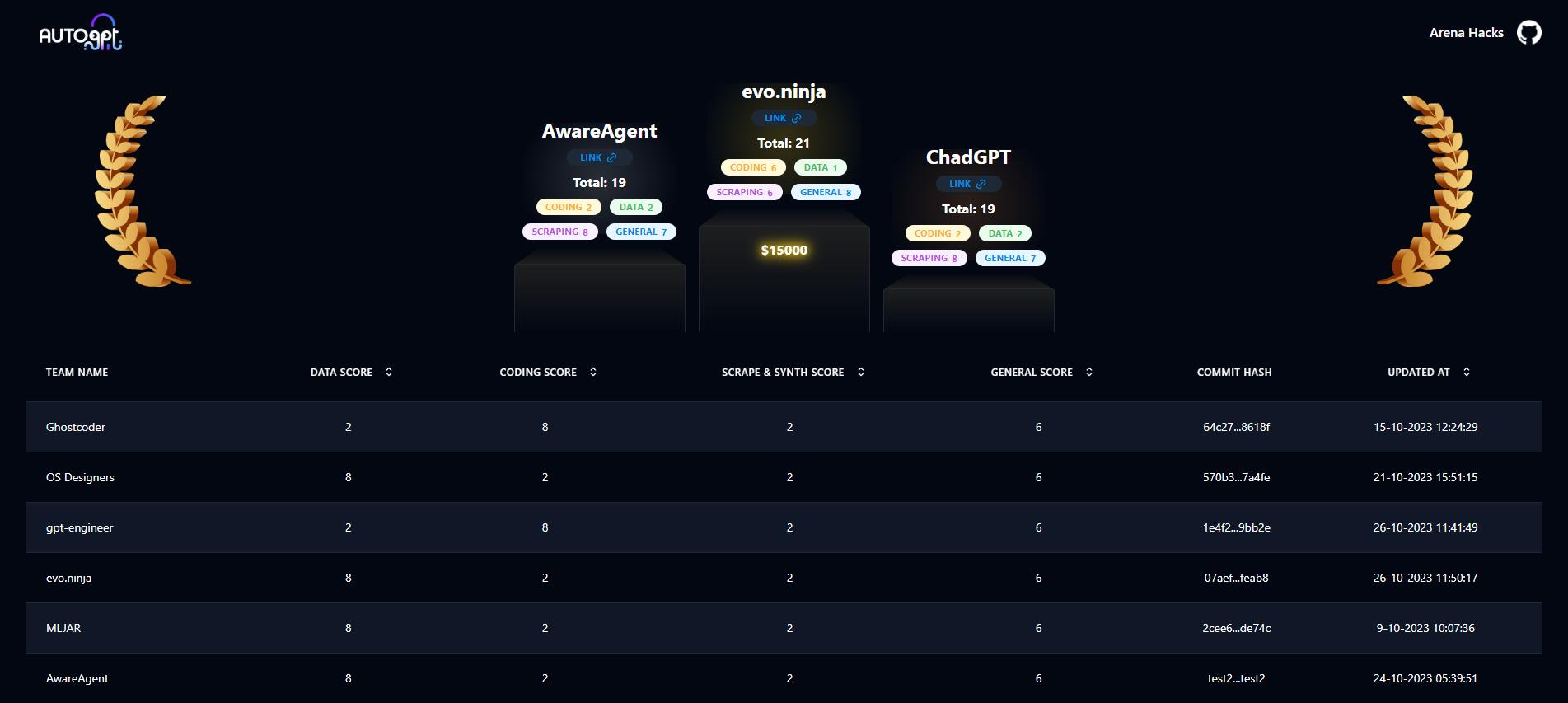][leaderboard]
|
||||
|
||||
### 💻 UI
|
||||
|
||||
**Makes agents easy to use!** The `frontend` gives you a user-friendly interface to control and monitor your agents. It connects to agents through the [agent protocol](#-agent-protocol), ensuring compatibility with many agents from both inside and outside of our ecosystem.
|
||||
|
||||
<!-- TODO: instert screenshot of front end -->
|
||||
<!-- TODO: insert screenshot of front end -->
|
||||
|
||||
The frontend works out-of-the-box with all agents in the repo. Just use the [CLI] to run your agent of choice!
|
||||
|
||||
@@ -78,7 +100,6 @@ Options:
|
||||
|
||||
Commands:
|
||||
agent Commands to create, start and stop agents
|
||||
arena Commands to enter the arena
|
||||
benchmark Commands to start the benchmark and list tests and categories
|
||||
setup Installs dependencies needed for your system.
|
||||
```
|
||||
|
||||
@@ -1,6 +0,0 @@
|
||||
{
|
||||
"github_repo_url": "https://github.com/480/AutoGPT",
|
||||
"timestamp": "2023-10-22T06:49:52.536177",
|
||||
"commit_hash_to_benchmark": "16e266c65fb4620a1b1397532c503fa426ec191d",
|
||||
"branch_to_benchmark": "master"
|
||||
}
|
||||
@@ -1,6 +0,0 @@
|
||||
{
|
||||
"github_repo_url": "https://github.com/filipjakubowski/AutoGPT",
|
||||
"timestamp": "2023-11-01T17:13:24.272333",
|
||||
"commit_hash_to_benchmark": "78e92234d63a69b5471da0c0e62ce820a9109dd4",
|
||||
"branch_to_benchmark": "master"
|
||||
}
|
||||
@@ -1,6 +0,0 @@
|
||||
{
|
||||
"github_repo_url": "https://github.com/filipjakubowski/AutoGPT",
|
||||
"timestamp": "2023-11-04T10:13:11.039444",
|
||||
"commit_hash_to_benchmark": "78e92234d63a69b5471da0c0e62ce820a9109dd4",
|
||||
"branch_to_benchmark": "master"
|
||||
}
|
||||
@@ -1,6 +0,0 @@
|
||||
{
|
||||
"github_repo_url": "https://github.com/QingquanBao/AutoGPT",
|
||||
"timestamp": "2023-11-01T16:20:51.086235",
|
||||
"commit_hash_to_benchmark": "78e92234d63a69b5471da0c0e62ce820a9109dd4",
|
||||
"branch_to_benchmark": "master"
|
||||
}
|
||||
@@ -1,7 +0,0 @@
|
||||
{
|
||||
"github_repo_url": "https://github.com/imakb/AKBAgent",
|
||||
"timestamp": "2023-10-31T00:03:23.000000",
|
||||
"commit_hash_to_benchmark": "c65b71d51d8f849663172c5a128953b4ca92b2b0",
|
||||
"branch_to_benchmark": "AKBAgent"
|
||||
}
|
||||
|
||||
@@ -1,6 +0,0 @@
|
||||
{
|
||||
"github_repo_url": "https://github.com/hongzzz/AutoGPT",
|
||||
"timestamp": "2023-10-13T03:22:59.347424",
|
||||
"commit_hash_to_benchmark": "38790a27ed2c1b63a301b6a67e7590f2d30de53e",
|
||||
"branch_to_benchmark": "master"
|
||||
}
|
||||
@@ -1,6 +0,0 @@
|
||||
{
|
||||
"github_repo_url": "https://github.com/kaiomagalhaes/AutoGPT",
|
||||
"timestamp": "2023-10-04T15:25:30.458687",
|
||||
"commit_hash_to_benchmark": "1bd85cbc09473c0252928fb849ae8373607d6065",
|
||||
"branch_to_benchmark": "master"
|
||||
}
|
||||
@@ -1,6 +0,0 @@
|
||||
{
|
||||
"github_repo_url": "https://github.com/Jonobinsoftware/AutoGPT-Tutorial",
|
||||
"timestamp": "2023-10-10T06:01:23.439061",
|
||||
"commit_hash_to_benchmark": "c77ade5b2f62c5373fc7573e5c45581f003c77a3",
|
||||
"branch_to_benchmark": "master"
|
||||
}
|
||||
@@ -1,6 +0,0 @@
|
||||
{
|
||||
"github_repo_url": "https://github.com/aivaras-mazylis/AutoGPT",
|
||||
"timestamp": "2023-10-17T13:16:16.327237",
|
||||
"commit_hash_to_benchmark": "1eadc64dc0a693c7c9de77ddaef857f3a36f7950",
|
||||
"branch_to_benchmark": "master"
|
||||
}
|
||||
@@ -1,6 +0,0 @@
|
||||
{
|
||||
"github_repo_url": "https://github.com/althaf004/AutoGPT",
|
||||
"timestamp": "2023-09-26T03:40:03.658369",
|
||||
"commit_hash_to_benchmark": "4a8da53d85d466f2eb325c745a2c03cf88792e7d",
|
||||
"branch_to_benchmark": "master"
|
||||
}
|
||||
@@ -1,6 +0,0 @@
|
||||
{
|
||||
"github_repo_url": "https://github.com/againeureka/AutoGPT",
|
||||
"timestamp": "2023-10-12T02:20:01.005361",
|
||||
"commit_hash_to_benchmark": "766796ae1e8c07cf2a03b607621c3da6e1f01a31",
|
||||
"branch_to_benchmark": "master"
|
||||
}
|
||||
@@ -1,6 +0,0 @@
|
||||
{
|
||||
"github_repo_url": "https://github.com/kitdesai/AgentKD",
|
||||
"timestamp": "2023-10-14T02:35:09.979434",
|
||||
"commit_hash_to_benchmark": "93e3ec36ed6cd9e5e60585f016ad3bef4e1c52cb",
|
||||
"branch_to_benchmark": "master"
|
||||
}
|
||||
@@ -1,6 +0,0 @@
|
||||
{
|
||||
"github_repo_url": "https://github.com/JawadAbu/AutoGPT.git",
|
||||
"timestamp": "2023-11-05T12:35:35.352028",
|
||||
"commit_hash_to_benchmark": "a1d60878141116641ea864ef6de7ca6142e9534c",
|
||||
"branch_to_benchmark": "master"
|
||||
}
|
||||
@@ -1,6 +0,0 @@
|
||||
{
|
||||
"github_repo_url": "https://github.com/Shadowless422/Alfred",
|
||||
"timestamp": "2023-10-03T10:42:45.473477",
|
||||
"commit_hash_to_benchmark": "949ab477a87cfb7a3668d7961e9443922081e098",
|
||||
"branch_to_benchmark": "master"
|
||||
}
|
||||
@@ -1,6 +0,0 @@
|
||||
{
|
||||
"github_repo_url": "https://github.com/alphaciso/AutoGPT",
|
||||
"timestamp": "2023-10-21T08:26:41.961187",
|
||||
"commit_hash_to_benchmark": "415b4ceed1417d0b21d87d7d4ea0cd38943e264f",
|
||||
"branch_to_benchmark": "master"
|
||||
}
|
||||
@@ -1,6 +0,0 @@
|
||||
{
|
||||
"github_repo_url": "https://github.com/4nd3rs/AutoGPT",
|
||||
"timestamp": "2023-10-11T11:00:08.150159",
|
||||
"commit_hash_to_benchmark": "57bcbdf45c6c1493a4e5f6a4e72594ea13c10f93",
|
||||
"branch_to_benchmark": "master"
|
||||
}
|
||||
@@ -1 +0,0 @@
|
||||
{"github_repo_url": "https://github.com/pjw1/AntlerAI", "timestamp": "2023-10-07T11:46:39Z", "commit_hash_to_benchmark": "f81e086e5647370854ec639c531c900775a99207", "branch_to_benchmark": "master"}
|
||||
@@ -1,6 +0,0 @@
|
||||
{
|
||||
"github_repo_url": "https://github.com/Nimit3-droid/AutoGPT",
|
||||
"timestamp": "2023-10-03T11:59:15.495902",
|
||||
"commit_hash_to_benchmark": "d8d7fc4858a8d13407f6d7da360c6b5d398f2175",
|
||||
"branch_to_benchmark": "master"
|
||||
}
|
||||
@@ -1 +0,0 @@
|
||||
{"github_repo_url": "https://github.com/somnistudio/SomniGPT", "timestamp": "2023-10-06T16:40:14Z", "commit_hash_to_benchmark": "47eb5124fa97187d7f3fa4036e422cd771cf0ae7", "branch_to_benchmark": "master"}
|
||||
@@ -1,6 +0,0 @@
|
||||
{
|
||||
"github_repo_url": "https://github.com/AmahAjavon/AutoGPT",
|
||||
"timestamp": "2023-10-28T20:32:15.845741",
|
||||
"commit_hash_to_benchmark": "2bd05827f97e471af798b8c2f04e8772dad101d3",
|
||||
"branch_to_benchmark": "master"
|
||||
}
|
||||
@@ -1,6 +0,0 @@
|
||||
{
|
||||
"github_repo_url": "https://github.com/arunqa/AutoGPT",
|
||||
"timestamp": "2023-09-26T05:13:24.466017",
|
||||
"commit_hash_to_benchmark": "4a8da53d85d466f2eb325c745a2c03cf88792e7d",
|
||||
"branch_to_benchmark": "master"
|
||||
}
|
||||
@@ -1,6 +0,0 @@
|
||||
{
|
||||
"github_repo_url": "https://github.com/Nikhil8652/AutoGPT",
|
||||
"timestamp": "2023-10-16T09:12:17.452121",
|
||||
"commit_hash_to_benchmark": "2f79caa6b901d006a78c1ac9e69db4465c0f971a",
|
||||
"branch_to_benchmark": "master"
|
||||
}
|
||||
@@ -1,6 +0,0 @@
|
||||
{
|
||||
"github_repo_url": "https://github.com/RedTachyon/AutoGPT",
|
||||
"timestamp": "2023-10-21T22:31:30.871023",
|
||||
"commit_hash_to_benchmark": "eda21d51921899756bf866cf5c4d0f2dcd3e2e23",
|
||||
"branch_to_benchmark": "master"
|
||||
}
|
||||
@@ -1 +0,0 @@
|
||||
{"github_repo_url": "https://github.com/SarahGrevy/AutoGPT", "timestamp": "2023-10-20T17:21:22Z", "commit_hash_to_benchmark": "32300906c9aafea8c550fa2f9edcc113fbfc512c", "branch_to_benchmark": "master"}
|
||||
@@ -1,6 +0,0 @@
|
||||
{
|
||||
"github_repo_url": "https://github.com/JasonDRZ/AutoGPT",
|
||||
"timestamp": "2023-10-26T13:27:58.805270",
|
||||
"commit_hash_to_benchmark": "ab2a61833584c42ededa805cbac50718c72aa5ae",
|
||||
"branch_to_benchmark": "master"
|
||||
}
|
||||
@@ -1,6 +0,0 @@
|
||||
{
|
||||
"github_repo_url": "https://github.com/vshneer/AutoTDD",
|
||||
"timestamp": "2023-10-11T19:14:30.939747",
|
||||
"commit_hash_to_benchmark": "766796ae1e8c07cf2a03b607621c3da6e1f01a31",
|
||||
"branch_to_benchmark": "master"
|
||||
}
|
||||
@@ -1,6 +0,0 @@
|
||||
{
|
||||
"github_repo_url": "https://github.com/cagdasbas/AutoGPT",
|
||||
"timestamp": "2023-10-15T08:43:40.193080",
|
||||
"commit_hash_to_benchmark": "74ee69daf1c0a2603f19bdb1edcfdf1f4e06bcff",
|
||||
"branch_to_benchmark": "master"
|
||||
}
|
||||
@@ -1,6 +0,0 @@
|
||||
{
|
||||
"github_repo_url": "https://github.com/LuisLechugaRuiz/AwareAgent",
|
||||
"timestamp": "2023-10-26T10:10:01.481205",
|
||||
"commit_hash_to_benchmark": "c180063dde49af02ed95ec4c019611da0a5540d7",
|
||||
"branch_to_benchmark": "master"
|
||||
}
|
||||
@@ -1,6 +0,0 @@
|
||||
{
|
||||
"github_repo_url": "https://github.com/xpineda/AutoGPT_xabyvng.git",
|
||||
"timestamp": "2023-10-20T09:21:48.837635",
|
||||
"commit_hash_to_benchmark": "2187f66149ffa4bb99f9ca6a11b592fe4d683791",
|
||||
"branch_to_benchmark": "master"
|
||||
}
|
||||
@@ -1,6 +0,0 @@
|
||||
{
|
||||
"github_repo_url": "https://github.com/aniruddha-adhikary/AutoGPT",
|
||||
"timestamp": "2023-09-27T15:32:24.056105",
|
||||
"commit_hash_to_benchmark": "6f289e6dfa8246f8993b76c933527f3707b8d7e5",
|
||||
"branch_to_benchmark": "master"
|
||||
}
|
||||
@@ -1,6 +0,0 @@
|
||||
{
|
||||
"github_repo_url": "https://github.com/Baptistecaille/AutoGPT",
|
||||
"timestamp": "2023-10-01T19:44:23.416591",
|
||||
"commit_hash_to_benchmark": "3da29eae45683457131ee8736bedae7e2a74fbba",
|
||||
"branch_to_benchmark": "master"
|
||||
}
|
||||
@@ -1 +0,0 @@
|
||||
{"github_repo_url": "https://github.com/jafar-albadarneh/Bravo06GPT", "timestamp": "2023-10-04T23:01:27Z", "commit_hash_to_benchmark": "f8c177b4b0e4ca45a3a104011b866c0415c648f1", "branch_to_benchmark": "master"}
|
||||
@@ -1 +0,0 @@
|
||||
{"github_repo_url": "https://github.com/dabeer021/Brillante-AI", "timestamp": "2023-10-02T19:05:04Z", "commit_hash_to_benchmark": "163ab75379e1ee7792f50d4d70a1f482ca9cb6a1", "branch_to_benchmark": "master"}
|
||||
@@ -1,6 +0,0 @@
|
||||
{
|
||||
"github_repo_url": "https://github.com/razorhasbeen/AutoGPT",
|
||||
"timestamp": "2023-10-03T11:50:56.725628",
|
||||
"commit_hash_to_benchmark": "d8d7fc4858a8d13407f6d7da360c6b5d398f2175",
|
||||
"branch_to_benchmark": "master"
|
||||
}
|
||||
@@ -1,6 +0,0 @@
|
||||
{
|
||||
"github_repo_url": "https://github.com/ccsnow127/AutoGPT",
|
||||
"timestamp": "2023-10-21T13:57:15.131761",
|
||||
"commit_hash_to_benchmark": "e9b64adae9fce180a392c726457e150177e746fb",
|
||||
"branch_to_benchmark": "master"
|
||||
}
|
||||
@@ -1,6 +0,0 @@
|
||||
{
|
||||
"github_repo_url": "https://github.com/ces-sonnguyen/CES-GPT",
|
||||
"timestamp": "2023-10-30T07:45:07.337258",
|
||||
"commit_hash_to_benchmark": "2bd05827f97e471af798b8c2f04e8772dad101d3",
|
||||
"branch_to_benchmark": "master"
|
||||
}
|
||||
@@ -1,6 +0,0 @@
|
||||
{
|
||||
"github_repo_url": "https://github.com/cislerk/AutoGPT",
|
||||
"timestamp": "2023-10-10T18:40:50.718850",
|
||||
"commit_hash_to_benchmark": "c77ade5b2f62c5373fc7573e5c45581f003c77a3",
|
||||
"branch_to_benchmark": "master"
|
||||
}
|
||||
@@ -1,6 +0,0 @@
|
||||
{
|
||||
"github_repo_url": "https://github.com/myncow/DocumentAgent.git",
|
||||
"timestamp": "2023-10-31T21:21:28.951345",
|
||||
"commit_hash_to_benchmark": "c65b71d51d8f849663172c5a128953b4ca92b2b0",
|
||||
"branch_to_benchmark": "master"
|
||||
}
|
||||
@@ -1,6 +0,0 @@
|
||||
{
|
||||
"github_repo_url": "https://github.com/dr1yl/AutoGPT",
|
||||
"timestamp": "2023-10-09T20:01:05.041446",
|
||||
"commit_hash_to_benchmark": "c77ade5b2f62c5373fc7573e5c45581f003c77a3",
|
||||
"branch_to_benchmark": "master"
|
||||
}
|
||||
@@ -1 +0,0 @@
|
||||
{"github_repo_url": "https://github.com/Ahmad-Alaziz/ChadGPT", "timestamp": "2023-10-26T09:39:35Z", "commit_hash_to_benchmark": "84dd029c011379791a6fec8b148b2982a2ef159e", "branch_to_benchmark": "master"}
|
||||
@@ -1,6 +0,0 @@
|
||||
{
|
||||
"github_repo_url": "https://github.com/darkcyber-ninja/AutoGPT",
|
||||
"timestamp": "2023-10-31T17:55:41.458834",
|
||||
"commit_hash_to_benchmark": "c65b71d51d8f849663172c5a128953b4ca92b2b0",
|
||||
"branch_to_benchmark": "master"
|
||||
}
|
||||
@@ -1,6 +0,0 @@
|
||||
{
|
||||
"github_repo_url": "https://github.com/hugomastromauro/AutoGPT",
|
||||
"timestamp": "2023-11-01T13:21:42.624202",
|
||||
"commit_hash_to_benchmark": "78e92234d63a69b5471da0c0e62ce820a9109dd4",
|
||||
"branch_to_benchmark": "master"
|
||||
}
|
||||
@@ -1 +0,0 @@
|
||||
{"github_repo_url": "https://github.com/simonfunk/Auto-GPT", "timestamp": "2023-10-08T02:10:18Z", "commit_hash_to_benchmark": "e99e9b6181f091a9625ef9b922dac15dd5f0a885", "branch_to_benchmark": "master"}
|
||||
@@ -1,6 +0,0 @@
|
||||
{
|
||||
"github_repo_url": "https://github.com/HMDCrew/AutoGPT",
|
||||
"timestamp": "2023-10-06T20:41:26.293944",
|
||||
"commit_hash_to_benchmark": "9e353e09b5df39d4d410bef57cf17387331e96f6",
|
||||
"branch_to_benchmark": "master"
|
||||
}
|
||||
@@ -1,6 +0,0 @@
|
||||
{
|
||||
"github_repo_url": "https://github.com/wic0144/AutoGPT",
|
||||
"timestamp": "2023-10-26T09:05:21.013962",
|
||||
"commit_hash_to_benchmark": "89d333f3bb422495f21e04bdd2bba3cb8c1a34ae",
|
||||
"branch_to_benchmark": "master"
|
||||
}
|
||||
@@ -1,6 +0,0 @@
|
||||
{
|
||||
"github_repo_url": "https://github.com/beisdog/AutoGPT",
|
||||
"timestamp": "2023-09-29T22:06:18.846082",
|
||||
"commit_hash_to_benchmark": "d6abb27db61142a70defd0c75b53985ea9a71fce",
|
||||
"branch_to_benchmark": "master"
|
||||
}
|
||||
@@ -1,6 +0,0 @@
|
||||
{
|
||||
"github_repo_url": "https://github.com/schumacher-m/Derpmaster",
|
||||
"timestamp": "2023-10-30T21:10:27.407732",
|
||||
"commit_hash_to_benchmark": "d9fbd26b8563e5f59d705623bae0d5cf9c9499c7",
|
||||
"branch_to_benchmark": "master"
|
||||
}
|
||||
@@ -1,6 +0,0 @@
|
||||
{
|
||||
"github_repo_url": "https://github.com/rahuldotar/AutoGPT",
|
||||
"timestamp": "2023-10-02T11:34:29.870077",
|
||||
"commit_hash_to_benchmark": "062d286c239dc863ede4ad475d7348698722f5fa",
|
||||
"branch_to_benchmark": "master"
|
||||
}
|
||||
@@ -1,6 +0,0 @@
|
||||
{
|
||||
"github_repo_url": "https://github.com/MohamedBasueny/AutoGPT-Drench",
|
||||
"timestamp": "2023-10-27T01:28:13.869318",
|
||||
"commit_hash_to_benchmark": "21b809794a90cf6f9a6aa41f179f420045becadc",
|
||||
"branch_to_benchmark": "master"
|
||||
}
|
||||
@@ -1,6 +0,0 @@
|
||||
{
|
||||
"github_repo_url": "https://github.com/MuriloEduardo/AutoGPT.git",
|
||||
"timestamp": "2023-09-25T03:18:20.659056",
|
||||
"commit_hash_to_benchmark": "ffa76c3a192c36827669335de4390262da5fd972",
|
||||
"branch_to_benchmark": "master"
|
||||
}
|
||||
@@ -1 +0,0 @@
|
||||
{"github_repo_url": "https://github.com/Significant-Gravitas/AutoGPT", "timestamp": "2023-10-26T09:15:50Z", "commit_hash_to_benchmark": "6c9152a95c8994898c47c85ea90ba58e0cc02c28", "branch_to_benchmark": "master"}
|
||||
@@ -1,6 +0,0 @@
|
||||
{
|
||||
"github_repo_url": "https://github.com/kyannai/AutoGPT",
|
||||
"timestamp": "2023-09-29T03:05:45.504690",
|
||||
"commit_hash_to_benchmark": "1f367618edf903f38dff4dd064f96e611ffc5242",
|
||||
"branch_to_benchmark": "master"
|
||||
}
|
||||
@@ -1,6 +0,0 @@
|
||||
{
|
||||
"github_repo_url": "https://github.com/janekdijkstra/AutoGPT",
|
||||
"timestamp": "2023-10-16T12:12:54.998033",
|
||||
"commit_hash_to_benchmark": "2f79caa6b901d006a78c1ac9e69db4465c0f971a",
|
||||
"branch_to_benchmark": "master"
|
||||
}
|
||||
@@ -1,6 +0,0 @@
|
||||
{
|
||||
"github_repo_url": "https://github.com/flashdumper/AutoGPT",
|
||||
"timestamp": "2023-10-30T23:02:13.653861",
|
||||
"commit_hash_to_benchmark": "d9fbd26b8563e5f59d705623bae0d5cf9c9499c7",
|
||||
"branch_to_benchmark": "master"
|
||||
}
|
||||
@@ -1,6 +0,0 @@
|
||||
{
|
||||
"github_repo_url": "https://github.com/neilmartindev/FactoryGPT",
|
||||
"timestamp": "2023-10-04T16:24:58.525870",
|
||||
"commit_hash_to_benchmark": "1bd85cbc09473c0252928fb849ae8373607d6065",
|
||||
"branch_to_benchmark": "master"
|
||||
}
|
||||
@@ -1,6 +0,0 @@
|
||||
{
|
||||
"github_repo_url": "https://github.com/fbk111/FcsummerGPT",
|
||||
"timestamp": "2023-10-25T09:58:39.801277",
|
||||
"commit_hash_to_benchmark": "ab362f96c3255052350e8e8081b363c7b97ffd6f",
|
||||
"branch_to_benchmark": "master"
|
||||
}
|
||||
@@ -1,6 +0,0 @@
|
||||
{
|
||||
"github_repo_url": "https://github.com/tomkat-cr/AutoGPT.git",
|
||||
"timestamp": "2023-10-18T09:41:21.282992",
|
||||
"commit_hash_to_benchmark": "e9b64adae9fce180a392c726457e150177e746fb",
|
||||
"branch_to_benchmark": "master"
|
||||
}
|
||||
@@ -1,6 +0,0 @@
|
||||
{
|
||||
"github_repo_url": "https://github.com/IgorCIs/AutoGPT",
|
||||
"timestamp": "2023-09-27T14:01:20.964953",
|
||||
"commit_hash_to_benchmark": "a14aadd91493886663232bfd23c0412609f2a2fc",
|
||||
"branch_to_benchmark": "master"
|
||||
}
|
||||
@@ -1,6 +0,0 @@
|
||||
{
|
||||
"github_repo_url": "https://github.com/h3llix/GPTTest.git",
|
||||
"timestamp": "2023-11-02T10:56:53.142288",
|
||||
"commit_hash_to_benchmark": "d9ec0ac3ad7b48eb44e6403e88d2dc5696fd4950",
|
||||
"branch_to_benchmark": "master"
|
||||
}
|
||||
@@ -1,6 +0,0 @@
|
||||
{
|
||||
"github_repo_url": "https://github.com/mordvinov/AutoGPT",
|
||||
"timestamp": "2023-10-13T14:48:02.852293",
|
||||
"commit_hash_to_benchmark": "93e3ec36ed6cd9e5e60585f016ad3bef4e1c52cb",
|
||||
"branch_to_benchmark": "master"
|
||||
}
|
||||
@@ -1,6 +0,0 @@
|
||||
{
|
||||
"github_repo_url": "https://github.com/norn93/GeorgeGPT",
|
||||
"timestamp": "2023-10-17T14:38:41.051458",
|
||||
"commit_hash_to_benchmark": "1eadc64dc0a693c7c9de77ddaef857f3a36f7950",
|
||||
"branch_to_benchmark": "master"
|
||||
}
|
||||
@@ -1,6 +0,0 @@
|
||||
{
|
||||
"github_repo_url": "https://github.com/balloch/AutoGPTProblemSolver",
|
||||
"timestamp": "2023-09-29T15:11:44.876627",
|
||||
"commit_hash_to_benchmark": "9fb6d5bbbd6928402a5718b8c249811c6f682a88",
|
||||
"branch_to_benchmark": "master"
|
||||
}
|
||||
@@ -1,6 +0,0 @@
|
||||
{
|
||||
"github_repo_url": "https://github.com/manuel-soria/AutoGPT",
|
||||
"timestamp": "2023-10-07T16:55:38.741776",
|
||||
"commit_hash_to_benchmark": "a00d880a3fd62373f53a0b0a45c9dcfdb45968e4",
|
||||
"branch_to_benchmark": "master"
|
||||
}
|
||||
@@ -1,6 +0,0 @@
|
||||
{
|
||||
"github_repo_url": "https://github.com/HMDCrew/AutoGPT",
|
||||
"timestamp": "2023-10-09T08:46:37.457740",
|
||||
"commit_hash_to_benchmark": "9e353e09b5df39d4d410bef57cf17387331e96f6",
|
||||
"branch_to_benchmark": "master"
|
||||
}
|
||||
@@ -1,6 +0,0 @@
|
||||
{
|
||||
"github_repo_url": "https://github.com/georgehaws/Heisenberg",
|
||||
"timestamp": "2023-10-02T16:07:18-07:00",
|
||||
"commit_hash_to_benchmark": "949ab477a87cfb7a3668d7961e9443922081e098",
|
||||
"branch_to_benchmark": "master"
|
||||
}
|
||||
@@ -1,6 +0,0 @@
|
||||
{
|
||||
"github_repo_url": "https://github.com/hekolcu/AutoGPT",
|
||||
"timestamp": "2023-09-30T17:31:20.979122",
|
||||
"commit_hash_to_benchmark": "a0fba5d1f13d35a1c4a8b7718550677bf62b5101",
|
||||
"branch_to_benchmark": "master"
|
||||
}
|
||||
@@ -1,6 +0,0 @@
|
||||
{
|
||||
"github_repo_url": "https://github.com/codetitlan/AutoGPT-CDTHB",
|
||||
"timestamp": "2023-10-03T15:04:54.856291",
|
||||
"commit_hash_to_benchmark": "3374fd181852d489e51ee33a25d12a064a0bb55d",
|
||||
"branch_to_benchmark": "master"
|
||||
}
|
||||
@@ -1,6 +0,0 @@
|
||||
{
|
||||
"github_repo_url": "https://github.com/kennyu/KenGPT",
|
||||
"timestamp": "2023-09-27T19:50:31.443494",
|
||||
"commit_hash_to_benchmark": "cf630e4f2cee04fd935612f95308322cd9eb1df7",
|
||||
"branch_to_benchmark": "master"
|
||||
}
|
||||
@@ -1,6 +0,0 @@
|
||||
{
|
||||
"github_repo_url": "https://github.com/mariepop13/AutoGPT",
|
||||
"timestamp": "2023-10-25T18:38:32.012583",
|
||||
"commit_hash_to_benchmark": "ab362f96c3255052350e8e8081b363c7b97ffd6f",
|
||||
"branch_to_benchmark": "master"
|
||||
}
|
||||
@@ -1,6 +0,0 @@
|
||||
{
|
||||
"github_repo_url": "https://github.com/JackDance/AutoGPT",
|
||||
"timestamp": "2023-10-09T08:26:35.181112",
|
||||
"commit_hash_to_benchmark": "f77d383a9f5e66a35d6008bd43cab4d93999cb61",
|
||||
"branch_to_benchmark": "master"
|
||||
}
|
||||
Some files were not shown because too many files have changed in this diff Show More
Reference in New Issue
Block a user