Compare commits
1236 Commits
| Author | SHA1 | Date | |
|---|---|---|---|

|
8e2fd4c96a | ||
|
|
2f424f29a0 | ||
|
|
90f00db032 | ||
|
|
77a63e5310 | ||
|
|
8f921741a5 | ||
|
|
589a817952 | ||
|
|
dcb21c0f46 | ||
|
|
1cb88960fe | ||
|
|
610a1483b7 | ||
|
|
b4e7fc0d1d | ||
|
|
b792b7d68c | ||
|
|
abaa91195d | ||
|
|
1806bfb755 | ||
|
|
7377855c02 | ||
|
|
5f2a6f24cf | ||
|
|
5b8b92d957 | ||
|
|
352202a7bc | ||
|
|
82144de85f | ||
|
|
b70d713e89 | ||
|
|
e39dde4140 | ||
|
|
c151541703 | ||
|
|
29b348ece1 | ||
|
|
9f7c86c33e | ||
|
|
a79d40519c | ||
|
|
4515d52a42 | ||
|
|
2a8513eee0 | ||
|
|
b856fac713 | ||
|
|
4a3951681c | ||
|
|
ba89444e36 | ||
|
|
a044403ac3 | ||
|
|
16dea46b79 | ||
|
|
1f80b5335b | ||
|
|
eee7f13771 | ||
|
|
6db509a4ff | ||
|
|
b7965e1ee6 | ||
|
|
c3d292e8f9 | ||
|
|
206593ec99 | ||
|
|
1b62c781d7 | ||
|
|
c4de509983 | ||
|
|
8d80802a35 | ||
|
|
694925f427 | ||
|
|
61d5cb2536 | ||
|
|
c23fe4f6d2 | ||
|
|
e6e93bbb80 | ||
|
|
b5bd5240b6 | ||
|
|
827ac82d54 | ||
|
|
9c2f3259ca | ||
|
|
6abe2bfe42 | ||
|
|
acf955fc7b | ||
|
|
023db8ac41 | ||
|
|
65cf733a0c | ||
|
|
8323169864 | ||
|
|
bf5cd1bd3b | ||
|
|
c9db01e272 | ||
|
|
6d5e9161fb | ||
|
|
0636348585 | ||
|
|
4c44523ba0 | ||
|
|
5372800e60 | ||
|
|
2ae396640b | ||
|
|
252f222068 | ||
|
|
142ba8c8ea | ||
|
|
84dfd2003e | ||
|
|
5a633ba811 | ||
|
|
f207647f0f | ||
|
|
ad16581ab8 | ||
|
|
fd722ddf7d | ||
|
|
d669e69755 | ||
|
|
d912bab4c2 | ||
|
|
68c2722c02 | ||
|
|
426fea9681 | ||
|
|
62cfdb9f11 | ||
|
|
46b4d6497c | ||
|
|
757c0a5775 | ||
|
|
9c8f0b44ad | ||
|
|
21433a948c | ||
|
|
183344b878 | ||
|
|
fc164d5be2 | ||
|
|
45aa770cd1 | ||
|
|
6d0e782d71 | ||
|
|
117f70e1ec | ||
|
|
c840bd8c12 | ||
|
|
3c64fad379 | ||
|
|
bc813e4065 | ||
|
|
7c1d2422f0 | ||
|
|
a5b11e1071 | ||
|
|
c7e4daf431 | ||
|
|
4c61f3a514 | ||
|
|
2a179799d8 | ||
|
|
650f4bb58c | ||
|
|
7b92b27ceb | ||
|
|
8f1b301d01 | ||
|
|
e3a19d4f3e | ||
|
|
70283f7d8d | ||
|
|
ecbb385447 | ||
|
|
8dc56471ef | ||
|
|
282ba201d2 | ||
|
|
2394f6458f | ||
|
|
47c1be3322 | ||
|
|
741464b053 | ||
|
|
3aab5e7e20 | ||
|
|
1e7a6dc676 | ||
|
|
81fd2ee8c1 | ||
|
|
357601e2d6 | ||
|
|
71ff759692 | ||
|
|
b0657d5fde | ||
|
|
fa391c0b78 | ||
|
|
6082aace6d | ||
|
|
7ef63161ba | ||
|
|
b731b55de4 | ||
|
|
51956ba356 | ||
|
|
f494077003 | ||
|
|
317165c410 | ||
|
|
f5aadbc200 | ||
|
|
774230f7b9 | ||
|
|
72e25d99c7 | ||
|
|
7c7c1ba02d | ||
|
|
9c6af74556 | ||
|
|
57daa3e1c2 | ||
|
|
ce98fdc5c4 | ||
|
|
f901645c12 | ||
|
|
f514f17e92 | ||
|
|
8744dd0c46 | ||
|
|
f3d669319e | ||
|
|
ace7032067 | ||
|
|
d32819875a | ||
|
|
5b5898827c | ||
|
|
8a233174de | ||
|
|
bec81170b5 | ||
|
|
2f25363d76 | ||
|
|
2aa5688d90 | ||
|
|
ed06a70eca | ||
|
|
e80160f8dd | ||
|
|
bfe64b1510 | ||
|
|
bb1769abab | ||
|
|
e3f906e90d | ||
|
|
d77dc68119 | ||
|
|
ee3d695e2e | ||
|
|
0443befd2f | ||
|
|
b4fd02b910 | ||
|
|
4e0fe4ad6e | ||
|
|
3231499992 | ||
|
|
c134161a45 | ||
|
|
c3f533f20f | ||
|
|
519a9071a8 | ||
|
|
87b4663026 | ||
|
|
6c11e8ee06 | ||
|
|
2a739890a3 | ||
|
|
02e84c9565 | ||
|
|
39715017f9 | ||
|
|
35518542f8 | ||
|
|
0aa1106c96 | ||
|
|
33f832e6ab | ||
|
|
281c788489 | ||
|
|
3858bef185 | ||
|
|
f9a1afd09c | ||
|
|
251e9c0294 | ||
|
|
d8bf2e3c10 | ||
|
|
218f30b7d0 | ||
|
|
da983c7773 | ||
|
|
7012e16c43 | ||
|
|
b1050abf7f | ||
|
|
210998081a | ||
|
|
604acb9d91 | ||
|
|
5beeb1a897 | ||
|
|
de6304b729 | ||
|
|
d0be79c33d | ||
|
|
b4ed8bc47a | ||
|
|
bd85e00530 | ||
|
|
4e446130d8 | ||
|
|
4c93b514bb | ||
|
|
d078941316 | ||
|
|
230d3a496d | ||
|
|
ec2890c19b | ||
|
|
a540cc537f | ||
|
|
39c57aa358 | ||
|
|
2d990c1f54 | ||
|
|
7fb2da8741 | ||
|
|
c69fcb1c10 | ||
|
|
0982548e1f | ||
|
|
11a29fdc4d | ||
|
|
24407048a5 | ||
|
|
a7c2333312 | ||
|
|
b5b541c747 | ||
|
|
ad6ea02c9c | ||
|
|
c22326f9f8 | ||
|
|
1a6ed85d99 | ||
|
|
a094bbd839 | ||
|
|
73dda812ea | ||
|
|
8eaf1c4033 | ||
|
|
4f44b64052 | ||
|
|
c559bf3e10 | ||
|
|
a485515bc6 | ||
|
|
2c9b29725b | ||
|
|
28612c899a | ||
|
|
88acbeaa35 | ||
|
|
46729efe95 | ||
|
|
b3d03e1146 | ||
|
|
e29c9a7d9e | ||
|
|
9b157b6532 | ||
|
|
10a1e7962b | ||
|
|
cb672d7d00 | ||
|
|
e791fb6b0b | ||
|
|
1c9001ad21 | ||
|
|
3083356cf0 | ||
|
|
179814e50a | ||
|
|
9515c07fca | ||
|
|
a45e94fde7 | ||
|
|
8b6196e0a2 | ||
|
|
ee2c0ab51b | ||
|
|
ca5f129902 | ||
|
|
cf2eca7c60 | ||
|
|
16aea1e869 | ||
|
|
75ff6cd3c3 | ||
|
|
7b7b31637c | ||
|
|
fca564c18a | ||
|
|
eb8d87e185 | ||
|
|
dbadb1d7b5 | ||
|
|
a4afb69615 | ||
|
|
8b7925edf3 | ||
|
|
168a51c5a6 | ||
|
|
3f5d8c3e44 | ||
|
|
609bb19573 | ||
|
|
d561d6d3dd | ||
|
|
7ffaa17551 | ||
|
|
97eac58a50 | ||
|
|
cedbe8fcd7 | ||
|
|
a461875abd | ||
|
|
ab018ccdfe | ||
|
|
d41dcdfc46 | ||
|
|
972aecc4c5 | ||
|
|
6b7be4e5dc | ||
|
|
9b1a7b553f | ||
|
|
7f99efc5df | ||
|
|
0a6d8b4855 | ||
|
|
5e41811fb5 | ||
|
|
5a4967582e | ||
|
|
1d0ba4a1a7 | ||
|
|
4878c7a2d5 | ||
|
|
9e5aa645a7 | ||
|
|
d01e23973e | ||
|
|
71bbd78574 | ||
|
|
fff41a7349 | ||
|
|
d5f524a156 | ||
|
|
3ab9d02883 | ||
|
|
27a2e27c3a | ||
|
|
da04b11a31 | ||
|
|
3795b40f63 | ||
|
|
9436f2e3d1 | ||
|
|
7fadd5e5c4 | ||
|
|
4c2a588e1f | ||
|
|
5f9de762ff | ||
|
|
91f7abb398 | ||
|
|
6420b81a5d | ||
|
|
b6ed5eafd6 | ||
|
|
694d5aa2e8 | ||
|
|
833079140b | ||
|
|
fd27948c36 | ||
|
|
1dfaaa2a57 | ||
|
|
bac6b50dd1 | ||
|
|
a30c91f398 | ||
|
|
17294bfa55 | ||
|
|
3fa1771cc9 | ||
|
|
f3bd386ff0 | ||
|
|
8486ce31de | ||
|
|
1d9845557f | ||
|
|
55dce6cfdd | ||
|
|
58be915446 | ||
|
|
dc9268f772 | ||
|
|
47ddc00c6a | ||
|
|
0d22fd59ed | ||
|
|
d5efd57c28 | ||
|
|
b52a92da7e | ||
|
|
b949162e7e | ||
|
|
5409991256 | ||
|
|
be1bcbc173 | ||
|
|
d6196e863d | ||
|
|
63e790b79b | ||
|
|
cf53bba99e | ||
|
|
ed4c8f6a8a | ||
|
|
aab8263c31 | ||
|
|
b21bd6f428 | ||
|
|
cb6903dfd0 | ||
|
|
cd87ca8214 | ||
|
|
58e5bf5a58 | ||
|
|
f17c7ca6f7 | ||
|
|
c3dd28cff9 | ||
|
|
db4e1e8b53 | ||
|
|
3e43c3e698 | ||
|
|
cc7733af1c | ||
|
|
2a29734a56 | ||
|
|
f2e533f7c8 | ||
|
|
078f897b67 | ||
|
|
8352ab2076 | ||
|
|
1a3d47814b | ||
|
|
e852ad0a51 | ||
|
|
136cd0e868 | ||
|
|
7afe26320a | ||
|
|
702da71515 | ||
|
|
b313cf8afd | ||
|
|
852d78d9ad | ||
|
|
5570a88858 | ||
|
|
cfd897874b | ||
|
|
1249147c57 | ||
|
|
eec5c3bbb1 | ||
|
|
ca8d9fb885 | ||
|
|
7d77fb9691 | ||
|
|
a4c0dfb33c | ||
|
|
2dded68267 | ||
|
|
172ce3dc25 | ||
|
|
6c8d4b091e | ||
|
|
7beebc3659 | ||
|
|
5461318eda | ||
|
|
d0abe13b60 | ||
|
|
aca9d74489 | ||
|
|
a0c213a158 | ||
|
|
740210fc99 | ||
|
|
ca10d0652f | ||
|
|
e1a85d8184 | ||
|
|
9d8236c59d | ||
|
|
7eafcd47a6 | ||
|
|
ded3f13a33 | ||
|
|
e5646d7241 | ||
|
|
79ac9698c1 | ||
|
|
d29f57c93d | ||
|
|
9b7cde8918 | ||
|
|
8ae71303a5 | ||
|
|
2cd7bd4a8e | ||
|
|
b813298f2a | ||
|
|
58f787f7d4 | ||
|
|
2bba543d20 | ||
|
|
d3c1b747ee | ||
|
|
b9ecf93ba3 | ||
|
|
487da8394d | ||
|
|
4c93bc56f8 | ||
|
|
727dfeae43 | ||
|
|
88d561dee7 | ||
|
|
7a379f1d4f | ||
|
|
3ad89f99d2 | ||
|
|
d76c5da514 | ||
|
|
da5b0673e7 | ||
|
|
d7180afe9d | ||
|
|
2e9c15711b | ||
|
|
e19b08b149 | ||
|
|
234d76a269 | ||
|
|
826d941068 | ||
|
|
34e449213c | ||
|
|
671c5943e4 | ||
|
|
16c24ec367 | ||
|
|
e8240855e0 | ||
|
|
a5e065048e | ||
|
|
a53c3269db | ||
|
|
8bf93d3a32 | ||
|
|
d42cc0fd1c | ||
|
|
d2553d783c | ||
|
|
10b747d22b | ||
|
|
1d567fa593 | ||
|
|
3a3dd39d3a | ||
|
|
f4b3d7dba2 | ||
|
|
de2c7fd372 | ||
|
|
b140e1c619 | ||
|
|
1308584289 | ||
|
|
2ac4778bcf | ||
|
|
6101d67dba | ||
|
|
3cd50fe3a1 | ||
|
|
e683b574d1 | ||
|
|
0decd05913 | ||
|
|
d01b7ea2d2 | ||
|
|
4fa91724d9 | ||
|
|
e3d1c64b77 | ||
|
|
17f35a7bba | ||
|
|
ab2f0a6fbf | ||
|
|
41cbf2f7c4 | ||
|
|
d5d2e1d7a3 | ||
|
|
587faa3e52 | ||
|
|
80229ab73e | ||
|
|
68b2911d2f | ||
|
|
2bf2f627e4 | ||
|
|
58676b2ce2 | ||
|
|
11f79dc1e1 | ||
|
|
2a095ddc8e | ||
|
|
dd849d2e91 | ||
|
|
8c63fac958 | ||
|
|
11a70e9764 | ||
|
|
33ce78e4a2 | ||
|
|
4f78518858 | ||
|
|
fad99ac4d2 | ||
|
|
423b592b25 | ||
|
|
8aa7d1da55 | ||
|
|
6b702c32ca | ||
|
|
767012aec0 | ||
|
|
2267057e2b | ||
|
|
b8212e4dea | ||
|
|
5b7e4a5f5d | ||
|
|
07f9fa63d0 | ||
|
|
1ae8986451 | ||
|
|
b305c240de | ||
|
|
248dc81ec3 | ||
|
|
ebe0071ed2 | ||
|
|
7a518218e5 | ||
|
|
fc14ac7faa | ||
|
|
95e2739c47 | ||
|
|
f129393a2e | ||
|
|
c55bbd1a85 | ||
|
|
ccba41cdb2 | ||
|
|
3d442bbf22 | ||
|
|
4888d0d832 | ||
|
|
47de3fb007 | ||
|
|
41bc160cb8 | ||
|
|
d0ba155c19 | ||
|
|
5f0848bf7d | ||
|
|
6551527fe2 | ||
|
|
159ce2ea08 | ||
|
|
3715570d17 | ||
|
|
65a7432b5a | ||
|
|
557e28f460 | ||
|
|
62a7f252f5 | ||
|
|
2fa14200aa | ||
|
|
0605cf94f0 | ||
|
|
d69156c616 | ||
|
|
0963bbbe78 | ||
|
|
f3351a5e47 | ||
|
|
f3f4c68acc | ||
|
|
5d617ce63d | ||
|
|
8a0d45ac5a | ||
|
|
2468ba7445 | ||
|
|
65b7d2db47 | ||
|
|
e07f1bb89c | ||
|
|
f4f813d108 | ||
|
|
6217edcb6c | ||
|
|
c5cc832304 | ||
|
|
a76038bac4 | ||
|
|
ff4942f9b4 | ||
|
|
1ccad64871 | ||
|
|
19f0022bbe | ||
|
|
ecc7b7a700 | ||
|
|
e46102124e | ||
|
|
314ed7d8f6 | ||
|
|
b1341bc611 | ||
|
|
07be605dcb | ||
|
|
fe318775c3 | ||
|
|
1bb07795d8 | ||
|
|
caf07479ec | ||
|
|
508780d07f | ||
|
|
05e67e924c | ||
|
|
fb2488314f | ||
|
|
062f58209b | ||
|
|
7cb9d6b1a6 | ||
|
|
fb721234ec | ||
|
|
92906aeb08 | ||
|
|
cab41f0538 | ||
|
|
5d0dcaf81e | ||
|
|
9591c8d4e0 | ||
|
|
bcb1fbe031 | ||
|
|
e87a2fe14b | ||
|
|
d00571b5a4 | ||
|
|
b08a514594 | ||
|
|
265ccaca4a | ||
|
|
7aa6c827f7 | ||
|
|
093174942b | ||
|
|
f299f40763 | ||
|
|
7545e38655 | ||
|
|
0bc55a0d55 | ||
|
|
d38e7170fe | ||
|
|
15a9412255 | ||
|
|
e29399e032 | ||
|
|
bc18a94d8c | ||
|
|
5d2bdd478c | ||
|
|
9cacba916b | ||
|
|
628e82fa79 | ||
|
|
fbbbba2fac | ||
|
|
9cbf9d52b4 | ||
|
|
fb35fe1a41 | ||
|
|
b60b5750af | ||
|
|
3ff40114fa | ||
|
|
71c6ae8789 | ||
|
|
d9a7536fa8 | ||
|
|
99f4417cd7 | ||
|
|
47f94bde04 | ||
|
|
197e6b95e3 | ||
|
|
8e47ca8d57 | ||
|
|
714fff39ba | ||
|
|
89239d1c54 | ||
|
|
c03d98cf46 | ||
|
|
d1ad46d6f1 | ||
|
|
6ae7560f66 | ||
|
|
e561d19206 | ||
|
|
9eed1919c2 | ||
|
|
b87f7b1129 | ||
|
|
7410a60208 | ||
|
|
7c86130a3d | ||
|
|
58a1d9aae0 | ||
|
|
24e32f6ae2 | ||
|
|
3dd7393984 | ||
|
|
f18f743d03 | ||
|
|
c660dcdfcd | ||
|
|
9e0250c0b4 | ||
|
|
08c747f1e0 | ||
|
|
04ae6fde80 | ||
|
|
b1a53c8ef0 | ||
|
|
cd64511f24 | ||
|
|
1e98e0b159 | ||
|
|
4f7af55bc3 | ||
|
|
d0e6a57e48 | ||
|
|
d28a486769 | ||
|
|
84722d92f6 | ||
|
|
8a3b5ac21d | ||
|
|
717d53a773 | ||
|
|
96926d6648 | ||
|
|
f3639de8b1 | ||
|
|
b71e675e8d | ||
|
|
d3c850104b | ||
|
|
c00155f6a4 | ||
|
|
8753070fc7 | ||
|
|
ed8f9f021d | ||
|
|
3ccc705396 | ||
|
|
11e422cf29 | ||
|
|
7f695fed39 | ||
|
|
310501cd8a | ||
|
|
106b3aea1b | ||
|
|
6e52ca3307 | ||
|
|
94c31f672f | ||
|
|
240bbb9852 | ||
|
|
8cf2ed91a9 | ||
|
|
7be5b4ca8b | ||
|
|
d589ad96aa | ||
|
|
097e41e8d2 | ||
|
|
4cf43b858d | ||
|
|
13a4666a6e | ||
|
|
9232290950 | ||
|
|
f3153d45bc | ||
|
|
d9cb6da951 | ||
|
|
17535d887f | ||
|
|
35da7f5b96 | ||
|
|
4e95a68582 | ||
|
|
9dfeb93f80 | ||
|
|
02247ffc79 | ||
|
|
48da030415 | ||
|
|
817e04bee0 | ||
|
|
e5d0b0c37d | ||
|
|
950f450665 | ||
|
|
f5d1fbd896 | ||
|
|
424cee63f1 | ||
|
|
79daf8b039 | ||
|
|
383cbca896 | ||
|
|
07c55d5e2a | ||
|
|
156151df45 | ||
|
|
03b1d71af9 | ||
|
|
da193ecd4a | ||
|
|
56fd202e21 | ||
|
|
29454a2974 | ||
|
|
c977d295f5 | ||
|
|
28eaffa188 | ||
|
|
3feff09fb3 | ||
|
|
158d1ef384 | ||
|
|
f6ad107fdd | ||
|
|
e2c392631a | ||
|
|
4a1b4d63ef | ||
|
|
83ecda977c | ||
|
|
9601febef8 | ||
|
|
0503680efa | ||
|
|
57ccec1df3 | ||
|
|
22f3634481 | ||
|
|
5590c73af2 | ||
|
|
1f76b30e54 | ||
|
|
4785a1cd05 | ||
|
|
8bd04654c7 | ||
|
|
2876c4ddec | ||
|
|
0dce3188cc | ||
|
|
106c7aa956 | ||
|
|
b04f199035 | ||
|
|
a2b992dfd1 | ||
|
|
745e253a78 | ||
|
|
2ea551d37d | ||
|
|
8d1481ca10 | ||
|
|
307e7e00c2 | ||
|
|
4bce81de26 | ||
|
|
c3ad1c8a9f | ||
|
|
05d51d7b5b | ||
|
|
09f69a4d28 | ||
|
|
a338af17c8 | ||
|
|
bc82fc0cdd | ||
|
|
418a3d6e41 | ||
|
|
fbcc52ec3d | ||
|
|
47e89f4ba1 | ||
|
|
12d15a1a3f | ||
|
|
888d3ae968 | ||
|
|
a28120abdd | ||
|
|
2aad4dab90 | ||
|
|
4493d83aea | ||
|
|
eff0fb9a69 | ||
|
|
c19107e0a8 | ||
|
|
eaf29e1751 | ||
|
|
d964374a91 | ||
|
|
9826f80d7f | ||
|
|
ec89bd19dc | ||
|
|
23aaf54f56 | ||
|
|
6d3cc25bca | ||
|
|
c9d246c4ec | ||
|
|
74406456f2 | ||
|
|
8e0cd2df18 | ||
|
|
4d4b1777db | ||
|
|
d6e5da6e37 | ||
|
|
5bb0f9bedc | ||
|
|
dec7d8b160 | ||
|
|
4ecf016ace | ||
|
|
4d74af2363 | ||
|
|
c6a2ba12e2 | ||
|
|
350b5205a3 | ||
|
|
06028e0131 | ||
|
|
c6d13e679f | ||
|
|
72357266a6 | ||
|
|
9d69843a9d | ||
|
|
0547d20b2f | ||
|
|
2af6b8fbd8 | ||
|
|
0cee72dba5 | ||
|
|
77c11a42ee | ||
|
|
bf812e6493 | ||
|
|
a3da12d867 | ||
|
|
1d62b4210f | ||
|
|
d5a3571c00 | ||
|
|
8b2ed9b8fd | ||
|
|
24792eb5da | ||
|
|
614220576f | ||
|
|
70bcbc7401 | ||
|
|
492605ac3e | ||
|
|
67f892455f | ||
|
|
ae689d1a4a | ||
|
|
10990799db | ||
|
|
c5b4397212 | ||
|
|
f62bbef9f7 | ||
|
|
6b4a06c3fc | ||
|
|
9157da8237 | ||
|
|
9c2b9af3a8 | ||
|
|
3833b28132 | ||
|
|
e3419c82e8 | ||
|
|
65f3d22649 | ||
|
|
39b0288595 | ||
|
|
13d12a0ceb | ||
|
|
b92dc8db83 | ||
|
|
b49188a39d | ||
|
|
b9c8270ee6 | ||
|
|
f0f3520bca | ||
|
|
e8f9ab82ed | ||
|
|
6ab364b16a | ||
|
|
a4dc11addc | ||
|
|
0372702eb4 | ||
|
|
aa8eeea478 | ||
|
|
e54ecc4c37 | ||
|
|
4a12c76097 | ||
|
|
be72faf78e | ||
|
|
28d44d80ed | ||
|
|
9008d9996f | ||
|
|
be2a9b78bb | ||
|
|
70003ee5b1 | ||
|
|
45a5ccba84 | ||
|
|
f80a64a0f4 | ||
|
|
511df2963b | ||
|
|
f92f62a91b | ||
|
|
3efe9899c2 | ||
|
|
bdbe4660fc | ||
|
|
8af9432f63 | ||
|
|
668d9cdb9d | ||
|
|
90f5811e59 | ||
|
|
15d21206a3 | ||
|
|
b622286f17 | ||
|
|
176add58b2 | ||
|
|
33c5f5a9c2 | ||
|
|
2b7752b72e | ||
|
|
5478d2a15e | ||
|
|
9ad76fe80c | ||
|
|
d74c4009cb | ||
|
|
ffe0e81ec9 | ||
|
|
bdf683ec41 | ||
|
|
7f41893da4 | ||
|
|
42da4f57c2 | ||
|
|
c2e11dfe83 | ||
|
|
17e1930229 | ||
|
|
bde94347d3 | ||
|
|
b1612afff4 | ||
|
|
1d10d952b2 | ||
|
|
9150f9ef3c | ||
|
|
7bc0f7cc6c | ||
|
|
c52d11b24c | ||
|
|
59486615dd | ||
|
|
f0212cd361 | ||
|
|
ee4cb5fdc9 | ||
|
|
75b919237b | ||
|
|
07a9062e1f | ||
|
|
cdb3e18b80 | ||
|
|
28a5424242 | ||
|
|
8d418af20b | ||
|
|
055badd611 | ||
|
|
944f9e98a7 | ||
|
|
fcffcf5602 | ||
|
|
f121dfe120 | ||
|
|
a7dd7b4298 | ||
|
|
d94780651c | ||
|
|
d26abd7f01 | ||
|
|
7e2b122105 | ||
|
|
8a21fc1c50 | ||
|
|
275d5040f4 | ||
|
|
1b5930dcad | ||
|
|
d5810f6270 | ||
|
|
ebc51dc535 | ||
|
|
ac6e9238f1 | ||
|
|
01eb93d664 | ||
|
|
89f69c2d94 | ||
|
|
dc6f6fcab7 | ||
|
|
6343b245ef | ||
|
|
8c80da2844 | ||
|
|
a12189e088 | ||
|
|
472c97e4e8 | ||
|
|
5baf0ae755 | ||
|
|
a56e3014a4 | ||
|
|
f3eff38f90 | ||
|
|
53d2d34b3d | ||
|
|
ede7d1a8f7 | ||
|
|
ac23a321b0 | ||
|
|
f52b233205 | ||
|
|
8242fc8bad | ||
|
|
09b6f7572b | ||
|
|
bde6e96800 | ||
|
|
13474e985b | ||
|
|
28b40bebbe | ||
|
|
1c9fd00f98 | ||
|
|
8ab66a211c | ||
|
|
bc03ff8b30 | ||
|
|
0247d63511 | ||
|
|
7604b36577 | ||
|
|
4a026bd46e | ||
|
|
6241fc19e0 | ||
|
|
25d7d71dd8 | ||
|
|
2432adb38f | ||
|
|
91acae30bf | ||
|
|
ca749b7de1 | ||
|
|
7486aa8608 | ||
|
|
0402766f4d | ||
|
|
a9ef5d1532 | ||
|
|
a485d45400 | ||
|
|
a40bdef29f | ||
|
|
fc2670b4d6 | ||
|
|
f0cd1aa736 | ||
|
|
c3807b044d | ||
|
|
b7ab025f40 | ||
|
|
633f702b39 | ||
|
|
3969637488 | ||
|
|
658ef829d4 | ||
|
|
0240656361 | ||
|
|
719a5de506 | ||
|
|
05bb9e444b | ||
|
|
0076757767 | ||
|
|
6ab03c4d08 | ||
|
|
142016827f | ||
|
|
466a82bcc2 | ||
|
|
05349f6cdc | ||
|
|
ab585aefae | ||
|
|
083ce9358b | ||
|
|
f56cf2400a | ||
|
|
5de5e659d0 | ||
|
|
fc53f6d47c | ||
|
|
2f70daef8f | ||
|
|
fc2a136eb0 | ||
|
|
ce3da40434 | ||
|
|
7933f27a72 | ||
|
|
1c197c602f | ||
|
|
90656aa7bf | ||
|
|
394b4a771e | ||
|
|
9c3f548900 | ||
|
|
5662d2daa8 | ||
|
|
fc0f966ad2 | ||
|
|
eb702a5049 | ||
|
|
1386d73302 | ||
|
|
6089f33e54 | ||
|
|
3a260cf54f | ||
|
|
9949a438f4 | ||
|
|
84c1122208 | ||
|
|
cc3d431928 | ||
|
|
c44b060a2e | ||
|
|
eff7fb89d8 | ||
|
|
cd5c112fcd | ||
|
|
563867fa99 | ||
|
|
2e230774c2 | ||
|
|
9577410be4 | ||
|
|
4ada4c9f1f | ||
|
|
9a6966924c | ||
|
|
0d62525f3d | ||
|
|
2ec864e37e | ||
|
|
9307ce3dc3 | ||
|
|
15996446e0 | ||
|
|
7a06c8fd89 | ||
|
|
4895fe8395 | ||
|
|
1e793a2dfe | ||
|
|
9c8fcaaf86 | ||
|
|
bf4344be51 | ||
|
|
f7532cdfd4 | ||
|
|
f1dd76c20b | ||
|
|
3016eeb6fb | ||
|
|
75b62d6ca8 | ||
|
|
82ae2769c8 | ||
|
|
61149abd2f | ||
|
|
eff126af6e | ||
|
|
0ca499cf96 | ||
|
|
3abf85e658 | ||
|
|
5095285854 | ||
|
|
93623a4449 | ||
|
|
0197459b02 | ||
|
|
1578bc68cc | ||
|
|
4ace397a99 | ||
|
|
d85a710211 | ||
|
|
536d534ab4 | ||
|
|
fc752a4e75 | ||
|
|
3c06d114c3 | ||
|
|
00d79c1fe3 | ||
|
|
60213893ab | ||
|
|
3b58413d9f | ||
|
|
1139884493 | ||
|
|
17e8f966d0 | ||
|
|
a42b25339f | ||
|
|
1b0731dd1a | ||
|
|
61c3886843 | ||
|
|
f76d57637e | ||
|
|
6bf73a0cf9 | ||
|
|
5145df21d9 | ||
|
|
e96ac61cb3 | ||
|
|
0e35d829c1 | ||
|
|
d08f048621 | ||
|
|
cfd453c1c7 | ||
|
|
6ca177e462 | ||
|
|
a1b1a48fb3 | ||
|
|
b5160321bf | ||
|
|
0cc2a8176e | ||
|
|
9ac81c1dc4 | ||
|
|
50191774fc | ||
|
|
fcd9b813e3 | ||
|
|
813f92a1ae | ||
|
|
0d141c1d84 | ||
|
|
2e3cd03b27 | ||
|
|
4500c8b244 | ||
|
|
d569c9dec6 | ||
|
|
01a2b8c05b | ||
|
|
b23664c794 | ||
|
|
f06fefcacc | ||
|
|
7fa3a499bb | ||
|
|
c50b64ec1d | ||
|
|
76b0bdb6f9 | ||
|
|
b0ad109886 | ||
|
|
66b312c353 | ||
|
|
fc857f9d91 | ||
|
|
d6bd0cbf61 | ||
|
|
a32f6e9ea7 | ||
|
|
b41342a779 | ||
|
|
7603c8982c | ||
|
|
d351e365d6 | ||
|
|
d453afbf6b | ||
|
|
9ae55c91cc | ||
|
|
9e46badc40 | ||
|
|
ca0f3ec0e4 | ||
|
|
4b9be6113d | ||
|
|
31964c7c4c | ||
|
|
64f9fbda2f | ||
|
|
3ece2f19f0 | ||
|
|
c38b0b906d | ||
|
|
c79678a643 | ||
|
|
2217998010 | ||
|
|
3b43f3a5a1 | ||
|
|
3f193d2b97 | ||
|
|
9fe660c515 | ||
|
|
16356d5225 | ||
|
|
e04cb70c7c | ||
|
|
ddd5137cc6 | ||
|
|
b9aef33ae8 | ||
|
|
797e2f780d | ||
|
|
0642728484 | ||
|
|
fe9b4f4a3c | ||
|
|
756e50f641 | ||
|
|
2202288eb2 | ||
|
|
fc3378bb74 | ||
|
|
96228507d2 | ||
|
|
1fe5ec32f5 | ||
|
|
6dee9051a1 | ||
|
|
d58574ca46 | ||
|
|
d282000c05 | ||
|
|
80c5322ccc | ||
|
|
da181ce64e | ||
|
|
5ef66ca237 | ||
|
|
e99e720474 | ||
|
|
7aa331af8c | ||
|
|
9e943ff7dc | ||
|
|
b5040ba8d0 | ||
|
|
07462d1d99 | ||
|
|
d273fba42c | ||
|
|
735545dca1 | ||
|
|
328f87559b | ||
|
|
6f10b06a0c | ||
|
|
fd60c8297d | ||
|
|
480064fa06 | ||
|
|
3810d6a4ce | ||
|
|
44d36a0e0b | ||
|
|
3996ee843c | ||
|
|
6d966313b9 | ||
|
|
8ce9f07223 | ||
|
|
11ac50a6ea | ||
|
|
31146eb797 | ||
|
|
99cd598334 | ||
|
|
5441be8169 | ||
|
|
3e98b50b62 | ||
|
|
5f16148dea | ||
|
|
9628d45a92 | ||
|
|
6cbdd88fe2 | ||
|
|
d423db4f82 | ||
|
|
5c8c204a1b | ||
|
|
a03471c588 | ||
|
|
6608343455 | ||
|
|
abd972f099 | ||
|
|
bd57793a65 | ||
|
|
8cdc65effc | ||
|
|
85b553c567 | ||
|
|
af74a2d1f4 | ||
|
|
6fdc9ac224 | ||
|
|
8107d354d9 | ||
|
|
7ca8abb206 | ||
|
|
28c17613c4 | ||
|
|
eeb7a4c28c | ||
|
|
0009d82a92 | ||
|
|
e6d52d7ce6 | ||
|
|
8c726d3e3e | ||
|
|
56e2d22b6e | ||
|
|
053d11fe30 | ||
|
|
0066187651 | ||
|
|
d3d24fa816 | ||
|
|
4d58fed6b0 | ||
|
|
bde5874707 | ||
|
|
eed802f5d9 | ||
|
|
c13e11a264 | ||
|
|
1c377b7995 | ||
|
|
efe8dcaae9 | ||
|
|
fc8e3dbcd3 | ||
|
|
ec1e83e912 | ||
|
|
ab9daf1241 | ||
|
|
c061c1b1b6 | ||
|
|
b9cc56593e | ||
|
|
6a0e1c8673 | ||
|
|
371edc993a | ||
|
|
d71734c90d | ||
|
|
9ad4c03277 | ||
|
|
5299324321 | ||
|
|
817e36f8bf | ||
|
|
d044d4c577 | ||
|
|
3f1120e6f2 | ||
|
|
17d73d09c0 | ||
|
|
478c379534 | ||
|
|
c5c160a788 | ||
|
|
27ee939e4b | ||
|
|
c222cf7e64 | ||
|
|
b2a3b8bbf6 | ||
|
|
11cb03f7de | ||
|
|
6b1dc34523 | ||
|
|
44786b0496 | ||
|
|
d9ed0f6005 | ||
|
|
2e7a002308 | ||
|
|
5ce62e00c9 | ||
|
|
5a8c28de97 | ||
|
|
07e03b31b7 | ||
|
|
5ee5c5a012 | ||
|
|
3075c99ed2 | ||
|
|
2c0bee2a6d | ||
|
|
8f86aa7ded | ||
|
|
34e0d7aaa8 | ||
|
|
abe4e1ea91 | ||
|
|
f1f8ce604a | ||
|
|
47dbe7bc0d | ||
|
|
ebe6daac56 | ||
|
|
d209dab881 | ||
|
|
2ff47cdecf | ||
|
|
22c34aabfe | ||
|
|
b58a80109b | ||
|
|
c5a9e70e7f | ||
|
|
c5914ce236 | ||
|
|
242abac12d | ||
|
|
4b659982b7 | ||
|
|
71733bcfa1 | ||
|
|
d047e070b8 | ||
|
|
02c530e200 | ||
|
|
d36bbb817c | ||
|
|
9997fde144 | ||
|
|
9e22ed5c12 | ||
|
|
169c56e471 | ||
|
|
b186965e77 | ||
|
|
88526b9294 | ||
|
|
071a438745 | ||
|
|
93129fde32 | ||
|
|
802b95b9d9 | ||
|
|
c279314cf5 | ||
|
|
f75b194b76 | ||
|
|
bf1996bbcf | ||
|
|
d3962ab7b5 | ||
|
|
2296f5449e | ||
|
|
b6d37a70ca | ||
|
|
71b6ddf5fb | ||
|
|
14de7ed925 | ||
|
|
6556b200b5 | ||
|
|
d627cd1865 | ||
|
|
09b6104bfd | ||
|
|
1bb5b4ab32 | ||
|
|
c18db4e47b | ||
|
|
f9c92e3576 | ||
|
|
1ceb7a60db | ||
|
|
f509650ec5 | ||
|
|
0d0f35a1e2 | ||
|
|
6dbc42fc1a | ||
|
|
f6018fe5aa | ||
|
|
e4cd66216e | ||
|
|
995fbc78c8 | ||
|
|
3083f8313d | ||
|
|
c0614ac7f3 | ||
|
|
0186630514 | ||
|
|
d53df09203 | ||
|
|
12a29bfbc0 | ||
|
|
f36114eb94 | ||
|
|
c255481c11 | ||
|
|
7f81105acf | ||
|
|
c8de679dc3 | ||
|
|
85b18fe9ee | ||
|
|
e0d8c19da6 | ||
|
|
5567808237 | ||
|
|
2817f8a428 | ||
|
|
8e4c044ca2 | ||
|
|
9dc3832b9b | ||
|
|
046abb634e | ||
|
|
d3a469d136 | ||
|
|
e79f89b619 | ||
|
|
cbd967cbc4 | ||
|
|
e090c0dc10 | ||
|
|
c381788ab9 | ||
|
|
fb312f9ed3 | ||
|
|
729752620b | ||
|
|
8ed8bf52d0 | ||
|
|
a49d546125 | ||
|
|
288e31fc60 | ||
|
|
7b2c0d12a3 | ||
|
|
2978c3eb8d | ||
|
|
5e7ed964d2 | ||
|
|
93a24445dc | ||
|
|
95d147c5df | ||
|
|
41aed57449 | ||
|
|
34a3f4a820 | ||
|
|
1f5ad1b05e | ||
|
|
87c63f1f08 | ||
|
|
5b054dd5b7 | ||
|
|
fc5c8cc800 | ||
|
|
eb2ca4970b | ||
|
|
c2b10e6461 | ||
|
|
190d266060 | ||
|
|
8c8e1a448d | ||
|
|
c52dd7e3f4 | ||
|
|
a4aea1540b | ||
|
|
3c53b46a35 | ||
|
|
65fd6cd105 | ||
|
|
61403fe306 | ||
|
|
b2f288d6ec | ||
|
|
d1d12e4f92 | ||
|
|
eaf7934d74 | ||
|
|
079ec4cb5c | ||
|
|
38d0b1e3df | ||
|
|
fc6500e819 | ||
|
|
f521f5feba | ||
|
|
ce865a8d69 | ||
|
|
00839d02ab | ||
|
|
ce52d0c42b | ||
|
|
f687d90bca | ||
|
|
7473d814f5 | ||
|
|
b2c30c2093 | ||
|
|
a7048eea5f | ||
|
|
87c9398266 | ||
|
|
63c6019f92 | ||
|
|
8eaf0d8bfe | ||
|
|
5344481809 | ||
|
|
9f32daab2d | ||
|
|
884768c39d | ||
|
|
bc2194228e | ||
|
|
10c3afef17 | ||
|
|
98e9721101 | ||
|
|
66babb2e81 | ||
|
|
31a967965b | ||
|
|
b9c9b947cd | ||
|
|
1eee08a070 | ||
|
|
aca1b61413 | ||
|
|
e18beaff9c | ||
|
|
d7554b01fd | ||
|
|
70f8793700 | ||
|
|
0d4e6cbff5 | ||
|
|
ea61bf2c94 | ||
|
|
7dead7696c | ||
|
|
ffcc5ad795 | ||
|
|
48deb3e49d | ||
|
|
6c31225d19 | ||
|
|
c0610f7cb9 | ||
|
|
313b206ff8 | ||
|
|
f0fe483915 | ||
|
|
4ee8d104f0 | ||
|
|
89791d91e8 | ||
|
|
87f3da92e9 | ||
|
|
f169bb0020 | ||
|
|
155efadec2 | ||
|
|
bffe199ad7 | ||
|
|
0c2a511671 | ||
|
|
e94c8fa285 | ||
|
|
b3363a934d | ||
|
|
599c558c87 | ||
|
|
d35ec3398d | ||
|
|
96a900d1fe | ||
|
|
f00f7095f9 | ||
|
|
d7217e3801 | ||
|
|
fc5fdae562 | ||
|
|
a491644e56 | ||
|
|
ec2a509e01 | ||
|
|
6a3a0af676 | ||
|
|
ef4b03289a | ||
|
|
963b666844 | ||
|
|
5a788f8f73 | ||
|
|
5afb63e41b | ||
|
|
279ffcfe15 | ||
|
|
9b73292fcb | ||
|
|
67d91dc550 | ||
|
|
a1c0818a08 | ||
|
|
2cf825b169 | ||
|
|
292b0d70d8 | ||
|
|
c3aa3d48a0 | ||
|
|
9e3c947cd3 | ||
|
|
4b8aebabfb | ||
|
|
080fc4b380 | ||
|
|
195294e74f | ||
|
|
da81165a4b | ||
|
|
f3ff386491 | ||
|
|
da524f159e | ||
|
|
2d1eeec063 | ||
|
|
a8bb1a1109 | ||
|
|
d9fa505412 | ||
|
|
02ce602a38 | ||
|
|
9b1843307b | ||
|
|
f0010919f2 | ||
|
|
d113b4ad41 | ||
|
|
895505976e | ||
|
|
171f4aa71b | ||
|
|
775e1a21c7 | ||
|
|
3c3d893b9d | ||
|
|
33a5c83c74 | ||
|
|
7ee0edcb9e | ||
|
|
7bd2220a24 | ||
|
|
284b432ffd | ||
|
|
ab675af264 | ||
|
|
be58a6bfbc | ||
|
|
5a40aadbee | ||
|
|
e11f15cf78 | ||
|
|
ce17051b28 | ||
|
|
a2bdc8b579 | ||
|
|
1c62ae461e | ||
|
|
c5b802b596 | ||
|
|
b9ab9ffb4a | ||
|
|
f232068ab8 | ||
|
|
4556f29359 | ||
|
|
c1521be445 | ||
|
|
f3e952ecf0 | ||
|
|
aa4e8d8cf3 | ||
|
|
a7b2074106 | ||
|
|
2282e681f7 | ||
|
|
6e2365f835 | ||
|
|
e4ea98c277 | ||
|
|
2fd5fe6c89 | ||
|
|
4a9e93463d | ||
|
|
0b5c0c374e | ||
|
|
5750f5dac2 | ||
|
|
3fb095de88 | ||
|
|
c5fecfe281 | ||
|
|
1fa6a3558e | ||
|
|
2ee68cecd9 | ||
|
|
c8d1d4d159 | ||
|
|
529b19f8f6 | ||
|
|
be4f44fafd | ||
|
|
5aec48735e | ||
|
|
3c919f0337 | ||
|
|
858ddffab6 | ||
|
|
212fec669a | ||
|
|
fc2098834d | ||
|
|
8a31e5c5e3 | ||
|
|
bcc0110c59 | ||
|
|
ce1c5e70b8 | ||
|
|
ce00c9856f | ||
|
|
7e8f364d8d | ||
|
|
088cd2c4dd | ||
|
|
9460763eff | ||
|
|
fe46d9d0f7 | ||
|
|
563196bd03 | ||
|
|
d2a038200c | ||
|
|
d6ac0eeffd | ||
|
|
3a1724652e | ||
|
|
8c073a7818 | ||
|
|
8c94f6a234 | ||
|
|
5fa8f8be43 | ||
|
|
5b35fa53a7 | ||
|
|
a2ee32f57f | ||
|
|
4486169a83 | ||
|
|
bfeafa8d5e | ||
|
|
f86c8b043c | ||
|
|
251a409087 | ||
|
|
6fdbc1978d | ||
|
|
c855d2a350 | ||
|
|
4dd74cdc68 | ||
|
|
746e97ea1d | ||
|
|
241313c4a6 | ||
|
|
b6d1a17a1e | ||
|
|
c73434c2a3 | ||
|
|
69b15024a9 | ||
|
|
26e413ae9c | ||
|
|
91eb84c5d9 | ||
|
|
5d69bd408b | ||
|
|
21bf512056 | ||
|
|
6c6e534c1a | ||
|
|
010378153f | ||
|
|
9091b6e24a | ||
|
|
64700b07a8 | ||
|
|
34f8117241 | ||
|
|
c3f82d4481 | ||
|
|
3929bd3e13 | ||
|
|
caf7caddf7 | ||
|
|
9fded69f0c | ||
|
|
9f719883c8 | ||
|
|
5d4da31dcd | ||
|
|
686640af3a | ||
|
|
edc22e06c3 | ||
|
|
409a46e2c4 | ||
|
|
e7ee4ecac7 | ||
|
|
da6c690d7b | ||
|
|
7c4544f95e | ||
|
|
f173e0a085 | ||
|
|
2a90e0c55f |


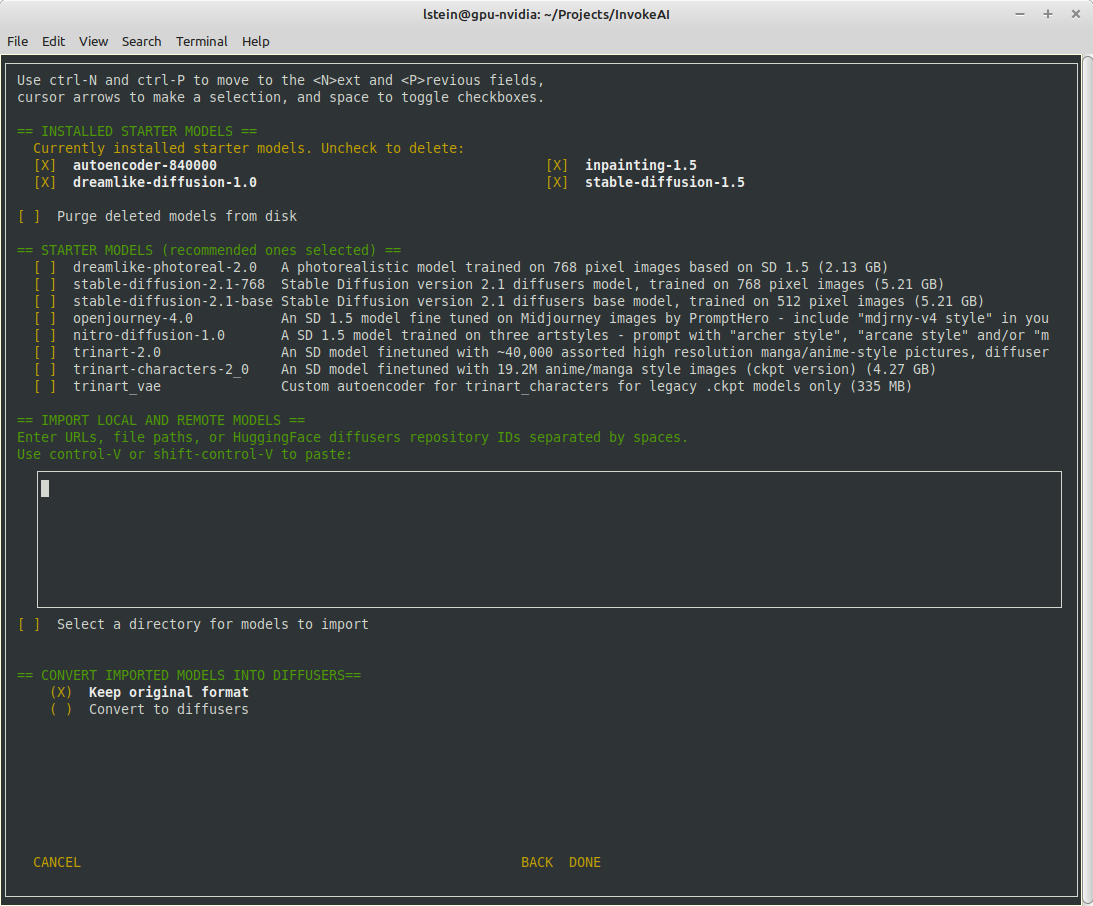
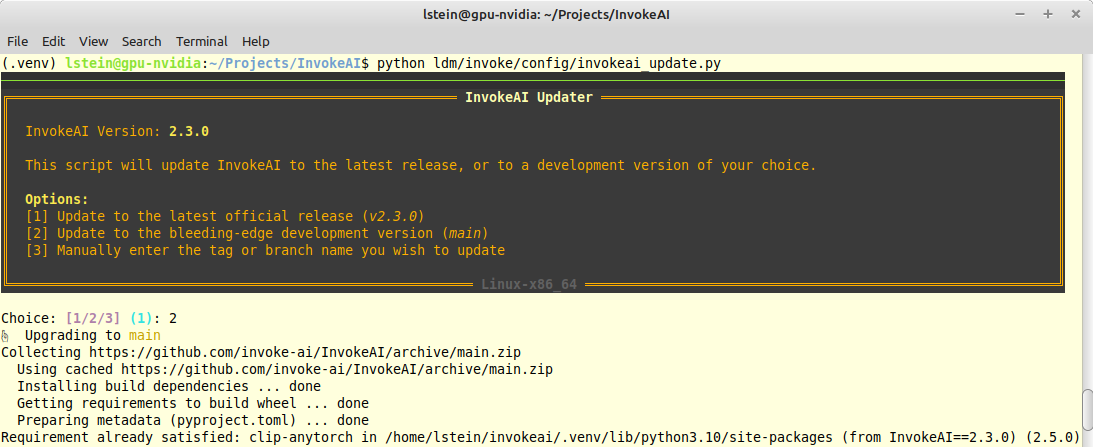







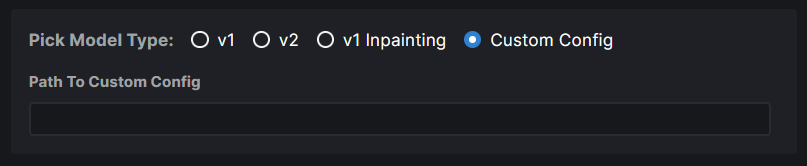


@@ -1,19 +1,25 @@
|
||||
# use this file as a whitelist
|
||||
*
|
||||
!backend
|
||||
!environments-and-requirements
|
||||
!frontend
|
||||
!invokeai
|
||||
!ldm
|
||||
!main.py
|
||||
!scripts
|
||||
!server
|
||||
!static
|
||||
!setup.py
|
||||
!pyproject.toml
|
||||
|
||||
# Guard against pulling in any models that might exist in the directory tree
|
||||
**/*.pt*
|
||||
**/*.ckpt
|
||||
|
||||
# unignore configs, but only ignore the custom models.yaml, in case it exists
|
||||
!configs
|
||||
configs/models.yaml
|
||||
# ignore frontend but whitelist dist
|
||||
invokeai/frontend/
|
||||
!invokeai/frontend/dist/
|
||||
|
||||
**/__pycache__
|
||||
# ignore invokeai/assets but whitelist invokeai/assets/web
|
||||
invokeai/assets/
|
||||
!invokeai/assets/web/
|
||||
|
||||
# Byte-compiled / optimized / DLL files
|
||||
**/__pycache__/
|
||||
**/*.py[cod]
|
||||
|
||||
# Distribution / packaging
|
||||
*.egg-info/
|
||||
*.egg
|
||||
|
||||
@@ -1,5 +1,8 @@
|
||||
root = true
|
||||
|
||||
# All files
|
||||
[*]
|
||||
max_line_length = 80
|
||||
charset = utf-8
|
||||
end_of_line = lf
|
||||
indent_size = 2
|
||||
@@ -10,3 +13,18 @@ trim_trailing_whitespace = true
|
||||
# Python
|
||||
[*.py]
|
||||
indent_size = 4
|
||||
max_line_length = 120
|
||||
|
||||
# css
|
||||
[*.css]
|
||||
indent_size = 4
|
||||
|
||||
# flake8
|
||||
[.flake8]
|
||||
indent_size = 4
|
||||
|
||||
# Markdown MkDocs
|
||||
[docs/**/*.md]
|
||||
max_line_length = 80
|
||||
indent_size = 4
|
||||
indent_style = unset
|
||||
|
||||
37
.flake8
Normal file
@@ -0,0 +1,37 @@
|
||||
[flake8]
|
||||
max-line-length = 120
|
||||
extend-ignore =
|
||||
# See https://github.com/PyCQA/pycodestyle/issues/373
|
||||
E203,
|
||||
# use Bugbear's B950 instead
|
||||
E501,
|
||||
# from black repo https://github.com/psf/black/blob/main/.flake8
|
||||
E266, W503, B907
|
||||
extend-select =
|
||||
# Bugbear line length
|
||||
B950
|
||||
extend-exclude =
|
||||
scripts/orig_scripts/*
|
||||
ldm/models/*
|
||||
ldm/modules/*
|
||||
ldm/data/*
|
||||
ldm/generate.py
|
||||
ldm/util.py
|
||||
ldm/simplet2i.py
|
||||
per-file-ignores =
|
||||
# B950 line too long
|
||||
# W605 invalid escape sequence
|
||||
# F841 assigned to but never used
|
||||
# F401 imported but unused
|
||||
tests/test_prompt_parser.py: B950, W605, F401
|
||||
tests/test_textual_inversion.py: F841, B950
|
||||
# B023 Function definition does not bind loop variable
|
||||
scripts/legacy_api.py: F401, B950, B023, F841
|
||||
ldm/invoke/__init__.py: F401
|
||||
# B010 Do not call setattr with a constant attribute value
|
||||
ldm/invoke/server_legacy.py: B010
|
||||
# =====================
|
||||
# flake-quote settings:
|
||||
# =====================
|
||||
# Set this to match black style:
|
||||
inline-quotes = double
|
||||
68
.github/CODEOWNERS
vendored
@@ -1,7 +1,61 @@
|
||||
ldm/invoke/pngwriter.py @CapableWeb
|
||||
ldm/invoke/server_legacy.py @CapableWeb
|
||||
scripts/legacy_api.py @CapableWeb
|
||||
tests/legacy_tests.sh @CapableWeb
|
||||
installer/ @tildebyte
|
||||
.github/workflows/ @mauwii
|
||||
docker_build/ @mauwii
|
||||
# continuous integration
|
||||
/.github/workflows/ @mauwii @lstein @blessedcoolant
|
||||
|
||||
# documentation
|
||||
/docs/ @lstein @mauwii @blessedcoolant
|
||||
mkdocs.yml @mauwii @lstein
|
||||
|
||||
# installation and configuration
|
||||
/pyproject.toml @mauwii @lstein @ebr
|
||||
/docker/ @mauwii
|
||||
/scripts/ @ebr @lstein @blessedcoolant
|
||||
/installer/ @ebr @lstein
|
||||
ldm/invoke/config @lstein @ebr
|
||||
invokeai/assets @lstein @blessedcoolant
|
||||
invokeai/configs @lstein @ebr @blessedcoolant
|
||||
/ldm/invoke/_version.py @lstein @blessedcoolant
|
||||
|
||||
# web ui
|
||||
/invokeai/frontend @blessedcoolant @psychedelicious
|
||||
/invokeai/backend @blessedcoolant @psychedelicious
|
||||
|
||||
# generation and model management
|
||||
/ldm/*.py @lstein @blessedcoolant
|
||||
/ldm/generate.py @lstein @keturn
|
||||
/ldm/invoke/args.py @lstein @blessedcoolant
|
||||
/ldm/invoke/ckpt* @lstein @blessedcoolant
|
||||
/ldm/invoke/ckpt_generator @lstein @blessedcoolant
|
||||
/ldm/invoke/CLI.py @lstein @blessedcoolant
|
||||
/ldm/invoke/config @lstein @ebr @mauwii @blessedcoolant
|
||||
/ldm/invoke/generator @keturn @damian0815
|
||||
/ldm/invoke/globals.py @lstein @blessedcoolant
|
||||
/ldm/invoke/merge_diffusers.py @lstein @blessedcoolant
|
||||
/ldm/invoke/model_manager.py @lstein @blessedcoolant
|
||||
/ldm/invoke/txt2mask.py @lstein @blessedcoolant
|
||||
/ldm/invoke/patchmatch.py @Kyle0654 @lstein
|
||||
/ldm/invoke/restoration @lstein @blessedcoolant
|
||||
|
||||
# attention, textual inversion, model configuration
|
||||
/ldm/models @damian0815 @keturn @blessedcoolant
|
||||
/ldm/modules/textual_inversion_manager.py @lstein @blessedcoolant
|
||||
/ldm/modules/attention.py @damian0815 @keturn
|
||||
/ldm/modules/diffusionmodules @damian0815 @keturn
|
||||
/ldm/modules/distributions @damian0815 @keturn
|
||||
/ldm/modules/ema.py @damian0815 @keturn
|
||||
/ldm/modules/embedding_manager.py @lstein
|
||||
/ldm/modules/encoders @damian0815 @keturn
|
||||
/ldm/modules/image_degradation @damian0815 @keturn
|
||||
/ldm/modules/losses @damian0815 @keturn
|
||||
/ldm/modules/x_transformer.py @damian0815 @keturn
|
||||
|
||||
# Nodes
|
||||
apps/ @Kyle0654 @jpphoto
|
||||
|
||||
# legacy REST API
|
||||
# these are dead code
|
||||
#/ldm/invoke/pngwriter.py @CapableWeb
|
||||
#/ldm/invoke/server_legacy.py @CapableWeb
|
||||
#/scripts/legacy_api.py @CapableWeb
|
||||
#/tests/legacy_tests.sh @CapableWeb
|
||||
|
||||
|
||||
|
||||
87
.github/workflows/build-cloud-img.yml
vendored
@@ -1,87 +0,0 @@
|
||||
name: Build and push cloud image
|
||||
on:
|
||||
workflow_dispatch:
|
||||
# push:
|
||||
# branches:
|
||||
# - main
|
||||
# tags:
|
||||
# - v*
|
||||
# # we will NOT push the image on pull requests, only test buildability.
|
||||
# pull_request:
|
||||
# branches:
|
||||
# - main
|
||||
|
||||
permissions:
|
||||
contents: read
|
||||
packages: write
|
||||
|
||||
env:
|
||||
REGISTRY: ghcr.io
|
||||
IMAGE_NAME: ${{ github.repository }}
|
||||
|
||||
jobs:
|
||||
docker:
|
||||
strategy:
|
||||
fail-fast: false
|
||||
matrix:
|
||||
arch:
|
||||
- x86_64
|
||||
# requires resolving a patchmatch issue
|
||||
# - aarch64
|
||||
runs-on: ubuntu-latest
|
||||
name: ${{ matrix.arch }}
|
||||
steps:
|
||||
- name: Checkout
|
||||
uses: actions/checkout@v3
|
||||
|
||||
- name: Set up QEMU
|
||||
uses: docker/setup-qemu-action@v2
|
||||
if: matrix.arch == 'aarch64'
|
||||
|
||||
- name: Docker meta
|
||||
id: meta
|
||||
uses: docker/metadata-action@v4
|
||||
with:
|
||||
images: ${{ env.REGISTRY }}/${{ env.IMAGE_NAME }}
|
||||
# see https://github.com/docker/metadata-action
|
||||
# will push the following tags:
|
||||
# :edge
|
||||
# :main (+ any other branches enabled in the workflow)
|
||||
# :<tag>
|
||||
# :1.2.3 (for semver tags)
|
||||
# :1.2 (for semver tags)
|
||||
# :<sha>
|
||||
tags: |
|
||||
type=edge,branch=main
|
||||
type=ref,event=branch
|
||||
type=ref,event=tag
|
||||
type=semver,pattern={{version}}
|
||||
type=semver,pattern={{major}}.{{minor}}
|
||||
type=sha
|
||||
# suffix image tags with architecture
|
||||
flavor: |
|
||||
latest=auto
|
||||
suffix=-${{ matrix.arch }},latest=true
|
||||
|
||||
- name: Set up Docker Buildx
|
||||
uses: docker/setup-buildx-action@v2
|
||||
|
||||
# do not login to container registry on PRs
|
||||
- if: github.event_name != 'pull_request'
|
||||
name: Docker login
|
||||
uses: docker/login-action@v2
|
||||
with:
|
||||
registry: ghcr.io
|
||||
username: ${{ github.actor }}
|
||||
password: ${{ secrets.GITHUB_TOKEN }}
|
||||
|
||||
- name: Build and push cloud image
|
||||
uses: docker/build-push-action@v3
|
||||
with:
|
||||
context: .
|
||||
file: docker-build/Dockerfile.cloud
|
||||
platforms: Linux/${{ matrix.arch }}
|
||||
# do not push the image on PRs
|
||||
push: false
|
||||
tags: ${{ steps.meta.outputs.tags }}
|
||||
labels: ${{ steps.meta.outputs.labels }}
|
||||
93
.github/workflows/build-container.yml
vendored
@@ -3,72 +3,109 @@ on:
|
||||
push:
|
||||
branches:
|
||||
- 'main'
|
||||
- 'update/ci/docker/*'
|
||||
- 'update/docker/*'
|
||||
paths:
|
||||
- 'pyproject.toml'
|
||||
- 'ldm/**'
|
||||
- 'invokeai/backend/**'
|
||||
- 'invokeai/configs/**'
|
||||
- 'invokeai/frontend/dist/**'
|
||||
- 'docker/Dockerfile'
|
||||
tags:
|
||||
- 'v*.*.*'
|
||||
workflow_dispatch:
|
||||
|
||||
|
||||
jobs:
|
||||
docker:
|
||||
if: github.event.pull_request.draft == false
|
||||
strategy:
|
||||
fail-fast: false
|
||||
matrix:
|
||||
registry:
|
||||
- ghcr.io
|
||||
flavor:
|
||||
- amd
|
||||
- cuda
|
||||
# - cloud
|
||||
- cpu
|
||||
include:
|
||||
- flavor: amd
|
||||
pip-requirements: requirements-lin-amd.txt
|
||||
dockerfile: docker-build/Dockerfile
|
||||
platforms: linux/amd64,linux/arm64
|
||||
pip-extra-index-url: 'https://download.pytorch.org/whl/rocm5.2'
|
||||
- flavor: cuda
|
||||
pip-requirements: requirements-lin-cuda.txt
|
||||
dockerfile: docker-build/Dockerfile
|
||||
platforms: linux/amd64,linux/arm64
|
||||
# - flavor: cloud
|
||||
# pip-requirements: requirements-lin-cuda.txt
|
||||
# dockerfile: docker-build/Dockerfile.cloud
|
||||
# platforms: linux/amd64
|
||||
pip-extra-index-url: ''
|
||||
- flavor: cpu
|
||||
pip-extra-index-url: 'https://download.pytorch.org/whl/cpu'
|
||||
runs-on: ubuntu-latest
|
||||
name: ${{ matrix.flavor }}
|
||||
env:
|
||||
PLATFORMS: 'linux/amd64,linux/arm64'
|
||||
DOCKERFILE: 'docker/Dockerfile'
|
||||
steps:
|
||||
- name: Checkout
|
||||
uses: actions/checkout@v3
|
||||
|
||||
- name: Set up QEMU
|
||||
uses: docker/setup-qemu-action@v2
|
||||
|
||||
- name: Docker meta
|
||||
id: meta
|
||||
uses: docker/metadata-action@v4
|
||||
with:
|
||||
images: ${{ matrix.registry }}/${{ github.repository }}-${{ matrix.flavor }}
|
||||
github-token: ${{ secrets.GITHUB_TOKEN }}
|
||||
images: |
|
||||
ghcr.io/${{ github.repository }}
|
||||
${{ vars.DOCKERHUB_REPOSITORY }}
|
||||
tags: |
|
||||
type=ref,event=branch
|
||||
type=ref,event=tag
|
||||
type=semver,pattern={{version}}
|
||||
type=semver,pattern={{major}}.{{minor}}
|
||||
type=sha
|
||||
type=semver,pattern={{major}}
|
||||
type=sha,enable=true,prefix=sha-,format=short
|
||||
flavor: |
|
||||
latest=true
|
||||
latest=${{ matrix.flavor == 'cuda' && github.ref == 'refs/heads/main' }}
|
||||
suffix=-${{ matrix.flavor }},onlatest=false
|
||||
|
||||
- name: Set up QEMU
|
||||
uses: docker/setup-qemu-action@v2
|
||||
|
||||
- name: Set up Docker Buildx
|
||||
uses: docker/setup-buildx-action@v2
|
||||
with:
|
||||
platforms: ${{ env.PLATFORMS }}
|
||||
|
||||
- if: github.event_name != 'pull_request'
|
||||
name: Docker login
|
||||
- name: Login to GitHub Container Registry
|
||||
if: github.event_name != 'pull_request'
|
||||
uses: docker/login-action@v2
|
||||
with:
|
||||
registry: ${{ matrix.registry }}
|
||||
username: ${{ github.actor }}
|
||||
registry: ghcr.io
|
||||
username: ${{ github.repository_owner }}
|
||||
password: ${{ secrets.GITHUB_TOKEN }}
|
||||
|
||||
- name: Login to Docker Hub
|
||||
if: github.event_name != 'pull_request' && vars.DOCKERHUB_REPOSITORY != ''
|
||||
uses: docker/login-action@v2
|
||||
with:
|
||||
username: ${{ secrets.DOCKERHUB_USERNAME }}
|
||||
password: ${{ secrets.DOCKERHUB_TOKEN }}
|
||||
|
||||
- name: Build container
|
||||
uses: docker/build-push-action@v3
|
||||
id: docker_build
|
||||
uses: docker/build-push-action@v4
|
||||
with:
|
||||
context: .
|
||||
file: ${{ matrix.dockerfile }}
|
||||
platforms: ${{ matrix.platforms }}
|
||||
push: ${{ github.event_name != 'pull_request' }}
|
||||
file: ${{ env.DOCKERFILE }}
|
||||
platforms: ${{ env.PLATFORMS }}
|
||||
push: ${{ github.ref == 'refs/heads/main' || github.ref == 'refs/tags/*' }}
|
||||
tags: ${{ steps.meta.outputs.tags }}
|
||||
labels: ${{ steps.meta.outputs.labels }}
|
||||
build-args: pip_requirements=${{ matrix.pip-requirements }}
|
||||
build-args: PIP_EXTRA_INDEX_URL=${{ matrix.pip-extra-index-url }}
|
||||
cache-from: |
|
||||
type=gha,scope=${{ github.ref_name }}-${{ matrix.flavor }}
|
||||
type=gha,scope=main-${{ matrix.flavor }}
|
||||
cache-to: type=gha,mode=max,scope=${{ github.ref_name }}-${{ matrix.flavor }}
|
||||
|
||||
- name: Docker Hub Description
|
||||
if: github.ref == 'refs/heads/main' || github.ref == 'refs/tags/*' && vars.DOCKERHUB_REPOSITORY != ''
|
||||
uses: peter-evans/dockerhub-description@v3
|
||||
with:
|
||||
username: ${{ secrets.DOCKERHUB_USERNAME }}
|
||||
password: ${{ secrets.DOCKERHUB_TOKEN }}
|
||||
repository: ${{ vars.DOCKERHUB_REPOSITORY }}
|
||||
short-description: ${{ github.event.repository.description }}
|
||||
|
||||
34
.github/workflows/clean-caches.yml
vendored
Normal file
@@ -0,0 +1,34 @@
|
||||
name: cleanup caches by a branch
|
||||
on:
|
||||
pull_request:
|
||||
types:
|
||||
- closed
|
||||
workflow_dispatch:
|
||||
|
||||
jobs:
|
||||
cleanup:
|
||||
runs-on: ubuntu-latest
|
||||
steps:
|
||||
- name: Check out code
|
||||
uses: actions/checkout@v3
|
||||
|
||||
- name: Cleanup
|
||||
run: |
|
||||
gh extension install actions/gh-actions-cache
|
||||
|
||||
REPO=${{ github.repository }}
|
||||
BRANCH=${{ github.ref }}
|
||||
|
||||
echo "Fetching list of cache key"
|
||||
cacheKeysForPR=$(gh actions-cache list -R $REPO -B $BRANCH | cut -f 1 )
|
||||
|
||||
## Setting this to not fail the workflow while deleting cache keys.
|
||||
set +e
|
||||
echo "Deleting caches..."
|
||||
for cacheKey in $cacheKeysForPR
|
||||
do
|
||||
gh actions-cache delete $cacheKey -R $REPO -B $BRANCH --confirm
|
||||
done
|
||||
echo "Done"
|
||||
env:
|
||||
GH_TOKEN: ${{ secrets.GITHUB_TOKEN }}
|
||||
7
.github/workflows/lint-frontend.yml
vendored
@@ -3,17 +3,18 @@ name: Lint frontend
|
||||
on:
|
||||
pull_request:
|
||||
paths:
|
||||
- 'frontend/**'
|
||||
- 'invokeai/frontend/**'
|
||||
push:
|
||||
paths:
|
||||
- 'frontend/**'
|
||||
- 'invokeai/frontend/**'
|
||||
|
||||
defaults:
|
||||
run:
|
||||
working-directory: frontend
|
||||
working-directory: invokeai/frontend
|
||||
|
||||
jobs:
|
||||
lint-frontend:
|
||||
if: github.event.pull_request.draft == false
|
||||
runs-on: ubuntu-22.04
|
||||
steps:
|
||||
- name: Setup Node 18
|
||||
|
||||
11
.github/workflows/mkdocs-material.yml
vendored
@@ -7,7 +7,12 @@ on:
|
||||
|
||||
jobs:
|
||||
mkdocs-material:
|
||||
if: github.event.pull_request.draft == false
|
||||
runs-on: ubuntu-latest
|
||||
env:
|
||||
REPO_URL: '${{ github.server_url }}/${{ github.repository }}'
|
||||
REPO_NAME: '${{ github.repository }}'
|
||||
SITE_URL: 'https://${{ github.repository_owner }}.github.io/InvokeAI'
|
||||
steps:
|
||||
- name: checkout sources
|
||||
uses: actions/checkout@v3
|
||||
@@ -18,11 +23,15 @@ jobs:
|
||||
uses: actions/setup-python@v4
|
||||
with:
|
||||
python-version: '3.10'
|
||||
cache: pip
|
||||
cache-dependency-path: pyproject.toml
|
||||
|
||||
- name: install requirements
|
||||
env:
|
||||
PIP_USE_PEP517: 1
|
||||
run: |
|
||||
python -m \
|
||||
pip install -r docs/requirements-mkdocs.txt
|
||||
pip install ".[docs]"
|
||||
|
||||
- name: confirm buildability
|
||||
run: |
|
||||
|
||||
1
.github/workflows/pyflakes.yml
vendored
@@ -9,6 +9,7 @@ on:
|
||||
jobs:
|
||||
pyflakes:
|
||||
name: runner / pyflakes
|
||||
if: github.event.pull_request.draft == false
|
||||
runs-on: ubuntu-latest
|
||||
steps:
|
||||
- uses: actions/checkout@v2
|
||||
|
||||
41
.github/workflows/pypi-release.yml
vendored
Normal file
@@ -0,0 +1,41 @@
|
||||
name: PyPI Release
|
||||
|
||||
on:
|
||||
push:
|
||||
paths:
|
||||
- 'ldm/invoke/_version.py'
|
||||
workflow_dispatch:
|
||||
|
||||
jobs:
|
||||
release:
|
||||
if: github.repository == 'invoke-ai/InvokeAI'
|
||||
runs-on: ubuntu-22.04
|
||||
env:
|
||||
TWINE_USERNAME: __token__
|
||||
TWINE_PASSWORD: ${{ secrets.PYPI_API_TOKEN }}
|
||||
TWINE_NON_INTERACTIVE: 1
|
||||
steps:
|
||||
- name: checkout sources
|
||||
uses: actions/checkout@v3
|
||||
|
||||
- name: install deps
|
||||
run: pip install --upgrade build twine
|
||||
|
||||
- name: build package
|
||||
run: python3 -m build
|
||||
|
||||
- name: check distribution
|
||||
run: twine check dist/*
|
||||
|
||||
- name: check PyPI versions
|
||||
if: github.ref == 'refs/heads/main' || github.ref == 'refs/heads/v2.3'
|
||||
run: |
|
||||
pip install --upgrade requests
|
||||
python -c "\
|
||||
import scripts.pypi_helper; \
|
||||
EXISTS=scripts.pypi_helper.local_on_pypi(); \
|
||||
print(f'PACKAGE_EXISTS={EXISTS}')" >> $GITHUB_ENV
|
||||
|
||||
- name: upload package
|
||||
if: env.PACKAGE_EXISTS == 'False' && env.TWINE_PASSWORD != ''
|
||||
run: twine upload dist/*
|
||||
161
.github/workflows/test-invoke-conda.yml
vendored
@@ -1,161 +0,0 @@
|
||||
name: Test invoke.py
|
||||
on:
|
||||
push:
|
||||
branches:
|
||||
- 'main'
|
||||
pull_request:
|
||||
branches:
|
||||
- 'main'
|
||||
types:
|
||||
- 'ready_for_review'
|
||||
- 'opened'
|
||||
- 'synchronize'
|
||||
- 'converted_to_draft'
|
||||
|
||||
concurrency:
|
||||
group: ${{ github.workflow }}-${{ github.head_ref || github.run_id }}
|
||||
cancel-in-progress: true
|
||||
|
||||
jobs:
|
||||
fail_if_pull_request_is_draft:
|
||||
if: github.event.pull_request.draft == true
|
||||
runs-on: ubuntu-22.04
|
||||
steps:
|
||||
- name: Fails in order to indicate that pull request needs to be marked as ready to review and unit tests workflow needs to pass.
|
||||
run: exit 1
|
||||
|
||||
matrix:
|
||||
if: github.event.pull_request.draft == false
|
||||
strategy:
|
||||
matrix:
|
||||
stable-diffusion-model:
|
||||
- 'stable-diffusion-1.5'
|
||||
environment-yaml:
|
||||
- environment-lin-amd.yml
|
||||
- environment-lin-cuda.yml
|
||||
- environment-mac.yml
|
||||
- environment-win-cuda.yml
|
||||
include:
|
||||
- environment-yaml: environment-lin-amd.yml
|
||||
os: ubuntu-22.04
|
||||
curl-command: curl
|
||||
github-env: $GITHUB_ENV
|
||||
default-shell: bash -l {0}
|
||||
- environment-yaml: environment-lin-cuda.yml
|
||||
os: ubuntu-22.04
|
||||
curl-command: curl
|
||||
github-env: $GITHUB_ENV
|
||||
default-shell: bash -l {0}
|
||||
- environment-yaml: environment-mac.yml
|
||||
os: macos-12
|
||||
curl-command: curl
|
||||
github-env: $GITHUB_ENV
|
||||
default-shell: bash -l {0}
|
||||
- environment-yaml: environment-win-cuda.yml
|
||||
os: windows-2022
|
||||
curl-command: curl.exe
|
||||
github-env: $env:GITHUB_ENV
|
||||
default-shell: pwsh
|
||||
- stable-diffusion-model: stable-diffusion-1.5
|
||||
stable-diffusion-model-url: https://huggingface.co/runwayml/stable-diffusion-v1-5/resolve/main/v1-5-pruned-emaonly.ckpt
|
||||
stable-diffusion-model-dl-path: models/ldm/stable-diffusion-v1
|
||||
stable-diffusion-model-dl-name: v1-5-pruned-emaonly.ckpt
|
||||
name: ${{ matrix.environment-yaml }} on ${{ matrix.os }}
|
||||
runs-on: ${{ matrix.os }}
|
||||
env:
|
||||
CONDA_ENV_NAME: invokeai
|
||||
INVOKEAI_ROOT: '${{ github.workspace }}/invokeai'
|
||||
defaults:
|
||||
run:
|
||||
shell: ${{ matrix.default-shell }}
|
||||
steps:
|
||||
- name: Checkout sources
|
||||
id: checkout-sources
|
||||
uses: actions/checkout@v3
|
||||
|
||||
- name: create models.yaml from example
|
||||
run: |
|
||||
mkdir -p ${{ env.INVOKEAI_ROOT }}/configs
|
||||
cp configs/models.yaml.example ${{ env.INVOKEAI_ROOT }}/configs/models.yaml
|
||||
|
||||
- name: create environment.yml
|
||||
run: cp "environments-and-requirements/${{ matrix.environment-yaml }}" environment.yml
|
||||
|
||||
- name: Use cached conda packages
|
||||
id: use-cached-conda-packages
|
||||
uses: actions/cache@v3
|
||||
with:
|
||||
path: ~/conda_pkgs_dir
|
||||
key: conda-pkgs-${{ runner.os }}-${{ runner.arch }}-${{ hashFiles(matrix.environment-yaml) }}
|
||||
|
||||
- name: Activate Conda Env
|
||||
id: activate-conda-env
|
||||
uses: conda-incubator/setup-miniconda@v2
|
||||
with:
|
||||
activate-environment: ${{ env.CONDA_ENV_NAME }}
|
||||
environment-file: environment.yml
|
||||
miniconda-version: latest
|
||||
|
||||
- name: set test prompt to main branch validation
|
||||
if: ${{ github.ref == 'refs/heads/main' }}
|
||||
run: echo "TEST_PROMPTS=tests/preflight_prompts.txt" >> ${{ matrix.github-env }}
|
||||
|
||||
- name: set test prompt to development branch validation
|
||||
if: ${{ github.ref == 'refs/heads/development' }}
|
||||
run: echo "TEST_PROMPTS=tests/dev_prompts.txt" >> ${{ matrix.github-env }}
|
||||
|
||||
- name: set test prompt to Pull Request validation
|
||||
if: ${{ github.ref != 'refs/heads/main' && github.ref != 'refs/heads/development' }}
|
||||
run: echo "TEST_PROMPTS=tests/validate_pr_prompt.txt" >> ${{ matrix.github-env }}
|
||||
|
||||
- name: Use Cached Stable Diffusion Model
|
||||
id: cache-sd-model
|
||||
uses: actions/cache@v3
|
||||
env:
|
||||
cache-name: cache-${{ matrix.stable-diffusion-model }}
|
||||
with:
|
||||
path: ${{ env.INVOKEAI_ROOT }}/${{ matrix.stable-diffusion-model-dl-path }}
|
||||
key: ${{ env.cache-name }}
|
||||
|
||||
- name: Download ${{ matrix.stable-diffusion-model }}
|
||||
id: download-stable-diffusion-model
|
||||
if: ${{ steps.cache-sd-model.outputs.cache-hit != 'true' }}
|
||||
run: |
|
||||
mkdir -p "${{ env.INVOKEAI_ROOT }}/${{ matrix.stable-diffusion-model-dl-path }}"
|
||||
${{ matrix.curl-command }} -H "Authorization: Bearer ${{ secrets.HUGGINGFACE_TOKEN }}" -o "${{ env.INVOKEAI_ROOT }}/${{ matrix.stable-diffusion-model-dl-path }}/${{ matrix.stable-diffusion-model-dl-name }}" -L ${{ matrix.stable-diffusion-model-url }}
|
||||
|
||||
- name: run configure_invokeai.py
|
||||
id: run-preload-models
|
||||
run: |
|
||||
python scripts/configure_invokeai.py --skip-sd-weights --yes
|
||||
|
||||
- name: cat invokeai.init
|
||||
id: cat-invokeai
|
||||
run: cat ${{ env.INVOKEAI_ROOT }}/invokeai.init
|
||||
|
||||
- name: Run the tests
|
||||
id: run-tests
|
||||
if: matrix.os != 'windows-2022'
|
||||
run: |
|
||||
time python scripts/invoke.py \
|
||||
--no-patchmatch \
|
||||
--no-nsfw_checker \
|
||||
--model ${{ matrix.stable-diffusion-model }} \
|
||||
--from_file ${{ env.TEST_PROMPTS }} \
|
||||
--root="${{ env.INVOKEAI_ROOT }}" \
|
||||
--outdir="${{ env.INVOKEAI_ROOT }}/outputs"
|
||||
|
||||
- name: export conda env
|
||||
id: export-conda-env
|
||||
if: matrix.os != 'windows-2022'
|
||||
run: |
|
||||
mkdir -p outputs/img-samples
|
||||
conda env export --name ${{ env.CONDA_ENV_NAME }} > ${{ env.INVOKEAI_ROOT }}/outputs/environment-${{ runner.os }}-${{ runner.arch }}.yml
|
||||
|
||||
- name: Archive results
|
||||
if: matrix.os != 'windows-2022'
|
||||
id: archive-results
|
||||
uses: actions/upload-artifact@v3
|
||||
with:
|
||||
name: results_${{ matrix.requirements-file }}_${{ matrix.python-version }}
|
||||
path: ${{ env.INVOKEAI_ROOT }}/outputs
|
||||
67
.github/workflows/test-invoke-pip-skip.yml
vendored
Normal file
@@ -0,0 +1,67 @@
|
||||
name: Test invoke.py pip
|
||||
on:
|
||||
pull_request:
|
||||
paths-ignore:
|
||||
- 'pyproject.toml'
|
||||
- 'ldm/**'
|
||||
- 'invokeai/backend/**'
|
||||
- 'invokeai/configs/**'
|
||||
- 'invokeai/frontend/dist/**'
|
||||
merge_group:
|
||||
workflow_dispatch:
|
||||
|
||||
concurrency:
|
||||
group: ${{ github.workflow }}-${{ github.head_ref || github.run_id }}
|
||||
cancel-in-progress: true
|
||||
|
||||
jobs:
|
||||
matrix:
|
||||
if: github.event.pull_request.draft == false
|
||||
strategy:
|
||||
matrix:
|
||||
python-version:
|
||||
# - '3.9'
|
||||
- '3.10'
|
||||
pytorch:
|
||||
# - linux-cuda-11_6
|
||||
- linux-cuda-11_7
|
||||
- linux-rocm-5_2
|
||||
- linux-cpu
|
||||
- macos-default
|
||||
- windows-cpu
|
||||
# - windows-cuda-11_6
|
||||
# - windows-cuda-11_7
|
||||
include:
|
||||
# - pytorch: linux-cuda-11_6
|
||||
# os: ubuntu-22.04
|
||||
# extra-index-url: 'https://download.pytorch.org/whl/cu116'
|
||||
# github-env: $GITHUB_ENV
|
||||
- pytorch: linux-cuda-11_7
|
||||
os: ubuntu-22.04
|
||||
github-env: $GITHUB_ENV
|
||||
- pytorch: linux-rocm-5_2
|
||||
os: ubuntu-22.04
|
||||
extra-index-url: 'https://download.pytorch.org/whl/rocm5.2'
|
||||
github-env: $GITHUB_ENV
|
||||
- pytorch: linux-cpu
|
||||
os: ubuntu-22.04
|
||||
extra-index-url: 'https://download.pytorch.org/whl/cpu'
|
||||
github-env: $GITHUB_ENV
|
||||
- pytorch: macos-default
|
||||
os: macOS-12
|
||||
github-env: $GITHUB_ENV
|
||||
- pytorch: windows-cpu
|
||||
os: windows-2022
|
||||
github-env: $env:GITHUB_ENV
|
||||
# - pytorch: windows-cuda-11_6
|
||||
# os: windows-2022
|
||||
# extra-index-url: 'https://download.pytorch.org/whl/cu116'
|
||||
# github-env: $env:GITHUB_ENV
|
||||
# - pytorch: windows-cuda-11_7
|
||||
# os: windows-2022
|
||||
# extra-index-url: 'https://download.pytorch.org/whl/cu117'
|
||||
# github-env: $env:GITHUB_ENV
|
||||
name: ${{ matrix.pytorch }} on ${{ matrix.python-version }}
|
||||
runs-on: ${{ matrix.os }}
|
||||
steps:
|
||||
- run: 'echo "No build required"'
|
||||
176
.github/workflows/test-invoke-pip.yml
vendored
@@ -3,142 +3,146 @@ on:
|
||||
push:
|
||||
branches:
|
||||
- 'main'
|
||||
paths:
|
||||
- 'pyproject.toml'
|
||||
- 'ldm/**'
|
||||
- 'invokeai/backend/**'
|
||||
- 'invokeai/configs/**'
|
||||
- 'invokeai/frontend/dist/**'
|
||||
pull_request:
|
||||
branches:
|
||||
- 'main'
|
||||
paths:
|
||||
- 'pyproject.toml'
|
||||
- 'ldm/**'
|
||||
- 'invokeai/backend/**'
|
||||
- 'invokeai/configs/**'
|
||||
- 'invokeai/frontend/dist/**'
|
||||
types:
|
||||
- 'ready_for_review'
|
||||
- 'opened'
|
||||
- 'synchronize'
|
||||
- 'converted_to_draft'
|
||||
merge_group:
|
||||
workflow_dispatch:
|
||||
|
||||
concurrency:
|
||||
group: ${{ github.workflow }}-${{ github.head_ref || github.run_id }}
|
||||
cancel-in-progress: true
|
||||
group: ${{ github.workflow }}-${{ github.head_ref || github.run_id }}
|
||||
cancel-in-progress: true
|
||||
|
||||
jobs:
|
||||
fail_if_pull_request_is_draft:
|
||||
if: github.event.pull_request.draft == true
|
||||
runs-on: ubuntu-18.04
|
||||
steps:
|
||||
- name: Fails in order to indicate that pull request needs to be marked as ready to review and unit tests workflow needs to pass.
|
||||
run: exit 1
|
||||
matrix:
|
||||
if: github.event.pull_request.draft == false
|
||||
strategy:
|
||||
matrix:
|
||||
stable-diffusion-model:
|
||||
- stable-diffusion-1.5
|
||||
requirements-file:
|
||||
- requirements-lin-cuda.txt
|
||||
- requirements-lin-amd.txt
|
||||
- requirements-mac-mps-cpu.txt
|
||||
- requirements-win-colab-cuda.txt
|
||||
python-version:
|
||||
# - '3.9'
|
||||
- '3.10'
|
||||
pytorch:
|
||||
# - linux-cuda-11_6
|
||||
- linux-cuda-11_7
|
||||
- linux-rocm-5_2
|
||||
- linux-cpu
|
||||
- macos-default
|
||||
- windows-cpu
|
||||
# - windows-cuda-11_6
|
||||
# - windows-cuda-11_7
|
||||
include:
|
||||
- requirements-file: requirements-lin-cuda.txt
|
||||
# - pytorch: linux-cuda-11_6
|
||||
# os: ubuntu-22.04
|
||||
# extra-index-url: 'https://download.pytorch.org/whl/cu116'
|
||||
# github-env: $GITHUB_ENV
|
||||
- pytorch: linux-cuda-11_7
|
||||
os: ubuntu-22.04
|
||||
curl-command: curl
|
||||
github-env: $GITHUB_ENV
|
||||
- requirements-file: requirements-lin-amd.txt
|
||||
- pytorch: linux-rocm-5_2
|
||||
os: ubuntu-22.04
|
||||
curl-command: curl
|
||||
extra-index-url: 'https://download.pytorch.org/whl/rocm5.2'
|
||||
github-env: $GITHUB_ENV
|
||||
- requirements-file: requirements-mac-mps-cpu.txt
|
||||
- pytorch: linux-cpu
|
||||
os: ubuntu-22.04
|
||||
extra-index-url: 'https://download.pytorch.org/whl/cpu'
|
||||
github-env: $GITHUB_ENV
|
||||
- pytorch: macos-default
|
||||
os: macOS-12
|
||||
curl-command: curl
|
||||
github-env: $GITHUB_ENV
|
||||
- requirements-file: requirements-win-colab-cuda.txt
|
||||
- pytorch: windows-cpu
|
||||
os: windows-2022
|
||||
curl-command: curl.exe
|
||||
github-env: $env:GITHUB_ENV
|
||||
- stable-diffusion-model: stable-diffusion-1.5
|
||||
stable-diffusion-model-url: https://huggingface.co/runwayml/stable-diffusion-v1-5/resolve/main/v1-5-pruned-emaonly.ckpt
|
||||
stable-diffusion-model-dl-path: models/ldm/stable-diffusion-v1
|
||||
stable-diffusion-model-dl-name: v1-5-pruned-emaonly.ckpt
|
||||
name: ${{ matrix.requirements-file }} on ${{ matrix.python-version }}
|
||||
# - pytorch: windows-cuda-11_6
|
||||
# os: windows-2022
|
||||
# extra-index-url: 'https://download.pytorch.org/whl/cu116'
|
||||
# github-env: $env:GITHUB_ENV
|
||||
# - pytorch: windows-cuda-11_7
|
||||
# os: windows-2022
|
||||
# extra-index-url: 'https://download.pytorch.org/whl/cu117'
|
||||
# github-env: $env:GITHUB_ENV
|
||||
name: ${{ matrix.pytorch }} on ${{ matrix.python-version }}
|
||||
runs-on: ${{ matrix.os }}
|
||||
env:
|
||||
PIP_USE_PEP517: '1'
|
||||
steps:
|
||||
- name: Checkout sources
|
||||
id: checkout-sources
|
||||
uses: actions/checkout@v3
|
||||
|
||||
- name: set INVOKEAI_ROOT Windows
|
||||
if: matrix.os == 'windows-2022'
|
||||
run: |
|
||||
echo "INVOKEAI_ROOT=${{ github.workspace }}\invokeai" >> ${{ matrix.github-env }}
|
||||
echo "INVOKEAI_OUTDIR=${{ github.workspace }}\invokeai\outputs" >> ${{ matrix.github-env }}
|
||||
|
||||
- name: set INVOKEAI_ROOT others
|
||||
if: matrix.os != 'windows-2022'
|
||||
run: |
|
||||
echo "INVOKEAI_ROOT=${{ github.workspace }}/invokeai" >> ${{ matrix.github-env }}
|
||||
echo "INVOKEAI_OUTDIR=${{ github.workspace }}/invokeai/outputs" >> ${{ matrix.github-env }}
|
||||
|
||||
- name: create models.yaml from example
|
||||
run: |
|
||||
mkdir -p ${{ env.INVOKEAI_ROOT }}/configs
|
||||
cp configs/models.yaml.example ${{ env.INVOKEAI_ROOT }}/configs/models.yaml
|
||||
|
||||
- name: set test prompt to main branch validation
|
||||
if: ${{ github.ref == 'refs/heads/main' }}
|
||||
run: echo "TEST_PROMPTS=tests/preflight_prompts.txt" >> ${{ matrix.github-env }}
|
||||
|
||||
- name: set test prompt to development branch validation
|
||||
if: ${{ github.ref == 'refs/heads/development' }}
|
||||
run: echo "TEST_PROMPTS=tests/dev_prompts.txt" >> ${{ matrix.github-env }}
|
||||
|
||||
- name: set test prompt to Pull Request validation
|
||||
if: ${{ github.ref != 'refs/heads/main' && github.ref != 'refs/heads/development' }}
|
||||
if: ${{ github.ref != 'refs/heads/main' }}
|
||||
run: echo "TEST_PROMPTS=tests/validate_pr_prompt.txt" >> ${{ matrix.github-env }}
|
||||
|
||||
- name: create requirements.txt
|
||||
run: cp 'environments-and-requirements/${{ matrix.requirements-file }}' '${{ matrix.requirements-file }}'
|
||||
|
||||
- name: setup python
|
||||
uses: actions/setup-python@v4
|
||||
with:
|
||||
python-version: ${{ matrix.python-version }}
|
||||
# cache: 'pip'
|
||||
# cache-dependency-path: ${{ matrix.requirements-file }}
|
||||
cache: pip
|
||||
cache-dependency-path: pyproject.toml
|
||||
|
||||
- name: install dependencies
|
||||
run: pip3 install --upgrade pip setuptools wheel
|
||||
|
||||
- name: install requirements
|
||||
run: pip3 install -r '${{ matrix.requirements-file }}'
|
||||
|
||||
- name: Use Cached Stable Diffusion Model
|
||||
id: cache-sd-model
|
||||
uses: actions/cache@v3
|
||||
- name: install invokeai
|
||||
env:
|
||||
cache-name: cache-${{ matrix.stable-diffusion-model }}
|
||||
with:
|
||||
path: ${{ env.INVOKEAI_ROOT }}/${{ matrix.stable-diffusion-model-dl-path }}
|
||||
key: ${{ env.cache-name }}
|
||||
PIP_EXTRA_INDEX_URL: ${{ matrix.extra-index-url }}
|
||||
run: >
|
||||
pip3 install
|
||||
--editable=".[test]"
|
||||
|
||||
- name: Download ${{ matrix.stable-diffusion-model }}
|
||||
id: download-stable-diffusion-model
|
||||
if: ${{ steps.cache-sd-model.outputs.cache-hit != 'true' }}
|
||||
run: |
|
||||
mkdir -p "${{ env.INVOKEAI_ROOT }}/${{ matrix.stable-diffusion-model-dl-path }}"
|
||||
${{ matrix.curl-command }} -H "Authorization: Bearer ${{ secrets.HUGGINGFACE_TOKEN }}" -o "${{ env.INVOKEAI_ROOT }}/${{ matrix.stable-diffusion-model-dl-path }}/${{ matrix.stable-diffusion-model-dl-name }}" -L ${{ matrix.stable-diffusion-model-url }}
|
||||
- name: run pytest
|
||||
id: run-pytest
|
||||
run: pytest
|
||||
|
||||
- name: run configure_invokeai.py
|
||||
- name: set INVOKEAI_OUTDIR
|
||||
run: >
|
||||
python -c
|
||||
"import os;from ldm.invoke.globals import Globals;OUTDIR=os.path.join(Globals.root,str('outputs'));print(f'INVOKEAI_OUTDIR={OUTDIR}')"
|
||||
>> ${{ matrix.github-env }}
|
||||
|
||||
- name: run invokeai-configure
|
||||
id: run-preload-models
|
||||
run: python3 scripts/configure_invokeai.py --skip-sd-weights --yes
|
||||
env:
|
||||
HUGGING_FACE_HUB_TOKEN: ${{ secrets.HUGGINGFACE_TOKEN }}
|
||||
run: >
|
||||
invokeai-configure
|
||||
--yes
|
||||
--default_only
|
||||
--full-precision
|
||||
# can't use fp16 weights without a GPU
|
||||
|
||||
- name: Run the tests
|
||||
id: run-tests
|
||||
if: matrix.os != 'windows-2022'
|
||||
run: python3 scripts/invoke.py --no-patchmatch --no-nsfw_checker --model ${{ matrix.stable-diffusion-model }} --from_file ${{ env.TEST_PROMPTS }} --root="${{ env.INVOKEAI_ROOT }}" --outdir="${{ env.INVOKEAI_OUTDIR }}"
|
||||
- name: run invokeai
|
||||
id: run-invokeai
|
||||
env:
|
||||
# Set offline mode to make sure configure preloaded successfully.
|
||||
HF_HUB_OFFLINE: 1
|
||||
HF_DATASETS_OFFLINE: 1
|
||||
TRANSFORMERS_OFFLINE: 1
|
||||
run: >
|
||||
invokeai
|
||||
--no-patchmatch
|
||||
--no-nsfw_checker
|
||||
--from_file ${{ env.TEST_PROMPTS }}
|
||||
--outdir ${{ env.INVOKEAI_OUTDIR }}/${{ matrix.python-version }}/${{ matrix.pytorch }}
|
||||
|
||||
- name: Archive results
|
||||
id: archive-results
|
||||
if: matrix.os != 'windows-2022'
|
||||
uses: actions/upload-artifact@v3
|
||||
with:
|
||||
name: results_${{ matrix.requirements-file }}_${{ matrix.python-version }}
|
||||
path: ${{ env.INVOKEAI_ROOT }}/outputs
|
||||
name: results
|
||||
path: ${{ env.INVOKEAI_OUTDIR }}
|
||||
|
||||
10
.gitignore
vendored
@@ -1,4 +1,6 @@
|
||||
# ignore default image save location and model symbolic link
|
||||
.idea/
|
||||
embeddings/
|
||||
outputs/
|
||||
models/ldm/stable-diffusion-v1/model.ckpt
|
||||
**/restoration/codeformer/weights
|
||||
@@ -71,6 +73,7 @@ coverage.xml
|
||||
.hypothesis/
|
||||
.pytest_cache/
|
||||
cover/
|
||||
junit/
|
||||
|
||||
# Translations
|
||||
*.mo
|
||||
@@ -194,7 +197,7 @@ checkpoints
|
||||
.DS_Store
|
||||
|
||||
# Let the frontend manage its own gitignore
|
||||
!frontend/*
|
||||
!invokeai/frontend/*
|
||||
|
||||
# Scratch folder
|
||||
.scratch/
|
||||
@@ -229,8 +232,5 @@ installer/install.sh
|
||||
installer/update.bat
|
||||
installer/update.sh
|
||||
|
||||
# this may be present if the user created a venv
|
||||
invokeai
|
||||
|
||||
# no longer stored in source directory
|
||||
models
|
||||
models
|
||||
|
||||
41
.pre-commit-config.yaml
Normal file
@@ -0,0 +1,41 @@
|
||||
# See https://pre-commit.com for more information
|
||||
# See https://pre-commit.com/hooks.html for more hooks
|
||||
repos:
|
||||
- repo: https://github.com/psf/black
|
||||
rev: 23.1.0
|
||||
hooks:
|
||||
- id: black
|
||||
|
||||
- repo: https://github.com/pycqa/isort
|
||||
rev: 5.12.0
|
||||
hooks:
|
||||
- id: isort
|
||||
|
||||
- repo: https://github.com/PyCQA/flake8
|
||||
rev: 6.0.0
|
||||
hooks:
|
||||
- id: flake8
|
||||
additional_dependencies:
|
||||
- flake8-black
|
||||
- flake8-bugbear
|
||||
- flake8-comprehensions
|
||||
- flake8-simplify
|
||||
|
||||
- repo: https://github.com/pre-commit/mirrors-prettier
|
||||
rev: 'v3.0.0-alpha.4'
|
||||
hooks:
|
||||
- id: prettier
|
||||
|
||||
- repo: https://github.com/pre-commit/pre-commit-hooks
|
||||
rev: v4.4.0
|
||||
hooks:
|
||||
- id: check-added-large-files
|
||||
- id: check-executables-have-shebangs
|
||||
- id: check-shebang-scripts-are-executable
|
||||
- id: check-merge-conflict
|
||||
- id: check-symlinks
|
||||
- id: check-toml
|
||||
- id: end-of-file-fixer
|
||||
- id: no-commit-to-branch
|
||||
args: ['--branch', 'main']
|
||||
- id: trailing-whitespace
|
||||
14
.prettierignore
Normal file
@@ -0,0 +1,14 @@
|
||||
invokeai/frontend/.husky
|
||||
invokeai/frontend/patches
|
||||
|
||||
# Ignore artifacts:
|
||||
build
|
||||
coverage
|
||||
static
|
||||
invokeai/frontend/dist
|
||||
|
||||
# Ignore all HTML files:
|
||||
*.html
|
||||
|
||||
# Ignore deprecated docs
|
||||
docs/installation/deprecated_documentation
|
||||
@@ -1,9 +1,9 @@
|
||||
endOfLine: lf
|
||||
tabWidth: 2
|
||||
useTabs: false
|
||||
singleQuote: true
|
||||
quoteProps: as-needed
|
||||
embeddedLanguageFormatting: auto
|
||||
endOfLine: lf
|
||||
singleQuote: true
|
||||
semi: true
|
||||
trailingComma: es5
|
||||
useTabs: false
|
||||
overrides:
|
||||
- files: '*.md'
|
||||
options:
|
||||
@@ -11,3 +11,9 @@ overrides:
|
||||
printWidth: 80
|
||||
parser: markdown
|
||||
cursorOffset: -1
|
||||
- files: docs/**/*.md
|
||||
options:
|
||||
tabWidth: 4
|
||||
- files: 'invokeai/frontend/public/locales/*.json'
|
||||
options:
|
||||
tabWidth: 4
|
||||
|
||||
256
README.md
@@ -1,6 +1,6 @@
|
||||
<div align="center">
|
||||
|
||||

|
||||

|
||||
|
||||
# InvokeAI: A Stable Diffusion Toolkit
|
||||
|
||||
@@ -8,14 +8,12 @@
|
||||
|
||||
[![latest release badge]][latest release link] [![github stars badge]][github stars link] [![github forks badge]][github forks link]
|
||||
|
||||
[![CI checks on main badge]][CI checks on main link] [![CI checks on dev badge]][CI checks on dev link] [![latest commit to dev badge]][latest commit to dev link]
|
||||
[![CI checks on main badge]][CI checks on main link] [![latest commit to main badge]][latest commit to main link]
|
||||
|
||||
[![github open issues badge]][github open issues link] [![github open prs badge]][github open prs link]
|
||||
[![github open issues badge]][github open issues link] [![github open prs badge]][github open prs link] [![translation status badge]][translation status link]
|
||||
|
||||
[CI checks on dev badge]: https://flat.badgen.net/github/checks/invoke-ai/InvokeAI/development?label=CI%20status%20on%20dev&cache=900&icon=github
|
||||
[CI checks on dev link]: https://github.com/invoke-ai/InvokeAI/actions?query=branch%3Adevelopment
|
||||
[CI checks on main badge]: https://flat.badgen.net/github/checks/invoke-ai/InvokeAI/main?label=CI%20status%20on%20main&cache=900&icon=github
|
||||
[CI checks on main link]: https://github.com/invoke-ai/InvokeAI/actions/workflows/test-invoke-conda.yml
|
||||
[CI checks on main link]:https://github.com/invoke-ai/InvokeAI/actions?query=branch%3Amain
|
||||
[discord badge]: https://flat.badgen.net/discord/members/ZmtBAhwWhy?icon=discord
|
||||
[discord link]: https://discord.gg/ZmtBAhwWhy
|
||||
[github forks badge]: https://flat.badgen.net/github/forks/invoke-ai/InvokeAI?icon=github
|
||||
@@ -26,57 +24,155 @@
|
||||
[github open prs link]: https://github.com/invoke-ai/InvokeAI/pulls?q=is%3Apr+is%3Aopen
|
||||
[github stars badge]: https://flat.badgen.net/github/stars/invoke-ai/InvokeAI?icon=github
|
||||
[github stars link]: https://github.com/invoke-ai/InvokeAI/stargazers
|
||||
[latest commit to dev badge]: https://flat.badgen.net/github/last-commit/invoke-ai/InvokeAI/development?icon=github&color=yellow&label=last%20dev%20commit&cache=900
|
||||
[latest commit to dev link]: https://github.com/invoke-ai/InvokeAI/commits/development
|
||||
[latest commit to main badge]: https://flat.badgen.net/github/last-commit/invoke-ai/InvokeAI/main?icon=github&color=yellow&label=last%20dev%20commit&cache=900
|
||||
[latest commit to main link]: https://github.com/invoke-ai/InvokeAI/commits/main
|
||||
[latest release badge]: https://flat.badgen.net/github/release/invoke-ai/InvokeAI/development?icon=github
|
||||
[latest release link]: https://github.com/invoke-ai/InvokeAI/releases
|
||||
[translation status badge]: https://hosted.weblate.org/widgets/invokeai/-/svg-badge.svg
|
||||
[translation status link]: https://hosted.weblate.org/engage/invokeai/
|
||||
|
||||
</div>
|
||||
|
||||
This is a fork of
|
||||
[CompVis/stable-diffusion](https://github.com/CompVis/stable-diffusion),
|
||||
the open source text-to-image generator. It provides a streamlined
|
||||
process with various new features and options to aid the image
|
||||
generation process. It runs on Windows, macOS and Linux machines, with
|
||||
GPU cards with as little as 4 GB of RAM. It provides both a polished
|
||||
Web interface (see below), and an easy-to-use command-line interface.
|
||||
InvokeAI is a leading creative engine built to empower professionals and enthusiasts alike. Generate and create stunning visual media using the latest AI-driven technologies. InvokeAI offers an industry leading Web Interface, interactive Command Line Interface, and also serves as the foundation for multiple commercial products.
|
||||
|
||||
**Quick links**: [[How to Install](#installation)] [<a href="https://discord.gg/ZmtBAhwWhy">Discord Server</a>] [<a href="https://invoke-ai.github.io/InvokeAI/">Documentation and Tutorials</a>] [<a href="https://github.com/invoke-ai/InvokeAI/">Code and Downloads</a>] [<a href="https://github.com/invoke-ai/InvokeAI/issues">Bug Reports</a>] [<a href="https://github.com/invoke-ai/InvokeAI/discussions">Discussion, Ideas & Q&A</a>]
|
||||
**Quick links**: [[How to Install](https://invoke-ai.github.io/InvokeAI/#installation)] [<a href="https://discord.gg/ZmtBAhwWhy">Discord Server</a>] [<a href="https://invoke-ai.github.io/InvokeAI/">Documentation and Tutorials</a>] [<a href="https://github.com/invoke-ai/InvokeAI/">Code and Downloads</a>] [<a href="https://github.com/invoke-ai/InvokeAI/issues">Bug Reports</a>] [<a href="https://github.com/invoke-ai/InvokeAI/discussions">Discussion, Ideas & Q&A</a>]
|
||||
|
||||
_Note: InvokeAI is rapidly evolving. Please use the
|
||||
[Issues](https://github.com/invoke-ai/InvokeAI/issues) tab to report bugs and make feature
|
||||
requests. Be sure to use the provided templates. They will help us diagnose issues faster._
|
||||
|
||||
# Getting Started with InvokeAI
|
||||
<div align="center">
|
||||
|
||||

|
||||
|
||||
</div>
|
||||
|
||||
## Table of Contents
|
||||
|
||||
1. [Quick Start](#getting-started-with-invokeai)
|
||||
2. [Installation](#detailed-installation-instructions)
|
||||
3. [Hardware Requirements](#hardware-requirements)
|
||||
4. [Features](#features)
|
||||
5. [Latest Changes](#latest-changes)
|
||||
6. [Troubleshooting](#troubleshooting)
|
||||
7. [Contributing](#contributing)
|
||||
8. [Contributors](#contributors)
|
||||
9. [Support](#support)
|
||||
10. [Further Reading](#further-reading)
|
||||
|
||||
## Getting Started with InvokeAI
|
||||
|
||||
For full installation and upgrade instructions, please see:
|
||||
[InvokeAI Installation Overview](https://invoke-ai.github.io/InvokeAI/installation/)
|
||||
|
||||
### Automatic Installer (suggested for 1st time users)
|
||||
|
||||
1. Go to the bottom of the [Latest Release Page](https://github.com/invoke-ai/InvokeAI/releases/latest)
|
||||
|
||||
2. Download the .zip file for your OS (Windows/macOS/Linux).
|
||||
|
||||
3. Unzip the file.
|
||||
4. If you are on Windows, double-click on the `install.bat` script. On macOS, open a Terminal window, drag the file `install.sh` from Finder into the Terminal, and press return. On Linux, run `install.sh`.
|
||||
5. Wait a while, until it is done.
|
||||
6. The folder where you ran the installer from will now be filled with lots of files. If you are on Windows, double-click on the `invoke.bat` file. On macOS, open a Terminal window, drag `invoke.sh` from the folder into the Terminal, and press return. On Linux, run `invoke.sh`
|
||||
7. Press 2 to open the "browser-based UI", press enter/return, wait a minute or two for Stable Diffusion to start up, then open your browser and go to http://localhost:9090.
|
||||
8. Type `banana sushi` in the box on the top left and click `Invoke`:
|
||||
|
||||
<div align="center"><img src="docs/assets/invoke-web-server-1.png" width=640></div>
|
||||
4. If you are on Windows, double-click on the `install.bat` script. On
|
||||
macOS, open a Terminal window, drag the file `install.sh` from Finder
|
||||
into the Terminal, and press return. On Linux, run `install.sh`.
|
||||
|
||||
5. You'll be asked to confirm the location of the folder in which
|
||||
to install InvokeAI and its image generation model files. Pick a
|
||||
location with at least 15 GB of free memory. More if you plan on
|
||||
installing lots of models.
|
||||
|
||||
6. Wait while the installer does its thing. After installing the software,
|
||||
the installer will launch a script that lets you configure InvokeAI and
|
||||
select a set of starting image generaiton models.
|
||||
|
||||
## Table of Contents
|
||||
7. Find the folder that InvokeAI was installed into (it is not the
|
||||
same as the unpacked zip file directory!) The default location of this
|
||||
folder (if you didn't change it in step 5) is `~/invokeai` on
|
||||
Linux/Mac systems, and `C:\Users\YourName\invokeai` on Windows. This directory will contain launcher scripts named `invoke.sh` and `invoke.bat`.
|
||||
|
||||
1. [Installation](#installation)
|
||||
2. [Hardware Requirements](#hardware-requirements)
|
||||
3. [Features](#features)
|
||||
4. [Latest Changes](#latest-changes)
|
||||
5. [Troubleshooting](#troubleshooting)
|
||||
6. [Contributing](#contributing)
|
||||
7. [Contributors](#contributors)
|
||||
8. [Support](#support)
|
||||
9. [Further Reading](#further-reading)
|
||||
8. On Windows systems, double-click on the `invoke.bat` file. On
|
||||
macOS, open a Terminal window, drag `invoke.sh` from the folder into
|
||||
the Terminal, and press return. On Linux, run `invoke.sh`
|
||||
|
||||
### Installation
|
||||
9. Press 2 to open the "browser-based UI", press enter/return, wait a
|
||||
minute or two for Stable Diffusion to start up, then open your browser
|
||||
and go to http://localhost:9090.
|
||||
|
||||
10. Type `banana sushi` in the box on the top left and click `Invoke`
|
||||
|
||||
### Command-Line Installation (for users familiar with Terminals)
|
||||
|
||||
You must have Python 3.9 or 3.10 installed on your machine. Earlier or later versions are
|
||||
not supported.
|
||||
|
||||
1. Open a command-line window on your machine. The PowerShell is recommended for Windows.
|
||||
2. Create a directory to install InvokeAI into. You'll need at least 15 GB of free space:
|
||||
|
||||
```terminal
|
||||
mkdir invokeai
|
||||
````
|
||||
|
||||
3. Create a virtual environment named `.venv` inside this directory and activate it:
|
||||
|
||||
```terminal
|
||||
cd invokeai
|
||||
python -m venv .venv --prompt InvokeAI
|
||||
```
|
||||
|
||||
4. Activate the virtual environment (do it every time you run InvokeAI)
|
||||
|
||||
_For Linux/Mac users:_
|
||||
|
||||
```sh
|
||||
source .venv/bin/activate
|
||||
```
|
||||
|
||||
_For Windows users:_
|
||||
|
||||
```ps
|
||||
.venv\Scripts\activate
|
||||
```
|
||||
|
||||
5. Install the InvokeAI module and its dependencies. Choose the command suited for your platform & GPU.
|
||||
|
||||
_For Windows/Linux with an NVIDIA GPU:_
|
||||
|
||||
```terminal
|
||||
pip install InvokeAI[xformers] --use-pep517 --extra-index-url https://download.pytorch.org/whl/cu117
|
||||
```
|
||||
|
||||
_For Linux with an AMD GPU:_
|
||||
|
||||
```sh
|
||||
pip install InvokeAI --use-pep517 --extra-index-url https://download.pytorch.org/whl/rocm5.4.2
|
||||
```
|
||||
|
||||
_For Macintoshes, either Intel or M1/M2:_
|
||||
|
||||
```sh
|
||||
pip install InvokeAI --use-pep517
|
||||
```
|
||||
|
||||
6. Configure InvokeAI and install a starting set of image generation models (you only need to do this once):
|
||||
|
||||
```terminal
|
||||
invokeai-configure
|
||||
```
|
||||
|
||||
7. Launch the web server (do it every time you run InvokeAI):
|
||||
|
||||
```terminal
|
||||
invokeai --web
|
||||
```
|
||||
|
||||
8. Point your browser to http://localhost:9090 to bring up the web interface.
|
||||
9. Type `banana sushi` in the box on the top left and click `Invoke`.
|
||||
|
||||
Be sure to activate the virtual environment each time before re-launching InvokeAI,
|
||||
using `source .venv/bin/activate` or `.venv\Scripts\activate`.
|
||||
|
||||
### Detailed Installation Instructions
|
||||
|
||||
This fork is supported across Linux, Windows and Macintosh. Linux
|
||||
users can use either an Nvidia-based card (with CUDA support) or an
|
||||
@@ -84,90 +180,90 @@ AMD card (using the ROCm driver). For full installation and upgrade
|
||||
instructions, please see:
|
||||
[InvokeAI Installation Overview](https://invoke-ai.github.io/InvokeAI/installation/INSTALL_SOURCE/)
|
||||
|
||||
### Hardware Requirements
|
||||
## Hardware Requirements
|
||||
|
||||
InvokeAI is supported across Linux, Windows and macOS. Linux
|
||||
users can use either an Nvidia-based card (with CUDA support) or an
|
||||
AMD card (using the ROCm driver).
|
||||
#### System
|
||||
|
||||
You wil need one of the following:
|
||||
### System
|
||||
|
||||
You will need one of the following:
|
||||
|
||||
- An NVIDIA-based graphics card with 4 GB or more VRAM memory.
|
||||
- An Apple computer with an M1 chip.
|
||||
- An AMD-based graphics card with 4GB or more VRAM memory. (Linux only)
|
||||
|
||||
We do not recommend the GTX 1650 or 1660 series video cards. They are
|
||||
unable to run in half-precision mode and do not have sufficient VRAM
|
||||
to render 512x512 images.
|
||||
|
||||
#### Memory
|
||||
### Memory
|
||||
|
||||
- At least 12 GB Main Memory RAM.
|
||||
|
||||
#### Disk
|
||||
### Disk
|
||||
|
||||
- At least 12 GB of free disk space for the machine learning model, Python, and all its dependencies.
|
||||
|
||||
**Note**
|
||||
## Features
|
||||
|
||||
If you have a Nvidia 10xx series card (e.g. the 1080ti), please
|
||||
run the dream script in full-precision mode as shown below.
|
||||
Feature documentation can be reviewed by navigating to [the InvokeAI Documentation page](https://invoke-ai.github.io/InvokeAI/features/)
|
||||
|
||||
Similarly, specify full-precision mode on Apple M1 hardware.
|
||||
### *Web Server & UI*
|
||||
|
||||
Precision is auto configured based on the device. If however you encounter
|
||||
errors like 'expected type Float but found Half' or 'not implemented for Half'
|
||||
you can try starting `invoke.py` with the `--precision=float32` flag to your initialization command
|
||||
InvokeAI offers a locally hosted Web Server & React Frontend, with an industry leading user experience. The Web-based UI allows for simple and intuitive workflows, and is responsive for use on mobile devices and tablets accessing the web server.
|
||||
|
||||
```bash
|
||||
(invokeai) ~/InvokeAI$ python scripts/invoke.py --precision=float32
|
||||
```
|
||||
Or by updating your InvokeAI configuration file with this argument.
|
||||
### *Unified Canvas*
|
||||
|
||||
### Features
|
||||
The Unified Canvas is a fully integrated canvas implementation with support for all core generation capabilities, in/outpainting, brush tools, and more. This creative tool unlocks the capability for artists to create with AI as a creative collaborator, and can be used to augment AI-generated imagery, sketches, photography, renders, and more.
|
||||
|
||||
#### Major Features
|
||||
### *Advanced Prompt Syntax*
|
||||
|
||||
- [Web Server](https://invoke-ai.github.io/InvokeAI/features/WEB/)
|
||||
- [Interactive Command Line Interface](https://invoke-ai.github.io/InvokeAI/features/CLI/)
|
||||
- [Image To Image](https://invoke-ai.github.io/InvokeAI/features/IMG2IMG/)
|
||||
- [Inpainting Support](https://invoke-ai.github.io/InvokeAI/features/INPAINTING/)
|
||||
- [Outpainting Support](https://invoke-ai.github.io/InvokeAI/features/OUTPAINTING/)
|
||||
- [Upscaling, face-restoration and outpainting](https://invoke-ai.github.io/InvokeAI/features/POSTPROCESS/)
|
||||
- [Reading Prompts From File](https://invoke-ai.github.io/InvokeAI/features/PROMPTS/#reading-prompts-from-a-file)
|
||||
- [Prompt Blending](https://invoke-ai.github.io/InvokeAI/features/PROMPTS/#prompt-blending)
|
||||
- [Thresholding and Perlin Noise Initialization Options](https://invoke-ai.github.io/InvokeAI/features/OTHER/#thresholding-and-perlin-noise-initialization-options)
|
||||
- [Negative/Unconditioned Prompts](https://invoke-ai.github.io/InvokeAI/features/PROMPTS/#negative-and-unconditioned-prompts)
|
||||
- [Variations](https://invoke-ai.github.io/InvokeAI/features/VARIATIONS/)
|
||||
- [Personalizing Text-to-Image Generation](https://invoke-ai.github.io/InvokeAI/features/TEXTUAL_INVERSION/)
|
||||
- [Simplified API for text to image generation](https://invoke-ai.github.io/InvokeAI/features/OTHER/#simplified-api)
|
||||
InvokeAI's advanced prompt syntax allows for token weighting, cross-attention control, and prompt blending, allowing for fine-tuned tweaking of your invocations and exploration of the latent space.
|
||||
|
||||
#### Other Features
|
||||
### *Command Line Interface*
|
||||
|
||||
- [Google Colab](https://invoke-ai.github.io/InvokeAI/features/OTHER/#google-colab)
|
||||
- [Seamless Tiling](https://invoke-ai.github.io/InvokeAI/features/OTHER/#seamless-tiling)
|
||||
- [Shortcut: Reusing Seeds](https://invoke-ai.github.io/InvokeAI/features/OTHER/#shortcuts-reusing-seeds)
|
||||
- [Preload Models](https://invoke-ai.github.io/InvokeAI/features/OTHER/#preload-models)
|
||||
For users utilizing a terminal-based environment, or who want to take advantage of CLI features, InvokeAI offers an extensive and actively supported command-line interface that provides the full suite of generation functionality available in the tool.
|
||||
|
||||
### Other features
|
||||
|
||||
- *Support for both ckpt and diffusers models*
|
||||
- *SD 2.0, 2.1 support*
|
||||
- *Noise Control & Tresholding*
|
||||
- *Popular Sampler Support*
|
||||
- *Upscaling & Face Restoration Tools*
|
||||
- *Embedding Manager & Support*
|
||||
- *Model Manager & Support*
|
||||
|
||||
### Coming Soon
|
||||
|
||||
- *Node-Based Architecture & UI*
|
||||
- And more...
|
||||
|
||||
### Latest Changes
|
||||
|
||||
For our latest changes, view our [Release Notes](https://github.com/invoke-ai/InvokeAI/releases)
|
||||
For our latest changes, view our [Release
|
||||
Notes](https://github.com/invoke-ai/InvokeAI/releases) and the
|
||||
[CHANGELOG](docs/CHANGELOG.md).
|
||||
|
||||
### Troubleshooting
|
||||
## Troubleshooting
|
||||
|
||||
Please check out our **[Q&A](https://invoke-ai.github.io/InvokeAI/help/TROUBLESHOOT/#faq)** to get solutions for common installation
|
||||
problems and other issues.
|
||||
|
||||
# Contributing
|
||||
## Contributing
|
||||
|
||||
Anyone who wishes to contribute to this project, whether documentation, features, bug fixes, code
|
||||
cleanup, testing, or code reviews, is very much encouraged to do so.
|
||||
|
||||
To join, just raise your hand on the InvokeAI Discord server (#dev-chat) or the GitHub discussion board.
|
||||
|
||||
If you'd like to help with translation, please see our [translation guide](docs/other/TRANSLATION.md).
|
||||
|
||||
If you are unfamiliar with how
|
||||
to contribute to GitHub projects, here is a
|
||||
[Getting Started Guide](https://opensource.com/article/19/7/create-pull-request-github). A full set of contribution guidelines, along with templates, are in progress. You can **make your pull request against the "main" branch**.
|
||||
[Getting Started Guide](https://opensource.com/article/19/7/create-pull-request-github). A full set of contribution guidelines, along with templates, are in progress. You can **make your pull request against the "main" branch**.
|
||||
|
||||
We hope you enjoy using our software as much as we enjoy creating it,
|
||||
and we hope that some of those of you who are reading this will elect
|
||||
@@ -181,15 +277,11 @@ This fork is a combined effort of various people from across the world.
|
||||
[Check out the list of all these amazing people](https://invoke-ai.github.io/InvokeAI/other/CONTRIBUTORS/). We thank them for
|
||||
their time, hard work and effort.
|
||||
|
||||
Thanks to [Weblate](https://weblate.org/) for generously providing translation services to this project.
|
||||
|
||||
### Support
|
||||
|
||||
For support, please use this repository's GitHub Issues tracking service. Feel free to send me an
|
||||
email if you use and like the script.
|
||||
For support, please use this repository's GitHub Issues tracking service, or join the Discord.
|
||||
|
||||
Original portions of the software are Copyright (c) 2022
|
||||
[Lincoln D. Stein](https://github.com/lstein)
|
||||
Original portions of the software are Copyright (c) 2023 by respective contributors.
|
||||
|
||||
### Further Reading
|
||||
|
||||
Please see the original README for more information on this software and underlying algorithm,
|
||||
located in the file [README-CompViz.md](https://invoke-ai.github.io/InvokeAI/other/README-CompViz/).
|
||||
|
||||
@@ -1,164 +0,0 @@
|
||||
@echo off
|
||||
|
||||
@rem This script will install git (if not found on the PATH variable)
|
||||
@rem using micromamba (an 8mb static-linked single-file binary, conda replacement).
|
||||
@rem For users who already have git, this step will be skipped.
|
||||
|
||||
@rem Next, it'll download the project's source code.
|
||||
@rem Then it will download a self-contained, standalone Python and unpack it.
|
||||
@rem Finally, it'll create the Python virtual environment and preload the models.
|
||||
|
||||
@rem This enables a user to install this project without manually installing git or Python
|
||||
|
||||
@rem change to the script's directory
|
||||
PUSHD "%~dp0"
|
||||
|
||||
set "no_cache_dir=--no-cache-dir"
|
||||
if "%1" == "use-cache" (
|
||||
set "no_cache_dir="
|
||||
)
|
||||
|
||||
echo ***** Installing InvokeAI.. *****
|
||||
@rem Config
|
||||
set INSTALL_ENV_DIR=%cd%\installer_files\env
|
||||
@rem https://mamba.readthedocs.io/en/latest/installation.html
|
||||
set MICROMAMBA_DOWNLOAD_URL=https://github.com/cmdr2/stable-diffusion-ui/releases/download/v1.1/micromamba.exe
|
||||
set RELEASE_URL=https://github.com/invoke-ai/InvokeAI
|
||||
set RELEASE_SOURCEBALL=/archive/refs/heads/main.tar.gz
|
||||
set PYTHON_BUILD_STANDALONE_URL=https://github.com/indygreg/python-build-standalone/releases/download
|
||||
set PYTHON_BUILD_STANDALONE=20221002/cpython-3.10.7+20221002-x86_64-pc-windows-msvc-shared-install_only.tar.gz
|
||||
|
||||
set PACKAGES_TO_INSTALL=
|
||||
|
||||
call git --version >.tmp1 2>.tmp2
|
||||
if "%ERRORLEVEL%" NEQ "0" set PACKAGES_TO_INSTALL=%PACKAGES_TO_INSTALL% git
|
||||
|
||||
@rem Cleanup
|
||||
del /q .tmp1 .tmp2
|
||||
|
||||
@rem (if necessary) install git into a contained environment
|
||||
if "%PACKAGES_TO_INSTALL%" NEQ "" (
|
||||
@rem download micromamba
|
||||
echo ***** Downloading micromamba from %MICROMAMBA_DOWNLOAD_URL% to micromamba.exe *****
|
||||
|
||||
call curl -L "%MICROMAMBA_DOWNLOAD_URL%" > micromamba.exe
|
||||
|
||||
@rem test the mamba binary
|
||||
echo ***** Micromamba version: *****
|
||||
call micromamba.exe --version
|
||||
|
||||
@rem create the installer env
|
||||
if not exist "%INSTALL_ENV_DIR%" (
|
||||
call micromamba.exe create -y --prefix "%INSTALL_ENV_DIR%"
|
||||
)
|
||||
|
||||
echo ***** Packages to install:%PACKAGES_TO_INSTALL% *****
|
||||
|
||||
call micromamba.exe install -y --prefix "%INSTALL_ENV_DIR%" -c conda-forge %PACKAGES_TO_INSTALL%
|
||||
|
||||
if not exist "%INSTALL_ENV_DIR%" (
|
||||
echo ----- There was a problem while installing "%PACKAGES_TO_INSTALL%" using micromamba. Cannot continue. -----
|
||||
pause
|
||||
exit /b
|
||||
)
|
||||
)
|
||||
|
||||
del /q micromamba.exe
|
||||
|
||||
@rem For 'git' only
|
||||
set PATH=%INSTALL_ENV_DIR%\Library\bin;%PATH%
|
||||
|
||||
@rem Download/unpack/clean up InvokeAI release sourceball
|
||||
set err_msg=----- InvokeAI source download failed -----
|
||||
echo Trying to download "%RELEASE_URL%%RELEASE_SOURCEBALL%"
|
||||
curl -L %RELEASE_URL%%RELEASE_SOURCEBALL% --output InvokeAI.tgz
|
||||
if %errorlevel% neq 0 goto err_exit
|
||||
|
||||
set err_msg=----- InvokeAI source unpack failed -----
|
||||
tar -zxf InvokeAI.tgz
|
||||
if %errorlevel% neq 0 goto err_exit
|
||||
|
||||
del /q InvokeAI.tgz
|
||||
|
||||
set err_msg=----- InvokeAI source copy failed -----
|
||||
cd InvokeAI-*
|
||||
xcopy . .. /e /h
|
||||
if %errorlevel% neq 0 goto err_exit
|
||||
cd ..
|
||||
|
||||
@rem cleanup
|
||||
for /f %%i in ('dir /b InvokeAI-*') do rd /s /q %%i
|
||||
rd /s /q .dev_scripts .github docker-build tests
|
||||
del /q requirements.in requirements-mkdocs.txt shell.nix
|
||||
|
||||
echo ***** Unpacked InvokeAI source *****
|
||||
|
||||
@rem Download/unpack/clean up python-build-standalone
|
||||
set err_msg=----- Python download failed -----
|
||||
curl -L %PYTHON_BUILD_STANDALONE_URL%/%PYTHON_BUILD_STANDALONE% --output python.tgz
|
||||
if %errorlevel% neq 0 goto err_exit
|
||||
|
||||
set err_msg=----- Python unpack failed -----
|
||||
tar -zxf python.tgz
|
||||
if %errorlevel% neq 0 goto err_exit
|
||||
|
||||
del /q python.tgz
|
||||
|
||||
echo ***** Unpacked python-build-standalone *****
|
||||
|
||||
@rem create venv
|
||||
set err_msg=----- problem creating venv -----
|
||||
.\python\python -E -s -m venv .venv
|
||||
if %errorlevel% neq 0 goto err_exit
|
||||
call .venv\Scripts\activate.bat
|
||||
|
||||
echo ***** Created Python virtual environment *****
|
||||
|
||||
@rem Print venv's Python version
|
||||
set err_msg=----- problem calling venv's python -----
|
||||
echo We're running under
|
||||
.venv\Scripts\python --version
|
||||
if %errorlevel% neq 0 goto err_exit
|
||||
|
||||
set err_msg=----- pip update failed -----
|
||||
.venv\Scripts\python -m pip install %no_cache_dir% --no-warn-script-location --upgrade pip wheel
|
||||
if %errorlevel% neq 0 goto err_exit
|
||||
|
||||
echo ***** Updated pip and wheel *****
|
||||
|
||||
set err_msg=----- requirements file copy failed -----
|
||||
copy binary_installer\py3.10-windows-x86_64-cuda-reqs.txt requirements.txt
|
||||
if %errorlevel% neq 0 goto err_exit
|
||||
|
||||
set err_msg=----- main pip install failed -----
|
||||
.venv\Scripts\python -m pip install %no_cache_dir% --no-warn-script-location -r requirements.txt
|
||||
if %errorlevel% neq 0 goto err_exit
|
||||
|
||||
echo ***** Installed Python dependencies *****
|
||||
|
||||
set err_msg=----- InvokeAI setup failed -----
|
||||
.venv\Scripts\python -m pip install %no_cache_dir% --no-warn-script-location -e .
|
||||
if %errorlevel% neq 0 goto err_exit
|
||||
|
||||
copy binary_installer\invoke.bat.in .\invoke.bat
|
||||
echo ***** Installed invoke launcher script ******
|
||||
|
||||
@rem more cleanup
|
||||
rd /s /q binary_installer installer_files
|
||||
|
||||
@rem preload the models
|
||||
call .venv\Scripts\python scripts\configure_invokeai.py
|
||||
set err_msg=----- model download clone failed -----
|
||||
if %errorlevel% neq 0 goto err_exit
|
||||
deactivate
|
||||
|
||||
echo ***** Finished downloading models *****
|
||||
|
||||
echo All done! Execute the file invoke.bat in this directory to start InvokeAI
|
||||
pause
|
||||
exit
|
||||
|
||||
:err_exit
|
||||
echo %err_msg%
|
||||
pause
|
||||
exit
|
||||
@@ -1,235 +0,0 @@
|
||||
#!/usr/bin/env bash
|
||||
|
||||
# ensure we're in the correct folder in case user's CWD is somewhere else
|
||||
scriptdir=$(dirname "$0")
|
||||
cd "$scriptdir"
|
||||
|
||||
set -euo pipefail
|
||||
IFS=$'\n\t'
|
||||
|
||||
function _err_exit {
|
||||
if test "$1" -ne 0
|
||||
then
|
||||
echo -e "Error code $1; Error caught was '$2'"
|
||||
read -p "Press any key to exit..."
|
||||
exit
|
||||
fi
|
||||
}
|
||||
|
||||
# This script will install git (if not found on the PATH variable)
|
||||
# using micromamba (an 8mb static-linked single-file binary, conda replacement).
|
||||
# For users who already have git, this step will be skipped.
|
||||
|
||||
# Next, it'll download the project's source code.
|
||||
# Then it will download a self-contained, standalone Python and unpack it.
|
||||
# Finally, it'll create the Python virtual environment and preload the models.
|
||||
|
||||
# This enables a user to install this project without manually installing git or Python
|
||||
|
||||
echo -e "\n***** Installing InvokeAI into $(pwd)... *****\n"
|
||||
|
||||
export no_cache_dir="--no-cache-dir"
|
||||
if [ $# -ge 1 ]; then
|
||||
if [ "$1" = "use-cache" ]; then
|
||||
export no_cache_dir=""
|
||||
fi
|
||||
fi
|
||||
|
||||
|
||||
OS_NAME=$(uname -s)
|
||||
case "${OS_NAME}" in
|
||||
Linux*) OS_NAME="linux";;
|
||||
Darwin*) OS_NAME="darwin";;
|
||||
*) echo -e "\n----- Unknown OS: $OS_NAME! This script runs only on Linux or macOS -----\n" && exit
|
||||
esac
|
||||
|
||||
OS_ARCH=$(uname -m)
|
||||
case "${OS_ARCH}" in
|
||||
x86_64*) ;;
|
||||
arm64*) ;;
|
||||
*) echo -e "\n----- Unknown system architecture: $OS_ARCH! This script runs only on x86_64 or arm64 -----\n" && exit
|
||||
esac
|
||||
|
||||
# https://mamba.readthedocs.io/en/latest/installation.html
|
||||
MAMBA_OS_NAME=$OS_NAME
|
||||
MAMBA_ARCH=$OS_ARCH
|
||||
if [ "$OS_NAME" == "darwin" ]; then
|
||||
MAMBA_OS_NAME="osx"
|
||||
fi
|
||||
|
||||
if [ "$OS_ARCH" == "linux" ]; then
|
||||
MAMBA_ARCH="aarch64"
|
||||
fi
|
||||
|
||||
if [ "$OS_ARCH" == "x86_64" ]; then
|
||||
MAMBA_ARCH="64"
|
||||
fi
|
||||
|
||||
PY_ARCH=$OS_ARCH
|
||||
if [ "$OS_ARCH" == "arm64" ]; then
|
||||
PY_ARCH="aarch64"
|
||||
fi
|
||||
|
||||
# Compute device ('cd' segment of reqs files) detect goes here
|
||||
# This needs a ton of work
|
||||
# Suggestions:
|
||||
# - lspci
|
||||
# - check $PATH for nvidia-smi, gtt CUDA/GPU version from output
|
||||
# - Surely there's a similar utility for AMD?
|
||||
CD="cuda"
|
||||
if [ "$OS_NAME" == "darwin" ] && [ "$OS_ARCH" == "arm64" ]; then
|
||||
CD="mps"
|
||||
fi
|
||||
|
||||
# config
|
||||
INSTALL_ENV_DIR="$(pwd)/installer_files/env"
|
||||
MICROMAMBA_DOWNLOAD_URL="https://micro.mamba.pm/api/micromamba/${MAMBA_OS_NAME}-${MAMBA_ARCH}/latest"
|
||||
RELEASE_URL=https://github.com/invoke-ai/InvokeAI
|
||||
RELEASE_SOURCEBALL=/archive/refs/heads/main.tar.gz
|
||||
PYTHON_BUILD_STANDALONE_URL=https://github.com/indygreg/python-build-standalone/releases/download
|
||||
if [ "$OS_NAME" == "darwin" ]; then
|
||||
PYTHON_BUILD_STANDALONE=20221002/cpython-3.10.7+20221002-${PY_ARCH}-apple-darwin-install_only.tar.gz
|
||||
elif [ "$OS_NAME" == "linux" ]; then
|
||||
PYTHON_BUILD_STANDALONE=20221002/cpython-3.10.7+20221002-${PY_ARCH}-unknown-linux-gnu-install_only.tar.gz
|
||||
fi
|
||||
echo "INSTALLING $RELEASE_SOURCEBALL FROM $RELEASE_URL"
|
||||
|
||||
PACKAGES_TO_INSTALL=""
|
||||
|
||||
if ! hash "git" &>/dev/null; then PACKAGES_TO_INSTALL="$PACKAGES_TO_INSTALL git"; fi
|
||||
|
||||
# (if necessary) install git and conda into a contained environment
|
||||
if [ "$PACKAGES_TO_INSTALL" != "" ]; then
|
||||
# download micromamba
|
||||
echo -e "\n***** Downloading micromamba from $MICROMAMBA_DOWNLOAD_URL to micromamba *****\n"
|
||||
|
||||
curl -L "$MICROMAMBA_DOWNLOAD_URL" | tar -xvjO bin/micromamba > micromamba
|
||||
|
||||
chmod u+x ./micromamba
|
||||
|
||||
# test the mamba binary
|
||||
echo -e "\n***** Micromamba version: *****\n"
|
||||
./micromamba --version
|
||||
|
||||
# create the installer env
|
||||
if [ ! -e "$INSTALL_ENV_DIR" ]; then
|
||||
./micromamba create -y --prefix "$INSTALL_ENV_DIR"
|
||||
fi
|
||||
|
||||
echo -e "\n***** Packages to install:$PACKAGES_TO_INSTALL *****\n"
|
||||
|
||||
./micromamba install -y --prefix "$INSTALL_ENV_DIR" -c conda-forge "$PACKAGES_TO_INSTALL"
|
||||
|
||||
if [ ! -e "$INSTALL_ENV_DIR" ]; then
|
||||
echo -e "\n----- There was a problem while initializing micromamba. Cannot continue. -----\n"
|
||||
exit
|
||||
fi
|
||||
fi
|
||||
|
||||
rm -f micromamba.exe
|
||||
|
||||
export PATH="$INSTALL_ENV_DIR/bin:$PATH"
|
||||
|
||||
# Download/unpack/clean up InvokeAI release sourceball
|
||||
_err_msg="\n----- InvokeAI source download failed -----\n"
|
||||
curl -L $RELEASE_URL/$RELEASE_SOURCEBALL --output InvokeAI.tgz
|
||||
_err_exit $? _err_msg
|
||||
_err_msg="\n----- InvokeAI source unpack failed -----\n"
|
||||
tar -zxf InvokeAI.tgz
|
||||
_err_exit $? _err_msg
|
||||
|
||||
rm -f InvokeAI.tgz
|
||||
|
||||
_err_msg="\n----- InvokeAI source copy failed -----\n"
|
||||
cd InvokeAI-*
|
||||
cp -r . ..
|
||||
_err_exit $? _err_msg
|
||||
cd ..
|
||||
|
||||
# cleanup
|
||||
rm -rf InvokeAI-*/
|
||||
rm -rf .dev_scripts/ .github/ docker-build/ tests/ requirements.in requirements-mkdocs.txt shell.nix
|
||||
|
||||
echo -e "\n***** Unpacked InvokeAI source *****\n"
|
||||
|
||||
# Download/unpack/clean up python-build-standalone
|
||||
_err_msg="\n----- Python download failed -----\n"
|
||||
curl -L $PYTHON_BUILD_STANDALONE_URL/$PYTHON_BUILD_STANDALONE --output python.tgz
|
||||
_err_exit $? _err_msg
|
||||
_err_msg="\n----- Python unpack failed -----\n"
|
||||
tar -zxf python.tgz
|
||||
_err_exit $? _err_msg
|
||||
|
||||
rm -f python.tgz
|
||||
|
||||
echo -e "\n***** Unpacked python-build-standalone *****\n"
|
||||
|
||||
# create venv
|
||||
_err_msg="\n----- problem creating venv -----\n"
|
||||
|
||||
if [ "$OS_NAME" == "darwin" ]; then
|
||||
# patch sysconfig so that extensions can build properly
|
||||
# adapted from https://github.com/cashapp/hermit-packages/commit/fcba384663892f4d9cfb35e8639ff7a28166ee43
|
||||
PYTHON_INSTALL_DIR="$(pwd)/python"
|
||||
SYSCONFIG="$(echo python/lib/python*/_sysconfigdata_*.py)"
|
||||
TMPFILE="$(mktemp)"
|
||||
chmod +w "${SYSCONFIG}"
|
||||
cp "${SYSCONFIG}" "${TMPFILE}"
|
||||
sed "s,'/install,'${PYTHON_INSTALL_DIR},g" "${TMPFILE}" > "${SYSCONFIG}"
|
||||
rm -f "${TMPFILE}"
|
||||
fi
|
||||
|
||||
./python/bin/python3 -E -s -m venv .venv
|
||||
_err_exit $? _err_msg
|
||||
source .venv/bin/activate
|
||||
|
||||
echo -e "\n***** Created Python virtual environment *****\n"
|
||||
|
||||
# Print venv's Python version
|
||||
_err_msg="\n----- problem calling venv's python -----\n"
|
||||
echo -e "We're running under"
|
||||
.venv/bin/python3 --version
|
||||
_err_exit $? _err_msg
|
||||
|
||||
_err_msg="\n----- pip update failed -----\n"
|
||||
.venv/bin/python3 -m pip install $no_cache_dir --no-warn-script-location --upgrade pip
|
||||
_err_exit $? _err_msg
|
||||
|
||||
echo -e "\n***** Updated pip *****\n"
|
||||
|
||||
_err_msg="\n----- requirements file copy failed -----\n"
|
||||
cp binary_installer/py3.10-${OS_NAME}-"${OS_ARCH}"-${CD}-reqs.txt requirements.txt
|
||||
_err_exit $? _err_msg
|
||||
|
||||
_err_msg="\n----- main pip install failed -----\n"
|
||||
.venv/bin/python3 -m pip install $no_cache_dir --no-warn-script-location -r requirements.txt
|
||||
_err_exit $? _err_msg
|
||||
|
||||
echo -e "\n***** Installed Python dependencies *****\n"
|
||||
|
||||
_err_msg="\n----- InvokeAI setup failed -----\n"
|
||||
.venv/bin/python3 -m pip install $no_cache_dir --no-warn-script-location -e .
|
||||
_err_exit $? _err_msg
|
||||
|
||||
echo -e "\n***** Installed InvokeAI *****\n"
|
||||
|
||||
cp binary_installer/invoke.sh.in ./invoke.sh
|
||||
chmod a+rx ./invoke.sh
|
||||
echo -e "\n***** Installed invoke launcher script ******\n"
|
||||
|
||||
# more cleanup
|
||||
rm -rf binary_installer/ installer_files/
|
||||
|
||||
# preload the models
|
||||
.venv/bin/python3 scripts/configure_invokeai.py
|
||||
_err_msg="\n----- model download clone failed -----\n"
|
||||
_err_exit $? _err_msg
|
||||
deactivate
|
||||
|
||||
echo -e "\n***** Finished downloading models *****\n"
|
||||
|
||||
echo "All done! Run the command"
|
||||
echo " $scriptdir/invoke.sh"
|
||||
echo "to start InvokeAI."
|
||||
read -p "Press any key to exit..."
|
||||
exit
|
||||
@@ -1,36 +0,0 @@
|
||||
@echo off
|
||||
|
||||
PUSHD "%~dp0"
|
||||
call .venv\Scripts\activate.bat
|
||||
|
||||
echo Do you want to generate images using the
|
||||
echo 1. command-line
|
||||
echo 2. browser-based UI
|
||||
echo OR
|
||||
echo 3. open the developer console
|
||||
set /p choice="Please enter 1, 2 or 3: "
|
||||
if /i "%choice%" == "1" (
|
||||
echo Starting the InvokeAI command-line.
|
||||
.venv\Scripts\python scripts\invoke.py %*
|
||||
) else if /i "%choice%" == "2" (
|
||||
echo Starting the InvokeAI browser-based UI.
|
||||
.venv\Scripts\python scripts\invoke.py --web %*
|
||||
) else if /i "%choice%" == "3" (
|
||||
echo Developer Console
|
||||
echo Python command is:
|
||||
where python
|
||||
echo Python version is:
|
||||
python --version
|
||||
echo *************************
|
||||
echo You are now in the system shell, with the local InvokeAI Python virtual environment activated,
|
||||
echo so that you can troubleshoot this InvokeAI installation as necessary.
|
||||
echo *************************
|
||||
echo *** Type `exit` to quit this shell and deactivate the Python virtual environment ***
|
||||
call cmd /k
|
||||
) else (
|
||||
echo Invalid selection
|
||||
pause
|
||||
exit /b
|
||||
)
|
||||
|
||||
deactivate
|
||||
@@ -1,46 +0,0 @@
|
||||
#!/usr/bin/env sh
|
||||
|
||||
set -eu
|
||||
|
||||
. .venv/bin/activate
|
||||
|
||||
# set required env var for torch on mac MPS
|
||||
if [ "$(uname -s)" == "Darwin" ]; then
|
||||
export PYTORCH_ENABLE_MPS_FALLBACK=1
|
||||
fi
|
||||
|
||||
echo "Do you want to generate images using the"
|
||||
echo "1. command-line"
|
||||
echo "2. browser-based UI"
|
||||
echo "OR"
|
||||
echo "3. open the developer console"
|
||||
echo "Please enter 1, 2, or 3:"
|
||||
read choice
|
||||
|
||||
case $choice in
|
||||
1)
|
||||
printf "\nStarting the InvokeAI command-line..\n";
|
||||
.venv/bin/python scripts/invoke.py $*;
|
||||
;;
|
||||
2)
|
||||
printf "\nStarting the InvokeAI browser-based UI..\n";
|
||||
.venv/bin/python scripts/invoke.py --web $*;
|
||||
;;
|
||||
3)
|
||||
printf "\nDeveloper Console:\n";
|
||||
printf "Python command is:\n\t";
|
||||
which python;
|
||||
printf "Python version is:\n\t";
|
||||
python --version;
|
||||
echo "*************************"
|
||||
echo "You are now in your user shell ($SHELL) with the local InvokeAI Python virtual environment activated,";
|
||||
echo "so that you can troubleshoot this InvokeAI installation as necessary.";
|
||||
printf "*************************\n"
|
||||
echo "*** Type \`exit\` to quit this shell and deactivate the Python virtual environment *** ";
|
||||
/usr/bin/env "$SHELL";
|
||||
;;
|
||||
*)
|
||||
echo "Invalid selection";
|
||||
exit
|
||||
;;
|
||||
esac
|
||||
@@ -1,17 +0,0 @@
|
||||
InvokeAI
|
||||
|
||||
Project homepage: https://github.com/invoke-ai/InvokeAI
|
||||
|
||||
Installation on Windows:
|
||||
NOTE: You might need to enable Windows Long Paths. If you're not sure,
|
||||
then you almost certainly need to. Simply double-click the 'WinLongPathsEnabled.reg'
|
||||
file. Note that you will need to have admin privileges in order to
|
||||
do this.
|
||||
|
||||
Please double-click the 'install.bat' file (while keeping it inside the invokeAI folder).
|
||||
|
||||
Installation on Linux and Mac:
|
||||
Please open the terminal, and run './install.sh' (while keeping it inside the invokeAI folder).
|
||||
|
||||
After installation, please run the 'invoke.bat' file (on Windows) or 'invoke.sh'
|
||||
file (on Linux/Mac) to start InvokeAI.
|
||||
@@ -1,32 +0,0 @@
|
||||
--prefer-binary
|
||||
--extra-index-url https://download.pytorch.org/whl/torch_stable.html
|
||||
--extra-index-url https://download.pytorch.org/whl/cu116
|
||||
--trusted-host https://download.pytorch.org
|
||||
accelerate~=0.14
|
||||
albumentations
|
||||
diffusers
|
||||
eventlet
|
||||
flask_cors
|
||||
flask_socketio
|
||||
flaskwebgui==1.0.3
|
||||
getpass_asterisk
|
||||
imageio-ffmpeg
|
||||
pyreadline3
|
||||
realesrgan
|
||||
send2trash
|
||||
streamlit
|
||||
taming-transformers-rom1504
|
||||
test-tube
|
||||
torch-fidelity
|
||||
torch==1.12.1 ; platform_system == 'Darwin'
|
||||
torch==1.12.0+cu116 ; platform_system == 'Linux' or platform_system == 'Windows'
|
||||
torchvision==0.13.1 ; platform_system == 'Darwin'
|
||||
torchvision==0.13.0+cu116 ; platform_system == 'Linux' or platform_system == 'Windows'
|
||||
transformers
|
||||
picklescan
|
||||
https://github.com/openai/CLIP/archive/d50d76daa670286dd6cacf3bcd80b5e4823fc8e1.zip
|
||||
https://github.com/invoke-ai/clipseg/archive/1f754751c85d7d4255fa681f4491ff5711c1c288.zip
|
||||
https://github.com/invoke-ai/GFPGAN/archive/3f5d2397361199bc4a91c08bb7d80f04d7805615.zip ; platform_system=='Windows'
|
||||
https://github.com/invoke-ai/GFPGAN/archive/c796277a1cf77954e5fc0b288d7062d162894248.zip ; platform_system=='Linux' or platform_system=='Darwin'
|
||||
https://github.com/Birch-san/k-diffusion/archive/363386981fee88620709cf8f6f2eea167bd6cd74.zip
|
||||
https://github.com/invoke-ai/PyPatchMatch/archive/129863937a8ab37f6bbcec327c994c0f932abdbc.zip
|
||||
@@ -1,80 +0,0 @@
|
||||
stable-diffusion-1.5:
|
||||
description: The newest Stable Diffusion version 1.5 weight file (4.27 GB)
|
||||
repo_id: runwayml/stable-diffusion-v1-5
|
||||
config: v1-inference.yaml
|
||||
file: v1-5-pruned-emaonly.ckpt
|
||||
recommended: true
|
||||
width: 512
|
||||
height: 512
|
||||
inpainting-1.5:
|
||||
description: RunwayML SD 1.5 model optimized for inpainting (4.27 GB)
|
||||
repo_id: runwayml/stable-diffusion-inpainting
|
||||
config: v1-inpainting-inference.yaml
|
||||
file: sd-v1-5-inpainting.ckpt
|
||||
recommended: True
|
||||
width: 512
|
||||
height: 512
|
||||
ft-mse-improved-autoencoder-840000:
|
||||
description: StabilityAI improved autoencoder fine-tuned for human faces (recommended; 335 MB)
|
||||
repo_id: stabilityai/sd-vae-ft-mse-original
|
||||
config: VAE/default
|
||||
file: vae-ft-mse-840000-ema-pruned.ckpt
|
||||
recommended: True
|
||||
width: 512
|
||||
height: 512
|
||||
stable-diffusion-1.4:
|
||||
description: The original Stable Diffusion version 1.4 weight file (4.27 GB)
|
||||
repo_id: CompVis/stable-diffusion-v-1-4-original
|
||||
config: v1-inference.yaml
|
||||
file: sd-v1-4.ckpt
|
||||
recommended: False
|
||||
width: 512
|
||||
height: 512
|
||||
waifu-diffusion-1.3:
|
||||
description: Stable Diffusion 1.4 fine tuned on anime-styled images (4.27 GB)
|
||||
repo_id: hakurei/waifu-diffusion-v1-3
|
||||
config: v1-inference.yaml
|
||||
file: model-epoch09-float32.ckpt
|
||||
recommended: False
|
||||
width: 512
|
||||
height: 512
|
||||
trinart-2.0:
|
||||
description: An SD model finetuned with ~40,000 assorted high resolution manga/anime-style pictures (2.13 GB)
|
||||
repo_id: naclbit/trinart_stable_diffusion_v2
|
||||
config: v1-inference.yaml
|
||||
file: trinart2_step95000.ckpt
|
||||
recommended: False
|
||||
width: 512
|
||||
height: 512
|
||||
trinart_characters-1.0:
|
||||
description: An SD model finetuned with 19.2M anime/manga style images (2.13 GB)
|
||||
repo_id: naclbit/trinart_characters_19.2m_stable_diffusion_v1
|
||||
config: v1-inference.yaml
|
||||
file: trinart_characters_it4_v1.ckpt
|
||||
recommended: False
|
||||
width: 512
|
||||
height: 512
|
||||
trinart_vae:
|
||||
description: Custom autoencoder for trinart_characters
|
||||
repo_id: naclbit/trinart_characters_19.2m_stable_diffusion_v1
|
||||
config: VAE/trinart
|
||||
file: autoencoder_fix_kl-f8-trinart_characters.ckpt
|
||||
recommended: False
|
||||
width: 512
|
||||
height: 512
|
||||
papercut-1.0:
|
||||
description: SD 1.5 fine-tuned for papercut art (use "PaperCut" in your prompts) (2.13 GB)
|
||||
repo_id: Fictiverse/Stable_Diffusion_PaperCut_Model
|
||||
config: v1-inference.yaml
|
||||
file: PaperCut_v1.ckpt
|
||||
recommended: False
|
||||
width: 512
|
||||
height: 512
|
||||
voxel_art-1.0:
|
||||
description: Stable Diffusion trained on voxel art (use "VoxelArt" in your prompts) (4.27 GB)
|
||||
repo_id: Fictiverse/Stable_Diffusion_VoxelArt_Model
|
||||
config: v1-inference.yaml
|
||||
file: VoxelArt_v1.ckpt
|
||||
recommended: False
|
||||
width: 512
|
||||
height: 512
|
||||
@@ -1,803 +0,0 @@
|
||||
sd-concepts-library/001glitch-core
|
||||
sd-concepts-library/2814-roth
|
||||
sd-concepts-library/3d-female-cyborgs
|
||||
sd-concepts-library/4tnght
|
||||
sd-concepts-library/80s-anime-ai
|
||||
sd-concepts-library/80s-anime-ai-being
|
||||
sd-concepts-library/852style-girl
|
||||
sd-concepts-library/8bit
|
||||
sd-concepts-library/8sconception
|
||||
sd-concepts-library/Aflac-duck
|
||||
sd-concepts-library/Akitsuki
|
||||
sd-concepts-library/Atako
|
||||
sd-concepts-library/Exodus-Styling
|
||||
sd-concepts-library/RINGAO
|
||||
sd-concepts-library/a-female-hero-from-the-legend-of-mir
|
||||
sd-concepts-library/a-hat-kid
|
||||
sd-concepts-library/a-tale-of-two-empires
|
||||
sd-concepts-library/aadhav-face
|
||||
sd-concepts-library/aavegotchi
|
||||
sd-concepts-library/abby-face
|
||||
sd-concepts-library/abstract-concepts
|
||||
sd-concepts-library/accurate-angel
|
||||
sd-concepts-library/agm-style-nao
|
||||
sd-concepts-library/aj-fosik
|
||||
sd-concepts-library/alberto-mielgo
|
||||
sd-concepts-library/alex-portugal
|
||||
sd-concepts-library/alex-thumbnail-object-2000-steps
|
||||
sd-concepts-library/aleyna-tilki
|
||||
sd-concepts-library/alf
|
||||
sd-concepts-library/alicebeta
|
||||
sd-concepts-library/alien-avatar
|
||||
sd-concepts-library/alisa
|
||||
sd-concepts-library/all-rings-albuns
|
||||
sd-concepts-library/altvent
|
||||
sd-concepts-library/altyn-helmet
|
||||
sd-concepts-library/amine
|
||||
sd-concepts-library/amogus
|
||||
sd-concepts-library/anders-zorn
|
||||
sd-concepts-library/angus-mcbride-style
|
||||
sd-concepts-library/animalve3-1500seq
|
||||
sd-concepts-library/anime-background-style
|
||||
sd-concepts-library/anime-background-style-v2
|
||||
sd-concepts-library/anime-boy
|
||||
sd-concepts-library/anime-girl
|
||||
sd-concepts-library/anyXtronXredshift
|
||||
sd-concepts-library/anya-forger
|
||||
sd-concepts-library/apex-wingman
|
||||
sd-concepts-library/apulian-rooster-v0-1
|
||||
sd-concepts-library/arcane-face
|
||||
sd-concepts-library/arcane-style-jv
|
||||
sd-concepts-library/arcimboldo-style
|
||||
sd-concepts-library/armando-reveron-style
|
||||
sd-concepts-library/armor-concept
|
||||
sd-concepts-library/arq-render
|
||||
sd-concepts-library/art-brut
|
||||
sd-concepts-library/arthur1
|
||||
sd-concepts-library/artist-yukiko-kanagai
|
||||
sd-concepts-library/arwijn
|
||||
sd-concepts-library/ashiok
|
||||
sd-concepts-library/at-wolf-boy-object
|
||||
sd-concepts-library/atm-ant
|
||||
sd-concepts-library/atm-ant-2
|
||||
sd-concepts-library/axe-tattoo
|
||||
sd-concepts-library/ayush-spider-spr
|
||||
sd-concepts-library/azura-from-vibrant-venture
|
||||
sd-concepts-library/ba-shiroko
|
||||
sd-concepts-library/babau
|
||||
sd-concepts-library/babs-bunny
|
||||
sd-concepts-library/babushork
|
||||
sd-concepts-library/backrooms
|
||||
sd-concepts-library/bad_Hub_Hugh
|
||||
sd-concepts-library/bada-club
|
||||
sd-concepts-library/baldi
|
||||
sd-concepts-library/baluchitherian
|
||||
sd-concepts-library/bamse
|
||||
sd-concepts-library/bamse-og-kylling
|
||||
sd-concepts-library/bee
|
||||
sd-concepts-library/beholder
|
||||
sd-concepts-library/beldam
|
||||
sd-concepts-library/belen
|
||||
sd-concepts-library/bella-goth
|
||||
sd-concepts-library/belle-delphine
|
||||
sd-concepts-library/bert-muppet
|
||||
sd-concepts-library/better-collage3
|
||||
sd-concepts-library/between2-mt-fade
|
||||
sd-concepts-library/birb-style
|
||||
sd-concepts-library/black-and-white-design
|
||||
sd-concepts-library/black-waifu
|
||||
sd-concepts-library/bloo
|
||||
sd-concepts-library/blue-haired-boy
|
||||
sd-concepts-library/blue-zombie
|
||||
sd-concepts-library/blue-zombiee
|
||||
sd-concepts-library/bluebey
|
||||
sd-concepts-library/bluebey-2
|
||||
sd-concepts-library/bobs-burgers
|
||||
sd-concepts-library/boissonnard
|
||||
sd-concepts-library/bonzi-monkey
|
||||
sd-concepts-library/borderlands
|
||||
sd-concepts-library/bored-ape-textual-inversion
|
||||
sd-concepts-library/boris-anderson
|
||||
sd-concepts-library/bozo-22
|
||||
sd-concepts-library/breakcore
|
||||
sd-concepts-library/brittney-williams-art
|
||||
sd-concepts-library/bruma
|
||||
sd-concepts-library/brunnya
|
||||
sd-concepts-library/buddha-statue
|
||||
sd-concepts-library/bullvbear
|
||||
sd-concepts-library/button-eyes
|
||||
sd-concepts-library/canadian-goose
|
||||
sd-concepts-library/canary-cap
|
||||
sd-concepts-library/cancer_style
|
||||
sd-concepts-library/captain-haddock
|
||||
sd-concepts-library/captainkirb
|
||||
sd-concepts-library/car-toy-rk
|
||||
sd-concepts-library/carasibana
|
||||
sd-concepts-library/carlitos-el-mago
|
||||
sd-concepts-library/carrascharacter
|
||||
sd-concepts-library/cartoona-animals
|
||||
sd-concepts-library/cat-toy
|
||||
sd-concepts-library/centaur
|
||||
sd-concepts-library/cgdonny1
|
||||
sd-concepts-library/cham
|
||||
sd-concepts-library/chandra-nalaar
|
||||
sd-concepts-library/char-con
|
||||
sd-concepts-library/character-pingu
|
||||
sd-concepts-library/cheburashka
|
||||
sd-concepts-library/chen-1
|
||||
sd-concepts-library/child-zombie
|
||||
sd-concepts-library/chillpill
|
||||
sd-concepts-library/chonkfrog
|
||||
sd-concepts-library/chop
|
||||
sd-concepts-library/christo-person
|
||||
sd-concepts-library/chuck-walton
|
||||
sd-concepts-library/chucky
|
||||
sd-concepts-library/chungus-poodl-pet
|
||||
sd-concepts-library/cindlop
|
||||
sd-concepts-library/collage-cutouts
|
||||
sd-concepts-library/collage14
|
||||
sd-concepts-library/collage3
|
||||
sd-concepts-library/collage3-hubcity
|
||||
sd-concepts-library/cologne
|
||||
sd-concepts-library/color-page
|
||||
sd-concepts-library/colossus
|
||||
sd-concepts-library/command-and-conquer-remastered-cameos
|
||||
sd-concepts-library/concept-art
|
||||
sd-concepts-library/conner-fawcett-style
|
||||
sd-concepts-library/conway-pirate
|
||||
sd-concepts-library/coop-himmelblau
|
||||
sd-concepts-library/coraline
|
||||
sd-concepts-library/cornell-box
|
||||
sd-concepts-library/cortana
|
||||
sd-concepts-library/covid-19-rapid-test
|
||||
sd-concepts-library/cow-uwu
|
||||
sd-concepts-library/cowboy
|
||||
sd-concepts-library/crazy-1
|
||||
sd-concepts-library/crazy-2
|
||||
sd-concepts-library/crb-portraits
|
||||
sd-concepts-library/crb-surrealz
|
||||
sd-concepts-library/crbart
|
||||
sd-concepts-library/crested-gecko
|
||||
sd-concepts-library/crinos-form-garou
|
||||
sd-concepts-library/cry-baby-style
|
||||
sd-concepts-library/crybaby-style-2-0
|
||||
sd-concepts-library/csgo-awp-object
|
||||
sd-concepts-library/csgo-awp-texture-map
|
||||
sd-concepts-library/cubex
|
||||
sd-concepts-library/cumbia-peruana
|
||||
sd-concepts-library/cute-bear
|
||||
sd-concepts-library/cute-cat
|
||||
sd-concepts-library/cute-game-style
|
||||
sd-concepts-library/cyberpunk-lucy
|
||||
sd-concepts-library/dabotap
|
||||
sd-concepts-library/dan-mumford
|
||||
sd-concepts-library/dan-seagrave-art-style
|
||||
sd-concepts-library/dark-penguin-pinguinanimations
|
||||
sd-concepts-library/darkpenguinanimatronic
|
||||
sd-concepts-library/darkplane
|
||||
sd-concepts-library/david-firth-artstyle
|
||||
sd-concepts-library/david-martinez-cyberpunk
|
||||
sd-concepts-library/david-martinez-edgerunners
|
||||
sd-concepts-library/david-moreno-architecture
|
||||
sd-concepts-library/daycare-attendant-sun-fnaf
|
||||
sd-concepts-library/ddattender
|
||||
sd-concepts-library/degods
|
||||
sd-concepts-library/degodsheavy
|
||||
sd-concepts-library/depthmap
|
||||
sd-concepts-library/depthmap-style
|
||||
sd-concepts-library/design
|
||||
sd-concepts-library/detectivedinosaur1
|
||||
sd-concepts-library/diaosu-toy
|
||||
sd-concepts-library/dicoo
|
||||
sd-concepts-library/dicoo2
|
||||
sd-concepts-library/dishonored-portrait-styles
|
||||
sd-concepts-library/disquieting-muses
|
||||
sd-concepts-library/ditko
|
||||
sd-concepts-library/dlooak
|
||||
sd-concepts-library/doc
|
||||
sd-concepts-library/doener-red-line-art
|
||||
sd-concepts-library/dog
|
||||
sd-concepts-library/dog-django
|
||||
sd-concepts-library/doge-pound
|
||||
sd-concepts-library/dong-ho
|
||||
sd-concepts-library/dong-ho2
|
||||
sd-concepts-library/doose-s-realistic-art-style
|
||||
sd-concepts-library/dq10-anrushia
|
||||
sd-concepts-library/dr-livesey
|
||||
sd-concepts-library/dr-strange
|
||||
sd-concepts-library/dragonborn
|
||||
sd-concepts-library/dreamcore
|
||||
sd-concepts-library/dreamy-painting
|
||||
sd-concepts-library/drive-scorpion-jacket
|
||||
sd-concepts-library/dsmuses
|
||||
sd-concepts-library/dtv-pkmn
|
||||
sd-concepts-library/dullboy-caricature
|
||||
sd-concepts-library/duranduran
|
||||
sd-concepts-library/durer-style
|
||||
sd-concepts-library/dyoudim-style
|
||||
sd-concepts-library/early-mishima-kurone
|
||||
sd-concepts-library/eastward
|
||||
sd-concepts-library/eddie
|
||||
sd-concepts-library/edgerunners-style
|
||||
sd-concepts-library/edgerunners-style-v2
|
||||
sd-concepts-library/el-salvador-style-style
|
||||
sd-concepts-library/elegant-flower
|
||||
sd-concepts-library/elspeth-tirel
|
||||
sd-concepts-library/eru-chitanda-casual
|
||||
sd-concepts-library/erwin-olaf-style
|
||||
sd-concepts-library/ettblackteapot
|
||||
sd-concepts-library/explosions-cat
|
||||
sd-concepts-library/eye-of-agamotto
|
||||
sd-concepts-library/f-22
|
||||
sd-concepts-library/facadeplace
|
||||
sd-concepts-library/fairy-tale-painting-style
|
||||
sd-concepts-library/fairytale
|
||||
sd-concepts-library/fang-yuan-001
|
||||
sd-concepts-library/faraon-love-shady
|
||||
sd-concepts-library/fasina
|
||||
sd-concepts-library/felps
|
||||
sd-concepts-library/female-kpop-singer
|
||||
sd-concepts-library/fergal-cat
|
||||
sd-concepts-library/filename-2
|
||||
sd-concepts-library/fileteado-porteno
|
||||
sd-concepts-library/final-fantasy-logo
|
||||
sd-concepts-library/fireworks-over-water
|
||||
sd-concepts-library/fish
|
||||
sd-concepts-library/flag-ussr
|
||||
sd-concepts-library/flatic
|
||||
sd-concepts-library/floral
|
||||
sd-concepts-library/fluid-acrylic-jellyfish-creatures-style-of-carl-ingram-art
|
||||
sd-concepts-library/fnf-boyfriend
|
||||
sd-concepts-library/fold-structure
|
||||
sd-concepts-library/fox-purple
|
||||
sd-concepts-library/fractal
|
||||
sd-concepts-library/fractal-flame
|
||||
sd-concepts-library/fractal-temple-style
|
||||
sd-concepts-library/frank-frazetta
|
||||
sd-concepts-library/franz-unterberger
|
||||
sd-concepts-library/freddy-fazbear
|
||||
sd-concepts-library/freefonix-style
|
||||
sd-concepts-library/furrpopasthetic
|
||||
sd-concepts-library/fursona
|
||||
sd-concepts-library/fzk
|
||||
sd-concepts-library/galaxy-explorer
|
||||
sd-concepts-library/ganyu-genshin-impact
|
||||
sd-concepts-library/garcon-the-cat
|
||||
sd-concepts-library/garfield-pizza-plush
|
||||
sd-concepts-library/garfield-pizza-plush-v2
|
||||
sd-concepts-library/gba-fe-class-cards
|
||||
sd-concepts-library/gba-pokemon-sprites
|
||||
sd-concepts-library/geggin
|
||||
sd-concepts-library/ggplot2
|
||||
sd-concepts-library/ghost-style
|
||||
sd-concepts-library/ghostproject-men
|
||||
sd-concepts-library/gibasachan-v0
|
||||
sd-concepts-library/gim
|
||||
sd-concepts-library/gio
|
||||
sd-concepts-library/giygas
|
||||
sd-concepts-library/glass-pipe
|
||||
sd-concepts-library/glass-prism-cube
|
||||
sd-concepts-library/glow-forest
|
||||
sd-concepts-library/goku
|
||||
sd-concepts-library/gram-tops
|
||||
sd-concepts-library/green-blue-shanshui
|
||||
sd-concepts-library/green-tent
|
||||
sd-concepts-library/grifter
|
||||
sd-concepts-library/grisstyle
|
||||
sd-concepts-library/grit-toy
|
||||
sd-concepts-library/gt-color-paint-2
|
||||
sd-concepts-library/gta5-artwork
|
||||
sd-concepts-library/guttestreker
|
||||
sd-concepts-library/gymnastics-leotard-v2
|
||||
sd-concepts-library/half-life-2-dog
|
||||
sd-concepts-library/handstand
|
||||
sd-concepts-library/hanfu-anime-style
|
||||
sd-concepts-library/happy-chaos
|
||||
sd-concepts-library/happy-person12345
|
||||
sd-concepts-library/happy-person12345-assets
|
||||
sd-concepts-library/harley-quinn
|
||||
sd-concepts-library/harmless-ai-1
|
||||
sd-concepts-library/harmless-ai-house-style-1
|
||||
sd-concepts-library/hd-emoji
|
||||
sd-concepts-library/heather
|
||||
sd-concepts-library/henjo-techno-show
|
||||
sd-concepts-library/herge-style
|
||||
sd-concepts-library/hiten-style-nao
|
||||
sd-concepts-library/hitokomoru-style-nao
|
||||
sd-concepts-library/hiyuki-chan
|
||||
sd-concepts-library/hk-bamboo
|
||||
sd-concepts-library/hk-betweenislands
|
||||
sd-concepts-library/hk-bicycle
|
||||
sd-concepts-library/hk-blackandwhite
|
||||
sd-concepts-library/hk-breakfast
|
||||
sd-concepts-library/hk-buses
|
||||
sd-concepts-library/hk-clouds
|
||||
sd-concepts-library/hk-goldbuddha
|
||||
sd-concepts-library/hk-goldenlantern
|
||||
sd-concepts-library/hk-hkisland
|
||||
sd-concepts-library/hk-leaves
|
||||
sd-concepts-library/hk-market
|
||||
sd-concepts-library/hk-oldcamera
|
||||
sd-concepts-library/hk-opencamera
|
||||
sd-concepts-library/hk-peach
|
||||
sd-concepts-library/hk-phonevax
|
||||
sd-concepts-library/hk-streetpeople
|
||||
sd-concepts-library/hk-vintage
|
||||
sd-concepts-library/hoi4
|
||||
sd-concepts-library/hoi4-leaders
|
||||
sd-concepts-library/homestuck-sprite
|
||||
sd-concepts-library/homestuck-troll
|
||||
sd-concepts-library/hours-sentry-fade
|
||||
sd-concepts-library/hours-style
|
||||
sd-concepts-library/hrgiger-drmacabre
|
||||
sd-concepts-library/huang-guang-jian
|
||||
sd-concepts-library/huatli
|
||||
sd-concepts-library/huayecai820-greyscale
|
||||
sd-concepts-library/hub-city
|
||||
sd-concepts-library/hubris-oshri
|
||||
sd-concepts-library/huckleberry
|
||||
sd-concepts-library/hydrasuit
|
||||
sd-concepts-library/i-love-chaos
|
||||
sd-concepts-library/ibere-thenorio
|
||||
sd-concepts-library/ic0n
|
||||
sd-concepts-library/ie-gravestone
|
||||
sd-concepts-library/ikea-fabler
|
||||
sd-concepts-library/illustration-style
|
||||
sd-concepts-library/ilo-kunst
|
||||
sd-concepts-library/ilya-shkipin
|
||||
sd-concepts-library/im-poppy
|
||||
sd-concepts-library/ina-art
|
||||
sd-concepts-library/indian-watercolor-portraits
|
||||
sd-concepts-library/indiana
|
||||
sd-concepts-library/ingmar-bergman
|
||||
sd-concepts-library/insidewhale
|
||||
sd-concepts-library/interchanges
|
||||
sd-concepts-library/inuyama-muneto-style-nao
|
||||
sd-concepts-library/irasutoya
|
||||
sd-concepts-library/iridescent-illustration-style
|
||||
sd-concepts-library/iridescent-photo-style
|
||||
sd-concepts-library/isabell-schulte-pv-pvii-3000steps
|
||||
sd-concepts-library/isabell-schulte-pviii-1-image-style
|
||||
sd-concepts-library/isabell-schulte-pviii-1024px-1500-steps-style
|
||||
sd-concepts-library/isabell-schulte-pviii-12tiles-3000steps-style
|
||||
sd-concepts-library/isabell-schulte-pviii-4-tiles-1-lr-3000-steps-style
|
||||
sd-concepts-library/isabell-schulte-pviii-4-tiles-3-lr-5000-steps-style
|
||||
sd-concepts-library/isabell-schulte-pviii-4tiles-500steps
|
||||
sd-concepts-library/isabell-schulte-pviii-4tiles-6000steps
|
||||
sd-concepts-library/isabell-schulte-pviii-style
|
||||
sd-concepts-library/isometric-tile-test
|
||||
sd-concepts-library/jacqueline-the-unicorn
|
||||
sd-concepts-library/james-web-space-telescope
|
||||
sd-concepts-library/jamie-hewlett-style
|
||||
sd-concepts-library/jamiels
|
||||
sd-concepts-library/jang-sung-rak-style
|
||||
sd-concepts-library/jetsetdreamcastcovers
|
||||
sd-concepts-library/jin-kisaragi
|
||||
sd-concepts-library/jinjoon-lee-they
|
||||
sd-concepts-library/jm-bergling-monogram
|
||||
sd-concepts-library/joe-mad
|
||||
sd-concepts-library/joe-whiteford-art-style
|
||||
sd-concepts-library/joemad
|
||||
sd-concepts-library/john-blanche
|
||||
sd-concepts-library/johnny-silverhand
|
||||
sd-concepts-library/jojo-bizzare-adventure-manga-lineart
|
||||
sd-concepts-library/jos-de-kat
|
||||
sd-concepts-library/junji-ito-artstyle
|
||||
sd-concepts-library/kaleido
|
||||
sd-concepts-library/kaneoya-sachiko
|
||||
sd-concepts-library/kanovt
|
||||
sd-concepts-library/kanv1
|
||||
sd-concepts-library/karan-gloomy
|
||||
sd-concepts-library/karl-s-lzx-1
|
||||
sd-concepts-library/kasumin
|
||||
sd-concepts-library/kawaii-colors
|
||||
sd-concepts-library/kawaii-girl-plus-object
|
||||
sd-concepts-library/kawaii-girl-plus-style
|
||||
sd-concepts-library/kawaii-girl-plus-style-v1-1
|
||||
sd-concepts-library/kay
|
||||
sd-concepts-library/kaya-ghost-assasin
|
||||
sd-concepts-library/ki
|
||||
sd-concepts-library/kinda-sus
|
||||
sd-concepts-library/kings-quest-agd
|
||||
sd-concepts-library/kiora
|
||||
sd-concepts-library/kira-sensei
|
||||
sd-concepts-library/kirby
|
||||
sd-concepts-library/klance
|
||||
sd-concepts-library/kodakvision500t
|
||||
sd-concepts-library/kogatan-shiny
|
||||
sd-concepts-library/kogecha
|
||||
sd-concepts-library/kojima-ayami
|
||||
sd-concepts-library/koko-dog
|
||||
sd-concepts-library/kuvshinov
|
||||
sd-concepts-library/kysa-v-style
|
||||
sd-concepts-library/laala-character
|
||||
sd-concepts-library/larrette
|
||||
sd-concepts-library/lavko
|
||||
sd-concepts-library/lazytown-stephanie
|
||||
sd-concepts-library/ldr
|
||||
sd-concepts-library/ldrs
|
||||
sd-concepts-library/led-toy
|
||||
sd-concepts-library/lego-astronaut
|
||||
sd-concepts-library/leica
|
||||
sd-concepts-library/leif-jones
|
||||
sd-concepts-library/lex
|
||||
sd-concepts-library/liliana
|
||||
sd-concepts-library/liliana-vess
|
||||
sd-concepts-library/liminal-spaces-2-0
|
||||
sd-concepts-library/liminalspaces
|
||||
sd-concepts-library/line-art
|
||||
sd-concepts-library/line-style
|
||||
sd-concepts-library/linnopoke
|
||||
sd-concepts-library/liquid-light
|
||||
sd-concepts-library/liqwid-aquafarmer
|
||||
sd-concepts-library/lizardman
|
||||
sd-concepts-library/loab-character
|
||||
sd-concepts-library/loab-style
|
||||
sd-concepts-library/lofa
|
||||
sd-concepts-library/logo-with-face-on-shield
|
||||
sd-concepts-library/lolo
|
||||
sd-concepts-library/looney-anime
|
||||
sd-concepts-library/lost-rapper
|
||||
sd-concepts-library/lphr-style
|
||||
sd-concepts-library/lucario
|
||||
sd-concepts-library/lucky-luke
|
||||
sd-concepts-library/lugal-ki-en
|
||||
sd-concepts-library/luinv2
|
||||
sd-concepts-library/lula-13
|
||||
sd-concepts-library/lumio
|
||||
sd-concepts-library/lxj-o4
|
||||
sd-concepts-library/m-geo
|
||||
sd-concepts-library/m-geoo
|
||||
sd-concepts-library/madhubani-art
|
||||
sd-concepts-library/mafalda-character
|
||||
sd-concepts-library/magic-pengel
|
||||
sd-concepts-library/malika-favre-art-style
|
||||
sd-concepts-library/manga-style
|
||||
sd-concepts-library/marbling-art
|
||||
sd-concepts-library/margo
|
||||
sd-concepts-library/marty
|
||||
sd-concepts-library/marty6
|
||||
sd-concepts-library/mass
|
||||
sd-concepts-library/masyanya
|
||||
sd-concepts-library/masyunya
|
||||
sd-concepts-library/mate
|
||||
sd-concepts-library/matthew-stone
|
||||
sd-concepts-library/mattvidpro
|
||||
sd-concepts-library/maurice-quentin-de-la-tour-style
|
||||
sd-concepts-library/maus
|
||||
sd-concepts-library/max-foley
|
||||
sd-concepts-library/mayor-richard-irvin
|
||||
sd-concepts-library/mechasoulall
|
||||
sd-concepts-library/medazzaland
|
||||
sd-concepts-library/memnarch-mtg
|
||||
sd-concepts-library/metagabe
|
||||
sd-concepts-library/meyoco
|
||||
sd-concepts-library/meze-audio-elite-headphones
|
||||
sd-concepts-library/midjourney-style
|
||||
sd-concepts-library/mikako-method
|
||||
sd-concepts-library/mikako-methodi2i
|
||||
sd-concepts-library/miko-3-robot
|
||||
sd-concepts-library/milady
|
||||
sd-concepts-library/mildemelwe-style
|
||||
sd-concepts-library/million-live-akane-15k
|
||||
sd-concepts-library/million-live-akane-3k
|
||||
sd-concepts-library/million-live-akane-shifuku-3k
|
||||
sd-concepts-library/million-live-spade-q-object-3k
|
||||
sd-concepts-library/million-live-spade-q-style-3k
|
||||
sd-concepts-library/minecraft-concept-art
|
||||
sd-concepts-library/mishima-kurone
|
||||
sd-concepts-library/mizkif
|
||||
sd-concepts-library/moeb-style
|
||||
sd-concepts-library/moebius
|
||||
sd-concepts-library/mokoko
|
||||
sd-concepts-library/mokoko-seed
|
||||
sd-concepts-library/monster-girl
|
||||
sd-concepts-library/monster-toy
|
||||
sd-concepts-library/monte-novo
|
||||
sd-concepts-library/moo-moo
|
||||
sd-concepts-library/morino-hon-style
|
||||
sd-concepts-library/moxxi
|
||||
sd-concepts-library/msg
|
||||
sd-concepts-library/mtg-card
|
||||
sd-concepts-library/mtl-longsky
|
||||
sd-concepts-library/mu-sadr
|
||||
sd-concepts-library/munch-leaks-style
|
||||
sd-concepts-library/museum-by-coop-himmelblau
|
||||
sd-concepts-library/muxoyara
|
||||
sd-concepts-library/my-hero-academia-style
|
||||
sd-concepts-library/my-mug
|
||||
sd-concepts-library/mycat
|
||||
sd-concepts-library/mystical-nature
|
||||
sd-concepts-library/naf
|
||||
sd-concepts-library/nahiri
|
||||
sd-concepts-library/namine-ritsu
|
||||
sd-concepts-library/naoki-saito
|
||||
sd-concepts-library/nard-style
|
||||
sd-concepts-library/naruto
|
||||
sd-concepts-library/natasha-johnston
|
||||
sd-concepts-library/nathan-wyatt
|
||||
sd-concepts-library/naval-portrait
|
||||
sd-concepts-library/nazuna
|
||||
sd-concepts-library/nebula
|
||||
sd-concepts-library/ned-flanders
|
||||
sd-concepts-library/neon-pastel
|
||||
sd-concepts-library/new-priests
|
||||
sd-concepts-library/nic-papercuts
|
||||
sd-concepts-library/nikodim
|
||||
sd-concepts-library/nissa-revane
|
||||
sd-concepts-library/nixeu
|
||||
sd-concepts-library/noggles
|
||||
sd-concepts-library/nomad
|
||||
sd-concepts-library/nouns-glasses
|
||||
sd-concepts-library/obama-based-on-xi
|
||||
sd-concepts-library/obama-self-2
|
||||
sd-concepts-library/og-mox-style
|
||||
sd-concepts-library/ohisashiburi-style
|
||||
sd-concepts-library/oleg-kuvaev
|
||||
sd-concepts-library/olli-olli
|
||||
sd-concepts-library/on-kawara
|
||||
sd-concepts-library/one-line-drawing
|
||||
sd-concepts-library/onepunchman
|
||||
sd-concepts-library/onzpo
|
||||
sd-concepts-library/orangejacket
|
||||
sd-concepts-library/ori
|
||||
sd-concepts-library/ori-toor
|
||||
sd-concepts-library/orientalist-art
|
||||
sd-concepts-library/osaka-jyo
|
||||
sd-concepts-library/osaka-jyo2
|
||||
sd-concepts-library/osrsmini2
|
||||
sd-concepts-library/osrstiny
|
||||
sd-concepts-library/other-mother
|
||||
sd-concepts-library/ouroboros
|
||||
sd-concepts-library/outfit-items
|
||||
sd-concepts-library/overprettified
|
||||
sd-concepts-library/owl-house
|
||||
sd-concepts-library/painted-by-silver-of-999
|
||||
sd-concepts-library/painted-by-silver-of-999-2
|
||||
sd-concepts-library/painted-student
|
||||
sd-concepts-library/painting
|
||||
sd-concepts-library/pantone-milk
|
||||
sd-concepts-library/paolo-bonolis
|
||||
sd-concepts-library/party-girl
|
||||
sd-concepts-library/pascalsibertin
|
||||
sd-concepts-library/pastelartstyle
|
||||
sd-concepts-library/paul-noir
|
||||
sd-concepts-library/pen-ink-portraits-bennorthen
|
||||
sd-concepts-library/phan
|
||||
sd-concepts-library/phan-s-collage
|
||||
sd-concepts-library/phc
|
||||
sd-concepts-library/phoenix-01
|
||||
sd-concepts-library/pineda-david
|
||||
sd-concepts-library/pink-beast-pastelae-style
|
||||
sd-concepts-library/pintu
|
||||
sd-concepts-library/pion-by-august-semionov
|
||||
sd-concepts-library/piotr-jablonski
|
||||
sd-concepts-library/pixel-mania
|
||||
sd-concepts-library/pixel-toy
|
||||
sd-concepts-library/pjablonski-style
|
||||
sd-concepts-library/plant-style
|
||||
sd-concepts-library/plen-ki-mun
|
||||
sd-concepts-library/pokemon-conquest-sprites
|
||||
sd-concepts-library/pool-test
|
||||
sd-concepts-library/poolrooms
|
||||
sd-concepts-library/poring-ragnarok-online
|
||||
sd-concepts-library/poutine-dish
|
||||
sd-concepts-library/princess-knight-art
|
||||
sd-concepts-library/progress-chip
|
||||
sd-concepts-library/puerquis-toy
|
||||
sd-concepts-library/purplefishli
|
||||
sd-concepts-library/pyramidheadcosplay
|
||||
sd-concepts-library/qpt-atrium
|
||||
sd-concepts-library/quiesel
|
||||
sd-concepts-library/r-crumb-style
|
||||
sd-concepts-library/rahkshi-bionicle
|
||||
sd-concepts-library/raichu
|
||||
sd-concepts-library/rail-scene
|
||||
sd-concepts-library/rail-scene-style
|
||||
sd-concepts-library/ralph-mcquarrie
|
||||
sd-concepts-library/ransom
|
||||
sd-concepts-library/rayne-weynolds
|
||||
sd-concepts-library/rcrumb-portraits-style
|
||||
sd-concepts-library/rd-chaos
|
||||
sd-concepts-library/rd-paintings
|
||||
sd-concepts-library/red-glasses
|
||||
sd-concepts-library/reeducation-camp
|
||||
sd-concepts-library/reksio-dog
|
||||
sd-concepts-library/rektguy
|
||||
sd-concepts-library/remert
|
||||
sd-concepts-library/renalla
|
||||
sd-concepts-library/repeat
|
||||
sd-concepts-library/retro-girl
|
||||
sd-concepts-library/retro-mecha-rangers
|
||||
sd-concepts-library/retropixelart-pinguin
|
||||
sd-concepts-library/rex-deno
|
||||
sd-concepts-library/rhizomuse-machine-bionic-sculpture
|
||||
sd-concepts-library/ricar
|
||||
sd-concepts-library/rickyart
|
||||
sd-concepts-library/rico-face
|
||||
sd-concepts-library/riker-doll
|
||||
sd-concepts-library/rikiart
|
||||
sd-concepts-library/rikiboy-art
|
||||
sd-concepts-library/rilakkuma
|
||||
sd-concepts-library/rishusei-style
|
||||
sd-concepts-library/rj-palmer
|
||||
sd-concepts-library/rl-pkmn-test
|
||||
sd-concepts-library/road-to-ruin
|
||||
sd-concepts-library/robertnava
|
||||
sd-concepts-library/roblox-avatar
|
||||
sd-concepts-library/roy-lichtenstein
|
||||
sd-concepts-library/ruan-jia
|
||||
sd-concepts-library/russian
|
||||
sd-concepts-library/s1m-naoto-ohshima
|
||||
sd-concepts-library/saheeli-rai
|
||||
sd-concepts-library/sakimi-style
|
||||
sd-concepts-library/salmonid
|
||||
sd-concepts-library/sam-yang
|
||||
sd-concepts-library/sanguo-guanyu
|
||||
sd-concepts-library/sas-style
|
||||
sd-concepts-library/scarlet-witch
|
||||
sd-concepts-library/schloss-mosigkau
|
||||
sd-concepts-library/scrap-style
|
||||
sd-concepts-library/scratch-project
|
||||
sd-concepts-library/sculptural-style
|
||||
sd-concepts-library/sd-concepts-library-uma-meme
|
||||
sd-concepts-library/seamless-ground
|
||||
sd-concepts-library/selezneva-alisa
|
||||
sd-concepts-library/sem-mac2n
|
||||
sd-concepts-library/senneca
|
||||
sd-concepts-library/seraphimmoonshadow-art
|
||||
sd-concepts-library/sewerslvt
|
||||
sd-concepts-library/she-hulk-law-art
|
||||
sd-concepts-library/she-mask
|
||||
sd-concepts-library/sherhook-painting
|
||||
sd-concepts-library/sherhook-painting-v2
|
||||
sd-concepts-library/shev-linocut
|
||||
sd-concepts-library/shigure-ui-style
|
||||
sd-concepts-library/shiny-polyman
|
||||
sd-concepts-library/shrunken-head
|
||||
sd-concepts-library/shu-doll
|
||||
sd-concepts-library/shvoren-style
|
||||
sd-concepts-library/sims-2-portrait
|
||||
sd-concepts-library/singsing
|
||||
sd-concepts-library/singsing-doll
|
||||
sd-concepts-library/sintez-ico
|
||||
sd-concepts-library/skyfalls
|
||||
sd-concepts-library/slm
|
||||
sd-concepts-library/smarties
|
||||
sd-concepts-library/smiling-friend-style
|
||||
sd-concepts-library/smooth-pencils
|
||||
sd-concepts-library/smurf-style
|
||||
sd-concepts-library/smw-map
|
||||
sd-concepts-library/society-finch
|
||||
sd-concepts-library/sorami-style
|
||||
sd-concepts-library/spider-gwen
|
||||
sd-concepts-library/spritual-monsters
|
||||
sd-concepts-library/stable-diffusion-conceptualizer
|
||||
sd-concepts-library/star-tours-posters
|
||||
sd-concepts-library/stardew-valley-pixel-art
|
||||
sd-concepts-library/starhavenmachinegods
|
||||
sd-concepts-library/sterling-archer
|
||||
sd-concepts-library/stretch-re1-robot
|
||||
sd-concepts-library/stuffed-penguin-toy
|
||||
sd-concepts-library/style-of-marc-allante
|
||||
sd-concepts-library/summie-style
|
||||
sd-concepts-library/sunfish
|
||||
sd-concepts-library/super-nintendo-cartridge
|
||||
sd-concepts-library/supitcha-mask
|
||||
sd-concepts-library/sushi-pixel
|
||||
sd-concepts-library/swamp-choe-2
|
||||
sd-concepts-library/t-skrang
|
||||
sd-concepts-library/takuji-kawano
|
||||
sd-concepts-library/tamiyo
|
||||
sd-concepts-library/tangles
|
||||
sd-concepts-library/tb303
|
||||
sd-concepts-library/tcirle
|
||||
sd-concepts-library/teelip-ir-landscape
|
||||
sd-concepts-library/teferi
|
||||
sd-concepts-library/tela-lenca
|
||||
sd-concepts-library/tela-lenca2
|
||||
sd-concepts-library/terraria-style
|
||||
sd-concepts-library/tesla-bot
|
||||
sd-concepts-library/test
|
||||
sd-concepts-library/test-epson
|
||||
sd-concepts-library/test2
|
||||
sd-concepts-library/testing
|
||||
sd-concepts-library/thalasin
|
||||
sd-concepts-library/thegeneral
|
||||
sd-concepts-library/thorneworks
|
||||
sd-concepts-library/threestooges
|
||||
sd-concepts-library/thunderdome-cover
|
||||
sd-concepts-library/thunderdome-covers
|
||||
sd-concepts-library/ti-junglepunk-v0
|
||||
sd-concepts-library/tili-concept
|
||||
sd-concepts-library/titan-robot
|
||||
sd-concepts-library/tnj
|
||||
sd-concepts-library/toho-pixel
|
||||
sd-concepts-library/tomcat
|
||||
sd-concepts-library/tonal1
|
||||
sd-concepts-library/tony-diterlizzi-s-planescape-art
|
||||
sd-concepts-library/towerplace
|
||||
sd-concepts-library/toy
|
||||
sd-concepts-library/toy-bonnie-plush
|
||||
sd-concepts-library/toyota-sera
|
||||
sd-concepts-library/transmutation-circles
|
||||
sd-concepts-library/trash-polka-artstyle
|
||||
sd-concepts-library/travis-bedel
|
||||
sd-concepts-library/trigger-studio
|
||||
sd-concepts-library/trust-support
|
||||
sd-concepts-library/trypophobia
|
||||
sd-concepts-library/ttte
|
||||
sd-concepts-library/tubby
|
||||
sd-concepts-library/tubby-cats
|
||||
sd-concepts-library/tudisco
|
||||
sd-concepts-library/turtlepics
|
||||
sd-concepts-library/type
|
||||
sd-concepts-library/ugly-sonic
|
||||
sd-concepts-library/uliana-kudinova
|
||||
sd-concepts-library/uma
|
||||
sd-concepts-library/uma-clean-object
|
||||
sd-concepts-library/uma-meme
|
||||
sd-concepts-library/uma-meme-style
|
||||
sd-concepts-library/uma-style-classic
|
||||
sd-concepts-library/unfinished-building
|
||||
sd-concepts-library/urivoldemort
|
||||
sd-concepts-library/uzumaki
|
||||
sd-concepts-library/valorantstyle
|
||||
sd-concepts-library/vb-mox
|
||||
sd-concepts-library/vcr-classique
|
||||
sd-concepts-library/venice
|
||||
sd-concepts-library/vespertine
|
||||
sd-concepts-library/victor-narm
|
||||
sd-concepts-library/vietstoneking
|
||||
sd-concepts-library/vivien-reid
|
||||
sd-concepts-library/vkuoo1
|
||||
sd-concepts-library/vraska
|
||||
sd-concepts-library/w3u
|
||||
sd-concepts-library/walter-wick-photography
|
||||
sd-concepts-library/warhammer-40k-drawing-style
|
||||
sd-concepts-library/waterfallshadow
|
||||
sd-concepts-library/wayne-reynolds-character
|
||||
sd-concepts-library/wedding
|
||||
sd-concepts-library/wedding-HandPainted
|
||||
sd-concepts-library/werebloops
|
||||
sd-concepts-library/wheatland
|
||||
sd-concepts-library/wheatland-arknight
|
||||
sd-concepts-library/wheelchair
|
||||
sd-concepts-library/wildkat
|
||||
sd-concepts-library/willy-hd
|
||||
sd-concepts-library/wire-angels
|
||||
sd-concepts-library/wish-artist-stile
|
||||
sd-concepts-library/wlop-style
|
||||
sd-concepts-library/wojak
|
||||
sd-concepts-library/wojaks-now
|
||||
sd-concepts-library/wojaks-now-now-now
|
||||
sd-concepts-library/xatu
|
||||
sd-concepts-library/xatu2
|
||||
sd-concepts-library/xbh
|
||||
sd-concepts-library/xi
|
||||
sd-concepts-library/xidiversity
|
||||
sd-concepts-library/xioboma
|
||||
sd-concepts-library/xuna
|
||||
sd-concepts-library/xyz
|
||||
sd-concepts-library/yb-anime
|
||||
sd-concepts-library/yerba-mate
|
||||
sd-concepts-library/yesdelete
|
||||
sd-concepts-library/yf21
|
||||
sd-concepts-library/yilanov2
|
||||
sd-concepts-library/yinit
|
||||
sd-concepts-library/yoji-shinkawa-style
|
||||
sd-concepts-library/yolandi-visser
|
||||
sd-concepts-library/yoshi
|
||||
sd-concepts-library/youpi2
|
||||
sd-concepts-library/youtooz-candy
|
||||
sd-concepts-library/yuji-himukai-style
|
||||
sd-concepts-library/zaney
|
||||
sd-concepts-library/zaneypixelz
|
||||
sd-concepts-library/zdenek-art
|
||||
sd-concepts-library/zero
|
||||
sd-concepts-library/zero-bottle
|
||||
sd-concepts-library/zero-suit-samus
|
||||
sd-concepts-library/zillertal-can
|
||||
sd-concepts-library/zizigooloo
|
||||
sd-concepts-library/zk
|
||||
sd-concepts-library/zoroark
|
||||
@@ -1,65 +0,0 @@
|
||||
FROM python:3.10-slim AS builder
|
||||
|
||||
# use bash
|
||||
SHELL [ "/bin/bash", "-c" ]
|
||||
|
||||
# Install necesarry packages
|
||||
RUN apt-get update \
|
||||
&& apt-get install -y \
|
||||
--no-install-recommends \
|
||||
gcc=4:10.2.* \
|
||||
libgl1-mesa-glx=20.3.* \
|
||||
libglib2.0-0=2.66.* \
|
||||
python3-dev=3.9.* \
|
||||
&& apt-get clean \
|
||||
&& rm -rf /var/lib/apt/lists/*
|
||||
|
||||
# set WORKDIR, PATH and copy sources
|
||||
ARG APPDIR=/usr/src/app
|
||||
WORKDIR ${APPDIR}
|
||||
ENV PATH ${APPDIR}/.venv/bin:$PATH
|
||||
ARG PIP_REQUIREMENTS=requirements-lin-cuda.txt
|
||||
COPY . ./environments-and-requirements/${PIP_REQUIREMENTS} ./
|
||||
|
||||
# install requirements
|
||||
RUN python3 -m venv .venv \
|
||||
&& pip install \
|
||||
--upgrade \
|
||||
--no-cache-dir \
|
||||
'wheel>=0.38.4' \
|
||||
&& pip install \
|
||||
--no-cache-dir \
|
||||
-r ${PIP_REQUIREMENTS}
|
||||
|
||||
FROM python:3.10-slim AS runtime
|
||||
|
||||
# setup environment
|
||||
ARG APPDIR=/usr/src/app
|
||||
WORKDIR ${APPDIR}
|
||||
COPY --from=builder ${APPDIR} .
|
||||
ENV \
|
||||
PATH=${APPDIR}/.venv/bin:$PATH \
|
||||
INVOKEAI_ROOT=/data \
|
||||
INVOKE_MODEL_RECONFIGURE=--yes
|
||||
|
||||
# Install necesarry packages
|
||||
RUN apt-get update \
|
||||
&& apt-get install -y \
|
||||
--no-install-recommends \
|
||||
build-essential=12.9 \
|
||||
libgl1-mesa-glx=20.3.* \
|
||||
libglib2.0-0=2.66.* \
|
||||
libopencv-dev=4.5.* \
|
||||
&& ln -sf \
|
||||
/usr/lib/"$(arch)"-linux-gnu/pkgconfig/opencv4.pc \
|
||||
/usr/lib/"$(arch)"-linux-gnu/pkgconfig/opencv.pc \
|
||||
&& python3 -c "from patchmatch import patch_match" \
|
||||
&& apt-get remove -y \
|
||||
--autoremove \
|
||||
build-essential \
|
||||
&& apt-get autoclean \
|
||||
&& rm -rf /var/lib/apt/lists/*
|
||||
|
||||
# set Entrypoint and default CMD
|
||||
ENTRYPOINT [ "python3", "scripts/invoke.py" ]
|
||||
CMD [ "--web", "--host=0.0.0.0" ]
|
||||
@@ -1,86 +0,0 @@
|
||||
#######################
|
||||
#### Builder stage ####
|
||||
|
||||
FROM library/ubuntu:22.04 AS builder
|
||||
|
||||
ARG DEBIAN_FRONTEND=noninteractive
|
||||
RUN rm -f /etc/apt/apt.conf.d/docker-clean; echo 'Binary::apt::APT::Keep-Downloaded-Packages "true";' > /etc/apt/apt.conf.d/keep-cache
|
||||
RUN --mount=type=cache,target=/var/cache/apt,sharing=locked \
|
||||
--mount=type=cache,target=/var/lib/apt,sharing=locked \
|
||||
apt update && apt-get install -y \
|
||||
git \
|
||||
libglib2.0-0 \
|
||||
libgl1-mesa-glx \
|
||||
python3-venv \
|
||||
python3-pip \
|
||||
build-essential \
|
||||
python3-opencv \
|
||||
libopencv-dev
|
||||
|
||||
# This is needed for patchmatch support
|
||||
RUN cd /usr/lib/x86_64-linux-gnu/pkgconfig/ &&\
|
||||
ln -sf opencv4.pc opencv.pc
|
||||
|
||||
ARG WORKDIR=/invokeai
|
||||
WORKDIR ${WORKDIR}
|
||||
|
||||
ENV VIRTUAL_ENV=${WORKDIR}/.venv
|
||||
ENV PATH="$VIRTUAL_ENV/bin:$PATH"
|
||||
|
||||
RUN --mount=type=cache,target=/root/.cache/pip \
|
||||
python3 -m venv ${VIRTUAL_ENV} &&\
|
||||
pip install --extra-index-url https://download.pytorch.org/whl/cu116 \
|
||||
torch==1.12.0+cu116 \
|
||||
torchvision==0.13.0+cu116 &&\
|
||||
pip install -e git+https://github.com/invoke-ai/PyPatchMatch@0.1.3#egg=pypatchmatch
|
||||
|
||||
COPY . .
|
||||
RUN --mount=type=cache,target=/root/.cache/pip \
|
||||
cp environments-and-requirements/requirements-lin-cuda.txt requirements.txt && \
|
||||
pip install -r requirements.txt &&\
|
||||
pip install -e .
|
||||
|
||||
|
||||
#######################
|
||||
#### Runtime stage ####
|
||||
|
||||
FROM library/ubuntu:22.04 as runtime
|
||||
|
||||
ARG DEBIAN_FRONTEND=noninteractive
|
||||
ENV PYTHONUNBUFFERED=1
|
||||
RUN --mount=type=cache,target=/var/cache/apt,sharing=locked \
|
||||
--mount=type=cache,target=/var/lib/apt,sharing=locked \
|
||||
apt update && apt install -y --no-install-recommends \
|
||||
git \
|
||||
curl \
|
||||
ncdu \
|
||||
iotop \
|
||||
bzip2 \
|
||||
libglib2.0-0 \
|
||||
libgl1-mesa-glx \
|
||||
python3-venv \
|
||||
python3-pip \
|
||||
build-essential \
|
||||
python3-opencv \
|
||||
libopencv-dev &&\
|
||||
apt-get clean && apt-get autoclean
|
||||
|
||||
ARG WORKDIR=/invokeai
|
||||
WORKDIR ${WORKDIR}
|
||||
|
||||
ENV INVOKEAI_ROOT=/mnt/invokeai
|
||||
ENV VIRTUAL_ENV=${WORKDIR}/.venv
|
||||
ENV PATH="$VIRTUAL_ENV/bin:$PATH"
|
||||
|
||||
COPY --from=builder ${WORKDIR} ${WORKDIR}
|
||||
COPY --from=builder /usr/lib/x86_64-linux-gnu/pkgconfig /usr/lib/x86_64-linux-gnu/pkgconfig
|
||||
|
||||
# build patchmatch
|
||||
RUN python -c "from patchmatch import patch_match"
|
||||
|
||||
## workaround for non-existent initfile when runtime directory is mounted; see #1613
|
||||
RUN touch /root/.invokeai
|
||||
|
||||
ENTRYPOINT ["bash"]
|
||||
|
||||
CMD ["-c", "python3 scripts/invoke.py --web --host 0.0.0.0"]
|
||||
@@ -1,44 +0,0 @@
|
||||
# Directory in the container where the INVOKEAI_ROOT (runtime dir) will be mounted
|
||||
INVOKEAI_ROOT=/mnt/invokeai
|
||||
# Host directory to contain the runtime dir. Will be mounted at INVOKEAI_ROOT path in the container
|
||||
HOST_MOUNT_PATH=${HOME}/invokeai
|
||||
|
||||
IMAGE=local/invokeai:latest
|
||||
|
||||
USER=$(shell id -u)
|
||||
GROUP=$(shell id -g)
|
||||
|
||||
# All downloaded models, config, etc will end up in ${HOST_MOUNT_PATH} on the host.
|
||||
# This is consistent with the expected non-Docker behaviour.
|
||||
# Contents can be moved to a persistent storage and used to prime the cache on another host.
|
||||
|
||||
build:
|
||||
DOCKER_BUILDKIT=1 docker build -t local/invokeai:latest -f Dockerfile.cloud ..
|
||||
|
||||
configure:
|
||||
docker run --rm -it --runtime=nvidia --gpus=all \
|
||||
-v ${HOST_MOUNT_PATH}:${INVOKEAI_ROOT} \
|
||||
-e INVOKEAI_ROOT=${INVOKEAI_ROOT} \
|
||||
${IMAGE} -c "python scripts/configure_invokeai.py"
|
||||
|
||||
# Run the container with the runtime dir mounted and the web server exposed on port 9090
|
||||
web:
|
||||
docker run --rm -it --runtime=nvidia --gpus=all \
|
||||
-v ${HOST_MOUNT_PATH}:${INVOKEAI_ROOT} \
|
||||
-e INVOKEAI_ROOT=${INVOKEAI_ROOT} \
|
||||
-p 9090:9090 \
|
||||
${IMAGE} -c "python scripts/invoke.py --web --host 0.0.0.0"
|
||||
|
||||
# Run the cli with the runtime dir mounted
|
||||
cli:
|
||||
docker run --rm -it --runtime=nvidia --gpus=all \
|
||||
-v ${HOST_MOUNT_PATH}:${INVOKEAI_ROOT} \
|
||||
-e INVOKEAI_ROOT=${INVOKEAI_ROOT} \
|
||||
${IMAGE} -c "python scripts/invoke.py"
|
||||
|
||||
# Run the container with the runtime dir mounted and open a bash shell
|
||||
shell:
|
||||
docker run --rm -it --runtime=nvidia --gpus=all \
|
||||
-v ${HOST_MOUNT_PATH}:${INVOKEAI_ROOT} ${IMAGE} --
|
||||
|
||||
.PHONY: build configure web cli shell
|
||||
@@ -1,35 +0,0 @@
|
||||
#!/usr/bin/env bash
|
||||
set -e
|
||||
|
||||
# How to use: https://invoke-ai.github.io/InvokeAI/installation/INSTALL_DOCKER/#setup
|
||||
|
||||
source ./docker-build/env.sh \
|
||||
|| echo "please execute docker-build/build.sh from repository root" \
|
||||
|| exit 1
|
||||
|
||||
PIP_REQUIREMENTS=${PIP_REQUIREMENTS:-requirements-lin-cuda.txt}
|
||||
DOCKERFILE=${INVOKE_DOCKERFILE:-docker-build/Dockerfile}
|
||||
|
||||
# print the settings
|
||||
echo -e "You are using these values:\n"
|
||||
echo -e "Dockerfile:\t ${DOCKERFILE}"
|
||||
echo -e "Requirements:\t ${PIP_REQUIREMENTS}"
|
||||
echo -e "Volumename:\t ${VOLUMENAME}"
|
||||
echo -e "arch:\t\t ${ARCH}"
|
||||
echo -e "Platform:\t ${PLATFORM}"
|
||||
echo -e "Invokeai_tag:\t ${INVOKEAI_TAG}\n"
|
||||
|
||||
if [[ -n "$(docker volume ls -f name="${VOLUMENAME}" -q)" ]]; then
|
||||
echo -e "Volume already exists\n"
|
||||
else
|
||||
echo -n "createing docker volume "
|
||||
docker volume create "${VOLUMENAME}"
|
||||
fi
|
||||
|
||||
# Build Container
|
||||
docker build \
|
||||
--platform="${PLATFORM}" \
|
||||
--tag="${INVOKEAI_TAG}" \
|
||||
--build-arg="PIP_REQUIREMENTS=${PIP_REQUIREMENTS}" \
|
||||
--file="${DOCKERFILE}" \
|
||||
.
|
||||
@@ -1,10 +0,0 @@
|
||||
#!/usr/bin/env bash
|
||||
|
||||
# Variables shared by build.sh and run.sh
|
||||
REPOSITORY_NAME=${REPOSITORY_NAME:-$(basename "$(git rev-parse --show-toplevel)")}
|
||||
VOLUMENAME=${VOLUMENAME:-${REPOSITORY_NAME,,}_data}
|
||||
ARCH=${ARCH:-$(uname -m)}
|
||||
PLATFORM=${PLATFORM:-Linux/${ARCH}}
|
||||
CONTAINER_FLAVOR=${CONTAINER_FLAVOR:-cuda}
|
||||
INVOKEAI_BRANCH=$(git branch --show)
|
||||
INVOKEAI_TAG=${REPOSITORY_NAME,,}-${CONTAINER_FLAVOR}:${INVOKEAI_TAG:-${INVOKEAI_BRANCH/\//-}}
|
||||
@@ -1,31 +0,0 @@
|
||||
#!/usr/bin/env bash
|
||||
set -e
|
||||
|
||||
# How to use: https://invoke-ai.github.io/InvokeAI/installation/INSTALL_DOCKER/#run-the-container
|
||||
# IMPORTANT: You need to have a token on huggingface.co to be able to download the checkpoints!!!
|
||||
|
||||
source ./docker-build/env.sh \
|
||||
|| echo "please run from repository root" \
|
||||
|| exit 1
|
||||
|
||||
# check if HUGGINGFACE_TOKEN is available
|
||||
# You must have accepted the terms of use for required models
|
||||
HUGGINGFACE_TOKEN=${HUGGINGFACE_TOKEN:?Please set your token for Huggingface as HUGGINGFACE_TOKEN}
|
||||
|
||||
echo -e "You are using these values:\n"
|
||||
echo -e "Volumename:\t ${VOLUMENAME}"
|
||||
echo -e "Invokeai_tag:\t ${INVOKEAI_TAG}\n"
|
||||
|
||||
docker run \
|
||||
--interactive \
|
||||
--tty \
|
||||
--rm \
|
||||
--platform="$PLATFORM" \
|
||||
--name="${REPOSITORY_NAME,,}" \
|
||||
--hostname="${REPOSITORY_NAME,,}" \
|
||||
--mount="source=$VOLUMENAME,target=/data" \
|
||||
--env="HUGGINGFACE_TOKEN=${HUGGINGFACE_TOKEN}" \
|
||||
--publish=9090:9090 \
|
||||
--cap-add=sys_nice \
|
||||
${GPU_FLAGS:+--gpus=${GPU_FLAGS}} \
|
||||
"$INVOKEAI_TAG" ${1:+$@}
|
||||
103
docker/Dockerfile
Normal file
@@ -0,0 +1,103 @@
|
||||
# syntax=docker/dockerfile:1
|
||||
|
||||
ARG PYTHON_VERSION=3.9
|
||||
##################
|
||||
## base image ##
|
||||
##################
|
||||
FROM python:${PYTHON_VERSION}-slim AS python-base
|
||||
|
||||
LABEL org.opencontainers.image.authors="mauwii@outlook.de"
|
||||
|
||||
# prepare for buildkit cache
|
||||
RUN rm -f /etc/apt/apt.conf.d/docker-clean \
|
||||
&& echo 'Binary::apt::APT::Keep-Downloaded-Packages "true";' >/etc/apt/apt.conf.d/keep-cache
|
||||
|
||||
# Install necessary packages
|
||||
RUN \
|
||||
--mount=type=cache,target=/var/cache/apt,sharing=locked \
|
||||
--mount=type=cache,target=/var/lib/apt,sharing=locked \
|
||||
apt-get update \
|
||||
&& apt-get install -y \
|
||||
--no-install-recommends \
|
||||
libgl1-mesa-glx=20.3.* \
|
||||
libglib2.0-0=2.66.* \
|
||||
libopencv-dev=4.5.*
|
||||
|
||||
# set working directory and env
|
||||
ARG APPDIR=/usr/src
|
||||
ARG APPNAME=InvokeAI
|
||||
WORKDIR ${APPDIR}
|
||||
ENV PATH ${APPDIR}/${APPNAME}/bin:$PATH
|
||||
# Keeps Python from generating .pyc files in the container
|
||||
ENV PYTHONDONTWRITEBYTECODE 1
|
||||
# Turns off buffering for easier container logging
|
||||
ENV PYTHONUNBUFFERED 1
|
||||
# don't fall back to legacy build system
|
||||
ENV PIP_USE_PEP517=1
|
||||
|
||||
#######################
|
||||
## build pyproject ##
|
||||
#######################
|
||||
FROM python-base AS pyproject-builder
|
||||
|
||||
# Install dependencies
|
||||
RUN \
|
||||
--mount=type=cache,target=/var/cache/apt,sharing=locked \
|
||||
--mount=type=cache,target=/var/lib/apt,sharing=locked \
|
||||
apt-get update \
|
||||
&& apt-get install -y \
|
||||
--no-install-recommends \
|
||||
build-essential=12.9 \
|
||||
gcc=4:10.2.* \
|
||||
python3-dev=3.9.*
|
||||
|
||||
# prepare pip for buildkit cache
|
||||
ARG PIP_CACHE_DIR=/var/cache/buildkit/pip
|
||||
ENV PIP_CACHE_DIR ${PIP_CACHE_DIR}
|
||||
RUN mkdir -p ${PIP_CACHE_DIR}
|
||||
|
||||
# create virtual environment
|
||||
RUN --mount=type=cache,target=${PIP_CACHE_DIR},sharing=locked \
|
||||
python3 -m venv "${APPNAME}" \
|
||||
--upgrade-deps
|
||||
|
||||
# copy sources
|
||||
COPY --link . .
|
||||
|
||||
# install pyproject.toml
|
||||
ARG PIP_EXTRA_INDEX_URL
|
||||
ENV PIP_EXTRA_INDEX_URL ${PIP_EXTRA_INDEX_URL}
|
||||
RUN --mount=type=cache,target=${PIP_CACHE_DIR},sharing=locked \
|
||||
"${APPNAME}/bin/pip" install .
|
||||
|
||||
# build patchmatch
|
||||
RUN python3 -c "from patchmatch import patch_match"
|
||||
|
||||
#####################
|
||||
## runtime image ##
|
||||
#####################
|
||||
FROM python-base AS runtime
|
||||
|
||||
# Create a new user
|
||||
ARG UNAME=appuser
|
||||
RUN useradd \
|
||||
--no-log-init \
|
||||
-m \
|
||||
-U \
|
||||
"${UNAME}"
|
||||
|
||||
# create volume directory
|
||||
ARG VOLUME_DIR=/data
|
||||
RUN mkdir -p "${VOLUME_DIR}" \
|
||||
&& chown -R "${UNAME}" "${VOLUME_DIR}"
|
||||
|
||||
# setup runtime environment
|
||||
USER ${UNAME}
|
||||
COPY --chown=${UNAME} --from=pyproject-builder ${APPDIR}/${APPNAME} ${APPNAME}
|
||||
ENV INVOKEAI_ROOT ${VOLUME_DIR}
|
||||
ENV TRANSFORMERS_CACHE ${VOLUME_DIR}/.cache
|
||||
ENV INVOKE_MODEL_RECONFIGURE "--yes --default_only"
|
||||
EXPOSE 9090
|
||||
ENTRYPOINT [ "invokeai" ]
|
||||
CMD [ "--web", "--host", "0.0.0.0", "--port", "9090" ]
|
||||
VOLUME [ "${VOLUME_DIR}" ]
|
||||
51
docker/build.sh
Executable file
@@ -0,0 +1,51 @@
|
||||
#!/usr/bin/env bash
|
||||
set -e
|
||||
|
||||
# If you want to build a specific flavor, set the CONTAINER_FLAVOR environment variable
|
||||
# e.g. CONTAINER_FLAVOR=cpu ./build.sh
|
||||
# Possible Values are:
|
||||
# - cpu
|
||||
# - cuda
|
||||
# - rocm
|
||||
# Don't forget to also set it when executing run.sh
|
||||
# if it is not set, the script will try to detect the flavor by itself.
|
||||
#
|
||||
# Doc can be found here:
|
||||
# https://invoke-ai.github.io/InvokeAI/installation/040_INSTALL_DOCKER/
|
||||
|
||||
SCRIPTDIR=$(dirname "${BASH_SOURCE[0]}")
|
||||
cd "$SCRIPTDIR" || exit 1
|
||||
|
||||
source ./env.sh
|
||||
|
||||
DOCKERFILE=${INVOKE_DOCKERFILE:-./Dockerfile}
|
||||
|
||||
# print the settings
|
||||
echo -e "You are using these values:\n"
|
||||
echo -e "Dockerfile:\t\t${DOCKERFILE}"
|
||||
echo -e "index-url:\t\t${PIP_EXTRA_INDEX_URL:-none}"
|
||||
echo -e "Volumename:\t\t${VOLUMENAME}"
|
||||
echo -e "Platform:\t\t${PLATFORM}"
|
||||
echo -e "Container Registry:\t${CONTAINER_REGISTRY}"
|
||||
echo -e "Container Repository:\t${CONTAINER_REPOSITORY}"
|
||||
echo -e "Container Tag:\t\t${CONTAINER_TAG}"
|
||||
echo -e "Container Flavor:\t${CONTAINER_FLAVOR}"
|
||||
echo -e "Container Image:\t${CONTAINER_IMAGE}\n"
|
||||
|
||||
# Create docker volume
|
||||
if [[ -n "$(docker volume ls -f name="${VOLUMENAME}" -q)" ]]; then
|
||||
echo -e "Volume already exists\n"
|
||||
else
|
||||
echo -n "creating docker volume "
|
||||
docker volume create "${VOLUMENAME}"
|
||||
fi
|
||||
|
||||
# Build Container
|
||||
DOCKER_BUILDKIT=1 docker build \
|
||||
--platform="${PLATFORM:-linux/amd64}" \
|
||||
--tag="${CONTAINER_IMAGE:-invokeai}" \
|
||||
${CONTAINER_FLAVOR:+--build-arg="CONTAINER_FLAVOR=${CONTAINER_FLAVOR}"} \
|
||||
${PIP_EXTRA_INDEX_URL:+--build-arg="PIP_EXTRA_INDEX_URL=${PIP_EXTRA_INDEX_URL}"} \
|
||||
${PIP_PACKAGE:+--build-arg="PIP_PACKAGE=${PIP_PACKAGE}"} \
|
||||
--file="${DOCKERFILE}" \
|
||||
..
|
||||
51
docker/env.sh
Normal file
@@ -0,0 +1,51 @@
|
||||
#!/usr/bin/env bash
|
||||
|
||||
# This file is used to set environment variables for the build.sh and run.sh scripts.
|
||||
|
||||
# Try to detect the container flavor if no PIP_EXTRA_INDEX_URL got specified
|
||||
if [[ -z "$PIP_EXTRA_INDEX_URL" ]]; then
|
||||
|
||||
# Activate virtual environment if not already activated and exists
|
||||
if [[ -z $VIRTUAL_ENV ]]; then
|
||||
[[ -e "$(dirname "${BASH_SOURCE[0]}")/../.venv/bin/activate" ]] \
|
||||
&& source "$(dirname "${BASH_SOURCE[0]}")/../.venv/bin/activate" \
|
||||
&& echo "Activated virtual environment: $VIRTUAL_ENV"
|
||||
fi
|
||||
|
||||
# Decide which container flavor to build if not specified
|
||||
if [[ -z "$CONTAINER_FLAVOR" ]] && python -c "import torch" &>/dev/null; then
|
||||
# Check for CUDA and ROCm
|
||||
CUDA_AVAILABLE=$(python -c "import torch;print(torch.cuda.is_available())")
|
||||
ROCM_AVAILABLE=$(python -c "import torch;print(torch.version.hip is not None)")
|
||||
if [[ "${CUDA_AVAILABLE}" == "True" ]]; then
|
||||
CONTAINER_FLAVOR="cuda"
|
||||
elif [[ "${ROCM_AVAILABLE}" == "True" ]]; then
|
||||
CONTAINER_FLAVOR="rocm"
|
||||
else
|
||||
CONTAINER_FLAVOR="cpu"
|
||||
fi
|
||||
fi
|
||||
|
||||
# Set PIP_EXTRA_INDEX_URL based on container flavor
|
||||
if [[ "$CONTAINER_FLAVOR" == "rocm" ]]; then
|
||||
PIP_EXTRA_INDEX_URL="https://download.pytorch.org/whl/rocm"
|
||||
elif [[ "$CONTAINER_FLAVOR" == "cpu" ]]; then
|
||||
PIP_EXTRA_INDEX_URL="https://download.pytorch.org/whl/cpu"
|
||||
# elif [[ -z "$CONTAINER_FLAVOR" || "$CONTAINER_FLAVOR" == "cuda" ]]; then
|
||||
# PIP_PACKAGE=${PIP_PACKAGE-".[xformers]"}
|
||||
fi
|
||||
fi
|
||||
|
||||
# Variables shared by build.sh and run.sh
|
||||
REPOSITORY_NAME="${REPOSITORY_NAME-$(basename "$(git rev-parse --show-toplevel)")}"
|
||||
REPOSITORY_NAME="${REPOSITORY_NAME,,}"
|
||||
VOLUMENAME="${VOLUMENAME-"${REPOSITORY_NAME}_data"}"
|
||||
ARCH="${ARCH-$(uname -m)}"
|
||||
PLATFORM="${PLATFORM-linux/${ARCH}}"
|
||||
INVOKEAI_BRANCH="${INVOKEAI_BRANCH-$(git branch --show)}"
|
||||
CONTAINER_REGISTRY="${CONTAINER_REGISTRY-"ghcr.io"}"
|
||||
CONTAINER_REPOSITORY="${CONTAINER_REPOSITORY-"$(whoami)/${REPOSITORY_NAME}"}"
|
||||
CONTAINER_FLAVOR="${CONTAINER_FLAVOR-cuda}"
|
||||
CONTAINER_TAG="${CONTAINER_TAG-"${INVOKEAI_BRANCH##*/}-${CONTAINER_FLAVOR}"}"
|
||||
CONTAINER_IMAGE="${CONTAINER_REGISTRY}/${CONTAINER_REPOSITORY}:${CONTAINER_TAG}"
|
||||
CONTAINER_IMAGE="${CONTAINER_IMAGE,,}"
|
||||
41
docker/run.sh
Executable file
@@ -0,0 +1,41 @@
|
||||
#!/usr/bin/env bash
|
||||
set -e
|
||||
|
||||
# How to use: https://invoke-ai.github.io/InvokeAI/installation/040_INSTALL_DOCKER/
|
||||
|
||||
SCRIPTDIR=$(dirname "${BASH_SOURCE[0]}")
|
||||
cd "$SCRIPTDIR" || exit 1
|
||||
|
||||
source ./env.sh
|
||||
|
||||
# Create outputs directory if it does not exist
|
||||
[[ -d ./outputs ]] || mkdir ./outputs
|
||||
|
||||
echo -e "You are using these values:\n"
|
||||
echo -e "Volumename:\t${VOLUMENAME}"
|
||||
echo -e "Invokeai_tag:\t${CONTAINER_IMAGE}"
|
||||
echo -e "local Models:\t${MODELSPATH:-unset}\n"
|
||||
|
||||
docker run \
|
||||
--interactive \
|
||||
--tty \
|
||||
--rm \
|
||||
--platform="${PLATFORM}" \
|
||||
--name="${REPOSITORY_NAME,,}" \
|
||||
--hostname="${REPOSITORY_NAME,,}" \
|
||||
--mount=source="${VOLUMENAME}",target=/data \
|
||||
--mount type=bind,source="$(pwd)"/outputs,target=/data/outputs \
|
||||
${MODELSPATH:+--mount="type=bind,source=${MODELSPATH},target=/data/models"} \
|
||||
${HUGGING_FACE_HUB_TOKEN:+--env="HUGGING_FACE_HUB_TOKEN=${HUGGING_FACE_HUB_TOKEN}"} \
|
||||
--publish=9090:9090 \
|
||||
--cap-add=sys_nice \
|
||||
${GPU_FLAGS:+--gpus="${GPU_FLAGS}"} \
|
||||
"${CONTAINER_IMAGE}" ${@:+$@}
|
||||
|
||||
# Remove Trash folder
|
||||
for f in outputs/.Trash*; do
|
||||
if [ -e "$f" ]; then
|
||||
rm -Rf "$f"
|
||||
break
|
||||
fi
|
||||
done
|
||||
5
docs/.markdownlint.jsonc
Normal file
@@ -0,0 +1,5 @@
|
||||
{
|
||||
"MD046": false,
|
||||
"MD007": false,
|
||||
"MD030": false
|
||||
}
|
||||
@@ -4,6 +4,108 @@ title: Changelog
|
||||
|
||||
# :octicons-log-16: **Changelog**
|
||||
|
||||
## v2.3.0 <small>(15 January 2023)</small>
|
||||
|
||||
**Transition to diffusers
|
||||
|
||||
Version 2.3 provides support for both the traditional `.ckpt` weight
|
||||
checkpoint files as well as the HuggingFace `diffusers` format. This
|
||||
introduces several changes you should know about.
|
||||
|
||||
1. The models.yaml format has been updated. There are now two
|
||||
different type of configuration stanza. The traditional ckpt
|
||||
one will look like this, with a `format` of `ckpt` and a
|
||||
`weights` field that points to the absolute or ROOTDIR-relative
|
||||
location of the ckpt file.
|
||||
|
||||
```
|
||||
inpainting-1.5:
|
||||
description: RunwayML SD 1.5 model optimized for inpainting (4.27 GB)
|
||||
repo_id: runwayml/stable-diffusion-inpainting
|
||||
format: ckpt
|
||||
width: 512
|
||||
height: 512
|
||||
weights: models/ldm/stable-diffusion-v1/sd-v1-5-inpainting.ckpt
|
||||
config: configs/stable-diffusion/v1-inpainting-inference.yaml
|
||||
vae: models/ldm/stable-diffusion-v1/vae-ft-mse-840000-ema-pruned.ckpt
|
||||
```
|
||||
|
||||
A configuration stanza for a diffusers model hosted at HuggingFace will look like this,
|
||||
with a `format` of `diffusers` and a `repo_id` that points to the
|
||||
repository ID of the model on HuggingFace:
|
||||
|
||||
```
|
||||
stable-diffusion-2.1:
|
||||
description: Stable Diffusion version 2.1 diffusers model (5.21 GB)
|
||||
repo_id: stabilityai/stable-diffusion-2-1
|
||||
format: diffusers
|
||||
```
|
||||
|
||||
A configuration stanza for a diffuers model stored locally should
|
||||
look like this, with a `format` of `diffusers`, but a `path` field
|
||||
that points at the directory that contains `model_index.json`:
|
||||
|
||||
```
|
||||
waifu-diffusion:
|
||||
description: Latest waifu diffusion 1.4
|
||||
format: diffusers
|
||||
path: models/diffusers/hakurei-haifu-diffusion-1.4
|
||||
```
|
||||
|
||||
2. In order of precedence, InvokeAI will now use HF_HOME, then
|
||||
XDG_CACHE_HOME, then finally default to `ROOTDIR/models` to
|
||||
store HuggingFace diffusers models.
|
||||
|
||||
Consequently, the format of the models directory has changed to
|
||||
mimic the HuggingFace cache directory. When HF_HOME and XDG_HOME
|
||||
are not set, diffusers models are now automatically downloaded
|
||||
and retrieved from the directory `ROOTDIR/models/diffusers`,
|
||||
while other models are stored in the directory
|
||||
`ROOTDIR/models/hub`. This organization is the same as that used
|
||||
by HuggingFace for its cache management.
|
||||
|
||||
This allows you to share diffusers and ckpt model files easily with
|
||||
other machine learning applications that use the HuggingFace
|
||||
libraries. To do this, set the environment variable HF_HOME
|
||||
before starting up InvokeAI to tell it what directory to
|
||||
cache models in. To tell InvokeAI to use the standard HuggingFace
|
||||
cache directory, you would set HF_HOME like this (Linux/Mac):
|
||||
|
||||
`export HF_HOME=~/.cache/huggingface`
|
||||
|
||||
Both HuggingFace and InvokeAI will fall back to the XDG_CACHE_HOME
|
||||
environment variable if HF_HOME is not set; this path
|
||||
takes precedence over `ROOTDIR/models` to allow for the same sharing
|
||||
with other machine learning applications that use HuggingFace
|
||||
libraries.
|
||||
|
||||
3. If you upgrade to InvokeAI 2.3.* from an earlier version, there
|
||||
will be a one-time migration from the old models directory format
|
||||
to the new one. You will see a message about this the first time
|
||||
you start `invoke.py`.
|
||||
|
||||
4. Both the front end back ends of the model manager have been
|
||||
rewritten to accommodate diffusers. You can import models using
|
||||
their local file path, using their URLs, or their HuggingFace
|
||||
repo_ids. On the command line, all these syntaxes work:
|
||||
|
||||
```
|
||||
!import_model stabilityai/stable-diffusion-2-1-base
|
||||
!import_model /opt/sd-models/sd-1.4.ckpt
|
||||
!import_model https://huggingface.co/Fictiverse/Stable_Diffusion_PaperCut_Model/blob/main/PaperCut_v1.ckpt
|
||||
```
|
||||
|
||||
**KNOWN BUGS (15 January 2023)
|
||||
|
||||
1. On CUDA systems, the 768 pixel stable-diffusion-2.0 and
|
||||
stable-diffusion-2.1 models can only be run as `diffusers` models
|
||||
when the `xformer` library is installed and configured. Without
|
||||
`xformers`, InvokeAI returns black images.
|
||||
|
||||
2. Inpainting and outpainting have regressed in quality.
|
||||
|
||||
Both these issues are being actively worked on.
|
||||
|
||||
## v2.2.4 <small>(11 December 2022)</small>
|
||||
|
||||
**the `invokeai` directory**
|
||||
@@ -94,7 +196,7 @@ the desired release's zip file, which you can find by clicking on the green
|
||||
This point release removes references to the binary installer from the
|
||||
installation guide. The binary installer is not stable at the current
|
||||
time. First time users are encouraged to use the "source" installer as
|
||||
described in [Installing InvokeAI with the Source Installer](installation/INSTALL_SOURCE.md)
|
||||
described in [Installing InvokeAI with the Source Installer](installation/deprecated_documentation/INSTALL_SOURCE.md)
|
||||
|
||||
With InvokeAI 2.2, this project now provides enthusiasts and professionals a
|
||||
robust workflow solution for creating AI-generated and human facilitated
|
||||
@@ -159,7 +261,7 @@ sections describe what's new for InvokeAI.
|
||||
[Installation](installation/index.md).
|
||||
- A streamlined manual installation process that works for both Conda and
|
||||
PIP-only installs. See
|
||||
[Manual Installation](installation/INSTALL_MANUAL.md).
|
||||
[Manual Installation](installation/020_INSTALL_MANUAL.md).
|
||||
- The ability to save frequently-used startup options (model to load, steps,
|
||||
sampler, etc) in a `.invokeai` file. See
|
||||
[Client](features/CLI.md)
|
||||
|
||||
BIN
docs/assets/canvas_preview.png
Normal file

|
After Width: | Height: | Size: 142 KiB |
BIN
docs/assets/installer-walkthrough/choose-gpu.png
Normal file

|
After Width: | Height: | Size: 26 KiB |
BIN
docs/assets/installer-walkthrough/confirm-directory.png
Normal file

|
After Width: | Height: | Size: 84 KiB |
BIN
docs/assets/installer-walkthrough/downloading-models.png
Normal file

|
After Width: | Height: | Size: 37 KiB |
BIN
docs/assets/installer-walkthrough/installing-models.png
Normal file

|
After Width: | Height: | Size: 128 KiB |
BIN
docs/assets/installer-walkthrough/settings-form.png
Normal file

|
After Width: | Height: | Size: 114 KiB |
BIN
docs/assets/installer-walkthrough/unpacked-zipfile.png
Normal file

|
After Width: | Height: | Size: 56 KiB |
BIN
docs/assets/installing-models/webui-models-1.png
Normal file

|
After Width: | Height: | Size: 98 KiB |
BIN
docs/assets/installing-models/webui-models-2.png
Normal file

|
After Width: | Height: | Size: 94 KiB |
BIN
docs/assets/installing-models/webui-models-3.png
Normal file

|
After Width: | Height: | Size: 99 KiB |
BIN
docs/assets/installing-models/webui-models-4.png
Normal file

|
After Width: | Height: | Size: 98 KiB |
BIN
docs/assets/textual-inversion/ti-frontend.png
Normal file

|
After Width: | Height: | Size: 124 KiB |
@@ -6,38 +6,51 @@ title: Command-Line Interface
|
||||
|
||||
## **Interactive Command Line Interface**
|
||||
|
||||
The `invoke.py` script, located in `scripts/`, provides an interactive interface
|
||||
to image generation similar to the "invoke mothership" bot that Stable AI
|
||||
provided on its Discord server.
|
||||
The InvokeAI command line interface (CLI) provides scriptable access
|
||||
to InvokeAI's features.Some advanced features are only available
|
||||
through the CLI, though they eventually find their way into the WebUI.
|
||||
|
||||
Unlike the `txt2img.py` and `img2img.py` scripts provided in the original
|
||||
[CompVis/stable-diffusion](https://github.com/CompVis/stable-diffusion) source
|
||||
code repository, the time-consuming initialization of the AI model
|
||||
initialization only happens once. After that image generation from the
|
||||
command-line interface is very fast.
|
||||
The CLI is accessible from the `invoke.sh`/`invoke.bat` launcher by
|
||||
selecting option (1). Alternatively, it can be launched directly from
|
||||
the command line by activating the InvokeAI environment and giving the
|
||||
command:
|
||||
|
||||
```bash
|
||||
invokeai
|
||||
```
|
||||
|
||||
After some startup messages, you will be presented with the `invoke> `
|
||||
prompt. Here you can type prompts to generate images and issue other
|
||||
commands to load and manipulate generative models. The CLI has a large
|
||||
number of command-line options that control its behavior. To get a
|
||||
concise summary of the options, call `invokeai` with the `--help` argument:
|
||||
|
||||
```bash
|
||||
invokeai --help
|
||||
```
|
||||
|
||||
The script uses the readline library to allow for in-line editing, command
|
||||
history (++up++ and ++down++), autocompletion, and more. To help keep track of
|
||||
which prompts generated which images, the script writes a log file of image
|
||||
names and prompts to the selected output directory.
|
||||
|
||||
In addition, as of version 1.02, it also writes the prompt into the PNG file's
|
||||
metadata where it can be retrieved using `scripts/images2prompt.py`
|
||||
|
||||
The script is confirmed to work on Linux, Windows and Mac systems.
|
||||
|
||||
!!! note
|
||||
|
||||
This script runs from the command-line or can be used as a Web application. The Web GUI is
|
||||
currently rudimentary, but a much better replacement is on its way.
|
||||
Here is a typical session
|
||||
|
||||
```bash
|
||||
(invokeai) ~/stable-diffusion$ python3 ./scripts/invoke.py
|
||||
PS1:C:\Users\fred> invokeai
|
||||
* Initializing, be patient...
|
||||
Loading model from models/ldm/text2img-large/model.ckpt
|
||||
(...more initialization messages...)
|
||||
|
||||
* Initialization done! Awaiting your command...
|
||||
* Initializing, be patient...
|
||||
>> Initialization file /home/lstein/invokeai/invokeai.init found. Loading...
|
||||
>> Internet connectivity is True
|
||||
>> InvokeAI, version 2.3.0-rc5
|
||||
>> InvokeAI runtime directory is "/home/lstein/invokeai"
|
||||
>> GFPGAN Initialized
|
||||
>> CodeFormer Initialized
|
||||
>> ESRGAN Initialized
|
||||
>> Using device_type cuda
|
||||
>> xformers memory-efficient attention is available and enabled
|
||||
(...more initialization messages...)
|
||||
* Initialization done! Awaiting your command (-h for help, 'q' to quit)
|
||||
invoke> ashley judd riding a camel -n2 -s150
|
||||
Outputs:
|
||||
outputs/img-samples/00009.png: "ashley judd riding a camel" -n2 -s150 -S 416354203
|
||||
@@ -47,27 +60,15 @@ invoke> "there's a fly in my soup" -n6 -g
|
||||
outputs/img-samples/00011.png: "there's a fly in my soup" -n6 -g -S 2685670268
|
||||
seeds for individual rows: [2685670268, 1216708065, 2335773498, 822223658, 714542046, 3395302430]
|
||||
invoke> q
|
||||
|
||||
# this shows how to retrieve the prompt stored in the saved image's metadata
|
||||
(invokeai) ~/stable-diffusion$ python ./scripts/images2prompt.py outputs/img_samples/*.png
|
||||
00009.png: "ashley judd riding a camel" -s150 -S 416354203
|
||||
00010.png: "ashley judd riding a camel" -s150 -S 1362479620
|
||||
00011.png: "there's a fly in my soup" -n6 -g -S 2685670268
|
||||
```
|
||||
|
||||

|
||||
|
||||
The `invoke>` prompt's arguments are pretty much identical to those used in the
|
||||
Discord bot, except you don't need to type `!invoke` (it doesn't hurt if you
|
||||
do). A significant change is that creation of individual images is now the
|
||||
default unless `--grid` (`-g`) is given. A full list is given in
|
||||
[List of prompt arguments](#list-of-prompt-arguments).
|
||||
|
||||
## Arguments
|
||||
|
||||
The script itself also recognizes a series of command-line switches that will
|
||||
change important global defaults, such as the directory for image outputs and
|
||||
the location of the model weight files.
|
||||
The script recognizes a series of command-line switches that will
|
||||
change important global defaults, such as the directory for image
|
||||
outputs and the location of the model weight files.
|
||||
|
||||
### List of arguments recognized at the command line
|
||||
|
||||
@@ -82,10 +83,14 @@ overridden on a per-prompt basis (see
|
||||
| `--outdir <path>` | `-o<path>` | `outputs/img_samples` | Location for generated images. |
|
||||
| `--prompt_as_dir` | `-p` | `False` | Name output directories using the prompt text. |
|
||||
| `--from_file <path>` | | `None` | Read list of prompts from a file. Use `-` to read from standard input |
|
||||
| `--model <modelname>` | | `stable-diffusion-1.4` | Loads model specified in configs/models.yaml. Currently one of "stable-diffusion-1.4" or "laion400m" |
|
||||
| `--full_precision` | `-F` | `False` | Run in slower full-precision mode. Needed for Macintosh M1/M2 hardware and some older video cards. |
|
||||
| `--model <modelname>` | | `stable-diffusion-1.5` | Loads the initial model specified in configs/models.yaml. |
|
||||
| `--ckpt_convert ` | | `False` | If provided both .ckpt and .safetensors files will be auto-converted into diffusers format in memory |
|
||||
| `--autoconvert <path>` | | `None` | On startup, scan the indicated directory for new .ckpt/.safetensor files and automatically convert and import them |
|
||||
| `--precision` | | `fp16` | Provide `fp32` for full precision mode, `fp16` for half-precision. `fp32` needed for Macintoshes and some NVidia cards. |
|
||||
| `--png_compression <0-9>` | `-z<0-9>` | `6` | Select level of compression for output files, from 0 (no compression) to 9 (max compression) |
|
||||
| `--safety-checker` | | `False` | Activate safety checker for NSFW and other potentially disturbing imagery |
|
||||
| `--patchmatch`, `--no-patchmatch` | | `--patchmatch` | Load/Don't load the PatchMatch inpainting extension |
|
||||
| `--xformers`, `--no-xformers` | | `--xformers` | Load/Don't load the Xformers memory-efficient attention module (CUDA only) |
|
||||
| `--web` | | `False` | Start in web server mode |
|
||||
| `--host <ip addr>` | | `localhost` | Which network interface web server should listen on. Set to 0.0.0.0 to listen on any. |
|
||||
| `--port <port>` | | `9090` | Which port web server should listen for requests on. |
|
||||
@@ -109,6 +114,7 @@ overridden on a per-prompt basis (see
|
||||
|
||||
| Argument | Shortcut | Default | Description |
|
||||
|--------------------|------------|---------------------|--------------|
|
||||
| `--full_precision` | | `False` | Same as `--precision=fp32`|
|
||||
| `--weights <path>` | | `None` | Path to weights file; use `--model stable-diffusion-1.4` instead |
|
||||
| `--laion400m` | `-l` | `False` | Use older LAION400m weights; use `--model=laion400m` instead |
|
||||
|
||||
@@ -136,7 +142,7 @@ mixture of both using any of the accepted command switch formats:
|
||||
# InvokeAI initialization file
|
||||
# This is the InvokeAI initialization file, which contains command-line default values.
|
||||
# Feel free to edit. If anything goes wrong, you can re-initialize this file by deleting
|
||||
# or renaming it and then running configure_invokeai.py again.
|
||||
# or renaming it and then running invokeai-configure again.
|
||||
|
||||
# The --root option below points to the folder in which InvokeAI stores its models, configs and outputs.
|
||||
--root="/Users/mauwii/invokeai"
|
||||
@@ -208,6 +214,8 @@ Here are the invoke> command that apply to txt2img:
|
||||
| `--variation <float>` | `-v<float>` | `0.0` | Add a bit of noise (0.0=none, 1.0=high) to the image in order to generate a series of variations. Usually used in combination with `-S<seed>` and `-n<int>` to generate a series a riffs on a starting image. See [Variations](./VARIATIONS.md). |
|
||||
| `--with_variations <pattern>` | | `None` | Combine two or more variations. See [Variations](./VARIATIONS.md) for now to use this. |
|
||||
| `--save_intermediates <n>` | | `None` | Save the image from every nth step into an "intermediates" folder inside the output directory |
|
||||
| `--h_symmetry_time_pct <float>` | | `None` | Create symmetry along the X axis at the desired percent complete of the generation process. (Must be between 0.0 and 1.0; set to a very small number like 0.0001 for just after the first step of generation.) |
|
||||
| `--v_symmetry_time_pct <float>` | | `None` | Create symmetry along the Y axis at the desired percent complete of the generation process. (Must be between 0.0 and 1.0; set to a very small number like 0.0001 for just after the first step of generation.) |
|
||||
|
||||
!!! note
|
||||
|
||||
@@ -336,8 +344,10 @@ useful for debugging the text masking process prior to inpainting with the
|
||||
|
||||
### Model selection and importation
|
||||
|
||||
The CLI allows you to add new models on the fly, as well as to switch among them
|
||||
rapidly without leaving the script.
|
||||
The CLI allows you to add new models on the fly, as well as to switch
|
||||
among them rapidly without leaving the script. There are several
|
||||
different model formats, each described in the [Model Installation
|
||||
Guide](../installation/050_INSTALLING_MODELS.md).
|
||||
|
||||
#### `!models`
|
||||
|
||||
@@ -347,9 +357,9 @@ model is bold-faced
|
||||
Example:
|
||||
|
||||
<pre>
|
||||
laion400m not loaded <no description>
|
||||
<b>stable-diffusion-1.4 active Stable Diffusion v1.4</b>
|
||||
waifu-diffusion not loaded Waifu Diffusion v1.3
|
||||
inpainting-1.5 not loaded Stable Diffusion inpainting model
|
||||
<b>stable-diffusion-1.5 active Stable Diffusion v1.5</b>
|
||||
waifu-diffusion not loaded Waifu Diffusion v1.4
|
||||
</pre>
|
||||
|
||||
#### `!switch <model>`
|
||||
@@ -361,43 +371,30 @@ Note how the second column of the `!models` table changes to `cached` after a
|
||||
model is first loaded, and that the long initialization step is not needed when
|
||||
loading a cached model.
|
||||
|
||||
<pre>
|
||||
invoke> !models
|
||||
laion400m not loaded <no description>
|
||||
<b>stable-diffusion-1.4 cached Stable Diffusion v1.4</b>
|
||||
waifu-diffusion active Waifu Diffusion v1.3
|
||||
#### `!import_model <hugging_face_repo_ID>`
|
||||
|
||||
invoke> !switch waifu-diffusion
|
||||
>> Caching model stable-diffusion-1.4 in system RAM
|
||||
>> Loading waifu-diffusion from models/ldm/stable-diffusion-v1/model-epoch08-float16.ckpt
|
||||
| LatentDiffusion: Running in eps-prediction mode
|
||||
| DiffusionWrapper has 859.52 M params.
|
||||
| Making attention of type 'vanilla' with 512 in_channels
|
||||
| Working with z of shape (1, 4, 32, 32) = 4096 dimensions.
|
||||
| Making attention of type 'vanilla' with 512 in_channels
|
||||
| Using faster float16 precision
|
||||
>> Model loaded in 18.24s
|
||||
>> Max VRAM used to load the model: 2.17G
|
||||
>> Current VRAM usage:2.17G
|
||||
>> Setting Sampler to k_lms
|
||||
This imports and installs a `diffusers`-style model that is stored on
|
||||
the [HuggingFace Web Site](https://huggingface.co). You can look up
|
||||
any [Stable Diffusion diffusers
|
||||
model](https://huggingface.co/models?library=diffusers) and install it
|
||||
with a command like the following:
|
||||
|
||||
invoke> !models
|
||||
laion400m not loaded <no description>
|
||||
stable-diffusion-1.4 cached Stable Diffusion v1.4
|
||||
<b>waifu-diffusion active Waifu Diffusion v1.3</b>
|
||||
```bash
|
||||
!import_model prompthero/openjourney
|
||||
```
|
||||
|
||||
invoke> !switch stable-diffusion-1.4
|
||||
>> Caching model waifu-diffusion in system RAM
|
||||
>> Retrieving model stable-diffusion-1.4 from system RAM cache
|
||||
>> Setting Sampler to k_lms
|
||||
#### `!import_model <path/to/diffusers/directory>`
|
||||
|
||||
invoke> !models
|
||||
laion400m not loaded <no description>
|
||||
<b>stable-diffusion-1.4 active Stable Diffusion v1.4</b>
|
||||
waifu-diffusion cached Waifu Diffusion v1.3
|
||||
</pre>
|
||||
If you have a copy of a `diffusers`-style model saved to disk, you can
|
||||
import it by passing the path to model's top-level directory.
|
||||
|
||||
#### `!import_model <path/to/model/weights>`
|
||||
#### `!import_model <url>`
|
||||
|
||||
For a `.ckpt` or `.safetensors` file, if you have a direct download
|
||||
URL for the file, you can provide it to `!import_model` and the file
|
||||
will be downloaded and installed for you.
|
||||
|
||||
#### `!import_model <path/to/model/weights.ckpt>`
|
||||
|
||||
This command imports a new model weights file into InvokeAI, makes it available
|
||||
for image generation within the script, and writes out the configuration for the
|
||||
@@ -417,35 +414,12 @@ below, the bold-faced text shows what the user typed in with the exception of
|
||||
the width, height and configuration file paths, which were filled in
|
||||
automatically.
|
||||
|
||||
Example:
|
||||
#### `!import_model <path/to/directory_of_models>`
|
||||
|
||||
<pre>
|
||||
invoke> <b>!import_model models/ldm/stable-diffusion-v1/model-epoch08-float16.ckpt</b>
|
||||
>> Model import in process. Please enter the values needed to configure this model:
|
||||
|
||||
Name for this model: <b>waifu-diffusion</b>
|
||||
Description of this model: <b>Waifu Diffusion v1.3</b>
|
||||
Configuration file for this model: <b>configs/stable-diffusion/v1-inference.yaml</b>
|
||||
Default image width: <b>512</b>
|
||||
Default image height: <b>512</b>
|
||||
>> New configuration:
|
||||
waifu-diffusion:
|
||||
config: configs/stable-diffusion/v1-inference.yaml
|
||||
description: Waifu Diffusion v1.3
|
||||
height: 512
|
||||
weights: models/ldm/stable-diffusion-v1/model-epoch08-float16.ckpt
|
||||
width: 512
|
||||
OK to import [n]? <b>y</b>
|
||||
>> Caching model stable-diffusion-1.4 in system RAM
|
||||
>> Loading waifu-diffusion from models/ldm/stable-diffusion-v1/model-epoch08-float16.ckpt
|
||||
| LatentDiffusion: Running in eps-prediction mode
|
||||
| DiffusionWrapper has 859.52 M params.
|
||||
| Making attention of type 'vanilla' with 512 in_channels
|
||||
| Working with z of shape (1, 4, 32, 32) = 4096 dimensions.
|
||||
| Making attention of type 'vanilla' with 512 in_channels
|
||||
| Using faster float16 precision
|
||||
invoke>
|
||||
</pre>
|
||||
If you provide the path of a directory that contains one or more
|
||||
`.ckpt` or `.safetensors` files, the CLI will scan the directory and
|
||||
interactively offer to import the models it finds there. Also see the
|
||||
`--autoconvert` command-line option.
|
||||
|
||||
#### `!edit_model <name_of_model>`
|
||||
|
||||
@@ -479,11 +453,6 @@ OK to import [n]? y
|
||||
...
|
||||
</pre>
|
||||
|
||||
======= invoke> !fix 000017.4829112.gfpgan-00.png --embiggen 3 ...lots of
|
||||
text... Outputs: [2] outputs/img-samples/000018.2273800735.embiggen-00.png: !fix
|
||||
"outputs/img-samples/000017.243781548.gfpgan-00.png" -s 50 -S 2273800735 -W 512
|
||||
-H 512 -C 7.5 -A k_lms --embiggen 3.0 0.75 0.25 ```
|
||||
|
||||
### History processing
|
||||
|
||||
The CLI provides a series of convenient commands for reviewing previous actions,
|
||||
|
||||
@@ -51,7 +51,7 @@ You can also combine styles and concepts:
|
||||
If you used an installer to install InvokeAI, you may have already set a HuggingFace token.
|
||||
If you skipped this step, you can:
|
||||
|
||||
- run the InvokeAI configuration script again (if you used a manual installer): `scripts/configure_invokeai.py`
|
||||
- run the InvokeAI configuration script again (if you used a manual installer): `invokeai-configure`
|
||||
- set one of the `HUGGINGFACE_TOKEN` or `HUGGING_FACE_HUB_TOKEN` environment variables to contain your token
|
||||
|
||||
Finally, if you already used any HuggingFace library on your computer, you might already have a token
|
||||
|
||||
@@ -4,13 +4,24 @@ title: Image-to-Image
|
||||
|
||||
# :material-image-multiple: Image-to-Image
|
||||
|
||||
## `img2img`
|
||||
Both the Web and command-line interfaces provide an "img2img" feature
|
||||
that lets you seed your creations with an initial drawing or
|
||||
photo. This is a really cool feature that tells stable diffusion to
|
||||
build the prompt on top of the image you provide, preserving the
|
||||
original's basic shape and layout.
|
||||
|
||||
This script also provides an `img2img` feature that lets you seed your creations
|
||||
with an initial drawing or photo. This is a really cool feature that tells
|
||||
stable diffusion to build the prompt on top of the image you provide, preserving
|
||||
the original's basic shape and layout. To use it, provide the `--init_img`
|
||||
option as shown here:
|
||||
See the [WebUI Guide](WEB.md) for a walkthrough of the img2img feature
|
||||
in the InvokeAI web server. This document describes how to use img2img
|
||||
in the command-line tool.
|
||||
|
||||
## Basic Usage
|
||||
|
||||
Launch the command-line client by launching `invoke.sh`/`invoke.bat`
|
||||
and choosing option (1). Alternative, activate the InvokeAI
|
||||
environment and issue the command `invokeai`.
|
||||
|
||||
Once the `invoke> ` prompt appears, you can start an img2img render by
|
||||
pointing to a seed file with the `-I` option as shown here:
|
||||
|
||||
!!! example ""
|
||||
|
||||
|
||||
76
docs/features/MODEL_MERGING.md
Normal file
@@ -0,0 +1,76 @@
|
||||
---
|
||||
title: Model Merging
|
||||
---
|
||||
|
||||
# :material-image-off: Model Merging
|
||||
|
||||
## How to Merge Models
|
||||
|
||||
As of version 2.3, InvokeAI comes with a script that allows you to
|
||||
merge two or three diffusers-type models into a new merged model. The
|
||||
resulting model will combine characteristics of the original, and can
|
||||
be used to teach an old model new tricks.
|
||||
|
||||
You may run the merge script by starting the invoke launcher
|
||||
(`invoke.sh` or `invoke.bat`) and choosing the option for _merge
|
||||
models_. This will launch a text-based interactive user interface that
|
||||
prompts you to select the models to merge, how to merge them, and the
|
||||
merged model name.
|
||||
|
||||
Alternatively you may activate InvokeAI's virtual environment from the
|
||||
command line, and call the script via `merge_models --gui` to open up
|
||||
a version that has a nice graphical front end. To get the commandline-
|
||||
only version, omit `--gui`.
|
||||
|
||||
The user interface for the text-based interactive script is
|
||||
straightforward. It shows you a series of setting fields. Use control-N (^N)
|
||||
to move to the next field, and control-P (^P) to move to the previous
|
||||
one. You can also use TAB and shift-TAB to move forward and
|
||||
backward. Once you are in a multiple choice field, use the up and down
|
||||
cursor arrows to move to your desired selection, and press <SPACE> or
|
||||
<ENTER> to select it. Change text fields by typing in them, and adjust
|
||||
scrollbars using the left and right arrow keys.
|
||||
|
||||
Once you are happy with your settings, press the OK button. Note that
|
||||
there may be two pages of settings, depending on the height of your
|
||||
screen, and the OK button may be on the second page. Advance past the
|
||||
last field of the first page to get to the second page, and reverse
|
||||
this to get back.
|
||||
|
||||
If the merge runs successfully, it will create a new diffusers model
|
||||
under the selected name and register it with InvokeAI.
|
||||
|
||||
## The Settings
|
||||
|
||||
* Model Selection -- there are three multiple choice fields that
|
||||
display all the diffusers-style models that InvokeAI knows about.
|
||||
If you do not see the model you are looking for, then it is probably
|
||||
a legacy checkpoint model and needs to be converted using the
|
||||
`invoke` command-line client and its `!optimize` command. You
|
||||
must select at least two models to merge. The third can be left at
|
||||
"None" if you desire.
|
||||
|
||||
* Alpha -- This is the ratio to use when combining models. It ranges
|
||||
from 0 to 1. The higher the value, the more weight is given to the
|
||||
2d and (optionally) 3d models. So if you have two models named "A"
|
||||
and "B", an alpha value of 0.25 will give you a merged model that is
|
||||
25% A and 75% B.
|
||||
|
||||
* Interpolation Method -- This is the method used to combine
|
||||
weights. The options are "weighted_sum" (the default), "sigmoid",
|
||||
"inv_sigmoid" and "add_difference". Each produces slightly different
|
||||
results. When three models are in use, only "add_difference" is
|
||||
available. (TODO: cite a reference that describes what these
|
||||
interpolation methods actually do and how to decide among them).
|
||||
|
||||
* Force -- Not all models are compatible with each other. The merge
|
||||
script will check for compatibility and refuse to merge ones that
|
||||
are incompatible. Set this checkbox to try merging anyway.
|
||||
|
||||
* Name for merged model - This is the name for the new model. Please
|
||||
use InvokeAI conventions - only alphanumeric letters and the
|
||||
characters ".+-".
|
||||
|
||||
## Caveats
|
||||
|
||||
This is a new script and may contain bugs.
|
||||
@@ -120,7 +120,7 @@ A number of caveats:
|
||||
(`--iterations`) argument.
|
||||
|
||||
3. Your results will be _much_ better if you use the `inpaint-1.5` model
|
||||
released by runwayML and installed by default by `scripts/configure_invokeai.py`.
|
||||
released by runwayML and installed by default by `invokeai-configure`.
|
||||
This model was trained specifically to harmoniously fill in image gaps. The
|
||||
standard model will work as well, but you may notice color discontinuities at
|
||||
the border.
|
||||
|
||||
@@ -28,11 +28,11 @@ should "just work" without further intervention. Simply pass the `--upscale`
|
||||
the popup in the Web GUI.
|
||||
|
||||
**GFPGAN** requires a series of downloadable model files to work. These are
|
||||
loaded when you run `scripts/configure_invokeai.py`. If GFPAN is failing with an
|
||||
loaded when you run `invokeai-configure`. If GFPAN is failing with an
|
||||
error, please run the following from the InvokeAI directory:
|
||||
|
||||
```bash
|
||||
python scripts/configure_invokeai.py
|
||||
invokeai-configure
|
||||
```
|
||||
|
||||
If you do not run this script in advance, the GFPGAN module will attempt to
|
||||
@@ -106,7 +106,7 @@ This repo also allows you to perform face restoration using
|
||||
[CodeFormer](https://github.com/sczhou/CodeFormer).
|
||||
|
||||
In order to setup CodeFormer to work, you need to download the models like with
|
||||
GFPGAN. You can do this either by running `configure_invokeai.py` or by manually
|
||||
GFPGAN. You can do this either by running `invokeai-configure` or by manually
|
||||
downloading the
|
||||
[model file](https://github.com/sczhou/CodeFormer/releases/download/v0.1.0/codeformer.pth)
|
||||
and saving it to `ldm/invoke/restoration/codeformer/weights` folder.
|
||||
|
||||
@@ -40,7 +40,7 @@ for adj in adjectives:
|
||||
print(f'a {adj} day -A{samp} -C{cg}')
|
||||
```
|
||||
|
||||
It's output looks like this (abbreviated):
|
||||
Its output looks like this (abbreviated):
|
||||
|
||||
```bash
|
||||
a sunny day -Aklms -C7.5
|
||||
@@ -239,28 +239,24 @@ Generate an image with a given prompt, record the seed of the image, and then
|
||||
use the `prompt2prompt` syntax to substitute words in the original prompt for
|
||||
words in a new prompt. This works for `img2img` as well.
|
||||
|
||||
- `a ("fluffy cat").swap("smiling dog") eating a hotdog`.
|
||||
- quotes optional: `a (fluffy cat).swap(smiling dog) eating a hotdog`.
|
||||
- for single word substitutions parentheses are also optional:
|
||||
`a cat.swap(dog) eating a hotdog`.
|
||||
- Supports options `s_start`, `s_end`, `t_start`, `t_end` (each 0-1) loosely
|
||||
corresponding to bloc97's `prompt_edit_spatial_start/_end` and
|
||||
`prompt_edit_tokens_start/_end` but with the math swapped to make it easier to
|
||||
intuitively understand.
|
||||
- Example usage:`a (cat).swap(dog, s_end=0.3) eating a hotdog` - the `s_end`
|
||||
argument means that the "spatial" (self-attention) edit will stop having any
|
||||
effect after 30% (=0.3) of the steps have been done, leaving Stable
|
||||
Diffusion with 70% of the steps where it is free to decide for itself how to
|
||||
reshape the cat-form into a dog form.
|
||||
- The numbers represent a percentage through the step sequence where the edits
|
||||
should happen. 0 means the start (noisy starting image), 1 is the end (final
|
||||
image).
|
||||
- For img2img, the step sequence does not start at 0 but instead at
|
||||
(1-strength) - so if strength is 0.7, s_start and s_end must both be
|
||||
greater than 0.3 (1-0.7) to have any effect.
|
||||
- Convenience option `shape_freedom` (0-1) to specify how much "freedom" Stable
|
||||
Diffusion should have to change the shape of the subject being swapped.
|
||||
- `a (cat).swap(dog, shape_freedom=0.5) eating a hotdog`.
|
||||
For example, consider the prompt `a cat.swap(dog) playing with a ball in the forest`. Normally, because of the word words interact with each other when doing a stable diffusion image generation, these two prompts would generate different compositions:
|
||||
- `a cat playing with a ball in the forest`
|
||||
- `a dog playing with a ball in the forest`
|
||||
|
||||
| `a cat playing with a ball in the forest` | `a dog playing with a ball in the forest` |
|
||||
| --- | --- |
|
||||
| img | img |
|
||||
|
||||
|
||||
- For multiple word swaps, use parentheses: `a (fluffy cat).swap(barking dog) playing with a ball in the forest`.
|
||||
- To swap a comma, use quotes: `a ("fluffy, grey cat").swap("big, barking dog") playing with a ball in the forest`.
|
||||
- Supports options `t_start` and `t_end` (each 0-1) loosely corresponding to bloc97's `prompt_edit_tokens_start/_end` but with the math swapped to make it easier to
|
||||
intuitively understand. `t_start` and `t_end` are used to control on which steps cross-attention control should run. With the default values `t_start=0` and `t_end=1`, cross-attention control is active on every step of image generation. Other values can be used to turn cross-attention control off for part of the image generation process.
|
||||
- For example, if doing a diffusion with 10 steps for the prompt is `a cat.swap(dog, t_start=0.3, t_end=1.0) playing with a ball in the forest`, the first 3 steps will be run as `a cat playing with a ball in the forest`, while the last 7 steps will run as `a dog playing with a ball in the forest`, but the pixels that represent `dog` will be locked to the pixels that would have represented `cat` if the `cat` prompt had been used instead.
|
||||
- Conversely, for `a cat.swap(dog, t_start=0, t_end=0.7) playing with a ball in the forest`, the first 7 steps will run as `a dog playing with a ball in the forest` with the pixels that represent `dog` locked to the same pixels that would have represented `cat` if the `cat` prompt was being used instead. The final 3 steps will just run `a cat playing with a ball in the forest`.
|
||||
> For img2img, the step sequence does not start at 0 but instead at `(1.0-strength)` - so if the img2img `strength` is `0.7`, `t_start` and `t_end` must both be greater than `0.3` (`1.0-0.7`) to have any effect.
|
||||
|
||||
Prompt2prompt `.swap()` is not compatible with xformers, which will be temporarily disabled when doing a `.swap()` - so you should expect to use more VRAM and run slower that with xformers enabled.
|
||||
|
||||
The `prompt2prompt` code is based off
|
||||
[bloc97's colab](https://github.com/bloc97/CrossAttentionControl).
|
||||
|
||||
@@ -10,83 +10,326 @@ You may personalize the generated images to provide your own styles or objects
|
||||
by training a new LDM checkpoint and introducing a new vocabulary to the fixed
|
||||
model as a (.pt) embeddings file. Alternatively, you may use or train
|
||||
HuggingFace Concepts embeddings files (.bin) from
|
||||
<https://huggingface.co/sd-concepts-library> and its associated notebooks.
|
||||
<https://huggingface.co/sd-concepts-library> and its associated
|
||||
notebooks.
|
||||
|
||||
## **Training**
|
||||
## **Hardware and Software Requirements**
|
||||
|
||||
To train, prepare a folder that contains images sized at 512x512 and execute the
|
||||
following:
|
||||
You will need a GPU to perform training in a reasonable length of
|
||||
time, and at least 12 GB of VRAM. We recommend using the [`xformers`
|
||||
library](../installation/070_INSTALL_XFORMERS) to accelerate the
|
||||
training process further. During training, about ~8 GB is temporarily
|
||||
needed in order to store intermediate models, checkpoints and logs.
|
||||
|
||||
### WINDOWS
|
||||
## **Preparing for Training**
|
||||
|
||||
As the default backend is not available on Windows, if you're using that
|
||||
platform, set the environment variable `PL_TORCH_DISTRIBUTED_BACKEND` to `gloo`
|
||||
To train, prepare a folder that contains 3-5 images that illustrate
|
||||
the object or concept. It is good to provide a variety of examples or
|
||||
poses to avoid overtraining the system. Format these images as PNG
|
||||
(preferred) or JPG. You do not need to resize or crop the images in
|
||||
advance, but for more control you may wish to do so.
|
||||
|
||||
```bash
|
||||
python3 ./main.py -t \
|
||||
--base ./configs/stable-diffusion/v1-finetune.yaml \
|
||||
--actual_resume ./models/ldm/stable-diffusion-v1/model.ckpt \
|
||||
-n my_cat \
|
||||
--gpus 0 \
|
||||
--data_root D:/textual-inversion/my_cat \
|
||||
--init_word 'cat'
|
||||
Place the training images in a directory on the machine InvokeAI runs
|
||||
on. We recommend placing them in a subdirectory of the
|
||||
`text-inversion-training-data` folder located in the InvokeAI root
|
||||
directory, ordinarily `~/invokeai` (Linux/Mac), or
|
||||
`C:\Users\your_name\invokeai` (Windows). For example, to create an
|
||||
embedding for the "psychedelic" style, you'd place the training images
|
||||
into the directory
|
||||
`~invokeai/text-inversion-training-data/psychedelic`.
|
||||
|
||||
## **Launching Training Using the Console Front End**
|
||||
|
||||
InvokeAI 2.3 and higher comes with a text console-based training front
|
||||
end. From within the `invoke.sh`/`invoke.bat` Invoke launcher script,
|
||||
start the front end by selecting choice (3):
|
||||
|
||||
```sh
|
||||
Do you want to generate images using the
|
||||
1. command-line
|
||||
2. browser-based UI
|
||||
3. textual inversion training
|
||||
4. open the developer console
|
||||
Please enter 1, 2, 3, or 4: [1] 3
|
||||
```
|
||||
|
||||
During the training process, files will be created in
|
||||
`/logs/[project][time][project]/` where you can see the process.
|
||||
From the command line, with the InvokeAI virtual environment active,
|
||||
you can launch the front end with the command `invokeai-ti --gui`.
|
||||
|
||||
Conditioning contains the training prompts inputs, reconstruction the input
|
||||
images for the training epoch samples, samples scaled for a sample of the prompt
|
||||
and one with the init word provided.
|
||||
This will launch a text-based front end that will look like this:
|
||||
|
||||
On a RTX3090, the process for SD will take ~1h @1.6 iterations/sec.
|
||||
<figure markdown>
|
||||

|
||||
</figure>
|
||||
|
||||
!!! note
|
||||
The interface is keyboard-based. Move from field to field using
|
||||
control-N (^N) to move to the next field and control-P (^P) to the
|
||||
previous one. <Tab> and <shift-TAB> work as well. Once a field is
|
||||
active, use the cursor keys. In a checkbox group, use the up and down
|
||||
cursor keys to move from choice to choice, and <space> to select a
|
||||
choice. In a scrollbar, use the left and right cursor keys to increase
|
||||
and decrease the value of the scroll. In textfields, type the desired
|
||||
values.
|
||||
|
||||
According to the associated paper, the optimal number of
|
||||
images is 3-5. Your model may not converge if you use more images than
|
||||
that.
|
||||
The number of parameters may look intimidating, but in most cases the
|
||||
predefined defaults work fine. The red circled fields in the above
|
||||
illustration are the ones you will adjust most frequently.
|
||||
|
||||
Training will run indefinitely, but you may wish to stop it (with ctrl-c) before
|
||||
the heat death of the universe, when you find a low loss epoch or around ~5000
|
||||
iterations. Note that you can set a fixed limit on the number of training steps
|
||||
by decreasing the "max_steps" option in
|
||||
configs/stable_diffusion/v1-finetune.yaml (currently set to 4000000)
|
||||
### Model Name
|
||||
|
||||
## **Run the Model**
|
||||
This will list all the diffusers models that are currently
|
||||
installed. Select the one you wish to use as the basis for your
|
||||
embedding. Be aware that if you use a SD-1.X-based model for your
|
||||
training, you will only be able to use this embedding with other
|
||||
SD-1.X-based models. Similarly, if you train on SD-2.X, you will only
|
||||
be able to use the embeddings with models based on SD-2.X.
|
||||
|
||||
Once the model is trained, specify the trained .pt or .bin file when starting
|
||||
invoke using
|
||||
### Trigger Term
|
||||
|
||||
```bash
|
||||
python3 ./scripts/invoke.py \
|
||||
--embedding_path /path/to/embedding.pt
|
||||
This is the prompt term you will use to trigger the embedding. Type a
|
||||
single word or phrase you wish to use as the trigger, example
|
||||
"psychedelic" (without angle brackets). Within InvokeAI, you will then
|
||||
be able to activate the trigger using the syntax `<psychedelic>`.
|
||||
|
||||
### Initializer
|
||||
|
||||
This is a single character that is used internally during the training
|
||||
process as a placeholder for the trigger term. It defaults to "*" and
|
||||
can usually be left alone.
|
||||
|
||||
### Resume from last saved checkpoint
|
||||
|
||||
As training proceeds, textual inversion will write a series of
|
||||
intermediate files that can be used to resume training from where it
|
||||
was left off in the case of an interruption. This checkbox will be
|
||||
automatically selected if you provide a previously used trigger term
|
||||
and at least one checkpoint file is found on disk.
|
||||
|
||||
Note that as of 20 January 2023, resume does not seem to be working
|
||||
properly due to an issue with the upstream code.
|
||||
|
||||
### Data Training Directory
|
||||
|
||||
This is the location of the images to be used for training. When you
|
||||
select a trigger term like "my-trigger", the frontend will prepopulate
|
||||
this field with `~/invokeai/text-inversion-training-data/my-trigger`,
|
||||
but you can change the path to wherever you want.
|
||||
|
||||
### Output Destination Directory
|
||||
|
||||
This is the location of the logs, checkpoint files, and embedding
|
||||
files created during training. When you select a trigger term like
|
||||
"my-trigger", the frontend will prepopulate this field with
|
||||
`~/invokeai/text-inversion-output/my-trigger`, but you can change the
|
||||
path to wherever you want.
|
||||
|
||||
### Image resolution
|
||||
|
||||
The images in the training directory will be automatically scaled to
|
||||
the value you use here. For best results, you will want to use the
|
||||
same default resolution of the underlying model (512 pixels for
|
||||
SD-1.5, 768 for the larger version of SD-2.1).
|
||||
|
||||
### Center crop images
|
||||
|
||||
If this is selected, your images will be center cropped to make them
|
||||
square before resizing them to the desired resolution. Center cropping
|
||||
can indiscriminately cut off the top of subjects' heads for portrait
|
||||
aspect images, so if you have images like this, you may wish to use a
|
||||
photoeditor to manually crop them to a square aspect ratio.
|
||||
|
||||
### Mixed precision
|
||||
|
||||
Select the floating point precision for the embedding. "no" will
|
||||
result in a full 32-bit precision, "fp16" will provide 16-bit
|
||||
precision, and "bf16" will provide mixed precision (only available
|
||||
when XFormers is used).
|
||||
|
||||
### Max training steps
|
||||
|
||||
How many steps the training will take before the model converges. Most
|
||||
training sets will converge with 2000-3000 steps.
|
||||
|
||||
### Batch size
|
||||
|
||||
This adjusts how many training images are processed simultaneously in
|
||||
each step. Higher values will cause the training process to run more
|
||||
quickly, but use more memory. The default size is selected based on
|
||||
whether you have the `xformers` memory-efficient attention library
|
||||
installed. If `xformers` is available, the batch size will be 8,
|
||||
otherwise 3. These values were chosen to allow training to run with
|
||||
GPUs with as little as 12 GB VRAM.
|
||||
|
||||
### Learning rate
|
||||
|
||||
The rate at which the system adjusts its internal weights during
|
||||
training. Higher values risk overtraining (getting the same image each
|
||||
time), and lower values will take more steps to train a good
|
||||
model. The default of 0.0005 is conservative; you may wish to increase
|
||||
it to 0.005 to speed up training.
|
||||
|
||||
### Scale learning rate by number of GPUs, steps and batch size
|
||||
|
||||
If this is selected (the default) the system will adjust the provided
|
||||
learning rate to improve performance.
|
||||
|
||||
### Use xformers acceleration
|
||||
|
||||
This will activate XFormers memory-efficient attention, which will
|
||||
reduce memory requirements by half or more and allow you to select a
|
||||
higher batch size. You need to have XFormers installed for this to
|
||||
have an effect.
|
||||
|
||||
### Learning rate scheduler
|
||||
|
||||
This adjusts how the learning rate changes over the course of
|
||||
training. The default "constant" means to use a constant learning rate
|
||||
for the entire training session. The other values scale the learning
|
||||
rate according to various formulas.
|
||||
|
||||
Only "constant" is supported by the XFormers library.
|
||||
|
||||
### Gradient accumulation steps
|
||||
|
||||
This is a parameter that allows you to use bigger batch sizes than
|
||||
your GPU's VRAM would ordinarily accommodate, at the cost of some
|
||||
performance.
|
||||
|
||||
### Warmup steps
|
||||
|
||||
If "constant_with_warmup" is selected in the learning rate scheduler,
|
||||
then this provides the number of warmup steps. Warmup steps have a
|
||||
very low learning rate, and are one way of preventing early
|
||||
overtraining.
|
||||
|
||||
## The training run
|
||||
|
||||
Start the training run by advancing to the OK button (bottom right)
|
||||
and pressing <enter>. A series of progress messages will be displayed
|
||||
as the training process proceeds. This may take an hour or two,
|
||||
depending on settings and the speed of your system. Various log and
|
||||
checkpoint files will be written into the output directory (ordinarily
|
||||
`~/invokeai/text-inversion-output/my-model/`)
|
||||
|
||||
At the end of successful training, the system will copy the file
|
||||
`learned_embeds.bin` into the InvokeAI root directory's `embeddings`
|
||||
directory, using a subdirectory named after the trigger token. For
|
||||
example, if the trigger token was `psychedelic`, then look for the
|
||||
embeddings file in
|
||||
`~/invokeai/embeddings/psychedelic/learned_embeds.bin`
|
||||
|
||||
You may now launch InvokeAI and try out a prompt that uses the trigger
|
||||
term. For example `a plate of banana sushi in <psychedelic> style`.
|
||||
|
||||
## **Training with the Command-Line Script**
|
||||
|
||||
Training can also be done using a traditional command-line script. It
|
||||
can be launched from within the "developer's console", or from the
|
||||
command line after activating InvokeAI's virtual environment.
|
||||
|
||||
It accepts a large number of arguments, which can be summarized by
|
||||
passing the `--help` argument:
|
||||
|
||||
```sh
|
||||
invokeai-ti --help
|
||||
```
|
||||
|
||||
Then, to utilize your subject at the invoke prompt
|
||||
|
||||
```bash
|
||||
invoke> "a photo of *"
|
||||
Typical usage is shown here:
|
||||
```sh
|
||||
invokeai-ti \
|
||||
--model=stable-diffusion-1.5 \
|
||||
--resolution=512 \
|
||||
--learnable_property=style \
|
||||
--initializer_token='*' \
|
||||
--placeholder_token='<psychedelic>' \
|
||||
--train_data_dir=/home/lstein/invokeai/training-data/psychedelic \
|
||||
--output_dir=/home/lstein/invokeai/text-inversion-training/psychedelic \
|
||||
--scale_lr \
|
||||
--train_batch_size=8 \
|
||||
--gradient_accumulation_steps=4 \
|
||||
--max_train_steps=3000 \
|
||||
--learning_rate=0.0005 \
|
||||
--resume_from_checkpoint=latest \
|
||||
--lr_scheduler=constant \
|
||||
--mixed_precision=fp16 \
|
||||
--only_save_embeds
|
||||
```
|
||||
|
||||
This also works with image2image
|
||||
## Using Distributed Training
|
||||
|
||||
```bash
|
||||
invoke> "waterfall and rainbow in the style of *" --init_img=./init-images/crude_drawing.png --strength=0.5 -s100 -n4
|
||||
If you have multiple GPUs on one machine, or a cluster of GPU-enabled
|
||||
machines, you can activate distributed training. See the [HuggingFace
|
||||
Accelerate pages](https://huggingface.co/docs/accelerate/index) for
|
||||
full information, but the basic recipe is:
|
||||
|
||||
1. Enter the InvokeAI developer's console command line by selecting
|
||||
option [8] from the `invoke.sh`/`invoke.bat` script.
|
||||
|
||||
2. Configurate Accelerate using `accelerate config`:
|
||||
```sh
|
||||
accelerate config
|
||||
```
|
||||
This will guide you through the configuration process, including
|
||||
specifying how many machines you will run training on and the number
|
||||
of GPUs pe rmachine.
|
||||
|
||||
You only need to do this once.
|
||||
|
||||
3. Launch training from the command line using `accelerate launch`. Be sure
|
||||
that your current working directory is the InvokeAI root directory (usually
|
||||
named `invokeai` in your home directory):
|
||||
|
||||
```sh
|
||||
accelerate launch .venv/bin/invokeai-ti \
|
||||
--model=stable-diffusion-1.5 \
|
||||
--resolution=512 \
|
||||
--learnable_property=object \
|
||||
--initializer_token='*' \
|
||||
--placeholder_token='<shraddha>' \
|
||||
--train_data_dir=/home/lstein/invokeai/text-inversion-training-data/shraddha \
|
||||
--output_dir=/home/lstein/invokeai/text-inversion-training/shraddha \
|
||||
--scale_lr \
|
||||
--train_batch_size=10 \
|
||||
--gradient_accumulation_steps=4 \
|
||||
--max_train_steps=2000 \
|
||||
--learning_rate=0.0005 \
|
||||
--lr_scheduler=constant \
|
||||
--mixed_precision=fp16 \
|
||||
--only_save_embeds
|
||||
```
|
||||
|
||||
For .pt files it's also possible to train multiple tokens (modify the
|
||||
placeholder string in `configs/stable-diffusion/v1-finetune.yaml`) and combine
|
||||
LDM checkpoints using:
|
||||
## Using Embeddings
|
||||
|
||||
```bash
|
||||
python3 ./scripts/merge_embeddings.py \
|
||||
--manager_ckpts /path/to/first/embedding.pt \
|
||||
[</path/to/second/embedding.pt>,[...]] \
|
||||
--output_path /path/to/output/embedding.pt
|
||||
```
|
||||
After training completes, the resultant embeddings will be saved into your `$INVOKEAI_ROOT/embeddings/<trigger word>/learned_embeds.bin`.
|
||||
|
||||
Credit goes to rinongal and the repository
|
||||
These will be automatically loaded when you start InvokeAI.
|
||||
|
||||
Please see [the repository](https://github.com/rinongal/textual_inversion) and
|
||||
associated paper for details and limitations.
|
||||
Add the trigger word, surrounded by angle brackets, to use that embedding. For example, if your trigger word was `terence`, use `<terence>` in prompts. This is the same syntax used by the HuggingFace concepts library.
|
||||
|
||||
**Note:** `.pt` embeddings do not require the angle brackets.
|
||||
|
||||
## Troubleshooting
|
||||
|
||||
### `Cannot load embedding for <trigger>. It was trained on a model with token dimension 1024, but the current model has token dimension 768`
|
||||
|
||||
Messages like this indicate you trained the embedding on a different base model than the currently selected one.
|
||||
|
||||
For example, in the error above, the training was done on SD2.1 (768x768) but it was used on SD1.5 (512x512).
|
||||
|
||||
## Reading
|
||||
|
||||
For more information on textual inversion, please see the following
|
||||
resources:
|
||||
|
||||
* The [textual inversion repository](https://github.com/rinongal/textual_inversion) and
|
||||
associated paper for details and limitations.
|
||||
* [HuggingFace's textual inversion training
|
||||
page](https://huggingface.co/docs/diffusers/training/text_inversion)
|
||||
* [HuggingFace example script
|
||||
documentation](https://github.com/huggingface/diffusers/tree/main/examples/textual_inversion)
|
||||
(Note that this script is similar to, but not identical, to
|
||||
`textual_inversion`, but produces embed files that are completely compatible.
|
||||
|
||||
---
|
||||
|
||||
copyright (c) 2023, Lincoln Stein and the InvokeAI Development Team
|
||||
|
||||
@@ -5,11 +5,14 @@ title: InvokeAI Web Server
|
||||
# :material-web: InvokeAI Web Server
|
||||
|
||||
As of version 2.0.0, this distribution comes with a full-featured web server
|
||||
(see screenshot). To use it, run the `invoke.py` script by adding the `--web`
|
||||
option:
|
||||
(see screenshot).
|
||||
|
||||
To use it, launch the `invoke.sh`/`invoke.bat` script and select
|
||||
option (2). Alternatively, with the InvokeAI environment active, run
|
||||
the `invokeai` script by adding the `--web` option:
|
||||
|
||||
```bash
|
||||
(invokeai) ~/InvokeAI$ python3 scripts/invoke.py --web
|
||||
invokeai --web
|
||||
```
|
||||
|
||||
You can then connect to the server by pointing your web browser at
|
||||
@@ -19,17 +22,23 @@ address of the host you are running it on, or the wildcard `0.0.0.0`. For
|
||||
example:
|
||||
|
||||
```bash
|
||||
(invokeai) ~/InvokeAI$ python3 scripts/invoke.py --web --host 0.0.0.0
|
||||
invoke.sh --host 0.0.0.0
|
||||
```
|
||||
|
||||
## Quick guided walkthrough of the WebGUI's features
|
||||
or
|
||||
|
||||
While most of the WebGUI's features are intuitive, here is a guided walkthrough
|
||||
```bash
|
||||
invokeai --web --host 0.0.0.0
|
||||
```
|
||||
|
||||
## Quick guided walkthrough of the WebUI's features
|
||||
|
||||
While most of the WebUI's features are intuitive, here is a guided walkthrough
|
||||
through its various components.
|
||||
|
||||
{:width="640px"}
|
||||
|
||||
The screenshot above shows the Text to Image tab of the WebGUI. There are three
|
||||
The screenshot above shows the Text to Image tab of the WebUI. There are three
|
||||
main sections:
|
||||
|
||||
1. A **control panel** on the left, which contains various settings for text to
|
||||
@@ -63,12 +72,14 @@ From top to bottom, these are:
|
||||
1. Text to Image - generate images from text
|
||||
2. Image to Image - from an uploaded starting image (drawing or photograph)
|
||||
generate a new one, modified by the text prompt
|
||||
3. Inpainting (pending) - Interactively erase portions of a starting image and
|
||||
have the AI fill in the erased region from a text prompt.
|
||||
4. Outpainting (pending) - Interactively add blank space to the borders of a
|
||||
starting image and fill in the background from a text prompt.
|
||||
5. Postprocessing (pending) - Interactively postprocess generated images using a
|
||||
variety of filters.
|
||||
3. Unified Canvas - Interactively combine multiple images, extend them
|
||||
with outpainting,and modify interior portions of the image with
|
||||
inpainting, erase portions of a starting image and have the AI fill in
|
||||
the erased region from a text prompt.
|
||||
4. Workflow Management (not yet implemented) - this panel will allow you to create
|
||||
pipelines of common operations and combine them into workflows.
|
||||
5. Training (not yet implemented) - this panel will provide an interface to [textual
|
||||
inversion training](TEXTUAL_INVERSION.md) and fine tuning.
|
||||
|
||||
The inpainting, outpainting and postprocessing tabs are currently in
|
||||
development. However, limited versions of their features can already be accessed
|
||||
@@ -76,18 +87,18 @@ through the Text to Image and Image to Image tabs.
|
||||
|
||||
## Walkthrough
|
||||
|
||||
The following walkthrough will exercise most (but not all) of the WebGUI's
|
||||
The following walkthrough will exercise most (but not all) of the WebUI's
|
||||
feature set.
|
||||
|
||||
### Text to Image
|
||||
|
||||
1. Launch the WebGUI using `python scripts/invoke.py --web` and connect to it
|
||||
1. Launch the WebUI using `python scripts/invoke.py --web` and connect to it
|
||||
with your browser by accessing `http://localhost:9090`. If the browser and
|
||||
server are running on different machines on your LAN, add the option
|
||||
`--host 0.0.0.0` to the launch command line and connect to the machine
|
||||
hosting the web server using its IP address or domain name.
|
||||
|
||||
2. If all goes well, the WebGUI should come up and you'll see a green
|
||||
2. If all goes well, the WebUI should come up and you'll see a green
|
||||
`connected` message on the upper right.
|
||||
|
||||
#### Basics
|
||||
@@ -234,7 +245,7 @@ walkthrough.
|
||||
|
||||
2. Drag-and-drop the Lincoln-and-Parrot image into the Image panel, or click
|
||||
the blank area to get an upload dialog. The image will load into an area
|
||||
marked _Initial Image_. (The WebGUI will also load the most
|
||||
marked _Initial Image_. (The WebUI will also load the most
|
||||
recently-generated image from the gallery into a section on the left, but
|
||||
this image will be replaced in the next step.)
|
||||
|
||||
@@ -284,13 +295,17 @@ initial image" icons are located.
|
||||
|
||||
{:width="640px"}
|
||||
|
||||
### Unified Canvas
|
||||
|
||||
See the [Unified Canvas Guide](UNIFIED_CANVAS.md)
|
||||
|
||||
## Parting remarks
|
||||
|
||||
This concludes the walkthrough, but there are several more features that you can
|
||||
explore. Please check out the [Command Line Interface](CLI.md) documentation for
|
||||
further explanation of the advanced features that were not covered here.
|
||||
|
||||
The WebGUI is only rapid development. Check back regularly for updates!
|
||||
The WebUI is only rapid development. Check back regularly for updates!
|
||||
|
||||
## Reference
|
||||
|
||||
|
||||
@@ -6,70 +6,70 @@ title: WebUI Hotkey List
|
||||
|
||||
## App Hotkeys
|
||||
|
||||
| Setting | Hotkey |
|
||||
| ----------------- | ------------------ |
|
||||
| ++"Ctrl\+Enter"++ | Invoke |
|
||||
| ++"Shift\+X"++ | Cancel |
|
||||
| ++"Alt\+A"++ | Focus Prompt |
|
||||
| ++"O"++ | Toggle Options |
|
||||
| ++"Shift\+O"++ | Pin Options |
|
||||
| ++"Z"++ | Toggle Viewer |
|
||||
| ++"G"++ | Toggle Gallery |
|
||||
| ++"F"++ | Maximize Workspace |
|
||||
| ++"1-5"++ | Change Tabs |
|
||||
| ++"`"++ | Toggle Console |
|
||||
| Setting | Hotkey |
|
||||
| --------------- | ------------------ |
|
||||
| ++ctrl+enter++ | Invoke |
|
||||
| ++shift+x++ | Cancel |
|
||||
| ++alt+a++ | Focus Prompt |
|
||||
| ++o++ | Toggle Options |
|
||||
| ++shift+o++ | Pin Options |
|
||||
| ++z++ | Toggle Viewer |
|
||||
| ++g++ | Toggle Gallery |
|
||||
| ++f++ | Maximize Workspace |
|
||||
| ++1++ - ++5++ | Change Tabs |
|
||||
| ++"`"++ | Toggle Console |
|
||||
|
||||
## General Hotkeys
|
||||
|
||||
| Setting | Hotkey |
|
||||
| --------------- | ---------------------- |
|
||||
| ++"P"++ | Set Prompt |
|
||||
| ++"S"++ | Set Seed |
|
||||
| ++"A"++ | Set Parameters |
|
||||
| ++"Shift\+R"++ | Restore Faces |
|
||||
| ++"Shift\+U"++ | Upscale |
|
||||
| ++"I"++ | Show Info |
|
||||
| ++"Shift\+I"++ | Send To Image To Image |
|
||||
| ++"Del"++ | Delete Image |
|
||||
| ++"Esc"++ | Close Panels |
|
||||
| Setting | Hotkey |
|
||||
| -------------- | ---------------------- |
|
||||
| ++p++ | Set Prompt |
|
||||
| ++s++ | Set Seed |
|
||||
| ++a++ | Set Parameters |
|
||||
| ++shift+r++ | Restore Faces |
|
||||
| ++shift+u++ | Upscale |
|
||||
| ++i++ | Show Info |
|
||||
| ++shift+i++ | Send To Image To Image |
|
||||
| ++del++ | Delete Image |
|
||||
| ++esc++ | Close Panels |
|
||||
|
||||
## Gallery Hotkeys
|
||||
|
||||
| Setting | Hotkey |
|
||||
| ------------------ | --------------------------- |
|
||||
| ++"Arrow Left"++ | Previous Image |
|
||||
| ++"Arrow Right"++ | Next Image |
|
||||
| ++"Shift\+G"++ | Toggle Gallery Pin |
|
||||
| ++"Shift\+Up"++ | Increase Gallery Image Size |
|
||||
| ++"Shift\+Down"++ | Decrease Gallery Image Size |
|
||||
| Setting | Hotkey |
|
||||
| ----------------------| --------------------------- |
|
||||
| ++arrow-left++ | Previous Image |
|
||||
| ++arrow-right++ | Next Image |
|
||||
| ++shift+g++ | Toggle Gallery Pin |
|
||||
| ++shift+arrow-up++ | Increase Gallery Image Size |
|
||||
| ++shift+arrow-down++ | Decrease Gallery Image Size |
|
||||
|
||||
## Unified Canvas Hotkeys
|
||||
|
||||
| Setting | Hotkey |
|
||||
| ------------------------------ | ---------------------- |
|
||||
| ++"B"++ | Select Brush |
|
||||
| ++"E"++ | Select Eraser |
|
||||
| ++"["++ | Decrease Brush Size |
|
||||
| ++"]"++ | Increase Brush Size |
|
||||
| ++"Shift\+["++ | Decrease Brush Opacity |
|
||||
| ++"Shift\+]"++ | Increase Brush Opacity |
|
||||
| ++"V"++ | Move Tool |
|
||||
| ++"Shift\+F"++ | Fill Bounding Box |
|
||||
| ++"Delete/Backspace"++ | Erase Bounding Box |
|
||||
| ++"C"++ | Select Color Picker |
|
||||
| ++"N"++ | Toggle Snap |
|
||||
| ++"Hold Space"++ | Quick Toggle Move |
|
||||
| ++"Q"++ | Toggle Layer |
|
||||
| ++"Shift\+C"++ | Clear Mask |
|
||||
| ++"H"++ | Hide Mask |
|
||||
| ++"Shift\+H"++ | Show/Hide Bounding Box |
|
||||
| ++"Shift\+M"++ | Merge Visible |
|
||||
| ++"Shift\+S"++ | Save To Gallery |
|
||||
| ++"Ctrl\+C"++ | Copy To Clipboard |
|
||||
| ++"Shift\+D"++ | Download Image |
|
||||
| ++"Ctrl\+Z"++ | Undo |
|
||||
| ++"Ctrl\+Y / Ctrl\+Shift\+Z"++ | Redo |
|
||||
| ++"R"++ | Reset View |
|
||||
| ++"Arrow Left"++ | Previous Staging Image |
|
||||
| ++"Arrow Right"++ | Next Staging Image |
|
||||
| ++"Enter"++ | Accept Staging Image |
|
||||
| Setting | Hotkey |
|
||||
| --------------------------------- | ---------------------- |
|
||||
| ++b++ | Select Brush |
|
||||
| ++e++ | Select Eraser |
|
||||
| ++bracket-left++ | Decrease Brush Size |
|
||||
| ++bracket-right++ | Increase Brush Size |
|
||||
| ++shift+bracket-left++ | Decrease Brush Opacity |
|
||||
| ++shift+bracket-right++ | Increase Brush Opacity |
|
||||
| ++v++ | Move Tool |
|
||||
| ++shift+f++ | Fill Bounding Box |
|
||||
| ++del++ / ++backspace++ | Erase Bounding Box |
|
||||
| ++c++ | Select Color Picker |
|
||||
| ++n++ | Toggle Snap |
|
||||
| ++"Hold Space"++ | Quick Toggle Move |
|
||||
| ++q++ | Toggle Layer |
|
||||
| ++shift+c++ | Clear Mask |
|
||||
| ++h++ | Hide Mask |
|
||||
| ++shift+h++ | Show/Hide Bounding Box |
|
||||
| ++shift+m++ | Merge Visible |
|
||||
| ++shift+s++ | Save To Gallery |
|
||||
| ++ctrl+c++ | Copy To Clipboard |
|
||||
| ++shift+d++ | Download Image |
|
||||
| ++ctrl+z++ | Undo |
|
||||
| ++ctrl+y++ / ++ctrl+shift+z++ | Redo |
|
||||
| ++r++ | Reset View |
|
||||
| ++arrow-left++ | Previous Staging Image |
|
||||
| ++arrow-right++ | Next Staging Image |
|
||||
| ++enter++ | Accept Staging Image |
|
||||
@@ -2,4 +2,82 @@
|
||||
title: Overview
|
||||
---
|
||||
|
||||
Here you can find the documentation for different features.
|
||||
- The Basics
|
||||
|
||||
- The [Web User Interface](WEB.md)
|
||||
|
||||
Guide to the Web interface. Also see the
|
||||
[WebUI Hotkeys Reference Guide](WEBUIHOTKEYS.md)
|
||||
|
||||
- The [Unified Canvas](UNIFIED_CANVAS.md)
|
||||
|
||||
Build complex scenes by combine and modifying multiple images in a
|
||||
stepwise fashion. This feature combines img2img, inpainting and
|
||||
outpainting in a single convenient digital artist-optimized user
|
||||
interface.
|
||||
|
||||
- The [Command Line Interface (CLI)](CLI.md)
|
||||
|
||||
Scriptable access to InvokeAI's features.
|
||||
|
||||
- Image Generation
|
||||
|
||||
- [Prompt Engineering](PROMPTS.md)
|
||||
|
||||
Get the images you want with the InvokeAI prompt engineering language.
|
||||
|
||||
- [Post-Processing](POSTPROCESS.md)
|
||||
|
||||
Restore mangled faces and make images larger with upscaling. Also see
|
||||
the [Embiggen Upscaling Guide](EMBIGGEN.md).
|
||||
|
||||
- The [Concepts Library](CONCEPTS.md)
|
||||
|
||||
Add custom subjects and styles using HuggingFace's repository of
|
||||
embeddings.
|
||||
|
||||
- [Image-to-Image Guide for the CLI](IMG2IMG.md)
|
||||
|
||||
Use a seed image to build new creations in the CLI.
|
||||
|
||||
- [Inpainting Guide for the CLI](INPAINTING.md)
|
||||
|
||||
Selectively erase and replace portions of an existing image in the CLI.
|
||||
|
||||
- [Outpainting Guide for the CLI](OUTPAINTING.md)
|
||||
|
||||
Extend the borders of the image with an "outcrop" function within the
|
||||
CLI.
|
||||
|
||||
- [Generating Variations](VARIATIONS.md)
|
||||
|
||||
Have an image you like and want to generate many more like it?
|
||||
Variations are the ticket.
|
||||
|
||||
- Model Management
|
||||
|
||||
- [Model Installation](../installation/050_INSTALLING_MODELS.md)
|
||||
|
||||
Learn how to import third-party models and switch among them. This guide
|
||||
also covers optimizing models to load quickly.
|
||||
|
||||
- [Merging Models](MODEL_MERGING.md)
|
||||
|
||||
Teach an old model new tricks. Merge 2-3 models together to create a new
|
||||
model that combines characteristics of the originals.
|
||||
|
||||
- [Textual Inversion](TEXTUAL_INVERSION.md)
|
||||
|
||||
Personalize models by adding your own style or subjects.
|
||||
|
||||
- Other Features
|
||||
|
||||
- [The NSFW Checker](NSFW.md)
|
||||
|
||||
Prevent InvokeAI from displaying unwanted racy images.
|
||||
|
||||
- [Miscellaneous](OTHER.md)
|
||||
|
||||
Run InvokeAI on Google Colab, generate images with repeating patterns,
|
||||
batch process a file of prompts, increase the "creativity" of image
|
||||
generation by adding initial noise, and more!
|
||||
|
||||
4
docs/help/IDE-Settings/index.md
Normal file
@@ -0,0 +1,4 @@
|
||||
# :octicons-file-code-16: IDE-Settings
|
||||
|
||||
Here we will share settings for IDEs used by our developers, maybe you can find
|
||||
something interestening which will help to boost your development efficency 🔥
|
||||
250
docs/help/IDE-Settings/vs-code.md
Normal file
@@ -0,0 +1,250 @@
|
||||
---
|
||||
title: Visual Studio Code
|
||||
---
|
||||
|
||||
# :material-microsoft-visual-studio-code:Visual Studio Code
|
||||
|
||||
The Workspace Settings are stored in the project (repository) root and get
|
||||
higher priorized than your user settings.
|
||||
|
||||
This helps to have different settings for different projects, while the user
|
||||
settings get used as a default value if no workspace settings are provided.
|
||||
|
||||
## tasks.json
|
||||
|
||||
First we will create a task configuration which will create a virtual
|
||||
environment and update the deps (pip, setuptools and wheel).
|
||||
|
||||
Into this venv we will then install the pyproject.toml in editable mode with
|
||||
dev, docs and test dependencies.
|
||||
|
||||
```json title=".vscode/tasks.json"
|
||||
{
|
||||
// See https://go.microsoft.com/fwlink/?LinkId=733558
|
||||
// for the documentation about the tasks.json format
|
||||
"version": "2.0.0",
|
||||
"tasks": [
|
||||
{
|
||||
"label": "Create virtual environment",
|
||||
"detail": "Create .venv and upgrade pip, setuptools and wheel",
|
||||
"command": "python3",
|
||||
"args": [
|
||||
"-m",
|
||||
"venv",
|
||||
".venv",
|
||||
"--prompt",
|
||||
"InvokeAI",
|
||||
"--upgrade-deps"
|
||||
],
|
||||
"runOptions": {
|
||||
"instanceLimit": 1,
|
||||
"reevaluateOnRerun": true
|
||||
},
|
||||
"group": {
|
||||
"kind": "build"
|
||||
},
|
||||
"presentation": {
|
||||
"echo": true,
|
||||
"reveal": "always",
|
||||
"focus": false,
|
||||
"panel": "shared",
|
||||
"showReuseMessage": true,
|
||||
"clear": false
|
||||
}
|
||||
},
|
||||
{
|
||||
"label": "build InvokeAI",
|
||||
"detail": "Build pyproject.toml with extras dev, docs and test",
|
||||
"command": "${workspaceFolder}/.venv/bin/python3",
|
||||
"args": [
|
||||
"-m",
|
||||
"pip",
|
||||
"install",
|
||||
"--use-pep517",
|
||||
"--editable",
|
||||
".[dev,docs,test]"
|
||||
],
|
||||
"dependsOn": "Create virtual environment",
|
||||
"dependsOrder": "sequence",
|
||||
"group": {
|
||||
"kind": "build",
|
||||
"isDefault": true
|
||||
},
|
||||
"presentation": {
|
||||
"echo": true,
|
||||
"reveal": "always",
|
||||
"focus": false,
|
||||
"panel": "shared",
|
||||
"showReuseMessage": true,
|
||||
"clear": false
|
||||
}
|
||||
}
|
||||
]
|
||||
}
|
||||
```
|
||||
|
||||
The fastest way to build InvokeAI now is ++cmd+shift+b++
|
||||
|
||||
## launch.json
|
||||
|
||||
This file is used to define debugger configurations, so that you can one-click
|
||||
launch and monitor the application, set halt points to inspect specific states,
|
||||
...
|
||||
|
||||
```json title=".vscode/launch.json"
|
||||
{
|
||||
"version": "0.2.0",
|
||||
"configurations": [
|
||||
{
|
||||
"name": "invokeai web",
|
||||
"type": "python",
|
||||
"request": "launch",
|
||||
"program": ".venv/bin/invokeai",
|
||||
"justMyCode": true
|
||||
},
|
||||
{
|
||||
"name": "invokeai cli",
|
||||
"type": "python",
|
||||
"request": "launch",
|
||||
"program": ".venv/bin/invokeai",
|
||||
"justMyCode": true
|
||||
},
|
||||
{
|
||||
"name": "mkdocs serve",
|
||||
"type": "python",
|
||||
"request": "launch",
|
||||
"program": ".venv/bin/mkdocs",
|
||||
"args": ["serve"],
|
||||
"justMyCode": true
|
||||
}
|
||||
]
|
||||
}
|
||||
```
|
||||
|
||||
Then you only need to hit ++f5++ and the fun begins :nerd: (It is asumed that
|
||||
you have created a virtual environment via the [tasks](#tasksjson) from the
|
||||
previous step.)
|
||||
|
||||
## extensions.json
|
||||
|
||||
A list of recommended vscode-extensions to make your life easier:
|
||||
|
||||
```json title=".vscode/extensions.json"
|
||||
{
|
||||
"recommendations": [
|
||||
"editorconfig.editorconfig",
|
||||
"github.vscode-pull-request-github",
|
||||
"ms-python.black-formatter",
|
||||
"ms-python.flake8",
|
||||
"ms-python.isort",
|
||||
"ms-python.python",
|
||||
"ms-python.vscode-pylance",
|
||||
"redhat.vscode-yaml",
|
||||
"tamasfe.even-better-toml",
|
||||
"eamodio.gitlens",
|
||||
"foxundermoon.shell-format",
|
||||
"timonwong.shellcheck",
|
||||
"esbenp.prettier-vscode",
|
||||
"davidanson.vscode-markdownlint",
|
||||
"yzhang.markdown-all-in-one",
|
||||
"bierner.github-markdown-preview",
|
||||
"ms-azuretools.vscode-docker",
|
||||
"mads-hartmann.bash-ide-vscode"
|
||||
]
|
||||
}
|
||||
```
|
||||
|
||||
## settings.json
|
||||
|
||||
With bellow settings your files already get formated when you save them (only
|
||||
your modifications if available), which will help you to not run into trouble
|
||||
with the pre-commit hooks. If the hooks fail, they will prevent you from
|
||||
commiting, but most hooks directly add a fixed version, so that you just need to
|
||||
stage and commit them:
|
||||
|
||||
```json title=".vscode/settings.json"
|
||||
{
|
||||
"[json]": {
|
||||
"editor.defaultFormatter": "esbenp.prettier-vscode",
|
||||
"editor.quickSuggestions": {
|
||||
"comments": false,
|
||||
"strings": true,
|
||||
"other": true
|
||||
},
|
||||
"editor.suggest.insertMode": "replace",
|
||||
"gitlens.codeLens.scopes": ["document"]
|
||||
},
|
||||
"[jsonc]": {
|
||||
"editor.defaultFormatter": "esbenp.prettier-vscode",
|
||||
"editor.formatOnSave": true,
|
||||
"editor.formatOnSaveMode": "modificationsIfAvailable"
|
||||
},
|
||||
"[python]": {
|
||||
"editor.defaultFormatter": "ms-python.black-formatter",
|
||||
"editor.formatOnSave": true,
|
||||
"editor.formatOnSaveMode": "file"
|
||||
},
|
||||
"[toml]": {
|
||||
"editor.defaultFormatter": "tamasfe.even-better-toml",
|
||||
"editor.formatOnSave": true,
|
||||
"editor.formatOnSaveMode": "modificationsIfAvailable"
|
||||
},
|
||||
"[yaml]": {
|
||||
"editor.defaultFormatter": "esbenp.prettier-vscode",
|
||||
"editor.formatOnSave": true,
|
||||
"editor.formatOnSaveMode": "modificationsIfAvailable"
|
||||
},
|
||||
"[markdown]": {
|
||||
"editor.defaultFormatter": "esbenp.prettier-vscode",
|
||||
"editor.rulers": [80],
|
||||
"editor.unicodeHighlight.ambiguousCharacters": false,
|
||||
"editor.unicodeHighlight.invisibleCharacters": false,
|
||||
"diffEditor.ignoreTrimWhitespace": false,
|
||||
"editor.wordWrap": "on",
|
||||
"editor.quickSuggestions": {
|
||||
"comments": "off",
|
||||
"strings": "off",
|
||||
"other": "off"
|
||||
},
|
||||
"editor.formatOnSave": true,
|
||||
"editor.formatOnSaveMode": "modificationsIfAvailable"
|
||||
},
|
||||
"[shellscript]": {
|
||||
"editor.defaultFormatter": "foxundermoon.shell-format"
|
||||
},
|
||||
"[ignore]": {
|
||||
"editor.defaultFormatter": "foxundermoon.shell-format"
|
||||
},
|
||||
"editor.rulers": [88],
|
||||
"evenBetterToml.formatter.alignEntries": false,
|
||||
"evenBetterToml.formatter.allowedBlankLines": 1,
|
||||
"evenBetterToml.formatter.arrayAutoExpand": true,
|
||||
"evenBetterToml.formatter.arrayTrailingComma": true,
|
||||
"evenBetterToml.formatter.arrayAutoCollapse": true,
|
||||
"evenBetterToml.formatter.columnWidth": 88,
|
||||
"evenBetterToml.formatter.compactArrays": true,
|
||||
"evenBetterToml.formatter.compactInlineTables": true,
|
||||
"evenBetterToml.formatter.indentEntries": false,
|
||||
"evenBetterToml.formatter.inlineTableExpand": true,
|
||||
"evenBetterToml.formatter.reorderArrays": true,
|
||||
"evenBetterToml.formatter.reorderKeys": true,
|
||||
"evenBetterToml.formatter.compactEntries": false,
|
||||
"evenBetterToml.schema.enabled": true,
|
||||
"python.analysis.typeCheckingMode": "basic",
|
||||
"python.formatting.provider": "black",
|
||||
"python.languageServer": "Pylance",
|
||||
"python.linting.enabled": true,
|
||||
"python.linting.flake8Enabled": true,
|
||||
"python.testing.unittestEnabled": false,
|
||||
"python.testing.pytestEnabled": true,
|
||||
"python.testing.pytestArgs": [
|
||||
"tests",
|
||||
"--cov=ldm",
|
||||
"--cov-branch",
|
||||
"--cov-report=term:skip-covered"
|
||||
],
|
||||
"yaml.schemas": {
|
||||
"https://json.schemastore.org/prettierrc.json": "${workspaceFolder}/.prettierrc.yaml"
|
||||
}
|
||||
}
|
||||
```
|
||||
135
docs/help/contributing/010_PULL_REQUEST.md
Normal file
@@ -0,0 +1,135 @@
|
||||
---
|
||||
title: Pull-Request
|
||||
---
|
||||
|
||||
# :octicons-git-pull-request-16: Pull-Request
|
||||
|
||||
## pre-requirements
|
||||
|
||||
To follow the steps in this tutorial you will need:
|
||||
|
||||
- [GitHub](https://github.com) account
|
||||
- [git](https://git-scm.com/downloads) source controll
|
||||
- Text / Code Editor (personally I preffer
|
||||
[Visual Studio Code](https://code.visualstudio.com/Download))
|
||||
- Terminal:
|
||||
- If you are on Linux/MacOS you can use bash or zsh
|
||||
- for Windows Users the commands are written for PowerShell
|
||||
|
||||
## Fork Repository
|
||||
|
||||
The first step to be done if you want to contribute to InvokeAI, is to fork the
|
||||
rpeository.
|
||||
|
||||
Since you are already reading this doc, the easiest way to do so is by clicking
|
||||
[here](https://github.com/invoke-ai/InvokeAI/fork). You could also open
|
||||
[InvokeAI](https://github.com/invoke-ai/InvoekAI) and click on the "Fork" Button
|
||||
in the top right.
|
||||
|
||||
## Clone your fork
|
||||
|
||||
After you forked the Repository, you should clone it to your dev machine:
|
||||
|
||||
=== ":fontawesome-brands-linux:Linux / :simple-apple:macOS"
|
||||
|
||||
``` sh
|
||||
git clone https://github.com/<github username>/InvokeAI \
|
||||
&& cd InvokeAI
|
||||
```
|
||||
|
||||
=== ":fontawesome-brands-windows:Windows"
|
||||
|
||||
``` powershell
|
||||
git clone https://github.com/<github username>/InvokeAI `
|
||||
&& cd InvokeAI
|
||||
```
|
||||
|
||||
## Install in Editable Mode
|
||||
|
||||
To install InvokeAI in editable mode, (as always) we recommend to create and
|
||||
activate a venv first. Afterwards you can install the InvokeAI Package,
|
||||
including dev and docs extras in editable mode, follwed by the installation of
|
||||
the pre-commit hook:
|
||||
|
||||
=== ":fontawesome-brands-linux:Linux / :simple-apple:macOS"
|
||||
|
||||
``` sh
|
||||
python -m venv .venv \
|
||||
--prompt InvokeAI \
|
||||
--upgrade-deps \
|
||||
&& source .venv/bin/activate \
|
||||
&& pip install \
|
||||
--upgrade-deps \
|
||||
--use-pep517 \
|
||||
--editable=".[dev,docs]" \
|
||||
&& pre-commit install
|
||||
```
|
||||
|
||||
=== ":fontawesome-brands-windows:Windows"
|
||||
|
||||
``` powershell
|
||||
python -m venv .venv `
|
||||
--prompt InvokeAI `
|
||||
--upgrade-deps `
|
||||
&& .venv/scripts/activate.ps1 `
|
||||
&& pip install `
|
||||
--upgrade `
|
||||
--use-pep517 `
|
||||
--editable=".[dev,docs]" `
|
||||
&& pre-commit install
|
||||
```
|
||||
|
||||
## Create a branch
|
||||
|
||||
Make sure you are on main branch, from there create your feature branch:
|
||||
|
||||
=== ":fontawesome-brands-linux:Linux / :simple-apple:macOS"
|
||||
|
||||
``` sh
|
||||
git checkout main \
|
||||
&& git pull \
|
||||
&& git checkout -B <branch name>
|
||||
```
|
||||
|
||||
=== ":fontawesome-brands-windows:Windows"
|
||||
|
||||
``` powershell
|
||||
git checkout main `
|
||||
&& git pull `
|
||||
&& git checkout -B <branch name>
|
||||
```
|
||||
|
||||
## Commit your changes
|
||||
|
||||
When you are done with adding / updating content, you need to commit those
|
||||
changes to your repository before you can actually open an PR:
|
||||
|
||||
```{ .sh .annotate }
|
||||
git add <files you have changed> # (1)!
|
||||
git commit -m "A commit message which describes your change"
|
||||
git push
|
||||
```
|
||||
|
||||
1. Replace this with a space seperated list of the files you changed, like:
|
||||
`README.md foo.sh bar.json baz`
|
||||
|
||||
## Create a Pull Request
|
||||
|
||||
After pushing your changes, you are ready to create a Pull Request. just head
|
||||
over to your fork on [GitHub](https://github.com), which should already show you
|
||||
a message that there have been recent changes on your feature branch and a green
|
||||
button which you could use to create the PR.
|
||||
|
||||
The default target for your PRs would be the main branch of
|
||||
[invoke-ai/InvokeAI](https://github.com/invoke-ai/InvokeAI)
|
||||
|
||||
Another way would be to create it in VS-Code or via the GitHub CLI (or even via
|
||||
the GitHub CLI in a VS-Code Terminal Window 🤭):
|
||||
|
||||
```sh
|
||||
gh pr create
|
||||
```
|
||||
|
||||
The CLI will inform you if there are still unpushed commits on your branch. It
|
||||
will also prompt you for things like the the Title and the Body (Description) if
|
||||
you did not already pass them as arguments.
|
||||
26
docs/help/contributing/020_ISSUES.md
Normal file
@@ -0,0 +1,26 @@
|
||||
---
|
||||
title: Issues
|
||||
---
|
||||
|
||||
# :octicons-issue-opened-16: Issues
|
||||
|
||||
## :fontawesome-solid-bug: Report a bug
|
||||
|
||||
If you stumbled over a bug while using InvokeAI, we would apreciate it a lot if
|
||||
you
|
||||
[open a issue](https://github.com/invoke-ai/InvokeAI/issues/new?assignees=&labels=bug&template=BUG_REPORT.yml&title=%5Bbug%5D%3A+)
|
||||
to inform us about the details so that our developers can look into it.
|
||||
|
||||
If you also know how to fix the bug, take a look [here](010_PULL_REQUEST.md) to
|
||||
find out how to create a Pull Request.
|
||||
|
||||
## Request a feature
|
||||
|
||||
If you have a idea for a new feature on your mind which you would like to see in
|
||||
InvokeAI, there is a
|
||||
[feature request](https://github.com/invoke-ai/InvokeAI/issues/new?assignees=&labels=bug&template=BUG_REPORT.yml&title=%5Bbug%5D%3A+)
|
||||
available in the issues section of the repository.
|
||||
|
||||
If you are just curious which features already got requested you can find the
|
||||
overview of open requests
|
||||
[here](https://github.com/invoke-ai/InvokeAI/labels/enhancement)
|
||||
32
docs/help/contributing/030_DOCS.md
Normal file
@@ -0,0 +1,32 @@
|
||||
---
|
||||
title: docs
|
||||
---
|
||||
|
||||
# :simple-readthedocs: MkDocs-Material
|
||||
|
||||
If you want to contribute to the docs, there is a easy way to verify the results
|
||||
of your changes before commiting them.
|
||||
|
||||
Just follow the steps in the [Pull-Requests](010_PULL_REQUEST.md) docs, there we
|
||||
already
|
||||
[create a venv and install the docs extras](010_PULL_REQUEST.md#install-in-editable-mode).
|
||||
When installed it's as simple as:
|
||||
|
||||
```sh
|
||||
mkdocs serve
|
||||
```
|
||||
|
||||
This will build the docs locally and serve them on your local host, even
|
||||
auto-refresh is included, so you can just update a doc, save it and tab to the
|
||||
browser, without the needs of restarting the `mkdocs serve`.
|
||||
|
||||
More information about the "mkdocs flavored markdown syntax" can be found
|
||||
[here](https://squidfunk.github.io/mkdocs-material/reference/).
|
||||
|
||||
## :material-microsoft-visual-studio-code:VS-Code
|
||||
|
||||
We also provide a
|
||||
[launch configuration for VS-Code](../IDE-Settings/vs-code.md#launchjson) which
|
||||
includes a `mkdocs serve` entrypoint as well. You also don't have to worry about
|
||||
the formatting since this is automated via prettier, but this is of course not
|
||||
limited to VS-Code.
|
||||
76
docs/help/contributing/090_NODE_TRANSFORMATION.md
Normal file
@@ -0,0 +1,76 @@
|
||||
# Tranformation to nodes
|
||||
|
||||
## Current state
|
||||
|
||||
```mermaid
|
||||
flowchart TD
|
||||
web[WebUI];
|
||||
cli[CLI];
|
||||
web --> |img2img| generate(generate);
|
||||
web --> |txt2img| generate(generate);
|
||||
cli --> |txt2img| generate(generate);
|
||||
cli --> |img2img| generate(generate);
|
||||
generate --> model_manager;
|
||||
generate --> generators;
|
||||
generate --> ti_manager[TI Manager];
|
||||
generate --> etc;
|
||||
```
|
||||
|
||||
## Transitional Architecture
|
||||
|
||||
### first step
|
||||
|
||||
```mermaid
|
||||
flowchart TD
|
||||
web[WebUI];
|
||||
cli[CLI];
|
||||
web --> |img2img| img2img_node(Img2img node);
|
||||
web --> |txt2img| generate(generate);
|
||||
img2img_node --> model_manager;
|
||||
img2img_node --> generators;
|
||||
cli --> |txt2img| generate;
|
||||
cli --> |img2img| generate;
|
||||
generate --> model_manager;
|
||||
generate --> generators;
|
||||
generate --> ti_manager[TI Manager];
|
||||
generate --> etc;
|
||||
```
|
||||
|
||||
### second step
|
||||
|
||||
```mermaid
|
||||
flowchart TD
|
||||
web[WebUI];
|
||||
cli[CLI];
|
||||
web --> |img2img| img2img_node(img2img node);
|
||||
img2img_node --> model_manager;
|
||||
img2img_node --> generators;
|
||||
web --> |txt2img| txt2img_node(txt2img node);
|
||||
cli --> |txt2img| txt2img_node;
|
||||
cli --> |img2img| generate(generate);
|
||||
generate --> model_manager;
|
||||
generate --> generators;
|
||||
generate --> ti_manager[TI Manager];
|
||||
generate --> etc;
|
||||
txt2img_node --> model_manager;
|
||||
txt2img_node --> generators;
|
||||
txt2img_node --> ti_manager[TI Manager];
|
||||
```
|
||||
|
||||
## Final Architecture
|
||||
|
||||
```mermaid
|
||||
flowchart TD
|
||||
web[WebUI];
|
||||
cli[CLI];
|
||||
web --> |img2img|img2img_node(img2img node);
|
||||
cli --> |img2img|img2img_node;
|
||||
web --> |txt2img|txt2img_node(txt2img node);
|
||||
cli --> |txt2img|txt2img_node;
|
||||
img2img_node --> model_manager;
|
||||
txt2img_node --> model_manager;
|
||||
img2img_node --> generators;
|
||||
txt2img_node --> generators;
|
||||
img2img_node --> ti_manager[TI Manager];
|
||||
txt2img_node --> ti_manager[TI Manager];
|
||||
```
|
||||
16
docs/help/contributing/index.md
Normal file
@@ -0,0 +1,16 @@
|
||||
---
|
||||
title: Contributing
|
||||
---
|
||||
|
||||
# :fontawesome-solid-code-commit: Contributing
|
||||
|
||||
There are different ways how you can contribute to
|
||||
[InvokeAI](https://github.com/invoke-ai/InvokeAI), like Translations, opening
|
||||
Issues for Bugs or ideas how to improve.
|
||||
|
||||
This Section of the docs will explain some of the different ways of how you can
|
||||
contribute to make it easier for newcommers as well as advanced users :nerd:
|
||||
|
||||
If you want to contribute code, but you do not have an exact idea yet, take a
|
||||
look at the currently open
|
||||
[:fontawesome-solid-bug: Bug Reports](https://github.com/invoke-ai/InvokeAI/issues?q=is%3Aissue+is%3Aopen+label%3Abug)
|
||||
12
docs/help/index.md
Normal file
@@ -0,0 +1,12 @@
|
||||
# :material-help:Help
|
||||
|
||||
If you are looking for help with the installation of InvokeAI, please take a
|
||||
look into the [Installation](../installation/index.md) section of the docs.
|
||||
|
||||
Here you will find help to topics like
|
||||
|
||||
- how to contribute
|
||||
- configuration recommendation for IDEs
|
||||
|
||||
If you have an Idea about what's missing and aren't scared from contributing,
|
||||
just take a look at [DOCS](./contributing/030_DOCS.md) to find out how to do so.
|
||||
@@ -1,19 +0,0 @@
|
||||
<!-- HTML for static distribution bundle build -->
|
||||
<!DOCTYPE html>
|
||||
<html lang="en">
|
||||
<head>
|
||||
<meta charset="UTF-8">
|
||||
<title>Swagger UI</title>
|
||||
<link rel="stylesheet" type="text/css" href="swagger-ui/swagger-ui.css" />
|
||||
<link rel="stylesheet" type="text/css" href="swagger-ui/index.css" />
|
||||
<link rel="icon" type="image/png" href="swagger-ui/favicon-32x32.png" sizes="32x32" />
|
||||
<link rel="icon" type="image/png" href="swagger-ui/favicon-16x16.png" sizes="16x16" />
|
||||
</head>
|
||||
|
||||
<body>
|
||||
<div id="swagger-ui"></div>
|
||||
<script src="swagger-ui/swagger-ui-bundle.js" charset="UTF-8"> </script>
|
||||
<script src="swagger-ui/swagger-ui-standalone-preset.js" charset="UTF-8"> </script>
|
||||
<script src="swagger-ui/swagger-initializer.js" charset="UTF-8"> </script>
|
||||
</body>
|
||||
</html>
|
||||
396
docs/index.md
@@ -2,6 +2,8 @@
|
||||
title: Home
|
||||
---
|
||||
|
||||
# :octicons-home-16: Home
|
||||
|
||||
<!--
|
||||
The Docs you find here (/docs/*) are built and deployed via mkdocs. If you want to run a local version to verify your changes, it's as simple as::
|
||||
|
||||
@@ -29,36 +31,36 @@ title: Home
|
||||
[![github open prs badge]][github open prs link]
|
||||
|
||||
[ci checks on dev badge]:
|
||||
https://flat.badgen.net/github/checks/invoke-ai/InvokeAI/development?label=CI%20status%20on%20dev&cache=900&icon=github
|
||||
https://flat.badgen.net/github/checks/invoke-ai/InvokeAI/development?label=CI%20status%20on%20dev&cache=900&icon=github
|
||||
[ci checks on dev link]:
|
||||
https://github.com/invoke-ai/InvokeAI/actions?query=branch%3Adevelopment
|
||||
https://github.com/invoke-ai/InvokeAI/actions?query=branch%3Adevelopment
|
||||
[ci checks on main badge]:
|
||||
https://flat.badgen.net/github/checks/invoke-ai/InvokeAI/main?label=CI%20status%20on%20main&cache=900&icon=github
|
||||
https://flat.badgen.net/github/checks/invoke-ai/InvokeAI/main?label=CI%20status%20on%20main&cache=900&icon=github
|
||||
[ci checks on main link]:
|
||||
https://github.com/invoke-ai/InvokeAI/actions/workflows/test-invoke-conda.yml
|
||||
https://github.com/invoke-ai/InvokeAI/actions/workflows/test-invoke-conda.yml
|
||||
[discord badge]: https://flat.badgen.net/discord/members/ZmtBAhwWhy?icon=discord
|
||||
[discord link]: https://discord.gg/ZmtBAhwWhy
|
||||
[github forks badge]:
|
||||
https://flat.badgen.net/github/forks/invoke-ai/InvokeAI?icon=github
|
||||
https://flat.badgen.net/github/forks/invoke-ai/InvokeAI?icon=github
|
||||
[github forks link]:
|
||||
https://useful-forks.github.io/?repo=lstein%2Fstable-diffusion
|
||||
https://useful-forks.github.io/?repo=lstein%2Fstable-diffusion
|
||||
[github open issues badge]:
|
||||
https://flat.badgen.net/github/open-issues/invoke-ai/InvokeAI?icon=github
|
||||
https://flat.badgen.net/github/open-issues/invoke-ai/InvokeAI?icon=github
|
||||
[github open issues link]:
|
||||
https://github.com/invoke-ai/InvokeAI/issues?q=is%3Aissue+is%3Aopen
|
||||
https://github.com/invoke-ai/InvokeAI/issues?q=is%3Aissue+is%3Aopen
|
||||
[github open prs badge]:
|
||||
https://flat.badgen.net/github/open-prs/invoke-ai/InvokeAI?icon=github
|
||||
https://flat.badgen.net/github/open-prs/invoke-ai/InvokeAI?icon=github
|
||||
[github open prs link]:
|
||||
https://github.com/invoke-ai/InvokeAI/pulls?q=is%3Apr+is%3Aopen
|
||||
https://github.com/invoke-ai/InvokeAI/pulls?q=is%3Apr+is%3Aopen
|
||||
[github stars badge]:
|
||||
https://flat.badgen.net/github/stars/invoke-ai/InvokeAI?icon=github
|
||||
https://flat.badgen.net/github/stars/invoke-ai/InvokeAI?icon=github
|
||||
[github stars link]: https://github.com/invoke-ai/InvokeAI/stargazers
|
||||
[latest commit to dev badge]:
|
||||
https://flat.badgen.net/github/last-commit/invoke-ai/InvokeAI/development?icon=github&color=yellow&label=last%20dev%20commit&cache=900
|
||||
https://flat.badgen.net/github/last-commit/invoke-ai/InvokeAI/development?icon=github&color=yellow&label=last%20dev%20commit&cache=900
|
||||
[latest commit to dev link]:
|
||||
https://github.com/invoke-ai/InvokeAI/commits/development
|
||||
https://github.com/invoke-ai/InvokeAI/commits/development
|
||||
[latest release badge]:
|
||||
https://flat.badgen.net/github/release/invoke-ai/InvokeAI/development?icon=github
|
||||
https://flat.badgen.net/github/release/invoke-ai/InvokeAI/development?icon=github
|
||||
[latest release link]: https://github.com/invoke-ai/InvokeAI/releases
|
||||
|
||||
</div>
|
||||
@@ -81,174 +83,286 @@ Q&A</a>]
|
||||
|
||||
This fork is rapidly evolving. Please use the [Issues tab](https://github.com/invoke-ai/InvokeAI/issues) to report bugs and make feature requests. Be sure to use the provided templates. They will help aid diagnose issues faster.
|
||||
|
||||
## :octicons-package-dependencies-24: Installation
|
||||
|
||||
This fork is supported across Linux, Windows and Macintosh. Linux users can use
|
||||
either an Nvidia-based card (with CUDA support) or an AMD card (using the ROCm
|
||||
driver).
|
||||
|
||||
First time users, please see
|
||||
[Automated Installer](installation/INSTALL_AUTOMATED.md) for a walkthrough of
|
||||
getting InvokeAI up and running on your system. For alternative installation and
|
||||
upgrade instructions, please see:
|
||||
[InvokeAI Installation Overview](installation/)
|
||||
|
||||
Linux users who wish to make use of the PyPatchMatch inpainting functions will
|
||||
need to perform a bit of extra work to enable this module. Instructions can be
|
||||
found at [Installing PyPatchMatch](installation/060_INSTALL_PATCHMATCH.md).
|
||||
|
||||
## :fontawesome-solid-computer: Hardware Requirements
|
||||
|
||||
### :octicons-cpu-24: System
|
||||
|
||||
You wil need one of the following:
|
||||
|
||||
- :simple-nvidia: An NVIDIA-based graphics card with 4 GB or more VRAM memory.
|
||||
- :simple-amd: An AMD-based graphics card with 4 GB or more VRAM memory (Linux
|
||||
only)
|
||||
- :fontawesome-brands-apple: An Apple computer with an M1 chip.
|
||||
- :simple-nvidia: An NVIDIA-based graphics card with 4 GB or more VRAM memory.
|
||||
- :simple-amd: An AMD-based graphics card with 4 GB or more VRAM memory (Linux
|
||||
only)
|
||||
- :fontawesome-brands-apple: An Apple computer with an M1 chip.
|
||||
|
||||
We do **not recommend** the following video cards due to issues with their
|
||||
running in half-precision mode and having insufficient VRAM to render 512x512
|
||||
images in full-precision mode:
|
||||
|
||||
- NVIDIA 10xx series cards such as the 1080ti
|
||||
- GTX 1650 series cards
|
||||
- GTX 1660 series cards
|
||||
- NVIDIA 10xx series cards such as the 1080ti
|
||||
- GTX 1650 series cards
|
||||
- GTX 1660 series cards
|
||||
|
||||
### :fontawesome-solid-memory: Memory
|
||||
### :fontawesome-solid-memory: Memory and Disk
|
||||
|
||||
- At least 12 GB Main Memory RAM.
|
||||
- At least 12 GB Main Memory RAM.
|
||||
- At least 18 GB of free disk space for the machine learning model, Python,
|
||||
and all its dependencies.
|
||||
|
||||
### :fontawesome-regular-hard-drive: Disk
|
||||
## :octicons-package-dependencies-24: Installation
|
||||
|
||||
- At least 18 GB of free disk space for the machine learning model, Python, and
|
||||
all its dependencies.
|
||||
This fork is supported across Linux, Windows and Macintosh. Linux users can use
|
||||
either an Nvidia-based card (with CUDA support) or an AMD card (using the ROCm
|
||||
driver).
|
||||
|
||||
!!! info
|
||||
### [Installation Getting Started Guide](installation)
|
||||
|
||||
Precision is auto configured based on the device. If however you encounter errors like
|
||||
`expected type Float but found Half` or `not implemented for Half` you can try starting
|
||||
`invoke.py` with the `--precision=float32` flag:
|
||||
#### [Automated Installer](installation/010_INSTALL_AUTOMATED.md)
|
||||
|
||||
```bash
|
||||
(invokeai) ~/InvokeAI$ python scripts/invoke.py --full_precision
|
||||
```
|
||||
This method is recommended for 1st time users
|
||||
|
||||
#### [Manual Installation](installation/020_INSTALL_MANUAL.md)
|
||||
|
||||
This method is recommended for experienced users and developers
|
||||
|
||||
#### [Docker Installation](installation/040_INSTALL_DOCKER.md)
|
||||
|
||||
This method is recommended for those familiar with running Docker containers
|
||||
|
||||
### Other Installation Guides
|
||||
|
||||
- [PyPatchMatch](installation/060_INSTALL_PATCHMATCH.md)
|
||||
- [XFormers](installation/070_INSTALL_XFORMERS.md)
|
||||
- [CUDA and ROCm Drivers](installation/030_INSTALL_CUDA_AND_ROCM.md)
|
||||
- [Installing New Models](installation/050_INSTALLING_MODELS.md)
|
||||
|
||||
## :octicons-gift-24: InvokeAI Features
|
||||
|
||||
- [The InvokeAI Web Interface](features/WEB.md) -
|
||||
[WebGUI hotkey reference guide](features/WEBUIHOTKEYS.md) -
|
||||
[WebGUI Unified Canvas for Img2Img, inpainting and outpainting](features/UNIFIED_CANVAS.md)
|
||||
### The InvokeAI Web Interface
|
||||
|
||||
- [WebUI overview](features/WEB.md)
|
||||
- [WebUI hotkey reference guide](features/WEBUIHOTKEYS.md)
|
||||
- [WebUI Unified Canvas for Img2Img, inpainting and outpainting](features/UNIFIED_CANVAS.md)
|
||||
<!-- separator -->
|
||||
|
||||
### The InvokeAI Command Line Interface
|
||||
|
||||
- [Command Line Interace Reference Guide](features/CLI.md)
|
||||
<!-- separator -->
|
||||
|
||||
### Image Management
|
||||
|
||||
- [Image2Image](features/IMG2IMG.md)
|
||||
- [Inpainting](features/INPAINTING.md)
|
||||
- [Outpainting](features/OUTPAINTING.md)
|
||||
- [Adding custom styles and subjects](features/CONCEPTS.md)
|
||||
- [Upscaling and Face Reconstruction](features/POSTPROCESS.md)
|
||||
- [Embiggen upscaling](features/EMBIGGEN.md)
|
||||
- [Other Features](features/OTHER.md)
|
||||
|
||||
<!-- separator -->
|
||||
|
||||
### Model Management
|
||||
|
||||
- [Installing](installation/050_INSTALLING_MODELS.md)
|
||||
- [Model Merging](features/MODEL_MERGING.md)
|
||||
- [Style/Subject Concepts and Embeddings](features/CONCEPTS.md)
|
||||
- [Textual Inversion](features/TEXTUAL_INVERSION.md)
|
||||
- [Not Safe for Work (NSFW) Checker](features/NSFW.md)
|
||||
<!-- seperator -->
|
||||
- [The Command Line Interace](features/CLI.md) -
|
||||
[Image2Image](features/IMG2IMG.md) - [Inpainting](features/INPAINTING.md) -
|
||||
[Outpainting](features/OUTPAINTING.md) -
|
||||
[Adding custom styles and subjects](features/CONCEPTS.md) -
|
||||
[Upscaling and Face Reconstruction](features/POSTPROCESS.md)
|
||||
<!-- seperator -->
|
||||
- [Generating Variations](features/VARIATIONS.md)
|
||||
<!-- seperator -->
|
||||
- [Prompt Engineering](features/PROMPTS.md)
|
||||
<!-- seperator -->
|
||||
- Miscellaneous
|
||||
- [NSFW Checker](features/NSFW.md)
|
||||
- [Embiggen upscaling](features/EMBIGGEN.md)
|
||||
- [Other](features/OTHER.md)
|
||||
|
||||
### Prompt Engineering
|
||||
|
||||
- [Prompt Syntax](features/PROMPTS.md)
|
||||
- [Generating Variations](features/VARIATIONS.md)
|
||||
|
||||
## :octicons-log-16: Latest Changes
|
||||
|
||||
### v2.2.4 <small>(11 December 2022)</small>
|
||||
### v2.3.0 <small>(9 February 2023)</small>
|
||||
|
||||
#### the `invokeai` directory
|
||||
#### Migration to Stable Diffusion `diffusers` models
|
||||
|
||||
Previously there were two directories to worry about, the directory that
|
||||
contained the InvokeAI source code and the launcher scripts, and the `invokeai`
|
||||
directory that contained the models files, embeddings, configuration and
|
||||
outputs. With the 2.2.4 release, this dual system is done away with, and
|
||||
everything, including the `invoke.bat` and `invoke.sh` launcher scripts, now
|
||||
live in a directory named `invokeai`. By default this directory is located in
|
||||
your home directory (e.g. `\Users\yourname` on Windows), but you can select
|
||||
where it goes at install time.
|
||||
Previous versions of InvokeAI supported the original model file format
|
||||
introduced with Stable Diffusion 1.4. In the original format, known variously as
|
||||
"checkpoint", or "legacy" format, there is a single large weights file ending
|
||||
with `.ckpt` or `.safetensors`. Though this format has served the community
|
||||
well, it has a number of disadvantages, including file size, slow loading times,
|
||||
and a variety of non-standard variants that require special-case code to handle.
|
||||
In addition, because checkpoint files are actually a bundle of multiple machine
|
||||
learning sub-models, it is hard to swap different sub-models in and out, or to
|
||||
share common sub-models. A new format, introduced by the StabilityAI company in
|
||||
collaboration with HuggingFace, is called `diffusers` and consists of a
|
||||
directory of individual models. The most immediate benefit of `diffusers` is
|
||||
that they load from disk very quickly. A longer term benefit is that in the near
|
||||
future `diffusers` models will be able to share common sub-models, dramatically
|
||||
reducing disk space when you have multiple fine-tune models derived from the
|
||||
same base.
|
||||
|
||||
After installation, you can delete the install directory (the one that the zip
|
||||
file creates when it unpacks). Do **not** delete or move the `invokeai`
|
||||
directory!
|
||||
When you perform a new install of version 2.3.0, you will be offered the option
|
||||
to install the `diffusers` versions of a number of popular SD models, including
|
||||
Stable Diffusion versions 1.5 and 2.1 (including the 768x768 pixel version of
|
||||
2.1). These will act and work just like the checkpoint versions. Do not be
|
||||
concerned if you already have a lot of ".ckpt" or ".safetensors" models on disk!
|
||||
InvokeAI 2.3.0 can still load these and generate images from them without any
|
||||
extra intervention on your part.
|
||||
|
||||
##### Initialization file `invokeai/invokeai.init`
|
||||
To take advantage of the optimized loading times of `diffusers` models, InvokeAI
|
||||
offers options to convert legacy checkpoint models into optimized `diffusers`
|
||||
models. If you use the `invokeai` command line interface, the relevant commands
|
||||
are:
|
||||
|
||||
You can place frequently-used startup options in this file, such as the default
|
||||
number of steps or your preferred sampler. To keep everything in one place, this
|
||||
file has now been moved into the `invokeai` directory and is named
|
||||
`invokeai.init`.
|
||||
- `!convert_model` -- Take the path to a local checkpoint file or a URL that
|
||||
is pointing to one, convert it into a `diffusers` model, and import it into
|
||||
InvokeAI's models registry file.
|
||||
- `!optimize_model` -- If you already have a checkpoint model in your InvokeAI
|
||||
models file, this command will accept its short name and convert it into a
|
||||
like-named `diffusers` model, optionally deleting the original checkpoint
|
||||
file.
|
||||
- `!import_model` -- Take the local path of either a checkpoint file or a
|
||||
`diffusers` model directory and import it into InvokeAI's registry file. You
|
||||
may also provide the ID of any diffusers model that has been published on
|
||||
the
|
||||
[HuggingFace models repository](https://huggingface.co/models?pipeline_tag=text-to-image&sort=downloads)
|
||||
and it will be downloaded and installed automatically.
|
||||
|
||||
#### To update from Version 2.2.3
|
||||
The WebGUI offers similar functionality for model management.
|
||||
|
||||
The easiest route is to download and unpack one of the 2.2.4 installer files.
|
||||
When it asks you for the location of the `invokeai` runtime directory, respond
|
||||
with the path to the directory that contains your 2.2.3 `invokeai`. That is, if
|
||||
`invokeai` lives at `C:\Users\fred\invokeai`, then answer with `C:\Users\fred`
|
||||
and answer "Y" when asked if you want to reuse the directory.
|
||||
For advanced users, new command-line options provide additional functionality.
|
||||
Launching `invokeai` with the argument `--autoconvert <path to directory>` takes
|
||||
the path to a directory of checkpoint files, automatically converts them into
|
||||
`diffusers` models and imports them. Each time the script is launched, the
|
||||
directory will be scanned for new checkpoint files to be loaded. Alternatively,
|
||||
the `--ckpt_convert` argument will cause any checkpoint or safetensors model
|
||||
that is already registered with InvokeAI to be converted into a `diffusers`
|
||||
model on the fly, allowing you to take advantage of future diffusers-only
|
||||
features without explicitly converting the model and saving it to disk.
|
||||
|
||||
The `update.sh` (`update.bat`) script that came with the 2.2.3 source installer
|
||||
does not know about the new directory layout and won't be fully functional.
|
||||
Please see
|
||||
[INSTALLING MODELS](https://invoke-ai.github.io/InvokeAI/installation/050_INSTALLING_MODELS/)
|
||||
for more information on model management in both the command-line and Web
|
||||
interfaces.
|
||||
|
||||
#### To update to 2.2.5 (and beyond) there's now an update path.
|
||||
#### Support for the `XFormers` Memory-Efficient Crossattention Package
|
||||
|
||||
As they become available, you can update to more recent versions of InvokeAI
|
||||
using an `update.sh` (`update.bat`) script located in the `invokeai` directory.
|
||||
Running it without any arguments will install the most recent version of
|
||||
InvokeAI. Alternatively, you can get set releases by running the `update.sh`
|
||||
script with an argument in the command shell. This syntax accepts the path to
|
||||
the desired release's zip file, which you can find by clicking on the green
|
||||
"Code" button on this repository's home page.
|
||||
On CUDA (Nvidia) systems, version 2.3.0 supports the `XFormers` library. Once
|
||||
installed, the`xformers` package dramatically reduces the memory footprint of
|
||||
loaded Stable Diffusion models files and modestly increases image generation
|
||||
speed. `xformers` will be installed and activated automatically if you specify a
|
||||
CUDA system at install time.
|
||||
|
||||
#### Other 2.2.4 Improvements
|
||||
The caveat with using `xformers` is that it introduces slightly
|
||||
non-deterministic behavior, and images generated using the same seed and other
|
||||
settings will be subtly different between invocations. Generally the changes are
|
||||
unnoticeable unless you rapidly shift back and forth between images, but to
|
||||
disable `xformers` and restore fully deterministic behavior, you may launch
|
||||
InvokeAI using the `--no-xformers` option. This is most conveniently done by
|
||||
opening the file `invokeai/invokeai.init` with a text editor, and adding the
|
||||
line `--no-xformers` at the bottom.
|
||||
|
||||
- Fix InvokeAI GUI initialization by @addianto in #1687
|
||||
- fix link in documentation by @lstein in #1728
|
||||
- Fix broken link by @ShawnZhong in #1736
|
||||
- Remove reference to binary installer by @lstein in #1731
|
||||
- documentation fixes for 2.2.3 by @lstein in #1740
|
||||
- Modify installer links to point closer to the source installer by @ebr in
|
||||
#1745
|
||||
- add documentation warning about 1650/60 cards by @lstein in #1753
|
||||
- Fix Linux source URL in installation docs by @andybearman in #1756
|
||||
- Make install instructions discoverable in readme by @damian0815 in #1752
|
||||
- typo fix by @ofirkris in #1755
|
||||
- Non-interactive model download (support HUGGINGFACE_TOKEN) by @ebr in #1578
|
||||
- fix(srcinstall): shell installer - cp scripts instead of linking by @tildebyte
|
||||
in #1765
|
||||
- stability and usage improvements to binary & source installers by @lstein in
|
||||
#1760
|
||||
- fix off-by-one bug in cross-attention-control by @damian0815 in #1774
|
||||
- Eventually update APP_VERSION to 2.2.3 by @spezialspezial in #1768
|
||||
- invoke script cds to its location before running by @lstein in #1805
|
||||
- Make PaperCut and VoxelArt models load again by @lstein in #1730
|
||||
- Fix --embedding_directory / --embedding_path not working by @blessedcoolant in
|
||||
#1817
|
||||
- Clean up readme by @hipsterusername in #1820
|
||||
- Optimized Docker build with support for external working directory by @ebr in
|
||||
#1544
|
||||
- disable pushing the cloud container by @mauwii in #1831
|
||||
- Fix docker push github action and expand with additional metadata by @ebr in
|
||||
#1837
|
||||
- Fix Broken Link To Notebook by @VedantMadane in #1821
|
||||
- Account for flat models by @spezialspezial in #1766
|
||||
- Update invoke.bat.in isolate environment variables by @lynnewu in #1833
|
||||
- Arch Linux Specific PatchMatch Instructions & fixing conda install on linux by
|
||||
@SammCheese in #1848
|
||||
- Make force free GPU memory work in img2img by @addianto in #1844
|
||||
- New installer by @lstein
|
||||
#### A Negative Prompt Box in the WebUI
|
||||
|
||||
For older changelogs, please visit the
|
||||
There is now a separate text input box for negative prompts in the WebUI. This
|
||||
is convenient for stashing frequently-used negative prompts ("mangled limbs, bad
|
||||
anatomy"). The `[negative prompt]` syntax continues to work in the main prompt
|
||||
box as well.
|
||||
|
||||
To see exactly how your prompts are being parsed, launch `invokeai` with the
|
||||
`--log_tokenization` option. The console window will then display the
|
||||
tokenization process for both positive and negative prompts.
|
||||
|
||||
#### Model Merging
|
||||
|
||||
Version 2.3.0 offers an intuitive user interface for merging up to three Stable
|
||||
Diffusion models using an intuitive user interface. Model merging allows you to
|
||||
mix the behavior of models to achieve very interesting effects. To use this,
|
||||
each of the models must already be imported into InvokeAI and saved in
|
||||
`diffusers` format, then launch the merger using a new menu item in the InvokeAI
|
||||
launcher script (`invoke.sh`, `invoke.bat`) or directly from the command line
|
||||
with `invokeai-merge --gui`. You will be prompted to select the models to merge,
|
||||
the proportions in which to mix them, and the mixing algorithm. The script will
|
||||
create a new merged `diffusers` model and import it into InvokeAI for your use.
|
||||
|
||||
See
|
||||
[MODEL MERGING](https://invoke-ai.github.io/InvokeAI/features/MODEL_MERGING/)
|
||||
for more details.
|
||||
|
||||
#### Textual Inversion Training
|
||||
|
||||
Textual Inversion (TI) is a technique for training a Stable Diffusion model to
|
||||
emit a particular subject or style when triggered by a keyword phrase. You can
|
||||
perform TI training by placing a small number of images of the subject or style
|
||||
in a directory, and choosing a distinctive trigger phrase, such as
|
||||
"pointillist-style". After successful training, The subject or style will be
|
||||
activated by including `<pointillist-style>` in your prompt.
|
||||
|
||||
Previous versions of InvokeAI were able to perform TI, but it required using a
|
||||
command-line script with dozens of obscure command-line arguments. Version 2.3.0
|
||||
features an intuitive TI frontend that will build a TI model on top of any
|
||||
`diffusers` model. To access training you can launch from a new item in the
|
||||
launcher script or from the command line using `invokeai-ti --gui`.
|
||||
|
||||
See
|
||||
[TEXTUAL INVERSION](https://invoke-ai.github.io/InvokeAI/features/TEXTUAL_INVERSION/)
|
||||
for further details.
|
||||
|
||||
#### A New Installer Experience
|
||||
|
||||
The InvokeAI installer has been upgraded in order to provide a smoother and
|
||||
hopefully more glitch-free experience. In addition, InvokeAI is now packaged as
|
||||
a PyPi project, allowing developers and power-users to install InvokeAI with the
|
||||
command `pip install InvokeAI --use-pep517`. Please see
|
||||
[Installation](#installation) for details.
|
||||
|
||||
Developers should be aware that the `pip` installation procedure has been
|
||||
simplified and that the `conda` method is no longer supported at all.
|
||||
Accordingly, the `environments_and_requirements` directory has been deleted from
|
||||
the repository.
|
||||
|
||||
#### Command-line name changes
|
||||
|
||||
All of InvokeAI's functionality, including the WebUI, command-line interface,
|
||||
textual inversion training and model merging, can all be accessed from the
|
||||
`invoke.sh` and `invoke.bat` launcher scripts. The menu of options has been
|
||||
expanded to add the new functionality. For the convenience of developers and
|
||||
power users, we have normalized the names of the InvokeAI command-line scripts:
|
||||
|
||||
- `invokeai` -- Command-line client
|
||||
- `invokeai --web` -- Web GUI
|
||||
- `invokeai-merge --gui` -- Model merging script with graphical front end
|
||||
- `invokeai-ti --gui` -- Textual inversion script with graphical front end
|
||||
- `invokeai-configure` -- Configuration tool for initializing the `invokeai`
|
||||
directory and selecting popular starter models.
|
||||
|
||||
For backward compatibility, the old command names are also recognized, including
|
||||
`invoke.py` and `configure-invokeai.py`. However, these are deprecated and will
|
||||
eventually be removed.
|
||||
|
||||
Developers should be aware that the locations of the script's source code has
|
||||
been moved. The new locations are:
|
||||
|
||||
- `invokeai` => `ldm/invoke/CLI.py`
|
||||
- `invokeai-configure` => `ldm/invoke/config/configure_invokeai.py`
|
||||
- `invokeai-ti`=> `ldm/invoke/training/textual_inversion.py`
|
||||
- `invokeai-merge` => `ldm/invoke/merge_diffusers`
|
||||
|
||||
Developers are strongly encouraged to perform an "editable" install of InvokeAI
|
||||
using `pip install -e . --use-pep517` in the Git repository, and then to call
|
||||
the scripts using their 2.3.0 names, rather than executing the scripts directly.
|
||||
Developers should also be aware that the several important data files have been
|
||||
relocated into a new directory named `invokeai`. This includes the WebGUI's
|
||||
`frontend` and `backend` directories, and the `INITIAL_MODELS.yaml` files used
|
||||
by the installer to select starter models. Eventually all InvokeAI modules will
|
||||
be in subdirectories of `invokeai`.
|
||||
|
||||
Please see
|
||||
[2.3.0 Release Notes](https://github.com/invoke-ai/InvokeAI/releases/tag/v2.3.0)
|
||||
for further details. For older changelogs, please visit the
|
||||
**[CHANGELOG](CHANGELOG/#v223-2-december-2022)**.
|
||||
|
||||
## :material-target: Troubleshooting
|
||||
|
||||
Please check out our
|
||||
**[:material-frequently-asked-questions: Q&A](help/TROUBLESHOOT.md)** to get
|
||||
solutions for common installation problems and other issues.
|
||||
**[:material-frequently-asked-questions: Troubleshooting Guide](installation/010_INSTALL_AUTOMATED.md#troubleshooting)**
|
||||
to get solutions for common installation problems and other issues.
|
||||
|
||||
## :octicons-repo-push-24: Contributing
|
||||
|
||||
@@ -274,8 +388,8 @@ thank them for their time, hard work and effort.
|
||||
For support, please use this repository's GitHub Issues tracking service. Feel
|
||||
free to send me an email if you use and like the script.
|
||||
|
||||
Original portions of the software are Copyright (c) 2020
|
||||
[Lincoln D. Stein](https://github.com/lstein)
|
||||
Original portions of the software are Copyright (c) 2022-23 by
|
||||
[The InvokeAI Team](https://github.com/invoke-ai).
|
||||
|
||||
## :octicons-book-24: Further Reading
|
||||
|
||||
|
||||
@@ -6,57 +6,106 @@ title: Installing with the Automated Installer
|
||||
|
||||
## Introduction
|
||||
|
||||
The automated installer is a shell script that attempts to automate every step
|
||||
needed to install and run InvokeAI on a stock computer running recent versions
|
||||
of Linux, MacOS or Windows. It will leave you with a version that runs a stable
|
||||
version of InvokeAI with the option to upgrade to experimental versions later.
|
||||
The automated installer is a Python script that automates the steps
|
||||
needed to install and run InvokeAI on a stock computer running recent
|
||||
versions of Linux, MacOS or Windows. It will leave you with a version
|
||||
that runs a stable version of InvokeAI with the option to upgrade to
|
||||
experimental versions later.
|
||||
|
||||
## Walk through
|
||||
|
||||
1. Make sure that your system meets the
|
||||
[hardware requirements](../index.md#hardware-requirements) and has the
|
||||
appropriate GPU drivers installed. In particular, if you are a Linux user
|
||||
with an AMD GPU installed, you may need to install the
|
||||
[ROCm driver](https://rocmdocs.amd.com/en/latest/Installation_Guide/Installation-Guide.html).
|
||||
1. <a name="hardware_requirements">**Hardware Requirements**: </a>Make sure that your system meets the [hardware
|
||||
requirements](../index.md#hardware-requirements) and has the
|
||||
appropriate GPU drivers installed. For a system with an NVIDIA
|
||||
card installed, you will need to install the CUDA driver, while
|
||||
AMD-based cards require the ROCm driver. In most cases, if you've
|
||||
already used the system for gaming or other graphics-intensive
|
||||
tasks, the appropriate drivers will already be installed. If
|
||||
unsure, check the [GPU Driver Guide](030_INSTALL_CUDA_AND_ROCM.md)
|
||||
|
||||
!!! info "Required Space"
|
||||
|
||||
Installation requires roughly 18G of free disk space to load the libraries and
|
||||
recommended model weights files.
|
||||
Installation requires roughly 18G of free disk space to load
|
||||
the libraries and recommended model weights files.
|
||||
|
||||
Regardless of your destination disk, your *system drive* (`C:\` on Windows, `/` on macOS/Linux) requires at least 6GB of free disk space to download and cache python dependencies. NOTE for Linux users: if your temporary directory is mounted as a `tmpfs`, ensure it has sufficient space.
|
||||
Regardless of your destination disk, your *system drive*
|
||||
(`C:\` on Windows, `/` on macOS/Linux) requires at least 6GB
|
||||
of free disk space to download and cache python
|
||||
dependencies.
|
||||
|
||||
2. Check that your system has an up-to-date Python installed. To do this, open
|
||||
up a command-line window ("Terminal" on Linux and Macintosh, "Command" or
|
||||
"Powershell" on Windows) and type `python --version`. If Python is
|
||||
installed, it will print out the version number. If it is version `3.9.1` or
|
||||
higher, you meet requirements.
|
||||
NOTE for Linux users: if your temporary directory is mounted
|
||||
as a `tmpfs`, ensure it has sufficient space.
|
||||
|
||||
!!! warning "If you see an older version, or get a command not found error"
|
||||
2. <a name="software_requirements">**Software Requirements**: </a>Check that your system has an up-to-date Python installed. To do
|
||||
this, open up a command-line window ("Terminal" on Linux and
|
||||
Macintosh, "Command" or "Powershell" on Windows) and type `python
|
||||
--version`. If Python is installed, it will print out the version
|
||||
number. If it is version `3.9.*` or `3.10.*`, you meet
|
||||
requirements. We do not recommend using Python 3.11 or higher,
|
||||
as not all the libraries that InvokeAI depends on work properly
|
||||
with this version.
|
||||
|
||||
Go to [Python Downloads](https://www.python.org/downloads/) and
|
||||
download the appropriate installer package for your platform. We recommend
|
||||
[Version 3.10.9](https://www.python.org/downloads/release/python-3109/),
|
||||
!!! warning "What to do if you have an unsupported version"
|
||||
|
||||
Go to [Python Downloads](https://www.python.org/downloads/)
|
||||
and download the appropriate installer package for your
|
||||
platform. We recommend [Version
|
||||
3.10.9](https://www.python.org/downloads/release/python-3109/),
|
||||
which has been extensively tested with InvokeAI.
|
||||
|
||||
!!! warning "At this time we do not recommend Python 3.11"
|
||||
|
||||
_Please select your platform in the section below for platform-specific
|
||||
setup requirements._
|
||||
|
||||
=== "Windows users"
|
||||
=== "Windows"
|
||||
During the Python configuration process, look out for a
|
||||
checkbox to add Python to your PATH and select it. If the
|
||||
install script complains that it can't find python, then open
|
||||
the Python installer again and choose "Modify" existing
|
||||
installation.
|
||||
|
||||
- During the Python configuration process,
|
||||
look out for a checkbox to add Python to your PATH
|
||||
and select it. If the install script complains that it can't
|
||||
find python, then open the Python installer again and choose
|
||||
"Modify" existing installation.
|
||||
Installation requires an up to date version of the Microsoft
|
||||
Visual C libraries. Please install the 2015-2022 libraries
|
||||
available here:
|
||||
https://learn.microsoft.com/en-US/cpp/windows/latest-supported-vc-redist?view=msvc-170
|
||||
|
||||
- Installation requires an up to date version of the Microsoft Visual C libraries. Please install the 2015-2022 libraries available here: https://learn.microsoft.com/en-us/cpp/windows/deploying-native-desktop-applications-visual-cpp?view=msvc-170
|
||||
Please double-click on the file `WinLongPathsEnabled.reg` and
|
||||
accept the dialog box that asks you if you wish to modify your registry.
|
||||
This activates long filename support on your system and will prevent
|
||||
mysterious errors during installation.
|
||||
|
||||
=== "Mac users"
|
||||
=== "Linux"
|
||||
To install an appropriate version of Python on Ubuntu 22.04
|
||||
and higher, run the following:
|
||||
|
||||
- After installing Python, you may need to run the
|
||||
```
|
||||
sudo apt update
|
||||
sudo apt install -y python3 python3-pip python3-venv
|
||||
sudo update-alternatives --install /usr/local/bin/python python /usr/bin/python3.10 3
|
||||
```
|
||||
|
||||
On Ubuntu 20.04, the process is slightly different:
|
||||
|
||||
```
|
||||
sudo apt update
|
||||
sudo apt install -y software-properties-common
|
||||
sudo add-apt-repository -y ppa:deadsnakes/ppa
|
||||
sudo apt install python3.10 python3-pip python3.10-venv
|
||||
sudo update-alternatives --install /usr/local/bin/python python /usr/bin/python3.10 3
|
||||
```
|
||||
|
||||
Both `python` and `python3` commands are now pointing at
|
||||
Python3.10. You can still access older versions of Python by
|
||||
calling `python2`, `python3.8`, etc.
|
||||
|
||||
Linux systems require a couple of additional graphics
|
||||
libraries to be installed for proper functioning of
|
||||
`python3-opencv`. Please run the following:
|
||||
|
||||
`sudo apt update && sudo apt install -y libglib2.0-0 libgl1-mesa-glx`
|
||||
|
||||
=== "Mac"
|
||||
|
||||
After installing Python, you may need to run the
|
||||
following command from the Terminal in order to install the Web
|
||||
certificates needed to download model data from https sites. If
|
||||
you see lots of CERTIFICATE ERRORS during the last part of the
|
||||
@@ -64,109 +113,81 @@ version of InvokeAI with the option to upgrade to experimental versions later.
|
||||
|
||||
`/Applications/Python\ 3.10/Install\ Certificates.command`
|
||||
|
||||
- You may need to install the Xcode command line tools. These
|
||||
You may need to install the Xcode command line tools. These
|
||||
are a set of tools that are needed to run certain applications in a
|
||||
Terminal, including InvokeAI. This package is provided directly by Apple.
|
||||
Terminal, including InvokeAI. This package is provided
|
||||
directly by Apple. To install, open a terminal window and run `xcode-select --install`. You will get a macOS system popup guiding you through the
|
||||
install. If you already have them installed, you will instead see some
|
||||
output in the Terminal advising you that the tools are already installed. More information can be found at [FreeCode Camp](https://www.freecodecamp.org/news/install-xcode-command-line-tools/)
|
||||
|
||||
- To install, open a terminal window and run `xcode-select
|
||||
--install`. You will get a macOS system popup guiding you through the
|
||||
install. If you already have them installed, you will instead see some
|
||||
output in the Terminal advising you that the tools are already installed.
|
||||
3. **Download the Installer**: The InvokeAI installer is distributed as a ZIP files. Go to the
|
||||
[latest release](https://github.com/invoke-ai/InvokeAI/releases/latest),
|
||||
and look for a file named:
|
||||
|
||||
- More information can be found here:
|
||||
https://www.freecodecamp.org/news/install-xcode-command-line-tools/
|
||||
- InvokeAI-installer-v2.X.X.zip
|
||||
|
||||
=== "Linux users"
|
||||
where "2.X.X" is the latest released version. The file is located
|
||||
at the very bottom of the release page, under **Assets**.
|
||||
|
||||
For reasons that are not entirely clear, installing the correct version of Python can be a bit of a challenge on Ubuntu, Linux Mint, Pop!_OS, and other Debian-derived distributions.
|
||||
4. **Unpack the installer**: Unpack the zip file into a convenient directory. This will create a new
|
||||
directory named "InvokeAI-Installer". When unpacked, the directory
|
||||
will look like this:
|
||||
|
||||
On Ubuntu 22.04 and higher, run the following:
|
||||
<figure markdown>
|
||||

|
||||
</figure>
|
||||
|
||||
```
|
||||
sudo apt update
|
||||
sudo apt install -y python3 python3-pip python3-venv
|
||||
sudo update-alternatives --install /usr/local/bin/python python /usr/bin/python3.10 3
|
||||
```
|
||||
5. **Launch the installer script from the desktop**: If you are using a desktop GUI, double-click the installer file
|
||||
appropriate for your platform. It will be named `install.bat` on
|
||||
Windows systems and `install.sh` on Linux and Macintosh
|
||||
systems. Be aware that your system's file browser may suppress the
|
||||
display of the file extension.
|
||||
|
||||
On Ubuntu 20.04, the process is slightly different:
|
||||
On Windows systems if you get an "Untrusted Publisher" warning.
|
||||
Click on "More Info" and then select "Run Anyway." You trust us, right?
|
||||
|
||||
```
|
||||
sudo apt update
|
||||
sudo apt install -y software-properties-common
|
||||
sudo add-apt-repository -y ppa:deadsnakes/ppa
|
||||
sudo apt install python3.10 python3-pip python3.10-venv
|
||||
sudo update-alternatives --install /usr/local/bin/python python /usr/bin/python3.10 3
|
||||
```
|
||||
|
||||
Both `python` and `python3` commands are now pointing at Python3.10. You can still access older versions of Python by calling `python2`, `python3.8`, etc.
|
||||
|
||||
Linux systems require a couple of additional graphics libraries to be installed for proper functioning of `python3-opencv`. Please run the following:
|
||||
|
||||
`sudo apt update && sudo apt install -y libglib2.0-0 libgl1-mesa-glx`
|
||||
|
||||
3. The source installer is distributed in ZIP files. Go to the
|
||||
[latest release](https://github.com/invoke-ai/InvokeAI/releases/latest), and
|
||||
look for a series of files named:
|
||||
|
||||
- [InvokeAI-installer-2.2.4-p5-mac.zip](https://github.com/invoke-ai/InvokeAI/files/10254728/InvokeAI-installer-2.2.4-p5-mac.zip)
|
||||
- [InvokeAI-installer-2.2.4-p5-windows.zip](https://github.com/invoke-ai/InvokeAI/files/10254729/InvokeAI-installer-2.2.4-p5-windows.zip)
|
||||
- [InvokeAI-installer-2.2.4-p5-linux.zip](https://github.com/invoke-ai/InvokeAI/files/10254727/InvokeAI-installer-2.2.4-p5-linux.zip)
|
||||
|
||||
Download the one that is appropriate for your operating system.
|
||||
|
||||
4. Unpack the zip file into a convenient directory. This will create a new
|
||||
directory named "InvokeAI-Installer". This example shows how this would look
|
||||
using the `unzip` command-line tool, but you may use any graphical or
|
||||
command-line Zip extractor:
|
||||
|
||||
```cmd
|
||||
C:\Documents\Linco> unzip InvokeAI-installer-2.2.4-windows.zip
|
||||
Archive: C: \Linco\Downloads\InvokeAI-installer-2.2.4-windows.zip
|
||||
creating: InvokeAI-Installer\
|
||||
inflating: InvokeAI-Installer\install.bat
|
||||
inflating: InvokeAI-Installer\readme.txt
|
||||
...
|
||||
```
|
||||
|
||||
After successful installation, you can delete the `InvokeAI-Installer`
|
||||
directory.
|
||||
|
||||
5. **Windows only** Please double-click on the file WinLongPathsEnabled.reg and
|
||||
accept the dialog box that asks you if you wish to modify your registry.
|
||||
This activates long filename support on your system and will prevent
|
||||
mysterious errors during installation.
|
||||
|
||||
6. If you are using a desktop GUI, double-click the installer file. It will be
|
||||
named `install.bat` on Windows systems and `install.sh` on Linux and
|
||||
Macintosh systems.
|
||||
|
||||
On Windows systems you will probably get an "Untrusted Publisher" warning.
|
||||
Click on "More Info" and select "Run Anyway." You trust us, right?
|
||||
|
||||
7. Alternatively, from the command line, run the shell script or .bat file:
|
||||
6. **[Alternative] Launch the installer script from the command line**: Alternatively, from the command line, run the shell script or .bat file:
|
||||
|
||||
```cmd
|
||||
C:\Documents\Linco> cd InvokeAI-Installer
|
||||
C:\Documents\Linco\invokeAI> install.bat
|
||||
C:\Documents\Linco\invokeAI> .\install.bat
|
||||
```
|
||||
|
||||
8. The script will ask you to choose where to install InvokeAI. Select a
|
||||
7. **Select the location to install InvokeAI**: The script will ask you to choose where to install InvokeAI. Select a
|
||||
directory with at least 18G of free space for a full install. InvokeAI and
|
||||
all its support files will be installed into a new directory named
|
||||
`invokeai` located at the location you specify.
|
||||
|
||||
<figure markdown>
|
||||

|
||||
</figure>
|
||||
|
||||
- The default is to install the `invokeai` directory in your home directory,
|
||||
usually `C:\Users\YourName\invokeai` on Windows systems,
|
||||
`/home/YourName/invokeai` on Linux systems, and `/Users/YourName/invokeai`
|
||||
on Macintoshes, where "YourName" is your login name.
|
||||
|
||||
-If you have previously installed InvokeAI, you will be asked to
|
||||
confirm whether you want to reinstall into this directory. You
|
||||
may choose to reinstall, in which case your version will be upgraded,
|
||||
or choose a different directory.
|
||||
|
||||
- The script uses tab autocompletion to suggest directory path completions.
|
||||
Type part of the path (e.g. "C:\Users") and press ++tab++ repeatedly
|
||||
to suggest completions.
|
||||
|
||||
9. Sit back and let the install script work. It will install the third-party
|
||||
libraries needed by InvokeAI, then download the current InvokeAI release and
|
||||
install it.
|
||||
8. **Select your GPU**: The installer will autodetect your platform and will request you to
|
||||
confirm the type of GPU your graphics card has. On Linux systems,
|
||||
you will have the choice of CUDA (NVidia cards), ROCm (AMD cards),
|
||||
or CPU (no graphics acceleration). On Windows, you'll have the
|
||||
choice of CUDA vs CPU, and on Macs you'll be offered CPU only. When
|
||||
you select CPU on M1 or M2 Macintoshes, you will get MPS-based
|
||||
graphics acceleration without installing additional drivers. If you
|
||||
are unsure what GPU you are using, you can ask the installer to
|
||||
guess.
|
||||
|
||||
9. **Watch it go!**: Sit back and let the install script work. It will install the third-party
|
||||
libraries needed by InvokeAI and the application itself.
|
||||
|
||||
Be aware that some of the library download and install steps take a long
|
||||
time. In particular, the `pytorch` package is quite large and often appears
|
||||
@@ -176,26 +197,141 @@ version of InvokeAI with the option to upgrade to experimental versions later.
|
||||
minutes and nothing is happening, you can interrupt the script with ^C. You
|
||||
may restart it and it will pick up where it left off.
|
||||
|
||||
10. After installation completes, the installer will launch a script called
|
||||
`configure_invokeai.py`, which will guide you through the first-time process
|
||||
of selecting one or more Stable Diffusion model weights files, downloading
|
||||
and configuring them. We provide a list of popular models that InvokeAI
|
||||
performs well with. However, you can add more weight files later on using
|
||||
the command-line client or the Web UI. See
|
||||
[Installing Models](050_INSTALLING_MODELS.md) for details.
|
||||
<figure markdown>
|
||||

|
||||
</figure>
|
||||
|
||||
Note that the main Stable Diffusion weights file is protected by a license
|
||||
agreement that you must agree to in order to use. The script will list the
|
||||
steps you need to take to create an account on the official site that hosts
|
||||
the weights files, accept the agreement, and provide an access token that
|
||||
allows InvokeAI to legally download and install the weights files.
|
||||
10. **Post-install Configuration**: After installation completes, the
|
||||
installer will launch the configuration form, which will guide you
|
||||
through the first-time process of adjusting some of InvokeAI's
|
||||
startup settings. To move around this form use ctrl-N for
|
||||
<N>ext and ctrl-P for <P>revious, or use <tab>
|
||||
and shift-<tab> to move forward and back. Once you are in a
|
||||
multi-checkbox field use the up and down cursor keys to select the
|
||||
item you want, and <space> to toggle it on and off. Within
|
||||
a directory field, pressing <tab> will provide autocomplete
|
||||
options.
|
||||
|
||||
If you have already downloaded the weights file(s) for another Stable
|
||||
Diffusion distribution, you may skip this step (by selecting "skip" when
|
||||
prompted) and configure InvokeAI to use the previously-downloaded files. The
|
||||
process for this is described in [Installing Models](050_INSTALLING_MODELS.md).
|
||||
Generally the defaults are fine, and you can come back to this screen at
|
||||
any time to tweak your system. Here are the options you can adjust:
|
||||
|
||||
11. The script will now exit and you'll be ready to generate some images. Look
|
||||
- ***Output directory for images***
|
||||
This is the path to a directory in which InvokeAI will store all its
|
||||
generated images.
|
||||
|
||||
- ***NSFW checker***
|
||||
If checked, InvokeAI will test images for potential sexual content
|
||||
and blur them out if found. Note that the NSFW checker consumes
|
||||
an additional 0.6 GB of VRAM on top of the 2-3 GB of VRAM used
|
||||
by most image models. If you have a low VRAM GPU (4-6 GB), you
|
||||
can reduce out of memory errors by disabling the checker.
|
||||
|
||||
- ***HuggingFace Access Token***
|
||||
InvokeAI has the ability to download embedded styles and subjects
|
||||
from the HuggingFace Concept Library on-demand. However, some of
|
||||
the concept library files are password protected. To make download
|
||||
smoother, you can set up an account at huggingface.co, obtain an
|
||||
access token, and paste it into this field. Note that you paste
|
||||
to this screen using ctrl-shift-V
|
||||
|
||||
- ***Free GPU memory after each generation***
|
||||
This is useful for low-memory machines and helps minimize the
|
||||
amount of GPU VRAM used by InvokeAI.
|
||||
|
||||
- ***Enable xformers support if available***
|
||||
If the xformers library was successfully installed, this will activate
|
||||
it to reduce memory consumption and increase rendering speed noticeably.
|
||||
Note that xformers has the side effect of generating slightly different
|
||||
images even when presented with the same seed and other settings.
|
||||
|
||||
- ***Force CPU to be used on GPU systems***
|
||||
This will use the (slow) CPU rather than the accelerated GPU. This
|
||||
can be used to generate images on systems that don't have a compatible
|
||||
GPU.
|
||||
|
||||
- ***Precision***
|
||||
This controls whether to use float32 or float16 arithmetic.
|
||||
float16 uses less memory but is also slightly less accurate.
|
||||
Ordinarily the right arithmetic is picked automatically ("auto"),
|
||||
but you may have to use float32 to get images on certain systems
|
||||
and graphics cards. The "autocast" option is deprecated and
|
||||
shouldn't be used unless you are asked to by a member of the team.
|
||||
|
||||
- ***Number of models to cache in CPU memory***
|
||||
This allows you to keep models in memory and switch rapidly among
|
||||
them rather than having them load from disk each time. This slider
|
||||
controls how many models to keep loaded at once. Each
|
||||
model will use 2-4 GB of RAM, so use this cautiously
|
||||
|
||||
- ***Directory containing embedding/textual inversion files***
|
||||
This is the directory in which you can place custom embedding
|
||||
files (.pt or .bin). During startup, this directory will be
|
||||
scanned and InvokeAI will print out the text terms that
|
||||
are available to trigger the embeddings.
|
||||
|
||||
At the bottom of the screen you will see a checkbox for accepting
|
||||
the CreativeML Responsible AI License. You need to accept the license
|
||||
in order to download Stable Diffusion models from the next screen.
|
||||
|
||||
_You can come back to the startup options form_ as many times as you like.
|
||||
From the `invoke.sh` or `invoke.bat` launcher, select option (6) to relaunch
|
||||
this script. On the command line, it is named `invokeai-configure`.
|
||||
|
||||
11. **Downloading Models**: After you press `[NEXT]` on the screen, you will be taken
|
||||
to another screen that prompts you to download a series of starter models. The ones
|
||||
we recommend are preselected for you, but you are encouraged to use the checkboxes to
|
||||
pick and choose.
|
||||
You will probably wish to download `autoencoder-840000` for use with models that
|
||||
were trained with an older version of the Stability VAE.
|
||||
|
||||
<figure markdown>
|
||||

|
||||
</figure>
|
||||
|
||||
Below the preselected list of starter models is a large text field which you can use
|
||||
to specify a series of models to import. You can specify models in a variety of formats,
|
||||
each separated by a space or newline. The formats accepted are:
|
||||
|
||||
- The path to a .ckpt or .safetensors file. On most systems, you can drag a file from
|
||||
the file browser to the textfield to automatically paste the path. Be sure to remove
|
||||
extraneous quotation marks and other things that come along for the ride.
|
||||
|
||||
- The path to a directory containing a combination of `.ckpt` and `.safetensors` files.
|
||||
The directory will be scanned from top to bottom (including subfolders) and any
|
||||
file that can be imported will be.
|
||||
|
||||
- A URL pointing to a `.ckpt` or `.safetensors` file. You can cut
|
||||
and paste directly from a web page, or simply drag the link from the web page
|
||||
or navigation bar. (You can also use ctrl-shift-V to paste into this field)
|
||||
The file will be downloaded and installed.
|
||||
|
||||
- The HuggingFace repository ID (repo_id) for a `diffusers` model. These IDs have
|
||||
the format _author_name/model_name_, as in `andite/anything-v4.0`
|
||||
|
||||
- The path to a local directory containing a `diffusers`
|
||||
model. These directories always have the file `model_index.json`
|
||||
at their top level.
|
||||
|
||||
_Select a directory for models to import_ You may select a local
|
||||
directory for autoimporting at startup time. If you select this
|
||||
option, the directory you choose will be scanned for new
|
||||
.ckpt/.safetensors files each time InvokeAI starts up, and any new
|
||||
files will be automatically imported and made available for your
|
||||
use.
|
||||
|
||||
_Convert imported models into diffusers_ When legacy checkpoint
|
||||
files are imported, you may select to use them unmodified (the
|
||||
default) or to convert them into `diffusers` models. The latter
|
||||
load much faster and have slightly better rendering performance,
|
||||
but not all checkpoint files can be converted. Note that Stable Diffusion
|
||||
Version 2.X files are **only** supported in `diffusers` format and will
|
||||
be converted regardless.
|
||||
|
||||
_You can come back to the model install form_ as many times as you like.
|
||||
From the `invoke.sh` or `invoke.bat` launcher, select option (5) to relaunch
|
||||
this script. On the command line, it is named `invokeai-model-install`.
|
||||
|
||||
12. **Running InvokeAI for the first time**: The script will now exit and you'll be ready to generate some images. Look
|
||||
for the directory `invokeai` installed in the location you chose at the
|
||||
beginning of the install session. Look for a shell script named `invoke.sh`
|
||||
(Linux/Mac) or `invoke.bat` (Windows). Launch the script by double-clicking
|
||||
@@ -206,64 +342,98 @@ version of InvokeAI with the option to upgrade to experimental versions later.
|
||||
C:\Documents\Linco\invokeAI> invoke.bat
|
||||
```
|
||||
|
||||
- The `invoke.bat` (`invoke.sh`) script will give you the choice of starting
|
||||
(1) the command-line interface, or (2) the web GUI. If you start the
|
||||
latter, you can load the user interface by pointing your browser at
|
||||
http://localhost:9090.
|
||||
- The `invoke.bat` (`invoke.sh`) script will give you the choice
|
||||
of starting (1) the command-line interface, (2) the web GUI, (3)
|
||||
textual inversion training, and (4) model merging.
|
||||
|
||||
- The script also offers you a third option labeled "open the developer
|
||||
console". If you choose this option, you will be dropped into a
|
||||
command-line interface in which you can run python commands directly,
|
||||
access developer tools, and launch InvokeAI with customized options.
|
||||
- By default, the script will launch the web interface. When you
|
||||
do this, you'll see a series of startup messages ending with
|
||||
instructions to point your browser at
|
||||
http://localhost:9090. Click on this link to open up a browser
|
||||
and start exploring InvokeAI's features.
|
||||
|
||||
12. You can launch InvokeAI with several different command-line arguments that
|
||||
12. **InvokeAI Options**: You can launch InvokeAI with several different command-line arguments that
|
||||
customize its behavior. For example, you can change the location of the
|
||||
image output directory, or select your favorite sampler. See the
|
||||
[Command-Line Interface](../features/CLI.md) for a full list of the options.
|
||||
|
||||
- To set defaults that will take effect every time you launch InvokeAI,
|
||||
use a text editor (e.g. Notepad) to exit the file
|
||||
`invokeai\invokeai.init`. It contains a variety of examples that you can
|
||||
follow to add and modify launch options.
|
||||
- To set defaults that will take effect every time you launch InvokeAI,
|
||||
use a text editor (e.g. Notepad) to exit the file
|
||||
`invokeai\invokeai.init`. It contains a variety of examples that you can
|
||||
follow to add and modify launch options.
|
||||
|
||||
- The launcher script also offers you an option labeled "open the developer
|
||||
console". If you choose this option, you will be dropped into a
|
||||
command-line interface in which you can run python commands directly,
|
||||
access developer tools, and launch InvokeAI with customized options.
|
||||
|
||||
|
||||
!!! warning "Do not move or remove the `invokeai` directory"
|
||||
|
||||
The `invokeai` directory contains the `invokeai` application, its
|
||||
configuration files, the model weight files, and outputs of image generation.
|
||||
Once InvokeAI is installed, do not move or remove this directory."
|
||||
|
||||
!!! warning "The `invokeai` directory contains the `invoke` application, its
|
||||
configuration files, the model weight files, and outputs of image generation.
|
||||
Once InvokeAI is installed, do not move or remove this directory."
|
||||
|
||||
## Troubleshooting
|
||||
|
||||
### _Package dependency conflicts_
|
||||
|
||||
If you have previously installed InvokeAI or another Stable Diffusion package,
|
||||
the installer may occasionally pick up outdated libraries and either the
|
||||
installer or `invoke` will fail with complaints about library conflicts. You can
|
||||
address this by entering the `invokeai` directory and running `update.sh`, which
|
||||
will bring InvokeAI up to date with the latest libraries.
|
||||
If you have previously installed InvokeAI or another Stable Diffusion
|
||||
package, the installer may occasionally pick up outdated libraries and
|
||||
either the installer or `invoke` will fail with complaints about
|
||||
library conflicts. In this case, run the `invoke.sh`/`invoke.bat`
|
||||
command and enter the Developer's Console by picking option (5). This
|
||||
will take you to a command-line prompt.
|
||||
|
||||
### ldm from pypi
|
||||
Then give this command:
|
||||
|
||||
!!! warning
|
||||
`pip install InvokeAI --force-reinstall`
|
||||
|
||||
Some users have tried to correct dependency problems by installing
|
||||
the `ldm` package from PyPi.org. Unfortunately this is an unrelated package that
|
||||
has nothing to do with the 'latent diffusion model' used by InvokeAI. Installing
|
||||
ldm will make matters worse. If you've installed ldm, uninstall it with
|
||||
`pip uninstall ldm`.
|
||||
This should fix the issues.
|
||||
|
||||
### InvokeAI runs extremely slowly on Linux or Windows systems
|
||||
|
||||
The most frequent cause of this problem is when the installation
|
||||
process installed the CPU-only version of the torch machine-learning
|
||||
library, rather than a version that takes advantage of GPU
|
||||
acceleration. To confirm this issue, look at the InvokeAI startup
|
||||
messages. If you see a message saying ">> Using device CPU", then
|
||||
this is what happened.
|
||||
|
||||
To fix this problem, first determine whether you have an NVidia or an
|
||||
AMD GPU. The former uses the CUDA driver, and the latter uses ROCm
|
||||
(only available on Linux). Then run the `invoke.sh`/`invoke.bat`
|
||||
command and enter the Developer's Console by picking option (5). This
|
||||
will take you to a command-line prompt.
|
||||
|
||||
Then type the following commands:
|
||||
|
||||
=== "NVIDIA System"
|
||||
```bash
|
||||
pip install torch torchvision --force-reinstall --extra-index-url https://download.pytorch.org/whl/cu117
|
||||
pip install xformers
|
||||
```
|
||||
|
||||
=== "AMD System"
|
||||
```bash
|
||||
pip install torch torchvision --force-reinstall --extra-index-url https://download.pytorch.org/whl/rocm5.4.2
|
||||
```
|
||||
|
||||
### Corrupted configuration file
|
||||
|
||||
Everything seems to install ok, but `invoke` complains of a corrupted
|
||||
Everything seems to install ok, but `invokeai` complains of a corrupted
|
||||
configuration file and goes back into the configuration process (asking you to
|
||||
download models, etc), but this doesn't fix the problem.
|
||||
|
||||
This issue is often caused by a misconfigured configuration directive in the
|
||||
`invokeai\invokeai.init` initialization file that contains startup settings. The
|
||||
easiest way to fix the problem is to move the file out of the way and re-run
|
||||
`configure_invokeai.py`. Enter the developer's console (option 3 of the launcher
|
||||
`invokeai-configure`. Enter the developer's console (option 3 of the launcher
|
||||
script) and run this command:
|
||||
|
||||
```cmd
|
||||
configure_invokeai.py --root=.
|
||||
invokeai-configure --root=.
|
||||
```
|
||||
|
||||
Note the dot (.) after `--root`. It is part of the command.
|
||||
@@ -273,7 +443,53 @@ the [InvokeAI Issues](https://github.com/invoke-ai/InvokeAI/issues) section, or
|
||||
visit our [Discord Server](https://discord.gg/ZmtBAhwWhy) for interactive
|
||||
assistance.
|
||||
|
||||
### other problems
|
||||
### Out of Memory Issues
|
||||
|
||||
The models are large, VRAM is expensive, and you may find yourself
|
||||
faced with Out of Memory errors when generating images. Here are some
|
||||
tips to reduce the problem:
|
||||
|
||||
* **4 GB of VRAM**
|
||||
|
||||
This should be adequate for 512x512 pixel images using Stable Diffusion 1.5
|
||||
and derived models, provided that you **disable** the NSFW checker. To
|
||||
disable the filter, do one of the following:
|
||||
|
||||
* Select option (6) "_change InvokeAI startup options_" from the
|
||||
launcher. This will bring up the console-based startup settings
|
||||
dialogue and allow you to unselect the "NSFW Checker" option.
|
||||
* Start the startup settings dialogue directly by running
|
||||
`invokeai-configure --skip-sd-weights --skip-support-models`
|
||||
from the command line.
|
||||
* Find the `invokeai.init` initialization file in the InvokeAI root
|
||||
directory, open it in a text editor, and change `--nsfw_checker`
|
||||
to `--no-nsfw_checker`
|
||||
|
||||
If you are on a CUDA system, you can realize significant memory
|
||||
savings by activating the `xformers` library as described above. The
|
||||
downside is `xformers` introduces non-deterministic behavior, such
|
||||
that images generated with exactly the same prompt and settings will
|
||||
be slightly different from each other. See above for more information.
|
||||
|
||||
* **6 GB of VRAM**
|
||||
|
||||
This is a border case. Using the SD 1.5 series you should be able to
|
||||
generate images up to 640x640 with the NSFW checker enabled, and up to
|
||||
1024x1024 with it disabled and `xformers` activated.
|
||||
|
||||
If you run into persistent memory issues there are a series of
|
||||
environment variables that you can set before launching InvokeAI that
|
||||
alter how the PyTorch machine learning library manages memory. See
|
||||
https://pytorch.org/docs/stable/notes/cuda.html#memory-management for
|
||||
a list of these tweaks.
|
||||
|
||||
* **12 GB of VRAM**
|
||||
|
||||
This should be sufficient to generate larger images up to about
|
||||
1280x1280. If you wish to push further, consider activating
|
||||
`xformers`.
|
||||
|
||||
### Other Problems
|
||||
|
||||
If you run into problems during or after installation, the InvokeAI team is
|
||||
available to help you. Either create an
|
||||
@@ -285,31 +501,20 @@ hours, and often much sooner.
|
||||
|
||||
## Updating to newer versions
|
||||
|
||||
This distribution is changing rapidly, and we add new features on a daily basis.
|
||||
To update to the latest released version (recommended), run the `update.sh`
|
||||
(Linux/Mac) or `update.bat` (Windows) scripts. This will fetch the latest
|
||||
release and re-run the `configure_invokeai` script to download any updated
|
||||
models files that may be needed. You can also use this to add additional models
|
||||
that you did not select at installation time.
|
||||
This distribution is changing rapidly, and we add new features
|
||||
regularly. Releases are announced at
|
||||
http://github.com/invoke-ai/InvokeAI/releases, and at
|
||||
https://pypi.org/project/InvokeAI/ To update to the latest released
|
||||
version (recommended), follow these steps:
|
||||
|
||||
You can now close the developer console and run `invoke` as before. If you get
|
||||
complaints about missing models, then you may need to do the additional step of
|
||||
running `configure_invokeai.py`. This happens relatively infrequently. To do
|
||||
this, simply open up the developer's console again and type
|
||||
`python scripts/configure_invokeai.py`.
|
||||
1. Start the `invoke.sh`/`invoke.bat` launch script from within the
|
||||
`invokeai` root directory.
|
||||
|
||||
You may also use the `update` script to install any selected version of
|
||||
InvokeAI. From https://github.com/invoke-ai/InvokeAI, navigate to the zip file
|
||||
link of the version you wish to install. You can find the zip links by going to
|
||||
the one of the release pages and looking for the **Assets** section at the
|
||||
bottom. Alternatively, you can browse "branches" and "tags" at the top of the
|
||||
big code directory on the InvokeAI welcome page. When you find the version you
|
||||
want to install, go to the green "<> Code" button at the top, and copy the
|
||||
"Download ZIP" link.
|
||||
2. Choose menu item (10) "Update InvokeAI".
|
||||
|
||||
Now run `update.sh` (or `update.bat`) with the URL of the desired InvokeAI
|
||||
version as its argument. For example, this will install the old 2.2.0 release.
|
||||
3. This will launch a menu that gives you the option of:
|
||||
|
||||
```cmd
|
||||
update.sh https://github.com/invoke-ai/InvokeAI/archive/refs/tags/v2.2.0.zip
|
||||
```
|
||||
1. Updating to the latest official release;
|
||||
2. Updating to the bleeding-edge development version; or
|
||||
3. Manually entering the tag or branch name of a version of
|
||||
InvokeAI you wish to try out.
|
||||
|
||||
@@ -3,361 +3,199 @@ title: Installing Manually
|
||||
---
|
||||
|
||||
<figure markdown>
|
||||
|
||||
# :fontawesome-brands-linux: Linux | :fontawesome-brands-apple: macOS | :fontawesome-brands-windows: Windows
|
||||
|
||||
</figure>
|
||||
|
||||
!!! warning "This is for advanced Users"
|
||||
|
||||
who are already experienced with using conda or pip
|
||||
**python experience is mandatory**
|
||||
|
||||
## Introduction
|
||||
|
||||
You have two choices for manual installation, the [first
|
||||
one](#PIP_method) uses basic Python virtual environment (`venv`)
|
||||
commands and the PIP package manager. The [second one](#Conda_method)
|
||||
based on the Anaconda3 package manager (`conda`). Both methods require
|
||||
you to enter commands on the terminal, also known as the "console".
|
||||
!!! tip "Conda"
|
||||
As of InvokeAI v2.3.0 installation using the `conda` package manager is no longer being supported. It will likely still work, but we are not testing this installation method.
|
||||
|
||||
Note that the conda install method is currently deprecated and will not
|
||||
be supported at some point in the future.
|
||||
|
||||
On Windows systems you are encouraged to install and use the
|
||||
[Powershell](https://learn.microsoft.com/en-us/powershell/scripting/install/installing-powershell-on-windows?view=powershell-7.3),
|
||||
On Windows systems, you are encouraged to install and use the
|
||||
[PowerShell](https://learn.microsoft.com/en-us/powershell/scripting/install/installing-powershell-on-windows?view=powershell-7.3),
|
||||
which provides compatibility with Linux and Mac shells and nice
|
||||
features such as command-line completion.
|
||||
|
||||
## pip Install
|
||||
### Prerequisites
|
||||
|
||||
Before you start, make sure you have the following preqrequisites
|
||||
installed. These are described in more detail in [Automated
|
||||
Installation](010_INSTALL_AUTOMATED.md), and in many cases will
|
||||
already be installed (if, for example, you have used your system for
|
||||
gaming):
|
||||
|
||||
* **Python**
|
||||
|
||||
version 3.9 or 3.10 (3.11 is not recommended).
|
||||
|
||||
* **CUDA Tools**
|
||||
|
||||
For those with _NVidia GPUs_, you will need to
|
||||
install the [CUDA toolkit and optionally the XFormers library](070_INSTALL_XFORMERS.md).
|
||||
|
||||
* **ROCm Tools**
|
||||
|
||||
For _Linux users with AMD GPUs_, you will need
|
||||
to install the [ROCm toolkit](./030_INSTALL_CUDA_AND_ROCM.md). Note that
|
||||
InvokeAI does not support AMD GPUs on Windows systems due to
|
||||
lack of a Windows ROCm library.
|
||||
|
||||
* **Visual C++ Libraries**
|
||||
|
||||
_Windows users_ must install the free
|
||||
[Visual C++ libraries from Microsoft](https://learn.microsoft.com/en-US/cpp/windows/latest-supported-vc-redist?view=msvc-170)
|
||||
|
||||
* **The Xcode command line tools**
|
||||
|
||||
for _Macintosh users_. Instructions are available at
|
||||
[Free Code Camp](https://www.freecodecamp.org/news/install-xcode-command-line-tools/)
|
||||
|
||||
* _Macintosh users_ may also need to run the `Install Certificates` command
|
||||
if model downloads give lots of certificate errors. Run:
|
||||
`/Applications/Python\ 3.10/Install\ Certificates.command`
|
||||
|
||||
### Installation Walkthrough
|
||||
|
||||
To install InvokeAI with virtual environments and the PIP package
|
||||
manager, please follow these steps:
|
||||
|
||||
1. Make sure you are using Python 3.9 or 3.10. The rest of the install
|
||||
procedure depends on this:
|
||||
1. Please make sure you are using Python 3.9 or 3.10. The rest of the install
|
||||
procedure depends on this and will not work with other versions:
|
||||
|
||||
```bash
|
||||
python -V
|
||||
```
|
||||
|
||||
2. Clone the [InvokeAI](https://github.com/invoke-ai/InvokeAI) source code from
|
||||
GitHub:
|
||||
|
||||
```bash
|
||||
git clone https://github.com/invoke-ai/InvokeAI.git
|
||||
2. Create a directory to contain your InvokeAI library, configuration
|
||||
files, and models. This is known as the "runtime" or "root"
|
||||
directory, and often lives in your home directory under the name `invokeai`.
|
||||
|
||||
Please keep in mind the disk space requirements - you will need at
|
||||
least 20GB for the models and the virtual environment. From now
|
||||
on we will refer to this directory as `INVOKEAI_ROOT`. For convenience,
|
||||
the steps below create a shell variable of that name which contains the
|
||||
path to `HOME/invokeai`.
|
||||
|
||||
=== "Linux/Mac"
|
||||
|
||||
```bash
|
||||
export INVOKEAI_ROOT=~/invokeai
|
||||
mkdir $INVOKEAI_ROOT
|
||||
```
|
||||
|
||||
=== "Windows (Powershell)"
|
||||
|
||||
```bash
|
||||
Set-Variable -Name INVOKEAI_ROOT -Value $Home/invokeai
|
||||
mkdir $INVOKEAI_ROOT
|
||||
```
|
||||
|
||||
3. Enter the root (invokeai) directory and create a virtual Python
|
||||
environment within it named `.venv`. If the command `python`
|
||||
doesn't work, try `python3`. Note that while you may create the
|
||||
virtual environment anywhere in the file system, we recommend that
|
||||
you create it within the root directory as shown here. This makes
|
||||
it possible for the InvokeAI applications to find the model data
|
||||
and configuration. If you do not choose to install the virtual
|
||||
environment inside the root directory, then you **must** set the
|
||||
`INVOKEAI_ROOT` environment variable in your shell environment, for
|
||||
example, by editing `~/.bashrc` or `~/.zshrc` files, or setting the
|
||||
Windows environment variable using the Advanced System Settings dialogue.
|
||||
Refer to your operating system documentation for details.
|
||||
|
||||
```terminal
|
||||
cd $INVOKEAI_ROOT
|
||||
python -m venv .venv --prompt InvokeAI
|
||||
```
|
||||
|
||||
This will create InvokeAI folder where you will follow the rest of the
|
||||
steps.
|
||||
4. Activate the new environment:
|
||||
|
||||
3. From within the InvokeAI top-level directory, create and activate a virtual
|
||||
environment named `invokeai`:
|
||||
=== "Linux/Mac"
|
||||
|
||||
```bash
|
||||
source .venv/bin/activate
|
||||
```
|
||||
|
||||
=== "Windows"
|
||||
|
||||
```ps
|
||||
.venv\Scripts\activate
|
||||
```
|
||||
|
||||
If you get a permissions error at this point, run this command and try again
|
||||
|
||||
`Set-ExecutionPolicy -ExecutionPolicy RemoteSigned -Scope CurrentUser`
|
||||
|
||||
The command-line prompt should change to to show `(InvokeAI)` at the
|
||||
beginning of the prompt. Note that all the following steps should be
|
||||
run while inside the INVOKEAI_ROOT directory
|
||||
|
||||
5. Make sure that pip is installed in your virtual environment and up to date:
|
||||
|
||||
```bash
|
||||
python -mvenv invokeai
|
||||
source invokeai/bin/activate
|
||||
python -m pip install --upgrade pip
|
||||
```
|
||||
|
||||
4. Make sure that pip is installed in your virtual environment an up to date:
|
||||
6. Install the InvokeAI Package. The `--extra-index-url` option is used to select among
|
||||
CUDA, ROCm and CPU/MPS drivers as shown below:
|
||||
|
||||
```bash
|
||||
python -mensurepip --upgrade
|
||||
python -mpip install --upgrade pip
|
||||
```
|
||||
=== "CUDA (NVidia)"
|
||||
|
||||
5. Pick the correct `requirements*.txt` file for your hardware and operating
|
||||
system.
|
||||
```bash
|
||||
pip install InvokeAI[xformers] --use-pep517 --extra-index-url https://download.pytorch.org/whl/cu117
|
||||
```
|
||||
|
||||
We have created a series of environment files suited for different operating
|
||||
systems and GPU hardware. They are located in the
|
||||
`environments-and-requirements` directory:
|
||||
=== "ROCm (AMD)"
|
||||
|
||||
<figure markdown>
|
||||
```bash
|
||||
pip install InvokeAI --use-pep517 --extra-index-url https://download.pytorch.org/whl/rocm5.2
|
||||
```
|
||||
|
||||
| filename | OS |
|
||||
| :---------------------------------: | :-------------------------------------------------------------: |
|
||||
| requirements-lin-amd.txt | Linux with an AMD (ROCm) GPU |
|
||||
| requirements-lin-arm64.txt | Linux running on arm64 systems |
|
||||
| requirements-lin-cuda.txt | Linux with an NVIDIA (CUDA) GPU |
|
||||
| requirements-mac-mps-cpu.txt | Macintoshes with MPS acceleration |
|
||||
| requirements-lin-win-colab-cuda.txt | Windows with an NVIDA (CUDA) GPU<br>(supports Google Colab too) |
|
||||
=== "CPU (Intel Macs & non-GPU systems)"
|
||||
|
||||
</figure>
|
||||
```bash
|
||||
pip install InvokeAI --use-pep517 --extra-index-url https://download.pytorch.org/whl/cpu
|
||||
```
|
||||
|
||||
Select the appropriate requirements file, and make a link to it from
|
||||
`requirements.txt` in the top-level InvokeAI directory. The command to do
|
||||
this from the top-level directory is:
|
||||
=== "MPS (M1 and M2 Macs)"
|
||||
|
||||
!!! example ""
|
||||
```bash
|
||||
pip install InvokeAI --use-pep517
|
||||
```
|
||||
|
||||
=== "Macintosh and Linux"
|
||||
7. Deactivate and reactivate your runtime directory so that the invokeai-specific commands
|
||||
become available in the environment
|
||||
|
||||
!!! info "Replace `xxx` and `yyy` with the appropriate OS and GPU codes."
|
||||
=== "Linux/Macintosh"
|
||||
|
||||
```bash
|
||||
ln -sf environments-and-requirements/requirements-xxx-yyy.txt requirements.txt
|
||||
```
|
||||
```bash
|
||||
deactivate && source .venv/bin/activate
|
||||
```
|
||||
|
||||
=== "Windows"
|
||||
=== "Windows"
|
||||
|
||||
!!! info "on Windows, admin privileges are required to make links, so we use the copy command instead"
|
||||
|
||||
```cmd
|
||||
copy environments-and-requirements\requirements-lin-win-colab-cuda.txt requirements.txt
|
||||
```
|
||||
|
||||
!!! warning
|
||||
|
||||
Please do not link or copy `environments-and-requirements/requirements-base.txt`.
|
||||
This is a base requirements file that does not have the platform-specific
|
||||
libraries. Also, be sure to link or copy the platform-specific file to
|
||||
a top-level file named `requirements.txt` as shown here. Running pip on
|
||||
a requirements file in a subdirectory will not work as expected.
|
||||
|
||||
When this is done, confirm that a file named `requirements.txt` has been
|
||||
created in the InvokeAI root directory and that it points to the correct
|
||||
file in `environments-and-requirements`.
|
||||
|
||||
6. Run PIP
|
||||
|
||||
Be sure that the `invokeai` environment is active before doing this:
|
||||
|
||||
```bash
|
||||
pip install --prefer-binary -r requirements.txt
|
||||
```
|
||||
|
||||
7. Set up the runtime directory
|
||||
|
||||
In this step you will initialize a runtime directory that will
|
||||
contain the models, model config files, directory for textual
|
||||
inversion embeddings, and your outputs. This keeps the runtime
|
||||
directory separate from the source code and aids in updating.
|
||||
|
||||
You may pick any location for this directory using the `--root_dir`
|
||||
option (abbreviated --root). If you don't pass this option, it will
|
||||
default to `invokeai` in your home directory.
|
||||
|
||||
```bash
|
||||
configure_invokeai.py --root_dir ~/Programs/invokeai
|
||||
```
|
||||
|
||||
The script `configure_invokeai.py` will interactively guide you through the
|
||||
process of downloading and installing the weights files needed for InvokeAI.
|
||||
Note that the main Stable Diffusion weights file is protected by a license
|
||||
agreement that you have to agree to. The script will list the steps you need
|
||||
to take to create an account on the site that hosts the weights files,
|
||||
accept the agreement, and provide an access token that allows InvokeAI to
|
||||
legally download and install the weights files.
|
||||
|
||||
If you get an error message about a module not being installed, check that
|
||||
the `invokeai` environment is active and if not, repeat step 5.
|
||||
|
||||
Note that `configure_invokeai.py` and `invoke.py` should be installed
|
||||
under your virtual environment directory and the system should find them
|
||||
on the PATH. If this isn't working on your system, you can call the
|
||||
scripts directory using `python scripts/configure_invokeai.py` and
|
||||
`python scripts/invoke.py`.
|
||||
|
||||
!!! tip
|
||||
|
||||
If you have already downloaded the weights file(s) for another Stable
|
||||
Diffusion distribution, you may skip this step (by selecting "skip" when
|
||||
prompted) and configure InvokeAI to use the previously-downloaded files. The
|
||||
process for this is described in [here](050_INSTALLING_MODELS.md).
|
||||
|
||||
8. Run the command-line- or the web- interface:
|
||||
|
||||
Activate the environment (with `source invokeai/bin/activate`), and then
|
||||
run the script `invoke.py`. If you selected a non-default location
|
||||
for the runtime directory, please specify the path with the `--root_dir`
|
||||
option (abbreviated below as `--root`):
|
||||
|
||||
!!! example ""
|
||||
|
||||
!!! warning "Make sure that the virtual environment is activated, which should create `(invokeai)` in front of your prompt!"
|
||||
|
||||
=== "CLI"
|
||||
|
||||
```bash
|
||||
invoke.py --root ~/Programs/invokeai
|
||||
```
|
||||
|
||||
=== "local Webserver"
|
||||
|
||||
```bash
|
||||
invoke.py --web --root ~/Programs/invokeai
|
||||
```
|
||||
|
||||
=== "Public Webserver"
|
||||
|
||||
```bash
|
||||
invoke.py --web --host 0.0.0.0 --root ~/Programs/invokeai
|
||||
```
|
||||
|
||||
If you choose the run the web interface, point your browser at
|
||||
http://localhost:9090 in order to load the GUI.
|
||||
|
||||
!!! tip
|
||||
|
||||
You can permanently set the location of the runtime directory by setting the environment variable INVOKEAI_ROOT to the path of the directory.
|
||||
|
||||
9. Render away!
|
||||
|
||||
Browse the [features](../features/CLI.md) section to learn about all the things you
|
||||
can do with InvokeAI.
|
||||
|
||||
Note that some GPUs are slow to warm up. In particular, when using an AMD
|
||||
card with the ROCm driver, you may have to wait for over a minute the first
|
||||
time you try to generate an image. Fortunately, after the warm up period
|
||||
rendering will be fast.
|
||||
|
||||
10. Subsequently, to relaunch the script, be sure to run "conda activate
|
||||
invokeai", enter the `InvokeAI` directory, and then launch the invoke
|
||||
script. If you forget to activate the 'invokeai' environment, the script
|
||||
will fail with multiple `ModuleNotFound` errors.
|
||||
|
||||
!!! tip
|
||||
|
||||
Do not move the source code repository after installation. The virtual environment directory has absolute paths in it that get confused if the directory is moved.
|
||||
|
||||
---
|
||||
|
||||
### Conda method
|
||||
|
||||
1. Check that your system meets the
|
||||
[hardware requirements](index.md#Hardware_Requirements) and has the
|
||||
appropriate GPU drivers installed. In particular, if you are a Linux user
|
||||
with an AMD GPU installed, you may need to install the
|
||||
[ROCm driver](https://rocmdocs.amd.com/en/latest/Installation_Guide/Installation-Guide.html).
|
||||
|
||||
InvokeAI does not yet support Windows machines with AMD GPUs due to the lack
|
||||
of ROCm driver support on this platform.
|
||||
|
||||
To confirm that the appropriate drivers are installed, run `nvidia-smi` on
|
||||
NVIDIA/CUDA systems, and `rocm-smi` on AMD systems. These should return
|
||||
information about the installed video card.
|
||||
|
||||
Macintosh users with MPS acceleration, or anybody with a CPU-only system,
|
||||
can skip this step.
|
||||
|
||||
2. You will need to install Anaconda3 and Git if they are not already
|
||||
available. Use your operating system's preferred package manager, or
|
||||
download the installers manually. You can find them here:
|
||||
|
||||
- [Anaconda3](https://www.anaconda.com/)
|
||||
- [git](https://git-scm.com/downloads)
|
||||
|
||||
3. Clone the [InvokeAI](https://github.com/invoke-ai/InvokeAI) source code from
|
||||
GitHub:
|
||||
|
||||
```bash
|
||||
git clone https://github.com/invoke-ai/InvokeAI.git
|
||||
```
|
||||
|
||||
This will create InvokeAI folder where you will follow the rest of the
|
||||
steps.
|
||||
|
||||
4. Enter the newly-created InvokeAI folder:
|
||||
|
||||
```bash
|
||||
cd InvokeAI
|
||||
```
|
||||
|
||||
From this step forward make sure that you are working in the InvokeAI
|
||||
directory!
|
||||
|
||||
5. Select the appropriate environment file:
|
||||
|
||||
We have created a series of environment files suited for different operating
|
||||
systems and GPU hardware. They are located in the
|
||||
`environments-and-requirements` directory:
|
||||
|
||||
<figure markdown>
|
||||
|
||||
| filename | OS |
|
||||
| :----------------------: | :----------------------------: |
|
||||
| environment-lin-amd.yml | Linux with an AMD (ROCm) GPU |
|
||||
| environment-lin-cuda.yml | Linux with an NVIDIA CUDA GPU |
|
||||
| environment-mac.yml | Macintosh |
|
||||
| environment-win-cuda.yml | Windows with an NVIDA CUDA GPU |
|
||||
|
||||
</figure>
|
||||
|
||||
Choose the appropriate environment file for your system and link or copy it
|
||||
to `environment.yml` in InvokeAI's top-level directory. To do so, run
|
||||
following command from the repository-root:
|
||||
|
||||
!!! Example ""
|
||||
|
||||
=== "Macintosh and Linux"
|
||||
|
||||
!!! todo "Replace `xxx` and `yyy` with the appropriate OS and GPU codes as seen in the table above"
|
||||
|
||||
```bash
|
||||
ln -sf environments-and-requirements/environment-xxx-yyy.yml environment.yml
|
||||
```
|
||||
|
||||
When this is done, confirm that a file `environment.yml` has been linked in
|
||||
the InvokeAI root directory and that it points to the correct file in the
|
||||
`environments-and-requirements`.
|
||||
|
||||
```bash
|
||||
ls -la
|
||||
```
|
||||
|
||||
=== "Windows"
|
||||
|
||||
!!! todo " Since it requires admin privileges to create links, we will use the copy command to create your `environment.yml`"
|
||||
|
||||
```cmd
|
||||
copy environments-and-requirements\environment-win-cuda.yml environment.yml
|
||||
```
|
||||
|
||||
Afterwards verify that the file `environment.yml` has been created, either via the
|
||||
explorer or by using the command `dir` from the terminal
|
||||
|
||||
```cmd
|
||||
dir
|
||||
```
|
||||
|
||||
!!! warning "Do not try to run conda on directly on the subdirectory environments file. This won't work. Instead, copy or link it to the top-level directory as shown."
|
||||
|
||||
6. Create the conda environment:
|
||||
|
||||
```bash
|
||||
conda env update
|
||||
```
|
||||
|
||||
This will create a new environment named `invokeai` and install all InvokeAI
|
||||
dependencies into it. If something goes wrong you should take a look at
|
||||
[troubleshooting](#troubleshooting).
|
||||
|
||||
7. Activate the `invokeai` environment:
|
||||
|
||||
In order to use the newly created environment you will first need to
|
||||
activate it
|
||||
|
||||
```bash
|
||||
conda activate invokeai
|
||||
```
|
||||
|
||||
Your command-line prompt should change to indicate that `invokeai` is active
|
||||
by prepending `(invokeai)`.
|
||||
```ps
|
||||
deactivate
|
||||
.venv\Scripts\activate
|
||||
```
|
||||
|
||||
8. Set up the runtime directory
|
||||
|
||||
In this step you will initialize a runtime directory that will
|
||||
contain the models, model config files, directory for textual
|
||||
inversion embeddings, and your outputs. This keeps the runtime
|
||||
directory separate from the source code and aids in updating.
|
||||
In this step you will initialize your runtime directory with the downloaded
|
||||
models, model config files, directory for textual inversion embeddings, and
|
||||
your outputs.
|
||||
|
||||
You may pick any location for this directory using the `--root_dir`
|
||||
option (abbreviated --root). If you don't pass this option, it will
|
||||
default to `invokeai` in your home directory.
|
||||
|
||||
```bash
|
||||
python scripts/configure_invokeai.py --root_dir ~/Programs/invokeai
|
||||
```terminal
|
||||
invokeai-configure
|
||||
```
|
||||
|
||||
The script `configure_invokeai.py` will interactively guide you through the
|
||||
The script `invokeai-configure` will interactively guide you through the
|
||||
process of downloading and installing the weights files needed for InvokeAI.
|
||||
Note that the main Stable Diffusion weights file is protected by a license
|
||||
agreement that you have to agree to. The script will list the steps you need
|
||||
@@ -368,46 +206,41 @@ manager, please follow these steps:
|
||||
If you get an error message about a module not being installed, check that
|
||||
the `invokeai` environment is active and if not, repeat step 5.
|
||||
|
||||
Note that `configure_invokeai.py` and `invoke.py` should be
|
||||
installed under your conda directory and the system should find
|
||||
them automatically on the PATH. If this isn't working on your
|
||||
system, you can call the scripts directory using `python
|
||||
scripts/configure_invoke.py` and `python scripts/invoke.py`.
|
||||
|
||||
!!! tip
|
||||
|
||||
If you have already downloaded the weights file(s) for another Stable
|
||||
Diffusion distribution, you may skip this step (by selecting "skip" when
|
||||
prompted) and configure InvokeAI to use the previously-downloaded files. The
|
||||
process for this is described in [here](050_INSTALLING_MODELS.md).
|
||||
process for this is described in [Installing Models](050_INSTALLING_MODELS.md).
|
||||
|
||||
9. Run the command-line- or the web- interface:
|
||||
|
||||
Activate the environment (with `source invokeai/bin/activate`), and then
|
||||
run the script `invoke.py`. If you selected a non-default location
|
||||
for the runtime directory, please specify the path with the `--root_dir`
|
||||
option (abbreviated below as `--root`):
|
||||
From within INVOKEAI_ROOT, activate the environment
|
||||
(with `source .venv/bin/activate` or `.venv\scripts\activate), and then run
|
||||
the script `invokeai`. If the virtual environment you selected is NOT inside
|
||||
INVOKEAI_ROOT, then you must specify the path to the root directory by adding
|
||||
`--root_dir \path\to\invokeai` to the commands below:
|
||||
|
||||
!!! example ""
|
||||
|
||||
!!! warning "Make sure that the conda environment is activated, which should create `(invokeai)` in front of your prompt!"
|
||||
!!! warning "Make sure that the virtual environment is activated, which should create `(.venv)` in front of your prompt!"
|
||||
|
||||
=== "CLI"
|
||||
|
||||
```bash
|
||||
invoke.py --root ~/Programs/invokeai
|
||||
invokeai
|
||||
```
|
||||
|
||||
=== "local Webserver"
|
||||
|
||||
```bash
|
||||
invoke.py --web --root ~/Programs/invokeai
|
||||
invokeai --web
|
||||
```
|
||||
|
||||
=== "Public Webserver"
|
||||
|
||||
```bash
|
||||
invoke.py --web --host 0.0.0.0 --root ~/Programs/invokeai
|
||||
invokeai --web --host 0.0.0.0
|
||||
```
|
||||
|
||||
If you choose the run the web interface, point your browser at
|
||||
@@ -415,175 +248,122 @@ manager, please follow these steps:
|
||||
|
||||
!!! tip
|
||||
|
||||
You can permanently set the location of the runtime directory by setting the environment variable INVOKEAI_ROOT to the path of your choice.
|
||||
You can permanently set the location of the runtime directory
|
||||
by setting the environment variable `INVOKEAI_ROOT` to the
|
||||
path of the directory. As mentioned previously, this is
|
||||
*highly recommended** if your virtual environment is located outside of
|
||||
your runtime directory.
|
||||
|
||||
10. Render away!
|
||||
10. Render away!
|
||||
|
||||
Browse the [features](../features/CLI.md) section to learn about all the things you
|
||||
can do with InvokeAI.
|
||||
Browse the [features](../features/CLI.md) section to learn about all the
|
||||
things you can do with InvokeAI.
|
||||
|
||||
Note that some GPUs are slow to warm up. In particular, when using an AMD
|
||||
card with the ROCm driver, you may have to wait for over a minute the first
|
||||
time you try to generate an image. Fortunately, after the warm up period
|
||||
rendering will be fast.
|
||||
|
||||
11. Subsequently, to relaunch the script, be sure to run "conda activate
|
||||
invokeai", enter the `InvokeAI` directory, and then launch the invoke
|
||||
script. If you forget to activate the 'invokeai' environment, the script
|
||||
will fail with multiple `ModuleNotFound` errors.
|
||||
11. Subsequently, to relaunch the script, activate the virtual environment, and
|
||||
then launch `invokeai` command. If you forget to activate the virtual
|
||||
environment you will most likeley receive a `command not found` error.
|
||||
|
||||
## Creating an "install" version of InvokeAI
|
||||
!!! warning
|
||||
|
||||
If you wish you can install InvokeAI and all its dependencies in the
|
||||
runtime directory. This allows you to delete the source code
|
||||
repository and eliminates the need to provide `--root_dir` at startup
|
||||
time. Note that this method only works with the PIP method.
|
||||
Do not move the runtime directory after installation. The virtual environment will get confused if the directory is moved.
|
||||
|
||||
1. Follow the instructions for the PIP install, but in step #2 put the
|
||||
virtual environment into the runtime directory. For example, assuming the
|
||||
runtime directory lives in `~/Programs/invokeai`, you'd run:
|
||||
12. Other scripts
|
||||
|
||||
The [Textual Inversion](../features/TEXTUAL_INVERSION.md) script can be launched with the command:
|
||||
|
||||
```bash
|
||||
invokeai-ti --gui
|
||||
```
|
||||
|
||||
Similarly, the [Model Merging](../features/MODEL_MERGING.md) script can be launched with the command:
|
||||
|
||||
```bash
|
||||
invokeai-merge --gui
|
||||
```
|
||||
|
||||
Leave off the `--gui` option to run the script using command-line arguments. Pass the `--help` argument
|
||||
to get usage instructions.
|
||||
|
||||
### Developer Install
|
||||
|
||||
If you have an interest in how InvokeAI works, or you would like to
|
||||
add features or bugfixes, you are encouraged to install the source
|
||||
code for InvokeAI. For this to work, you will need to install the
|
||||
`git` source code management program. If it is not already installed
|
||||
on your system, please see the [Git Installation
|
||||
Guide](https://github.com/git-guides/install-git)
|
||||
|
||||
1. From the command line, run this command:
|
||||
```bash
|
||||
python -menv ~/Programs/invokeai
|
||||
git clone https://github.com/invoke-ai/InvokeAI.git
|
||||
```
|
||||
|
||||
2. Now follow steps 3 to 5 in the PIP recipe, ending with the `pip install`
|
||||
step.
|
||||
This will create a directory named `InvokeAI` and populate it with the
|
||||
full source code from the InvokeAI repository.
|
||||
|
||||
3. Run one additional step while you are in the source code repository
|
||||
directory `pip install .` (note the dot at the end).
|
||||
2. Activate the InvokeAI virtual environment as per step (4) of the manual
|
||||
installation protocol (important!)
|
||||
|
||||
4. That's all! Now, whenever you activate the virtual environment,
|
||||
`invoke.py` will know where to look for the runtime directory without
|
||||
needing a `--root_dir` argument. In addition, you can now move or
|
||||
delete the source code repository entirely.
|
||||
3. Enter the InvokeAI repository directory and run one of these
|
||||
commands, based on your GPU:
|
||||
|
||||
(Don't move the runtime directory!)
|
||||
=== "CUDA (NVidia)"
|
||||
```bash
|
||||
pip install -e .[xformers] --use-pep517 --extra-index-url https://download.pytorch.org/whl/cu117
|
||||
```
|
||||
|
||||
## Updating to newer versions of the script
|
||||
=== "ROCm (AMD)"
|
||||
```bash
|
||||
pip install -e . --use-pep517 --extra-index-url https://download.pytorch.org/whl/rocm5.2
|
||||
```
|
||||
|
||||
This distribution is changing rapidly. If you used the `git clone` method
|
||||
(step 5) to download the InvokeAI directory, then to update to the latest and
|
||||
greatest version, launch the Anaconda window, enter `InvokeAI` and type:
|
||||
=== "CPU (Intel Macs & non-GPU systems)"
|
||||
```bash
|
||||
pip install -e . --use-pep517 --extra-index-url https://download.pytorch.org/whl/cpu
|
||||
```
|
||||
|
||||
```bash
|
||||
git pull
|
||||
conda env update
|
||||
python scripts/configure_invokeai.py --skip-sd-weights #optional
|
||||
=== "MPS (M1 and M2 Macs)"
|
||||
```bash
|
||||
pip install -e . --use-pep517
|
||||
```
|
||||
|
||||
Be sure to pass `-e` (for an editable install) and don't forget the
|
||||
dot ("."). It is part of the command.
|
||||
|
||||
You can now run `invokeai` and its related commands. The code will be
|
||||
read from the repository, so that you can edit the .py source files
|
||||
and watch the code's behavior change.
|
||||
|
||||
4. If you wish to contribute to the InvokeAI project, you are
|
||||
encouraged to establish a GitHub account and "fork"
|
||||
https://github.com/invoke-ai/InvokeAI into your own copy of the
|
||||
repository. You can then use GitHub functions to create and submit
|
||||
pull requests to contribute improvements to the project.
|
||||
|
||||
Please see [Contributing](../index.md#contributing) for hints
|
||||
on getting started.
|
||||
|
||||
### Unsupported Conda Install
|
||||
|
||||
Congratulations, you found the "secret" Conda installation
|
||||
instructions. If you really **really** want to use Conda with InvokeAI
|
||||
you can do so using this unsupported recipe:
|
||||
|
||||
```
|
||||
mkdir ~/invokeai
|
||||
conda create -n invokeai python=3.10
|
||||
conda activate invokeai
|
||||
pip install InvokeAI[xformers] --use-pep517 --extra-index-url https://download.pytorch.org/whl/cu117
|
||||
invokeai-configure --root ~/invokeai
|
||||
invokeai --root ~/invokeai --web
|
||||
```
|
||||
|
||||
This will bring your local copy into sync with the remote one. The last step may
|
||||
be needed to take advantage of new features or released models. The
|
||||
`--skip-sd-weights` flag will prevent the script from prompting you to download
|
||||
the big Stable Diffusion weights files.
|
||||
The `pip install` command shown in this recipe is for Linux/Windows
|
||||
systems with an NVIDIA GPU. See step (6) above for the command to use
|
||||
with other platforms/GPU combinations. If you don't wish to pass the
|
||||
`--root` argument to `invokeai` with each launch, you may set the
|
||||
environment variable INVOKEAI_ROOT to point to the installation directory.
|
||||
|
||||
## Troubleshooting
|
||||
|
||||
Here are some common issues and their suggested solutions.
|
||||
|
||||
### Conda
|
||||
|
||||
#### Conda fails before completing `conda update`
|
||||
|
||||
The usual source of these errors is a package incompatibility. While we have
|
||||
tried to minimize these, over time packages get updated and sometimes introduce
|
||||
incompatibilities.
|
||||
|
||||
We suggest that you search
|
||||
[Issues](https://github.com/invoke-ai/InvokeAI/issues) or the "bugs-and-support"
|
||||
channel of the [InvokeAI Discord](https://discord.gg/ZmtBAhwWhy).
|
||||
|
||||
You may also try to install the broken packages manually using PIP. To do this,
|
||||
activate the `invokeai` environment, and run `pip install` with the name and
|
||||
version of the package that is causing the incompatibility. For example:
|
||||
|
||||
```bash
|
||||
pip install test-tube==0.7.5
|
||||
```
|
||||
|
||||
You can keep doing this until all requirements are satisfied and the `invoke.py`
|
||||
script runs without errors. Please report to
|
||||
[Issues](https://github.com/invoke-ai/InvokeAI/issues) what you were able to do
|
||||
to work around the problem so that others can benefit from your investigation.
|
||||
|
||||
### Create Conda Environment fails on MacOS
|
||||
|
||||
If conda create environment fails with lmdb error, this is most likely caused by Clang.
|
||||
Run brew config to see which Clang is installed on your Mac. If Clang isn't installed, that's causing the error.
|
||||
Start by installing additional XCode command line tools, followed by brew install llvm.
|
||||
|
||||
```bash
|
||||
xcode-select --install
|
||||
brew install llvm
|
||||
```
|
||||
|
||||
If brew config has Clang installed, update to the latest llvm and try creating the environment again.
|
||||
|
||||
#### `configure_invokeai.py` or `invoke.py` crashes at an early stage
|
||||
|
||||
This is usually due to an incomplete or corrupted Conda install. Make sure you
|
||||
have linked to the correct environment file and run `conda update` again.
|
||||
|
||||
If the problem persists, a more extreme measure is to clear Conda's caches and
|
||||
remove the `invokeai` environment:
|
||||
|
||||
```bash
|
||||
conda deactivate
|
||||
conda env remove -n invokeai
|
||||
conda clean -a
|
||||
conda update
|
||||
```
|
||||
|
||||
This removes all cached library files, including ones that may have been
|
||||
corrupted somehow. (This is not supposed to happen, but does anyway).
|
||||
|
||||
#### `invoke.py` crashes at a later stage
|
||||
|
||||
If the CLI or web site had been working ok, but something unexpected happens
|
||||
later on during the session, you've encountered a code bug that is probably
|
||||
unrelated to an install issue. Please search
|
||||
[Issues](https://github.com/invoke-ai/InvokeAI/issues), file a bug report, or
|
||||
ask for help on [Discord](https://discord.gg/ZmtBAhwWhy)
|
||||
|
||||
#### My renders are running very slowly
|
||||
|
||||
You may have installed the wrong torch (machine learning) package, and the
|
||||
system is running on CPU rather than the GPU. To check, look at the log messages
|
||||
that appear when `invoke.py` is first starting up. One of the earlier lines
|
||||
should say `Using device type cuda`. On AMD systems, it will also say "cuda",
|
||||
and on Macintoshes, it should say "mps". If instead the message says it is
|
||||
running on "cpu", then you may need to install the correct torch library.
|
||||
|
||||
You may be able to fix this by installing a different torch library. Here are
|
||||
the magic incantations for Conda and PIP.
|
||||
|
||||
!!! todo "For CUDA systems"
|
||||
|
||||
- conda
|
||||
|
||||
```bash
|
||||
conda install pytorch torchvision torchaudio pytorch-cuda=11.6 -c pytorch -c nvidia
|
||||
```
|
||||
|
||||
- pip
|
||||
|
||||
```bash
|
||||
pip3 install torch torchvision torchaudio --extra-index-url https://download.pytorch.org/whl/cu116
|
||||
```
|
||||
|
||||
!!! todo "For AMD systems"
|
||||
|
||||
- conda
|
||||
|
||||
```bash
|
||||
conda activate invokeai
|
||||
pip3 install torch torchvision torchaudio --extra-index-url https://download.pytorch.org/whl/rocm5.2/
|
||||
```
|
||||
|
||||
- pip
|
||||
|
||||
```bash
|
||||
pip3 install torch torchvision torchaudio --extra-index-url https://download.pytorch.org/whl/rocm5.2/
|
||||
```
|
||||
|
||||
More information and troubleshooting tips can be found at https://pytorch.org.
|
||||
Note that if you run into problems with the Conda installation, the InvokeAI
|
||||
staff will **not** be able to help you out. Caveat Emptor!
|
||||
|
||||
125
docs/installation/030_INSTALL_CUDA_AND_ROCM.md
Normal file
@@ -0,0 +1,125 @@
|
||||
---
|
||||
title: NVIDIA Cuda / AMD ROCm
|
||||
---
|
||||
|
||||
<figure markdown>
|
||||
|
||||
# :simple-nvidia: CUDA | :simple-amd: ROCm
|
||||
|
||||
</figure>
|
||||
|
||||
In order for InvokeAI to run at full speed, you will need a graphics
|
||||
card with a supported GPU. InvokeAI supports NVidia cards via the CUDA
|
||||
driver on Windows and Linux, and AMD cards via the ROCm driver on Linux.
|
||||
|
||||
## :simple-nvidia: CUDA
|
||||
|
||||
### Linux and Windows Install
|
||||
|
||||
If you have used your system for other graphics-intensive tasks, such
|
||||
as gaming, you may very well already have the CUDA drivers
|
||||
installed. To confirm, open up a command-line window and type:
|
||||
|
||||
```
|
||||
nvidia-smi
|
||||
```
|
||||
|
||||
If this command produces a status report on the GPU(s) installed on
|
||||
your system, CUDA is installed and you have no more work to do. If
|
||||
instead you get "command not found", or similar, then the driver will
|
||||
need to be installed.
|
||||
|
||||
We strongly recommend that you install the CUDA Toolkit package
|
||||
directly from NVIDIA. **Do not try to install Ubuntu's
|
||||
nvidia-cuda-toolkit package. It is out of date and will cause
|
||||
conflicts among the NVIDIA driver and binaries.**
|
||||
|
||||
Go to [CUDA Toolkit 11.7
|
||||
Downloads](https://developer.nvidia.com/cuda-11-7-0-download-archive),
|
||||
and use the target selection wizard to choose your operating system,
|
||||
hardware platform, and preferred installation method (e.g. "local"
|
||||
versus "network").
|
||||
|
||||
This will provide you with a downloadable install file or, depending
|
||||
on your choices, a recipe for downloading and running a install shell
|
||||
script. Be sure to read and follow the full installation instructions.
|
||||
|
||||
After an install that seems successful, you can confirm by again
|
||||
running `nvidia-smi` from the command line.
|
||||
|
||||
### Linux Install with a Runtime Container
|
||||
|
||||
On Linux systems, an alternative to installing CUDA Toolkit directly on
|
||||
your system is to run an NVIDIA software container that has the CUDA
|
||||
libraries already in place. This is recommended if you are already
|
||||
familiar with containerization technologies such as Docker.
|
||||
|
||||
For downloads and instructions, visit the [NVIDIA CUDA Container
|
||||
Runtime Site](https://developer.nvidia.com/nvidia-container-runtime)
|
||||
|
||||
### Torch Installation
|
||||
|
||||
When installing torch and torchvision manually with `pip`, remember to provide
|
||||
the argument `--extra-index-url
|
||||
https://download.pytorch.org/whl/cu117` as described in the [Manual
|
||||
Installation Guide](020_INSTALL_MANUAL.md).
|
||||
|
||||
## :simple-amd: ROCm
|
||||
|
||||
### Linux Install
|
||||
|
||||
AMD GPUs are only supported on Linux platforms due to the lack of a
|
||||
Windows ROCm driver at the current time. Also be aware that support
|
||||
for newer AMD GPUs is spotty. Your mileage may vary.
|
||||
|
||||
It is possible that the ROCm driver is already installed on your
|
||||
machine. To test, open up a terminal window and issue the following
|
||||
command:
|
||||
|
||||
```
|
||||
rocm-smi
|
||||
```
|
||||
|
||||
If you get a table labeled "ROCm System Management Interface" the
|
||||
driver is installed and you are done. If you get "command not found,"
|
||||
then the driver needs to be installed.
|
||||
|
||||
Go to AMD's [ROCm Downloads
|
||||
Guide](https://rocmdocs.amd.com/en/latest/Installation_Guide/Installation_new.html#installation-methods)
|
||||
and scroll to the _Installation Methods_ section. Find the subsection
|
||||
for the install method for your preferred Linux distribution, and
|
||||
issue the commands given in the recipe.
|
||||
|
||||
Annoyingly, the official AMD site does not have a recipe for the most
|
||||
recent version of Ubuntu, 22.04. However, this [community-contributed
|
||||
recipe](https://novaspirit.github.io/amdgpu-rocm-ubu22/) is reported
|
||||
to work well.
|
||||
|
||||
After installation, please run `rocm-smi` a second time to confirm
|
||||
that the driver is present and the GPU is recognized. You may need to
|
||||
do a reboot in order to load the driver.
|
||||
|
||||
### Linux Install with a ROCm-docker Container
|
||||
|
||||
If you are comfortable with the Docker containerization system, then
|
||||
you can build a ROCm docker file. The source code and installation
|
||||
recipes are available
|
||||
[Here](https://github.com/RadeonOpenCompute/ROCm-docker/blob/master/quick-start.md)
|
||||
|
||||
### Torch Installation
|
||||
|
||||
When installing torch and torchvision manually with `pip`, remember to provide
|
||||
the argument `--extra-index-url
|
||||
https://download.pytorch.org/whl/rocm5.4.2` as described in the [Manual
|
||||
Installation Guide](020_INSTALL_MANUAL.md).
|
||||
|
||||
This will be done automatically for you if you use the installer
|
||||
script.
|
||||
|
||||
Be aware that the torch machine learning library does not seamlessly
|
||||
interoperate with all AMD GPUs and you may experience garbled images,
|
||||
black images, or long startup delays before rendering commences. Most
|
||||
of these issues can be solved by Googling for workarounds. If you have
|
||||
a problem and find a solution, please post an
|
||||
[Issue](https://github.com/invoke-ai/InvokeAI/issues) so that other
|
||||
users benefit and we can update this document.
|
||||
@@ -16,10 +16,6 @@ title: Installing with Docker
|
||||
|
||||
For general use, install locally to leverage your machine's GPU.
|
||||
|
||||
!!! tip "For running on a cloud instance/service"
|
||||
|
||||
Check out the [Running InvokeAI in the cloud with Docker](#running-invokeai-in-the-cloud-with-docker) section below
|
||||
|
||||
## Why containers?
|
||||
|
||||
They provide a flexible, reliable way to build and deploy InvokeAI. You'll also
|
||||
@@ -78,38 +74,40 @@ Some Suggestions of variables you may want to change besides the Token:
|
||||
|
||||
<figure markdown>
|
||||
|
||||
| Environment-Variable | Default value | Description |
|
||||
| -------------------- | ----------------------------- | -------------------------------------------------------------------------------------------- |
|
||||
| `HUGGINGFACE_TOKEN` | No default, but **required**! | This is the only **required** variable, without it you can't download the huggingface models |
|
||||
| `REPOSITORY_NAME` | The Basename of the Repo folder | This name will used as the container repository/image name |
|
||||
| `VOLUMENAME` | `${REPOSITORY_NAME,,}_data` | Name of the Docker Volume where model files will be stored |
|
||||
| `ARCH` | arch of the build machine | can be changed if you want to build the image for another arch |
|
||||
| `INVOKEAI_TAG` | latest | the Container Repository / Tag which will be used |
|
||||
| `PIP_REQUIREMENTS` | `requirements-lin-cuda.txt` | the requirements file to use (from `environments-and-requirements`) |
|
||||
| `CONTAINER_FLAVOR` | cuda | the flavor of the image, which can be changed if you build f.e. with amd requirements file. |
|
||||
| `INVOKE_DOCKERFILE` | `docker-build/Dockerfile` | the Dockerfile which should be built, handy for development |
|
||||
| Environment-Variable <img width="220" align="right"/> | Default value <img width="360" align="right"/> | Description |
|
||||
| ----------------------------------------------------- | ---------------------------------------------- | ------------------------------------------------------------------------------------------------------------------------------------------------------------------------------------------------- |
|
||||
| `HUGGING_FACE_HUB_TOKEN` | No default, but **required**! | This is the only **required** variable, without it you can't download the huggingface models |
|
||||
| `REPOSITORY_NAME` | The Basename of the Repo folder | This name will used as the container repository/image name |
|
||||
| `VOLUMENAME` | `${REPOSITORY_NAME,,}_data` | Name of the Docker Volume where model files will be stored |
|
||||
| `ARCH` | arch of the build machine | Can be changed if you want to build the image for another arch |
|
||||
| `CONTAINER_REGISTRY` | ghcr.io | Name of the Container Registry to use for the full tag |
|
||||
| `CONTAINER_REPOSITORY` | `$(whoami)/${REPOSITORY_NAME}` | Name of the Container Repository |
|
||||
| `CONTAINER_FLAVOR` | `cuda` | The flavor of the image to built, available options are `cuda`, `rocm` and `cpu`. If you choose `rocm` or `cpu`, the extra-index-url will be selected automatically, unless you set one yourself. |
|
||||
| `CONTAINER_TAG` | `${INVOKEAI_BRANCH##*/}-${CONTAINER_FLAVOR}` | The Container Repository / Tag which will be used |
|
||||
| `INVOKE_DOCKERFILE` | `Dockerfile` | The Dockerfile which should be built, handy for development |
|
||||
| `PIP_EXTRA_INDEX_URL` | | If you want to use a custom pip-extra-index-url |
|
||||
|
||||
</figure>
|
||||
|
||||
#### Build the Image
|
||||
|
||||
I provided a build script, which is located in `docker-build/build.sh` but still
|
||||
needs to be executed from the Repository root.
|
||||
I provided a build script, which is located next to the Dockerfile in
|
||||
`docker/build.sh`. It can be executed from repository root like this:
|
||||
|
||||
```bash
|
||||
./docker-build/build.sh
|
||||
./docker/build.sh
|
||||
```
|
||||
|
||||
The build Script not only builds the container, but also creates the docker
|
||||
volume if not existing yet, or if empty it will just download the models.
|
||||
volume if not existing yet.
|
||||
|
||||
#### Run the Container
|
||||
|
||||
After the build process is done, you can run the container via the provided
|
||||
`docker-build/run.sh` script
|
||||
`docker/run.sh` script
|
||||
|
||||
```bash
|
||||
./docker-build/run.sh
|
||||
./docker/run.sh
|
||||
```
|
||||
|
||||
When used without arguments, the container will start the webserver and provide
|
||||
@@ -119,7 +117,7 @@ also do so.
|
||||
!!! example "run script example"
|
||||
|
||||
```bash
|
||||
./docker-build/run.sh "banana sushi" -Ak_lms -S42 -s10
|
||||
./docker/run.sh "banana sushi" -Ak_lms -S42 -s10
|
||||
```
|
||||
|
||||
This would generate the legendary "banana sushi" with Seed 42, k_lms Sampler and 10 steps.
|
||||
@@ -130,16 +128,18 @@ also do so.
|
||||
|
||||
## Running the container on your GPU
|
||||
|
||||
If you have an Nvidia GPU, you can enable InvokeAI to run on the GPU by running the container with an extra
|
||||
environment variable to enable GPU usage and have the process run much faster:
|
||||
If you have an Nvidia GPU, you can enable InvokeAI to run on the GPU by running
|
||||
the container with an extra environment variable to enable GPU usage and have
|
||||
the process run much faster:
|
||||
|
||||
```bash
|
||||
GPU_FLAGS=all ./docker-build/run.sh
|
||||
GPU_FLAGS=all ./docker/run.sh
|
||||
```
|
||||
|
||||
This passes the `--gpus all` to docker and uses the GPU.
|
||||
|
||||
If you don't have a GPU (or your host is not yet setup to use it) you will see a message like this:
|
||||
If you don't have a GPU (or your host is not yet setup to use it) you will see a
|
||||
message like this:
|
||||
|
||||
`docker: Error response from daemon: could not select device driver "" with capabilities: [[gpu]].`
|
||||
|
||||
@@ -147,84 +147,8 @@ You can use the full set of GPU combinations documented here:
|
||||
|
||||
https://docs.docker.com/config/containers/resource_constraints/#gpu
|
||||
|
||||
For example, use `GPU_FLAGS=device=GPU-3a23c669-1f69-c64e-cf85-44e9b07e7a2a` to choose a specific device identified by a UUID.
|
||||
|
||||
## Running InvokeAI in the cloud with Docker
|
||||
|
||||
We offer an optimized Ubuntu-based image that has been well-tested in cloud deployments. Note: it also works well locally on Linux x86_64 systems with an Nvidia GPU. It *may* also work on Windows under WSL2 and on Intel Mac (not tested).
|
||||
|
||||
An advantage of this method is that it does not need any local setup or additional dependencies.
|
||||
|
||||
See the `docker-build/Dockerfile.cloud` file to familizarize yourself with the image's content.
|
||||
|
||||
### Prerequisites
|
||||
|
||||
- a `docker` runtime
|
||||
- `make` (optional but helps for convenience)
|
||||
- Huggingface token to download models, or an existing InvokeAI runtime directory from a previous installation
|
||||
|
||||
Neither local Python nor any dependencies are required. If you don't have `make` (part of `build-essentials` on Ubuntu), or do not wish to install it, the commands from the `docker-build/Makefile` are readily adaptable to be executed directly.
|
||||
|
||||
### Building and running the image locally
|
||||
|
||||
1. Clone this repo and `cd docker-build`
|
||||
1. `make build` - this will build the image. (This does *not* require a GPU-capable system).
|
||||
1. _(skip this step if you already have a complete InvokeAI runtime directory)_
|
||||
- `make configure` (This does *not* require a GPU-capable system)
|
||||
- this will create a local cache of models and configs (a.k.a the _runtime dir_)
|
||||
- enter your Huggingface token when prompted
|
||||
1. `make web`
|
||||
1. Open the `http://localhost:9090` URL in your browser, and enjoy the banana sushi!
|
||||
|
||||
To use InvokeAI on the cli, run `make cli`. To open a Bash shell in the container for arbitraty advanced use, `make shell`.
|
||||
|
||||
#### Building and running without `make`
|
||||
|
||||
(Feel free to adapt paths such as `${HOME}/invokeai` to your liking, and modify the CLI arguments as necessary).
|
||||
|
||||
!!! example "Build the image and configure the runtime directory"
|
||||
```Shell
|
||||
cd docker-build
|
||||
|
||||
DOCKER_BUILDKIT=1 docker build -t local/invokeai:latest -f Dockerfile.cloud ..
|
||||
|
||||
docker run --rm -it -v ${HOME}/invokeai:/mnt/invokeai local/invokeai:latest -c "python scripts/configure_invokeai.py"
|
||||
```
|
||||
|
||||
!!! example "Run the web server"
|
||||
```Shell
|
||||
docker run --runtime=nvidia --gpus=all --rm -it -v ${HOME}/invokeai:/mnt/invokeai -p9090:9090 local/invokeai:latest
|
||||
```
|
||||
|
||||
Access the Web UI at http://localhost:9090
|
||||
|
||||
!!! example "Run the InvokeAI interactive CLI"
|
||||
```
|
||||
docker run --runtime=nvidia --gpus=all --rm -it -v ${HOME}/invokeai:/mnt/invokeai local/invokeai:latest -c "python scripts/invoke.py"
|
||||
```
|
||||
|
||||
### Running the image in the cloud
|
||||
|
||||
This image works anywhere you can run a container with a mounted Docker volume. You may either build this image on a cloud instance, or build and push it to your Docker registry. To manually run this on a cloud instance (such as AWS EC2, GCP or Azure VM):
|
||||
|
||||
1. build this image either in the cloud (you'll need to pull the repo), or locally
|
||||
1. `docker tag` it as `your-registry/invokeai` and push to your registry (i.e. Dockerhub)
|
||||
1. `docker pull` it on your cloud instance
|
||||
1. configure the runtime directory as per above example, using `docker run ... configure_invokeai.py` script
|
||||
1. use either one of the `docker run` commands above, substituting the image name for your own image.
|
||||
|
||||
To run this on Runpod, please refer to the following Runpod template: https://www.runpod.io/console/gpu-secure-cloud?template=vm19ukkycf (you need a Runpod subscription). When launching the template, feel free to set the image to pull your own build.
|
||||
|
||||
The template's `README` provides ample detail, but at a high level, the process is as follows:
|
||||
|
||||
1. create a pod using this Docker image
|
||||
1. ensure the pod has an `INVOKEAI_ROOT=<path_to_your_persistent_volume>` environment variable, and that it corresponds to the path to your pod's persistent volume mount
|
||||
1. Run the pod with `sleep infinity` as the Docker command
|
||||
1. Use Runpod basic SSH to connect to the pod, and run `python scripts/configure_invokeai.py` script
|
||||
1. Stop the pod, and change the Docker command to `python scripts/invoke.py --web --host 0.0.0.0`
|
||||
1. Run the pod again, connect to your pod on HTTP port 9090, and enjoy the banana sushi!
|
||||
|
||||
Running on other cloud providers such as Vast.ai will likely work in a similar fashion.
|
||||
For example, use `GPU_FLAGS=device=GPU-3a23c669-1f69-c64e-cf85-44e9b07e7a2a` to
|
||||
choose a specific device identified by a UUID.
|
||||
|
||||
---
|
||||
|
||||
@@ -240,13 +164,12 @@ Running on other cloud providers such as Vast.ai will likely work in a similar f
|
||||
If you're on a **Linux container** the `invoke` script is **automatically
|
||||
started** and the output dir set to the Docker volume you created earlier.
|
||||
|
||||
If you're **directly on macOS follow these startup instructions**.
|
||||
With the Conda environment activated (`conda activate ldm`), run the interactive
|
||||
If you're **directly on macOS follow these startup instructions**. With the
|
||||
Conda environment activated (`conda activate ldm`), run the interactive
|
||||
interface that combines the functionality of the original scripts `txt2img` and
|
||||
`img2img`:
|
||||
Use the more accurate but VRAM-intensive full precision math because
|
||||
half-precision requires autocast and won't work.
|
||||
By default the images are saved in `outputs/img-samples/`.
|
||||
`img2img`: Use the more accurate but VRAM-intensive full precision math because
|
||||
half-precision requires autocast and won't work. By default the images are saved
|
||||
in `outputs/img-samples/`.
|
||||
|
||||
```Shell
|
||||
python3 scripts/invoke.py --full_precision
|
||||
@@ -262,9 +185,9 @@ invoke> q
|
||||
### Text to Image
|
||||
|
||||
For quick (but bad) image results test with 5 steps (default 50) and 1 sample
|
||||
image. This will let you know that everything is set up correctly.
|
||||
Then increase steps to 100 or more for good (but slower) results.
|
||||
The prompt can be in quotes or not.
|
||||
image. This will let you know that everything is set up correctly. Then increase
|
||||
steps to 100 or more for good (but slower) results. The prompt can be in quotes
|
||||
or not.
|
||||
|
||||
```Shell
|
||||
invoke> The hulk fighting with sheldon cooper -s5 -n1
|
||||
@@ -277,10 +200,9 @@ You'll need to experiment to see if face restoration is making it better or
|
||||
worse for your specific prompt.
|
||||
|
||||
If you're on a container the output is set to the Docker volume. You can copy it
|
||||
wherever you want.
|
||||
You can download it from the Docker Desktop app, Volumes, my-vol, data.
|
||||
Or you can copy it from your Mac terminal. Keep in mind `docker cp` can't expand
|
||||
`*.png` so you'll need to specify the image file name.
|
||||
wherever you want. You can download it from the Docker Desktop app, Volumes,
|
||||
my-vol, data. Or you can copy it from your Mac terminal. Keep in mind
|
||||
`docker cp` can't expand `*.png` so you'll need to specify the image file name.
|
||||
|
||||
On your host Mac (you can use the name of any container that mounted the
|
||||
volume):
|
||||
|
||||
@@ -4,249 +4,412 @@ title: Installing Models
|
||||
|
||||
# :octicons-paintbrush-16: Installing Models
|
||||
|
||||
## Model Weight Files
|
||||
## Checkpoint and Diffusers Models
|
||||
|
||||
The model weight files ('\*.ckpt') are the Stable Diffusion "secret sauce". They
|
||||
are the product of training the AI on millions of captioned images gathered from
|
||||
multiple sources.
|
||||
The model checkpoint files ('\*.ckpt') are the Stable Diffusion
|
||||
"secret sauce". They are the product of training the AI on millions of
|
||||
captioned images gathered from multiple sources.
|
||||
|
||||
Originally there was only a single Stable Diffusion weights file, which many
|
||||
people named `model.ckpt`. Now there are dozens or more that have been "fine
|
||||
tuned" to provide particulary styles, genres, or other features. InvokeAI allows
|
||||
you to install and run multiple model weight files and switch between them
|
||||
quickly in the command-line and web interfaces.
|
||||
Originally there was only a single Stable Diffusion weights file,
|
||||
which many people named `model.ckpt`. Now there are dozens or more
|
||||
that have been fine tuned to provide particulary styles, genres, or
|
||||
other features. In addition, there are several new formats that
|
||||
improve on the original checkpoint format: a `.safetensors` format
|
||||
which prevents malware from masquerading as a model, and `diffusers`
|
||||
models, the most recent innovation.
|
||||
|
||||
This manual will guide you through installing and configuring model weight
|
||||
files.
|
||||
InvokeAI supports all three formats but strongly prefers the
|
||||
`diffusers` format. These are distributed as directories containing
|
||||
multiple subfolders, each of which contains a different aspect of the
|
||||
model. The advantage of this is that the models load from disk really
|
||||
fast. Another advantage is that `diffusers` models are supported by a
|
||||
large and active set of open source developers working at and with
|
||||
HuggingFace organization, and improvements in both rendering quality
|
||||
and performance are being made at a rapid pace. Among other features
|
||||
is the ability to download and install a `diffusers` model just by
|
||||
providing its HuggingFace repository ID.
|
||||
|
||||
While InvokeAI will continue to support `.ckpt` and `.safetensors`
|
||||
models for the near future, these are deprecated and support will
|
||||
likely be withdrawn at some point in the not-too-distant future.
|
||||
|
||||
This manual will guide you through installing and configuring model
|
||||
weight files and converting legacy `.ckpt` and `.safetensors` files
|
||||
into performant `diffusers` models.
|
||||
|
||||
## Base Models
|
||||
|
||||
InvokeAI comes with support for a good initial set of models listed in the model
|
||||
configuration file `configs/models.yaml`. They are:
|
||||
InvokeAI comes with support for a good set of starter models. You'll
|
||||
find them listed in the master models file
|
||||
`configs/INITIAL_MODELS.yaml` in the InvokeAI root directory. The
|
||||
subset that are currently installed are found in
|
||||
`configs/models.yaml`. As of v2.3.1, the list of starter models is:
|
||||
|
||||
| Model | Weight File | Description | DOWNLOAD FROM |
|
||||
| -------------------- | --------------------------------- | ---------------------------------------------------------- | -------------------------------------------------------------- |
|
||||
| stable-diffusion-1.5 | v1-5-pruned-emaonly.ckpt | Most recent version of base Stable Diffusion model | https://huggingface.co/runwayml/stable-diffusion-v1-5 |
|
||||
| stable-diffusion-1.4 | sd-v1-4.ckpt | Previous version of base Stable Diffusion model | https://huggingface.co/CompVis/stable-diffusion-v-1-4-original |
|
||||
| inpainting-1.5 | sd-v1-5-inpainting.ckpt | Stable Diffusion 1.5 model specialized for inpainting | https://huggingface.co/runwayml/stable-diffusion-inpainting |
|
||||
| waifu-diffusion-1.3 | model-epoch09-float32.ckpt | Stable Diffusion 1.4 trained to produce anime images | https://huggingface.co/hakurei/waifu-diffusion-v1-3 |
|
||||
| `<all models>` | vae-ft-mse-840000-ema-pruned.ckpt | A fine-tune file add-on file that improves face generation | https://huggingface.co/stabilityai/sd-vae-ft-mse-original/ |
|
||||
|Model Name | HuggingFace Repo ID | Description | URL |
|
||||
|---------- | ---------- | ----------- | --- |
|
||||
|stable-diffusion-1.5|runwayml/stable-diffusion-v1-5|Stable Diffusion version 1.5 diffusers model (4.27 GB)|https://huggingface.co/runwayml/stable-diffusion-v1-5 |
|
||||
|sd-inpainting-1.5|runwayml/stable-diffusion-inpainting|RunwayML SD 1.5 model optimized for inpainting, diffusers version (4.27 GB)|https://huggingface.co/runwayml/stable-diffusion-inpainting |
|
||||
|stable-diffusion-2.1|stabilityai/stable-diffusion-2-1|Stable Diffusion version 2.1 diffusers model, trained on 768 pixel images (5.21 GB)|https://huggingface.co/stabilityai/stable-diffusion-2-1 |
|
||||
|sd-inpainting-2.0|stabilityai/stable-diffusion-2-1|Stable Diffusion version 2.0 inpainting model (5.21 GB)|https://huggingface.co/stabilityai/stable-diffusion-2-1 |
|
||||
|analog-diffusion-1.0|wavymulder/Analog-Diffusion|An SD-1.5 model trained on diverse analog photographs (2.13 GB)|https://huggingface.co/wavymulder/Analog-Diffusion |
|
||||
|deliberate-1.0|XpucT/Deliberate|Versatile model that produces detailed images up to 768px (4.27 GB)|https://huggingface.co/XpucT/Deliberate |
|
||||
|d&d-diffusion-1.0|0xJustin/Dungeons-and-Diffusion|Dungeons & Dragons characters (2.13 GB)|https://huggingface.co/0xJustin/Dungeons-and-Diffusion |
|
||||
|dreamlike-photoreal-2.0|dreamlike-art/dreamlike-photoreal-2.0|A photorealistic model trained on 768 pixel images based on SD 1.5 (2.13 GB)|https://huggingface.co/dreamlike-art/dreamlike-photoreal-2.0 |
|
||||
|inkpunk-1.0|Envvi/Inkpunk-Diffusion|Stylized illustrations inspired by Gorillaz, FLCL and Shinkawa; prompt with "nvinkpunk" (4.27 GB)|https://huggingface.co/Envvi/Inkpunk-Diffusion |
|
||||
|openjourney-4.0|prompthero/openjourney|An SD 1.5 model fine tuned on Midjourney; prompt with "mdjrny-v4 style" (2.13 GB)|https://huggingface.co/prompthero/openjourney |
|
||||
|portrait-plus-1.0|wavymulder/portraitplus|An SD-1.5 model trained on close range portraits of people; prompt with "portrait+" (2.13 GB)|https://huggingface.co/wavymulder/portraitplus |
|
||||
|seek-art-mega-1.0|coreco/seek.art_MEGA|A general use SD-1.5 "anything" model that supports multiple styles (2.1 GB)|https://huggingface.co/coreco/seek.art_MEGA |
|
||||
|trinart-2.0|naclbit/trinart_stable_diffusion_v2|An SD-1.5 model finetuned with ~40K assorted high resolution manga/anime-style images (2.13 GB)|https://huggingface.co/naclbit/trinart_stable_diffusion_v2 |
|
||||
|waifu-diffusion-1.4|hakurei/waifu-diffusion|An SD-1.5 model trained on 680k anime/manga-style images (2.13 GB)|https://huggingface.co/hakurei/waifu-diffusion |
|
||||
|
||||
Note that these files are covered by an "Ethical AI" license which forbids
|
||||
certain uses. You will need to create an account on the Hugging Face website and
|
||||
accept the license terms before you can access the files.
|
||||
|
||||
The predefined configuration file for InvokeAI (located at
|
||||
`configs/models.yaml`) provides entries for each of these weights files.
|
||||
`stable-diffusion-1.5` is the default model used, and we strongly recommend that
|
||||
you install this weights file if nothing else.
|
||||
Note that these files are covered by an "Ethical AI" license which
|
||||
forbids certain uses. When you initially download them, you are asked
|
||||
to accept the license terms. In addition, some of these models carry
|
||||
additional license terms that limit their use in commercial
|
||||
applications or on public servers. Be sure to familiarize yourself
|
||||
with the model terms by visiting the URLs in the table above.
|
||||
|
||||
## Community-Contributed Models
|
||||
|
||||
There are too many to list here and more are being contributed every day.
|
||||
Hugging Face maintains a
|
||||
[fast-growing repository](https://huggingface.co/sd-concepts-library) of
|
||||
fine-tune (".bin") models that can be imported into InvokeAI by passing the
|
||||
`--embedding_path` option to the `invoke.py` command.
|
||||
There are too many to list here and more are being contributed every
|
||||
day. [HuggingFace](https://huggingface.co/models?library=diffusers)
|
||||
is a great resource for diffusers models, and is also the home of a
|
||||
[fast-growing repository](https://huggingface.co/sd-concepts-library)
|
||||
of embedding (".bin") models that add subjects and/or styles to your
|
||||
images. The latter are automatically installed on the fly when you
|
||||
include the text `<concept-name>` in your prompt. See [Concepts
|
||||
Library](../features/CONCEPTS.md) for more information.
|
||||
|
||||
[This page](https://rentry.org/sdmodels) hosts a large list of official and
|
||||
unofficial Stable Diffusion models and where they can be obtained.
|
||||
Another popular site for community-contributed models is
|
||||
[CIVITAI](https://civitai.com). This extensive site currently supports
|
||||
only `.safetensors` and `.ckpt` models, but they can be easily loaded
|
||||
into InvokeAI and/or converted into optimized `diffusers` models. Be
|
||||
aware that CIVITAI hosts many models that generate NSFW content.
|
||||
|
||||
!!! note
|
||||
|
||||
InvokeAI 2.3.x does not support directly importing and
|
||||
running Stable Diffusion version 2 checkpoint models. You may instead
|
||||
convert them into `diffusers` models using the conversion methods
|
||||
described below.
|
||||
|
||||
## Installation
|
||||
|
||||
There are three ways to install weights files:
|
||||
There are multiple ways to install and manage models:
|
||||
|
||||
1. During InvokeAI installation, the `configure_invokeai.py` script can download
|
||||
them for you.
|
||||
1. The `invokeai-configure` script which will download and install them for you.
|
||||
|
||||
2. You can use the command-line interface (CLI) to import, configure and modify
|
||||
new models files.
|
||||
2. The command-line tool (CLI) has commands that allows you to import, configure and modify
|
||||
models files.
|
||||
|
||||
3. You can download the files manually and add the appropriate entries to
|
||||
`models.yaml`.
|
||||
3. The web interface (WebUI) has a GUI for importing and managing
|
||||
models.
|
||||
|
||||
### Installation via `configure_invokeai.py`
|
||||
### Installation via `invokeai-configure`
|
||||
|
||||
This is the most automatic way. Run `scripts/configure_invokeai.py` from the
|
||||
console. It will ask you to select which models to download and lead you through
|
||||
the steps of setting up a Hugging Face account if you haven't done so already.
|
||||
|
||||
To start, run `python scripts/configure_invokeai.py` from within the InvokeAI:
|
||||
directory
|
||||
|
||||
!!! example ""
|
||||
|
||||
```text
|
||||
Loading Python libraries...
|
||||
|
||||
** INTRODUCTION **
|
||||
Welcome to InvokeAI. This script will help download the Stable Diffusion weight files
|
||||
and other large models that are needed for text to image generation. At any point you may interrupt
|
||||
this program and resume later.
|
||||
|
||||
** WEIGHT SELECTION **
|
||||
Would you like to download the Stable Diffusion model weights now? [y]
|
||||
|
||||
Choose the weight file(s) you wish to download. Before downloading you
|
||||
will be given the option to view and change your selections.
|
||||
|
||||
[1] stable-diffusion-1.5:
|
||||
The newest Stable Diffusion version 1.5 weight file (4.27 GB) (recommended)
|
||||
Download? [y]
|
||||
[2] inpainting-1.5:
|
||||
RunwayML SD 1.5 model optimized for inpainting (4.27 GB) (recommended)
|
||||
Download? [y]
|
||||
[3] stable-diffusion-1.4:
|
||||
The original Stable Diffusion version 1.4 weight file (4.27 GB)
|
||||
Download? [n] n
|
||||
[4] waifu-diffusion-1.3:
|
||||
Stable Diffusion 1.4 fine tuned on anime-styled images (4.27 GB)
|
||||
Download? [n] y
|
||||
[5] ft-mse-improved-autoencoder-840000:
|
||||
StabilityAI improved autoencoder fine-tuned for human faces (recommended; 335 MB) (recommended)
|
||||
Download? [y] y
|
||||
The following weight files will be downloaded:
|
||||
[1] stable-diffusion-1.5*
|
||||
[2] inpainting-1.5
|
||||
[4] waifu-diffusion-1.3
|
||||
[5] ft-mse-improved-autoencoder-840000
|
||||
*default
|
||||
Ok to download? [y]
|
||||
** LICENSE AGREEMENT FOR WEIGHT FILES **
|
||||
|
||||
1. To download the Stable Diffusion weight files you need to read and accept the
|
||||
CreativeML Responsible AI license. If you have not already done so, please
|
||||
create an account using the "Sign Up" button:
|
||||
|
||||
https://huggingface.co
|
||||
|
||||
You will need to verify your email address as part of the HuggingFace
|
||||
registration process.
|
||||
|
||||
2. After creating the account, login under your account and accept
|
||||
the license terms located here:
|
||||
|
||||
https://huggingface.co/CompVis/stable-diffusion-v-1-4-original
|
||||
|
||||
Press <enter> when you are ready to continue:
|
||||
...
|
||||
```
|
||||
|
||||
When the script is complete, you will find the downloaded weights files in
|
||||
`models/ldm/stable-diffusion-v1` and a matching configuration file in
|
||||
`configs/models.yaml`.
|
||||
|
||||
You can run the script again to add any models you didn't select the first time.
|
||||
Note that as a safety measure the script will _never_ remove a
|
||||
previously-installed weights file. You will have to do this manually.
|
||||
From the `invoke` launcher, choose option (6) "re-run the configure
|
||||
script to download new models." This will launch the same script that
|
||||
prompted you to select models at install time. You can use this to add
|
||||
models that you skipped the first time around. It is all right to
|
||||
specify a model that was previously downloaded; the script will just
|
||||
confirm that the files are complete.
|
||||
|
||||
### Installation via the CLI
|
||||
|
||||
You can install a new model, including any of the community-supported ones, via
|
||||
the command-line client's `!import_model` command.
|
||||
|
||||
1. First download the desired model weights file and place it under
|
||||
`models/ldm/stable-diffusion-v1/`. You may rename the weights file to
|
||||
something more memorable if you wish. Record the path of the weights file
|
||||
(e.g. `models/ldm/stable-diffusion-v1/arabian-nights-1.0.ckpt`)
|
||||
#### Installing individual `.ckpt` and `.safetensors` models
|
||||
|
||||
2. Launch the `invoke.py` CLI with `python scripts/invoke.py`.
|
||||
If the model is already downloaded to your local disk, use
|
||||
`!import_model /path/to/file.ckpt` to load it. For example:
|
||||
|
||||
3. At the `invoke>` command-line, enter the command
|
||||
`!import_model <path to model>`. For example:
|
||||
```bash
|
||||
invoke> !import_model C:/Users/fred/Downloads/martians.safetensors
|
||||
```
|
||||
|
||||
`invoke> !import_model models/ldm/stable-diffusion-v1/arabian-nights-1.0.ckpt`
|
||||
!!! tip "Forward Slashes"
|
||||
On Windows systems, use forward slashes rather than backslashes
|
||||
in your file paths.
|
||||
If you do use backslashes,
|
||||
you must double them like this:
|
||||
`C:\\Users\\fred\\Downloads\\martians.safetensors`
|
||||
|
||||
!!! tip "the CLI supports file path autocompletion"
|
||||
Alternatively you can directly import the file using its URL:
|
||||
|
||||
```bash
|
||||
invoke> !import_model https://example.org/sd_models/martians.safetensors
|
||||
```
|
||||
|
||||
For this to work, the URL must not be password-protected. Otherwise
|
||||
you will receive a 404 error.
|
||||
|
||||
When you import a legacy model, the CLI will first ask you what type
|
||||
of model this is. You can indicate whether it is a model based on
|
||||
Stable Diffusion 1.x (1.4 or 1.5), one based on Stable Diffusion 2.x,
|
||||
or a 1.x inpainting model. Be careful to indicate the correct model
|
||||
type, or it will not load correctly. You can correct the model type
|
||||
after the fact using the `!edit_model` command.
|
||||
|
||||
The system will then ask you a few other questions about the model,
|
||||
including what size image it was trained on (usually 512x512), what
|
||||
name and description you wish to use for it, and whether you would
|
||||
like to install a custom VAE (variable autoencoder) file for the
|
||||
model. For recent models, the answer to the VAE question is usually
|
||||
"no," but it won't hurt to answer "yes".
|
||||
|
||||
After importing, the model will load. If this is successful, you will
|
||||
be asked if you want to keep the model loaded in memory to start
|
||||
generating immediately. You'll also be asked if you wish to make this
|
||||
the default model on startup. You can change this later using
|
||||
`!edit_model`.
|
||||
|
||||
#### Importing a batch of `.ckpt` and `.safetensors` models from a directory
|
||||
|
||||
You may also point `!import_model` to a directory containing a set of
|
||||
`.ckpt` or `.safetensors` files. They will be imported _en masse_.
|
||||
|
||||
!!! example
|
||||
|
||||
```console
|
||||
invoke> !import_model C:/Users/fred/Downloads/civitai_models/
|
||||
```
|
||||
|
||||
You will be given the option to import all models found in the
|
||||
directory, or select which ones to import. If there are subfolders
|
||||
within the directory, they will be searched for models to import.
|
||||
|
||||
#### Installing `diffusers` models
|
||||
|
||||
You can install a `diffusers` model from the HuggingFace site using
|
||||
`!import_model` and the HuggingFace repo_id for the model:
|
||||
|
||||
```bash
|
||||
invoke> !import_model andite/anything-v4.0
|
||||
```
|
||||
|
||||
Alternatively, you can download the model to disk and import it from
|
||||
there. The model may be distributed as a ZIP file, or as a Git
|
||||
repository:
|
||||
|
||||
```bash
|
||||
invoke> !import_model C:/Users/fred/Downloads/andite--anything-v4.0
|
||||
```
|
||||
|
||||
!!! tip "The CLI supports file path autocompletion"
|
||||
Type a bit of the path name and hit ++tab++ in order to get a choice of
|
||||
possible completions.
|
||||
|
||||
!!! tip "on Windows, you can drag model files onto the command-line"
|
||||
!!! tip "On Windows, you can drag model files onto the command-line"
|
||||
Once you have typed in `!import_model `, you can drag the
|
||||
model file or directory onto the command-line to insert the model path. This way, you don't need to
|
||||
type it or copy/paste. However, you will need to reverse or
|
||||
double backslashes as noted above.
|
||||
|
||||
Once you have typed in `!import_model `, you can drag the model `.ckpt` file
|
||||
onto the command-line to insert the model path. This way, you don't need to
|
||||
type it or copy/paste.
|
||||
Before installing, the CLI will ask you for a short name and
|
||||
description for the model, whether to make this the default model that
|
||||
is loaded at InvokeAI startup time, and whether to replace its
|
||||
VAE. Generally the answer to the latter question is "no".
|
||||
|
||||
4. Follow the wizard's instructions to complete installation as shown in the
|
||||
example here:
|
||||
### Specifying a configuration file for legacy checkpoints
|
||||
|
||||
!!! example ""
|
||||
Some checkpoint files come with instructions to use a specific .yaml
|
||||
configuration file. For InvokeAI load this file correctly, please put
|
||||
the config file in the same directory as the corresponding `.ckpt` or
|
||||
`.safetensors` file and make sure the file has the same basename as
|
||||
the weights file. Here is an example:
|
||||
|
||||
```text
|
||||
invoke> !import_model models/ldm/stable-diffusion-v1/arabian-nights-1.0.ckpt
|
||||
>> Model import in process. Please enter the values needed to configure this model:
|
||||
```bash
|
||||
wonderful-model-v2.ckpt
|
||||
wonderful-model-v2.yaml
|
||||
```
|
||||
|
||||
Name for this model: arabian-nights
|
||||
Description of this model: Arabian Nights Fine Tune v1.0
|
||||
Configuration file for this model: configs/stable-diffusion/v1-inference.yaml
|
||||
Default image width: 512
|
||||
Default image height: 512
|
||||
>> New configuration:
|
||||
arabian-nights:
|
||||
config: configs/stable-diffusion/v1-inference.yaml
|
||||
description: Arabian Nights Fine Tune v1.0
|
||||
height: 512
|
||||
weights: models/ldm/stable-diffusion-v1/arabian-nights-1.0.ckpt
|
||||
width: 512
|
||||
OK to import [n]? y
|
||||
>> Caching model stable-diffusion-1.4 in system RAM
|
||||
>> Loading waifu-diffusion from models/ldm/stable-diffusion-v1/arabian-nights-1.0.ckpt
|
||||
| LatentDiffusion: Running in eps-prediction mode
|
||||
| DiffusionWrapper has 859.52 M params.
|
||||
| Making attention of type 'vanilla' with 512 in_channels
|
||||
| Working with z of shape (1, 4, 32, 32) = 4096 dimensions.
|
||||
| Making attention of type 'vanilla' with 512 in_channels
|
||||
| Using faster float16 precision
|
||||
```
|
||||
Similarly, to use a custom VAE, name the VAE like this:
|
||||
|
||||
If you've previously installed the fine-tune VAE file
|
||||
`vae-ft-mse-840000-ema-pruned.ckpt`, the wizard will also ask you if you want to
|
||||
add this VAE to the model.
|
||||
```bash
|
||||
wonderful-model-v2.vae.pt
|
||||
```
|
||||
|
||||
The appropriate entry for this model will be added to `configs/models.yaml` and
|
||||
it will be available to use in the CLI immediately.
|
||||
|
||||
The CLI has additional commands for switching among, viewing, editing, deleting
|
||||
the available models. These are described in
|
||||
[Command Line Client](../features/CLI.md#model-selection-and-importation), but
|
||||
the two most frequently-used are `!models` and `!switch <name of model>`. The
|
||||
first prints a table of models that InvokeAI knows about and their load status.
|
||||
The second will load the requested model and lets you switch back and forth
|
||||
quickly among loaded models.
|
||||
### Converting legacy models into `diffusers`
|
||||
|
||||
The CLI `!convert_model` will convert a `.safetensors` or `.ckpt`
|
||||
models file into `diffusers` and install it.This will enable the model
|
||||
to load and run faster without loss of image quality.
|
||||
|
||||
The usage is identical to `!import_model`. You may point the command
|
||||
to either a downloaded model file on disk, or to a (non-password
|
||||
protected) URL:
|
||||
|
||||
```bash
|
||||
invoke> !convert_model C:/Users/fred/Downloads/martians.safetensors
|
||||
```
|
||||
|
||||
After a successful conversion, the CLI will offer you the option of
|
||||
deleting the original `.ckpt` or `.safetensors` file.
|
||||
|
||||
### Optimizing a previously-installed model
|
||||
|
||||
Lastly, if you have previously installed a `.ckpt` or `.safetensors`
|
||||
file and wish to convert it into a `diffusers` model, you can do this
|
||||
without re-downloading and converting the original file using the
|
||||
`!optimize_model` command. Simply pass the short name of an existing
|
||||
installed model:
|
||||
|
||||
```bash
|
||||
invoke> !optimize_model martians-v1.0
|
||||
```
|
||||
|
||||
The model will be converted into `diffusers` format and replace the
|
||||
previously installed version. You will again be offered the
|
||||
opportunity to delete the original `.ckpt` or `.safetensors` file.
|
||||
|
||||
### Related CLI Commands
|
||||
|
||||
There are a whole series of additional model management commands in
|
||||
the CLI that you can read about in [Command-Line
|
||||
Interface](../features/CLI.md). These include:
|
||||
|
||||
* `!models` - List all installed models
|
||||
* `!switch <model name>` - Switch to the indicated model
|
||||
* `!edit_model <model name>` - Edit the indicated model to change its name, description or other properties
|
||||
* `!del_model <model name>` - Delete the indicated model
|
||||
|
||||
### Manually editing `configs/models.yaml`
|
||||
|
||||
### Manually editing of `configs/models.yaml`
|
||||
|
||||
If you are comfortable with a text editor then you may simply edit `models.yaml`
|
||||
directly.
|
||||
|
||||
First you need to download the desired .ckpt file and place it in
|
||||
`models/ldm/stable-diffusion-v1` as descirbed in step #1 in the previous
|
||||
section. Record the path to the weights file, e.g.
|
||||
`models/ldm/stable-diffusion-v1/arabian-nights-1.0.ckpt`
|
||||
You will need to download the desired `.ckpt/.safetensors` file and
|
||||
place it somewhere on your machine's filesystem. Alternatively, for a
|
||||
`diffusers` model, record the repo_id or download the whole model
|
||||
directory. Then using a **text** editor (e.g. the Windows Notepad
|
||||
application), open the file `configs/models.yaml`, and add a new
|
||||
stanza that follows this model:
|
||||
|
||||
Then using a **text** editor (e.g. the Windows Notepad application), open the
|
||||
file `configs/models.yaml`, and add a new stanza that follows this model:
|
||||
#### A legacy model
|
||||
|
||||
A legacy `.ckpt` or `.safetensors` entry will look like this:
|
||||
|
||||
```yaml
|
||||
arabian-nights-1.0:
|
||||
description: A great fine-tune in Arabian Nights style
|
||||
weights: ./models/ldm/stable-diffusion-v1/arabian-nights-1.0.ckpt
|
||||
weights: ./path/to/arabian-nights-1.0.ckpt
|
||||
config: ./configs/stable-diffusion/v1-inference.yaml
|
||||
format: ckpt
|
||||
width: 512
|
||||
height: 512
|
||||
vae: ./models/ldm/stable-diffusion-v1/vae-ft-mse-840000-ema-pruned.ckpt
|
||||
default: false
|
||||
```
|
||||
|
||||
| name | description |
|
||||
| :----------------- | :-------------------------------------------------------------------------------------------------------------------------------------------------------------------------------------------------------------------------------------------------------------------------------------------------------------------------------------------------------------------------------------------------------------------------------------------------------------------------------------------------------------------------------- |
|
||||
| arabian-nights-1.0 | This is the name of the model that you will refer to from within the CLI and the WebGUI when you need to load and use the model. |
|
||||
| description | Any description that you want to add to the model to remind you what it is. |
|
||||
| weights | Relative path to the .ckpt weights file for this model. |
|
||||
| config | This is the confusingly-named configuration file for the model itself. Use `./configs/stable-diffusion/v1-inference.yaml` unless the model happens to need a custom configuration, in which case the place you downloaded it from will tell you what to use instead. For example, the runwayML custom inpainting model requires the file `configs/stable-diffusion/v1-inpainting-inference.yaml`. This is already inclued in the InvokeAI distribution and is configured automatically for you by the `configure_invokeai.py` script. |
|
||||
| vae | If you want to add a VAE file to the model, then enter its path here. |
|
||||
| width, height | This is the width and height of the images used to train the model. Currently they are always 512 and 512. |
|
||||
Note that `format` is `ckpt` for both `.ckpt` and `.safetensors` files.
|
||||
|
||||
Save the `models.yaml` and relaunch InvokeAI. The new model should now be
|
||||
available for your use.
|
||||
#### A diffusers model
|
||||
|
||||
A stanza for a `diffusers` model will look like this for a HuggingFace
|
||||
model with a repository ID:
|
||||
|
||||
```yaml
|
||||
arabian-nights-1.1:
|
||||
description: An even better fine-tune of the Arabian Nights
|
||||
repo_id: captahab/arabian-nights-1.1
|
||||
format: diffusers
|
||||
default: true
|
||||
```
|
||||
|
||||
And for a downloaded directory:
|
||||
|
||||
```yaml
|
||||
arabian-nights-1.1:
|
||||
description: An even better fine-tune of the Arabian Nights
|
||||
path: /path/to/captahab-arabian-nights-1.1
|
||||
format: diffusers
|
||||
default: true
|
||||
```
|
||||
|
||||
There is additional syntax for indicating an external VAE to use with
|
||||
this model. See `INITIAL_MODELS.yaml` and `models.yaml` for examples.
|
||||
|
||||
After you save the modified `models.yaml` file relaunch
|
||||
`invokeai`. The new model will now be available for your use.
|
||||
|
||||
### Installation via the WebUI
|
||||
|
||||
To access the WebUI Model Manager, click on the button that looks like
|
||||
a cube in the upper right side of the browser screen. This will bring
|
||||
up a dialogue that lists the models you have already installed, and
|
||||
allows you to load, delete or edit them:
|
||||
|
||||
<figure markdown>
|
||||
|
||||

|
||||
|
||||
</figure>
|
||||
|
||||
To add a new model, click on **+ Add New** and select to either a
|
||||
checkpoint/safetensors model, or a diffusers model:
|
||||
|
||||
<figure markdown>
|
||||
|
||||

|
||||
|
||||
</figure>
|
||||
|
||||
In this example, we chose **Add Diffusers**. As shown in the figure
|
||||
below, a new dialogue prompts you to enter the name to use for the
|
||||
model, its description, and either the location of the `diffusers`
|
||||
model on disk, or its Repo ID on the HuggingFace web site. If you
|
||||
choose to enter a path to disk, the system will autocomplete for you
|
||||
as you type:
|
||||
|
||||
<figure markdown>
|
||||
|
||||

|
||||
|
||||
</figure>
|
||||
|
||||
Press **Add Model** at the bottom of the dialogue (scrolled out of
|
||||
site in the figure), and the model will be downloaded, imported, and
|
||||
registered in `models.yaml`.
|
||||
|
||||
The **Add Checkpoint/Safetensor Model** option is similar, except that
|
||||
in this case you can choose to scan an entire folder for
|
||||
checkpoint/safetensors files to import. Simply type in the path of the
|
||||
directory and press the "Search" icon. This will display the
|
||||
`.ckpt` and `.safetensors` found inside the directory and its
|
||||
subfolders, and allow you to choose which ones to import:
|
||||
|
||||
<figure markdown>
|
||||
|
||||

|
||||
|
||||
</figure>
|
||||
|
||||
## Model Management Startup Options
|
||||
|
||||
The `invoke` launcher and the `invokeai` script accept a series of
|
||||
command-line arguments that modify InvokeAI's behavior when loading
|
||||
models. These can be provided on the command line, or added to the
|
||||
InvokeAI root directory's `invokeai.init` initialization file.
|
||||
|
||||
The arguments are:
|
||||
|
||||
* `--model <model name>` -- Start up with the indicated model loaded
|
||||
* `--ckpt_convert` -- When a checkpoint/safetensors model is loaded, convert it into a `diffusers` model in memory. This does not permanently save the converted model to disk.
|
||||
* `--autoconvert <path/to/directory>` -- Scan the indicated directory path for new checkpoint/safetensors files, convert them into `diffusers` models, and import them into InvokeAI.
|
||||
|
||||
Here is an example of providing an argument on the command line using
|
||||
the `invoke.sh` launch script:
|
||||
|
||||
```bash
|
||||
invoke.sh --autoconvert /home/fred/stable-diffusion-checkpoints
|
||||
```
|
||||
|
||||
And here is what the same argument looks like in `invokeai.init`:
|
||||
|
||||
```bash
|
||||
--outdir="/home/fred/invokeai/outputs
|
||||
--no-nsfw_checker
|
||||
--autoconvert /home/fred/stable-diffusion-checkpoints
|
||||
```
|
||||
|
||||
@@ -2,114 +2,110 @@
|
||||
title: Installing PyPatchMatch
|
||||
---
|
||||
|
||||
# :octicons-paintbrush-16: Installing PyPatchMatch
|
||||
# :material-image-size-select-large: Installing PyPatchMatch
|
||||
|
||||
pypatchmatch is a Python module for inpainting images. It is not
|
||||
needed to run InvokeAI, but it greatly improves the quality of
|
||||
inpainting and outpainting and is recommended.
|
||||
pypatchmatch is a Python module for inpainting images. It is not needed to run
|
||||
InvokeAI, but it greatly improves the quality of inpainting and outpainting and
|
||||
is recommended.
|
||||
|
||||
Unfortunately, it is a C++ optimized module and installation
|
||||
can be somewhat challenging. This guide leads you through the steps.
|
||||
Unfortunately, it is a C++ optimized module and installation can be somewhat
|
||||
challenging. This guide leads you through the steps.
|
||||
|
||||
## Windows
|
||||
|
||||
You're in luck! On Windows platforms PyPatchMatch will install
|
||||
automatically on Windows systems with no extra intervention.
|
||||
You're in luck! On Windows platforms PyPatchMatch will install automatically on
|
||||
Windows systems with no extra intervention.
|
||||
|
||||
## Macintosh
|
||||
|
||||
PyPatchMatch is not currently supported, but the team is working on
|
||||
it.
|
||||
You need to have opencv installed so that pypatchmatch can be built:
|
||||
|
||||
```bash
|
||||
brew install opencv
|
||||
```
|
||||
|
||||
The next time you start `invoke`, after sucesfully installing opencv, pypatchmatch will be built.
|
||||
|
||||
## Linux
|
||||
|
||||
Prior to installing PyPatchMatch, you need to take the following
|
||||
steps:
|
||||
Prior to installing PyPatchMatch, you need to take the following steps:
|
||||
|
||||
### Debian Based Distros
|
||||
|
||||
|
||||
1. Install the `build-essential` tools:
|
||||
|
||||
```
|
||||
sudo apt update
|
||||
sudo apt install build-essential
|
||||
```
|
||||
```sh
|
||||
sudo apt update
|
||||
sudo apt install build-essential
|
||||
```
|
||||
|
||||
2. Install `opencv`:
|
||||
|
||||
```
|
||||
sudo apt install python3-opencv libopencv-dev
|
||||
```
|
||||
```sh
|
||||
sudo apt install python3-opencv libopencv-dev
|
||||
```
|
||||
|
||||
3. Fix the naming of the `opencv` package configuration file:
|
||||
3. Activate the environment you use for invokeai, either with `conda` or with a
|
||||
virtual environment.
|
||||
|
||||
```
|
||||
cd /usr/lib/x86_64-linux-gnu/pkgconfig/
|
||||
ln -sf opencv4.pc opencv.pc
|
||||
```
|
||||
4. Install pypatchmatch:
|
||||
|
||||
4. Activate the environment you use for invokeai, either with
|
||||
`conda` or with a virtual environment.
|
||||
```sh
|
||||
pip install pypatchmatch
|
||||
```
|
||||
|
||||
5. Do a "develop" install of pypatchmatch:
|
||||
|
||||
```
|
||||
pip install "git+https://github.com/invoke-ai/PyPatchMatch@0.1.3#egg=pypatchmatch"
|
||||
```
|
||||
|
||||
6. Confirm that pypatchmatch is installed.
|
||||
At the command-line prompt enter `python`, and
|
||||
then at the `>>>` line type `from patchmatch import patch_match`:
|
||||
It should look like the follwing:
|
||||
|
||||
```
|
||||
Python 3.9.5 (default, Nov 23 2021, 15:27:38)
|
||||
[GCC 9.3.0] on linux
|
||||
Type "help", "copyright", "credits" or "license" for more information.
|
||||
>>> from patchmatch import patch_match
|
||||
Compiling and loading c extensions from "/home/lstein/Projects/InvokeAI/.invokeai-env/src/pypatchmatch/patchmatch".
|
||||
rm -rf build/obj libpatchmatch.so
|
||||
mkdir: created directory 'build/obj'
|
||||
mkdir: created directory 'build/obj/csrc/'
|
||||
[dep] csrc/masked_image.cpp ...
|
||||
[dep] csrc/nnf.cpp ...
|
||||
[dep] csrc/inpaint.cpp ...
|
||||
[dep] csrc/pyinterface.cpp ...
|
||||
[CC] csrc/pyinterface.cpp ...
|
||||
[CC] csrc/inpaint.cpp ...
|
||||
[CC] csrc/nnf.cpp ...
|
||||
[CC] csrc/masked_image.cpp ...
|
||||
[link] libpatchmatch.so ...
|
||||
```
|
||||
5. Confirm that pypatchmatch is installed. At the command-line prompt enter
|
||||
`python`, and then at the `>>>` line type
|
||||
`from patchmatch import patch_match`: It should look like the follwing:
|
||||
|
||||
```py
|
||||
Python 3.9.5 (default, Nov 23 2021, 15:27:38)
|
||||
[GCC 9.3.0] on linux
|
||||
Type "help", "copyright", "credits" or "license" for more information.
|
||||
>>> from patchmatch import patch_match
|
||||
Compiling and loading c extensions from "/home/lstein/Projects/InvokeAI/.invokeai-env/src/pypatchmatch/patchmatch".
|
||||
rm -rf build/obj libpatchmatch.so
|
||||
mkdir: created directory 'build/obj'
|
||||
mkdir: created directory 'build/obj/csrc/'
|
||||
[dep] csrc/masked_image.cpp ...
|
||||
[dep] csrc/nnf.cpp ...
|
||||
[dep] csrc/inpaint.cpp ...
|
||||
[dep] csrc/pyinterface.cpp ...
|
||||
[CC] csrc/pyinterface.cpp ...
|
||||
[CC] csrc/inpaint.cpp ...
|
||||
[CC] csrc/nnf.cpp ...
|
||||
[CC] csrc/masked_image.cpp ...
|
||||
[link] libpatchmatch.so ...
|
||||
```
|
||||
|
||||
### Arch Based Distros
|
||||
|
||||
1. Install the `base-devel` package:
|
||||
```
|
||||
sudo pacman -Syu
|
||||
sudo pacman -S --needed base-devel
|
||||
```
|
||||
|
||||
```sh
|
||||
sudo pacman -Syu
|
||||
sudo pacman -S --needed base-devel
|
||||
```
|
||||
|
||||
2. Install `opencv`:
|
||||
```
|
||||
sudo pacman -S opencv
|
||||
```
|
||||
or for CUDA support
|
||||
```
|
||||
sudo pacman -S opencv-cuda
|
||||
```
|
||||
|
||||
```sh
|
||||
sudo pacman -S opencv
|
||||
```
|
||||
|
||||
or for CUDA support
|
||||
|
||||
```sh
|
||||
sudo pacman -S opencv-cuda
|
||||
```
|
||||
|
||||
3. Fix the naming of the `opencv` package configuration file:
|
||||
```
|
||||
cd /usr/lib/pkgconfig/
|
||||
ln -sf opencv4.pc opencv.pc
|
||||
```
|
||||
|
||||
**Next, Follow Steps 4-6 from the Debian Section above**
|
||||
```sh
|
||||
cd /usr/lib/pkgconfig/
|
||||
ln -sf opencv4.pc opencv.pc
|
||||
```
|
||||
|
||||
[**Next, Follow Steps 4-6 from the Debian Section above**](#linux)
|
||||
|
||||
If you see no errors, then you're ready to go!
|
||||
|
||||
|
||||
|
||||
206
docs/installation/070_INSTALL_XFORMERS.md
Normal file
@@ -0,0 +1,206 @@
|
||||
---
|
||||
title: Installing xFormers
|
||||
---
|
||||
|
||||
# :material-image-size-select-large: Installing xformers
|
||||
|
||||
xFormers is toolbox that integrates with the pyTorch and CUDA
|
||||
libraries to provide accelerated performance and reduced memory
|
||||
consumption for applications using the transformers machine learning
|
||||
architecture. After installing xFormers, InvokeAI users who have
|
||||
CUDA GPUs will see a noticeable decrease in GPU memory consumption and
|
||||
an increase in speed.
|
||||
|
||||
xFormers can be installed into a working InvokeAI installation without
|
||||
any code changes or other updates. This document explains how to
|
||||
install xFormers.
|
||||
|
||||
## Pip Install
|
||||
|
||||
For both Windows and Linux, you can install `xformers` in just a
|
||||
couple of steps from the command line.
|
||||
|
||||
If you are used to launching `invoke.sh` or `invoke.bat` to start
|
||||
InvokeAI, then run the launcher and select the "developer's console"
|
||||
to get to the command line. If you run invoke.py directly from the
|
||||
command line, then just be sure to activate it's virtual environment.
|
||||
|
||||
Then run the following three commands:
|
||||
|
||||
```sh
|
||||
pip install xformers==0.0.16rc425
|
||||
pip install triton
|
||||
python -m xformers.info output
|
||||
```
|
||||
|
||||
The first command installs `xformers`, the second installs the
|
||||
`triton` training accelerator, and the third prints out the `xformers`
|
||||
installation status. If all goes well, you'll see a report like the
|
||||
following:
|
||||
|
||||
```sh
|
||||
xFormers 0.0.16rc425
|
||||
memory_efficient_attention.cutlassF: available
|
||||
memory_efficient_attention.cutlassB: available
|
||||
memory_efficient_attention.flshattF: available
|
||||
memory_efficient_attention.flshattB: available
|
||||
memory_efficient_attention.smallkF: available
|
||||
memory_efficient_attention.smallkB: available
|
||||
memory_efficient_attention.tritonflashattF: available
|
||||
memory_efficient_attention.tritonflashattB: available
|
||||
swiglu.fused.p.cpp: available
|
||||
is_triton_available: True
|
||||
is_functorch_available: False
|
||||
pytorch.version: 1.13.1+cu117
|
||||
pytorch.cuda: available
|
||||
gpu.compute_capability: 8.6
|
||||
gpu.name: NVIDIA RTX A2000 12GB
|
||||
build.info: available
|
||||
build.cuda_version: 1107
|
||||
build.python_version: 3.10.9
|
||||
build.torch_version: 1.13.1+cu117
|
||||
build.env.TORCH_CUDA_ARCH_LIST: 5.0+PTX 6.0 6.1 7.0 7.5 8.0 8.6
|
||||
build.env.XFORMERS_BUILD_TYPE: Release
|
||||
build.env.XFORMERS_ENABLE_DEBUG_ASSERTIONS: None
|
||||
build.env.NVCC_FLAGS: None
|
||||
build.env.XFORMERS_PACKAGE_FROM: wheel-v0.0.16rc425
|
||||
source.privacy: open source
|
||||
```
|
||||
|
||||
## Source Builds
|
||||
|
||||
`xformers` is currently under active development and at some point you
|
||||
may wish to build it from sourcce to get the latest features and
|
||||
bugfixes.
|
||||
|
||||
### Source Build on Linux
|
||||
|
||||
Note that xFormers only works with true NVIDIA GPUs and will not work
|
||||
properly with the ROCm driver for AMD acceleration.
|
||||
|
||||
xFormers is not currently available as a pip binary wheel and must be
|
||||
installed from source. These instructions were written for a system
|
||||
running Ubuntu 22.04, but other Linux distributions should be able to
|
||||
adapt this recipe.
|
||||
|
||||
#### 1. Install CUDA Toolkit 11.7
|
||||
|
||||
You will need the CUDA developer's toolkit in order to compile and
|
||||
install xFormers. **Do not try to install Ubuntu's nvidia-cuda-toolkit
|
||||
package.** It is out of date and will cause conflicts among the NVIDIA
|
||||
driver and binaries. Instead install the CUDA Toolkit package provided
|
||||
by NVIDIA itself. Go to [CUDA Toolkit 11.7
|
||||
Downloads](https://developer.nvidia.com/cuda-11-7-0-download-archive)
|
||||
and use the target selection wizard to choose your platform and Linux
|
||||
distribution. Select an installer type of "runfile (local)" at the
|
||||
last step.
|
||||
|
||||
This will provide you with a recipe for downloading and running a
|
||||
install shell script that will install the toolkit and drivers. For
|
||||
example, the install script recipe for Ubuntu 22.04 running on a
|
||||
x86_64 system is:
|
||||
|
||||
```
|
||||
wget https://developer.download.nvidia.com/compute/cuda/11.7.0/local_installers/cuda_11.7.0_515.43.04_linux.run
|
||||
sudo sh cuda_11.7.0_515.43.04_linux.run
|
||||
```
|
||||
|
||||
Rather than cut-and-paste this example, We recommend that you walk
|
||||
through the toolkit wizard in order to get the most up to date
|
||||
installer for your system.
|
||||
|
||||
#### 2. Confirm/Install pyTorch 1.13 with CUDA 11.7 support
|
||||
|
||||
If you are using InvokeAI 2.3 or higher, these will already be
|
||||
installed. If not, you can check whether you have the needed libraries
|
||||
using a quick command. Activate the invokeai virtual environment,
|
||||
either by entering the "developer's console", or manually with a
|
||||
command similar to `source ~/invokeai/.venv/bin/activate` (depending
|
||||
on where your `invokeai` directory is.
|
||||
|
||||
Then run the command:
|
||||
|
||||
```sh
|
||||
python -c 'exec("import torch\nprint(torch.__version__)")'
|
||||
```
|
||||
|
||||
If it prints __1.13.1+cu117__ you're good. If not, you can install the
|
||||
most up to date libraries with this command:
|
||||
|
||||
```sh
|
||||
pip install --upgrade --force-reinstall torch torchvision
|
||||
```
|
||||
|
||||
#### 3. Install the triton module
|
||||
|
||||
This module isn't necessary for xFormers image inference optimization,
|
||||
but avoids a startup warning.
|
||||
|
||||
```sh
|
||||
pip install triton
|
||||
```
|
||||
|
||||
#### 4. Install source code build prerequisites
|
||||
|
||||
To build xFormers from source, you will need the `build-essentials`
|
||||
package. If you don't have it installed already, run:
|
||||
|
||||
```sh
|
||||
sudo apt install build-essential
|
||||
```
|
||||
|
||||
#### 5. Build xFormers
|
||||
|
||||
There is no pip wheel package for xFormers at this time (January
|
||||
2023). Although there is a conda package, InvokeAI no longer
|
||||
officially supports conda installations and you're on your own if you
|
||||
wish to try this route.
|
||||
|
||||
Following the recipe provided at the [xFormers GitHub
|
||||
page](https://github.com/facebookresearch/xformers), and with the
|
||||
InvokeAI virtual environment active (see step 1) run the following
|
||||
commands:
|
||||
|
||||
```sh
|
||||
pip install ninja
|
||||
export TORCH_CUDA_ARCH_LIST="6.0;6.1;6.2;7.0;7.2;7.5;8.0;8.6"
|
||||
pip install -v -U git+https://github.com/facebookresearch/xformers.git@main#egg=xformers
|
||||
```
|
||||
|
||||
The TORCH_CUDA_ARCH_LIST is a list of GPU architectures to compile
|
||||
xFormer support for. You can speed up compilation by selecting
|
||||
the architecture specific for your system. You'll find the list of
|
||||
GPUs and their architectures at NVIDIA's [GPU Compute
|
||||
Capability](https://developer.nvidia.com/cuda-gpus) table.
|
||||
|
||||
If the compile and install completes successfully, you can check that
|
||||
xFormers is installed with this command:
|
||||
|
||||
```sh
|
||||
python -m xformers.info
|
||||
```
|
||||
|
||||
If suiccessful, the top of the listing should indicate "available" for
|
||||
each of the `memory_efficient_attention` modules, as shown here:
|
||||
|
||||
```sh
|
||||
memory_efficient_attention.cutlassF: available
|
||||
memory_efficient_attention.cutlassB: available
|
||||
memory_efficient_attention.flshattF: available
|
||||
memory_efficient_attention.flshattB: available
|
||||
memory_efficient_attention.smallkF: available
|
||||
memory_efficient_attention.smallkB: available
|
||||
memory_efficient_attention.tritonflashattF: available
|
||||
memory_efficient_attention.tritonflashattB: available
|
||||
[...]
|
||||
```
|
||||
|
||||
You can now launch InvokeAI and enjoy the benefits of xFormers.
|
||||
|
||||
### Windows
|
||||
|
||||
To come
|
||||
|
||||
|
||||
---
|
||||
(c) Copyright 2023 Lincoln Stein and the InvokeAI Development Team
|
||||
@@ -1 +0,0 @@
|
||||
010_INSTALL_AUTOMATED.md
|
||||
@@ -1,429 +0,0 @@
|
||||
---
|
||||
title: Manual Installation
|
||||
---
|
||||
|
||||
<figure markdown>
|
||||
# :fontawesome-brands-linux: Linux | :fontawesome-brands-apple: macOS | :fontawesome-brands-windows: Windows
|
||||
</figure>
|
||||
|
||||
!!! warning "This is for advanced Users"
|
||||
|
||||
who are already experienced with using conda or pip
|
||||
|
||||
## Introduction
|
||||
|
||||
You have two choices for manual installation, the [first one](#Conda_method)
|
||||
based on the Anaconda3 package manager (`conda`), and
|
||||
[a second one](#PIP_method) which uses basic Python virtual environment (`venv`)
|
||||
commands and the PIP package manager. Both methods require you to enter commands
|
||||
on the terminal, also known as the "console".
|
||||
|
||||
On Windows systems you are encouraged to install and use the
|
||||
[Powershell](https://learn.microsoft.com/en-us/powershell/scripting/install/installing-powershell-on-windows?view=powershell-7.3),
|
||||
which provides compatibility with Linux and Mac shells and nice features such as
|
||||
command-line completion.
|
||||
|
||||
### Conda method
|
||||
|
||||
1. Check that your system meets the
|
||||
[hardware requirements](index.md#Hardware_Requirements) and has the
|
||||
appropriate GPU drivers installed. In particular, if you are a Linux user
|
||||
with an AMD GPU installed, you may need to install the
|
||||
[ROCm driver](https://rocmdocs.amd.com/en/latest/Installation_Guide/Installation-Guide.html).
|
||||
|
||||
InvokeAI does not yet support Windows machines with AMD GPUs due to the lack
|
||||
of ROCm driver support on this platform.
|
||||
|
||||
To confirm that the appropriate drivers are installed, run `nvidia-smi` on
|
||||
NVIDIA/CUDA systems, and `rocm-smi` on AMD systems. These should return
|
||||
information about the installed video card.
|
||||
|
||||
Macintosh users with MPS acceleration, or anybody with a CPU-only system,
|
||||
can skip this step.
|
||||
|
||||
2. You will need to install Anaconda3 and Git if they are not already
|
||||
available. Use your operating system's preferred package manager, or
|
||||
download the installers manually. You can find them here:
|
||||
|
||||
- [Anaconda3](https://www.anaconda.com/)
|
||||
- [git](https://git-scm.com/downloads)
|
||||
|
||||
3. Clone the [InvokeAI](https://github.com/invoke-ai/InvokeAI) source code from
|
||||
GitHub:
|
||||
|
||||
```bash
|
||||
git clone https://github.com/invoke-ai/InvokeAI.git
|
||||
```
|
||||
|
||||
This will create InvokeAI folder where you will follow the rest of the
|
||||
steps.
|
||||
|
||||
4. Enter the newly-created InvokeAI folder:
|
||||
|
||||
```bash
|
||||
cd InvokeAI
|
||||
```
|
||||
|
||||
From this step forward make sure that you are working in the InvokeAI
|
||||
directory!
|
||||
|
||||
5. Select the appropriate environment file:
|
||||
|
||||
We have created a series of environment files suited for different operating
|
||||
systems and GPU hardware. They are located in the
|
||||
`environments-and-requirements` directory:
|
||||
|
||||
<figure markdown>
|
||||
|
||||
| filename | OS |
|
||||
| :----------------------: | :----------------------------: |
|
||||
| environment-lin-amd.yml | Linux with an AMD (ROCm) GPU |
|
||||
| environment-lin-cuda.yml | Linux with an NVIDIA CUDA GPU |
|
||||
| environment-mac.yml | Macintosh |
|
||||
| environment-win-cuda.yml | Windows with an NVIDA CUDA GPU |
|
||||
|
||||
</figure>
|
||||
|
||||
Choose the appropriate environment file for your system and link or copy it
|
||||
to `environment.yml` in InvokeAI's top-level directory. To do so, run
|
||||
following command from the repository-root:
|
||||
|
||||
!!! Example ""
|
||||
|
||||
=== "Macintosh and Linux"
|
||||
|
||||
!!! todo "Replace `xxx` and `yyy` with the appropriate OS and GPU codes as seen in the table above"
|
||||
|
||||
```bash
|
||||
ln -sf environments-and-requirements/environment-xxx-yyy.yml environment.yml
|
||||
```
|
||||
|
||||
When this is done, confirm that a file `environment.yml` has been linked in
|
||||
the InvokeAI root directory and that it points to the correct file in the
|
||||
`environments-and-requirements`.
|
||||
|
||||
```bash
|
||||
ls -la
|
||||
```
|
||||
|
||||
=== "Windows"
|
||||
|
||||
!!! todo " Since it requires admin privileges to create links, we will use the copy command to create your `environment.yml`"
|
||||
|
||||
```cmd
|
||||
copy environments-and-requirements\environment-win-cuda.yml environment.yml
|
||||
```
|
||||
|
||||
Afterwards verify that the file `environment.yml` has been created, either via the
|
||||
explorer or by using the command `dir` from the terminal
|
||||
|
||||
```cmd
|
||||
dir
|
||||
```
|
||||
|
||||
!!! warning "Do not try to run conda on directly on the subdirectory environments file. This won't work. Instead, copy or link it to the top-level directory as shown."
|
||||
|
||||
6. Create the conda environment:
|
||||
|
||||
```bash
|
||||
conda env update
|
||||
```
|
||||
|
||||
This will create a new environment named `invokeai` and install all InvokeAI
|
||||
dependencies into it. If something goes wrong you should take a look at
|
||||
[troubleshooting](#troubleshooting).
|
||||
|
||||
7. Activate the `invokeai` environment:
|
||||
|
||||
In order to use the newly created environment you will first need to
|
||||
activate it
|
||||
|
||||
```bash
|
||||
conda activate invokeai
|
||||
```
|
||||
|
||||
Your command-line prompt should change to indicate that `invokeai` is active
|
||||
by prepending `(invokeai)`.
|
||||
|
||||
8. Pre-Load the model weights files:
|
||||
|
||||
!!! tip
|
||||
|
||||
If you have already downloaded the weights file(s) for another Stable
|
||||
Diffusion distribution, you may skip this step (by selecting "skip" when
|
||||
prompted) and configure InvokeAI to use the previously-downloaded files. The
|
||||
process for this is described in [here](INSTALLING_MODELS.md).
|
||||
|
||||
```bash
|
||||
python scripts/configure_invokeai.py
|
||||
```
|
||||
|
||||
The script `configure_invokeai.py` will interactively guide you through the
|
||||
process of downloading and installing the weights files needed for InvokeAI.
|
||||
Note that the main Stable Diffusion weights file is protected by a license
|
||||
agreement that you have to agree to. The script will list the steps you need
|
||||
to take to create an account on the site that hosts the weights files,
|
||||
accept the agreement, and provide an access token that allows InvokeAI to
|
||||
legally download and install the weights files.
|
||||
|
||||
If you get an error message about a module not being installed, check that
|
||||
the `invokeai` environment is active and if not, repeat step 5.
|
||||
|
||||
9. Run the command-line- or the web- interface:
|
||||
|
||||
!!! example ""
|
||||
|
||||
!!! warning "Make sure that the conda environment is activated, which should create `(invokeai)` in front of your prompt!"
|
||||
|
||||
=== "CLI"
|
||||
|
||||
```bash
|
||||
python scripts/invoke.py
|
||||
```
|
||||
|
||||
=== "local Webserver"
|
||||
|
||||
```bash
|
||||
python scripts/invoke.py --web
|
||||
```
|
||||
|
||||
=== "Public Webserver"
|
||||
|
||||
```bash
|
||||
python scripts/invoke.py --web --host 0.0.0.0
|
||||
```
|
||||
|
||||
If you choose the run the web interface, point your browser at
|
||||
http://localhost:9090 in order to load the GUI.
|
||||
|
||||
10. Render away!
|
||||
|
||||
Browse the [features](../features/CLI.md) section to learn about all the things you
|
||||
can do with InvokeAI.
|
||||
|
||||
Note that some GPUs are slow to warm up. In particular, when using an AMD
|
||||
card with the ROCm driver, you may have to wait for over a minute the first
|
||||
time you try to generate an image. Fortunately, after the warm up period
|
||||
rendering will be fast.
|
||||
|
||||
11. Subsequently, to relaunch the script, be sure to run "conda activate
|
||||
invokeai", enter the `InvokeAI` directory, and then launch the invoke
|
||||
script. If you forget to activate the 'invokeai' environment, the script
|
||||
will fail with multiple `ModuleNotFound` errors.
|
||||
|
||||
## Updating to newer versions of the script
|
||||
|
||||
This distribution is changing rapidly. If you used the `git clone` method
|
||||
(step 5) to download the InvokeAI directory, then to update to the latest and
|
||||
greatest version, launch the Anaconda window, enter `InvokeAI` and type:
|
||||
|
||||
```bash
|
||||
git pull
|
||||
conda env update
|
||||
python scripts/configure_invokeai.py --no-interactive #optional
|
||||
```
|
||||
|
||||
This will bring your local copy into sync with the remote one. The last step may
|
||||
be needed to take advantage of new features or released models. The
|
||||
`--no-interactive` flag will prevent the script from prompting you to download
|
||||
the big Stable Diffusion weights files.
|
||||
|
||||
## pip Install
|
||||
|
||||
To install InvokeAI with only the PIP package manager, please follow these
|
||||
steps:
|
||||
|
||||
1. Make sure you are using Python 3.9 or higher. The rest of the install
|
||||
procedure depends on this:
|
||||
|
||||
```bash
|
||||
python -V
|
||||
```
|
||||
|
||||
2. Install the `virtualenv` tool if you don't have it already:
|
||||
|
||||
```bash
|
||||
pip install virtualenv
|
||||
```
|
||||
|
||||
3. From within the InvokeAI top-level directory, create and activate a virtual
|
||||
environment named `invokeai`:
|
||||
|
||||
```bash
|
||||
virtualenv invokeai
|
||||
source invokeai/bin/activate
|
||||
```
|
||||
|
||||
4. Pick the correct `requirements*.txt` file for your hardware and operating
|
||||
system.
|
||||
|
||||
We have created a series of environment files suited for different operating
|
||||
systems and GPU hardware. They are located in the
|
||||
`environments-and-requirements` directory:
|
||||
|
||||
<figure markdown>
|
||||
|
||||
| filename | OS |
|
||||
| :---------------------------------: | :-------------------------------------------------------------: |
|
||||
| requirements-lin-amd.txt | Linux with an AMD (ROCm) GPU |
|
||||
| requirements-lin-arm64.txt | Linux running on arm64 systems |
|
||||
| requirements-lin-cuda.txt | Linux with an NVIDIA (CUDA) GPU |
|
||||
| requirements-mac-mps-cpu.txt | Macintoshes with MPS acceleration |
|
||||
| requirements-lin-win-colab-cuda.txt | Windows with an NVIDA (CUDA) GPU<br>(supports Google Colab too) |
|
||||
|
||||
</figure>
|
||||
|
||||
Select the appropriate requirements file, and make a link to it from
|
||||
`requirements.txt` in the top-level InvokeAI directory. The command to do
|
||||
this from the top-level directory is:
|
||||
|
||||
!!! example ""
|
||||
|
||||
=== "Macintosh and Linux"
|
||||
|
||||
!!! info "Replace `xxx` and `yyy` with the appropriate OS and GPU codes."
|
||||
|
||||
```bash
|
||||
ln -sf environments-and-requirements/requirements-xxx-yyy.txt requirements.txt
|
||||
```
|
||||
|
||||
=== "Windows"
|
||||
|
||||
!!! info "on Windows, admin privileges are required to make links, so we use the copy command instead"
|
||||
|
||||
```cmd
|
||||
copy environments-and-requirements\requirements-lin-win-colab-cuda.txt requirements.txt
|
||||
```
|
||||
|
||||
!!! warning
|
||||
|
||||
Please do not link or copy `environments-and-requirements/requirements-base.txt`.
|
||||
This is a base requirements file that does not have the platform-specific
|
||||
libraries. Also, be sure to link or copy the platform-specific file to
|
||||
a top-level file named `requirements.txt` as shown here. Running pip on
|
||||
a requirements file in a subdirectory will not work as expected.
|
||||
|
||||
When this is done, confirm that a file named `requirements.txt` has been
|
||||
created in the InvokeAI root directory and that it points to the correct
|
||||
file in `environments-and-requirements`.
|
||||
|
||||
5. Run PIP
|
||||
|
||||
Be sure that the `invokeai` environment is active before doing this:
|
||||
|
||||
```bash
|
||||
pip install --prefer-binary -r requirements.txt
|
||||
```
|
||||
|
||||
---
|
||||
|
||||
## Troubleshooting
|
||||
|
||||
Here are some common issues and their suggested solutions.
|
||||
|
||||
### Conda
|
||||
|
||||
#### Conda fails before completing `conda update`
|
||||
|
||||
The usual source of these errors is a package incompatibility. While we have
|
||||
tried to minimize these, over time packages get updated and sometimes introduce
|
||||
incompatibilities.
|
||||
|
||||
We suggest that you search
|
||||
[Issues](https://github.com/invoke-ai/InvokeAI/issues) or the "bugs-and-support"
|
||||
channel of the [InvokeAI Discord](https://discord.gg/ZmtBAhwWhy).
|
||||
|
||||
You may also try to install the broken packages manually using PIP. To do this,
|
||||
activate the `invokeai` environment, and run `pip install` with the name and
|
||||
version of the package that is causing the incompatibility. For example:
|
||||
|
||||
```bash
|
||||
pip install test-tube==0.7.5
|
||||
```
|
||||
|
||||
You can keep doing this until all requirements are satisfied and the `invoke.py`
|
||||
script runs without errors. Please report to
|
||||
[Issues](https://github.com/invoke-ai/InvokeAI/issues) what you were able to do
|
||||
to work around the problem so that others can benefit from your investigation.
|
||||
|
||||
### Create Conda Environment fails on MacOS
|
||||
|
||||
If conda create environment fails with lmdb error, this is most likely caused by Clang.
|
||||
Run brew config to see which Clang is installed on your Mac. If Clang isn't installed, that's causing the error.
|
||||
Start by installing additional XCode command line tools, followed by brew install llvm.
|
||||
|
||||
```bash
|
||||
xcode-select --install
|
||||
brew install llvm
|
||||
```
|
||||
|
||||
If brew config has Clang installed, update to the latest llvm and try creating the environment again.
|
||||
|
||||
#### `configure_invokeai.py` or `invoke.py` crashes at an early stage
|
||||
|
||||
This is usually due to an incomplete or corrupted Conda install. Make sure you
|
||||
have linked to the correct environment file and run `conda update` again.
|
||||
|
||||
If the problem persists, a more extreme measure is to clear Conda's caches and
|
||||
remove the `invokeai` environment:
|
||||
|
||||
```bash
|
||||
conda deactivate
|
||||
conda env remove -n invokeai
|
||||
conda clean -a
|
||||
conda update
|
||||
```
|
||||
|
||||
This removes all cached library files, including ones that may have been
|
||||
corrupted somehow. (This is not supposed to happen, but does anyway).
|
||||
|
||||
#### `invoke.py` crashes at a later stage
|
||||
|
||||
If the CLI or web site had been working ok, but something unexpected happens
|
||||
later on during the session, you've encountered a code bug that is probably
|
||||
unrelated to an install issue. Please search
|
||||
[Issues](https://github.com/invoke-ai/InvokeAI/issues), file a bug report, or
|
||||
ask for help on [Discord](https://discord.gg/ZmtBAhwWhy)
|
||||
|
||||
#### My renders are running very slowly
|
||||
|
||||
You may have installed the wrong torch (machine learning) package, and the
|
||||
system is running on CPU rather than the GPU. To check, look at the log messages
|
||||
that appear when `invoke.py` is first starting up. One of the earlier lines
|
||||
should say `Using device type cuda`. On AMD systems, it will also say "cuda",
|
||||
and on Macintoshes, it should say "mps". If instead the message says it is
|
||||
running on "cpu", then you may need to install the correct torch library.
|
||||
|
||||
You may be able to fix this by installing a different torch library. Here are
|
||||
the magic incantations for Conda and PIP.
|
||||
|
||||
!!! todo "For CUDA systems"
|
||||
|
||||
- conda
|
||||
|
||||
```bash
|
||||
conda install pytorch torchvision torchaudio pytorch-cuda=11.6 -c pytorch -c nvidia
|
||||
```
|
||||
|
||||
- pip
|
||||
|
||||
```bash
|
||||
pip3 install torch torchvision torchaudio --extra-index-url https://download.pytorch.org/whl/cu116
|
||||
```
|
||||
|
||||
!!! todo "For AMD systems"
|
||||
|
||||
- conda
|
||||
|
||||
```bash
|
||||
conda activate invokeai
|
||||
pip3 install torch torchvision torchaudio --extra-index-url https://download.pytorch.org/whl/rocm5.2/
|
||||
```
|
||||
|
||||
- pip
|
||||
|
||||
```bash
|
||||
pip3 install torch torchvision torchaudio --extra-index-url https://download.pytorch.org/whl/rocm5.2/
|
||||
```
|
||||
|
||||
More information and troubleshooting tips can be found at https://pytorch.org.
|
||||
@@ -3,7 +3,19 @@ title: Overview
|
||||
---
|
||||
|
||||
We offer several ways to install InvokeAI, each one suited to your
|
||||
experience and preferences.
|
||||
experience and preferences. We suggest that everyone start by
|
||||
reviewing the
|
||||
[hardware](010_INSTALL_AUTOMATED.md#hardware_requirements) and
|
||||
[software](010_INSTALL_AUTOMATED.md#software_requirements)
|
||||
requirements, as they are the same across each install method. Then
|
||||
pick the install method most suitable to your level of experience and
|
||||
needs.
|
||||
|
||||
See the [troubleshooting
|
||||
section](010_INSTALL_AUTOMATED.md#troubleshooting) of the automated
|
||||
install guide for frequently-encountered installation issues.
|
||||
|
||||
## Main Application
|
||||
|
||||
1. [Automated Installer](010_INSTALL_AUTOMATED.md)
|
||||
|
||||
@@ -19,6 +31,8 @@ experience and preferences.
|
||||
those who prefer the `conda` tool, and one suited to those who prefer
|
||||
`pip` and Python virtual environments. In our hands the pip install
|
||||
is faster and more reliable, but your mileage may vary.
|
||||
Note that the conda installation method is currently deprecated and
|
||||
will not be supported at some point in the future.
|
||||
|
||||
This method is recommended for users who have previously used `conda`
|
||||
or `pip` in the past, developers, and anyone who wishes to remain on
|
||||
@@ -31,3 +45,10 @@ experience and preferences.
|
||||
InvokeAI and its dependencies. This method is recommended for
|
||||
individuals with experience with Docker containers and understand
|
||||
the pluses and minuses of a container-based install.
|
||||
|
||||
## Quick Guides
|
||||
|
||||
* [Installing CUDA and ROCm Drivers](./030_INSTALL_CUDA_AND_ROCM.md)
|
||||
* [Installing XFormers](./070_INSTALL_XFORMERS.md)
|
||||
* [Installing PyPatchMatch](./060_INSTALL_PATCHMATCH.md)
|
||||
* [Installing New Models](./050_INSTALLING_MODELS.md)
|
||||
|
||||
@@ -1,73 +0,0 @@
|
||||
openapi: 3.0.3
|
||||
info:
|
||||
title: Stable Diffusion
|
||||
description: |-
|
||||
TODO: Description Here
|
||||
|
||||
Some useful links:
|
||||
- [Stable Diffusion Dream Server](https://github.com/lstein/stable-diffusion)
|
||||
|
||||
license:
|
||||
name: MIT License
|
||||
url: https://github.com/lstein/stable-diffusion/blob/main/LICENSE
|
||||
version: 1.0.0
|
||||
servers:
|
||||
- url: http://localhost:9090/api
|
||||
tags:
|
||||
- name: images
|
||||
description: Retrieve and manage generated images
|
||||
paths:
|
||||
/images/{imageId}:
|
||||
get:
|
||||
tags:
|
||||
- images
|
||||
summary: Get image by ID
|
||||
description: Returns a single image
|
||||
operationId: getImageById
|
||||
parameters:
|
||||
- name: imageId
|
||||
in: path
|
||||
description: ID of image to return
|
||||
required: true
|
||||
schema:
|
||||
type: string
|
||||
responses:
|
||||
'200':
|
||||
description: successful operation
|
||||
content:
|
||||
image/png:
|
||||
schema:
|
||||
type: string
|
||||
format: binary
|
||||
'404':
|
||||
description: Image not found
|
||||
/intermediates/{intermediateId}/{step}:
|
||||
get:
|
||||
tags:
|
||||
- images
|
||||
summary: Get intermediate image by ID
|
||||
description: Returns a single intermediate image
|
||||
operationId: getIntermediateById
|
||||
parameters:
|
||||
- name: intermediateId
|
||||
in: path
|
||||
description: ID of intermediate to return
|
||||
required: true
|
||||
schema:
|
||||
type: string
|
||||
- name: step
|
||||
in: path
|
||||
description: The generation step of the intermediate
|
||||
required: true
|
||||
schema:
|
||||
type: string
|
||||
responses:
|
||||
'200':
|
||||
description: successful operation
|
||||
content:
|
||||
image/png:
|
||||
schema:
|
||||
type: string
|
||||
format: binary
|
||||
'404':
|
||||
description: Intermediate not found
|
||||
@@ -23,9 +23,11 @@ We thank them for all of their time and hard work.
|
||||
* @damian0815 - Attention Systems and Gameplay Engineer
|
||||
* @mauwii (Matthias Wild) - Continuous integration and product maintenance engineer
|
||||
* @Netsvetaev (Artur Netsvetaev) - UI/UX Developer
|
||||
* @tildebyte - general gadfly and resident (self-appointed) know-it-all
|
||||
* @tildebyte - General gadfly and resident (self-appointed) know-it-all
|
||||
* @keturn - Lead for Diffusers port
|
||||
* @ebr (Eugene Brodsky) - Cloud/DevOps/Sofware engineer; your friendly neighbourhood cluster-autoscaler
|
||||
* @jpphoto (Jonathan Pollack) - Inference and rendering engine optimization
|
||||
* @genomancer (Gregg Helt) - Model training and merging
|
||||
|
||||
## **Contributions by**
|
||||
|
||||
|
||||
19
docs/other/TRANSLATION.md
Normal file
@@ -0,0 +1,19 @@
|
||||
# Translation
|
||||
|
||||
InvokeAI uses [Weblate](https://weblate.org) for translation. Weblate is a FOSS project providing a scalable translation service. Weblate automates the tedious parts of managing translation of a growing project, and the service is generously provided at no cost to FOSS projects like InvokeAI.
|
||||
|
||||
## Contributing
|
||||
|
||||
If you'd like to contribute by adding or updating a translation, please visit our [Weblate project](https://hosted.weblate.org/engage/invokeai/). You'll need to sign in with your GitHub account (a number of other accounts are supported, including Google).
|
||||
|
||||
Once signed in, select a language and then the Web UI component. From here you can Browse and Translate strings from English to your chosen language. Zen mode offers a simpler translation experience.
|
||||
|
||||
Your changes will be attributed to you in the automated PR process; you don't need to do anything else.
|
||||
|
||||
## Help & Questions
|
||||
|
||||
Please check Weblate's [documentation](https://docs.weblate.org/en/latest/index.html) or ping @psychedelicious or @blessedcoolant on Discord if you have any questions.
|
||||
|
||||
## Thanks
|
||||
|
||||
Thanks to the InvokeAI community for their efforts to translate the project!
|
||||
@@ -1,5 +0,0 @@
|
||||
mkdocs
|
||||
mkdocs-material>=8, <9
|
||||
mkdocs-git-revision-date-localized-plugin
|
||||
mkdocs-redirects==1.2.0
|
||||
|
||||

|
Before Width: | Height: | Size: 665 B |

|
Before Width: | Height: | Size: 628 B |
@@ -1,16 +0,0 @@
|
||||
html {
|
||||
box-sizing: border-box;
|
||||
overflow: -moz-scrollbars-vertical;
|
||||
overflow-y: scroll;
|
||||
}
|
||||
|
||||
*,
|
||||
*:before,
|
||||
*:after {
|
||||
box-sizing: inherit;
|
||||
}
|
||||
|
||||
body {
|
||||
margin: 0;
|
||||
background: #fafafa;
|
||||
}
|
||||
@@ -1,79 +0,0 @@
|
||||
<!doctype html>
|
||||
<html lang="en-US">
|
||||
<head>
|
||||
<title>Swagger UI: OAuth2 Redirect</title>
|
||||
</head>
|
||||
<body>
|
||||
<script>
|
||||
'use strict';
|
||||
function run () {
|
||||
var oauth2 = window.opener.swaggerUIRedirectOauth2;
|
||||
var sentState = oauth2.state;
|
||||
var redirectUrl = oauth2.redirectUrl;
|
||||
var isValid, qp, arr;
|
||||
|
||||
if (/code|token|error/.test(window.location.hash)) {
|
||||
qp = window.location.hash.substring(1).replace('?', '&');
|
||||
} else {
|
||||
qp = location.search.substring(1);
|
||||
}
|
||||
|
||||
arr = qp.split("&");
|
||||
arr.forEach(function (v,i,_arr) { _arr[i] = '"' + v.replace('=', '":"') + '"';});
|
||||
qp = qp ? JSON.parse('{' + arr.join() + '}',
|
||||
function (key, value) {
|
||||
return key === "" ? value : decodeURIComponent(value);
|
||||
}
|
||||
) : {};
|
||||
|
||||
isValid = qp.state === sentState;
|
||||
|
||||
if ((
|
||||
oauth2.auth.schema.get("flow") === "accessCode" ||
|
||||
oauth2.auth.schema.get("flow") === "authorizationCode" ||
|
||||
oauth2.auth.schema.get("flow") === "authorization_code"
|
||||
) && !oauth2.auth.code) {
|
||||
if (!isValid) {
|
||||
oauth2.errCb({
|
||||
authId: oauth2.auth.name,
|
||||
source: "auth",
|
||||
level: "warning",
|
||||
message: "Authorization may be unsafe, passed state was changed in server. The passed state wasn't returned from auth server."
|
||||
});
|
||||
}
|
||||
|
||||
if (qp.code) {
|
||||
delete oauth2.state;
|
||||
oauth2.auth.code = qp.code;
|
||||
oauth2.callback({auth: oauth2.auth, redirectUrl: redirectUrl});
|
||||
} else {
|
||||
let oauthErrorMsg;
|
||||
if (qp.error) {
|
||||
oauthErrorMsg = "["+qp.error+"]: " +
|
||||
(qp.error_description ? qp.error_description+ ". " : "no accessCode received from the server. ") +
|
||||
(qp.error_uri ? "More info: "+qp.error_uri : "");
|
||||
}
|
||||
|
||||
oauth2.errCb({
|
||||
authId: oauth2.auth.name,
|
||||
source: "auth",
|
||||
level: "error",
|
||||
message: oauthErrorMsg || "[Authorization failed]: no accessCode received from the server."
|
||||
});
|
||||
}
|
||||
} else {
|
||||
oauth2.callback({auth: oauth2.auth, token: qp, isValid: isValid, redirectUrl: redirectUrl});
|
||||
}
|
||||
window.close();
|
||||
}
|
||||
|
||||
if (document.readyState !== 'loading') {
|
||||
run();
|
||||
} else {
|
||||
document.addEventListener('DOMContentLoaded', function () {
|
||||
run();
|
||||
});
|
||||
}
|
||||
</script>
|
||||
</body>
|
||||
</html>
|
||||
@@ -1,20 +0,0 @@
|
||||
window.onload = function() {
|
||||
//<editor-fold desc="Changeable Configuration Block">
|
||||
|
||||
// the following lines will be replaced by docker/configurator, when it runs in a docker-container
|
||||
window.ui = SwaggerUIBundle({
|
||||
url: "openapi3_0.yaml",
|
||||
dom_id: '#swagger-ui',
|
||||
deepLinking: true,
|
||||
presets: [
|
||||
SwaggerUIBundle.presets.apis,
|
||||
SwaggerUIStandalonePreset
|
||||
],
|
||||
plugins: [
|
||||
SwaggerUIBundle.plugins.DownloadUrl
|
||||
],
|
||||
layout: "StandaloneLayout"
|
||||
});
|
||||
|
||||
//</editor-fold>
|
||||
};
|
||||