Compare commits
1056 Commits
release_0.
...
show
| Author | SHA1 | Date | |
|---|---|---|---|

|
4d5b208601 | ||
|
|
488890e6bb | ||
|
|
3feda31d82 | ||
|
|
c4b4a0e56e | ||
|
|
95c7742c9c | ||
|
|
44e3995425 | ||
|
|
7e6443c882 | ||
|
|
5dd9e30c2f | ||
|
|
f368f682e1 | ||
|
|
d16f0c8a8f | ||
|
|
18e667f98e | ||
|
|
a09c64a1fe | ||
|
|
4c482fe24a | ||
|
|
609983ffa8 | ||
|
|
0f9bff66bc | ||
|
|
7f31a79431 | ||
|
|
c5a0fc8f68 | ||
|
|
87cb35f5da | ||
|
|
5d911b43c0 | ||
|
|
483097f31c | ||
|
|
7a3eae4572 | ||
|
|
db349aa3ce | ||
|
|
b5c114c5b7 | ||
|
|
f34279b3e7 | ||
|
|
815addc452 | ||
|
|
d2db92236a | ||
|
|
ef20df8933 | ||
|
|
f041510659 | ||
|
|
feb405f19a | ||
|
|
2c8806341f | ||
|
|
b8e4c13746 | ||
|
|
40828df663 | ||
|
|
0a217b5f15 | ||
|
|
88a9f33422 | ||
|
|
ffcb31faef | ||
|
|
ea67040ef1 | ||
|
|
e79069a957 | ||
|
|
1ab09e7a06 | ||
|
|
7c6dbcb14a | ||
|
|
8e97bc24a4 | ||
|
|
5a88be3744 | ||
|
|
8ba5e385ec | ||
|
|
a0f4af087c | ||
|
|
958d7650dd | ||
|
|
e246e7c8b9 | ||
|
|
72834ad16c | ||
|
|
36ac66fff2 | ||
|
|
a53e1125e6 | ||
|
|
a3a8404f91 | ||
|
|
3902c467b9 | ||
|
|
40430ad29c | ||
|
|
fb6beaa347 | ||
|
|
1a0cf1320b | ||
|
|
fe28c5fbdc | ||
|
|
0c354eccaa | ||
|
|
33162355be | ||
|
|
a626533cd4 | ||
|
|
2d1c3d7b0b | ||
|
|
22b290daad | ||
|
|
2cbf1e6f4b | ||
|
|
3d075a6b5b | ||
|
|
c7c9abdba3 | ||
|
|
846fd32209 | ||
|
|
6197f81ba0 | ||
|
|
b09491ec45 | ||
|
|
8c9f2ae705 | ||
|
|
d3a4311c3d | ||
|
|
6b838c6105 | ||
|
|
779422d01b | ||
|
|
b947290801 | ||
|
|
f8bd1e9d78 | ||
|
|
38a9f72e11 | ||
|
|
ce3b1162ea | ||
|
|
06802150d9 | ||
|
|
e737ba09be | ||
|
|
6b56d45d85 | ||
|
|
5f4bca0147 | ||
|
|
98271a0267 | ||
|
|
743342816b | ||
|
|
fe00a8c05c | ||
|
|
36c9a7d39c | ||
|
|
acc5199f85 | ||
|
|
6e4dc229e2 | ||
|
|
d641d8ab6d | ||
|
|
8a7ca4a766 | ||
|
|
4254e4dd60 | ||
|
|
ba80f656b3 | ||
|
|
fb0341fdbf | ||
|
|
8366eee9c2 | ||
|
|
97ec1b156c | ||
|
|
6e54f504e7 | ||
|
|
f93963cd6b | ||
|
|
e49e83e944 | ||
|
|
dff4850a82 | ||
|
|
800f9615c2 | ||
|
|
29336387be | ||
|
|
984575b579 | ||
|
|
af8383c770 | ||
|
|
3491a1688b | ||
|
|
ac1999929f | ||
|
|
862a34a211 | ||
|
|
c78ae752bb | ||
|
|
cad237b4c8 | ||
|
|
c2e100e6bf | ||
|
|
bc9f892cab | ||
|
|
79f23ad031 | ||
|
|
52b952526e | ||
|
|
61790bb76a | ||
|
|
b1a3fd945d | ||
|
|
e19aab4a9b | ||
|
|
ce3fe6cce1 | ||
|
|
be99d5a4bd | ||
|
|
14616f4178 | ||
|
|
b512d198f0 | ||
|
|
61b19d406c | ||
|
|
d80fff70f2 | ||
|
|
d87bd29a68 | ||
|
|
d63897fc39 | ||
|
|
fdf6a542bf | ||
|
|
8926bfb237 | ||
|
|
3f53973a2a | ||
|
|
4247e75426 | ||
|
|
485fe67c92 | ||
|
|
b40bfb5116 | ||
|
|
f0fd138ffc | ||
|
|
f79874c586 | ||
|
|
61a3234f43 | ||
|
|
1f4306423a | ||
|
|
e759ed4bd6 | ||
|
|
f368ebea00 | ||
|
|
460dc897ad | ||
|
|
72702b9f16 | ||
|
|
db537f154e | ||
|
|
76ab7b1bfe | ||
|
|
d2b57029c8 | ||
|
|
1853870811 | ||
|
|
3f25ad59c3 | ||
|
|
d16d0d3726 | ||
|
|
66896dcbbe | ||
|
|
98950e67e9 | ||
|
|
af8d73a8e8 | ||
|
|
089327241e | ||
|
|
5e23ec25f9 | ||
|
|
9050069858 | ||
|
|
47408bb568 | ||
|
|
c78c39e676 | ||
|
|
636c356aaf | ||
|
|
3d2175c9f8 | ||
|
|
e2bd492764 | ||
|
|
65cfb0f312 | ||
|
|
66dac1884b | ||
|
|
ac51ec4939 | ||
|
|
b1d1063a25 | ||
|
|
0678b24ebb | ||
|
|
53b4c3cc60 | ||
|
|
d117d23469 | ||
|
|
16a06ba66e | ||
|
|
6858c14d94 | ||
|
|
bf21a0bf02 | ||
|
|
a3463abf13 | ||
|
|
880142708d | ||
|
|
e69aa94800 | ||
|
|
660641e720 | ||
|
|
cd8be1d0e9 | ||
|
|
413064cf45 | ||
|
|
40b3d07900 | ||
|
|
803a51d5ad | ||
|
|
5f22a72188 | ||
|
|
48aca04a72 | ||
|
|
665fd8aebf | ||
|
|
21da4592d1 | ||
|
|
f1d4862b13 | ||
|
|
88e3b6d310 | ||
|
|
0ab5f2159d | ||
|
|
9b4d328be0 | ||
|
|
bdbc76fcd4 | ||
|
|
110c4f70df | ||
|
|
28f06c7200 | ||
|
|
c0aa92ea13 | ||
|
|
8c751d342d | ||
|
|
883b2b6e62 | ||
|
|
9903ce60f0 | ||
|
|
50ac367a38 | ||
|
|
7cf7ba42fb | ||
|
|
a80119f826 | ||
|
|
069f91f930 | ||
|
|
6142cf25cc | ||
|
|
72dd5b18ee | ||
|
|
93001f48f7 | ||
|
|
19174949b6 | ||
|
|
a1739a73b4 | ||
|
|
60f0090786 | ||
|
|
6987c77e2a | ||
|
|
e91aad6527 | ||
|
|
0305c63a07 | ||
|
|
fff01f2068 | ||
|
|
25777cf922 | ||
|
|
2e5169c74b | ||
|
|
05c1810f11 | ||
|
|
2cf294e6de | ||
|
|
b93f04ee38 | ||
|
|
0632a3a2ea | ||
|
|
8731b498c0 | ||
|
|
f408ef2e6c | ||
|
|
f360e85d61 | ||
|
|
283a0d72c7 | ||
|
|
cd69d258aa | ||
|
|
1b5013ab72 | ||
|
|
e8bb39370c | ||
|
|
43c9288534 | ||
|
|
408e3774e0 | ||
|
|
1b0d6a9bdb | ||
|
|
810112577f | ||
|
|
fc61ddab3c | ||
|
|
d5209965bc | ||
|
|
18a9a7c159 | ||
|
|
3bc40506fd | ||
|
|
555f21cd25 | ||
|
|
d176fb07cd | ||
|
|
30de9fcfae | ||
|
|
e02bfd00a8 | ||
|
|
a28636dd4a | ||
|
|
b3ea8fe24e | ||
|
|
e33ed45cfc | ||
|
|
a1813fd23c | ||
|
|
7a6587d3dd | ||
|
|
cc0cf147c8 | ||
|
|
4cf4853ae4 | ||
|
|
90d8f0af73 | ||
|
|
c0e1fb5f71 | ||
|
|
e8e6be0ebe | ||
|
|
7830fd8ca1 | ||
|
|
4efee2a1ec | ||
|
|
e902b50bfc | ||
|
|
c08eedf264 | ||
|
|
1ee3023cdd | ||
|
|
3e8a861fc0 | ||
|
|
cae0579ba9 | ||
|
|
f06f69a81a | ||
|
|
b970ec4ce9 | ||
|
|
a22ae23e9e | ||
|
|
bb75174f4a | ||
|
|
27b238999f | ||
|
|
893bdca0a8 | ||
|
|
de47f68b61 | ||
|
|
6af9f2716e | ||
|
|
60b83ff07e | ||
|
|
38c9001e8e | ||
|
|
7335f908af | ||
|
|
96b90be5c3 | ||
|
|
06ad4387a2 | ||
|
|
a637c2418a | ||
|
|
5f8f2e63eb | ||
|
|
c6e4352c3f | ||
|
|
8c72da3643 | ||
|
|
23af057e5c | ||
|
|
bde9d6d33b | ||
|
|
c14bdcb8fd | ||
|
|
f816526d0d | ||
|
|
50d607ffea | ||
|
|
57577401bd | ||
|
|
58c63fe339 | ||
|
|
7b0cbb34d6 | ||
|
|
37c44ced1d | ||
|
|
e59307d284 | ||
|
|
2a6999d500 | ||
|
|
5ab7c68cc7 | ||
|
|
e92122f2c2 | ||
|
|
ead0e92bac | ||
|
|
682d74754c | ||
|
|
082df27ecd | ||
|
|
dc024845cf | ||
|
|
94ca13c494 | ||
|
|
1f29cb1dc1 | ||
|
|
f404c692ad | ||
|
|
6bf19cd897 | ||
|
|
2743e17588 | ||
|
|
f0b500fba8 | ||
|
|
aaec6baeca | ||
|
|
61611d7d0d | ||
|
|
73154a25d4 | ||
|
|
f4a275d1b5 | ||
|
|
c3712b013f | ||
|
|
3692f223e1 | ||
|
|
fccf809e3a | ||
|
|
23e62efdc5 | ||
|
|
6ea0a7699e | ||
|
|
1e8e5245eb | ||
|
|
4f926fc470 | ||
|
|
a0a9b12daf | ||
|
|
f3292a6953 | ||
|
|
062f3e8f31 | ||
|
|
20ffd4082c | ||
|
|
578638c258 | ||
|
|
cdc78cc6a1 | ||
|
|
c98ade9b25 | ||
|
|
fe0f5bcc11 | ||
|
|
df98178018 | ||
|
|
0b0cde2351 | ||
|
|
5b4c37e043 | ||
|
|
3c4c4d71c9 | ||
|
|
ea2b0828d8 | ||
|
|
045aa7a9a3 | ||
|
|
d478a241a8 | ||
|
|
0a4397094e | ||
|
|
0b786f61cc | ||
|
|
b68cb521ba | ||
|
|
e1f0ee819d | ||
|
|
f2c3fba28d | ||
|
|
676c772f11 | ||
|
|
016fd65f6a | ||
|
|
09bf6dd7c1 | ||
|
|
6e927acd58 | ||
|
|
383b870499 | ||
|
|
98f189cc69 | ||
|
|
dbc9134630 | ||
|
|
746162b578 | ||
|
|
0071f43b2c | ||
|
|
6d09f8c6b2 | ||
|
|
66e9fd4771 | ||
|
|
ef6609abcb | ||
|
|
2f93418095 | ||
|
|
9bcb0dff96 | ||
|
|
f84372efd8 | ||
|
|
334045b27d | ||
|
|
071f65a892 | ||
|
|
e30827e19b | ||
|
|
af98524179 | ||
|
|
e994073b5b | ||
|
|
ad292b095d | ||
|
|
d8685ad66b | ||
|
|
239f41f3e0 | ||
|
|
e0951f28cf | ||
|
|
100f2e8f57 | ||
|
|
7ade11c4f3 | ||
|
|
2faa116238 | ||
|
|
c94b8cd959 | ||
|
|
0c1a2b68bf | ||
|
|
c06dc5b85b | ||
|
|
34fa6e38e7 | ||
|
|
7b9958e59d | ||
|
|
f8775f2f2d | ||
|
|
b74354795d | ||
|
|
9461c8127d | ||
|
|
b5ed668eff | ||
|
|
c6c19f1b3c | ||
|
|
20ba51ce7d | ||
|
|
e45f46d673 | ||
|
|
b3e026aa4e | ||
|
|
89540f293b | ||
|
|
ed8ee8c690 | ||
|
|
31daf1f0d7 | ||
|
|
5b692f4720 | ||
|
|
b89aadb3c9 | ||
|
|
b9183b00a0 | ||
|
|
7b28b5c9a1 | ||
|
|
994c6b7512 | ||
|
|
42072fc15c | ||
|
|
103b30f915 | ||
|
|
1799bf5e42 | ||
|
|
17e755e062 | ||
|
|
ae963fcfdc | ||
|
|
3c732500e7 | ||
|
|
cd494c2f6c | ||
|
|
443fcd030f | ||
|
|
fefcdffb55 | ||
|
|
fa7fe382b7 | ||
|
|
d8d30ab4cb | ||
|
|
61f46cac31 | ||
|
|
df4c80f177 | ||
|
|
df95a7ddf2 | ||
|
|
fb7a9f37e4 | ||
|
|
1e3200801f | ||
|
|
b4debcc4ad | ||
|
|
622db491b2 | ||
|
|
0db8d6943c | ||
|
|
37e2418ee0 | ||
|
|
d81bc46218 | ||
|
|
40b61870f6 | ||
|
|
6cab2e0ca0 | ||
|
|
ba4892e03f | ||
|
|
2b9f8e7218 | ||
|
|
6cb6c4a911 | ||
|
|
693bed5514 | ||
|
|
fe12c6c099 | ||
|
|
67fbaa7c31 | ||
|
|
ddc68b01f7 | ||
|
|
f9feaac8c7 | ||
|
|
d1de1e357a | ||
|
|
cbac95b02a | ||
|
|
00d2d0e90e | ||
|
|
d1a2c4cd8c | ||
|
|
403d02d94f | ||
|
|
9a8fecb2cb | ||
|
|
45af30f3a4 | ||
|
|
58baf9533b | ||
|
|
f59b399f52 | ||
|
|
10f4c0c6b3 | ||
|
|
f9b272a7b9 | ||
|
|
96d7639d2a | ||
|
|
e6011631a1 | ||
|
|
54b9cb49c1 | ||
|
|
60b731e7ab | ||
|
|
ec2dc24ad7 | ||
|
|
357e1ad35f | ||
|
|
340189fa0d | ||
|
|
8d2afefe6a | ||
|
|
9faf7025c6 | ||
|
|
511924c9ab | ||
|
|
4d997145b4 | ||
|
|
9df743e2bf | ||
|
|
ccb2b7c2fb | ||
|
|
30e69f8b32 | ||
|
|
df4d1162b5 | ||
|
|
81bb44319a | ||
|
|
bb05a43787 | ||
|
|
66ff890b85 | ||
|
|
dd3fff1d3e | ||
|
|
d8d2043467 | ||
|
|
94a7b3cc07 | ||
|
|
b02ea331df | ||
|
|
9208bfd151 | ||
|
|
80579a30e5 | ||
|
|
5818528aa6 | ||
|
|
6ec7eab85a | ||
|
|
e6179af46a | ||
|
|
d15c75ecae | ||
|
|
2e438542e9 | ||
|
|
54c5665635 | ||
|
|
8a8c093795 | ||
|
|
7fa45b0540 | ||
|
|
89da371f48 | ||
|
|
10c51b4f35 | ||
|
|
ecb84ecc10 | ||
|
|
0d1aad53ef | ||
|
|
d0a71dc361 | ||
|
|
f31aa32e4d | ||
|
|
e1a6d0c138 | ||
|
|
0aa3dfbc35 | ||
|
|
5ad080f056 | ||
|
|
d4941ca833 | ||
|
|
00b002f731 | ||
|
|
82a223c5f6 | ||
|
|
654ec17000 | ||
|
|
e1f6ea2be7 | ||
|
|
5941ee620c | ||
|
|
a18d0b9ef1 | ||
|
|
eeecc33aaa | ||
|
|
dfad1dccf4 | ||
|
|
d016017b6d | ||
|
|
9b28c65e4b | ||
|
|
0a6c98e47d | ||
|
|
dedf8a3692 | ||
|
|
993158fc6a | ||
|
|
5e15f1e017 | ||
|
|
b9592ff2dc | ||
|
|
0bc6779361 | ||
|
|
2a292d5b82 | ||
|
|
4a5a228fd8 | ||
|
|
6665f4494f | ||
|
|
dbf2c63c90 | ||
|
|
bf1beaa607 | ||
|
|
7dee9efb24 | ||
|
|
9d6d728b51 | ||
|
|
1c649e4663 | ||
|
|
ea60d036d1 | ||
|
|
4d197f699e | ||
|
|
a3e07fb84a | ||
|
|
9fa1f31bf2 | ||
|
|
77db46f99e | ||
|
|
190ba78960 | ||
|
|
012c0dfdeb | ||
|
|
25d9ccc509 | ||
|
|
9cdf3aca7d | ||
|
|
49a96b90d8 | ||
|
|
aba94b85e8 | ||
|
|
aac5102cf3 | ||
|
|
c705ff5e72 | ||
|
|
b20f2bcd7e | ||
|
|
95f4ae4c1e | ||
|
|
a73017939f | ||
|
|
45673e8723 | ||
|
|
3f8a289e9b | ||
|
|
0ab5a36464 | ||
|
|
443a4ad87c | ||
|
|
585b47fdd1 | ||
|
|
5e433728b5 | ||
|
|
7708f4fb98 | ||
|
|
b86a1deb00 | ||
|
|
4951e66103 | ||
|
|
79b445b0ca | ||
|
|
a323070a4d | ||
|
|
f7662c1808 | ||
|
|
93c242c9fb | ||
|
|
c7c6cd7735 | ||
|
|
77ca83e103 | ||
|
|
0ea145d188 | ||
|
|
162285ae86 | ||
|
|
37c921dfe2 | ||
|
|
4f72cb44ad | ||
|
|
878ef2e9e0 | ||
|
|
4923118610 | ||
|
|
defafc0e8e | ||
|
|
16f6a6731d | ||
|
|
19fb66f3d5 | ||
|
|
0881d429f2 | ||
|
|
9a29d442b4 | ||
|
|
d301836fbd | ||
|
|
da95729d90 | ||
|
|
70aa674e9e | ||
|
|
737a97c898 | ||
|
|
8748370f44 | ||
|
|
839e30e4b8 | ||
|
|
e21938c12d | ||
|
|
eeff8e9033 | ||
|
|
336e16ef85 | ||
|
|
eceb7d2b54 | ||
|
|
9775a3502c | ||
|
|
f240e878e5 | ||
|
|
529fc57f2b | ||
|
|
0ca9d1f228 | ||
|
|
b656d333de | ||
|
|
7136603604 | ||
|
|
5cbea51f31 | ||
|
|
2cf8de9234 | ||
|
|
f9239af7dc | ||
|
|
97c0c4bfe8 | ||
|
|
c6be8f320d | ||
|
|
bfb2781279 | ||
|
|
5c43988862 | ||
|
|
62863ac586 | ||
|
|
99122708ca | ||
|
|
817c4a26de | ||
|
|
ecc6b75a3e | ||
|
|
bf707d9e75 | ||
|
|
db52991b9d | ||
|
|
a34d8813b6 | ||
|
|
103b3e7965 | ||
|
|
f74e52079b | ||
|
|
e3be28ecca | ||
|
|
dbfc35ece2 | ||
|
|
4185afea5c | ||
|
|
723d074442 | ||
|
|
6d2084e030 | ||
|
|
4a0354c604 | ||
|
|
424f4fe244 | ||
|
|
348b4b8be5 | ||
|
|
75f633cda8 | ||
|
|
2b3acc7b87 | ||
|
|
044e1ec2a8 | ||
|
|
10db192cc4 | ||
|
|
79ac0f3420 | ||
|
|
c41599746d | ||
|
|
c85ae00b33 | ||
|
|
7f0cc7072b | ||
|
|
1b5aae3ef3 | ||
|
|
6abf739315 | ||
|
|
db825b8138 | ||
|
|
33874bae8d | ||
|
|
afee7f9cea | ||
|
|
653144694f | ||
|
|
c33a84cdfd | ||
|
|
bd1715ff5c | ||
|
|
f8a540881c | ||
|
|
c71d8750f7 | ||
|
|
244239e5f6 | ||
|
|
711d49ed30 | ||
|
|
7996a30e3a | ||
|
|
d0832bfcaa | ||
|
|
a69ca31f34 | ||
|
|
049ea02fc7 | ||
|
|
ab39bc0bac | ||
|
|
5c6b612a72 | ||
|
|
56f155c590 | ||
|
|
bd4fc64156 | ||
|
|
41687746be | ||
|
|
171f8db742 | ||
|
|
d7e67b62f0 | ||
|
|
d1d044aa87 | ||
|
|
8b0d1e59fe | ||
|
|
edada042b3 | ||
|
|
29ab3c2028 | ||
|
|
7670ecc63f | ||
|
|
dd2aedacaf | ||
|
|
dc500946ad | ||
|
|
a48c03e0f4 | ||
|
|
f6284777e6 | ||
|
|
7647490617 | ||
|
|
dbc8fc7900 | ||
|
|
eef788981c | ||
|
|
5b22acca6d | ||
|
|
8c8b34a889 | ||
|
|
7ff94383ce | ||
|
|
0891910cac | ||
|
|
720e5cd651 | ||
|
|
1ad2a8e567 | ||
|
|
52d8bb2836 | ||
|
|
caf4ea3d89 | ||
|
|
95c088b303 | ||
|
|
a20113d5a3 | ||
|
|
0f93dadd6a | ||
|
|
f4004f660e | ||
|
|
4406fd138d | ||
|
|
fd7a72e147 | ||
|
|
3a2be621f3 | ||
|
|
5116c8178c | ||
|
|
91e826e5f4 | ||
|
|
751283a2de | ||
|
|
6266d9e8d6 | ||
|
|
c22c3dec56 | ||
|
|
138956e516 | ||
|
|
60be735e80 | ||
|
|
d0d95d3a2a | ||
|
|
b90a215000 | ||
|
|
6270e313b8 | ||
|
|
a01b7bdc40 | ||
|
|
1eee8111b9 | ||
|
|
64eca42610 | ||
|
|
21a1f681dc | ||
|
|
2882c2d0a6 | ||
|
|
fb857f05ba | ||
|
|
4ffdf73412 | ||
|
|
9130ad7e08 | ||
|
|
d66010410c | ||
|
|
6566c2298c | ||
|
|
063b4a1995 | ||
|
|
18cdb556bd | ||
|
|
8d16a69b80 | ||
|
|
a406b588b4 | ||
|
|
5454a0edc2 | ||
|
|
fe5cc79249 | ||
|
|
361cc42829 | ||
|
|
91cce6b4c3 | ||
|
|
9d88abe2ea | ||
|
|
a61e49bc97 | ||
|
|
d0df894c9f | ||
|
|
f46916d521 | ||
|
|
12755c6ef6 | ||
|
|
cc4f33bf3a | ||
|
|
d8c0d020eb | ||
|
|
1a4bed2e55 | ||
|
|
02bee4fdb1 | ||
|
|
e918cb1a8a | ||
|
|
d922b53c26 | ||
|
|
0163310a47 | ||
|
|
423d25716d | ||
|
|
1d999ba974 | ||
|
|
27d4bb5624 | ||
|
|
c78b496da6 | ||
|
|
dd2af3f93c | ||
|
|
2d65b03f05 | ||
|
|
2288412ef2 | ||
|
|
6bff985496 | ||
|
|
918ade12ed | ||
|
|
70ef83ac30 | ||
|
|
b6cf8b9052 | ||
|
|
68f62c8352 | ||
|
|
33936430d0 | ||
|
|
81b3de9c65 | ||
|
|
ad6cf6f2f7 | ||
|
|
ecef72ca39 | ||
|
|
92d1ed744a | ||
|
|
da4bf95fbc | ||
|
|
d43c5c01e3 | ||
|
|
51278c7a10 | ||
|
|
6ef7c1ad4e | ||
|
|
33cc16473f | ||
|
|
1701c2ea94 | ||
|
|
2e299a1daf | ||
|
|
0b582a40d0 | ||
|
|
1306457b27 | ||
|
|
f4a19af04f | ||
|
|
58545ba057 | ||
|
|
4fe265735a | ||
|
|
2b7f32502c | ||
|
|
3ee82d8a3b | ||
|
|
629ca09fda | ||
|
|
833de06299 | ||
|
|
68eabab2af | ||
|
|
a4f69e62d7 | ||
|
|
7db51d0171 | ||
|
|
1b3c7acce3 | ||
|
|
e6b2c15fc5 | ||
|
|
d319b8a762 | ||
|
|
db580ccefd | ||
|
|
9e99fcbc16 | ||
|
|
346c9b66ec | ||
|
|
a52870684a | ||
|
|
2455bb38a4 | ||
|
|
01e05a98de | ||
|
|
2cac4697aa | ||
|
|
c5e95adb49 | ||
|
|
91565970c2 | ||
|
|
09bd9fa47e | ||
|
|
dc30adfbb4 | ||
|
|
fa98601bfb | ||
|
|
66fe110148 | ||
|
|
bf50ab9dd6 | ||
|
|
70119602a0 | ||
|
|
28fe84177e | ||
|
|
35d3f0ed90 | ||
|
|
0433b3d625 | ||
|
|
4b560b50c2 | ||
|
|
9ad79207c2 | ||
|
|
0be2351c97 | ||
|
|
ed513397b2 | ||
|
|
c52ba1b022 | ||
|
|
d022d0dd11 | ||
|
|
a14fd69a5a | ||
|
|
0d2e6f90c8 | ||
|
|
58e3562652 | ||
|
|
b622819051 | ||
|
|
a547c33327 | ||
|
|
31b77dbaf8 | ||
|
|
4280788c18 | ||
|
|
146e75a1de | ||
|
|
8a2b849620 | ||
|
|
462a1961e4 | ||
|
|
84c10346fb | ||
|
|
2aa8393272 | ||
|
|
c83d01b369 | ||
|
|
5354122094 | ||
|
|
64444025a9 | ||
|
|
d566ee092a | ||
|
|
b983d61e93 | ||
|
|
153c93bdd4 | ||
|
|
3be1cee17c | ||
|
|
bdb0651eb2 | ||
|
|
1480ef84dc | ||
|
|
1714816fe2 | ||
|
|
b5565d2c82 | ||
|
|
4fad71cd8c | ||
|
|
d126db2413 | ||
|
|
7811d20f21 | ||
|
|
d524e5797d | ||
|
|
8ca4d6542d | ||
|
|
a51e18ea98 | ||
|
|
8bf321f6ae | ||
|
|
5d13207aa6 | ||
|
|
dae2b26765 | ||
|
|
713b2a03dc | ||
|
|
186d0f9d10 | ||
|
|
55b448818e | ||
|
|
b4babf7680 | ||
|
|
85f32752fe | ||
|
|
b757384aba | ||
|
|
a5d21d7c94 | ||
|
|
8f3520e2d5 | ||
|
|
19e4298cf9 | ||
|
|
42ffcd7204 | ||
|
|
d48299e56c | ||
|
|
2e22d9ecf1 | ||
|
|
18597ad1d9 | ||
|
|
0173d3a8fc | ||
|
|
e7658b941e | ||
|
|
a7a62d39d4 | ||
|
|
24ce56b3db | ||
|
|
3220f73f0a | ||
|
|
27a1044e65 | ||
|
|
39c56f20be | ||
|
|
f6b2ec61b2 | ||
|
|
e57d6fd1a6 | ||
|
|
1b40a31a89 | ||
|
|
4fce1063c4 | ||
|
|
f9862a3d88 | ||
|
|
81ad239197 | ||
|
|
ed38c97ed8 | ||
|
|
4f8e7356b3 | ||
|
|
c363f033e8 | ||
|
|
22c25b3615 | ||
|
|
7fe7cdc8c9 | ||
|
|
e26fee78b5 | ||
|
|
63178c6a8c | ||
|
|
6fb2f1ed6e | ||
|
|
38701a6d7b | ||
|
|
31fa92a83f | ||
|
|
0abfc3cac6 | ||
|
|
d483fcb53a | ||
|
|
c7db038c96 | ||
|
|
132d23e55d | ||
|
|
90cbc6362c | ||
|
|
f33ae1bdf4 | ||
|
|
754525be82 | ||
|
|
d9eab7f383 | ||
|
|
f695988915 | ||
|
|
5d19294810 | ||
|
|
77803cf233 | ||
|
|
4acfb76be6 | ||
|
|
fd13526454 | ||
|
|
7718af041c | ||
|
|
30dbf0e589 | ||
|
|
070795a3b4 | ||
|
|
e351d6ffe5 | ||
|
|
46464ac677 | ||
|
|
03d8eb19e0 | ||
|
|
fef632e0e1 | ||
|
|
05061a70b3 | ||
|
|
617a029ae7 | ||
|
|
7ae79b350e | ||
|
|
9a8cd9684e | ||
|
|
18899be4ae | ||
|
|
3ea505bc2d | ||
|
|
e2ae6d288d | ||
|
|
41b26e0520 | ||
|
|
b6053108c1 | ||
|
|
22365a3f12 | ||
|
|
594c0eeb8c | ||
|
|
529040708b | ||
|
|
f0e2fa781f | ||
|
|
87b7446228 | ||
|
|
8a517fdc17 | ||
|
|
373a2d9c32 | ||
|
|
1f8bc9482a | ||
|
|
b85773f332 | ||
|
|
ddc0e9b4d8 | ||
|
|
44a48d0981 | ||
|
|
8bbe7936bd | ||
|
|
9e7865704a | ||
|
|
ac02a775e4 | ||
|
|
7c485a1a4a | ||
|
|
36bc989a27 | ||
|
|
ea2ee33be8 | ||
|
|
5d67986997 | ||
|
|
7dfca3dcb5 | ||
|
|
e0de42bd03 | ||
|
|
614974a8e8 | ||
|
|
6e49c070bb | ||
|
|
08a9702b73 | ||
|
|
042a9043d1 | ||
|
|
a7ac93a899 | ||
|
|
3b2569ebdd | ||
|
|
8b9a520c5c | ||
|
|
ba03289c14 | ||
|
|
d1551b1bd4 | ||
|
|
fab9e1a423 | ||
|
|
59be6c815d | ||
|
|
ff6c11406b | ||
|
|
6f90c7daf6 | ||
|
|
38ed6393fa | ||
|
|
a5a3300fc6 | ||
|
|
0ab03a5fde | ||
|
|
800132970e | ||
|
|
555f13e469 | ||
|
|
9b5101cd8d | ||
|
|
7040995ceb | ||
|
|
5129f256a3 | ||
|
|
b0b4ccf521 | ||
|
|
ed72ff3268 | ||
|
|
89805a5239 | ||
|
|
e00397f9ca | ||
|
|
12f59e1daa | ||
|
|
cf750f62db | ||
|
|
0f28663805 | ||
|
|
f3fad22cb6 | ||
|
|
7bf0bc5208 | ||
|
|
4e5aa7e714 | ||
|
|
46a223f229 | ||
|
|
eb9f0be91a | ||
|
|
4f02b72c9c | ||
|
|
dd670200bb | ||
|
|
8f89a2456a | ||
|
|
407d70a987 | ||
|
|
f1ffb5b51b | ||
|
|
4f1664ec4f | ||
|
|
fcdd95b652 | ||
|
|
470a62dbbe | ||
|
|
2c08cf7175 | ||
|
|
539c15966d | ||
|
|
5f844807cb | ||
|
|
cb86b9ae6e | ||
|
|
3a30a8f2d2 | ||
|
|
60ed004328 | ||
|
|
dbb9132f4d | ||
|
|
5711b6d611 | ||
|
|
f1bed52530 | ||
|
|
23fb4a72bb | ||
|
|
c38b6964b4 | ||
|
|
e202441f0c | ||
|
|
d051d86df6 | ||
|
|
b49475a54f | ||
|
|
797de3257c | ||
|
|
31b22e057d | ||
|
|
078859207d | ||
|
|
a10baf5808 | ||
|
|
0eba55ddbc | ||
|
|
19fa222810 | ||
|
|
b3e3b0e861 | ||
|
|
dde2994d10 | ||
|
|
888ca39ce2 | ||
|
|
f4c95bfec0 | ||
|
|
91d3e4605e | ||
|
|
652c67c90e | ||
|
|
2114c386ad | ||
|
|
6d2b4cbda1 | ||
|
|
562831fc4b | ||
|
|
d04518e65e | ||
|
|
d598b6c79d | ||
|
|
4ec21a5423 | ||
|
|
b64c902354 | ||
|
|
2ada3288e7 | ||
|
|
91966e9ffa | ||
|
|
2ad73246f9 | ||
|
|
d3a802db69 | ||
|
|
b95908daec | ||
|
|
79add5f0b6 | ||
|
|
650ae3eb13 | ||
|
|
0e3059728c | ||
|
|
b7735b3788 | ||
|
|
39b55ae016 | ||
|
|
e82c5eba18 | ||
|
|
1c8ecacddf | ||
|
|
26dc05e0e0 | ||
|
|
49247b4aa4 | ||
|
|
eb58276a2c | ||
|
|
72a9d75330 | ||
|
|
1a7743f3c2 | ||
|
|
0b4459b707 | ||
|
|
c521ac08ee | ||
|
|
29727f3e12 | ||
|
|
51b9a1d8d3 | ||
|
|
ab131cb55e | ||
|
|
269fcf92d9 | ||
|
|
8b682ac83b | ||
|
|
36e4130f1c | ||
|
|
b978536385 | ||
|
|
0a7fe6f2d9 | ||
|
|
b12955c963 | ||
|
|
9133087850 | ||
|
|
25fa0ad1f2 | ||
|
|
df9f088eb4 | ||
|
|
b1600d4ca3 | ||
|
|
0efc3bf780 | ||
|
|
dd16fe16bb | ||
|
|
4d72644db4 | ||
|
|
7ea168227c | ||
|
|
ef8ddffe46 | ||
|
|
81cbcb919e | ||
|
|
1eec6b776b | ||
|
|
776c747978 | ||
|
|
caf4dd4155 | ||
|
|
ee10021ea2 | ||
|
|
ca82acfd3b | ||
|
|
feea5fb063 | ||
|
|
b5cdbd3b0b | ||
|
|
e043f238af | ||
|
|
47a5da25b7 | ||
|
|
f55f4d7156 | ||
|
|
5055e9e1d5 | ||
|
|
c6b5e930dc | ||
|
|
d33e1bf563 | ||
|
|
923466387f | ||
|
|
56f7b0f434 | ||
|
|
c24a16ccb0 | ||
|
|
ab8ee9bbb6 | ||
|
|
37609d6e53 | ||
|
|
fb9b845fda | ||
|
|
9050ce152b | ||
|
|
73901a2777 | ||
|
|
decd1a58d2 | ||
|
|
7f4a5e946d | ||
|
|
4bc64a6aff | ||
|
|
02cf5879a1 | ||
|
|
d495bac307 | ||
|
|
3393b8cad1 | ||
|
|
886f1c0138 | ||
|
|
9588444f0e | ||
|
|
24b11ecf9f | ||
|
|
84989f0d05 | ||
|
|
a93a79568d | ||
|
|
7081a84600 | ||
|
|
1df1e5c38b | ||
|
|
5a513426bd | ||
|
|
611ccb991e | ||
|
|
bde956647f | ||
|
|
8952196bbf | ||
|
|
050dffd269 | ||
|
|
0cdf5e61b0 | ||
|
|
de1cea92ce | ||
|
|
3a58988e4a | ||
|
|
7a67d3d837 | ||
|
|
9050f3d399 | ||
|
|
a21156e3e3 | ||
|
|
716dbbdf8c | ||
|
|
1f2e52a1d6 | ||
|
|
dc788f92b3 | ||
|
|
13774912f4 | ||
|
|
cb9e6d544a | ||
|
|
a6d6bafd13 | ||
|
|
9d1343dce3 | ||
|
|
11c0df07b7 | ||
|
|
ca8a799373 | ||
|
|
710b908290 | ||
|
|
c80ce4fff5 | ||
|
|
bc7b1fdd37 | ||
|
|
1b7d414784 | ||
|
|
6d1219deec | ||
|
|
e019de34ac | ||
|
|
88563fd27a | ||
|
|
18289dabcb | ||
|
|
e70169257e | ||
|
|
2afa87e911 | ||
|
|
281e381cfc | ||
|
|
9a121f6190 | ||
|
|
a20827697c | ||
|
|
9391eaff0e | ||
|
|
e1d52822c5 | ||
|
|
e4eb775b63 | ||
|
|
a3632f5b4f | ||
|
|
63989ce6ff | ||
|
|
24b88c6fc5 | ||
|
|
2736d7e15e | ||
|
|
7cb5149a02 | ||
|
|
ea3501a8c4 | ||
|
|
8caa27bef0 | ||
|
|
ddf0ef3af1 | ||
|
|
aa2729d868 | ||
|
|
5f352aec87 | ||
|
|
c4c4974b39 | ||
|
|
194f43f00b | ||
|
|
325bc5280e | ||
|
|
11cc8e545b | ||
|
|
9adac56f4e | ||
|
|
5d5307dcb4 | ||
|
|
3c74dd41c4 | ||
|
|
f5450bad61 | ||
|
|
2ace56313c | ||
|
|
78aba5b770 | ||
|
|
49f0d31fac | ||
|
|
bb91ca0462 | ||
|
|
d340afc9e5 | ||
|
|
7085d1910b | ||
|
|
a997e09c48 | ||
|
|
503f962f68 | ||
|
|
41f0afbcb6 | ||
|
|
6650b98e7c | ||
|
|
1ca3dc553c | ||
|
|
09afcc321c | ||
|
|
7b2335068c | ||
|
|
d3eff4d827 | ||
|
|
0d23a0f899 | ||
|
|
985948c8b9 | ||
|
|
6ae09f6e46 | ||
|
|
ae821ce0e6 | ||
|
|
ce5b94bf40 | ||
|
|
b5d9981125 | ||
|
|
9a237015da | ||
|
|
5eff5d4cd2 | ||
|
|
4527ef15f9 | ||
|
|
0cea751476 | ||
|
|
a5fb8469ed | ||
|
|
9eaef0c5a8 | ||
|
|
4cb5fc5ed4 | ||
|
|
d8926fb8c0 | ||
|
|
80c0e30099 | ||
|
|
ac440a1197 | ||
|
|
bb46c70ec5 |
32
.dev_scripts/diff_images.py
Normal file
@@ -0,0 +1,32 @@
|
||||
import argparse
|
||||
|
||||
import numpy as np
|
||||
from PIL import Image
|
||||
|
||||
|
||||
def read_image_int16(image_path):
|
||||
image = Image.open(image_path)
|
||||
return np.array(image).astype(np.int16)
|
||||
|
||||
|
||||
def calc_images_mean_L1(image1_path, image2_path):
|
||||
image1 = read_image_int16(image1_path)
|
||||
image2 = read_image_int16(image2_path)
|
||||
assert image1.shape == image2.shape
|
||||
|
||||
mean_L1 = np.abs(image1 - image2).mean()
|
||||
return mean_L1
|
||||
|
||||
|
||||
def parse_args():
|
||||
parser = argparse.ArgumentParser()
|
||||
parser.add_argument('image1_path')
|
||||
parser.add_argument('image2_path')
|
||||
args = parser.parse_args()
|
||||
return args
|
||||
|
||||
|
||||
if __name__ == '__main__':
|
||||
args = parse_args()
|
||||
mean_L1 = calc_images_mean_L1(args.image1_path, args.image2_path)
|
||||
print(mean_L1)
|
||||

|
After Width: | Height: | Size: 416 KiB |
1
.dev_scripts/sample_command.txt
Normal file
@@ -0,0 +1 @@
|
||||
"a photograph of an astronaut riding a horse" -s50 -S42
|
||||
19
.dev_scripts/test_regression_txt2img_dream_v1_4.sh
Normal file
@@ -0,0 +1,19 @@
|
||||
# generate an image
|
||||
PROMPT_FILE=".dev_scripts/sample_command.txt"
|
||||
OUT_DIR="outputs/img-samples/test_regression_txt2img_v1_4"
|
||||
SAMPLES_DIR=${OUT_DIR}
|
||||
python scripts/dream.py \
|
||||
--from_file ${PROMPT_FILE} \
|
||||
--outdir ${OUT_DIR} \
|
||||
--sampler plms
|
||||
|
||||
# original output by CompVis/stable-diffusion
|
||||
IMAGE1=".dev_scripts/images/v1_4_astronaut_rides_horse_plms_step50_seed42.png"
|
||||
# new output
|
||||
IMAGE2=`ls -A ${SAMPLES_DIR}/*.png | sort | tail -n 1`
|
||||
|
||||
echo ""
|
||||
echo "comparing the following two images"
|
||||
echo "IMAGE1: ${IMAGE1}"
|
||||
echo "IMAGE2: ${IMAGE2}"
|
||||
python .dev_scripts/diff_images.py ${IMAGE1} ${IMAGE2}
|
||||
23
.dev_scripts/test_regression_txt2img_v1_4.sh
Normal file
@@ -0,0 +1,23 @@
|
||||
# generate an image
|
||||
PROMPT="a photograph of an astronaut riding a horse"
|
||||
OUT_DIR="outputs/txt2img-samples/test_regression_txt2img_v1_4"
|
||||
SAMPLES_DIR="outputs/txt2img-samples/test_regression_txt2img_v1_4/samples"
|
||||
python scripts/orig_scripts/txt2img.py \
|
||||
--prompt "${PROMPT}" \
|
||||
--outdir ${OUT_DIR} \
|
||||
--plms \
|
||||
--ddim_steps 50 \
|
||||
--n_samples 1 \
|
||||
--n_iter 1 \
|
||||
--seed 42
|
||||
|
||||
# original output by CompVis/stable-diffusion
|
||||
IMAGE1=".dev_scripts/images/v1_4_astronaut_rides_horse_plms_step50_seed42.png"
|
||||
# new output
|
||||
IMAGE2=`ls -A ${SAMPLES_DIR}/*.png | sort | tail -n 1`
|
||||
|
||||
echo ""
|
||||
echo "comparing the following two images"
|
||||
echo "IMAGE1: ${IMAGE1}"
|
||||
echo "IMAGE2: ${IMAGE2}"
|
||||
python .dev_scripts/diff_images.py ${IMAGE1} ${IMAGE2}
|
||||
4
.gitattributes
vendored
Normal file
@@ -0,0 +1,4 @@
|
||||
# Auto normalizes line endings on commit so devs don't need to change local settings.
|
||||
# Only affects text files and ignores other file types.
|
||||
# For more info see: https://www.aleksandrhovhannisyan.com/blog/crlf-vs-lf-normalizing-line-endings-in-git/
|
||||
* text=auto
|
||||
36
.github/ISSUE_TEMPLATE/bug_report.md
vendored
Normal file
@@ -0,0 +1,36 @@
|
||||
---
|
||||
name: Bug report
|
||||
about: Create a report to help us improve
|
||||
title: ''
|
||||
labels: ''
|
||||
assignees: ''
|
||||
|
||||
---
|
||||
|
||||
**Describe your environment**
|
||||
- GPU: [cuda/amd/mps/cpu]
|
||||
- VRAM: [if known]
|
||||
- CPU arch: [x86/arm]
|
||||
- OS: [Linux/Windows/macOS]
|
||||
- Python: [Anaconda/miniconda/miniforge/pyenv/other (explain)]
|
||||
- Branch: [if `git status` says anything other than "On branch main" paste it here]
|
||||
- Commit: [run `git show` and paste the line that starts with "Merge" here]
|
||||
|
||||
**Describe the bug**
|
||||
A clear and concise description of what the bug is.
|
||||
|
||||
**To Reproduce**
|
||||
Steps to reproduce the behavior:
|
||||
1. Go to '...'
|
||||
2. Click on '....'
|
||||
3. Scroll down to '....'
|
||||
4. See error
|
||||
|
||||
**Expected behavior**
|
||||
A clear and concise description of what you expected to happen.
|
||||
|
||||
**Screenshots**
|
||||
If applicable, add screenshots to help explain your problem.
|
||||
|
||||
**Additional context**
|
||||
Add any other context about the problem here.
|
||||
20
.github/ISSUE_TEMPLATE/feature_request.md
vendored
Normal file
@@ -0,0 +1,20 @@
|
||||
---
|
||||
name: Feature request
|
||||
about: Suggest an idea for this project
|
||||
title: ''
|
||||
labels: ''
|
||||
assignees: ''
|
||||
|
||||
---
|
||||
|
||||
**Is your feature request related to a problem? Please describe.**
|
||||
A clear and concise description of what the problem is. Ex. I'm always frustrated when [...]
|
||||
|
||||
**Describe the solution you'd like**
|
||||
A clear and concise description of what you want to happen.
|
||||
|
||||
**Describe alternatives you've considered**
|
||||
A clear and concise description of any alternative solutions or features you've considered.
|
||||
|
||||
**Additional context**
|
||||
Add any other context or screenshots about the feature request here.
|
||||
70
.github/workflows/create-caches.yml
vendored
Normal file
@@ -0,0 +1,70 @@
|
||||
name: Create Caches
|
||||
on:
|
||||
workflow_dispatch
|
||||
jobs:
|
||||
build:
|
||||
strategy:
|
||||
matrix:
|
||||
os: [ ubuntu-latest, macos-12 ]
|
||||
name: Create Caches on ${{ matrix.os }} conda
|
||||
runs-on: ${{ matrix.os }}
|
||||
steps:
|
||||
- name: Set platform variables
|
||||
id: vars
|
||||
run: |
|
||||
if [ "$RUNNER_OS" = "macOS" ]; then
|
||||
echo "::set-output name=ENV_FILE::environment-mac.yml"
|
||||
echo "::set-output name=PYTHON_BIN::/usr/local/miniconda/envs/ldm/bin/python"
|
||||
elif [ "$RUNNER_OS" = "Linux" ]; then
|
||||
echo "::set-output name=ENV_FILE::environment.yml"
|
||||
echo "::set-output name=PYTHON_BIN::/usr/share/miniconda/envs/ldm/bin/python"
|
||||
fi
|
||||
- name: Checkout sources
|
||||
uses: actions/checkout@v3
|
||||
- name: Use Cached Stable Diffusion v1.4 Model
|
||||
id: cache-sd-v1-4
|
||||
uses: actions/cache@v3
|
||||
env:
|
||||
cache-name: cache-sd-v1-4
|
||||
with:
|
||||
path: models/ldm/stable-diffusion-v1/model.ckpt
|
||||
key: ${{ env.cache-name }}
|
||||
restore-keys: |
|
||||
${{ env.cache-name }}
|
||||
- name: Download Stable Diffusion v1.4 Model
|
||||
if: ${{ steps.cache-sd-v1-4.outputs.cache-hit != 'true' }}
|
||||
run: |
|
||||
if [ ! -e models/ldm/stable-diffusion-v1 ]; then
|
||||
mkdir -p models/ldm/stable-diffusion-v1
|
||||
fi
|
||||
if [ ! -e models/ldm/stable-diffusion-v1/model.ckpt ]; then
|
||||
curl -o models/ldm/stable-diffusion-v1/model.ckpt ${{ secrets.SD_V1_4_URL }}
|
||||
fi
|
||||
- name: Use Cached Dependencies
|
||||
id: cache-conda-env-ldm
|
||||
uses: actions/cache@v3
|
||||
env:
|
||||
cache-name: cache-conda-env-ldm
|
||||
with:
|
||||
path: ~/.conda/envs/ldm
|
||||
key: ${{ env.cache-name }}
|
||||
restore-keys: |
|
||||
${{ env.cache-name }}-${{ runner.os }}-${{ hashFiles(steps.vars.outputs.ENV_FILE) }}
|
||||
- name: Install Dependencies
|
||||
if: ${{ steps.cache-conda-env-ldm.outputs.cache-hit != 'true' }}
|
||||
run: |
|
||||
conda env create -f ${{ steps.vars.outputs.ENV_FILE }}
|
||||
- name: Use Cached Huggingface and Torch models
|
||||
id: cache-huggingface-torch
|
||||
uses: actions/cache@v3
|
||||
env:
|
||||
cache-name: cache-huggingface-torch
|
||||
with:
|
||||
path: ~/.cache
|
||||
key: ${{ env.cache-name }}
|
||||
restore-keys: |
|
||||
${{ env.cache-name }}-${{ hashFiles('scripts/preload_models.py') }}
|
||||
- name: Download Huggingface and Torch models
|
||||
if: ${{ steps.cache-huggingface-torch.outputs.cache-hit != 'true' }}
|
||||
run: |
|
||||
${{ steps.vars.outputs.PYTHON_BIN }} scripts/preload_models.py
|
||||
28
.github/workflows/mkdocs-flow.yml
vendored
Normal file
@@ -0,0 +1,28 @@
|
||||
name: Deploy
|
||||
on:
|
||||
push:
|
||||
branches:
|
||||
- main
|
||||
pull_request:
|
||||
branches:
|
||||
- main
|
||||
jobs:
|
||||
build:
|
||||
name: Deploy docs to GitHub Pages
|
||||
runs-on: ubuntu-latest
|
||||
steps:
|
||||
- name: Checkout
|
||||
uses: actions/checkout@v3
|
||||
with:
|
||||
fetch-depth: 0
|
||||
- name: Build
|
||||
uses: Tiryoh/actions-mkdocs@v0
|
||||
with:
|
||||
mkdocs_version: 'latest' # option
|
||||
requirements: '/requirements-mkdocs.txt' # option
|
||||
configfile: '/mkdocs.yml' # option
|
||||
- name: Deploy
|
||||
uses: peaceiris/actions-gh-pages@v3
|
||||
with:
|
||||
github_token: ${{ secrets.GITHUB_TOKEN }}
|
||||
publish_dir: ./site
|
||||
97
.github/workflows/test-dream-conda.yml
vendored
Normal file
@@ -0,0 +1,97 @@
|
||||
name: Test Dream with Conda
|
||||
on:
|
||||
push:
|
||||
branches:
|
||||
- 'main'
|
||||
- 'development'
|
||||
jobs:
|
||||
os_matrix:
|
||||
strategy:
|
||||
matrix:
|
||||
os: [ ubuntu-latest, macos-12 ]
|
||||
name: Test dream.py on ${{ matrix.os }} with conda
|
||||
runs-on: ${{ matrix.os }}
|
||||
steps:
|
||||
- run: |
|
||||
echo The PR was merged
|
||||
- name: Set platform variables
|
||||
id: vars
|
||||
run: |
|
||||
# Note, can't "activate" via github action; specifying the env's python has the same effect
|
||||
if [ "$RUNNER_OS" = "macOS" ]; then
|
||||
echo "::set-output name=ENV_FILE::environment-mac.yml"
|
||||
echo "::set-output name=PYTHON_BIN::/usr/local/miniconda/envs/ldm/bin/python"
|
||||
elif [ "$RUNNER_OS" = "Linux" ]; then
|
||||
echo "::set-output name=ENV_FILE::environment.yml"
|
||||
echo "::set-output name=PYTHON_BIN::/usr/share/miniconda/envs/ldm/bin/python"
|
||||
fi
|
||||
- name: Checkout sources
|
||||
uses: actions/checkout@v3
|
||||
- name: Use Cached Stable Diffusion v1.4 Model
|
||||
id: cache-sd-v1-4
|
||||
uses: actions/cache@v3
|
||||
env:
|
||||
cache-name: cache-sd-v1-4
|
||||
with:
|
||||
path: models/ldm/stable-diffusion-v1/model.ckpt
|
||||
key: ${{ env.cache-name }}
|
||||
restore-keys: |
|
||||
${{ env.cache-name }}
|
||||
- name: Download Stable Diffusion v1.4 Model
|
||||
if: ${{ steps.cache-sd-v1-4.outputs.cache-hit != 'true' }}
|
||||
run: |
|
||||
if [ ! -e models/ldm/stable-diffusion-v1 ]; then
|
||||
mkdir -p models/ldm/stable-diffusion-v1
|
||||
fi
|
||||
if [ ! -e models/ldm/stable-diffusion-v1/model.ckpt ]; then
|
||||
curl -o models/ldm/stable-diffusion-v1/model.ckpt ${{ secrets.SD_V1_4_URL }}
|
||||
fi
|
||||
- name: Use Cached Dependencies
|
||||
id: cache-conda-env-ldm
|
||||
uses: actions/cache@v3
|
||||
env:
|
||||
cache-name: cache-conda-env-ldm
|
||||
with:
|
||||
path: ~/.conda/envs/ldm
|
||||
key: ${{ env.cache-name }}
|
||||
restore-keys: |
|
||||
${{ env.cache-name }}-${{ runner.os }}-${{ hashFiles(steps.vars.outputs.ENV_FILE) }}
|
||||
- name: Install Dependencies
|
||||
if: ${{ steps.cache-conda-env-ldm.outputs.cache-hit != 'true' }}
|
||||
run: |
|
||||
conda env create -f ${{ steps.vars.outputs.ENV_FILE }}
|
||||
- name: Use Cached Huggingface and Torch models
|
||||
id: cache-hugginface-torch
|
||||
uses: actions/cache@v3
|
||||
env:
|
||||
cache-name: cache-hugginface-torch
|
||||
with:
|
||||
path: ~/.cache
|
||||
key: ${{ env.cache-name }}
|
||||
restore-keys: |
|
||||
${{ env.cache-name }}-${{ hashFiles('scripts/preload_models.py') }}
|
||||
- name: Download Huggingface and Torch models
|
||||
if: ${{ steps.cache-hugginface-torch.outputs.cache-hit != 'true' }}
|
||||
run: |
|
||||
${{ steps.vars.outputs.PYTHON_BIN }} scripts/preload_models.py
|
||||
# - name: Run tmate
|
||||
# uses: mxschmitt/action-tmate@v3
|
||||
# timeout-minutes: 30
|
||||
- name: Run the tests
|
||||
run: |
|
||||
# Note, can't "activate" via github action; specifying the env's python has the same effect
|
||||
if [ $(uname) = "Darwin" ]; then
|
||||
export PYTORCH_ENABLE_MPS_FALLBACK=1
|
||||
fi
|
||||
# Utterly hacky, but I don't know how else to do this
|
||||
if [[ ${{ github.ref }} == 'refs/heads/master' ]]; then
|
||||
time ${{ steps.vars.outputs.PYTHON_BIN }} scripts/dream.py --from_file tests/preflight_prompts.txt
|
||||
elif [[ ${{ github.ref }} == 'refs/heads/development' ]]; then
|
||||
time ${{ steps.vars.outputs.PYTHON_BIN }} scripts/dream.py --from_file tests/dev_prompts.txt
|
||||
fi
|
||||
mkdir -p outputs/img-samples
|
||||
- name: Archive results
|
||||
uses: actions/upload-artifact@v3
|
||||
with:
|
||||
name: results
|
||||
path: outputs/img-samples
|
||||
201
.gitignore
vendored
Normal file
@@ -0,0 +1,201 @@
|
||||
# ignore default image save location and model symbolic link
|
||||
outputs/
|
||||
models/ldm/stable-diffusion-v1/model.ckpt
|
||||
ldm/dream/restoration/codeformer/weights
|
||||
|
||||
# ignore the Anaconda/Miniconda installer used while building Docker image
|
||||
anaconda.sh
|
||||
|
||||
# ignore a directory which serves as a place for initial images
|
||||
inputs/
|
||||
|
||||
# Byte-compiled / optimized / DLL files
|
||||
__pycache__/
|
||||
*.py[cod]
|
||||
*$py.class
|
||||
|
||||
# C extensions
|
||||
*.so
|
||||
|
||||
# emacs autosave and recovery files
|
||||
*~
|
||||
.#*
|
||||
|
||||
# Distribution / packaging
|
||||
.Python
|
||||
build/
|
||||
develop-eggs/
|
||||
dist/
|
||||
downloads/
|
||||
eggs/
|
||||
.eggs/
|
||||
lib/
|
||||
lib64/
|
||||
parts/
|
||||
sdist/
|
||||
var/
|
||||
wheels/
|
||||
pip-wheel-metadata/
|
||||
share/python-wheels/
|
||||
*.egg-info/
|
||||
.installed.cfg
|
||||
*.egg
|
||||
MANIFEST
|
||||
|
||||
# PyInstaller
|
||||
# Usually these files are written by a python script from a template
|
||||
# before PyInstaller builds the exe, so as to inject date/other infos into it.
|
||||
*.manifest
|
||||
*.spec
|
||||
|
||||
# Installer logs
|
||||
pip-log.txt
|
||||
pip-delete-this-directory.txt
|
||||
|
||||
# Unit test / coverage reports
|
||||
htmlcov/
|
||||
.tox/
|
||||
.nox/
|
||||
.coverage
|
||||
.coverage.*
|
||||
.cache
|
||||
nosetests.xml
|
||||
coverage.xml
|
||||
*.cover
|
||||
*.py,cover
|
||||
.hypothesis/
|
||||
.pytest_cache/
|
||||
cover/
|
||||
|
||||
# Translations
|
||||
*.mo
|
||||
*.pot
|
||||
|
||||
# Django stuff:
|
||||
*.log
|
||||
local_settings.py
|
||||
db.sqlite3
|
||||
db.sqlite3-journal
|
||||
|
||||
# Flask stuff:
|
||||
instance/
|
||||
.webassets-cache
|
||||
|
||||
# Scrapy stuff:
|
||||
.scrapy
|
||||
|
||||
# Sphinx documentation
|
||||
docs/_build/
|
||||
|
||||
# PyBuilder
|
||||
.pybuilder/
|
||||
target/
|
||||
|
||||
# Jupyter Notebook
|
||||
.ipynb_checkpoints
|
||||
|
||||
# IPython
|
||||
profile_default/
|
||||
ipython_config.py
|
||||
|
||||
# pyenv
|
||||
# For a library or package, you might want to ignore these files since the code is
|
||||
# intended to run in multiple environments; otherwise, check them in:
|
||||
# .python-version
|
||||
.python-version
|
||||
|
||||
# pipenv
|
||||
# According to pypa/pipenv#598, it is recommended to include Pipfile.lock in version control.
|
||||
# However, in case of collaboration, if having platform-specific dependencies or dependencies
|
||||
# having no cross-platform support, pipenv may install dependencies that don't work, or not
|
||||
# install all needed dependencies.
|
||||
#Pipfile.lock
|
||||
|
||||
# poetry
|
||||
# Similar to Pipfile.lock, it is generally recommended to include poetry.lock in version control.
|
||||
# This is especially recommended for binary packages to ensure reproducibility, and is more
|
||||
# commonly ignored for libraries.
|
||||
# https://python-poetry.org/docs/basic-usage/#commit-your-poetrylock-file-to-version-control
|
||||
#poetry.lock
|
||||
|
||||
# pdm
|
||||
# Similar to Pipfile.lock, it is generally recommended to include pdm.lock in version control.
|
||||
#pdm.lock
|
||||
# pdm stores project-wide configurations in .pdm.toml, but it is recommended to not include it
|
||||
# in version control.
|
||||
# https://pdm.fming.dev/#use-with-ide
|
||||
.pdm.toml
|
||||
|
||||
# PEP 582; used by e.g. github.com/David-OConnor/pyflow
|
||||
__pypackages__/
|
||||
|
||||
# Celery stuff
|
||||
celerybeat-schedule
|
||||
celerybeat.pid
|
||||
|
||||
# SageMath parsed files
|
||||
*.sage.py
|
||||
|
||||
# Environments
|
||||
.env
|
||||
.venv
|
||||
env/
|
||||
venv/
|
||||
ENV/
|
||||
env.bak/
|
||||
venv.bak/
|
||||
|
||||
# Spyder project settings
|
||||
.spyderproject
|
||||
.spyproject
|
||||
|
||||
# Rope project settings
|
||||
.ropeproject
|
||||
|
||||
# mkdocs documentation
|
||||
/site
|
||||
|
||||
# mypy
|
||||
.mypy_cache/
|
||||
.dmypy.json
|
||||
dmypy.json
|
||||
|
||||
# Pyre type checker
|
||||
.pyre/
|
||||
|
||||
# pytype static type analyzer
|
||||
.pytype/
|
||||
|
||||
# Cython debug symbols
|
||||
cython_debug/
|
||||
|
||||
# PyCharm
|
||||
# JetBrains specific template is maintained in a separate JetBrains.gitignore that can
|
||||
# be found at https://github.com/github/gitignore/blob/main/Global/JetBrains.gitignore
|
||||
# and can be added to the global gitignore or merged into this file. For a more nuclear
|
||||
# option (not recommended) you can uncomment the following to ignore the entire idea folder.
|
||||
#.idea/
|
||||
|
||||
src
|
||||
**/__pycache__/
|
||||
outputs
|
||||
|
||||
# Logs and associated folders
|
||||
# created from generated embeddings.
|
||||
logs
|
||||
testtube
|
||||
checkpoints
|
||||
# If it's a Mac
|
||||
.DS_Store
|
||||
|
||||
# Let the frontend manage its own gitignore
|
||||
!frontend/*
|
||||
|
||||
# Scratch folder
|
||||
.scratch/
|
||||
.vscode/
|
||||
gfpgan/
|
||||
models/ldm/stable-diffusion-v1/model.sha256
|
||||
|
||||
# GFPGAN model files
|
||||
gfpgan/
|
||||
0
.gitmodules
vendored
Normal file
13
.prettierrc.yaml
Normal file
@@ -0,0 +1,13 @@
|
||||
endOfLine: lf
|
||||
tabWidth: 2
|
||||
useTabs: false
|
||||
singleQuote: true
|
||||
quoteProps: as-needed
|
||||
embeddedLanguageFormatting: auto
|
||||
overrides:
|
||||
- files: '*.md'
|
||||
options:
|
||||
proseWrap: always
|
||||
printWidth: 80
|
||||
parser: markdown
|
||||
cursorOffset: -1
|
||||
30
LICENSE
@@ -1,9 +1,27 @@
|
||||
All rights reserved by the authors.
|
||||
You must not distribute the weights provided to you directly or indirectly without explicit consent of the authors.
|
||||
You must not distribute harmful, offensive, dehumanizing content or otherwise harmful representations of people or their environments, cultures, religions, etc. produced with the model weights
|
||||
or other generated content described in the "Misuse and Malicious Use" section in the model card.
|
||||
The model weights are provided for research purposes only.
|
||||
MIT License
|
||||
|
||||
Copyright (c) 2022 Lincoln D. Stein (https://github.com/lstein)
|
||||
|
||||
This software is derived from a fork of the source code available from
|
||||
https://github.com/pesser/stable-diffusion and
|
||||
https://github.com/CompViz/stable-diffusion. They carry the following
|
||||
copyrights:
|
||||
|
||||
Copyright (c) 2022 Machine Vision and Learning Group, LMU Munich
|
||||
Copyright (c) 2022 Robin Rombach and Patrick Esser and contributors
|
||||
|
||||
Please see individual source code files for copyright and authorship
|
||||
attributions.
|
||||
|
||||
Permission is hereby granted, free of charge, to any person obtaining a copy
|
||||
of this software and associated documentation files (the "Software"), to deal
|
||||
in the Software without restriction, including without limitation the rights
|
||||
to use, copy, modify, merge, publish, distribute, sublicense, and/or sell
|
||||
copies of the Software, and to permit persons to whom the Software is
|
||||
furnished to do so, subject to the following conditions:
|
||||
|
||||
The above copyright notice and this permission notice shall be included in all
|
||||
copies or substantial portions of the Software.
|
||||
|
||||
THE SOFTWARE IS PROVIDED "AS IS", WITHOUT WARRANTY OF ANY KIND, EXPRESS OR
|
||||
IMPLIED, INCLUDING BUT NOT LIMITED TO THE WARRANTIES OF MERCHANTABILITY,
|
||||
@@ -11,4 +29,4 @@ FITNESS FOR A PARTICULAR PURPOSE AND NONINFRINGEMENT. IN NO EVENT SHALL THE
|
||||
AUTHORS OR COPYRIGHT HOLDERS BE LIABLE FOR ANY CLAIM, DAMAGES OR OTHER
|
||||
LIABILITY, WHETHER IN AN ACTION OF CONTRACT, TORT OR OTHERWISE, ARISING FROM,
|
||||
OUT OF OR IN CONNECTION WITH THE SOFTWARE OR THE USE OR OTHER DEALINGS IN THE
|
||||
SOFTWARE.
|
||||
SOFTWARE.
|
||||
|
||||
294
LICENSE-ModelWeights.txt
Normal file
@@ -0,0 +1,294 @@
|
||||
Copyright (c) 2022 Robin Rombach and Patrick Esser and contributors
|
||||
|
||||
CreativeML Open RAIL-M
|
||||
dated August 22, 2022
|
||||
|
||||
Section I: PREAMBLE
|
||||
|
||||
Multimodal generative models are being widely adopted and used, and
|
||||
have the potential to transform the way artists, among other
|
||||
individuals, conceive and benefit from AI or ML technologies as a tool
|
||||
for content creation.
|
||||
|
||||
Notwithstanding the current and potential benefits that these
|
||||
artifacts can bring to society at large, there are also concerns about
|
||||
potential misuses of them, either due to their technical limitations
|
||||
or ethical considerations.
|
||||
|
||||
In short, this license strives for both the open and responsible
|
||||
downstream use of the accompanying model. When it comes to the open
|
||||
character, we took inspiration from open source permissive licenses
|
||||
regarding the grant of IP rights. Referring to the downstream
|
||||
responsible use, we added use-based restrictions not permitting the
|
||||
use of the Model in very specific scenarios, in order for the licensor
|
||||
to be able to enforce the license in case potential misuses of the
|
||||
Model may occur. At the same time, we strive to promote open and
|
||||
responsible research on generative models for art and content
|
||||
generation.
|
||||
|
||||
Even though downstream derivative versions of the model could be
|
||||
released under different licensing terms, the latter will always have
|
||||
to include - at minimum - the same use-based restrictions as the ones
|
||||
in the original license (this license). We believe in the intersection
|
||||
between open and responsible AI development; thus, this License aims
|
||||
to strike a balance between both in order to enable responsible
|
||||
open-science in the field of AI.
|
||||
|
||||
This License governs the use of the model (and its derivatives) and is
|
||||
informed by the model card associated with the model.
|
||||
|
||||
NOW THEREFORE, You and Licensor agree as follows:
|
||||
|
||||
1. Definitions
|
||||
|
||||
- "License" means the terms and conditions for use, reproduction, and
|
||||
Distribution as defined in this document.
|
||||
|
||||
- "Data" means a collection of information and/or content extracted
|
||||
from the dataset used with the Model, including to train, pretrain,
|
||||
or otherwise evaluate the Model. The Data is not licensed under this
|
||||
License.
|
||||
|
||||
- "Output" means the results of operating a Model as embodied in
|
||||
informational content resulting therefrom.
|
||||
|
||||
- "Model" means any accompanying machine-learning based assemblies
|
||||
(including checkpoints), consisting of learnt weights, parameters
|
||||
(including optimizer states), corresponding to the model
|
||||
architecture as embodied in the Complementary Material, that have
|
||||
been trained or tuned, in whole or in part on the Data, using the
|
||||
Complementary Material.
|
||||
|
||||
- "Derivatives of the Model" means all modifications to the Model,
|
||||
works based on the Model, or any other model which is created or
|
||||
initialized by transfer of patterns of the weights, parameters,
|
||||
activations or output of the Model, to the other model, in order to
|
||||
cause the other model to perform similarly to the Model, including -
|
||||
but not limited to - distillation methods entailing the use of
|
||||
intermediate data representations or methods based on the generation
|
||||
of synthetic data by the Model for training the other model.
|
||||
|
||||
- "Complementary Material" means the accompanying source code and
|
||||
scripts used to define, run, load, benchmark or evaluate the Model,
|
||||
and used to prepare data for training or evaluation, if any. This
|
||||
includes any accompanying documentation, tutorials, examples, etc,
|
||||
if any.
|
||||
|
||||
- "Distribution" means any transmission, reproduction, publication or
|
||||
other sharing of the Model or Derivatives of the Model to a third
|
||||
party, including providing the Model as a hosted service made
|
||||
available by electronic or other remote means - e.g. API-based or
|
||||
web access.
|
||||
|
||||
- "Licensor" means the copyright owner or entity authorized by the
|
||||
copyright owner that is granting the License, including the persons
|
||||
or entities that may have rights in the Model and/or distributing
|
||||
the Model.
|
||||
|
||||
- "You" (or "Your") means an individual or Legal Entity exercising
|
||||
permissions granted by this License and/or making use of the Model
|
||||
for whichever purpose and in any field of use, including usage of
|
||||
the Model in an end-use application - e.g. chatbot, translator,
|
||||
image generator.
|
||||
|
||||
- "Third Parties" means individuals or legal entities that are not
|
||||
under common control with Licensor or You.
|
||||
|
||||
- "Contribution" means any work of authorship, including the original
|
||||
version of the Model and any modifications or additions to that
|
||||
Model or Derivatives of the Model thereof, that is intentionally
|
||||
submitted to Licensor for inclusion in the Model by the copyright
|
||||
owner or by an individual or Legal Entity authorized to submit on
|
||||
behalf of the copyright owner. For the purposes of this definition,
|
||||
"submitted" means any form of electronic, verbal, or written
|
||||
communication sent to the Licensor or its representatives, including
|
||||
but not limited to communication on electronic mailing lists, source
|
||||
code control systems, and issue tracking systems that are managed
|
||||
by, or on behalf of, the Licensor for the purpose of discussing and
|
||||
improving the Model, but excluding communication that is
|
||||
conspicuously marked or otherwise designated in writing by the
|
||||
copyright owner as "Not a Contribution."
|
||||
|
||||
- "Contributor" means Licensor and any individual or Legal Entity on
|
||||
behalf of whom a Contribution has been received by Licensor and
|
||||
subsequently incorporated within the Model.
|
||||
|
||||
Section II: INTELLECTUAL PROPERTY RIGHTS
|
||||
|
||||
Both copyright and patent grants apply to the Model, Derivatives of
|
||||
the Model and Complementary Material. The Model and Derivatives of the
|
||||
Model are subject to additional terms as described in Section III.
|
||||
|
||||
2. Grant of Copyright License. Subject to the terms and conditions of
|
||||
this License, each Contributor hereby grants to You a perpetual,
|
||||
worldwide, non-exclusive, no-charge, royalty-free, irrevocable
|
||||
copyright license to reproduce, prepare, publicly display, publicly
|
||||
perform, sublicense, and distribute the Complementary Material, the
|
||||
Model, and Derivatives of the Model.
|
||||
|
||||
3. Grant of Patent License. Subject to the terms and conditions of
|
||||
this License and where and as applicable, each Contributor hereby
|
||||
grants to You a perpetual, worldwide, non-exclusive, no-charge,
|
||||
royalty-free, irrevocable (except as stated in this paragraph) patent
|
||||
license to make, have made, use, offer to sell, sell, import, and
|
||||
otherwise transfer the Model and the Complementary Material, where
|
||||
such license applies only to those patent claims licensable by such
|
||||
Contributor that are necessarily infringed by their Contribution(s)
|
||||
alone or by combination of their Contribution(s) with the Model to
|
||||
which such Contribution(s) was submitted. If You institute patent
|
||||
litigation against any entity (including a cross-claim or counterclaim
|
||||
in a lawsuit) alleging that the Model and/or Complementary Material or
|
||||
a Contribution incorporated within the Model and/or Complementary
|
||||
Material constitutes direct or contributory patent infringement, then
|
||||
any patent licenses granted to You under this License for the Model
|
||||
and/or Work shall terminate as of the date such litigation is asserted
|
||||
or filed.
|
||||
|
||||
Section III: CONDITIONS OF USAGE, DISTRIBUTION AND REDISTRIBUTION
|
||||
|
||||
4. Distribution and Redistribution. You may host for Third Party
|
||||
remote access purposes (e.g. software-as-a-service), reproduce and
|
||||
distribute copies of the Model or Derivatives of the Model thereof in
|
||||
any medium, with or without modifications, provided that You meet the
|
||||
following conditions: Use-based restrictions as referenced in
|
||||
paragraph 5 MUST be included as an enforceable provision by You in any
|
||||
type of legal agreement (e.g. a license) governing the use and/or
|
||||
distribution of the Model or Derivatives of the Model, and You shall
|
||||
give notice to subsequent users You Distribute to, that the Model or
|
||||
Derivatives of the Model are subject to paragraph 5. This provision
|
||||
does not apply to the use of Complementary Material. You must give
|
||||
any Third Party recipients of the Model or Derivatives of the Model a
|
||||
copy of this License; You must cause any modified files to carry
|
||||
prominent notices stating that You changed the files; You must retain
|
||||
all copyright, patent, trademark, and attribution notices excluding
|
||||
those notices that do not pertain to any part of the Model,
|
||||
Derivatives of the Model. You may add Your own copyright statement to
|
||||
Your modifications and may provide additional or different license
|
||||
terms and conditions - respecting paragraph 4.a. - for use,
|
||||
reproduction, or Distribution of Your modifications, or for any such
|
||||
Derivatives of the Model as a whole, provided Your use, reproduction,
|
||||
and Distribution of the Model otherwise complies with the conditions
|
||||
stated in this License.
|
||||
|
||||
5. Use-based restrictions. The restrictions set forth in Attachment A
|
||||
are considered Use-based restrictions. Therefore You cannot use the
|
||||
Model and the Derivatives of the Model for the specified restricted
|
||||
uses. You may use the Model subject to this License, including only
|
||||
for lawful purposes and in accordance with the License. Use may
|
||||
include creating any content with, finetuning, updating, running,
|
||||
training, evaluating and/or reparametrizing the Model. You shall
|
||||
require all of Your users who use the Model or a Derivative of the
|
||||
Model to comply with the terms of this paragraph (paragraph 5).
|
||||
|
||||
6. The Output You Generate. Except as set forth herein, Licensor
|
||||
claims no rights in the Output You generate using the Model. You are
|
||||
accountable for the Output you generate and its subsequent uses. No
|
||||
use of the output can contravene any provision as stated in the
|
||||
License.
|
||||
|
||||
Section IV: OTHER PROVISIONS
|
||||
|
||||
7. Updates and Runtime Restrictions. To the maximum extent permitted
|
||||
by law, Licensor reserves the right to restrict (remotely or
|
||||
otherwise) usage of the Model in violation of this License, update the
|
||||
Model through electronic means, or modify the Output of the Model
|
||||
based on updates. You shall undertake reasonable efforts to use the
|
||||
latest version of the Model.
|
||||
|
||||
8. Trademarks and related. Nothing in this License permits You to make
|
||||
use of Licensors’ trademarks, trade names, logos or to otherwise
|
||||
suggest endorsement or misrepresent the relationship between the
|
||||
parties; and any rights not expressly granted herein are reserved by
|
||||
the Licensors.
|
||||
|
||||
9. Disclaimer of Warranty. Unless required by applicable law or agreed
|
||||
to in writing, Licensor provides the Model and the Complementary
|
||||
Material (and each Contributor provides its Contributions) on an "AS
|
||||
IS" BASIS, WITHOUT WARRANTIES OR CONDITIONS OF ANY KIND, either
|
||||
express or implied, including, without limitation, any warranties or
|
||||
conditions of TITLE, NON-INFRINGEMENT, MERCHANTABILITY, or FITNESS FOR
|
||||
A PARTICULAR PURPOSE. You are solely responsible for determining the
|
||||
appropriateness of using or redistributing the Model, Derivatives of
|
||||
the Model, and the Complementary Material and assume any risks
|
||||
associated with Your exercise of permissions under this License.
|
||||
|
||||
10. Limitation of Liability. In no event and under no legal theory,
|
||||
whether in tort (including negligence), contract, or otherwise, unless
|
||||
required by applicable law (such as deliberate and grossly negligent
|
||||
acts) or agreed to in writing, shall any Contributor be liable to You
|
||||
for damages, including any direct, indirect, special, incidental, or
|
||||
consequential damages of any character arising as a result of this
|
||||
License or out of the use or inability to use the Model and the
|
||||
Complementary Material (including but not limited to damages for loss
|
||||
of goodwill, work stoppage, computer failure or malfunction, or any
|
||||
and all other commercial damages or losses), even if such Contributor
|
||||
has been advised of the possibility of such damages.
|
||||
|
||||
11. Accepting Warranty or Additional Liability. While redistributing
|
||||
the Model, Derivatives of the Model and the Complementary Material
|
||||
thereof, You may choose to offer, and charge a fee for, acceptance of
|
||||
support, warranty, indemnity, or other liability obligations and/or
|
||||
rights consistent with this License. However, in accepting such
|
||||
obligations, You may act only on Your own behalf and on Your sole
|
||||
responsibility, not on behalf of any other Contributor, and only if
|
||||
You agree to indemnify, defend, and hold each Contributor harmless for
|
||||
any liability incurred by, or claims asserted against, such
|
||||
Contributor by reason of your accepting any such warranty or
|
||||
additional liability.
|
||||
|
||||
12. If any provision of this License is held to be invalid, illegal or
|
||||
unenforceable, the remaining provisions shall be unaffected thereby
|
||||
and remain valid as if such provision had not been set forth herein.
|
||||
|
||||
END OF TERMS AND CONDITIONS
|
||||
|
||||
|
||||
|
||||
|
||||
Attachment A
|
||||
|
||||
Use Restrictions
|
||||
|
||||
You agree not to use the Model or Derivatives of the Model:
|
||||
|
||||
- In any way that violates any applicable national, federal, state,
|
||||
local or international law or regulation;
|
||||
|
||||
- For the purpose of exploiting, harming or attempting to exploit or
|
||||
harm minors in any way;
|
||||
|
||||
- To generate or disseminate verifiably false information and/or
|
||||
content with the purpose of harming others;
|
||||
|
||||
- To generate or disseminate personal identifiable information that
|
||||
can be used to harm an individual;
|
||||
|
||||
- To defame, disparage or otherwise harass others;
|
||||
|
||||
- For fully automated decision making that adversely impacts an
|
||||
individual’s legal rights or otherwise creates or modifies a
|
||||
binding, enforceable obligation;
|
||||
|
||||
pp- For any use intended to or which has the effect of discriminating
|
||||
against or harming individuals or groups based on online or offline
|
||||
social behavior or known or predicted personal or personality
|
||||
characteristics;
|
||||
|
||||
- To exploit any of the vulnerabilities of a specific group of persons
|
||||
based on their age, social, physical or mental characteristics, in
|
||||
order to materially distort the behavior of a person pertaining to
|
||||
that group in a manner that causes or is likely to cause that person
|
||||
or another person physical or psychological harm;
|
||||
|
||||
- For any use intended to or which has the effect of discriminating
|
||||
against individuals or groups based on legally protected
|
||||
characteristics or categories;
|
||||
|
||||
- To provide medical advice and medical results interpretation;
|
||||
|
||||
- To generate or disseminate information for the purpose to be used
|
||||
for administration of justice, law enforcement, immigration or
|
||||
asylum processes, such as predicting an individual will commit
|
||||
fraud/crime commitment (e.g. by text profiling, drawing causal
|
||||
relationships between assertions made in documents, indiscriminate
|
||||
and arbitrarily-targeted use).
|
||||
415
README.md
@@ -1,327 +1,200 @@
|
||||
# Stable Diffusion
|
||||
<div align="center">
|
||||
|
||||
This is a fork of CompVis/stable-diffusion, the wonderful open source
|
||||
text-to-image generator.
|
||||
# InvokeAI: A Stable Diffusion Toolkit
|
||||
|
||||
The original has been modified in several ways:
|
||||
_Note: This fork is rapidly evolving. Please use the
|
||||
[Issues](https://github.com/invoke-ai/InvokeAI/issues) tab to
|
||||
report bugs and make feature requests. Be sure to use the provided
|
||||
templates. They will help aid diagnose issues faster._
|
||||
|
||||
## Interactive command-line interface similar to the Discord bot
|
||||
_This repository was formally known as lstein/stable-diffusion_
|
||||
|
||||
There is now a command-line script, located in scripts/dream.py, which
|
||||
provides an interactive interface to image generation similar to
|
||||
the "dream mothership" bot that Stable AI provided on its Discord
|
||||
server. The advantage of this is that the lengthy model
|
||||
initialization only happens once. After that image generation is
|
||||
fast.
|
||||
# **Table of Contents**
|
||||
|
||||
The script uses the readline library to allow for in-line editing,
|
||||
command history (up and down arrows) and more.
|
||||

|
||||
|
||||
Note that this has only been tested in the Linux environment!
|
||||
[![discord badge]][discord link]
|
||||
|
||||
~~~~
|
||||
(ldm) ~/stable-diffusion$ ./scripts/dream.py
|
||||
* Initializing, be patient...
|
||||
Loading model from models/ldm/text2img-large/model.ckpt
|
||||
LatentDiffusion: Running in eps-prediction mode
|
||||
DiffusionWrapper has 872.30 M params.
|
||||
making attention of type 'vanilla' with 512 in_channels
|
||||
Working with z of shape (1, 4, 32, 32) = 4096 dimensions.
|
||||
making attention of type 'vanilla' with 512 in_channels
|
||||
Loading Bert tokenizer from "models/bert"
|
||||
setting sampler to plms
|
||||
[![latest release badge]][latest release link] [![github stars badge]][github stars link] [![github forks badge]][github forks link]
|
||||
|
||||
* Initialization done! Awaiting your command...
|
||||
dream> ashley judd riding a camel -n2
|
||||
Outputs:
|
||||
outputs/txt2img-samples/00009.png: "ashley judd riding a camel" -n2 -S 416354203
|
||||
outputs/txt2img-samples/00010.png: "ashley judd riding a camel" -n2 -S 1362479620
|
||||
[![CI checks on main badge]][CI checks on main link] [![CI checks on dev badge]][CI checks on dev link] [![latest commit to dev badge]][latest commit to dev link]
|
||||
|
||||
dream> "your prompt here" -n6 -g
|
||||
outputs/txt2img-samples/00041.png: "your prompt here" -n6 -g -S 2685670268
|
||||
seeds for individual rows: [2685670268, 1216708065, 2335773498, 822223658, 714542046, 3395302430]
|
||||
~~~~
|
||||
[![github open issues badge]][github open issues link] [![github open prs badge]][github open prs link]
|
||||
|
||||
Command-line arguments passed to the script allow you to change
|
||||
various defaults, and select between the mature stable-diffusion
|
||||
weights (512x512) and the older (256x256) latent diffusion weights
|
||||
(laion400m). From the dream> prompt, the arguments are (mostly)
|
||||
identical to those used in the Discord bot, except you don't need to
|
||||
type "!dream". Pass "-h" (or "--help") to list the arguments.
|
||||
[CI checks on dev badge]: https://flat.badgen.net/github/checks/invoke-ai/InvokeAI/development?label=CI%20status%20on%20dev&cache=900&icon=github
|
||||
[CI checks on dev link]: https://github.com/invoke-ai/InvokeAI/actions?query=branch%3Adevelopment
|
||||
[CI checks on main badge]: https://flat.badgen.net/github/checks/invoke-ai/InvokeAI/main?label=CI%20status%20on%20main&cache=900&icon=github
|
||||
[CI checks on main link]: https://github.com/invoke-ai/InvokeAI/actions/workflows/test-dream-conda.yml
|
||||
[discord badge]: https://flat.badgen.net/discord/members/ZmtBAhwWhy?icon=discord
|
||||
[discord link]: https://discord.gg/ZmtBAhwWhy
|
||||
[github forks badge]: https://flat.badgen.net/github/forks/invoke-ai/InvokeAI?icon=github
|
||||
[github forks link]: https://useful-forks.github.io/?repo=invoke-ai%2FInvokeAI
|
||||
[github open issues badge]: https://flat.badgen.net/github/open-issues/invoke-ai/InvokeAI?icon=github
|
||||
[github open issues link]: https://github.com/invoke-ai/InvokeAI/issues?q=is%3Aissue+is%3Aopen
|
||||
[github open prs badge]: https://flat.badgen.net/github/open-prs/invoke-ai/InvokeAI?icon=github
|
||||
[github open prs link]: https://github.com/invoke-ai/InvokeAI/pulls?q=is%3Apr+is%3Aopen
|
||||
[github stars badge]: https://flat.badgen.net/github/stars/invoke-ai/InvokeAI?icon=github
|
||||
[github stars link]: https://github.com/invoke-ai/InvokeAI/stargazers
|
||||
[latest commit to dev badge]: https://flat.badgen.net/github/last-commit/invoke-ai/InvokeAI/development?icon=github&color=yellow&label=last%20dev%20commit&cache=900
|
||||
[latest commit to dev link]: https://github.com/invoke-ai/InvokeAI/commits/development
|
||||
[latest release badge]: https://flat.badgen.net/github/release/invoke-ai/InvokeAI/development?icon=github
|
||||
[latest release link]: https://github.com/invoke-ai/InvokeAI/releases
|
||||
</div>
|
||||
|
||||
This script also provides an img2img feature that lets you seed your
|
||||
creations with a drawing or photo.
|
||||
This is a fork of [CompVis/stable-diffusion](https://github.com/CompVis/stable-diffusion), the open
|
||||
source text-to-image generator. It provides a streamlined process with various new features and
|
||||
options to aid the image generation process. It runs on Windows, Mac and Linux machines, and runs on
|
||||
GPU cards with as little as 4 GB or RAM.
|
||||
|
||||
For command-line help, type -h (or --help) at the dream> prompt.
|
||||
_Note: This fork is rapidly evolving. Please use the
|
||||
[Issues](https://github.com/invoke-ai/InvokeAI/issues) tab to report bugs and make feature
|
||||
requests. Be sure to use the provided templates. They will help aid diagnose issues faster._
|
||||
|
||||
## Simplified API for text to image generation
|
||||
## Table of Contents
|
||||
|
||||
There is now a simplified API for text to image generation, which
|
||||
lets you create images from a prompt in just three lines of code:
|
||||
1. [Installation](#installation)
|
||||
2. [Hardware Requirements](#hardware-requirements)
|
||||
3. [Features](#features)
|
||||
4. [Latest Changes](#latest-changes)
|
||||
5. [Troubleshooting](#troubleshooting)
|
||||
6. [Contributing](#contributing)
|
||||
7. [Contributors](#contributors)
|
||||
8. [Support](#support)
|
||||
9. [Further Reading](#further-reading)
|
||||
|
||||
~~~~
|
||||
from ldm.simplet2i import T2I
|
||||
model = T2I()
|
||||
outputs = model.text2image("a unicorn in manhattan")
|
||||
~~~~
|
||||
### Installation
|
||||
|
||||
Outputs is a list of lists in the format [[filename1,seed1],[filename2,seed2]...]
|
||||
Please see ldm/simplet2i.py for more information.
|
||||
This fork is supported across multiple platforms. You can find individual installation instructions
|
||||
below.
|
||||
|
||||
## Workaround for machines with limited internet connectivity
|
||||
- #### [Linux](docs/installation/INSTALL_LINUX.md)
|
||||
|
||||
My development machine is a GPU node in a high-performance compute
|
||||
cluster which has no connection to the internet. During model
|
||||
initialization, stable-diffusion tries to download the Bert tokenizer
|
||||
and a file needed by the kornia library. This obviously didn't work
|
||||
for me.
|
||||
- #### [Windows](docs/installation/INSTALL_WINDOWS.md)
|
||||
|
||||
To work around this, I have modified ldm/modules/encoders/modules.py
|
||||
to look for locally cached Bert files rather than attempting to
|
||||
download them. For this to work, you must run
|
||||
"scripts/preload_models.py" once from an internet-connected machine
|
||||
prior to running the code on an isolated one. This assumes that both
|
||||
machines share a common network-mounted filesystem with a common
|
||||
.cache directory.
|
||||
- #### [Macintosh](docs/installation/INSTALL_MAC.md)
|
||||
|
||||
~~~~
|
||||
(ldm) ~/stable-diffusion$ python3 ./scripts/preload_models.py
|
||||
preloading bert tokenizer...
|
||||
Downloading: 100%|██████████████████████████████████| 28.0/28.0 [00:00<00:00, 49.3kB/s]
|
||||
Downloading: 100%|██████████████████████████████████| 226k/226k [00:00<00:00, 2.79MB/s]
|
||||
Downloading: 100%|██████████████████████████████████| 455k/455k [00:00<00:00, 4.36MB/s]
|
||||
Downloading: 100%|██████████████████████████████████| 570/570 [00:00<00:00, 477kB/s]
|
||||
...success
|
||||
preloading kornia requirements...
|
||||
Downloading: "https://github.com/DagnyT/hardnet/raw/master/pretrained/train_liberty_with_aug/checkpoint_liberty_with_aug.pth" to /u/lstein/.cache/torch/hub/checkpoints/checkpoint_liberty_with_aug.pth
|
||||
100%|███████████████████████████████████████████████| 5.10M/5.10M [00:00<00:00, 101MB/s]
|
||||
...success
|
||||
~~~~
|
||||
### Hardware Requirements
|
||||
|
||||
If you don't need this change and want to download the files just in
|
||||
time, copy over the file ldm/modules/encoders/modules.py from the
|
||||
CompVis/stable-diffusion repository. Or you can run preload_models.py
|
||||
on the target machine.
|
||||
#### System
|
||||
|
||||
## Minor fixes
|
||||
You wil need one of the following:
|
||||
|
||||
I added the requirement for torchmetrics to environment.yaml.
|
||||
- An NVIDIA-based graphics card with 4 GB or more VRAM memory.
|
||||
- An Apple computer with an M1 chip.
|
||||
|
||||
## Installation and support
|
||||
#### Memory
|
||||
|
||||
Follow the directions from the original README, which starts below, to
|
||||
configure the environment and install requirements. For support,
|
||||
please use this repository's GitHub Issues tracking service. Feel free
|
||||
to send me an email if you use and like the script.
|
||||
- At least 12 GB Main Memory RAM.
|
||||
|
||||
*Author:* Lincoln D. Stein <lincoln.stein@gmail.com>
|
||||
#### Disk
|
||||
|
||||
# Original README from CompViz/stable-diffusion
|
||||
*Stable Diffusion was made possible thanks to a collaboration with [Stability AI](https://stability.ai/) and [Runway](https://runwayml.com/) and builds upon our previous work:*
|
||||
- At least 6 GB of free disk space for the machine learning model, Python, and all its dependencies.
|
||||
|
||||
[**High-Resolution Image Synthesis with Latent Diffusion Models**](https://ommer-lab.com/research/latent-diffusion-models/)<br/>
|
||||
[Robin Rombach](https://github.com/rromb)\*,
|
||||
[Andreas Blattmann](https://github.com/ablattmann)\*,
|
||||
[Dominik Lorenz](https://github.com/qp-qp)\,
|
||||
[Patrick Esser](https://github.com/pesser),
|
||||
[Björn Ommer](https://hci.iwr.uni-heidelberg.de/Staff/bommer)<br/>
|
||||
#### Note
|
||||
|
||||
**CVPR '22 Oral**
|
||||
Precision is auto configured based on the device. If however you encounter
|
||||
errors like 'expected type Float but found Half' or 'not implemented for Half'
|
||||
you can try starting `dream.py` with the `--precision=float32` flag:
|
||||
|
||||
which is available on [GitHub](https://github.com/CompVis/latent-diffusion). PDF at [arXiv](https://arxiv.org/abs/2112.10752). Please also visit our [Project page](https://ommer-lab.com/research/latent-diffusion-models/).
|
||||
|
||||

|
||||
[Stable Diffusion](#stable-diffusion-v1) is a latent text-to-image diffusion
|
||||
model.
|
||||
Thanks to a generous compute donation from [Stability AI](https://stability.ai/) and support from [LAION](https://laion.ai/), we were able to train a Latent Diffusion Model on 512x512 images from a subset of the [LAION-5B](https://laion.ai/blog/laion-5b/) database.
|
||||
Similar to Google's [Imagen](https://arxiv.org/abs/2205.11487),
|
||||
this model uses a frozen CLIP ViT-L/14 text encoder to condition the model on text prompts.
|
||||
With its 860M UNet and 123M text encoder, the model is relatively lightweight and runs on a GPU with at least 10GB VRAM.
|
||||
See [this section](#stable-diffusion-v1) below and the [model card](https://huggingface.co/CompVis/stable-diffusion).
|
||||
|
||||
|
||||
## Requirements
|
||||
A suitable [conda](https://conda.io/) environment named `ldm` can be created
|
||||
and activated with:
|
||||
|
||||
```
|
||||
conda env create -f environment.yaml
|
||||
conda activate ldm
|
||||
```bash
|
||||
(ldm) ~/stable-diffusion$ python scripts/dream.py --precision=float32
|
||||
```
|
||||
|
||||
You can also update an existing [latent diffusion](https://github.com/CompVis/latent-diffusion) environment by running
|
||||
### Features
|
||||
|
||||
```
|
||||
conda install pytorch torchvision -c pytorch
|
||||
pip install transformers==4.19.2
|
||||
pip install -e .
|
||||
```
|
||||
#### Major Features
|
||||
|
||||
- [Interactive Command Line Interface](docs/features/CLI.md)
|
||||
- [Image To Image](docs/features/IMG2IMG.md)
|
||||
- [Inpainting Support](docs/features/INPAINTING.md)
|
||||
- [Outpainting Support](docs/features/OUTPAINTING.md)
|
||||
- [Upscaling, face-restoration and outpainting](docs/features/POSTPROCESS.md)
|
||||
- [Seamless Tiling](docs/features/OTHER.md#seamless-tiling)
|
||||
- [Google Colab](docs/features/OTHER.md#google-colab)
|
||||
- [Web Server](docs/features/WEB.md)
|
||||
- [Reading Prompts From File](docs/features/PROMPTS.md#reading-prompts-from-a-file)
|
||||
- [Shortcut: Reusing Seeds](docs/features/OTHER.md#shortcuts-reusing-seeds)
|
||||
- [Prompt Blending](docs/features/PROMPTS.md#prompt-blending)
|
||||
- [Thresholding and Perlin Noise Initialization Options](/docs/features/OTHER.md#thresholding-and-perlin-noise-initialization-options)
|
||||
- [Negative/Unconditioned Prompts](docs/features/PROMPTS.md#negative-and-unconditioned-prompts)
|
||||
- [Variations](docs/features/VARIATIONS.md)
|
||||
- [Personalizing Text-to-Image Generation](docs/features/TEXTUAL_INVERSION.md)
|
||||
- [Simplified API for text to image generation](docs/features/OTHER.md#simplified-api)
|
||||
|
||||
## Stable Diffusion v1
|
||||
#### Other Features
|
||||
|
||||
Stable Diffusion v1 refers to a specific configuration of the model
|
||||
architecture that uses a downsampling-factor 8 autoencoder with an 860M UNet
|
||||
and CLIP ViT-L/14 text encoder for the diffusion model. The model was pretrained on 256x256 images and
|
||||
then finetuned on 512x512 images.
|
||||
- [Creating Transparent Regions for Inpainting](docs/features/INPAINTING.md#creating-transparent-regions-for-inpainting)
|
||||
- [Preload Models](docs/features/OTHER.md#preload-models)
|
||||
|
||||
*Note: Stable Diffusion v1 is a general text-to-image diffusion model and therefore mirrors biases and (mis-)conceptions that are present
|
||||
in its training data.
|
||||
Details on the training procedure and data, as well as the intended use of the model can be found in the corresponding [model card](https://huggingface.co/CompVis/stable-diffusion).
|
||||
Research into the safe deployment of general text-to-image models is an ongoing effort. To prevent misuse and harm, we currently provide access to the checkpoints only for [academic research purposes upon request](https://stability.ai/academia-access-form).
|
||||
**This is an experiment in safe and community-driven publication of a capable and general text-to-image model. We are working on a public release with a more permissive license that also incorporates ethical considerations.***
|
||||
### Latest Changes
|
||||
|
||||
[Request access to Stable Diffusion v1 checkpoints for academic research](https://stability.ai/academia-access-form)
|
||||
- vNEXT (TODO 2022)
|
||||
|
||||
### Weights
|
||||
- Deprecated `--full_precision` / `-F`. Simply omit it and `dream.py` will auto
|
||||
configure. To switch away from auto use the new flag like `--precision=float32`.
|
||||
|
||||
We currently provide three checkpoints, `sd-v1-1.ckpt`, `sd-v1-2.ckpt` and `sd-v1-3.ckpt`,
|
||||
which were trained as follows,
|
||||
- v1.14 (11 September 2022)
|
||||
|
||||
- `sd-v1-1.ckpt`: 237k steps at resolution `256x256` on [laion2B-en](https://huggingface.co/datasets/laion/laion2B-en).
|
||||
194k steps at resolution `512x512` on [laion-high-resolution](https://huggingface.co/datasets/laion/laion-high-resolution) (170M examples from LAION-5B with resolution `>= 1024x1024`).
|
||||
- `sd-v1-2.ckpt`: Resumed from `sd-v1-1.ckpt`.
|
||||
515k steps at resolution `512x512` on "laion-improved-aesthetics" (a subset of laion2B-en,
|
||||
filtered to images with an original size `>= 512x512`, estimated aesthetics score `> 5.0`, and an estimated watermark probability `< 0.5`. The watermark estimate is from the LAION-5B metadata, the aesthetics score is estimated using an [improved aesthetics estimator](https://github.com/christophschuhmann/improved-aesthetic-predictor)).
|
||||
- `sd-v1-3.ckpt`: Resumed from `sd-v1-2.ckpt`. 195k steps at resolution `512x512` on "laion-improved-aesthetics" and 10\% dropping of the text-conditioning to improve [classifier-free guidance sampling](https://arxiv.org/abs/2207.12598).
|
||||
- Memory optimizations for small-RAM cards. 512x512 now possible on 4 GB GPUs.
|
||||
- Full support for Apple hardware with M1 or M2 chips.
|
||||
- Add "seamless mode" for circular tiling of image. Generates beautiful effects.
|
||||
([prixt](https://github.com/prixt)).
|
||||
- Inpainting support.
|
||||
- Improved web server GUI.
|
||||
- Lots of code and documentation cleanups.
|
||||
|
||||
Evaluations with different classifier-free guidance scales (1.5, 2.0, 3.0, 4.0,
|
||||
5.0, 6.0, 7.0, 8.0) and 50 PLMS sampling
|
||||
steps show the relative improvements of the checkpoints:
|
||||

|
||||
- v1.13 (3 September 2022
|
||||
|
||||
- Support image variations (see [VARIATIONS](docs/features/VARIATIONS.md)
|
||||
([Kevin Gibbons](https://github.com/bakkot) and many contributors and reviewers)
|
||||
- Supports a Google Colab notebook for a standalone server running on Google hardware
|
||||
[Arturo Mendivil](https://github.com/artmen1516)
|
||||
- WebUI supports GFPGAN/ESRGAN facial reconstruction and upscaling
|
||||
[Kevin Gibbons](https://github.com/bakkot)
|
||||
- WebUI supports incremental display of in-progress images during generation
|
||||
[Kevin Gibbons](https://github.com/bakkot)
|
||||
- A new configuration file scheme that allows new models (including upcoming
|
||||
stable-diffusion-v1.5) to be added without altering the code.
|
||||
([David Wager](https://github.com/maddavid12))
|
||||
- Can specify --grid on dream.py command line as the default.
|
||||
- Miscellaneous internal bug and stability fixes.
|
||||
- Works on M1 Apple hardware.
|
||||
- Multiple bug fixes.
|
||||
|
||||
For older changelogs, please visit the **[CHANGELOG](docs/features/CHANGELOG.md)**.
|
||||
|
||||
### Text-to-Image with Stable Diffusion
|
||||

|
||||

|
||||
### Troubleshooting
|
||||
|
||||
Stable Diffusion is a latent diffusion model conditioned on the (non-pooled) text embeddings of a CLIP ViT-L/14 text encoder.
|
||||
Please check out our **[Q&A](docs/help/TROUBLESHOOT.md)** to get solutions for common installation
|
||||
problems and other issues.
|
||||
|
||||
# Contributing
|
||||
|
||||
#### Sampling Script
|
||||
Anyone who wishes to contribute to this project, whether documentation, features, bug fixes, code
|
||||
cleanup, testing, or code reviews, is very much encouraged to do so. If you are unfamiliar with how
|
||||
to contribute to GitHub projects, here is a
|
||||
[Getting Started Guide](https://opensource.com/article/19/7/create-pull-request-github).
|
||||
|
||||
After [obtaining the weights](#weights), link them
|
||||
```
|
||||
mkdir -p models/ldm/stable-diffusion-v1/
|
||||
ln -s <path/to/model.ckpt> models/ldm/stable-diffusion-v1/model.ckpt
|
||||
```
|
||||
and sample with
|
||||
```
|
||||
python scripts/txt2img.py --prompt "a photograph of an astronaut riding a horse" --plms
|
||||
```
|
||||
A full set of contribution guidelines, along with templates, are in progress, but for now the most
|
||||
important thing is to **make your pull request against the "development" branch**, and not against
|
||||
"main". This will help keep public breakage to a minimum and will allow you to propose more radical
|
||||
changes.
|
||||
|
||||
By default, this uses a guidance scale of `--scale 7.5`, [Katherine Crowson's implementation](https://github.com/CompVis/latent-diffusion/pull/51) of the [PLMS](https://arxiv.org/abs/2202.09778) sampler,
|
||||
and renders images of size 512x512 (which it was trained on) in 50 steps. All supported arguments are listed below (type `python scripts/txt2img.py --help`).
|
||||
### Contributors
|
||||
|
||||
```commandline
|
||||
usage: txt2img.py [-h] [--prompt [PROMPT]] [--outdir [OUTDIR]] [--skip_grid] [--skip_save] [--ddim_steps DDIM_STEPS] [--plms] [--laion400m] [--fixed_code] [--ddim_eta DDIM_ETA] [--n_iter N_ITER] [--H H] [--W W] [--C C] [--f F] [--n_samples N_SAMPLES] [--n_rows N_ROWS]
|
||||
[--scale SCALE] [--from-file FROM_FILE] [--config CONFIG] [--ckpt CKPT] [--seed SEED] [--precision {full,autocast}]
|
||||
This fork is a combined effort of various people from across the world.
|
||||
[Check out the list of all these amazing people](docs/other/CONTRIBUTORS.md). We thank them for
|
||||
their time, hard work and effort.
|
||||
|
||||
optional arguments:
|
||||
-h, --help show this help message and exit
|
||||
--prompt [PROMPT] the prompt to render
|
||||
--outdir [OUTDIR] dir to write results to
|
||||
--skip_grid do not save a grid, only individual samples. Helpful when evaluating lots of samples
|
||||
--skip_save do not save individual samples. For speed measurements.
|
||||
--ddim_steps DDIM_STEPS
|
||||
number of ddim sampling steps
|
||||
--plms use plms sampling
|
||||
--laion400m uses the LAION400M model
|
||||
--fixed_code if enabled, uses the same starting code across samples
|
||||
--ddim_eta DDIM_ETA ddim eta (eta=0.0 corresponds to deterministic sampling
|
||||
--n_iter N_ITER sample this often
|
||||
--H H image height, in pixel space
|
||||
--W W image width, in pixel space
|
||||
--C C latent channels
|
||||
--f F downsampling factor
|
||||
--n_samples N_SAMPLES
|
||||
how many samples to produce for each given prompt. A.k.a. batch size
|
||||
--n_rows N_ROWS rows in the grid (default: n_samples)
|
||||
--scale SCALE unconditional guidance scale: eps = eps(x, empty) + scale * (eps(x, cond) - eps(x, empty))
|
||||
--from-file FROM_FILE
|
||||
if specified, load prompts from this file
|
||||
--config CONFIG path to config which constructs model
|
||||
--ckpt CKPT path to checkpoint of model
|
||||
--seed SEED the seed (for reproducible sampling)
|
||||
--precision {full,autocast}
|
||||
evaluate at this precision
|
||||
### Support
|
||||
|
||||
```
|
||||
Note: The inference config for all v1 versions is designed to be used with EMA-only checkpoints.
|
||||
For this reason `use_ema=False` is set in the configuration, otherwise the code will try to switch from
|
||||
non-EMA to EMA weights. If you want to examine the effect of EMA vs no EMA, we provide "full" checkpoints
|
||||
which contain both types of weights. For these, `use_ema=False` will load and use the non-EMA weights.
|
||||
For support, please use this repository's GitHub Issues tracking service. Feel free to send me an
|
||||
email if you use and like the script.
|
||||
|
||||
Original portions of the software are Copyright (c) 2020
|
||||
[Lincoln D. Stein](https://github.com/lstein)
|
||||
|
||||
#### Diffusers Integration
|
||||
|
||||
Another way to download and sample Stable Diffusion is by using the [diffusers library](https://github.com/huggingface/diffusers/tree/main#new--stable-diffusion-is-now-fully-compatible-with-diffusers)
|
||||
```py
|
||||
# make sure you're logged in with `huggingface-cli login`
|
||||
from torch import autocast
|
||||
from diffusers import StableDiffusionPipeline, LMSDiscreteScheduler
|
||||
|
||||
pipe = StableDiffusionPipeline.from_pretrained(
|
||||
"CompVis/stable-diffusion-v1-3-diffusers",
|
||||
use_auth_token=True
|
||||
)
|
||||
|
||||
prompt = "a photo of an astronaut riding a horse on mars"
|
||||
with autocast("cuda"):
|
||||
image = pipe(prompt)["sample"][0]
|
||||
|
||||
image.save("astronaut_rides_horse.png")
|
||||
```
|
||||
|
||||
|
||||
|
||||
### Image Modification with Stable Diffusion
|
||||
|
||||
By using a diffusion-denoising mechanism as first proposed by [SDEdit](https://arxiv.org/abs/2108.01073), the model can be used for different
|
||||
tasks such as text-guided image-to-image translation and upscaling. Similar to the txt2img sampling script,
|
||||
we provide a script to perform image modification with Stable Diffusion.
|
||||
|
||||
The following describes an example where a rough sketch made in [Pinta](https://www.pinta-project.com/) is converted into a detailed artwork.
|
||||
```
|
||||
python scripts/img2img.py --prompt "A fantasy landscape, trending on artstation" --init-img <path-to-img.jpg> --strength 0.8
|
||||
```
|
||||
Here, strength is a value between 0.0 and 1.0, that controls the amount of noise that is added to the input image.
|
||||
Values that approach 1.0 allow for lots of variations but will also produce images that are not semantically consistent with the input. See the following example.
|
||||
|
||||
**Input**
|
||||
|
||||

|
||||
|
||||
**Outputs**
|
||||
|
||||

|
||||

|
||||
|
||||
This procedure can, for example, also be used to upscale samples from the base model.
|
||||
|
||||
|
||||
## Comments
|
||||
|
||||
- Our codebase for the diffusion models builds heavily on [OpenAI's ADM codebase](https://github.com/openai/guided-diffusion)
|
||||
and [https://github.com/lucidrains/denoising-diffusion-pytorch](https://github.com/lucidrains/denoising-diffusion-pytorch).
|
||||
Thanks for open-sourcing!
|
||||
|
||||
- The implementation of the transformer encoder is from [x-transformers](https://github.com/lucidrains/x-transformers) by [lucidrains](https://github.com/lucidrains?tab=repositories).
|
||||
|
||||
|
||||
## BibTeX
|
||||
|
||||
```
|
||||
@misc{rombach2021highresolution,
|
||||
title={High-Resolution Image Synthesis with Latent Diffusion Models},
|
||||
author={Robin Rombach and Andreas Blattmann and Dominik Lorenz and Patrick Esser and Björn Ommer},
|
||||
year={2021},
|
||||
eprint={2112.10752},
|
||||
archivePrefix={arXiv},
|
||||
primaryClass={cs.CV}
|
||||
}
|
||||
|
||||
```
|
||||
|
||||
### Further Reading
|
||||
|
||||
Please see the original README for more information on this software and underlying algorithm,
|
||||
located in the file [README-CompViz.md](docs/other/README-CompViz.md).
|
||||
|
||||
1096
backend/invoke_ai_web_server.py
Normal file
55
backend/modules/create_cmd_parser.py
Normal file
@@ -0,0 +1,55 @@
|
||||
import argparse
|
||||
import os
|
||||
from ldm.dream.args import PRECISION_CHOICES
|
||||
|
||||
|
||||
def create_cmd_parser():
|
||||
parser = argparse.ArgumentParser(description="InvokeAI web UI")
|
||||
parser.add_argument(
|
||||
"--host",
|
||||
type=str,
|
||||
help="The host to serve on",
|
||||
default="localhost",
|
||||
)
|
||||
parser.add_argument("--port", type=int, help="The port to serve on", default=9090)
|
||||
parser.add_argument(
|
||||
"--cors",
|
||||
nargs="*",
|
||||
type=str,
|
||||
help="Additional allowed origins, comma-separated",
|
||||
)
|
||||
parser.add_argument(
|
||||
"--embedding_path",
|
||||
type=str,
|
||||
help="Path to a pre-trained embedding manager checkpoint - can only be set on command line",
|
||||
)
|
||||
# TODO: Can't get flask to serve images from any dir (saving to the dir does work when specified)
|
||||
# parser.add_argument(
|
||||
# "--output_dir",
|
||||
# default="outputs/",
|
||||
# type=str,
|
||||
# help="Directory for output images",
|
||||
# )
|
||||
parser.add_argument(
|
||||
"-v",
|
||||
"--verbose",
|
||||
action="store_true",
|
||||
help="Enables verbose logging",
|
||||
)
|
||||
parser.add_argument(
|
||||
"--precision",
|
||||
dest="precision",
|
||||
type=str,
|
||||
choices=PRECISION_CHOICES,
|
||||
metavar="PRECISION",
|
||||
help=f'Set model precision. Defaults to auto selected based on device. Options: {", ".join(PRECISION_CHOICES)}',
|
||||
default="auto",
|
||||
)
|
||||
parser.add_argument(
|
||||
'--free_gpu_mem',
|
||||
dest='free_gpu_mem',
|
||||
action='store_true',
|
||||
help='Force free gpu memory before final decoding',
|
||||
)
|
||||
|
||||
return parser
|
||||
61
backend/modules/parameters.py
Normal file
@@ -0,0 +1,61 @@
|
||||
from backend.modules.parse_seed_weights import parse_seed_weights
|
||||
import argparse
|
||||
|
||||
SAMPLER_CHOICES = [
|
||||
"ddim",
|
||||
"k_dpm_2_a",
|
||||
"k_dpm_2",
|
||||
"k_euler_a",
|
||||
"k_euler",
|
||||
"k_heun",
|
||||
"k_lms",
|
||||
"plms",
|
||||
]
|
||||
|
||||
|
||||
def parameters_to_command(params):
|
||||
"""
|
||||
Converts dict of parameters into a `dream.py` REPL command.
|
||||
"""
|
||||
|
||||
switches = list()
|
||||
|
||||
if "prompt" in params:
|
||||
switches.append(f'"{params["prompt"]}"')
|
||||
if "steps" in params:
|
||||
switches.append(f'-s {params["steps"]}')
|
||||
if "seed" in params:
|
||||
switches.append(f'-S {params["seed"]}')
|
||||
if "width" in params:
|
||||
switches.append(f'-W {params["width"]}')
|
||||
if "height" in params:
|
||||
switches.append(f'-H {params["height"]}')
|
||||
if "cfg_scale" in params:
|
||||
switches.append(f'-C {params["cfg_scale"]}')
|
||||
if "sampler_name" in params:
|
||||
switches.append(f'-A {params["sampler_name"]}')
|
||||
if "seamless" in params and params["seamless"] == True:
|
||||
switches.append(f"--seamless")
|
||||
if "init_img" in params and len(params["init_img"]) > 0:
|
||||
switches.append(f'-I {params["init_img"]}')
|
||||
if "init_mask" in params and len(params["init_mask"]) > 0:
|
||||
switches.append(f'-M {params["init_mask"]}')
|
||||
if "init_color" in params and len(params["init_color"]) > 0:
|
||||
switches.append(f'--init_color {params["init_color"]}')
|
||||
if "strength" in params and "init_img" in params:
|
||||
switches.append(f'-f {params["strength"]}')
|
||||
if "fit" in params and params["fit"] == True:
|
||||
switches.append(f"--fit")
|
||||
if "gfpgan_strength" in params and params["gfpgan_strength"]:
|
||||
switches.append(f'-G {params["gfpgan_strength"]}')
|
||||
if "upscale" in params and params["upscale"]:
|
||||
switches.append(f'-U {params["upscale"][0]} {params["upscale"][1]}')
|
||||
if "variation_amount" in params and params["variation_amount"] > 0:
|
||||
switches.append(f'-v {params["variation_amount"]}')
|
||||
if "with_variations" in params:
|
||||
seed_weight_pairs = ",".join(
|
||||
f"{seed}:{weight}" for seed, weight in params["with_variations"]
|
||||
)
|
||||
switches.append(f"-V {seed_weight_pairs}")
|
||||
|
||||
return " ".join(switches)
|
||||
47
backend/modules/parse_seed_weights.py
Normal file
@@ -0,0 +1,47 @@
|
||||
def parse_seed_weights(seed_weights):
|
||||
"""
|
||||
Accepts seed weights as string in "12345:0.1,23456:0.2,3456:0.3" format
|
||||
Validates them
|
||||
If valid: returns as [[12345, 0.1], [23456, 0.2], [3456, 0.3]]
|
||||
If invalid: returns False
|
||||
"""
|
||||
|
||||
# Must be a string
|
||||
if not isinstance(seed_weights, str):
|
||||
return False
|
||||
# String must not be empty
|
||||
if len(seed_weights) == 0:
|
||||
return False
|
||||
|
||||
pairs = []
|
||||
|
||||
for pair in seed_weights.split(","):
|
||||
split_values = pair.split(":")
|
||||
|
||||
# Seed and weight are required
|
||||
if len(split_values) != 2:
|
||||
return False
|
||||
|
||||
if len(split_values[0]) == 0 or len(split_values[1]) == 1:
|
||||
return False
|
||||
|
||||
# Try casting the seed to int and weight to float
|
||||
try:
|
||||
seed = int(split_values[0])
|
||||
weight = float(split_values[1])
|
||||
except ValueError:
|
||||
return False
|
||||
|
||||
# Seed must be 0 or above
|
||||
if not seed >= 0:
|
||||
return False
|
||||
|
||||
# Weight must be between 0 and 1
|
||||
if not (weight >= 0 and weight <= 1):
|
||||
return False
|
||||
|
||||
# This pair is valid
|
||||
pairs.append([seed, weight])
|
||||
|
||||
# All pairs are valid
|
||||
return pairs
|
||||
821
backend/server.py
Normal file
@@ -0,0 +1,821 @@
|
||||
import mimetypes
|
||||
import transformers
|
||||
import json
|
||||
import os
|
||||
import traceback
|
||||
import eventlet
|
||||
import glob
|
||||
import shlex
|
||||
import math
|
||||
import shutil
|
||||
import sys
|
||||
|
||||
sys.path.append(".")
|
||||
|
||||
from argparse import ArgumentTypeError
|
||||
from modules.create_cmd_parser import create_cmd_parser
|
||||
|
||||
parser = create_cmd_parser()
|
||||
opt = parser.parse_args()
|
||||
|
||||
|
||||
from flask_socketio import SocketIO
|
||||
from flask import Flask, send_from_directory, url_for, jsonify
|
||||
from pathlib import Path
|
||||
from PIL import Image
|
||||
from pytorch_lightning import logging
|
||||
from threading import Event
|
||||
from uuid import uuid4
|
||||
from send2trash import send2trash
|
||||
|
||||
|
||||
from ldm.generate import Generate
|
||||
from ldm.dream.restoration import Restoration
|
||||
from ldm.dream.pngwriter import PngWriter, retrieve_metadata
|
||||
from ldm.dream.args import APP_ID, APP_VERSION, calculate_init_img_hash
|
||||
from ldm.dream.conditioning import split_weighted_subprompts
|
||||
|
||||
from modules.parameters import parameters_to_command
|
||||
|
||||
|
||||
"""
|
||||
USER CONFIG
|
||||
"""
|
||||
if opt.cors and "*" in opt.cors:
|
||||
raise ArgumentTypeError('"*" is not an allowed CORS origin')
|
||||
|
||||
|
||||
output_dir = "outputs/" # Base output directory for images
|
||||
host = opt.host # Web & socket.io host
|
||||
port = opt.port # Web & socket.io port
|
||||
verbose = opt.verbose # enables copious socket.io logging
|
||||
precision = opt.precision
|
||||
free_gpu_mem = opt.free_gpu_mem
|
||||
embedding_path = opt.embedding_path
|
||||
additional_allowed_origins = (
|
||||
opt.cors if opt.cors else []
|
||||
) # additional CORS allowed origins
|
||||
model = "stable-diffusion-1.4"
|
||||
|
||||
"""
|
||||
END USER CONFIG
|
||||
"""
|
||||
|
||||
|
||||
print("* Initializing, be patient...\n")
|
||||
|
||||
|
||||
"""
|
||||
SERVER SETUP
|
||||
"""
|
||||
|
||||
|
||||
# fix missing mimetypes on windows due to registry wonkiness
|
||||
mimetypes.add_type("application/javascript", ".js")
|
||||
mimetypes.add_type("text/css", ".css")
|
||||
|
||||
app = Flask(__name__, static_url_path="", static_folder="../frontend/dist/")
|
||||
|
||||
|
||||
app.config["OUTPUTS_FOLDER"] = "../outputs"
|
||||
|
||||
|
||||
@app.route("/outputs/<path:filename>")
|
||||
def outputs(filename):
|
||||
return send_from_directory(app.config["OUTPUTS_FOLDER"], filename)
|
||||
|
||||
|
||||
@app.route("/", defaults={"path": ""})
|
||||
def serve(path):
|
||||
return send_from_directory(app.static_folder, "index.html")
|
||||
|
||||
|
||||
logger = True if verbose else False
|
||||
engineio_logger = True if verbose else False
|
||||
|
||||
# default 1,000,000, needs to be higher for socketio to accept larger images
|
||||
max_http_buffer_size = 10000000
|
||||
|
||||
cors_allowed_origins = [f"http://{host}:{port}"] + additional_allowed_origins
|
||||
|
||||
socketio = SocketIO(
|
||||
app,
|
||||
logger=logger,
|
||||
engineio_logger=engineio_logger,
|
||||
max_http_buffer_size=max_http_buffer_size,
|
||||
cors_allowed_origins=cors_allowed_origins,
|
||||
ping_interval=(50, 50),
|
||||
ping_timeout=60,
|
||||
)
|
||||
|
||||
|
||||
"""
|
||||
END SERVER SETUP
|
||||
"""
|
||||
|
||||
|
||||
"""
|
||||
APP SETUP
|
||||
"""
|
||||
|
||||
|
||||
class CanceledException(Exception):
|
||||
pass
|
||||
|
||||
|
||||
try:
|
||||
gfpgan, codeformer, esrgan = None, None, None
|
||||
from ldm.dream.restoration.base import Restoration
|
||||
|
||||
restoration = Restoration()
|
||||
gfpgan, codeformer = restoration.load_face_restore_models()
|
||||
esrgan = restoration.load_esrgan()
|
||||
|
||||
# coreformer.process(self, image, strength, device, seed=None, fidelity=0.75)
|
||||
|
||||
except (ModuleNotFoundError, ImportError):
|
||||
print(traceback.format_exc(), file=sys.stderr)
|
||||
print(">> You may need to install the ESRGAN and/or GFPGAN modules")
|
||||
|
||||
canceled = Event()
|
||||
|
||||
# reduce logging outputs to error
|
||||
transformers.logging.set_verbosity_error()
|
||||
logging.getLogger("pytorch_lightning").setLevel(logging.ERROR)
|
||||
|
||||
# Initialize and load model
|
||||
generate = Generate(
|
||||
model,
|
||||
precision=precision,
|
||||
embedding_path=embedding_path,
|
||||
)
|
||||
generate.free_gpu_mem = free_gpu_mem
|
||||
generate.load_model()
|
||||
|
||||
|
||||
# location for "finished" images
|
||||
result_path = os.path.join(output_dir, "img-samples/")
|
||||
|
||||
# temporary path for intermediates
|
||||
intermediate_path = os.path.join(result_path, "intermediates/")
|
||||
|
||||
# path for user-uploaded init images and masks
|
||||
init_image_path = os.path.join(result_path, "init-images/")
|
||||
mask_image_path = os.path.join(result_path, "mask-images/")
|
||||
|
||||
# txt log
|
||||
log_path = os.path.join(result_path, "dream_log.txt")
|
||||
|
||||
# make all output paths
|
||||
[
|
||||
os.makedirs(path, exist_ok=True)
|
||||
for path in [result_path, intermediate_path, init_image_path, mask_image_path]
|
||||
]
|
||||
|
||||
|
||||
"""
|
||||
END APP SETUP
|
||||
"""
|
||||
|
||||
|
||||
"""
|
||||
SOCKET.IO LISTENERS
|
||||
"""
|
||||
|
||||
|
||||
@socketio.on("requestSystemConfig")
|
||||
def handle_request_capabilities():
|
||||
print(f">> System config requested")
|
||||
config = get_system_config()
|
||||
socketio.emit("systemConfig", config)
|
||||
|
||||
|
||||
@socketio.on("requestImages")
|
||||
def handle_request_images(page=1, offset=0, last_mtime=None):
|
||||
chunk_size = 50
|
||||
|
||||
if last_mtime:
|
||||
print(f">> Latest images requested")
|
||||
else:
|
||||
print(
|
||||
f">> Page {page} of images requested (page size {chunk_size} offset {offset})"
|
||||
)
|
||||
|
||||
paths = glob.glob(os.path.join(result_path, "*.png"))
|
||||
sorted_paths = sorted(paths, key=lambda x: os.path.getmtime(x), reverse=True)
|
||||
|
||||
if last_mtime:
|
||||
image_paths = filter(lambda x: os.path.getmtime(x) > last_mtime, sorted_paths)
|
||||
else:
|
||||
|
||||
image_paths = sorted_paths[
|
||||
slice(chunk_size * (page - 1) + offset, chunk_size * page + offset)
|
||||
]
|
||||
page = page + 1
|
||||
|
||||
image_array = []
|
||||
|
||||
for path in image_paths:
|
||||
metadata = retrieve_metadata(path)
|
||||
image_array.append(
|
||||
{
|
||||
"url": path,
|
||||
"mtime": os.path.getmtime(path),
|
||||
"metadata": metadata["sd-metadata"],
|
||||
}
|
||||
)
|
||||
|
||||
socketio.emit(
|
||||
"galleryImages",
|
||||
{
|
||||
"images": image_array,
|
||||
"nextPage": page,
|
||||
"offset": offset,
|
||||
"onlyNewImages": True if last_mtime else False,
|
||||
},
|
||||
)
|
||||
|
||||
|
||||
@socketio.on("generateImage")
|
||||
def handle_generate_image_event(
|
||||
generation_parameters, esrgan_parameters, gfpgan_parameters
|
||||
):
|
||||
print(
|
||||
f">> Image generation requested: {generation_parameters}\nESRGAN parameters: {esrgan_parameters}\nGFPGAN parameters: {gfpgan_parameters}"
|
||||
)
|
||||
generate_images(generation_parameters, esrgan_parameters, gfpgan_parameters)
|
||||
|
||||
|
||||
@socketio.on("runESRGAN")
|
||||
def handle_run_esrgan_event(original_image, esrgan_parameters):
|
||||
print(
|
||||
f'>> ESRGAN upscale requested for "{original_image["url"]}": {esrgan_parameters}'
|
||||
)
|
||||
progress = {
|
||||
"currentStep": 1,
|
||||
"totalSteps": 1,
|
||||
"currentIteration": 1,
|
||||
"totalIterations": 1,
|
||||
"currentStatus": "Preparing",
|
||||
"isProcessing": True,
|
||||
"currentStatusHasSteps": False,
|
||||
}
|
||||
|
||||
socketio.emit("progressUpdate", progress)
|
||||
eventlet.sleep(0)
|
||||
|
||||
image = Image.open(original_image["url"])
|
||||
|
||||
seed = (
|
||||
original_image["metadata"]["seed"]
|
||||
if "seed" in original_image["metadata"]
|
||||
else "unknown_seed"
|
||||
)
|
||||
|
||||
progress["currentStatus"] = "Upscaling"
|
||||
socketio.emit("progressUpdate", progress)
|
||||
eventlet.sleep(0)
|
||||
|
||||
image = esrgan.process(
|
||||
image=image,
|
||||
upsampler_scale=esrgan_parameters["upscale"][0],
|
||||
strength=esrgan_parameters["upscale"][1],
|
||||
seed=seed,
|
||||
)
|
||||
|
||||
progress["currentStatus"] = "Saving image"
|
||||
socketio.emit("progressUpdate", progress)
|
||||
eventlet.sleep(0)
|
||||
|
||||
esrgan_parameters["seed"] = seed
|
||||
metadata = parameters_to_post_processed_image_metadata(
|
||||
parameters=esrgan_parameters,
|
||||
original_image_path=original_image["url"],
|
||||
type="esrgan",
|
||||
)
|
||||
command = parameters_to_command(esrgan_parameters)
|
||||
|
||||
path = save_image(image, command, metadata, result_path, postprocessing="esrgan")
|
||||
|
||||
write_log_message(f'[Upscaled] "{original_image["url"]}" > "{path}": {command}')
|
||||
|
||||
progress["currentStatus"] = "Finished"
|
||||
progress["currentStep"] = 0
|
||||
progress["totalSteps"] = 0
|
||||
progress["currentIteration"] = 0
|
||||
progress["totalIterations"] = 0
|
||||
progress["isProcessing"] = False
|
||||
socketio.emit("progressUpdate", progress)
|
||||
eventlet.sleep(0)
|
||||
|
||||
socketio.emit(
|
||||
"esrganResult",
|
||||
{
|
||||
"url": os.path.relpath(path),
|
||||
"mtime": os.path.getmtime(path),
|
||||
"metadata": metadata,
|
||||
},
|
||||
)
|
||||
|
||||
|
||||
@socketio.on("runGFPGAN")
|
||||
def handle_run_gfpgan_event(original_image, gfpgan_parameters):
|
||||
print(
|
||||
f'>> GFPGAN face fix requested for "{original_image["url"]}": {gfpgan_parameters}'
|
||||
)
|
||||
progress = {
|
||||
"currentStep": 1,
|
||||
"totalSteps": 1,
|
||||
"currentIteration": 1,
|
||||
"totalIterations": 1,
|
||||
"currentStatus": "Preparing",
|
||||
"isProcessing": True,
|
||||
"currentStatusHasSteps": False,
|
||||
}
|
||||
|
||||
socketio.emit("progressUpdate", progress)
|
||||
eventlet.sleep(0)
|
||||
|
||||
image = Image.open(original_image["url"])
|
||||
|
||||
seed = (
|
||||
original_image["metadata"]["seed"]
|
||||
if "seed" in original_image["metadata"]
|
||||
else "unknown_seed"
|
||||
)
|
||||
|
||||
progress["currentStatus"] = "Fixing faces"
|
||||
socketio.emit("progressUpdate", progress)
|
||||
eventlet.sleep(0)
|
||||
|
||||
image = gfpgan.process(
|
||||
image=image, strength=gfpgan_parameters["gfpgan_strength"], seed=seed
|
||||
)
|
||||
|
||||
progress["currentStatus"] = "Saving image"
|
||||
socketio.emit("progressUpdate", progress)
|
||||
eventlet.sleep(0)
|
||||
|
||||
gfpgan_parameters["seed"] = seed
|
||||
metadata = parameters_to_post_processed_image_metadata(
|
||||
parameters=gfpgan_parameters,
|
||||
original_image_path=original_image["url"],
|
||||
type="gfpgan",
|
||||
)
|
||||
command = parameters_to_command(gfpgan_parameters)
|
||||
|
||||
path = save_image(image, command, metadata, result_path, postprocessing="gfpgan")
|
||||
|
||||
write_log_message(f'[Fixed faces] "{original_image["url"]}" > "{path}": {command}')
|
||||
|
||||
progress["currentStatus"] = "Finished"
|
||||
progress["currentStep"] = 0
|
||||
progress["totalSteps"] = 0
|
||||
progress["currentIteration"] = 0
|
||||
progress["totalIterations"] = 0
|
||||
progress["isProcessing"] = False
|
||||
socketio.emit("progressUpdate", progress)
|
||||
eventlet.sleep(0)
|
||||
|
||||
socketio.emit(
|
||||
"gfpganResult",
|
||||
{
|
||||
"url": os.path.relpath(path),
|
||||
"mtime": os.path.mtime(path),
|
||||
"metadata": metadata,
|
||||
},
|
||||
)
|
||||
|
||||
|
||||
@socketio.on("cancel")
|
||||
def handle_cancel():
|
||||
print(f">> Cancel processing requested")
|
||||
canceled.set()
|
||||
socketio.emit("processingCanceled")
|
||||
|
||||
|
||||
# TODO: I think this needs a safety mechanism.
|
||||
@socketio.on("deleteImage")
|
||||
def handle_delete_image(path, uuid):
|
||||
print(f'>> Delete requested "{path}"')
|
||||
send2trash(path)
|
||||
socketio.emit("imageDeleted", {"url": path, "uuid": uuid})
|
||||
|
||||
|
||||
# TODO: I think this needs a safety mechanism.
|
||||
@socketio.on("uploadInitialImage")
|
||||
def handle_upload_initial_image(bytes, name):
|
||||
print(f'>> Init image upload requested "{name}"')
|
||||
uuid = uuid4().hex
|
||||
split = os.path.splitext(name)
|
||||
name = f"{split[0]}.{uuid}{split[1]}"
|
||||
file_path = os.path.join(init_image_path, name)
|
||||
os.makedirs(os.path.dirname(file_path), exist_ok=True)
|
||||
newFile = open(file_path, "wb")
|
||||
newFile.write(bytes)
|
||||
socketio.emit("initialImageUploaded", {"url": file_path, "uuid": ""})
|
||||
|
||||
|
||||
# TODO: I think this needs a safety mechanism.
|
||||
@socketio.on("uploadMaskImage")
|
||||
def handle_upload_mask_image(bytes, name):
|
||||
print(f'>> Mask image upload requested "{name}"')
|
||||
uuid = uuid4().hex
|
||||
split = os.path.splitext(name)
|
||||
name = f"{split[0]}.{uuid}{split[1]}"
|
||||
file_path = os.path.join(mask_image_path, name)
|
||||
os.makedirs(os.path.dirname(file_path), exist_ok=True)
|
||||
newFile = open(file_path, "wb")
|
||||
newFile.write(bytes)
|
||||
socketio.emit("maskImageUploaded", {"url": file_path, "uuid": ""})
|
||||
|
||||
|
||||
"""
|
||||
END SOCKET.IO LISTENERS
|
||||
"""
|
||||
|
||||
|
||||
"""
|
||||
ADDITIONAL FUNCTIONS
|
||||
"""
|
||||
|
||||
|
||||
def get_system_config():
|
||||
return {
|
||||
"model": "stable diffusion",
|
||||
"model_id": model,
|
||||
"model_hash": generate.model_hash,
|
||||
"app_id": APP_ID,
|
||||
"app_version": APP_VERSION,
|
||||
}
|
||||
|
||||
|
||||
def parameters_to_post_processed_image_metadata(parameters, original_image_path, type):
|
||||
# top-level metadata minus `image` or `images`
|
||||
metadata = get_system_config()
|
||||
|
||||
orig_hash = calculate_init_img_hash(original_image_path)
|
||||
|
||||
image = {"orig_path": original_image_path, "orig_hash": orig_hash}
|
||||
|
||||
if type == "esrgan":
|
||||
image["type"] = "esrgan"
|
||||
image["scale"] = parameters["upscale"][0]
|
||||
image["strength"] = parameters["upscale"][1]
|
||||
elif type == "gfpgan":
|
||||
image["type"] = "gfpgan"
|
||||
image["strength"] = parameters["gfpgan_strength"]
|
||||
else:
|
||||
raise TypeError(f"Invalid type: {type}")
|
||||
|
||||
metadata["image"] = image
|
||||
return metadata
|
||||
|
||||
|
||||
def parameters_to_generated_image_metadata(parameters):
|
||||
# top-level metadata minus `image` or `images`
|
||||
|
||||
metadata = get_system_config()
|
||||
# remove any image keys not mentioned in RFC #266
|
||||
rfc266_img_fields = [
|
||||
"type",
|
||||
"postprocessing",
|
||||
"sampler",
|
||||
"prompt",
|
||||
"seed",
|
||||
"variations",
|
||||
"steps",
|
||||
"cfg_scale",
|
||||
"threshold",
|
||||
"perlin",
|
||||
"step_number",
|
||||
"width",
|
||||
"height",
|
||||
"extra",
|
||||
"seamless",
|
||||
]
|
||||
|
||||
rfc_dict = {}
|
||||
|
||||
for item in parameters.items():
|
||||
key, value = item
|
||||
if key in rfc266_img_fields:
|
||||
rfc_dict[key] = value
|
||||
|
||||
postprocessing = []
|
||||
|
||||
# 'postprocessing' is either null or an
|
||||
if "gfpgan_strength" in parameters:
|
||||
|
||||
postprocessing.append(
|
||||
{"type": "gfpgan", "strength": float(parameters["gfpgan_strength"])}
|
||||
)
|
||||
|
||||
if "upscale" in parameters:
|
||||
postprocessing.append(
|
||||
{
|
||||
"type": "esrgan",
|
||||
"scale": int(parameters["upscale"][0]),
|
||||
"strength": float(parameters["upscale"][1]),
|
||||
}
|
||||
)
|
||||
|
||||
rfc_dict["postprocessing"] = postprocessing if len(postprocessing) > 0 else None
|
||||
|
||||
# semantic drift
|
||||
rfc_dict["sampler"] = parameters["sampler_name"]
|
||||
|
||||
# display weighted subprompts (liable to change)
|
||||
subprompts = split_weighted_subprompts(parameters["prompt"])
|
||||
subprompts = [{"prompt": x[0], "weight": x[1]} for x in subprompts]
|
||||
rfc_dict["prompt"] = subprompts
|
||||
|
||||
# 'variations' should always exist and be an array, empty or consisting of {'seed': seed, 'weight': weight} pairs
|
||||
variations = []
|
||||
|
||||
if "with_variations" in parameters:
|
||||
variations = [
|
||||
{"seed": x[0], "weight": x[1]} for x in parameters["with_variations"]
|
||||
]
|
||||
|
||||
rfc_dict["variations"] = variations
|
||||
|
||||
if "init_img" in parameters:
|
||||
rfc_dict["type"] = "img2img"
|
||||
rfc_dict["strength"] = parameters["strength"]
|
||||
rfc_dict["fit"] = parameters["fit"] # TODO: Noncompliant
|
||||
rfc_dict["orig_hash"] = calculate_init_img_hash(parameters["init_img"])
|
||||
rfc_dict["init_image_path"] = parameters["init_img"] # TODO: Noncompliant
|
||||
rfc_dict["sampler"] = "ddim" # TODO: FIX ME WHEN IMG2IMG SUPPORTS ALL SAMPLERS
|
||||
if "init_mask" in parameters:
|
||||
rfc_dict["mask_hash"] = calculate_init_img_hash(
|
||||
parameters["init_mask"]
|
||||
) # TODO: Noncompliant
|
||||
rfc_dict["mask_image_path"] = parameters["init_mask"] # TODO: Noncompliant
|
||||
else:
|
||||
rfc_dict["type"] = "txt2img"
|
||||
|
||||
metadata["image"] = rfc_dict
|
||||
|
||||
return metadata
|
||||
|
||||
|
||||
def make_unique_init_image_filename(name):
|
||||
uuid = uuid4().hex
|
||||
split = os.path.splitext(name)
|
||||
name = f"{split[0]}.{uuid}{split[1]}"
|
||||
return name
|
||||
|
||||
|
||||
def write_log_message(message, log_path=log_path):
|
||||
"""Logs the filename and parameters used to generate or process that image to log file"""
|
||||
message = f"{message}\n"
|
||||
with open(log_path, "a", encoding="utf-8") as file:
|
||||
file.writelines(message)
|
||||
|
||||
|
||||
def save_image(
|
||||
image, command, metadata, output_dir, step_index=None, postprocessing=False
|
||||
):
|
||||
pngwriter = PngWriter(output_dir)
|
||||
prefix = pngwriter.unique_prefix()
|
||||
|
||||
seed = "unknown_seed"
|
||||
|
||||
if "image" in metadata:
|
||||
if "seed" in metadata["image"]:
|
||||
seed = metadata["image"]["seed"]
|
||||
|
||||
filename = f"{prefix}.{seed}"
|
||||
|
||||
if step_index:
|
||||
filename += f".{step_index}"
|
||||
if postprocessing:
|
||||
filename += f".postprocessed"
|
||||
|
||||
filename += ".png"
|
||||
|
||||
path = pngwriter.save_image_and_prompt_to_png(
|
||||
image=image, dream_prompt=command, metadata=metadata, name=filename
|
||||
)
|
||||
|
||||
return path
|
||||
|
||||
|
||||
def calculate_real_steps(steps, strength, has_init_image):
|
||||
return math.floor(strength * steps) if has_init_image else steps
|
||||
|
||||
|
||||
def generate_images(generation_parameters, esrgan_parameters, gfpgan_parameters):
|
||||
canceled.clear()
|
||||
|
||||
step_index = 1
|
||||
prior_variations = (
|
||||
generation_parameters["with_variations"]
|
||||
if "with_variations" in generation_parameters
|
||||
else []
|
||||
)
|
||||
"""
|
||||
If a result image is used as an init image, and then deleted, we will want to be
|
||||
able to use it as an init image in the future. Need to copy it.
|
||||
|
||||
If the init/mask image doesn't exist in the init_image_path/mask_image_path,
|
||||
make a unique filename for it and copy it there.
|
||||
"""
|
||||
if "init_img" in generation_parameters:
|
||||
filename = os.path.basename(generation_parameters["init_img"])
|
||||
if not os.path.exists(os.path.join(init_image_path, filename)):
|
||||
unique_filename = make_unique_init_image_filename(filename)
|
||||
new_path = os.path.join(init_image_path, unique_filename)
|
||||
shutil.copy(generation_parameters["init_img"], new_path)
|
||||
generation_parameters["init_img"] = new_path
|
||||
if "init_mask" in generation_parameters:
|
||||
filename = os.path.basename(generation_parameters["init_mask"])
|
||||
if not os.path.exists(os.path.join(mask_image_path, filename)):
|
||||
unique_filename = make_unique_init_image_filename(filename)
|
||||
new_path = os.path.join(init_image_path, unique_filename)
|
||||
shutil.copy(generation_parameters["init_img"], new_path)
|
||||
generation_parameters["init_mask"] = new_path
|
||||
|
||||
totalSteps = calculate_real_steps(
|
||||
steps=generation_parameters["steps"],
|
||||
strength=generation_parameters["strength"]
|
||||
if "strength" in generation_parameters
|
||||
else None,
|
||||
has_init_image="init_img" in generation_parameters,
|
||||
)
|
||||
|
||||
progress = {
|
||||
"currentStep": 1,
|
||||
"totalSteps": totalSteps,
|
||||
"currentIteration": 1,
|
||||
"totalIterations": generation_parameters["iterations"],
|
||||
"currentStatus": "Preparing",
|
||||
"isProcessing": True,
|
||||
"currentStatusHasSteps": False,
|
||||
}
|
||||
|
||||
socketio.emit("progressUpdate", progress)
|
||||
eventlet.sleep(0)
|
||||
|
||||
def image_progress(sample, step):
|
||||
if canceled.is_set():
|
||||
raise CanceledException
|
||||
|
||||
nonlocal step_index
|
||||
nonlocal generation_parameters
|
||||
nonlocal progress
|
||||
|
||||
progress["currentStep"] = step + 1
|
||||
progress["currentStatus"] = "Generating"
|
||||
progress["currentStatusHasSteps"] = True
|
||||
|
||||
if (
|
||||
generation_parameters["progress_images"]
|
||||
and step % 5 == 0
|
||||
and step < generation_parameters["steps"] - 1
|
||||
):
|
||||
image = generate.sample_to_image(sample)
|
||||
|
||||
metadata = parameters_to_generated_image_metadata(generation_parameters)
|
||||
command = parameters_to_command(generation_parameters)
|
||||
path = save_image(image, command, metadata, intermediate_path, step_index=step_index, postprocessing=False)
|
||||
|
||||
step_index += 1
|
||||
socketio.emit(
|
||||
"intermediateResult",
|
||||
{
|
||||
"url": os.path.relpath(path),
|
||||
"mtime": os.path.getmtime(path),
|
||||
"metadata": metadata,
|
||||
},
|
||||
)
|
||||
socketio.emit("progressUpdate", progress)
|
||||
eventlet.sleep(0)
|
||||
|
||||
def image_done(image, seed, first_seed):
|
||||
nonlocal generation_parameters
|
||||
nonlocal esrgan_parameters
|
||||
nonlocal gfpgan_parameters
|
||||
nonlocal progress
|
||||
|
||||
step_index = 1
|
||||
nonlocal prior_variations
|
||||
|
||||
progress["currentStatus"] = "Generation complete"
|
||||
socketio.emit("progressUpdate", progress)
|
||||
eventlet.sleep(0)
|
||||
|
||||
all_parameters = generation_parameters
|
||||
postprocessing = False
|
||||
|
||||
if (
|
||||
"variation_amount" in all_parameters
|
||||
and all_parameters["variation_amount"] > 0
|
||||
):
|
||||
first_seed = first_seed or seed
|
||||
this_variation = [[seed, all_parameters["variation_amount"]]]
|
||||
all_parameters["with_variations"] = prior_variations + this_variation
|
||||
all_parameters["seed"] = first_seed
|
||||
elif ("with_variations" in all_parameters):
|
||||
all_parameters["seed"] = first_seed
|
||||
else:
|
||||
all_parameters["seed"] = seed
|
||||
|
||||
if esrgan_parameters:
|
||||
progress["currentStatus"] = "Upscaling"
|
||||
progress["currentStatusHasSteps"] = False
|
||||
socketio.emit("progressUpdate", progress)
|
||||
eventlet.sleep(0)
|
||||
|
||||
image = esrgan.process(
|
||||
image=image,
|
||||
upsampler_scale=esrgan_parameters["level"],
|
||||
strength=esrgan_parameters["strength"],
|
||||
seed=seed,
|
||||
)
|
||||
|
||||
postprocessing = True
|
||||
all_parameters["upscale"] = [
|
||||
esrgan_parameters["level"],
|
||||
esrgan_parameters["strength"],
|
||||
]
|
||||
|
||||
if gfpgan_parameters:
|
||||
progress["currentStatus"] = "Fixing faces"
|
||||
progress["currentStatusHasSteps"] = False
|
||||
socketio.emit("progressUpdate", progress)
|
||||
eventlet.sleep(0)
|
||||
|
||||
image = gfpgan.process(
|
||||
image=image, strength=gfpgan_parameters["strength"], seed=seed
|
||||
)
|
||||
postprocessing = True
|
||||
all_parameters["gfpgan_strength"] = gfpgan_parameters["strength"]
|
||||
|
||||
progress["currentStatus"] = "Saving image"
|
||||
socketio.emit("progressUpdate", progress)
|
||||
eventlet.sleep(0)
|
||||
|
||||
metadata = parameters_to_generated_image_metadata(all_parameters)
|
||||
command = parameters_to_command(all_parameters)
|
||||
|
||||
path = save_image(
|
||||
image, command, metadata, result_path, postprocessing=postprocessing
|
||||
)
|
||||
|
||||
print(f'>> Image generated: "{path}"')
|
||||
write_log_message(f'[Generated] "{path}": {command}')
|
||||
|
||||
if progress["totalIterations"] > progress["currentIteration"]:
|
||||
progress["currentStep"] = 1
|
||||
progress["currentIteration"] += 1
|
||||
progress["currentStatus"] = "Iteration finished"
|
||||
progress["currentStatusHasSteps"] = False
|
||||
else:
|
||||
progress["currentStep"] = 0
|
||||
progress["totalSteps"] = 0
|
||||
progress["currentIteration"] = 0
|
||||
progress["totalIterations"] = 0
|
||||
progress["currentStatus"] = "Finished"
|
||||
progress["isProcessing"] = False
|
||||
|
||||
socketio.emit("progressUpdate", progress)
|
||||
eventlet.sleep(0)
|
||||
|
||||
socketio.emit(
|
||||
"generationResult",
|
||||
{
|
||||
"url": os.path.relpath(path),
|
||||
"mtime": os.path.getmtime(path),
|
||||
"metadata": metadata,
|
||||
},
|
||||
)
|
||||
eventlet.sleep(0)
|
||||
|
||||
try:
|
||||
generate.prompt2image(
|
||||
**generation_parameters,
|
||||
step_callback=image_progress,
|
||||
image_callback=image_done,
|
||||
)
|
||||
|
||||
except KeyboardInterrupt:
|
||||
raise
|
||||
except CanceledException:
|
||||
pass
|
||||
except Exception as e:
|
||||
socketio.emit("error", {"message": (str(e))})
|
||||
print("\n")
|
||||
traceback.print_exc()
|
||||
print("\n")
|
||||
|
||||
|
||||
"""
|
||||
END ADDITIONAL FUNCTIONS
|
||||
"""
|
||||
|
||||
|
||||
if __name__ == "__main__":
|
||||
print(f">> Starting server at http://{host}:{port}")
|
||||
socketio.run(app, host=host, port=port)
|
||||
18
configs/models.yaml
Normal file
@@ -0,0 +1,18 @@
|
||||
# This file describes the alternative machine learning models
|
||||
# available to the dream script.
|
||||
#
|
||||
# To add a new model, follow the examples below. Each
|
||||
# model requires a model config file, a weights file,
|
||||
# and the width and height of the images it
|
||||
# was trained on.
|
||||
|
||||
laion400m:
|
||||
config: configs/latent-diffusion/txt2img-1p4B-eval.yaml
|
||||
weights: models/ldm/text2img-large/model.ckpt
|
||||
width: 256
|
||||
height: 256
|
||||
stable-diffusion-1.4:
|
||||
config: configs/stable-diffusion/v1-inference.yaml
|
||||
weights: models/ldm/stable-diffusion-v1/model.ckpt
|
||||
width: 512
|
||||
height: 512
|
||||
110
configs/stable-diffusion/v1-finetune.yaml
Normal file
@@ -0,0 +1,110 @@
|
||||
model:
|
||||
base_learning_rate: 5.0e-03
|
||||
target: ldm.models.diffusion.ddpm.LatentDiffusion
|
||||
params:
|
||||
linear_start: 0.00085
|
||||
linear_end: 0.0120
|
||||
num_timesteps_cond: 1
|
||||
log_every_t: 200
|
||||
timesteps: 1000
|
||||
first_stage_key: image
|
||||
cond_stage_key: caption
|
||||
image_size: 64
|
||||
channels: 4
|
||||
cond_stage_trainable: true # Note: different from the one we trained before
|
||||
conditioning_key: crossattn
|
||||
monitor: val/loss_simple_ema
|
||||
scale_factor: 0.18215
|
||||
use_ema: False
|
||||
embedding_reg_weight: 0.0
|
||||
|
||||
personalization_config:
|
||||
target: ldm.modules.embedding_manager.EmbeddingManager
|
||||
params:
|
||||
placeholder_strings: ["*"]
|
||||
initializer_words: ["sculpture"]
|
||||
per_image_tokens: false
|
||||
num_vectors_per_token: 1
|
||||
progressive_words: False
|
||||
|
||||
unet_config:
|
||||
target: ldm.modules.diffusionmodules.openaimodel.UNetModel
|
||||
params:
|
||||
image_size: 32 # unused
|
||||
in_channels: 4
|
||||
out_channels: 4
|
||||
model_channels: 320
|
||||
attention_resolutions: [ 4, 2, 1 ]
|
||||
num_res_blocks: 2
|
||||
channel_mult: [ 1, 2, 4, 4 ]
|
||||
num_heads: 8
|
||||
use_spatial_transformer: True
|
||||
transformer_depth: 1
|
||||
context_dim: 768
|
||||
use_checkpoint: True
|
||||
legacy: False
|
||||
|
||||
first_stage_config:
|
||||
target: ldm.models.autoencoder.AutoencoderKL
|
||||
params:
|
||||
embed_dim: 4
|
||||
monitor: val/rec_loss
|
||||
ddconfig:
|
||||
double_z: true
|
||||
z_channels: 4
|
||||
resolution: 256
|
||||
in_channels: 3
|
||||
out_ch: 3
|
||||
ch: 128
|
||||
ch_mult:
|
||||
- 1
|
||||
- 2
|
||||
- 4
|
||||
- 4
|
||||
num_res_blocks: 2
|
||||
attn_resolutions: []
|
||||
dropout: 0.0
|
||||
lossconfig:
|
||||
target: torch.nn.Identity
|
||||
|
||||
cond_stage_config:
|
||||
target: ldm.modules.encoders.modules.FrozenCLIPEmbedder
|
||||
|
||||
data:
|
||||
target: main.DataModuleFromConfig
|
||||
params:
|
||||
batch_size: 1
|
||||
num_workers: 2
|
||||
wrap: false
|
||||
train:
|
||||
target: ldm.data.personalized.PersonalizedBase
|
||||
params:
|
||||
size: 512
|
||||
set: train
|
||||
per_image_tokens: false
|
||||
repeats: 100
|
||||
validation:
|
||||
target: ldm.data.personalized.PersonalizedBase
|
||||
params:
|
||||
size: 512
|
||||
set: val
|
||||
per_image_tokens: false
|
||||
repeats: 10
|
||||
|
||||
lightning:
|
||||
modelcheckpoint:
|
||||
params:
|
||||
every_n_train_steps: 500
|
||||
callbacks:
|
||||
image_logger:
|
||||
target: main.ImageLogger
|
||||
params:
|
||||
batch_frequency: 500
|
||||
max_images: 8
|
||||
increase_log_steps: False
|
||||
|
||||
trainer:
|
||||
benchmark: True
|
||||
max_steps: 4000000
|
||||
# max_steps: 4000
|
||||
|
||||
103
configs/stable-diffusion/v1-finetune_style.yaml
Normal file
@@ -0,0 +1,103 @@
|
||||
model:
|
||||
base_learning_rate: 5.0e-03
|
||||
target: ldm.models.diffusion.ddpm.LatentDiffusion
|
||||
params:
|
||||
linear_start: 0.00085
|
||||
linear_end: 0.0120
|
||||
num_timesteps_cond: 1
|
||||
log_every_t: 200
|
||||
timesteps: 1000
|
||||
first_stage_key: image
|
||||
cond_stage_key: caption
|
||||
image_size: 64
|
||||
channels: 4
|
||||
cond_stage_trainable: true # Note: different from the one we trained before
|
||||
conditioning_key: crossattn
|
||||
monitor: val/loss_simple_ema
|
||||
scale_factor: 0.18215
|
||||
use_ema: False
|
||||
embedding_reg_weight: 0.0
|
||||
|
||||
personalization_config:
|
||||
target: ldm.modules.embedding_manager.EmbeddingManager
|
||||
params:
|
||||
placeholder_strings: ["*"]
|
||||
initializer_words: ["painting"]
|
||||
per_image_tokens: false
|
||||
num_vectors_per_token: 1
|
||||
|
||||
unet_config:
|
||||
target: ldm.modules.diffusionmodules.openaimodel.UNetModel
|
||||
params:
|
||||
image_size: 32 # unused
|
||||
in_channels: 4
|
||||
out_channels: 4
|
||||
model_channels: 320
|
||||
attention_resolutions: [ 4, 2, 1 ]
|
||||
num_res_blocks: 2
|
||||
channel_mult: [ 1, 2, 4, 4 ]
|
||||
num_heads: 8
|
||||
use_spatial_transformer: True
|
||||
transformer_depth: 1
|
||||
context_dim: 768
|
||||
use_checkpoint: True
|
||||
legacy: False
|
||||
|
||||
first_stage_config:
|
||||
target: ldm.models.autoencoder.AutoencoderKL
|
||||
params:
|
||||
embed_dim: 4
|
||||
monitor: val/rec_loss
|
||||
ddconfig:
|
||||
double_z: true
|
||||
z_channels: 4
|
||||
resolution: 256
|
||||
in_channels: 3
|
||||
out_ch: 3
|
||||
ch: 128
|
||||
ch_mult:
|
||||
- 1
|
||||
- 2
|
||||
- 4
|
||||
- 4
|
||||
num_res_blocks: 2
|
||||
attn_resolutions: []
|
||||
dropout: 0.0
|
||||
lossconfig:
|
||||
target: torch.nn.Identity
|
||||
|
||||
cond_stage_config:
|
||||
target: ldm.modules.encoders.modules.FrozenCLIPEmbedder
|
||||
|
||||
data:
|
||||
target: main.DataModuleFromConfig
|
||||
params:
|
||||
batch_size: 2
|
||||
num_workers: 16
|
||||
wrap: false
|
||||
train:
|
||||
target: ldm.data.personalized_style.PersonalizedBase
|
||||
params:
|
||||
size: 512
|
||||
set: train
|
||||
per_image_tokens: false
|
||||
repeats: 100
|
||||
validation:
|
||||
target: ldm.data.personalized_style.PersonalizedBase
|
||||
params:
|
||||
size: 512
|
||||
set: val
|
||||
per_image_tokens: false
|
||||
repeats: 10
|
||||
|
||||
lightning:
|
||||
callbacks:
|
||||
image_logger:
|
||||
target: main.ImageLogger
|
||||
params:
|
||||
batch_frequency: 500
|
||||
max_images: 8
|
||||
increase_log_steps: False
|
||||
|
||||
trainer:
|
||||
benchmark: True
|
||||
@@ -26,6 +26,15 @@ model:
|
||||
f_max: [ 1. ]
|
||||
f_min: [ 1. ]
|
||||
|
||||
personalization_config:
|
||||
target: ldm.modules.embedding_manager.EmbeddingManager
|
||||
params:
|
||||
placeholder_strings: ["*"]
|
||||
initializer_words: ['face', 'man', 'photo', 'africanmale']
|
||||
per_image_tokens: false
|
||||
num_vectors_per_token: 6
|
||||
progressive_words: False
|
||||
|
||||
unet_config:
|
||||
target: ldm.modules.diffusionmodules.openaimodel.UNetModel
|
||||
params:
|
||||
|
||||
110
configs/stable-diffusion/v1-m1-finetune.yaml
Normal file
@@ -0,0 +1,110 @@
|
||||
model:
|
||||
base_learning_rate: 5.0e-03
|
||||
target: ldm.models.diffusion.ddpm.LatentDiffusion
|
||||
params:
|
||||
linear_start: 0.00085
|
||||
linear_end: 0.0120
|
||||
num_timesteps_cond: 1
|
||||
log_every_t: 200
|
||||
timesteps: 1000
|
||||
first_stage_key: image
|
||||
cond_stage_key: caption
|
||||
image_size: 64
|
||||
channels: 4
|
||||
cond_stage_trainable: true # Note: different from the one we trained before
|
||||
conditioning_key: crossattn
|
||||
monitor: val/loss_simple_ema
|
||||
scale_factor: 0.18215
|
||||
use_ema: False
|
||||
embedding_reg_weight: 0.0
|
||||
|
||||
personalization_config:
|
||||
target: ldm.modules.embedding_manager.EmbeddingManager
|
||||
params:
|
||||
placeholder_strings: ["*"]
|
||||
initializer_words: ['face', 'man', 'photo', 'africanmale']
|
||||
per_image_tokens: false
|
||||
num_vectors_per_token: 6
|
||||
progressive_words: False
|
||||
|
||||
unet_config:
|
||||
target: ldm.modules.diffusionmodules.openaimodel.UNetModel
|
||||
params:
|
||||
image_size: 32 # unused
|
||||
in_channels: 4
|
||||
out_channels: 4
|
||||
model_channels: 320
|
||||
attention_resolutions: [ 4, 2, 1 ]
|
||||
num_res_blocks: 2
|
||||
channel_mult: [ 1, 2, 4, 4 ]
|
||||
num_heads: 8
|
||||
use_spatial_transformer: True
|
||||
transformer_depth: 1
|
||||
context_dim: 768
|
||||
use_checkpoint: True
|
||||
legacy: False
|
||||
|
||||
first_stage_config:
|
||||
target: ldm.models.autoencoder.AutoencoderKL
|
||||
params:
|
||||
embed_dim: 4
|
||||
monitor: val/rec_loss
|
||||
ddconfig:
|
||||
double_z: true
|
||||
z_channels: 4
|
||||
resolution: 256
|
||||
in_channels: 3
|
||||
out_ch: 3
|
||||
ch: 128
|
||||
ch_mult:
|
||||
- 1
|
||||
- 2
|
||||
- 4
|
||||
- 4
|
||||
num_res_blocks: 2
|
||||
attn_resolutions: []
|
||||
dropout: 0.0
|
||||
lossconfig:
|
||||
target: torch.nn.Identity
|
||||
|
||||
cond_stage_config:
|
||||
target: ldm.modules.encoders.modules.FrozenCLIPEmbedder
|
||||
|
||||
data:
|
||||
target: main.DataModuleFromConfig
|
||||
params:
|
||||
batch_size: 1
|
||||
num_workers: 2
|
||||
wrap: false
|
||||
train:
|
||||
target: ldm.data.personalized.PersonalizedBase
|
||||
params:
|
||||
size: 512
|
||||
set: train
|
||||
per_image_tokens: false
|
||||
repeats: 100
|
||||
validation:
|
||||
target: ldm.data.personalized.PersonalizedBase
|
||||
params:
|
||||
size: 512
|
||||
set: val
|
||||
per_image_tokens: false
|
||||
repeats: 10
|
||||
|
||||
lightning:
|
||||
modelcheckpoint:
|
||||
params:
|
||||
every_n_train_steps: 500
|
||||
callbacks:
|
||||
image_logger:
|
||||
target: main.ImageLogger
|
||||
params:
|
||||
batch_frequency: 500
|
||||
max_images: 5
|
||||
increase_log_steps: False
|
||||
|
||||
trainer:
|
||||
benchmark: False
|
||||
max_steps: 6200
|
||||
# max_steps: 4000
|
||||
|
||||
57
docker-build/Dockerfile
Normal file
@@ -0,0 +1,57 @@
|
||||
FROM debian
|
||||
|
||||
ARG gsd
|
||||
ENV GITHUB_STABLE_DIFFUSION $gsd
|
||||
|
||||
ARG rsd
|
||||
ENV REQS $rsd
|
||||
|
||||
ARG cs
|
||||
ENV CONDA_SUBDIR $cs
|
||||
|
||||
ENV PIP_EXISTS_ACTION="w"
|
||||
|
||||
# TODO: Optimize image size
|
||||
|
||||
SHELL ["/bin/bash", "-c"]
|
||||
|
||||
WORKDIR /
|
||||
RUN apt update && apt upgrade -y \
|
||||
&& apt install -y \
|
||||
git \
|
||||
libgl1-mesa-glx \
|
||||
libglib2.0-0 \
|
||||
pip \
|
||||
python3 \
|
||||
&& git clone $GITHUB_STABLE_DIFFUSION
|
||||
|
||||
# Install Anaconda or Miniconda
|
||||
COPY anaconda.sh .
|
||||
RUN bash anaconda.sh -b -u -p /anaconda && /anaconda/bin/conda init bash
|
||||
|
||||
# SD
|
||||
WORKDIR /stable-diffusion
|
||||
RUN source ~/.bashrc \
|
||||
&& conda create -y --name ldm && conda activate ldm \
|
||||
&& conda config --env --set subdir $CONDA_SUBDIR \
|
||||
&& pip3 install -r $REQS \
|
||||
&& pip3 install basicsr facexlib realesrgan \
|
||||
&& mkdir models/ldm/stable-diffusion-v1 \
|
||||
&& ln -s "/data/sd-v1-4.ckpt" models/ldm/stable-diffusion-v1/model.ckpt
|
||||
|
||||
# Face restoreation
|
||||
# by default expected in a sibling directory to stable-diffusion
|
||||
WORKDIR /
|
||||
RUN git clone https://github.com/TencentARC/GFPGAN.git
|
||||
|
||||
WORKDIR /GFPGAN
|
||||
RUN pip3 install -r requirements.txt \
|
||||
&& python3 setup.py develop \
|
||||
&& ln -s "/data/GFPGANv1.4.pth" experiments/pretrained_models/GFPGANv1.4.pth
|
||||
|
||||
WORKDIR /stable-diffusion
|
||||
RUN python3 scripts/preload_models.py
|
||||
|
||||
WORKDIR /
|
||||
COPY entrypoint.sh .
|
||||
ENTRYPOINT ["/entrypoint.sh"]
|
||||
10
docker-build/entrypoint.sh
Executable file
@@ -0,0 +1,10 @@
|
||||
#!/bin/bash
|
||||
|
||||
cd /stable-diffusion
|
||||
|
||||
if [ $# -eq 0 ]; then
|
||||
python3 scripts/dream.py --full_precision -o /data
|
||||
# bash
|
||||
else
|
||||
python3 scripts/dream.py --full_precision -o /data "$@"
|
||||
fi
|
||||
137
docs/CHANGELOG.md
Normal file
@@ -0,0 +1,137 @@
|
||||
# **Changelog**
|
||||
|
||||
## v1.13 (in process)
|
||||
|
||||
- Supports a Google Colab notebook for a standalone server running on Google hardware [Arturo Mendivil](https://github.com/artmen1516)
|
||||
- WebUI supports GFPGAN/ESRGAN facial reconstruction and upscaling [Kevin Gibbons](https://github.com/bakkot)
|
||||
- WebUI supports incremental display of in-progress images during generation [Kevin Gibbons](https://github.com/bakkot)
|
||||
- Output directory can be specified on the dream> command line.
|
||||
- The grid was displaying duplicated images when not enough images to fill the final row [Muhammad Usama](https://github.com/SMUsamaShah)
|
||||
- Can specify --grid on dream.py command line as the default.
|
||||
- Miscellaneous internal bug and stability fixes.
|
||||
|
||||
---
|
||||
|
||||
## v1.12 (28 August 2022)
|
||||
|
||||
- Improved file handling, including ability to read prompts from standard input.
|
||||
(kudos to [Yunsaki](https://github.com/yunsaki)
|
||||
- The web server is now integrated with the dream.py script. Invoke by adding --web to
|
||||
the dream.py command arguments.
|
||||
- Face restoration and upscaling via GFPGAN and Real-ESGAN are now automatically
|
||||
enabled if the GFPGAN directory is located as a sibling to Stable Diffusion.
|
||||
VRAM requirements are modestly reduced. Thanks to both [Blessedcoolant](https://github.com/blessedcoolant) and
|
||||
[Oceanswave](https://github.com/oceanswave) for their work on this.
|
||||
- You can now swap samplers on the dream> command line. [Blessedcoolant](https://github.com/blessedcoolant)
|
||||
|
||||
---
|
||||
|
||||
## v1.11 (26 August 2022)
|
||||
|
||||
- NEW FEATURE: Support upscaling and face enhancement using the GFPGAN module. (kudos to [Oceanswave](https://github.com/Oceanswave)
|
||||
- You now can specify a seed of -1 to use the previous image's seed, -2 to use the seed for the image generated before that, etc.
|
||||
Seed memory only extends back to the previous command, but will work on all images generated with the -n# switch.
|
||||
- Variant generation support temporarily disabled pending more general solution.
|
||||
- Created a feature branch named **yunsaki-morphing-dream** which adds experimental support for
|
||||
iteratively modifying the prompt and its parameters. Please see[ Pull Request #86](https://github.com/lstein/stable-diffusion/pull/86)
|
||||
for a synopsis of how this works. Note that when this feature is eventually added to the main branch, it will may be modified
|
||||
significantly.
|
||||
|
||||
---
|
||||
|
||||
## v1.10 (25 August 2022)
|
||||
|
||||
- A barebones but fully functional interactive web server for online generation of txt2img and img2img.
|
||||
|
||||
---
|
||||
|
||||
## v1.09 (24 August 2022)
|
||||
|
||||
- A new -v option allows you to generate multiple variants of an initial image
|
||||
in img2img mode. (kudos to [Oceanswave](https://github.com/Oceanswave). [
|
||||
See this discussion in the PR for examples and details on use](https://github.com/lstein/stable-diffusion/pull/71#issuecomment-1226700810))
|
||||
- Added ability to personalize text to image generation (kudos to [Oceanswave](https://github.com/Oceanswave) and [nicolai256](https://github.com/nicolai256))
|
||||
- Enabled all of the samplers from k_diffusion
|
||||
|
||||
---
|
||||
|
||||
## v1.08 (24 August 2022)
|
||||
|
||||
- Escape single quotes on the dream> command before trying to parse. This avoids
|
||||
parse errors.
|
||||
- Removed instruction to get Python3.8 as first step in Windows install.
|
||||
Anaconda3 does it for you.
|
||||
- Added bounds checks for numeric arguments that could cause crashes.
|
||||
- Cleaned up the copyright and license agreement files.
|
||||
|
||||
---
|
||||
|
||||
## v1.07 (23 August 2022)
|
||||
|
||||
- Image filenames will now never fill gaps in the sequence, but will be assigned the
|
||||
next higher name in the chosen directory. This ensures that the alphabetic and chronological
|
||||
sort orders are the same.
|
||||
|
||||
---
|
||||
|
||||
## v1.06 (23 August 2022)
|
||||
|
||||
- Added weighted prompt support contributed by [xraxra](https://github.com/xraxra)
|
||||
- Example of using weighted prompts to tweak a demonic figure contributed by [bmaltais](https://github.com/bmaltais)
|
||||
|
||||
---
|
||||
|
||||
## v1.05 (22 August 2022 - after the drop)
|
||||
|
||||
- Filenames now use the following formats:
|
||||
000010.95183149.png -- Two files produced by the same command (e.g. -n2),
|
||||
000010.26742632.png -- distinguished by a different seed.
|
||||
|
||||
000011.455191342.01.png -- Two files produced by the same command using
|
||||
000011.455191342.02.png -- a batch size>1 (e.g. -b2). They have the same seed.
|
||||
|
||||
000011.4160627868.grid#1-4.png -- a grid of four images (-g); the whole grid can
|
||||
be regenerated with the indicated key
|
||||
|
||||
- It should no longer be possible for one image to overwrite another
|
||||
- You can use the "cd" and "pwd" commands at the dream> prompt to set and retrieve
|
||||
the path of the output directory.
|
||||
|
||||
---
|
||||
|
||||
## v1.04 (22 August 2022 - after the drop)
|
||||
|
||||
- Updated README to reflect installation of the released weights.
|
||||
- Suppressed very noisy and inconsequential warning when loading the frozen CLIP
|
||||
tokenizer.
|
||||
|
||||
---
|
||||
|
||||
## v1.03 (22 August 2022)
|
||||
|
||||
- The original txt2img and img2img scripts from the CompViz repository have been moved into
|
||||
a subfolder named "orig_scripts", to reduce confusion.
|
||||
|
||||
---
|
||||
|
||||
## v1.02 (21 August 2022)
|
||||
|
||||
- A copy of the prompt and all of its switches and options is now stored in the corresponding
|
||||
image in a tEXt metadata field named "Dream". You can read the prompt using scripts/images2prompt.py,
|
||||
or an image editor that allows you to explore the full metadata.
|
||||
**Please run "conda env update" to load the k_lms dependencies!!**
|
||||
|
||||
---
|
||||
|
||||
## v1.01 (21 August 2022)
|
||||
|
||||
- added k_lms sampling.
|
||||
**Please run "conda env update" to load the k_lms dependencies!!**
|
||||
- use half precision arithmetic by default, resulting in faster execution and lower memory requirements
|
||||
Pass argument --full_precision to dream.py to get slower but more accurate image generation
|
||||
|
||||
---
|
||||
|
||||
## Links
|
||||
|
||||
- **[Read Me](../readme.md)**
|
||||
BIN
docs/assets/colab_notebook.png
Normal file

|
After Width: | Height: | Size: 799 KiB |
BIN
docs/assets/dream-py-demo.png
Normal file

|
After Width: | Height: | Size: 499 KiB |
BIN
docs/assets/dream_web_server.png
Normal file

|
After Width: | Height: | Size: 536 KiB |
BIN
docs/assets/img2img/000019.1592514025.png
Normal file

|
After Width: | Height: | Size: 270 KiB |
BIN
docs/assets/img2img/000019.steps.png
Normal file

|
After Width: | Height: | Size: 60 KiB |
BIN
docs/assets/img2img/000030.1592514025.png
Normal file

|
After Width: | Height: | Size: 184 KiB |
BIN
docs/assets/img2img/000030.step-0.png
Normal file

|
After Width: | Height: | Size: 6.6 KiB |
BIN
docs/assets/img2img/000030.steps.gravity.png
Normal file

|
After Width: | Height: | Size: 20 KiB |
BIN
docs/assets/img2img/000032.1592514025.png
Normal file

|
After Width: | Height: | Size: 198 KiB |
BIN
docs/assets/img2img/000032.step-0.png
Normal file

|
After Width: | Height: | Size: 6.9 KiB |
BIN
docs/assets/img2img/000032.steps.gravity.png
Normal file

|
After Width: | Height: | Size: 41 KiB |
BIN
docs/assets/img2img/000034.1592514025.png
Normal file

|
After Width: | Height: | Size: 151 KiB |
BIN
docs/assets/img2img/000034.steps.png
Normal file

|
After Width: | Height: | Size: 221 KiB |
BIN
docs/assets/img2img/000035.1592514025.png
Normal file

|
After Width: | Height: | Size: 136 KiB |
BIN
docs/assets/img2img/000035.steps.gravity.png
Normal file

|
After Width: | Height: | Size: 121 KiB |
BIN
docs/assets/img2img/000045.1592514025.png
Normal file

|
After Width: | Height: | Size: 159 KiB |
BIN
docs/assets/img2img/000045.steps.gravity.png
Normal file

|
After Width: | Height: | Size: 117 KiB |
BIN
docs/assets/img2img/000046.1592514025.png
Normal file

|
After Width: | Height: | Size: 148 KiB |
BIN
docs/assets/img2img/000046.steps.gravity.png
Normal file

|
After Width: | Height: | Size: 121 KiB |
BIN
docs/assets/img2img/fire-drawing.png
Normal file

|
After Width: | Height: | Size: 75 KiB |
BIN
docs/assets/join-us-on-discord-image.png
Normal file

|
After Width: | Height: | Size: 25 KiB |
BIN
docs/assets/logo.png
Normal file

|
After Width: | Height: | Size: 22 KiB |
BIN
docs/assets/negative_prompt_walkthru/step1.png
Normal file

|
After Width: | Height: | Size: 451 KiB |
BIN
docs/assets/negative_prompt_walkthru/step2.png
Normal file

|
After Width: | Height: | Size: 453 KiB |
BIN
docs/assets/negative_prompt_walkthru/step3.png
Normal file

|
After Width: | Height: | Size: 463 KiB |
BIN
docs/assets/negative_prompt_walkthru/step4.png
Normal file

|
After Width: | Height: | Size: 435 KiB |
BIN
docs/assets/outpainting/curly-outcrop.png
Normal file

|
After Width: | Height: | Size: 500 KiB |
BIN
docs/assets/outpainting/curly-outpaint.png
Normal file

|
After Width: | Height: | Size: 422 KiB |
BIN
docs/assets/outpainting/curly.png
Normal file

|
After Width: | Height: | Size: 428 KiB |
BIN
docs/assets/prompt-blending/blue-sphere-red-cube-hybrid.png
Normal file

|
After Width: | Height: | Size: 340 KiB |

|
After Width: | Height: | Size: 501 KiB |

|
After Width: | Height: | Size: 473 KiB |
BIN
docs/assets/prompt-blending/blue-sphere:0.5-red-cube:0.5.png
Normal file

|
After Width: | Height: | Size: 618 KiB |

|
After Width: | Height: | Size: 557 KiB |

|
Before Width: | Height: | Size: 643 KiB After Width: | Height: | Size: 643 KiB |

|
Before Width: | Height: | Size: 641 KiB After Width: | Height: | Size: 641 KiB |

|
Before Width: | Height: | Size: 174 KiB After Width: | Height: | Size: 174 KiB |

|
Before Width: | Height: | Size: 2.5 MiB After Width: | Height: | Size: 2.5 MiB |

|
Before Width: | Height: | Size: 2.5 MiB After Width: | Height: | Size: 2.5 MiB |

|
Before Width: | Height: | Size: 2.3 MiB After Width: | Height: | Size: 2.3 MiB |
BIN
docs/assets/step1.png
Normal file

|
After Width: | Height: | Size: 503 KiB |
BIN
docs/assets/step2.png
Normal file

|
After Width: | Height: | Size: 1.4 KiB |
BIN
docs/assets/step4.png
Normal file

|
After Width: | Height: | Size: 1.3 KiB |
BIN
docs/assets/step5.png
Normal file

|
After Width: | Height: | Size: 5.6 KiB |
BIN
docs/assets/step6.png
Normal file

|
After Width: | Height: | Size: 395 KiB |
BIN
docs/assets/step7.png
Normal file

|
After Width: | Height: | Size: 1014 KiB |
BIN
docs/assets/truncation_comparison.jpg
Normal file

|
After Width: | Height: | Size: 1.3 MiB |

|
Before Width: | Height: | Size: 70 KiB After Width: | Height: | Size: 70 KiB |
BIN
docs/assets/variation_walkthru/000001.3357757885.png
Normal file

|
After Width: | Height: | Size: 429 KiB |
BIN
docs/assets/variation_walkthru/000002.1614299449.png
Normal file

|
After Width: | Height: | Size: 445 KiB |
BIN
docs/assets/variation_walkthru/000002.3647897225.png
Normal file

|
After Width: | Height: | Size: 426 KiB |
BIN
docs/assets/variation_walkthru/000003.1614299449.png
Normal file

|
After Width: | Height: | Size: 427 KiB |
BIN
docs/assets/variation_walkthru/000004.3747154981.png
Normal file

|
After Width: | Height: | Size: 424 KiB |
143
docs/features/CHANGELOG.md
Normal file
@@ -0,0 +1,143 @@
|
||||
---
|
||||
title: Changelog
|
||||
---
|
||||
|
||||
# :octicons-log-16: Changelog
|
||||
|
||||
## v1.13 <small>(in process)</small>
|
||||
|
||||
- Supports a Google Colab notebook for a standalone server running on Google
|
||||
hardware [Arturo Mendivil](https://github.com/artmen1516)
|
||||
- WebUI supports GFPGAN/ESRGAN facial reconstruction and upscaling
|
||||
[Kevin Gibbons](https://github.com/bakkot)
|
||||
- WebUI supports incremental display of in-progress images during generation
|
||||
[Kevin Gibbons](https://github.com/bakkot)
|
||||
- Output directory can be specified on the dream> command line.
|
||||
- The grid was displaying duplicated images when not enough images to fill the
|
||||
final row [Muhammad Usama](https://github.com/SMUsamaShah)
|
||||
- Can specify --grid on dream.py command line as the default.
|
||||
- Miscellaneous internal bug and stability fixes.
|
||||
|
||||
---
|
||||
|
||||
## v1.12 <small>(28 August 2022)</small>
|
||||
|
||||
- Improved file handling, including ability to read prompts from standard input.
|
||||
(kudos to [Yunsaki](https://github.com/yunsaki)
|
||||
- The web server is now integrated with the dream.py script. Invoke by adding
|
||||
--web to the dream.py command arguments.
|
||||
- Face restoration and upscaling via GFPGAN and Real-ESGAN are now automatically
|
||||
enabled if the GFPGAN directory is located as a sibling to Stable Diffusion.
|
||||
VRAM requirements are modestly reduced. Thanks to both
|
||||
[Blessedcoolant](https://github.com/blessedcoolant) and
|
||||
[Oceanswave](https://github.com/oceanswave) for their work on this.
|
||||
- You can now swap samplers on the dream> command line.
|
||||
[Blessedcoolant](https://github.com/blessedcoolant)
|
||||
|
||||
---
|
||||
|
||||
## v1.11 <small>(26 August 2022)</small>
|
||||
|
||||
- NEW FEATURE: Support upscaling and face enhancement using the GFPGAN module.
|
||||
(kudos to [Oceanswave](https://github.com/Oceanswave))
|
||||
- You now can specify a seed of -1 to use the previous image's seed, -2 to use
|
||||
the seed for the image generated before that, etc. Seed memory only extends
|
||||
back to the previous command, but will work on all images generated with the
|
||||
-n# switch.
|
||||
- Variant generation support temporarily disabled pending more general solution.
|
||||
- Created a feature branch named **yunsaki-morphing-dream** which adds
|
||||
experimental support for iteratively modifying the prompt and its parameters.
|
||||
Please
|
||||
see[ Pull Request #86](https://github.com/lstein/stable-diffusion/pull/86) for
|
||||
a synopsis of how this works. Note that when this feature is eventually added
|
||||
to the main branch, it will may be modified significantly.
|
||||
|
||||
---
|
||||
|
||||
## v1.10 <small>(25 August 2022)</small>
|
||||
|
||||
- A barebones but fully functional interactive web server for online generation
|
||||
of txt2img and img2img.
|
||||
|
||||
---
|
||||
|
||||
## v1.09 <small>(24 August 2022)</small>
|
||||
|
||||
- A new -v option allows you to generate multiple variants of an initial image
|
||||
in img2img mode. (kudos to [Oceanswave](https://github.com/Oceanswave).
|
||||
- [See this discussion in the PR for examples and details on use](https://github.com/lstein/stable-diffusion/pull/71#issuecomment-1226700810))
|
||||
- Added ability to personalize text to image generation (kudos to
|
||||
[Oceanswave](https://github.com/Oceanswave) and
|
||||
[nicolai256](https://github.com/nicolai256))
|
||||
- Enabled all of the samplers from k_diffusion
|
||||
|
||||
---
|
||||
|
||||
## v1.08 <small>(24 August 2022)</small>
|
||||
|
||||
- Escape single quotes on the dream> command before trying to parse. This avoids
|
||||
parse errors.
|
||||
- Removed instruction to get Python3.8 as first step in Windows install.
|
||||
Anaconda3 does it for you.
|
||||
- Added bounds checks for numeric arguments that could cause crashes.
|
||||
- Cleaned up the copyright and license agreement files.
|
||||
|
||||
---
|
||||
|
||||
## v1.07 <small>(23 August 2022)</small>
|
||||
|
||||
- Image filenames will now never fill gaps in the sequence, but will be assigned
|
||||
the next higher name in the chosen directory. This ensures that the alphabetic
|
||||
and chronological sort orders are the same.
|
||||
|
||||
---
|
||||
|
||||
## v1.06 <small>(23 August 2022)</small>
|
||||
|
||||
- Added weighted prompt support contributed by
|
||||
[xraxra](https://github.com/xraxra)
|
||||
- Example of using weighted prompts to tweak a demonic figure contributed by
|
||||
[bmaltais](https://github.com/bmaltais)
|
||||
|
||||
---
|
||||
|
||||
## v1.05 <small>(22 August 2022 - after the drop)</small>
|
||||
|
||||
- Filenames now use the following formats: 000010.95183149.png -- Two files
|
||||
produced by the same command (e.g. -n2), 000010.26742632.png -- distinguished
|
||||
by a different seed.
|
||||
000011.455191342.01.png -- Two files produced by the same command using
|
||||
000011.455191342.02.png -- a batch size>1 (e.g. -b2). They have the same seed.
|
||||
000011.4160627868.grid#1-4.png -- a grid of four images (-g); the whole grid
|
||||
can be regenerated with the indicated key
|
||||
|
||||
- It should no longer be possible for one image to overwrite another
|
||||
- You can use the "cd" and "pwd" commands at the dream> prompt to set and
|
||||
retrieve the path of the output directory.
|
||||
|
||||
## v1.04 <small>(22 August 2022 - after the drop)</small>
|
||||
|
||||
- Updated README to reflect installation of the released weights.
|
||||
- Suppressed very noisy and inconsequential warning when loading the frozen CLIP
|
||||
tokenizer.
|
||||
|
||||
## v1.03 <small>(22 August 2022)</small>
|
||||
|
||||
- The original txt2img and img2img scripts from the CompViz repository have been
|
||||
moved into a subfolder named "orig_scripts", to reduce confusion.
|
||||
|
||||
## v1.02 <small>(21 August 2022)</small>
|
||||
|
||||
- A copy of the prompt and all of its switches and options is now stored in the
|
||||
corresponding image in a tEXt metadata field named "Dream". You can read the
|
||||
prompt using scripts/images2prompt.py, or an image editor that allows you to
|
||||
explore the full metadata. **Please run "conda env update -f environment.yaml"
|
||||
to load the k_lms dependencies!!**
|
||||
|
||||
## v1.01 <small>(21 August 2022)</small>
|
||||
|
||||
- added k_lms sampling. **Please run "conda env update -f environment.yaml" to
|
||||
load the k_lms dependencies!!**
|
||||
- use half precision arithmetic by default, resulting in faster execution and
|
||||
lower memory requirements Pass argument --full_precision to dream.py to get
|
||||
slower but more accurate image generation
|
||||
344
docs/features/CLI.md
Normal file
@@ -0,0 +1,344 @@
|
||||
---
|
||||
title: CLI
|
||||
hide:
|
||||
- toc
|
||||
---
|
||||
|
||||
# :material-bash: CLI
|
||||
|
||||
## **Interactive Command Line Interface**
|
||||
|
||||
The `dream.py` script, located in `scripts/dream.py`, provides an interactive
|
||||
interface to image generation similar to the "dream mothership" bot that Stable
|
||||
AI provided on its Discord server.
|
||||
|
||||
Unlike the `txt2img.py` and `img2img.py` scripts provided in the original
|
||||
[CompVis/stable-diffusion](https://github.com/CompVis/stable-diffusion) source
|
||||
code repository, the time-consuming initialization of the AI model
|
||||
initialization only happens once. After that image generation from the
|
||||
command-line interface is very fast.
|
||||
|
||||
The script uses the readline library to allow for in-line editing, command
|
||||
history (++up++ and ++down++), autocompletion, and more. To help keep track of
|
||||
which prompts generated which images, the script writes a log file of image
|
||||
names and prompts to the selected output directory.
|
||||
|
||||
In addition, as of version 1.02, it also writes the prompt into the PNG file's
|
||||
metadata where it can be retrieved using `scripts/images2prompt.py`
|
||||
|
||||
The script is confirmed to work on Linux, Windows and Mac systems.
|
||||
|
||||
!!! note
|
||||
|
||||
This script runs from the command-line or can be used as a Web application. The Web GUI is
|
||||
currently rudimentary, but a much better replacement is on its way.
|
||||
|
||||
```bash
|
||||
(ldm) ~/stable-diffusion$ python3 ./scripts/dream.py
|
||||
* Initializing, be patient...
|
||||
Loading model from models/ldm/text2img-large/model.ckpt
|
||||
(...more initialization messages...)
|
||||
|
||||
* Initialization done! Awaiting your command...
|
||||
dream> ashley judd riding a camel -n2 -s150
|
||||
Outputs:
|
||||
outputs/img-samples/00009.png: "ashley judd riding a camel" -n2 -s150 -S 416354203
|
||||
outputs/img-samples/00010.png: "ashley judd riding a camel" -n2 -s150 -S 1362479620
|
||||
|
||||
dream> "there's a fly in my soup" -n6 -g
|
||||
outputs/img-samples/00011.png: "there's a fly in my soup" -n6 -g -S 2685670268
|
||||
seeds for individual rows: [2685670268, 1216708065, 2335773498, 822223658, 714542046, 3395302430]
|
||||
dream> q
|
||||
|
||||
# this shows how to retrieve the prompt stored in the saved image's metadata
|
||||
(ldm) ~/stable-diffusion$ python ./scripts/images2prompt.py outputs/img_samples/*.png
|
||||
00009.png: "ashley judd riding a camel" -s150 -S 416354203
|
||||
00010.png: "ashley judd riding a camel" -s150 -S 1362479620
|
||||
00011.png: "there's a fly in my soup" -n6 -g -S 2685670268
|
||||
```
|
||||
|
||||

|
||||
|
||||
The `dream>` prompt's arguments are pretty much identical to those used in the
|
||||
Discord bot, except you don't need to type "!dream" (it doesn't hurt if you do).
|
||||
A significant change is that creation of individual images is now the default
|
||||
unless `--grid` (`-g`) is given. A full list is given in
|
||||
[List of prompt arguments](#list-of-prompt-arguments).
|
||||
|
||||
## Arguments
|
||||
|
||||
The script itself also recognizes a series of command-line switches that will
|
||||
change important global defaults, such as the directory for image outputs and
|
||||
the location of the model weight files.
|
||||
|
||||
### List of arguments recognized at the command line
|
||||
|
||||
These command-line arguments can be passed to `dream.py` when you first run it
|
||||
from the Windows, Mac or Linux command line. Some set defaults that can be
|
||||
overridden on a per-prompt basis (see [List of prompt arguments]
|
||||
(#list-of-prompt-arguments). Others
|
||||
|
||||
| Argument <img width="240" align="right"/> | Shortcut <img width="100" align="right"/> | Default <img width="320" align="right"/> | Description |
|
||||
| ----------------------------------------- | ----------------------------------------- | ---------------------------------------------- | ---------------------------------------------------------------------------------------------------- |
|
||||
| `--help` | `-h` | | Print a concise help message. |
|
||||
| `--outdir <path>` | `-o<path>` | `outputs/img_samples` | Location for generated images. |
|
||||
| `--prompt_as_dir` | `-p` | `False` | Name output directories using the prompt text. |
|
||||
| `--from_file <path>` | | `None` | Read list of prompts from a file. Use `-` to read from standard input |
|
||||
| `--model <modelname>` | | `stable-diffusion-1.4` | Loads model specified in configs/models.yaml. Currently one of "stable-diffusion-1.4" or "laion400m" |
|
||||
| `--full_precision` | `-F` | `False` | Run in slower full-precision mode. Needed for Macintosh M1/M2 hardware and some older video cards. |
|
||||
| `--web` | | `False` | Start in web server mode |
|
||||
| `--host <ip addr>` | | `localhost` | Which network interface web server should listen on. Set to 0.0.0.0 to listen on any. |
|
||||
| `--port <port>` | | `9090` | Which port web server should listen for requests on. |
|
||||
| `--config <path>` | | `configs/models.yaml` | Configuration file for models and their weights. |
|
||||
| `--iterations <int>` | `-n<int>` | `1` | How many images to generate per prompt. |
|
||||
| `--grid` | `-g` | `False` | Save all image series as a grid rather than individually. |
|
||||
| `--sampler <sampler>` | `-A<sampler>` | `k_lms` | Sampler to use. Use `-h` to get list of available samplers. |
|
||||
| `--seamless` | | `False` | Create interesting effects by tiling elements of the image. |
|
||||
| `--embedding_path <path>` | | `None` | Path to pre-trained embedding manager checkpoints, for custom models |
|
||||
| `--gfpgan_dir` | | `src/gfpgan` | Path to where GFPGAN is installed. |
|
||||
| `--gfpgan_model_path` | | `experiments/pretrained_models/GFPGANv1.4.pth` | Path to GFPGAN model file, relative to `--gfpgan_dir`. |
|
||||
| `--device <device>` | `-d<device>` | `torch.cuda.current_device()` | Device to run SD on, e.g. "cuda:0" |
|
||||
| `--free_gpu_mem` | | `False` | Free GPU memory after sampling, to allow image decoding and saving in low VRAM conditions |
|
||||
| `--precision` | | `auto` | Set model precision, default is selected by device. Options: auto, float32, float16, autocast |
|
||||
|
||||
#### deprecated
|
||||
|
||||
These arguments are deprecated but still work:
|
||||
|
||||
|
||||
| Argument | Shortcut | Default | Description |
|
||||
|--------------------|------------|---------------------|--------------|
|
||||
| --weights <path> | | None | Pth to weights file; use `--model stable-diffusion-1.4` instead |
|
||||
| --laion400m | -l | False | Use older LAION400m weights; use `--model=laion400m` instead |
|
||||
|
||||
**A note on path names:** On Windows systems, you may run into
|
||||
problems when passing the dream script standard backslashed path
|
||||
names because the Python interpreter treats "\" as an escape.
|
||||
You can either double your slashes (ick): C:\\\\path\\\\to\\\\my\\\\file, or
|
||||
use Linux/Mac style forward slashes (better): C:/path/to/my/file.
|
||||
|
||||
## List of prompt arguments
|
||||
|
||||
After the dream.py script initializes, it will present you with a
|
||||
**dream>** prompt. Here you can enter information to generate images
|
||||
from text (txt2img), to embellish an existing image or sketch
|
||||
(img2img), or to selectively alter chosen regions of the image
|
||||
(inpainting).
|
||||
|
||||
### This is an example of txt2img:
|
||||
|
||||
~~~~
|
||||
dream> waterfall and rainbow -W640 -H480
|
||||
~~~~
|
||||
|
||||
This will create the requested image with the dimensions 640 (width)
|
||||
and 480 (height).
|
||||
|
||||
Here are the dream> command that apply to txt2img:
|
||||
|
||||
| Argument | Shortcut | Default | Description |
|
||||
|--------------------|------------|---------------------|--------------|
|
||||
| "my prompt" | | | Text prompt to use. The quotation marks are optional. |
|
||||
| --width <int> | -W<int> | 512 | Width of generated image |
|
||||
| --height <int> | -H<int> | 512 | Height of generated image |
|
||||
| --iterations <int> | -n<int> | 1 | How many images to generate from this prompt |
|
||||
| --steps <int> | -s<int> | 50 | How many steps of refinement to apply |
|
||||
| --cfg_scale <float>| -C<float> | 7.5 | How hard to try to match the prompt to the generated image; any number greater than 1.0 works, but the useful range is roughly 5.0 to 20.0 |
|
||||
| --seed <int> | -S<int> | None | Set the random seed for the next series of images. This can be used to recreate an image generated previously.|
|
||||
| --sampler <sampler>| -A<sampler>| k_lms | Sampler to use. Use -h to get list of available samplers. |
|
||||
| --hires_fix | | | Larger images often have duplication artefacts. This option suppresses duplicates by generating the image at low res, and then using img2img to increase the resolution |
|
||||
| --grid | -g | False | Turn on grid mode to return a single image combining all the images generated by this prompt |
|
||||
| --individual | -i | True | Turn off grid mode (deprecated; leave off --grid instead) |
|
||||
| --outdir <path> | -o<path> | outputs/img_samples | Temporarily change the location of these images |
|
||||
| --seamless | | False | Activate seamless tiling for interesting effects |
|
||||
| --log_tokenization | -t | False | Display a color-coded list of the parsed tokens derived from the prompt |
|
||||
| --skip_normalization| -x | False | Weighted subprompts will not be normalized. See [Weighted Prompts](./OTHER.md#weighted-prompts) |
|
||||
| --upscale <int> <float> | -U <int> <float> | -U 1 0.75| Upscale image by magnification factor (2, 4), and set strength of upscaling (0.0-1.0). If strength not set, will default to 0.75. |
|
||||
| --gfpgan_strength <float> | -G <float> | -G0 | Fix faces using the GFPGAN algorithm; argument indicates how hard the algorithm should try (0.0-1.0) |
|
||||
| --save_original | -save_orig| False | When upscaling or fixing faces, this will cause the original image to be saved rather than replaced. |
|
||||
| --variation <float> |-v<float>| 0.0 | Add a bit of noise (0.0=none, 1.0=high) to the image in order to generate a series of variations. Usually used in combination with -S<seed> and -n<int> to generate a series a riffs on a starting image. See [Variations](./VARIATIONS.md). |
|
||||
| --with_variations <pattern> | -V<pattern>| None | Combine two or more variations. See [Variations](./VARIATIONS.md) for now to use this. |
|
||||
|
||||
Note that the width and height of the image must be multiples of
|
||||
64. You can provide different values, but they will be rounded down to
|
||||
the nearest multiple of 64.
|
||||
|
||||
|
||||
### This is an example of img2img:
|
||||
|
||||
~~~~
|
||||
dream> waterfall and rainbow -I./vacation-photo.png -W640 -H480 --fit
|
||||
~~~~
|
||||
|
||||
This will modify the indicated vacation photograph by making it more
|
||||
like the prompt. Results will vary greatly depending on what is in the
|
||||
image. We also ask to --fit the image into a box no bigger than
|
||||
640x480. Otherwise the image size will be identical to the provided
|
||||
photo and you may run out of memory if it is large.
|
||||
|
||||
In addition to the command-line options recognized by txt2img, img2img
|
||||
accepts additional options:
|
||||
|
||||
| Argument | Shortcut | Default | Description |
|
||||
|--------------------|------------|---------------------|--------------|
|
||||
| --init_img <path> | -I<path> | None | Path to the initialization image |
|
||||
| --fit | -F | False | Scale the image to fit into the specified -H and -W dimensions |
|
||||
| --strength <float> | -s<float> | 0.75 | How hard to try to match the prompt to the initial image. Ranges from 0.0-0.99, with higher values replacing the initial image completely.|
|
||||
|
||||
### This is an example of inpainting:
|
||||
|
||||
~~~~
|
||||
dream> waterfall and rainbow -I./vacation-photo.png -M./vacation-mask.png -W640 -H480 --fit
|
||||
~~~~
|
||||
|
||||
This will do the same thing as img2img, but image alterations will
|
||||
only occur within transparent areas defined by the mask file specified
|
||||
by -M. You may also supply just a single initial image with the areas
|
||||
to overpaint made transparent, but you must be careful not to destroy
|
||||
the pixels underneath when you create the transparent areas. See
|
||||
[Inpainting](./INPAINTING.md) for details.
|
||||
|
||||
inpainting accepts all the arguments used for txt2img and img2img, as
|
||||
well as the --mask (-M) argument:
|
||||
|
||||
| Argument | Shortcut | Default | Description |
|
||||
|--------------------|------------|---------------------|--------------|
|
||||
| --init_mask <path> | -M<path> | None |Path to an image the same size as the initial_image, with areas for inpainting made transparent.|
|
||||
|
||||
|
||||
# Convenience commands
|
||||
|
||||
In addition to the standard image generation arguments, there are a
|
||||
series of convenience commands that begin with !:
|
||||
|
||||
## !fix
|
||||
|
||||
This command runs a post-processor on a previously-generated image. It
|
||||
takes a PNG filename or path and applies your choice of the -U, -G, or
|
||||
--embiggen switches in order to fix faces or upscale. If you provide a
|
||||
filename, the script will look for it in the current output
|
||||
directory. Otherwise you can provide a full or partial path to the
|
||||
desired file.
|
||||
|
||||
Some examples:
|
||||
|
||||
Upscale to 4X its original size and fix faces using codeformer:
|
||||
~~~
|
||||
dream> !fix 0000045.4829112.png -G1 -U4 -ft codeformer
|
||||
~~~
|
||||
|
||||
Use the GFPGAN algorithm to fix faces, then upscale to 3X using --embiggen:
|
||||
|
||||
~~~
|
||||
dream> !fix 0000045.4829112.png -G0.8 -ft gfpgan
|
||||
>> fixing outputs/img-samples/0000045.4829112.png
|
||||
>> retrieved seed 4829112 and prompt "boy enjoying a banana split"
|
||||
>> GFPGAN - Restoring Faces for image seed:4829112
|
||||
Outputs:
|
||||
[1] outputs/img-samples/000017.4829112.gfpgan-00.png: !fix "outputs/img-samples/0000045.4829112.png" -s 50 -S -W 512 -H 512 -C 7.5 -A k_lms -G 0.8
|
||||
|
||||
dream> !fix 000017.4829112.gfpgan-00.png --embiggen 3
|
||||
...lots of text...
|
||||
Outputs:
|
||||
[2] outputs/img-samples/000018.2273800735.embiggen-00.png: !fix "outputs/img-samples/000017.243781548.gfpgan-00.png" -s 50 -S 2273800735 -W 512 -H 512 -C 7.5 -A k_lms --embiggen 3.0 0.75 0.25
|
||||
~~~
|
||||
|
||||
## !fetch
|
||||
|
||||
This command retrieves the generation parameters from a previously
|
||||
generated image and either loads them into the command line. You may
|
||||
provide either the name of a file in the current output directory, or
|
||||
a full file path.
|
||||
|
||||
~~~
|
||||
dream> !fetch 0000015.8929913.png
|
||||
# the script returns the next line, ready for editing and running:
|
||||
dream> a fantastic alien landscape -W 576 -H 512 -s 60 -A plms -C 7.5
|
||||
~~~
|
||||
|
||||
Note that this command may behave unexpectedly if given a PNG file that
|
||||
was not generated by InvokeAI.
|
||||
|
||||
## !history
|
||||
|
||||
The dream script keeps track of all the commands you issue during a
|
||||
session, allowing you to re-run them. On Mac and Linux systems, it
|
||||
also writes the command-line history out to disk, giving you access to
|
||||
the most recent 1000 commands issued.
|
||||
|
||||
The `!history` command will return a numbered list of all the commands
|
||||
issued during the session (Windows), or the most recent 1000 commands
|
||||
(Mac|Linux). You can then repeat a command by using the command !NNN,
|
||||
where "NNN" is the history line number. For example:
|
||||
|
||||
~~~
|
||||
dream> !history
|
||||
...
|
||||
[14] happy woman sitting under tree wearing broad hat and flowing garment
|
||||
[15] beautiful woman sitting under tree wearing broad hat and flowing garment
|
||||
[18] beautiful woman sitting under tree wearing broad hat and flowing garment -v0.2 -n6
|
||||
[20] watercolor of beautiful woman sitting under tree wearing broad hat and flowing garment -v0.2 -n6 -S2878767194
|
||||
[21] surrealist painting of beautiful woman sitting under tree wearing broad hat and flowing garment -v0.2 -n6 -S2878767194
|
||||
...
|
||||
dream> !20
|
||||
dream> watercolor of beautiful woman sitting under tree wearing broad hat and flowing garment -v0.2 -n6 -S2878767194
|
||||
~~~
|
||||
|
||||
## !search <search string>
|
||||
|
||||
This is similar to !history but it only returns lines that contain
|
||||
`search string`. For example:
|
||||
|
||||
~~~
|
||||
dream> !search surreal
|
||||
[21] surrealist painting of beautiful woman sitting under tree wearing broad hat and flowing garment -v0.2 -n6 -S2878767194
|
||||
~~~
|
||||
|
||||
## !clear
|
||||
|
||||
This clears the search history from memory and disk. Be advised that
|
||||
this operation is irreversible and does not issue any warnings!
|
||||
|
||||
# Command-line editing and completion
|
||||
|
||||
The command-line offers convenient history tracking, editing, and
|
||||
command completion.
|
||||
|
||||
- To scroll through previous commands and potentially edit/reuse them, use the up and down cursor keys.
|
||||
- To edit the current command, use the left and right cursor keys to position the cursor, and then backspace, delete or insert characters.
|
||||
- To move to the very beginning of the command, type CTRL-A (or command-A on the Mac)
|
||||
- To move to the end of the command, type CTRL-E.
|
||||
- To cut a section of the command, position the cursor where you want to start cutting and type CTRL-K.
|
||||
- To paste a cut section back in, position the cursor where you want to paste, and type CTRL-Y
|
||||
|
||||
Windows users can get similar, but more limited, functionality if they
|
||||
launch dream.py with the "winpty" program and have the `pyreadline3`
|
||||
library installed:
|
||||
|
||||
~~~
|
||||
> winpty python scripts\dream.py
|
||||
~~~
|
||||
|
||||
On the Mac and Linux platforms, when you exit dream.py, the last 1000
|
||||
lines of your command-line history will be saved. When you restart
|
||||
dream.py, you can access the saved history using the up-arrow key.
|
||||
|
||||
In addition, limited command-line completion is installed. In various
|
||||
contexts, you can start typing your command and press tab. A list of
|
||||
potential completions will be presented to you. You can then type a
|
||||
little more, hit tab again, and eventually autocomplete what you want.
|
||||
|
||||
When specifying file paths using the one-letter shortcuts, the CLI
|
||||
will attempt to complete pathnames for you. This is most handy for the
|
||||
-I (init image) and -M (init mask) paths. To initiate completion, start
|
||||
the path with a slash ("/") or "./". For example:
|
||||
|
||||
~~~
|
||||
dream> zebra with a mustache -I./test-pictures<TAB>
|
||||
-I./test-pictures/Lincoln-and-Parrot.png -I./test-pictures/zebra.jpg -I./test-pictures/madonna.png
|
||||
-I./test-pictures/bad-sketch.png -I./test-pictures/man_with_eagle/
|
||||
```
|
||||
|
||||
You can then type ++z++, hit ++tab++ again, and it will autofill to `zebra.jpg`.
|
||||
|
||||
More text completion features (such as autocompleting seeds) are on their way.
|
||||
154
docs/features/EMBIGGEN.md
Normal file
@@ -0,0 +1,154 @@
|
||||
---
|
||||
title: Embiggen
|
||||
---
|
||||
|
||||
# :material-loupe: Embiggen
|
||||
|
||||
**upscale your images on limited memory machines**
|
||||
|
||||
GFPGAN and Real-ESRGAN are both memory intensive. In order to avoid
|
||||
crashes and memory overloads during the Stable Diffusion process,
|
||||
these effects are applied after Stable Diffusion has completed its
|
||||
work.
|
||||
|
||||
In single image generations, you will see the output right away but
|
||||
when you are using multiple iterations, the images will first be
|
||||
generated and then upscaled and face restored after that process is
|
||||
complete. While the image generation is taking place, you will still
|
||||
be able to preview the base images.
|
||||
|
||||
If you wish to stop during the image generation but want to upscale or
|
||||
face restore a particular generated image, pass it again with the same
|
||||
prompt and generated seed along with the `-U` and `-G` prompt
|
||||
arguments to perform those actions.
|
||||
|
||||
## Embiggen
|
||||
|
||||
If you wanted to be able to do more (pixels) without running out of VRAM,
|
||||
or you want to upscale with details that couldn't possibly appear
|
||||
without the context of a prompt, this is the feature to try out.
|
||||
|
||||
Embiggen automates the process of taking an init image, upscaling it,
|
||||
cutting it into smaller tiles that slightly overlap, running all the
|
||||
tiles through img2img to refine details with respect to the prompt,
|
||||
and "stitching" the tiles back together into a cohesive image.
|
||||
|
||||
It automatically computes how many tiles are needed, and so it can be fed
|
||||
*ANY* size init image and perform Img2Img on it (though it will be run only
|
||||
one tile at a time, which can cause problems, see the Note at the end).
|
||||
|
||||
If you're familiar with "GoBig" (ala [progrock-stable](https://github.com/lowfuel/progrock-stable))
|
||||
it's similar to that, except it can work up to an arbitrarily large size
|
||||
(instead of just 2x), with tile overlaps configurable as a ratio, and
|
||||
has extra logic to re-run any number of the tile sub-sections of the image
|
||||
if for example a small part of a huge run got messed up.
|
||||
|
||||
## Usage
|
||||
|
||||
`-embiggen <scaling_factor> <esrgan_strength> <overlap_ratio OR overlap_pixels>`
|
||||
|
||||
Takes a scaling factor relative to the size of the `--init_img` (`-I`), followed by
|
||||
ESRGAN upscaling strength (0 - 1.0), followed by minimum amount of overlap
|
||||
between tiles as a decimal ratio (0 - 1.0) *OR* a number of pixels.
|
||||
|
||||
The scaling factor is how much larger than the `--init_img` the output
|
||||
should be, and will multiply both x and y axis, so an image that is a
|
||||
scaling factor of 3.0 has 3*3= 9 times as many pixels, and will take
|
||||
(at least) 9 times as long (see overlap for why it might be
|
||||
longer). If the `--init_img` is already the right size `-embiggen 1`,
|
||||
and it can also be less than one if the init_img is too big.
|
||||
|
||||
Esrgan_strength defaults to 0.75, and the overlap_ratio defaults to
|
||||
0.25, both are optional.
|
||||
|
||||
Unlike Img2Img, the `--width` (`-W`) and `--height` (`-H`) arguments
|
||||
do not control the size of the image as a whole, but the size of the
|
||||
tiles used to Embiggen the image.
|
||||
|
||||
ESRGAN is used to upscale the `--init_img` prior to cutting it into
|
||||
tiles/pieces to run through img2img and then stitch back
|
||||
together. Embiggen can be run without ESRGAN; just set the strength to
|
||||
zero (e.g. `-embiggen 1.75 0`). The output of Embiggen can also be
|
||||
upscaled after it's finished (`-U`).
|
||||
|
||||
The overlap is the minimum that tiles will overlap with adjacent
|
||||
tiles, specified as either a ratio or a number of pixels. How much the
|
||||
tiles overlap determines the likelihood the tiling will be noticable,
|
||||
really small overlaps (e.g. a couple of pixels) may produce noticeable
|
||||
grid-like fuzzy distortions in the final stitched image. Though, as
|
||||
the overlapping space doesn't contribute to making the image bigger,
|
||||
and the larger the overlap the more tiles (and the more time) it will
|
||||
take to finish.
|
||||
|
||||
Because the overlapping parts of tiles don't "contribute" to
|
||||
increasing size, every tile after the first in a row or column
|
||||
effectively only covers an extra `1 - overlap_ratio` on each axis. If
|
||||
the input/`--init_img` is same size as a tile, the ideal (for time)
|
||||
scaling factors with the default overlap (0.25) are 1.75, 2.5, 3.25,
|
||||
4.0 etc..
|
||||
|
||||
`-embiggen_tiles <spaced list of tiles>`
|
||||
|
||||
An advanced usage useful if you only want to alter parts of the image
|
||||
while running Embiggen. It takes a list of tiles by number to run and
|
||||
replace onto the initial image e.g. `1 3 5`. It's useful for either
|
||||
fixing problem spots from a previous Embiggen run, or selectively
|
||||
altering the prompt for sections of an image - for creative or
|
||||
coherency reasons.
|
||||
|
||||
Tiles are numbered starting with one, and left-to-right,
|
||||
top-to-bottom. So, if you are generating a 3x3 tiled image, the
|
||||
middle row would be `4 5 6`.
|
||||
|
||||
## Example Usage
|
||||
|
||||
Running Embiggen with 512x512 tiles on an existing image, scaling up by a factor of 2.5x;
|
||||
and doing the same again (default ESRGAN strength is 0.75, default overlap between tiles is 0.25):
|
||||
|
||||
```bash
|
||||
dream > a photo of a forest at sunset -s 100 -W 512 -H 512 -I outputs/forest.png -f 0.4 -embiggen 2.5
|
||||
dream > a photo of a forest at sunset -s 100 -W 512 -H 512 -I outputs/forest.png -f 0.4 -embiggen 2.5 0.75 0.25
|
||||
```
|
||||
|
||||
If your starting image was also 512x512 this should have taken 9 tiles.
|
||||
|
||||
If there weren't enough clouds in the sky of that forest you just made
|
||||
(and that image is about 1280 pixels (512*2.5) wide A.K.A. three
|
||||
512x512 tiles with 0.25 overlaps wide) we can replace that top row of
|
||||
tiles:
|
||||
|
||||
```bash
|
||||
dream> a photo of puffy clouds over a forest at sunset -s 100 -W 512 -H 512 -I outputs/000002.seed.png -f 0.5 -embiggen_tiles 1 2 3
|
||||
```
|
||||
|
||||
## Fixing Previously-Generated Images
|
||||
|
||||
It is easy to apply embiggen to any previously-generated file without having to
|
||||
look up the original prompt and provide an initial image. Just use the
|
||||
syntax `!fix path/to/file.png <embiggen>`. For example, you can rewrite the
|
||||
previous command to look like this:
|
||||
|
||||
~~~~
|
||||
dream> !fix ./outputs/000002.seed.png -embiggen_tiles 1 2 3
|
||||
~~~~
|
||||
|
||||
A new file named `000002.seed.fixed.png` will be created in the output directory. Note that
|
||||
the `!fix` command does not replace the original file, unlike the behavior at generate time.
|
||||
You do not need to provide the prompt, and `!fix` automatically selects a good strength for
|
||||
embiggen-ing.
|
||||
|
||||
|
||||
**Note**
|
||||
Because the same prompt is used on all the tiled images, and the model
|
||||
doesn't have the context of anything outside the tile being run - it
|
||||
can end up creating repeated pattern (also called 'motifs') across all
|
||||
the tiles based on that prompt. The best way to combat this is
|
||||
lowering the `--strength` (`-f`) to stay more true to the init image,
|
||||
and increasing the number of steps so there is more compute-time to
|
||||
create the detail. Anecdotally `--strength` 0.35-0.45 works pretty
|
||||
well on most things. It may also work great in some examples even with
|
||||
the `--strength` set high for patterns, landscapes, or subjects that
|
||||
are more abstract. Because this is (relatively) fast, you can also
|
||||
preserve the best parts from each.
|
||||
|
||||
Author: [Travco](https://github.com/travco)
|
||||
124
docs/features/IMG2IMG.md
Normal file
@@ -0,0 +1,124 @@
|
||||
---
|
||||
title: Image-to-Image
|
||||
---
|
||||
|
||||
# :material-image-multiple: **IMG2IMG**
|
||||
|
||||
This script also provides an `img2img` feature that lets you seed your creations with an initial
|
||||
drawing or photo. This is a really cool feature that tells stable diffusion to build the prompt on
|
||||
top of the image you provide, preserving the original's basic shape and layout. To use it, provide
|
||||
the `--init_img` option as shown here:
|
||||
|
||||
```commandline
|
||||
dream> "waterfall and rainbow" --init_img=./init-images/crude_drawing.png --strength=0.5 -s100 -n4
|
||||
```
|
||||
|
||||
The `--init_img (-I)` option gives the path to the seed picture. `--strength (-f)` controls how much
|
||||
the original will be modified, ranging from `0.0` (keep the original intact), to `1.0` (ignore the
|
||||
original completely). The default is `0.75`, and ranges from `0.25-0.75` give interesting results.
|
||||
|
||||
You may also pass a `-v<variation_amount>` option to generate `-n<iterations>` count variants on
|
||||
the original image. This is done by passing the first generated image
|
||||
back into img2img the requested number of times. It generates
|
||||
interesting variants.
|
||||
|
||||
If the initial image contains transparent regions, then Stable Diffusion will only draw within the
|
||||
transparent regions, a process called "inpainting". However, for this to work correctly, the color
|
||||
information underneath the transparent needs to be preserved, not erased.
|
||||
|
||||
More details can be found here:
|
||||
[Creating Transparent Images For Inpainting](./INPAINTING.md#creating-transparent-regions-for-inpainting)
|
||||
|
||||
## How does it actually work, though?
|
||||
|
||||
The main difference between `img2img` and `prompt2img` is the starting point. While `prompt2img` always starts with pure
|
||||
gaussian noise and progressively refines it over the requested number of steps, `img2img` skips some of these earlier steps
|
||||
(how many it skips is indirectly controlled by the `--strength` parameter), and uses instead your initial image mixed with gaussian noise as the starting image.
|
||||
|
||||
**Let's start** by thinking about vanilla `prompt2img`, just generating an image from a prompt. If the step count is 10, then the "latent space" (Stable Diffusion's internal representation of the image) for the prompt "fire" with seed `1592514025` develops something like this:
|
||||
|
||||
```commandline
|
||||
dream> "fire" -s10 -W384 -H384 -S1592514025
|
||||
```
|
||||
|
||||

|
||||
|
||||
Put simply: starting from a frame of fuzz/static, SD finds details in each frame that it thinks look like "fire" and brings them a little bit more into focus, gradually scrubbing out the fuzz until a clear image remains.
|
||||
|
||||
**When you use `img2img`** some of the earlier steps are cut, and instead an initial image of your choice is used. But because of how the maths behind Stable Diffusion works, this image needs to be mixed with just the right amount of noise (fuzz/static) for where it is being inserted. This is where the strength parameter comes in. Depending on the set strength, your image will be inserted into the sequence at the appropriate point, with just the right amount of noise.
|
||||
|
||||
### A concrete example
|
||||
|
||||
Say I want SD to draw a fire based on this hand-drawn image:
|
||||
|
||||

|
||||
|
||||
Let's only do 10 steps, to make it easier to see what's happening. If strength is `0.7`, this is what the internal steps the algorithm has to take will look like:
|
||||
|
||||

|
||||
|
||||
With strength `0.4`, the steps look more like this:
|
||||
|
||||

|
||||
|
||||
Notice how much more fuzzy the starting image is for strength `0.7` compared to `0.4`, and notice also how much longer the sequence is with `0.7`:
|
||||
|
||||
| | strength = 0.7 | strength = 0.4 |
|
||||
| -- | -- | -- |
|
||||
| initial image that SD sees |  |  |
|
||||
| steps argument to `dream>` | `-S10` | `-S10` |
|
||||
| steps actually taken | 7 | 4 |
|
||||
| latent space at each step |  |  |
|
||||
| output |  |  |
|
||||
|
||||
Both of the outputs look kind of like what I was thinking of. With the strength higher, my input becomes more vague, *and* Stable Diffusion has more steps to refine its output. But it's not really making what I want, which is a picture of cheery open fire. With the strength lower, my input is more clear, *but* Stable Diffusion has less chance to refine itself, so the result ends up inheriting all the problems of my bad drawing.
|
||||
|
||||
|
||||
If you want to try this out yourself, all of these are using a seed of `1592514025` with a width/height of `384`, step count `10`, the default sampler (`k_lms`), and the single-word prompt `fire`:
|
||||
|
||||
```commandline
|
||||
dream> "fire" -s10 -W384 -H384 -S1592514025 -I /tmp/fire-drawing.png --strength 0.7
|
||||
```
|
||||
|
||||
The code for rendering intermediates is on my (damian0815's) branch [document-img2img](https://github.com/damian0815/InvokeAI/tree/document-img2img) - run `dream.py` and check your `outputs/img-samples/intermediates` folder while generating an image.
|
||||
|
||||
### Compensating for the reduced step count
|
||||
|
||||
After putting this guide together I was curious to see how the difference would be if I increased the step count to compensate, so that SD could have the same amount of steps to develop the image regardless of the strength. So I ran the generation again using the same seed, but this time adapting the step count to give each generation 20 steps.
|
||||
|
||||
Here's strength `0.4` (note step count `50`, which is `20 ÷ 0.4` to make sure SD does `20` steps from my image):
|
||||
|
||||
```commandline
|
||||
dream> "fire" -s50 -W384 -H384 -S1592514025 -I /tmp/fire-drawing.png -f 0.4
|
||||
```
|
||||
|
||||

|
||||
|
||||
and strength `0.7` (note step count `30`, which is roughly `20 ÷ 0.7` to make sure SD does `20` steps from my image):
|
||||
|
||||
```commandline
|
||||
dream> "fire" -s30 -W384 -H384 -S1592514025 -I /tmp/fire-drawing.png -f 0.7
|
||||
```
|
||||
|
||||

|
||||
|
||||
In both cases the image is nice and clean and "finished", but because at strength `0.7` Stable Diffusion has been give so much more freedom to improve on my badly-drawn flames, they've come out looking much better. You can really see the difference when looking at the latent steps. There's more noise on the first image with strength `0.7`:
|
||||
|
||||

|
||||
|
||||
than there is for strength `0.4`:
|
||||
|
||||

|
||||
|
||||
and that extra noise gives the algorithm more choices when it is evaluating how to denoise any particular pixel in the image.
|
||||
|
||||
Unfortunately, it seems that `img2img` is very sensitive to the step count. Here's strength `0.7` with a step count of `29` (SD did 19 steps from my image):
|
||||
|
||||

|
||||
|
||||
By comparing the latents we can sort of see that something got interpreted differently enough on the third or fourth step to lead to a rather different interpretation of the flames.
|
||||
|
||||

|
||||

|
||||
|
||||
This is the result of a difference in the de-noising "schedule" - basically the noise has to be cleaned by a certain degree each step or the model won't "converge" on the image properly (see https://huggingface.co/blog/stable_diffusion for more about that). A different step count means a different schedule, which means things get interpreted slightly differently at every step.
|
||||
76
docs/features/INPAINTING.md
Normal file
@@ -0,0 +1,76 @@
|
||||
---
|
||||
title: Inpainting
|
||||
---
|
||||
|
||||
# :octicons-paintbrush-16: Inpainting
|
||||
|
||||
## **Creating Transparent Regions for Inpainting**
|
||||
|
||||
Inpainting is really cool. To do it, you start with an initial image and use a photoeditor to make
|
||||
one or more regions transparent (i.e. they have a "hole" in them). You then provide the path to this
|
||||
image at the dream> command line using the `-I` switch. Stable Diffusion will only paint within the
|
||||
transparent region.
|
||||
|
||||
There's a catch. In the current implementation, you have to prepare the initial image correctly so
|
||||
that the underlying colors are preserved under the transparent area. Many imaging editing
|
||||
applications will by default erase the color information under the transparent pixels and replace
|
||||
them with white or black, which will lead to suboptimal inpainting. You also must take care to
|
||||
export the PNG file in such a way that the color information is preserved.
|
||||
|
||||
If your photoeditor is erasing the underlying color information, `dream.py` will give you a big fat
|
||||
warning. If you can't find a way to coax your photoeditor to retain color values under transparent
|
||||
areas, then you can combine the `-I` and `-M` switches to provide both the original unedited image
|
||||
and the masked (partially transparent) image:
|
||||
|
||||
```bash
|
||||
dream> "man with cat on shoulder" -I./images/man.png -M./images/man-transparent.png
|
||||
```
|
||||
|
||||
We are hoping to get rid of the need for this workaround in an upcoming release.
|
||||
|
||||
---
|
||||
|
||||
## Recipe for GIMP
|
||||
|
||||
[GIMP](https://www.gimp.org/) is a popular Linux photoediting tool.
|
||||
|
||||
1. Open image in GIMP.
|
||||
2. Layer->Transparency->Add Alpha Channel
|
||||
3. Use lasoo tool to select region to mask
|
||||
4. Choose Select -> Float to create a floating selection
|
||||
5. Open the Layers toolbar (++ctrl+l++) and select "Floating Selection"
|
||||
6. Set opacity to 0%
|
||||
7. Export as PNG
|
||||
8. In the export dialogue, Make sure the "Save colour values from
|
||||
transparent pixels" checkbox is selected.
|
||||
|
||||
|
||||
## Recipe for Adobe Photoshop
|
||||
|
||||
1. Open image in Photoshop
|
||||
|
||||

|
||||
|
||||
2. Use any of the selection tools (Marquee, Lasso, or Wand) to select the area you desire to inpaint.
|
||||
|
||||

|
||||
|
||||
3. Because we'll be applying a mask over the area we want to preserve, you should now select the inverse by using the ++shift+ctrl+i++ shortcut, or right clicking and using the "Select Inverse" option.
|
||||
|
||||
4. You'll now create a mask by selecting the image layer, and Masking the selection. Make sure that you don't delete any of the undrlying image, or your inpainting results will be dramatically impacted.
|
||||
|
||||

|
||||
|
||||
5. Make sure to hide any background layers that are present. You should see the mask applied to your image layer, and the image on your canvas should display the checkered background.
|
||||
|
||||

|
||||
|
||||
6. Save the image as a transparent PNG by using the "Save a Copy" option in the File menu, or using the Alt + Ctrl + S keyboard shortcut
|
||||
|
||||

|
||||
|
||||
7. After following the inpainting instructions above (either through the CLI or the Web UI), marvel at your newfound ability to selectively dream. Lookin' good!
|
||||
|
||||

|
||||
|
||||
8. In the export dialogue, Make sure the "Save colour values from transparent pixels" checkbox is selected.
|
||||
134
docs/features/OTHER.md
Normal file
@@ -0,0 +1,134 @@
|
||||
---
|
||||
title: Others
|
||||
---
|
||||
|
||||
# :fontawesome-regular-share-from-square: Others
|
||||
|
||||
## **Google Colab**
|
||||
|
||||
Stable Diffusion AI Notebook: <a
|
||||
href="https://colab.research.google.com/github/lstein/stable-diffusion/blob/main/notebooks/Stable_Diffusion_AI_Notebook.ipynb"
|
||||
target="_parent">
|
||||
<img
|
||||
src="https://colab.research.google.com/assets/colab-badge.svg"
|
||||
alt="Open In Colab"/></a> <br> Open and follow instructions to use an isolated environment running
|
||||
Dream.<br>
|
||||
|
||||
Output Example: 
|
||||
|
||||
---
|
||||
|
||||
## **Seamless Tiling**
|
||||
|
||||
The seamless tiling mode causes generated images to seamlessly tile with itself. To use it, add the
|
||||
`--seamless` option when starting the script which will result in all generated images to tile, or
|
||||
for each `dream>` prompt as shown here:
|
||||
|
||||
```python
|
||||
dream> "pond garden with lotus by claude monet" --seamless -s100 -n4
|
||||
```
|
||||
|
||||
---
|
||||
|
||||
## **Shortcuts: Reusing Seeds**
|
||||
|
||||
Since it is so common to reuse seeds while refining a prompt, there is now a shortcut as of version
|
||||
1.11. Provide a `**-S**` (or `**--seed**`) switch of `-1` to use the seed of the most recent image
|
||||
generated. If you produced multiple images with the `**-n**` switch, then you can go back further
|
||||
using -2, -3, etc. up to the first image generated by the previous command. Sorry, but you can't go
|
||||
back further than one command.
|
||||
|
||||
Here's an example of using this to do a quick refinement. It also illustrates using the new `**-G**`
|
||||
switch to turn on upscaling and face enhancement (see previous section):
|
||||
|
||||
```bash
|
||||
dream> a cute child playing hopscotch -G0.5
|
||||
[...]
|
||||
outputs/img-samples/000039.3498014304.png: "a cute child playing hopscotch" -s50 -W512 -H512 -C7.5 -mk_lms -S3498014304
|
||||
|
||||
# I wonder what it will look like if I bump up the steps and set facial enhancement to full strength?
|
||||
dream> a cute child playing hopscotch -G1.0 -s100 -S -1
|
||||
reusing previous seed 3498014304
|
||||
[...]
|
||||
outputs/img-samples/000040.3498014304.png: "a cute child playing hopscotch" -G1.0 -s100 -W512 -H512 -C7.5 -mk_lms -S3498014304
|
||||
```
|
||||
|
||||
---
|
||||
|
||||
## **Weighted Prompts**
|
||||
|
||||
You may weight different sections of the prompt to tell the sampler to attach different levels of
|
||||
priority to them, by adding `:(number)` to the end of the section you wish to up- or downweight. For
|
||||
example consider this prompt:
|
||||
|
||||
```bash
|
||||
tabby cat:0.25 white duck:0.75 hybrid
|
||||
```
|
||||
|
||||
This will tell the sampler to invest 25% of its effort on the tabby cat aspect of the image and 75%
|
||||
on the white duck aspect (surprisingly, this example actually works). The prompt weights can use any
|
||||
combination of integers and floating point numbers, and they do not need to add up to 1.
|
||||
|
||||
---
|
||||
|
||||
## Thresholding and Perlin Noise Initialization Options
|
||||
|
||||
Two new options are the thresholding (`--threshold`) and the perlin noise initialization (`--perlin`) options. Thresholding limits the range of the latent values during optimization, which helps combat oversaturation with higher CFG scale values. Perlin noise initialization starts with a percentage (a value ranging from 0 to 1) of perlin noise mixed into the initial noise. Both features allow for more variations and options in the course of generating images.
|
||||
|
||||
For better intuition into what these options do in practice, [here is a graphic demonstrating them both](static/truncation_comparison.jpg) in use. In generating this graphic, perlin noise at initialization was programmatically varied going across on the diagram by values 0.0, 0.1, 0.2, 0.4, 0.5, 0.6, 0.8, 0.9, 1.0; and the threshold was varied going down from
|
||||
0, 1, 2, 3, 4, 5, 10, 20, 100. The other options are fixed, so the initial prompt is as follows (no thresholding or perlin noise):
|
||||
|
||||
```
|
||||
a portrait of a beautiful young lady -S 1950357039 -s 100 -C 20 -A k_euler_a --threshold 0 --perlin 0
|
||||
```
|
||||
|
||||
Here's an example of another prompt used when setting the threshold to 5 and perlin noise to 0.2:
|
||||
|
||||
```
|
||||
a portrait of a beautiful young lady -S 1950357039 -s 100 -C 20 -A k_euler_a --threshold 5 --perlin 0.2
|
||||
```
|
||||
|
||||
Note: currently the thresholding feature is only implemented for the k-diffusion style samplers, and empirically appears to work best with `k_euler_a` and `k_dpm_2_a`. Using 0 disables thresholding. Using 0 for perlin noise disables using perlin noise for initialization. Finally, using 1 for perlin noise uses only perlin noise for initialization.
|
||||
|
||||
---
|
||||
|
||||
## **Simplified API**
|
||||
|
||||
For programmers who wish to incorporate stable-diffusion into other products, this repository
|
||||
includes a simplified API for text to image generation, which lets you create images from a prompt
|
||||
in just three lines of code:
|
||||
|
||||
```bash
|
||||
from ldm.generate import Generate
|
||||
g = Generate()
|
||||
outputs = g.txt2img("a unicorn in manhattan")
|
||||
```
|
||||
|
||||
Outputs is a list of lists in the format [filename1,seed1],[filename2,seed2]...].
|
||||
|
||||
Please see ldm/generate.py for more information. A set of example scripts is coming RSN.
|
||||
|
||||
---
|
||||
|
||||
## **Preload Models**
|
||||
|
||||
In situations where you have limited internet connectivity or are blocked behind a firewall, you can
|
||||
use the preload script to preload the required files for Stable Diffusion to run.
|
||||
|
||||
The preload script `scripts/preload_models.py` needs to be run once at least while connected to the
|
||||
internet. In the following runs, it will load up the cached versions of the required files from the
|
||||
`.cache` directory of the system.
|
||||
|
||||
```bash
|
||||
(ldm) ~/stable-diffusion$ python3 ./scripts/preload_models.py
|
||||
preloading bert tokenizer...
|
||||
Downloading: 100%|██████████████████████████████████| 28.0/28.0 [00:00<00:00, 49.3kB/s]
|
||||
Downloading: 100%|██████████████████████████████████| 226k/226k [00:00<00:00, 2.79MB/s]
|
||||
Downloading: 100%|██████████████████████████████████| 455k/455k [00:00<00:00, 4.36MB/s]
|
||||
Downloading: 100%|██████████████████████████████████| 570/570 [00:00<00:00, 477kB/s]
|
||||
...success
|
||||
preloading kornia requirements...
|
||||
Downloading: "https://github.com/DagnyT/hardnet/raw/master/pretrained/train_liberty_with_aug/checkpoint_liberty_with_aug.pth" to /u/lstein/.cache/torch/hub/checkpoints/checkpoint_liberty_with_aug.pth
|
||||
100%|███████████████████████████████████████████████| 5.10M/5.10M [00:00<00:00, 101MB/s]
|
||||
...success
|
||||
```
|
||||
98
docs/features/OUTPAINTING.md
Normal file
@@ -0,0 +1,98 @@
|
||||
---
|
||||
title: Outpainting
|
||||
---
|
||||
|
||||
# :octicons-paintbrush-16: Outpainting
|
||||
|
||||
## Outpainting and outcropping
|
||||
|
||||
Outpainting is a process by which the AI generates parts of the image
|
||||
that are outside its original frame. It can be used to fix up images
|
||||
in which the subject is off center, or when some detail (often the top
|
||||
of someone's head!) is cut off.
|
||||
|
||||
InvokeAI supports two versions of outpainting, one called "outpaint"
|
||||
and the other "outcrop." They work slightly differently and each has
|
||||
its advantages and drawbacks.
|
||||
|
||||
### Outcrop
|
||||
|
||||
The `outcrop` extension allows you to extend the image in 64 pixel
|
||||
increments in any dimension. You can apply the module to any image
|
||||
previously-generated by InvokeAI. Note that it will **not** work with
|
||||
arbitrary photographs or Stable Diffusion images created by other
|
||||
implementations.
|
||||
|
||||
Consider this image:
|
||||
|
||||

|
||||
|
||||
Pretty nice, but it's annoying that the top of her head is cut
|
||||
off. She's also a bit off center. Let's fix that!
|
||||
|
||||
~~~~
|
||||
dream> !fix images/curly.png --outcrop top 64 right 64
|
||||
~~~~
|
||||
|
||||
This is saying to apply the `outcrop` extension by extending the top
|
||||
of the image by 64 pixels, and the right of the image by the same
|
||||
amount. You can use any combination of top|left|right|bottom, and
|
||||
specify any number of pixels to extend. You can also abbreviate
|
||||
`--outcrop` to `-c`.
|
||||
|
||||
The result looks like this:
|
||||
|
||||

|
||||
|
||||
The new image is actually slightly larger than the original (576x576,
|
||||
because 64 pixels were added to the top and right sides.)
|
||||
|
||||
A number of caveats:
|
||||
|
||||
1. Although you can specify any pixel values, they will be rounded up
|
||||
to the nearest multiple of 64. Smaller values are better. Larger
|
||||
extensions are more likely to generate artefacts. However, if you wish
|
||||
you can run the !fix command repeatedly to cautiously expand the
|
||||
image.
|
||||
|
||||
2. The extension is stochastic, meaning that each time you run it
|
||||
you'll get a slightly different result. You can run it repeatedly
|
||||
until you get an image you like. Unfortunately `!fix` does not
|
||||
currently respect the `-n` (`--iterations`) argument.
|
||||
|
||||
## Outpaint
|
||||
|
||||
The `outpaint` extension does the same thing, but with subtle
|
||||
differences. Starting with the same image, here is how we would add an
|
||||
additional 64 pixels to the top of the image:
|
||||
|
||||
~~~
|
||||
dream> !fix images/curly.png --out_direction top 64
|
||||
~~~
|
||||
|
||||
(you can abbreviate ``--out_direction` as `-D`.
|
||||
|
||||
The result is shown here:
|
||||
|
||||

|
||||
|
||||
Although the effect is similar, there are significant differences from
|
||||
outcropping:
|
||||
|
||||
1. You can only specify one direction to extend at a time.
|
||||
2. The image is **not** resized. Instead, the image is shifted by the specified
|
||||
number of pixels. If you look carefully, you'll see that less of the lady's
|
||||
torso is visible in the image.
|
||||
3. Because the image dimensions remain the same, there's no rounding
|
||||
to multiples of 64.
|
||||
4. Attempting to outpaint larger areas will frequently give rise to ugly
|
||||
ghosting effects.
|
||||
5. For best results, try increasing the step number.
|
||||
6. If you don't specify a pixel value in -D, it will default to half
|
||||
of the whole image, which is likely not what you want.
|
||||
|
||||
Neither `outpaint` nor `outcrop` are perfect, but we continue to tune
|
||||
and improve them. If one doesn't work, try the other. You may also
|
||||
wish to experiment with other `img2img` arguments, such as `-C`, `-f`
|
||||
and `-s`.
|
||||
|
||||
182
docs/features/POSTPROCESS.md
Normal file
@@ -0,0 +1,182 @@
|
||||
|
||||
---
|
||||
title: Postprocessing
|
||||
---
|
||||
|
||||
## Intro
|
||||
|
||||
This extension provides the ability to restore faces and upscale
|
||||
images.
|
||||
|
||||
Face restoration and upscaling can be applied at the time you generate
|
||||
the images, or at any later time against a previously-generated PNG
|
||||
file, using the [!fix](#fixing-previously-generated-images)
|
||||
command. [Outpainting and outcropping](OUTPAINTING.md) can only be
|
||||
applied after the fact.
|
||||
|
||||
## Face Fixing
|
||||
|
||||
The default face restoration module is GFPGAN. The default upscale is
|
||||
Real-ESRGAN. For an alternative face restoration module, see [CodeFormer
|
||||
Support] below.
|
||||
|
||||
As of version 1.14, environment.yaml will install the Real-ESRGAN package into
|
||||
the standard install location for python packages, and will put GFPGAN into a
|
||||
subdirectory of "src" in the InvokeAI directory. (The reason for this is
|
||||
that the standard GFPGAN distribution has a minor bug that adversely affects
|
||||
image color.) Upscaling with Real-ESRGAN should "just work" without further
|
||||
intervention. Simply pass the --upscale (-U) option on the dream> command line,
|
||||
or indicate the desired scale on the popup in the Web GUI.
|
||||
|
||||
For **GFPGAN** to work, there is one additional step needed. You will need to
|
||||
download and copy the GFPGAN
|
||||
[models file](https://github.com/TencentARC/GFPGAN/releases/download/v1.3.0/GFPGANv1.4.pth)
|
||||
into **src/gfpgan/experiments/pretrained_models**. On Mac and Linux systems,
|
||||
here's how you'd do it using **wget**:
|
||||
|
||||
```bash
|
||||
wget https://github.com/TencentARC/GFPGAN/releases/download/v1.3.0/GFPGANv1.4.pth -P src/gfpgan/experiments/pretrained_models/
|
||||
```
|
||||
|
||||
Make sure that you're in the InvokeAI directory when you do this.
|
||||
|
||||
Alternatively, if you have GFPGAN installed elsewhere, or if you are using an
|
||||
earlier version of this package which asked you to install GFPGAN in a sibling
|
||||
directory, you may use the `--gfpgan_dir` argument with `dream.py` to set a
|
||||
custom path to your GFPGAN directory. _There are other GFPGAN related boot
|
||||
arguments if you wish to customize further._
|
||||
|
||||
!!! warning "Internet connection needed"
|
||||
|
||||
Users whose GPU machines are isolated from the Internet (e.g.
|
||||
on a University cluster) should be aware that the first time you run dream.py with GFPGAN and
|
||||
Real-ESRGAN turned on, it will try to download model files from the Internet. To rectify this, you
|
||||
may run `python3 scripts/preload_models.py` after you have installed GFPGAN and all its
|
||||
dependencies.
|
||||
|
||||
## Usage
|
||||
|
||||
You will now have access to two new prompt arguments.
|
||||
|
||||
### Upscaling
|
||||
|
||||
`-U : <upscaling_factor> <upscaling_strength>`
|
||||
|
||||
The upscaling prompt argument takes two values. The first value is a scaling
|
||||
factor and should be set to either `2` or `4` only. This will either scale the
|
||||
image 2x or 4x respectively using different models.
|
||||
|
||||
You can set the scaling stength between `0` and `1.0` to control intensity of
|
||||
the of the scaling. This is handy because AI upscalers generally tend to smooth
|
||||
out texture details. If you wish to retain some of those for natural looking
|
||||
results, we recommend using values between `0.5 to 0.8`.
|
||||
|
||||
If you do not explicitly specify an upscaling_strength, it will default to 0.75.
|
||||
|
||||
### Face Restoration
|
||||
|
||||
`-G : <gfpgan_strength>`
|
||||
|
||||
This prompt argument controls the strength of the face restoration that is being
|
||||
applied. Similar to upscaling, values between `0.5 to 0.8` are recommended.
|
||||
|
||||
You can use either one or both without any conflicts. In cases where you use
|
||||
both, the image will be first upscaled and then the face restoration process
|
||||
will be executed to ensure you get the highest quality facial features.
|
||||
|
||||
`--save_orig`
|
||||
|
||||
When you use either `-U` or `-G`, the final result you get is upscaled or face
|
||||
modified. If you want to save the original Stable Diffusion generation, you can
|
||||
use the `-save_orig` prompt argument to save the original unaffected version
|
||||
too.
|
||||
|
||||
### Example Usage
|
||||
|
||||
```bash
|
||||
dream> superman dancing with a panda bear -U 2 0.6 -G 0.4
|
||||
```
|
||||
|
||||
This also works with img2img:
|
||||
|
||||
```bash
|
||||
dream> a man wearing a pineapple hat -I path/to/your/file.png -U 2 0.5 -G 0.6
|
||||
```
|
||||
|
||||
!!! note
|
||||
|
||||
GFPGAN and Real-ESRGAN are both memory intensive. In order to avoid crashes and memory overloads
|
||||
during the Stable Diffusion process, these effects are applied after Stable Diffusion has completed
|
||||
its work.
|
||||
|
||||
In single image generations, you will see the output right away but when you are using multiple
|
||||
iterations, the images will first be generated and then upscaled and face restored after that
|
||||
process is complete. While the image generation is taking place, you will still be able to preview
|
||||
the base images.
|
||||
|
||||
If you wish to stop during the image generation but want to upscale or face
|
||||
restore a particular generated image, pass it again with the same prompt and
|
||||
generated seed along with the `-U` and `-G` prompt arguments to perform those
|
||||
actions.
|
||||
|
||||
## CodeFormer Support
|
||||
|
||||
This repo also allows you to perform face restoration using
|
||||
[CodeFormer](https://github.com/sczhou/CodeFormer).
|
||||
|
||||
In order to setup CodeFormer to work, you need to download the models like with
|
||||
GFPGAN. You can do this either by running `preload_models.py` or by manually
|
||||
downloading the
|
||||
[model file](https://github.com/sczhou/CodeFormer/releases/download/v0.1.0/codeformer.pth)
|
||||
and saving it to `ldm/restoration/codeformer/weights` folder.
|
||||
|
||||
You can use `-ft` prompt argument to swap between CodeFormer and the default
|
||||
GFPGAN. The above mentioned `-G` prompt argument will allow you to control the
|
||||
strength of the restoration effect.
|
||||
|
||||
### Usage:
|
||||
|
||||
The following command will perform face restoration with CodeFormer instead of
|
||||
the default gfpgan.
|
||||
|
||||
`<prompt> -G 0.8 -ft codeformer`
|
||||
|
||||
### Other Options:
|
||||
|
||||
- `-cf` - cf or CodeFormer Fidelity takes values between `0` and `1`. 0 produces
|
||||
high quality results but low accuracy and 1 produces lower quality results but
|
||||
higher accuacy to your original face.
|
||||
|
||||
The following command will perform face restoration with CodeFormer. CodeFormer
|
||||
will output a result that is closely matching to the input face.
|
||||
|
||||
`<prompt> -G 1.0 -ft codeformer -cf 0.9`
|
||||
|
||||
The following command will perform face restoration with CodeFormer. CodeFormer
|
||||
will output a result that is the best restoration possible. This may deviate
|
||||
slightly from the original face. This is an excellent option to use in
|
||||
situations when there is very little facial data to work with.
|
||||
|
||||
`<prompt> -G 1.0 -ft codeformer -cf 0.1`
|
||||
|
||||
## Fixing Previously-Generated Images
|
||||
|
||||
It is easy to apply face restoration and/or upscaling to any
|
||||
previously-generated file. Just use the syntax `!fix path/to/file.png
|
||||
<options>`. For example, to apply GFPGAN at strength 0.8 and upscale
|
||||
2X for a file named `./outputs/img-samples/000044.2945021133.png`,
|
||||
just run:
|
||||
|
||||
```
|
||||
dream> !fix ./outputs/img-samples/000044.2945021133.png -G 0.8 -U 2
|
||||
```
|
||||
|
||||
A new file named `000044.2945021133.fixed.png` will be created in the output
|
||||
directory. Note that the `!fix` command does not replace the original file,
|
||||
unlike the behavior at generate time.
|
||||
|
||||
### Disabling:
|
||||
|
||||
If, for some reason, you do not wish to load the GFPGAN and/or ESRGAN libraries,
|
||||
you can disable them on the dream.py command line with the `--no_restore` and
|
||||
`--no_upscale` options, respectively.
|
||||
149
docs/features/PROMPTS.md
Normal file
@@ -0,0 +1,149 @@
|
||||
---
|
||||
title: Prompting Features
|
||||
---
|
||||
|
||||
# :octicons-command-palette-24: Prompting Features
|
||||
|
||||
## **Reading Prompts from a File**
|
||||
|
||||
You can automate `dream.py` by providing a text file with the prompts you want to run, one line per
|
||||
prompt. The text file must be composed with a text editor (e.g. Notepad) and not a word processor.
|
||||
Each line should look like what you would type at the dream> prompt:
|
||||
|
||||
```bash
|
||||
a beautiful sunny day in the park, children playing -n4 -C10
|
||||
stormy weather on a mountain top, goats grazing -s100
|
||||
innovative packaging for a squid's dinner -S137038382
|
||||
```
|
||||
|
||||
Then pass this file's name to `dream.py` when you invoke it:
|
||||
|
||||
```bash
|
||||
(ldm) ~/stable-diffusion$ python3 scripts/dream.py --from_file "path/to/prompts.txt"
|
||||
```
|
||||
|
||||
You may read a series of prompts from standard input by providing a filename of `-`:
|
||||
|
||||
```bash
|
||||
(ldm) ~/stable-diffusion$ echo "a beautiful day" | python3 scripts/dream.py --from_file -
|
||||
```
|
||||
---
|
||||
|
||||
## **Negative and Unconditioned Prompts**
|
||||
|
||||
Any words between a pair of square brackets will instruct Stable
|
||||
Diffusion to attempt to ban the concept from the generated image.
|
||||
|
||||
```bash
|
||||
this is a test prompt [not really] to make you understand [cool] how this works.
|
||||
```
|
||||
|
||||
In the above statement, the words 'not really cool` will be ignored by Stable Diffusion.
|
||||
|
||||
Here's a prompt that depicts what it does.
|
||||
|
||||
original prompt:
|
||||
|
||||
`#!bash "A fantastical translucent poney made of water and foam, ethereal, radiant, hyperalism, scottish folklore, digital painting, artstation, concept art, smooth, 8 k frostbite 3 engine, ultra detailed, art by artgerm and greg rutkowski and magali villeneuve" -s 20 -W 512 -H 768 -C 7.5 -A k_euler_a -S 1654590180`
|
||||
|
||||

|
||||
|
||||
That image has a woman, so if we want the horse without a rider, we can influence the image not to have a woman by putting [woman] in the prompt, like this:
|
||||
|
||||
`#!bash "A fantastical translucent poney made of water and foam, ethereal, radiant, hyperalism, scottish folklore, digital painting, artstation, concept art, smooth, 8 k frostbite 3 engine, ultra detailed, art by artgerm and greg rutkowski and magali villeneuve [woman]" -s 20 -W 512 -H 768 -C 7.5 -A k_euler_a -S 1654590180`
|
||||
|
||||

|
||||
|
||||
That's nice - but say we also don't want the image to be quite so blue. We can add "blue" to the list of negative prompts, so it's now [woman blue]:
|
||||
|
||||
`#!bash "A fantastical translucent poney made of water and foam, ethereal, radiant, hyperalism, scottish folklore, digital painting, artstation, concept art, smooth, 8 k frostbite 3 engine, ultra detailed, art by artgerm and greg rutkowski and magali villeneuve [woman blue]" -s 20 -W 512 -H 768 -C 7.5 -A k_euler_a -S 1654590180`
|
||||
|
||||

|
||||
|
||||
Getting close - but there's no sense in having a saddle when our horse doesn't have a rider, so we'll add one more negative prompt: [woman blue saddle].
|
||||
|
||||
`#!bash "A fantastical translucent poney made of water and foam, ethereal, radiant, hyperalism, scottish folklore, digital painting, artstation, concept art, smooth, 8 k frostbite 3 engine, ultra detailed, art by artgerm and greg rutkowski and magali villeneuve [woman blue saddle]" -s 20 -W 512 -H 768 -C 7.5 -A k_euler_a -S 1654590180`
|
||||
|
||||

|
||||
|
||||
!!! notes "Notes about this feature:"
|
||||
|
||||
* The only requirement for words to be ignored is that they are in between a pair of square brackets.
|
||||
* You can provide multiple words within the same bracket.
|
||||
* You can provide multiple brackets with multiple words in different places of your prompt. That works just fine.
|
||||
* To improve typical anatomy problems, you can add negative prompts like `[bad anatomy, extra legs, extra arms, extra fingers, poorly drawn hands, poorly drawn feet, disfigured, out of frame, tiling, bad art, deformed, mutated]`.
|
||||
|
||||
---
|
||||
|
||||
## **Prompt Blending**
|
||||
|
||||
You may blend together different sections of the prompt to explore the
|
||||
AI's latent semantic space and generate interesting (and often
|
||||
surprising!) variations. The syntax is:
|
||||
|
||||
```bash
|
||||
blue sphere:0.25 red cube:0.75 hybrid
|
||||
```
|
||||
|
||||
This will tell the sampler to blend 25% of the concept of a blue
|
||||
sphere with 75% of the concept of a red cube. The blend weights can
|
||||
use any combination of integers and floating point numbers, and they
|
||||
do not need to add up to 1. Everything to the left of the `:XX` up to
|
||||
the previous `:XX` is used for merging, so the overall effect is:
|
||||
|
||||
```bash
|
||||
0.25 * "blue sphere" + 0.75 * "white duck" + hybrid
|
||||
```
|
||||
|
||||
Because you are exploring the "mind" of the AI, the AI's way of mixing
|
||||
two concepts may not match yours, leading to surprising effects. To
|
||||
illustrate, here are three images generated using various combinations
|
||||
of blend weights. As usual, unless you fix the seed, the prompts will give you
|
||||
different results each time you run them.
|
||||
|
||||
### "blue sphere, red cube, hybrid"
|
||||
|
||||
This example doesn't use melding at all and represents the default way
|
||||
of mixing concepts.
|
||||
|
||||
<img src="../assets/prompt-blending/blue-sphere-red-cube-hybrid.png" width=256>
|
||||
|
||||
It's interesting to see how the AI expressed the concept of "cube" as
|
||||
the four quadrants of the enclosing frame. If you look closely, there
|
||||
is depth there, so the enclosing frame is actually a cube.
|
||||
|
||||
### "blue sphere:0.25 red cube:0.75 hybrid"
|
||||
|
||||
<img src="../assets/prompt-blending/blue-sphere:0.25-red-cube:0.75-hybrid.png" width=256>
|
||||
|
||||
Now that's interesting. We get neither a blue sphere nor a red cube,
|
||||
but a red sphere embedded in a brick wall, which represents a melding
|
||||
of concepts within the AI's "latent space" of semantic
|
||||
representations. Where is Ludwig Wittgenstein when you need him?
|
||||
|
||||
### "blue sphere:0.75 red cube:0.25 hybrid"
|
||||
|
||||
<img src="../assets/prompt-blending/blue-sphere:0.75-red-cube:0.25-hybrid.png" width=256>
|
||||
|
||||
Definitely more blue-spherey. The cube is gone entirely, but it's
|
||||
really cool abstract art.
|
||||
|
||||
### "blue sphere:0.5 red cube:0.5 hybrid"
|
||||
|
||||
<img src="../assets/prompt-blending/blue-sphere:0.5-red-cube:0.5-hybrid.png" width=256>
|
||||
|
||||
Whoa...! I see blue and red, but no spheres or cubes. Is the word
|
||||
"hybrid" summoning up the concept of some sort of scifi creature?
|
||||
Let's find out.
|
||||
|
||||
### "blue sphere:0.5 red cube:0.5"
|
||||
|
||||
<img src="../assets/prompt-blending/blue-sphere:0.5-red-cube:0.5.png" width=256>
|
||||
|
||||
Indeed, removing the word "hybrid" produces an image that is more like
|
||||
what we'd expect.
|
||||
|
||||
In conclusion, prompt blending is great for exploring creative space,
|
||||
but can be difficult to direct. A forthcoming release of InvokeAI will
|
||||
feature more deterministic prompt weighting.
|
||||
|
||||
91
docs/features/TEXTUAL_INVERSION.md
Normal file
@@ -0,0 +1,91 @@
|
||||
---
|
||||
title: TEXTUAL_INVERSION
|
||||
---
|
||||
|
||||
# :material-file-document-plus-outline: TEXTUAL_INVERSION
|
||||
|
||||
## **Personalizing Text-to-Image Generation**
|
||||
|
||||
You may personalize the generated images to provide your own styles or objects
|
||||
by training a new LDM checkpoint and introducing a new vocabulary to the fixed
|
||||
model as a (.pt) embeddings file. Alternatively, you may use or train
|
||||
HuggingFace Concepts embeddings files (.bin) from
|
||||
<https://huggingface.co/sd-concepts-library> and its associated notebooks.
|
||||
|
||||
## **Training**
|
||||
|
||||
To train, prepare a folder that contains images sized at 512x512 and execute the
|
||||
following:
|
||||
|
||||
### WINDOWS
|
||||
|
||||
As the default backend is not available on Windows, if you're using that
|
||||
platform, set the environment variable `PL_TORCH_DISTRIBUTED_BACKEND` to `gloo`
|
||||
|
||||
```bash
|
||||
python3 ./main.py --base ./configs/stable-diffusion/v1-finetune.yaml \
|
||||
--actual_resume ./models/ldm/stable-diffusion-v1/model.ckpt \
|
||||
-t \
|
||||
-n my_cat \
|
||||
--gpus 0 \
|
||||
--data_root D:/textual-inversion/my_cat \
|
||||
--init_word 'cat'
|
||||
```
|
||||
|
||||
During the training process, files will be created in
|
||||
`/logs/[project][time][project]/` where you can see the process.
|
||||
|
||||
Conditioning contains the training prompts inputs, reconstruction the input
|
||||
images for the training epoch samples, samples scaled for a sample of the prompt
|
||||
and one with the init word provided.
|
||||
|
||||
On a RTX3090, the process for SD will take ~1h @1.6 iterations/sec.
|
||||
|
||||
!!! note
|
||||
|
||||
According to the associated paper, the optimal number of
|
||||
images is 3-5. Your model may not converge if you use more images than
|
||||
that.
|
||||
|
||||
Training will run indefinitely, but you may wish to stop it (with ctrl-c) before
|
||||
the heat death of the universe, when you find a low loss epoch or around ~5000
|
||||
iterations. Note that you can set a fixed limit on the number of training steps
|
||||
by decreasing the "max_steps" option in
|
||||
configs/stable_diffusion/v1-finetune.yaml (currently set to 4000000)
|
||||
|
||||
## **Run the Model**
|
||||
|
||||
Once the model is trained, specify the trained .pt or .bin file when starting
|
||||
dream using
|
||||
|
||||
```bash
|
||||
python3 ./scripts/dream.py --embedding_path /path/to/embedding.pt
|
||||
```
|
||||
|
||||
Then, to utilize your subject at the dream prompt
|
||||
|
||||
```bash
|
||||
dream> "a photo of *"
|
||||
```
|
||||
|
||||
This also works with image2image
|
||||
|
||||
```bash
|
||||
dream> "waterfall and rainbow in the style of *" --init_img=./init-images/crude_drawing.png --strength=0.5 -s100 -n4
|
||||
```
|
||||
|
||||
For .pt files it's also possible to train multiple tokens (modify the
|
||||
placeholder string in `configs/stable-diffusion/v1-finetune.yaml`) and combine
|
||||
LDM checkpoints using:
|
||||
|
||||
```bash
|
||||
python3 ./scripts/merge_embeddings.py \
|
||||
--manager_ckpts /path/to/first/embedding.pt \
|
||||
[</path/to/second/embedding.pt>,[...]] \
|
||||
--output_path /path/to/output/embedding.pt
|
||||
```
|
||||
|
||||
Credit goes to rinongal and the repository
|
||||
|
||||
Please see [the repository](https://github.com/rinongal/textual_inversion) and
|
||||
associated paper for details and limitations.
|
||||
125
docs/features/VARIATIONS.md
Normal file
@@ -0,0 +1,125 @@
|
||||
---
|
||||
title: Variations
|
||||
---
|
||||
|
||||
# :material-tune-variant: Variations
|
||||
|
||||
## Intro
|
||||
|
||||
Release 1.13 of SD-Dream adds support for image variations.
|
||||
|
||||
You are able to do the following:
|
||||
|
||||
1. Generate a series of systematic variations of an image, given a prompt. The
|
||||
amount of variation from one image to the next can be controlled.
|
||||
|
||||
2. Given two or more variations that you like, you can combine them in a
|
||||
weighted fashion.
|
||||
|
||||
---
|
||||
|
||||
This cheat sheet provides a quick guide for how this works in practice, using
|
||||
variations to create the desired image of Xena, Warrior Princess.
|
||||
|
||||
---
|
||||
|
||||
## Step 1 -- Find a base image that you like
|
||||
|
||||
The prompt we will use throughout is
|
||||
`lucy lawless as xena, warrior princess, character portrait, high resolution.`
|
||||
|
||||
This will be indicated as `prompt` in the examples below.
|
||||
|
||||
First we let SD create a series of images in the usual way, in this case
|
||||
requesting six iterations:
|
||||
|
||||
```bash
|
||||
dream> lucy lawless as xena, warrior princess, character portrait, high resolution -n6
|
||||
...
|
||||
Outputs:
|
||||
./outputs/Xena/000001.1579445059.png: "prompt" -s50 -W512 -H512 -C7.5 -Ak_lms -S1579445059
|
||||
./outputs/Xena/000001.1880768722.png: "prompt" -s50 -W512 -H512 -C7.5 -Ak_lms -S1880768722
|
||||
./outputs/Xena/000001.332057179.png: "prompt" -s50 -W512 -H512 -C7.5 -Ak_lms -S332057179
|
||||
./outputs/Xena/000001.2224800325.png: "prompt" -s50 -W512 -H512 -C7.5 -Ak_lms -S2224800325
|
||||
./outputs/Xena/000001.465250761.png: "prompt" -s50 -W512 -H512 -C7.5 -Ak_lms -S465250761
|
||||
./outputs/Xena/000001.3357757885.png: "prompt" -s50 -W512 -H512 -C7.5 -Ak_lms -S3357757885
|
||||
```
|
||||
|
||||

|
||||
|
||||
---
|
||||
|
||||
## Step 2 - Generating Variations
|
||||
|
||||
Let's try to generate some variations. Using the same seed, we pass the argument
|
||||
`-v0.1` (or --variant_amount), which generates a series of variations each
|
||||
differing by a variation amount of 0.2. This number ranges from `0` to `1.0`,
|
||||
with higher numbers being larger amounts of variation.
|
||||
|
||||
```bash
|
||||
dream> "prompt" -n6 -S3357757885 -v0.2
|
||||
...
|
||||
Outputs:
|
||||
./outputs/Xena/000002.784039624.png: "prompt" -s50 -W512 -H512 -C7.5 -Ak_lms -V 784039624:0.2 -S3357757885
|
||||
./outputs/Xena/000002.3647897225.png: "prompt" -s50 -W512 -H512 -C7.5 -Ak_lms -V 3647897225:0.2 -S3357757885
|
||||
./outputs/Xena/000002.917731034.png: "prompt" -s50 -W512 -H512 -C7.5 -Ak_lms -V 917731034:0.2 -S3357757885
|
||||
./outputs/Xena/000002.4116285959.png: "prompt" -s50 -W512 -H512 -C7.5 -Ak_lms -V 4116285959:0.2 -S3357757885
|
||||
./outputs/Xena/000002.1614299449.png: "prompt" -s50 -W512 -H512 -C7.5 -Ak_lms -V 1614299449:0.2 -S3357757885
|
||||
./outputs/Xena/000002.1335553075.png: "prompt" -s50 -W512 -H512 -C7.5 -Ak_lms -V 1335553075:0.2 -S3357757885
|
||||
```
|
||||
|
||||
### **Variation Sub Seeding**
|
||||
|
||||
Note that the output for each image has a `-V` option giving the "variant
|
||||
subseed" for that image, consisting of a seed followed by the variation amount
|
||||
used to generate it.
|
||||
|
||||
This gives us a series of closely-related variations, including the two shown
|
||||
here.
|
||||
|
||||

|
||||
|
||||

|
||||
|
||||
I like the expression on Xena's face in the first one (subseed 3647897225), and
|
||||
the armor on her shoulder in the second one (subseed 1614299449). Can we combine
|
||||
them to get the best of both worlds?
|
||||
|
||||
We combine the two variations using `-V` (`--with_variations`). Again, we must
|
||||
provide the seed for the originally-chosen image in order for this to work.
|
||||
|
||||
```bash
|
||||
dream> "prompt" -S3357757885 -V3647897225,0.1,1614299449,0.1
|
||||
Outputs:
|
||||
./outputs/Xena/000003.1614299449.png: "prompt" -s50 -W512 -H512 -C7.5 -Ak_lms -V 3647897225:0.1,1614299449:0.1 -S3357757885
|
||||
```
|
||||
|
||||
Here we are providing equal weights (0.1 and 0.1) for both the subseeds. The
|
||||
resulting image is close, but not exactly what I wanted:
|
||||
|
||||

|
||||
|
||||
We could either try combining the images with different weights, or we can
|
||||
generate more variations around the almost-but-not-quite image. We do the
|
||||
latter, using both the `-V` (combining) and `-v` (variation strength) options.
|
||||
Note that we use `-n6` to generate 6 variations:
|
||||
|
||||
```bash
|
||||
dream> "prompt" -S3357757885 -V3647897225,0.1,1614299449,0.1 -v0.05 -n6
|
||||
Outputs:
|
||||
./outputs/Xena/000004.3279757577.png: "prompt" -s50 -W512 -H512 -C7.5 -Ak_lms -V 3647897225:0.1,1614299449:0.1,3279757577:0.05 -S3357757885
|
||||
./outputs/Xena/000004.2853129515.png: "prompt" -s50 -W512 -H512 -C7.5 -Ak_lms -V 3647897225:0.1,1614299449:0.1,2853129515:0.05 -S3357757885
|
||||
./outputs/Xena/000004.3747154981.png: "prompt" -s50 -W512 -H512 -C7.5 -Ak_lms -V 3647897225:0.1,1614299449:0.1,3747154981:0.05 -S3357757885
|
||||
./outputs/Xena/000004.2664260391.png: "prompt" -s50 -W512 -H512 -C7.5 -Ak_lms -V 3647897225:0.1,1614299449:0.1,2664260391:0.05 -S3357757885
|
||||
./outputs/Xena/000004.1642517170.png: "prompt" -s50 -W512 -H512 -C7.5 -Ak_lms -V 3647897225:0.1,1614299449:0.1,1642517170:0.05 -S3357757885
|
||||
./outputs/Xena/000004.2183375608.png: "prompt" -s50 -W512 -H512 -C7.5 -Ak_lms -V 3647897225:0.1,1614299449:0.1,2183375608:0.05 -S3357757885
|
||||
```
|
||||
|
||||
This produces six images, all slight variations on the combination of the chosen
|
||||
two images. Here's the one I like best:
|
||||
|
||||

|
||||
|
||||
As you can see, this is a very powerful tool, which when combined with subprompt
|
||||
weighting, gives you great control over the content and quality of your
|
||||
generated images.
|
||||
21
docs/features/WEB.md
Normal file
@@ -0,0 +1,21 @@
|
||||
---
|
||||
title: Barebones Web Server
|
||||
---
|
||||
|
||||
# :material-web: Barebones Web Server
|
||||
|
||||
As of version 1.10, this distribution comes with a bare bones web server (see
|
||||
screenshot). To use it, run the `dream.py` script by adding the `--web`
|
||||
option.
|
||||
|
||||
```bash
|
||||
(ldm) ~/stable-diffusion$ python3 scripts/dream.py --web
|
||||
```
|
||||
|
||||
You can then connect to the server by pointing your web browser at
|
||||
http://localhost:9090, or to the network name or IP address of the server.
|
||||
|
||||
Kudos to [Tesseract Cat](https://github.com/TesseractCat) for contributing this
|
||||
code, and to [dagf2101](https://github.com/dagf2101) for refining it.
|
||||
|
||||

|
||||
141
docs/help/SAMPLER_CONVERGENCE.md
Normal file
@@ -0,0 +1,141 @@
|
||||
---
|
||||
title: SAMPLER CONVERGENCE
|
||||
---
|
||||
|
||||
## *Sampler Convergence*
|
||||
|
||||
As features keep increasing, making the right choices for your needs can become increasingly difficult. What sampler to use? And for how many steps? Do you change the CFG value? Do you use prompt weighting? Do you allow variations?
|
||||
|
||||
Even once you have a result, do you blend it with other images? Pass it through `img2img`? With what strength? Do you use inpainting to correct small details? Outpainting to extend cropped sections?
|
||||
|
||||
The purpose of this series of documents is to help you better understand these tools, so you can make the best out of them. Feel free to contribute with your own findings!
|
||||
|
||||
In this document, we will talk about sampler convergence.
|
||||
|
||||
Looking for a short version? Here's a TL;DR in 3 tables.
|
||||
|
||||
| Remember |
|
||||
|:---|
|
||||
| Results converge as steps (`-s`) are increased (except for `K_DPM_2_A` and `K_EULER_A`). Often at ≥ `-s100`, but may require ≥ `-s700`). |
|
||||
| Producing a batch of candidate images at low (`-s8` to `-s30`) step counts can save you hours of computation. |
|
||||
| `K_HEUN` and `K_DPM_2` converge in less steps (but are slower). |
|
||||
| `K_DPM_2_A` and `K_EULER_A` incorporate a lot of creativity/variability. |
|
||||
|
||||
| Sampler | (3 sample avg) it/s (M1 Max 64GB, 512x512) |
|
||||
|---|---|
|
||||
| `DDIM` | 1.89 |
|
||||
| `PLMS` | 1.86 |
|
||||
| `K_EULER` | 1.86 |
|
||||
| `K_LMS` | 1.91 |
|
||||
| `K_HEUN` | 0.95 (slower) |
|
||||
| `K_DPM_2` | 0.95 (slower) |
|
||||
| `K_DPM_2_A` | 0.95 (slower) |
|
||||
| `K_EULER_A` | 1.86 |
|
||||
|
||||
| Suggestions |
|
||||
|:---|
|
||||
| For most use cases, `K_LMS`, `K_HEUN` and `K_DPM_2` are the best choices (the latter 2 run 0.5x as quick, but tend to converge 2x as quick as `K_LMS`). At very low steps (≤ `-s8`), `K_HEUN` and `K_DPM_2` are not recommended. Use `K_LMS` instead.|
|
||||
| For variability, use `K_EULER_A` (runs 2x as quick as `K_DPM_2_A`). |
|
||||
|
||||
---
|
||||
|
||||
### *Sampler results*
|
||||
|
||||
Let's start by choosing a prompt and using it with each of our 8 samplers, running it for 10, 20, 30, 40, 50 and 100 steps.
|
||||
|
||||
Anime. `"an anime girl" -W512 -H512 -C7.5 -S3031912972`
|
||||
|
||||
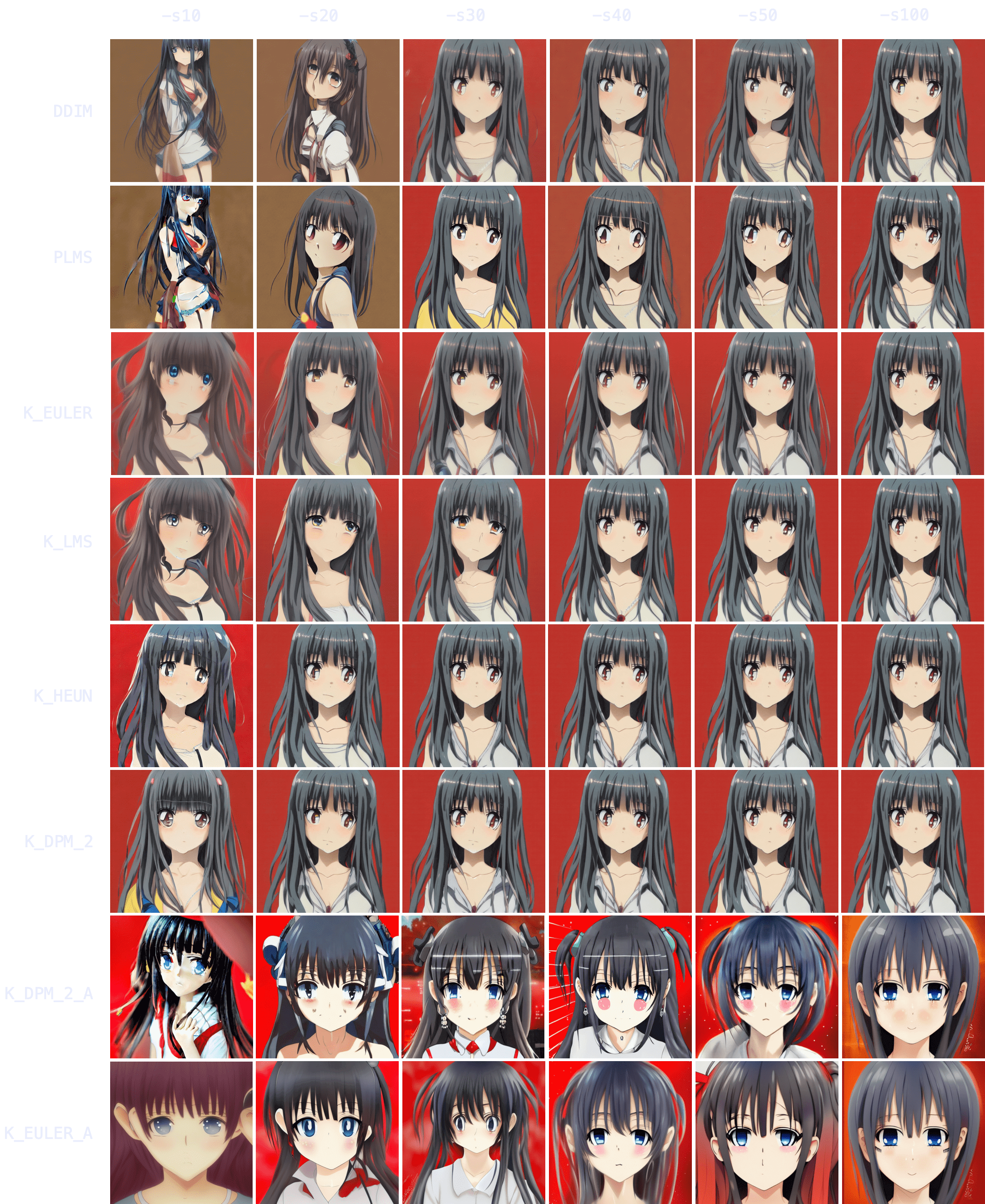
|
||||
|
||||
### *Sampler convergence*
|
||||
|
||||
Immediately, you can notice results tend to converge -that is, as `-s` (step) values increase, images look more and more similar until there comes a point where the image no longer changes.
|
||||
|
||||
You can also notice how `DDIM` and `PLMS` eventually tend to converge to K-sampler results as steps are increased.
|
||||
Among K-samplers, `K_HEUN` and `K_DPM_2` seem to require the fewest steps to converge, and even at low step counts they are good indicators of the final result. And finally, `K_DPM_2_A` and `K_EULER_A` seem to do a bit of their own thing and don't keep much similarity with the rest of the samplers.
|
||||
|
||||
### *Batch generation speedup*
|
||||
|
||||
This realization is very useful because it means you don't need to create a batch of 100 images (`-n100`) at `-s100` to choose your favorite 2 or 3 images.
|
||||
You can produce the same 100 images at `-s10` to `-s30` using a K-sampler (since they converge faster), get a rough idea of the final result, choose your 2 or 3 favorite ones, and then run `-s100` on those images to polish some details.
|
||||
The latter technique is 3-8x as quick.
|
||||
|
||||
Example:
|
||||
|
||||
At 60s per 100 steps.
|
||||
|
||||
(Option A) 60s * 100 images = 6000s (100 images at `-s100`, manually picking 3 favorites)
|
||||
|
||||
(Option B) 6s * 100 images + 60s * 3 images = 780s (100 images at `-s10`, manually picking 3 favorites, and running those 3 at `-s100` to polish details)
|
||||
|
||||
The result is 1 hour and 40 minutes (Option A) vs 13 minutes (Option B).
|
||||
|
||||
### *Topic convergance*
|
||||
|
||||
Now, these results seem interesting, but do they hold for other topics? How about nature? Food? People? Animals? Let's try!
|
||||
|
||||
Nature. `"valley landscape wallpaper, d&d art, fantasy, painted, 4k, high detail, sharp focus, washed colors, elaborate excellent painted illustration" -W512 -H512 -C7.5 -S1458228930`
|
||||
|
||||
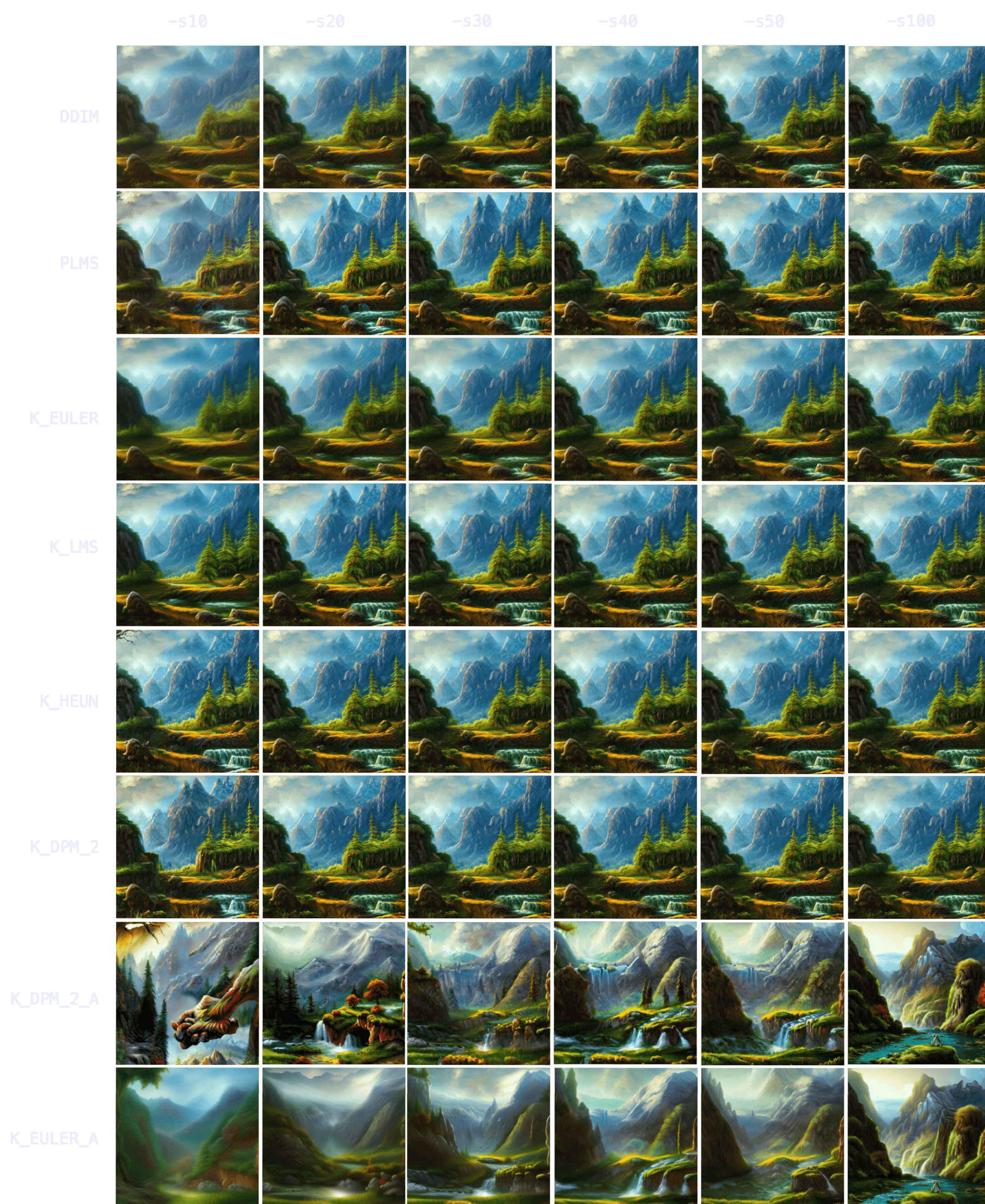
|
||||
|
||||
With nature, you can see how initial results are even more indicative of final result -more so than with characters/people. `K_HEUN` and `K_DPM_2` are again the quickest indicators, almost right from the start. Results also converge faster (e.g. `K_HEUN` converged at `-s21`).
|
||||
|
||||
Food. `"a hamburger with a bowl of french fries" -W512 -H512 -C7.5 -S4053222918`
|
||||
|
||||
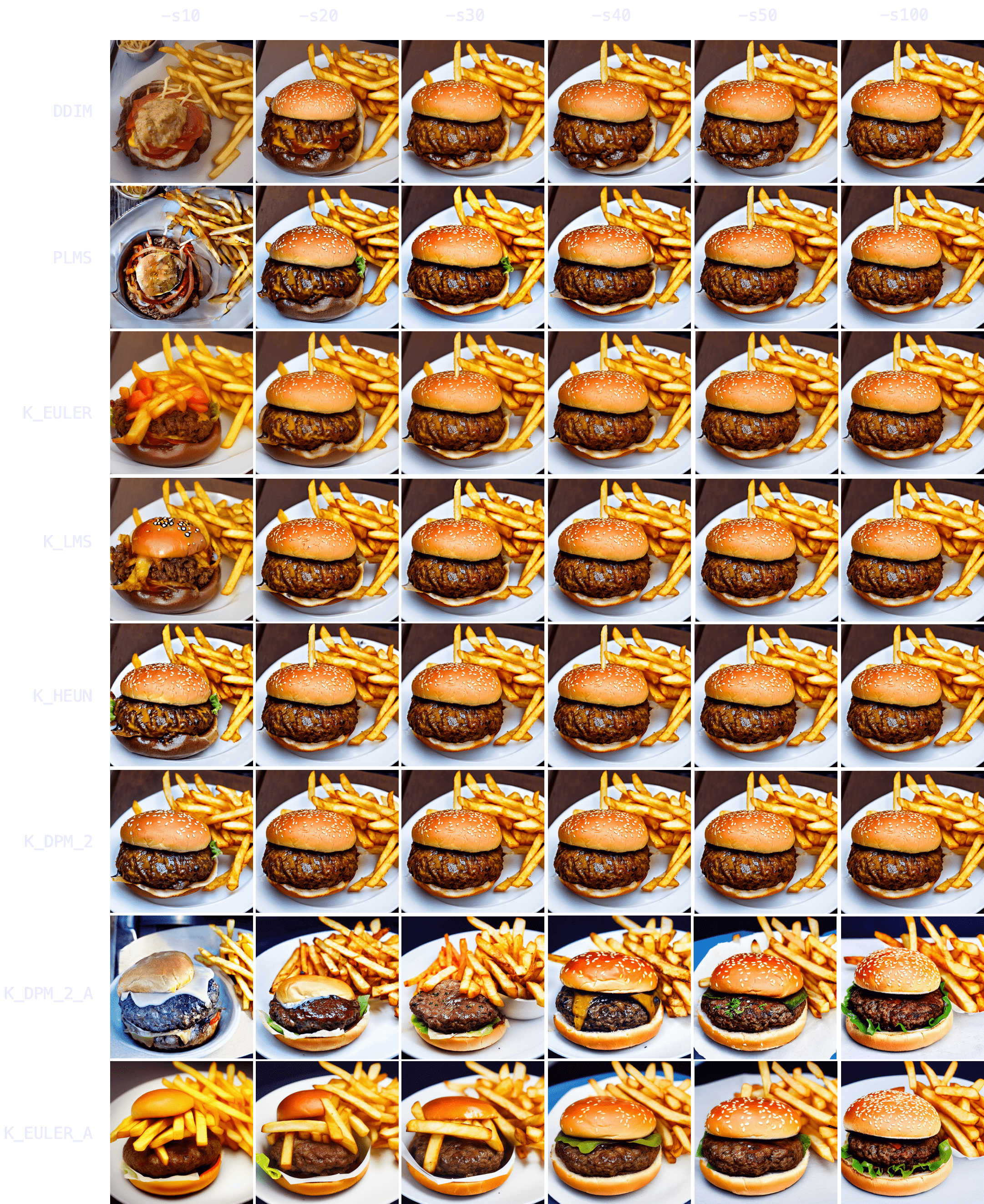
|
||||
|
||||
Again, `K_HEUN` and `K_DPM_2` take the fewest number of steps to be good indicators of the final result. `K_DPM_2_A` and `K_EULER_A` seem to incorporate a lot of creativity/variability, capable of producing rotten hamburgers, but also of adding lettuce to the mix. And they're the only samplers that produced an actual 'bowl of fries'!
|
||||
|
||||
Animals. `"grown tiger, full body" -W512 -H512 -C7.5 -S3721629802`
|
||||
|
||||
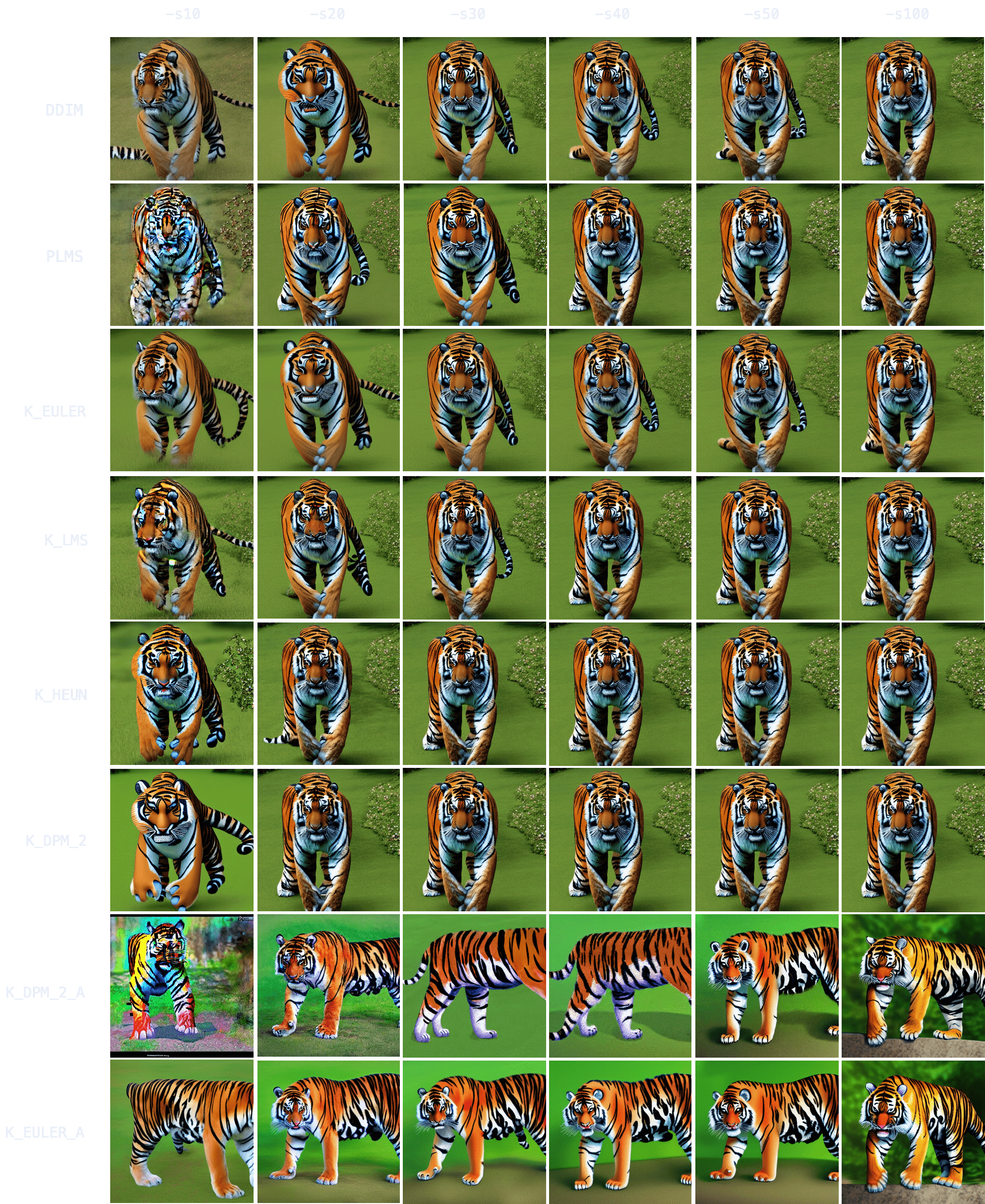
|
||||
|
||||
`K_HEUN` and `K_DPM_2` once again require the least number of steps to be indicative of the final result (around `-s30`), while other samplers are still struggling with several tails or malformed back legs.
|
||||
|
||||
It also takes longer to converge (for comparison, `K_HEUN` required around 150 steps to converge). This is normal, as producing human/animal faces/bodies is one of the things the model struggles the most with. For these topics, running for more steps will often increase coherence within the composition.
|
||||
|
||||
People. `"Ultra realistic photo, (Miranda Bloom-Kerr), young, stunning model, blue eyes, blond hair, beautiful face, intricate, highly detailed, smooth, art by artgerm and greg rutkowski and alphonse mucha, stained glass" -W512 -H512 -C7.5 -S2131956332`. This time, we will go up to 300 steps.
|
||||
|
||||
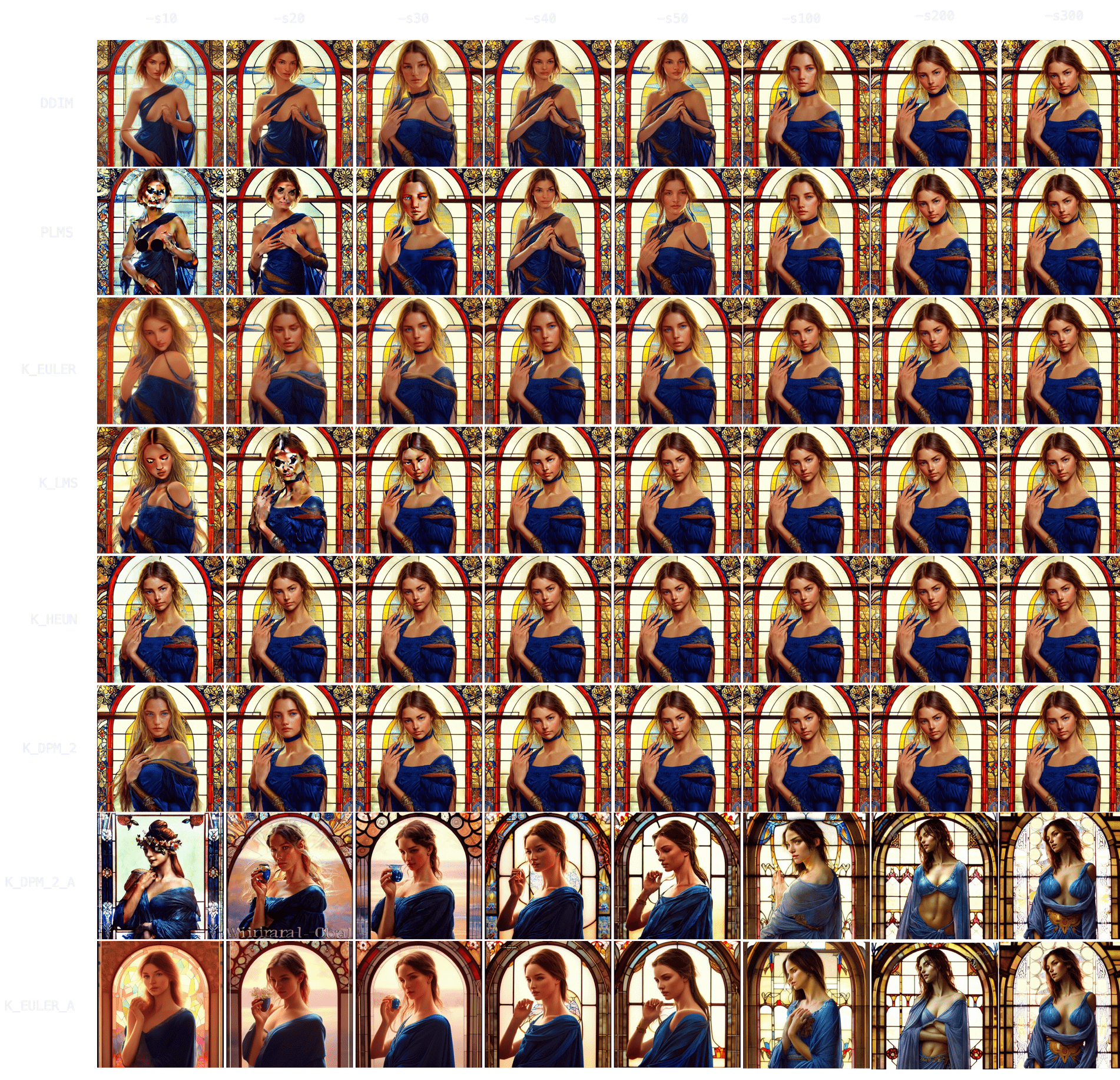
|
||||
|
||||
Observing the results, it again takes longer for all samplers to converge (`K_HEUN` took around 150 steps), but we can observe good indicative results much earlier (see: `K_HEUN`). Conversely, `DDIM` and `PLMS` are still undergoing moderate changes (see: lace around her neck), even at `-s300`.
|
||||
|
||||
In fact, as we can see in this other experiment, some samplers can take 700+ steps to converge when generating people.
|
||||
|
||||
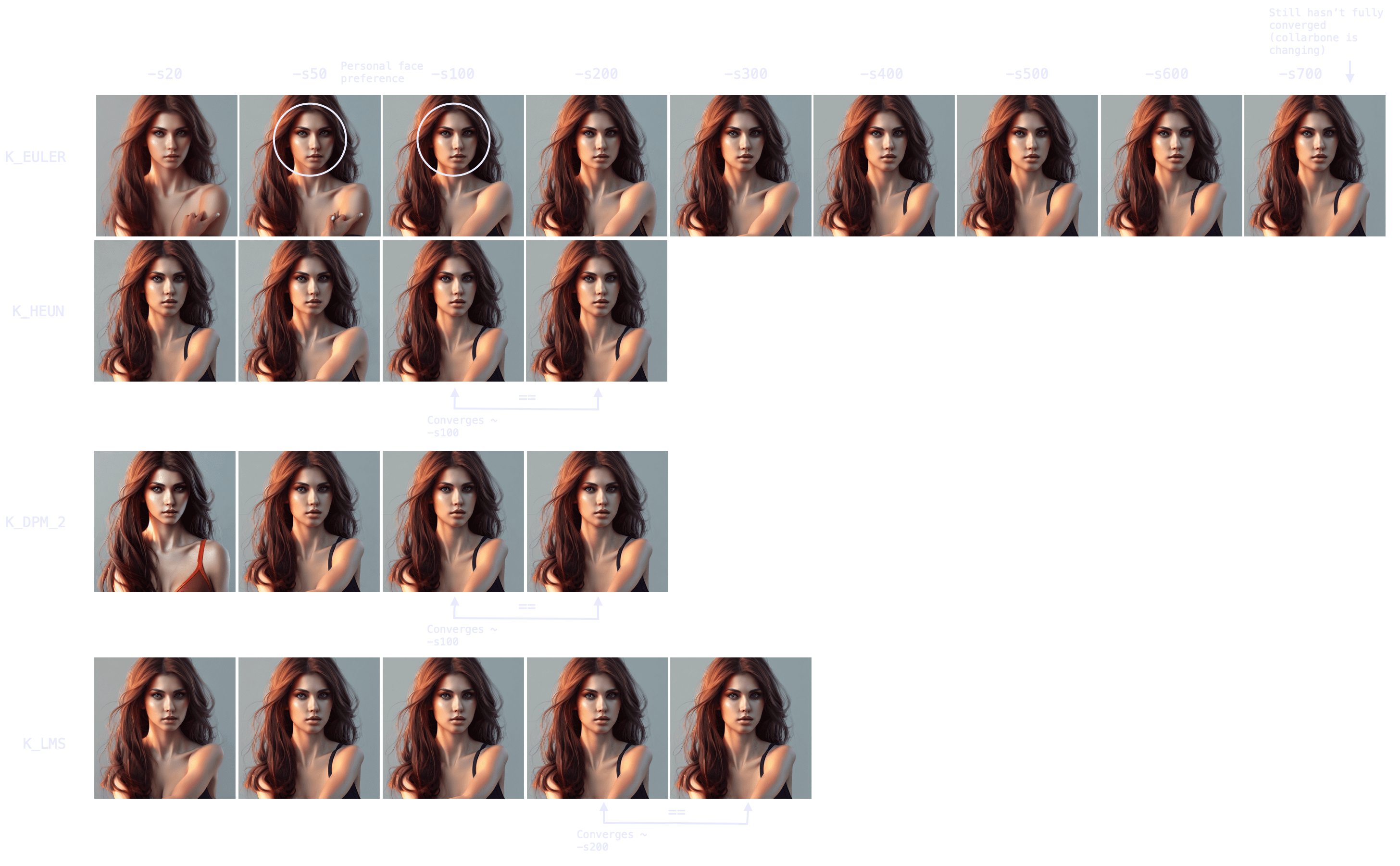
|
||||
|
||||
Note also the point of convergence may not be the most desirable state (e.g. I prefer an earlier version of the face, more rounded), but it will probably be the most coherent arms/hands/face attributes-wise. You can always merge different images with a photo editing tool and pass it through `img2img` to smoothen the composition.
|
||||
|
||||
### *Sampler generation times*
|
||||
|
||||
Once we understand the concept of sampler convergence, we must look into the performance of each sampler in terms of steps (iterations) per second, as not all samplers run at the same speed.
|
||||
|
||||
On my M1 Max with 64GB of RAM, for a 512x512 image:
|
||||
| Sampler | (3 sample average) it/s |
|
||||
|---|---|
|
||||
| `DDIM` | 1.89 |
|
||||
| `PLMS` | 1.86 |
|
||||
| `K_EULER` | 1.86 |
|
||||
| `K_LMS` | 1.91 |
|
||||
| `K_HEUN` | 0.95 (slower) |
|
||||
| `K_DPM_2` | 0.95 (slower) |
|
||||
| `K_DPM_2_A` | 0.95 (slower) |
|
||||
| `K_EULER_A` | 1.86 |
|
||||
|
||||
Combining our results with the steps per second of each sampler, three choices come out on top: `K_LMS`, `K_HEUN` and `K_DPM_2` (where the latter two run 0.5x as quick but tend to converge 2x as quick as `K_LMS`). For creativity and a lot of variation between iterations, `K_EULER_A` can be a good choice (which runs 2x as quick as `K_DPM_2_A`).
|
||||
|
||||
Additionally, image generation at very low steps (≤ `-s8`) is not recommended for `K_HEUN` and `K_DPM_2`. Use `K_LMS` instead.
|
||||
|
||||
<img width="397" alt="192044949-67d5d441-a0d5-4d5a-be30-5dda4fc28a00-min" src="https://user-images.githubusercontent.com/50542132/192046823-2714cb29-bbf3-4eb1-9213-e27a0963905c.png">
|
||||
|
||||
### *Three key points*
|
||||
|
||||
Finally, it is relevant to mention that, in general, there are 3 important moments in the process of image formation as steps increase:
|
||||
|
||||
* The (earliest) point at which an image becomes a good indicator of the final result (useful for batch generation at low step values, to then improve the quality/coherence of the chosen images via running the same prompt and seed for more steps).
|
||||
|
||||
* The (earliest) point at which an image becomes coherent, even if different from the result if steps are increased (useful for batch generation at low step values, where quality/coherence is improved via techniques other than increasing the steps -e.g. via inpainting).
|
||||
|
||||
* The point at which an image fully converges.
|
||||
|
||||
Hence, remember that your workflow/strategy should define your optimal number of steps, even for the same prompt and seed (for example, if you seek full convergence, you may run `K_LMS` for `-s200` in the case of the red-haired girl, but `K_LMS` and `-s20`-taking one tenth the time- may do as well if your workflow includes adding small details, such as the missing shoulder strap, via `img2img`).
|
||||
127
docs/help/TROUBLESHOOT.md
Normal file
@@ -0,0 +1,127 @@
|
||||
---
|
||||
title: F.A.Q.
|
||||
---
|
||||
|
||||
# :material-frequently-asked-questions: F.A.Q.
|
||||
|
||||
## **Frequently-Asked-Questions**
|
||||
|
||||
Here are a few common installation problems and their solutions. Often these are caused by
|
||||
incomplete installations or crashes during the install process.
|
||||
|
||||
---
|
||||
|
||||
### **QUESTION**
|
||||
|
||||
During `conda env create`, conda hangs indefinitely.
|
||||
|
||||
If it is because of the last PIP step (usually stuck in the Git Clone step, you can check the detailed log by this method):
|
||||
```bash
|
||||
export PIP_LOG="/tmp/pip_log.txt"
|
||||
touch ${PIP_LOG}
|
||||
tail -f ${PIP_LOG} &
|
||||
conda env create -f environment-mac.yaml --debug --verbose
|
||||
killall tail
|
||||
rm ${PIP_LOG}
|
||||
```
|
||||
|
||||
**SOLUTION**
|
||||
|
||||
Conda sometimes gets stuck at the last PIP step, in which several git repositories are
|
||||
cloned and built.
|
||||
|
||||
Enter the stable-diffusion directory and completely remove the `src`
|
||||
directory and all its contents. The safest way to do this is to enter
|
||||
the stable-diffusion directory and give the command `git clean -f`. If
|
||||
this still doesn't fix the problem, try "conda clean -all" and then
|
||||
restart at the `conda env create` step.
|
||||
|
||||
To further understand the problem to checking the install lot using this method:
|
||||
|
||||
```bash
|
||||
export PIP_LOG="/tmp/pip_log.txt"
|
||||
touch ${PIP_LOG}
|
||||
tail -f ${PIP_LOG} &
|
||||
conda env create -f environment-mac.yaml --debug --verbose
|
||||
killall tail
|
||||
rm ${PIP_LOG}
|
||||
```
|
||||
|
||||
---
|
||||
|
||||
### **QUESTION**
|
||||
|
||||
`dream.py` crashes with the complaint that it can't find `ldm.simplet2i.py`. Or it complains that
|
||||
function is being passed incorrect parameters.
|
||||
|
||||
### **SOLUTION**
|
||||
|
||||
Reinstall the stable diffusion modules. Enter the `stable-diffusion` directory and give the command
|
||||
`pip install -e .`
|
||||
|
||||
---
|
||||
|
||||
### **QUESTION**
|
||||
|
||||
`dream.py` dies, complaining of various missing modules, none of which starts with `ldm``.
|
||||
|
||||
### **SOLUTION**
|
||||
|
||||
From within the `InvokeAI` directory, run `conda env update` This is also frequently the solution to
|
||||
complaints about an unknown function in a module.
|
||||
|
||||
---
|
||||
|
||||
### **QUESTION**
|
||||
|
||||
There's a feature or bugfix in the Stable Diffusion GitHub that you want to try out.
|
||||
|
||||
### **SOLUTION**
|
||||
|
||||
#### **Main Branch**
|
||||
|
||||
If the fix/feature is on the `main` branch, enter the stable-diffusion directory and do a
|
||||
`git pull`.
|
||||
|
||||
Usually this will be sufficient, but if you start to see errors about
|
||||
missing or incorrect modules, use the command `pip install -e .`
|
||||
and/or `conda env update` (These commands won't break anything.)
|
||||
|
||||
`pip install -e .` and/or
|
||||
|
||||
`conda env update -f environment.yaml`
|
||||
|
||||
(These commands won't break anything.)
|
||||
|
||||
#### **Sub Branch**
|
||||
|
||||
If the feature/fix is on a branch (e.g. "_foo-bugfix_"), the recipe is similar, but do a
|
||||
`git pull <name of branch>`.
|
||||
|
||||
#### **Not Committed**
|
||||
|
||||
If the feature/fix is in a pull request that has not yet been made part of the main branch or a
|
||||
feature/bugfix branch, then from the page for the desired pull request, look for the line at the top
|
||||
that reads "_xxxx wants to merge xx commits into lstein:main from YYYYYY_". Copy the URL in YYYY. It
|
||||
should have the format
|
||||
|
||||
`https://github.com/<name of contributor>/stable-diffusion/tree/<name of branch>`
|
||||
|
||||
Then **go to the directory above stable-diffusion** and rename the directory to
|
||||
"_stable-diffusion.lstein_", "_stable-diffusion.old_", or anything else. You can then git clone the
|
||||
branch that contains the pull request:
|
||||
|
||||
`git clone https://github.com/<name of contributor>/stable-diffusion/tree/<name of branch>`
|
||||
|
||||
You will need to go through the install procedure again, but it should be fast because all the
|
||||
dependencies are already loaded.
|
||||
|
||||
---
|
||||
|
||||
### **QUESTION**
|
||||
|
||||
Image generation crashed with CUDA out of memory error after successful sampling.
|
||||
|
||||
### **SOLUTION**
|
||||
|
||||
Try to run script with option `--free_gpu_mem` This will free memory before image decoding step.
|
||||
19
docs/index.html
Normal file
@@ -0,0 +1,19 @@
|
||||
<!-- HTML for static distribution bundle build -->
|
||||
<!DOCTYPE html>
|
||||
<html lang="en">
|
||||
<head>
|
||||
<meta charset="UTF-8">
|
||||
<title>Swagger UI</title>
|
||||
<link rel="stylesheet" type="text/css" href="swagger-ui/swagger-ui.css" />
|
||||
<link rel="stylesheet" type="text/css" href="swagger-ui/index.css" />
|
||||
<link rel="icon" type="image/png" href="swagger-ui/favicon-32x32.png" sizes="32x32" />
|
||||
<link rel="icon" type="image/png" href="swagger-ui/favicon-16x16.png" sizes="16x16" />
|
||||
</head>
|
||||
|
||||
<body>
|
||||
<div id="swagger-ui"></div>
|
||||
<script src="swagger-ui/swagger-ui-bundle.js" charset="UTF-8"> </script>
|
||||
<script src="swagger-ui/swagger-ui-standalone-preset.js" charset="UTF-8"> </script>
|
||||
<script src="swagger-ui/swagger-initializer.js" charset="UTF-8"> </script>
|
||||
</body>
|
||||
</html>
|
||||
168
docs/index.md
Normal file
@@ -0,0 +1,168 @@
|
||||
---
|
||||
title: Home
|
||||
template: main.html
|
||||
---
|
||||
|
||||
<!--
|
||||
The Docs you find here (/docs/*) are built and deployed via mkdocs. If you want to run a local version to verify your changes, it's as simple as::
|
||||
|
||||
```bash
|
||||
pip install -r requirements-mkdocs.txt
|
||||
mkdocs serve
|
||||
```
|
||||
-->
|
||||
<div align="center" markdown>
|
||||
|
||||
# :material-script-text-outline: Stable Diffusion Dream Script
|
||||
|
||||

|
||||
|
||||
[![discord badge]][discord link]
|
||||
|
||||
[![latest release badge]][latest release link] [![github stars badge]][github stars link] [![github forks badge]][github forks link]
|
||||
|
||||
[![CI checks on main badge]][CI checks on main link] [![CI checks on dev badge]][CI checks on dev link] [![latest commit to dev badge]][latest commit to dev link]
|
||||
|
||||
[![github open issues badge]][github open issues link] [![github open prs badge]][github open prs link]
|
||||
|
||||
[CI checks on dev badge]: https://flat.badgen.net/github/checks/lstein/stable-diffusion/development?label=CI%20status%20on%20dev&cache=900&icon=github
|
||||
[CI checks on dev link]: https://github.com/lstein/stable-diffusion/actions?query=branch%3Adevelopment
|
||||
[CI checks on main badge]: https://flat.badgen.net/github/checks/lstein/stable-diffusion/main?label=CI%20status%20on%20main&cache=900&icon=github
|
||||
[CI checks on main link]: https://github.com/lstein/stable-diffusion/actions/workflows/test-dream-conda.yml
|
||||
[discord badge]: https://flat.badgen.net/discord/members/htRgbc7e?icon=discord
|
||||
[discord link]: https://discord.com/invite/htRgbc7e
|
||||
[github forks badge]: https://flat.badgen.net/github/forks/lstein/stable-diffusion?icon=github
|
||||
[github forks link]: https://useful-forks.github.io/?repo=lstein%2Fstable-diffusion
|
||||
[github open issues badge]: https://flat.badgen.net/github/open-issues/lstein/stable-diffusion?icon=github
|
||||
[github open issues link]: https://github.com/lstein/stable-diffusion/issues?q=is%3Aissue+is%3Aopen
|
||||
[github open prs badge]: https://flat.badgen.net/github/open-prs/lstein/stable-diffusion?icon=github
|
||||
[github open prs link]: https://github.com/lstein/stable-diffusion/pulls?q=is%3Apr+is%3Aopen
|
||||
[github stars badge]: https://flat.badgen.net/github/stars/lstein/stable-diffusion?icon=github
|
||||
[github stars link]: https://github.com/lstein/stable-diffusion/stargazers
|
||||
[latest commit to dev badge]: https://flat.badgen.net/github/last-commit/lstein/stable-diffusion/development?icon=github&color=yellow&label=last%20dev%20commit&cache=900
|
||||
[latest commit to dev link]: https://github.com/lstein/stable-diffusion/commits/development
|
||||
[latest release badge]: https://flat.badgen.net/github/release/lstein/stable-diffusion/development?icon=github
|
||||
[latest release link]: https://github.com/lstein/stable-diffusion/releases
|
||||
|
||||
</div>
|
||||
|
||||
This is a fork of [CompVis/stable-diffusion](https://github.com/CompVis/stable-diffusion), the open
|
||||
source text-to-image generator. It provides a streamlined process with various new features and
|
||||
options to aid the image generation process. It runs on Windows, Mac and Linux machines, and runs on
|
||||
GPU cards with as little as 4 GB or RAM.
|
||||
|
||||
!!! note
|
||||
|
||||
This fork is rapidly evolving. Please use the
|
||||
[Issues](https://github.com/lstein/stable-diffusion/issues) tab to report bugs and make feature
|
||||
requests. Be sure to use the provided templates. They will help aid diagnose issues faster.
|
||||
|
||||
## :octicons-package-dependencies-24: Installation
|
||||
|
||||
This fork is supported across multiple platforms. You can find individual installation instructions
|
||||
below.
|
||||
|
||||
- :fontawesome-brands-linux: [Linux](installation/INSTALL_LINUX.md)
|
||||
- :fontawesome-brands-windows: [Windows](installation/INSTALL_WINDOWS.md)
|
||||
- :fontawesome-brands-apple: [Macintosh](installation/INSTALL_MAC.md)
|
||||
|
||||
## :fontawesome-solid-computer: Hardware Requirements
|
||||
|
||||
### :octicons-cpu-24: System
|
||||
|
||||
You wil need one of the following:
|
||||
|
||||
- :simple-nvidia: An NVIDIA-based graphics card with 4 GB or more VRAM memory.
|
||||
- :fontawesome-brands-apple: An Apple computer with an M1 chip.
|
||||
|
||||
### :fontawesome-solid-memory: Memory
|
||||
|
||||
- At least 12 GB Main Memory RAM.
|
||||
|
||||
### :fontawesome-regular-hard-drive: Disk
|
||||
|
||||
- At least 6 GB of free disk space for the machine learning model, Python, and all its dependencies.
|
||||
|
||||
!!! note
|
||||
|
||||
If you are have a Nvidia 10xx series card (e.g. the 1080ti), please run the dream script in
|
||||
full-precision mode as shown below.
|
||||
|
||||
Similarly, specify full-precision mode on Apple M1 hardware.
|
||||
|
||||
To run in full-precision mode, start `dream.py` with the `--full_precision` flag:
|
||||
|
||||
```bash
|
||||
(ldm) ~/stable-diffusion$ python scripts/dream.py --full_precision
|
||||
```
|
||||
## :octicons-log-16: Latest Changes
|
||||
|
||||
### vNEXT <small>(TODO 2022)</small>
|
||||
|
||||
- Deprecated `--full_precision` / `-F`. Simply omit it and `dream.py` will auto
|
||||
configure. To switch away from auto use the new flag like `--precision=float32`.
|
||||
|
||||
### v1.14 <small>(11 September 2022)</small>
|
||||
|
||||
- Memory optimizations for small-RAM cards. 512x512 now possible on 4 GB GPUs.
|
||||
- Full support for Apple hardware with M1 or M2 chips.
|
||||
- Add "seamless mode" for circular tiling of image. Generates beautiful effects.
|
||||
([prixt](https://github.com/prixt)).
|
||||
- Inpainting support.
|
||||
- Improved web server GUI.
|
||||
- Lots of code and documentation cleanups.
|
||||
|
||||
### v1.13 <small>(3 September 2022</small>
|
||||
|
||||
- Support image variations (see [VARIATIONS](features/VARIATIONS.md)
|
||||
([Kevin Gibbons](https://github.com/bakkot) and many contributors and reviewers)
|
||||
- Supports a Google Colab notebook for a standalone server running on Google hardware
|
||||
[Arturo Mendivil](https://github.com/artmen1516)
|
||||
- WebUI supports GFPGAN/ESRGAN facial reconstruction and upscaling
|
||||
[Kevin Gibbons](https://github.com/bakkot)
|
||||
- WebUI supports incremental display of in-progress images during generation
|
||||
[Kevin Gibbons](https://github.com/bakkot)
|
||||
- A new configuration file scheme that allows new models (including upcoming stable-diffusion-v1.5)
|
||||
to be added without altering the code. ([David Wager](https://github.com/maddavid12))
|
||||
- Can specify --grid on dream.py command line as the default.
|
||||
- Miscellaneous internal bug and stability fixes.
|
||||
- Works on M1 Apple hardware.
|
||||
- Multiple bug fixes.
|
||||
|
||||
For older changelogs, please visit the **[CHANGELOG](features/CHANGELOG.md)**.
|
||||
|
||||
## :material-target: Troubleshooting
|
||||
|
||||
Please check out our **[:material-frequently-asked-questions: Q&A](help/TROUBLESHOOT.md)** to get solutions for common installation
|
||||
problems and other issues.
|
||||
|
||||
## :octicons-repo-push-24: Contributing
|
||||
|
||||
Anyone who wishes to contribute to this project, whether documentation, features, bug fixes, code
|
||||
cleanup, testing, or code reviews, is very much encouraged to do so. If you are unfamiliar with how
|
||||
to contribute to GitHub projects, here is a
|
||||
[Getting Started Guide](https://opensource.com/article/19/7/create-pull-request-github).
|
||||
|
||||
A full set of contribution guidelines, along with templates, are in progress, but for now the most
|
||||
important thing is to **make your pull request against the "development" branch**, and not against
|
||||
"main". This will help keep public breakage to a minimum and will allow you to propose more radical
|
||||
changes.
|
||||
|
||||
## :octicons-person-24: Contributors
|
||||
|
||||
This fork is a combined effort of various people from across the world.
|
||||
[Check out the list of all these amazing people](other/CONTRIBUTORS.md). We thank them for their
|
||||
time, hard work and effort.
|
||||
|
||||
## :octicons-question-24: Support
|
||||
|
||||
For support, please use this repository's GitHub Issues tracking service. Feel free to send me an
|
||||
email if you use and like the script.
|
||||
|
||||
Original portions of the software are Copyright (c) 2020
|
||||
[Lincoln D. Stein](https://github.com/lstein)
|
||||
|
||||
## :octicons-book-24: Further Reading
|
||||
|
||||
Please see the original README for more information on this software and underlying algorithm,
|
||||
located in the file [README-CompViz.md](other/README-CompViz.md).
|
||||
255
docs/installation/INSTALL_DOCKER.md
Normal file
@@ -0,0 +1,255 @@
|
||||
# Before you begin
|
||||
|
||||
- For end users: Install Stable Diffusion locally using the instructions for
|
||||
your OS.
|
||||
- For developers: For container-related development tasks or for enabling easy
|
||||
deployment to other environments (on-premises or cloud), follow these
|
||||
instructions. For general use, install locally to leverage your machine's GPU.
|
||||
|
||||
# Why containers?
|
||||
|
||||
They provide a flexible, reliable way to build and deploy Stable Diffusion.
|
||||
You'll also use a Docker volume to store the largest model files and image
|
||||
outputs as a first step in decoupling storage and compute. Future enhancements
|
||||
can do this for other assets. See [Processes](https://12factor.net/processes)
|
||||
under the Twelve-Factor App methodology for details on why running applications
|
||||
in such a stateless fashion is important.
|
||||
|
||||
You can specify the target platform when building the image and running the
|
||||
container. You'll also need to specify the Stable Diffusion requirements file
|
||||
that matches the container's OS and the architecture it will run on.
|
||||
|
||||
Developers on Apple silicon (M1/M2): You
|
||||
[can't access your GPU cores from Docker containers](https://github.com/pytorch/pytorch/issues/81224)
|
||||
and performance is reduced compared with running it directly on macOS but for
|
||||
development purposes it's fine. Once you're done with development tasks on your
|
||||
laptop you can build for the target platform and architecture and deploy to
|
||||
another environment with NVIDIA GPUs on-premises or in the cloud.
|
||||
|
||||
# Installation on a Linux container
|
||||
|
||||
## Prerequisites
|
||||
|
||||
### Get the data files
|
||||
|
||||
Go to
|
||||
[Hugging Face](https://huggingface.co/CompVis/stable-diffusion-v-1-4-original),
|
||||
and click "Access repository" to Download the model file `sd-v1-4.ckpt` (~4 GB)
|
||||
to `~/Downloads`. You'll need to create an account but it's quick and free.
|
||||
|
||||
Also download the face restoration model.
|
||||
|
||||
```Shell
|
||||
cd ~/Downloads
|
||||
wget https://github.com/TencentARC/GFPGAN/releases/download/v1.3.0/GFPGANv1.4.pth
|
||||
```
|
||||
|
||||
### Install [Docker](https://github.com/santisbon/guides#docker)
|
||||
|
||||
On the Docker Desktop app, go to Preferences, Resources, Advanced. Increase the
|
||||
CPUs and Memory to avoid this
|
||||
[Issue](https://github.com/invoke-ai/InvokeAI/issues/342). You may need to
|
||||
increase Swap and Disk image size too.
|
||||
|
||||
## Setup
|
||||
|
||||
Set the fork you want to use and other variables.
|
||||
|
||||
```Shell
|
||||
TAG_STABLE_DIFFUSION="santisbon/stable-diffusion"
|
||||
PLATFORM="linux/arm64"
|
||||
GITHUB_STABLE_DIFFUSION="-b orig-gfpgan https://github.com/santisbon/stable-diffusion.git"
|
||||
REQS_STABLE_DIFFUSION="requirements-linux-arm64.txt"
|
||||
CONDA_SUBDIR="osx-arm64"
|
||||
|
||||
echo $TAG_STABLE_DIFFUSION
|
||||
echo $PLATFORM
|
||||
echo $GITHUB_STABLE_DIFFUSION
|
||||
echo $REQS_STABLE_DIFFUSION
|
||||
echo $CONDA_SUBDIR
|
||||
```
|
||||
|
||||
Create a Docker volume for the downloaded model files.
|
||||
|
||||
```Shell
|
||||
docker volume create my-vol
|
||||
```
|
||||
|
||||
Copy the data files to the Docker volume using a lightweight Linux container.
|
||||
We'll need the models at run time. You just need to create the container with
|
||||
the mountpoint; no need to run this dummy container.
|
||||
|
||||
```Shell
|
||||
cd ~/Downloads # or wherever you saved the files
|
||||
|
||||
docker create --platform $PLATFORM --name dummy --mount source=my-vol,target=/data alpine
|
||||
|
||||
docker cp sd-v1-4.ckpt dummy:/data
|
||||
docker cp GFPGANv1.4.pth dummy:/data
|
||||
```
|
||||
|
||||
Get the repo and download the Miniconda installer (we'll need it at build time).
|
||||
Replace the URL with the version matching your container OS and the architecture
|
||||
it will run on.
|
||||
|
||||
```Shell
|
||||
cd ~
|
||||
git clone $GITHUB_STABLE_DIFFUSION
|
||||
|
||||
cd stable-diffusion/docker-build
|
||||
chmod +x entrypoint.sh
|
||||
wget https://repo.anaconda.com/miniconda/Miniconda3-latest-Linux-aarch64.sh -O anaconda.sh && chmod +x anaconda.sh
|
||||
```
|
||||
|
||||
Build the Docker image. Give it any tag `-t` that you want.
|
||||
Choose the Linux container's host platform: x86-64/Intel is `amd64`. Apple
|
||||
silicon is `arm64`. If deploying the container to the cloud to leverage powerful
|
||||
GPU instances you'll be on amd64 hardware but if you're just trying this out
|
||||
locally on Apple silicon choose arm64.
|
||||
The application uses libraries that need to match the host environment so use
|
||||
the appropriate requirements file.
|
||||
Tip: Check that your shell session has the env variables set above.
|
||||
|
||||
```Shell
|
||||
docker build -t $TAG_STABLE_DIFFUSION \
|
||||
--platform $PLATFORM \
|
||||
--build-arg gsd=$GITHUB_STABLE_DIFFUSION \
|
||||
--build-arg rsd=$REQS_STABLE_DIFFUSION \
|
||||
--build-arg cs=$CONDA_SUBDIR \
|
||||
.
|
||||
```
|
||||
|
||||
Run a container using your built image.
|
||||
Tip: Make sure you've created and populated the Docker volume (above).
|
||||
|
||||
```Shell
|
||||
docker run -it \
|
||||
--rm \
|
||||
--platform $PLATFORM \
|
||||
--name stable-diffusion \
|
||||
--hostname stable-diffusion \
|
||||
--mount source=my-vol,target=/data \
|
||||
$TAG_STABLE_DIFFUSION
|
||||
```
|
||||
|
||||
# Usage (time to have fun)
|
||||
|
||||
## Startup
|
||||
|
||||
If you're on a **Linux container** the `dream` script is **automatically
|
||||
started** and the output dir set to the Docker volume you created earlier.
|
||||
|
||||
If you're **directly on macOS follow these startup instructions**.
|
||||
With the Conda environment activated (`conda activate ldm`), run the interactive
|
||||
interface that combines the functionality of the original scripts `txt2img` and
|
||||
`img2img`:
|
||||
Use the more accurate but VRAM-intensive full precision math because
|
||||
half-precision requires autocast and won't work.
|
||||
By default the images are saved in `outputs/img-samples/`.
|
||||
|
||||
```Shell
|
||||
python3 scripts/dream.py --full_precision
|
||||
```
|
||||
|
||||
You'll get the script's prompt. You can see available options or quit.
|
||||
|
||||
```Shell
|
||||
dream> -h
|
||||
dream> q
|
||||
```
|
||||
|
||||
## Text to Image
|
||||
|
||||
For quick (but bad) image results test with 5 steps (default 50) and 1 sample
|
||||
image. This will let you know that everything is set up correctly.
|
||||
Then increase steps to 100 or more for good (but slower) results.
|
||||
The prompt can be in quotes or not.
|
||||
|
||||
```Shell
|
||||
dream> The hulk fighting with sheldon cooper -s5 -n1
|
||||
dream> "woman closeup highly detailed" -s 150
|
||||
# Reuse previous seed and apply face restoration
|
||||
dream> "woman closeup highly detailed" --steps 150 --seed -1 -G 0.75
|
||||
```
|
||||
|
||||
You'll need to experiment to see if face restoration is making it better or
|
||||
worse for your specific prompt.
|
||||
|
||||
If you're on a container the output is set to the Docker volume. You can copy it
|
||||
wherever you want.
|
||||
You can download it from the Docker Desktop app, Volumes, my-vol, data.
|
||||
Or you can copy it from your Mac terminal. Keep in mind `docker cp` can't expand
|
||||
`*.png` so you'll need to specify the image file name.
|
||||
|
||||
On your host Mac (you can use the name of any container that mounted the
|
||||
volume):
|
||||
|
||||
```Shell
|
||||
docker cp dummy:/data/000001.928403745.png /Users/<your-user>/Pictures
|
||||
```
|
||||
|
||||
## Image to Image
|
||||
|
||||
You can also do text-guided image-to-image translation. For example, turning a
|
||||
sketch into a detailed drawing.
|
||||
|
||||
`strength` is a value between 0.0 and 1.0 that controls the amount of noise that
|
||||
is added to the input image. Values that approach 1.0 allow for lots of
|
||||
variations but will also produce images that are not semantically consistent
|
||||
with the input. 0.0 preserves image exactly, 1.0 replaces it completely.
|
||||
|
||||
Make sure your input image size dimensions are multiples of 64 e.g. 512x512.
|
||||
Otherwise you'll get `Error: product of dimension sizes > 2**31'`. If you still
|
||||
get the error
|
||||
[try a different size](https://support.apple.com/guide/preview/resize-rotate-or-flip-an-image-prvw2015/mac#:~:text=image's%20file%20size-,In%20the%20Preview%20app%20on%20your%20Mac%2C%20open%20the%20file,is%20shown%20at%20the%20bottom.)
|
||||
like 512x256.
|
||||
|
||||
If you're on a Docker container, copy your input image into the Docker volume
|
||||
|
||||
```Shell
|
||||
docker cp /Users/<your-user>/Pictures/sketch-mountains-input.jpg dummy:/data/
|
||||
```
|
||||
|
||||
Try it out generating an image (or more). The `dream` script needs absolute
|
||||
paths to find the image so don't use `~`.
|
||||
|
||||
If you're on your Mac
|
||||
|
||||
```Shell
|
||||
dream> "A fantasy landscape, trending on artstation" -I /Users/<your-user>/Pictures/sketch-mountains-input.jpg --strength 0.75 --steps 100 -n4
|
||||
```
|
||||
|
||||
If you're on a Linux container on your Mac
|
||||
|
||||
```Shell
|
||||
dream> "A fantasy landscape, trending on artstation" -I /data/sketch-mountains-input.jpg --strength 0.75 --steps 50 -n1
|
||||
```
|
||||
|
||||
## Web Interface
|
||||
|
||||
You can use the `dream` script with a graphical web interface. Start the web
|
||||
server with:
|
||||
|
||||
```Shell
|
||||
python3 scripts/dream.py --full_precision --web
|
||||
```
|
||||
|
||||
If it's running on your Mac point your Mac web browser to http://127.0.0.1:9090
|
||||
|
||||
Press Control-C at the command line to stop the web server.
|
||||
|
||||
## Notes
|
||||
|
||||
Some text you can add at the end of the prompt to make it very pretty:
|
||||
|
||||
```Shell
|
||||
cinematic photo, highly detailed, cinematic lighting, ultra-detailed, ultrarealistic, photorealism, Octane Rendering, cyberpunk lights, Hyper Detail, 8K, HD, Unreal Engine, V-Ray, full hd, cyberpunk, abstract, 3d octane render + 4k UHD + immense detail + dramatic lighting + well lit + black, purple, blue, pink, cerulean, teal, metallic colours, + fine details, ultra photoreal, photographic, concept art, cinematic composition, rule of thirds, mysterious, eerie, photorealism, breathtaking detailed, painting art deco pattern, by hsiao, ron cheng, john james audubon, bizarre compositions, exquisite detail, extremely moody lighting, painted by greg rutkowski makoto shinkai takashi takeuchi studio ghibli, akihiko yoshida
|
||||
```
|
||||
|
||||
The original scripts should work as well.
|
||||
|
||||
```Shell
|
||||
python3 scripts/orig_scripts/txt2img.py --help
|
||||
python3 scripts/orig_scripts/txt2img.py --ddim_steps 100 --n_iter 1 --n_samples 1 --plms --prompt "new born baby kitten. Hyper Detail, Octane Rendering, Unreal Engine, V-Ray"
|
||||
python3 scripts/orig_scripts/txt2img.py --ddim_steps 5 --n_iter 1 --n_samples 1 --plms --prompt "ocean" # or --klms
|
||||
```
|
||||