mirror of
https://github.com/All-Hands-AI/OpenHands.git
synced 2026-04-29 03:00:45 -04:00
Compare commits
1 Commits
| Author | SHA1 | Date | |
|---|---|---|---|
 openhands openhands
|
d045f853cb |
@@ -1 +0,0 @@
|
||||
The files in this directory configure a development container for GitHub Codespaces.
|
||||
@@ -1,15 +0,0 @@
|
||||
{
|
||||
"name": "OpenHands Codespaces",
|
||||
"image": "mcr.microsoft.com/devcontainers/universal",
|
||||
"customizations":{
|
||||
"vscode":{
|
||||
"extensions": [
|
||||
"ms-python.python"
|
||||
]
|
||||
}
|
||||
},
|
||||
"onCreateCommand": "sh ./.devcontainer/on_create.sh",
|
||||
"postCreateCommand": "make build",
|
||||
"postStartCommand": "USE_HOST_NETWORK=True nohup bash -c 'make run &'"
|
||||
|
||||
}
|
||||
@@ -1,6 +0,0 @@
|
||||
#!/usr/bin/env bash
|
||||
sudo apt update
|
||||
sudo apt install -y netcat
|
||||
sudo add-apt-repository -y ppa:deadsnakes/ppa
|
||||
sudo apt install -y python3.12
|
||||
curl -sSL https://install.python-poetry.org | python3.12 -
|
||||
@@ -1,5 +0,0 @@
|
||||
frontend/node_modules
|
||||
config.toml
|
||||
.envrc
|
||||
.env
|
||||
.git
|
||||
@@ -1 +0,0 @@
|
||||
*.ipynb linguist-vendored
|
||||
@@ -1,19 +0,0 @@
|
||||
codecov:
|
||||
notify:
|
||||
wait_for_ci: true
|
||||
# our project is large, so 6 builds are typically uploaded. this waits till 5/6
|
||||
# See https://docs.codecov.com/docs/notifications#section-preventing-notifications-until-after-n-builds
|
||||
after_n_builds: 5
|
||||
|
||||
coverage:
|
||||
status:
|
||||
patch:
|
||||
default:
|
||||
threshold: 100% # allow patch coverage to be lower than project coverage by any amount
|
||||
project:
|
||||
default:
|
||||
threshold: 5% # allow project coverage to drop at most 5%
|
||||
|
||||
comment: false
|
||||
github_checks:
|
||||
annotations: false
|
||||
@@ -1,59 +0,0 @@
|
||||
name: Bug
|
||||
description: Report a problem with OpenHands
|
||||
title: '[Bug]: '
|
||||
labels: ['bug']
|
||||
body:
|
||||
- type: markdown
|
||||
attributes:
|
||||
value: Thank you for taking the time to fill out this bug report. Please provide as much information as possible to help us understand and address the issue effectively.
|
||||
|
||||
- type: checkboxes
|
||||
attributes:
|
||||
label: Is there an existing issue for the same bug?
|
||||
description: Please check if an issue already exists for the bug you encountered.
|
||||
options:
|
||||
- label: I have checked the existing issues.
|
||||
required: true
|
||||
|
||||
- type: textarea
|
||||
id: bug-description
|
||||
attributes:
|
||||
label: Describe the bug and reproduction steps
|
||||
description: Provide a description of the issue along with any reproduction steps.
|
||||
validations:
|
||||
required: true
|
||||
|
||||
- type: dropdown
|
||||
id: installation
|
||||
attributes:
|
||||
label: OpenHands Installation
|
||||
description: How are you running OpenHands?
|
||||
options:
|
||||
- Docker command in README
|
||||
- Development workflow
|
||||
default: 0
|
||||
|
||||
- type: input
|
||||
id: openhands-version
|
||||
attributes:
|
||||
label: OpenHands Version
|
||||
description: What version of OpenHands are you using?
|
||||
placeholder: ex. 0.9.8, main, etc.
|
||||
|
||||
- type: dropdown
|
||||
id: os
|
||||
attributes:
|
||||
label: Operating System
|
||||
options:
|
||||
- MacOS
|
||||
- Linux
|
||||
- WSL on Windows
|
||||
|
||||
- type: textarea
|
||||
id: additional-context
|
||||
attributes:
|
||||
label: Logs, Errors, Screenshots, and Additional Context
|
||||
description: Please provide any additional information you think might help. If you want to share the chat history
|
||||
you can click the thumbs-down (👎) button above the input field and you will get a shareable link
|
||||
(you can also click thumbs up when things are going well of course!). LLM logs will be stored in the
|
||||
`logs/llm/default` folder. Please add any additional context about the problem here.
|
||||
@@ -1,18 +0,0 @@
|
||||
---
|
||||
name: Feature Request
|
||||
about: Suggest an idea for OpenHands features
|
||||
title: ''
|
||||
labels: 'enhancement'
|
||||
assignees: ''
|
||||
|
||||
---
|
||||
|
||||
**What problem or use case are you trying to solve?**
|
||||
|
||||
**Describe the UX of the solution you'd like**
|
||||
|
||||
**Do you have thoughts on the technical implementation?**
|
||||
|
||||
**Describe alternatives you've considered**
|
||||
|
||||
**Additional context**
|
||||
@@ -1,18 +0,0 @@
|
||||
---
|
||||
name: Technical Proposal
|
||||
about: Propose a new architecture or technology
|
||||
title: ''
|
||||
labels: 'proposal'
|
||||
assignees: ''
|
||||
|
||||
---
|
||||
|
||||
**Summary**
|
||||
|
||||
**Motivation**
|
||||
|
||||
**Technical Design**
|
||||
|
||||
**Alternatives to Consider**
|
||||
|
||||
**Additional context**
|
||||
@@ -1,69 +0,0 @@
|
||||
version: 2
|
||||
updates:
|
||||
- package-ecosystem: "pip"
|
||||
directory: "/"
|
||||
schedule:
|
||||
interval: "daily"
|
||||
open-pull-requests-limit: 1
|
||||
groups:
|
||||
# put packages in their own group if they have a history of breaking the build or needing to be reverted
|
||||
pre-commit:
|
||||
patterns:
|
||||
- "pre-commit"
|
||||
llama:
|
||||
patterns:
|
||||
- "llama*"
|
||||
chromadb:
|
||||
patterns:
|
||||
- "chromadb"
|
||||
security-all:
|
||||
applies-to: "security-updates"
|
||||
patterns:
|
||||
- "*"
|
||||
version-all:
|
||||
applies-to: "version-updates"
|
||||
patterns:
|
||||
- "*"
|
||||
|
||||
- package-ecosystem: "npm"
|
||||
directory: "/frontend"
|
||||
schedule:
|
||||
interval: "daily"
|
||||
open-pull-requests-limit: 1
|
||||
groups:
|
||||
docusaurus:
|
||||
patterns:
|
||||
- "*docusaurus*"
|
||||
eslint:
|
||||
patterns:
|
||||
- "*eslint*"
|
||||
security-all:
|
||||
applies-to: "security-updates"
|
||||
patterns:
|
||||
- "*"
|
||||
version-all:
|
||||
applies-to: "version-updates"
|
||||
patterns:
|
||||
- "*"
|
||||
|
||||
- package-ecosystem: "npm"
|
||||
directory: "/docs"
|
||||
schedule:
|
||||
interval: "weekly"
|
||||
day: "wednesday"
|
||||
open-pull-requests-limit: 1
|
||||
groups:
|
||||
docusaurus:
|
||||
patterns:
|
||||
- "*docusaurus*"
|
||||
eslint:
|
||||
patterns:
|
||||
- "*eslint*"
|
||||
security-all:
|
||||
applies-to: "security-updates"
|
||||
patterns:
|
||||
- "*"
|
||||
version-all:
|
||||
applies-to: "version-updates"
|
||||
patterns:
|
||||
- "*"
|
||||
@@ -1,11 +0,0 @@
|
||||
**End-user friendly description of the problem this fixes or functionality that this introduces**
|
||||
|
||||
- [ ] Include this change in the Release Notes. If checked, you must provide an **end-user friendly** description for your change below
|
||||
|
||||
---
|
||||
**Give a summary of what the PR does, explaining any non-trivial design decisions**
|
||||
|
||||
|
||||
|
||||
---
|
||||
**Link of any specific issues this addresses**
|
||||
@@ -1,69 +0,0 @@
|
||||
# Workflow that cleans up outdated and old workflows to prevent out of disk issues
|
||||
name: Delete old workflow runs
|
||||
|
||||
# This workflow is currently only triggered manually
|
||||
on:
|
||||
workflow_dispatch:
|
||||
inputs:
|
||||
days:
|
||||
description: 'Days-worth of runs to keep for each workflow'
|
||||
required: true
|
||||
default: '30'
|
||||
minimum_runs:
|
||||
description: 'Minimum runs to keep for each workflow'
|
||||
required: true
|
||||
default: '10'
|
||||
delete_workflow_pattern:
|
||||
description: 'Name or filename of the workflow (if not set, all workflows are targeted)'
|
||||
required: false
|
||||
delete_workflow_by_state_pattern:
|
||||
description: 'Filter workflows by state: active, deleted, disabled_fork, disabled_inactivity, disabled_manually'
|
||||
required: true
|
||||
default: "ALL"
|
||||
type: choice
|
||||
options:
|
||||
- "ALL"
|
||||
- active
|
||||
- deleted
|
||||
- disabled_inactivity
|
||||
- disabled_manually
|
||||
delete_run_by_conclusion_pattern:
|
||||
description: 'Remove runs based on conclusion: action_required, cancelled, failure, skipped, success'
|
||||
required: true
|
||||
default: 'ALL'
|
||||
type: choice
|
||||
options:
|
||||
- 'ALL'
|
||||
- 'Unsuccessful: action_required,cancelled,failure,skipped'
|
||||
- action_required
|
||||
- cancelled
|
||||
- failure
|
||||
- skipped
|
||||
- success
|
||||
dry_run:
|
||||
description: 'Logs simulated changes, no deletions are performed'
|
||||
required: false
|
||||
|
||||
jobs:
|
||||
del_runs:
|
||||
runs-on: ubuntu-latest
|
||||
permissions:
|
||||
actions: write
|
||||
contents: read
|
||||
steps:
|
||||
- name: Delete workflow runs
|
||||
uses: Mattraks/delete-workflow-runs@v2
|
||||
with:
|
||||
token: ${{ github.token }}
|
||||
repository: ${{ github.repository }}
|
||||
retain_days: ${{ github.event.inputs.days }}
|
||||
keep_minimum_runs: ${{ github.event.inputs.minimum_runs }}
|
||||
delete_workflow_pattern: ${{ github.event.inputs.delete_workflow_pattern }}
|
||||
delete_workflow_by_state_pattern: ${{ github.event.inputs.delete_workflow_by_state_pattern }}
|
||||
delete_run_by_conclusion_pattern: >-
|
||||
${{
|
||||
startsWith(github.event.inputs.delete_run_by_conclusion_pattern, 'Unsuccessful:')
|
||||
&& 'action_required,cancelled,failure,skipped'
|
||||
|| github.event.inputs.delete_run_by_conclusion_pattern
|
||||
}}
|
||||
dry_run: ${{ github.event.inputs.dry_run }}
|
||||
@@ -1,74 +0,0 @@
|
||||
# Workflow that builds and deploys the documentation website
|
||||
name: Deploy Docs to GitHub Pages
|
||||
|
||||
# * Always run on "main"
|
||||
# * Run on PRs that target the "main" branch and have changes in the "docs" folder or this workflow
|
||||
on:
|
||||
push:
|
||||
branches:
|
||||
- main
|
||||
pull_request:
|
||||
paths:
|
||||
- 'docs/**'
|
||||
- '.github/workflows/deploy-docs.yml'
|
||||
branches:
|
||||
- main
|
||||
|
||||
# If triggered by a PR, it will be in the same group. However, each commit on main will be in its own unique group
|
||||
concurrency:
|
||||
group: ${{ github.workflow }}-${{ (github.head_ref && github.ref) || github.run_id }}
|
||||
cancel-in-progress: true
|
||||
|
||||
jobs:
|
||||
# Build the documentation website
|
||||
build:
|
||||
if: github.repository == 'All-Hands-AI/OpenHands'
|
||||
name: Build Docusaurus
|
||||
runs-on: ubuntu-latest
|
||||
steps:
|
||||
- uses: actions/checkout@v4
|
||||
with:
|
||||
fetch-depth: 0
|
||||
- uses: actions/setup-node@v4
|
||||
with:
|
||||
node-version: 18
|
||||
cache: npm
|
||||
cache-dependency-path: docs/package-lock.json
|
||||
- name: Set up Python
|
||||
uses: actions/setup-python@v5
|
||||
with:
|
||||
python-version: '3.12'
|
||||
- name: Generate Python Docs
|
||||
run: rm -rf docs/modules/python && pip install pydoc-markdown && pydoc-markdown
|
||||
- name: Install dependencies
|
||||
run: cd docs && npm ci
|
||||
- name: Build website
|
||||
run: cd docs && npm run build
|
||||
- name: Upload Build Artifact
|
||||
if: github.ref == 'refs/heads/main'
|
||||
uses: actions/upload-pages-artifact@v3
|
||||
with:
|
||||
path: docs/build
|
||||
|
||||
# Deploy the documentation website
|
||||
deploy:
|
||||
if: github.ref == 'refs/heads/main' && github.repository == 'All-Hands-AI/OpenHands'
|
||||
name: Deploy to GitHub Pages
|
||||
runs-on: ubuntu-latest
|
||||
# This job only runs on "main" so only run one of these jobs at a time
|
||||
# otherwise it will fail if one is already running
|
||||
concurrency:
|
||||
group: ${{ github.workflow }}-${{ github.ref }}
|
||||
needs: build
|
||||
# Grant GITHUB_TOKEN the permissions required to make a Pages deployment
|
||||
permissions:
|
||||
pages: write # to deploy to Pages
|
||||
id-token: write # to verify the deployment originates from an appropriate source
|
||||
# Deploy to the github-pages environment
|
||||
environment:
|
||||
name: github-pages
|
||||
url: ${{ steps.deployment.outputs.page_url }}
|
||||
steps:
|
||||
- name: Deploy to GitHub Pages
|
||||
id: deployment
|
||||
uses: actions/deploy-pages@v4
|
||||
@@ -1,61 +0,0 @@
|
||||
# Workflow that uses the DummyAgent to run a simple task
|
||||
name: Run E2E test with dummy agent
|
||||
|
||||
# Always run on "main"
|
||||
# Always run on PRs
|
||||
on:
|
||||
push:
|
||||
branches:
|
||||
- main
|
||||
pull_request:
|
||||
|
||||
# If triggered by a PR, it will be in the same group. However, each commit on main will be in its own unique group
|
||||
concurrency:
|
||||
group: ${{ github.workflow }}-${{ (github.head_ref && github.ref) || github.run_id }}
|
||||
cancel-in-progress: true
|
||||
|
||||
jobs:
|
||||
test:
|
||||
runs-on: ubuntu-latest
|
||||
steps:
|
||||
- uses: actions/checkout@v4
|
||||
- name: Free Disk Space (Ubuntu)
|
||||
uses: jlumbroso/free-disk-space@main
|
||||
with:
|
||||
# this might remove tools that are actually needed,
|
||||
# if set to "true" but frees about 6 GB
|
||||
tool-cache: true
|
||||
# all of these default to true, but feel free to set to
|
||||
# "false" if necessary for your workflow
|
||||
android: true
|
||||
dotnet: true
|
||||
haskell: true
|
||||
large-packages: true
|
||||
docker-images: false
|
||||
swap-storage: true
|
||||
- name: Set up Docker Buildx
|
||||
id: buildx
|
||||
uses: docker/setup-buildx-action@v3
|
||||
- name: Install poetry via pipx
|
||||
run: pipx install poetry
|
||||
- name: Set up Python
|
||||
uses: actions/setup-python@v5
|
||||
with:
|
||||
python-version: '3.12'
|
||||
cache: 'poetry'
|
||||
- name: Install Python dependencies using Poetry
|
||||
run: poetry install --without evaluation,llama-index
|
||||
- name: Build Environment
|
||||
run: make build
|
||||
- name: Run tests
|
||||
run: |
|
||||
set -e
|
||||
SANDBOX_FORCE_REBUILD_RUNTIME=True poetry run python3 openhands/core/main.py -t "do a flip" -d ./workspace/ -c DummyAgent
|
||||
- name: Check exit code
|
||||
run: |
|
||||
if [ $? -ne 0 ]; then
|
||||
echo "Test failed"
|
||||
exit 1
|
||||
else
|
||||
echo "Test passed"
|
||||
fi
|
||||
@@ -1,44 +0,0 @@
|
||||
# Workflow that runs frontend unit tests
|
||||
name: Run Frontend Unit Tests
|
||||
|
||||
# * Always run on "main"
|
||||
# * Run on PRs that have changes in the "frontend" folder or this workflow
|
||||
on:
|
||||
push:
|
||||
branches:
|
||||
- main
|
||||
pull_request:
|
||||
paths:
|
||||
- 'frontend/**'
|
||||
- '.github/workflows/fe-unit-tests.yml'
|
||||
|
||||
# If triggered by a PR, it will be in the same group. However, each commit on main will be in its own unique group
|
||||
concurrency:
|
||||
group: ${{ github.workflow }}-${{ (github.head_ref && github.ref) || github.run_id }}
|
||||
cancel-in-progress: true
|
||||
|
||||
jobs:
|
||||
# Run frontend unit tests
|
||||
fe-test:
|
||||
name: FE Unit Tests
|
||||
runs-on: ubuntu-latest
|
||||
strategy:
|
||||
matrix:
|
||||
node-version: [20]
|
||||
steps:
|
||||
- name: Checkout
|
||||
uses: actions/checkout@v4
|
||||
- name: Set up Node.js
|
||||
uses: actions/setup-node@v4
|
||||
with:
|
||||
node-version: ${{ matrix.node-version }}
|
||||
- name: Install dependencies
|
||||
working-directory: ./frontend
|
||||
run: npm ci
|
||||
- name: Run tests and collect coverage
|
||||
working-directory: ./frontend
|
||||
run: npm run test:coverage
|
||||
- name: Upload coverage to Codecov
|
||||
uses: codecov/codecov-action@v4
|
||||
env:
|
||||
CODECOV_TOKEN: ${{ secrets.CODECOV_TOKEN }}
|
||||
@@ -1,401 +0,0 @@
|
||||
# Workflow that builds, tests and then pushes the OpenHands and runtime docker images to the ghcr.io repository
|
||||
name: Build, Test and Publish RT Image
|
||||
|
||||
# Always run on "main"
|
||||
# Always run on tags
|
||||
# Always run on PRs
|
||||
# Can also be triggered manually
|
||||
on:
|
||||
push:
|
||||
branches:
|
||||
- main
|
||||
tags:
|
||||
- '*'
|
||||
pull_request:
|
||||
workflow_dispatch:
|
||||
inputs:
|
||||
reason:
|
||||
description: 'Reason for manual trigger'
|
||||
required: true
|
||||
default: ''
|
||||
|
||||
# If triggered by a PR, it will be in the same group. However, each commit on main will be in its own unique group
|
||||
concurrency:
|
||||
group: ${{ github.workflow }}-${{ (github.head_ref && github.ref) || github.run_id }}
|
||||
cancel-in-progress: true
|
||||
|
||||
env:
|
||||
BASE_IMAGE_FOR_HASH_EQUIVALENCE_TEST: nikolaik/python-nodejs:python3.12-nodejs22
|
||||
RELEVANT_SHA: ${{ github.event.pull_request.head.sha || github.sha }}
|
||||
|
||||
jobs:
|
||||
# Builds the OpenHands Docker images
|
||||
ghcr_build_app:
|
||||
name: Build App Image
|
||||
runs-on: ubuntu-latest
|
||||
permissions:
|
||||
contents: read
|
||||
packages: write
|
||||
outputs:
|
||||
hash_from_app_image: ${{ steps.get_hash_in_app_image.outputs.hash_from_app_image }}
|
||||
steps:
|
||||
- name: Checkout
|
||||
uses: actions/checkout@v4
|
||||
- name: Free Disk Space (Ubuntu)
|
||||
uses: jlumbroso/free-disk-space@main
|
||||
with:
|
||||
# this might remove tools that are actually needed,
|
||||
# if set to "true" but frees about 6 GB
|
||||
tool-cache: true
|
||||
# all of these default to true, but feel free to set to
|
||||
# "false" if necessary for your workflow
|
||||
android: true
|
||||
dotnet: true
|
||||
haskell: true
|
||||
large-packages: true
|
||||
docker-images: false
|
||||
swap-storage: true
|
||||
- name: Set up QEMU
|
||||
uses: docker/setup-qemu-action@v3.0.0
|
||||
with:
|
||||
image: tonistiigi/binfmt:latest
|
||||
- name: Login to GHCR
|
||||
uses: docker/login-action@v3
|
||||
with:
|
||||
registry: ghcr.io
|
||||
username: ${{ github.repository_owner }}
|
||||
password: ${{ secrets.GITHUB_TOKEN }}
|
||||
- name: Set up Docker Buildx
|
||||
id: buildx
|
||||
uses: docker/setup-buildx-action@v3
|
||||
- name: Build and push app image
|
||||
if: "!github.event.pull_request.head.repo.fork"
|
||||
run: |
|
||||
./containers/build.sh -i openhands -o ${{ github.repository_owner }} --push
|
||||
- name: Build app image
|
||||
if: "github.event.pull_request.head.repo.fork"
|
||||
run: |
|
||||
./containers/build.sh -i openhands -o ${{ github.repository_owner }} --load
|
||||
- name: Get hash in App Image
|
||||
id: get_hash_in_app_image
|
||||
run: |
|
||||
# Lowercase the repository owner
|
||||
export REPO_OWNER=${{ github.repository_owner }}
|
||||
REPO_OWNER=$(echo $REPO_OWNER | tr '[:upper:]' '[:lower:]')
|
||||
# Run the build script in the app image
|
||||
docker run -e SANDBOX_USER_ID=0 -v /var/run/docker.sock:/var/run/docker.sock ghcr.io/${REPO_OWNER}/openhands:${{ env.RELEVANT_SHA }} /bin/bash -c "mkdir -p containers/runtime; python3 openhands/runtime/utils/runtime_build.py --base_image ${{ env.BASE_IMAGE_FOR_HASH_EQUIVALENCE_TEST }} --build_folder containers/runtime --force_rebuild" 2>&1 | tee docker-outputs.txt
|
||||
# Get the hash from the build script
|
||||
hash_from_app_image=$(cat docker-outputs.txt | grep "Hash for docker build directory" | awk -F "): " '{print $2}' | uniq | head -n1)
|
||||
echo "hash_from_app_image=$hash_from_app_image" >> $GITHUB_OUTPUT
|
||||
echo "Hash from app image: $hash_from_app_image"
|
||||
|
||||
# Builds the runtime Docker images
|
||||
ghcr_build_runtime:
|
||||
name: Build Image
|
||||
runs-on: ubuntu-latest
|
||||
permissions:
|
||||
contents: read
|
||||
packages: write
|
||||
strategy:
|
||||
matrix:
|
||||
base_image:
|
||||
- image: 'nikolaik/python-nodejs:python3.12-nodejs22'
|
||||
tag: nikolaik
|
||||
steps:
|
||||
- name: Checkout
|
||||
uses: actions/checkout@v4
|
||||
- name: Free Disk Space (Ubuntu)
|
||||
uses: jlumbroso/free-disk-space@main
|
||||
with:
|
||||
# this might remove tools that are actually needed,
|
||||
# if set to "true" but frees about 6 GB
|
||||
tool-cache: true
|
||||
# all of these default to true, but feel free to set to
|
||||
# "false" if necessary for your workflow
|
||||
android: true
|
||||
dotnet: true
|
||||
haskell: true
|
||||
large-packages: true
|
||||
docker-images: false
|
||||
swap-storage: true
|
||||
- name: Set up QEMU
|
||||
uses: docker/setup-qemu-action@v3.0.0
|
||||
with:
|
||||
image: tonistiigi/binfmt:latest
|
||||
- name: Login to GHCR
|
||||
uses: docker/login-action@v3
|
||||
with:
|
||||
registry: ghcr.io
|
||||
username: ${{ github.repository_owner }}
|
||||
password: ${{ secrets.GITHUB_TOKEN }}
|
||||
- name: Set up Docker Buildx
|
||||
id: buildx
|
||||
uses: docker/setup-buildx-action@v3
|
||||
- name: Set up Python
|
||||
uses: actions/setup-python@v5
|
||||
with:
|
||||
python-version: '3.12'
|
||||
- name: Cache Poetry dependencies
|
||||
uses: actions/cache@v4
|
||||
with:
|
||||
path: |
|
||||
~/.cache/pypoetry
|
||||
~/.virtualenvs
|
||||
key: ${{ runner.os }}-poetry-${{ hashFiles('**/poetry.lock') }}
|
||||
restore-keys: |
|
||||
${{ runner.os }}-poetry-
|
||||
- name: Install poetry via pipx
|
||||
run: pipx install poetry
|
||||
- name: Install Python dependencies using Poetry
|
||||
run: make install-python-dependencies
|
||||
- name: Create source distribution and Dockerfile
|
||||
run: poetry run python3 openhands/runtime/utils/runtime_build.py --base_image ${{ matrix.base_image.image }} --build_folder containers/runtime --force_rebuild
|
||||
- name: Build and push runtime image ${{ matrix.base_image.image }}
|
||||
if: github.event.pull_request.head.repo.fork != true
|
||||
run: |
|
||||
./containers/build.sh -i runtime -o ${{ github.repository_owner }} --push -t ${{ matrix.base_image.tag }}
|
||||
# Forked repos can't push to GHCR, so we need to upload the image as an artifact
|
||||
- name: Build runtime image ${{ matrix.base_image.image }} for fork
|
||||
if: github.event.pull_request.head.repo.fork
|
||||
uses: docker/build-push-action@v6
|
||||
with:
|
||||
tags: ghcr.io/all-hands-ai/runtime:${{ env.RELEVANT_SHA }}-${{ matrix.base_image.tag }}
|
||||
outputs: type=docker,dest=/tmp/runtime-${{ matrix.base_image.tag }}.tar
|
||||
context: containers/runtime
|
||||
- name: Upload runtime image for fork
|
||||
if: github.event.pull_request.head.repo.fork
|
||||
uses: actions/upload-artifact@v4
|
||||
with:
|
||||
name: runtime-${{ matrix.base_image.tag }}
|
||||
path: /tmp/runtime-${{ matrix.base_image.tag }}.tar
|
||||
|
||||
verify_hash_equivalence_in_runtime_and_app:
|
||||
name: Verify Hash Equivalence in Runtime and Docker images
|
||||
runs-on: ubuntu-latest
|
||||
needs: [ghcr_build_runtime, ghcr_build_app]
|
||||
strategy:
|
||||
fail-fast: false
|
||||
matrix:
|
||||
base_image: ['nikolaik']
|
||||
steps:
|
||||
- uses: actions/checkout@v4
|
||||
- name: Cache Poetry dependencies
|
||||
uses: actions/cache@v4
|
||||
with:
|
||||
path: |
|
||||
~/.cache/pypoetry
|
||||
~/.virtualenvs
|
||||
key: ${{ runner.os }}-poetry-${{ hashFiles('**/poetry.lock') }}
|
||||
restore-keys: |
|
||||
${{ runner.os }}-poetry-
|
||||
- name: Set up Python
|
||||
uses: actions/setup-python@v5
|
||||
with:
|
||||
python-version: '3.12'
|
||||
- name: Install poetry via pipx
|
||||
run: pipx install poetry
|
||||
- name: Install Python dependencies using Poetry
|
||||
run: make install-python-dependencies
|
||||
- name: Get hash in App Image
|
||||
run: |
|
||||
echo "Hash from app image: ${{ needs.ghcr_build_app.outputs.hash_from_app_image }}"
|
||||
echo "hash_from_app_image=${{ needs.ghcr_build_app.outputs.hash_from_app_image }}" >> $GITHUB_ENV
|
||||
|
||||
- name: Get hash using code (development mode)
|
||||
run: |
|
||||
mkdir -p containers/runtime
|
||||
poetry run python3 openhands/runtime/utils/runtime_build.py --base_image ${{ env.BASE_IMAGE_FOR_HASH_EQUIVALENCE_TEST }} --build_folder containers/runtime --force_rebuild > output.txt 2>&1
|
||||
hash_from_code=$(cat output.txt | grep "Hash for docker build directory" | awk -F "): " '{print $2}' | uniq | head -n1)
|
||||
echo "hash_from_code=$hash_from_code" >> $GITHUB_ENV
|
||||
|
||||
- name: Compare hashes
|
||||
run: |
|
||||
echo "Hash from App Image: ${{ env.hash_from_app_image }}"
|
||||
echo "Hash from Code: ${{ env.hash_from_code }}"
|
||||
if [ "${{ env.hash_from_app_image }}" = "${{ env.hash_from_code }}" ]; then
|
||||
echo "Hashes match!"
|
||||
else
|
||||
echo "Hashes do not match!"
|
||||
exit 1
|
||||
fi
|
||||
|
||||
# Run unit tests with the EventStream runtime Docker images as root
|
||||
test_runtime_root:
|
||||
name: RT Unit Tests (Root)
|
||||
needs: [ghcr_build_runtime]
|
||||
runs-on: ubuntu-latest
|
||||
strategy:
|
||||
fail-fast: false
|
||||
matrix:
|
||||
base_image: ['nikolaik']
|
||||
steps:
|
||||
- uses: actions/checkout@v4
|
||||
- name: Free Disk Space (Ubuntu)
|
||||
uses: jlumbroso/free-disk-space@main
|
||||
with:
|
||||
# this might remove tools that are actually needed,
|
||||
# if set to "true" but frees about 6 GB
|
||||
tool-cache: true
|
||||
# all of these default to true, but feel free to set to
|
||||
# "false" if necessary for your workflow
|
||||
android: true
|
||||
dotnet: true
|
||||
haskell: true
|
||||
large-packages: true
|
||||
docker-images: false
|
||||
swap-storage: true
|
||||
- name: Set up Docker Buildx
|
||||
id: buildx
|
||||
uses: docker/setup-buildx-action@v3
|
||||
# Forked repos can't push to GHCR, so we need to download the image as an artifact
|
||||
- name: Download runtime image for fork
|
||||
if: github.event.pull_request.head.repo.fork
|
||||
uses: actions/download-artifact@v4
|
||||
with:
|
||||
name: runtime-${{ matrix.base_image }}
|
||||
path: /tmp
|
||||
- name: Load runtime image for fork
|
||||
if: github.event.pull_request.head.repo.fork
|
||||
run: |
|
||||
docker load --input /tmp/runtime-${{ matrix.base_image }}.tar
|
||||
- name: Cache Poetry dependencies
|
||||
uses: actions/cache@v4
|
||||
with:
|
||||
path: |
|
||||
~/.cache/pypoetry
|
||||
~/.virtualenvs
|
||||
key: ${{ runner.os }}-poetry-${{ hashFiles('**/poetry.lock') }}
|
||||
restore-keys: |
|
||||
${{ runner.os }}-poetry-
|
||||
- name: Set up Python
|
||||
uses: actions/setup-python@v5
|
||||
with:
|
||||
python-version: '3.12'
|
||||
- name: Install poetry via pipx
|
||||
run: pipx install poetry
|
||||
- name: Install Python dependencies using Poetry
|
||||
run: make install-python-dependencies
|
||||
- name: Run runtime tests
|
||||
run: |
|
||||
# We install pytest-xdist in order to run tests across CPUs
|
||||
poetry run pip install pytest-xdist
|
||||
|
||||
# Install to be able to retry on failures for flaky tests
|
||||
poetry run pip install pytest-rerunfailures
|
||||
|
||||
image_name=ghcr.io/${{ github.repository_owner }}/runtime:${{ env.RELEVANT_SHA }}-${{ matrix.base_image }}
|
||||
image_name=$(echo $image_name | tr '[:upper:]' '[:lower:]')
|
||||
|
||||
SKIP_CONTAINER_LOGS=true \
|
||||
TEST_RUNTIME=eventstream \
|
||||
SANDBOX_USER_ID=$(id -u) \
|
||||
SANDBOX_RUNTIME_CONTAINER_IMAGE=$image_name \
|
||||
TEST_IN_CI=true \
|
||||
RUN_AS_OPENHANDS=false \
|
||||
poetry run pytest -n 3 -raRs --reruns 2 --reruns-delay 5 --cov=openhands --cov-report=xml -s ./tests/runtime
|
||||
- name: Upload coverage to Codecov
|
||||
uses: codecov/codecov-action@v4
|
||||
env:
|
||||
CODECOV_TOKEN: ${{ secrets.CODECOV_TOKEN }}
|
||||
|
||||
# Run unit tests with the EventStream runtime Docker images as openhands user
|
||||
test_runtime_oh:
|
||||
name: RT Unit Tests (openhands)
|
||||
runs-on: ubuntu-latest
|
||||
needs: [ghcr_build_runtime]
|
||||
strategy:
|
||||
matrix:
|
||||
base_image: ['nikolaik']
|
||||
steps:
|
||||
- uses: actions/checkout@v4
|
||||
- name: Free Disk Space (Ubuntu)
|
||||
uses: jlumbroso/free-disk-space@main
|
||||
with:
|
||||
# this might remove tools that are actually needed,
|
||||
# if set to "true" but frees about 6 GB
|
||||
tool-cache: true
|
||||
# all of these default to true, but feel free to set to
|
||||
# "false" if necessary for your workflow
|
||||
android: true
|
||||
dotnet: true
|
||||
haskell: true
|
||||
large-packages: true
|
||||
docker-images: false
|
||||
swap-storage: true
|
||||
- name: Set up Docker Buildx
|
||||
id: buildx
|
||||
uses: docker/setup-buildx-action@v3
|
||||
# Forked repos can't push to GHCR, so we need to download the image as an artifact
|
||||
- name: Download runtime image for fork
|
||||
if: github.event.pull_request.head.repo.fork
|
||||
uses: actions/download-artifact@v4
|
||||
with:
|
||||
name: runtime-${{ matrix.base_image }}
|
||||
path: /tmp
|
||||
- name: Load runtime image for fork
|
||||
if: github.event.pull_request.head.repo.fork
|
||||
run: |
|
||||
docker load --input /tmp/runtime-${{ matrix.base_image }}.tar
|
||||
- name: Cache Poetry dependencies
|
||||
uses: actions/cache@v4
|
||||
with:
|
||||
path: |
|
||||
~/.cache/pypoetry
|
||||
~/.virtualenvs
|
||||
key: ${{ runner.os }}-poetry-${{ hashFiles('**/poetry.lock') }}
|
||||
restore-keys: |
|
||||
${{ runner.os }}-poetry-
|
||||
- name: Set up Python
|
||||
uses: actions/setup-python@v5
|
||||
with:
|
||||
python-version: '3.12'
|
||||
- name: Install poetry via pipx
|
||||
run: pipx install poetry
|
||||
- name: Install Python dependencies using Poetry
|
||||
run: make install-python-dependencies
|
||||
- name: Run runtime tests
|
||||
run: |
|
||||
# We install pytest-xdist in order to run tests across CPUs
|
||||
poetry run pip install pytest-xdist
|
||||
|
||||
# Install to be able to retry on failures for flaky tests
|
||||
poetry run pip install pytest-rerunfailures
|
||||
|
||||
image_name=ghcr.io/${{ github.repository_owner }}/runtime:${{ env.RELEVANT_SHA }}-${{ matrix.base_image }}
|
||||
image_name=$(echo $image_name | tr '[:upper:]' '[:lower:]')
|
||||
|
||||
SKIP_CONTAINER_LOGS=true \
|
||||
TEST_RUNTIME=eventstream \
|
||||
SANDBOX_USER_ID=$(id -u) \
|
||||
SANDBOX_RUNTIME_CONTAINER_IMAGE=$image_name \
|
||||
TEST_IN_CI=true \
|
||||
RUN_AS_OPENHANDS=true \
|
||||
poetry run pytest -n 3 -raRs --reruns 2 --reruns-delay 5 --cov=openhands --cov-report=xml -s ./tests/runtime
|
||||
- name: Upload coverage to Codecov
|
||||
uses: codecov/codecov-action@v4
|
||||
env:
|
||||
CODECOV_TOKEN: ${{ secrets.CODECOV_TOKEN }}
|
||||
|
||||
# The two following jobs (named identically) are to check whether all the runtime tests have passed as the
|
||||
# "All Runtime Tests Passed" is a required job for PRs to merge
|
||||
# Due to this bug: https://github.com/actions/runner/issues/2566, we want to create a job that runs when the
|
||||
# prerequisites have been cancelled or failed so merging is disallowed, otherwise Github considers "skipped" as "success"
|
||||
runtime_tests_check_success:
|
||||
name: All Runtime Tests Passed
|
||||
if: ${{ !cancelled() && !contains(needs.*.result, 'failure') && !contains(needs.*.result, 'cancelled') }}
|
||||
runs-on: ubuntu-latest
|
||||
needs: [test_runtime_root, test_runtime_oh, verify_hash_equivalence_in_runtime_and_app]
|
||||
steps:
|
||||
- name: All tests passed
|
||||
run: echo "All runtime tests have passed successfully!"
|
||||
|
||||
runtime_tests_check_fail:
|
||||
name: All Runtime Tests Passed
|
||||
if: ${{ cancelled() || contains(needs.*.result, 'failure') || contains(needs.*.result, 'cancelled') }}
|
||||
runs-on: ubuntu-latest
|
||||
needs: [test_runtime_root, test_runtime_oh, verify_hash_equivalence_in_runtime_and_app]
|
||||
steps:
|
||||
- name: Some tests failed
|
||||
run: |
|
||||
echo "Some runtime tests failed or were cancelled"
|
||||
exit 1
|
||||
@@ -1,54 +0,0 @@
|
||||
# Workflow that runs lint on the frontend and python code
|
||||
name: Lint
|
||||
|
||||
# The jobs in this workflow are required, so they must run at all times
|
||||
# Always run on "main"
|
||||
# Always run on PRs
|
||||
on:
|
||||
push:
|
||||
branches:
|
||||
- main
|
||||
pull_request:
|
||||
|
||||
# If triggered by a PR, it will be in the same group. However, each commit on main will be in its own unique group
|
||||
concurrency:
|
||||
group: ${{ github.workflow }}-${{ (github.head_ref && github.ref) || github.run_id }}
|
||||
cancel-in-progress: true
|
||||
|
||||
jobs:
|
||||
# Run lint on the frontend code
|
||||
lint-frontend:
|
||||
name: Lint frontend
|
||||
runs-on: ubuntu-latest
|
||||
steps:
|
||||
- uses: actions/checkout@v4
|
||||
- name: Install Node.js 20
|
||||
uses: actions/setup-node@v4
|
||||
with:
|
||||
node-version: 20
|
||||
- name: Install dependencies
|
||||
run: |
|
||||
cd frontend
|
||||
npm install --frozen-lockfile
|
||||
- name: Lint
|
||||
run: |
|
||||
cd frontend
|
||||
npm run lint
|
||||
|
||||
# Run lint on the python code
|
||||
lint-python:
|
||||
name: Lint python
|
||||
runs-on: ubuntu-latest
|
||||
steps:
|
||||
- uses: actions/checkout@v4
|
||||
with:
|
||||
fetch-depth: 0
|
||||
- name: Set up python
|
||||
uses: actions/setup-python@v5
|
||||
with:
|
||||
python-version: 3.12
|
||||
cache: 'pip'
|
||||
- name: Install pre-commit
|
||||
run: pip install pre-commit==3.7.0
|
||||
- name: Run pre-commit hooks
|
||||
run: pre-commit run --files openhands/**/* evaluation/**/* tests/**/* --show-diff-on-failure --config ./dev_config/python/.pre-commit-config.yaml
|
||||
@@ -1,13 +0,0 @@
|
||||
name: Resolve Issues with OpenHands
|
||||
|
||||
on:
|
||||
issues:
|
||||
types: [labeled]
|
||||
|
||||
jobs:
|
||||
call-openhands-resolver:
|
||||
uses: All-Hands-AI/openhands-resolver/.github/workflows/openhands-resolver.yml@main
|
||||
if: github.event.label.name == 'fix-me'
|
||||
with:
|
||||
issue_number: ${{ github.event.issue.number }}
|
||||
secrets: inherit
|
||||
@@ -1,96 +0,0 @@
|
||||
# Workflow that runs python unit tests on mac
|
||||
name: Run Python Unit Tests Mac
|
||||
|
||||
# This job is flaky so only run it nightly
|
||||
on:
|
||||
schedule:
|
||||
- cron: '0 0 * * *'
|
||||
|
||||
jobs:
|
||||
# Run python unit tests on macOS
|
||||
test-on-macos:
|
||||
name: Python Unit Tests on macOS
|
||||
runs-on: macos-14
|
||||
env:
|
||||
INSTALL_DOCKER: '1' # Set to '0' to skip Docker installation
|
||||
strategy:
|
||||
matrix:
|
||||
python-version: ['3.12']
|
||||
steps:
|
||||
- uses: actions/checkout@v4
|
||||
- name: Set up Python ${{ matrix.python-version }}
|
||||
uses: actions/setup-python@v5
|
||||
with:
|
||||
python-version: ${{ matrix.python-version }}
|
||||
- name: Cache Poetry dependencies
|
||||
uses: actions/cache@v4
|
||||
with:
|
||||
path: |
|
||||
~/.cache/pypoetry
|
||||
~/.virtualenvs
|
||||
key: ${{ runner.os }}-poetry-${{ hashFiles('**/poetry.lock') }}
|
||||
restore-keys: |
|
||||
${{ runner.os }}-poetry-
|
||||
- name: Install poetry via pipx
|
||||
run: pipx install poetry
|
||||
- name: Install Python dependencies using Poetry
|
||||
run: poetry install --without evaluation,llama-index
|
||||
- name: Install & Start Docker
|
||||
if: env.INSTALL_DOCKER == '1'
|
||||
run: |
|
||||
INSTANCE_NAME="colima-${GITHUB_RUN_ID}"
|
||||
|
||||
# Uninstall colima to upgrade to the latest version
|
||||
if brew list colima &>/dev/null; then
|
||||
brew uninstall colima
|
||||
# unlinking colima dependency: go
|
||||
brew uninstall go@1.21
|
||||
fi
|
||||
rm -rf ~/.colima ~/.lima
|
||||
brew install --HEAD colima
|
||||
brew install docker
|
||||
|
||||
start_colima() {
|
||||
# Find a free port in the range 10000-20000
|
||||
RANDOM_PORT=$((RANDOM % 10001 + 10000))
|
||||
|
||||
# Original line:
|
||||
if ! colima start --network-address --arch x86_64 --cpu=1 --memory=1 --verbose --ssh-port $RANDOM_PORT; then
|
||||
echo "Failed to start Colima."
|
||||
return 1
|
||||
fi
|
||||
return 0
|
||||
}
|
||||
|
||||
# Attempt to start Colima for 5 total attempts:
|
||||
ATTEMPT_LIMIT=5
|
||||
for ((i=1; i<=ATTEMPT_LIMIT; i++)); do
|
||||
|
||||
if start_colima; then
|
||||
echo "Colima started successfully."
|
||||
break
|
||||
else
|
||||
colima stop -f
|
||||
sleep 10
|
||||
colima delete -f
|
||||
if [ $i -eq $ATTEMPT_LIMIT ]; then
|
||||
exit 1
|
||||
fi
|
||||
sleep 10
|
||||
fi
|
||||
done
|
||||
|
||||
# For testcontainers to find the Colima socket
|
||||
# https://github.com/abiosoft/colima/blob/main/docs/FAQ.md#cannot-connect-to-the-docker-daemon-at-unixvarrundockersock-is-the-docker-daemon-running
|
||||
sudo ln -sf $HOME/.colima/default/docker.sock /var/run/docker.sock
|
||||
- name: Build Environment
|
||||
run: make build
|
||||
- name: Set up Docker Buildx
|
||||
id: buildx
|
||||
uses: docker/setup-buildx-action@v3
|
||||
- name: Run Tests
|
||||
run: poetry run pytest --forked --cov=openhands --cov-report=xml ./tests/unit --ignore=tests/unit/test_memory.py
|
||||
- name: Upload coverage to Codecov
|
||||
uses: codecov/codecov-action@v4
|
||||
env:
|
||||
CODECOV_TOKEN: ${{ secrets.CODECOV_TOKEN }}
|
||||
@@ -1,49 +0,0 @@
|
||||
# Workflow that runs python unit tests
|
||||
name: Run Python Unit Tests
|
||||
|
||||
# The jobs in this workflow are required, so they must run at all times
|
||||
# * Always run on "main"
|
||||
# * Always run on PRs
|
||||
on:
|
||||
push:
|
||||
branches:
|
||||
- main
|
||||
pull_request:
|
||||
|
||||
# If triggered by a PR, it will be in the same group. However, each commit on main will be in its own unique group
|
||||
concurrency:
|
||||
group: ${{ github.workflow }}-${{ (github.head_ref && github.ref) || github.run_id }}
|
||||
cancel-in-progress: true
|
||||
|
||||
jobs:
|
||||
# Run python unit tests on Linux
|
||||
test-on-linux:
|
||||
name: Python Unit Tests on Linux
|
||||
runs-on: ubuntu-latest
|
||||
env:
|
||||
INSTALL_DOCKER: '0' # Set to '0' to skip Docker installation
|
||||
strategy:
|
||||
matrix:
|
||||
python-version: ['3.12']
|
||||
steps:
|
||||
- uses: actions/checkout@v4
|
||||
- name: Set up Docker Buildx
|
||||
id: buildx
|
||||
uses: docker/setup-buildx-action@v3
|
||||
- name: Install poetry via pipx
|
||||
run: pipx install poetry
|
||||
- name: Set up Python
|
||||
uses: actions/setup-python@v5
|
||||
with:
|
||||
python-version: ${{ matrix.python-version }}
|
||||
cache: 'poetry'
|
||||
- name: Install Python dependencies using Poetry
|
||||
run: poetry install --without evaluation,llama-index
|
||||
- name: Build Environment
|
||||
run: make build
|
||||
- name: Run Tests
|
||||
run: poetry run pytest --forked --cov=openhands --cov-report=xml -svv ./tests/unit --ignore=tests/unit/test_memory.py
|
||||
- name: Upload coverage to Codecov
|
||||
uses: codecov/codecov-action@v4
|
||||
env:
|
||||
CODECOV_TOKEN: ${{ secrets.CODECOV_TOKEN }}
|
||||
@@ -1,31 +0,0 @@
|
||||
# Publishes the OpenHands PyPi package
|
||||
name: Publish PyPi Package
|
||||
|
||||
# Triggered manually
|
||||
on:
|
||||
workflow_dispatch:
|
||||
inputs:
|
||||
reason:
|
||||
description: 'Reason for manual trigger'
|
||||
required: true
|
||||
default: ''
|
||||
|
||||
jobs:
|
||||
release:
|
||||
runs-on: ubuntu-latest
|
||||
steps:
|
||||
- uses: actions/checkout@v4
|
||||
- uses: actions/setup-python@v5
|
||||
with:
|
||||
python-version: 3.12
|
||||
- name: Install Poetry
|
||||
uses: snok/install-poetry@v1.4.1
|
||||
with:
|
||||
virtualenvs-in-project: true
|
||||
virtualenvs-path: ~/.virtualenvs
|
||||
- name: Install Poetry Dependencies
|
||||
run: poetry install --no-interaction --no-root
|
||||
- name: Build poetry project
|
||||
run: ./build.sh
|
||||
- name: publish
|
||||
run: poetry publish -u __token__ -p ${{ secrets.PYPI_TOKEN }}
|
||||
@@ -1,81 +0,0 @@
|
||||
# Workflow that uses OpenHands to review a pull request. PR must be labeled 'review-this'
|
||||
name: Use OpenHands to Review Pull Request
|
||||
|
||||
on:
|
||||
pull_request:
|
||||
types: [synchronize, labeled]
|
||||
|
||||
permissions:
|
||||
contents: write
|
||||
pull-requests: write
|
||||
|
||||
jobs:
|
||||
dogfood:
|
||||
if: contains(github.event.pull_request.labels.*.name, 'review-this')
|
||||
runs-on: ubuntu-latest
|
||||
steps:
|
||||
- uses: actions/checkout@v4
|
||||
- name: Set up Docker Buildx
|
||||
id: buildx
|
||||
uses: docker/setup-buildx-action@v3
|
||||
- name: Set up Python
|
||||
uses: actions/setup-python@v5
|
||||
with:
|
||||
python-version: '3.12'
|
||||
- name: install git, github cli
|
||||
run: |
|
||||
sudo apt-get install -y git gh
|
||||
git config --global --add safe.directory $PWD
|
||||
- name: Checkout Repository
|
||||
uses: actions/checkout@v4
|
||||
with:
|
||||
ref: ${{ github.event.pull_request.base.ref }} # check out the target branch
|
||||
- name: Download Diff
|
||||
run: |
|
||||
curl -O "${{ github.event.pull_request.diff_url }}" -L
|
||||
- name: Write Task File
|
||||
run: |
|
||||
echo "Your coworker wants to apply a pull request to this project." > task.txt
|
||||
echo "Read and review ${{ github.event.pull_request.number }}.diff file. Create a review-${{ github.event.pull_request.number }}.txt and write your concise comments and suggestions there." >> task.txt
|
||||
echo "Do not ask me for confirmation at any point." >> task.txt
|
||||
echo "" >> task.txt
|
||||
echo "Title" >> task.txt
|
||||
echo "${{ github.event.pull_request.title }}" >> task.txt
|
||||
echo "" >> task.txt
|
||||
echo "Description" >> task.txt
|
||||
echo "${{ github.event.pull_request.body }}" >> task.txt
|
||||
echo "" >> task.txt
|
||||
echo "Diff file is: ${{ github.event.pull_request.number }}.diff" >> task.txt
|
||||
- name: Set up environment
|
||||
run: |
|
||||
curl -sSL https://install.python-poetry.org | python3 -
|
||||
export PATH="/github/home/.local/bin:$PATH"
|
||||
poetry install --without evaluation,llama-index
|
||||
poetry run playwright install --with-deps chromium
|
||||
- name: Run OpenHands
|
||||
env:
|
||||
LLM_API_KEY: ${{ secrets.LLM_API_KEY }}
|
||||
LLM_MODEL: ${{ vars.LLM_MODEL }}
|
||||
run: |
|
||||
# Append path to launch poetry
|
||||
export PATH="/github/home/.local/bin:$PATH"
|
||||
# Append path to correctly import package, note: must set pwd at first
|
||||
export PYTHONPATH=$(pwd):$PYTHONPATH
|
||||
export WORKSPACE_MOUNT_PATH=$GITHUB_WORKSPACE
|
||||
export WORKSPACE_BASE=$GITHUB_WORKSPACE
|
||||
echo -e "/exit\n" | poetry run python openhands/core/main.py -i 50 -f task.txt
|
||||
rm task.txt
|
||||
- name: Check if review file is non-empty
|
||||
id: check_file
|
||||
run: |
|
||||
ls -la
|
||||
if [[ -s review-${{ github.event.pull_request.number }}.txt ]]; then
|
||||
echo "non_empty=true" >> $GITHUB_OUTPUT
|
||||
fi
|
||||
shell: bash
|
||||
- name: Create PR review if file is non-empty
|
||||
env:
|
||||
GH_TOKEN: ${{ github.token }}
|
||||
if: steps.check_file.outputs.non_empty == 'true'
|
||||
run: |
|
||||
gh pr review ${{ github.event.pull_request.number }} --comment --body-file "review-${{ github.event.pull_request.number }}.txt"
|
||||
@@ -1,21 +0,0 @@
|
||||
# Workflow that marks issues and PRs with no activity for 30 days with "Stale" and closes them after 7 more days of no activity
|
||||
name: 'Close stale issues'
|
||||
|
||||
# Runs every day at 01:30
|
||||
on:
|
||||
schedule:
|
||||
- cron: '30 1 * * *'
|
||||
|
||||
jobs:
|
||||
stale:
|
||||
runs-on: ubuntu-latest
|
||||
steps:
|
||||
- uses: actions/stale@v9
|
||||
with:
|
||||
stale-issue-message: 'This issue is stale because it has been open for 30 days with no activity. Remove stale label or comment or this will be closed in 7 days.'
|
||||
stale-pr-message: 'This PR is stale because it has been open for 30 days with no activity. Remove stale label or comment or this will be closed in 7 days.'
|
||||
days-before-stale: 30
|
||||
exempt-issue-labels: 'tracked'
|
||||
close-issue-message: 'This issue was closed because it has been stalled for over 30 days with no activity.'
|
||||
close-pr-message: 'This PR was closed because it has been stalled for over 30 days with no activity.'
|
||||
days-before-close: 7
|
||||
-230
@@ -1,230 +0,0 @@
|
||||
# Byte-compiled / optimized / DLL files
|
||||
__pycache__/
|
||||
*.py[cod]
|
||||
*$py.class
|
||||
|
||||
# C extensions
|
||||
*.so
|
||||
|
||||
# Distribution / packaging
|
||||
.Python
|
||||
build/
|
||||
develop-eggs/
|
||||
dist/
|
||||
downloads/
|
||||
eggs/
|
||||
.eggs/
|
||||
./lib/
|
||||
lib64/
|
||||
parts/
|
||||
sdist/
|
||||
var/
|
||||
wheels/
|
||||
share/python-wheels/
|
||||
*.egg-info/
|
||||
.installed.cfg
|
||||
*.egg
|
||||
MANIFEST
|
||||
requirements.txt
|
||||
|
||||
# PyInstaller
|
||||
# Usually these files are written by a python script from a template
|
||||
# before PyInstaller builds the exe, so as to inject date/other infos into it.
|
||||
*.manifest
|
||||
*.spec
|
||||
|
||||
# Installer logs
|
||||
pip-log.txt
|
||||
pip-delete-this-directory.txt
|
||||
|
||||
# Unit test / coverage reports
|
||||
htmlcov/
|
||||
.tox/
|
||||
.nox/
|
||||
.coverage
|
||||
.coverage.*
|
||||
.cache
|
||||
nosetests.xml
|
||||
coverage.xml
|
||||
*.cover
|
||||
*.py,cover
|
||||
.hypothesis/
|
||||
.pytest_cache/
|
||||
cover/
|
||||
|
||||
# Translations
|
||||
*.mo
|
||||
*.pot
|
||||
|
||||
# Django stuff:
|
||||
local_settings.py
|
||||
db.sqlite3
|
||||
db.sqlite3-journal
|
||||
|
||||
# Flask stuff:
|
||||
instance/
|
||||
.webassets-cache
|
||||
|
||||
# Scrapy stuff:
|
||||
.scrapy
|
||||
|
||||
# Sphinx documentation
|
||||
docs/_build/
|
||||
|
||||
# PyBuilder
|
||||
.pybuilder/
|
||||
target/
|
||||
|
||||
# Jupyter Notebook
|
||||
.ipynb_checkpoints
|
||||
|
||||
# IPython
|
||||
profile_default/
|
||||
ipython_config.py
|
||||
|
||||
# pyenv
|
||||
# For a library or package, you might want to ignore these files since the code is
|
||||
# intended to run in multiple environments; otherwise, check them in:
|
||||
.python-version
|
||||
|
||||
# pipenv
|
||||
# According to pypa/pipenv#598, it is recommended to include Pipfile.lock in version control.
|
||||
# However, in case of collaboration, if having platform-specific dependencies or dependencies
|
||||
# having no cross-platform support, pipenv may install dependencies that don't work, or not
|
||||
# install all needed dependencies.
|
||||
#Pipfile.lock
|
||||
|
||||
# poetry
|
||||
# Similar to Pipfile.lock, it is generally recommended to include poetry.lock in version control.
|
||||
# This is especially recommended for binary packages to ensure reproducibility, and is more
|
||||
# commonly ignored for libraries.
|
||||
# https://python-poetry.org/docs/basic-usage/#commit-your-poetrylock-file-to-version-control
|
||||
# poetry.lock
|
||||
|
||||
# pdm
|
||||
# Similar to Pipfile.lock, it is generally recommended to include pdm.lock in version control.
|
||||
#pdm.lock
|
||||
# pdm stores project-wide configurations in .pdm.toml, but it is recommended to not include it
|
||||
# in version control.
|
||||
# https://pdm.fming.dev/#use-with-ide
|
||||
.pdm.toml
|
||||
|
||||
# PEP 582; used by e.g. github.com/David-OConnor/pyflow and github.com/pdm-project/pdm
|
||||
__pypackages__/
|
||||
|
||||
# Celery stuff
|
||||
celerybeat-schedule
|
||||
celerybeat.pid
|
||||
|
||||
# SageMath parsed files
|
||||
*.sage.py
|
||||
|
||||
# Environments
|
||||
.env
|
||||
frontend/.env
|
||||
.venv
|
||||
env/
|
||||
venv/
|
||||
ENV/
|
||||
env.bak/
|
||||
.env.bak
|
||||
venv.bak/
|
||||
*venv/
|
||||
|
||||
# Spyder project settings
|
||||
.spyderproject
|
||||
.spyproject
|
||||
|
||||
# Rope project settings
|
||||
.ropeproject
|
||||
|
||||
# mkdocs documentation
|
||||
/site
|
||||
|
||||
# mypy
|
||||
.mypy_cache/
|
||||
.dmypy.json
|
||||
dmypy.json
|
||||
|
||||
# Pyre type checker
|
||||
.pyre/
|
||||
|
||||
# pytype static type analyzer
|
||||
.pytype/
|
||||
|
||||
# Cython debug symbols
|
||||
cython_debug/
|
||||
|
||||
# PyCharm
|
||||
# JetBrains specific template is maintained in a separate JetBrains.gitignore that can
|
||||
# be found at https://github.com/github/gitignore/blob/main/Global/JetBrains.gitignore
|
||||
# and can be added to the global gitignore or merged into this file. For a more nuclear
|
||||
# option (not recommended) you can uncomment the following to ignore the entire idea folder.
|
||||
.idea/
|
||||
.vscode/
|
||||
.cursorignore
|
||||
|
||||
# evaluation
|
||||
evaluation/evaluation_outputs
|
||||
evaluation/outputs
|
||||
evaluation/swe_bench/eval_workspace*
|
||||
evaluation/SWE-bench/data
|
||||
evaluation/webarena/scripts/webarena_env.sh
|
||||
evaluation/bird/data
|
||||
evaluation/gaia/data
|
||||
evaluation/gorilla/data
|
||||
evaluation/toolqa/data
|
||||
|
||||
# frontend
|
||||
|
||||
# dependencies
|
||||
frontend/.pnp
|
||||
frontend/bun.lockb
|
||||
frontend/yarn.lock
|
||||
.pnp.js
|
||||
|
||||
# testing
|
||||
frontend/coverage
|
||||
test_results*
|
||||
/_test_files_tmp/
|
||||
|
||||
# production
|
||||
frontend/build
|
||||
frontend/dist
|
||||
|
||||
# misc
|
||||
.DS_Store
|
||||
.env.local
|
||||
.env.development.local
|
||||
.env.test.local
|
||||
.env.production.local
|
||||
|
||||
npm-debug.log*
|
||||
yarn-debug.log*
|
||||
yarn-error.log*
|
||||
|
||||
logs
|
||||
|
||||
# agent
|
||||
.envrc
|
||||
/workspace
|
||||
/_test_workspace
|
||||
/debug
|
||||
cache
|
||||
|
||||
# configuration
|
||||
config.toml
|
||||
config.toml_
|
||||
config.toml.bak
|
||||
|
||||
# swe-bench-eval
|
||||
image_build_logs
|
||||
run_instance_logs
|
||||
|
||||
runtime_*.tar
|
||||
|
||||
# docker build
|
||||
containers/runtime/Dockerfile
|
||||
containers/runtime/project.tar.gz
|
||||
containers/runtime/code
|
||||
**/node_modules/
|
||||
@@ -1,28 +0,0 @@
|
||||
OpenHands is an automated AI software engineer. It is a repo with a Python backend
|
||||
(in the `openhands` directory) and TypeScript frontend (in the `frontend` directory).
|
||||
|
||||
General Setup:
|
||||
- To set up the entire repo, including frontend and backend, run `make build`
|
||||
- To run linting and type-checking before finishing the job, run `poetry run pre-commit run --all-files --config ./dev_config/python/.pre-commit-config.yaml`
|
||||
|
||||
Backend:
|
||||
- Located in the `openhands` directory
|
||||
- Testing:
|
||||
- All tests are in `tests/unit/test_*.py`
|
||||
- To test new code, run `poetry run pytest tests/unit/test_xxx.py` where `xxx` is the appropriate file for the current functionality
|
||||
- Write all tests with pytest
|
||||
|
||||
Frontend:
|
||||
- Located in the `frontend` directory
|
||||
- Prerequisites: A recent version of NodeJS / NPM
|
||||
- Setup: Run `npm install` in the frontend directory
|
||||
- Testing:
|
||||
- Run tests: `npm run test`
|
||||
- To run specific tests: `npm run test -- -t "TestName"`
|
||||
- Building:
|
||||
- Build for production: `npm run build`
|
||||
- Environment Variables:
|
||||
- Set in `frontend/.env` or as environment variables
|
||||
- Available variables: VITE_BACKEND_HOST, VITE_USE_TLS, VITE_INSECURE_SKIP_VERIFY, VITE_FRONTEND_PORT
|
||||
- Internationalization:
|
||||
- Generate i18n declaration file: `npm run make-i18n`
|
||||
@@ -1,133 +0,0 @@
|
||||
|
||||
# Contributor Covenant Code of Conduct
|
||||
|
||||
## Our Pledge
|
||||
|
||||
We as members, contributors, and leaders pledge to make participation in our
|
||||
community a harassment-free experience for everyone, regardless of age, body
|
||||
size, visible or invisible disability, ethnicity, sex characteristics, gender
|
||||
identity and expression, level of experience, education, socio-economic status,
|
||||
nationality, personal appearance, race, caste, color, religion, or sexual
|
||||
identity and orientation.
|
||||
|
||||
We pledge to act and interact in ways that contribute to an open, welcoming,
|
||||
diverse, inclusive, and healthy community.
|
||||
|
||||
## Our Standards
|
||||
|
||||
Examples of behavior that contributes to a positive environment for our
|
||||
community include:
|
||||
|
||||
* Demonstrating empathy and kindness toward other people
|
||||
* Being respectful of differing opinions, viewpoints, and experiences
|
||||
* Giving and gracefully accepting constructive feedback
|
||||
* Accepting responsibility and apologizing to those affected by our mistakes,
|
||||
and learning from the experience
|
||||
* Focusing on what is best not just for us as individuals, but for the overall
|
||||
community
|
||||
|
||||
Examples of unacceptable behavior include:
|
||||
|
||||
* The use of sexualized language or imagery, and sexual attention or advances of
|
||||
any kind
|
||||
* Trolling, insulting or derogatory comments, and personal or political attacks
|
||||
* Public or private harassment
|
||||
* Publishing others' private information, such as a physical or email address,
|
||||
without their explicit permission
|
||||
* Other conduct which could reasonably be considered inappropriate in a
|
||||
professional setting
|
||||
|
||||
## Enforcement Responsibilities
|
||||
|
||||
Community leaders are responsible for clarifying and enforcing our standards of
|
||||
acceptable behavior and will take appropriate and fair corrective action in
|
||||
response to any behavior that they deem inappropriate, threatening, offensive,
|
||||
or harmful.
|
||||
|
||||
Community leaders have the right and responsibility to remove, edit, or reject
|
||||
comments, commits, code, wiki edits, issues, and other contributions that are
|
||||
not aligned to this Code of Conduct, and will communicate reasons for moderation
|
||||
decisions when appropriate.
|
||||
|
||||
## Scope
|
||||
|
||||
This Code of Conduct applies within all community spaces, and also applies when
|
||||
an individual is officially representing the community in public spaces.
|
||||
Examples of representing our community include using an official email address,
|
||||
posting via an official social media account, or acting as an appointed
|
||||
representative at an online or offline event.
|
||||
|
||||
## Enforcement
|
||||
|
||||
Instances of abusive, harassing, or otherwise unacceptable behavior may be
|
||||
reported to the community leaders responsible for enforcement at
|
||||
contact@all-hands.dev
|
||||
All complaints will be reviewed and investigated promptly and fairly.
|
||||
|
||||
All community leaders are obligated to respect the privacy and security of the
|
||||
reporter of any incident.
|
||||
|
||||
## Enforcement Guidelines
|
||||
|
||||
Community leaders will follow these Community Impact Guidelines in determining
|
||||
the consequences for any action they deem in violation of this Code of Conduct:
|
||||
|
||||
### 1. Correction
|
||||
|
||||
**Community Impact**: Use of inappropriate language or other behavior deemed
|
||||
unprofessional or unwelcome in the community.
|
||||
|
||||
**Consequence**: A private, written warning from community leaders, providing
|
||||
clarity around the nature of the violation and an explanation of why the
|
||||
behavior was inappropriate. A public apology may be requested.
|
||||
|
||||
### 2. Warning
|
||||
|
||||
**Community Impact**: A violation through a single incident or series of
|
||||
actions.
|
||||
|
||||
**Consequence**: A warning with consequences for continued behavior. No
|
||||
interaction with the people involved, including unsolicited interaction with
|
||||
those enforcing the Code of Conduct, for a specified period of time. This
|
||||
includes avoiding interactions in community spaces as well as external channels
|
||||
like social media. Violating these terms may lead to a temporary or permanent
|
||||
ban.
|
||||
|
||||
### 3. Temporary Ban
|
||||
|
||||
**Community Impact**: A serious violation of community standards, including
|
||||
sustained inappropriate behavior.
|
||||
|
||||
**Consequence**: A temporary ban from any sort of interaction or public
|
||||
communication with the community for a specified period of time. No public or
|
||||
private interaction with the people involved, including unsolicited interaction
|
||||
with those enforcing the Code of Conduct, is allowed during this period.
|
||||
Violating these terms may lead to a permanent ban.
|
||||
|
||||
### 4. Permanent Ban
|
||||
|
||||
**Community Impact**: Demonstrating a pattern of violation of community
|
||||
standards, including sustained inappropriate behavior, harassment of an
|
||||
individual, or aggression toward or disparagement of classes of individuals.
|
||||
|
||||
**Consequence**: A permanent ban from any sort of public interaction within the
|
||||
community.
|
||||
|
||||
## Attribution
|
||||
|
||||
This Code of Conduct is adapted from the [Contributor Covenant][homepage],
|
||||
version 2.1, available at
|
||||
[https://www.contributor-covenant.org/version/2/1/code_of_conduct.html][v2.1].
|
||||
|
||||
Community Impact Guidelines were inspired by
|
||||
[Mozilla's code of conduct enforcement ladder][Mozilla CoC].
|
||||
|
||||
For answers to common questions about this code of conduct, see the FAQ at
|
||||
[https://www.contributor-covenant.org/faq][FAQ]. Translations are available at
|
||||
[https://www.contributor-covenant.org/translations][translations].
|
||||
|
||||
[homepage]: https://www.contributor-covenant.org
|
||||
[v2.1]: https://www.contributor-covenant.org/version/2/1/code_of_conduct.html
|
||||
[Mozilla CoC]: https://github.com/mozilla/diversity
|
||||
[FAQ]: https://www.contributor-covenant.org/faq
|
||||
[translations]: https://www.contributor-covenant.org/translations
|
||||
@@ -1,94 +0,0 @@
|
||||
# Contributing
|
||||
|
||||
Thanks for your interest in contributing to OpenHands! We welcome and appreciate contributions.
|
||||
|
||||
## Understanding OpenHands's CodeBase
|
||||
|
||||
To understand the codebase, please refer to the README in each module:
|
||||
- [frontend](./frontend/README.md)
|
||||
- [evaluation](./evaluation/README.md)
|
||||
- [openhands](./openhands/README.md)
|
||||
- [agenthub](./openhands/agenthub/README.md)
|
||||
- [server](./openhands/server/README.md)
|
||||
|
||||
## Setting up your development environment
|
||||
|
||||
We have a separate doc [Development.md](https://github.com/All-Hands-AI/OpenHands/blob/main/Development.md) that tells you how to set up a development workflow.
|
||||
|
||||
## How can I contribute?
|
||||
|
||||
There are many ways that you can contribute:
|
||||
|
||||
1. **Download and use** OpenHands, and send [issues](https://github.com/All-Hands-AI/OpenHands/issues) when you encounter something that isn't working or a feature that you'd like to see.
|
||||
2. **Send feedback** after each session by [clicking the thumbs-up thumbs-down buttons](https://docs.all-hands.dev/modules/usage/feedback), so we can see where things are working and failing, and also build an open dataset for training code agents.
|
||||
3. **Improve the Codebase** by sending PRs (see details below). In particular, we have some [good first issues](https://github.com/All-Hands-AI/OpenHands/labels/good%20first%20issue) that may be ones to start on.
|
||||
|
||||
## What can I build?
|
||||
Here are a few ways you can help improve the codebase.
|
||||
|
||||
#### UI/UX
|
||||
We're always looking to improve the look and feel of the application. If you've got a small fix
|
||||
for something that's bugging you, feel free to open up a PR that changes the `./frontend` directory.
|
||||
|
||||
If you're looking to make a bigger change, add a new UI element, or significantly alter the style
|
||||
of the application, please open an issue first, or better, join the #frontend channel in our Slack
|
||||
to gather consensus from our design team first.
|
||||
|
||||
#### Improving the agent
|
||||
Our main agent is the CodeAct agent. You can [see its prompts here](https://github.com/All-Hands-AI/OpenHands/tree/main/openhands/agenthub/codeact_agent)
|
||||
|
||||
Changes to these prompts, and to the underlying behavior in Python, can have a huge impact on user experience.
|
||||
You can try modifying the prompts to see how they change the behavior of the agent as you use the app
|
||||
locally, but we will need to do an end-to-end evaluation of any changes here to ensure that the agent
|
||||
is getting better over time.
|
||||
|
||||
We use the [SWE-bench](https://www.swebench.com/) benchmark to test our agent. You can join the #evaluation
|
||||
channel in Slack to learn more.
|
||||
|
||||
#### Adding a new agent
|
||||
You may want to experiment with building new types of agents. You can add an agent to `openhands/agenthub`
|
||||
to help expand the capabilities of OpenHands.
|
||||
|
||||
#### Adding a new runtime
|
||||
The agent needs a place to run code and commands. When you run OpenHands on your laptop, it uses a Docker container
|
||||
to do this by default. But there are other ways of creating a sandbox for the agent.
|
||||
|
||||
If you work for a company that provides a cloud-based runtime, you could help us add support for that runtime
|
||||
by implementing the [interface specified here](https://github.com/All-Hands-AI/OpenHands/blob/main/openhands/runtime/runtime.py).
|
||||
|
||||
#### Testing
|
||||
When you write code, it is also good to write tests. Please navigate to the `tests` folder to see existing test suites.
|
||||
At the moment, we have two kinds of tests: `unit` and `integration`. Please refer to the README for each test suite. These tests also run on GitHub's continuous integration to ensure quality of the project.
|
||||
|
||||
## Sending Pull Requests to OpenHands
|
||||
|
||||
You'll need to fork our repository to send us a Pull Request. You can learn more
|
||||
about how to fork a GitHub repo and open a PR with your changes in [this article](https://medium.com/swlh/forks-and-pull-requests-how-to-contribute-to-github-repos-8843fac34ce8)
|
||||
|
||||
### Pull Request title
|
||||
As described [here](https://github.com/commitizen/conventional-commit-types/blob/master/index.json), a valid PR title should begin with one of the following prefixes:
|
||||
|
||||
- `feat`: A new feature
|
||||
- `fix`: A bug fix
|
||||
- `docs`: Documentation only changes
|
||||
- `style`: Changes that do not affect the meaning of the code (white space, formatting, missing semicolons, etc.)
|
||||
- `refactor`: A code change that neither fixes a bug nor adds a feature
|
||||
- `perf`: A code change that improves performance
|
||||
- `test`: Adding missing tests or correcting existing tests
|
||||
- `build`: Changes that affect the build system or external dependencies (example scopes: gulp, broccoli, npm)
|
||||
- `ci`: Changes to our CI configuration files and scripts (example scopes: Travis, Circle, BrowserStack, SauceLabs)
|
||||
- `chore`: Other changes that don't modify src or test files
|
||||
- `revert`: Reverts a previous commit
|
||||
|
||||
For example, a PR title could be:
|
||||
- `refactor: modify package path`
|
||||
- `feat(frontend): xxxx`, where `(frontend)` means that this PR mainly focuses on the frontend component.
|
||||
|
||||
You may also check out previous PRs in the [PR list](https://github.com/All-Hands-AI/OpenHands/pulls).
|
||||
|
||||
### Pull Request description
|
||||
- If your PR is small (such as a typo fix), you can go brief.
|
||||
- If it contains a lot of changes, it's better to write more details.
|
||||
|
||||
If your changes are user-facing (e.g. a new feature in the UI, a change in behavior, or a bugfix)
|
||||
please include a short message that we can add to our changelog.
|
||||
-312
@@ -1,312 +0,0 @@
|
||||
# Credits
|
||||
|
||||
## Contributors
|
||||
|
||||
We would like to thank all the [contributors](https://github.com/All-Hands-AI/OpenHands/graphs/contributors) who have helped make OpenHands possible. We greatly appreciate your dedication and hard work.
|
||||
|
||||
## Open Source Projects
|
||||
|
||||
OpenHands includes and adapts the following open source projects. We are grateful for their contributions to the open source community:
|
||||
|
||||
#### [SWE Agent](https://github.com/princeton-nlp/swe-agent)
|
||||
- License: MIT License
|
||||
- Description: Adapted for use in OpenHands's agent hub
|
||||
|
||||
#### [Aider](https://github.com/paul-gauthier/aider)
|
||||
- License: Apache License 2.0
|
||||
- Description: AI pair programming tool. OpenHands has adapted and integrated its linter module for code-related tasks in [`agentskills utilities`](https://github.com/All-Hands-AI/OpenHands/tree/main/openhands/runtime/plugins/agent_skills/utils/aider)
|
||||
|
||||
#### [BrowserGym](https://github.com/ServiceNow/BrowserGym)
|
||||
- License: Apache License 2.0
|
||||
- Description: Adapted in implementing the browsing agent
|
||||
|
||||
|
||||
### Reference Implementations for Evaluation Benchmarks
|
||||
OpenHands integrates code of the reference implementations for the following agent evaluation benchmarks:
|
||||
|
||||
#### [HumanEval](https://github.com/openai/human-eval)
|
||||
- License: MIT License
|
||||
|
||||
#### [DSP](https://github.com/microsoft/DataScienceProblems)
|
||||
- License: MIT License
|
||||
|
||||
#### [HumanEvalPack](https://github.com/bigcode-project/bigcode-evaluation-harness)
|
||||
- License: Apache License 2.0
|
||||
|
||||
#### [AgentBench](https://github.com/THUDM/AgentBench)
|
||||
- License: Apache License 2.0
|
||||
|
||||
#### [SWE-Bench](https://github.com/princeton-nlp/SWE-bench)
|
||||
- License: MIT License
|
||||
|
||||
#### [BIRD](https://bird-bench.github.io/)
|
||||
- License: MIT License
|
||||
- Dataset: CC-BY-SA 4.0
|
||||
|
||||
#### [Gorilla APIBench](https://github.com/ShishirPatil/gorilla)
|
||||
- License: Apache License 2.0
|
||||
|
||||
#### [GPQA](https://github.com/idavidrein/gpqa)
|
||||
- License: MIT License
|
||||
|
||||
#### [ProntoQA](https://github.com/asaparov/prontoqa)
|
||||
- License: Apache License 2.0
|
||||
|
||||
|
||||
## Open Source licenses
|
||||
|
||||
### MIT License
|
||||
|
||||
Permission is hereby granted, free of charge, to any person obtaining a copy of this software and associated documentation files (the "Software"), to deal in the Software without restriction, including without limitation the rights to use, copy, modify, merge, publish, distribute, sublicense, and/or sell copies of the Software, and to permit persons to whom the Software is furnished to do so, subject to the following conditions:
|
||||
|
||||
The above copyright notice and this permission notice shall be included in all copies or substantial portions of the Software.
|
||||
|
||||
THE SOFTWARE IS PROVIDED "AS IS", WITHOUT WARRANTY OF ANY KIND, EXPRESS OR IMPLIED, INCLUDING BUT NOT LIMITED TO THE WARRANTIES OF MERCHANTABILITY, FITNESS FOR A PARTICULAR PURPOSE AND NONINFRINGEMENT. IN NO EVENT SHALL THE AUTHORS OR COPYRIGHT HOLDERS BE LIABLE FOR ANY CLAIM, DAMAGES OR OTHER LIABILITY, WHETHER IN AN ACTION OF CONTRACT, TORT OR OTHERWISE, ARISING FROM, OUT OF OR IN CONNECTION WITH THE SOFTWARE OR THE USE OR OTHER DEALINGS IN THE SOFTWARE.
|
||||
|
||||
### BSD 3-Clause License
|
||||
|
||||
Redistribution and use in source and binary forms, with or without modification, are permitted provided that the following conditions are met:
|
||||
|
||||
1. Redistributions of source code must retain the above copyright notice, this list of conditions and the following disclaimer.
|
||||
|
||||
2. Redistributions in binary form must reproduce the above copyright notice, this list of conditions and the following disclaimer in the documentation and/or other materials provided with the distribution.
|
||||
|
||||
3. Neither the name of the copyright holder nor the names of its contributors may be used to endorse or promote products derived from this software without specific prior written permission.
|
||||
|
||||
THIS SOFTWARE IS PROVIDED BY THE COPYRIGHT HOLDERS AND CONTRIBUTORS "AS IS" AND ANY EXPRESS OR IMPLIED WARRANTIES, INCLUDING, BUT NOT LIMITED TO, THE IMPLIED WARRANTIES OF MERCHANTABILITY AND FITNESS FOR A PARTICULAR PURPOSE ARE DISCLAIMED. IN NO EVENT SHALL THE COPYRIGHT HOLDER OR CONTRIBUTORS BE LIABLE FOR ANY DIRECT, INDIRECT, INCIDENTAL, SPECIAL, EXEMPLARY, OR CONSEQUENTIAL DAMAGES (INCLUDING, BUT NOT LIMITED TO, PROCUREMENT OF SUBSTITUTE GOODS OR SERVICES; LOSS OF USE, DATA, OR PROFITS; OR BUSINESS INTERRUPTION) HOWEVER CAUSED AND ON ANY THEORY OF LIABILITY, WHETHER IN CONTRACT, STRICT LIABILITY, OR TORT (INCLUDING NEGLIGENCE OR OTHERWISE) ARISING IN ANY WAY OUT OF THE USE OF THIS SOFTWARE, EVEN IF ADVISED OF THE POSSIBILITY OF SUCH DAMAGE.
|
||||
|
||||
### Apache License 2.0
|
||||
|
||||
|
||||
Apache License
|
||||
Version 2.0, January 2004
|
||||
http://www.apache.org/licenses/
|
||||
|
||||
TERMS AND CONDITIONS FOR USE, REPRODUCTION, AND DISTRIBUTION
|
||||
|
||||
1. Definitions.
|
||||
|
||||
"License" shall mean the terms and conditions for use, reproduction,
|
||||
and distribution as defined by Sections 1 through 9 of this document.
|
||||
|
||||
"Licensor" shall mean the copyright owner or entity authorized by
|
||||
the copyright owner that is granting the License.
|
||||
|
||||
"Legal Entity" shall mean the union of the acting entity and all
|
||||
other entities that control, are controlled by, or are under common
|
||||
control with that entity. For the purposes of this definition,
|
||||
"control" means (i) the power, direct or indirect, to cause the
|
||||
direction or management of such entity, whether by contract or
|
||||
otherwise, or (ii) ownership of fifty percent (50%) or more of the
|
||||
outstanding shares, or (iii) beneficial ownership of such entity.
|
||||
|
||||
"You" (or "Your") shall mean an individual or Legal Entity
|
||||
exercising permissions granted by this License.
|
||||
|
||||
"Source" form shall mean the preferred form for making modifications,
|
||||
including but not limited to software source code, documentation
|
||||
source, and configuration files.
|
||||
|
||||
"Object" form shall mean any form resulting from mechanical
|
||||
transformation or translation of a Source form, including but
|
||||
not limited to compiled object code, generated documentation,
|
||||
and conversions to other media types.
|
||||
|
||||
"Work" shall mean the work of authorship, whether in Source or
|
||||
Object form, made available under the License, as indicated by a
|
||||
copyright notice that is included in or attached to the work
|
||||
(an example is provided in the Appendix below).
|
||||
|
||||
"Derivative Works" shall mean any work, whether in Source or Object
|
||||
form, that is based on (or derived from) the Work and for which the
|
||||
editorial revisions, annotations, elaborations, or other modifications
|
||||
represent, as a whole, an original work of authorship. For the purposes
|
||||
of this License, Derivative Works shall not include works that remain
|
||||
separable from, or merely link (or bind by name) to the interfaces of,
|
||||
the Work and Derivative Works thereof.
|
||||
|
||||
"Contribution" shall mean any work of authorship, including
|
||||
the original version of the Work and any modifications or additions
|
||||
to that Work or Derivative Works thereof, that is intentionally
|
||||
submitted to Licensor for inclusion in the Work by the copyright owner
|
||||
or by an individual or Legal Entity authorized to submit on behalf of
|
||||
the copyright owner. For the purposes of this definition, "submitted"
|
||||
means any form of electronic, verbal, or written communication sent
|
||||
to the Licensor or its representatives, including but not limited to
|
||||
communication on electronic mailing lists, source code control systems,
|
||||
and issue tracking systems that are managed by, or on behalf of, the
|
||||
Licensor for the purpose of discussing and improving the Work, but
|
||||
excluding communication that is conspicuously marked or otherwise
|
||||
designated in writing by the copyright owner as "Not a Contribution."
|
||||
|
||||
"Contributor" shall mean Licensor and any individual or Legal Entity
|
||||
on behalf of whom a Contribution has been received by Licensor and
|
||||
subsequently incorporated within the Work.
|
||||
|
||||
2. Grant of Copyright License. Subject to the terms and conditions of
|
||||
this License, each Contributor hereby grants to You a perpetual,
|
||||
worldwide, non-exclusive, no-charge, royalty-free, irrevocable
|
||||
copyright license to reproduce, prepare Derivative Works of,
|
||||
publicly display, publicly perform, sublicense, and distribute the
|
||||
Work and such Derivative Works in Source or Object form.
|
||||
|
||||
3. Grant of Patent License. Subject to the terms and conditions of
|
||||
this License, each Contributor hereby grants to You a perpetual,
|
||||
worldwide, non-exclusive, no-charge, royalty-free, irrevocable
|
||||
(except as stated in this section) patent license to make, have made,
|
||||
use, offer to sell, sell, import, and otherwise transfer the Work,
|
||||
where such license applies only to those patent claims licensable
|
||||
by such Contributor that are necessarily infringed by their
|
||||
Contribution(s) alone or by combination of their Contribution(s)
|
||||
with the Work to which such Contribution(s) was submitted. If You
|
||||
institute patent litigation against any entity (including a
|
||||
cross-claim or counterclaim in a lawsuit) alleging that the Work
|
||||
or a Contribution incorporated within the Work constitutes direct
|
||||
or contributory patent infringement, then any patent licenses
|
||||
granted to You under this License for that Work shall terminate
|
||||
as of the date such litigation is filed.
|
||||
|
||||
4. Redistribution. You may reproduce and distribute copies of the
|
||||
Work or Derivative Works thereof in any medium, with or without
|
||||
modifications, and in Source or Object form, provided that You
|
||||
meet the following conditions:
|
||||
|
||||
(a) You must give any other recipients of the Work or
|
||||
Derivative Works a copy of this License; and
|
||||
|
||||
(b) You must cause any modified files to carry prominent notices
|
||||
stating that You changed the files; and
|
||||
|
||||
(c) You must retain, in the Source form of any Derivative Works
|
||||
that You distribute, all copyright, patent, trademark, and
|
||||
attribution notices from the Source form of the Work,
|
||||
excluding those notices that do not pertain to any part of
|
||||
the Derivative Works; and
|
||||
|
||||
(d) If the Work includes a "NOTICE" text file as part of its
|
||||
distribution, then any Derivative Works that You distribute must
|
||||
include a readable copy of the attribution notices contained
|
||||
within such NOTICE file, excluding those notices that do not
|
||||
pertain to any part of the Derivative Works, in at least one
|
||||
of the following places: within a NOTICE text file distributed
|
||||
as part of the Derivative Works; within the Source form or
|
||||
documentation, if provided along with the Derivative Works; or,
|
||||
within a display generated by the Derivative Works, if and
|
||||
wherever such third-party notices normally appear. The contents
|
||||
of the NOTICE file are for informational purposes only and
|
||||
do not modify the License. You may add Your own attribution
|
||||
notices within Derivative Works that You distribute, alongside
|
||||
or as an addendum to the NOTICE text from the Work, provided
|
||||
that such additional attribution notices cannot be construed
|
||||
as modifying the License.
|
||||
|
||||
You may add Your own copyright statement to Your modifications and
|
||||
may provide additional or different license terms and conditions
|
||||
for use, reproduction, or distribution of Your modifications, or
|
||||
for any such Derivative Works as a whole, provided Your use,
|
||||
reproduction, and distribution of the Work otherwise complies with
|
||||
the conditions stated in this License.
|
||||
|
||||
5. Submission of Contributions. Unless You explicitly state otherwise,
|
||||
any Contribution intentionally submitted for inclusion in the Work
|
||||
by You to the Licensor shall be under the terms and conditions of
|
||||
this License, without any additional terms or conditions.
|
||||
Notwithstanding the above, nothing herein shall supersede or modify
|
||||
the terms of any separate license agreement you may have executed
|
||||
with Licensor regarding such Contributions.
|
||||
|
||||
6. Trademarks. This License does not grant permission to use the trade
|
||||
names, trademarks, service marks, or product names of the Licensor,
|
||||
except as required for reasonable and customary use in describing the
|
||||
origin of the Work and reproducing the content of the NOTICE file.
|
||||
|
||||
7. Disclaimer of Warranty. Unless required by applicable law or
|
||||
agreed to in writing, Licensor provides the Work (and each
|
||||
Contributor provides its Contributions) on an "AS IS" BASIS,
|
||||
WITHOUT WARRANTIES OR CONDITIONS OF ANY KIND, either express or
|
||||
implied, including, without limitation, any warranties or conditions
|
||||
of TITLE, NON-INFRINGEMENT, MERCHANTABILITY, or FITNESS FOR A
|
||||
PARTICULAR PURPOSE. You are solely responsible for determining the
|
||||
appropriateness of using or redistributing the Work and assume any
|
||||
risks associated with Your exercise of permissions under this License.
|
||||
|
||||
8. Limitation of Liability. In no event and under no legal theory,
|
||||
whether in tort (including negligence), contract, or otherwise,
|
||||
unless required by applicable law (such as deliberate and grossly
|
||||
negligent acts) or agreed to in writing, shall any Contributor be
|
||||
liable to You for damages, including any direct, indirect, special,
|
||||
incidental, or consequential damages of any character arising as a
|
||||
result of this License or out of the use or inability to use the
|
||||
Work (including but not limited to damages for loss of goodwill,
|
||||
work stoppage, computer failure or malfunction, or any and all
|
||||
other commercial damages or losses), even if such Contributor
|
||||
has been advised of the possibility of such damages.
|
||||
|
||||
9. Accepting Warranty or Additional Liability. While redistributing
|
||||
the Work or Derivative Works thereof, You may choose to offer,
|
||||
and charge a fee for, acceptance of support, warranty, indemnity,
|
||||
or other liability obligations and/or rights consistent with this
|
||||
License. However, in accepting such obligations, You may act only
|
||||
on Your own behalf and on Your sole responsibility, not on behalf
|
||||
of any other Contributor, and only if You agree to indemnify,
|
||||
defend, and hold each Contributor harmless for any liability
|
||||
incurred by, or claims asserted against, such Contributor by reason
|
||||
of your accepting any such warranty or additional liability.
|
||||
|
||||
END OF TERMS AND CONDITIONS
|
||||
|
||||
APPENDIX: How to apply the Apache License to your work.
|
||||
|
||||
To apply the Apache License to your work, attach the following
|
||||
boilerplate notice, with the fields enclosed by brackets "[]"
|
||||
replaced with your own identifying information. (Don't include
|
||||
the brackets!) The text should be enclosed in the appropriate
|
||||
comment syntax for the file format. We also recommend that a
|
||||
file or class name and description of purpose be included on the
|
||||
same "printed page" as the copyright notice for easier
|
||||
identification within third-party archives.
|
||||
|
||||
Copyright [yyyy] [name of copyright owner]
|
||||
|
||||
|
||||
|
||||
### Non-Open Source Reference Implementations:
|
||||
|
||||
#### [MultiPL-E](https://github.com/nuprl/MultiPL-E)
|
||||
- License: BSD 3-Clause License with Machine Learning Restriction
|
||||
|
||||
BSD 3-Clause License with Machine Learning Restriction
|
||||
|
||||
Copyright (c) 2022, Northeastern University, Oberlin College, Roblox Inc,
|
||||
Stevens Institute of Technology, University of Massachusetts Amherst, and
|
||||
Wellesley College.
|
||||
|
||||
All rights reserved.
|
||||
|
||||
Redistribution and use in source and binary forms, with or without
|
||||
modification, are permitted provided that the following conditions are met:
|
||||
|
||||
1. Redistributions of source code must retain the above copyright notice, this
|
||||
list of conditions and the following disclaimer.
|
||||
|
||||
2. Redistributions in binary form must reproduce the above copyright notice,
|
||||
this list of conditions and the following disclaimer in the documentation
|
||||
and/or other materials provided with the distribution.
|
||||
|
||||
3. Neither the name of the copyright holder nor the names of its
|
||||
contributors may be used to endorse or promote products derived from
|
||||
this software without specific prior written permission.
|
||||
|
||||
4. The contents of this repository may not be used as training data for any
|
||||
machine learning model, including but not limited to neural networks.
|
||||
|
||||
THIS SOFTWARE IS PROVIDED BY THE COPYRIGHT HOLDERS AND CONTRIBUTORS "AS IS"
|
||||
AND ANY EXPRESS OR IMPLIED WARRANTIES, INCLUDING, BUT NOT LIMITED TO, THE
|
||||
IMPLIED WARRANTIES OF MERCHANTABILITY AND FITNESS FOR A PARTICULAR PURPOSE ARE
|
||||
DISCLAIMED. IN NO EVENT SHALL THE COPYRIGHT HOLDER OR CONTRIBUTORS BE LIABLE
|
||||
FOR ANY DIRECT, INDIRECT, INCIDENTAL, SPECIAL, EXEMPLARY, OR CONSEQUENTIAL
|
||||
DAMAGES (INCLUDING, BUT NOT LIMITED TO, PROCUREMENT OF SUBSTITUTE GOODS OR
|
||||
SERVICES; LOSS OF USE, DATA, OR PROFITS; OR BUSINESS INTERRUPTION) HOWEVER
|
||||
CAUSED AND ON ANY THEORY OF LIABILITY, WHETHER IN CONTRACT, STRICT LIABILITY,
|
||||
OR TORT (INCLUDING NEGLIGENCE OR OTHERWISE) ARISING IN ANY WAY OUT OF THE USE
|
||||
OF THIS SOFTWARE, EVEN IF ADVISED OF THE POSSIBILITY OF SUCH DAMAGE.
|
||||
-126
@@ -1,126 +0,0 @@
|
||||
# Development Guide
|
||||
This guide is for people working on OpenHands and editing the source code.
|
||||
If you wish to contribute your changes, check out the [CONTRIBUTING.md](https://github.com/All-Hands-AI/OpenHands/blob/main/CONTRIBUTING.md) on how to clone and setup the project initially before moving on.
|
||||
Otherwise, you can clone the OpenHands project directly.
|
||||
|
||||
## Start the server for development
|
||||
### 1. Requirements
|
||||
* Linux, Mac OS, or [WSL on Windows](https://learn.microsoft.com/en-us/windows/wsl/install) [ Ubuntu <= 22.04]
|
||||
* [Docker](https://docs.docker.com/engine/install/) (For those on MacOS, make sure to allow the default Docker socket to be used from advanced settings!)
|
||||
* [Python](https://www.python.org/downloads/) = 3.12
|
||||
* [NodeJS](https://nodejs.org/en/download/package-manager) >= 18.17.1
|
||||
* [Poetry](https://python-poetry.org/docs/#installing-with-the-official-installer) >= 1.8
|
||||
* netcat => sudo apt-get install netcat
|
||||
|
||||
Make sure you have all these dependencies installed before moving on to `make build`.
|
||||
|
||||
#### Develop without sudo access
|
||||
If you want to develop without system admin/sudo access to upgrade/install `Python` and/or `NodeJs`, you can use `conda` or `mamba` to manage the packages for you:
|
||||
|
||||
```bash
|
||||
# Download and install Mamba (a faster version of conda)
|
||||
curl -L -O "https://github.com/conda-forge/miniforge/releases/latest/download/Miniforge3-$(uname)-$(uname -m).sh"
|
||||
bash Miniforge3-$(uname)-$(uname -m).sh
|
||||
|
||||
# Install Python 3.12, nodejs, and poetry
|
||||
mamba install python=3.12
|
||||
mamba install conda-forge::nodejs
|
||||
mamba install conda-forge::poetry
|
||||
```
|
||||
|
||||
### 2. Build and Setup The Environment
|
||||
Begin by building the project which includes setting up the environment and installing dependencies. This step ensures that OpenHands is ready to run on your system:
|
||||
|
||||
```bash
|
||||
make build
|
||||
```
|
||||
|
||||
### 3. Configuring the Language Model
|
||||
OpenHands supports a diverse array of Language Models (LMs) through the powerful [litellm](https://docs.litellm.ai) library. By default, we've chosen the mighty GPT-4 from OpenAI as our go-to model, but the world is your oyster! You can unleash the potential of Anthropic's suave Claude, the enigmatic Llama, or any other LM that piques your interest.
|
||||
|
||||
To configure the LM of your choice, run:
|
||||
|
||||
```bash
|
||||
make setup-config
|
||||
```
|
||||
|
||||
This command will prompt you to enter the LLM API key, model name, and other variables ensuring that OpenHands is tailored to your specific needs. Note that the model name will apply only when you run headless. If you use the UI, please set the model in the UI.
|
||||
|
||||
Note: If you have previously run OpenHands using the docker command, you may have already set some environmental variables in your terminal. The final configurations are set from highest to lowest priority:
|
||||
Environment variables > config.toml variables > default variables
|
||||
|
||||
**Note on Alternative Models:**
|
||||
Some alternative models may prove more challenging to tame than others. Fear not, brave adventurer! We shall soon unveil LLM-specific documentation to guide you on your quest.
|
||||
And if you've already mastered the art of wielding a model other than OpenAI's GPT, we encourage you to share your setup instructions with us by creating instructions and adding it [to our documentation](https://github.com/All-Hands-AI/OpenHands/tree/main/docs/modules/usage/llms).
|
||||
|
||||
For a full list of the LM providers and models available, please consult the [litellm documentation](https://docs.litellm.ai/docs/providers).
|
||||
|
||||
### 4. Running the application
|
||||
#### Option A: Run the Full Application
|
||||
Once the setup is complete, launching OpenHands is as simple as running a single command. This command starts both the backend and frontend servers seamlessly, allowing you to interact with OpenHands:
|
||||
```bash
|
||||
make run
|
||||
```
|
||||
|
||||
#### Option B: Individual Server Startup
|
||||
- **Start the Backend Server:** If you prefer, you can start the backend server independently to focus on backend-related tasks or configurations.
|
||||
```bash
|
||||
make start-backend
|
||||
```
|
||||
|
||||
- **Start the Frontend Server:** Similarly, you can start the frontend server on its own to work on frontend-related components or interface enhancements.
|
||||
```bash
|
||||
make start-frontend
|
||||
```
|
||||
|
||||
### 6. LLM Debugging
|
||||
If you encounter any issues with the Language Model (LM) or you're simply curious, you can inspect the actual LLM prompts and responses. To do so, export DEBUG=1 in the environment and restart the backend.
|
||||
OpenHands will then log the prompts and responses in the logs/llm/CURRENT_DATE directory, allowing you to identify the causes.
|
||||
|
||||
### 7. Help
|
||||
Need assistance or information on available targets and commands? The help command provides all the necessary guidance to ensure a smooth experience with OpenHands.
|
||||
```bash
|
||||
make help
|
||||
```
|
||||
|
||||
### 8. Testing
|
||||
To run tests, refer to the following:
|
||||
#### Unit tests
|
||||
|
||||
```bash
|
||||
poetry run pytest ./tests/unit/test_*.py
|
||||
```
|
||||
|
||||
### 9. Add or update dependency
|
||||
1. Add your dependency in `pyproject.toml` or use `poetry add xxx`
|
||||
2. Update the poetry.lock file via `poetry lock --no-update`
|
||||
|
||||
### 9. Use existing Docker image
|
||||
To reduce build time (e.g., if no changes were made to the client-runtime component), you can use an existing Docker container image. Follow these steps:
|
||||
1. Set the SANDBOX_RUNTIME_CONTAINER_IMAGE environment variable to the desired Docker image.
|
||||
2. Example: export SANDBOX_RUNTIME_CONTAINER_IMAGE=ghcr.io/all-hands-ai/runtime:0.9-nikolaik
|
||||
|
||||
## Develop inside Docker container
|
||||
|
||||
TL;DR
|
||||
|
||||
```bash
|
||||
make docker-dev
|
||||
```
|
||||
|
||||
See more details [here](./containers/dev/README.md)
|
||||
|
||||
If you are just interested in running `OpenHands` without installing all the required tools on your host.
|
||||
|
||||
```bash
|
||||
make docker-run
|
||||
```
|
||||
|
||||
If you do not have `make` on your host, run:
|
||||
|
||||
```bash
|
||||
cd ./containers/dev
|
||||
./dev.sh
|
||||
```
|
||||
|
||||
You do need [Docker](https://docs.docker.com/engine/install/) installed on your host though.
|
||||
@@ -1,25 +0,0 @@
|
||||
# Issue Triage
|
||||
These are the procedures and guidelines on how issues are triaged in this repo by the maintainers.
|
||||
|
||||
## General
|
||||
* Most issues must be tagged with **enhancement** or **bug**
|
||||
* Issues may be tagged with what it relates to (**backend**, **frontend**, **agent quality**, etc.)
|
||||
|
||||
## Severity
|
||||
* **Low**: Minor issues, single user report
|
||||
* **Medium**: Affecting multiple users
|
||||
* **Critical**: Affecting all users or potential security issues
|
||||
|
||||
## Effort
|
||||
* Issues may be estimated with effort required (**small effort**, **medium effort**, **large effort**)
|
||||
|
||||
## Difficulty
|
||||
* Issues with low implementation difficulty may be tagged with **good first issue**
|
||||
|
||||
## Not Enough Information
|
||||
* User is asked to provide more information (logs, how to reproduce, etc.) when the issue is not clear
|
||||
* If an issue is unclear and the author does not provide more information or respond to a request, the issue may be closed as **not planned** (Usually after a week)
|
||||
|
||||
## Multiple Requests/Fixes in One Issue
|
||||
* These issues will be narrowed down to one request/fix so the issue is more easily tracked and fixed
|
||||
* Issues may be broken down into multiple issues if required
|
||||
@@ -1,25 +0,0 @@
|
||||
The MIT License (MIT)
|
||||
=====================
|
||||
|
||||
Copyright © 2023
|
||||
|
||||
Permission is hereby granted, free of charge, to any person
|
||||
obtaining a copy of this software and associated documentation
|
||||
files (the “Software”), to deal in the Software without
|
||||
restriction, including without limitation the rights to use,
|
||||
copy, modify, merge, publish, distribute, sublicense, and/or sell
|
||||
copies of the Software, and to permit persons to whom the
|
||||
Software is furnished to do so, subject to the following
|
||||
conditions:
|
||||
|
||||
The above copyright notice and this permission notice shall be
|
||||
included in all copies or substantial portions of the Software.
|
||||
|
||||
THE SOFTWARE IS PROVIDED “AS IS”, WITHOUT WARRANTY OF ANY KIND,
|
||||
EXPRESS OR IMPLIED, INCLUDING BUT NOT LIMITED TO THE WARRANTIES
|
||||
OF MERCHANTABILITY, FITNESS FOR A PARTICULAR PURPOSE AND
|
||||
NONINFRINGEMENT. IN NO EVENT SHALL THE AUTHORS OR COPYRIGHT
|
||||
HOLDERS BE LIABLE FOR ANY CLAIM, DAMAGES OR OTHER LIABILITY,
|
||||
WHETHER IN AN ACTION OF CONTRACT, TORT OR OTHERWISE, ARISING
|
||||
FROM, OUT OF OR IN CONNECTION WITH THE SOFTWARE OR THE USE OR
|
||||
OTHER DEALINGS IN THE SOFTWARE.
|
||||
@@ -1,5 +0,0 @@
|
||||
# Exclude all Python bytecode files
|
||||
global-exclude *.pyc
|
||||
|
||||
# Exclude Python cache directories
|
||||
global-exclude __pycache__
|
||||
@@ -1,332 +0,0 @@
|
||||
SHELL=/bin/bash
|
||||
# Makefile for OpenHands project
|
||||
|
||||
# Variables
|
||||
BACKEND_HOST ?= "127.0.0.1"
|
||||
BACKEND_PORT = 3000
|
||||
BACKEND_HOST_PORT = "$(BACKEND_HOST):$(BACKEND_PORT)"
|
||||
FRONTEND_PORT = 3001
|
||||
DEFAULT_WORKSPACE_DIR = "./workspace"
|
||||
DEFAULT_MODEL = "gpt-4o"
|
||||
CONFIG_FILE = config.toml
|
||||
PRE_COMMIT_CONFIG_PATH = "./dev_config/python/.pre-commit-config.yaml"
|
||||
PYTHON_VERSION = 3.12
|
||||
|
||||
# ANSI color codes
|
||||
GREEN=$(shell tput -Txterm setaf 2)
|
||||
YELLOW=$(shell tput -Txterm setaf 3)
|
||||
RED=$(shell tput -Txterm setaf 1)
|
||||
BLUE=$(shell tput -Txterm setaf 6)
|
||||
RESET=$(shell tput -Txterm sgr0)
|
||||
|
||||
# Build
|
||||
build:
|
||||
@echo "$(GREEN)Building project...$(RESET)"
|
||||
@$(MAKE) -s check-dependencies
|
||||
@$(MAKE) -s install-python-dependencies
|
||||
@$(MAKE) -s install-frontend-dependencies
|
||||
@$(MAKE) -s install-pre-commit-hooks
|
||||
@$(MAKE) -s build-frontend
|
||||
@echo "$(GREEN)Build completed successfully.$(RESET)"
|
||||
|
||||
check-dependencies:
|
||||
@echo "$(YELLOW)Checking dependencies...$(RESET)"
|
||||
@$(MAKE) -s check-system
|
||||
@$(MAKE) -s check-python
|
||||
@$(MAKE) -s check-npm
|
||||
@$(MAKE) -s check-nodejs
|
||||
ifeq ($(INSTALL_DOCKER),)
|
||||
@$(MAKE) -s check-docker
|
||||
endif
|
||||
@$(MAKE) -s check-poetry
|
||||
@echo "$(GREEN)Dependencies checked successfully.$(RESET)"
|
||||
|
||||
check-system:
|
||||
@echo "$(YELLOW)Checking system...$(RESET)"
|
||||
@if [ "$(shell uname)" = "Darwin" ]; then \
|
||||
echo "$(BLUE)macOS detected.$(RESET)"; \
|
||||
elif [ "$(shell uname)" = "Linux" ]; then \
|
||||
if [ -f "/etc/manjaro-release" ]; then \
|
||||
echo "$(BLUE)Manjaro Linux detected.$(RESET)"; \
|
||||
else \
|
||||
echo "$(BLUE)Linux detected.$(RESET)"; \
|
||||
fi; \
|
||||
elif [ "$$(uname -r | grep -i microsoft)" ]; then \
|
||||
echo "$(BLUE)Windows Subsystem for Linux detected.$(RESET)"; \
|
||||
else \
|
||||
echo "$(RED)Unsupported system detected. Please use macOS, Linux, or Windows Subsystem for Linux (WSL).$(RESET)"; \
|
||||
exit 1; \
|
||||
fi
|
||||
|
||||
check-python:
|
||||
@echo "$(YELLOW)Checking Python installation...$(RESET)"
|
||||
@if command -v python$(PYTHON_VERSION) > /dev/null; then \
|
||||
echo "$(BLUE)$(shell python$(PYTHON_VERSION) --version) is already installed.$(RESET)"; \
|
||||
else \
|
||||
echo "$(RED)Python $(PYTHON_VERSION) is not installed. Please install Python $(PYTHON_VERSION) to continue.$(RESET)"; \
|
||||
exit 1; \
|
||||
fi
|
||||
|
||||
check-npm:
|
||||
@echo "$(YELLOW)Checking npm installation...$(RESET)"
|
||||
@if command -v npm > /dev/null; then \
|
||||
echo "$(BLUE)npm $(shell npm --version) is already installed.$(RESET)"; \
|
||||
else \
|
||||
echo "$(RED)npm is not installed. Please install Node.js to continue.$(RESET)"; \
|
||||
exit 1; \
|
||||
fi
|
||||
|
||||
check-nodejs:
|
||||
@echo "$(YELLOW)Checking Node.js installation...$(RESET)"
|
||||
@if command -v node > /dev/null; then \
|
||||
NODE_VERSION=$(shell node --version | sed -E 's/v//g'); \
|
||||
IFS='.' read -r -a NODE_VERSION_ARRAY <<< "$$NODE_VERSION"; \
|
||||
if [ "$${NODE_VERSION_ARRAY[0]}" -gt 18 ] || ([ "$${NODE_VERSION_ARRAY[0]}" -eq 18 ] && [ "$${NODE_VERSION_ARRAY[1]}" -gt 17 ]) || ([ "$${NODE_VERSION_ARRAY[0]}" -eq 18 ] && [ "$${NODE_VERSION_ARRAY[1]}" -eq 17 ] && [ "$${NODE_VERSION_ARRAY[2]}" -ge 1 ]); then \
|
||||
echo "$(BLUE)Node.js $$NODE_VERSION is already installed.$(RESET)"; \
|
||||
else \
|
||||
echo "$(RED)Node.js 18.17.1 or later is required. Please install Node.js 18.17.1 or later to continue.$(RESET)"; \
|
||||
exit 1; \
|
||||
fi; \
|
||||
else \
|
||||
echo "$(RED)Node.js is not installed. Please install Node.js to continue.$(RESET)"; \
|
||||
exit 1; \
|
||||
fi
|
||||
|
||||
check-docker:
|
||||
@echo "$(YELLOW)Checking Docker installation...$(RESET)"
|
||||
@if command -v docker > /dev/null; then \
|
||||
echo "$(BLUE)$(shell docker --version) is already installed.$(RESET)"; \
|
||||
else \
|
||||
echo "$(RED)Docker is not installed. Please install Docker to continue.$(RESET)"; \
|
||||
exit 1; \
|
||||
fi
|
||||
|
||||
check-poetry:
|
||||
@echo "$(YELLOW)Checking Poetry installation...$(RESET)"
|
||||
@if command -v poetry > /dev/null; then \
|
||||
POETRY_VERSION=$(shell poetry --version 2>&1 | sed -E 's/Poetry \(version ([0-9]+\.[0-9]+\.[0-9]+)\)/\1/'); \
|
||||
IFS='.' read -r -a POETRY_VERSION_ARRAY <<< "$$POETRY_VERSION"; \
|
||||
if [ $${POETRY_VERSION_ARRAY[0]} -ge 1 ] && [ $${POETRY_VERSION_ARRAY[1]} -ge 8 ]; then \
|
||||
echo "$(BLUE)$(shell poetry --version) is already installed.$(RESET)"; \
|
||||
else \
|
||||
echo "$(RED)Poetry 1.8 or later is required. You can install poetry by running the following command, then adding Poetry to your PATH:"; \
|
||||
echo "$(RED) curl -sSL https://install.python-poetry.org | python$(PYTHON_VERSION) -$(RESET)"; \
|
||||
echo "$(RED)More detail here: https://python-poetry.org/docs/#installing-with-the-official-installer$(RESET)"; \
|
||||
exit 1; \
|
||||
fi; \
|
||||
else \
|
||||
echo "$(RED)Poetry is not installed. You can install poetry by running the following command, then adding Poetry to your PATH:"; \
|
||||
echo "$(RED) curl -sSL https://install.python-poetry.org | python$(PYTHON_VERSION) -$(RESET)"; \
|
||||
echo "$(RED)More detail here: https://python-poetry.org/docs/#installing-with-the-official-installer$(RESET)"; \
|
||||
exit 1; \
|
||||
fi
|
||||
|
||||
install-python-dependencies:
|
||||
@echo "$(GREEN)Installing Python dependencies...$(RESET)"
|
||||
@if [ -z "${TZ}" ]; then \
|
||||
echo "Defaulting TZ (timezone) to UTC"; \
|
||||
export TZ="UTC"; \
|
||||
fi
|
||||
poetry env use python$(PYTHON_VERSION)
|
||||
@if [ "$(shell uname)" = "Darwin" ]; then \
|
||||
echo "$(BLUE)Installing chroma-hnswlib...$(RESET)"; \
|
||||
export HNSWLIB_NO_NATIVE=1; \
|
||||
poetry run pip install chroma-hnswlib; \
|
||||
fi
|
||||
@poetry install --without llama-index
|
||||
@if [ -f "/etc/manjaro-release" ]; then \
|
||||
echo "$(BLUE)Detected Manjaro Linux. Installing Playwright dependencies...$(RESET)"; \
|
||||
poetry run pip install playwright; \
|
||||
poetry run playwright install chromium; \
|
||||
else \
|
||||
if [ ! -f cache/playwright_chromium_is_installed.txt ]; then \
|
||||
echo "Running playwright install --with-deps chromium..."; \
|
||||
poetry run playwright install --with-deps chromium; \
|
||||
mkdir -p cache; \
|
||||
touch cache/playwright_chromium_is_installed.txt; \
|
||||
else \
|
||||
echo "Setup already done. Skipping playwright installation."; \
|
||||
fi \
|
||||
fi
|
||||
@echo "$(GREEN)Python dependencies installed successfully.$(RESET)"
|
||||
|
||||
install-frontend-dependencies:
|
||||
@echo "$(YELLOW)Setting up frontend environment...$(RESET)"
|
||||
@echo "$(YELLOW)Detect Node.js version...$(RESET)"
|
||||
@cd frontend && node ./scripts/detect-node-version.js
|
||||
echo "$(BLUE)Installing frontend dependencies with npm...$(RESET)"
|
||||
@cd frontend && npm install
|
||||
@echo "$(GREEN)Frontend dependencies installed successfully.$(RESET)"
|
||||
|
||||
install-pre-commit-hooks:
|
||||
@echo "$(YELLOW)Installing pre-commit hooks...$(RESET)"
|
||||
@git config --unset-all core.hooksPath || true
|
||||
@poetry run pre-commit install --config $(PRE_COMMIT_CONFIG_PATH)
|
||||
@echo "$(GREEN)Pre-commit hooks installed successfully.$(RESET)"
|
||||
|
||||
lint-backend:
|
||||
@echo "$(YELLOW)Running linters...$(RESET)"
|
||||
@poetry run pre-commit run --files openhands/**/* agenthub/**/* evaluation/**/* --show-diff-on-failure --config $(PRE_COMMIT_CONFIG_PATH)
|
||||
|
||||
lint-frontend:
|
||||
@echo "$(YELLOW)Running linters for frontend...$(RESET)"
|
||||
@cd frontend && npm run lint
|
||||
|
||||
lint:
|
||||
@$(MAKE) -s lint-frontend
|
||||
@$(MAKE) -s lint-backend
|
||||
|
||||
test-frontend:
|
||||
@echo "$(YELLOW)Running tests for frontend...$(RESET)"
|
||||
@cd frontend && npm run test
|
||||
|
||||
test:
|
||||
@$(MAKE) -s test-frontend
|
||||
|
||||
build-frontend:
|
||||
@echo "$(YELLOW)Building frontend...$(RESET)"
|
||||
@cd frontend && npm run build
|
||||
|
||||
# Start backend
|
||||
start-backend:
|
||||
@echo "$(YELLOW)Starting backend...$(RESET)"
|
||||
@poetry run uvicorn openhands.server.listen:app --host $(BACKEND_HOST) --port $(BACKEND_PORT) --reload --reload-exclude "$(shell pwd)/workspace"
|
||||
|
||||
# Start frontend
|
||||
start-frontend:
|
||||
@echo "$(YELLOW)Starting frontend...$(RESET)"
|
||||
@cd frontend && VITE_BACKEND_HOST=$(BACKEND_HOST_PORT) VITE_FRONTEND_PORT=$(FRONTEND_PORT) npm run dev -- --port $(FRONTEND_PORT)
|
||||
|
||||
# Common setup for running the app (non-callable)
|
||||
_run_setup:
|
||||
@if [ "$(OS)" = "Windows_NT" ]; then \
|
||||
echo "$(RED) Windows is not supported, use WSL instead!$(RESET)"; \
|
||||
exit 1; \
|
||||
fi
|
||||
@mkdir -p logs
|
||||
@echo "$(YELLOW)Starting backend server...$(RESET)"
|
||||
@poetry run uvicorn openhands.server.listen:app --host $(BACKEND_HOST) --port $(BACKEND_PORT) &
|
||||
@echo "$(YELLOW)Waiting for the backend to start...$(RESET)"
|
||||
@until nc -z localhost $(BACKEND_PORT); do sleep 0.1; done
|
||||
@echo "$(GREEN)Backend started successfully.$(RESET)"
|
||||
|
||||
# Run the app (standard mode)
|
||||
run:
|
||||
@echo "$(YELLOW)Running the app...$(RESET)"
|
||||
@$(MAKE) -s _run_setup
|
||||
@cd frontend && echo "$(BLUE)Starting frontend with npm...$(RESET)" && npm run dev -- --port $(FRONTEND_PORT)
|
||||
@echo "$(GREEN)Application started successfully.$(RESET)"
|
||||
|
||||
# Run the app (in docker)
|
||||
docker-run: WORKSPACE_BASE ?= $(PWD)/workspace
|
||||
docker-run:
|
||||
@if [ -f /.dockerenv ]; then \
|
||||
echo "Running inside a Docker container. Exiting..."; \
|
||||
exit 0; \
|
||||
else \
|
||||
echo "$(YELLOW)Running the app in Docker $(OPTIONS)...$(RESET)"; \
|
||||
export WORKSPACE_BASE=${WORKSPACE_BASE}; \
|
||||
export SANDBOX_USER_ID=$(shell id -u); \
|
||||
export DATE=$(shell date +%Y%m%d%H%M%S); \
|
||||
docker compose up $(OPTIONS); \
|
||||
fi
|
||||
|
||||
# Run the app (WSL mode)
|
||||
run-wsl:
|
||||
@echo "$(YELLOW)Running the app in WSL mode...$(RESET)"
|
||||
@$(MAKE) -s _run_setup
|
||||
@cd frontend && echo "$(BLUE)Starting frontend with npm (WSL mode)...$(RESET)" && npm run dev_wsl -- --port $(FRONTEND_PORT)
|
||||
@echo "$(GREEN)Application started successfully in WSL mode.$(RESET)"
|
||||
|
||||
# Setup config.toml
|
||||
setup-config:
|
||||
@echo "$(YELLOW)Setting up config.toml...$(RESET)"
|
||||
@$(MAKE) setup-config-prompts
|
||||
@mv $(CONFIG_FILE).tmp $(CONFIG_FILE)
|
||||
@echo "$(GREEN)Config.toml setup completed.$(RESET)"
|
||||
|
||||
setup-config-prompts:
|
||||
@echo "[core]" > $(CONFIG_FILE).tmp
|
||||
|
||||
@read -p "Enter your workspace directory (as absolute path) [default: $(DEFAULT_WORKSPACE_DIR)]: " workspace_dir; \
|
||||
workspace_dir=$${workspace_dir:-$(DEFAULT_WORKSPACE_DIR)}; \
|
||||
echo "workspace_base=\"$$workspace_dir\"" >> $(CONFIG_FILE).tmp
|
||||
|
||||
@echo "" >> $(CONFIG_FILE).tmp
|
||||
|
||||
@echo "[llm]" >> $(CONFIG_FILE).tmp
|
||||
@read -p "Enter your LLM model name, used for running without UI. Set the model in the UI after you start the app. (see https://docs.litellm.ai/docs/providers for full list) [default: $(DEFAULT_MODEL)]: " llm_model; \
|
||||
llm_model=$${llm_model:-$(DEFAULT_MODEL)}; \
|
||||
echo "model=\"$$llm_model\"" >> $(CONFIG_FILE).tmp
|
||||
|
||||
@read -p "Enter your LLM api key: " llm_api_key; \
|
||||
echo "api_key=\"$$llm_api_key\"" >> $(CONFIG_FILE).tmp
|
||||
|
||||
@read -p "Enter your LLM base URL [mostly used for local LLMs, leave blank if not needed - example: http://localhost:5001/v1/]: " llm_base_url; \
|
||||
if [[ ! -z "$$llm_base_url" ]]; then echo "base_url=\"$$llm_base_url\"" >> $(CONFIG_FILE).tmp; fi
|
||||
|
||||
@echo "Enter your LLM Embedding Model"; \
|
||||
echo "Choices are:"; \
|
||||
echo " - openai"; \
|
||||
echo " - azureopenai"; \
|
||||
echo " - Embeddings available only with OllamaEmbedding:"; \
|
||||
echo " - llama2"; \
|
||||
echo " - mxbai-embed-large"; \
|
||||
echo " - nomic-embed-text"; \
|
||||
echo " - all-minilm"; \
|
||||
echo " - stable-code"; \
|
||||
echo " - bge-m3"; \
|
||||
echo " - bge-large"; \
|
||||
echo " - paraphrase-multilingual"; \
|
||||
echo " - snowflake-arctic-embed"; \
|
||||
echo " - Leave blank to default to 'BAAI/bge-small-en-v1.5' via huggingface"; \
|
||||
read -p "> " llm_embedding_model; \
|
||||
echo "embedding_model=\"$$llm_embedding_model\"" >> $(CONFIG_FILE).tmp; \
|
||||
if [ "$$llm_embedding_model" = "llama2" ] || [ "$$llm_embedding_model" = "mxbai-embed-large" ] || [ "$$llm_embedding_model" = "nomic-embed-text" ] || [ "$$llm_embedding_model" = "all-minilm" ] || [ "$$llm_embedding_model" = "stable-code" ]; then \
|
||||
read -p "Enter the local model URL for the embedding model (will set llm.embedding_base_url): " llm_embedding_base_url; \
|
||||
echo "embedding_base_url=\"$$llm_embedding_base_url\"" >> $(CONFIG_FILE).tmp; \
|
||||
elif [ "$$llm_embedding_model" = "azureopenai" ]; then \
|
||||
read -p "Enter the Azure endpoint URL (will overwrite llm.base_url): " llm_base_url; \
|
||||
echo "base_url=\"$$llm_base_url\"" >> $(CONFIG_FILE).tmp; \
|
||||
read -p "Enter the Azure LLM Embedding Deployment Name: " llm_embedding_deployment_name; \
|
||||
echo "embedding_deployment_name=\"$$llm_embedding_deployment_name\"" >> $(CONFIG_FILE).tmp; \
|
||||
read -p "Enter the Azure API Version: " llm_api_version; \
|
||||
echo "api_version=\"$$llm_api_version\"" >> $(CONFIG_FILE).tmp; \
|
||||
fi
|
||||
|
||||
|
||||
# Develop in container
|
||||
docker-dev:
|
||||
@if [ -f /.dockerenv ]; then \
|
||||
echo "Running inside a Docker container. Exiting..."; \
|
||||
exit 0; \
|
||||
else \
|
||||
echo "$(YELLOW)Build and run in Docker $(OPTIONS)...$(RESET)"; \
|
||||
./containers/dev/dev.sh $(OPTIONS); \
|
||||
fi
|
||||
|
||||
# Clean up all caches
|
||||
clean:
|
||||
@echo "$(YELLOW)Cleaning up caches...$(RESET)"
|
||||
@rm -rf openhands/.cache
|
||||
@echo "$(GREEN)Caches cleaned up successfully.$(RESET)"
|
||||
|
||||
# Help
|
||||
help:
|
||||
@echo "$(BLUE)Usage: make [target]$(RESET)"
|
||||
@echo "Targets:"
|
||||
@echo " $(GREEN)build$(RESET) - Build project, including environment setup and dependencies."
|
||||
@echo " $(GREEN)lint$(RESET) - Run linters on the project."
|
||||
@echo " $(GREEN)setup-config$(RESET) - Setup the configuration for OpenHands by providing LLM API key,"
|
||||
@echo " LLM Model name, and workspace directory."
|
||||
@echo " $(GREEN)start-backend$(RESET) - Start the backend server for the OpenHands project."
|
||||
@echo " $(GREEN)start-frontend$(RESET) - Start the frontend server for the OpenHands project."
|
||||
@echo " $(GREEN)run$(RESET) - Run the OpenHands application, starting both backend and frontend servers."
|
||||
@echo " Backend Log file will be stored in the 'logs' directory."
|
||||
@echo " $(GREEN)docker-dev$(RESET) - Build and run the OpenHands application in Docker."
|
||||
@echo " $(GREEN)docker-run$(RESET) - Run the OpenHands application, starting both backend and frontend servers in Docker."
|
||||
@echo " $(GREEN)help$(RESET) - Display this help message, providing information on available targets."
|
||||
|
||||
# Phony targets
|
||||
.PHONY: build check-dependencies check-python check-npm check-docker check-poetry install-python-dependencies install-frontend-dependencies install-pre-commit-hooks lint start-backend start-frontend run run-wsl setup-config setup-config-prompts help
|
||||
.PHONY: docker-dev docker-run
|
||||
@@ -1,132 +0,0 @@
|
||||
<a name="readme-top"></a>
|
||||
|
||||
<div align="center">
|
||||
<img src="./docs/static/img/logo.png" alt="Logo" width="200">
|
||||
<h1 align="center">OpenHands: Code Less, Make More</h1>
|
||||
</div>
|
||||
|
||||
|
||||
<div align="center">
|
||||
<a href="https://github.com/All-Hands-AI/OpenHands/graphs/contributors"><img src="https://img.shields.io/github/contributors/All-Hands-AI/OpenHands?style=for-the-badge&color=blue" alt="Contributors"></a>
|
||||
<a href="https://github.com/All-Hands-AI/OpenHands/stargazers"><img src="https://img.shields.io/github/stars/All-Hands-AI/OpenHands?style=for-the-badge&color=blue" alt="Stargazers"></a>
|
||||
<a href="https://codecov.io/github/All-Hands-AI/OpenHands?branch=main"><img alt="CodeCov" src="https://img.shields.io/codecov/c/github/All-Hands-AI/OpenHands?style=for-the-badge&color=blue"></a>
|
||||
<a href="https://github.com/All-Hands-AI/OpenHands/blob/main/LICENSE"><img src="https://img.shields.io/github/license/All-Hands-AI/OpenHands?style=for-the-badge&color=blue" alt="MIT License"></a>
|
||||
<br/>
|
||||
<a href="https://join.slack.com/t/opendevin/shared_invite/zt-2oikve2hu-UDxHeo8nsE69y6T7yFX_BA"><img src="https://img.shields.io/badge/Slack-Join%20Us-red?logo=slack&logoColor=white&style=for-the-badge" alt="Join our Slack community"></a>
|
||||
<a href="https://discord.gg/ESHStjSjD4"><img src="https://img.shields.io/badge/Discord-Join%20Us-purple?logo=discord&logoColor=white&style=for-the-badge" alt="Join our Discord community"></a>
|
||||
<a href="https://github.com/All-Hands-AI/OpenHands/blob/main/CREDITS.md"><img src="https://img.shields.io/badge/Project-Credits-blue?style=for-the-badge&color=FFE165&logo=github&logoColor=white" alt="Credits"></a>
|
||||
<br/>
|
||||
<a href="https://docs.all-hands.dev/modules/usage/getting-started"><img src="https://img.shields.io/badge/Documentation-000?logo=googledocs&logoColor=FFE165&style=for-the-badge" alt="Check out the documentation"></a>
|
||||
<a href="https://arxiv.org/abs/2407.16741"><img src="https://img.shields.io/badge/Paper%20on%20Arxiv-000?logoColor=FFE165&logo=arxiv&style=for-the-badge" alt="Paper on Arxiv"></a>
|
||||
<a href="https://huggingface.co/spaces/OpenHands/evaluation"><img src="https://img.shields.io/badge/Benchmark%20score-000?logoColor=FFE165&logo=huggingface&style=for-the-badge" alt="Evaluation Benchmark Score"></a>
|
||||
<hr>
|
||||
</div>
|
||||
|
||||
Welcome to OpenHands (formerly OpenDevin), a platform for software development agents powered by AI.
|
||||
|
||||
OpenHands agents can do anything a human developer can: modify code, run commands, browse the web,
|
||||
call APIs, and yes—even copy code snippets from StackOverflow.
|
||||
|
||||
Learn more at [docs.all-hands.dev](https://docs.all-hands.dev), or jump to the [Quick Start](#-quick-start).
|
||||
|
||||

|
||||
|
||||
## ⚡ Quick Start
|
||||
|
||||
The easiest way to run OpenHands is in Docker. You can change `WORKSPACE_BASE` below to
|
||||
point OpenHands to existing code that you'd like to modify.
|
||||
|
||||
See the [Installation](https://docs.all-hands.dev/modules/usage/installation) guide for
|
||||
system requirements and more information.
|
||||
|
||||
```bash
|
||||
export WORKSPACE_BASE=$(pwd)/workspace
|
||||
|
||||
docker pull ghcr.io/all-hands-ai/runtime:0.10-nikolaik
|
||||
|
||||
docker run -it --pull=always \
|
||||
-e SANDBOX_RUNTIME_CONTAINER_IMAGE=ghcr.io/all-hands-ai/runtime:0.10-nikolaik \
|
||||
-e SANDBOX_USER_ID=$(id -u) \
|
||||
-e WORKSPACE_MOUNT_PATH=$WORKSPACE_BASE \
|
||||
-v $WORKSPACE_BASE:/opt/workspace_base \
|
||||
-v /var/run/docker.sock:/var/run/docker.sock \
|
||||
-p 3000:3000 \
|
||||
--add-host host.docker.internal:host-gateway \
|
||||
--name openhands-app-$(date +%Y%m%d%H%M%S) \
|
||||
ghcr.io/all-hands-ai/openhands:0.10
|
||||
```
|
||||
|
||||
You'll find OpenHands running at [http://localhost:3000](http://localhost:3000)!
|
||||
|
||||
You'll need a model provider and API key. One option that works well: [Claude 3.5 Sonnet](https://www.anthropic.com/api), but you have [many options](https://docs.all-hands.dev/modules/usage/llms).
|
||||
|
||||
---
|
||||
|
||||
You can also run OpenHands in a scriptable [headless mode](https://docs.all-hands.dev/modules/usage/how-to/headless-mode),
|
||||
or as an [interactive CLI](https://docs.all-hands.dev/modules/usage/how-to/cli-mode).
|
||||
|
||||
Visit [Installation](https://docs.all-hands.dev/modules/usage/installation) for more information and setup instructions.
|
||||
|
||||
If you want to modify the OpenHands source code, check out [Development.md](https://github.com/All-Hands-AI/OpenHands/blob/main/Development.md).
|
||||
|
||||
Having issues? The [Troubleshooting Guide](https://docs.all-hands.dev/modules/usage/troubleshooting) can help.
|
||||
|
||||
## 📖 Documentation
|
||||
|
||||
To learn more about the project, and for tips on using OpenHands,
|
||||
**check out our [documentation](https://docs.all-hands.dev/modules/usage/getting-started)**.
|
||||
|
||||
There you'll find resources on how to use different LLM providers,
|
||||
troubleshooting resources, and advanced configuration options.
|
||||
|
||||
## 🤝 How to Contribute
|
||||
|
||||
OpenHands is a community-driven project, and we welcome contributions from everyone.
|
||||
Whether you're a developer, a researcher, or simply enthusiastic about advancing the field of
|
||||
software engineering with AI, there are many ways to get involved:
|
||||
|
||||
- **Code Contributions:** Help us develop new agents, core functionality, the frontend and other interfaces, or sandboxing solutions.
|
||||
- **Research and Evaluation:** Contribute to our understanding of LLMs in software engineering, participate in evaluating the models, or suggest improvements.
|
||||
- **Feedback and Testing:** Use the OpenHands toolset, report bugs, suggest features, or provide feedback on usability.
|
||||
|
||||
For details, please check [CONTRIBUTING.md](./CONTRIBUTING.md).
|
||||
|
||||
## 🤖 Join Our Community
|
||||
|
||||
Whether you're a developer, a researcher, or simply enthusiastic about OpenHands, we'd love to have you in our community.
|
||||
Let's make software engineering better together!
|
||||
|
||||
- [Slack workspace](https://join.slack.com/t/opendevin/shared_invite/zt-2oikve2hu-UDxHeo8nsE69y6T7yFX_BA) - Here we talk about research, architecture, and future development.
|
||||
- [Discord server](https://discord.gg/ESHStjSjD4) - This is a community-run server for general discussion, questions, and feedback.
|
||||
|
||||
## 📈 Progress
|
||||
|
||||
<p align="center">
|
||||
<a href="https://star-history.com/#All-Hands-AI/OpenHands&Date">
|
||||
<img src="https://api.star-history.com/svg?repos=All-Hands-AI/OpenHands&type=Date" width="500" alt="Star History Chart">
|
||||
</a>
|
||||
</p>
|
||||
|
||||
## 📜 License
|
||||
|
||||
Distributed under the MIT License. See [`LICENSE`](./LICENSE) for more information.
|
||||
|
||||
## 🙏 Acknowledgements
|
||||
|
||||
OpenHands is built by a large number of contributors, and every contribution is greatly appreciated! We also build upon other open source projects, and we are deeply thankful for their work.
|
||||
|
||||
For a list of open source projects and licenses used in OpenHands, please see our [CREDITS.md](./CREDITS.md) file.
|
||||
|
||||
## 📚 Cite
|
||||
|
||||
```
|
||||
@misc{openhands,
|
||||
title={{OpenHands: An Open Platform for AI Software Developers as Generalist Agents}},
|
||||
author={Xingyao Wang and Boxuan Li and Yufan Song and Frank F. Xu and Xiangru Tang and Mingchen Zhuge and Jiayi Pan and Yueqi Song and Bowen Li and Jaskirat Singh and Hoang H. Tran and Fuqiang Li and Ren Ma and Mingzhang Zheng and Bill Qian and Yanjun Shao and Niklas Muennighoff and Yizhe Zhang and Binyuan Hui and Junyang Lin and Robert Brennan and Hao Peng and Heng Ji and Graham Neubig},
|
||||
year={2024},
|
||||
eprint={2407.16741},
|
||||
archivePrefix={arXiv},
|
||||
primaryClass={cs.SE},
|
||||
url={https://arxiv.org/abs/2407.16741},
|
||||
}
|
||||
```
|
||||
@@ -1,5 +0,0 @@
|
||||
#!/bin/bash
|
||||
set -e
|
||||
|
||||
cp pyproject.toml poetry.lock openhands
|
||||
poetry build -v
|
||||
@@ -0,0 +1,848 @@
|
||||
"""
|
||||
This is the main file for the runtime client.
|
||||
It is responsible for executing actions received from OpenHands backend and producing observations.
|
||||
|
||||
NOTE: this will be executed inside the docker sandbox.
|
||||
"""
|
||||
|
||||
import argparse
|
||||
import asyncio
|
||||
import base64
|
||||
import mimetypes
|
||||
import os
|
||||
import shutil
|
||||
import tempfile
|
||||
import time
|
||||
import traceback
|
||||
from contextlib import asynccontextmanager
|
||||
from pathlib import Path
|
||||
from zipfile import ZipFile
|
||||
|
||||
from binaryornot.check import is_binary
|
||||
from fastapi import Depends, FastAPI, HTTPException, Request, UploadFile
|
||||
from fastapi.exceptions import RequestValidationError
|
||||
from fastapi.responses import FileResponse, JSONResponse
|
||||
from fastapi.security import APIKeyHeader
|
||||
from openhands_aci.editor.editor import OHEditor
|
||||
from openhands_aci.editor.exceptions import ToolError
|
||||
from openhands_aci.editor.results import ToolResult
|
||||
from openhands_aci.utils.diff import get_diff
|
||||
from pydantic import BaseModel
|
||||
from starlette.background import BackgroundTask
|
||||
from starlette.exceptions import HTTPException as StarletteHTTPException
|
||||
from uvicorn import run
|
||||
|
||||
from openhands.core.exceptions import BrowserUnavailableException
|
||||
from openhands.core.logger import openhands_logger as logger
|
||||
from openhands.events.action import (
|
||||
Action,
|
||||
BrowseInteractiveAction,
|
||||
BrowseURLAction,
|
||||
CmdRunAction,
|
||||
FileEditAction,
|
||||
FileReadAction,
|
||||
FileWriteAction,
|
||||
IPythonRunCellAction,
|
||||
)
|
||||
from openhands.events.event import FileEditSource, FileReadSource
|
||||
from openhands.events.observation import (
|
||||
CmdOutputObservation,
|
||||
ErrorObservation,
|
||||
FileEditObservation,
|
||||
FileReadObservation,
|
||||
FileWriteObservation,
|
||||
IPythonRunCellObservation,
|
||||
Observation,
|
||||
)
|
||||
from openhands.events.serialization import event_from_dict, event_to_dict
|
||||
from openhands.runtime.browser import browse
|
||||
from openhands.runtime.browser.browser_env import BrowserEnv
|
||||
from openhands.runtime.file_viewer_server import start_file_viewer_server
|
||||
from openhands.runtime.plugins import ALL_PLUGINS, JupyterPlugin, Plugin, VSCodePlugin
|
||||
from openhands.runtime.utils import find_available_tcp_port
|
||||
from openhands.runtime.utils.async_bash import AsyncBashSession
|
||||
from openhands.runtime.utils.bash import BashSession
|
||||
from openhands.runtime.utils.files import insert_lines, read_lines
|
||||
from openhands.runtime.utils.memory_monitor import MemoryMonitor
|
||||
from openhands.runtime.utils.runtime_init import init_user_and_working_directory
|
||||
from openhands.runtime.utils.system_stats import get_system_stats
|
||||
from openhands.utils.async_utils import call_sync_from_async, wait_all
|
||||
|
||||
|
||||
class ActionRequest(BaseModel):
|
||||
action: dict
|
||||
|
||||
|
||||
ROOT_GID = 0
|
||||
|
||||
SESSION_API_KEY = os.environ.get('SESSION_API_KEY')
|
||||
api_key_header = APIKeyHeader(name='X-Session-API-Key', auto_error=False)
|
||||
|
||||
|
||||
def verify_api_key(api_key: str = Depends(api_key_header)):
|
||||
if SESSION_API_KEY and api_key != SESSION_API_KEY:
|
||||
raise HTTPException(status_code=403, detail='Invalid API Key')
|
||||
return api_key
|
||||
|
||||
|
||||
def _execute_file_editor(
|
||||
editor: OHEditor,
|
||||
command: str,
|
||||
path: str,
|
||||
file_text: str | None = None,
|
||||
view_range: list[int] | None = None,
|
||||
old_str: str | None = None,
|
||||
new_str: str | None = None,
|
||||
insert_line: int | None = None,
|
||||
enable_linting: bool = False,
|
||||
) -> tuple[str, tuple[str | None, str | None]]:
|
||||
"""Execute file editor command and handle exceptions.
|
||||
|
||||
Args:
|
||||
editor: The OHEditor instance
|
||||
command: Editor command to execute
|
||||
path: File path
|
||||
file_text: Optional file text content
|
||||
view_range: Optional view range tuple (start, end)
|
||||
old_str: Optional string to replace
|
||||
new_str: Optional replacement string
|
||||
insert_line: Optional line number for insertion
|
||||
enable_linting: Whether to enable linting
|
||||
|
||||
Returns:
|
||||
tuple: A tuple containing the output string and a tuple of old and new file content
|
||||
"""
|
||||
result: ToolResult | None = None
|
||||
try:
|
||||
result = editor(
|
||||
command=command,
|
||||
path=path,
|
||||
file_text=file_text,
|
||||
view_range=view_range,
|
||||
old_str=old_str,
|
||||
new_str=new_str,
|
||||
insert_line=insert_line,
|
||||
enable_linting=enable_linting,
|
||||
)
|
||||
except ToolError as e:
|
||||
result = ToolResult(error=e.message)
|
||||
|
||||
if result.error:
|
||||
return f'ERROR:\n{result.error}', (None, None)
|
||||
|
||||
if not result.output:
|
||||
logger.warning(f'No output from file_editor for {path}')
|
||||
return '', (None, None)
|
||||
|
||||
return result.output, (result.old_content, result.new_content)
|
||||
|
||||
|
||||
class ActionExecutor:
|
||||
"""ActionExecutor is running inside docker sandbox.
|
||||
It is responsible for executing actions received from OpenHands backend and producing observations.
|
||||
"""
|
||||
|
||||
def __init__(
|
||||
self,
|
||||
plugins_to_load: list[Plugin],
|
||||
work_dir: str,
|
||||
username: str,
|
||||
user_id: int,
|
||||
browsergym_eval_env: str | None,
|
||||
) -> None:
|
||||
self.plugins_to_load = plugins_to_load
|
||||
self._initial_cwd = work_dir
|
||||
self.username = username
|
||||
self.user_id = user_id
|
||||
_updated_user_id = init_user_and_working_directory(
|
||||
username=username, user_id=self.user_id, initial_cwd=work_dir
|
||||
)
|
||||
if _updated_user_id is not None:
|
||||
self.user_id = _updated_user_id
|
||||
|
||||
self.bash_session: BashSession | None = None
|
||||
self.lock = asyncio.Lock()
|
||||
self.plugins: dict[str, Plugin] = {}
|
||||
self.file_editor = OHEditor(workspace_root=self._initial_cwd)
|
||||
self.browser: BrowserEnv | None = None
|
||||
self.browser_init_task: asyncio.Task | None = None
|
||||
self.browsergym_eval_env = browsergym_eval_env
|
||||
self.start_time = time.time()
|
||||
self.last_execution_time = self.start_time
|
||||
self._initialized = False
|
||||
|
||||
self.max_memory_gb: int | None = None
|
||||
if _override_max_memory_gb := os.environ.get('RUNTIME_MAX_MEMORY_GB', None):
|
||||
self.max_memory_gb = int(_override_max_memory_gb)
|
||||
logger.info(
|
||||
f'Setting max memory to {self.max_memory_gb}GB (according to the RUNTIME_MAX_MEMORY_GB environment variable)'
|
||||
)
|
||||
else:
|
||||
logger.info('No max memory limit set, using all available system memory')
|
||||
|
||||
self.memory_monitor = MemoryMonitor(
|
||||
enable=os.environ.get('RUNTIME_MEMORY_MONITOR', 'False').lower()
|
||||
in ['true', '1', 'yes']
|
||||
)
|
||||
self.memory_monitor.start_monitoring()
|
||||
|
||||
@property
|
||||
def initial_cwd(self):
|
||||
return self._initial_cwd
|
||||
|
||||
async def _init_browser_async(self):
|
||||
"""Initialize the browser asynchronously."""
|
||||
logger.debug('Initializing browser asynchronously')
|
||||
try:
|
||||
self.browser = BrowserEnv(self.browsergym_eval_env)
|
||||
logger.debug('Browser initialized asynchronously')
|
||||
except Exception as e:
|
||||
logger.error(f'Failed to initialize browser: {e}')
|
||||
self.browser = None
|
||||
|
||||
async def _ensure_browser_ready(self):
|
||||
"""Ensure the browser is ready for use."""
|
||||
if self.browser is None:
|
||||
if self.browser_init_task is None:
|
||||
# Start browser initialization if it hasn't been started
|
||||
self.browser_init_task = asyncio.create_task(self._init_browser_async())
|
||||
elif self.browser_init_task.done():
|
||||
# If the task is done but browser is still None, restart initialization
|
||||
self.browser_init_task = asyncio.create_task(self._init_browser_async())
|
||||
|
||||
# Wait for browser to be initialized
|
||||
if self.browser_init_task:
|
||||
logger.debug('Waiting for browser to be ready...')
|
||||
await self.browser_init_task
|
||||
|
||||
# Check if browser was successfully initialized
|
||||
if self.browser is None:
|
||||
raise BrowserUnavailableException('Browser initialization failed')
|
||||
|
||||
# If we get here, the browser is ready
|
||||
logger.debug('Browser is ready')
|
||||
|
||||
async def ainit(self):
|
||||
# bash needs to be initialized first
|
||||
logger.debug('Initializing bash session')
|
||||
self.bash_session = BashSession(
|
||||
work_dir=self._initial_cwd,
|
||||
username=self.username,
|
||||
no_change_timeout_seconds=int(
|
||||
os.environ.get('NO_CHANGE_TIMEOUT_SECONDS', 10)
|
||||
),
|
||||
max_memory_mb=self.max_memory_gb * 1024 if self.max_memory_gb else None,
|
||||
)
|
||||
self.bash_session.initialize()
|
||||
logger.debug('Bash session initialized')
|
||||
|
||||
# Start browser initialization in the background
|
||||
self.browser_init_task = asyncio.create_task(self._init_browser_async())
|
||||
logger.debug('Browser initialization started in background')
|
||||
|
||||
await wait_all(
|
||||
(self._init_plugin(plugin) for plugin in self.plugins_to_load),
|
||||
timeout=60,
|
||||
)
|
||||
logger.debug('All plugins initialized')
|
||||
|
||||
# This is a temporary workaround
|
||||
# TODO: refactor AgentSkills to be part of JupyterPlugin
|
||||
# AFTER ServerRuntime is deprecated
|
||||
logger.debug('Initializing AgentSkills')
|
||||
if 'agent_skills' in self.plugins and 'jupyter' in self.plugins:
|
||||
obs = await self.run_ipython(
|
||||
IPythonRunCellAction(
|
||||
code='from openhands.runtime.plugins.agent_skills.agentskills import *\n'
|
||||
)
|
||||
)
|
||||
logger.debug(f'AgentSkills initialized: {obs}')
|
||||
|
||||
logger.debug('Initializing bash commands')
|
||||
await self._init_bash_commands()
|
||||
|
||||
logger.debug('Runtime client initialized.')
|
||||
self._initialized = True
|
||||
|
||||
@property
|
||||
def initialized(self) -> bool:
|
||||
return self._initialized
|
||||
|
||||
async def _init_plugin(self, plugin: Plugin):
|
||||
assert self.bash_session is not None
|
||||
await plugin.initialize(self.username)
|
||||
self.plugins[plugin.name] = plugin
|
||||
logger.debug(f'Initializing plugin: {plugin.name}')
|
||||
|
||||
if isinstance(plugin, JupyterPlugin):
|
||||
await self.run_ipython(
|
||||
IPythonRunCellAction(
|
||||
code=f'import os; os.chdir("{self.bash_session.cwd}")'
|
||||
)
|
||||
)
|
||||
|
||||
async def _init_bash_commands(self):
|
||||
INIT_COMMANDS = [
|
||||
'git config --file ./.git_config user.name "openhands" && git config --file ./.git_config user.email "openhands@all-hands.dev" && alias git="git --no-pager" && export GIT_CONFIG=$(pwd)/.git_config'
|
||||
if os.environ.get('LOCAL_RUNTIME_MODE') == '1'
|
||||
else 'git config --global user.name "openhands" && git config --global user.email "openhands@all-hands.dev" && alias git="git --no-pager"'
|
||||
]
|
||||
logger.debug(f'Initializing by running {len(INIT_COMMANDS)} bash commands...')
|
||||
for command in INIT_COMMANDS:
|
||||
action = CmdRunAction(command=command)
|
||||
action.set_hard_timeout(300)
|
||||
logger.debug(f'Executing init command: {command}')
|
||||
obs = await self.run(action)
|
||||
assert isinstance(obs, CmdOutputObservation)
|
||||
logger.debug(
|
||||
f'Init command outputs (exit code: {obs.exit_code}): {obs.content}'
|
||||
)
|
||||
assert obs.exit_code == 0
|
||||
logger.debug('Bash init commands completed')
|
||||
|
||||
async def run_action(self, action) -> Observation:
|
||||
async with self.lock:
|
||||
action_type = action.action
|
||||
observation = await getattr(self, action_type)(action)
|
||||
return observation
|
||||
|
||||
async def run(
|
||||
self, action: CmdRunAction
|
||||
) -> CmdOutputObservation | ErrorObservation:
|
||||
if action.is_static:
|
||||
path = action.cwd or self._initial_cwd
|
||||
result = await AsyncBashSession.execute(action.command, path)
|
||||
obs = CmdOutputObservation(
|
||||
content=result.content,
|
||||
exit_code=result.exit_code,
|
||||
command=action.command,
|
||||
)
|
||||
return obs
|
||||
|
||||
assert self.bash_session is not None
|
||||
obs = await call_sync_from_async(self.bash_session.execute, action)
|
||||
return obs
|
||||
|
||||
async def run_ipython(self, action: IPythonRunCellAction) -> Observation:
|
||||
assert self.bash_session is not None
|
||||
if 'jupyter' in self.plugins:
|
||||
_jupyter_plugin: JupyterPlugin = self.plugins['jupyter'] # type: ignore
|
||||
# This is used to make AgentSkills in Jupyter aware of the
|
||||
# current working directory in Bash
|
||||
jupyter_cwd = getattr(self, '_jupyter_cwd', None)
|
||||
if self.bash_session.cwd != jupyter_cwd:
|
||||
logger.debug(
|
||||
f'{self.bash_session.cwd} != {jupyter_cwd} -> reset Jupyter PWD'
|
||||
)
|
||||
reset_jupyter_cwd_code = (
|
||||
f'import os; os.chdir("{self.bash_session.cwd}")'
|
||||
)
|
||||
_aux_action = IPythonRunCellAction(code=reset_jupyter_cwd_code)
|
||||
_reset_obs: IPythonRunCellObservation = await _jupyter_plugin.run(
|
||||
_aux_action
|
||||
)
|
||||
logger.debug(
|
||||
f'Changed working directory in IPython to: {self.bash_session.cwd}. Output: {_reset_obs}'
|
||||
)
|
||||
self._jupyter_cwd = self.bash_session.cwd
|
||||
|
||||
obs: IPythonRunCellObservation = await _jupyter_plugin.run(action)
|
||||
obs.content = obs.content.rstrip()
|
||||
|
||||
if action.include_extra:
|
||||
obs.content += (
|
||||
f'\n[Jupyter current working directory: {self.bash_session.cwd}]'
|
||||
)
|
||||
obs.content += f'\n[Jupyter Python interpreter: {_jupyter_plugin.python_interpreter_path}]'
|
||||
return obs
|
||||
else:
|
||||
raise RuntimeError(
|
||||
'JupyterRequirement not found. Unable to run IPython action.'
|
||||
)
|
||||
|
||||
def _resolve_path(self, path: str, working_dir: str) -> str:
|
||||
filepath = Path(path)
|
||||
if not filepath.is_absolute():
|
||||
return str(Path(working_dir) / filepath)
|
||||
return str(filepath)
|
||||
|
||||
async def read(self, action: FileReadAction) -> Observation:
|
||||
assert self.bash_session is not None
|
||||
|
||||
# Cannot read binary files
|
||||
if is_binary(action.path):
|
||||
return ErrorObservation('ERROR_BINARY_FILE')
|
||||
|
||||
if action.impl_source == FileReadSource.OH_ACI:
|
||||
result_str, _ = _execute_file_editor(
|
||||
self.file_editor,
|
||||
command='view',
|
||||
path=action.path,
|
||||
view_range=action.view_range,
|
||||
)
|
||||
|
||||
return FileReadObservation(
|
||||
content=result_str,
|
||||
path=action.path,
|
||||
impl_source=FileReadSource.OH_ACI,
|
||||
)
|
||||
|
||||
# NOTE: the client code is running inside the sandbox,
|
||||
# so there's no need to check permission
|
||||
working_dir = self.bash_session.cwd
|
||||
filepath = self._resolve_path(action.path, working_dir)
|
||||
try:
|
||||
if filepath.lower().endswith(('.png', '.jpg', '.jpeg', '.bmp', '.gif')):
|
||||
with open(filepath, 'rb') as file: # noqa: ASYNC101
|
||||
image_data = file.read()
|
||||
encoded_image = base64.b64encode(image_data).decode('utf-8')
|
||||
mime_type, _ = mimetypes.guess_type(filepath)
|
||||
if mime_type is None:
|
||||
mime_type = 'image/png' # default to PNG if mime type cannot be determined
|
||||
encoded_image = f'data:{mime_type};base64,{encoded_image}'
|
||||
|
||||
return FileReadObservation(path=filepath, content=encoded_image)
|
||||
elif filepath.lower().endswith('.pdf'):
|
||||
with open(filepath, 'rb') as file: # noqa: ASYNC101
|
||||
pdf_data = file.read()
|
||||
encoded_pdf = base64.b64encode(pdf_data).decode('utf-8')
|
||||
encoded_pdf = f'data:application/pdf;base64,{encoded_pdf}'
|
||||
return FileReadObservation(path=filepath, content=encoded_pdf)
|
||||
elif filepath.lower().endswith(('.mp4', '.webm', '.ogg')):
|
||||
with open(filepath, 'rb') as file: # noqa: ASYNC101
|
||||
video_data = file.read()
|
||||
encoded_video = base64.b64encode(video_data).decode('utf-8')
|
||||
mime_type, _ = mimetypes.guess_type(filepath)
|
||||
if mime_type is None:
|
||||
mime_type = 'video/mp4' # default to MP4 if MIME type cannot be determined
|
||||
encoded_video = f'data:{mime_type};base64,{encoded_video}'
|
||||
|
||||
return FileReadObservation(path=filepath, content=encoded_video)
|
||||
|
||||
with open(filepath, 'r', encoding='utf-8') as file: # noqa: ASYNC101
|
||||
lines = read_lines(file.readlines(), action.start, action.end)
|
||||
except FileNotFoundError:
|
||||
return ErrorObservation(
|
||||
f'File not found: {filepath}. Your current working directory is {working_dir}.'
|
||||
)
|
||||
except UnicodeDecodeError:
|
||||
return ErrorObservation(f'File could not be decoded as utf-8: {filepath}.')
|
||||
except IsADirectoryError:
|
||||
return ErrorObservation(
|
||||
f'Path is a directory: {filepath}. You can only read files'
|
||||
)
|
||||
|
||||
code_view = ''.join(lines)
|
||||
return FileReadObservation(path=filepath, content=code_view)
|
||||
|
||||
async def write(self, action: FileWriteAction) -> Observation:
|
||||
assert self.bash_session is not None
|
||||
working_dir = self.bash_session.cwd
|
||||
filepath = self._resolve_path(action.path, working_dir)
|
||||
|
||||
insert = action.content.split('\n')
|
||||
if not os.path.exists(os.path.dirname(filepath)):
|
||||
os.makedirs(os.path.dirname(filepath))
|
||||
|
||||
file_exists = os.path.exists(filepath)
|
||||
if file_exists:
|
||||
file_stat = os.stat(filepath)
|
||||
else:
|
||||
file_stat = None
|
||||
|
||||
mode = 'w' if not file_exists else 'r+'
|
||||
try:
|
||||
with open(filepath, mode, encoding='utf-8') as file: # noqa: ASYNC101
|
||||
if mode != 'w':
|
||||
all_lines = file.readlines()
|
||||
new_file = insert_lines(insert, all_lines, action.start, action.end)
|
||||
else:
|
||||
new_file = [i + '\n' for i in insert]
|
||||
|
||||
file.seek(0)
|
||||
file.writelines(new_file)
|
||||
file.truncate()
|
||||
|
||||
except FileNotFoundError:
|
||||
return ErrorObservation(f'File not found: {filepath}')
|
||||
except IsADirectoryError:
|
||||
return ErrorObservation(
|
||||
f'Path is a directory: {filepath}. You can only write to files'
|
||||
)
|
||||
except UnicodeDecodeError:
|
||||
return ErrorObservation(f'File could not be decoded as utf-8: {filepath}')
|
||||
|
||||
# Attempt to handle file permissions
|
||||
try:
|
||||
if file_exists:
|
||||
assert file_stat is not None
|
||||
# restore the original file permissions if the file already exists
|
||||
os.chmod(filepath, file_stat.st_mode)
|
||||
os.chown(filepath, file_stat.st_uid, file_stat.st_gid)
|
||||
else:
|
||||
# set the new file permissions if the file is new
|
||||
os.chmod(filepath, 0o664)
|
||||
os.chown(filepath, self.user_id, self.user_id)
|
||||
except PermissionError as e:
|
||||
return ErrorObservation(
|
||||
f'File {filepath} written, but failed to change ownership and permissions: {e}'
|
||||
)
|
||||
return FileWriteObservation(content='', path=filepath)
|
||||
|
||||
async def edit(self, action: FileEditAction) -> Observation:
|
||||
assert action.impl_source == FileEditSource.OH_ACI
|
||||
result_str, (old_content, new_content) = _execute_file_editor(
|
||||
self.file_editor,
|
||||
command=action.command,
|
||||
path=action.path,
|
||||
file_text=action.file_text,
|
||||
old_str=action.old_str,
|
||||
new_str=action.new_str,
|
||||
insert_line=action.insert_line,
|
||||
enable_linting=False,
|
||||
)
|
||||
|
||||
return FileEditObservation(
|
||||
content=result_str,
|
||||
path=action.path,
|
||||
old_content=action.old_str,
|
||||
new_content=action.new_str,
|
||||
impl_source=FileEditSource.OH_ACI,
|
||||
diff=get_diff(
|
||||
old_contents=old_content or '',
|
||||
new_contents=new_content or '',
|
||||
filepath=action.path,
|
||||
),
|
||||
)
|
||||
|
||||
async def browse(self, action: BrowseURLAction) -> Observation:
|
||||
await self._ensure_browser_ready()
|
||||
return await browse(action, self.browser)
|
||||
|
||||
async def browse_interactive(self, action: BrowseInteractiveAction) -> Observation:
|
||||
await self._ensure_browser_ready()
|
||||
return await browse(action, self.browser)
|
||||
|
||||
def close(self):
|
||||
self.memory_monitor.stop_monitoring()
|
||||
if self.bash_session is not None:
|
||||
self.bash_session.close()
|
||||
if self.browser is not None:
|
||||
self.browser.close()
|
||||
|
||||
|
||||
if __name__ == '__main__':
|
||||
logger.warning('Starting Action Execution Server')
|
||||
|
||||
parser = argparse.ArgumentParser()
|
||||
parser.add_argument('port', type=int, help='Port to listen on')
|
||||
parser.add_argument('--working-dir', type=str, help='Working directory')
|
||||
parser.add_argument('--plugins', type=str, help='Plugins to initialize', nargs='+')
|
||||
parser.add_argument(
|
||||
'--username', type=str, help='User to run as', default='openhands'
|
||||
)
|
||||
parser.add_argument('--user-id', type=int, help='User ID to run as', default=1000)
|
||||
parser.add_argument(
|
||||
'--browsergym-eval-env',
|
||||
type=str,
|
||||
help='BrowserGym environment used for browser evaluation',
|
||||
default=None,
|
||||
)
|
||||
|
||||
# example: python client.py 8000 --working-dir /workspace --plugins JupyterRequirement
|
||||
args = parser.parse_args()
|
||||
|
||||
# Start the file viewer server in a separate thread
|
||||
logger.info('Starting file viewer server')
|
||||
_file_viewer_port = find_available_tcp_port(
|
||||
min_port=args.port + 1, max_port=min(65535, args.port + 10000)
|
||||
)
|
||||
server_url, _ = start_file_viewer_server(port=_file_viewer_port)
|
||||
logger.info(f'File viewer server started at {server_url}')
|
||||
|
||||
plugins_to_load: list[Plugin] = []
|
||||
if args.plugins:
|
||||
for plugin in args.plugins:
|
||||
if plugin not in ALL_PLUGINS:
|
||||
raise ValueError(f'Plugin {plugin} not found')
|
||||
plugins_to_load.append(ALL_PLUGINS[plugin]()) # type: ignore
|
||||
|
||||
client: ActionExecutor | None = None
|
||||
|
||||
@asynccontextmanager
|
||||
async def lifespan(app: FastAPI):
|
||||
global client
|
||||
client = ActionExecutor(
|
||||
plugins_to_load,
|
||||
work_dir=args.working_dir,
|
||||
username=args.username,
|
||||
user_id=args.user_id,
|
||||
browsergym_eval_env=args.browsergym_eval_env,
|
||||
)
|
||||
await client.ainit()
|
||||
yield
|
||||
# Clean up & release the resources
|
||||
client.close()
|
||||
|
||||
app = FastAPI(lifespan=lifespan)
|
||||
|
||||
# TODO below 3 exception handlers were recommended by Sonnet.
|
||||
# Are these something we should keep?
|
||||
@app.exception_handler(Exception)
|
||||
async def global_exception_handler(request: Request, exc: Exception):
|
||||
logger.exception('Unhandled exception occurred:')
|
||||
return JSONResponse(
|
||||
status_code=500,
|
||||
content={'detail': 'An unexpected error occurred. Please try again later.'},
|
||||
)
|
||||
|
||||
@app.exception_handler(StarletteHTTPException)
|
||||
async def http_exception_handler(request: Request, exc: StarletteHTTPException):
|
||||
logger.error(f'HTTP exception occurred: {exc.detail}')
|
||||
return JSONResponse(status_code=exc.status_code, content={'detail': exc.detail})
|
||||
|
||||
@app.exception_handler(RequestValidationError)
|
||||
async def validation_exception_handler(
|
||||
request: Request, exc: RequestValidationError
|
||||
):
|
||||
logger.error(f'Validation error occurred: {exc}')
|
||||
return JSONResponse(
|
||||
status_code=422,
|
||||
content={
|
||||
'detail': 'Invalid request parameters',
|
||||
'errors': str(exc.errors()),
|
||||
},
|
||||
)
|
||||
|
||||
@app.middleware('http')
|
||||
async def authenticate_requests(request: Request, call_next):
|
||||
if request.url.path != '/alive' and request.url.path != '/server_info':
|
||||
try:
|
||||
verify_api_key(request.headers.get('X-Session-API-Key'))
|
||||
except HTTPException as e:
|
||||
return JSONResponse(
|
||||
status_code=e.status_code, content={'detail': e.detail}
|
||||
)
|
||||
response = await call_next(request)
|
||||
return response
|
||||
|
||||
@app.get('/server_info')
|
||||
async def get_server_info():
|
||||
assert client is not None
|
||||
current_time = time.time()
|
||||
uptime = current_time - client.start_time
|
||||
idle_time = current_time - client.last_execution_time
|
||||
|
||||
response = {
|
||||
'uptime': uptime,
|
||||
'idle_time': idle_time,
|
||||
'resources': get_system_stats(),
|
||||
}
|
||||
logger.info('Server info endpoint response: %s', response)
|
||||
return response
|
||||
|
||||
@app.post('/execute_action')
|
||||
async def execute_action(action_request: ActionRequest):
|
||||
assert client is not None
|
||||
try:
|
||||
action = event_from_dict(action_request.action)
|
||||
if not isinstance(action, Action):
|
||||
raise HTTPException(status_code=400, detail='Invalid action type')
|
||||
client.last_execution_time = time.time()
|
||||
|
||||
observation = await client.run_action(action)
|
||||
return event_to_dict(observation)
|
||||
except Exception as e:
|
||||
logger.error(f'Error while running /execute_action: {str(e)}')
|
||||
raise HTTPException(
|
||||
status_code=500,
|
||||
detail=traceback.format_exc(),
|
||||
)
|
||||
|
||||
@app.post('/upload_file')
|
||||
async def upload_file(
|
||||
file: UploadFile, destination: str = '/', recursive: bool = False
|
||||
):
|
||||
assert client is not None
|
||||
|
||||
try:
|
||||
# Ensure the destination directory exists
|
||||
if not os.path.isabs(destination):
|
||||
raise HTTPException(
|
||||
status_code=400, detail='Destination must be an absolute path'
|
||||
)
|
||||
|
||||
full_dest_path = destination
|
||||
if not os.path.exists(full_dest_path):
|
||||
os.makedirs(full_dest_path, exist_ok=True)
|
||||
|
||||
if recursive or file.filename.endswith('.zip'):
|
||||
# For recursive uploads, we expect a zip file
|
||||
if not file.filename.endswith('.zip'):
|
||||
raise HTTPException(
|
||||
status_code=400, detail='Recursive uploads must be zip files'
|
||||
)
|
||||
|
||||
zip_path = os.path.join(full_dest_path, file.filename)
|
||||
with open(zip_path, 'wb') as buffer: # noqa: ASYNC101
|
||||
shutil.copyfileobj(file.file, buffer)
|
||||
|
||||
# Extract the zip file
|
||||
shutil.unpack_archive(zip_path, full_dest_path)
|
||||
os.remove(zip_path) # Remove the zip file after extraction
|
||||
|
||||
logger.debug(
|
||||
f'Uploaded file {file.filename} and extracted to {destination}'
|
||||
)
|
||||
else:
|
||||
# For single file uploads
|
||||
file_path = os.path.join(full_dest_path, file.filename)
|
||||
with open(file_path, 'wb') as buffer: # noqa: ASYNC101
|
||||
shutil.copyfileobj(file.file, buffer)
|
||||
logger.debug(f'Uploaded file {file.filename} to {destination}')
|
||||
|
||||
return JSONResponse(
|
||||
content={
|
||||
'filename': file.filename,
|
||||
'destination': destination,
|
||||
'recursive': recursive,
|
||||
},
|
||||
status_code=200,
|
||||
)
|
||||
|
||||
except Exception as e:
|
||||
raise HTTPException(status_code=500, detail=str(e))
|
||||
|
||||
@app.get('/download_files')
|
||||
def download_file(path: str):
|
||||
logger.debug('Downloading files')
|
||||
try:
|
||||
if not os.path.isabs(path):
|
||||
raise HTTPException(
|
||||
status_code=400, detail='Path must be an absolute path'
|
||||
)
|
||||
|
||||
if not os.path.exists(path):
|
||||
raise HTTPException(status_code=404, detail='File not found')
|
||||
|
||||
with tempfile.NamedTemporaryFile(suffix='.zip', delete=False) as temp_zip:
|
||||
with ZipFile(temp_zip, 'w') as zipf:
|
||||
for root, _, files in os.walk(path):
|
||||
for file in files:
|
||||
file_path = os.path.join(root, file)
|
||||
zipf.write(
|
||||
file_path, arcname=os.path.relpath(file_path, path)
|
||||
)
|
||||
return FileResponse(
|
||||
path=temp_zip.name,
|
||||
media_type='application/zip',
|
||||
filename=f'{os.path.basename(path)}.zip',
|
||||
background=BackgroundTask(lambda: os.unlink(temp_zip.name)),
|
||||
)
|
||||
|
||||
except Exception as e:
|
||||
raise HTTPException(status_code=500, detail=str(e))
|
||||
|
||||
@app.get('/alive')
|
||||
async def alive():
|
||||
if client is None or not client.initialized:
|
||||
return {'status': 'not initialized'}
|
||||
return {'status': 'ok'}
|
||||
|
||||
# ================================
|
||||
# VSCode-specific operations
|
||||
# ================================
|
||||
|
||||
@app.get('/vscode/connection_token')
|
||||
async def get_vscode_connection_token():
|
||||
assert client is not None
|
||||
if 'vscode' in client.plugins:
|
||||
plugin: VSCodePlugin = client.plugins['vscode'] # type: ignore
|
||||
return {'token': plugin.vscode_connection_token}
|
||||
else:
|
||||
return {'token': None}
|
||||
|
||||
# ================================
|
||||
# File-specific operations for UI
|
||||
# ================================
|
||||
|
||||
@app.post('/list_files')
|
||||
async def list_files(request: Request):
|
||||
"""List files in the specified path.
|
||||
|
||||
This function retrieves a list of files from the agent's runtime file store,
|
||||
excluding certain system and hidden files/directories.
|
||||
|
||||
To list files:
|
||||
```sh
|
||||
curl http://localhost:3000/api/list-files
|
||||
```
|
||||
|
||||
Args:
|
||||
request (Request): The incoming request object.
|
||||
path (str, optional): The path to list files from. Defaults to '/'.
|
||||
|
||||
Returns:
|
||||
list: A list of file names in the specified path.
|
||||
|
||||
Raises:
|
||||
HTTPException: If there's an error listing the files.
|
||||
"""
|
||||
assert client is not None
|
||||
|
||||
# get request as dict
|
||||
request_dict = await request.json()
|
||||
path = request_dict.get('path', None)
|
||||
|
||||
# Get the full path of the requested directory
|
||||
if path is None:
|
||||
full_path = client.initial_cwd
|
||||
elif os.path.isabs(path):
|
||||
full_path = path
|
||||
else:
|
||||
full_path = os.path.join(client.initial_cwd, path)
|
||||
|
||||
if not os.path.exists(full_path):
|
||||
# if user just removed a folder, prevent server error 500 in UI
|
||||
return []
|
||||
|
||||
try:
|
||||
# Check if the directory exists
|
||||
if not os.path.exists(full_path) or not os.path.isdir(full_path):
|
||||
return []
|
||||
|
||||
entries = os.listdir(full_path)
|
||||
|
||||
# Separate directories and files
|
||||
directories = []
|
||||
files = []
|
||||
for entry in entries:
|
||||
# Remove leading slash and any parent directory components
|
||||
entry_relative = entry.lstrip('/').split('/')[-1]
|
||||
|
||||
# Construct the full path by joining the base path with the relative entry path
|
||||
full_entry_path = os.path.join(full_path, entry_relative)
|
||||
if os.path.exists(full_entry_path):
|
||||
is_dir = os.path.isdir(full_entry_path)
|
||||
if is_dir:
|
||||
# add trailing slash to directories
|
||||
# required by FE to differentiate directories and files
|
||||
entry = entry.rstrip('/') + '/'
|
||||
directories.append(entry)
|
||||
else:
|
||||
files.append(entry)
|
||||
|
||||
# Sort directories and files separately
|
||||
directories.sort(key=lambda s: s.lower())
|
||||
files.sort(key=lambda s: s.lower())
|
||||
|
||||
# Combine sorted directories and files
|
||||
sorted_entries = directories + files
|
||||
return sorted_entries
|
||||
|
||||
except Exception as e:
|
||||
logger.error(f'Error listing files: {e}')
|
||||
return []
|
||||
|
||||
logger.debug(f'Starting action execution API on port {args.port}')
|
||||
run(app, host='0.0.0.0', port=args.port)
|
||||
@@ -3,7 +3,21 @@ import socket
|
||||
import time
|
||||
|
||||
|
||||
def find_available_tcp_port(min_port=30000, max_port=39999, max_attempts=10) -> int:
|
||||
def check_port_available(port: int) -> bool:
|
||||
sock = socket.socket(socket.AF_INET, socket.SOCK_STREAM)
|
||||
try:
|
||||
sock.bind(('0.0.0.0', port))
|
||||
return True
|
||||
except OSError:
|
||||
time.sleep(0.1) # Short delay to further reduce chance of collisions
|
||||
return False
|
||||
finally:
|
||||
sock.close()
|
||||
|
||||
|
||||
def find_available_tcp_port(
|
||||
min_port: int = 30000, max_port: int = 39999, max_attempts: int = 10
|
||||
) -> int:
|
||||
"""Find an available TCP port in a specified range.
|
||||
|
||||
Args:
|
||||
@@ -14,20 +28,17 @@ def find_available_tcp_port(min_port=30000, max_port=39999, max_attempts=10) ->
|
||||
Returns:
|
||||
int: An available port number, or -1 if none found after max_attempts
|
||||
"""
|
||||
# Ensure ports are within valid range (0-65535)
|
||||
min_port = max(0, min(min_port, 65535))
|
||||
max_port = max(min_port, min(max_port, 65535))
|
||||
|
||||
rng = random.SystemRandom()
|
||||
ports = list(range(min_port, max_port + 1))
|
||||
rng.shuffle(ports)
|
||||
|
||||
for port in ports[:max_attempts]:
|
||||
sock = socket.socket(socket.AF_INET, socket.SOCK_STREAM)
|
||||
try:
|
||||
sock.bind(('localhost', port))
|
||||
if check_port_available(port):
|
||||
return port
|
||||
except OSError:
|
||||
time.sleep(0.1) # Short delay to further reduce chance of collisions
|
||||
continue
|
||||
finally:
|
||||
sock.close()
|
||||
return -1
|
||||
|
||||
|
||||
-22
@@ -1,22 +0,0 @@
|
||||
#
|
||||
services:
|
||||
openhands:
|
||||
build:
|
||||
context: ./
|
||||
dockerfile: ./containers/app/Dockerfile
|
||||
image: openhands:latest
|
||||
container_name: openhands-app-${DATE:-}
|
||||
environment:
|
||||
- SANDBOX_RUNTIME_CONTAINER_IMAGE=${SANDBOX_RUNTIME_CONTAINER_IMAGE:-ghcr.io/all-hands-ai/runtime:0.9-nikolaik}
|
||||
- SANDBOX_USER_ID=${SANDBOX_USER_ID:-1234}
|
||||
- WORKSPACE_MOUNT_PATH=${WORKSPACE_BASE:-$PWD/workspace}
|
||||
ports:
|
||||
- "3000:3000"
|
||||
extra_hosts:
|
||||
- "host.docker.internal:host-gateway"
|
||||
volumes:
|
||||
- /var/run/docker.sock:/var/run/docker.sock
|
||||
- ${WORKSPACE_BASE:-$PWD/workspace}:/opt/workspace_base
|
||||
pull_policy: build
|
||||
stdin_open: true
|
||||
tty: true
|
||||
@@ -1,248 +0,0 @@
|
||||
###################### OpenHands Configuration Example ######################
|
||||
#
|
||||
# All settings have default values, so you only need to uncomment and
|
||||
# modify what you want to change
|
||||
# The fields within each section are sorted in alphabetical order.
|
||||
#
|
||||
##############################################################################
|
||||
|
||||
#################################### Core ####################################
|
||||
# General core configurations
|
||||
##############################################################################
|
||||
[core]
|
||||
# API key for E2B
|
||||
#e2b_api_key = ""
|
||||
|
||||
# API key for Modal
|
||||
#modal_api_token_id = ""
|
||||
#modal_api_token_secret = ""
|
||||
|
||||
# Base path for the workspace
|
||||
workspace_base = "./workspace"
|
||||
|
||||
# Cache directory path
|
||||
#cache_dir = "/tmp/cache"
|
||||
|
||||
# Debugging enabled
|
||||
#debug = false
|
||||
|
||||
# Disable color in terminal output
|
||||
#disable_color = false
|
||||
|
||||
# Enable saving and restoring the session when run from CLI
|
||||
#enable_cli_session = false
|
||||
|
||||
# Path to store trajectories
|
||||
#trajectories_path="./trajectories"
|
||||
|
||||
# File store path
|
||||
#file_store_path = "/tmp/file_store"
|
||||
|
||||
# File store type
|
||||
#file_store = "memory"
|
||||
|
||||
# List of allowed file extensions for uploads
|
||||
#file_uploads_allowed_extensions = [".*"]
|
||||
|
||||
# Maximum file size for uploads, in megabytes
|
||||
#file_uploads_max_file_size_mb = 0
|
||||
|
||||
# Maximum budget per task, 0.0 means no limit
|
||||
#max_budget_per_task = 0.0
|
||||
|
||||
# Maximum number of iterations
|
||||
#max_iterations = 100
|
||||
|
||||
# Path to mount the workspace in the sandbox
|
||||
#workspace_mount_path_in_sandbox = "/workspace"
|
||||
|
||||
# Path to mount the workspace
|
||||
#workspace_mount_path = ""
|
||||
|
||||
# Path to rewrite the workspace mount path to
|
||||
#workspace_mount_rewrite = ""
|
||||
|
||||
# Run as openhands
|
||||
#run_as_openhands = true
|
||||
|
||||
# Runtime environment
|
||||
#runtime = "eventstream"
|
||||
|
||||
# Name of the default agent
|
||||
#default_agent = "CodeActAgent"
|
||||
|
||||
# JWT secret for authentication
|
||||
#jwt_secret = ""
|
||||
|
||||
# Restrict file types for file uploads
|
||||
#file_uploads_restrict_file_types = false
|
||||
|
||||
# List of allowed file extensions for uploads
|
||||
#file_uploads_allowed_extensions = [".*"]
|
||||
|
||||
#################################### LLM #####################################
|
||||
# Configuration for LLM models (group name starts with 'llm')
|
||||
# use 'llm' for the default LLM config
|
||||
##############################################################################
|
||||
[llm]
|
||||
# AWS access key ID
|
||||
#aws_access_key_id = ""
|
||||
|
||||
# AWS region name
|
||||
#aws_region_name = ""
|
||||
|
||||
# AWS secret access key
|
||||
#aws_secret_access_key = ""
|
||||
|
||||
# API key to use
|
||||
api_key = "your-api-key"
|
||||
|
||||
# API base URL
|
||||
#base_url = ""
|
||||
|
||||
# API version
|
||||
#api_version = ""
|
||||
|
||||
# Cost per input token
|
||||
#input_cost_per_token = 0.0
|
||||
|
||||
# Cost per output token
|
||||
#output_cost_per_token = 0.0
|
||||
|
||||
# Custom LLM provider
|
||||
#custom_llm_provider = ""
|
||||
|
||||
# Embedding API base URL
|
||||
#embedding_base_url = ""
|
||||
|
||||
# Embedding deployment name
|
||||
#embedding_deployment_name = ""
|
||||
|
||||
# Embedding model to use
|
||||
embedding_model = "local"
|
||||
|
||||
# Maximum number of characters in an observation's content
|
||||
#max_message_chars = 10000
|
||||
|
||||
# Maximum number of input tokens
|
||||
#max_input_tokens = 0
|
||||
|
||||
# Maximum number of output tokens
|
||||
#max_output_tokens = 0
|
||||
|
||||
# Model to use
|
||||
model = "gpt-4o"
|
||||
|
||||
# Number of retries to attempt when an operation fails with the LLM.
|
||||
# Increase this value to allow more attempts before giving up
|
||||
#num_retries = 8
|
||||
|
||||
# Maximum wait time (in seconds) between retry attempts
|
||||
# This caps the exponential backoff to prevent excessively long
|
||||
#retry_max_wait = 120
|
||||
|
||||
# Minimum wait time (in seconds) between retry attempts
|
||||
# This sets the initial delay before the first retry
|
||||
#retry_min_wait = 15
|
||||
|
||||
# Multiplier for exponential backoff calculation
|
||||
# The wait time increases by this factor after each failed attempt
|
||||
# A value of 2.0 means each retry waits twice as long as the previous one
|
||||
#retry_multiplier = 2.0
|
||||
|
||||
# Drop any unmapped (unsupported) params without causing an exception
|
||||
#drop_params = false
|
||||
|
||||
# Using the prompt caching feature if provided by the LLM and supported
|
||||
#caching_prompt = true
|
||||
|
||||
# Base URL for the OLLAMA API
|
||||
#ollama_base_url = ""
|
||||
|
||||
# Temperature for the API
|
||||
#temperature = 0.0
|
||||
|
||||
# Timeout for the API
|
||||
#timeout = 0
|
||||
|
||||
# Top p for the API
|
||||
#top_p = 1.0
|
||||
|
||||
# If model is vision capable, this option allows to disable image processing (useful for cost reduction).
|
||||
#disable_vision = true
|
||||
|
||||
[llm.gpt4o-mini]
|
||||
api_key = "your-api-key"
|
||||
model = "gpt-4o"
|
||||
|
||||
|
||||
#################################### Agent ###################################
|
||||
# Configuration for agents (group name starts with 'agent')
|
||||
# Use 'agent' for the default agent config
|
||||
# otherwise, group name must be `agent.<agent_name>` (case-sensitive), e.g.
|
||||
# agent.CodeActAgent
|
||||
##############################################################################
|
||||
[agent]
|
||||
# Name of the micro agent to use for this agent
|
||||
#micro_agent_name = ""
|
||||
|
||||
# Memory enabled
|
||||
#memory_enabled = false
|
||||
|
||||
# Memory maximum threads
|
||||
#memory_max_threads = 3
|
||||
|
||||
# LLM config group to use
|
||||
#llm_config = 'your-llm-config-group'
|
||||
|
||||
[agent.RepoExplorerAgent]
|
||||
# Example: use a cheaper model for RepoExplorerAgent to reduce cost, especially
|
||||
# useful when an agent doesn't demand high quality but uses a lot of tokens
|
||||
llm_config = 'gpt3'
|
||||
|
||||
#################################### Sandbox ###################################
|
||||
# Configuration for the sandbox
|
||||
##############################################################################
|
||||
[sandbox]
|
||||
# Sandbox timeout in seconds
|
||||
#timeout = 120
|
||||
|
||||
# Sandbox user ID
|
||||
#user_id = 1000
|
||||
|
||||
# Container image to use for the sandbox
|
||||
#base_container_image = "nikolaik/python-nodejs:python3.12-nodejs22"
|
||||
|
||||
# Use host network
|
||||
#use_host_network = false
|
||||
|
||||
# Enable auto linting after editing
|
||||
#enable_auto_lint = false
|
||||
|
||||
# Whether to initialize plugins
|
||||
#initialize_plugins = true
|
||||
|
||||
# Extra dependencies to install in the runtime image
|
||||
#runtime_extra_deps = ""
|
||||
|
||||
# Environment variables to set at the launch of the runtime
|
||||
#runtime_startup_env_vars = {}
|
||||
|
||||
# BrowserGym environment to use for evaluation
|
||||
#browsergym_eval_env = ""
|
||||
|
||||
#################################### Security ###################################
|
||||
# Configuration for security features
|
||||
##############################################################################
|
||||
[security]
|
||||
|
||||
# Enable confirmation mode
|
||||
#confirmation_mode = false
|
||||
|
||||
# The security analyzer to use
|
||||
#security_analyzer = ""
|
||||
|
||||
#################################### Eval ####################################
|
||||
# Configuration for the evaluation, please refer to the specific evaluation
|
||||
# plugin for the available options
|
||||
##############################################################################
|
||||
@@ -1,12 +0,0 @@
|
||||
# Docker Containers
|
||||
|
||||
Each folder here contains a Dockerfile, and a config.sh describing how to build
|
||||
the images and where to push them. These images are built and pushed in GitHub Actions
|
||||
by the `ghcr.yml` workflow.
|
||||
|
||||
## Building Manually
|
||||
|
||||
```bash
|
||||
docker build -f containers/app/Dockerfile -t openhands .
|
||||
docker build -f containers/sandbox/Dockerfile -t sandbox .
|
||||
```
|
||||
@@ -1,93 +0,0 @@
|
||||
ARG OPENHANDS_BUILD_VERSION=dev
|
||||
FROM node:21.7.2-bookworm-slim AS frontend-builder
|
||||
|
||||
WORKDIR /app
|
||||
|
||||
COPY ./frontend/package.json frontend/package-lock.json ./
|
||||
RUN npm install -g npm@10.5.1
|
||||
RUN npm ci
|
||||
|
||||
COPY ./frontend ./
|
||||
RUN npm run build
|
||||
|
||||
FROM python:3.12.3-slim AS backend-builder
|
||||
|
||||
WORKDIR /app
|
||||
ENV PYTHONPATH='/app'
|
||||
|
||||
ENV POETRY_NO_INTERACTION=1 \
|
||||
POETRY_VIRTUALENVS_IN_PROJECT=1 \
|
||||
POETRY_VIRTUALENVS_CREATE=1 \
|
||||
POETRY_CACHE_DIR=/tmp/poetry_cache
|
||||
|
||||
RUN apt-get update -y \
|
||||
&& apt-get install -y curl make git build-essential \
|
||||
&& python3 -m pip install poetry==1.8.2 --break-system-packages
|
||||
|
||||
COPY ./pyproject.toml ./poetry.lock ./
|
||||
RUN touch README.md
|
||||
RUN export POETRY_CACHE_DIR && poetry install --without evaluation,llama-index --no-root && rm -rf $POETRY_CACHE_DIR
|
||||
|
||||
FROM python:3.12.3-slim AS openhands-app
|
||||
|
||||
WORKDIR /app
|
||||
|
||||
ARG OPENHANDS_BUILD_VERSION #re-declare for this section
|
||||
|
||||
ENV RUN_AS_OPENHANDS=true
|
||||
# A random number--we need this to be different from the user's UID on the host machine
|
||||
ENV OPENHANDS_USER_ID=42420
|
||||
ENV SANDBOX_LOCAL_RUNTIME_URL=http://host.docker.internal
|
||||
ENV USE_HOST_NETWORK=false
|
||||
ENV WORKSPACE_BASE=/opt/workspace_base
|
||||
ENV OPENHANDS_BUILD_VERSION=$OPENHANDS_BUILD_VERSION
|
||||
RUN mkdir -p $WORKSPACE_BASE
|
||||
|
||||
RUN apt-get update -y \
|
||||
&& apt-get install -y curl ssh sudo
|
||||
|
||||
# Default is 1000, but OSX is often 501
|
||||
RUN sed -i 's/^UID_MIN.*/UID_MIN 499/' /etc/login.defs
|
||||
# Default is 60000, but we've seen up to 200000
|
||||
RUN sed -i 's/^UID_MAX.*/UID_MAX 1000000/' /etc/login.defs
|
||||
|
||||
RUN groupadd app
|
||||
RUN useradd -l -m -u $OPENHANDS_USER_ID -s /bin/bash openhands && \
|
||||
usermod -aG app openhands && \
|
||||
usermod -aG sudo openhands && \
|
||||
echo '%sudo ALL=(ALL) NOPASSWD:ALL' >> /etc/sudoers
|
||||
RUN chown -R openhands:app /app && chmod -R 770 /app
|
||||
RUN sudo chown -R openhands:app $WORKSPACE_BASE && sudo chmod -R 770 $WORKSPACE_BASE
|
||||
USER openhands
|
||||
|
||||
ENV VIRTUAL_ENV=/app/.venv \
|
||||
PATH="/app/.venv/bin:$PATH" \
|
||||
PYTHONPATH='/app'
|
||||
|
||||
COPY --chown=openhands:app --chmod=770 --from=backend-builder ${VIRTUAL_ENV} ${VIRTUAL_ENV}
|
||||
RUN playwright install --with-deps chromium
|
||||
|
||||
COPY --chown=openhands:app --chmod=770 ./openhands ./openhands
|
||||
COPY --chown=openhands:app --chmod=777 ./openhands/runtime/plugins ./openhands/runtime/plugins
|
||||
COPY --chown=openhands:app --chmod=770 ./openhands/agenthub ./openhands/agenthub
|
||||
COPY --chown=openhands:app ./pyproject.toml ./pyproject.toml
|
||||
COPY --chown=openhands:app ./poetry.lock ./poetry.lock
|
||||
COPY --chown=openhands:app ./README.md ./README.md
|
||||
COPY --chown=openhands:app ./MANIFEST.in ./MANIFEST.in
|
||||
COPY --chown=openhands:app ./LICENSE ./LICENSE
|
||||
|
||||
# This is run as "openhands" user, and will create __pycache__ with openhands:openhands ownership
|
||||
RUN python openhands/core/download.py # No-op to download assets
|
||||
# Add this line to set group ownership of all files/directories not already in "app" group
|
||||
# openhands:openhands -> openhands:app
|
||||
RUN find /app \! -group app -exec chgrp app {} +
|
||||
|
||||
COPY --chown=openhands:app --chmod=770 --from=frontend-builder /app/build ./frontend/build
|
||||
COPY --chown=openhands:app --chmod=770 ./containers/app/entrypoint.sh /app/entrypoint.sh
|
||||
|
||||
USER root
|
||||
|
||||
WORKDIR /app
|
||||
|
||||
ENTRYPOINT ["/app/entrypoint.sh"]
|
||||
CMD ["uvicorn", "openhands.server.listen:app", "--host", "0.0.0.0", "--port", "3000"]
|
||||
@@ -1,4 +0,0 @@
|
||||
DOCKER_REGISTRY=ghcr.io
|
||||
DOCKER_ORG=all-hands-ai
|
||||
DOCKER_IMAGE=openhands
|
||||
DOCKER_BASE_DIR="."
|
||||
@@ -1,64 +0,0 @@
|
||||
#!/bin/bash
|
||||
set -eo pipefail
|
||||
|
||||
echo "Starting OpenHands..."
|
||||
if [[ $NO_SETUP == "true" ]]; then
|
||||
echo "Skipping setup, running as $(whoami)"
|
||||
"$@"
|
||||
exit 0
|
||||
fi
|
||||
|
||||
if [ "$(id -u)" -ne 0 ]; then
|
||||
echo "The OpenHands entrypoint.sh must run as root"
|
||||
exit 1
|
||||
fi
|
||||
|
||||
if [ -z "$SANDBOX_USER_ID" ]; then
|
||||
echo "SANDBOX_USER_ID is not set"
|
||||
exit 1
|
||||
fi
|
||||
|
||||
if [[ "$SANDBOX_USER_ID" -eq 0 ]]; then
|
||||
echo "Running OpenHands as root"
|
||||
export RUN_AS_OPENHANDS=false
|
||||
mkdir -p /root/.cache/ms-playwright/
|
||||
if [ -d "/home/openhands/.cache/ms-playwright/" ]; then
|
||||
mv /home/openhands/.cache/ms-playwright/ /root/.cache/
|
||||
fi
|
||||
"$@"
|
||||
else
|
||||
echo "Setting up enduser with id $SANDBOX_USER_ID"
|
||||
if id "enduser" &>/dev/null; then
|
||||
echo "User enduser already exists. Skipping creation."
|
||||
else
|
||||
if ! useradd -l -m -u $SANDBOX_USER_ID -s /bin/bash enduser; then
|
||||
echo "Failed to create user enduser with id $SANDBOX_USER_ID. Moving openhands user."
|
||||
incremented_id=$(($SANDBOX_USER_ID + 1))
|
||||
usermod -u $incremented_id openhands
|
||||
if ! useradd -l -m -u $SANDBOX_USER_ID -s /bin/bash enduser; then
|
||||
echo "Failed to create user enduser with id $SANDBOX_USER_ID for a second time. Exiting."
|
||||
exit 1
|
||||
fi
|
||||
fi
|
||||
fi
|
||||
usermod -aG app enduser
|
||||
# get the user group of /var/run/docker.sock and set openhands to that group
|
||||
DOCKER_SOCKET_GID=$(stat -c '%g' /var/run/docker.sock)
|
||||
echo "Docker socket group id: $DOCKER_SOCKET_GID"
|
||||
if getent group $DOCKER_SOCKET_GID; then
|
||||
echo "Group with id $DOCKER_SOCKET_GID already exists"
|
||||
else
|
||||
echo "Creating group with id $DOCKER_SOCKET_GID"
|
||||
groupadd -g $DOCKER_SOCKET_GID docker
|
||||
fi
|
||||
|
||||
mkdir -p /home/enduser/.cache/huggingface/hub/
|
||||
mkdir -p /home/enduser/.cache/ms-playwright/
|
||||
if [ -d "/home/openhands/.cache/ms-playwright/" ]; then
|
||||
mv /home/openhands/.cache/ms-playwright/ /home/enduser/.cache/
|
||||
fi
|
||||
|
||||
usermod -aG $DOCKER_SOCKET_GID enduser
|
||||
echo "Running as enduser"
|
||||
su enduser /bin/bash -c "${*@Q}" # This magically runs any arguments passed to the script as a command
|
||||
fi
|
||||
@@ -1,156 +0,0 @@
|
||||
#!/bin/bash
|
||||
set -eo pipefail
|
||||
|
||||
# Initialize variables with default values
|
||||
image_name=""
|
||||
org_name=""
|
||||
push=0
|
||||
load=0
|
||||
tag_suffix=""
|
||||
|
||||
# Function to display usage information
|
||||
usage() {
|
||||
echo "Usage: $0 -i <image_name> [-o <org_name>] [--push] [--load] [-t <tag_suffix>]"
|
||||
echo " -i: Image name (required)"
|
||||
echo " -o: Organization name"
|
||||
echo " --push: Push the image"
|
||||
echo " --load: Load the image"
|
||||
echo " -t: Tag suffix"
|
||||
exit 1
|
||||
}
|
||||
|
||||
# Parse command-line options
|
||||
while [[ $# -gt 0 ]]; do
|
||||
case $1 in
|
||||
-i) image_name="$2"; shift 2 ;;
|
||||
-o) org_name="$2"; shift 2 ;;
|
||||
--push) push=1; shift ;;
|
||||
--load) load=1; shift ;;
|
||||
-t) tag_suffix="$2"; shift 2 ;;
|
||||
*) usage ;;
|
||||
esac
|
||||
done
|
||||
# Check if required arguments are provided
|
||||
if [[ -z "$image_name" ]]; then
|
||||
echo "Error: Image name is required."
|
||||
usage
|
||||
fi
|
||||
|
||||
echo "Building: $image_name"
|
||||
tags=()
|
||||
|
||||
OPENHANDS_BUILD_VERSION="dev"
|
||||
|
||||
cache_tag_base="buildcache"
|
||||
cache_tag="$cache_tag_base"
|
||||
|
||||
if [[ -n $RELEVANT_SHA ]]; then
|
||||
git_hash=$(git rev-parse --short "$RELEVANT_SHA")
|
||||
tags+=("$git_hash")
|
||||
tags+=("$RELEVANT_SHA")
|
||||
fi
|
||||
|
||||
if [[ -n $GITHUB_REF_NAME ]]; then
|
||||
# check if ref name is a version number
|
||||
if [[ $GITHUB_REF_NAME =~ ^[0-9]+\.[0-9]+\.[0-9]+$ ]]; then
|
||||
major_version=$(echo "$GITHUB_REF_NAME" | cut -d. -f1)
|
||||
minor_version=$(echo "$GITHUB_REF_NAME" | cut -d. -f1,2)
|
||||
tags+=("$major_version" "$minor_version")
|
||||
tags+=("latest")
|
||||
fi
|
||||
sanitized_ref_name=$(echo "$GITHUB_REF_NAME" | sed 's/[^a-zA-Z0-9.-]\+/-/g')
|
||||
OPENHANDS_BUILD_VERSION=$sanitized_ref_name
|
||||
sanitized_ref_name=$(echo "$sanitized_ref_name" | tr '[:upper:]' '[:lower:]') # lower case is required in tagging
|
||||
tags+=("$sanitized_ref_name")
|
||||
cache_tag+="-${sanitized_ref_name}"
|
||||
fi
|
||||
|
||||
if [[ -n $tag_suffix ]]; then
|
||||
cache_tag+="-${tag_suffix}"
|
||||
for i in "${!tags[@]}"; do
|
||||
tags[$i]="${tags[$i]}-$tag_suffix"
|
||||
done
|
||||
fi
|
||||
|
||||
echo "Tags: ${tags[@]}"
|
||||
|
||||
if [[ "$image_name" == "openhands" ]]; then
|
||||
dir="./containers/app"
|
||||
elif [[ "$image_name" == "runtime" ]]; then
|
||||
dir="./containers/runtime"
|
||||
else
|
||||
dir="./containers/$image_name"
|
||||
fi
|
||||
|
||||
if [[ (! -f "$dir/Dockerfile") && "$image_name" != "runtime" ]]; then
|
||||
# Allow runtime to be built without a Dockerfile
|
||||
echo "No Dockerfile found"
|
||||
exit 1
|
||||
fi
|
||||
if [[ ! -f "$dir/config.sh" ]]; then
|
||||
echo "No config.sh found for Dockerfile"
|
||||
exit 1
|
||||
fi
|
||||
|
||||
source "$dir/config.sh"
|
||||
|
||||
if [[ -n "$org_name" ]]; then
|
||||
DOCKER_ORG="$org_name"
|
||||
fi
|
||||
|
||||
# If $DOCKER_IMAGE_HASH_TAG is set, add it to the tags
|
||||
if [[ -n "$DOCKER_IMAGE_HASH_TAG" ]]; then
|
||||
tags+=("$DOCKER_IMAGE_HASH_TAG")
|
||||
fi
|
||||
# If $DOCKER_IMAGE_TAG is set, add it to the tags
|
||||
if [[ -n "$DOCKER_IMAGE_TAG" ]]; then
|
||||
tags+=("$DOCKER_IMAGE_TAG")
|
||||
fi
|
||||
|
||||
DOCKER_REPOSITORY="$DOCKER_REGISTRY/$DOCKER_ORG/$DOCKER_IMAGE"
|
||||
DOCKER_REPOSITORY=${DOCKER_REPOSITORY,,} # lowercase
|
||||
echo "Repo: $DOCKER_REPOSITORY"
|
||||
echo "Base dir: $DOCKER_BASE_DIR"
|
||||
|
||||
args=""
|
||||
for tag in "${tags[@]}"; do
|
||||
args+=" -t $DOCKER_REPOSITORY:$tag"
|
||||
done
|
||||
|
||||
if [[ $push -eq 1 ]]; then
|
||||
args+=" --push"
|
||||
args+=" --cache-to=type=registry,ref=$DOCKER_REPOSITORY:$cache_tag,mode=max"
|
||||
fi
|
||||
|
||||
if [[ $load -eq 1 ]]; then
|
||||
args+=" --load"
|
||||
fi
|
||||
|
||||
echo "Args: $args"
|
||||
|
||||
# Modify the platform selection based on --load flag
|
||||
if [[ $load -eq 1 ]]; then
|
||||
# When loading, build only for the current platform
|
||||
platform=$(docker version -f '{{.Server.Os}}/{{.Server.Arch}}')
|
||||
else
|
||||
# For push or without load, build for multiple platforms
|
||||
platform="linux/amd64,linux/arm64"
|
||||
fi
|
||||
|
||||
echo "Building for platform(s): $platform"
|
||||
|
||||
docker buildx build \
|
||||
$args \
|
||||
--build-arg OPENHANDS_BUILD_VERSION="$OPENHANDS_BUILD_VERSION" \
|
||||
--cache-from=type=registry,ref=$DOCKER_REPOSITORY:$cache_tag \
|
||||
--cache-from=type=registry,ref=$DOCKER_REPOSITORY:$cache_tag_base-main \
|
||||
--platform $platform \
|
||||
--provenance=false \
|
||||
-f "$dir/Dockerfile" \
|
||||
"$DOCKER_BASE_DIR"
|
||||
|
||||
# If load was requested, print the loaded images
|
||||
if [[ $load -eq 1 ]]; then
|
||||
echo "Local images built:"
|
||||
docker images "$DOCKER_REPOSITORY" --format "{{.Repository}}:{{.Tag}}"
|
||||
fi
|
||||
@@ -1,124 +0,0 @@
|
||||
# syntax=docker/dockerfile:1
|
||||
|
||||
###
|
||||
FROM ubuntu:22.04 AS dind
|
||||
|
||||
# https://docs.docker.com/engine/install/ubuntu/
|
||||
RUN apt-get update && apt-get install -y \
|
||||
ca-certificates \
|
||||
curl \
|
||||
&& install -m 0755 -d /etc/apt/keyrings \
|
||||
&& curl -fsSL https://download.docker.com/linux/ubuntu/gpg -o /etc/apt/keyrings/docker.asc \
|
||||
&& chmod a+r /etc/apt/keyrings/docker.asc \
|
||||
&& echo \
|
||||
"deb [arch=$(dpkg --print-architecture) signed-by=/etc/apt/keyrings/docker.asc] https://download.docker.com/linux/ubuntu \
|
||||
$(. /etc/os-release && echo "$VERSION_CODENAME") stable" | tee /etc/apt/sources.list.d/docker.list > /dev/null
|
||||
|
||||
RUN apt-get update && apt-get install -y \
|
||||
docker-ce \
|
||||
docker-ce-cli \
|
||||
containerd.io \
|
||||
docker-buildx-plugin \
|
||||
docker-compose-plugin \
|
||||
&& rm -rf /var/lib/apt/lists/* \
|
||||
&& apt-get clean \
|
||||
&& apt-get autoremove -y
|
||||
|
||||
###
|
||||
FROM dind AS openhands
|
||||
|
||||
ENV DEBIAN_FRONTEND=noninteractive
|
||||
|
||||
#
|
||||
RUN apt-get update && apt-get install -y \
|
||||
bash \
|
||||
build-essential \
|
||||
curl \
|
||||
git \
|
||||
git-lfs \
|
||||
software-properties-common \
|
||||
make \
|
||||
netcat \
|
||||
sudo \
|
||||
wget \
|
||||
&& rm -rf /var/lib/apt/lists/* \
|
||||
&& apt-get clean \
|
||||
&& apt-get autoremove -y
|
||||
|
||||
# https://github.com/cli/cli/blob/trunk/docs/install_linux.md
|
||||
RUN curl -fsSL https://cli.github.com/packages/githubcli-archive-keyring.gpg | dd of=/usr/share/keyrings/githubcli-archive-keyring.gpg \
|
||||
&& chmod go+r /usr/share/keyrings/githubcli-archive-keyring.gpg \
|
||||
&& echo "deb [arch=$(dpkg --print-architecture) signed-by=/usr/share/keyrings/githubcli-archive-keyring.gpg] https://cli.github.com/packages stable main" | tee /etc/apt/sources.list.d/github-cli.list > /dev/null \
|
||||
&& apt-get update && apt-get -y install \
|
||||
gh \
|
||||
&& rm -rf /var/lib/apt/lists/* \
|
||||
&& apt-get clean \
|
||||
&& apt-get autoremove -y
|
||||
|
||||
# Python 3.12
|
||||
RUN add-apt-repository ppa:deadsnakes/ppa \
|
||||
&& apt-get update \
|
||||
&& apt-get install -y python3.12 python3.12-venv python3.12-dev python3-pip \
|
||||
&& ln -s /usr/bin/python3.12 /usr/bin/python
|
||||
|
||||
# NodeJS >= 18.17.1
|
||||
RUN curl -fsSL https://deb.nodesource.com/setup_18.x | bash - \
|
||||
&& apt-get install -y nodejs
|
||||
|
||||
# Poetry >= 1.8
|
||||
RUN curl -fsSL https://install.python-poetry.org | python3.12 - \
|
||||
&& ln -s ~/.local/bin/poetry /usr/local/bin/poetry
|
||||
|
||||
#
|
||||
RUN <<EOF
|
||||
#!/bin/bash
|
||||
printf "#!/bin/bash
|
||||
set +x
|
||||
uname -a
|
||||
docker --version
|
||||
gh --version | head -n 1
|
||||
git --version
|
||||
#
|
||||
python --version
|
||||
echo node `node --version`
|
||||
echo npm `npm --version`
|
||||
poetry --version
|
||||
netcat -h 2>&1 | head -n 1
|
||||
" > /version.sh
|
||||
chmod a+x /version.sh
|
||||
EOF
|
||||
|
||||
###
|
||||
FROM openhands AS dev
|
||||
|
||||
RUN apt-get update && apt-get install -y \
|
||||
dnsutils \
|
||||
file \
|
||||
iproute2 \
|
||||
jq \
|
||||
lsof \
|
||||
ripgrep \
|
||||
silversearcher-ag \
|
||||
vim \
|
||||
&& rm -rf /var/lib/apt/lists/* \
|
||||
&& apt-get clean \
|
||||
&& apt-get autoremove -y
|
||||
|
||||
WORKDIR /app
|
||||
|
||||
# cache build dependencies
|
||||
RUN \
|
||||
--mount=type=bind,source=./,target=/app/ \
|
||||
<<EOF
|
||||
#!/bin/bash
|
||||
make -s clean
|
||||
make -s check-dependencies
|
||||
make -s install-python-dependencies
|
||||
|
||||
# NOTE
|
||||
# node_modules are .dockerignore-d therefore not mountable
|
||||
# make -s install-frontend-dependencies
|
||||
EOF
|
||||
|
||||
#
|
||||
CMD ["bash"]
|
||||
@@ -1,54 +0,0 @@
|
||||
# Develop in Docker
|
||||
|
||||
Install [Docker](https://docs.docker.com/engine/install/) on your host machine and run:
|
||||
|
||||
```bash
|
||||
make docker-dev
|
||||
# same as:
|
||||
cd ./containers/dev
|
||||
./dev.sh
|
||||
```
|
||||
|
||||
It could take some time if you are running for the first time as Docker will pull all the tools required for building OpenHands. The next time you run again, it should be instant.
|
||||
|
||||
## Build and run
|
||||
|
||||
If everything goes well, you should be inside a container after Docker finishes building the `openhands:dev` image similar to the following:
|
||||
|
||||
```bash
|
||||
Build and run in Docker ...
|
||||
root@93fc0005fcd2:/app#
|
||||
```
|
||||
|
||||
You may now proceed with the normal [build and run](../../Development.md) workflow as if you were on the host.
|
||||
|
||||
## Make changes
|
||||
|
||||
The source code on the host is mounted as `/app` inside docker. You may edit the files as usual either inside the Docker container or on your host with your favorite IDE/editors.
|
||||
|
||||
The following are also mapped as readonly from your host:
|
||||
|
||||
```yaml
|
||||
# host credentials
|
||||
- $HOME/.git-credentials:/root/.git-credentials:ro
|
||||
- $HOME/.gitconfig:/root/.gitconfig:ro
|
||||
- $HOME/.npmrc:/root/.npmrc:ro
|
||||
```
|
||||
|
||||
## VSCode
|
||||
|
||||
Alternatively, if you use VSCode, you could also [attach to the running container](https://code.visualstudio.com/docs/devcontainers/attach-container).
|
||||
|
||||
See details for [developing in docker](https://code.visualstudio.com/docs/devcontainers/containers) or simply ask `OpenHands` ;-)
|
||||
|
||||
## Rebuild dev image
|
||||
|
||||
You could optionally pass additional options to the build script.
|
||||
|
||||
```bash
|
||||
make docker-dev OPTIONS="--build"
|
||||
# or
|
||||
./containers/dev/dev.sh --build
|
||||
```
|
||||
|
||||
See [docker compose run](https://docs.docker.com/reference/cli/docker/compose/run/) for more options.
|
||||
@@ -1,38 +0,0 @@
|
||||
#
|
||||
services:
|
||||
dev:
|
||||
privileged: true
|
||||
build:
|
||||
context: ${OPENHANDS_WORKSPACE:-../../}
|
||||
dockerfile: ./containers/dev/Dockerfile
|
||||
image: openhands:dev
|
||||
container_name: openhands-dev
|
||||
environment:
|
||||
- BACKEND_HOST=${BACKEND_HOST:-"0.0.0.0"}
|
||||
- SANDBOX_API_HOSTNAME=host.docker.internal
|
||||
#
|
||||
- SANDBOX_RUNTIME_CONTAINER_IMAGE=${SANDBOX_RUNTIME_CONTAINER_IMAGE:-ghcr.io/all-hands-ai/runtime:0.9-nikolaik}
|
||||
- SANDBOX_USER_ID=${SANDBOX_USER_ID:-1234}
|
||||
- WORKSPACE_MOUNT_PATH=${WORKSPACE_BASE:-$PWD/workspace}
|
||||
ports:
|
||||
- "3000:3000"
|
||||
extra_hosts:
|
||||
- "host.docker.internal:host-gateway"
|
||||
volumes:
|
||||
- /var/run/docker.sock:/var/run/docker.sock
|
||||
- ${WORKSPACE_BASE:-$PWD/workspace}:/opt/workspace_base
|
||||
# source code
|
||||
- ${OPENHANDS_WORKSPACE:-../../}:/app
|
||||
# host credentials
|
||||
- $HOME/.git-credentials:/root/.git-credentials:ro
|
||||
- $HOME/.gitconfig:/root/.gitconfig:ro
|
||||
- $HOME/.npmrc:/root/.npmrc:ro
|
||||
# cache
|
||||
- cache-data:/root/.cache
|
||||
pull_policy: never
|
||||
stdin_open: true
|
||||
tty: true
|
||||
|
||||
##
|
||||
volumes:
|
||||
cache-data:
|
||||
@@ -1,39 +0,0 @@
|
||||
#!/bin/bash
|
||||
set -o pipefail
|
||||
|
||||
function get_docker() {
|
||||
echo "Docker is required to build and run OpenHands."
|
||||
echo "https://docs.docker.com/get-started/get-docker/"
|
||||
exit 1
|
||||
}
|
||||
|
||||
function check_tools() {
|
||||
command -v docker &>/dev/null || get_docker
|
||||
}
|
||||
|
||||
function exit_if_indocker() {
|
||||
if [ -f /.dockerenv ]; then
|
||||
echo "Running inside a Docker container. Exiting..."
|
||||
exit 1
|
||||
fi
|
||||
}
|
||||
|
||||
#
|
||||
exit_if_indocker
|
||||
|
||||
check_tools
|
||||
|
||||
##
|
||||
OPENHANDS_WORKSPACE=$(git rev-parse --show-toplevel)
|
||||
|
||||
cd "$OPENHANDS_WORKSPACE/containers/dev/" || exit 1
|
||||
|
||||
##
|
||||
export BACKEND_HOST="0.0.0.0"
|
||||
#
|
||||
export SANDBOX_USER_ID=$(id -u)
|
||||
export WORKSPACE_BASE=${WORKSPACE_BASE:-$OPENHANDS_WORKSPACE/workspace}
|
||||
|
||||
docker compose run --rm --service-ports "$@" dev
|
||||
|
||||
##
|
||||
@@ -1,19 +0,0 @@
|
||||
FROM ubuntu:22.04
|
||||
|
||||
# install basic packages
|
||||
RUN apt-get update && apt-get install -y \
|
||||
curl \
|
||||
wget \
|
||||
git \
|
||||
vim \
|
||||
nano \
|
||||
unzip \
|
||||
zip \
|
||||
python3 \
|
||||
python3-pip \
|
||||
python3-venv \
|
||||
python3-dev \
|
||||
build-essential \
|
||||
openssh-server \
|
||||
sudo \
|
||||
&& rm -rf /var/lib/apt/lists/*
|
||||
@@ -1,15 +0,0 @@
|
||||
# How to build custom E2B sandbox for OpenHands
|
||||
|
||||
[E2B](https://e2b.dev) is an [open-source](https://github.com/e2b-dev/e2b) secure cloud environment (sandbox) made for running AI-generated code and agents. E2B offers [Python](https://pypi.org/project/e2b/) and [JS/TS](https://www.npmjs.com/package/e2b) SDK to spawn and control these sandboxes.
|
||||
|
||||
|
||||
1. Install the CLI with NPM.
|
||||
```sh
|
||||
npm install -g @e2b/cli@latest
|
||||
```
|
||||
Full CLI API is [here](https://e2b.dev/docs/cli/installation).
|
||||
|
||||
1. Build the sandbox
|
||||
```sh
|
||||
e2b template build --dockerfile ./Dockerfile --name "openhands"
|
||||
```
|
||||
@@ -1,14 +0,0 @@
|
||||
# This is a config for E2B sandbox template.
|
||||
# You can use 'template_id' (785n69crgahmz0lkdw9h) or 'template_name (openhands) from this config to spawn a sandbox:
|
||||
|
||||
# Python SDK
|
||||
# from e2b import Sandbox
|
||||
# sandbox = Sandbox(template='openhands')
|
||||
|
||||
# JS SDK
|
||||
# import { Sandbox } from 'e2b'
|
||||
# const sandbox = await Sandbox.create({ template: 'openhands' })
|
||||
|
||||
dockerfile = "Dockerfile"
|
||||
template_name = "openhands"
|
||||
template_id = "785n69crgahmz0lkdw9h"
|
||||
@@ -1,12 +0,0 @@
|
||||
# Dynamically constructed Dockerfile
|
||||
|
||||
This folder builds a runtime image (sandbox), which will use a dynamically generated `Dockerfile`
|
||||
that depends on the `base_image` **AND** a [Python source distribution](https://docs.python.org/3.10/distutils/sourcedist.html) that is based on the current commit of `openhands`.
|
||||
|
||||
The following command will generate a `Dockerfile` file for `nikolaik/python-nodejs:python3.12-nodejs22` (the default base image), an updated `config.sh` and the runtime source distribution files/folders into `containers/runtime`:
|
||||
|
||||
```bash
|
||||
poetry run python3 openhands/runtime/utils/runtime_build.py \
|
||||
--base_image nikolaik/python-nodejs:python3.12-nodejs22 \
|
||||
--build_folder containers/runtime
|
||||
```
|
||||
@@ -1,7 +0,0 @@
|
||||
DOCKER_REGISTRY=ghcr.io
|
||||
DOCKER_ORG=all-hands-ai
|
||||
DOCKER_BASE_DIR="./containers/runtime"
|
||||
DOCKER_IMAGE=runtime
|
||||
# These variables will be appended by the runtime_build.py script
|
||||
# DOCKER_IMAGE_TAG=
|
||||
# DOCKER_IMAGE_HASH_TAG=
|
||||
@@ -1,43 +0,0 @@
|
||||
repos:
|
||||
- repo: https://github.com/pre-commit/pre-commit-hooks
|
||||
rev: v4.5.0
|
||||
hooks:
|
||||
- id: trailing-whitespace
|
||||
exclude: docs/modules/python
|
||||
- id: end-of-file-fixer
|
||||
exclude: docs/modules/python
|
||||
- id: check-yaml
|
||||
- id: debug-statements
|
||||
|
||||
- repo: https://github.com/tox-dev/pyproject-fmt
|
||||
rev: 1.7.0
|
||||
hooks:
|
||||
- id: pyproject-fmt
|
||||
- repo: https://github.com/abravalheri/validate-pyproject
|
||||
rev: v0.16
|
||||
hooks:
|
||||
- id: validate-pyproject
|
||||
|
||||
- repo: https://github.com/astral-sh/ruff-pre-commit
|
||||
# Ruff version.
|
||||
rev: v0.4.1
|
||||
hooks:
|
||||
# Run the linter.
|
||||
- id: ruff
|
||||
entry: ruff check --config dev_config/python/ruff.toml
|
||||
types_or: [python, pyi, jupyter]
|
||||
args: [--fix]
|
||||
# Run the formatter.
|
||||
- id: ruff-format
|
||||
entry: ruff format --config dev_config/python/ruff.toml
|
||||
types_or: [python, pyi, jupyter]
|
||||
|
||||
- repo: https://github.com/pre-commit/mirrors-mypy
|
||||
rev: v1.9.0
|
||||
hooks:
|
||||
- id: mypy
|
||||
additional_dependencies:
|
||||
[types-requests, types-setuptools, types-pyyaml, types-toml]
|
||||
entry: mypy --config-file dev_config/python/mypy.ini openhands/
|
||||
always_run: true
|
||||
pass_filenames: false
|
||||
@@ -1,9 +0,0 @@
|
||||
[mypy]
|
||||
warn_unused_configs = True
|
||||
ignore_missing_imports = True
|
||||
check_untyped_defs = True
|
||||
explicit_package_bases = True
|
||||
warn_unreachable = True
|
||||
warn_redundant_casts = True
|
||||
no_implicit_optional = True
|
||||
strict_optional = True
|
||||
@@ -1,26 +0,0 @@
|
||||
[lint]
|
||||
select = [
|
||||
"E",
|
||||
"W",
|
||||
"F",
|
||||
"I",
|
||||
"Q",
|
||||
"B",
|
||||
]
|
||||
|
||||
ignore = [
|
||||
"E501",
|
||||
"B003",
|
||||
"B007",
|
||||
"B009",
|
||||
"B010",
|
||||
"B904",
|
||||
"B018",
|
||||
]
|
||||
|
||||
[lint.flake8-quotes]
|
||||
docstring-quotes = "double"
|
||||
inline-quotes = "single"
|
||||
|
||||
[format]
|
||||
quote-style = "single"
|
||||
@@ -1,20 +0,0 @@
|
||||
# Dependencies
|
||||
/node_modules
|
||||
|
||||
# Production
|
||||
/build
|
||||
|
||||
# Generated files
|
||||
.docusaurus
|
||||
.cache-loader
|
||||
|
||||
# Misc
|
||||
.DS_Store
|
||||
.env.local
|
||||
.env.development.local
|
||||
.env.test.local
|
||||
.env.production.local
|
||||
|
||||
npm-debug.log*
|
||||
yarn-debug.log*
|
||||
yarn-error.log*
|
||||
@@ -1,41 +0,0 @@
|
||||
# Website
|
||||
|
||||
This website is built using [Docusaurus](https://docusaurus.io/), a modern static website generator.
|
||||
|
||||
### Installation
|
||||
|
||||
```
|
||||
$ yarn
|
||||
```
|
||||
|
||||
### Local Development
|
||||
|
||||
```
|
||||
$ yarn start
|
||||
```
|
||||
|
||||
This command starts a local development server and opens up a browser window. Most changes are reflected live without having to restart the server.
|
||||
|
||||
### Build
|
||||
|
||||
```
|
||||
$ yarn build
|
||||
```
|
||||
|
||||
This command generates static content into the `build` directory and can be served using any static contents hosting service.
|
||||
|
||||
### Deployment
|
||||
|
||||
Using SSH:
|
||||
|
||||
```
|
||||
$ USE_SSH=true yarn deploy
|
||||
```
|
||||
|
||||
Not using SSH:
|
||||
|
||||
```
|
||||
$ GIT_USER=<Your GitHub username> yarn deploy
|
||||
```
|
||||
|
||||
If you are using GitHub pages for hosting, this command is a convenient way to build the website and push to the `gh-pages` branch.
|
||||
@@ -1,3 +0,0 @@
|
||||
module.exports = {
|
||||
presets: [require.resolve('@docusaurus/core/lib/babel/preset')],
|
||||
};
|
||||
@@ -1,107 +0,0 @@
|
||||
import type * as Preset from "@docusaurus/preset-classic";
|
||||
import type { Config } from "@docusaurus/types";
|
||||
import { themes as prismThemes } from "prism-react-renderer";
|
||||
|
||||
const config: Config = {
|
||||
title: "OpenHands",
|
||||
tagline: "Code Less, Make More",
|
||||
favicon: "img/logo-square.png",
|
||||
|
||||
// Set the production url of your site here
|
||||
url: "https://docs.all-hands.dev",
|
||||
baseUrl: "/",
|
||||
|
||||
// GitHub pages deployment config.
|
||||
organizationName: "All-Hands-AI",
|
||||
projectName: "OpenHands",
|
||||
trailingSlash: false,
|
||||
|
||||
onBrokenLinks: "throw",
|
||||
onBrokenMarkdownLinks: "warn",
|
||||
|
||||
// Even if you don't use internationalization, you can use this field to set
|
||||
// useful metadata like html lang. For example, if your site is Chinese, you
|
||||
// may want to replace "en" with "zh-Hans".
|
||||
i18n: {
|
||||
defaultLocale: 'en',
|
||||
locales: ['en', 'fr', 'zh-Hans'],
|
||||
localeConfigs: {
|
||||
en: {
|
||||
htmlLang: 'en-GB',
|
||||
},
|
||||
},
|
||||
},
|
||||
|
||||
markdown: {
|
||||
mermaid: true,
|
||||
},
|
||||
themes: ['@docusaurus/theme-mermaid'],
|
||||
presets: [
|
||||
[
|
||||
"classic",
|
||||
{
|
||||
docs: {
|
||||
path: "modules",
|
||||
routeBasePath: "modules",
|
||||
sidebarPath: "./sidebars.ts",
|
||||
exclude: [
|
||||
// '**/_*.{js,jsx,ts,tsx,md,mdx}',
|
||||
// '**/_*/**',
|
||||
"**/*.test.{js,jsx,ts,tsx}",
|
||||
"**/__tests__/**",
|
||||
],
|
||||
},
|
||||
blog: {
|
||||
showReadingTime: true,
|
||||
},
|
||||
theme: {
|
||||
customCss: "./src/css/custom.css",
|
||||
},
|
||||
} satisfies Preset.Options,
|
||||
],
|
||||
],
|
||||
themeConfig: {
|
||||
image: "img/docusaurus.png",
|
||||
navbar: {
|
||||
title: "OpenHands",
|
||||
logo: {
|
||||
alt: "OpenHands",
|
||||
src: "img/logo.png",
|
||||
},
|
||||
items: [
|
||||
{
|
||||
type: "docSidebar",
|
||||
sidebarId: "docsSidebar",
|
||||
position: "left",
|
||||
label: "User Guides",
|
||||
},
|
||||
{
|
||||
type: "docSidebar",
|
||||
sidebarId: "apiSidebar",
|
||||
position: "left",
|
||||
label: "Python API",
|
||||
},
|
||||
{
|
||||
type: 'localeDropdown',
|
||||
position: 'left',
|
||||
},
|
||||
{
|
||||
href: "https://all-hands.dev",
|
||||
label: "Company",
|
||||
position: "right",
|
||||
},
|
||||
{
|
||||
href: "https://github.com/All-Hands-AI/OpenHands",
|
||||
label: "GitHub",
|
||||
position: "right",
|
||||
},
|
||||
],
|
||||
},
|
||||
prism: {
|
||||
theme: prismThemes.oneLight,
|
||||
darkTheme: prismThemes.oneDark,
|
||||
},
|
||||
} satisfies Preset.ThemeConfig,
|
||||
};
|
||||
|
||||
export default config;
|
||||
@@ -1,406 +0,0 @@
|
||||
{
|
||||
"footer.title": {
|
||||
"message": "OpenHands"
|
||||
},
|
||||
"footer.docs": {
|
||||
"message": "Documents"
|
||||
},
|
||||
"footer.community": {
|
||||
"message": "Communauté"
|
||||
},
|
||||
"footer.copyright": {
|
||||
"message": "© {year} OpenHands"
|
||||
},
|
||||
"faq.title": {
|
||||
"message": "Questions Fréquemment Posées",
|
||||
"description": "FAQ Title"
|
||||
},
|
||||
"faq.description": {
|
||||
"message": "Questions Fréquemment Posées"
|
||||
},
|
||||
"faq.section.title.1": {
|
||||
"message": "Qu'est-ce qu'OpenHands ?",
|
||||
"description": "First Section Title"
|
||||
},
|
||||
"faq.section.highlight": {
|
||||
"message": "OpenHands",
|
||||
"description": "Highlight Text"
|
||||
},
|
||||
"faq.section.description.1": {
|
||||
"message": "est un ingénieur logiciel autonome qui peut résoudre des tâches d'ingénierie logicielle et de navigation web à tout moment. Il peut exécuter des requêtes en sciences des données, telles que \"Trouver le nombre de demandes de pull à l'repository OpenHands dans les derniers mois\", et des tâches d'ingénierie logicielle, comme \"Veuillez ajouter des tests à ce fichier et vérifier si tous les tests passent. Si ce n'est pas le cas, réparez le fichier.\"",
|
||||
"description": "Description for OpenHands"
|
||||
},
|
||||
"faq.section.description.2": {
|
||||
"message": "De plus, OpenHands est une plateforme et communauté pour les développeurs d'agents qui souhaitent tester et évaluer de nouveaux agents.",
|
||||
"description": "Further Description for OpenHands"
|
||||
},
|
||||
"faq.section.title.2": {
|
||||
"message": "Support",
|
||||
"description": "Support Section Title"
|
||||
},
|
||||
"faq.section.support.answer": {
|
||||
"message": "Si vous rencontrez un problème que d'autres utilisateurs peuvent également avoir, merci de le signaler sur {githubLink}. Si vous avez des difficultés à l'installation ou des questions générales, rejoignez-vous sur {discordLink} ou {slackLink}.",
|
||||
"description": "Support Answer"
|
||||
},
|
||||
"faq.section.title.3": {
|
||||
"message": "Comment résoudre un problème sur GitHub avec OpenHands ?",
|
||||
"description": "GitHub Issue Section Title"
|
||||
},
|
||||
"faq.section.github.steps.intro": {
|
||||
"message": "Pour résoudre un problème sur GitHub en utilisant OpenHands, envoyez une commande à OpenHands demandant qu'il suit des étapes comme les suivantes :",
|
||||
"description": "GitHub Steps Introduction"
|
||||
},
|
||||
"faq.section.github.step1": {
|
||||
"message": "Lisez l'issue https://github.com/All-Hands-AI/OpenHands/issues/1611",
|
||||
"description": "GitHub Step 1"
|
||||
},
|
||||
"faq.section.github.step2": {
|
||||
"message": "Cloner le dépôt et vérifier une nouvelle branche",
|
||||
"description": "GitHub Step 2"
|
||||
},
|
||||
"faq.section.github.step3": {
|
||||
"message": "Sur la base des instructions dans la description de l'issue, modifiez les fichiers pour résoudre le problème",
|
||||
"description": "GitHub Step 3"
|
||||
},
|
||||
"faq.section.github.step4": {
|
||||
"message": "Pousser le résultat à GitHub en utilisant la variable d'environnement GITHUB_TOKEN",
|
||||
"description": "GitHub Step 4"
|
||||
},
|
||||
"faq.section.github.step5": {
|
||||
"message": "Dites-moi le lien que je dois utiliser pour envoyer une demande de pull",
|
||||
"description": "GitHub Step 5"
|
||||
},
|
||||
"faq.section.github.steps.preRun": {
|
||||
"message": "Avant de lancer OpenHands, vous pouvez faire :",
|
||||
"description": "GitHub Steps Pre-Run"
|
||||
},
|
||||
"faq.section.github.steps.tokenInfo": {
|
||||
"message": "où XXX est un jeton GitHub que vous avez créé et qui a les autorisations pour pousser dans le dépôt OpenHands. Si vous n'avez pas d'autorisations de modification du dépôt OpenHands, vous devrez peut-être changer cela en :",
|
||||
"description": "GitHub Steps Token Info"
|
||||
},
|
||||
"faq.section.github.steps.usernameInfo": {
|
||||
"message": "où USERNAME est votre nom GitHub.",
|
||||
"description": "GitHub Steps Username Info"
|
||||
},
|
||||
"faq.section.title.4": {
|
||||
"message": "Comment OpenHands est-il différent de Devin ?",
|
||||
"description": "Devin Section Title"
|
||||
},
|
||||
"faq.section.openhands.linkText": {
|
||||
"message": "Devin",
|
||||
"description": "Devin Link Text"
|
||||
},
|
||||
"faq.section.openhands.description": {
|
||||
"message": "est un produit commercial par Cognition Inc., qui a servi d'inspiration initiale pour OpenHands. Les deux visent à bien faire le travail d'ingénierie logicielle, mais vous pouvez télécharger, utiliser et modifier OpenHands, tandis que Devin peut être utilisé uniquement via le site de Cognition. De plus, OpenHands a évolué au-delà de l'inspiration initiale, et est maintenant un écosystème communautaire pour le développement d'agents en général, et nous serions ravis de vous voir rejoindre et",
|
||||
"description": "Devin Description"
|
||||
},
|
||||
"faq.section.openhands.contribute": {
|
||||
"message": "contribuer",
|
||||
"description": "Contribute Link"
|
||||
},
|
||||
"faq.section.title.5": {
|
||||
"message": "Comment OpenHands est-il différent de ChatGPT ?",
|
||||
"description": "ChatGPT Section Title"
|
||||
},
|
||||
"faq.section.chatgpt.description": {
|
||||
"message": "ChatGPT vous pouvez accéder en ligne, il ne se connecte pas aux fichiers locaux et ses capacités d'exécution du code sont limitées. Alors qu'il peut écrire du code, mais c'est difficile à tester ou à exécuter.",
|
||||
"description": "ChatGPT Description"
|
||||
},
|
||||
"homepage.description": {
|
||||
"message": "Génération d'code AI pour l'ingénierie logicielle.",
|
||||
"description": "The homepage description"
|
||||
},
|
||||
"homepage.getStarted": {
|
||||
"message": "Commencer"
|
||||
},
|
||||
"welcome.message": {
|
||||
"message": "Bienvenue à OpenHands, un système d'IA autonome ingénieur logiciel capable d'exécuter des tâches d'ingénierie complexes et de collaborer activement avec les utilisateurs sur les projets de développement logiciel."
|
||||
},
|
||||
"theme.ErrorPageContent.title": {
|
||||
"message": "Cette page a planté.",
|
||||
"description": "The title of the fallback page when the page crashed"
|
||||
},
|
||||
"theme.BackToTopButton.buttonAriaLabel": {
|
||||
"message": "Retourner en haut de la page",
|
||||
"description": "The ARIA label for the back to top button"
|
||||
},
|
||||
"theme.blog.archive.title": {
|
||||
"message": "Archives",
|
||||
"description": "The page & hero title of the blog archive page"
|
||||
},
|
||||
"theme.blog.archive.description": {
|
||||
"message": "Archives",
|
||||
"description": "The page & hero description of the blog archive page"
|
||||
},
|
||||
"theme.blog.paginator.navAriaLabel": {
|
||||
"message": "Pagination des listes d'articles du blog",
|
||||
"description": "The ARIA label for the blog pagination"
|
||||
},
|
||||
"theme.blog.paginator.newerEntries": {
|
||||
"message": "Nouvelles entrées",
|
||||
"description": "The label used to navigate to the newer blog posts page (previous page)"
|
||||
},
|
||||
"theme.blog.paginator.olderEntries": {
|
||||
"message": "Anciennes entrées",
|
||||
"description": "The label used to navigate to the older blog posts page (next page)"
|
||||
},
|
||||
"theme.blog.post.paginator.navAriaLabel": {
|
||||
"message": "Pagination des articles du blog",
|
||||
"description": "The ARIA label for the blog posts pagination"
|
||||
},
|
||||
"theme.blog.post.paginator.newerPost": {
|
||||
"message": "Article plus récent",
|
||||
"description": "The blog post button label to navigate to the newer/previous post"
|
||||
},
|
||||
"theme.blog.post.paginator.olderPost": {
|
||||
"message": "Article plus ancien",
|
||||
"description": "The blog post button label to navigate to the older/next post"
|
||||
},
|
||||
"theme.blog.post.plurals": {
|
||||
"message": "Un article|{count} articles",
|
||||
"description": "Pluralized label for \"{count} posts\". Use as much plural forms (separated by \"|\") as your language support (see https://www.unicode.org/cldr/cldr-aux/charts/34/supplemental/language_plural_rules.html)"
|
||||
},
|
||||
"theme.blog.tagTitle": {
|
||||
"message": "{nPosts} tags avec « {tagName} »",
|
||||
"description": "The title of the page for a blog tag"
|
||||
},
|
||||
"theme.tags.tagsPageLink": {
|
||||
"message": "Voir tous les tags",
|
||||
"description": "The label of the link targeting the tag list page"
|
||||
},
|
||||
"theme.colorToggle.ariaLabel": {
|
||||
"message": "Basculer entre le mode sombre et clair (actuellement {mode})",
|
||||
"description": "The ARIA label for the navbar color mode toggle"
|
||||
},
|
||||
"theme.colorToggle.ariaLabel.mode.dark": {
|
||||
"message": "mode sombre",
|
||||
"description": "The name for the dark color mode"
|
||||
},
|
||||
"theme.colorToggle.ariaLabel.mode.light": {
|
||||
"message": "mode clair",
|
||||
"description": "The name for the light color mode"
|
||||
},
|
||||
"theme.docs.breadcrumbs.navAriaLabel": {
|
||||
"message": "Bouton de navigation des liens de la page",
|
||||
"description": "The ARIA label for the breadcrumbs"
|
||||
},
|
||||
"theme.docs.DocCard.categoryDescription.plurals": {
|
||||
"message": "1 élément|{count} éléments",
|
||||
"description": "The default description for a category card in the generated index about how many items this category includes"
|
||||
},
|
||||
"theme.docs.paginator.navAriaLabel": {
|
||||
"message": "Pages de documentation",
|
||||
"description": "The ARIA label for the docs pagination"
|
||||
},
|
||||
"theme.docs.paginator.previous": {
|
||||
"message": "Précédent",
|
||||
"description": "The label used to navigate to the previous doc"
|
||||
},
|
||||
"theme.docs.paginator.next": {
|
||||
"message": "Suivant",
|
||||
"description": "The label used to navigate to the next doc"
|
||||
},
|
||||
"theme.docs.tagDocListPageTitle.nDocsTagged": {
|
||||
"message": "Un document tagué|{count} documents tagués",
|
||||
"description": "Pluralized label for \"{count} docs tagged\". Use as much plural forms (separated by \"|\") as your language support (see https://www.unicode.org/cldr/cldr-aux/charts/34/supplemental/language_plural_rules.html)"
|
||||
},
|
||||
"theme.docs.tagDocListPageTitle": {
|
||||
"message": "{nDocsTagged} avec \"{tagName}\"",
|
||||
"description": "The title of the page for a docs tag"
|
||||
},
|
||||
"theme.docs.versionBadge.label": {
|
||||
"message": "Version: {versionLabel}"
|
||||
},
|
||||
"theme.docs.versions.unreleasedVersionLabel": {
|
||||
"message": "Ceci est la documentation de la prochaine version {versionLabel} de {siteTitle}.",
|
||||
"description": "The label used to tell the user that he's browsing an unreleased doc version"
|
||||
},
|
||||
"theme.docs.versions.unmaintainedVersionLabel": {
|
||||
"message": "Ceci est la documentation de {siteTitle} {versionLabel}, qui n'est plus activement maintenue.",
|
||||
"description": "The label used to tell the user that he's browsing an unmaintained doc version"
|
||||
},
|
||||
"theme.docs.versions.latestVersionSuggestionLabel": {
|
||||
"message": "Pour une documentation à jour, consultez la {latestVersionLink} ({versionLabel}).",
|
||||
"description": "The label used to tell the user to check the latest version"
|
||||
},
|
||||
"theme.docs.versions.latestVersionLinkLabel": {
|
||||
"message": "dernière version",
|
||||
"description": "The label used for the latest version suggestion link label"
|
||||
},
|
||||
"theme.common.editThisPage": {
|
||||
"message": "Éditer cette page",
|
||||
"description": "The link label to edit the current page"
|
||||
},
|
||||
"theme.common.headingLinkTitle": {
|
||||
"message": "Lien direct vers {heading}",
|
||||
"description": "Title for link to heading"
|
||||
},
|
||||
"theme.lastUpdated.atDate": {
|
||||
"message": " le {date}",
|
||||
"description": "The words used to describe on which date a page has been last updated"
|
||||
},
|
||||
"theme.lastUpdated.byUser": {
|
||||
"message": " par {user}",
|
||||
"description": "The words used to describe by who the page has been last updated"
|
||||
},
|
||||
"theme.lastUpdated.lastUpdatedAtBy": {
|
||||
"message": "Dernière mise à jour{atDate}{byUser}",
|
||||
"description": "The sentence used to display when a page has been last updated, and by who"
|
||||
},
|
||||
"theme.navbar.mobileVersionsDropdown.label": {
|
||||
"message": "Versions",
|
||||
"description": "The label for the navbar versions dropdown on mobile view"
|
||||
},
|
||||
"theme.NotFound.title": {
|
||||
"message": "Page introuvable",
|
||||
"description": "The title of the 404 page"
|
||||
},
|
||||
"theme.tags.tagsListLabel": {
|
||||
"message": "Tags :",
|
||||
"description": "The label alongside a tag list"
|
||||
},
|
||||
"theme.admonition.caution": {
|
||||
"message": "prudence",
|
||||
"description": "The default label used for the Caution admonition (:::caution)"
|
||||
},
|
||||
"theme.admonition.danger": {
|
||||
"message": "danger",
|
||||
"description": "The default label used for the Danger admonition (:::danger)"
|
||||
},
|
||||
"theme.admonition.info": {
|
||||
"message": "information",
|
||||
"description": "The default label used for the Info admonition (:::info)"
|
||||
},
|
||||
"theme.admonition.note": {
|
||||
"message": "remarque",
|
||||
"description": "The default label used for the Note admonition (:::note)"
|
||||
},
|
||||
"theme.admonition.tip": {
|
||||
"message": "astuce",
|
||||
"description": "The default label used for the Tip admonition (:::tip)"
|
||||
},
|
||||
"theme.admonition.warning": {
|
||||
"message": "prudence",
|
||||
"description": "The default label used for the Warning admonition (:::warning)"
|
||||
},
|
||||
"theme.AnnouncementBar.closeButtonAriaLabel": {
|
||||
"message": "Fermer",
|
||||
"description": "The ARIA label for close button of announcement bar"
|
||||
},
|
||||
"theme.blog.sidebar.navAriaLabel": {
|
||||
"message": "Navigation vers les articles récents du blog",
|
||||
"description": "The ARIA label for recent posts in the blog sidebar"
|
||||
},
|
||||
"theme.CodeBlock.copied": {
|
||||
"message": "Copié",
|
||||
"description": "The copied button label on code blocks"
|
||||
},
|
||||
"theme.CodeBlock.copyButtonAriaLabel": {
|
||||
"message": "Copier le code",
|
||||
"description": "The ARIA label for copy code blocks button"
|
||||
},
|
||||
"theme.CodeBlock.copy": {
|
||||
"message": "Copier",
|
||||
"description": "The copy button label on code blocks"
|
||||
},
|
||||
"theme.CodeBlock.wordWrapToggle": {
|
||||
"message": "Activer/désactiver le retour à la ligne",
|
||||
"description": "The title attribute for toggle word wrapping button of code block lines"
|
||||
},
|
||||
"theme.DocSidebarItem.expandCategoryAriaLabel": {
|
||||
"message": "Développer la catégorie '{label}' de la barre latérale",
|
||||
"description": "The ARIA label to expand the sidebar category"
|
||||
},
|
||||
"theme.DocSidebarItem.collapseCategoryAriaLabel": {
|
||||
"message": "Réduire la catégorie '{label}' de la barre latérale",
|
||||
"description": "The ARIA label to collapse the sidebar category"
|
||||
},
|
||||
"theme.NavBar.navAriaLabel": {
|
||||
"message": "Main",
|
||||
"description": "The ARIA label for the main navigation"
|
||||
},
|
||||
"theme.navbar.mobileLanguageDropdown.label": {
|
||||
"message": "Langues",
|
||||
"description": "The label for the mobile language switcher dropdown"
|
||||
},
|
||||
"theme.NotFound.p1": {
|
||||
"message": "Nous n'avons pas trouvé ce que vous recherchez.",
|
||||
"description": "The first paragraph of the 404 page"
|
||||
},
|
||||
"theme.NotFound.p2": {
|
||||
"message": "Veuillez contacter le propriétaire du site qui vous a lié à l'URL d'origine et leur faire savoir que leur lien est cassé.",
|
||||
"description": "The 2nd paragraph of the 404 page"
|
||||
},
|
||||
"theme.TOCCollapsible.toggleButtonLabel": {
|
||||
"message": "Sur cette page",
|
||||
"description": "The label used by the button on the collapsible TOC component"
|
||||
},
|
||||
"theme.blog.post.readMore": {
|
||||
"message": "Lire plus",
|
||||
"description": "The label used in blog post item excerpts to link to full blog posts"
|
||||
},
|
||||
"theme.blog.post.readMoreLabel": {
|
||||
"message": "En savoir plus sur {title}",
|
||||
"description": "The ARIA label for the link to full blog posts from excerpts"
|
||||
},
|
||||
"theme.blog.post.readingTime.plurals": {
|
||||
"message": "Une minute de lecture|{readingTime} minutes de lecture",
|
||||
"description": "Pluralized label for \"{readingTime} min read\". Use as much plural forms (separated by \"|\") as your language support (see https://www.unicode.org/cldr/cldr-aux/charts/34/supplemental/language_plural_rules.html)"
|
||||
},
|
||||
"theme.docs.breadcrumbs.home": {
|
||||
"message": "Page d'accueil",
|
||||
"description": "The ARIA label for the home page in the breadcrumbs"
|
||||
},
|
||||
"theme.docs.sidebar.collapseButtonTitle": {
|
||||
"message": "Réduire le menu latéral",
|
||||
"description": "The title attribute for collapse button of doc sidebar"
|
||||
},
|
||||
"theme.docs.sidebar.collapseButtonAriaLabel": {
|
||||
"message": "Réduire le menu latérale",
|
||||
"description": "The title attribute for collapse button of doc sidebar"
|
||||
},
|
||||
"theme.docs.sidebar.navAriaLabel": {
|
||||
"message": "Barre de navigation latérale des docs",
|
||||
"description": "The ARIA label for the sidebar navigation"
|
||||
},
|
||||
"theme.docs.sidebar.closeSidebarButtonAriaLabel": {
|
||||
"message": "Fermer la barre de navigation",
|
||||
"description": "The ARIA label for close button of mobile sidebar"
|
||||
},
|
||||
"theme.navbar.mobileSidebarSecondaryMenu.backButtonLabel": {
|
||||
"message": "← Retour au menu principal",
|
||||
"description": "The label of the back button to return to main menu, inside the mobile navbar sidebar secondary menu (notably used to display the docs sidebar)"
|
||||
},
|
||||
"theme.docs.sidebar.toggleSidebarButtonAriaLabel": {
|
||||
"message": "Ouvrir/fermer la barre de navigation",
|
||||
"description": "The ARIA label for hamburger menu button of mobile navigation"
|
||||
},
|
||||
"theme.docs.sidebar.expandButtonTitle": {
|
||||
"message": "Déplier le menu latéral",
|
||||
"description": "The ARIA label and title attribute for expand button of doc sidebar"
|
||||
},
|
||||
"theme.docs.sidebar.expandButtonAriaLabel": {
|
||||
"message": "Déployer le menu latérale",
|
||||
"description": "The ARIA label and title attribute for expand button of doc sidebar"
|
||||
},
|
||||
"theme.ErrorPageContent.tryAgain": {
|
||||
"message": "Réessayer",
|
||||
"description": "The label of the button to try again rendering when the React error boundary captures an error"
|
||||
},
|
||||
"theme.common.skipToMainContent": {
|
||||
"message": "Aller directement au contenu principal",
|
||||
"description": "The skip to content label used for accessibility, allowing to rapidly navigate to main content with keyboard tab/enter navigation"
|
||||
},
|
||||
"theme.tags.tagsPageTitle": {
|
||||
"message": "Tags",
|
||||
"description": "The title of the tag list page"
|
||||
},
|
||||
"theme.unlistedContent.title": {
|
||||
"message": "Page non répertoriée",
|
||||
"description": "The unlisted content banner title"
|
||||
},
|
||||
"theme.unlistedContent.message": {
|
||||
"message": "Cette page n'est pas répertoriée. Les moteurs de recherche ne l'indexeront pas, et seuls les utilisateurs ayant un lien direct peuvent y accéder.",
|
||||
"description": "The unlisted content banner message"
|
||||
}
|
||||
}
|
||||
@@ -1,14 +0,0 @@
|
||||
{
|
||||
"title": {
|
||||
"message": "Blog",
|
||||
"description": "The title for the blog used in SEO"
|
||||
},
|
||||
"description": {
|
||||
"message": "Blog",
|
||||
"description": "The description for the blog used in SEO"
|
||||
},
|
||||
"sidebar.title": {
|
||||
"message": "Articles récents",
|
||||
"description": "The label for the left sidebar"
|
||||
}
|
||||
}
|
||||
@@ -1,18 +0,0 @@
|
||||
{
|
||||
"version.label": {
|
||||
"message": "Next",
|
||||
"description": "The label for version current"
|
||||
},
|
||||
"sidebar.docsSidebar.category.🤖 Backends LLM": {
|
||||
"message": "🤖 Backends LLM",
|
||||
"description": "The label for category 🤖 Backends LLM in sidebar docsSidebar"
|
||||
},
|
||||
"sidebar.docsSidebar.category.🚧 Dépannage": {
|
||||
"message": "🚧 Dépannage",
|
||||
"description": "The label for category 🚧 Dépannage in sidebar docsSidebar"
|
||||
},
|
||||
"sidebar.apiSidebar.category.Backend": {
|
||||
"message": "Backend",
|
||||
"description": "The label for category Backend in sidebar apiSidebar"
|
||||
}
|
||||
}
|
||||
@@ -1,3 +0,0 @@
|
||||
# Documentation Python
|
||||
|
||||
Les documents apparaîtront ici après le déploiement.
|
||||
@@ -1,5 +0,0 @@
|
||||
{
|
||||
"items": ["python/python"],
|
||||
"label": "Backend",
|
||||
"type": "categorie"
|
||||
}
|
||||
@@ -1,53 +0,0 @@
|
||||
---
|
||||
sidebar_position: 7
|
||||
---
|
||||
|
||||
# 📚 Divers {#misc}
|
||||
|
||||
## ⭐️ Stratégie de Recherche {#research-strategy}
|
||||
|
||||
La réalisation d'une réplication complète des applications de production avec les LLM est une entreprise complexe. Notre stratégie implique :
|
||||
|
||||
1. **Recherche Technique de Base :** Se concentrer sur la recherche fondamentale pour comprendre et améliorer les aspects techniques de la génération et de la gestion de code.
|
||||
2. **Compétences Spécialisées :** Améliorer l'efficacité des composants de base grâce à la curation des données, aux méthodes de formation, et plus encore.
|
||||
3. **Planification des Tâches :** Développer des capacités pour la détection de bogues, la gestion du code source et l'optimisation.
|
||||
4. **Évaluation :** Établir des métriques d'évaluation complètes pour mieux comprendre et améliorer nos modèles.
|
||||
|
||||
## 🚧 Agent Par Défaut {#default-agent}
|
||||
|
||||
- Notre agent par défaut est actuellement le CodeActAgent, capable de générer du code et de gérer des fichiers. Nous travaillons sur d'autres implémentations d'agents, y compris [SWE Agent](https://swe-agent.com/). Vous pouvez [lire à propos de notre ensemble actuel d'agents ici](./agents).
|
||||
|
||||
## 🤝 Comment Contribuer {#how-to-contribute}
|
||||
|
||||
OpenHands est un projet communautaire, et nous accueillons les contributions de tout le monde. Que vous soyez développeur, chercheur, ou simplement enthousiaste à l'idée de faire progresser le domaine de l'ingénierie logicielle avec l'IA, il existe de nombreuses façons de vous impliquer :
|
||||
|
||||
- **Contributions de Code :** Aidez-nous à développer les fonctionnalités de base, l'interface frontend ou les solutions de sandboxing.
|
||||
- **Recherche et Évaluation :** Contribuez à notre compréhension des LLM en ingénierie logicielle, participez à l'évaluation des modèles ou suggérez des améliorations.
|
||||
- **Retour d'Information et Tests :** Utilisez l'ensemble d'outils OpenHands, signalez des bogues, suggérez des fonctionnalités ou fournissez des retours sur l'ergonomie.
|
||||
|
||||
Pour plus de détails, veuillez consulter [ce document](https://github.com/All-Hands-AI/OpenHands/blob/main/CONTRIBUTING.md).
|
||||
|
||||
## 🤖 Rejoignez Notre Communauté {#join-our-community}
|
||||
|
||||
Nous avons maintenant à la fois un espace de travail Slack pour la collaboration sur la construction d'OpenHands et un serveur Discord pour discuter de tout ce qui est lié, par exemple, à ce projet, aux LLM, aux agents, etc.
|
||||
|
||||
- [Espace de travail Slack](https://join.slack.com/t/opendevin/shared_invite/zt-2oikve2hu-UDxHeo8nsE69y6T7yFX_BA)
|
||||
- [Serveur Discord](https://discord.gg/ESHStjSjD4)
|
||||
|
||||
Si vous souhaitez contribuer, n'hésitez pas à rejoindre notre communauté. Simplifions l'ingénierie logicielle ensemble !
|
||||
|
||||
🐚 **Codez moins, créez plus avec OpenHands.**
|
||||
|
||||
[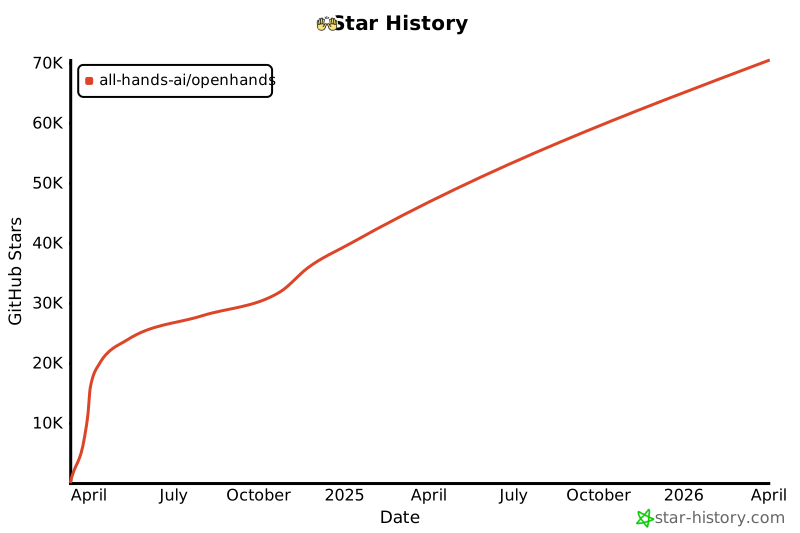](https://star-history.com/#All-Hands-AI/OpenHands&Date)
|
||||
|
||||
## 🛠️ Construit Avec {#built-with}
|
||||
|
||||
OpenHands est construit en utilisant une combinaison de cadres et de bibliothèques puissants, offrant une base robuste pour son développement. Voici les technologies clés utilisées dans le projet :
|
||||
|
||||
       
|
||||
|
||||
Veuillez noter que la sélection de ces technologies est en cours, et que des technologies supplémentaires peuvent être ajoutées ou des existantes supprimées au fur et à mesure de l'évolution du projet. Nous nous efforçons d'adopter les outils les plus adaptés et efficaces pour améliorer les capacités d'OpenHands.
|
||||
|
||||
## 📜 Licence {#license}
|
||||
|
||||
Distribué sous la licence MIT. Voir [notre licence](https://github.com/All-Hands-AI/OpenHands/blob/main/LICENSE) pour plus d'informations.
|
||||
@@ -1,98 +0,0 @@
|
||||
---
|
||||
sidebar_position: 3
|
||||
---
|
||||
|
||||
# 🧠 Agents et Capacités
|
||||
|
||||
## Agent CodeAct
|
||||
|
||||
### Description
|
||||
|
||||
Cet agent implémente l'idée CodeAct ([article](https://arxiv.org/abs/2402.01030), [tweet](https://twitter.com/xingyaow_/status/1754556835703751087)) qui consolide les **act**ions des agents LLM en un espace d'action **code** unifié pour à la fois la _simplicité_ et la _performance_ (voir article pour plus de détails).
|
||||
|
||||
L'idée conceptuelle est illustrée ci-dessous. À chaque tour, l'agent peut :
|
||||
|
||||
1. **Converse** : Communiquer avec les humains en langage naturel pour demander des clarifications, des confirmations, etc.
|
||||
2. **CodeAct** : Choisir d'accomplir la tâche en exécutant du code
|
||||
|
||||
- Exécuter toute commande `bash` Linux valide
|
||||
- Exécuter tout code `Python` valide avec [un interpréteur Python interactif](https://ipython.org/). Cela est simulé à travers la commande `bash`, voir le système de plugin ci-dessous pour plus de détails.
|
||||
|
||||

|
||||
|
||||
### Système de Plugin
|
||||
|
||||
Pour rendre l'agent CodeAct plus puissant avec seulement l'accès à l'espace d'action `bash`, l'agent CodeAct exploite le système de plugins d'OpenHands:
|
||||
|
||||
- [Plugin Jupyter](https://github.com/All-Hands-AI/OpenHands/tree/main/openhands/runtime/plugins/jupyter) : pour l'exécution d'IPython via la commande bash
|
||||
- [Plugin outil agent SWE](https://github.com/All-Hands-AI/OpenHands/tree/main/openhands/runtime/plugins/swe_agent_commands) : Outils de ligne de commande bash puissants pour les tâches de développement logiciel introduits par [swe-agent](https://github.com/princeton-nlp/swe-agent).
|
||||
|
||||
### Démonstration
|
||||
|
||||
https://github.com/All-Hands-AI/OpenHands/assets/38853559/f592a192-e86c-4f48-ad31-d69282d5f6ac
|
||||
|
||||
_Exemple de CodeActAgent avec `gpt-4-turbo-2024-04-09` effectuant une tâche de science des données (régression linéaire)_
|
||||
|
||||
### Actions
|
||||
|
||||
`Action`,
|
||||
`CmdRunAction`,
|
||||
`IPythonRunCellAction`,
|
||||
`AgentEchoAction`,
|
||||
`AgentFinishAction`,
|
||||
`AgentTalkAction`
|
||||
|
||||
### Observations
|
||||
|
||||
`CmdOutputObservation`,
|
||||
`IPythonRunCellObservation`,
|
||||
`AgentMessageObservation`,
|
||||
`UserMessageObservation`
|
||||
|
||||
### Méthodes
|
||||
|
||||
| Méthode | Description |
|
||||
| ---------------- | ----------------------------------------------------------------------------------------------------------------------------------------------- |
|
||||
| `__init__` | Initialise un agent avec `llm` et une liste de messages `list[Mapping[str, str]]` |
|
||||
| `step` | Effectue une étape en utilisant l'agent CodeAct. Cela inclut la collecte d'informations sur les étapes précédentes et invite le modèle à exécuter une commande. |
|
||||
|
||||
### En cours de réalisation & prochaine étape
|
||||
|
||||
[] Support de la navigation sur le web
|
||||
[] Compléter le workflow pour l'agent CodeAct afin de soumettre des PRs Github
|
||||
|
||||
## Agent Planificateur
|
||||
|
||||
### Description
|
||||
|
||||
L'agent planificateur utilise une stratégie d'incitation spéciale pour créer des plans à long terme pour résoudre les problèmes.
|
||||
L'agent reçoit ses paires action-observation précédentes, la tâche actuelle, et un indice basé sur la dernière action effectuée à chaque étape.
|
||||
|
||||
### Actions
|
||||
|
||||
`NullAction`,
|
||||
`CmdRunAction`,
|
||||
`BrowseURLAction`,
|
||||
`GithubPushAction`,
|
||||
`FileReadAction`,
|
||||
`FileWriteAction`,
|
||||
`AgentThinkAction`,
|
||||
`AgentFinishAction`,
|
||||
`AgentSummarizeAction`,
|
||||
`AddTaskAction`,
|
||||
`ModifyTaskAction`,
|
||||
|
||||
### Observations
|
||||
|
||||
`Observation`,
|
||||
`NullObservation`,
|
||||
`CmdOutputObservation`,
|
||||
`FileReadObservation`,
|
||||
`BrowserOutputObservation`
|
||||
|
||||
### Méthodes
|
||||
|
||||
| Méthode | Description |
|
||||
| ---------------- | ----------------------------------------------------------------------------------------------------------------------------------------------------------------------------------------- |
|
||||
| `__init__` | Initialise un agent avec `llm` |
|
||||
| `step` | Vérifie si l'étape actuelle est terminée, retourne `AgentFinishAction` si oui. Sinon, crée une incitation de planification et l'envoie au modèle pour inférence, en ajoutant le résultat comme prochaine action. |
|
||||
@@ -1,50 +0,0 @@
|
||||
---
|
||||
sidebar_position: 4
|
||||
---
|
||||
|
||||
# 🏛️ Aperçu de l'Architecture Système
|
||||
|
||||
Voici un aperçu de haut niveau de l'architecture du système. Le système est divisé en deux composants principaux : le frontend et le backend. Le frontend est responsable de la gestion des interactions avec l'utilisateur et de l'affichage des résultats. Le backend est responsable de la gestion de la logique métier et de l'exécution des agents.
|
||||
|
||||

|
||||
|
||||
Cet aperçu est simplifié pour montrer les principaux composants et leurs interactions. Pour une vue plus détaillée de l'architecture du backend, consultez la section [Architecture du Backend](#backend-architecture-fr).
|
||||
|
||||
# Architecture du Backend {#backend-architecture-fr}
|
||||
|
||||
_**Avertissement**: L'architecture du backend est en cours de développement et est sujette à modifications. Le schéma suivant montre l'architecture actuelle du backend basée sur le commit indiqué dans le pied de page du schéma._
|
||||
|
||||

|
||||
|
||||
<details>
|
||||
<summary>Mise à jour de ce Schéma</summary>
|
||||
<div>
|
||||
La génération du schéma d'architecture du backend est partiellement automatisée.
|
||||
Le schéma est généré à partir des annotations de type dans le code en utilisant l'outil py2puml.
|
||||
Le schéma est ensuite revu manuellement, ajusté et exporté en PNG et SVG.
|
||||
|
||||
## Prérequis
|
||||
|
||||
- Un environnement Python dans lequel openhands est exécutable
|
||||
(selon les instructions du fichier README.md à la racine du dépôt)
|
||||
- [py2puml](https://github.com/lucsorel/py2puml) installé
|
||||
|
||||
## Étapes
|
||||
|
||||
1. Générez automatiquement le schéma en exécutant la commande suivante depuis la racine du dépôt :
|
||||
`py2puml openhands openhands > docs/architecture/backend_architecture.puml`
|
||||
|
||||
2. Ouvrez le fichier généré dans un éditeur PlantUML, par exemple Visual Studio Code avec l'extension PlantUML ou [PlantText](https://www.planttext.com/)
|
||||
|
||||
3. Révisez le PUML généré et apportez toutes les modifications nécessaires au schéma (ajoutez les parties manquantes, corrigez les erreurs, améliorez l'agencement).
|
||||
_py2puml crée le schéma à partir des annotations de type dans le code, donc les annotations de type manquantes ou incorrectes peuvent entraîner un schéma incomplet ou incorrect._
|
||||
|
||||
4. Examinez la différence entre le nouveau schéma et le précédent et vérifiez manuellement si les modifications sont correctes.
|
||||
_Assurez-vous de ne pas supprimer les parties ajoutées manuellement au schéma par le passé et qui sont toujours pertinentes._
|
||||
|
||||
5. Ajoutez le hash du commit qui a été utilisé pour générer le schéma dans le pied de page du schéma.
|
||||
|
||||
6. Exporte le schéma sous forme de fichiers PNG et SVG et remplacez les schémas existants dans le répertoire `docs/architecture`. Cela peut être fait avec (par exemple [PlantText](https://www.planttext.com/))
|
||||
|
||||
</div>
|
||||
</details>
|
||||
@@ -1,101 +0,0 @@
|
||||
# 💿 Comment Créer un Soutien Docker sur Mesure
|
||||
|
||||
Le sandbox par défaut OpenHands est équipé d'une configuration ubuntu minimaliste. Votre cas d'utilisation pourrait nécessiter des logiciels installés par défaut. Cet article vous enseignera comment réaliser cela en utilisant une image docker personnalisée.
|
||||
|
||||
## Configuration
|
||||
|
||||
Assurez-vous de pouvoir utiliser OpenHands en suivant la documentation [Development.md](https://github.com/All-Hands-AI/OpenHands/blob/main/Development.md).
|
||||
|
||||
## Créer Votre Image Docker
|
||||
|
||||
Ensuite, vous devez créer votre image docker personnalisée qui doit être basée sur debian/ubuntu. Par exemple, si nous souhaitons que OpenHands ait accès au "node" binaire, nous utiliserions ce Dockerfile:
|
||||
|
||||
```bash
|
||||
# Commencez avec l'image ubuntu la plus récente
|
||||
FROM ubuntu:latest
|
||||
|
||||
# Effectuez les mises à jour nécessaires
|
||||
RUN apt-get update && apt-get install
|
||||
|
||||
# Installez nodejs
|
||||
RUN apt-get install -y nodejs
|
||||
```
|
||||
|
||||
Ensuite, construisez votre image docker avec le nom de votre choix. Par exemple "image_personnalisée". Pour cela, créez un répertoire et placez le fichier à l'intérieur avec le nom "Dockerfile", puis dans le répertoire exécutez cette commande:
|
||||
|
||||
```bash
|
||||
docker build -t image_personnalisée .
|
||||
```
|
||||
|
||||
Cela produira une nouvelle image appelée ```image_personnalisée``` qui sera disponible dans Docker Engine.
|
||||
|
||||
> Remarque: Dans la configuration décrite ici, OpenHands va fonctionner en tant que utilisateur "openhands" à l'intérieur du sandbox et donc tous les packages installés via le Dockerfile seront disponibles pour tous les utilisateurs sur le système, pas seulement root.
|
||||
>
|
||||
> L'installation avec apt-get ci-dessus installe nodejs pour tous les utilisateurs.
|
||||
|
||||
## Spécifiez votre image personnalisée dans le fichier config.toml
|
||||
|
||||
La configuration OpenHands se fait via le fichier de niveau supérieur ```config.toml``` .
|
||||
Créez un fichier ```config.toml``` dans le répertoire OpenHands et entrez ces contenus:
|
||||
|
||||
```toml
|
||||
[core]
|
||||
workspace_base="./workspace"
|
||||
run_as_openhands=true
|
||||
sandbox_base_container_image="image_personnalisée"
|
||||
```
|
||||
|
||||
> Assurez-vous que ```sandbox_base_container_image``` est défini sur le nom de votre image personnalisée précédente.
|
||||
|
||||
## Exécution
|
||||
|
||||
Exécutez OpenHands en exécutant ```make run``` dans le répertoire racine.
|
||||
|
||||
Naviguez vers ```localhost:3001``` et vérifiez si vos dépendances souhaitées sont disponibles.
|
||||
|
||||
Dans le cas de l'exemple ci-dessus, la commande ```node -v``` dans la console produit ```v18.19.1```
|
||||
|
||||
Félicitations !
|
||||
|
||||
## Explication technique
|
||||
|
||||
Lorsqu'une image personnalisée est utilisée pour la première fois, elle ne sera pas trouvée et donc elle sera construite (à l'exécution ultérieure, l'image construite sera trouvée et renvoyée).
|
||||
|
||||
L'image personnalisée est construite avec [_build_sandbox_image()](https://github.com/All-Hands-AI/OpenHands/blob/main/openhands/runtime/docker/image_agnostic_util.py#L29), qui crée un fichier docker en utilisant votre image personnalisée comme base et configure ensuite l'environnement pour OpenHands, comme ceci:
|
||||
|
||||
```python
|
||||
dockerfile_content = (
|
||||
f'FROM {base_image}\n'
|
||||
'RUN apt update && apt install -y openssh-server wget sudo\n'
|
||||
'RUN mkdir -p -m0755 /var/run/sshd\n'
|
||||
'RUN mkdir -p /openhands && mkdir -p /openhands/logs && chmod 777 /openhands/logs\n'
|
||||
'RUN wget "https://github.com/conda-forge/miniforge/releases/latest/download/Miniforge3-$(uname)-$(uname -m).sh"\n'
|
||||
'RUN bash Miniforge3-$(uname)-$(uname -m).sh -b -p /openhands/miniforge3\n'
|
||||
'RUN bash -c ". /openhands/miniforge3/etc/profile.d/conda.sh && conda config --set changeps1 False && conda config --append channels conda-forge"\n'
|
||||
'RUN echo "export PATH=/openhands/miniforge3/bin:$PATH" >> ~/.bashrc\n'
|
||||
'RUN echo "export PATH=/openhands/miniforge3/bin:$PATH" >> /openhands/bash.bashrc\n'
|
||||
).strip()
|
||||
```
|
||||
|
||||
> Remarque: Le nom de l'image est modifié via [_get_new_image_name()](https://github.com/All-Hands-AI/OpenHands/blob/main/openhands/runtime/docker/image_agnostic_util.py#L63) et c'est ce nom modifié qui sera recherché lors des exécutions ultérieures.
|
||||
|
||||
## Dépannage / Erreurs
|
||||
|
||||
### Erreur: ```useradd: UID 1000 est non unique```
|
||||
Si vous voyez cette erreur dans la sortie de la console, il s'agit du fait que OpenHands essaie de créer le utilisateur openhands dans le sandbox avec un ID d'utilisateur de 1000, cependant cet ID d'utilisateur est déjà utilisé dans l'image (pour une raison inconnue). Pour résoudre ce problème, changez la valeur du champ sandbox_user_id dans le fichier config.toml en une valeur différente:
|
||||
|
||||
```toml
|
||||
[core]
|
||||
workspace_base="./workspace"
|
||||
run_as_openhands=true
|
||||
sandbox_base_container_image="image_personnalisée"
|
||||
sandbox_user_id="1001"
|
||||
```
|
||||
|
||||
### Erreurs de port d'utilisation
|
||||
|
||||
Si vous voyez un message d'erreur indiquant que le port est utilisé ou indisponible, essayez de supprimer toutes les containers docker en cours d'exécution (exécutez `docker ps` et `docker rm` des containers concernés) puis ré-exécutez ```make run```
|
||||
|
||||
## Discuter
|
||||
|
||||
Pour d'autres problèmes ou questions rejoignez le [Slack](https://join.slack.com/t/opendevin/shared_invite/zt-2oikve2hu-UDxHeo8nsE69y6T7yFX_BA) ou le [Discord](https://discord.gg/ESHStjSjD4) et demandez!
|
||||
@@ -1,18 +0,0 @@
|
||||
---
|
||||
sidebar_position: 6
|
||||
---
|
||||
|
||||
# ✅ Fournir des Commentaires
|
||||
|
||||
Lorsque vous utilisez OpenHands, vous rencontrerez sans aucun doute des cas où les choses fonctionnent bien et d'autres où elles ne fonctionnent pas. Nous vous encourageons à fournir des commentaires lorsque vous utilisez OpenHands pour aider l'équipe de développement et, peut-être plus important encore, créer un corpus ouvert d'exemples de formation pour les agents de codage -- Partagez-OpenHands !
|
||||
|
||||
## 📝 Comment Fournir des Commentaires
|
||||
|
||||
Fournir des commentaires est simple ! Lorsque vous utilisez OpenHands, vous pouvez appuyer sur le bouton de pouce vers le haut ou vers le bas à n'importe quel moment de votre interaction. Vous serez invité à fournir votre adresse email (par exemple, afin que nous puissions vous contacter si nous voulons poser des questions de suivi), et vous pouvez choisir si vous souhaitez fournir des commentaires publiquement ou en privé.
|
||||
|
||||
<iframe width="560" height="315" src="https://www.youtube.com/embed/5rFx-StMVV0?si=svo7xzp6LhGK_GXr" title="Lecteur vidéo YouTube" frameborder="0" allow="accelerometer; autoplay; clipboard-write; encrypted-media; gyroscope; picture-in-picture; web-share" referrerpolicy="strict-origin-when-cross-origin" allowfullscreen></iframe>
|
||||
|
||||
## 📜 Licence de Données et Confidentialité
|
||||
|
||||
* Les données **publiques** seront distribuées sous la licence MIT, comme OpenHands lui-même, et pourront être utilisées par la communauté pour former et tester des modèles. Évidemment, les commentaires que vous pouvez rendre publics seront plus précieux pour la communauté dans son ensemble, donc lorsque vous ne traitez pas d'informations sensibles, nous vous encourageons à choisir cette option !
|
||||
* Les données **privées** ne seront partagées qu'avec l'équipe OpenHands dans le but d'améliorer OpenHands.
|
||||
@@ -1,109 +0,0 @@
|
||||
---
|
||||
sidebar_position: 1
|
||||
---
|
||||
|
||||
# 💻 OpenHands
|
||||
|
||||
OpenHands est un **ingénieur logiciel IA autonome** capable d'exécuter des tâches d'ingénierie complexes et de collaborer activement avec les utilisateurs sur des projets de développement logiciel.
|
||||
Ce projet est entièrement open-source, vous pouvez donc l'utiliser et le modifier comme bon vous semble.
|
||||
|
||||
:::tip
|
||||
Explorez le code source d'OpenHands sur [GitHub](https://github.com/All-Hands-AI/OpenHands) ou rejoignez l'une de nos communautés !
|
||||
|
||||
<a href="https://github.com/All-Hands-AI/OpenHands/graphs/contributors">
|
||||
<img
|
||||
src="https://img.shields.io/github/contributors/All-Hands-AI/OpenHands?style=for-the-badge"
|
||||
alt="Contributors"
|
||||
/>
|
||||
</a>
|
||||
<a href="https://github.com/All-Hands-AI/OpenHands/network/members">
|
||||
<img
|
||||
src="https://img.shields.io/github/forks/All-Hands-AI/OpenHands?style=for-the-badge"
|
||||
alt="Forks"
|
||||
/>
|
||||
</a>
|
||||
<a href="https://github.com/All-Hands-AI/OpenHands/stargazers">
|
||||
<img
|
||||
src="https://img.shields.io/github/stars/All-Hands-AI/OpenHands?style=for-the-badge"
|
||||
alt="Stargazers"
|
||||
/>
|
||||
</a>
|
||||
<a href="https://github.com/All-Hands-AI/OpenHands/issues">
|
||||
<img
|
||||
src="https://img.shields.io/github/issues/All-Hands-AI/OpenHands?style=for-the-badge"
|
||||
alt="Issues"
|
||||
/>
|
||||
</a>
|
||||
<br></br>
|
||||
<a href="https://github.com/All-Hands-AI/OpenHands/blob/main/LICENSE">
|
||||
<img
|
||||
src="https://img.shields.io/github/license/All-Hands-AI/OpenHands?style=for-the-badge"
|
||||
alt="MIT License"
|
||||
/>
|
||||
</a>
|
||||
<br></br>
|
||||
<a href="https://join.slack.com/t/opendevin/shared_invite/zt-2oikve2hu-UDxHeo8nsE69y6T7yFX_BA">
|
||||
<img
|
||||
src="https://img.shields.io/badge/Slack-Join%20Us-red?logo=slack&logoColor=white&style=for-the-badge"
|
||||
alt="Join our Slack community"
|
||||
/>
|
||||
</a>
|
||||
<a href="https://discord.gg/ESHStjSjD4">
|
||||
<img
|
||||
src="https://img.shields.io/badge/Discord-Join%20Us-purple?logo=discord&logoColor=white&style=for-the-badge"
|
||||
alt="Join our Discord community"
|
||||
/>
|
||||
</a>
|
||||
:::
|
||||
|
||||
## 🛠️ Pour commencer
|
||||
|
||||
La manière la plus simple d'exécuter OpenHands est à l'intérieur d'un conteneur Docker. Il fonctionne mieux avec la version la plus récente de Docker, `26.0.0`.
|
||||
Vous devez utiliser Linux, Mac OS ou WSL sur Windows.
|
||||
|
||||
Pour démarrer OpenHands dans un conteneur docker, exécutez les commandes suivantes dans votre terminal :
|
||||
|
||||
:::warning
|
||||
Lorsque vous exécutez la commande suivante, les fichiers dans `./workspace` peuvent être modifiés ou supprimés.
|
||||
:::
|
||||
|
||||
```bash
|
||||
WORKSPACE_BASE=$(pwd)/workspace
|
||||
docker run -it \
|
||||
--pull=always \
|
||||
-e SANDBOX_USER_ID=$(id -u) \
|
||||
-e WORKSPACE_MOUNT_PATH=$WORKSPACE_BASE \
|
||||
-v $WORKSPACE_BASE:/opt/workspace_base \
|
||||
-v /var/run/docker.sock:/var/run/docker.sock \
|
||||
-p 3000:3000 \
|
||||
--add-host host.docker.internal:host-gateway \
|
||||
--name openhands-app-$(date +%Y%m%d%H%M%S) \
|
||||
ghcr.io/all-hands-ai/openhands:main
|
||||
```
|
||||
|
||||
Vous trouverez OpenHands fonctionnant à l'adresse [http://localhost:3000](http://localhost:3000) avec accès à `./workspace`. Pour qu'OpenHands fonctionne sur votre code, placez-le dans `./workspace`.
|
||||
|
||||
OpenHands n'aura accès qu'à ce dossier de workspace. Le reste de votre système ne sera pas affecté car il s'exécute dans un bac à sable sécurisé de docker.
|
||||
|
||||
:::tip
|
||||
Si vous souhaitez utiliser la version **(instable !)** la plus récente, vous pouvez utiliser `ghcr.io/all-hands-ai/openhands:main` comme image (dernière ligne).
|
||||
:::
|
||||
|
||||
Pour le workflow de développement, consultez [Development.md](https://github.com/All-Hands-AI/OpenHands/blob/main/Development.md).
|
||||
|
||||
Avez-vous des problèmes ? Consultez notre [Guide de dépannage](https://docs.all-hands.dev/modules/usage/troubleshooting).
|
||||
|
||||
:::warning
|
||||
OpenHands est actuellement en cours de développement, mais vous pouvez déjà exécuter la version alpha pour voir le système de bout en bout en action.
|
||||
:::
|
||||
|
||||
[contributors-shield]: https://img.shields.io/github/contributors/All-Hands-AI/OpenHands?style=for-the-badge
|
||||
[contributors-url]: https://github.com/All-Hands-AI/OpenHands/graphs/contributors
|
||||
[forks-shield]: https://img.shields.io/github/forks/All-Hands-AI/OpenHands?style=for-the-badge
|
||||
[forks-url]: https://github.com/All-Hands-AI/OpenHands/network/members
|
||||
[stars-shield]: https://img.shields.io/github/stars/All-Hands-AI/OpenHands?style=for-the-badge
|
||||
[stars-url]: https://github.com/All-Hands-AI/OpenHands/stargazers
|
||||
[issues-shield]: https://img.shields.io/github/issues/All-Hands-AI/OpenHands?style=for-the-badge
|
||||
[issues-url]: https://github.com/All-Hands-AI/OpenHands/issues
|
||||
[license-shield]: https://img.shields.io/github/license/All-Hands-AI/OpenHands?style=for-the-badge
|
||||
[license-url]: https://github.com/All-Hands-AI/OpenHands/blob/main/LICENSE
|
||||
@@ -1,37 +0,0 @@
|
||||
# Azure OpenAI LLM
|
||||
|
||||
## Complétion
|
||||
|
||||
OpenHands utilise LiteLLM pour les appels de complétion. Vous pouvez trouver leur documentation sur Azure [ici](https://docs.litellm.ai/docs/providers/azure)
|
||||
|
||||
### Configurations openai Azure
|
||||
|
||||
Lors de l'exécution de l'image Docker OpenHands, vous devrez définir les variables d'environnement suivantes en utilisant `-e` :
|
||||
|
||||
```
|
||||
LLM_BASE_URL="<azure-api-base-url>" # e.g. "https://openai-gpt-4-test-v-1.openai.azure.com/"
|
||||
LLM_API_KEY="<azure-api-key>"
|
||||
LLM_MODEL="azure/<your-gpt-deployment-name>"
|
||||
LLM_API_VERSION = "<api-version>" # e.g. "2024-02-15-preview"
|
||||
```
|
||||
|
||||
:::note
|
||||
Vous pouvez trouver le nom de votre déploiement ChatGPT sur la page des déploiements sur Azure. Par défaut ou initialement, il pourrait être le même que le nom du modèle de chat (par exemple 'GPT4-1106-preview'), mais il n'est pas obligé de l'être. Exécutez OpenHands, et une fois chargé dans le navigateur, allez dans Paramètres et définissez le modèle comme suit : "azure/<your-actual-gpt-deployment-name>". Si ce n'est pas dans la liste, entrez votre propre texte et enregistrez-le.
|
||||
:::
|
||||
|
||||
## Embeddings
|
||||
|
||||
OpenHands utilise llama-index pour les embeddings. Vous pouvez trouver leur documentation sur Azure [ici](https://docs.llamaindex.ai/en/stable/api_reference/embeddings/azure_openai/)
|
||||
|
||||
### Configurations openai Azure
|
||||
|
||||
Le modèle utilisé pour les embeddings Azure OpenAI est "text-embedding-ada-002".
|
||||
Vous avez besoin du nom de déploiement correct pour ce modèle dans votre compte Azure.
|
||||
|
||||
Lors de l'exécution d'OpenHands dans Docker, définissez les variables d'environnement suivantes en utilisant `-e` :
|
||||
|
||||
```
|
||||
LLM_EMBEDDING_MODEL="azureopenai"
|
||||
LLM_EMBEDDING_DEPLOYMENT_NAME = "<your-embedding-deployment-name>" # e.g. "TextEmbedding...<etc>"
|
||||
LLM_API_VERSION = "<api-version>" # e.g. "2024-02-15-preview"
|
||||
```
|
||||
@@ -1,28 +0,0 @@
|
||||
# Google Gemini/Vertex LLM
|
||||
|
||||
## Complétion
|
||||
|
||||
OpenHands utilise LiteLLM pour les appels de complétion. Les ressources suivantes sont pertinentes pour utiliser OpenHands avec les LLMs de Google :
|
||||
|
||||
- [Gemini - Google AI Studio](https://docs.litellm.ai/docs/providers/gemini)
|
||||
- [VertexAI - Google Cloud Platform](https://docs.litellm.ai/docs/providers/vertex)
|
||||
|
||||
### Configurations de Gemini - Google AI Studio
|
||||
|
||||
Pour utiliser Gemini via Google AI Studio lors de l'exécution de l'image Docker d'OpenHands, vous devez définir les variables d'environnement suivantes en utilisant `-e` :
|
||||
|
||||
```
|
||||
GEMINI_API_KEY="<votre-cle-api-google>"
|
||||
LLM_MODEL="gemini/gemini-1.5-pro"
|
||||
```
|
||||
|
||||
### Configurations de Vertex AI - Google Cloud Platform
|
||||
|
||||
Pour utiliser Vertex AI via Google Cloud Platform lors de l'exécution de l'image Docker d'OpenHands, vous devez définir les variables d'environnement suivantes en utilisant `-e` :
|
||||
|
||||
```
|
||||
GOOGLE_APPLICATION_CREDENTIALS="<dump-json-du-compte-de-service-gcp-json>"
|
||||
VERTEXAI_PROJECT="<votre-id-de-projet-gcp>"
|
||||
VERTEXAI_LOCATION="<votre-localisation-gcp>"
|
||||
LLM_MODEL="vertex_ai/<modele-llm-desire>"
|
||||
```
|
||||
@@ -1,44 +0,0 @@
|
||||
---
|
||||
sidebar_position: 2
|
||||
---
|
||||
|
||||
# 🤖 Backends LLM
|
||||
|
||||
OpenHands peut fonctionner avec n'importe quel backend LLM.
|
||||
Pour une liste complète des fournisseurs et des modèles LM disponibles, veuillez consulter la
|
||||
[documentation litellm](https://docs.litellm.ai/docs/providers).
|
||||
|
||||
:::warning
|
||||
OpenHands émettra de nombreuses invitations au LLM que vous configurez. La plupart de ces LLM coûtent de l'argent -- assurez-vous de définir des limites de dépenses et de surveiller l'utilisation.
|
||||
:::
|
||||
|
||||
La variable d'environnement `LLM_MODEL` contrôle le modèle utilisé dans les interactions programmatiques.
|
||||
Mais en utilisant l'interface utilisateur OpenHands, vous devrez choisir votre modèle dans la fenêtre des paramètres (la roue dentée en bas à gauche).
|
||||
|
||||
Les variables d'environnement suivantes peuvent être nécessaires pour certains LLM :
|
||||
|
||||
- `LLM_API_KEY`
|
||||
- `LLM_BASE_URL`
|
||||
- `LLM_EMBEDDING_MODEL`
|
||||
- `LLM_EMBEDDING_DEPLOYMENT_NAME`
|
||||
- `LLM_API_VERSION`
|
||||
|
||||
Nous avons quelques guides pour exécuter OpenHands avec des fournisseurs de modèles spécifiques :
|
||||
|
||||
- [ollama](llms/local-llms)
|
||||
- [Azure](llms/azure-llms)
|
||||
|
||||
Si vous utilisez un autre fournisseur, nous vous encourageons à ouvrir une PR pour partager votre configuration !
|
||||
|
||||
## Remarque sur les modèles alternatifs
|
||||
|
||||
Les meilleurs modèles sont GPT-4 et Claude 3. Les modèles locaux et open source actuels ne sont pas aussi puissants.
|
||||
Lors de l'utilisation d'un modèle alternatif, vous pouvez constater des temps d'attente prolongés entre les messages,
|
||||
des réponses de mauvaise qualité ou des erreurs sur des JSON mal formés. OpenHands
|
||||
ne peut être aussi puissant que les modèles qui le pilotent -- heureusement, les membres de notre équipe travaillent activement à la construction de meilleurs modèles open source !
|
||||
|
||||
## Réessais d'API et limites de taux
|
||||
|
||||
Certains LLM ont des limites de taux et peuvent nécessiter des réessais. OpenHands réessaiera automatiquement les demandes s'il reçoit une erreur 429 ou une erreur de connexion API.
|
||||
Vous pouvez définir les variables d'environnement `LLM_NUM_RETRIES`, `LLM_RETRY_MIN_WAIT`, `LLM_RETRY_MAX_WAIT` pour contrôler le nombre de réessais et le temps entre les réessais.
|
||||
Par défaut, `LLM_NUM_RETRIES` est 8 et `LLM_RETRY_MIN_WAIT`, `LLM_RETRY_MAX_WAIT` sont respectivement de 15 secondes et 120 secondes.
|
||||
@@ -1,141 +0,0 @@
|
||||
# LLM Local avec Ollama
|
||||
|
||||
Assurez-vous que le serveur Ollama est en cours d'exécution.
|
||||
Pour des instructions détaillées de démarrage, consultez [ici](https://github.com/ollama/ollama)
|
||||
|
||||
Ce guide suppose que vous avez démarré ollama avec `ollama serve`. Si vous exécutez ollama différemment (par exemple, à l'intérieur de docker), les instructions pourraient devoir être modifiées. Veuillez noter que si vous utilisez WSL, la configuration par défaut de ollama bloque les requêtes des conteneurs docker. Voir [ici](#configuring-ollama-service-fr).
|
||||
|
||||
## Télécharger des modèles
|
||||
|
||||
Les noms des modèles Ollama peuvent être trouvés [ici](https://ollama.com/library). Pour un petit exemple, vous pouvez utiliser
|
||||
le modèle `codellama:7b`. Des modèles plus grands offriront généralement de meilleures performances.
|
||||
|
||||
```bash
|
||||
ollama pull codellama:7b
|
||||
```
|
||||
|
||||
vous pouvez vérifier quels modèles vous avez téléchargés de cette manière :
|
||||
|
||||
```bash
|
||||
~$ ollama list
|
||||
NAME ID SIZE MODIFIED
|
||||
codellama:7b 8fdf8f752f6e 3.8 GB 6 weeks ago
|
||||
mistral:7b-instruct-v0.2-q4_K_M eb14864c7427 4.4 GB 2 weeks ago
|
||||
starcoder2:latest f67ae0f64584 1.7 GB 19 hours ago
|
||||
```
|
||||
|
||||
## Démarrer OpenHands
|
||||
|
||||
### Docker
|
||||
|
||||
Utilisez les instructions [ici](../intro) pour démarrer OpenHands en utilisant Docker.
|
||||
Mais lors de l'exécution de `docker run`, vous devrez ajouter quelques arguments supplémentaires :
|
||||
|
||||
```bash
|
||||
--add-host host.docker.internal:host-gateway \
|
||||
-e LLM_API_KEY="ollama" \
|
||||
-e LLM_BASE_URL="http://host.docker.internal:11434" \
|
||||
```
|
||||
|
||||
Par exemple :
|
||||
|
||||
```bash
|
||||
# Le répertoire que vous souhaitez qu'OpenHands modifie. DOIT être un chemin absolu !
|
||||
export WORKSPACE_BASE=$(pwd)/workspace
|
||||
|
||||
docker run \
|
||||
-it \
|
||||
--pull=always \
|
||||
--add-host host.docker.internal:host-gateway \
|
||||
-e SANDBOX_USER_ID=$(id -u) \
|
||||
-e LLM_API_KEY="ollama" \
|
||||
-e LLM_BASE_URL="http://host.docker.internal:11434" \
|
||||
-e WORKSPACE_MOUNT_PATH=$WORKSPACE_BASE \
|
||||
-v $WORKSPACE_BASE:/opt/workspace_base \
|
||||
-v /var/run/docker.sock:/var/run/docker.sock \
|
||||
-p 3000:3000 \
|
||||
ghcr.io/all-hands-ai/openhands:main
|
||||
```
|
||||
|
||||
Vous devriez maintenant pouvoir vous connecter à `http://localhost:3000/`
|
||||
|
||||
### Compiler à partir des sources
|
||||
|
||||
Utilisez les instructions dans [Development.md](https://github.com/All-Hands-AI/OpenHands/blob/main/Development.md) pour compiler OpenHands.
|
||||
Assurez-vous que `config.toml` soit présent en exécutant `make setup-config` qui en créera un pour vous. Dans `config.toml`, saisissez les éléments suivants :
|
||||
|
||||
```
|
||||
LLM_MODEL="ollama/codellama:7b"
|
||||
LLM_API_KEY="ollama"
|
||||
LLM_EMBEDDING_MODEL="local"
|
||||
LLM_BASE_URL="http://localhost:11434"
|
||||
WORKSPACE_BASE="./workspace"
|
||||
WORKSPACE_DIR="$(pwd)/workspace"
|
||||
```
|
||||
|
||||
Remplacez `LLM_MODEL` par celui de votre choix si nécessaire.
|
||||
|
||||
Fini ! Vous pouvez maintenant démarrer OpenHands avec : `make run` sans Docker. Vous devriez maintenant pouvoir vous connecter à `http://localhost:3000/`
|
||||
|
||||
## Sélection de votre modèle
|
||||
|
||||
Dans l'interface OpenHands, cliquez sur l'icône des paramètres en bas à gauche.
|
||||
Ensuite, dans l'entrée `Model`, saisissez `ollama/codellama:7b`, ou le nom du modèle que vous avez téléchargé précédemment.
|
||||
S'il n'apparaît pas dans un menu déroulant, ce n'est pas grave, tapez-le simplement. Cliquez sur Enregistrer lorsque vous avez terminé.
|
||||
|
||||
Et maintenant, vous êtes prêt à démarrer !
|
||||
|
||||
## Configuration du service ollama (WSL){#configuring-ollama-service-fr}
|
||||
|
||||
La configuration par défaut pour ollama sous WSL ne sert que localhost. Cela signifie que vous ne pouvez pas l'atteindre depuis un conteneur docker, par exemple, il ne fonctionnera pas avec OpenHands. Testons d'abord que ollama est en cours d'exécution correctement.
|
||||
|
||||
```bash
|
||||
ollama list # obtenir la liste des modèles installés
|
||||
curl http://localhost:11434/api/generate -d '{"model":"[NAME]","prompt":"hi"}'
|
||||
#ex. curl http://localhost:11434/api/generate -d '{"model":"codellama:7b","prompt":"hi"}'
|
||||
#ex. curl http://localhost:11434/api/generate -d '{"model":"codellama","prompt":"hi"}' #le tag est optionnel s'il n'y en a qu'un seul
|
||||
```
|
||||
|
||||
Une fois cela fait, testez qu'il accepte les requêtes "externes", comme celles provenant d'un conteneur docker.
|
||||
|
||||
```bash
|
||||
docker ps # obtenir la liste des conteneurs docker en cours d'exécution, pour un test le plus précis choisissez le conteneur de sandbox OpenHands.
|
||||
docker exec [CONTAINER ID] curl http://host.docker.internal:11434/api/generate -d '{"model":"[NAME]","prompt":"hi"}'
|
||||
#ex. docker exec cd9cc82f7a11 curl http://host.docker.internal:11434/api/generate -d '{"model":"codellama","prompt":"hi"}'
|
||||
```
|
||||
|
||||
## Correction
|
||||
|
||||
Maintenant faisons en sorte que cela fonctionne. Modifiez /etc/systemd/system/ollama.service avec les privilèges sudo. (Le chemin peut varier selon la distribution Linux)
|
||||
|
||||
```bash
|
||||
sudo vi /etc/systemd/system/ollama.service
|
||||
```
|
||||
|
||||
ou
|
||||
|
||||
```bash
|
||||
sudo nano /etc/systemd/system/ollama.service
|
||||
```
|
||||
|
||||
Dans la section [Service], ajoutez ces lignes
|
||||
|
||||
```
|
||||
Environment="OLLAMA_HOST=0.0.0.0:11434"
|
||||
Environment="OLLAMA_ORIGINS=*"
|
||||
```
|
||||
|
||||
Ensuite, sauvegardez, rechargez la configuration et redémarrez le service.
|
||||
|
||||
```bash
|
||||
sudo systemctl daemon-reload
|
||||
sudo systemctl restart ollama
|
||||
```
|
||||
|
||||
Enfin, testez que ollama est accessible depuis le conteneur
|
||||
|
||||
```bash
|
||||
ollama list # obtenir la liste des modèles installés
|
||||
docker ps # obtenir la liste des conteneurs docker en cours d'exécution, pour un test le plus précis choisissez le conteneur de sandbox OpenHands.
|
||||
docker exec [CONTAINER ID] curl http://host.docker.internal:11434/api/generate -d '{"model":"[NAME]","prompt":"hi"}'
|
||||
```
|
||||
-207
@@ -1,207 +0,0 @@
|
||||
---
|
||||
sidebar_position: 5
|
||||
---
|
||||
|
||||
# 🚧 Dépannage
|
||||
|
||||
Il existe certains messages d'erreur qui sont souvent signalés par les utilisateurs.
|
||||
|
||||
Nous essaierons de rendre le processus d'installation plus facile et ces messages d'erreur
|
||||
mieux à l'avenir. Mais pour l'instant, vous pouvez rechercher votre message d'erreur ci-dessous et voir s'il existe des solutions de contournement.
|
||||
|
||||
Pour chacun de ces messages d'erreur, **il existe un problème existant**. Veuillez ne pas
|
||||
ouvrir un nouveau problème - commentez simplement dessus.
|
||||
|
||||
Si vous trouvez plus d'informations ou une solution de contournement pour l'un de ces problèmes, veuillez ouvrir un *PR* pour ajouter des détails à ce fichier.
|
||||
|
||||
:::tip
|
||||
Si vous utilisez Windows et que vous rencontrez des problèmes, consultez notre [guide pour les utilisateurs de Windows (WSL)](troubleshooting/windows).
|
||||
:::
|
||||
|
||||
## Impossible de se connecter à Docker
|
||||
|
||||
[Problème GitHub](https://github.com/All-Hands-AI/OpenHands/issues/1226)
|
||||
|
||||
### Symptômes
|
||||
|
||||
```bash
|
||||
Erreur lors de la création du contrôleur. Veuillez vérifier que Docker est en cours d'exécution et visitez `https://docs.all-hands.dev/modules/usage/troubleshooting` pour plus d'informations sur le débogage.
|
||||
```
|
||||
|
||||
```bash
|
||||
docker.errors.DockerException: Erreur lors de la récupération de la version de l'API du serveur : ('Connection aborted.', FileNotFoundError(2, 'Aucun fichier ou répertoire de ce type'))
|
||||
```
|
||||
|
||||
### Détails
|
||||
|
||||
OpenHands utilise un conteneur Docker pour effectuer son travail en toute sécurité, sans risquer de briser votre machine.
|
||||
|
||||
### Solutions de contournement
|
||||
|
||||
* Exécutez `docker ps` pour vous assurer que docker est en cours d'exécution
|
||||
* Assurez-vous que vous n'avez pas besoin de `sudo` pour exécuter docker [voir ici](https://www.baeldung.com/linux/docker-run-without-sudo)
|
||||
* Si vous êtes sur un Mac, vérifiez les [exigences en matière d'autorisations](https://docs.docker.com/desktop/mac/permission-requirements/) et envisagez particulièrement d'activer l'option `Allow the default Docker socket to be used` sous `Settings > Advanced` dans Docker Desktop.
|
||||
* De plus, mettez à jour Docker vers la dernière version sous `Check for Updates`
|
||||
|
||||
## Impossible de se connecter à la boîte SSH
|
||||
|
||||
[Problème GitHub](https://github.com/All-Hands-AI/OpenHands/issues/1156)
|
||||
|
||||
### Symptômes
|
||||
|
||||
```python
|
||||
self.shell = DockerSSHBox(
|
||||
...
|
||||
pexpect.pxssh.ExceptionPxssh: Impossible d'établir une connexion avec l'hôte
|
||||
```
|
||||
|
||||
### Détails
|
||||
|
||||
Par défaut, OpenHands se connecte à un conteneur en cours d'exécution via SSH. Sur certaines machines,
|
||||
en particulier Windows, cela semble échouer.
|
||||
|
||||
### Solutions de contournement
|
||||
|
||||
* Redémarrez votre ordinateur (parfois cela fonctionne)
|
||||
* Assurez-vous d'avoir les dernières versions de WSL et Docker
|
||||
* Vérifiez que votre distribution dans WSL est également à jour
|
||||
* Essayez [ce guide de réinstallation](https://github.com/All-Hands-AI/OpenHands/issues/1156#issuecomment-2064549427)
|
||||
|
||||
## Impossible de se connecter à LLM
|
||||
|
||||
[Problème GitHub](https://github.com/All-Hands-AI/OpenHands/issues/1208)
|
||||
|
||||
### Symptômes
|
||||
|
||||
```python
|
||||
File "/app/.venv/lib/python3.12/site-packages/openai/_exceptions.py", line 81, in __init__
|
||||
super().__init__(message, response.request, body=body)
|
||||
^^^^^^^^^^^^^^^^
|
||||
AttributeError: 'NoneType' object has no attribute 'request'
|
||||
```
|
||||
|
||||
### Détails
|
||||
|
||||
[Problèmes GitHub](https://github.com/All-Hands-AI/OpenHands/issues?q=is%3Aissue+is%3Aopen+404)
|
||||
|
||||
Cela se produit généralement avec les configurations de LLM *locales*, lorsque OpenHands ne parvient pas à se connecter au serveur LLM.
|
||||
Consultez notre guide pour [LLMs locaux](llms/local-llms) pour plus d'informations.
|
||||
|
||||
### Solutions de contournement
|
||||
|
||||
* Vérifiez votre `base_url` dans votre config.toml (si elle existe) sous la section "llm"
|
||||
* Vérifiez que ollama (ou tout autre LLM que vous utilisez) fonctionne correctement
|
||||
* Assurez-vous d'utiliser `--add-host host.docker.internal:host-gateway` lorsque vous utilisez Docker
|
||||
|
||||
## `404 Ressource non trouvée`
|
||||
|
||||
### Symptômes
|
||||
|
||||
```python
|
||||
Traceback (most recent call last):
|
||||
File "/app/.venv/lib/python3.12/site-packages/litellm/llms/openai.py", line 414, in completion
|
||||
raise e
|
||||
File "/app/.venv/lib/python3.12/site-packages/litellm/llms/openai.py", line 373, in completion
|
||||
response = openai_client.chat.completions.create(**data, timeout=timeout) # type: ignore
|
||||
^^^^^^^^^^^^^^^^^^^^^^^^^^^^^^^^^^^^^^^^^^^^^^^^^^^^^^^^^^^^^^
|
||||
File "/app/.venv/lib/python3.12/site-packages/openai/_utils/_utils.py", line 277, in wrapper
|
||||
return func(*args, **kwargs)
|
||||
^^^^^^^^^^^^^^^^^^^^^
|
||||
File "/app/.venv/lib/python3.12/site-packages/openai/resources/chat/completions.py", line 579, in create
|
||||
return self._post(
|
||||
^^^^^^^^^^^
|
||||
File "/app/.venv/lib/python3.12/site-packages/openai/_base_client.py", line 1232, in post
|
||||
return cast(ResponseT, self.request(cast_to, opts, stream=stream, stream_cls=stream_cls))
|
||||
^^^^^^^^^^^^^^^^^^^^^^^^^^^^^^^^^^^^^^^^^^^^^^^^^^^^^^^^^^^^^^^^^
|
||||
File "/app/.venv/lib/python3.12/site-packages/openai/_base_client.py", line 921, in request
|
||||
return self._request(
|
||||
^^^^^^^^^^^^^^
|
||||
File "/app/.venv/lib/python3.12/site-packages/openai/_base_client.py", line 1012, in _request
|
||||
raise self._make_status_error_from_response(err.response) from None
|
||||
openai.NotFoundError: Code d'erreur : 404 - {'error': {'code': '404', 'message': 'Ressource non trouvée'}}
|
||||
```
|
||||
|
||||
### Détails
|
||||
|
||||
Cela se produit lorsque LiteLLM (notre bibliothèque pour se connecter à différents fournisseurs de LLM) ne parvient pas à trouver
|
||||
le point de terminaison API avec lequel vous essayez de vous connecter. Cela arrive le plus souvent aux utilisateurs de Azure ou ollama.
|
||||
|
||||
### Solutions de contournement
|
||||
|
||||
* Vérifiez que vous avez correctement défini `LLM_BASE_URL`
|
||||
* Vérifiez que le modèle est correctement défini, en fonction des [docs de LiteLLM](https://docs.litellm.ai/docs/providers)
|
||||
* Si vous êtes en cours d'exécution dans l'interface utilisateur, assurez-vous de définir le `model` dans le modal des paramètres
|
||||
* Si vous êtes en cours d'exécution sans interface (via main.py), assurez-vous de définir `LLM_MODEL` dans votre env/config
|
||||
* Assurez-vous de suivre les instructions spéciales de votre fournisseur de LLM
|
||||
* [ollama](/fr/modules/usage/llms/local-llms)
|
||||
* [Azure](/fr/modules/usage/llms/azure-llms)
|
||||
* [Google](/fr/modules/usage/llms/google-llms)
|
||||
* Assurez-vous que votre clé API est correcte
|
||||
* Voyez si vous pouvez vous connecter au LLM en utilisant `curl`
|
||||
* Essayez de [vous connecter via LiteLLM directement](https://github.com/BerriAI/litellm) pour tester votre configuration
|
||||
|
||||
## `make build` bloqué sur les installations de packages
|
||||
|
||||
### Symptômes
|
||||
|
||||
Installation de package bloquée sur `En attente...` sans aucun message d'erreur :
|
||||
|
||||
```bash
|
||||
Opérations de package : 286 installations, 0 mises à jour, 0 suppressions
|
||||
|
||||
- Installation de certifi (2024.2.2) : En attente...
|
||||
- Installation de h11 (0.14.0) : En attente...
|
||||
- Installation de idna (3.7) : En attente...
|
||||
- Installation de sniffio (1.3.1) : En attente...
|
||||
- Installation de typing-extensions (4.11.0) : En attente...
|
||||
```
|
||||
|
||||
### Détails
|
||||
|
||||
Dans de rares cas, `make build` peut sembler bloqué sur les installations de packages
|
||||
sans aucun message d'erreur.
|
||||
|
||||
### Solutions de contournement
|
||||
|
||||
* Le gestionnaire de packages Poetry peut manquer d'un paramètre de configuration concernant
|
||||
l'emplacement où doivent être recherchées les informations d'identification (keyring).
|
||||
|
||||
### Solution de contournement
|
||||
|
||||
Tout d'abord, vérifiez avec `env` si une valeur pour `PYTHON_KEYRING_BACKEND` existe.
|
||||
Sinon, exécutez la commande ci-dessous pour la définir à une valeur connue et réessayez la construction :
|
||||
|
||||
```bash
|
||||
export PYTHON_KEYRING_BACKEND=keyring.backends.null.Keyring
|
||||
```
|
||||
|
||||
## Les sessions ne sont pas restaurées
|
||||
|
||||
### Symptômes
|
||||
|
||||
OpenHands demande généralement s'il faut reprendre ou commencer une nouvelle session lors de l'ouverture de l'interface utilisateur.
|
||||
Mais cliquer sur "Reprendre" démarre toujours une toute nouvelle discussion.
|
||||
|
||||
### Détails
|
||||
|
||||
Avec une installation standard à ce jour, les données de session sont stockées en mémoire.
|
||||
Actuellement, si le service OpenHands est redémarré, les sessions précédentes deviennent
|
||||
invalides (un nouveau secret est généré) et donc non récupérables.
|
||||
|
||||
### Solutions de contournement
|
||||
|
||||
* Modifiez la configuration pour rendre les sessions persistantes en éditant le fichier `config.toml`
|
||||
(dans le dossier racine d'OpenHands) en spécifiant un `file_store` et un
|
||||
`file_store_path` absolu :
|
||||
|
||||
```toml
|
||||
file_store="local"
|
||||
file_store_path="/absolute/path/to/openhands/cache/directory"
|
||||
```
|
||||
|
||||
* Ajoutez un secret jwt fixe dans votre .bashrc, comme ci-dessous, afin que les id de session précédents
|
||||
restent acceptés.
|
||||
|
||||
```bash
|
||||
EXPORT JWT_SECRET=A_CONST_VALUE
|
||||
```
|
||||
@@ -1,76 +0,0 @@
|
||||
# Notes pour les utilisateurs de Windows et WSL
|
||||
|
||||
OpenHands ne supporte Windows que via [WSL](https://learn.microsoft.com/en-us/windows/wsl/install).
|
||||
Veuillez vous assurer de lancer toutes les commandes à l'intérieur de votre terminal WSL.
|
||||
|
||||
## Dépannage
|
||||
|
||||
### Erreur : 'docker' n'a pas pu être trouvé dans cette distribution WSL 2.
|
||||
|
||||
Si vous utilisez Docker Desktop, assurez-vous de le démarrer avant d'exécuter toute commande docker depuis l'intérieur de WSL.
|
||||
Docker doit également avoir l'option d'intégration WSL activée.
|
||||
|
||||
### Recommandation : Ne pas exécuter en tant qu'utilisateur root
|
||||
|
||||
Pour des raisons de sécurité, il est fortement recommandé de ne pas exécuter OpenHands en tant qu'utilisateur root, mais en tant qu'utilisateur avec un UID non nul.
|
||||
De plus, les sandboxes persistants ne seront pas pris en charge lors de l'exécution en tant que root et un message approprié pourrait apparaître lors du démarrage d'OpenHands.
|
||||
|
||||
Références :
|
||||
|
||||
* [Pourquoi il est mauvais de se connecter en tant que root](https://askubuntu.com/questions/16178/why-is-it-bad-to-log-in-as-root)
|
||||
* [Définir l'utilisateur par défaut dans WSL](https://www.tenforums.com/tutorials/128152-set-default-user-windows-subsystem-linux-distro-windows-10-a.html#option2)
|
||||
Astuce pour la 2e référence : pour les utilisateurs d'Ubuntu, la commande pourrait en fait être "ubuntupreview" au lieu de "ubuntu".
|
||||
|
||||
### Échec de la création de l'utilisateur openhands
|
||||
|
||||
Si vous rencontrez l'erreur suivante lors de l'installation :
|
||||
|
||||
```sh
|
||||
Exception: Failed to create openhands user in sandbox: 'useradd: UID 0 is not unique'
|
||||
```
|
||||
|
||||
Vous pouvez la résoudre en exécutant :
|
||||
|
||||
```sh
|
||||
export SANDBOX_USER_ID=1000
|
||||
```
|
||||
|
||||
### Installation de Poetry
|
||||
|
||||
* Si vous rencontrez des problèmes pour exécuter Poetry même après l'avoir installé pendant le processus de construction, il peut être nécessaire d'ajouter son chemin binaire à votre environnement :
|
||||
|
||||
```sh
|
||||
export PATH="$HOME/.local/bin:$PATH"
|
||||
```
|
||||
|
||||
* Si `make build` s'arrête avec une erreur telle que :
|
||||
|
||||
```sh
|
||||
ModuleNotFoundError: no module named <module-name>
|
||||
```
|
||||
|
||||
Cela pourrait être un problème avec le cache de Poetry.
|
||||
Essayez d'exécuter ces 2 commandes l'une après l'autre :
|
||||
|
||||
```sh
|
||||
rm -r ~/.cache/pypoetry
|
||||
make build
|
||||
```
|
||||
|
||||
### L'objet NoneType n'a pas d'attribut 'request'
|
||||
|
||||
Si vous rencontrez des problèmes liés au réseau, tels que `NoneType object has no attribute 'request'` lors de l'exécution de `make run`, il peut être nécessaire de configurer vos paramètres réseau WSL2. Suivez ces étapes :
|
||||
|
||||
* Ouvrez ou créez le fichier `.wslconfig` situé à `C:\Users\%username%\.wslconfig` sur votre machine hôte Windows.
|
||||
* Ajoutez la configuration suivante au fichier `.wslconfig` :
|
||||
|
||||
```sh
|
||||
[wsl2]
|
||||
networkingMode=mirrored
|
||||
localhostForwarding=true
|
||||
```
|
||||
|
||||
* Enregistrez le fichier `.wslconfig`.
|
||||
* Redémarrez WSL2 complètement en quittant toute instance WSL2 en cours d'exécution et en exécutant la commande `wsl --shutdown` dans votre invite de commande ou terminal.
|
||||
* Après avoir redémarré WSL, essayez d'exécuter `make run` à nouveau.
|
||||
Le problème réseau devrait être résolu.
|
||||
@@ -1,26 +0,0 @@
|
||||
{
|
||||
"title": {
|
||||
"message": "OpenHands",
|
||||
"description": "The title in the navbar"
|
||||
},
|
||||
"logo.alt": {
|
||||
"message": "OpenHands",
|
||||
"description": "The alt text of navbar logo"
|
||||
},
|
||||
"item.label.Docs": {
|
||||
"message": "Docs",
|
||||
"description": "Navbar item with label Docs"
|
||||
},
|
||||
"item.label.Codebase": {
|
||||
"message": "Codebase",
|
||||
"description": "Navbar item with label Codebase"
|
||||
},
|
||||
"item.label.FAQ": {
|
||||
"message": "FAQ",
|
||||
"description": "Navbar item with label FAQ"
|
||||
},
|
||||
"item.label.GitHub": {
|
||||
"message": "GitHub",
|
||||
"description": "Navbar item with label GitHub"
|
||||
}
|
||||
}
|
||||
@@ -1,406 +0,0 @@
|
||||
{
|
||||
"footer.title": {
|
||||
"message": "OpenHands"
|
||||
},
|
||||
"footer.docs": {
|
||||
"message": "文档"
|
||||
},
|
||||
"footer.community": {
|
||||
"message": "社区"
|
||||
},
|
||||
"footer.copyright": {
|
||||
"message": "版权所有 © {year} OpenHands"
|
||||
},
|
||||
"faq.title": {
|
||||
"message": "常见问题解答",
|
||||
"description": "FAQ Title"
|
||||
},
|
||||
"faq.description": {
|
||||
"message": "常见问题解答"
|
||||
},
|
||||
"faq.section.title.1": {
|
||||
"message": "什么是OpenHands?",
|
||||
"description": "First Section Title"
|
||||
},
|
||||
"faq.section.highlight": {
|
||||
"message": "OpenHands",
|
||||
"description": "Highlight Text"
|
||||
},
|
||||
"faq.section.description.1": {
|
||||
"message": "是一个自主的软件工程师,能够端到端地解决软件工程和网页浏览任务。它能执行数据科学查询,如 \"查找上个月OpenHands仓库中的拉取请求数量\",还能处理软件工程任务,例如 \"请为这个文件添加测试并验证所有测试都通过,如果没有修复该文件\"。",
|
||||
"description": "Description for OpenHands"
|
||||
},
|
||||
"faq.section.description.2": {
|
||||
"message": "同时,OpenHands是一个代理开发者平台和社区,用于测试和评估新代理的环境。",
|
||||
"description": "Further Description for OpenHands"
|
||||
},
|
||||
"faq.section.title.2": {
|
||||
"message": "支持",
|
||||
"description": "Support Section Title"
|
||||
},
|
||||
"faq.section.support.answer": {
|
||||
"message": "如果您发现了可能影响他人的问题,请在 {githubLink} 上提交一个 bug。如果遇到安装困难或有其他疑问,可以访问 {discordLink} 或 {slackLink} 进行提问。",
|
||||
"description": "Support Answer"
|
||||
},
|
||||
"faq.section.title.3": {
|
||||
"message": "如何使用OpenHands解决GitHub上的问题?",
|
||||
"description": "GitHub Issue Section Title"
|
||||
},
|
||||
"faq.section.github.steps.intro": {
|
||||
"message": "要通过OpenHands解决GitHub上的问题,您可以发送一个提示给OpenHands,请它按照以下步骤操作:",
|
||||
"description": "GitHub Steps Introduction"
|
||||
},
|
||||
"faq.section.github.step1": {
|
||||
"message": "阅读问题 https://github.com/All-Hands-AI/OpenHands/issues/1611",
|
||||
"description": "GitHub Step 1"
|
||||
},
|
||||
"faq.section.github.step2": {
|
||||
"message": "克隆仓库并创建新分支",
|
||||
"description": "GitHub Step 2"
|
||||
},
|
||||
"faq.section.github.step3": {
|
||||
"message": "根据问题描述中的说明,修改文件以解决问题",
|
||||
"description": "GitHub Step 3"
|
||||
},
|
||||
"faq.section.github.step4": {
|
||||
"message": "使用GITHUB_TOKEN环境变量将结果推送到GitHub",
|
||||
"description": "GitHub Step 4"
|
||||
},
|
||||
"faq.section.github.step5": {
|
||||
"message": "告诉我需要前往的链接来提交拉取请求",
|
||||
"description": "GitHub Step 5"
|
||||
},
|
||||
"faq.section.github.steps.preRun": {
|
||||
"message": "在运行OpenHands之前,您可以:",
|
||||
"description": "GitHub Steps Pre-Run"
|
||||
},
|
||||
"faq.section.github.steps.tokenInfo": {
|
||||
"message": "其中XXX是您创建的一个具有对OpenHands仓库写权限的GitHub令牌。如果您的写入权限不足,请将其更改为:",
|
||||
"description": "GitHub Steps Token Info"
|
||||
},
|
||||
"faq.section.github.steps.usernameInfo": {
|
||||
"message": "其中USERNAME是您的GitHub用户名。",
|
||||
"description": "GitHub Steps Username Info"
|
||||
},
|
||||
"faq.section.title.4": {
|
||||
"message": "OpenHands与Devin有何不同?",
|
||||
"description": "Devin Section Title"
|
||||
},
|
||||
"faq.section.openhands.linkText": {
|
||||
"message": "Devin",
|
||||
"description": "Devin Link Text"
|
||||
},
|
||||
"faq.section.openhands.description": {
|
||||
"message": "是由Cognition Inc.开发的商业产品,它最初为OpenHands提供了灵感。它们都旨在擅长解决软件工程任务,但您可以下载、使用和修改OpenHands,而Devin只能通过Cognition网站进行访问。此外,OpenHands已超越最初的灵感,并成为一个面向代理开发者的社区驱动生态系统,在这里我们欢迎您加入并",
|
||||
"description": "Devin Description"
|
||||
},
|
||||
"faq.section.openhands.contribute": {
|
||||
"message": "贡献",
|
||||
"description": "Contribute Link"
|
||||
},
|
||||
"faq.section.title.5": {
|
||||
"message": "OpenHands与ChatGPT有何不同?",
|
||||
"description": "ChatGPT Section Title"
|
||||
},
|
||||
"faq.section.chatgpt.description": {
|
||||
"message": "您可以通过网络访问ChatGPT,它不与本地文件交互,并且其执行代码的能力有限。因此,它可以编写代码,但测试或执行起来可能不太容易。",
|
||||
"description": "ChatGPT Description"
|
||||
},
|
||||
"homepage.description": {
|
||||
"message": "使用AI生成代码的软件工程工具。",
|
||||
"description": "The homepage description"
|
||||
},
|
||||
"homepage.getStarted": {
|
||||
"message": "开始使用"
|
||||
},
|
||||
"welcome.message": {
|
||||
"message": "欢迎来到OpenHands,这是一个开源自主AI软件工程师,能够执行复杂的工程任务,并积极参与用户在软件开发项目中的协作。"
|
||||
},
|
||||
"theme.ErrorPageContent.title": {
|
||||
"message": "页面已崩溃。",
|
||||
"description": "The title of the fallback page when the page crashed"
|
||||
},
|
||||
"theme.BackToTopButton.buttonAriaLabel": {
|
||||
"message": "返回顶部",
|
||||
"description": "The ARIA label for the back to top button"
|
||||
},
|
||||
"theme.blog.archive.title": {
|
||||
"message": "历史博文",
|
||||
"description": "The page & hero title of the blog archive page"
|
||||
},
|
||||
"theme.blog.archive.description": {
|
||||
"message": "历史博文",
|
||||
"description": "The page & hero description of the blog archive page"
|
||||
},
|
||||
"theme.blog.paginator.navAriaLabel": {
|
||||
"message": "博文列表分页导航",
|
||||
"description": "The ARIA label for the blog pagination"
|
||||
},
|
||||
"theme.blog.paginator.newerEntries": {
|
||||
"message": "较新的博文",
|
||||
"description": "The label used to navigate to the newer blog posts page (previous page)"
|
||||
},
|
||||
"theme.blog.paginator.olderEntries": {
|
||||
"message": "较旧的博文",
|
||||
"description": "The label used to navigate to the older blog posts page (next page)"
|
||||
},
|
||||
"theme.blog.post.paginator.navAriaLabel": {
|
||||
"message": "博文分页导航",
|
||||
"description": "The ARIA label for the blog posts pagination"
|
||||
},
|
||||
"theme.blog.post.paginator.newerPost": {
|
||||
"message": "较新一篇",
|
||||
"description": "The blog post button label to navigate to the newer/previous post"
|
||||
},
|
||||
"theme.blog.post.paginator.olderPost": {
|
||||
"message": "较旧一篇",
|
||||
"description": "The blog post button label to navigate to the older/next post"
|
||||
},
|
||||
"theme.blog.post.plurals": {
|
||||
"message": "{count} 篇博文",
|
||||
"description": "Pluralized label for \"{count} posts\". Use as much plural forms (separated by \"|\") as your language support (see https://www.unicode.org/cldr/cldr-aux/charts/34/supplemental/language_plural_rules.html)"
|
||||
},
|
||||
"theme.blog.tagTitle": {
|
||||
"message": "{nPosts} 含有标签「{tagName}」",
|
||||
"description": "The title of the page for a blog tag"
|
||||
},
|
||||
"theme.tags.tagsPageLink": {
|
||||
"message": "查看所有标签",
|
||||
"description": "The label of the link targeting the tag list page"
|
||||
},
|
||||
"theme.colorToggle.ariaLabel": {
|
||||
"message": "切换浅色/暗黑模式(当前为{mode})",
|
||||
"description": "The ARIA label for the navbar color mode toggle"
|
||||
},
|
||||
"theme.colorToggle.ariaLabel.mode.dark": {
|
||||
"message": "暗黑模式",
|
||||
"description": "The name for the dark color mode"
|
||||
},
|
||||
"theme.colorToggle.ariaLabel.mode.light": {
|
||||
"message": "浅色模式",
|
||||
"description": "The name for the light color mode"
|
||||
},
|
||||
"theme.docs.breadcrumbs.navAriaLabel": {
|
||||
"message": "页面路径",
|
||||
"description": "The ARIA label for the breadcrumbs"
|
||||
},
|
||||
"theme.docs.DocCard.categoryDescription.plurals": {
|
||||
"message": "{count} 个项目",
|
||||
"description": "The default description for a category card in the generated index about how many items this category includes"
|
||||
},
|
||||
"theme.docs.paginator.navAriaLabel": {
|
||||
"message": "文件选项卡",
|
||||
"description": "The ARIA label for the docs pagination"
|
||||
},
|
||||
"theme.docs.paginator.previous": {
|
||||
"message": "上一页",
|
||||
"description": "The label used to navigate to the previous doc"
|
||||
},
|
||||
"theme.docs.paginator.next": {
|
||||
"message": "下一页",
|
||||
"description": "The label used to navigate to the next doc"
|
||||
},
|
||||
"theme.docs.tagDocListPageTitle.nDocsTagged": {
|
||||
"message": "{count} 篇文档带有标签",
|
||||
"description": "Pluralized label for \"{count} docs tagged\". Use as much plural forms (separated by \"|\") as your language support (see https://www.unicode.org/cldr/cldr-aux/charts/34/supplemental/language_plural_rules.html)"
|
||||
},
|
||||
"theme.docs.tagDocListPageTitle": {
|
||||
"message": "{nDocsTagged}「{tagName}」",
|
||||
"description": "The title of the page for a docs tag"
|
||||
},
|
||||
"theme.docs.versionBadge.label": {
|
||||
"message": "版本:{versionLabel}"
|
||||
},
|
||||
"theme.docs.versions.unreleasedVersionLabel": {
|
||||
"message": "此为 {siteTitle} {versionLabel} 版尚未发行的文档。",
|
||||
"description": "The label used to tell the user that he's browsing an unreleased doc version"
|
||||
},
|
||||
"theme.docs.versions.unmaintainedVersionLabel": {
|
||||
"message": "此为 {siteTitle} {versionLabel} 版的文档,现已不再积极维护。",
|
||||
"description": "The label used to tell the user that he's browsing an unmaintained doc version"
|
||||
},
|
||||
"theme.docs.versions.latestVersionSuggestionLabel": {
|
||||
"message": "最新的文档请参阅 {latestVersionLink} ({versionLabel})。",
|
||||
"description": "The label used to tell the user to check the latest version"
|
||||
},
|
||||
"theme.docs.versions.latestVersionLinkLabel": {
|
||||
"message": "最新版本",
|
||||
"description": "The label used for the latest version suggestion link label"
|
||||
},
|
||||
"theme.common.editThisPage": {
|
||||
"message": "编辑此页",
|
||||
"description": "The link label to edit the current page"
|
||||
},
|
||||
"theme.common.headingLinkTitle": {
|
||||
"message": "{heading}的直接链接",
|
||||
"description": "Title for link to heading"
|
||||
},
|
||||
"theme.lastUpdated.atDate": {
|
||||
"message": "于 {date} ",
|
||||
"description": "The words used to describe on which date a page has been last updated"
|
||||
},
|
||||
"theme.lastUpdated.byUser": {
|
||||
"message": "由 {user} ",
|
||||
"description": "The words used to describe by who the page has been last updated"
|
||||
},
|
||||
"theme.lastUpdated.lastUpdatedAtBy": {
|
||||
"message": "最后{byUser}{atDate}更新",
|
||||
"description": "The sentence used to display when a page has been last updated, and by who"
|
||||
},
|
||||
"theme.navbar.mobileVersionsDropdown.label": {
|
||||
"message": "选择版本",
|
||||
"description": "The label for the navbar versions dropdown on mobile view"
|
||||
},
|
||||
"theme.NotFound.title": {
|
||||
"message": "找不到页面",
|
||||
"description": "The title of the 404 page"
|
||||
},
|
||||
"theme.tags.tagsListLabel": {
|
||||
"message": "标签:",
|
||||
"description": "The label alongside a tag list"
|
||||
},
|
||||
"theme.admonition.caution": {
|
||||
"message": "警告",
|
||||
"description": "The default label used for the Caution admonition (:::caution)"
|
||||
},
|
||||
"theme.admonition.danger": {
|
||||
"message": "危险",
|
||||
"description": "The default label used for the Danger admonition (:::danger)"
|
||||
},
|
||||
"theme.admonition.info": {
|
||||
"message": "信息",
|
||||
"description": "The default label used for the Info admonition (:::info)"
|
||||
},
|
||||
"theme.admonition.note": {
|
||||
"message": "备注",
|
||||
"description": "The default label used for the Note admonition (:::note)"
|
||||
},
|
||||
"theme.admonition.tip": {
|
||||
"message": "提示",
|
||||
"description": "The default label used for the Tip admonition (:::tip)"
|
||||
},
|
||||
"theme.admonition.warning": {
|
||||
"message": "注意",
|
||||
"description": "The default label used for the Warning admonition (:::warning)"
|
||||
},
|
||||
"theme.AnnouncementBar.closeButtonAriaLabel": {
|
||||
"message": "关闭",
|
||||
"description": "The ARIA label for close button of announcement bar"
|
||||
},
|
||||
"theme.blog.sidebar.navAriaLabel": {
|
||||
"message": "最近博文导航",
|
||||
"description": "The ARIA label for recent posts in the blog sidebar"
|
||||
},
|
||||
"theme.CodeBlock.copied": {
|
||||
"message": "复制成功",
|
||||
"description": "The copied button label on code blocks"
|
||||
},
|
||||
"theme.CodeBlock.copyButtonAriaLabel": {
|
||||
"message": "将代码复制到剪贴板",
|
||||
"description": "The ARIA label for copy code blocks button"
|
||||
},
|
||||
"theme.CodeBlock.copy": {
|
||||
"message": "复制",
|
||||
"description": "The copy button label on code blocks"
|
||||
},
|
||||
"theme.CodeBlock.wordWrapToggle": {
|
||||
"message": "切换自动换行",
|
||||
"description": "The title attribute for toggle word wrapping button of code block lines"
|
||||
},
|
||||
"theme.DocSidebarItem.expandCategoryAriaLabel": {
|
||||
"message": "展开侧边栏分类 '{label}'",
|
||||
"description": "The ARIA label to expand the sidebar category"
|
||||
},
|
||||
"theme.DocSidebarItem.collapseCategoryAriaLabel": {
|
||||
"message": "折叠侧边栏分类 '{label}'",
|
||||
"description": "The ARIA label to collapse the sidebar category"
|
||||
},
|
||||
"theme.NavBar.navAriaLabel": {
|
||||
"message": "主导航",
|
||||
"description": "The ARIA label for the main navigation"
|
||||
},
|
||||
"theme.navbar.mobileLanguageDropdown.label": {
|
||||
"message": "选择语言",
|
||||
"description": "The label for the mobile language switcher dropdown"
|
||||
},
|
||||
"theme.NotFound.p1": {
|
||||
"message": "我们找不到您要找的页面。",
|
||||
"description": "The first paragraph of the 404 page"
|
||||
},
|
||||
"theme.NotFound.p2": {
|
||||
"message": "请联系原始链接来源网站的所有者,并告知他们链接已损坏。",
|
||||
"description": "The 2nd paragraph of the 404 page"
|
||||
},
|
||||
"theme.TOCCollapsible.toggleButtonLabel": {
|
||||
"message": "本页总览",
|
||||
"description": "The label used by the button on the collapsible TOC component"
|
||||
},
|
||||
"theme.blog.post.readMore": {
|
||||
"message": "阅读更多",
|
||||
"description": "The label used in blog post item excerpts to link to full blog posts"
|
||||
},
|
||||
"theme.blog.post.readMoreLabel": {
|
||||
"message": "阅读 {title} 的全文",
|
||||
"description": "The ARIA label for the link to full blog posts from excerpts"
|
||||
},
|
||||
"theme.blog.post.readingTime.plurals": {
|
||||
"message": "阅读需 {readingTime} 分钟",
|
||||
"description": "Pluralized label for \"{readingTime} min read\". Use as much plural forms (separated by \"|\") as your language support (see https://www.unicode.org/cldr/cldr-aux/charts/34/supplemental/language_plural_rules.html)"
|
||||
},
|
||||
"theme.docs.breadcrumbs.home": {
|
||||
"message": "主页面",
|
||||
"description": "The ARIA label for the home page in the breadcrumbs"
|
||||
},
|
||||
"theme.docs.sidebar.collapseButtonTitle": {
|
||||
"message": "收起侧边栏",
|
||||
"description": "The title attribute for collapse button of doc sidebar"
|
||||
},
|
||||
"theme.docs.sidebar.collapseButtonAriaLabel": {
|
||||
"message": "收起侧边栏",
|
||||
"description": "The title attribute for collapse button of doc sidebar"
|
||||
},
|
||||
"theme.docs.sidebar.navAriaLabel": {
|
||||
"message": "文档侧边栏",
|
||||
"description": "The ARIA label for the sidebar navigation"
|
||||
},
|
||||
"theme.docs.sidebar.closeSidebarButtonAriaLabel": {
|
||||
"message": "关闭导航栏",
|
||||
"description": "The ARIA label for close button of mobile sidebar"
|
||||
},
|
||||
"theme.navbar.mobileSidebarSecondaryMenu.backButtonLabel": {
|
||||
"message": "← 回到主菜单",
|
||||
"description": "The label of the back button to return to main menu, inside the mobile navbar sidebar secondary menu (notably used to display the docs sidebar)"
|
||||
},
|
||||
"theme.docs.sidebar.toggleSidebarButtonAriaLabel": {
|
||||
"message": "切换导航栏",
|
||||
"description": "The ARIA label for hamburger menu button of mobile navigation"
|
||||
},
|
||||
"theme.docs.sidebar.expandButtonTitle": {
|
||||
"message": "展开侧边栏",
|
||||
"description": "The ARIA label and title attribute for expand button of doc sidebar"
|
||||
},
|
||||
"theme.docs.sidebar.expandButtonAriaLabel": {
|
||||
"message": "展开侧边栏",
|
||||
"description": "The ARIA label and title attribute for expand button of doc sidebar"
|
||||
},
|
||||
"theme.ErrorPageContent.tryAgain": {
|
||||
"message": "重试",
|
||||
"description": "The label of the button to try again rendering when the React error boundary captures an error"
|
||||
},
|
||||
"theme.common.skipToMainContent": {
|
||||
"message": "跳到主要内容",
|
||||
"description": "The skip to content label used for accessibility, allowing to rapidly navigate to main content with keyboard tab/enter navigation"
|
||||
},
|
||||
"theme.tags.tagsPageTitle": {
|
||||
"message": "标签",
|
||||
"description": "The title of the tag list page"
|
||||
},
|
||||
"theme.unlistedContent.title": {
|
||||
"message": "未列出页",
|
||||
"description": "The unlisted content banner title"
|
||||
},
|
||||
"theme.unlistedContent.message": {
|
||||
"message": "此页面未列出。搜索引擎不会对其索引,只有拥有直接链接的用户才能访问。",
|
||||
"description": "The unlisted content banner message"
|
||||
}
|
||||
}
|
||||
@@ -1,14 +0,0 @@
|
||||
{
|
||||
"title": {
|
||||
"message": "博客",
|
||||
"description": "The title for the blog used in SEO"
|
||||
},
|
||||
"description": {
|
||||
"message": "博客",
|
||||
"description": "The description for the blog used in SEO"
|
||||
},
|
||||
"sidebar.title": {
|
||||
"message": "最近文章",
|
||||
"description": "The label for the left sidebar"
|
||||
}
|
||||
}
|
||||
@@ -1,18 +0,0 @@
|
||||
{
|
||||
"version.label": {
|
||||
"message": "Next",
|
||||
"description": "The label for version current"
|
||||
},
|
||||
"sidebar.docsSidebar.category.🤖 LLM 支持": {
|
||||
"message": "🤖 LLM 支持",
|
||||
"description": "The label for category 🤖 LLM 支持 in sidebar docsSidebar"
|
||||
},
|
||||
"sidebar.docsSidebar.category.🚧 故障排除": {
|
||||
"message": "🚧 故障排除",
|
||||
"description": "The label for category 🚧 故障排除 in sidebar docsSidebar"
|
||||
},
|
||||
"sidebar.apiSidebar.category.Backend": {
|
||||
"message": "Backend",
|
||||
"description": "The label for category Backend in sidebar apiSidebar"
|
||||
}
|
||||
}
|
||||
@@ -1,3 +0,0 @@
|
||||
# Python 文档
|
||||
|
||||
部署后文档将会显示在这里。
|
||||
@@ -1,5 +0,0 @@
|
||||
{
|
||||
"items": ["python/python"],
|
||||
"label": "后端",
|
||||
"type": "category"
|
||||
}
|
||||
@@ -1,53 +0,0 @@
|
||||
---
|
||||
sidebar_position: 7
|
||||
---
|
||||
|
||||
# 📚 杂项
|
||||
|
||||
## ⭐️ 研究策略
|
||||
|
||||
通过 LLM 完全复制生产级应用程序是一个复杂的任务。我们的策略包含以下几个方面:
|
||||
|
||||
1. **核心技术研究:** 专注于基础研究,以理解和改进代码生成和处理的技术方面。
|
||||
2. **专家能力:** 通过数据策划、训练方法等方式增强核心组件的有效性。
|
||||
3. **任务规划:** 开发错误检测、代码库管理和优化的能力。
|
||||
4. **评价:** 建立全面的评价指标,以更好地理解和改进我们的模型。
|
||||
|
||||
## 🚧 默认代理
|
||||
|
||||
- 我们当前的默认代理是 CodeActAgent,具备生成代码和处理文件的能力。我们正在开发其他代理实现,包括 [SWE Agent](https://swe-agent.com/)。您可以[在这里阅读我们当前的代理集合](./agents)。
|
||||
|
||||
## 🤝 如何贡献
|
||||
|
||||
OpenHands 是一个社区驱动的项目,我们欢迎每个人的贡献。无论您是开发人员、研究人员,还是对用 AI 提升软件工程领域有兴趣,只要您愿意参与,我们都有很多方式可供选择:
|
||||
|
||||
- **代码贡献:** 帮助我们开发核心功能、前端界面或沙箱解决方案。
|
||||
- **研究和评价:** 贡献您对 LLM 在软件工程领域理解的见解,参与评估模型,或提出改进建议。
|
||||
- **反馈和测试:** 使用 OpenHands 工具集,报告错误,建议功能,或提供可用性方面的反馈。
|
||||
|
||||
详情请查阅[此文件](https://github.com/All-Hands-AI/OpenHands/blob/main/CONTRIBUTING.md)。
|
||||
|
||||
## 🤖 加入我们的社区
|
||||
|
||||
我们现在有一个 Slack 工作区,用于合作建设 OpenHands,还设有一个 Discord 服务器,用于讨论与该项目、LLM、代理等相关的任何事情。
|
||||
|
||||
- [Slack 工作区](https://join.slack.com/t/opendevin/shared_invite/zt-2oikve2hu-UDxHeo8nsE69y6T7yFX_BA)
|
||||
- [Discord 服务器](https://discord.gg/ESHStjSjD4)
|
||||
|
||||
如果您愿意贡献,请随时加入我们的社区。让我们一起简化软件工程!
|
||||
|
||||
🐚 **少写代码,用 OpenHands 做更多的事情。**
|
||||
|
||||
[](https://star-history.com/#All-Hands-AI/OpenHands&Date)
|
||||
|
||||
## 🛠️ 技术选型
|
||||
|
||||
OpenHands 使用了一系列强大的框架和库,提供了坚实的开发基础。以下是项目中使用的关键技术:
|
||||
|
||||
       
|
||||
|
||||
请注意,这些技术选型仍在进行中,随着项目的发展,可能会添加新的技术或移除现有的技术。我们努力采用最适合、最高效的工具,以增强 OpenHands 的能力。
|
||||
|
||||
## 📜 许可证
|
||||
|
||||
根据 MIT 许可证分发。详见[我们的许可证](https://github.com/All-Hands-AI/OpenHands/blob/main/LICENSE)了解更多信息。
|
||||
@@ -1,98 +0,0 @@
|
||||
---
|
||||
sidebar_position: 3
|
||||
---
|
||||
|
||||
# 🧠 Agents and Capabilities
|
||||
|
||||
## CodeAct Agent
|
||||
|
||||
### 描述
|
||||
|
||||
该Agent实现了CodeAct的思想([论文](https://arxiv.org/abs/2402.01030),[推特](https://twitter.com/xingyaow_/status/1754556835703751087)),将LLM agents的**行为**合并到一个统一的**代码**动作空间中,以实现_简化_和_性能_(详情见论文)。
|
||||
|
||||
概念理念如下图所示。在每个回合,Agent可以:
|
||||
|
||||
1. **对话**:用自然语言与人类交流,进行澄清、确认等。
|
||||
2. **CodeAct**:选择通过执行代码来完成任务
|
||||
|
||||
- 执行任何有效的Linux `bash`命令
|
||||
- 使用[交互式Python解释器](https://ipython.org/)执行任何有效的 `Python`代码。这是通过`bash`命令模拟的,详细信息请参见插件系统。
|
||||
|
||||

|
||||
|
||||
### 插件系统
|
||||
|
||||
为了使CodeAct agent在仅能访问`bash`动作空间时更强大,CodeAct agent利用了OpenHands的插件系统:
|
||||
|
||||
- [Jupyter插件](https://github.com/All-Hands-AI/OpenHands/tree/main/openhands/runtime/plugins/jupyter):通过bash命令实现IPython执行
|
||||
- [SWE-agent工具插件](https://github.com/All-Hands-AI/OpenHands/tree/main/openhands/runtime/plugins/swe_agent_commands):为软件开发任务引入的强大bash命令行工具,由[swe-agent](https://github.com/princeton-nlp/swe-agent)提供。
|
||||
|
||||
### 演示
|
||||
|
||||
https://github.com/All-Hands-AI/OpenHands/assets/38853559/f592a192-e86c-4f48-ad31-d69282d5f6ac
|
||||
|
||||
_CodeActAgent使用`gpt-4-turbo-2024-04-09`执行数据科学任务(线性回归)的示例_
|
||||
|
||||
### 动作
|
||||
|
||||
`Action`,
|
||||
`CmdRunAction`,
|
||||
`IPythonRunCellAction`,
|
||||
`AgentEchoAction`,
|
||||
`AgentFinishAction`,
|
||||
`AgentTalkAction`
|
||||
|
||||
### 观测
|
||||
|
||||
`CmdOutputObservation`,
|
||||
`IPythonRunCellObservation`,
|
||||
`AgentMessageObservation`,
|
||||
`UserMessageObservation`
|
||||
|
||||
### 方法
|
||||
|
||||
| 方法 | 描述 |
|
||||
| -------------- | ------------------------------------------------------------------------------------------------------------------------------------------ |
|
||||
| `__init__` | 使用`llm`和一系列信息`list[Mapping[str, str]]`初始化Agent |
|
||||
| `step` | 使用CodeAct Agent执行一步操作,包括收集前一步的信息并提示模型执行命令。 |
|
||||
|
||||
### 进行中的工作 & 下一步
|
||||
|
||||
[] 支持Web浏览
|
||||
[] 完成CodeAct agent提交Github PR的工作流程
|
||||
|
||||
## Planner Agent
|
||||
|
||||
### 描述
|
||||
|
||||
Planner agent利用特殊的提示策略为解决问题创建长期计划。
|
||||
在每一步中,Agent会获得其先前的动作-观测对、当前任务以及基于上一次操作提供的提示。
|
||||
|
||||
### 动作
|
||||
|
||||
`NullAction`,
|
||||
`CmdRunAction`,
|
||||
`BrowseURLAction`,
|
||||
`GithubPushAction`,
|
||||
`FileReadAction`,
|
||||
`FileWriteAction`,
|
||||
`AgentThinkAction`,
|
||||
`AgentFinishAction`,
|
||||
`AgentSummarizeAction`,
|
||||
`AddTaskAction`,
|
||||
`ModifyTaskAction`
|
||||
|
||||
### 观测
|
||||
|
||||
`Observation`,
|
||||
`NullObservation`,
|
||||
`CmdOutputObservation`,
|
||||
`FileReadObservation`,
|
||||
`BrowserOutputObservation`
|
||||
|
||||
### 方法
|
||||
|
||||
| 方法 | 描述 |
|
||||
| -------------- | -------------------------------------------------------------------------------------------------------------------------------------------------------------------------------------- |
|
||||
| `__init__` | 使用`llm`初始化Agent |
|
||||
| `step` | 检查当前步骤是否完成,如果是则返回`AgentFinishAction`。否则,创建计划提示并发送给模型进行推理,将结果作为下一步动作。 |
|
||||
@@ -1,49 +0,0 @@
|
||||
---
|
||||
sidebar_position: 4
|
||||
---
|
||||
|
||||
# 🏛️ 系统架构概览
|
||||
|
||||
这是系统架构的高层概览。系统分为两个主要组件:前端和后端。前端负责处理用户交互并显示结果。后端负责处理业务逻辑并执行代理。
|
||||
|
||||

|
||||
|
||||
此概览简化显示了主要组件及其交互。有关后端架构的更详细视图,请参见[后端架构](#backend-architecture-zh-Hans)部分。
|
||||
|
||||
# 后端架构 {#backend-architecture-zh-Hans}
|
||||
|
||||
_**免责声明**:后端架构正在进行中,可能会有所变化。下图显示了基于图表页脚中的提交内容的当前后端架构。_
|
||||
|
||||

|
||||
|
||||
<details>
|
||||
<summary>更新此图表</summary>
|
||||
<div>
|
||||
后端架构图的生成部分是自动化的。
|
||||
图表是使用 py2puml 工具从代码中的类型提示生成的。
|
||||
然后人工审核、调整并导出为 PNG 和 SVG。
|
||||
|
||||
## 前提条件
|
||||
|
||||
- 能运行 python 环境,其中 openhands 可以执行(根据存储库根目录中的 README.md 文件中的说明)
|
||||
- 安装了 [py2puml](https://github.com/lucsorel/py2puml)
|
||||
|
||||
## 步骤
|
||||
|
||||
1. 通过从存储库根目录运行以下命令自动生成图表:
|
||||
`py2puml openhands openhands > docs/architecture/backend_architecture.puml`
|
||||
|
||||
2. 在 PlantUML 编辑器中打开生成的文件,例如使用 PlantUML 扩展的 Visual Studio Code 或 [PlantText](https://www.planttext.com/)
|
||||
|
||||
3. 审查生成的 PUML 并对图表进行所有必要的调整(添加缺失部分、修正错误、改进定位)。
|
||||
_py2puml 根据代码中的类型提示创建图表,因此缺失或不正确的类型提示可能导致图表不完整或不正确。_
|
||||
|
||||
4. 审查新旧图表之间的差异,并手动检查更改是否正确。
|
||||
_确保不移除过去手动添加到图表中的和仍然相关的部分。_
|
||||
|
||||
5. 将用于生成图表的提交哈希添加到图表页脚。
|
||||
|
||||
6. 将图表导出为 PNG 和 SVG 文件,并替换 `docs/architecture` 目录中的现有图表。这可以通过(例如 [PlantText](https://www.planttext.com/))完成。
|
||||
|
||||
</div>
|
||||
</details>
|
||||
-102
@@ -1,102 +0,0 @@
|
||||
# 💿 如何创建自定义 Docker 沙箱
|
||||
|
||||
默认的 OpenHands 沙箱包含一个[最小化 ubuntu 配置](https://github.com/All-Hands-AI/OpenHands/blob/main/containers/sandbox/Dockerfile)。您的应用场景可能需要在默认状态下安装额外的软件。本指南将教您如何通过使用自定义 Docker 映像来实现这一目标。
|
||||
|
||||
目前提供两种实现方案:
|
||||
1. 从 Docker Hub 拉取已有镜像。例如,如果您想安装 `nodejs` ,您可以通过使用 `node:20` 镜像来实现。
|
||||
2. 创建并使用您自定义 Docker 镜像。
|
||||
|
||||
若选择第一种方案,您可以直接略过 `Create Your Docker Image` 部分。
|
||||
|
||||
为了获得功能更丰富的环境,您可能想要考虑使用预构建的镜像,比如 [nikolaik/python-nodejs](https://hub.docker.com/r/nikolaik/python-nodejs),这个镜像预装了 Python 和 Node.js,同时还包含了许多其他有用的工具和库,比如:
|
||||
|
||||
- Node.js: 22.x
|
||||
- npm: 10.x
|
||||
- yarn: stable
|
||||
- Python: latest
|
||||
- pip: latest
|
||||
- pipenv: latest
|
||||
- poetry: latest
|
||||
- uv: latest
|
||||
|
||||
## 环境设置
|
||||
|
||||
确保您能够首先通过 [Development.md](https://github.com/All-Hands-AI/OpenHands/blob/main/Development.md) 运行 OpenHands。
|
||||
|
||||
## 创建您的 Docker 映像
|
||||
|
||||
接下来,您可以开始创建一个自定义的 Docker 映像,该映像必须是基于 Debian 或 Ubuntu 的。例如,如果我们希望 OpenHands 能够访问 `node` 可执行文件,我们可以使用以下 `Dockerfile`:
|
||||
|
||||
```bash
|
||||
# 从最新版 ubuntu 开始
|
||||
FROM ubuntu:latest
|
||||
|
||||
# 运行必要的更新
|
||||
RUN apt-get update && apt-get install
|
||||
|
||||
# 安装 node
|
||||
RUN apt-get install -y nodejs
|
||||
```
|
||||
|
||||
然后命名并构建您选择的映像,例如“custom_image”。为此可以创建一个文件夹并将 `Dockerfile` 放入其中,并在该文件夹内运行以下命令:
|
||||
|
||||
```bash
|
||||
docker build -t custom_image .
|
||||
```
|
||||
|
||||
这将生成一个名为 ```custom_image``` 的新映像,并使其可用于 Docker 服务引擎。
|
||||
|
||||
> 注意:在本文档描述的配置中,OpenHands 将在沙箱内部以“openhands”用户身份运行。因此,通过 Dockerfile 安装的所有包应可供系统上的所有用户使用,而不仅仅是 root 用户。
|
||||
|
||||
> `Dockerfile`中,使用 `apt-get` 安装的 node 是为所有用户安装的。
|
||||
|
||||
## 在 config.toml 文件中指定自定义映像
|
||||
|
||||
在 OpenHands 的配置通过顶层的 `config.toml` 文件发生。在 OpenHands 目录下创建一个 ```config.toml``` 文件,并输入以下内容:
|
||||
|
||||
```
|
||||
[core]
|
||||
workspace_base="./workspace"
|
||||
run_as_openhands=true
|
||||
sandbox_base_container_image="custom_image"
|
||||
```
|
||||
|
||||
对于 `sandbox_base_container_image` 的值, 您可以选择以下任意一项:
|
||||
1. 在上一步中您构建的自定义镜像的名称(例如,`“custom_image”`)
|
||||
2. 从 Docker Hub 拉取的镜像(例如,`“node:20”`,如果你需要一个预装 `Node.js` 的沙箱环境)
|
||||
|
||||
## 运行
|
||||
|
||||
在顶层目录下通过执行 ```make run``` 运行 OpenHands。
|
||||
|
||||
导航至 ```localhost:3001``` 并检查所需依赖是否可用。
|
||||
|
||||
在上述示例的情况下,终端中运行 `node -v` 会输出 `v20.15.0`。
|
||||
|
||||
恭喜您!
|
||||
|
||||
## 技术解释
|
||||
|
||||
请参考[运行时文档中自定义 Docker 镜像的章节](https://docs.all-hands.dev/modules/usage/architecture/runtime#advanced-how-openhands-builds-and-maintains-od-runtime-images)获取更详细的解释。
|
||||
|
||||
## 故障排除 / 错误
|
||||
|
||||
### 错误:```useradd: UID 1000 is not unique```
|
||||
|
||||
如果在控制台输出中看到此错误,说明 OpenHands 尝试在沙箱中以 UID 1000 创建 openhands 用户,但该 UID 已经被映像中的其他部分使用(不知何故)。要解决这个问题,请更改 config.toml 文件中的 sandbox_user_id 字段为不同的值:
|
||||
|
||||
```
|
||||
[core]
|
||||
workspace_base="./workspace"
|
||||
run_as_openhands=true
|
||||
sandbox_base_container_image="custom_image"
|
||||
sandbox_user_id="1001"
|
||||
```
|
||||
|
||||
### 端口使用错误
|
||||
|
||||
如果您遇到端口被占用或不可用的错误提示,可以尝试先用`docker ps`命令列出所有运行中的 Docker 容器,然后使用`docker rm`命令删除相关容器,最后再重新执行```make run```命令。
|
||||
|
||||
## 讨论
|
||||
|
||||
对于其他问题或疑问,请加入 [Slack](https://join.slack.com/t/opendevin/shared_invite/zt-2oikve2hu-UDxHeo8nsE69y6T7yFX_BA) 或 [Discord](https://discord.gg/ESHStjSjD4) 提问!
|
||||
@@ -1,18 +0,0 @@
|
||||
---
|
||||
sidebar_position: 6
|
||||
---
|
||||
|
||||
# ✅ 提供反馈
|
||||
|
||||
在使用 OpenHands 时,你无疑会遇到一些情况,某些地方工作得很好,而另一些地方则可能不尽如人意。我们鼓励你在使用 OpenHands 时提供反馈,这不仅有助于开发团队改善应用,更为重要的是,可以创建一个开放的编码代理训练样例语料库——Share-OpenHands!
|
||||
|
||||
## 📝 如何提供反馈
|
||||
|
||||
提供反馈很简单!在使用 OpenHands 时,你可以在任意时刻按下点赞或点踩按钮。你将被要求提供你的电子邮件地址(例如,以便我们在需要进一步询问时联系你),你可以选择公开或私密地提供反馈。
|
||||
|
||||
<iframe width="560" height="315" src="https://www.youtube.com/embed/5rFx-StMVV0?si=svo7xzp6LhGK_GXr" title="YouTube video player" frameborder="0" allow="accelerometer; autoplay; clipboard-write; encrypted-media; gyroscope; picture-in-picture; web-share" referrerpolicy="strict-origin-when-cross-origin" allowfullscreen></iframe>
|
||||
|
||||
## 📜 数据许可与隐私
|
||||
|
||||
* **公开** 数据将与 OpenHands 本身一样以 MIT 许可协议发布,并可被社区用来训练和测试模型。显然,你能够公开的反馈对整个社区来说更有价值,因此当你不涉及敏感信息时,我们鼓励你选择这个选项!
|
||||
* **私密** 数据将仅与 OpenHands 团队分享,用于改进 OpenHands。
|
||||
@@ -1,109 +0,0 @@
|
||||
---
|
||||
sidebar_position: 1
|
||||
---
|
||||
|
||||
# 💻 OpenHands
|
||||
|
||||
OpenHands 是一个**自主 AI 软件工程师**,能够执行复杂的工程任务,并在软件开发项目中积极与用户合作。
|
||||
这个项目是完全开源的,所以你可以随意使用和修改它。
|
||||
|
||||
:::tip
|
||||
在 [GitHub](https://github.com/All-Hands-AI/OpenHands) 上探索 OpenHands 的代码库或加入我们的社区!
|
||||
|
||||
<a href="https://github.com/All-Hands-AI/OpenHands/graphs/contributors">
|
||||
<img
|
||||
src="https://img.shields.io/github/contributors/All-Hands-AI/OpenHands?style=for-the-badge"
|
||||
alt="Contributors"
|
||||
/>
|
||||
</a>
|
||||
<a href="https://github.com/All-Hands-AI/OpenHands/network/members">
|
||||
<img
|
||||
src="https://img.shields.io/github/forks/All-Hands-AI/OpenHands?style=for-the-badge"
|
||||
alt="Forks"
|
||||
/>
|
||||
</a>
|
||||
<a href="https://github.com/All-Hands-AI/OpenHands/stargazers">
|
||||
<img
|
||||
src="https://img.shields.io/github/stars/All-Hands-AI/OpenHands?style=for-the-badge"
|
||||
alt="Stargazers"
|
||||
/>
|
||||
</a>
|
||||
<a href="https://github.com/All-Hands-AI/OpenHands/issues">
|
||||
<img
|
||||
src="https://img.shields.io/github/issues/All-Hands-AI/OpenHands?style=for-the-badge"
|
||||
alt="Issues"
|
||||
/>
|
||||
</a>
|
||||
<br></br>
|
||||
<a href="https://github.com/All-Hands-AI/OpenHands/blob/main/LICENSE">
|
||||
<img
|
||||
src="https://img.shields.io/github/license/All-Hands-AI/OpenHands?style=for-the-badge"
|
||||
alt="MIT License"
|
||||
/>
|
||||
</a>
|
||||
<br></br>
|
||||
<a href="https://join.slack.com/t/opendevin/shared_invite/zt-2oikve2hu-UDxHeo8nsE69y6T7yFX_BA">
|
||||
<img
|
||||
src="https://img.shields.io/badge/Slack-Join%20Us-red?logo=slack&logoColor=white&style=for-the-badge"
|
||||
alt="Join our Slack community"
|
||||
/>
|
||||
</a>
|
||||
<a href="https://discord.gg/ESHStjSjD4">
|
||||
<img
|
||||
src="https://img.shields.io/badge/Discord-Join%20Us-purple?logo=discord&logoColor=white&style=for-the-badge"
|
||||
alt="Join our Discord community"
|
||||
/>
|
||||
</a>
|
||||
:::
|
||||
|
||||
## 🛠️ 入门指南
|
||||
|
||||
运行 OpenHands 最简单的方法是在 Docker 容器中。它在 Docker 的最新版本 `26.0.0` 上运行效果最佳。
|
||||
你必须使用 Linux、Mac OS 或 Windows 上的 WSL。
|
||||
|
||||
要在 Docker 容器中启动 OpenHands,请在终端中运行以下命令:
|
||||
|
||||
:::warning
|
||||
运行以下命令时,`./workspace` 中的文件可能会被修改或删除。
|
||||
:::
|
||||
|
||||
```bash
|
||||
WORKSPACE_BASE=$(pwd)/workspace
|
||||
docker run -it \
|
||||
--pull=always \
|
||||
-e SANDBOX_USER_ID=$(id -u) \
|
||||
-e WORKSPACE_MOUNT_PATH=$WORKSPACE_BASE \
|
||||
-v $WORKSPACE_BASE:/opt/workspace_base \
|
||||
-v /var/run/docker.sock:/var/run/docker.sock \
|
||||
-p 3000:3000 \
|
||||
--add-host host.docker.internal:host-gateway \
|
||||
--name openhands-app-$(date +%Y%m%d%H%M%S) \
|
||||
ghcr.io/all-hands-ai/openhands:main
|
||||
```
|
||||
|
||||
你会发现 OpenHands 在 [http://localhost:3000](http://localhost:3000) 运行,并可以访问 `./workspace`。要让 OpenHands 操作你的代码,请将代码放在 `./workspace` 中。
|
||||
|
||||
OpenHands 只会访问这个工作区文件夹。它在一个安全的 docker 沙盒中运行,不会影响你系统的其他部分。
|
||||
|
||||
:::tip
|
||||
如果你想使用**(不稳定!)**最新版本,可以使用 `ghcr.io/all-hands-ai/openhands:main` 作为镜像(最后一行)。
|
||||
:::
|
||||
|
||||
有关开发工作流程,请参阅 [Development.md](https://github.com/All-Hands-AI/OpenHands/blob/main/Development.md)。
|
||||
|
||||
遇到问题了吗?查看我们的 [故障排除指南](https://docs.all-hands.dev/modules/usage/troubleshooting)。
|
||||
|
||||
:::warning
|
||||
OpenHands 目前正在开发中,但你已经可以运行 alpha 版本来查看端到端系统的运作情况。
|
||||
:::
|
||||
|
||||
[contributors-shield]: https://img.shields.io/github/contributors/All-Hands-AI/OpenHands?style=for-the-badge
|
||||
[contributors-url]: https://github.com/All-Hands-AI/OpenHands/graphs/contributors
|
||||
[forks-shield]: https://img.shields.io/github/forks/All-Hands-AI/OpenHands?style=for-the-badge
|
||||
[forks-url]: https://github.com/All-Hands-AI/OpenHands/network/members
|
||||
[stars-shield]: https://img.shields.io/github/stars/All-Hands-AI/OpenHands?style=for-the-badge
|
||||
[stars-url]: https://github.com/All-Hands-AI/OpenHands/stargazers
|
||||
[issues-shield]: https://img.shields.io/github/issues/All-Hands-AI/OpenHands?style=for-the-badge
|
||||
[issues-url]: https://github.com/All-Hands-AI/OpenHands/issues
|
||||
[license-shield]: https://img.shields.io/github/license/All-Hands-AI/OpenHands?style=for-the-badge
|
||||
[license-url]: https://github.com/All-Hands-AI/OpenHands/blob/main/LICENSE
|
||||
@@ -1,37 +0,0 @@
|
||||
# Azure OpenAI 大型语言模型
|
||||
|
||||
## 完成
|
||||
|
||||
OpenHands 使用 LiteLLM 进行完成调用。你可以在 Azure 的文档中找到他们的文档 [这里](https://docs.litellm.ai/docs/providers/azure)
|
||||
|
||||
### Azure openai 配置
|
||||
|
||||
在运行 OpenHands Docker 镜像时,你需要使用 `-e` 设置以下环境变量:
|
||||
|
||||
```
|
||||
LLM_BASE_URL="<azure-api-base-url>" # 示例: "https://openai-gpt-4-test-v-1.openai.azure.com/"
|
||||
LLM_API_KEY="<azure-api-key>"
|
||||
LLM_MODEL="azure/<your-gpt-deployment-name>"
|
||||
LLM_API_VERSION = "<api-version>" # 示例: "2024-02-15-preview"
|
||||
```
|
||||
|
||||
:::note
|
||||
你可以在 Azure 的部署页面找到你的 ChatGPT 部署名称。它可能与默认或最初设置的聊天模型名称相同(例如 'GPT4-1106-preview'),但不一定相同。运行 OpenHands,当你在浏览器中加载它时,进入设置并按照上述方式设置模型: "azure/<your-actual-gpt-deployment-name>"。如果列表中没有,请输入你自己的文本并保存。
|
||||
:::
|
||||
|
||||
## 嵌入
|
||||
|
||||
OpenHands 使用 llama-index 进行嵌入。你可以在 Azure 的文档中找到他们的文档 [这里](https://docs.llamaindex.ai/en/stable/api_reference/embeddings/azure_openai/)
|
||||
|
||||
### Azure openai 配置
|
||||
|
||||
Azure OpenAI 嵌入使用的模型是 "text-embedding-ada-002"。
|
||||
你需要在你的 Azure 账户中为这个模型设置正确的部署名称。
|
||||
|
||||
在 Docker 中运行 OpenHands 时,使用 `-e` 设置以下环境变量:
|
||||
|
||||
```
|
||||
LLM_EMBEDDING_MODEL="azureopenai"
|
||||
LLM_EMBEDDING_DEPLOYMENT_NAME = "<your-embedding-deployment-name>" # 示例: "TextEmbedding...<etc>"
|
||||
LLM_API_VERSION = "<api-version>" # 示例: "2024-02-15-preview"
|
||||
```
|
||||
@@ -1,28 +0,0 @@
|
||||
# Google Gemini/Vertex LLM
|
||||
|
||||
## Completion
|
||||
|
||||
OpenHands 使用 LiteLLM 进行补全调用。以下资源与使用 OpenHands 和 Google 的 LLM 相关:
|
||||
|
||||
- [Gemini - Google AI Studio](https://docs.litellm.ai/docs/providers/gemini)
|
||||
- [VertexAI - Google Cloud Platform](https://docs.litellm.ai/docs/providers/vertex)
|
||||
|
||||
### Gemini - Google AI Studio 配置
|
||||
|
||||
在运行 OpenHands Docker 镜像时,通过 Google AI Studio 使用 Gemini,你需要使用 `-e` 设置以下环境变量:
|
||||
|
||||
```
|
||||
GEMINI_API_KEY="<your-google-api-key>"
|
||||
LLM_MODEL="gemini/gemini-1.5-pro"
|
||||
```
|
||||
|
||||
### Vertex AI - Google Cloud Platform 配置
|
||||
|
||||
在运行 OpenHands Docker 镜像时,通过 Google Cloud Platform 使用 Vertex AI,你需要使用 `-e` 设置以下环境变量:
|
||||
|
||||
```
|
||||
GOOGLE_APPLICATION_CREDENTIALS="<json-dump-of-gcp-service-account-json>"
|
||||
VERTEXAI_PROJECT="<your-gcp-project-id>"
|
||||
VERTEXAI_LOCATION="<your-gcp-location>"
|
||||
LLM_MODEL="vertex_ai/<desired-llm-model>"
|
||||
```
|
||||
@@ -1,46 +0,0 @@
|
||||
---
|
||||
sidebar_position: 2
|
||||
---
|
||||
|
||||
# 🤖 LLM 支持
|
||||
|
||||
OpenHands 可以兼容任何 LLM 后端。
|
||||
关于所有可用 LM 提供商和模型的完整列表,请参阅
|
||||
[litellm 文档](https://docs.litellm.ai/docs/providers)。
|
||||
|
||||
:::warning
|
||||
OpenHands 将向你配置的 LLM 发出许多提示。大多数这些 LLM 都是收费的——请务必设定支出限额并监控使用情况。
|
||||
:::
|
||||
|
||||
`LLM_MODEL` 环境变量控制在编程交互中使用的模型。
|
||||
但在使用 OpenHands UI 时,你需要在设置窗口中选择你的模型(左下角的齿轮)。
|
||||
|
||||
某些 LLM 可能需要以下环境变量:
|
||||
|
||||
- `LLM_API_KEY`
|
||||
- `LLM_BASE_URL`
|
||||
- `LLM_EMBEDDING_MODEL`
|
||||
- `LLM_EMBEDDING_DEPLOYMENT_NAME`
|
||||
- `LLM_API_VERSION`
|
||||
|
||||
我们有一些指南,介绍了如何使用特定模型提供商运行 OpenHands:
|
||||
|
||||
- [ollama](llms/local-llms)
|
||||
- [Azure](llms/azure-llms)
|
||||
|
||||
如果你使用其他提供商,我们鼓励你打开一个 PR 来分享你的配置!
|
||||
|
||||
## 关于替代模型的注意事项
|
||||
|
||||
最好的模型是 GPT-4 和 Claude 3。目前的本地和开源模型
|
||||
远没有那么强大。当使用替代模型时,
|
||||
你可能会看到信息之间的长时间等待,
|
||||
糟糕的响应,或关于 JSON格式错误的错误。OpenHands
|
||||
的强大程度依赖于其驱动的模型——幸运的是,我们团队的人员
|
||||
正在积极致力于构建更好的开源模型!
|
||||
|
||||
## API 重试和速率限制
|
||||
|
||||
一些 LLM 有速率限制,可能需要重试操作。OpenHands 会在收到 429 错误或 API 连接错误时自动重试请求。
|
||||
你可以设置 `LLM_NUM_RETRIES`,`LLM_RETRY_MIN_WAIT`,`LLM_RETRY_MAX_WAIT` 环境变量来控制重试次数和重试之间的时间。
|
||||
默认情况下,`LLM_NUM_RETRIES` 为 8,`LLM_RETRY_MIN_WAIT` 和 `LLM_RETRY_MAX_WAIT` 分别为 15 秒和 120 秒。
|
||||
@@ -1,140 +0,0 @@
|
||||
# 使用 Ollama 的本地 LLM
|
||||
|
||||
确保您的 Ollama 服务器已启动运行。有关详细的启动说明,请参阅[此处](https://github.com/ollama/ollama)
|
||||
|
||||
本指南假定您已通过 `ollama serve` 启动 ollama。如果您以其他方式运行 ollama(例如在 docker 内),说明可能需要进行修改。请注意,如果您在运行 WSL,默认的 ollama 配置会阻止来自 docker 容器的请求。请参阅[此处](#configuring-ollama-service-zh-Hans)。
|
||||
|
||||
## 拉取模型
|
||||
|
||||
Ollama 模型名称可以在[这里](https://ollama.com/library)找到。一个小例子,您可以使用
|
||||
`codellama:7b` 模型。较大的模型通常表现更好。
|
||||
|
||||
```bash
|
||||
ollama pull codellama:7b
|
||||
```
|
||||
|
||||
您可以这样检查已下载的模型:
|
||||
|
||||
```bash
|
||||
~$ ollama list
|
||||
NAME ID SIZE MODIFIED
|
||||
codellama:7b 8fdf8f752f6e 3.8 GB 6 weeks ago
|
||||
mistral:7b-instruct-v0.2-q4_K_M eb14864c7427 4.4 GB 2 weeks ago
|
||||
starcoder2:latest f67ae0f64584 1.7 GB 19 hours ago
|
||||
```
|
||||
|
||||
## 启动 OpenHands
|
||||
|
||||
### Docker
|
||||
|
||||
使用[此处](../intro)的说明通过 Docker 启动 OpenHands。
|
||||
但是在运行 `docker run` 时,您需要添加一些额外的参数:
|
||||
|
||||
```bash
|
||||
--add-host host.docker.internal:host-gateway \
|
||||
-e LLM_API_KEY="ollama" \
|
||||
-e LLM_BASE_URL="http://host.docker.internal:11434" \
|
||||
```
|
||||
|
||||
例如:
|
||||
|
||||
```bash
|
||||
# 您希望 OpenHands 修改的目录。必须是绝对路径!
|
||||
export WORKSPACE_BASE=$(pwd)/workspace
|
||||
|
||||
docker run \
|
||||
-it \
|
||||
--pull=always \
|
||||
--add-host host.docker.internal:host-gateway \
|
||||
-e SANDBOX_USER_ID=$(id -u) \
|
||||
-e LLM_API_KEY="ollama" \
|
||||
-e LLM_BASE_URL="http://host.docker.internal:11434" \
|
||||
-e WORKSPACE_MOUNT_PATH=$WORKSPACE_BASE \
|
||||
-v $WORKSPACE_BASE:/opt/workspace_base \
|
||||
-v /var/run/docker.sock:/var/run/docker.sock \
|
||||
-p 3000:3000 \
|
||||
ghcr.io/all-hands-ai/openhands:main
|
||||
```
|
||||
|
||||
现在您应该可以连接到 `http://localhost:3000/`
|
||||
|
||||
### 从源代码构建
|
||||
|
||||
使用[Development.md](https://github.com/All-Hands-AI/OpenHands/blob/main/Development.md)中的说明构建 OpenHands。
|
||||
通过运行 `make setup-config` 确保 `config.toml` 存在,这将为您创建一个。在 `config.toml` 中,输入以下内容:
|
||||
|
||||
```
|
||||
LLM_MODEL="ollama/codellama:7b"
|
||||
LLM_API_KEY="ollama"
|
||||
LLM_EMBEDDING_MODEL="local"
|
||||
LLM_BASE_URL="http://localhost:11434"
|
||||
WORKSPACE_BASE="./workspace"
|
||||
WORKSPACE_DIR="$(pwd)/workspace"
|
||||
```
|
||||
|
||||
如有需要,可以替换您选择的 `LLM_MODEL`。
|
||||
|
||||
完成!现在您可以通过 `make run` 启动 OpenHands 而无需 Docker。现在您应该可以连接到 `http://localhost:3000/`
|
||||
|
||||
## 选择您的模型
|
||||
|
||||
在 OpenHands UI 中,点击左下角的设置齿轮。
|
||||
然后在 `Model` 输入中,输入 `ollama/codellama:7b`,或者您之前拉取的模型名称。
|
||||
如果它没有出现在下拉列表中,也没关系,只需输入即可。完成后点击保存。
|
||||
|
||||
现在您已经准备好了!
|
||||
|
||||
## 配置 ollama 服务(WSL){#configuring-ollama-service-zh-Hans}
|
||||
|
||||
WSL 中 ollama 的默认配置仅为 localhost 提供服务。这意味着您无法从 docker 容器中访问它。比如,它不会与 OpenHands 一起工作。首先让我们测试 ollama 是否正常运行。
|
||||
|
||||
```bash
|
||||
ollama list # 获取已安装模型列表
|
||||
curl http://localhost:11434/api/generate -d '{"model":"[NAME]","prompt":"hi"}'
|
||||
#例如,curl http://localhost:11434/api/generate -d '{"model":"codellama:7b","prompt":"hi"}'
|
||||
#例如,curl http://localhost:11434/api/generate -d '{"model":"codellama","prompt":"hi"}' # 如果只有一个模型,标签是可选的
|
||||
```
|
||||
|
||||
完成后,测试它是否允许“外部”请求,比如那些来自 docker 容器内的请求。
|
||||
|
||||
```bash
|
||||
docker ps # 获取正在运行的 docker 容器列表,最准确的测试选择 OpenHands sandbox 容器。
|
||||
docker exec [CONTAINER ID] curl http://host.docker.internal:11434/api/generate -d '{"model":"[NAME]","prompt":"hi"}'
|
||||
#例如,docker exec cd9cc82f7a11 curl http://host.docker.internal:11434/api/generate -d '{"model":"codellama","prompt":"hi"}'
|
||||
```
|
||||
|
||||
## 修复它
|
||||
|
||||
现在让我们使其工作。使用 sudo 权限编辑 /etc/systemd/system/ollama.service。 (路径可能因 linux 版本而异)
|
||||
|
||||
```bash
|
||||
sudo vi /etc/systemd/system/ollama.service
|
||||
```
|
||||
|
||||
或者
|
||||
|
||||
```bash
|
||||
sudo nano /etc/systemd/system/ollama.service
|
||||
```
|
||||
|
||||
在 [Service] 括号内添加以下行
|
||||
|
||||
```
|
||||
Environment="OLLAMA_HOST=0.0.0.0:11434"
|
||||
Environment="OLLAMA_ORIGINS=*"
|
||||
```
|
||||
|
||||
然后保存,重新加载配置并重新启动服务。
|
||||
|
||||
```bash
|
||||
sudo systemctl daemon-reload
|
||||
sudo systemctl restart ollama
|
||||
```
|
||||
|
||||
最后测试 ollama 是否可以从容器内访问
|
||||
|
||||
```bash
|
||||
ollama list # 获取已安装模型列表
|
||||
docker ps # 获取正在运行的 docker 容器列表,最准确的测试选择 OpenHands sandbox 容器。
|
||||
docker exec [CONTAINER ID] curl http://host.docker.internal:11434/api/generate -d '{"model":"[NAME]","prompt":"hi"}'
|
||||
```
|
||||
-193
@@ -1,193 +0,0 @@
|
||||
---
|
||||
sidebar_position: 5
|
||||
---
|
||||
|
||||
# 🚧 故障排除
|
||||
|
||||
以下是用户经常报告的一些错误信息。
|
||||
|
||||
我们将努力使安装过程更加简单,并改善这些错误信息。不过,现在您可以在下面找到您的错误信息,并查看是否有任何解决方法。
|
||||
|
||||
对于这些错误信息,**都已经有相关的报告**。请不要打开新的报告——只需在现有的报告中发表评论即可。
|
||||
|
||||
如果您发现更多信息或者一个解决方法,请提交一个 *PR* 来添加细节到这个文件中。
|
||||
|
||||
:::tip
|
||||
如果您在 Windows 上运行并遇到问题,请查看我们的[Windows (WSL) 用户指南](troubleshooting/windows)。
|
||||
:::
|
||||
|
||||
## 无法连接到 Docker
|
||||
|
||||
[GitHub 问题](https://github.com/All-Hands-AI/OpenHands/issues/1226)
|
||||
|
||||
### 症状
|
||||
|
||||
```bash
|
||||
创建控制器时出错。请检查 Docker 是否正在运行,并访问 `https://docs.all-hands.dev/modules/usage/troubleshooting` 获取更多调试信息。
|
||||
```
|
||||
|
||||
```bash
|
||||
docker.errors.DockerException: 获取服务器 API 版本时出错: ('连接中止。', FileNotFoundError(2, '没有这样的文件或目录'))
|
||||
```
|
||||
|
||||
### 详情
|
||||
|
||||
OpenHands 使用 Docker 容器来安全地完成工作,而不会破坏您的机器。
|
||||
|
||||
### 解决方法
|
||||
|
||||
* 运行 `docker ps` 以确保 Docker 正在运行
|
||||
* 确保您不需要使用 `sudo` 运行 Docker [请参见此处](https://www.baeldung.com/linux/docker-run-without-sudo)
|
||||
* 如果您使用的是 Mac,请检查[权限要求](https://docs.docker.com/desktop/mac/permission-requirements/) ,特别是考虑在 Docker Desktop 的 `Settings > Advanced` 下启用 `Allow the default Docker socket to be used`。
|
||||
* 另外,升级您的 Docker 到最新版本,选择 `Check for Updates`
|
||||
|
||||
## 无法连接到 DockerSSHBox
|
||||
|
||||
[GitHub 问题](https://github.com/All-Hands-AI/OpenHands/issues/1156)
|
||||
|
||||
### 症状
|
||||
|
||||
```python
|
||||
self.shell = DockerSSHBox(
|
||||
...
|
||||
pexpect.pxssh.ExceptionPxssh: Could not establish connection to host
|
||||
```
|
||||
|
||||
### 详情
|
||||
|
||||
默认情况下,OpenHands 使用 SSH 连接到一个运行中的容器。在某些机器上,尤其是 Windows,这似乎会失败。
|
||||
|
||||
### 解决方法
|
||||
|
||||
* 重新启动您的计算机(有时会有用)
|
||||
* 确保拥有最新版本的 WSL 和 Docker
|
||||
* 检查您的 WSL 分发版也已更新
|
||||
* 尝试[此重新安装指南](https://github.com/All-Hands-AI/OpenHands/issues/1156#issuecomment-2064549427)
|
||||
|
||||
## 无法连接到 LLM
|
||||
|
||||
[GitHub 问题](https://github.com/All-Hands-AI/OpenHands/issues/1208)
|
||||
|
||||
### 症状
|
||||
|
||||
```python
|
||||
File "/app/.venv/lib/python3.12/site-packages/openai/_exceptions.py", line 81, in __init__
|
||||
super().__init__(message, response.request, body=body)
|
||||
^^^^^^^^^^^^^^^^
|
||||
AttributeError: 'NoneType' object has no attribute 'request'
|
||||
```
|
||||
|
||||
### 详情
|
||||
|
||||
[GitHub 问题](https://github.com/All-Hands-AI/OpenHands/issues?q=is%3Aissue+is%3Aopen+404)
|
||||
|
||||
这通常发生在本地 LLM 设置中,当 OpenHands 无法连接到 LLM 服务器时。请参阅我们的 [本地 LLM 指南](llms/local-llms) 以获取更多信息。
|
||||
|
||||
### 解决方法
|
||||
|
||||
* 检查您的 `config.toml` 文件中 "llm" 部分的 `base_url` 是否正确(如果存在)
|
||||
* 检查 Ollama(或您使用的其他 LLM)是否正常运行
|
||||
* 确保在 Docker 中运行时使用 `--add-host host.docker.internal:host-gateway`
|
||||
|
||||
## `404 Resource not found 资源未找到`
|
||||
|
||||
### 症状
|
||||
|
||||
```python
|
||||
Traceback (most recent call last):
|
||||
File "/app/.venv/lib/python3.12/site-packages/litellm/llms/openai.py", line 414, in completion
|
||||
raise e
|
||||
File "/app/.venv/lib/python3.12/site-packages/litellm/llms/openai.py", line 373, in completion
|
||||
response = openai_client.chat.completions.create(**data, timeout=timeout) # type: ignore
|
||||
^^^^^^^^^^^^^^^^^^^^^^^^^^^^^^^^^^^^^^^^^^^^^^^^^^^^^^^^^^^^^^
|
||||
File "/app/.venv/lib/python3.12/site-packages/openai/_utils/_utils.py", line 277, in wrapper
|
||||
return func(*args, **kwargs)
|
||||
^^^^^^^^^^^^^^^^^^^^^
|
||||
File "/app/.venv/lib/python3.12/site-packages/openai/resources/chat/completions.py", line 579, in create
|
||||
return self._post(
|
||||
^^^^^^^^^^^
|
||||
File "/app/.venv/lib/python3.12/site-packages/openai/_base_client.py", line 1232, in post
|
||||
return cast(ResponseT, self.request(cast_to, opts, stream=stream, stream_cls=stream_cls))
|
||||
^^^^^^^^^^^^^^^^^^^^^^^^^^^^^^^^^^^^^^^^^^^^^^^^^^^^^^^^^^^^^^^^^
|
||||
File "/app/.venv/lib/python3.12/site-packages/openai/_base_client.py", line 921, in request
|
||||
return self._request(
|
||||
^^^^^^^^^^^^^^
|
||||
File "/app/.venv/lib/python3.12/site-packages/openai/_base_client.py", line 1012, in _request
|
||||
raise self._make_status_error_from_response(err.response) from None
|
||||
openai.NotFoundError: Error code: 404 - {'error': {'code': '404', 'message': 'Resource not found'}}
|
||||
```
|
||||
|
||||
### 详情
|
||||
|
||||
当 LiteLLM(我们用于连接不同 LLM 提供商的库)找不到您要连接的 API 端点时,会发生这种情况。最常见的情况是 Azure 或 Ollama 用户。
|
||||
|
||||
### 解决方法
|
||||
|
||||
* 检查您是否正确设置了 `LLM_BASE_URL`
|
||||
* 检查模型是否正确设置,基于 [LiteLLM 文档](https://docs.litellm.ai/docs/providers)
|
||||
* 如果您在 UI 中运行,请确保在设置模式中设置 `model`
|
||||
* 如果您通过 main.py 运行,请确保在环境变量/配置中设置 `LLM_MODEL`
|
||||
* 确保遵循了您的 LLM 提供商的任何特殊说明
|
||||
* [Ollama](/zh-Hans/modules/usage/llms/local-llms)
|
||||
* [Azure](/zh-Hans/modules/usage/llms/azure-llms)
|
||||
* [Google](/zh-Hans/modules/usage/llms/google-llms)
|
||||
* 确保您的 API 密钥正确无误
|
||||
* 尝试使用 `curl` 连接到 LLM
|
||||
* 尝试[直接通过 LiteLLM 连接](https://github.com/BerriAI/litellm)来测试您的设置
|
||||
|
||||
## `make build` 在安装包时卡住
|
||||
|
||||
### 症状
|
||||
|
||||
安装包时卡在 `Pending...`,没有任何错误信息:
|
||||
|
||||
```bash
|
||||
Package operations: 286 installs, 0 updates, 0 removals
|
||||
|
||||
- Installing certifi (2024.2.2): Pending...
|
||||
- Installing h11 (0.14.0): Pending...
|
||||
- Installing idna (3.7): Pending...
|
||||
- Installing sniffio (1.3.1): Pending...
|
||||
- Installing typing-extensions (4.11.0): Pending...
|
||||
```
|
||||
|
||||
### 详情
|
||||
|
||||
在极少数情况下,`make build` 在安装包时似乎会卡住,没有任何错误信息。
|
||||
|
||||
### 解决方法
|
||||
|
||||
* 包管理器 Poetry 可能会错过用于查找凭据的配置设置(keyring)。
|
||||
|
||||
### 解决方法
|
||||
|
||||
首先使用 `env` 检查是否存在 `PYTHON_KEYRING_BACKEND` 的值。如果不存在,运行以下命令将其设置为已知值,然后重试构建:
|
||||
|
||||
```bash
|
||||
export PYTHON_KEYRING_BACKEND=keyring.backends.null.Keyring
|
||||
```
|
||||
|
||||
## 会话未恢复
|
||||
|
||||
### 症状
|
||||
|
||||
通常情况下,当打开 UI 时,OpenHands 会询问是否要恢复或开始新会话。但点击“恢复”仍然会开始一个全新的聊天。
|
||||
|
||||
### 详情
|
||||
|
||||
按今天的标准安装,会话数据存储在内存中。目前,如果 OpenHands 的服务重启,以前的会话将失效(生成一个新秘密),因此无法恢复。
|
||||
|
||||
### 解决方法
|
||||
|
||||
* 通过编辑 OpenHands 根文件夹中的 `config.toml` 文件,更改配置以使会话持久化,指定一个 `file_store` 和一个绝对路径的 `file_store_path`:
|
||||
|
||||
```toml
|
||||
file_store="local"
|
||||
file_store_path="/absolute/path/to/openhands/cache/directory"
|
||||
```
|
||||
|
||||
* 在您的 .bashrc 中添加一个固定的 JWT 秘密,如下所示,以便以前的会话 ID 可以被接受。
|
||||
|
||||
```bash
|
||||
EXPORT JWT_SECRET=A_CONST_VALUE
|
||||
```
|
||||
-76
@@ -1,76 +0,0 @@
|
||||
# Windows 和 WSL 用户须知
|
||||
|
||||
OpenHands 仅支持通过 [WSL](https://learn.microsoft.com/en-us/windows/wsl/install) 在 Windows 上运行。
|
||||
请确保在 WSL 终端内运行所有命令。
|
||||
|
||||
## 故障排除
|
||||
|
||||
### 错误:在此 WSL 2 发行版中找不到 'docker'。
|
||||
|
||||
如果您使用的是 Docker Desktop,请确保在 WSL 内部调用任何 docker 命令之前启动它。
|
||||
Docker 还需要启用 WSL 集成选项。
|
||||
|
||||
### 建议:不要以 root 用户身份运行
|
||||
|
||||
出于安全原因,非常建议不要以 root 用户身份运行 OpenHands,而是使用 UID 非零的用户身份运行。
|
||||
此外,当以 root 身份运行时,不支持持久化沙箱,并且在启动 OpenHands 时可能会出现相应消息。
|
||||
|
||||
参考资料:
|
||||
|
||||
* [为什么以 root 登录是不好的](https://askubuntu.com/questions/16178/why-is-it-bad-to-log-in-as-root)
|
||||
* [在 WSL 中设置默认用户](https://www.tenforums.com/tutorials/128152-set-default-user-windows-subsystem-linux-distro-windows-10-a.html#option2)
|
||||
关于第二个参考资料的小提示:对于 Ubuntu 用户,该命令实际上可能是 "ubuntupreview" 而不是 "ubuntu"。
|
||||
|
||||
### 创建 openhands 用户失败
|
||||
|
||||
如果您在设置过程中遇到以下错误:
|
||||
|
||||
```sh
|
||||
Exception: Failed to create openhands user in sandbox: 'useradd: UID 0 is not unique'
|
||||
```
|
||||
|
||||
您可以通过运行以下命令解决:
|
||||
|
||||
```sh
|
||||
export SANDBOX_USER_ID=1000
|
||||
```
|
||||
|
||||
### Poetry 安装
|
||||
|
||||
* 如果在构建过程中安装 Poetry 后仍然面临运行 Poetry 的问题,您可能需要将其二进制路径添加到您的环境变量:
|
||||
|
||||
```sh
|
||||
export PATH="$HOME/.local/bin:$PATH"
|
||||
```
|
||||
|
||||
* 如果 make build 停止并出现如下错误:
|
||||
|
||||
```sh
|
||||
ModuleNotFoundError: no module named <module-name>
|
||||
```
|
||||
|
||||
这可能是 Poetry 缓存的问题。
|
||||
尝试运行以下两个命令:
|
||||
|
||||
```sh
|
||||
rm -r ~/.cache/pypoetry
|
||||
make build
|
||||
```
|
||||
|
||||
### NoneType 对象没有属性 'request'
|
||||
|
||||
如果您在执行 `make run` 时遇到与网络相关的问题,例如 `NoneType object has no attribute 'request'`,您可能需要配置您的 WSL2 网络设置。请按照以下步骤操作:
|
||||
|
||||
* 打开或创建位于 Windows 主机机器上的 `C:\Users\%username%\.wslconfig` 文件。
|
||||
* 向 `.wslconfig` 文件添加以下配置:
|
||||
|
||||
```sh
|
||||
[wsl2]
|
||||
networkingMode=mirrored
|
||||
localhostForwarding=true
|
||||
```
|
||||
|
||||
* 保存 `.wslconfig` 文件。
|
||||
* 通过退出所有正在运行的 WSL2 实例并在命令提示符或终端中执行 `wsl --shutdown` 命令,完全重启 WSL2。
|
||||
* 重新启动 WSL 后,尝试再次执行 `make run`。
|
||||
网络问题应该已经解决。
|
||||
@@ -1,26 +0,0 @@
|
||||
{
|
||||
"title": {
|
||||
"message": "OpenHands",
|
||||
"description": "The title in the navbar"
|
||||
},
|
||||
"logo.alt": {
|
||||
"message": "OpenHands",
|
||||
"description": "The alt text of navbar logo"
|
||||
},
|
||||
"item.label.Docs": {
|
||||
"message": "文档",
|
||||
"description": "Navbar item with label Docs"
|
||||
},
|
||||
"item.label.Codebase": {
|
||||
"message": "代码库",
|
||||
"description": "Navbar item with label Codebase"
|
||||
},
|
||||
"item.label.FAQ": {
|
||||
"message": "常见问题",
|
||||
"description": "Navbar item with label FAQ"
|
||||
},
|
||||
"item.label.GitHub": {
|
||||
"message": "GitHub",
|
||||
"description": "Navbar item with label GitHub"
|
||||
}
|
||||
}
|
||||
@@ -1,3 +0,0 @@
|
||||
# Python Docs
|
||||
|
||||
Docs will appear here after deployment.
|
||||
@@ -1,5 +0,0 @@
|
||||
{
|
||||
"items": ["python/python"],
|
||||
"label": "Backend",
|
||||
"type": "category"
|
||||
}
|
||||
@@ -1,49 +0,0 @@
|
||||
# 📚 Misc
|
||||
|
||||
## ⭐️ Research Strategy
|
||||
|
||||
Achieving full replication of production-grade applications with LLMs is a complex endeavor. Our strategy involves:
|
||||
|
||||
1. **Core Technical Research:** Focusing on foundational research to understand and improve the technical aspects of code generation and handling
|
||||
2. **Specialist Abilities:** Enhancing the effectiveness of core components through data curation, training methods, and more
|
||||
3. **Task Planning:** Developing capabilities for bug detection, codebase management, and optimization
|
||||
4. **Evaluation:** Establishing comprehensive evaluation metrics to better understand and improve our models
|
||||
|
||||
## 🚧 Default Agent
|
||||
|
||||
Our default Agent is currently the [CodeActAgent](agents), which is capable of generating code and handling files.
|
||||
|
||||
## 🤝 How to Contribute
|
||||
|
||||
OpenHands is a community-driven project, and we welcome contributions from everyone. Whether you're a developer, a researcher, or simply enthusiastic about advancing the field of software engineering with AI, there are many ways to get involved:
|
||||
|
||||
- **Code Contributions:** Help us develop the core functionalities, frontend interface, or sandboxing solutions
|
||||
- **Research and Evaluation:** Contribute to our understanding of LLMs in software engineering, participate in evaluating the models, or suggest improvements
|
||||
- **Feedback and Testing:** Use the OpenHands toolset, report bugs, suggest features, or provide feedback on usability
|
||||
|
||||
For details, please check [this document](https://github.com/All-Hands-AI/OpenHands/blob/main/CONTRIBUTING.md).
|
||||
|
||||
## 🤖 Join Our Community
|
||||
|
||||
We have both Slack workspace for the collaboration on building OpenHands and Discord server for discussion about anything related, e.g., this project, LLM, agent, etc.
|
||||
|
||||
- [Slack workspace](https://join.slack.com/t/opendevin/shared_invite/zt-2oikve2hu-UDxHeo8nsE69y6T7yFX_BA)
|
||||
- [Discord server](https://discord.gg/ESHStjSjD4)
|
||||
|
||||
If you would love to contribute, feel free to join our community. Let's simplify software engineering together!
|
||||
|
||||
🐚 **Code less, make more with OpenHands.**
|
||||
|
||||
[](https://star-history.com/#All-Hands-AI/OpenHands&Date)
|
||||
|
||||
## 🛠️ Built With
|
||||
|
||||
OpenHands is built using a combination of powerful frameworks and libraries, providing a robust foundation for its development. Here are the key technologies used in the project:
|
||||
|
||||
       
|
||||
|
||||
Please note that the selection of these technologies is in progress, and additional technologies may be added or existing ones may be removed as the project evolves. We strive to adopt the most suitable and efficient tools to enhance the capabilities of OpenHands.
|
||||
|
||||
## 📜 License
|
||||
|
||||
Distributed under the MIT License. See [our license](https://github.com/All-Hands-AI/OpenHands/blob/main/LICENSE) for more information.
|
||||
@@ -1,24 +0,0 @@
|
||||
# 🧠 Main Agent and Capabilities
|
||||
|
||||
## CodeActAgent
|
||||
|
||||
### Description
|
||||
|
||||
This agent implements the CodeAct idea ([paper](https://arxiv.org/abs/2402.01030), [tweet](https://twitter.com/xingyaow_/status/1754556835703751087)) that consolidates LLM agents’ **act**ions into a
|
||||
unified **code** action space for both _simplicity_ and _performance_.
|
||||
|
||||
The conceptual idea is illustrated below. At each turn, the agent can:
|
||||
|
||||
1. **Converse**: Communicate with humans in natural language to ask for clarification, confirmation, etc.
|
||||
2. **CodeAct**: Choose to perform the task by executing code
|
||||
|
||||
- Execute any valid Linux `bash` command
|
||||
- Execute any valid `Python` code with [an interactive Python interpreter](https://ipython.org/). This is simulated through `bash` command, see plugin system below for more details.
|
||||
|
||||

|
||||
|
||||
### Demo
|
||||
|
||||
https://github.com/All-Hands-AI/OpenHands/assets/38853559/f592a192-e86c-4f48-ad31-d69282d5f6ac
|
||||
|
||||
_Example of CodeActAgent with `gpt-4-turbo-2024-04-09` performing a data science task (linear regression)_.
|
||||
Some files were not shown because too many files have changed in this diff Show More
Reference in New Issue
Block a user