mirror of
https://github.com/directus/directus.git
synced 2026-04-25 03:00:53 -04:00

73 lines
4.1 KiB
Markdown
73 lines
4.1 KiB
Markdown
---
|
|
description:
|
|
Whether you're a hobbyist, startup or Fortune 500 enterprise, our flexible Cloud service lets you get up and running
|
|
with Directus quickly.
|
|
readTime: 3 min read
|
|
---
|
|
|
|
# Overview
|
|
|
|
> Whether you're a hobbyist, startup or Fortune 500 enterprise, our flexible Cloud service lets you get up and running
|
|
> with Directus quickly. We do all the heavy lifting of managing your infrastructure and software updates - and you also
|
|
> benefit from fair and predictable usage-based pricing.
|
|
|
|
|
|
|
|
[Directus Cloud](https://directus.cloud) is a hosting platform for
|
|
[Directus Projects](/user-guide/cloud/glossary#projects) which handles data storage, hosting, updates and scalability so
|
|
you can focus on building your digital apps and experiences. There are two
|
|
[tiers of Cloud Projects](/user-guide/cloud/glossary#projects): Professional and Enterprise. Both tiers come with all
|
|
the great features of Directus Core.
|
|
|
|
The Cloud Dashboard is constructed to manage three key components: [Accounts](/user-guide/cloud/glossary#accounts),
|
|
[Teams](/user-guide/cloud/glossary#teams) and [Projects](/user-guide/cloud/glossary#projects). First, create an Account.
|
|
Once logged in, create or join a Team, and your Account will become a Member of that Team. Once that's complete, you can
|
|
create Projects within a Team.
|
|
|
|
Accounts can be Members on multiple Teams. All Team Members have SuperAdmin privileges to manage the Team's Projects,
|
|
Project [billing](/user-guide/cloud/teams#manage-billing), other Team Members and the Team itself. Teams can have
|
|
multiple Team Members and multiple Projects. Projects can only be managed by one Team and cannot be transferred to new
|
|
Teams.
|
|
|
|
## Getting Started
|
|
|
|
To make life easy, you have the option to
|
|
[create and login to your free Cloud Account](/user-guide/cloud/accounts#create-account-and-login) automatically with
|
|
GitHub. If you don't have a GitHub account or prefer not to use this login method, email-and-password login is
|
|
available, as well. Once logged in, create a new Team or select an existing Team. Then you can access and manage the
|
|
Team's associated Projects, billing details, Team Members, Activity and Settings.
|
|
|
|
<video alt="Cloud Dashboard Overview" loop muted controls autoplay playsinline>
|
|
<source src="https://cdn.directus.io/docs/v9/cloud/overview/overview-20220322A/cloud-dashboard-overview-20220329A.mp4" type="video/mp4">
|
|
</video>
|
|
|
|
Remember: The Dashboard layout itself is designed to manage [Accounts](/user-guide/cloud/glossary#accounts),
|
|
[Teams](/user-guide/cloud/glossary#teams) and [Projects](/user-guide/cloud/glossary#projects). Here's how the Dashboard
|
|
layout relates to each of these components:
|
|
|
|
## Accounts
|
|
|
|
### Cloud Dashboard Header
|
|
|
|
- <span mi icon>check</span> — View Directus Cloud [system status](/user-guide/cloud/glossary#system-status).
|
|
- <span mi icon>notifications</span> — Notifications such as version upgrades, platform upgrades, etc.
|
|
- <span mi icon>help_outline</span> — Documentation, Community Support and Request for Premium Support.
|
|
- <span mi icon>expand_more</span> — [Create new Teams](/user-guide/cloud/teams#create-a-team) and navigate between
|
|
Teams you are on.
|
|
- <span mi icon>account_circle</span> — [Access, edit or destroy Account](/user-guide/cloud/accounts).
|
|
|
|
## Teams
|
|
|
|
- [Team Members](/user-guide/cloud/teams) — View, invite and remove other Team Members or leave a Team.
|
|
- [Team Activity](/user-guide/cloud/teams#view-team-activity) — View Team activity such as Project creation and
|
|
deletion, billing information changes, Member invitations and removals, etc.
|
|
- [Team Settings](/user-guide/cloud/teams#update-team-settings) — Edit the Team Name and Team Slug, as well as
|
|
[destroy a Team](/user-guide/cloud/teams#destroy-a-team).
|
|
|
|
## Projects
|
|
|
|
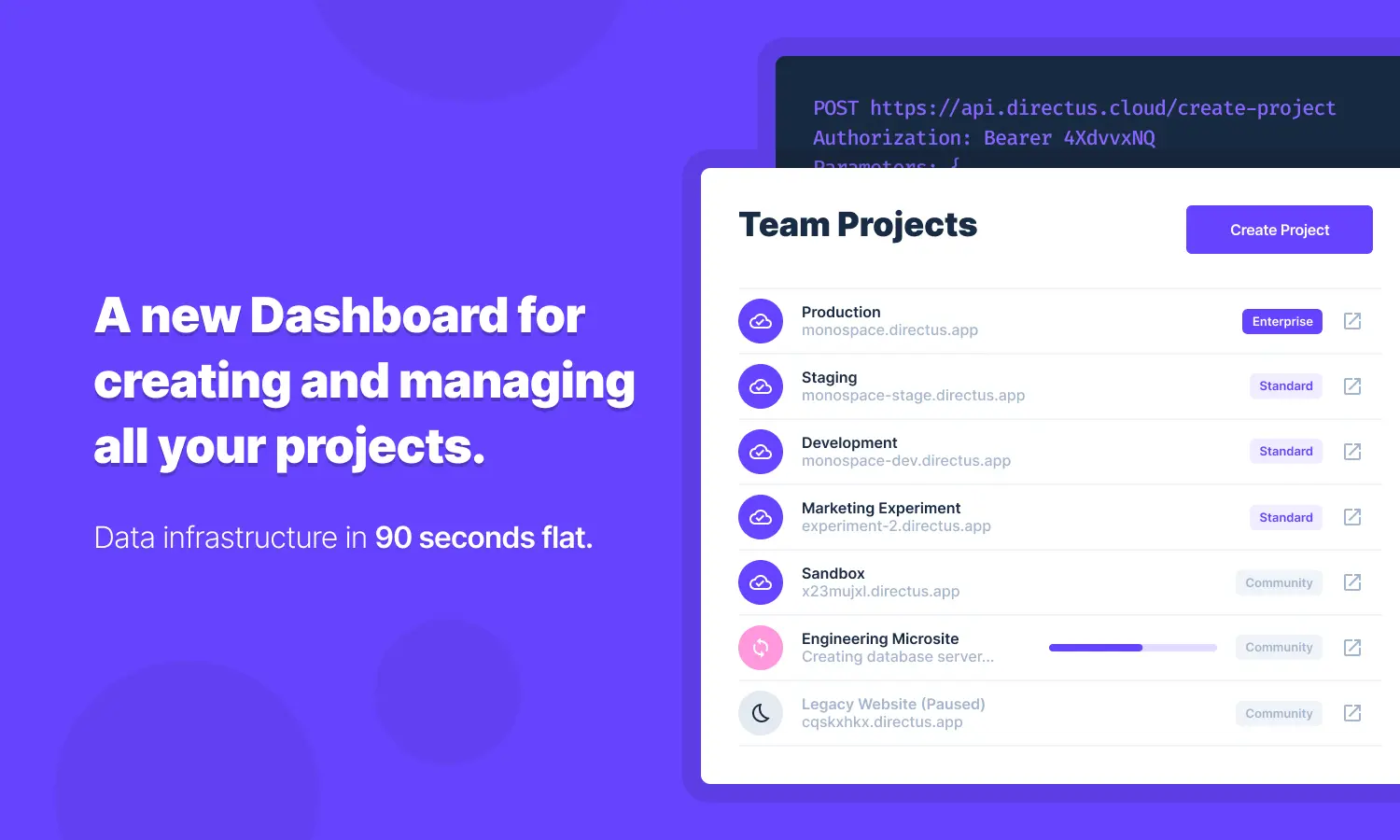
- [Team Projects](/user-guide/cloud/projects) — View and access all Projects managed within a Team. Click a Project to
|
|
enter the Product Details Page and access, monitor, edit or delete a Project.
|
|
- [Team Billing](/user-guide/cloud/teams#manage-billing) — View and manage billing details such as credit card
|
|
information, usage, subscriptions and receipts.
|