mirror of
https://github.com/All-Hands-AI/OpenHands.git
synced 2026-04-29 03:00:45 -04:00
Compare commits
780 Commits
openhands-
...
neubig/ref
| Author | SHA1 | Date | |
|---|---|---|---|

|
84a53c0458 | ||
|
|
23e775b1e0 | ||
|
|
f7d3516dec | ||
|
|
de05ea898e | ||
|
|
94cb91947d | ||
|
|
b1470a1ac4 | ||
|
|
2518901e6e | ||
|
|
e639283ac9 | ||
|
|
28cc04908c | ||
|
|
1a3354404e | ||
|
|
80279f9d36 | ||
|
|
0b3d15a4d7 | ||
|
|
8b68d086f0 | ||
|
|
0f143a43c9 | ||
|
|
e61e4d57d9 | ||
|
|
4e86bdf3d9 | ||
|
|
3cef499b81 | ||
|
|
e2a0884ecd | ||
|
|
2849974729 | ||
|
|
daa4af18d1 | ||
|
|
1ec1076fee | ||
|
|
65bd4be607 | ||
|
|
306188817f | ||
|
|
99aa9bef70 | ||
|
|
9e975ba566 | ||
|
|
782e143c22 | ||
|
|
e0a3b4b822 | ||
|
|
b53a5e7528 | ||
|
|
8dda45bf99 | ||
|
|
0a0ed3f606 | ||
|
|
01e0e29a9f | ||
|
|
e57305ee0c | ||
|
|
3c43d3d154 | ||
|
|
fd7c2780f5 | ||
|
|
6f9ced1c23 | ||
|
|
e255aa95fe | ||
|
|
f2a742130d | ||
|
|
d343e4ed9a | ||
|
|
0fec237ead | ||
|
|
4c103761f9 | ||
|
|
a03ad1079c | ||
|
|
7d0e2265f7 | ||
|
|
8532c94d8e | ||
|
|
838e3d5ae4 | ||
|
|
3bc52cad7b | ||
|
|
ce26f1c6d3 | ||
|
|
37188c7606 | ||
|
|
d9926d2491 | ||
|
|
41efa100f0 | ||
|
|
6f204fd557 | ||
|
|
9bd1992738 | ||
|
|
3856a896ea | ||
|
|
b0030d3a2b | ||
|
|
d76477099c | ||
|
|
3e3b2aaa5c | ||
|
|
1f8aa93843 | ||
|
|
34920ea04e | ||
|
|
f5aeb47a72 | ||
|
|
c830177207 | ||
|
|
e4ccd4057d | ||
|
|
c3d60b31d1 | ||
|
|
35b70ca915 | ||
|
|
a8d65c11e0 | ||
|
|
a4746a53d8 | ||
|
|
13bb474623 | ||
|
|
09aa62f1c3 | ||
|
|
cbc26a5e40 | ||
|
|
6824d14ed8 | ||
|
|
d9e40f721c | ||
|
|
8a73184801 | ||
|
|
06e8c4dad4 | ||
|
|
e2521743b6 | ||
|
|
f2a54f4e23 | ||
|
|
a594595fea | ||
|
|
0620679d11 | ||
|
|
78708efbf1 | ||
|
|
cf06f20a0e | ||
|
|
c68fba01a8 | ||
|
|
f2c7f8a6da | ||
|
|
259140ffc9 | ||
|
|
3150af1ad7 | ||
|
|
dde90fc636 | ||
|
|
83458f5146 | ||
|
|
f1149defc9 | ||
|
|
507afd7f06 | ||
|
|
1a755c3fdb | ||
|
|
41c8c9230b | ||
|
|
9b9e728cf6 | ||
|
|
a4b836b5f9 | ||
|
|
a4d632498c | ||
|
|
4f017081fc | ||
|
|
51fb1fae88 | ||
|
|
106b230fea | ||
|
|
9b262dd057 | ||
|
|
8074b261d3 | ||
|
|
999a59f938 | ||
|
|
fbba57d3b5 | ||
|
|
3f6c8a2338 | ||
|
|
dd09d46ccb | ||
|
|
8897b45eeb | ||
|
|
30109e8f20 | ||
|
|
cc45f5d9c3 | ||
|
|
e34a771e66 | ||
|
|
ec763f8105 | ||
|
|
165c0cc42e | ||
|
|
1b4f15235e | ||
|
|
303b7ab180 | ||
|
|
78d185b102 | ||
|
|
300bfbdf2d | ||
|
|
e2f414bf26 | ||
|
|
3b955dd9d5 | ||
|
|
f1eb1f59c3 | ||
|
|
e1f6929d98 | ||
|
|
2a7f926591 | ||
|
|
b8daab721d | ||
|
|
b3cac69121 | ||
|
|
49a29c19cb | ||
|
|
7084b0238c | ||
|
|
38e866cde4 | ||
|
|
6ec4bc74bf | ||
|
|
b36deca265 | ||
|
|
09d73d96c8 | ||
|
|
966c11f205 | ||
|
|
5128377baa | ||
|
|
924acb182b | ||
|
|
8043612420 | ||
|
|
637a1d5c17 | ||
|
|
5e521a4a6e | ||
|
|
2cb5b91300 | ||
|
|
d6e601ea2e | ||
|
|
ac680e7688 | ||
|
|
4b04f09035 | ||
|
|
e99f503e0f | ||
|
|
f51eb93d3e | ||
|
|
7c2a98d1ce | ||
|
|
dc9489ddcd | ||
|
|
83851c398d | ||
|
|
a4908f9a75 | ||
|
|
366fd7ab8a | ||
|
|
318fcbcfc7 | ||
|
|
521492f8f9 | ||
|
|
71f6b0b4a9 | ||
|
|
b146b63380 | ||
|
|
22064d5555 | ||
|
|
08735a9b72 | ||
|
|
54f982589a | ||
|
|
ec087993f1 | ||
|
|
f12e9e94f7 | ||
|
|
9f720a9d69 | ||
|
|
bbf40c6576 | ||
|
|
1ffee80dcb | ||
|
|
43bc944ac4 | ||
|
|
4be33a079b | ||
|
|
c76a659cde | ||
|
|
0f68a18cbb | ||
|
|
c9ebabd82d | ||
|
|
ad932e45e8 | ||
|
|
3278caf3c2 | ||
|
|
896d7b8b96 | ||
|
|
cb61282c39 | ||
|
|
7a235ce6ff | ||
|
|
5ffb1ef704 | ||
|
|
4e4f4d64f8 | ||
|
|
935cd9d9a2 | ||
|
|
e61b8aa31b | ||
|
|
3d38a105cf | ||
|
|
5dbcf9b44c | ||
|
|
b1ab4d342e | ||
|
|
3e91899720 | ||
|
|
750b1dda2f | ||
|
|
959fa3ed64 | ||
|
|
dec6de531a | ||
|
|
c51f07bd1f | ||
|
|
b8ef68dc60 | ||
|
|
d21bd49f08 | ||
|
|
4c265515d2 | ||
|
|
e4acfa68ec | ||
|
|
d395b5e11f | ||
|
|
6d75647c40 | ||
|
|
285010b48f | ||
|
|
c977657612 | ||
|
|
395c1ea9e3 | ||
|
|
91ad59dc24 | ||
|
|
62750c07e5 | ||
|
|
cf439fa89c | ||
|
|
85c0864802 | ||
|
|
ff5d8094de | ||
|
|
660d1d1e64 | ||
|
|
78cc27a18f | ||
|
|
2db7a50e43 | ||
|
|
ab899831ce | ||
|
|
92b919cbc6 | ||
|
|
5e9729fbb9 | ||
|
|
3c5f432696 | ||
|
|
f3702cec35 | ||
|
|
395e54bc77 | ||
|
|
d0cde6baf2 | ||
|
|
6d8f983fb4 | ||
|
|
2e4911dc59 | ||
|
|
5378932017 | ||
|
|
4502b009c2 | ||
|
|
d3ef98bb4e | ||
|
|
06cc1ef297 | ||
|
|
17644fedd7 | ||
|
|
de4cf07d4d | ||
|
|
2eec4cea6f | ||
|
|
32ee6a5a64 | ||
|
|
2b3c38d061 | ||
|
|
7810d8c4a0 | ||
|
|
a8f1feee5d | ||
|
|
0f07805a1b | ||
|
|
8a58e724c6 | ||
|
|
996757f4f5 | ||
|
|
487b189025 | ||
|
|
02bc7de36d | ||
|
|
42332294a1 | ||
|
|
6e3e9e397e | ||
|
|
fb8de1f98c | ||
|
|
9e5f767571 | ||
|
|
ce30d63510 | ||
|
|
e328c4d7b8 | ||
|
|
31fd6064ea | ||
|
|
1933180ba1 | ||
|
|
2e958d2e9c | ||
|
|
616ff49787 | ||
|
|
0aa508c382 | ||
|
|
af9a2277b0 | ||
|
|
f32f683f92 | ||
|
|
fd5e1e0b0b | ||
|
|
8c12c2edce | ||
|
|
2c4f3612bc | ||
|
|
f02d55ae8b | ||
|
|
be73792230 | ||
|
|
6fd51a6ae7 | ||
|
|
926e3983d1 | ||
|
|
1975d39ec4 | ||
|
|
f557731ef7 | ||
|
|
26b857fc40 | ||
|
|
f437d06e81 | ||
|
|
9e0fee1890 | ||
|
|
33780f97d0 | ||
|
|
0137600988 | ||
|
|
6b1a937024 | ||
|
|
34febafae4 | ||
|
|
8b234ae57c | ||
|
|
7ea418d020 | ||
|
|
c4ba54122e | ||
|
|
4b7cca9bdf | ||
|
|
544e756f5f | ||
|
|
d5f7dde7c9 | ||
|
|
4f98bce6df | ||
|
|
b38039e626 | ||
|
|
db1f5a8df2 | ||
|
|
f8045784b6 | ||
|
|
10fbf83dac | ||
|
|
8d0381aae7 | ||
|
|
34fa9ed4db | ||
|
|
e49b9243af | ||
|
|
ef62ccde36 | ||
|
|
6ba79c454b | ||
|
|
fbc06f42aa | ||
|
|
f35ed5e277 | ||
|
|
6787a3adf7 | ||
|
|
fa50e0c9b9 | ||
|
|
f4c5bbda19 | ||
|
|
6562297615 | ||
|
|
0217a7cfbd | ||
|
|
aa15c9d385 | ||
|
|
8ad89e368a | ||
|
|
29ba94fc0f | ||
|
|
8956f92f6a | ||
|
|
753e3c4205 | ||
|
|
ecd573febc | ||
|
|
325a558fbc | ||
|
|
666c186826 | ||
|
|
2d2dbf1561 | ||
|
|
abac25cc4c | ||
|
|
70b21d16bd | ||
|
|
bf82f75ae4 | ||
|
|
a8bce3724f | ||
|
|
e109f7e58e | ||
|
|
a20f299579 | ||
|
|
bf77da7849 | ||
|
|
869ea59ecd | ||
|
|
f093c14ad3 | ||
|
|
9d3a0a02b8 | ||
|
|
35bab5070d | ||
|
|
d03b9775b5 | ||
|
|
fab4532f6b | ||
|
|
d33913e036 | ||
|
|
e52aee168e | ||
|
|
c27b191358 | ||
|
|
22c5ad85d9 | ||
|
|
0180ce77b1 | ||
|
|
2f14e53746 | ||
|
|
52723061b1 | ||
|
|
42f1fc92fa | ||
|
|
3f8bc8a7ea | ||
|
|
f869ad995c | ||
|
|
74c942c911 | ||
|
|
eed7e2dd6e | ||
|
|
663e36109c | ||
|
|
e92e4a1cbc | ||
|
|
61ce673400 | ||
|
|
b95840db0c | ||
|
|
003ebc0ded | ||
|
|
df8bbc2b67 | ||
|
|
eb5be2ab63 | ||
|
|
81f2b08a89 | ||
|
|
cb72a06ca3 | ||
|
|
340c2310d1 | ||
|
|
f4e5fb2873 | ||
|
|
1a7003a705 | ||
|
|
8d097efb4f | ||
|
|
2e98fc8fb3 | ||
|
|
e3e00ed70a | ||
|
|
96d1992823 | ||
|
|
7a3a0d8c0c | ||
|
|
fdffca18e0 | ||
|
|
b10416e0a3 | ||
|
|
1f462d2417 | ||
|
|
0a6ff463db | ||
|
|
9ff15bf94f | ||
|
|
6c48013601 | ||
|
|
07fcb786af | ||
|
|
ce42e22105 | ||
|
|
14ee6d7afe | ||
|
|
57391d6e66 | ||
|
|
a7bb73ded2 | ||
|
|
f4b123f73b | ||
|
|
ae31a24c29 | ||
|
|
3a478c2303 | ||
|
|
82b5325792 | ||
|
|
265e8ae5f4 | ||
|
|
0cbf50576d | ||
|
|
745038b394 | ||
|
|
b018567d53 | ||
|
|
30e39e85d0 | ||
|
|
4443417c75 | ||
|
|
efbff2e655 | ||
|
|
63565982aa | ||
|
|
b07fddcb71 | ||
|
|
99b50d038e | ||
|
|
1ddfa99c57 | ||
|
|
0c03e257b7 | ||
|
|
85e3a00d9d | ||
|
|
edd51102ad | ||
|
|
f5fccab1f6 | ||
|
|
ef12bc5381 | ||
|
|
b197e0af47 | ||
|
|
341b695ad3 | ||
|
|
d46d99a35e | ||
|
|
653168fc3d | ||
|
|
cb5e7f0130 | ||
|
|
312b9fbfb1 | ||
|
|
ba599c7dd6 | ||
|
|
7e359eda4a | ||
|
|
f7c806c119 | ||
|
|
ff25e794ef | ||
|
|
a371562d94 | ||
|
|
425ccc9b1f | ||
|
|
1afe7f1058 | ||
|
|
3188646195 | ||
|
|
6772227c9d | ||
|
|
6a6dc93e03 | ||
|
|
1a715d2ec4 | ||
|
|
4615548477 | ||
|
|
b12b426e3d | ||
|
|
a1107a2c30 | ||
|
|
af0becd65b | ||
|
|
13839b4273 | ||
|
|
7860055f8c | ||
|
|
2b40a92943 | ||
|
|
6c88b10c59 | ||
|
|
8688634950 | ||
|
|
6e35ac49c1 | ||
|
|
9bdc8dda6c | ||
|
|
75f3f282af | ||
|
|
4a5891cbea | ||
|
|
707cb07f4f | ||
|
|
61c709b7c7 | ||
|
|
1c72676483 | ||
|
|
52ac2729f7 | ||
|
|
5fa2634d60 | ||
|
|
478b225d11 | ||
|
|
ce82545437 | ||
|
|
93d2e4a338 | ||
|
|
ff48f8beba | ||
|
|
e930cd0aef | ||
|
|
6655ec0731 | ||
|
|
669e284dc5 | ||
|
|
8140d2e05a | ||
|
|
ed68034427 | ||
|
|
2832dba27a | ||
|
|
5491ad3318 | ||
|
|
e47aaba4ca | ||
|
|
fe8b92743b | ||
|
|
0d312a645a | ||
|
|
f564939780 | ||
|
|
be7007bcca | ||
|
|
240d1c972c | ||
|
|
a7239ce799 | ||
|
|
7c16ca8f27 | ||
|
|
7151f75340 | ||
|
|
f24fbec165 | ||
|
|
4dbe831d42 | ||
|
|
90bbd4edbe | ||
|
|
cc104b2e44 | ||
|
|
4adef574c0 | ||
|
|
7d09a158c3 | ||
|
|
bbfdc62139 | ||
|
|
622fc5213d | ||
|
|
6d62be518b | ||
|
|
e487008e74 | ||
|
|
62402cd617 | ||
|
|
be522f1fb9 | ||
|
|
4ef09ab897 | ||
|
|
32c5fde562 | ||
|
|
a593d9bc6d | ||
|
|
eb8d1600c3 | ||
|
|
3b0bbce54a | ||
|
|
19e0c32eb7 | ||
|
|
17a4100feb | ||
|
|
47b84189a3 | ||
|
|
7f4b5476dc | ||
|
|
0c84fe58dd | ||
|
|
575f4fd347 | ||
|
|
f7934bed80 | ||
|
|
e01fdf2a11 | ||
|
|
fd73f4210e | ||
|
|
1bccfb3492 | ||
|
|
27fdae6ecc | ||
|
|
5dd4810f58 | ||
|
|
83724100e5 | ||
|
|
6b243155f4 | ||
|
|
173f824704 | ||
|
|
8f881c4df1 | ||
|
|
d0276d1925 | ||
|
|
6e90c30be4 | ||
|
|
8ff0e027a6 | ||
|
|
c54911d877 | ||
|
|
0afe889ccd | ||
|
|
c9f16248d0 | ||
|
|
99d2d01e1a | ||
|
|
36090ad8ff | ||
|
|
1a9971b1bf | ||
|
|
473fcae57e | ||
|
|
a6eed5b7e9 | ||
|
|
b64d130a6e | ||
|
|
a253713ce2 | ||
|
|
94d833cb5f | ||
|
|
6909075be8 | ||
|
|
28d7127257 | ||
|
|
1509f4ce56 | ||
|
|
a7bb6720ba | ||
|
|
b987f33a67 | ||
|
|
eb760f32c7 | ||
|
|
35346068d1 | ||
|
|
8ae5655157 | ||
|
|
de786f930d | ||
|
|
7bf354be53 | ||
|
|
f18729f5f8 | ||
|
|
f3b8bad09f | ||
|
|
41e5d12f63 | ||
|
|
fa009f0a57 | ||
|
|
391200510c | ||
|
|
36c2abadc2 | ||
|
|
d6655f3470 | ||
|
|
f2427d7ffa | ||
|
|
94a64a47f2 | ||
|
|
0ba96ce69e | ||
|
|
89c7bf59a7 | ||
|
|
604534905f | ||
|
|
4bde644fab | ||
|
|
ffdab28abc | ||
|
|
12dd23ba1c | ||
|
|
9611093458 | ||
|
|
8a65df6bce | ||
|
|
c997495200 | ||
|
|
23348af431 | ||
|
|
5b53dbd85c | ||
|
|
e619929909 | ||
|
|
93753ac2e0 | ||
|
|
38e19d214d | ||
|
|
19a4f1c3ec | ||
|
|
45a048f9e3 | ||
|
|
358d9cb3f4 | ||
|
|
e6a2fd3fd4 | ||
|
|
c2f308f397 | ||
|
|
a1f1c802d9 | ||
|
|
ad2237d7dd | ||
|
|
aa0cd51967 | ||
|
|
081a1305f0 | ||
|
|
9912e28576 | ||
|
|
b19a33ccad | ||
|
|
21e912d6fb | ||
|
|
0dd9b95dbe | ||
|
|
aebb583779 | ||
|
|
2ff9ba1229 | ||
|
|
a7e6068ba8 | ||
|
|
24adcee9e3 | ||
|
|
21d4ba0bbd | ||
|
|
5ba9a6d321 | ||
|
|
aa223734d4 | ||
|
|
053723a4d4 | ||
|
|
5a6dbac5a3 | ||
|
|
93d74e9b41 | ||
|
|
1337d03816 | ||
|
|
04e36df4d7 | ||
|
|
f9ba16b648 | ||
|
|
f0dbb02ee1 | ||
|
|
318c811817 | ||
|
|
b468150f2a | ||
|
|
b9a3f1c753 | ||
|
|
09e8a1eeba | ||
|
|
ff3880c76d | ||
|
|
8bd7613724 | ||
|
|
5b7fcfbe1a | ||
|
|
8ae36481df | ||
|
|
25fdb0c3bf | ||
|
|
7f57dbebda | ||
|
|
54589d7e83 | ||
|
|
b7f34c3f8d | ||
|
|
210eeee94a | ||
|
|
509892cf0e | ||
|
|
89963e93d8 | ||
|
|
b6804f9e1e | ||
|
|
d30211da18 | ||
|
|
06121bf20f | ||
|
|
541a445dfc | ||
|
|
03e496fb60 | ||
|
|
1b6e444ecb | ||
|
|
2b04ee2e62 | ||
|
|
4383be1ab4 | ||
|
|
b4d20e3e18 | ||
|
|
532c7cdf02 | ||
|
|
987861b5e7 | ||
|
|
f07ec7a09c | ||
|
|
b1fa6301f0 | ||
|
|
62fbe4c622 | ||
|
|
a1a87af69d | ||
|
|
a12087243a | ||
|
|
899c1f8360 | ||
|
|
c5d7caf01f | ||
|
|
85a760e561 | ||
|
|
8e9c315729 | ||
|
|
000055ba73 | ||
|
|
2edb2337c2 | ||
|
|
7c8a0162ae | ||
|
|
c10f18b3bd | ||
|
|
313c8eca20 | ||
|
|
eff9e07272 | ||
|
|
f8a3aeccd6 | ||
|
|
9375e0d756 | ||
|
|
72af7bbba2 | ||
|
|
0661c69bd3 | ||
|
|
0c961bfd8b | ||
|
|
0bed17758f | ||
|
|
da1a6035ac | ||
|
|
df050e4786 | ||
|
|
e211647eba | ||
|
|
8579710c82 | ||
|
|
8c35150c3e | ||
|
|
578291e961 | ||
|
|
efe04baf34 | ||
|
|
6e089619e0 | ||
|
|
179a89a211 | ||
|
|
8795ee6c6e | ||
|
|
97e938d545 | ||
|
|
b9a70c8d5c | ||
|
|
082d0b25c5 | ||
|
|
c5797d1d5a | ||
|
|
7ce1fb85ff | ||
|
|
fa6792e5a6 | ||
|
|
3d9b4c4af6 | ||
|
|
e21cbf67ee | ||
|
|
6b2e3f938f | ||
|
|
580d7b938c | ||
|
|
28178a2940 | ||
|
|
04382b2b19 | ||
|
|
4da812c781 | ||
|
|
37b7173481 | ||
|
|
f0ebf3eba8 | ||
|
|
92b8d55c2d | ||
|
|
a125b6cd43 | ||
|
|
01ac207b92 | ||
|
|
6d015a5dca | ||
|
|
275512305d | ||
|
|
3a4bc10b29 | ||
|
|
bbd31b32f3 | ||
|
|
295c6fd629 | ||
|
|
5a809c9b53 | ||
|
|
0b74fd71d9 | ||
|
|
4fa5c329d6 | ||
|
|
5b1dcf83a6 | ||
|
|
b9884f7609 | ||
|
|
99eda0e571 | ||
|
|
5832463088 | ||
|
|
045ec2b95d | ||
|
|
23473070b9 | ||
|
|
63133c0ba9 | ||
|
|
2023fb767f | ||
|
|
23f40a1c01 | ||
|
|
873dddb4e8 | ||
|
|
fe50cd1f9f | ||
|
|
516e2da520 | ||
|
|
1dd6f544bc | ||
|
|
40c52feb5b | ||
|
|
f31ccad48b | ||
|
|
828d169b82 | ||
|
|
a622d27016 | ||
|
|
5507b131fe | ||
|
|
0f102e4c71 | ||
|
|
157a1a24f6 | ||
|
|
fcfbcb64d4 | ||
|
|
931792e87a | ||
|
|
ee701eacc2 | ||
|
|
8907fed78e | ||
|
|
3cc20a2576 | ||
|
|
01cf0d433c | ||
|
|
f6bed82ae2 | ||
|
|
3eae2e2aca | ||
|
|
b45fc522c7 | ||
|
|
0d409c8c24 | ||
|
|
5458ebbd7d | ||
|
|
c411a29db4 | ||
|
|
386e04a2ba | ||
|
|
62c4bab6ba | ||
|
|
e308b6fb6f | ||
|
|
27a660fb6b | ||
|
|
27d761a1fe | ||
|
|
8028e2c2dd | ||
|
|
ff9058e28a | ||
|
|
c45caaef1f | ||
|
|
a3c107daa4 | ||
|
|
040839bdd1 | ||
|
|
aabbbb6c6a | ||
|
|
9747c9e9f8 | ||
|
|
bb85542aca | ||
|
|
6e4ff56934 | ||
|
|
561f308401 | ||
|
|
3733c646af | ||
|
|
cf0f6e5e38 | ||
|
|
77aa843d53 | ||
|
|
affbc49b08 | ||
|
|
9016b9c434 | ||
|
|
e3a96097ba | ||
|
|
6a41a3cb4f | ||
|
|
d1555e093c | ||
|
|
5469d5311d | ||
|
|
eaf4c610b2 | ||
|
|
aad7a612c1 | ||
|
|
23425c85aa | ||
|
|
fb53ae43c0 | ||
|
|
1f8a0180d3 | ||
|
|
8cfcdd7ba3 | ||
|
|
9515ac5e62 | ||
|
|
cebd391b7a | ||
|
|
343b86429e | ||
|
|
09734467c0 | ||
|
|
17d722f3b3 | ||
|
|
e310f6b776 | ||
|
|
5626a22e42 | ||
|
|
cde8aad47f | ||
|
|
efd0267919 | ||
|
|
f8735efadf | ||
|
|
00d7395e09 | ||
|
|
150463e629 | ||
|
|
b7bbf0f5eb | ||
|
|
d2790c8b21 | ||
|
|
3d2138d9ce | ||
|
|
e4cf2eee2d | ||
|
|
79551e67f6 | ||
|
|
f5f988e552 | ||
|
|
0c58f469b4 | ||
|
|
56d7dccec9 | ||
|
|
411b63159f | ||
|
|
5ca0beadfb | ||
|
|
aaff3dd075 | ||
|
|
ef2053011d | ||
|
|
e6499a68f6 | ||
|
|
33cb1d5f3c | ||
|
|
5bdebac741 | ||
|
|
510c1644dd | ||
|
|
ec70af9412 | ||
|
|
761a574b09 | ||
|
|
825a9ba893 | ||
|
|
a6d392322a | ||
|
|
1ddf398a81 | ||
|
|
4de6c782cc | ||
|
|
9fef6f909a | ||
|
|
ff466d0f17 | ||
|
|
4c59cff2a3 | ||
|
|
fa44bdb390 | ||
|
|
dd10f37f66 | ||
|
|
3b26678a77 | ||
|
|
f14f75b064 | ||
|
|
ef8e04aee3 | ||
|
|
23df4a09d2 | ||
|
|
eb93113b7a | ||
|
|
c40b0b9ae1 | ||
|
|
61ebec9ff7 | ||
|
|
c567c11267 | ||
|
|
e628615094 | ||
|
|
50f821f9b9 | ||
|
|
15e0a50ff4 | ||
|
|
e52cdfd70a | ||
|
|
c1b514e9d3 | ||
|
|
8983d719bd | ||
|
|
9dd5463e06 | ||
|
|
d5b2ce18cb | ||
|
|
8d627e52cb | ||
|
|
a1b59b6185 | ||
|
|
b73bac62f2 | ||
|
|
ee88af8563 | ||
|
|
f846b31eb8 | ||
|
|
50a0b1d91d | ||
|
|
3d4d66a8c2 | ||
|
|
f3885cadc1 | ||
|
|
2ec2f2538f | ||
|
|
40d8245089 | ||
|
|
d29cc61aa2 | ||
|
|
a2e9e206e8 | ||
|
|
7ae1f768fc | ||
|
|
e692e06acf | ||
|
|
6f80dc5eee | ||
|
|
aa6070624b | ||
|
|
b6c8aa27fa | ||
|
|
3e9ba40a92 | ||
|
|
ab0eabd88c | ||
|
|
4de0a27ed2 | ||
|
|
c37e865c56 | ||
|
|
6523fcae6b | ||
|
|
d7a3ec69d9 | ||
|
|
bb578a2e9d | ||
|
|
d8b33c4e78 | ||
|
|
0e8e3c87f3 | ||
|
|
5e8c20f406 | ||
|
|
4dd40049ab | ||
|
|
c7a8dcf079 | ||
|
|
2869d646b6 | ||
|
|
0e4e1b3316 | ||
|
|
37363a0a8d | ||
|
|
14dc04474c | ||
|
|
5502a9c448 | ||
|
|
e718089802 | ||
|
|
95f7a6a4dc | ||
|
|
7318c22928 | ||
|
|
78aef2b150 | ||
|
|
194181a420 | ||
|
|
2933f07440 | ||
|
|
037457dec9 | ||
|
|
7f665c2fb6 | ||
|
|
ebb2d86ce3 | ||
|
|
6a4442e590 | ||
|
|
157ff4a4b9 | ||
|
|
cc928e6d3f | ||
|
|
6a75800e1b | ||
|
|
c9cecbc461 | ||
|
|
97b1867ea1 | ||
|
|
9bdc1df2df | ||
|
|
9d984aaa30 | ||
|
|
5ed80b5c32 | ||
|
|
df82202178 | ||
|
|
500598666e | ||
|
|
69a9080480 | ||
|
|
b72f50cc4a | ||
|
|
f1a8be3817 | ||
|
|
b34209c9a0 | ||
|
|
a021045dce | ||
|
|
ad45f8dab0 | ||
|
|
3bf5956493 | ||
|
|
d86b536d2f | ||
|
|
e2a25f1b31 | ||
|
|
32ee500c65 | ||
|
|
03d8a263ac | ||
|
|
5b0883ca0d | ||
|
|
31bf9360fd | ||
|
|
c195e467ee | ||
|
|
8975fcd714 |
1
.github/ISSUE_TEMPLATE/bug_template.yml
vendored
1
.github/ISSUE_TEMPLATE/bug_template.yml
vendored
@@ -30,6 +30,7 @@ body:
|
||||
description: How are you running OpenHands?
|
||||
options:
|
||||
- Docker command in README
|
||||
- GitHub resolver
|
||||
- Development workflow
|
||||
- app.all-hands.dev
|
||||
- Other
|
||||
|
||||
6
.github/dependabot.yml
vendored
6
.github/dependabot.yml
vendored
@@ -10,12 +10,6 @@ updates:
|
||||
pre-commit:
|
||||
patterns:
|
||||
- "pre-commit"
|
||||
llama:
|
||||
patterns:
|
||||
- "llama*"
|
||||
chromadb:
|
||||
patterns:
|
||||
- "chromadb"
|
||||
browsergym:
|
||||
patterns:
|
||||
- "browsergym*"
|
||||
|
||||
15
.github/pull_request_template.md
vendored
15
.github/pull_request_template.md
vendored
@@ -1,11 +1,12 @@
|
||||
**End-user friendly description of the problem this fixes or functionality that this introduces**
|
||||
|
||||
- [ ] Include this change in the Release Notes. If checked, you must provide an **end-user friendly** description for your change below
|
||||
|
||||
---
|
||||
**Give a summary of what the PR does, explaining any non-trivial design decisions**
|
||||
- [ ] This change is worth documenting at https://docs.all-hands.dev/
|
||||
- [ ] Include this change in the Release Notes. If checked, you **must** provide an **end-user friendly** description for your change below
|
||||
|
||||
**End-user friendly description of the problem this fixes or functionality that this introduces.**
|
||||
|
||||
|
||||
---
|
||||
**Link of any specific issues this addresses**
|
||||
**Give a summary of what the PR does, explaining any non-trivial design decisions.**
|
||||
|
||||
|
||||
---
|
||||
**Link of any specific issues this addresses.**
|
||||
|
||||
66
.github/scripts/check_version_consistency.py
vendored
Executable file
66
.github/scripts/check_version_consistency.py
vendored
Executable file
@@ -0,0 +1,66 @@
|
||||
#!/usr/bin/env python3
|
||||
import os
|
||||
import re
|
||||
import sys
|
||||
from typing import Set, Tuple
|
||||
|
||||
|
||||
def find_version_references(directory: str) -> Tuple[Set[str], Set[str]]:
|
||||
openhands_versions = set()
|
||||
runtime_versions = set()
|
||||
|
||||
version_pattern_openhands = re.compile(r'openhands:(\d{1})\.(\d{2})')
|
||||
version_pattern_runtime = re.compile(r'runtime:(\d{1})\.(\d{2})')
|
||||
|
||||
for root, _, files in os.walk(directory):
|
||||
# Skip .git directory
|
||||
if '.git' in root:
|
||||
continue
|
||||
|
||||
for file in files:
|
||||
if file.endswith(
|
||||
('.md', '.yml', '.yaml', '.txt', '.html', '.py', '.js', '.ts')
|
||||
):
|
||||
file_path = os.path.join(root, file)
|
||||
try:
|
||||
with open(file_path, 'r', encoding='utf-8') as f:
|
||||
content = f.read()
|
||||
|
||||
# Find all openhands version references
|
||||
matches = version_pattern_openhands.findall(content)
|
||||
openhands_versions.update(matches)
|
||||
|
||||
# Find all runtime version references
|
||||
matches = version_pattern_runtime.findall(content)
|
||||
runtime_versions.update(matches)
|
||||
except Exception as e:
|
||||
print(f'Error reading {file_path}: {e}', file=sys.stderr)
|
||||
|
||||
return openhands_versions, runtime_versions
|
||||
|
||||
|
||||
def main():
|
||||
repo_root = os.path.abspath(os.path.join(os.path.dirname(__file__), '..', '..'))
|
||||
openhands_versions, runtime_versions = find_version_references(repo_root)
|
||||
|
||||
exit_code = 0
|
||||
|
||||
if len(openhands_versions) > 1:
|
||||
print('Error: Multiple openhands versions found:', file=sys.stderr)
|
||||
print('Found versions:', sorted(openhands_versions), file=sys.stderr)
|
||||
exit_code = 1
|
||||
elif len(openhands_versions) == 0:
|
||||
print('Warning: No openhands version references found', file=sys.stderr)
|
||||
|
||||
if len(runtime_versions) > 1:
|
||||
print('Error: Multiple runtime versions found:', file=sys.stderr)
|
||||
print('Found versions:', sorted(runtime_versions), file=sys.stderr)
|
||||
exit_code = 1
|
||||
elif len(runtime_versions) == 0:
|
||||
print('Warning: No runtime version references found', file=sys.stderr)
|
||||
|
||||
sys.exit(exit_code)
|
||||
|
||||
|
||||
if __name__ == '__main__':
|
||||
main()
|
||||
2
.github/workflows/clean-up.yml
vendored
2
.github/workflows/clean-up.yml
vendored
@@ -46,7 +46,7 @@ on:
|
||||
|
||||
jobs:
|
||||
del_runs:
|
||||
runs-on: ubuntu-latest
|
||||
runs-on: blacksmith-4vcpu-ubuntu-2204
|
||||
permissions:
|
||||
actions: write
|
||||
contents: read
|
||||
|
||||
10
.github/workflows/deploy-docs.yml
vendored
10
.github/workflows/deploy-docs.yml
vendored
@@ -24,22 +24,20 @@ jobs:
|
||||
build:
|
||||
if: github.repository == 'All-Hands-AI/OpenHands'
|
||||
name: Build Docusaurus
|
||||
runs-on: ubuntu-latest
|
||||
runs-on: blacksmith-4vcpu-ubuntu-2204
|
||||
steps:
|
||||
- uses: actions/checkout@v4
|
||||
with:
|
||||
fetch-depth: 0
|
||||
- uses: actions/setup-node@v4
|
||||
- uses: useblacksmith/setup-node@v5
|
||||
with:
|
||||
node-version: 18
|
||||
cache: npm
|
||||
cache-dependency-path: docs/package-lock.json
|
||||
- name: Set up Python
|
||||
uses: actions/setup-python@v5
|
||||
uses: useblacksmith/setup-python@v6
|
||||
with:
|
||||
python-version: '3.12'
|
||||
- name: Generate Python Docs
|
||||
run: rm -rf docs/modules/python && pip install pydoc-markdown && pydoc-markdown
|
||||
- name: Install dependencies
|
||||
run: cd docs && npm ci
|
||||
- name: Build website
|
||||
@@ -54,7 +52,7 @@ jobs:
|
||||
deploy:
|
||||
if: github.ref == 'refs/heads/main' && github.repository == 'All-Hands-AI/OpenHands'
|
||||
name: Deploy to GitHub Pages
|
||||
runs-on: ubuntu-latest
|
||||
runs-on: blacksmith-4vcpu-ubuntu-2204
|
||||
# This job only runs on "main" so only run one of these jobs at a time
|
||||
# otherwise it will fail if one is already running
|
||||
concurrency:
|
||||
|
||||
26
.github/workflows/dummy-agent-test.yml
vendored
26
.github/workflows/dummy-agent-test.yml
vendored
@@ -16,35 +16,27 @@ concurrency:
|
||||
|
||||
jobs:
|
||||
test:
|
||||
runs-on: ubuntu-latest
|
||||
runs-on: blacksmith-4vcpu-ubuntu-2204
|
||||
steps:
|
||||
- uses: actions/checkout@v4
|
||||
- name: Free Disk Space (Ubuntu)
|
||||
uses: jlumbroso/free-disk-space@main
|
||||
with:
|
||||
# this might remove tools that are actually needed,
|
||||
# if set to "true" but frees about 6 GB
|
||||
tool-cache: true
|
||||
# all of these default to true, but feel free to set to
|
||||
# "false" if necessary for your workflow
|
||||
android: true
|
||||
dotnet: true
|
||||
haskell: true
|
||||
large-packages: true
|
||||
docker-images: false
|
||||
swap-storage: true
|
||||
- name: Set up Docker Buildx
|
||||
id: buildx
|
||||
uses: docker/setup-buildx-action@v3
|
||||
- name: Install tmux
|
||||
run: sudo apt-get update && sudo apt-get install -y tmux
|
||||
- name: Setup Node.js
|
||||
uses: useblacksmith/setup-node@v5
|
||||
with:
|
||||
node-version: '22.x'
|
||||
- name: Install poetry via pipx
|
||||
run: pipx install poetry
|
||||
- name: Set up Python
|
||||
uses: actions/setup-python@v5
|
||||
uses: useblacksmith/setup-python@v6
|
||||
with:
|
||||
python-version: '3.12'
|
||||
cache: 'poetry'
|
||||
- name: Install Python dependencies using Poetry
|
||||
run: poetry install --without evaluation,llama-index
|
||||
run: poetry install --without evaluation
|
||||
- name: Build Environment
|
||||
run: make build
|
||||
- name: Run tests
|
||||
|
||||
137
.github/workflows/eval-runner.yml
vendored
137
.github/workflows/eval-runner.yml
vendored
@@ -1,137 +0,0 @@
|
||||
name: Run SWE-Bench Evaluation
|
||||
|
||||
on:
|
||||
pull_request:
|
||||
types: [labeled]
|
||||
workflow_dispatch:
|
||||
inputs:
|
||||
reason:
|
||||
description: "Reason for manual trigger"
|
||||
required: true
|
||||
default: ""
|
||||
|
||||
env:
|
||||
N_PROCESSES: 32 # Global configuration for number of parallel processes for evaluation
|
||||
|
||||
jobs:
|
||||
run-evaluation:
|
||||
if: github.event.label.name == 'eval-this' || github.event_name != 'pull_request'
|
||||
runs-on: ubuntu-latest
|
||||
permissions:
|
||||
contents: "read"
|
||||
id-token: "write"
|
||||
pull-requests: "write"
|
||||
issues: "write"
|
||||
strategy:
|
||||
matrix:
|
||||
python-version: ["3.12"]
|
||||
steps:
|
||||
- name: Checkout repository
|
||||
uses: actions/checkout@v4
|
||||
|
||||
- name: Install poetry via pipx
|
||||
run: pipx install poetry
|
||||
|
||||
- name: Set up Python
|
||||
uses: actions/setup-python@v5
|
||||
with:
|
||||
python-version: ${{ matrix.python-version }}
|
||||
cache: "poetry"
|
||||
|
||||
- name: Comment on PR if 'eval-this' label is present
|
||||
if: github.event_name == 'pull_request' && github.event.label.name == 'eval-this'
|
||||
uses: KeisukeYamashita/create-comment@v1
|
||||
with:
|
||||
unique: false
|
||||
comment: |
|
||||
Hi! I started running the evaluation on your PR. You will receive a comment with the results shortly.
|
||||
|
||||
- name: Install Python dependencies using Poetry
|
||||
run: poetry install
|
||||
|
||||
- name: Configure config.toml for evaluation
|
||||
env:
|
||||
DEEPSEEK_API_KEY: ${{ secrets.DEEPSEEK_LLM_API_KEY }}
|
||||
run: |
|
||||
echo "[llm.eval]" > config.toml
|
||||
echo "model = \"deepseek/deepseek-chat\"" >> config.toml
|
||||
echo "api_key = \"$DEEPSEEK_API_KEY\"" >> config.toml
|
||||
echo "temperature = 0.0" >> config.toml
|
||||
|
||||
- name: Run SWE-Bench evaluation
|
||||
env:
|
||||
ALLHANDS_API_KEY: ${{ secrets.ALLHANDS_EVAL_RUNTIME_API_KEY }}
|
||||
RUNTIME: remote
|
||||
SANDBOX_REMOTE_RUNTIME_API_URL: https://runtime.eval.all-hands.dev
|
||||
EVAL_DOCKER_IMAGE_PREFIX: us-central1-docker.pkg.dev/evaluation-092424/swe-bench-images
|
||||
|
||||
run: |
|
||||
poetry run ./evaluation/benchmarks/swe_bench/scripts/run_infer.sh llm.eval HEAD CodeActAgent 300 30 $N_PROCESSES "princeton-nlp/SWE-bench_Lite" test
|
||||
OUTPUT_FOLDER=$(find evaluation/evaluation_outputs/outputs/princeton-nlp__SWE-bench_Lite-test/CodeActAgent -name "deepseek-chat_maxiter_50_N_*-no-hint-run_1" -type d | head -n 1)
|
||||
echo "OUTPUT_FOLDER for SWE-bench evaluation: $OUTPUT_FOLDER"
|
||||
poetry run ./evaluation/benchmarks/swe_bench/scripts/eval_infer_remote.sh $OUTPUT_FOLDER/output.jsonl $N_PROCESSES "princeton-nlp/SWE-bench_Lite" test
|
||||
|
||||
poetry run ./evaluation/benchmarks/swe_bench/scripts/eval/summarize_outputs.py $OUTPUT_FOLDER/output.jsonl > summarize_outputs.log 2>&1
|
||||
echo "SWEBENCH_REPORT<<EOF" >> $GITHUB_ENV
|
||||
cat summarize_outputs.log >> $GITHUB_ENV
|
||||
echo "EOF" >> $GITHUB_ENV
|
||||
|
||||
- name: Create tar.gz of evaluation outputs
|
||||
run: |
|
||||
TIMESTAMP=$(date +'%y-%m-%d-%H-%M')
|
||||
tar -czvf evaluation_outputs_${TIMESTAMP}.tar.gz evaluation/evaluation_outputs/outputs
|
||||
|
||||
- name: Upload evaluation results as artifact
|
||||
uses: actions/upload-artifact@v4
|
||||
id: upload_results_artifact
|
||||
with:
|
||||
name: evaluation-outputs
|
||||
path: evaluation_outputs_*.tar.gz
|
||||
|
||||
- name: Get artifact URL
|
||||
run: echo "ARTIFACT_URL=${{ steps.upload_results_artifact.outputs.artifact-url }}" >> $GITHUB_ENV
|
||||
|
||||
- name: Authenticate to Google Cloud
|
||||
uses: 'google-github-actions/auth@v2'
|
||||
with:
|
||||
credentials_json: ${{ secrets.GCP_RESEARCH_OBJECT_CREATOR_SA_KEY }}
|
||||
|
||||
- name: Set timestamp and trigger reason
|
||||
run: |
|
||||
echo "TIMESTAMP=$(date +'%Y-%m-%d-%H-%M')" >> $GITHUB_ENV
|
||||
if [[ "${{ github.event_name }}" == "pull_request" ]]; then
|
||||
echo "TRIGGER_REASON=pr-${{ github.event.pull_request.number }}" >> $GITHUB_ENV
|
||||
elif [[ "${{ github.event_name }}" == "schedule" ]]; then
|
||||
echo "TRIGGER_REASON=schedule" >> $GITHUB_ENV
|
||||
else
|
||||
echo "TRIGGER_REASON=manual-${{ github.event.inputs.reason }}" >> $GITHUB_ENV
|
||||
fi
|
||||
|
||||
- name: Upload evaluation results to Google Cloud Storage
|
||||
uses: 'google-github-actions/upload-cloud-storage@v2'
|
||||
with:
|
||||
path: 'evaluation/evaluation_outputs/outputs'
|
||||
destination: 'openhands-oss-eval-results/${{ env.TIMESTAMP }}-${{ env.TRIGGER_REASON }}'
|
||||
|
||||
- name: Comment with evaluation results and artifact link
|
||||
id: create_comment
|
||||
uses: KeisukeYamashita/create-comment@v1
|
||||
with:
|
||||
number: ${{ github.event_name == 'pull_request' && github.event.pull_request.number || 4504 }}
|
||||
unique: false
|
||||
comment: |
|
||||
Trigger by: ${{ github.event_name == 'pull_request' && format('Pull Request (eval-this label on PR #{0})', github.event.pull_request.number) || github.event_name == 'schedule' && 'Daily Schedule' || format('Manual Trigger: {0}', github.event.inputs.reason) }}
|
||||
Commit: ${{ github.sha }}
|
||||
**SWE-Bench Evaluation Report**
|
||||
${{ env.SWEBENCH_REPORT }}
|
||||
---
|
||||
You can download the full evaluation outputs [here](${{ env.ARTIFACT_URL }}).
|
||||
|
||||
- name: Post to a Slack channel
|
||||
id: slack
|
||||
uses: slackapi/slack-github-action@v2.0.0
|
||||
with:
|
||||
channel-id: 'C07SVQSCR6F'
|
||||
slack-message: "*Evaluation Trigger:* ${{ github.event_name == 'pull_request' && format('Pull Request (eval-this label on PR #{0})', github.event.pull_request.number) || github.event_name == 'schedule' && 'Daily Schedule' || format('Manual Trigger: {0}', github.event.inputs.reason) }}\n\nLink to summary: [here](https://github.com/${{ github.repository }}/issues/${{ github.event_name == 'pull_request' && github.event.pull_request.number || 4504 }}#issuecomment-${{ steps.create_comment.outputs.comment-id }})"
|
||||
env:
|
||||
SLACK_BOT_TOKEN: ${{ secrets.EVAL_NOTIF_SLACK_BOT_TOKEN }}
|
||||
4
.github/workflows/fe-unit-tests.yml
vendored
4
.github/workflows/fe-unit-tests.yml
vendored
@@ -21,7 +21,7 @@ jobs:
|
||||
# Run frontend unit tests
|
||||
fe-test:
|
||||
name: FE Unit Tests
|
||||
runs-on: ubuntu-latest
|
||||
runs-on: blacksmith-4vcpu-ubuntu-2204
|
||||
strategy:
|
||||
matrix:
|
||||
node-version: [20, 22]
|
||||
@@ -30,7 +30,7 @@ jobs:
|
||||
- name: Checkout
|
||||
uses: actions/checkout@v4
|
||||
- name: Set up Node.js
|
||||
uses: actions/setup-node@v4
|
||||
uses: useblacksmith/setup-node@v5
|
||||
with:
|
||||
node-version: ${{ matrix.node-version }}
|
||||
- name: Install dependencies
|
||||
|
||||
135
.github/workflows/ghcr-build.yml
vendored
135
.github/workflows/ghcr-build.yml
vendored
@@ -32,7 +32,7 @@ jobs:
|
||||
# Builds the OpenHands Docker images
|
||||
ghcr_build_app:
|
||||
name: Build App Image
|
||||
runs-on: ubuntu-latest
|
||||
runs-on: blacksmith-4vcpu-ubuntu-2204
|
||||
permissions:
|
||||
contents: read
|
||||
packages: write
|
||||
@@ -41,22 +41,10 @@ jobs:
|
||||
steps:
|
||||
- name: Checkout
|
||||
uses: actions/checkout@v4
|
||||
- name: Free Disk Space (Ubuntu)
|
||||
uses: jlumbroso/free-disk-space@main
|
||||
with:
|
||||
# this might remove tools that are actually needed,
|
||||
# if set to "true" but frees about 6 GB
|
||||
tool-cache: true
|
||||
# all of these default to true, but feel free to set to
|
||||
# "false" if necessary for your workflow
|
||||
android: true
|
||||
dotnet: true
|
||||
haskell: true
|
||||
large-packages: true
|
||||
docker-images: false
|
||||
swap-storage: true
|
||||
ref: ${{ github.event.pull_request.head.sha }}
|
||||
- name: Set up QEMU
|
||||
uses: docker/setup-qemu-action@v3.0.0
|
||||
uses: docker/setup-qemu-action@v3.6.0
|
||||
with:
|
||||
image: tonistiigi/binfmt:latest
|
||||
- name: Login to GHCR
|
||||
@@ -68,22 +56,22 @@ jobs:
|
||||
- name: Set up Docker Buildx
|
||||
id: buildx
|
||||
uses: docker/setup-buildx-action@v3
|
||||
- name: Lowercase Repository Owner
|
||||
run: |
|
||||
echo REPO_OWNER=$(echo ${{ github.repository_owner }} | tr '[:upper:]' '[:lower:]') >> $GITHUB_ENV
|
||||
- name: Build and push app image
|
||||
if: "!github.event.pull_request.head.repo.fork"
|
||||
run: |
|
||||
./containers/build.sh -i openhands -o ${{ github.repository_owner }} --push
|
||||
./containers/build.sh -i openhands -o ${{ env.REPO_OWNER }} --push
|
||||
- name: Build app image
|
||||
if: "github.event.pull_request.head.repo.fork"
|
||||
run: |
|
||||
./containers/build.sh -i openhands -o ${{ github.repository_owner }} --load
|
||||
./containers/build.sh -i openhands -o ${{ env.REPO_OWNER }} --load
|
||||
- name: Get hash in App Image
|
||||
id: get_hash_in_app_image
|
||||
run: |
|
||||
# Lowercase the repository owner
|
||||
export REPO_OWNER=${{ github.repository_owner }}
|
||||
REPO_OWNER=$(echo $REPO_OWNER | tr '[:upper:]' '[:lower:]')
|
||||
# Run the build script in the app image
|
||||
docker run -e SANDBOX_USER_ID=0 -v /var/run/docker.sock:/var/run/docker.sock ghcr.io/${REPO_OWNER}/openhands:${{ env.RELEVANT_SHA }} /bin/bash -c "mkdir -p containers/runtime; python3 openhands/runtime/utils/runtime_build.py --base_image ${{ env.BASE_IMAGE_FOR_HASH_EQUIVALENCE_TEST }} --build_folder containers/runtime --force_rebuild" 2>&1 | tee docker-outputs.txt
|
||||
docker run -e SANDBOX_USER_ID=0 -v /var/run/docker.sock:/var/run/docker.sock ghcr.io/${{ env.REPO_OWNER }}/openhands:${{ env.RELEVANT_SHA }} /bin/bash -c "mkdir -p containers/runtime; python3 openhands/runtime/utils/runtime_build.py --base_image ${{ env.BASE_IMAGE_FOR_HASH_EQUIVALENCE_TEST }} --build_folder containers/runtime --force_rebuild" 2>&1 | tee docker-outputs.txt
|
||||
# Get the hash from the build script
|
||||
hash_from_app_image=$(cat docker-outputs.txt | grep "Hash for docker build directory" | awk -F "): " '{print $2}' | uniq | head -n1)
|
||||
echo "hash_from_app_image=$hash_from_app_image" >> $GITHUB_OUTPUT
|
||||
@@ -92,7 +80,7 @@ jobs:
|
||||
# Builds the runtime Docker images
|
||||
ghcr_build_runtime:
|
||||
name: Build Image
|
||||
runs-on: ubuntu-latest
|
||||
runs-on: blacksmith-4vcpu-ubuntu-2204
|
||||
permissions:
|
||||
contents: read
|
||||
packages: write
|
||||
@@ -104,22 +92,10 @@ jobs:
|
||||
steps:
|
||||
- name: Checkout
|
||||
uses: actions/checkout@v4
|
||||
- name: Free Disk Space (Ubuntu)
|
||||
uses: jlumbroso/free-disk-space@main
|
||||
with:
|
||||
# this might remove tools that are actually needed,
|
||||
# if set to "true" but frees about 6 GB
|
||||
tool-cache: true
|
||||
# all of these default to true, but feel free to set to
|
||||
# "false" if necessary for your workflow
|
||||
android: true
|
||||
dotnet: true
|
||||
haskell: true
|
||||
large-packages: true
|
||||
docker-images: false
|
||||
swap-storage: true
|
||||
ref: ${{ github.event.pull_request.head.sha }}
|
||||
- name: Set up QEMU
|
||||
uses: docker/setup-qemu-action@v3.0.0
|
||||
uses: docker/setup-qemu-action@v3.6.0
|
||||
with:
|
||||
image: tonistiigi/binfmt:latest
|
||||
- name: Login to GHCR
|
||||
@@ -132,11 +108,11 @@ jobs:
|
||||
id: buildx
|
||||
uses: docker/setup-buildx-action@v3
|
||||
- name: Set up Python
|
||||
uses: actions/setup-python@v5
|
||||
uses: useblacksmith/setup-python@v6
|
||||
with:
|
||||
python-version: '3.12'
|
||||
- name: Cache Poetry dependencies
|
||||
uses: actions/cache@v4
|
||||
uses: useblacksmith/cache@v5
|
||||
with:
|
||||
path: |
|
||||
~/.cache/pypoetry
|
||||
@@ -150,16 +126,19 @@ jobs:
|
||||
run: make install-python-dependencies
|
||||
- name: Create source distribution and Dockerfile
|
||||
run: poetry run python3 openhands/runtime/utils/runtime_build.py --base_image ${{ matrix.base_image.image }} --build_folder containers/runtime --force_rebuild
|
||||
- name: Lowercase Repository Owner
|
||||
run: |
|
||||
echo REPO_OWNER=$(echo ${{ github.repository_owner }} | tr '[:upper:]' '[:lower:]') >> $GITHUB_ENV
|
||||
- name: Build and push runtime image ${{ matrix.base_image.image }}
|
||||
if: github.event.pull_request.head.repo.fork != true
|
||||
run: |
|
||||
./containers/build.sh -i runtime -o ${{ github.repository_owner }} --push -t ${{ matrix.base_image.tag }}
|
||||
./containers/build.sh -i runtime -o ${{ env.REPO_OWNER }} --push -t ${{ matrix.base_image.tag }}
|
||||
# Forked repos can't push to GHCR, so we need to upload the image as an artifact
|
||||
- name: Build runtime image ${{ matrix.base_image.image }} for fork
|
||||
if: github.event.pull_request.head.repo.fork
|
||||
uses: docker/build-push-action@v6
|
||||
with:
|
||||
tags: ghcr.io/all-hands-ai/runtime:${{ env.RELEVANT_SHA }}-${{ matrix.base_image.tag }}
|
||||
tags: ghcr.io/${{ env.REPO_OWNER }}/runtime:${{ env.RELEVANT_SHA }}-${{ matrix.base_image.tag }}
|
||||
outputs: type=docker,dest=/tmp/runtime-${{ matrix.base_image.tag }}.tar
|
||||
context: containers/runtime
|
||||
- name: Upload runtime image for fork
|
||||
@@ -171,7 +150,7 @@ jobs:
|
||||
|
||||
verify_hash_equivalence_in_runtime_and_app:
|
||||
name: Verify Hash Equivalence in Runtime and Docker images
|
||||
runs-on: ubuntu-latest
|
||||
runs-on: blacksmith-4vcpu-ubuntu-2204
|
||||
needs: [ghcr_build_runtime, ghcr_build_app]
|
||||
strategy:
|
||||
fail-fast: false
|
||||
@@ -179,8 +158,10 @@ jobs:
|
||||
base_image: ['nikolaik']
|
||||
steps:
|
||||
- uses: actions/checkout@v4
|
||||
with:
|
||||
ref: ${{ github.event.pull_request.head.sha }}
|
||||
- name: Cache Poetry dependencies
|
||||
uses: actions/cache@v4
|
||||
uses: useblacksmith/cache@v5
|
||||
with:
|
||||
path: |
|
||||
~/.cache/pypoetry
|
||||
@@ -189,7 +170,7 @@ jobs:
|
||||
restore-keys: |
|
||||
${{ runner.os }}-poetry-
|
||||
- name: Set up Python
|
||||
uses: actions/setup-python@v5
|
||||
uses: useblacksmith/setup-python@v6
|
||||
with:
|
||||
python-version: '3.12'
|
||||
- name: Install poetry via pipx
|
||||
@@ -219,31 +200,17 @@ jobs:
|
||||
exit 1
|
||||
fi
|
||||
|
||||
# Run unit tests with the EventStream runtime Docker images as root
|
||||
# Run unit tests with the Docker runtime Docker images as root
|
||||
test_runtime_root:
|
||||
name: RT Unit Tests (Root)
|
||||
needs: [ghcr_build_runtime]
|
||||
runs-on: ubuntu-latest
|
||||
runs-on: blacksmith-4vcpu-ubuntu-2204
|
||||
strategy:
|
||||
fail-fast: false
|
||||
matrix:
|
||||
base_image: ['nikolaik']
|
||||
steps:
|
||||
- uses: actions/checkout@v4
|
||||
- name: Free Disk Space (Ubuntu)
|
||||
uses: jlumbroso/free-disk-space@main
|
||||
with:
|
||||
# this might remove tools that are actually needed,
|
||||
# if set to "true" but frees about 6 GB
|
||||
tool-cache: true
|
||||
# all of these default to true, but feel free to set to
|
||||
# "false" if necessary for your workflow
|
||||
android: true
|
||||
dotnet: true
|
||||
haskell: true
|
||||
large-packages: true
|
||||
docker-images: false
|
||||
swap-storage: true
|
||||
- name: Set up Docker Buildx
|
||||
id: buildx
|
||||
uses: docker/setup-buildx-action@v3
|
||||
@@ -259,7 +226,7 @@ jobs:
|
||||
run: |
|
||||
docker load --input /tmp/runtime-${{ matrix.base_image }}.tar
|
||||
- name: Cache Poetry dependencies
|
||||
uses: actions/cache@v4
|
||||
uses: useblacksmith/cache@v5
|
||||
with:
|
||||
path: |
|
||||
~/.cache/pypoetry
|
||||
@@ -268,14 +235,17 @@ jobs:
|
||||
restore-keys: |
|
||||
${{ runner.os }}-poetry-
|
||||
- name: Set up Python
|
||||
uses: actions/setup-python@v5
|
||||
uses: useblacksmith/setup-python@v6
|
||||
with:
|
||||
python-version: '3.12'
|
||||
- name: Install poetry via pipx
|
||||
run: pipx install poetry
|
||||
- name: Install Python dependencies using Poetry
|
||||
run: make install-python-dependencies
|
||||
- name: Run runtime tests
|
||||
- name: Lowercase Repository Owner
|
||||
run: |
|
||||
echo REPO_OWNER=$(echo ${{ github.repository_owner }} | tr '[:upper:]' '[:lower:]') >> $GITHUB_ENV
|
||||
- name: Run docker runtime tests
|
||||
run: |
|
||||
# We install pytest-xdist in order to run tests across CPUs
|
||||
poetry run pip install pytest-xdist
|
||||
@@ -283,10 +253,9 @@ jobs:
|
||||
# Install to be able to retry on failures for flaky tests
|
||||
poetry run pip install pytest-rerunfailures
|
||||
|
||||
image_name=ghcr.io/${{ github.repository_owner }}/runtime:${{ env.RELEVANT_SHA }}-${{ matrix.base_image }}
|
||||
image_name=$(echo $image_name | tr '[:upper:]' '[:lower:]')
|
||||
image_name=ghcr.io/${{ env.REPO_OWNER }}/runtime:${{ env.RELEVANT_SHA }}-${{ matrix.base_image }}
|
||||
|
||||
TEST_RUNTIME=eventstream \
|
||||
TEST_RUNTIME=docker \
|
||||
SANDBOX_USER_ID=$(id -u) \
|
||||
SANDBOX_RUNTIME_CONTAINER_IMAGE=$image_name \
|
||||
TEST_IN_CI=true \
|
||||
@@ -297,30 +266,16 @@ jobs:
|
||||
env:
|
||||
CODECOV_TOKEN: ${{ secrets.CODECOV_TOKEN }}
|
||||
|
||||
# Run unit tests with the EventStream runtime Docker images as openhands user
|
||||
# Run unit tests with the Docker runtime Docker images as openhands user
|
||||
test_runtime_oh:
|
||||
name: RT Unit Tests (openhands)
|
||||
runs-on: ubuntu-latest
|
||||
runs-on: blacksmith-4vcpu-ubuntu-2204
|
||||
needs: [ghcr_build_runtime]
|
||||
strategy:
|
||||
matrix:
|
||||
base_image: ['nikolaik']
|
||||
steps:
|
||||
- uses: actions/checkout@v4
|
||||
- name: Free Disk Space (Ubuntu)
|
||||
uses: jlumbroso/free-disk-space@main
|
||||
with:
|
||||
# this might remove tools that are actually needed,
|
||||
# if set to "true" but frees about 6 GB
|
||||
tool-cache: true
|
||||
# all of these default to true, but feel free to set to
|
||||
# "false" if necessary for your workflow
|
||||
android: true
|
||||
dotnet: true
|
||||
haskell: true
|
||||
large-packages: true
|
||||
docker-images: false
|
||||
swap-storage: true
|
||||
- name: Set up Docker Buildx
|
||||
id: buildx
|
||||
uses: docker/setup-buildx-action@v3
|
||||
@@ -336,7 +291,7 @@ jobs:
|
||||
run: |
|
||||
docker load --input /tmp/runtime-${{ matrix.base_image }}.tar
|
||||
- name: Cache Poetry dependencies
|
||||
uses: actions/cache@v4
|
||||
uses: useblacksmith/cache@v5
|
||||
with:
|
||||
path: |
|
||||
~/.cache/pypoetry
|
||||
@@ -345,13 +300,16 @@ jobs:
|
||||
restore-keys: |
|
||||
${{ runner.os }}-poetry-
|
||||
- name: Set up Python
|
||||
uses: actions/setup-python@v5
|
||||
uses: useblacksmith/setup-python@v6
|
||||
with:
|
||||
python-version: '3.12'
|
||||
- name: Install poetry via pipx
|
||||
run: pipx install poetry
|
||||
- name: Install Python dependencies using Poetry
|
||||
run: make install-python-dependencies
|
||||
- name: Lowercase Repository Owner
|
||||
run: |
|
||||
echo REPO_OWNER=$(echo ${{ github.repository_owner }} | tr '[:upper:]' '[:lower:]') >> $GITHUB_ENV
|
||||
- name: Run runtime tests
|
||||
run: |
|
||||
# We install pytest-xdist in order to run tests across CPUs
|
||||
@@ -360,10 +318,9 @@ jobs:
|
||||
# Install to be able to retry on failures for flaky tests
|
||||
poetry run pip install pytest-rerunfailures
|
||||
|
||||
image_name=ghcr.io/${{ github.repository_owner }}/runtime:${{ env.RELEVANT_SHA }}-${{ matrix.base_image }}
|
||||
image_name=$(echo $image_name | tr '[:upper:]' '[:lower:]')
|
||||
image_name=ghcr.io/${{ env.REPO_OWNER }}/runtime:${{ env.RELEVANT_SHA }}-${{ matrix.base_image }}
|
||||
|
||||
TEST_RUNTIME=eventstream \
|
||||
TEST_RUNTIME=docker \
|
||||
SANDBOX_USER_ID=$(id -u) \
|
||||
SANDBOX_RUNTIME_CONTAINER_IMAGE=$image_name \
|
||||
TEST_IN_CI=true \
|
||||
@@ -381,7 +338,7 @@ jobs:
|
||||
runtime_tests_check_success:
|
||||
name: All Runtime Tests Passed
|
||||
if: ${{ !cancelled() && !contains(needs.*.result, 'failure') && !contains(needs.*.result, 'cancelled') }}
|
||||
runs-on: ubuntu-latest
|
||||
runs-on: blacksmith-4vcpu-ubuntu-2204
|
||||
needs: [test_runtime_root, test_runtime_oh, verify_hash_equivalence_in_runtime_and_app]
|
||||
steps:
|
||||
- name: All tests passed
|
||||
@@ -390,7 +347,7 @@ jobs:
|
||||
runtime_tests_check_fail:
|
||||
name: All Runtime Tests Passed
|
||||
if: ${{ cancelled() || contains(needs.*.result, 'failure') || contains(needs.*.result, 'cancelled') }}
|
||||
runs-on: ubuntu-latest
|
||||
runs-on: blacksmith-4vcpu-ubuntu-2204
|
||||
needs: [test_runtime_root, test_runtime_oh, verify_hash_equivalence_in_runtime_and_app]
|
||||
steps:
|
||||
- name: Some tests failed
|
||||
@@ -401,7 +358,7 @@ jobs:
|
||||
name: Update PR Description
|
||||
if: github.event_name == 'pull_request' && !github.event.pull_request.head.repo.fork && github.actor != 'dependabot[bot]'
|
||||
needs: [ghcr_build_runtime]
|
||||
runs-on: ubuntu-latest
|
||||
runs-on: blacksmith-4vcpu-ubuntu-2204
|
||||
steps:
|
||||
- name: Checkout
|
||||
uses: actions/checkout@v4
|
||||
|
||||
53
.github/workflows/integration-runner.yml
vendored
53
.github/workflows/integration-runner.yml
vendored
@@ -18,7 +18,7 @@ env:
|
||||
jobs:
|
||||
run-integration-tests:
|
||||
if: github.event.label.name == 'integration-test' || github.event_name == 'workflow_dispatch' || github.event_name == 'schedule'
|
||||
runs-on: ubuntu-latest
|
||||
runs-on: blacksmith-4vcpu-ubuntu-2204
|
||||
permissions:
|
||||
contents: "read"
|
||||
id-token: "write"
|
||||
@@ -35,11 +35,16 @@ jobs:
|
||||
run: pipx install poetry
|
||||
|
||||
- name: Set up Python
|
||||
uses: actions/setup-python@v5
|
||||
uses: useblacksmith/setup-python@v6
|
||||
with:
|
||||
python-version: ${{ matrix.python-version }}
|
||||
cache: "poetry"
|
||||
|
||||
- name: Setup Node.js
|
||||
uses: useblacksmith/setup-node@v5
|
||||
with:
|
||||
node-version: '22.x'
|
||||
|
||||
- name: Comment on PR if 'integration-test' label is present
|
||||
if: github.event_name == 'pull_request' && github.event.label.name == 'integration-test'
|
||||
uses: KeisukeYamashita/create-comment@v1
|
||||
@@ -49,13 +54,14 @@ jobs:
|
||||
Hi! I started running the integration tests on your PR. You will receive a comment with the results shortly.
|
||||
|
||||
- name: Install Python dependencies using Poetry
|
||||
run: poetry install --without evaluation,llama-index
|
||||
run: poetry install --without evaluation
|
||||
|
||||
- name: Configure config.toml for testing with Haiku
|
||||
env:
|
||||
LLM_MODEL: "litellm_proxy/claude-3-5-haiku-20241022"
|
||||
LLM_API_KEY: ${{ secrets.LLM_API_KEY }}
|
||||
LLM_BASE_URL: ${{ secrets.LLM_BASE_URL }}
|
||||
MAX_ITERATIONS: 10
|
||||
run: |
|
||||
echo "[llm.eval]" > config.toml
|
||||
echo "model = \"$LLM_MODEL\"" >> config.toml
|
||||
@@ -70,7 +76,7 @@ jobs:
|
||||
env:
|
||||
SANDBOX_FORCE_REBUILD_RUNTIME: True
|
||||
run: |
|
||||
poetry run ./evaluation/integration_tests/scripts/run_infer.sh llm.eval HEAD CodeActAgent '' $N_PROCESSES '' 'haiku_run'
|
||||
poetry run ./evaluation/integration_tests/scripts/run_infer.sh llm.eval HEAD CodeActAgent '' 10 $N_PROCESSES '' 'haiku_run'
|
||||
|
||||
# get integration tests report
|
||||
REPORT_FILE_HAIKU=$(find evaluation/evaluation_outputs/outputs/integration_tests/CodeActAgent/*haiku*_maxiter_10_N* -name "report.md" -type f | head -n 1)
|
||||
@@ -88,6 +94,7 @@ jobs:
|
||||
LLM_MODEL: "litellm_proxy/deepseek-chat"
|
||||
LLM_API_KEY: ${{ secrets.LLM_API_KEY }}
|
||||
LLM_BASE_URL: ${{ secrets.LLM_BASE_URL }}
|
||||
MAX_ITERATIONS: 10
|
||||
run: |
|
||||
echo "[llm.eval]" > config.toml
|
||||
echo "model = \"$LLM_MODEL\"" >> config.toml
|
||||
@@ -99,7 +106,7 @@ jobs:
|
||||
env:
|
||||
SANDBOX_FORCE_REBUILD_RUNTIME: True
|
||||
run: |
|
||||
poetry run ./evaluation/integration_tests/scripts/run_infer.sh llm.eval HEAD CodeActAgent '' $N_PROCESSES '' 'deepseek_run'
|
||||
poetry run ./evaluation/integration_tests/scripts/run_infer.sh llm.eval HEAD CodeActAgent '' 10 $N_PROCESSES '' 'deepseek_run'
|
||||
|
||||
# get integration tests report
|
||||
REPORT_FILE_DEEPSEEK=$(find evaluation/evaluation_outputs/outputs/integration_tests/CodeActAgent/deepseek*_maxiter_10_N* -name "report.md" -type f | head -n 1)
|
||||
@@ -109,11 +116,42 @@ jobs:
|
||||
echo >> $GITHUB_ENV
|
||||
echo "EOF" >> $GITHUB_ENV
|
||||
|
||||
# -------------------------------------------------------------
|
||||
# Run VisualBrowsingAgent tests for DeepSeek, limited to t05 and t06
|
||||
- name: Wait a little bit (again)
|
||||
run: sleep 5
|
||||
|
||||
- name: Configure config.toml for testing VisualBrowsingAgent (DeepSeek)
|
||||
env:
|
||||
LLM_MODEL: "litellm_proxy/deepseek-chat"
|
||||
LLM_API_KEY: ${{ secrets.LLM_API_KEY }}
|
||||
LLM_BASE_URL: ${{ secrets.LLM_BASE_URL }}
|
||||
MAX_ITERATIONS: 15
|
||||
run: |
|
||||
echo "[llm.eval]" > config.toml
|
||||
echo "model = \"$LLM_MODEL\"" >> config.toml
|
||||
echo "api_key = \"$LLM_API_KEY\"" >> config.toml
|
||||
echo "base_url = \"$LLM_BASE_URL\"" >> config.toml
|
||||
echo "temperature = 0.0" >> config.toml
|
||||
- name: Run integration test evaluation for VisualBrowsingAgent (DeepSeek)
|
||||
env:
|
||||
SANDBOX_FORCE_REBUILD_RUNTIME: True
|
||||
run: |
|
||||
poetry run ./evaluation/integration_tests/scripts/run_infer.sh llm.eval HEAD VisualBrowsingAgent '' 15 $N_PROCESSES "t05_simple_browsing,t06_github_pr_browsing.py" 'visualbrowsing_deepseek_run'
|
||||
|
||||
# Find and export the visual browsing agent test results
|
||||
REPORT_FILE_VISUALBROWSING_DEEPSEEK=$(find evaluation/evaluation_outputs/outputs/integration_tests/VisualBrowsingAgent/deepseek*_maxiter_15_N* -name "report.md" -type f | head -n 1)
|
||||
echo "REPORT_FILE_VISUALBROWSING_DEEPSEEK: $REPORT_FILE_VISUALBROWSING_DEEPSEEK"
|
||||
echo "INTEGRATION_TEST_REPORT_VISUALBROWSING_DEEPSEEK<<EOF" >> $GITHUB_ENV
|
||||
cat $REPORT_FILE_VISUALBROWSING_DEEPSEEK >> $GITHUB_ENV
|
||||
echo >> $GITHUB_ENV
|
||||
echo "EOF" >> $GITHUB_ENV
|
||||
|
||||
- name: Create archive of evaluation outputs
|
||||
run: |
|
||||
TIMESTAMP=$(date +'%y-%m-%d-%H-%M')
|
||||
cd evaluation/evaluation_outputs/outputs # Change to the outputs directory
|
||||
tar -czvf ../../../integration_tests_${TIMESTAMP}.tar.gz integration_tests/CodeActAgent/* # Only include the actual result directories
|
||||
tar -czvf ../../../integration_tests_${TIMESTAMP}.tar.gz integration_tests/CodeActAgent/* integration_tests/VisualBrowsingAgent/* # Only include the actual result directories
|
||||
|
||||
- name: Upload evaluation results as artifact
|
||||
uses: actions/upload-artifact@v4
|
||||
@@ -155,4 +193,7 @@ jobs:
|
||||
DeepSeek LLM Test Results:
|
||||
${{ env.INTEGRATION_TEST_REPORT_DEEPSEEK }}
|
||||
---
|
||||
**Integration Tests Report VisualBrowsing (DeepSeek)**
|
||||
${{ env.INTEGRATION_TEST_REPORT_VISUALBROWSING_DEEPSEEK }}
|
||||
---
|
||||
Download testing outputs (includes both Haiku and DeepSeek results): [Download](${{ steps.upload_results_artifact.outputs.artifact-url }})
|
||||
|
||||
8
.github/workflows/lint-fix.yml
vendored
8
.github/workflows/lint-fix.yml
vendored
@@ -9,7 +9,7 @@ jobs:
|
||||
lint-fix-frontend:
|
||||
if: github.event.label.name == 'lint-fix'
|
||||
name: Fix frontend linting issues
|
||||
runs-on: ubuntu-latest
|
||||
runs-on: blacksmith-4vcpu-ubuntu-2204
|
||||
permissions:
|
||||
contents: write
|
||||
pull-requests: write
|
||||
@@ -22,7 +22,7 @@ jobs:
|
||||
token: ${{ secrets.GITHUB_TOKEN }}
|
||||
|
||||
- name: Install Node.js 20
|
||||
uses: actions/setup-node@v4
|
||||
uses: useblacksmith/setup-node@v5
|
||||
with:
|
||||
node-version: 20
|
||||
- name: Install frontend dependencies
|
||||
@@ -52,7 +52,7 @@ jobs:
|
||||
lint-fix-python:
|
||||
if: github.event.label.name == 'lint-fix'
|
||||
name: Fix Python linting issues
|
||||
runs-on: ubuntu-latest
|
||||
runs-on: blacksmith-4vcpu-ubuntu-2204
|
||||
permissions:
|
||||
contents: write
|
||||
pull-requests: write
|
||||
@@ -65,7 +65,7 @@ jobs:
|
||||
token: ${{ secrets.GITHUB_TOKEN }}
|
||||
|
||||
- name: Set up python
|
||||
uses: actions/setup-python@v5
|
||||
uses: useblacksmith/setup-python@v6
|
||||
with:
|
||||
python-version: 3.12
|
||||
cache: 'pip'
|
||||
|
||||
21
.github/workflows/lint.yml
vendored
21
.github/workflows/lint.yml
vendored
@@ -19,11 +19,11 @@ jobs:
|
||||
# Run lint on the frontend code
|
||||
lint-frontend:
|
||||
name: Lint frontend
|
||||
runs-on: ubuntu-latest
|
||||
runs-on: blacksmith-4vcpu-ubuntu-2204
|
||||
steps:
|
||||
- uses: actions/checkout@v4
|
||||
- name: Install Node.js 20
|
||||
uses: actions/setup-node@v4
|
||||
uses: useblacksmith/setup-node@v5
|
||||
with:
|
||||
node-version: 20
|
||||
- name: Install dependencies
|
||||
@@ -39,13 +39,13 @@ jobs:
|
||||
# Run lint on the python code
|
||||
lint-python:
|
||||
name: Lint python
|
||||
runs-on: ubuntu-latest
|
||||
runs-on: blacksmith-4vcpu-ubuntu-2204
|
||||
steps:
|
||||
- uses: actions/checkout@v4
|
||||
with:
|
||||
fetch-depth: 0
|
||||
- name: Set up python
|
||||
uses: actions/setup-python@v5
|
||||
uses: useblacksmith/setup-python@v6
|
||||
with:
|
||||
python-version: 3.12
|
||||
cache: 'pip'
|
||||
@@ -53,3 +53,16 @@ jobs:
|
||||
run: pip install pre-commit==3.7.0
|
||||
- name: Run pre-commit hooks
|
||||
run: pre-commit run --files openhands/**/* evaluation/**/* tests/**/* --show-diff-on-failure --config ./dev_config/python/.pre-commit-config.yaml
|
||||
|
||||
# Check version consistency across documentation
|
||||
check-version-consistency:
|
||||
name: Check version consistency
|
||||
runs-on: blacksmith-4vcpu-ubuntu-2204
|
||||
steps:
|
||||
- uses: actions/checkout@v4
|
||||
- name: Set up python
|
||||
uses: useblacksmith/setup-python@v6
|
||||
with:
|
||||
python-version: 3.12
|
||||
- name: Run version consistency check
|
||||
run: .github/scripts/check_version_consistency.py
|
||||
|
||||
58
.github/workflows/openhands-resolver.yml
vendored
58
.github/workflows/openhands-resolver.yml
vendored
@@ -20,6 +20,10 @@ on:
|
||||
required: false
|
||||
type: string
|
||||
default: "anthropic/claude-3-5-sonnet-20241022"
|
||||
LLM_API_VERSION:
|
||||
required: false
|
||||
type: string
|
||||
default: ""
|
||||
base_container_image:
|
||||
required: false
|
||||
type: string
|
||||
@@ -84,8 +88,10 @@ jobs:
|
||||
run: |
|
||||
python -m pip index versions openhands-ai > openhands_versions.txt
|
||||
OPENHANDS_VERSION=$(head -n 1 openhands_versions.txt | awk '{print $2}' | tr -d '()')
|
||||
echo "openhands-ai==${OPENHANDS_VERSION}" >> requirements.txt
|
||||
cat requirements.txt
|
||||
|
||||
# Create a new requirements.txt locally within the workflow, ensuring no reference to the repo's file
|
||||
echo "openhands-ai==${OPENHANDS_VERSION}" > /tmp/requirements.txt
|
||||
cat /tmp/requirements.txt
|
||||
|
||||
- name: Cache pip dependencies
|
||||
if: |
|
||||
@@ -103,15 +109,16 @@ jobs:
|
||||
uses: actions/cache@v4
|
||||
with:
|
||||
path: ${{ env.pythonLocation }}/lib/python3.12/site-packages/*
|
||||
key: ${{ runner.os }}-pip-openhands-resolver-${{ hashFiles('requirements.txt') }}
|
||||
key: ${{ runner.os }}-pip-openhands-resolver-${{ hashFiles('/tmp/requirements.txt') }}
|
||||
restore-keys: |
|
||||
${{ runner.os }}-pip-openhands-resolver-${{ hashFiles('requirements.txt') }}
|
||||
${{ runner.os }}-pip-openhands-resolver-${{ hashFiles('/tmp/requirements.txt') }}
|
||||
|
||||
- name: Check required environment variables
|
||||
env:
|
||||
LLM_MODEL: ${{ secrets.LLM_MODEL || inputs.LLM_MODEL }}
|
||||
LLM_API_KEY: ${{ secrets.LLM_API_KEY }}
|
||||
LLM_BASE_URL: ${{ secrets.LLM_BASE_URL }}
|
||||
LLM_API_VERSION: ${{ inputs.LLM_API_VERSION }}
|
||||
PAT_TOKEN: ${{ secrets.PAT_TOKEN }}
|
||||
PAT_USERNAME: ${{ secrets.PAT_USERNAME }}
|
||||
GITHUB_TOKEN: ${{ github.token }}
|
||||
@@ -168,7 +175,7 @@ jobs:
|
||||
echo "SANDBOX_ENV_BASE_CONTAINER_IMAGE=${{ inputs.base_container_image }}" >> $GITHUB_ENV
|
||||
|
||||
# Set branch variables
|
||||
echo "TARGET_BRANCH=${{ inputs.target_branch }}" >> $GITHUB_ENV
|
||||
echo "TARGET_BRANCH=${{ inputs.target_branch || 'main' }}" >> $GITHUB_ENV
|
||||
|
||||
- name: Comment on issue with start message
|
||||
uses: actions/github-script@v7
|
||||
@@ -184,14 +191,19 @@ jobs:
|
||||
});
|
||||
|
||||
- name: Install OpenHands
|
||||
id: install_openhands
|
||||
uses: actions/github-script@v7
|
||||
env:
|
||||
COMMENT_BODY: ${{ github.event.comment.body || '' }}
|
||||
REVIEW_BODY: ${{ github.event.review.body || '' }}
|
||||
LABEL_NAME: ${{ github.event.label.name || '' }}
|
||||
EVENT_NAME: ${{ github.event_name }}
|
||||
with:
|
||||
script: |
|
||||
const commentBody = `${{ github.event.comment.body || '' }}`.trim();
|
||||
const reviewBody = `${{ github.event.review.body || '' }}`.trim();
|
||||
const labelName = `${{ github.event.label.name || '' }}`.trim();
|
||||
const eventName = `${{ github.event_name }}`.trim();
|
||||
|
||||
const commentBody = process.env.COMMENT_BODY.trim();
|
||||
const reviewBody = process.env.REVIEW_BODY.trim();
|
||||
const labelName = process.env.LABEL_NAME.trim();
|
||||
const eventName = process.env.EVENT_NAME.trim();
|
||||
// Check conditions
|
||||
const isExperimentalLabel = labelName === "fix-me-experimental";
|
||||
const isIssueCommentExperimental =
|
||||
@@ -200,6 +212,9 @@ jobs:
|
||||
const isReviewCommentExperimental =
|
||||
eventName === "pull_request_review" && reviewBody.includes("@openhands-agent-exp");
|
||||
|
||||
// Set output variable
|
||||
core.setOutput('isExperimental', isExperimentalLabel || isIssueCommentExperimental || isReviewCommentExperimental);
|
||||
|
||||
// Perform package installation
|
||||
if (isExperimentalLabel || isIssueCommentExperimental || isReviewCommentExperimental) {
|
||||
console.log("Installing experimental OpenHands...");
|
||||
@@ -208,16 +223,18 @@ jobs:
|
||||
} else {
|
||||
console.log("Installing from requirements.txt...");
|
||||
await exec.exec("python -m pip install --upgrade pip");
|
||||
await exec.exec("pip install -r requirements.txt");
|
||||
await exec.exec("pip install -r /tmp/requirements.txt");
|
||||
}
|
||||
|
||||
- name: Attempt to resolve issue
|
||||
env:
|
||||
GITHUB_TOKEN: ${{ secrets.PAT_TOKEN || github.token }}
|
||||
GITHUB_USERNAME: ${{ secrets.PAT_USERNAME || 'openhands-agent' }}
|
||||
GIT_USERNAME: ${{ secrets.PAT_USERNAME || 'openhands-agent' }}
|
||||
LLM_MODEL: ${{ secrets.LLM_MODEL || inputs.LLM_MODEL }}
|
||||
LLM_API_KEY: ${{ secrets.LLM_API_KEY }}
|
||||
LLM_BASE_URL: ${{ secrets.LLM_BASE_URL }}
|
||||
LLM_API_VERSION: ${{ inputs.LLM_API_VERSION }}
|
||||
PYTHONPATH: ""
|
||||
run: |
|
||||
cd /tmp && python -m openhands.resolver.resolve_issue \
|
||||
@@ -225,7 +242,8 @@ jobs:
|
||||
--issue-number ${{ env.ISSUE_NUMBER }} \
|
||||
--issue-type ${{ env.ISSUE_TYPE }} \
|
||||
--max-iterations ${{ env.MAX_ITERATIONS }} \
|
||||
--comment-id ${{ env.COMMENT_ID }}
|
||||
--comment-id ${{ env.COMMENT_ID }} \
|
||||
--is-experimental ${{ steps.install_openhands.outputs.isExperimental }}
|
||||
|
||||
- name: Check resolution result
|
||||
id: check_result
|
||||
@@ -249,14 +267,17 @@ jobs:
|
||||
env:
|
||||
GITHUB_TOKEN: ${{ secrets.PAT_TOKEN || github.token }}
|
||||
GITHUB_USERNAME: ${{ secrets.PAT_USERNAME || 'openhands-agent' }}
|
||||
GIT_USERNAME: ${{ secrets.PAT_USERNAME || 'openhands-agent' }}
|
||||
LLM_MODEL: ${{ secrets.LLM_MODEL || inputs.LLM_MODEL }}
|
||||
LLM_API_KEY: ${{ secrets.LLM_API_KEY }}
|
||||
LLM_BASE_URL: ${{ secrets.LLM_BASE_URL }}
|
||||
LLM_API_VERSION: ${{ inputs.LLM_API_VERSION }}
|
||||
PYTHONPATH: ""
|
||||
run: |
|
||||
if [ "${{ steps.check_result.outputs.RESOLUTION_SUCCESS }}" == "true" ]; then
|
||||
cd /tmp && python -m openhands.resolver.send_pull_request \
|
||||
--issue-number ${{ env.ISSUE_NUMBER }} \
|
||||
--target-branch ${{ env.TARGET_BRANCH }} \
|
||||
--pr-type draft \
|
||||
--reviewer ${{ github.actor }} | tee pr_result.txt && \
|
||||
grep "draft created" pr_result.txt | sed 's/.*\///g' > pr_number.txt
|
||||
@@ -274,11 +295,12 @@ jobs:
|
||||
if: always()
|
||||
env:
|
||||
AGENT_RESPONDED: ${{ env.AGENT_RESPONDED || 'false' }}
|
||||
ISSUE_NUMBER: ${{ env.ISSUE_NUMBER }}
|
||||
with:
|
||||
github-token: ${{ secrets.PAT_TOKEN || github.token }}
|
||||
script: |
|
||||
const fs = require('fs');
|
||||
const issueNumber = ${{ env.ISSUE_NUMBER }};
|
||||
const issueNumber = process.env.ISSUE_NUMBER;
|
||||
let logContent = '';
|
||||
|
||||
try {
|
||||
@@ -309,13 +331,15 @@ jobs:
|
||||
if: always() # Comment on issue even if the previous steps fail
|
||||
env:
|
||||
AGENT_RESPONDED: ${{ env.AGENT_RESPONDED || 'false' }}
|
||||
ISSUE_NUMBER: ${{ env.ISSUE_NUMBER }}
|
||||
RESOLUTION_SUCCESS: ${{ steps.check_result.outputs.RESOLUTION_SUCCESS }}
|
||||
with:
|
||||
github-token: ${{ secrets.PAT_TOKEN || github.token }}
|
||||
script: |
|
||||
const fs = require('fs');
|
||||
const path = require('path');
|
||||
const issueNumber = ${{ env.ISSUE_NUMBER }};
|
||||
const success = ${{ steps.check_result.outputs.RESOLUTION_SUCCESS }};
|
||||
const issueNumber = process.env.ISSUE_NUMBER;
|
||||
const success = process.env.RESOLUTION_SUCCESS === 'true';
|
||||
|
||||
let prNumber = '';
|
||||
let branchName = '';
|
||||
@@ -380,10 +404,12 @@ jobs:
|
||||
- name: Fallback Error Comment
|
||||
uses: actions/github-script@v7
|
||||
if: ${{ env.AGENT_RESPONDED == 'false' }} # Only run if no conditions were met in previous steps
|
||||
env:
|
||||
ISSUE_NUMBER: ${{ env.ISSUE_NUMBER }}
|
||||
with:
|
||||
github-token: ${{ secrets.PAT_TOKEN || github.token }}
|
||||
script: |
|
||||
const issueNumber = ${{ env.ISSUE_NUMBER }};
|
||||
const issueNumber = process.env.ISSUE_NUMBER;
|
||||
|
||||
github.rest.issues.createComment({
|
||||
issue_number: issueNumber,
|
||||
|
||||
96
.github/workflows/py-unit-tests-mac.yml
vendored
96
.github/workflows/py-unit-tests-mac.yml
vendored
@@ -1,96 +0,0 @@
|
||||
# Workflow that runs python unit tests on mac
|
||||
name: Run Python Unit Tests Mac
|
||||
|
||||
# This job is flaky so only run it nightly
|
||||
on:
|
||||
schedule:
|
||||
- cron: '0 0 * * *'
|
||||
|
||||
jobs:
|
||||
# Run python unit tests on macOS
|
||||
test-on-macos:
|
||||
name: Python Unit Tests on macOS
|
||||
runs-on: macos-14
|
||||
env:
|
||||
INSTALL_DOCKER: '1' # Set to '0' to skip Docker installation
|
||||
strategy:
|
||||
matrix:
|
||||
python-version: ['3.12']
|
||||
steps:
|
||||
- uses: actions/checkout@v4
|
||||
- name: Set up Python ${{ matrix.python-version }}
|
||||
uses: actions/setup-python@v5
|
||||
with:
|
||||
python-version: ${{ matrix.python-version }}
|
||||
- name: Cache Poetry dependencies
|
||||
uses: actions/cache@v4
|
||||
with:
|
||||
path: |
|
||||
~/.cache/pypoetry
|
||||
~/.virtualenvs
|
||||
key: ${{ runner.os }}-poetry-${{ hashFiles('**/poetry.lock') }}
|
||||
restore-keys: |
|
||||
${{ runner.os }}-poetry-
|
||||
- name: Install poetry via pipx
|
||||
run: pipx install poetry
|
||||
- name: Install Python dependencies using Poetry
|
||||
run: poetry install --without evaluation,llama-index
|
||||
- name: Install & Start Docker
|
||||
if: env.INSTALL_DOCKER == '1'
|
||||
run: |
|
||||
INSTANCE_NAME="colima-${GITHUB_RUN_ID}"
|
||||
|
||||
# Uninstall colima to upgrade to the latest version
|
||||
if brew list colima &>/dev/null; then
|
||||
brew uninstall colima
|
||||
# unlinking colima dependency: go
|
||||
brew uninstall go@1.21
|
||||
fi
|
||||
rm -rf ~/.colima ~/.lima
|
||||
brew install --HEAD colima
|
||||
brew install docker
|
||||
|
||||
start_colima() {
|
||||
# Find a free port in the range 10000-20000
|
||||
RANDOM_PORT=$((RANDOM % 10001 + 10000))
|
||||
|
||||
# Original line:
|
||||
if ! colima start --network-address --arch x86_64 --cpu=1 --memory=1 --verbose --ssh-port $RANDOM_PORT; then
|
||||
echo "Failed to start Colima."
|
||||
return 1
|
||||
fi
|
||||
return 0
|
||||
}
|
||||
|
||||
# Attempt to start Colima for 5 total attempts:
|
||||
ATTEMPT_LIMIT=5
|
||||
for ((i=1; i<=ATTEMPT_LIMIT; i++)); do
|
||||
|
||||
if start_colima; then
|
||||
echo "Colima started successfully."
|
||||
break
|
||||
else
|
||||
colima stop -f
|
||||
sleep 10
|
||||
colima delete -f
|
||||
if [ $i -eq $ATTEMPT_LIMIT ]; then
|
||||
exit 1
|
||||
fi
|
||||
sleep 10
|
||||
fi
|
||||
done
|
||||
|
||||
# For testcontainers to find the Colima socket
|
||||
# https://github.com/abiosoft/colima/blob/main/docs/FAQ.md#cannot-connect-to-the-docker-daemon-at-unixvarrundockersock-is-the-docker-daemon-running
|
||||
sudo ln -sf $HOME/.colima/default/docker.sock /var/run/docker.sock
|
||||
- name: Build Environment
|
||||
run: make build
|
||||
- name: Set up Docker Buildx
|
||||
id: buildx
|
||||
uses: docker/setup-buildx-action@v3
|
||||
- name: Run Tests
|
||||
run: poetry run pytest --forked --cov=openhands --cov-report=xml ./tests/unit --ignore=tests/unit/test_memory.py
|
||||
- name: Upload coverage to Codecov
|
||||
uses: codecov/codecov-action@v5
|
||||
env:
|
||||
CODECOV_TOKEN: ${{ secrets.CODECOV_TOKEN }}
|
||||
14
.github/workflows/py-unit-tests.yml
vendored
14
.github/workflows/py-unit-tests.yml
vendored
@@ -19,7 +19,7 @@ jobs:
|
||||
# Run python unit tests on Linux
|
||||
test-on-linux:
|
||||
name: Python Unit Tests on Linux
|
||||
runs-on: ubuntu-latest
|
||||
runs-on: blacksmith-4vcpu-ubuntu-2204
|
||||
env:
|
||||
INSTALL_DOCKER: '0' # Set to '0' to skip Docker installation
|
||||
strategy:
|
||||
@@ -30,19 +30,25 @@ jobs:
|
||||
- name: Set up Docker Buildx
|
||||
id: buildx
|
||||
uses: docker/setup-buildx-action@v3
|
||||
- name: Install tmux
|
||||
run: sudo apt-get update && sudo apt-get install -y tmux
|
||||
- name: Setup Node.js
|
||||
uses: useblacksmith/setup-node@v5
|
||||
with:
|
||||
node-version: '22.x'
|
||||
- name: Install poetry via pipx
|
||||
run: pipx install poetry
|
||||
- name: Set up Python
|
||||
uses: actions/setup-python@v5
|
||||
uses: useblacksmith/setup-python@v6
|
||||
with:
|
||||
python-version: ${{ matrix.python-version }}
|
||||
cache: 'poetry'
|
||||
- name: Install Python dependencies using Poetry
|
||||
run: poetry install --without evaluation,llama-index
|
||||
run: poetry install --without evaluation
|
||||
- name: Build Environment
|
||||
run: make build
|
||||
- name: Run Tests
|
||||
run: poetry run pytest --forked -n auto --cov=openhands --cov-report=xml -svv ./tests/unit --ignore=tests/unit/test_memory.py
|
||||
run: poetry run pytest --forked -n auto --cov=openhands --cov-report=xml -svv ./tests/unit
|
||||
- name: Upload coverage to Codecov
|
||||
uses: codecov/codecov-action@v5
|
||||
env:
|
||||
|
||||
4
.github/workflows/pypi-release.yml
vendored
4
.github/workflows/pypi-release.yml
vendored
@@ -12,10 +12,10 @@ on:
|
||||
|
||||
jobs:
|
||||
release:
|
||||
runs-on: ubuntu-latest
|
||||
runs-on: blacksmith-4vcpu-ubuntu-2204
|
||||
steps:
|
||||
- uses: actions/checkout@v4
|
||||
- uses: actions/setup-python@v5
|
||||
- uses: useblacksmith/setup-python@v6
|
||||
with:
|
||||
python-version: 3.12
|
||||
- name: Install Poetry
|
||||
|
||||
2
.github/workflows/run-eval.yml
vendored
2
.github/workflows/run-eval.yml
vendored
@@ -10,7 +10,7 @@ jobs:
|
||||
trigger-job:
|
||||
name: Trigger remote eval job
|
||||
if: ${{ github.event.label.name == 'run-eval-xs' || github.event.label.name == 'run-eval-s' || github.event.label.name == 'run-eval-m' }}
|
||||
runs-on: ubuntu-latest
|
||||
runs-on: blacksmith-4vcpu-ubuntu-2204
|
||||
|
||||
steps:
|
||||
- name: Checkout PR branch
|
||||
|
||||
3
.github/workflows/stale.yml
vendored
3
.github/workflows/stale.yml
vendored
@@ -8,7 +8,7 @@ on:
|
||||
|
||||
jobs:
|
||||
stale:
|
||||
runs-on: ubuntu-latest
|
||||
runs-on: blacksmith-4vcpu-ubuntu-2204
|
||||
steps:
|
||||
- uses: actions/stale@v9
|
||||
with:
|
||||
@@ -19,3 +19,4 @@ jobs:
|
||||
close-issue-message: 'This issue was closed because it has been stalled for over 30 days with no activity.'
|
||||
close-pr-message: 'This PR was closed because it has been stalled for over 30 days with no activity.'
|
||||
days-before-close: 7
|
||||
operations-per-run: 150
|
||||
|
||||
172
.openhands/microagents/glossary.md
Normal file
172
.openhands/microagents/glossary.md
Normal file
@@ -0,0 +1,172 @@
|
||||
# OpenHands Glossary
|
||||
|
||||
### Agent
|
||||
The core AI entity in OpenHands that can perform software development tasks by interacting with tools, browsing the web, and modifying code.
|
||||
|
||||
#### Agent Controller
|
||||
A component that manages the agent's lifecycle, handles its state, and coordinates interactions between the agent and various tools.
|
||||
|
||||
#### Agent Delegation
|
||||
The ability of an agent to hand off specific tasks to other specialized agents for better task completion.
|
||||
|
||||
#### Agent Hub
|
||||
A central registry of different agent types and their capabilities, allowing for easy agent selection and instantiation.
|
||||
|
||||
#### Agent Skill
|
||||
A specific capability or function that an agent can perform, such as file manipulation, web browsing, or code editing.
|
||||
|
||||
#### Agent State
|
||||
The current context and status of an agent, including its memory, active tools, and ongoing tasks.
|
||||
|
||||
#### CodeAct Agent
|
||||
[A generalist agent in OpenHands](https://arxiv.org/abs/2407.16741) designed to perform tasks by editing and executing code.
|
||||
|
||||
### Browser
|
||||
A system for web-based interactions and tasks.
|
||||
|
||||
#### Browser Gym
|
||||
A testing and evaluation environment for browser-based agent interactions and tasks.
|
||||
|
||||
#### Web Browser Tool
|
||||
A tool that enables agents to interact with web pages and perform web-based tasks.
|
||||
|
||||
### Commands
|
||||
Terminal and execution related functionality.
|
||||
|
||||
#### Bash Session
|
||||
A persistent terminal session that maintains state and history for bash command execution.
|
||||
This uses tmux under the hood.
|
||||
|
||||
### Configuration
|
||||
System-wide settings and options.
|
||||
|
||||
#### Agent Configuration
|
||||
Settings that define an agent's behavior, capabilities, and limitations, including available tools and runtime settings.
|
||||
|
||||
#### Configuration Options
|
||||
Settings that control various aspects of OpenHands behavior, including runtime, security, and agent settings.
|
||||
|
||||
#### LLM Config
|
||||
Configuration settings for language models used by agents, including model selection and parameters.
|
||||
|
||||
#### LLM Draft Config
|
||||
Settings for draft mode operations with language models, typically used for faster, lower-quality responses.
|
||||
|
||||
#### Runtime Configuration
|
||||
Settings that define how the runtime environment should be set up and operated.
|
||||
|
||||
#### Security Options
|
||||
Configuration settings that control security features and restrictions.
|
||||
|
||||
### Conversation
|
||||
A sequence of interactions between a user and an agent, including messages, actions, and their results.
|
||||
|
||||
#### Conversation Info
|
||||
Metadata about a conversation, including its status, participants, and timeline.
|
||||
|
||||
#### Conversation Manager
|
||||
A component that handles the creation, storage, and retrieval of conversations.
|
||||
|
||||
#### Conversation Metadata
|
||||
Additional information about conversations, such as tags, timestamps, and related resources.
|
||||
|
||||
#### Conversation Status
|
||||
The current state of a conversation, including whether it's active, completed, or failed.
|
||||
|
||||
#### Conversation Store
|
||||
A storage system for maintaining conversation history and related data.
|
||||
|
||||
### Events
|
||||
|
||||
#### Event
|
||||
Every Conversation comprises a series of Events. Each Event is either an Action or an Observation.
|
||||
|
||||
#### Event Stream
|
||||
A continuous flow of events that represents the ongoing activities and interactions in the system.
|
||||
|
||||
#### Action
|
||||
A specific operation or command that an agent executes through available tools, such as running a command or editing a file.
|
||||
|
||||
#### Observation
|
||||
The response or result returned by a tool after an agent's action, providing feedback about the action's outcome.
|
||||
|
||||
### Interface
|
||||
Different ways to interact with OpenHands.
|
||||
|
||||
#### CLI Mode
|
||||
A command-line interface mode for interacting with OpenHands agents without a graphical interface.
|
||||
|
||||
#### GUI Mode
|
||||
A graphical user interface mode for interacting with OpenHands agents through a web interface.
|
||||
|
||||
#### Headless Mode
|
||||
A mode of operation where OpenHands runs without a user interface, suitable for automation and scripting.
|
||||
|
||||
### Agent Memory
|
||||
The system that decides which parts of the Event Stream (i.e. the conversation history) should be passed into each LLM prompt.
|
||||
|
||||
#### Memory Store
|
||||
A storage system for maintaining agent memory and context across sessions.
|
||||
|
||||
#### Condenser
|
||||
A component that processes and summarizes conversation history to maintain context while staying within token limits.
|
||||
|
||||
#### Truncation
|
||||
A very simple Condenser strategy. Reduces conversation history or content to stay within token limits.
|
||||
|
||||
### Microagent
|
||||
A specialized prompt that enhances OpenHands with domain-specific knowledge, repository-specific context, and task-specific workflows.
|
||||
|
||||
#### Microagent Registry
|
||||
A central repository of available microagents and their configurations.
|
||||
|
||||
#### Public Microagent
|
||||
A general-purpose microagent available to all OpenHands users, triggered by specific keywords.
|
||||
|
||||
#### Repository Microagent
|
||||
A type of microagent that provides repository-specific context and guidelines, stored in the `.openhands/microagents/` directory.
|
||||
|
||||
### Prompt
|
||||
Components for managing and processing prompts.
|
||||
|
||||
#### Prompt Caching
|
||||
A system for caching and reusing common prompts to improve performance.
|
||||
|
||||
#### Prompt Manager
|
||||
A component that handles the loading, processing, and management of prompts used by agents, including microagents.
|
||||
|
||||
#### Response Parsing
|
||||
The process of interpreting and structuring responses from language models and tools.
|
||||
|
||||
### Runtime
|
||||
The execution environment where agents perform their tasks, which can be local, remote, or containerized.
|
||||
|
||||
#### Action Execution Server
|
||||
A REST API that receives agent actions (e.g. bash commands, python code, browsing actions), executes them in the runtime environment, and returns the results.
|
||||
|
||||
#### Action Execution Client
|
||||
A component that handles the execution of actions in the runtime environment, managing the communication between the agent and the runtime.
|
||||
|
||||
#### Docker Runtime
|
||||
A containerized runtime environment that provides isolation and reproducibility for agent operations.
|
||||
|
||||
#### E2B Runtime
|
||||
A specialized runtime environment built on E2B for secure and isolated code execution.
|
||||
|
||||
#### Local Runtime
|
||||
A runtime environment that executes on the local machine, suitable for development and testing.
|
||||
|
||||
#### Modal Runtime
|
||||
A runtime environment built on Modal for scalable and distributed agent operations.
|
||||
|
||||
#### Remote Runtime
|
||||
A sandboxed environment that executes code and commands remotely, providing isolation and security for agent operations.
|
||||
|
||||
#### Runtime Builder
|
||||
A component that builds a Docker image for the Action Execution Server based on a user-specified base image.
|
||||
|
||||
### Security
|
||||
Security-related components and features.
|
||||
|
||||
#### Security Analyzer
|
||||
A component that checks agent actions for potential security risks.
|
||||
48
.openhands/microagents/repo.md
Normal file
48
.openhands/microagents/repo.md
Normal file
@@ -0,0 +1,48 @@
|
||||
---
|
||||
name: repo
|
||||
type: repo
|
||||
agent: CodeActAgent
|
||||
---
|
||||
This repository contains the code for OpenHands, an automated AI software engineer. It has a Python backend
|
||||
(in the `openhands` directory) and React frontend (in the `frontend` directory).
|
||||
|
||||
## General Setup:
|
||||
To set up the entire repo, including frontend and backend, run `make build`.
|
||||
You don't need to do this unless the user asks you to, or if you're trying to run the entire application.
|
||||
|
||||
Before pushing any changes, you should ensure that any lint errors or simple test errors have been fixed.
|
||||
|
||||
* If you've made changes to the backend, you should run `pre-commit run --all-files --config ./dev_config/python/.pre-commit-config.yaml`
|
||||
* If you've made changes to the frontend, you should run `cd frontend && npm run lint:fix && npm run build ; cd ..`
|
||||
|
||||
If either command fails, it may have automatically fixed some issues. You should fix any issues that weren't automatically fixed,
|
||||
then re-run the command to ensure it passes.
|
||||
|
||||
## Repository Structure
|
||||
Backend:
|
||||
- Located in the `openhands` directory
|
||||
- Testing:
|
||||
- All tests are in `tests/unit/test_*.py`
|
||||
- To test new code, run `poetry run pytest tests/unit/test_xxx.py` where `xxx` is the appropriate file for the current functionality
|
||||
- Write all tests with pytest
|
||||
|
||||
Frontend:
|
||||
- Located in the `frontend` directory
|
||||
- Prerequisites: A recent version of NodeJS / NPM
|
||||
- Setup: Run `npm install` in the frontend directory
|
||||
- Testing:
|
||||
- Run tests: `npm run test`
|
||||
- To run specific tests: `npm run test -- -t "TestName"`
|
||||
- Our test framework is vitest
|
||||
- Building:
|
||||
- Build for production: `npm run build`
|
||||
- Environment Variables:
|
||||
- Set in `frontend/.env` or as environment variables
|
||||
- Available variables: VITE_BACKEND_HOST, VITE_USE_TLS, VITE_INSECURE_SKIP_VERIFY, VITE_FRONTEND_PORT
|
||||
- Internationalization:
|
||||
- Generate i18n declaration file: `npm run make-i18n`
|
||||
|
||||
|
||||
## Template for Github Pull Request
|
||||
|
||||
If you are starting a pull request (PR), please follow the template in `.github/pull_request_template.md`.
|
||||
5
.openhands/setup.sh
Normal file
5
.openhands/setup.sh
Normal file
@@ -0,0 +1,5 @@
|
||||
#! /bin/bash
|
||||
|
||||
echo "Setting up the environment..."
|
||||
|
||||
python -m pip install pre-commit
|
||||
@@ -1,28 +0,0 @@
|
||||
OpenHands is an automated AI software engineer. It is a repo with a Python backend
|
||||
(in the `openhands` directory) and TypeScript frontend (in the `frontend` directory).
|
||||
|
||||
General Setup:
|
||||
- To set up the entire repo, including frontend and backend, run `make build`
|
||||
- To run linting and type-checking before finishing the job, run `poetry run pre-commit run --all-files --config ./dev_config/python/.pre-commit-config.yaml`
|
||||
|
||||
Backend:
|
||||
- Located in the `openhands` directory
|
||||
- Testing:
|
||||
- All tests are in `tests/unit/test_*.py`
|
||||
- To test new code, run `poetry run pytest tests/unit/test_xxx.py` where `xxx` is the appropriate file for the current functionality
|
||||
- Write all tests with pytest
|
||||
|
||||
Frontend:
|
||||
- Located in the `frontend` directory
|
||||
- Prerequisites: A recent version of NodeJS / NPM
|
||||
- Setup: Run `npm install` in the frontend directory
|
||||
- Testing:
|
||||
- Run tests: `npm run test`
|
||||
- To run specific tests: `npm run test -- -t "TestName"`
|
||||
- Building:
|
||||
- Build for production: `npm run build`
|
||||
- Environment Variables:
|
||||
- Set in `frontend/.env` or as environment variables
|
||||
- Available variables: VITE_BACKEND_HOST, VITE_USE_TLS, VITE_INSECURE_SKIP_VERIFY, VITE_FRONTEND_PORT
|
||||
- Internationalization:
|
||||
- Generate i18n declaration file: `npm run make-i18n`
|
||||
55
CITATION.cff
Normal file
55
CITATION.cff
Normal file
@@ -0,0 +1,55 @@
|
||||
cff-version: 1.2.0
|
||||
message: "If you use this software, please cite it using the following metadata."
|
||||
title: "OpenHands: An Open Platform for AI Software Developers as Generalist Agents"
|
||||
authors:
|
||||
- family-names: Wang
|
||||
given-names: Xingyao
|
||||
- family-names: Li
|
||||
given-names: Boxuan
|
||||
- family-names: Song
|
||||
given-names: Yufan
|
||||
- family-names: Xu
|
||||
given-names: Frank F.
|
||||
- family-names: Tang
|
||||
given-names: Xiangru
|
||||
- family-names: Zhuge
|
||||
given-names: Mingchen
|
||||
- family-names: Pan
|
||||
given-names: Jiayi
|
||||
- family-names: Song
|
||||
given-names: Yueqi
|
||||
- family-names: Li
|
||||
given-names: Bowen
|
||||
- family-names: Singh
|
||||
given-names: Jaskirat
|
||||
- family-names: Tran
|
||||
given-names: Hoang H.
|
||||
- family-names: Li
|
||||
given-names: Fuqiang
|
||||
- family-names: Ma
|
||||
given-names: Ren
|
||||
- family-names: Zheng
|
||||
given-names: Mingzhang
|
||||
- family-names: Qian
|
||||
given-names: Bill
|
||||
- family-names: Shao
|
||||
given-names: Yanjun
|
||||
- family-names: Muennighoff
|
||||
given-names: Niklas
|
||||
- family-names: Zhang
|
||||
given-names: Yizhe
|
||||
- family-names: Hui
|
||||
given-names: Binyuan
|
||||
- family-names: Lin
|
||||
given-names: Junyang
|
||||
- family-names: Brennan
|
||||
given-names: Robert
|
||||
- family-names: Peng
|
||||
given-names: Hao
|
||||
- family-names: Ji
|
||||
given-names: Heng
|
||||
- family-names: Neubig
|
||||
given-names: Graham
|
||||
year: 2024
|
||||
doi: "10.48550/arXiv.2407.16741"
|
||||
url: "https://arxiv.org/abs/2407.16741"
|
||||
@@ -18,24 +18,24 @@ diverse, inclusive, and healthy community.
|
||||
Examples of behavior that contributes to a positive environment for our
|
||||
community include:
|
||||
|
||||
* Demonstrating empathy and kindness toward other people
|
||||
* Being respectful of differing opinions, viewpoints, and experiences
|
||||
* Giving and gracefully accepting constructive feedback
|
||||
* Demonstrating empathy and kindness toward other people.
|
||||
* Being respectful of differing opinions, viewpoints, and experiences.
|
||||
* Giving and gracefully accepting constructive feedback.
|
||||
* Accepting responsibility and apologizing to those affected by our mistakes,
|
||||
and learning from the experience
|
||||
and learning from the experience.
|
||||
* Focusing on what is best not just for us as individuals, but for the overall
|
||||
community
|
||||
community.
|
||||
|
||||
Examples of unacceptable behavior include:
|
||||
|
||||
* The use of sexualized language or imagery, and sexual attention or advances of
|
||||
any kind
|
||||
* Trolling, insulting or derogatory comments, and personal or political attacks
|
||||
* Public or private harassment
|
||||
any kind.
|
||||
* Trolling, insulting or derogatory comments, and personal or political attacks.
|
||||
* Public or private harassment.
|
||||
* Publishing others' private information, such as a physical or email address,
|
||||
without their explicit permission
|
||||
without their explicit permission.
|
||||
* Other conduct which could reasonably be considered inappropriate in a
|
||||
professional setting
|
||||
professional setting.
|
||||
|
||||
## Enforcement Responsibilities
|
||||
|
||||
@@ -61,7 +61,7 @@ representative at an online or offline event.
|
||||
|
||||
Instances of abusive, harassing, or otherwise unacceptable behavior may be
|
||||
reported to the community leaders responsible for enforcement at
|
||||
contact@all-hands.dev
|
||||
contact@all-hands.dev.
|
||||
All complaints will be reviewed and investigated promptly and fairly.
|
||||
|
||||
All community leaders are obligated to respect the privacy and security of the
|
||||
@@ -113,6 +113,20 @@ individual, or aggression toward or disparagement of classes of individuals.
|
||||
**Consequence**: A permanent ban from any sort of public interaction within the
|
||||
community.
|
||||
|
||||
### Slack and Discord Etiquettes
|
||||
|
||||
These Slack and Discord etiquette guidelines are designed to foster an inclusive, respectful, and productive environment for all community members. By following these best practices, we ensure effective communication and collaboration while minimizing disruptions. Let’s work together to build a supportive and welcoming community!
|
||||
|
||||
- Communicate respectfully and professionally, avoiding sarcasm or harsh language, and remember that tone can be difficult to interpret in text.
|
||||
- Use threads for specific discussions to keep channels organized and easier to follow.
|
||||
- Tag others only when their input is critical or urgent, and use @here, @channel or @everyone sparingly to minimize disruptions.
|
||||
- Be patient, as open-source contributors and maintainers often have other commitments and may need time to respond.
|
||||
- Post questions or discussions in the most relevant channel (e.g., for [slack - #general](https://app.slack.com/client/T06P212QSEA/C06P5NCGSFP) for general topics, [slack - #questions](https://openhands-ai.slack.com/archives/C06U8UTKSAD) for queries/questions, [discord - #general](https://discord.com/channels/1222935860639563850/1222935861386018885)).
|
||||
- When asking for help or raising issues, include necessary details like links, screenshots, or clear explanations to provide context.
|
||||
- Keep discussions in public channels whenever possible to allow others to benefit from the conversation, unless the matter is sensitive or private.
|
||||
- Always adhere to [our standards](https://github.com/All-Hands-AI/OpenHands/blob/main/CODE_OF_CONDUCT.md#our-standards) to ensure a welcoming and collaborative environment.
|
||||
- If you choose to mute a channel, consider setting up alerts for topics that still interest you to stay engaged. For Slack, Go to Settings → Notifications → My Keywords to add specific keywords that will notify you when mentioned. For example, if you're here for discussions about LLMs, mute the channel if it’s too busy, but set notifications to alert you only when “LLMs” appears in messages. Also for Discord, go to the channel notifications and choose the option that best describes your need.
|
||||
|
||||
## Attribution
|
||||
|
||||
This Code of Conduct is adapted from the [Contributor Covenant][homepage],
|
||||
|
||||
@@ -11,11 +11,11 @@ To understand the codebase, please refer to the README in each module:
|
||||
- [agenthub](./openhands/agenthub/README.md)
|
||||
- [server](./openhands/server/README.md)
|
||||
|
||||
## Setting up your development environment
|
||||
## Setting up Your Development Environment
|
||||
|
||||
We have a separate doc [Development.md](https://github.com/All-Hands-AI/OpenHands/blob/main/Development.md) that tells you how to set up a development workflow.
|
||||
|
||||
## How can I contribute?
|
||||
## How Can I Contribute?
|
||||
|
||||
There are many ways that you can contribute:
|
||||
|
||||
@@ -23,7 +23,7 @@ There are many ways that you can contribute:
|
||||
2. **Send feedback** after each session by [clicking the thumbs-up thumbs-down buttons](https://docs.all-hands.dev/modules/usage/feedback), so we can see where things are working and failing, and also build an open dataset for training code agents.
|
||||
3. **Improve the Codebase** by sending [PRs](#sending-pull-requests-to-openhands) (see details below). In particular, we have some [good first issues](https://github.com/All-Hands-AI/OpenHands/labels/good%20first%20issue) that may be ones to start on.
|
||||
|
||||
## What can I build?
|
||||
## What Can I Build?
|
||||
Here are a few ways you can help improve the codebase.
|
||||
|
||||
#### UI/UX
|
||||
@@ -35,7 +35,7 @@ of the application, please open an issue first, or better, join the #frontend ch
|
||||
to gather consensus from our design team first.
|
||||
|
||||
#### Improving the agent
|
||||
Our main agent is the CodeAct agent. You can [see its prompts here](https://github.com/All-Hands-AI/OpenHands/tree/main/openhands/agenthub/codeact_agent)
|
||||
Our main agent is the CodeAct agent. You can [see its prompts here](https://github.com/All-Hands-AI/OpenHands/tree/main/openhands/agenthub/codeact_agent).
|
||||
|
||||
Changes to these prompts, and to the underlying behavior in Python, can have a huge impact on user experience.
|
||||
You can try modifying the prompts to see how they change the behavior of the agent as you use the app
|
||||
@@ -63,7 +63,7 @@ At the moment, we have two kinds of tests: [`unit`](./tests/unit) and [`integrat
|
||||
## Sending Pull Requests to OpenHands
|
||||
|
||||
You'll need to fork our repository to send us a Pull Request. You can learn more
|
||||
about how to fork a GitHub repo and open a PR with your changes in [this article](https://medium.com/swlh/forks-and-pull-requests-how-to-contribute-to-github-repos-8843fac34ce8)
|
||||
about how to fork a GitHub repo and open a PR with your changes in [this article](https://medium.com/swlh/forks-and-pull-requests-how-to-contribute-to-github-repos-8843fac34ce8).
|
||||
|
||||
### Pull Request title
|
||||
As described [here](https://github.com/commitizen/conventional-commit-types/blob/master/index.json), a valid PR title should begin with one of the following prefixes:
|
||||
@@ -103,7 +103,7 @@ Further, if you see an issue you like, please leave a "thumbs-up" or a comment,
|
||||
|
||||
### Making Pull Requests
|
||||
|
||||
We're generally happy to consider all [PRs](https://github.com/All-Hands-AI/OpenHands/pulls), with the evaluation process varying based on the type of change:
|
||||
We're generally happy to consider all pull requests with the evaluation process varying based on the type of change:
|
||||
|
||||
#### For Small Improvements
|
||||
|
||||
|
||||
@@ -1,22 +1,26 @@
|
||||
# Development Guide
|
||||
|
||||
This guide is for people working on OpenHands and editing the source code.
|
||||
If you wish to contribute your changes, check out the [CONTRIBUTING.md](https://github.com/All-Hands-AI/OpenHands/blob/main/CONTRIBUTING.md) on how to clone and setup the project initially before moving on.
|
||||
Otherwise, you can clone the OpenHands project directly.
|
||||
|
||||
## Start the server for development
|
||||
## Start the Server for Development
|
||||
|
||||
### 1. Requirements
|
||||
* Linux, Mac OS, or [WSL on Windows](https://learn.microsoft.com/en-us/windows/wsl/install) [Ubuntu <= 22.04]
|
||||
* [Docker](https://docs.docker.com/engine/install/) (For those on MacOS, make sure to allow the default Docker socket to be used from advanced settings!)
|
||||
* [Python](https://www.python.org/downloads/) = 3.12
|
||||
* [NodeJS](https://nodejs.org/en/download/package-manager) >= 18.17.1
|
||||
* [Poetry](https://python-poetry.org/docs/#installing-with-the-official-installer) >= 1.8
|
||||
* OS-specific dependencies:
|
||||
|
||||
- Linux, Mac OS, or [WSL on Windows](https://learn.microsoft.com/en-us/windows/wsl/install) [Ubuntu >= 22.04]
|
||||
- [Docker](https://docs.docker.com/engine/install/) (For those on MacOS, make sure to allow the default Docker socket to be used from advanced settings!)
|
||||
- [Python](https://www.python.org/downloads/) = 3.12
|
||||
- [NodeJS](https://nodejs.org/en/download/package-manager) >= 20.x
|
||||
- [Poetry](https://python-poetry.org/docs/#installing-with-the-official-installer) >= 1.8
|
||||
- OS-specific dependencies:
|
||||
- Ubuntu: build-essential => `sudo apt-get install build-essential`
|
||||
- WSL: netcat => `sudo apt-get install netcat`
|
||||
|
||||
Make sure you have all these dependencies installed before moving on to `make build`.
|
||||
|
||||
#### Develop without sudo access
|
||||
|
||||
If you want to develop without system admin/sudo access to upgrade/install `Python` and/or `NodeJs`, you can use `conda` or `mamba` to manage the packages for you:
|
||||
|
||||
```bash
|
||||
@@ -31,6 +35,7 @@ mamba install conda-forge::poetry
|
||||
```
|
||||
|
||||
### 2. Build and Setup The Environment
|
||||
|
||||
Begin by building the project which includes setting up the environment and installing dependencies. This step ensures that OpenHands is ready to run on your system:
|
||||
|
||||
```bash
|
||||
@@ -38,54 +43,65 @@ make build
|
||||
```
|
||||
|
||||
### 3. Configuring the Language Model
|
||||
|
||||
OpenHands supports a diverse array of Language Models (LMs) through the powerful [litellm](https://docs.litellm.ai) library.
|
||||
By default, we've chosen Claude Sonnet 3.5 as our go-to model, but the world is your oyster! You can unleash the
|
||||
potential of any other LM that piques your interest.
|
||||
|
||||
To configure the LM of your choice, run:
|
||||
|
||||
```bash
|
||||
make setup-config
|
||||
```
|
||||
```bash
|
||||
make setup-config
|
||||
```
|
||||
|
||||
This command will prompt you to enter the LLM API key, model name, and other variables ensuring that OpenHands is tailored to your specific needs. Note that the model name will apply only when you run headless. If you use the UI, please set the model in the UI.
|
||||
This command will prompt you to enter the LLM API key, model name, and other variables ensuring that OpenHands is tailored to your specific needs. Note that the model name will apply only when you run headless. If you use the UI, please set the model in the UI.
|
||||
|
||||
Note: If you have previously run OpenHands using the docker command, you may have already set some environmental variables in your terminal. The final configurations are set from highest to lowest priority:
|
||||
Environment variables > config.toml variables > default variables
|
||||
Note: If you have previously run OpenHands using the docker command, you may have already set some environmental variables in your terminal. The final configurations are set from highest to lowest priority:
|
||||
Environment variables > config.toml variables > default variables
|
||||
|
||||
**Note on Alternative Models:**
|
||||
See [our documentation](https://docs.all-hands.dev/modules/usage/llms) for recommended models.
|
||||
|
||||
### 4. Running the application
|
||||
|
||||
#### Option A: Run the Full Application
|
||||
Once the setup is complete, launching OpenHands is as simple as running a single command. This command starts both the backend and frontend servers seamlessly, allowing you to interact with OpenHands:
|
||||
|
||||
Once the setup is complete, this command starts both the backend and frontend servers, allowing you to interact with OpenHands:
|
||||
|
||||
```bash
|
||||
make run
|
||||
```
|
||||
|
||||
#### Option B: Individual Server Startup
|
||||
|
||||
- **Start the Backend Server:** If you prefer, you can start the backend server independently to focus on backend-related tasks or configurations.
|
||||
```bash
|
||||
make start-backend
|
||||
```
|
||||
|
||||
```bash
|
||||
make start-backend
|
||||
```
|
||||
|
||||
- **Start the Frontend Server:** Similarly, you can start the frontend server on its own to work on frontend-related components or interface enhancements.
|
||||
```bash
|
||||
make start-frontend
|
||||
```
|
||||
```bash
|
||||
make start-frontend
|
||||
```
|
||||
|
||||
### 6. LLM Debugging
|
||||
If you encounter any issues with the Language Model (LM) or you're simply curious, you can inspect the actual LLM prompts and responses. To do so, export DEBUG=1 in the environment and restart the backend.
|
||||
OpenHands will then log the prompts and responses in the logs/llm/CURRENT_DATE directory, allowing you to identify the causes.
|
||||
|
||||
If you encounter any issues with the Language Model (LM) or you're simply curious, export DEBUG=1 in the environment and restart the backend.
|
||||
OpenHands will log the prompts and responses in the logs/llm/CURRENT_DATE directory, allowing you to identify the causes.
|
||||
|
||||
### 7. Help
|
||||
Need assistance or information on available targets and commands? The help command provides all the necessary guidance to ensure a smooth experience with OpenHands.
|
||||
|
||||
Need help or info on available targets and commands? Use the help command for all the guidance you need with OpenHands.
|
||||
|
||||
```bash
|
||||
make help
|
||||
```
|
||||
```
|
||||
|
||||
### 8. Testing
|
||||
|
||||
To run tests, refer to the following:
|
||||
|
||||
#### Unit tests
|
||||
|
||||
```bash
|
||||
@@ -93,14 +109,16 @@ poetry run pytest ./tests/unit/test_*.py
|
||||
```
|
||||
|
||||
### 9. Add or update dependency
|
||||
1. Add your dependency in `pyproject.toml` or use `poetry add xxx`
|
||||
2. Update the poetry.lock file via `poetry lock --no-update`
|
||||
|
||||
1. Add your dependency in `pyproject.toml` or use `poetry add xxx`.
|
||||
2. Update the poetry.lock file via `poetry lock --no-update`.
|
||||
|
||||
### 9. Use existing Docker image
|
||||
|
||||
To reduce build time (e.g., if no changes were made to the client-runtime component), you can use an existing Docker container image by
|
||||
setting the SANDBOX_RUNTIME_CONTAINER_IMAGE environment variable to the desired Docker image.
|
||||
|
||||
Example: `export SANDBOX_RUNTIME_CONTAINER_IMAGE=ghcr.io/all-hands-ai/runtime:0.16-nikolaik`
|
||||
Example: `export SANDBOX_RUNTIME_CONTAINER_IMAGE=ghcr.io/all-hands-ai/runtime:0.29-nikolaik`
|
||||
|
||||
## Develop inside Docker container
|
||||
|
||||
@@ -110,7 +128,7 @@ TL;DR
|
||||
make docker-dev
|
||||
```
|
||||
|
||||
See more details [here](./containers/dev/README.md)
|
||||
See more details [here](./containers/dev/README.md).
|
||||
|
||||
If you are just interested in running `OpenHands` without installing all the required tools on your host.
|
||||
|
||||
@@ -126,3 +144,20 @@ cd ./containers/dev
|
||||
```
|
||||
|
||||
You do need [Docker](https://docs.docker.com/engine/install/) installed on your host though.
|
||||
|
||||
## Key Documentation Resources
|
||||
|
||||
Here's a guide to the important documentation files in the repository:
|
||||
|
||||
- [/README.md](./README.md): Main project overview, features, and basic setup instructions
|
||||
- [/Development.md](./Development.md) (this file): Comprehensive guide for developers working on OpenHands
|
||||
- [/CONTRIBUTING.md](./CONTRIBUTING.md): Guidelines for contributing to the project, including code style and PR process
|
||||
- [/docs/DOC_STYLE_GUIDE.md](./docs/DOC_STYLE_GUIDE.md): Standards for writing and maintaining project documentation
|
||||
- [/openhands/README.md](./openhands/README.md): Details about the backend Python implementation
|
||||
- [/frontend/README.md](./frontend/README.md): Frontend React application setup and development guide
|
||||
- [/containers/README.md](./containers/README.md): Information about Docker containers and deployment
|
||||
- [/tests/unit/README.md](./tests/unit/README.md): Guide to writing and running unit tests
|
||||
- [/evaluation/README.md](./evaluation/README.md): Documentation for the evaluation framework and benchmarks
|
||||
- [/microagents/README.md](./microagents/README.md): Information about the microagents architecture and implementation
|
||||
- [/openhands/server/README.md](./openhands/server/README.md): Server implementation details and API documentation
|
||||
- [/openhands/runtime/README.md](./openhands/runtime/README.md): Documentation for the runtime environment and execution model
|
||||
|
||||
@@ -2,24 +2,31 @@
|
||||
These are the procedures and guidelines on how issues are triaged in this repo by the maintainers.
|
||||
|
||||
## General
|
||||
* Most issues must be tagged with **enhancement** or **bug**
|
||||
* Issues may be tagged with what it relates to (**backend**, **frontend**, **agent quality**, etc.)
|
||||
* All issues must be tagged with **enhancement**, **bug** or **troubleshooting/help**.
|
||||
* Issues may be tagged with what it relates to (**agent quality**, **frontend**, **resolver**, etc.).
|
||||
|
||||
## Severity
|
||||
* **Low**: Minor issues or affecting single user.
|
||||
* **Medium**: Affecting multiple users.
|
||||
* **High**: High visibility issues or affecting many users.
|
||||
* **Critical**: Affecting all users or potential security issues.
|
||||
|
||||
## Effort
|
||||
* Issues may be estimated with effort required (**small effort**, **medium effort**, **large effort**)
|
||||
* Issues may be estimated with effort required (**small effort**, **medium effort**, **large effort**).
|
||||
|
||||
## Difficulty
|
||||
* Issues with low implementation difficulty may be tagged with **good first issue**
|
||||
* Issues with low implementation difficulty may be tagged with **good first issue**.
|
||||
|
||||
## Not Enough Information
|
||||
* User is asked to provide more information (logs, how to reproduce, etc.) when the issue is not clear.
|
||||
* If an issue is unclear and the author does not provide more information or respond to a request, the issue may be closed as **not planned** (Usually after a week).
|
||||
* If an issue is unclear and the author does not provide more information or respond to a request,
|
||||
the issue may be closed as **not planned** (Usually after a week).
|
||||
|
||||
## Multiple Requests/Fixes in One Issue
|
||||
* These issues will be narrowed down to one request/fix so the issue is more easily tracked and fixed.
|
||||
* Issues may be broken down into multiple issues if required.
|
||||
|
||||
## Stale and Auto Closures
|
||||
* In order to keep a maintainable backlog, issues that have no activity within 30 days are automatically marked as **Stale**.
|
||||
* If issues marked as **Stale** continue to have no activity for 7 more days, they will automatically be closed as not planned.
|
||||
* Issues may be reopened by maintainers if deemed important.
|
||||
|
||||
41
Makefile
41
Makefile
@@ -1,4 +1,4 @@
|
||||
SHELL=/bin/bash
|
||||
SHELL=/usr/bin/env bash
|
||||
# Makefile for OpenHands project
|
||||
|
||||
# Variables
|
||||
@@ -81,10 +81,10 @@ check-nodejs:
|
||||
@if command -v node > /dev/null; then \
|
||||
NODE_VERSION=$(shell node --version | sed -E 's/v//g'); \
|
||||
IFS='.' read -r -a NODE_VERSION_ARRAY <<< "$$NODE_VERSION"; \
|
||||
if [ "$${NODE_VERSION_ARRAY[0]}" -gt 18 ] || ([ "$${NODE_VERSION_ARRAY[0]}" -eq 18 ] && [ "$${NODE_VERSION_ARRAY[1]}" -gt 17 ]) || ([ "$${NODE_VERSION_ARRAY[0]}" -eq 18 ] && [ "$${NODE_VERSION_ARRAY[1]}" -eq 17 ] && [ "$${NODE_VERSION_ARRAY[2]}" -ge 1 ]); then \
|
||||
if [ "$${NODE_VERSION_ARRAY[0]}" -ge 22 ]; then \
|
||||
echo "$(BLUE)Node.js $$NODE_VERSION is already installed.$(RESET)"; \
|
||||
else \
|
||||
echo "$(RED)Node.js 18.17.1 or later is required. Please install Node.js 18.17.1 or later to continue.$(RESET)"; \
|
||||
echo "$(RED)Node.js 22.x or later is required. Please install Node.js 22.x or later to continue.$(RESET)"; \
|
||||
exit 1; \
|
||||
fi; \
|
||||
else \
|
||||
@@ -106,7 +106,7 @@ check-poetry:
|
||||
@if command -v poetry > /dev/null; then \
|
||||
POETRY_VERSION=$(shell poetry --version 2>&1 | sed -E 's/Poetry \(version ([0-9]+\.[0-9]+\.[0-9]+)\)/\1/'); \
|
||||
IFS='.' read -r -a POETRY_VERSION_ARRAY <<< "$$POETRY_VERSION"; \
|
||||
if [ $${POETRY_VERSION_ARRAY[0]} -ge 1 ] && [ $${POETRY_VERSION_ARRAY[1]} -ge 8 ]; then \
|
||||
if [ $${POETRY_VERSION_ARRAY[0]} -gt 1 ] || ([ $${POETRY_VERSION_ARRAY[0]} -eq 1 ] && [ $${POETRY_VERSION_ARRAY[1]} -ge 8 ]); then \
|
||||
echo "$(BLUE)$(shell poetry --version) is already installed.$(RESET)"; \
|
||||
else \
|
||||
echo "$(RED)Poetry 1.8 or later is required. You can install poetry by running the following command, then adding Poetry to your PATH:"; \
|
||||
@@ -133,7 +133,7 @@ install-python-dependencies:
|
||||
export HNSWLIB_NO_NATIVE=1; \
|
||||
poetry run pip install chroma-hnswlib; \
|
||||
fi
|
||||
@poetry install --without llama-index
|
||||
@poetry install
|
||||
@if [ -f "/etc/manjaro-release" ]; then \
|
||||
echo "$(BLUE)Detected Manjaro Linux. Installing Playwright dependencies...$(RESET)"; \
|
||||
poetry run pip install playwright; \
|
||||
@@ -190,7 +190,7 @@ build-frontend:
|
||||
# Start backend
|
||||
start-backend:
|
||||
@echo "$(YELLOW)Starting backend...$(RESET)"
|
||||
@poetry run uvicorn openhands.server.listen:app --host $(BACKEND_HOST) --port $(BACKEND_PORT) --reload --reload-exclude "$(shell pwd)/workspace"
|
||||
@poetry run uvicorn openhands.server.listen:app --host $(BACKEND_HOST) --port $(BACKEND_PORT) --reload --reload-exclude "./workspace"
|
||||
|
||||
# Start frontend
|
||||
start-frontend:
|
||||
@@ -265,35 +265,6 @@ setup-config-prompts:
|
||||
@read -p "Enter your LLM base URL [mostly used for local LLMs, leave blank if not needed - example: http://localhost:5001/v1/]: " llm_base_url; \
|
||||
if [[ ! -z "$$llm_base_url" ]]; then echo "base_url=\"$$llm_base_url\"" >> $(CONFIG_FILE).tmp; fi
|
||||
|
||||
@echo "Enter your LLM Embedding Model"; \
|
||||
echo "Choices are:"; \
|
||||
echo " - openai"; \
|
||||
echo " - azureopenai"; \
|
||||
echo " - Embeddings available only with OllamaEmbedding:"; \
|
||||
echo " - llama2"; \
|
||||
echo " - mxbai-embed-large"; \
|
||||
echo " - nomic-embed-text"; \
|
||||
echo " - all-minilm"; \
|
||||
echo " - stable-code"; \
|
||||
echo " - bge-m3"; \
|
||||
echo " - bge-large"; \
|
||||
echo " - paraphrase-multilingual"; \
|
||||
echo " - snowflake-arctic-embed"; \
|
||||
echo " - Leave blank to default to 'BAAI/bge-small-en-v1.5' via huggingface"; \
|
||||
read -p "> " llm_embedding_model; \
|
||||
echo "embedding_model=\"$$llm_embedding_model\"" >> $(CONFIG_FILE).tmp; \
|
||||
if [ "$$llm_embedding_model" = "llama2" ] || [ "$$llm_embedding_model" = "mxbai-embed-large" ] || [ "$$llm_embedding_model" = "nomic-embed-text" ] || [ "$$llm_embedding_model" = "all-minilm" ] || [ "$$llm_embedding_model" = "stable-code" ]; then \
|
||||
read -p "Enter the local model URL for the embedding model (will set llm.embedding_base_url): " llm_embedding_base_url; \
|
||||
echo "embedding_base_url=\"$$llm_embedding_base_url\"" >> $(CONFIG_FILE).tmp; \
|
||||
elif [ "$$llm_embedding_model" = "azureopenai" ]; then \
|
||||
read -p "Enter the Azure endpoint URL (will overwrite llm.base_url): " llm_base_url; \
|
||||
echo "base_url=\"$$llm_base_url\"" >> $(CONFIG_FILE).tmp; \
|
||||
read -p "Enter the Azure LLM Embedding Deployment Name: " llm_embedding_deployment_name; \
|
||||
echo "embedding_deployment_name=\"$$llm_embedding_deployment_name\"" >> $(CONFIG_FILE).tmp; \
|
||||
read -p "Enter the Azure API Version: " llm_api_version; \
|
||||
echo "api_version=\"$$llm_api_version\"" >> $(CONFIG_FILE).tmp; \
|
||||
fi
|
||||
|
||||
|
||||
# Develop in container
|
||||
docker-dev:
|
||||
|
||||
28
README.md
28
README.md
@@ -12,7 +12,7 @@
|
||||
<a href="https://codecov.io/github/All-Hands-AI/OpenHands?branch=main"><img alt="CodeCov" src="https://img.shields.io/codecov/c/github/All-Hands-AI/OpenHands?style=for-the-badge&color=blue"></a>
|
||||
<a href="https://github.com/All-Hands-AI/OpenHands/blob/main/LICENSE"><img src="https://img.shields.io/github/license/All-Hands-AI/OpenHands?style=for-the-badge&color=blue" alt="MIT License"></a>
|
||||
<br/>
|
||||
<a href="https://join.slack.com/t/openhands-ai/shared_invite/zt-2wkh4pklz-w~h_DVDtEe9H5kyQlcNxVw"><img src="https://img.shields.io/badge/Slack-Join%20Us-red?logo=slack&logoColor=white&style=for-the-badge" alt="Join our Slack community"></a>
|
||||
<a href="https://join.slack.com/t/openhands-ai/shared_invite/zt-2ngejmfw6-9gW4APWOC9XUp1n~SiQ6iw"><img src="https://img.shields.io/badge/Slack-Join%20Us-red?logo=slack&logoColor=white&style=for-the-badge" alt="Join our Slack community"></a>
|
||||
<a href="https://discord.gg/ESHStjSjD4"><img src="https://img.shields.io/badge/Discord-Join%20Us-purple?logo=discord&logoColor=white&style=for-the-badge" alt="Join our Discord community"></a>
|
||||
<a href="https://github.com/All-Hands-AI/OpenHands/blob/main/CREDITS.md"><img src="https://img.shields.io/badge/Project-Credits-blue?style=for-the-badge&color=FFE165&logo=github&logoColor=white" alt="Credits"></a>
|
||||
<br/>
|
||||
@@ -39,23 +39,27 @@ Learn more at [docs.all-hands.dev](https://docs.all-hands.dev), or jump to the [
|
||||
## ⚡ Quick Start
|
||||
|
||||
The easiest way to run OpenHands is in Docker.
|
||||
See the [Installation](https://docs.all-hands.dev/modules/usage/installation) guide for
|
||||
See the [Running OpenHands](https://docs.all-hands.dev/modules/usage/installation) guide for
|
||||
system requirements and more information.
|
||||
|
||||
```bash
|
||||
docker pull docker.all-hands.dev/all-hands-ai/runtime:0.16-nikolaik
|
||||
docker pull docker.all-hands.dev/all-hands-ai/runtime:0.29-nikolaik
|
||||
|
||||
docker run -it --rm --pull=always \
|
||||
-e SANDBOX_RUNTIME_CONTAINER_IMAGE=docker.all-hands.dev/all-hands-ai/runtime:0.16-nikolaik \
|
||||
-e SANDBOX_RUNTIME_CONTAINER_IMAGE=docker.all-hands.dev/all-hands-ai/runtime:0.29-nikolaik \
|
||||
-e LOG_ALL_EVENTS=true \
|
||||
-v /var/run/docker.sock:/var/run/docker.sock \
|
||||
-v ~/.openhands:/home/openhands/.openhands \
|
||||
-v ~/.openhands-state:/.openhands-state \
|
||||
-p 3000:3000 \
|
||||
--add-host host.docker.internal:host-gateway \
|
||||
--name openhands-app \
|
||||
docker.all-hands.dev/all-hands-ai/openhands:0.16
|
||||
docker.all-hands.dev/all-hands-ai/openhands:0.29
|
||||
```
|
||||
|
||||
> [!WARNING]
|
||||
> On a public network? See our [Hardened Docker Installation](https://docs.all-hands.dev/modules/usage/runtimes/docker#hardened-docker-installation) guide
|
||||
> to secure your deployment by restricting network binding and implementing additional security measures.
|
||||
|
||||
You'll find OpenHands running at [http://localhost:3000](http://localhost:3000)!
|
||||
|
||||
Finally, you'll need a model provider and API key.
|
||||
@@ -64,16 +68,16 @@ works best, but you have [many options](https://docs.all-hands.dev/modules/usage
|
||||
|
||||
---
|
||||
|
||||
You can also [connect OpenHands to your local filesystem](https://docs.all-hands.dev/modules/usage/runtimes),
|
||||
You can also [connect OpenHands to your local filesystem](https://docs.all-hands.dev/modules/usage/runtimes#connecting-to-your-filesystem),
|
||||
run OpenHands in a scriptable [headless mode](https://docs.all-hands.dev/modules/usage/how-to/headless-mode),
|
||||
interact with it via a [friendly CLI](https://docs.all-hands.dev/modules/usage/how-to/cli-mode),
|
||||
or run it on tagged issues with [a github action](https://github.com/All-Hands-AI/OpenHands/blob/main/openhands/resolver/README.md).
|
||||
or run it on tagged issues with [a github action](https://docs.all-hands.dev/modules/usage/how-to/github-action).
|
||||
|
||||
Visit [Installation](https://docs.all-hands.dev/modules/usage/installation) for more information and setup instructions.
|
||||
Visit [Running OpenHands](https://docs.all-hands.dev/modules/usage/installation) for more information and setup instructions.
|
||||
|
||||
> [!CAUTION]
|
||||
> OpenHands is meant to be run by a single user on their local workstation.
|
||||
> It is not appropriate for multi-tenant deployments, where multiple users share the same instance--there is no built-in isolation or scalability.
|
||||
> It is not appropriate for multi-tenant deployments where multiple users share the same instance. There is no built-in isolation or scalability.
|
||||
>
|
||||
> If you're interested in running OpenHands in a multi-tenant environment, please
|
||||
> [get in touch with us](https://docs.google.com/forms/d/e/1FAIpQLSet3VbGaz8z32gW9Wm-Grl4jpt5WgMXPgJ4EDPVmCETCBpJtQ/viewform)
|
||||
@@ -86,7 +90,7 @@ Having issues? The [Troubleshooting Guide](https://docs.all-hands.dev/modules/us
|
||||
## 📖 Documentation
|
||||
|
||||
To learn more about the project, and for tips on using OpenHands,
|
||||
**check out our [documentation](https://docs.all-hands.dev/modules/usage/getting-started)**.
|
||||
check out our [documentation](https://docs.all-hands.dev/modules/usage/getting-started).
|
||||
|
||||
There you'll find resources on how to use different LLM providers,
|
||||
troubleshooting resources, and advanced configuration options.
|
||||
@@ -96,7 +100,7 @@ troubleshooting resources, and advanced configuration options.
|
||||
OpenHands is a community-driven project, and we welcome contributions from everyone. We do most of our communication
|
||||
through Slack, so this is the best place to start, but we also are happy to have you contact us on Discord or Github:
|
||||
|
||||
- [Join our Slack workspace](https://join.slack.com/t/openhands-ai/shared_invite/zt-2wkh4pklz-w~h_DVDtEe9H5kyQlcNxVw) - Here we talk about research, architecture, and future development.
|
||||
- [Join our Slack workspace](https://join.slack.com/t/openhands-ai/shared_invite/zt-2ngejmfw6-9gW4APWOC9XUp1n~SiQ6iw) - Here we talk about research, architecture, and future development.
|
||||
- [Join our Discord server](https://discord.gg/ESHStjSjD4) - This is a community-run server for general discussion, questions, and feedback.
|
||||
- [Read or post Github Issues](https://github.com/All-Hands-AI/OpenHands/issues) - Check out the issues we're working on, or add your own ideas.
|
||||
|
||||
|
||||
3
build.sh
3
build.sh
@@ -1,5 +1,4 @@
|
||||
#!/bin/bash
|
||||
#!/usr/bin/env bash
|
||||
set -e
|
||||
|
||||
cp pyproject.toml poetry.lock openhands
|
||||
poetry build -v
|
||||
|
||||
@@ -17,24 +17,39 @@
|
||||
#modal_api_token_id = ""
|
||||
#modal_api_token_secret = ""
|
||||
|
||||
# API key for Daytona
|
||||
#daytona_api_key = ""
|
||||
|
||||
# Daytona Target
|
||||
#daytona_target = ""
|
||||
|
||||
# Base path for the workspace
|
||||
workspace_base = "./workspace"
|
||||
|
||||
# Cache directory path
|
||||
#cache_dir = "/tmp/cache"
|
||||
|
||||
# Reasoning effort for o1 models (low, medium, high, or not set)
|
||||
#reasoning_effort = "medium"
|
||||
|
||||
# Debugging enabled
|
||||
#debug = false
|
||||
|
||||
# Disable color in terminal output
|
||||
#disable_color = false
|
||||
|
||||
# Enable saving and restoring the session when run from CLI
|
||||
#enable_cli_session = false
|
||||
|
||||
# Path to store trajectories, can be a folder or a file
|
||||
# If it's a folder, the session id will be used as the file name
|
||||
#trajectories_path="./trajectories"
|
||||
#save_trajectory_path="./trajectories"
|
||||
|
||||
# Whether to save screenshots in the trajectory
|
||||
# The screenshots are encoded and can make trajectory json files very large
|
||||
#save_screenshots_in_trajectory = false
|
||||
|
||||
# Path to replay a trajectory, must be a file path
|
||||
# If provided, trajectory will be loaded and replayed before the
|
||||
# agent responds to any user instruction
|
||||
#replay_trajectory_path = ""
|
||||
|
||||
# File store path
|
||||
#file_store_path = "/tmp/file_store"
|
||||
@@ -42,9 +57,6 @@ workspace_base = "./workspace"
|
||||
# File store type
|
||||
#file_store = "memory"
|
||||
|
||||
# List of allowed file extensions for uploads
|
||||
#file_uploads_allowed_extensions = [".*"]
|
||||
|
||||
# Maximum file size for uploads, in megabytes
|
||||
#file_uploads_max_file_size_mb = 0
|
||||
|
||||
@@ -67,7 +79,7 @@ workspace_base = "./workspace"
|
||||
#run_as_openhands = true
|
||||
|
||||
# Runtime environment
|
||||
#runtime = "eventstream"
|
||||
#runtime = "docker"
|
||||
|
||||
# Name of the default agent
|
||||
#default_agent = "CodeActAgent"
|
||||
@@ -81,6 +93,17 @@ workspace_base = "./workspace"
|
||||
# List of allowed file extensions for uploads
|
||||
#file_uploads_allowed_extensions = [".*"]
|
||||
|
||||
# Whether to enable the default LLM summarizing condenser when no condenser is specified in config
|
||||
# When true, a LLMSummarizingCondenserConfig will be used as the default condenser
|
||||
# When false, a NoOpCondenserConfig (no summarization) will be used
|
||||
#enable_default_condenser = true
|
||||
|
||||
# Maximum number of concurrent conversations per user
|
||||
#max_concurrent_conversations = 3
|
||||
|
||||
# Maximum age of conversations in seconds before they are automatically closed
|
||||
#conversation_max_age_seconds = 864000 # 10 days
|
||||
|
||||
#################################### LLM #####################################
|
||||
# Configuration for LLM models (group name starts with 'llm')
|
||||
# use 'llm' for the default LLM config
|
||||
@@ -96,7 +119,7 @@ workspace_base = "./workspace"
|
||||
#aws_secret_access_key = ""
|
||||
|
||||
# API key to use (For Headless / CLI only - In Web this is overridden by Session Init)
|
||||
api_key = "your-api-key"
|
||||
api_key = ""
|
||||
|
||||
# API base URL (For Headless / CLI only - In Web this is overridden by Session Init)
|
||||
#base_url = ""
|
||||
@@ -113,15 +136,6 @@ api_key = "your-api-key"
|
||||
# Custom LLM provider
|
||||
#custom_llm_provider = ""
|
||||
|
||||
# Embedding API base URL
|
||||
#embedding_base_url = ""
|
||||
|
||||
# Embedding deployment name
|
||||
#embedding_deployment_name = ""
|
||||
|
||||
# Embedding model to use
|
||||
embedding_model = "local"
|
||||
|
||||
# Maximum number of characters in an observation's content
|
||||
#max_message_chars = 10000
|
||||
|
||||
@@ -180,8 +194,16 @@ model = "gpt-4o"
|
||||
# https://docs.litellm.ai/docs/completion/token_usage
|
||||
#custom_tokenizer = ""
|
||||
|
||||
# Whether to use native tool calling if supported by the model. Can be true, false, or None by default, which chooses the model's default behavior based on the evaluation.
|
||||
# ATTENTION: Based on evaluation, enabling native function calling may lead to worse results
|
||||
# in some scenarios. Use with caution and consider testing with your specific use case.
|
||||
# https://github.com/All-Hands-AI/OpenHands/pull/4711
|
||||
#native_tool_calling = None
|
||||
|
||||
|
||||
|
||||
[llm.gpt4o-mini]
|
||||
api_key = "your-api-key"
|
||||
api_key = ""
|
||||
model = "gpt-4o"
|
||||
|
||||
|
||||
@@ -192,18 +214,29 @@ model = "gpt-4o"
|
||||
# agent.CodeActAgent
|
||||
##############################################################################
|
||||
[agent]
|
||||
# Name of the micro agent to use for this agent
|
||||
#micro_agent_name = ""
|
||||
|
||||
# Memory enabled
|
||||
#memory_enabled = false
|
||||
# Whether the browsing tool is enabled
|
||||
codeact_enable_browsing = true
|
||||
|
||||
# Memory maximum threads
|
||||
#memory_max_threads = 3
|
||||
# Whether the LLM draft editor is enabled
|
||||
codeact_enable_llm_editor = false
|
||||
|
||||
# Whether the IPython tool is enabled
|
||||
codeact_enable_jupyter = true
|
||||
|
||||
# LLM config group to use
|
||||
#llm_config = 'your-llm-config-group'
|
||||
|
||||
# Whether to use prompt extension (e.g., microagent, repo/runtime info) at all
|
||||
#enable_prompt_extensions = true
|
||||
|
||||
# List of microagents to disable
|
||||
#disabled_microagents = []
|
||||
|
||||
# Whether history should be truncated to continue the session when hitting LLM context
|
||||
# length limit
|
||||
enable_history_truncation = true
|
||||
|
||||
[agent.RepoExplorerAgent]
|
||||
# Example: use a cheaper model for RepoExplorerAgent to reduce cost, especially
|
||||
# useful when an agent doesn't demand high quality but uses a lot of tokens
|
||||
@@ -225,7 +258,7 @@ llm_config = 'gpt3'
|
||||
# Use host network
|
||||
#use_host_network = false
|
||||
|
||||
# runtime extra build args
|
||||
# Runtime extra build args
|
||||
#runtime_extra_build_args = ["--network=host", "--add-host=host.docker.internal:host-gateway"]
|
||||
|
||||
# Enable auto linting after editing
|
||||
@@ -243,6 +276,33 @@ llm_config = 'gpt3'
|
||||
# BrowserGym environment to use for evaluation
|
||||
#browsergym_eval_env = ""
|
||||
|
||||
# Platform to use for building the runtime image (e.g., "linux/amd64")
|
||||
#platform = ""
|
||||
|
||||
# Force rebuild of runtime image even if it exists
|
||||
#force_rebuild_runtime = false
|
||||
|
||||
# Runtime container image to use (if not provided, will be built from base_container_image)
|
||||
#runtime_container_image = ""
|
||||
|
||||
# Keep runtime alive after session ends
|
||||
#keep_runtime_alive = false
|
||||
|
||||
# Pause closed runtimes instead of stopping them
|
||||
#pause_closed_runtimes = false
|
||||
|
||||
# Delay in seconds before closing idle runtimes
|
||||
#close_delay = 300
|
||||
|
||||
# Remove all containers when stopping the runtime
|
||||
#rm_all_containers = false
|
||||
|
||||
# Enable GPU support in the runtime
|
||||
#enable_gpu = false
|
||||
|
||||
# Additional Docker runtime kwargs
|
||||
#docker_runtime_kwargs = {}
|
||||
|
||||
#################################### Security ###################################
|
||||
# Configuration for security features
|
||||
##############################################################################
|
||||
@@ -254,6 +314,72 @@ llm_config = 'gpt3'
|
||||
# The security analyzer to use (For Headless / CLI only - In Web this is overridden by Session Init)
|
||||
#security_analyzer = ""
|
||||
|
||||
# Whether to enable security analyzer
|
||||
#enable_security_analyzer = false
|
||||
|
||||
#################################### Condenser #################################
|
||||
# Condensers control how conversation history is managed and compressed when
|
||||
# the context grows too large. Each agent uses one condenser configuration.
|
||||
##############################################################################
|
||||
[condenser]
|
||||
# The type of condenser to use. Available options:
|
||||
# - "noop": No condensing, keeps full history (default)
|
||||
# - "observation_masking": Keeps full event structure but masks older observations
|
||||
# - "recent": Keeps only recent events and discards older ones
|
||||
# - "llm": Uses an LLM to summarize conversation history
|
||||
# - "amortized": Intelligently forgets older events while preserving important context
|
||||
# - "llm_attention": Uses an LLM to prioritize most relevant context
|
||||
type = "noop"
|
||||
|
||||
# Examples for each condenser type (uncomment and modify as needed):
|
||||
|
||||
# 1. NoOp Condenser - No additional settings needed
|
||||
#type = "noop"
|
||||
|
||||
# 2. Observation Masking Condenser
|
||||
#type = "observation_masking"
|
||||
# Number of most-recent events where observations will not be masked
|
||||
#attention_window = 100
|
||||
|
||||
# 3. Recent Events Condenser
|
||||
#type = "recent"
|
||||
# Number of initial events to always keep (typically includes task description)
|
||||
#keep_first = 1
|
||||
# Maximum number of events to keep in history
|
||||
#max_events = 100
|
||||
|
||||
# 4. LLM Summarizing Condenser
|
||||
#type = "llm"
|
||||
# Reference to an LLM config to use for summarization
|
||||
#llm_config = "condenser"
|
||||
# Number of initial events to always keep (typically includes task description)
|
||||
#keep_first = 1
|
||||
# Maximum size of history before triggering summarization
|
||||
#max_size = 100
|
||||
|
||||
# 5. Amortized Forgetting Condenser
|
||||
#type = "amortized"
|
||||
# Number of initial events to always keep (typically includes task description)
|
||||
#keep_first = 1
|
||||
# Maximum size of history before triggering forgetting
|
||||
#max_size = 100
|
||||
|
||||
# 6. LLM Attention Condenser
|
||||
#type = "llm_attention"
|
||||
# Reference to an LLM config to use for attention scoring
|
||||
#llm_config = "condenser"
|
||||
# Number of initial events to always keep (typically includes task description)
|
||||
#keep_first = 1
|
||||
# Maximum size of history before triggering attention mechanism
|
||||
#max_size = 100
|
||||
|
||||
# Example of a custom LLM configuration for condensers that require an LLM
|
||||
# If not provided, it falls back to the default LLM
|
||||
#[llm.condenser]
|
||||
#model = "gpt-4o"
|
||||
#temperature = 0.1
|
||||
#max_tokens = 1024
|
||||
|
||||
#################################### Eval ####################################
|
||||
# Configuration for the evaluation, please refer to the specific evaluation
|
||||
# plugin for the available options
|
||||
|
||||
@@ -26,7 +26,7 @@ RUN apt-get update -y \
|
||||
|
||||
COPY ./pyproject.toml ./poetry.lock ./
|
||||
RUN touch README.md
|
||||
RUN export POETRY_CACHE_DIR && poetry install --without evaluation,llama-index --no-root && rm -rf $POETRY_CACHE_DIR
|
||||
RUN export POETRY_CACHE_DIR && poetry install --without evaluation --no-root && rm -rf $POETRY_CACHE_DIR
|
||||
|
||||
FROM python:3.12.3-slim AS openhands-app
|
||||
|
||||
@@ -43,7 +43,8 @@ ENV WORKSPACE_BASE=/opt/workspace_base
|
||||
ENV OPENHANDS_BUILD_VERSION=$OPENHANDS_BUILD_VERSION
|
||||
ENV SANDBOX_USER_ID=0
|
||||
ENV FILE_STORE=local
|
||||
ENV FILE_STORE_PATH=~/.openhands
|
||||
ENV FILE_STORE_PATH=/.openhands-state
|
||||
RUN mkdir -p $FILE_STORE_PATH
|
||||
RUN mkdir -p $WORKSPACE_BASE
|
||||
|
||||
RUN apt-get update -y \
|
||||
@@ -70,6 +71,7 @@ ENV VIRTUAL_ENV=/app/.venv \
|
||||
COPY --chown=openhands:app --chmod=770 --from=backend-builder ${VIRTUAL_ENV} ${VIRTUAL_ENV}
|
||||
RUN playwright install --with-deps chromium
|
||||
|
||||
COPY --chown=openhands:app --chmod=770 ./microagents ./microagents
|
||||
COPY --chown=openhands:app --chmod=770 ./openhands ./openhands
|
||||
COPY --chown=openhands:app --chmod=777 ./openhands/runtime/plugins ./openhands/runtime/plugins
|
||||
COPY --chown=openhands:app --chmod=770 ./openhands/agenthub ./openhands/agenthub
|
||||
|
||||
@@ -1,4 +1,4 @@
|
||||
#!/bin/bash
|
||||
#!/usr/bin/env bash
|
||||
set -eo pipefail
|
||||
|
||||
# Initialize variables with default values
|
||||
|
||||
@@ -11,7 +11,7 @@ services:
|
||||
- BACKEND_HOST=${BACKEND_HOST:-"0.0.0.0"}
|
||||
- SANDBOX_API_HOSTNAME=host.docker.internal
|
||||
#
|
||||
- SANDBOX_RUNTIME_CONTAINER_IMAGE=${SANDBOX_RUNTIME_CONTAINER_IMAGE:-ghcr.io/all-hands-ai/runtime:0.16-nikolaik}
|
||||
- SANDBOX_RUNTIME_CONTAINER_IMAGE=${SANDBOX_RUNTIME_CONTAINER_IMAGE:-ghcr.io/all-hands-ai/runtime:0.29-nikolaik}
|
||||
- SANDBOX_USER_ID=${SANDBOX_USER_ID:-1234}
|
||||
- WORKSPACE_MOUNT_PATH=${WORKSPACE_BASE:-$PWD/workspace}
|
||||
ports:
|
||||
|
||||
@@ -1,4 +1,4 @@
|
||||
#!/bin/bash
|
||||
#!/usr/bin/env bash
|
||||
set -o pipefail
|
||||
|
||||
function get_docker() {
|
||||
|
||||
@@ -24,3 +24,6 @@ inline-quotes = "single"
|
||||
|
||||
[format]
|
||||
quote-style = "single"
|
||||
|
||||
[lint.flake8-bugbear]
|
||||
extend-immutable-calls = ["Depends", "fastapi.Depends", "fastapi.params.Depends"]
|
||||
|
||||
@@ -1,4 +1,4 @@
|
||||
#
|
||||
|
||||
services:
|
||||
openhands:
|
||||
build:
|
||||
@@ -7,8 +7,8 @@ services:
|
||||
image: openhands:latest
|
||||
container_name: openhands-app-${DATE:-}
|
||||
environment:
|
||||
- SANDBOX_RUNTIME_CONTAINER_IMAGE=${SANDBOX_RUNTIME_CONTAINER_IMAGE:-ghcr.io/all-hands-ai/runtime:0.16-nikolaik}
|
||||
- SANDBOX_USER_ID=${SANDBOX_USER_ID:-1234}
|
||||
- SANDBOX_RUNTIME_CONTAINER_IMAGE=${SANDBOX_RUNTIME_CONTAINER_IMAGE:-docker.all-hands.dev/all-hands-ai/runtime:0.29-nikolaik}
|
||||
#- SANDBOX_USER_ID=${SANDBOX_USER_ID:-1234} # enable this only if you want a specific non-root sandbox user but you will have to manually adjust permissions of openhands-state for this user
|
||||
- WORKSPACE_MOUNT_PATH=${WORKSPACE_BASE:-$PWD/workspace}
|
||||
ports:
|
||||
- "3000:3000"
|
||||
@@ -16,6 +16,7 @@ services:
|
||||
- "host.docker.internal:host-gateway"
|
||||
volumes:
|
||||
- /var/run/docker.sock:/var/run/docker.sock
|
||||
- ~/.openhands-state:/.openhands-state
|
||||
- ${WORKSPACE_BASE:-$PWD/workspace}:/opt/workspace_base
|
||||
pull_policy: build
|
||||
stdin_open: true
|
||||
56
docs/DOC_STYLE_GUIDE.md
Normal file
56
docs/DOC_STYLE_GUIDE.md
Normal file
@@ -0,0 +1,56 @@
|
||||
# Documentation Style Guide
|
||||
|
||||
## General Writing Principles
|
||||
|
||||
- **Clarity & Conciseness**: Always prioritize clarity and brevity. Avoid unnecessary jargon or overly complex explanations.
|
||||
Keep sentences short and to the point.
|
||||
- **Gradual Complexity**: Start with the simplest, most basic setup, and then gradually introduce more advanced
|
||||
concepts and configurations.
|
||||
|
||||
## Formatting Guidelines
|
||||
|
||||
### Headers
|
||||
|
||||
Use **Title Case** for the first and second level headers.
|
||||
|
||||
Example:
|
||||
- **Basic Usage**
|
||||
- **Advanced Configuration Options**
|
||||
|
||||
### Lists
|
||||
|
||||
When listing items or options, use bullet points to enhance readability.
|
||||
|
||||
Example:
|
||||
- Option A
|
||||
- Option B
|
||||
- Option C
|
||||
|
||||
### Procedures
|
||||
|
||||
For instructions or processes that need to be followed in a specific order, use numbered steps.
|
||||
|
||||
Example:
|
||||
1. Step one: Do this.
|
||||
2. Step two: Complete this action.
|
||||
3. Step three: Verify the result.
|
||||
|
||||
### Code Blocks
|
||||
|
||||
* Use code blocks for multi-line inputs, outputs, commands and code samples.
|
||||
|
||||
Example:
|
||||
```bash
|
||||
docker run -it \
|
||||
-e THIS=this \
|
||||
-e THAT=that
|
||||
...
|
||||
```
|
||||
|
||||
### Referring to UI Elements
|
||||
|
||||
When referencing UI elements, use ``.
|
||||
|
||||
Example:
|
||||
1. Toggle the `Advanced` option
|
||||
2. Enter your model in the `Custom Model` textbox.
|
||||
@@ -1,21 +1,32 @@
|
||||
# Website
|
||||
# OpenHands Documentation
|
||||
|
||||
This website is built using [Docusaurus](https://docusaurus.io/), a modern static website generator.
|
||||
This website is built using [Docusaurus](https://docusaurus.io/).
|
||||
|
||||
When published, the content will be published at https://docs.all-hands.dev/.
|
||||
|
||||
### Installation
|
||||
|
||||
```
|
||||
```bash
|
||||
$ cd docs
|
||||
$ yarn
|
||||
```
|
||||
|
||||
### Local Development
|
||||
|
||||
```
|
||||
$ yarn start
|
||||
$ yarn start # for the default English version
|
||||
```
|
||||
|
||||
This command starts a local development server and opens up a browser window. Most changes are reflected live without having to restart the server.
|
||||
|
||||
Alternatively, you can pass a `--locale` argument to render a specific language in dev mode as in:
|
||||
|
||||
```
|
||||
$ yarn start --locale pt-BR # for the Brazilian Portuguese version
|
||||
$ yarn start --locale fr # for the French version
|
||||
$ yarn start --locale zh-Hans # for the Chinese Han (simplified variant) version
|
||||
```
|
||||
|
||||
### Build
|
||||
|
||||
```
|
||||
@@ -24,18 +35,26 @@ $ yarn build
|
||||
|
||||
This command generates static content into the `build` directory and can be served using any static contents hosting service.
|
||||
|
||||
It compiles all languages.
|
||||
|
||||
### Deployment
|
||||
|
||||
Using SSH:
|
||||
Open a new pull request and - when it is merged - the [deploy-docs](.github/workflows/deploy-docs.yml) GH action will take care of everything else.
|
||||
|
||||
```
|
||||
$ USE_SSH=true yarn deploy
|
||||
## Automatic Translations
|
||||
|
||||
Translations can be automatically updated when the original English content changes, this is done by the script [`translation_updater.py`](./translation_updater.py).
|
||||
|
||||
From the root of the repository, you can run the following:
|
||||
|
||||
```bash
|
||||
$ export ANTHROPIC_API_KEY=<your_api_key>
|
||||
$ poetry run python docs/translation_updater.py
|
||||
# ...
|
||||
# Change detected in docs/modules/usage/getting-started.mdx
|
||||
# translating... docs/modules/usage/getting-started.mdx pt-BR
|
||||
# translation done
|
||||
# ...
|
||||
```
|
||||
|
||||
Not using SSH:
|
||||
|
||||
```
|
||||
$ GIT_USER=<Your GitHub username> yarn deploy
|
||||
```
|
||||
|
||||
If you are using GitHub pages for hosting, this command is a convenient way to build the website and push to the `gh-pages` branch.
|
||||
This process uses `claude-3-opus-20240229` as base model and each language consumes at least ~30k input tokens and ~35k output tokens.
|
||||
|
||||
108
docs/build.log
108
docs/build.log
@@ -1,108 +0,0 @@
|
||||
|
||||
> docs@0.0.0 build
|
||||
> docusaurus build
|
||||
|
||||
[INFO] Website will be built for all these locales:
|
||||
- en
|
||||
- fr
|
||||
- zh-Hans
|
||||
[INFO] [en] Creating an optimized production build...
|
||||
[webpackbar] ℹ Compiling Client
|
||||
[webpackbar] ℹ Compiling Server
|
||||
[webpackbar] ✔ Server: Compiled successfully in 15.10s
|
||||
[webpackbar] ✔ Client: Compiled successfully in 2.79m
|
||||
[WARNING] Docusaurus found broken anchors!
|
||||
|
||||
Please check the pages of your site in the list below, and make sure you don't reference any anchor that does not exist.
|
||||
Note: it's possible to ignore broken anchors with the 'onBrokenAnchors' Docusaurus configuration, and let the build pass.
|
||||
|
||||
Exhaustive list of all broken anchors found:
|
||||
- Broken anchor on source page path = /modules/usage/configuration-options:
|
||||
-> linking to #api-keys (resolved as: /modules/usage/configuration-options#api-keys)
|
||||
-> linking to #workspace (resolved as: /modules/usage/configuration-options#workspace)
|
||||
-> linking to #debugging-and-logging (resolved as: /modules/usage/configuration-options#debugging-and-logging)
|
||||
-> linking to #session-management (resolved as: /modules/usage/configuration-options#session-management)
|
||||
-> linking to #trajectories (resolved as: /modules/usage/configuration-options#trajectories)
|
||||
-> linking to #file-store (resolved as: /modules/usage/configuration-options#file-store)
|
||||
-> linking to #task-management (resolved as: /modules/usage/configuration-options#task-management)
|
||||
-> linking to #miscellaneous (resolved as: /modules/usage/configuration-options#miscellaneous)
|
||||
-> linking to #aws-credentials (resolved as: /modules/usage/configuration-options#aws-credentials)
|
||||
-> linking to #api-configuration (resolved as: /modules/usage/configuration-options#api-configuration)
|
||||
-> linking to #custom-llm-provider (resolved as: /modules/usage/configuration-options#custom-llm-provider)
|
||||
-> linking to #embeddings (resolved as: /modules/usage/configuration-options#embeddings)
|
||||
-> linking to #message-handling (resolved as: /modules/usage/configuration-options#message-handling)
|
||||
-> linking to #model-selection (resolved as: /modules/usage/configuration-options#model-selection)
|
||||
-> linking to #retrying (resolved as: /modules/usage/configuration-options#retrying)
|
||||
-> linking to #advanced-options (resolved as: /modules/usage/configuration-options#advanced-options)
|
||||
-> linking to #microagent-configuration (resolved as: /modules/usage/configuration-options#microagent-configuration)
|
||||
-> linking to #memory-configuration (resolved as: /modules/usage/configuration-options#memory-configuration)
|
||||
-> linking to #llm-configuration-2 (resolved as: /modules/usage/configuration-options#llm-configuration-2)
|
||||
-> linking to #actionspace-configuration (resolved as: /modules/usage/configuration-options#actionspace-configuration)
|
||||
-> linking to #microagent-usage (resolved as: /modules/usage/configuration-options#microagent-usage)
|
||||
-> linking to #sandbox-configuration-2 (resolved as: /modules/usage/configuration-options#sandbox-configuration-2)
|
||||
-> linking to #execution (resolved as: /modules/usage/configuration-options#execution)
|
||||
-> linking to #container-image (resolved as: /modules/usage/configuration-options#container-image)
|
||||
-> linking to #networking (resolved as: /modules/usage/configuration-options#networking)
|
||||
-> linking to #linting-and-plugins (resolved as: /modules/usage/configuration-options#linting-and-plugins)
|
||||
-> linking to #dependencies-and-environment (resolved as: /modules/usage/configuration-options#dependencies-and-environment)
|
||||
-> linking to #evaluation (resolved as: /modules/usage/configuration-options#evaluation)
|
||||
-> linking to #confirmation-mode (resolved as: /modules/usage/configuration-options#confirmation-mode)
|
||||
-> linking to #security-analyzer (resolved as: /modules/usage/configuration-options#security-analyzer)
|
||||
|
||||
[SUCCESS] Generated static files in "build".
|
||||
[INFO] [fr] Creating an optimized production build...
|
||||
[webpackbar] ℹ Compiling Client
|
||||
[webpackbar] ℹ Compiling Server
|
||||
[webpackbar] ✔ Server: Compiled successfully in 12.21s
|
||||
[webpackbar] ✔ Client: Compiled successfully in 1.38m
|
||||
[WARNING] Docusaurus found broken anchors!
|
||||
|
||||
Please check the pages of your site in the list below, and make sure you don't reference any anchor that does not exist.
|
||||
Note: it's possible to ignore broken anchors with the 'onBrokenAnchors' Docusaurus configuration, and let the build pass.
|
||||
|
||||
Exhaustive list of all broken anchors found:
|
||||
- Broken anchor on source page path = /fr/modules/usage/configuration-options:
|
||||
-> linking to #api-keys (resolved as: /fr/modules/usage/configuration-options#api-keys)
|
||||
-> linking to #workspace (resolved as: /fr/modules/usage/configuration-options#workspace)
|
||||
-> linking to #debugging-and-logging (resolved as: /fr/modules/usage/configuration-options#debugging-and-logging)
|
||||
-> linking to #session-management (resolved as: /fr/modules/usage/configuration-options#session-management)
|
||||
-> linking to #trajectories (resolved as: /fr/modules/usage/configuration-options#trajectories)
|
||||
-> linking to #file-store (resolved as: /fr/modules/usage/configuration-options#file-store)
|
||||
-> linking to #task-management (resolved as: /fr/modules/usage/configuration-options#task-management)
|
||||
-> linking to #miscellaneous (resolved as: /fr/modules/usage/configuration-options#miscellaneous)
|
||||
-> linking to #aws-credentials (resolved as: /fr/modules/usage/configuration-options#aws-credentials)
|
||||
-> linking to #api-configuration (resolved as: /fr/modules/usage/configuration-options#api-configuration)
|
||||
-> linking to #custom-llm-provider (resolved as: /fr/modules/usage/configuration-options#custom-llm-provider)
|
||||
-> linking to #embeddings (resolved as: /fr/modules/usage/configuration-options#embeddings)
|
||||
-> linking to #message-handling (resolved as: /fr/modules/usage/configuration-options#message-handling)
|
||||
-> linking to #model-selection (resolved as: /fr/modules/usage/configuration-options#model-selection)
|
||||
-> linking to #retrying (resolved as: /fr/modules/usage/configuration-options#retrying)
|
||||
-> linking to #advanced-options (resolved as: /fr/modules/usage/configuration-options#advanced-options)
|
||||
-> linking to #microagent-configuration (resolved as: /fr/modules/usage/configuration-options#microagent-configuration)
|
||||
-> linking to #memory-configuration (resolved as: /fr/modules/usage/configuration-options#memory-configuration)
|
||||
-> linking to #llm-configuration-2 (resolved as: /fr/modules/usage/configuration-options#llm-configuration-2)
|
||||
-> linking to #actionspace-configuration (resolved as: /fr/modules/usage/configuration-options#actionspace-configuration)
|
||||
-> linking to #microagent-usage (resolved as: /fr/modules/usage/configuration-options#microagent-usage)
|
||||
-> linking to #sandbox-configuration-2 (resolved as: /fr/modules/usage/configuration-options#sandbox-configuration-2)
|
||||
-> linking to #execution (resolved as: /fr/modules/usage/configuration-options#execution)
|
||||
-> linking to #container-image (resolved as: /fr/modules/usage/configuration-options#container-image)
|
||||
-> linking to #networking (resolved as: /fr/modules/usage/configuration-options#networking)
|
||||
-> linking to #linting-and-plugins (resolved as: /fr/modules/usage/configuration-options#linting-and-plugins)
|
||||
-> linking to #dependencies-and-environment (resolved as: /fr/modules/usage/configuration-options#dependencies-and-environment)
|
||||
-> linking to #evaluation (resolved as: /fr/modules/usage/configuration-options#evaluation)
|
||||
-> linking to #confirmation-mode (resolved as: /fr/modules/usage/configuration-options#confirmation-mode)
|
||||
-> linking to #security-analyzer (resolved as: /fr/modules/usage/configuration-options#security-analyzer)
|
||||
- Broken anchor on source page path = /fr/modules/usage/getting-started:
|
||||
-> linking to ./installation#setup (resolved as: /fr/modules/usage/installation#setup)
|
||||
- Broken anchor on source page path = /fr/modules/usage/llms:
|
||||
-> linking to /fr/modules/usage/installation#start-the-app
|
||||
- Broken anchor on source page path = /fr/modules/usage/llms/azure-llms:
|
||||
-> linking to /fr/modules/usage/installation#start-the-app
|
||||
- Broken anchor on source page path = /fr/modules/usage/llms/google-llms:
|
||||
-> linking to /fr/modules/usage/installation#start-the-app
|
||||
|
||||
[SUCCESS] Generated static files in "build/fr".
|
||||
[INFO] [zh-Hans] Creating an optimized production build...
|
||||
[webpackbar] ℹ Compiling Client
|
||||
[webpackbar] ℹ Compiling Server
|
||||
[webpackbar] ✔ Server: Compiled successfully in 12.00s
|
||||
@@ -1,30 +1,30 @@
|
||||
import type * as Preset from "@docusaurus/preset-classic";
|
||||
import type { Config } from "@docusaurus/types";
|
||||
import { themes as prismThemes } from "prism-react-renderer";
|
||||
import type * as Preset from '@docusaurus/preset-classic';
|
||||
import type { Config } from '@docusaurus/types';
|
||||
import { themes as prismThemes } from 'prism-react-renderer';
|
||||
|
||||
const config: Config = {
|
||||
title: "OpenHands",
|
||||
tagline: "Code Less, Make More",
|
||||
favicon: "img/logo-square.png",
|
||||
title: 'OpenHands',
|
||||
tagline: 'Code Less, Make More',
|
||||
favicon: 'img/logo-square.png',
|
||||
|
||||
// Set the production url of your site here
|
||||
url: "https://docs.all-hands.dev",
|
||||
baseUrl: "/",
|
||||
url: 'https://docs.all-hands.dev',
|
||||
baseUrl: '/',
|
||||
|
||||
// GitHub pages deployment config.
|
||||
organizationName: "All-Hands-AI",
|
||||
projectName: "OpenHands",
|
||||
organizationName: 'All-Hands-AI',
|
||||
projectName: 'OpenHands',
|
||||
trailingSlash: false,
|
||||
|
||||
onBrokenLinks: "throw",
|
||||
onBrokenMarkdownLinks: "warn",
|
||||
onBrokenLinks: 'throw',
|
||||
onBrokenMarkdownLinks: 'warn',
|
||||
|
||||
// Even if you don't use internationalization, you can use this field to set
|
||||
// useful metadata like html lang. For example, if your site is Chinese, you
|
||||
// may want to replace "en" with "zh-Hans".
|
||||
i18n: {
|
||||
defaultLocale: 'en',
|
||||
locales: ['en', 'fr', 'zh-Hans'],
|
||||
locales: ['en', 'fr', 'zh-Hans', 'pt-BR'],
|
||||
localeConfigs: {
|
||||
en: {
|
||||
htmlLang: 'en-GB',
|
||||
@@ -38,62 +38,56 @@ const config: Config = {
|
||||
themes: ['@docusaurus/theme-mermaid'],
|
||||
presets: [
|
||||
[
|
||||
"classic",
|
||||
'classic',
|
||||
{
|
||||
docs: {
|
||||
path: "modules",
|
||||
routeBasePath: "modules",
|
||||
sidebarPath: "./sidebars.ts",
|
||||
path: 'modules',
|
||||
routeBasePath: 'modules',
|
||||
sidebarPath: './sidebars.ts',
|
||||
exclude: [
|
||||
// '**/_*.{js,jsx,ts,tsx,md,mdx}',
|
||||
// '**/_*/**',
|
||||
"**/*.test.{js,jsx,ts,tsx}",
|
||||
"**/__tests__/**",
|
||||
'**/*.test.{js,jsx,ts,tsx}',
|
||||
'**/__tests__/**',
|
||||
],
|
||||
},
|
||||
blog: {
|
||||
showReadingTime: true,
|
||||
},
|
||||
theme: {
|
||||
customCss: "./src/css/custom.css",
|
||||
customCss: './src/css/custom.css',
|
||||
},
|
||||
} satisfies Preset.Options,
|
||||
],
|
||||
],
|
||||
themeConfig: {
|
||||
image: "img/docusaurus.png",
|
||||
image: 'img/docusaurus.png',
|
||||
navbar: {
|
||||
title: "OpenHands",
|
||||
title: 'OpenHands',
|
||||
logo: {
|
||||
alt: "OpenHands",
|
||||
src: "img/logo.png",
|
||||
alt: 'OpenHands',
|
||||
src: 'img/logo.png',
|
||||
},
|
||||
items: [
|
||||
{
|
||||
type: "docSidebar",
|
||||
sidebarId: "docsSidebar",
|
||||
position: "left",
|
||||
label: "User Guides",
|
||||
},
|
||||
{
|
||||
type: "docSidebar",
|
||||
sidebarId: "apiSidebar",
|
||||
position: "left",
|
||||
label: "Python API",
|
||||
type: 'docSidebar',
|
||||
sidebarId: 'docsSidebar',
|
||||
position: 'left',
|
||||
label: 'User Guides',
|
||||
},
|
||||
{
|
||||
type: 'localeDropdown',
|
||||
position: 'left',
|
||||
},
|
||||
{
|
||||
href: "https://all-hands.dev",
|
||||
label: "Company",
|
||||
position: "right",
|
||||
href: 'https://all-hands.dev',
|
||||
label: 'Company',
|
||||
position: 'right',
|
||||
},
|
||||
{
|
||||
href: "https://github.com/All-Hands-AI/OpenHands",
|
||||
label: "GitHub",
|
||||
position: "right",
|
||||
href: 'https://github.com/All-Hands-AI/OpenHands',
|
||||
label: 'GitHub',
|
||||
position: 'right',
|
||||
},
|
||||
],
|
||||
},
|
||||
|
||||
@@ -402,5 +402,26 @@
|
||||
"theme.unlistedContent.message": {
|
||||
"message": "Cette page n'est pas répertoriée. Les moteurs de recherche ne l'indexeront pas, et seuls les utilisateurs ayant un lien direct peuvent y accéder.",
|
||||
"description": "The unlisted content banner message"
|
||||
},
|
||||
"Use AI to tackle the toil in your backlog. Our agents have all the same tools as a human developer: they can modify code, run commands, browse the web, call APIs, and yes-even copy code snippets from StackOverflow.": {
|
||||
"message": "Utilisez l'IA pour gérer les tâches répétitives de votre backlog. Nos agents disposent des mêmes outils qu'un développeur humain : ils peuvent modifier du code, exécuter des commandes, naviguer sur le web, appeler des API et même copier des extraits de code depuis StackOverflow."
|
||||
},
|
||||
"Get started with OpenHands.": {
|
||||
"message": "Commencer avec OpenHands"
|
||||
},
|
||||
"Most Popular Links": {
|
||||
"message": "Liens Populaires"
|
||||
},
|
||||
"Customizing OpenHands to a repository": {
|
||||
"message": "Personnaliser OpenHands pour un dépôt"
|
||||
},
|
||||
"Integrating OpenHands with Github": {
|
||||
"message": "Intégrer OpenHands avec Github"
|
||||
},
|
||||
"Recommended models to use": {
|
||||
"message": "Modèles recommandés"
|
||||
},
|
||||
"Connecting OpenHands to your filesystem": {
|
||||
"message": "Connecter OpenHands à votre système de fichiers"
|
||||
}
|
||||
}
|
||||
|
||||
@@ -1,42 +1,21 @@
|
||||
# 📚 Divers
|
||||
|
||||
## ⭐️ Stratégie de recherche
|
||||
|
||||
# À propos d'OpenHands
|
||||
|
||||
## Stratégie de recherche
|
||||
|
||||
La réplication complète d'applications de niveau production avec des LLM est une entreprise complexe. Notre stratégie implique :
|
||||
|
||||
1. **Recherche technique fondamentale :** Se concentrer sur la recherche fondamentale pour comprendre et améliorer les aspects techniques de la génération et de la gestion de code
|
||||
2. **Capacités spécialisées :** Améliorer l'efficacité des composants de base grâce à la curation de données, aux méthodes d'entraînement, etc.
|
||||
3. **Planification des tâches :** Développer des capacités de détection de bugs, de gestion de base de code et d'optimisation
|
||||
1. **Recherche technique fondamentale :** Se concentrer sur la recherche fondamentale pour comprendre et améliorer les aspects techniques de la génération et de la gestion du code
|
||||
2. **Capacités spécialisées :** Améliorer l'efficacité des composants de base grâce à la curation des données, aux méthodes d'entraînement, et plus encore
|
||||
3. **Planification des tâches :** Développer des capacités pour la détection des bugs, la gestion des bases de code et l'optimisation
|
||||
4. **Évaluation :** Établir des métriques d'évaluation complètes pour mieux comprendre et améliorer nos modèles
|
||||
|
||||
## 🚧 Agent par défaut
|
||||
## Agent par défaut
|
||||
|
||||
Notre Agent par défaut est actuellement le [CodeActAgent](agents), qui est capable de générer du code et de gérer des fichiers.
|
||||
|
||||
## 🤝 Comment contribuer
|
||||
|
||||
OpenHands est un projet communautaire et nous accueillons les contributions de tous. Que vous soyez développeur, chercheur ou simplement enthousiaste à l'idée de faire progresser le domaine de l'ingénierie logicielle avec l'IA, il existe de nombreuses façons de s'impliquer :
|
||||
|
||||
- **Contributions de code :** Aidez-nous à développer les fonctionnalités de base, l'interface frontend ou les solutions de sandboxing
|
||||
- **Recherche et évaluation :** Contribuez à notre compréhension des LLM dans l'ingénierie logicielle, participez à l'évaluation des modèles ou suggérez des améliorations
|
||||
- **Retours et tests :** Utilisez la boîte à outils OpenHands, signalez des bugs, suggérez des fonctionnalités ou donnez votre avis sur la facilité d'utilisation
|
||||
|
||||
Pour plus de détails, veuillez consulter [ce document](https://github.com/All-Hands-AI/OpenHands/blob/main/CONTRIBUTING.md).
|
||||
|
||||
## 🤖 Rejoignez notre communauté
|
||||
|
||||
Nous avons à la fois un espace de travail Slack pour la collaboration sur la construction d'OpenHands et un serveur Discord pour discuter de tout ce qui est lié, par exemple, à ce projet, LLM, agent, etc.
|
||||
|
||||
- [Espace de travail Slack](https://join.slack.com/t/openhands-ai/shared_invite/zt-2wkh4pklz-w~h_DVDtEe9H5kyQlcNxVw)
|
||||
- [Serveur Discord](https://discord.gg/ESHStjSjD4)
|
||||
|
||||
Si vous souhaitez contribuer, n'hésitez pas à rejoindre notre communauté. Simplifions ensemble l'ingénierie logicielle !
|
||||
|
||||
🐚 **Codez moins, faites plus avec OpenHands.**
|
||||
|
||||
[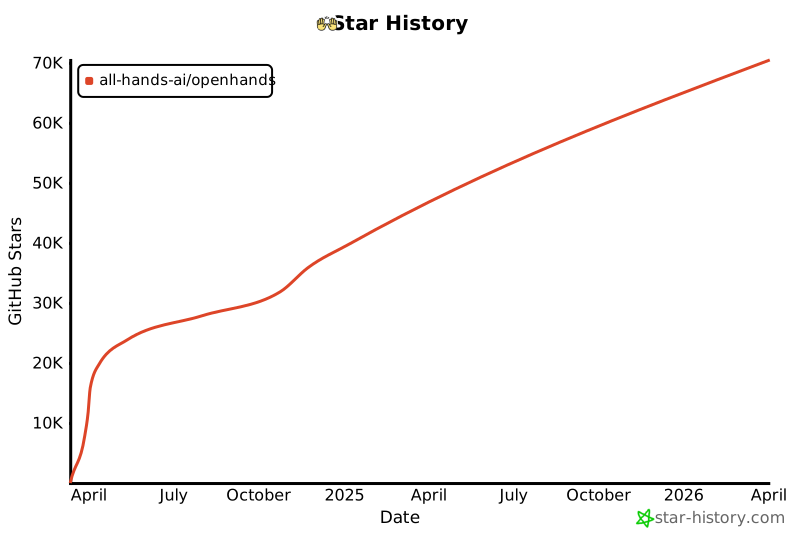](https://star-history.com/#All-Hands-AI/OpenHands&Date)
|
||||
|
||||
## 🛠️ Construit avec
|
||||
## Construit avec
|
||||
|
||||
OpenHands est construit en utilisant une combinaison de frameworks et de bibliothèques puissants, fournissant une base solide pour son développement. Voici les principales technologies utilisées dans le projet :
|
||||
|
||||
@@ -44,6 +23,6 @@ OpenHands est construit en utilisant une combinaison de frameworks et de bibliot
|
||||
|
||||
Veuillez noter que la sélection de ces technologies est en cours et que des technologies supplémentaires peuvent être ajoutées ou des technologies existantes peuvent être supprimées à mesure que le projet évolue. Nous nous efforçons d'adopter les outils les plus appropriés et les plus efficaces pour améliorer les capacités d'OpenHands.
|
||||
|
||||
## 📜 Licence
|
||||
## Licence
|
||||
|
||||
Distribué sous la licence MIT. Voir [notre licence](https://github.com/All-Hands-AI/OpenHands/blob/main/LICENSE) pour plus d'informations.
|
||||
Distribué sous la [Licence](https://github.com/All-Hands-AI/OpenHands/blob/main/LICENSE) MIT.
|
||||
|
||||
@@ -1,8 +1,8 @@
|
||||
|
||||
|
||||
# 📦 Runtime EventStream
|
||||
# 📦 Runtime Docker
|
||||
|
||||
Le Runtime EventStream d'OpenHands est le composant principal qui permet l'exécution sécurisée et flexible des actions des agents d'IA.
|
||||
Le Runtime Docker d'OpenHands est le composant principal qui permet l'exécution sécurisée et flexible des actions des agents d'IA.
|
||||
Il crée un environnement en bac à sable (sandbox) en utilisant Docker, où du code arbitraire peut être exécuté en toute sécurité sans risquer le système hôte.
|
||||
|
||||
## Pourquoi avons-nous besoin d'un runtime en bac à sable ?
|
||||
|
||||
@@ -0,0 +1,387 @@
|
||||
# Options de configuration
|
||||
|
||||
Ce guide détaille toutes les options de configuration disponibles pour OpenHands, vous aidant à personnaliser son comportement et à l'intégrer avec d'autres services.
|
||||
|
||||
:::note
|
||||
Si vous exécutez en [Mode GUI](https://docs.all-hands.dev/modules/usage/how-to/gui-mode), les paramètres disponibles dans l'interface utilisateur des paramètres auront toujours
|
||||
la priorité.
|
||||
:::
|
||||
|
||||
---
|
||||
|
||||
# Table des matières
|
||||
|
||||
1. [Configuration de base](#core-configuration)
|
||||
- [Clés API](#api-keys)
|
||||
- [Espace de travail](#workspace)
|
||||
- [Débogage et journalisation](#debugging-and-logging)
|
||||
- [Trajectoires](#trajectories)
|
||||
- [Stockage de fichiers](#file-store)
|
||||
- [Gestion des tâches](#task-management)
|
||||
- [Configuration du bac à sable](#sandbox-configuration)
|
||||
- [Divers](#miscellaneous)
|
||||
2. [Configuration LLM](#llm-configuration)
|
||||
- [Informations d'identification AWS](#aws-credentials)
|
||||
- [Configuration de l'API](#api-configuration)
|
||||
- [Fournisseur LLM personnalisé](#custom-llm-provider)
|
||||
- [Embeddings](#embeddings)
|
||||
- [Gestion des messages](#message-handling)
|
||||
- [Sélection du modèle](#model-selection)
|
||||
- [Nouvelles tentatives](#retrying)
|
||||
- [Options avancées](#advanced-options)
|
||||
3. [Configuration de l'agent](#agent-configuration)
|
||||
- [Configuration de la mémoire](#memory-configuration)
|
||||
- [Configuration LLM](#llm-configuration-1)
|
||||
- [Configuration de l'espace d'action](#actionspace-configuration)
|
||||
- [Utilisation du micro-agent](#microagent-usage)
|
||||
4. [Configuration du bac à sable](#sandbox-configuration-1)
|
||||
- [Exécution](#execution)
|
||||
- [Image de conteneur](#container-image)
|
||||
- [Mise en réseau](#networking)
|
||||
- [Linting et plugins](#linting-and-plugins)
|
||||
- [Dépendances et environnement](#dependencies-and-environment)
|
||||
- [Évaluation](#evaluation)
|
||||
5. [Configuration de sécurité](#security-configuration)
|
||||
- [Mode de confirmation](#confirmation-mode)
|
||||
- [Analyseur de sécurité](#security-analyzer)
|
||||
|
||||
---
|
||||
|
||||
## Configuration de base
|
||||
|
||||
Les options de configuration de base sont définies dans la section `[core]` du fichier `config.toml`.
|
||||
|
||||
**Clés API**
|
||||
- `e2b_api_key`
|
||||
- Type : `str`
|
||||
- Valeur par défaut : `""`
|
||||
- Description : Clé API pour E2B
|
||||
|
||||
- `modal_api_token_id`
|
||||
- Type : `str`
|
||||
- Valeur par défaut : `""`
|
||||
- Description : ID du jeton API pour Modal
|
||||
|
||||
- `modal_api_token_secret`
|
||||
- Type : `str`
|
||||
- Valeur par défaut : `""`
|
||||
- Description : Secret du jeton API pour Modal
|
||||
|
||||
**Espace de travail**
|
||||
- `workspace_base`
|
||||
- Type : `str`
|
||||
- Valeur par défaut : `"./workspace"`
|
||||
- Description : Chemin de base pour l'espace de travail
|
||||
|
||||
- `cache_dir`
|
||||
- Type : `str`
|
||||
- Valeur par défaut : `"/tmp/cache"`
|
||||
- Description : Chemin du répertoire de cache
|
||||
|
||||
**Débogage et journalisation**
|
||||
- `debug`
|
||||
- Type : `bool`
|
||||
- Valeur par défaut : `false`
|
||||
- Description : Activer le débogage
|
||||
|
||||
- `disable_color`
|
||||
- Type : `bool`
|
||||
- Valeur par défaut : `false`
|
||||
- Description : Désactiver la couleur dans la sortie du terminal
|
||||
|
||||
**Trajectoires**
|
||||
- `save_trajectory_path`
|
||||
- Type : `str`
|
||||
- Valeur par défaut : `"./trajectories"`
|
||||
- Description : Chemin pour stocker les trajectoires (peut être un dossier ou un fichier). Si c'est un dossier, les trajectoires seront enregistrées dans un fichier nommé avec l'ID de session et l'extension .json, dans ce dossier.
|
||||
|
||||
**Stockage de fichiers**
|
||||
- `file_store_path`
|
||||
- Type : `str`
|
||||
- Valeur par défaut : `"/tmp/file_store"`
|
||||
- Description : Chemin de stockage des fichiers
|
||||
|
||||
- `file_store`
|
||||
- Type : `str`
|
||||
- Valeur par défaut : `"memory"`
|
||||
- Description : Type de stockage de fichiers
|
||||
|
||||
- `file_uploads_allowed_extensions`
|
||||
- Type : `list of str`
|
||||
- Valeur par défaut : `[".*"]`
|
||||
- Description : Liste des extensions de fichiers autorisées pour les téléchargements
|
||||
|
||||
- `file_uploads_max_file_size_mb`
|
||||
- Type : `int`
|
||||
- Valeur par défaut : `0`
|
||||
- Description : Taille maximale des fichiers pour les téléchargements, en mégaoctets
|
||||
|
||||
- `file_uploads_restrict_file_types`
|
||||
- Type : `bool`
|
||||
- Valeur par défaut : `false`
|
||||
- Description : Restreindre les types de fichiers pour les téléchargements de fichiers
|
||||
|
||||
- `file_uploads_allowed_extensions`
|
||||
- Type : `list of str`
|
||||
- Valeur par défaut : `[".*"]`
|
||||
- Description : Liste des extensions de fichiers autorisées pour les téléchargements
|
||||
|
||||
**Gestion des tâches**
|
||||
- `max_budget_per_task`
|
||||
- Type : `float`
|
||||
- Valeur par défaut : `0.0`
|
||||
- Description : Budget maximal par tâche (0.0 signifie aucune limite)
|
||||
|
||||
- `max_iterations`
|
||||
- Type : `int`
|
||||
- Valeur par défaut : `100`
|
||||
- Description : Nombre maximal d'itérations
|
||||
|
||||
**Configuration du bac à sable**
|
||||
- `workspace_mount_path_in_sandbox`
|
||||
- Type : `str`
|
||||
- Valeur par défaut : `"/workspace"`
|
||||
- Description : Chemin de montage de l'espace de travail dans le bac à sable
|
||||
|
||||
- `workspace_mount_path`
|
||||
- Type : `str`
|
||||
- Valeur par défaut : `""`
|
||||
- Description : Chemin de montage de l'espace de travail
|
||||
|
||||
- `workspace_mount_rewrite`
|
||||
- Type : `str`
|
||||
- Valeur par défaut : `""`
|
||||
- Description : Chemin pour réécrire le chemin de montage de l'espace de travail. Vous pouvez généralement ignorer cela, cela fait référence à des cas spéciaux d'exécution à l'intérieur d'un autre conteneur.
|
||||
|
||||
**Divers**
|
||||
- `run_as_openhands`
|
||||
- Type : `bool`
|
||||
- Valeur par défaut : `true`
|
||||
- Description : Exécuter en tant qu'OpenHands
|
||||
|
||||
- `runtime`
|
||||
- Type : `str`
|
||||
- Valeur par défaut : `"docker"`
|
||||
- Description : Environnement d'exécution
|
||||
|
||||
- `default_agent`
|
||||
- Type : `str`
|
||||
- Valeur par défaut : `"CodeActAgent"`
|
||||
- Description : Nom de l'agent par défaut
|
||||
|
||||
- `jwt_secret`
|
||||
- Type : `str`
|
||||
- Valeur par défaut : `uuid.uuid4().hex`
|
||||
- Description : Secret JWT pour l'authentification. Veuillez le définir sur votre propre valeur.
|
||||
|
||||
## Configuration LLM
|
||||
|
||||
Les options de configuration LLM (Large Language Model) sont définies dans la section `[llm]` du fichier `config.toml`.
|
||||
|
||||
Pour les utiliser avec la commande docker, passez `-e LLM_<option>`. Exemple : `-e LLM_NUM_RETRIES`.
|
||||
|
||||
:::note
|
||||
Pour les configurations de développement, vous pouvez également définir des configurations LLM personnalisées. Voir [Configurations LLM personnalisées](./llms/custom-llm-configs) pour plus de détails.
|
||||
:::
|
||||
|
||||
**Informations d'identification AWS**
|
||||
- `aws_access_key_id`
|
||||
- Type : `str`
|
||||
- Valeur par défaut : `""`
|
||||
- Description : ID de clé d'accès AWS
|
||||
|
||||
- `aws_region_name`
|
||||
- Type : `str`
|
||||
- Valeur par défaut : `""`
|
||||
- Description : Nom de la région AWS
|
||||
|
||||
- `aws_secret_access_key`
|
||||
- Type : `str`
|
||||
- Valeur par défaut : `""`
|
||||
- Description : Clé d'accès secrète AWS
|
||||
|
||||
**Configuration de l'API**
|
||||
- `api_key`
|
||||
- Type : `str`
|
||||
- Valeur par défaut : `None`
|
||||
- Description : Clé API à utiliser
|
||||
|
||||
- `base_url`
|
||||
- Type : `str`
|
||||
- Valeur par défaut : `""`
|
||||
- Description : URL de base de l'API
|
||||
|
||||
- `api_version`
|
||||
- Type : `str`
|
||||
- Valeur par défaut : `""`
|
||||
- Description : Version de l'API
|
||||
|
||||
- `input_cost_per_token`
|
||||
- Type : `float`
|
||||
- Valeur par défaut : `0.0`
|
||||
- Description : Coût par jeton d'entrée
|
||||
|
||||
- `output_cost_per_token`
|
||||
- Type : `float`
|
||||
- Valeur par défaut : `0.0`
|
||||
- Description : Coût par jeton de sortie
|
||||
|
||||
**Fournisseur LLM personnalisé**
|
||||
- `custom_llm_provider`
|
||||
- Type : `str`
|
||||
- Valeur par défaut : `""`
|
||||
- Description : Fournisseur LLM personnalisé
|
||||
|
||||
**Embeddings**
|
||||
- `embedding_base_url`
|
||||
- Type : `str`
|
||||
- Valeur par défaut : `""`
|
||||
- Description : URL de base de l'API d'embedding
|
||||
|
||||
- `embedding_deployment_name`
|
||||
- Type : `str`
|
||||
- Valeur par défaut : `""`
|
||||
- Description : Nom du déploiement d'embedding
|
||||
|
||||
- `embedding_model`
|
||||
- Type : `str`
|
||||
- Valeur par défaut : `"local"`
|
||||
- Description : Modèle d'embedding à utiliser
|
||||
|
||||
**Gestion des messages**
|
||||
- `max_message_chars`
|
||||
- Type : `int`
|
||||
- Valeur par défaut : `30000`
|
||||
- Description : Le nombre maximum approximatif de caractères dans le contenu d'un événement inclus dans l'invite au LLM. Les observations plus grandes sont tronquées.
|
||||
|
||||
- `max_input_tokens`
|
||||
- Type : `int`
|
||||
- Valeur par défaut : `0`
|
||||
- Description : Nombre maximal de jetons d'entrée
|
||||
|
||||
- `max_output_tokens`
|
||||
- Type : `int`
|
||||
- Valeur par défaut : `0`
|
||||
- Description : Nombre maximal de jetons de sortie
|
||||
|
||||
**Sélection du modèle**
|
||||
- `model`
|
||||
- Type : `str`
|
||||
- Valeur par défaut : `"claude-3-5-sonnet-20241022"`
|
||||
- Description : Modèle à utiliser
|
||||
|
||||
**Nouvelles tentatives**
|
||||
- `num_retries`
|
||||
- Type : `int`
|
||||
- Valeur par défaut : `8`
|
||||
- Description : Nombre de nouvelles tentatives à effectuer
|
||||
|
||||
- `retry_max_wait`
|
||||
- Type : `int`
|
||||
- Valeur par défaut : `120`
|
||||
- Description : Temps d'attente maximal (en secondes) entre les tentatives de nouvelle tentative
|
||||
|
||||
- `retry_min_wait`
|
||||
- Type : `int`
|
||||
- Valeur par défaut : `15`
|
||||
- Description : Temps d'attente minimal (en secondes) entre les tentatives de nouvelle tentative
|
||||
|
||||
- `retry_multiplier`
|
||||
- Type : `float`
|
||||
- Valeur par défaut : `2.0`
|
||||
- Description : Multiplicateur pour le calcul du backoff exponentiel
|
||||
|
||||
**Options avancées**
|
||||
- `drop_params`
|
||||
- Type : `bool`
|
||||
- Valeur par défaut : `false`
|
||||
- Description : Supprimer tous les paramètres non mappés (non pris en charge) sans provoquer d'exception
|
||||
|
||||
- `caching_prompt`
|
||||
- Type : `bool`
|
||||
- Valeur par défaut : `true`
|
||||
- Description : Utiliser la fonctionnalité de mise en cache des invites si elle est fournie par le LLM et prise en charge
|
||||
|
||||
- `ollama_base_url`
|
||||
- Type : `str`
|
||||
- Valeur par défaut : `""`
|
||||
- Description : URL de base pour l'API OLLAMA
|
||||
|
||||
- `temperature`
|
||||
- Type : `float`
|
||||
- Valeur par défaut : `0.0`
|
||||
- Description : Température pour l'API
|
||||
|
||||
- `timeout`
|
||||
- Type : `int`
|
||||
- Valeur par défaut : `0`
|
||||
- Description : Délai d'expiration pour l'API
|
||||
|
||||
- `top_p`
|
||||
- Type : `float`
|
||||
- Valeur par défaut : `1.0`
|
||||
- Description : Top p pour l'API
|
||||
|
||||
- `disable_vision`
|
||||
- Type : `bool`
|
||||
- Valeur par défaut : `None`
|
||||
- Description : Si le modèle est capable de vision, cette option permet de désactiver le traitement des images (utile pour réduire les coûts)
|
||||
|
||||
## Configuration de l'agent
|
||||
|
||||
Les options de configuration de l'agent sont définies dans les sections `[agent]` et `[agent.<agent_name>]` du fichier `config.toml`.
|
||||
|
||||
**Configuration de la mémoire**
|
||||
- `memory_enabled`
|
||||
- Type : `bool`
|
||||
- Valeur par défaut : `false`
|
||||
- Description : Si la mémoire à long terme (embeddings) est activée
|
||||
|
||||
- `memory_max_threads`
|
||||
- Type : `int`
|
||||
- Valeur par défaut : `3`
|
||||
- Description : Le nombre maximum de threads indexant en même temps pour les embeddings
|
||||
|
||||
**Configuration LLM**
|
||||
- `llm_config`
|
||||
- Type : `str`
|
||||
- Valeur par défaut : `'your-llm-config-group'`
|
||||
- Description : Le nom de la configuration LLM à utiliser
|
||||
|
||||
**Configuration de l'espace d'action**
|
||||
- `function_calling`
|
||||
- Type : `bool`
|
||||
- Valeur par défaut : `true`
|
||||
- Description : Si l'appel de fonction est activé
|
||||
|
||||
- `codeact_enable_browsing`
|
||||
- Type : `bool`
|
||||
- Valeur par défaut : `false`
|
||||
- Description : Si le délégué de navigation est activé dans l'espace d'action (fonctionne uniquement avec l'appel de fonction)
|
||||
|
||||
- `codeact_enable_llm_editor`
|
||||
- Type : `bool`
|
||||
- Valeur par défaut : `false`
|
||||
- Description : Si l'éditeur LLM est activé dans l'espace d'action (fonctionne uniquement avec l'appel de fonction)
|
||||
|
||||
**Utilisation du micro-agent**
|
||||
- `enable_prompt_extensions`
|
||||
- Type : `bool`
|
||||
- Valeur par défaut : `true`
|
||||
- Description : Indique si l'utilisation des micro-agents est activée ou non
|
||||
|
||||
- `disabled_microagents`
|
||||
- Type : `list of str`
|
||||
- Valeur par défaut : `None`
|
||||
- Description : Liste des micro-agents à désactiver
|
||||
|
||||
### Exécution
|
||||
- `timeout`
|
||||
- Type : `int`
|
||||
- Valeur par défaut : `120`
|
||||
- Description : Délai d'expiration du bac à sable, en secondes
|
||||
|
||||
- `user_id`
|
||||
- Type : `int`
|
||||
- Valeur par défaut : `1000`
|
||||
- Description : ID de l'utilisateur du bac à sable
|
||||
@@ -42,10 +42,11 @@ Créez un fichier ```config.toml``` dans le répertoire OpenHands et entrez ces
|
||||
[core]
|
||||
workspace_base="./workspace"
|
||||
run_as_openhands=true
|
||||
sandbox_base_container_image="image_personnalisée"
|
||||
[sandbox]
|
||||
base_container_image="image_personnalisée"
|
||||
```
|
||||
|
||||
> Assurez-vous que ```sandbox_base_container_image``` est défini sur le nom de votre image personnalisée précédente.
|
||||
> Assurez-vous que ```base_container_image``` est défini sur le nom de votre image personnalisée précédente.
|
||||
|
||||
## Exécution
|
||||
|
||||
@@ -82,20 +83,17 @@ dockerfile_content = (
|
||||
## Dépannage / Erreurs
|
||||
|
||||
### Erreur: ```useradd: UID 1000 est non unique```
|
||||
Si vous voyez cette erreur dans la sortie de la console, il s'agit du fait que OpenHands essaie de créer le utilisateur openhands dans le sandbox avec un ID d'utilisateur de 1000, cependant cet ID d'utilisateur est déjà utilisé dans l'image (pour une raison inconnue). Pour résoudre ce problème, changez la valeur du champ sandbox_user_id dans le fichier config.toml en une valeur différente:
|
||||
Si vous voyez cette erreur dans la sortie de la console, il s'agit du fait que OpenHands essaie de créer le utilisateur openhands dans le sandbox avec un ID d'utilisateur de 1000, cependant cet ID d'utilisateur est déjà utilisé dans l'image (pour une raison inconnue). Pour résoudre ce problème, changez la valeur du champ user_id dans le fichier config.toml en une valeur différente:
|
||||
|
||||
```toml
|
||||
[core]
|
||||
workspace_base="./workspace"
|
||||
run_as_openhands=true
|
||||
sandbox_base_container_image="image_personnalisée"
|
||||
sandbox_user_id="1001"
|
||||
[sandbox]
|
||||
base_container_image="image_personnalisée"
|
||||
user_id="1001"
|
||||
```
|
||||
|
||||
### Erreurs de port d'utilisation
|
||||
|
||||
Si vous voyez un message d'erreur indiquant que le port est utilisé ou indisponible, essayez de supprimer toutes les containers docker en cours d'exécution (exécutez `docker ps` et `docker rm` des containers concernés) puis ré-exécutez ```make run```
|
||||
|
||||
## Discuter
|
||||
|
||||
Pour d'autres problèmes ou questions rejoignez le [Slack](https://join.slack.com/t/openhands-ai/shared_invite/zt-2wkh4pklz-w~h_DVDtEe9H5kyQlcNxVw) ou le [Discord](https://discord.gg/ESHStjSjD4) et demandez!
|
||||
|
||||
@@ -5,7 +5,7 @@
|
||||
Vous avez donc [installé OpenHands](./installation) et avez
|
||||
[configuré votre LLM](./installation#setup). Et maintenant ?
|
||||
|
||||
OpenHands peut vous aider à vous attaquer à une grande variété de tâches d'ingénierie. Mais la technologie
|
||||
OpenHands peut vous aider à aborder une grande variété de tâches d'ingénierie. Mais la technologie
|
||||
est encore nouvelle, et nous sommes loin d'avoir des agents capables de prendre en charge des tâches
|
||||
d'ingénierie vastes et compliquées sans aucune aide. Il est donc important de se faire une idée de ce que l'agent
|
||||
fait bien, et où il pourrait avoir besoin d'un coup de main.
|
||||
@@ -16,7 +16,7 @@ La première chose que vous voudrez peut-être essayer est un simple exemple "he
|
||||
Cela peut être plus compliqué qu'il n'y paraît !
|
||||
|
||||
Essayez de demander à l'agent :
|
||||
> Please write a bash script hello.sh that prints "hello world!"
|
||||
> Veuillez écrire un script bash hello.sh qui affiche "hello world!"
|
||||
|
||||
Vous devriez constater que l'agent non seulement écrit le script, mais définit également les
|
||||
permissions correctes et exécute le script pour vérifier la sortie.
|
||||
@@ -24,12 +24,12 @@ permissions correctes et exécute le script pour vérifier la sortie.
|
||||
Vous pouvez continuer à demander à l'agent d'affiner votre code. C'est une excellente façon de
|
||||
travailler avec les agents. Commencez simplement, et itérez.
|
||||
|
||||
> Please modify hello.sh so that it accepts a name as the first argument, but defaults to "world"
|
||||
> Veuillez modifier hello.sh pour qu'il accepte un nom comme premier argument, mais par défaut "world"
|
||||
|
||||
Vous pouvez également travailler dans n'importe quel langage dont vous avez besoin, bien que l'agent puisse avoir besoin de passer un peu de
|
||||
Vous pouvez également travailler dans n'importe quel langage dont vous avez besoin, bien que l'agent puisse avoir besoin de passer du
|
||||
temps à configurer son environnement !
|
||||
|
||||
> Please convert hello.sh to a Ruby script, and run it
|
||||
> Veuillez convertir hello.sh en un script Ruby, et l'exécuter
|
||||
|
||||
## Construire à partir de zéro
|
||||
|
||||
@@ -41,18 +41,18 @@ aussi précis que possible sur ce que vous voulez, sur la pile technologique à
|
||||
|
||||
Par exemple, nous pourrions construire une application TODO :
|
||||
|
||||
> Please build a basic TODO list app in React. It should be frontend-only, and all state
|
||||
> should be kept in localStorage.
|
||||
> Veuillez créer une application basique de liste de tâches en React. Elle devrait être uniquement frontend, et tout l'état
|
||||
> devrait être conservé dans localStorage.
|
||||
|
||||
Nous pouvons continuer à itérer sur l'application une fois le squelette en place :
|
||||
|
||||
> Please allow adding an optional due date to every task
|
||||
> Veuillez permettre d'ajouter une date d'échéance optionnelle à chaque tâche
|
||||
|
||||
Tout comme avec le développement normal, il est bon de commiter et de pousser votre code fréquemment.
|
||||
De cette façon, vous pouvez toujours revenir à un ancien état si l'agent dévie.
|
||||
Vous pouvez demander à l'agent de commiter et de pousser pour vous :
|
||||
|
||||
> Please commit the changes and push them to a new branch called "feature/due-dates"
|
||||
> Veuillez commiter les changements et les pousser sur une nouvelle branche appelée "feature/due-dates"
|
||||
|
||||
|
||||
## Ajouter du nouveau code
|
||||
@@ -61,18 +61,18 @@ OpenHands peut également faire un excellent travail en ajoutant du nouveau code
|
||||
|
||||
Par exemple, vous pouvez demander à OpenHands d'ajouter une nouvelle action GitHub à votre projet
|
||||
qui analyse votre code. OpenHands peut jeter un coup d'œil à votre base de code pour voir quel langage
|
||||
il doit utiliser, mais ensuite il peut simplement déposer un nouveau fichier dans `./github/workflows/lint.yml`.
|
||||
il doit utiliser, mais ensuite il peut simplement déposer un nouveau fichier dans `./github/workflows/lint.yml`
|
||||
|
||||
> Please add a GitHub action that lints the code in this repository
|
||||
> Veuillez ajouter une action GitHub qui analyse le code dans ce dépôt
|
||||
|
||||
Certaines tâches peuvent nécessiter un peu plus de contexte. Bien qu'OpenHands puisse utiliser `ls` et `grep`
|
||||
pour rechercher dans votre base de code, fournir le contexte à l'avance lui permet d'aller plus vite,
|
||||
et plus précisément. Et cela vous coûtera moins de tokens !
|
||||
|
||||
> Please modify ./backend/api/routes.js to add a new route that returns a list of all tasks
|
||||
> Veuillez modifier ./backend/api/routes.js pour ajouter une nouvelle route qui renvoie une liste de toutes les tâches
|
||||
|
||||
> Please add a new React component that displays a list of Widgets to the ./frontend/components
|
||||
> directory. It should use the existing Widget component.
|
||||
> Veuillez ajouter un nouveau composant React qui affiche une liste de Widgets dans le répertoire ./frontend/components.
|
||||
> Il devrait utiliser le composant Widget existant.
|
||||
|
||||
## Refactoring
|
||||
|
||||
@@ -80,34 +80,34 @@ OpenHands est excellent pour refactoriser du code existant, surtout par petits m
|
||||
Vous ne voulez probablement pas essayer de réarchitecturer toute votre base de code, mais diviser
|
||||
les longs fichiers et fonctions, renommer les variables, etc. ont tendance à très bien fonctionner.
|
||||
|
||||
> Please rename all the single-letter variables in ./app.go
|
||||
> Veuillez renommer toutes les variables à une lettre dans ./app.go
|
||||
|
||||
> Please break the function `build_and_deploy_widgets` into two functions, `build_widgets` and `deploy_widgets` in widget.php
|
||||
> Veuillez diviser la fonction `build_and_deploy_widgets` en deux fonctions, `build_widgets` et `deploy_widgets` dans widget.php
|
||||
|
||||
> Please break ./api/routes.js into separate files for each route
|
||||
> Veuillez diviser ./api/routes.js en fichiers séparés pour chaque route
|
||||
|
||||
## Corrections de bugs
|
||||
|
||||
OpenHands peut également vous aider à traquer et corriger des bugs dans votre code. Mais, comme tout
|
||||
développeur le sait, la correction de bugs peut être extrêmement délicate, et souvent OpenHands aura besoin de plus de contexte.
|
||||
Cela aide si vous avez diagnostiqué le bug, mais que vous voulez qu'OpenHands trouve la logique.
|
||||
Cela aide si vous avez diagnostiqué le bug, mais que vous voulez qu'OpenHands comprenne la logique.
|
||||
|
||||
> Currently the email field in the `/subscribe` endpoint is rejecting .io domains. Please fix this.
|
||||
> Actuellement, le champ email dans le point de terminaison `/subscribe` rejette les domaines .io. Veuillez corriger cela.
|
||||
|
||||
> The `search_widgets` function in ./app.py is doing a case-sensitive search. Please make it case-insensitive.
|
||||
> La fonction `search_widgets` dans ./app.py effectue une recherche sensible à la casse. Veuillez la rendre insensible à la casse.
|
||||
|
||||
Il est souvent utile de faire du développement piloté par les tests lors de la correction de bugs avec un agent.
|
||||
Vous pouvez demander à l'agent d'écrire un nouveau test, puis d'itérer jusqu'à ce qu'il corrige le bug :
|
||||
|
||||
> The `hello` function crashes on the empty string. Please write a test that reproduces this bug, then fix the code so it passes.
|
||||
> La fonction `hello` plante sur la chaîne vide. Veuillez écrire un test qui reproduit ce bug, puis corrigez le code pour qu'il passe.
|
||||
|
||||
## Plus
|
||||
|
||||
OpenHands est capable d'aider sur à peu près n'importe quelle tâche de codage. Mais il faut un peu de pratique
|
||||
OpenHands est capable d'aider sur à peu près n'importe quelle tâche de codage. Mais il faut de la pratique
|
||||
pour en tirer le meilleur parti. N'oubliez pas de :
|
||||
* Garder vos tâches petites
|
||||
* Être aussi précis que possible
|
||||
* Fournir autant de contexte que possible
|
||||
* Commiter et pousser fréquemment
|
||||
|
||||
Voir [Bonnes pratiques de prompting](./prompting-best-practices) pour plus de conseils sur la façon de tirer le meilleur parti d'OpenHands.
|
||||
Voir [Bonnes pratiques de prompting](./prompting/prompting-best-practices) pour plus de conseils sur la façon de tirer le meilleur parti d'OpenHands.
|
||||
|
||||
@@ -28,16 +28,17 @@ Vous devrez vous assurer de définir votre modèle, votre clé API et d'autres p
|
||||
|
||||
Pour exécuter OpenHands en mode CLI avec Docker, suivez ces étapes :
|
||||
|
||||
1. Définissez `WORKSPACE_BASE` sur le répertoire que vous souhaitez qu'OpenHands modifie :
|
||||
1. Définissez `WORKSPACE_BASE` sur le répertoire que vous voulez qu'OpenHands modifie :
|
||||
|
||||
```bash
|
||||
WORKSPACE_BASE=$(pwd)/workspace
|
||||
```
|
||||
|
||||
2. Définissez `LLM_MODEL` sur le modèle que vous souhaitez utiliser :
|
||||
2. Définissez `LLM_MODEL` sur le modèle que vous voulez utiliser :
|
||||
|
||||
```bash
|
||||
LLM_MODEL="anthropic/claude-3-5-sonnet-20241022"
|
||||
|
||||
```
|
||||
|
||||
3. Définissez `LLM_API_KEY` sur votre clé API :
|
||||
@@ -51,6 +52,7 @@ LLM_API_KEY="sk_test_12345"
|
||||
```bash
|
||||
docker run -it \
|
||||
--pull=always \
|
||||
-e SANDBOX_RUNTIME_CONTAINER_IMAGE=docker.all-hands.dev/all-hands-ai/runtime:0.29-nikolaik \
|
||||
-e SANDBOX_USER_ID=$(id -u) \
|
||||
-e WORKSPACE_MOUNT_PATH=$WORKSPACE_BASE \
|
||||
-e LLM_API_KEY=$LLM_API_KEY \
|
||||
@@ -59,7 +61,7 @@ docker run -it \
|
||||
-v /var/run/docker.sock:/var/run/docker.sock \
|
||||
--add-host host.docker.internal:host-gateway \
|
||||
--name openhands-app-$(date +%Y%m%d%H%M%S) \
|
||||
ghcr.io/all-hands-ai/openhands:0.11 \
|
||||
docker.all-hands.dev/all-hands-ai/openhands:0.29 \
|
||||
python -m openhands.core.cli
|
||||
```
|
||||
|
||||
@@ -72,7 +74,7 @@ Voici quelques exemples de commandes CLI et leurs sorties attendues :
|
||||
### Exemple 1 : Tâche simple
|
||||
|
||||
```bash
|
||||
Comment puis-je vous aider ? >> Écrivez un script Python qui affiche "Hello, World!"
|
||||
How can I help? >> Écrivez un script Python qui affiche "Hello, World!"
|
||||
```
|
||||
|
||||
Sortie attendue :
|
||||
@@ -86,7 +88,7 @@ Sortie attendue :
|
||||
### Exemple 2 : Commande Bash
|
||||
|
||||
```bash
|
||||
Comment puis-je vous aider ? >> Créez un répertoire nommé "test_dir"
|
||||
How can I help? >> Créez un répertoire nommé "test_dir"
|
||||
```
|
||||
|
||||
Sortie attendue :
|
||||
@@ -100,7 +102,7 @@ Sortie attendue :
|
||||
### Exemple 3 : Gestion des erreurs
|
||||
|
||||
```bash
|
||||
Comment puis-je vous aider ? >> Supprimez un fichier inexistant
|
||||
How can I help? >> Supprimez un fichier inexistant
|
||||
```
|
||||
|
||||
Sortie attendue :
|
||||
|
||||
@@ -4,7 +4,7 @@
|
||||
|
||||
Le sandbox est l'endroit où l'agent effectue ses tâches. Au lieu d'exécuter des commandes directement sur votre ordinateur (ce qui pourrait être risqué), l'agent les exécute à l'intérieur d'un conteneur Docker.
|
||||
|
||||
Le sandbox OpenHands par défaut (`python-nodejs:python3.12-nodejs22` de [nikolaik/python-nodejs](https://hub.docker.com/r/nikolaik/python-nodejs)) est livré avec certains paquets installés tels que Python et Node.js, mais peut nécessiter l'installation d'autres logiciels par défaut.
|
||||
Le sandbox OpenHands par défaut (`python-nodejs:python3.12-nodejs22` de [nikolaik/python-nodejs](https://hub.docker.com/r/nikolaik/python-nodejs)) est livré avec certains paquets installés tels que Python et Node.js mais peut nécessiter l'installation d'autres logiciels par défaut.
|
||||
|
||||
Vous avez deux options pour la personnalisation :
|
||||
|
||||
@@ -36,7 +36,7 @@ Cela produira une nouvelle image appelée `custom-image`, qui sera disponible da
|
||||
|
||||
> Notez que dans la configuration décrite dans ce document, OpenHands s'exécutera en tant qu'utilisateur "openhands" à l'intérieur du sandbox et donc tous les paquets installés via le docker file devraient être disponibles pour tous les utilisateurs du système, pas seulement root.
|
||||
|
||||
## Utiliser le Workflow de Développement
|
||||
## Utilisation du Workflow de Développement
|
||||
|
||||
### Configuration
|
||||
|
||||
@@ -44,40 +44,19 @@ Tout d'abord, assurez-vous de pouvoir exécuter OpenHands en suivant les instruc
|
||||
|
||||
### Spécifier l'Image de Base du Sandbox
|
||||
|
||||
Dans le fichier `config.toml` dans le répertoire OpenHands, définissez `sandbox_base_container_image` sur l'image que vous souhaitez utiliser. Cela peut être une image que vous avez déjà extraite ou une que vous avez construite :
|
||||
Dans le fichier `config.toml` dans le répertoire OpenHands, définissez `base_container_image` sur l'image que vous souhaitez utiliser. Cela peut être une image que vous avez déjà extraite ou une que vous avez construite :
|
||||
|
||||
```bash
|
||||
[core]
|
||||
...
|
||||
sandbox_base_container_image="custom-image"
|
||||
[sandbox]
|
||||
base_container_image="custom-image"
|
||||
```
|
||||
|
||||
### Exécuter
|
||||
### Exécution
|
||||
|
||||
Exécutez OpenHands en exécutant ```make run``` dans le répertoire de niveau supérieur.
|
||||
|
||||
## Explication Technique
|
||||
|
||||
Veuillez vous référer à la [section image docker personnalisée de la documentation d'exécution](https://docs.all-hands.dev/modules/usage/architecture/runtime#advanced-how-openhands-builds-and-maintains-od-runtime-images) pour plus de détails.
|
||||
|
||||
## Dépannage / Erreurs
|
||||
|
||||
### Erreur : ```useradd: UID 1000 is not unique```
|
||||
|
||||
Si vous voyez cette erreur dans la sortie de la console, c'est parce qu'OpenHands essaie de créer l'utilisateur openhands dans le sandbox avec un UID de 1000, mais cet UID est déjà utilisé dans l'image (pour une raison quelconque). Pour corriger cela, changez le champ sandbox_user_id dans le fichier config.toml à une valeur différente :
|
||||
|
||||
```toml
|
||||
[core]
|
||||
workspace_base="./workspace"
|
||||
run_as_openhands=true
|
||||
sandbox_base_container_image="custom_image"
|
||||
sandbox_user_id="1001"
|
||||
```
|
||||
|
||||
### Erreurs d'utilisation de port
|
||||
|
||||
Si vous voyez une erreur concernant un port déjà utilisé ou indisponible, essayez de supprimer tous les conteneurs Docker en cours d'exécution (exécutez `docker ps` et `docker rm` sur les conteneurs pertinents) puis réexécutez ```make run```.
|
||||
|
||||
## Discuter
|
||||
|
||||
Pour d'autres problèmes ou questions, rejoignez le [Slack](https://join.slack.com/t/openhands-ai/shared_invite/zt-2wkh4pklz-w~h_DVDtEe9H5kyQlcNxVw) ou le [Discord](https://discord.gg/ESHStjSjD4) et demandez !
|
||||
|
||||
@@ -15,7 +15,6 @@ Voici un exemple de fichier de configuration que vous pouvez utiliser pour défi
|
||||
[llm]
|
||||
# IMPORTANT : ajoutez votre clé API ici et définissez le modèle que vous souhaitez évaluer
|
||||
model = "claude-3-5-sonnet-20241022"
|
||||
|
||||
api_key = "sk-XXX"
|
||||
|
||||
[llm.eval_gpt4_1106_preview_llm]
|
||||
@@ -115,7 +114,7 @@ Pour créer un workflow d'évaluation pour votre benchmark, suivez ces étapes :
|
||||
def get_config(instance: pd.Series, metadata: EvalMetadata) -> AppConfig:
|
||||
config = AppConfig(
|
||||
default_agent=metadata.agent_class,
|
||||
runtime='eventstream',
|
||||
runtime='docker',
|
||||
max_iterations=metadata.max_iterations,
|
||||
sandbox=SandboxConfig(
|
||||
base_container_image='your_container_image',
|
||||
@@ -191,7 +190,7 @@ En suivant cette structure, vous pouvez créer un workflow d'évaluation robuste
|
||||
|
||||
## Comprendre la `user_response_fn`
|
||||
|
||||
La `user_response_fn` est un composant crucial dans le workflow d'évaluation d'OpenHands. Elle simule l'interaction de l'utilisateur avec l'agent, permettant des réponses automatisées pendant le processus d'évaluation. Cette fonction est particulièrement utile lorsque vous souhaitez fournir des réponses cohérentes et prédéfinies aux requêtes ou actions de l'agent.
|
||||
La `user_response_fn` est un composant crucial dans le workflow d'évaluation d'OpenHands. Elle simule l'interaction de l'utilisateur avec l'agent, permettant des réponses automatisées pendant le processus d'évaluation. Cette fonction est particulièrement utile lorsque vous voulez fournir des réponses cohérentes et prédéfinies aux requêtes ou actions de l'agent.
|
||||
|
||||
|
||||
### Workflow et interaction
|
||||
@@ -242,7 +241,7 @@ Dans ce workflow :
|
||||
- Les actions non exécutables (généralement lorsque l'agent veut communiquer ou demander des clarifications) sont gérées par la `user_response_fn`
|
||||
- L'agent traite ensuite le feedback, qu'il s'agisse d'une Observation du Runtime ou d'une réponse simulée de la `user_response_fn`
|
||||
|
||||
Cette approche permet une gestion automatisée des actions concrètes et des interactions utilisateur simulées, ce qui la rend adaptée aux scénarios d'évaluation où vous souhaitez tester la capacité de l'agent à effectuer des tâches avec une intervention humaine minimale.
|
||||
Cette approche permet une gestion automatisée des actions concrètes et des interactions utilisateur simulées, ce qui la rend adaptée aux scénarios d'évaluation où vous voulez tester la capacité de l'agent à accomplir des tâches avec une intervention humaine minimale.
|
||||
|
||||
### Exemple d'implémentation
|
||||
|
||||
@@ -264,7 +263,7 @@ def codeact_user_response(state: State | None) -> str:
|
||||
if isinstance(event, MessageAction) and event.source == 'user'
|
||||
]
|
||||
if len(user_msgs) >= 2:
|
||||
# faire savoir à l'agent qu'il peut abandonner lorsqu'il a essayé 3 fois
|
||||
# faire savoir à l'agent qu'il peut abandonner quand il a essayé 3 fois
|
||||
return (
|
||||
msg
|
||||
+ 'Si vous voulez abandonner, exécutez : <execute_bash> exit </execute_bash>.\n'
|
||||
@@ -278,4 +277,4 @@ Cette fonction fait ce qui suit :
|
||||
2. Vérifie combien de fois l'agent a tenté de communiquer avec l'utilisateur
|
||||
3. Si l'agent a fait plusieurs tentatives, il lui donne la possibilité d'abandonner
|
||||
|
||||
En utilisant cette fonction, vous pouvez garantir un comportement cohérent sur plusieurs exécutions d'évaluation et empêcher l'agent de rester bloqué en attendant une entrée humaine.
|
||||
En utilisant cette fonction, vous pouvez assurer un comportement cohérent sur plusieurs exécutions d'évaluation et empêcher l'agent de rester bloqué en attendant une entrée humaine.
|
||||
|
||||
@@ -6,12 +6,46 @@ Ce guide explique comment utiliser l'Action GitHub OpenHands, à la fois dans le
|
||||
|
||||
## Utilisation de l'Action dans le dépôt OpenHands
|
||||
|
||||
Pour utiliser l'Action GitHub OpenHands dans le dépôt OpenHands, un mainteneur OpenHands peut :
|
||||
Pour utiliser l'Action GitHub OpenHands dans un dépôt, vous pouvez :
|
||||
|
||||
1. Créer une issue dans le dépôt.
|
||||
2. Ajouter le label `fix-me` à l'issue.
|
||||
3. L'action se déclenchera automatiquement et tentera de résoudre l'issue.
|
||||
1. Créer un ticket dans le dépôt.
|
||||
2. Ajouter l'étiquette `fix-me` au ticket ou laisser un commentaire sur le ticket commençant par `@openhands-agent`.
|
||||
|
||||
L'action se déclenchera automatiquement et tentera de résoudre le ticket.
|
||||
|
||||
## Installation de l'Action dans un nouveau dépôt
|
||||
|
||||
Pour installer l'Action GitHub OpenHands dans votre propre dépôt, suivez les [instructions dans le dépôt OpenHands Resolver](https://github.com/All-Hands-AI/OpenHands/blob/main/openhands/resolver/README.md).
|
||||
Pour installer l'Action GitHub OpenHands dans votre propre dépôt, suivez le [README pour le Resolver OpenHands](https://github.com/All-Hands-AI/OpenHands/blob/main/openhands/resolver/README.md).
|
||||
|
||||
## Conseils d'utilisation
|
||||
|
||||
### Résolution itérative
|
||||
|
||||
1. Créez un ticket dans le dépôt.
|
||||
2. Ajoutez l'étiquette `fix-me` au ticket, ou laissez un commentaire commençant par `@openhands-agent`
|
||||
3. Examinez la tentative de résolution du ticket en vérifiant la pull request
|
||||
4. Faites un suivi avec des commentaires via des commentaires généraux, des commentaires de revue ou des commentaires de fil en ligne
|
||||
5. Ajoutez l'étiquette `fix-me` à la pull request, ou adressez un commentaire spécifique en commençant par `@openhands-agent`
|
||||
|
||||
### Étiquette versus Macro
|
||||
|
||||
- Étiquette (`fix-me`) : Demande à OpenHands de traiter le ticket ou la pull request dans son **intégralité**.
|
||||
- Macro (`@openhands-agent`) : Demande à OpenHands de ne considérer que la description du ticket/de la pull request et **le commentaire spécifique**.
|
||||
|
||||
## Paramètres avancés
|
||||
|
||||
### Ajouter des paramètres de dépôt personnalisés
|
||||
|
||||
Vous pouvez fournir des instructions personnalisées pour OpenHands en suivant le [README pour le resolver](https://github.com/All-Hands-AI/OpenHands/blob/main/openhands/resolver/README.md#providing-custom-instructions).
|
||||
|
||||
### Configurations personnalisées
|
||||
|
||||
Le resolver Github vérifiera automatiquement les [secrets de dépôt](https://docs.github.com/en/actions/security-for-github-actions/security-guides/using-secrets-in-github-actions?tool=webui#creating-secrets-for-a-repository) ou les [variables de dépôt](https://docs.github.com/en/actions/writing-workflows/choosing-what-your-workflow-does/store-information-in-variables#creating-configuration-variables-for-a-repository) valides pour personnaliser son comportement.
|
||||
Les options de personnalisation que vous pouvez définir sont :
|
||||
|
||||
| **Nom de l'attribut** | **Type** | **Objectif** | **Exemple** |
|
||||
|----------------------------------| -------- |-------------------------------------------------------------------------------------------------------------|------------------------------------------------------|
|
||||
| `LLM_MODEL` | Variable | Définir le LLM à utiliser avec OpenHands | `LLM_MODEL="anthropic/claude-3-5-sonnet-20241022"` |
|
||||
| `OPENHANDS_MAX_ITER` | Variable | Définir la limite maximale pour les itérations de l'agent | `OPENHANDS_MAX_ITER=10` |
|
||||
| `OPENHANDS_MACRO` | Variable | Personnaliser la macro par défaut pour invoquer le resolver | `OPENHANDS_MACRO=@resolveit` |
|
||||
| `OPENHANDS_BASE_CONTAINER_IMAGE` | Variable | Sandbox personnalisé ([en savoir plus](https://docs.all-hands.dev/modules/usage/how-to/custom-sandbox-guide))| `OPENHANDS_BASE_CONTAINER_IMAGE="custom_image"` |
|
||||
|
||||
@@ -8,7 +8,7 @@ OpenHands fournit un mode Interface Graphique (GUI) convivial pour interagir ave
|
||||
|
||||
## Installation et Configuration
|
||||
|
||||
1. Suivez les instructions du guide d'[Installation](../installation) pour installer OpenHands.
|
||||
1. Suivez les instructions du guide [Installation](../installation) pour installer OpenHands.
|
||||
|
||||
2. Après avoir exécuté la commande, accédez à OpenHands à l'adresse [http://localhost:3000](http://localhost:3000).
|
||||
|
||||
@@ -21,33 +21,107 @@ OpenHands fournit un mode Interface Graphique (GUI) convivial pour interagir ave
|
||||
3. Entrez la `Clé API` correspondante pour le fournisseur choisi.
|
||||
4. Cliquez sur "Enregistrer" pour appliquer les paramètres.
|
||||
|
||||
### Configuration du Jeton GitHub
|
||||
|
||||
OpenHands exporte automatiquement un `GITHUB_TOKEN` vers l'environnement shell s'il est disponible. Cela peut se produire de deux manières :
|
||||
|
||||
1. **Localement (OSS)** : L'utilisateur saisit directement son jeton GitHub
|
||||
2. **En ligne (SaaS)** : Le jeton est obtenu via l'authentification OAuth GitHub
|
||||
|
||||
#### Configuration d'un Jeton GitHub Local
|
||||
|
||||
1. **Générer un Personal Access Token (PAT)** :
|
||||
- Allez dans Paramètres GitHub > Paramètres développeur > Personal Access Tokens > Tokens (classique)
|
||||
- Cliquez sur "Générer un nouveau jeton (classique)"
|
||||
- Portées requises :
|
||||
- `repo` (Contrôle total des dépôts privés)
|
||||
- `workflow` (Mettre à jour les workflows GitHub Action)
|
||||
- `read:org` (Lire les données de l'organisation)
|
||||
|
||||
2. **Entrer le Jeton dans OpenHands** :
|
||||
- Cliquez sur le bouton Paramètres (icône d'engrenage) en haut à droite
|
||||
- Accédez à la section "GitHub"
|
||||
- Collez votre jeton dans le champ "Jeton GitHub"
|
||||
- Cliquez sur "Enregistrer" pour appliquer les modifications
|
||||
|
||||
#### Politiques de Jetons Organisationnels
|
||||
|
||||
Si vous travaillez avec des dépôts organisationnels, une configuration supplémentaire peut être nécessaire :
|
||||
|
||||
1. **Vérifier les Exigences de l'Organisation** :
|
||||
- Les administrateurs de l'organisation peuvent appliquer des politiques de jetons spécifiques
|
||||
- Certaines organisations exigent que les jetons soient créés avec SSO activé
|
||||
- Consultez les [paramètres de politique de jetons](https://docs.github.com/en/organizations/managing-programmatic-access-to-your-organization/setting-a-personal-access-token-policy-for-your-organization) de votre organisation
|
||||
|
||||
2. **Vérifier l'Accès à l'Organisation** :
|
||||
- Allez dans les paramètres de votre jeton sur GitHub
|
||||
- Recherchez l'organisation sous "Accès à l'organisation"
|
||||
- Si nécessaire, cliquez sur "Activer SSO" à côté de votre organisation
|
||||
- Terminez le processus d'autorisation SSO
|
||||
|
||||
#### Authentification OAuth (Mode En Ligne)
|
||||
|
||||
Lorsque vous utilisez OpenHands en mode en ligne, le flux OAuth GitHub :
|
||||
|
||||
1. Demande les autorisations suivantes :
|
||||
- Accès au dépôt (lecture/écriture)
|
||||
- Gestion des workflows
|
||||
- Accès en lecture à l'organisation
|
||||
|
||||
2. Étapes d'authentification :
|
||||
- Cliquez sur "Se connecter avec GitHub" lorsque vous y êtes invité
|
||||
- Examinez les autorisations demandées
|
||||
- Autorisez OpenHands à accéder à votre compte GitHub
|
||||
- Si vous utilisez une organisation, autorisez l'accès à l'organisation si vous y êtes invité
|
||||
|
||||
#### Dépannage
|
||||
|
||||
Problèmes courants et solutions :
|
||||
|
||||
1. **Jeton Non Reconnu** :
|
||||
- Assurez-vous que le jeton est correctement enregistré dans les paramètres
|
||||
- Vérifiez que le jeton n'a pas expiré
|
||||
- Vérifiez que le jeton a les portées requises
|
||||
- Essayez de régénérer le jeton
|
||||
|
||||
2. **Accès à l'Organisation Refusé** :
|
||||
- Vérifiez si SSO est requis mais non activé
|
||||
- Vérifiez l'appartenance à l'organisation
|
||||
- Contactez l'administrateur de l'organisation si les politiques de jetons bloquent l'accès
|
||||
|
||||
3. **Vérifier que le Jeton Fonctionne** :
|
||||
- L'application affichera une coche verte si le jeton est valide
|
||||
- Essayez d'accéder à un dépôt pour confirmer les autorisations
|
||||
- Vérifiez la console du navigateur pour tout message d'erreur
|
||||
- Utilisez le bouton "Tester la connexion" dans les paramètres s'il est disponible
|
||||
|
||||
### Paramètres Avancés
|
||||
|
||||
1. Activez `Options Avancées` pour accéder aux paramètres supplémentaires.
|
||||
2. Utilisez la zone de texte `Modèle Personnalisé` pour entrer manuellement un modèle s'il n'est pas dans la liste.
|
||||
3. Spécifiez une `URL de Base` si requise par votre fournisseur LLM.
|
||||
1. Basculez sur `Options Avancées` pour accéder aux paramètres supplémentaires.
|
||||
2. Utilisez la zone de texte `Modèle Personnalisé` pour saisir manuellement un modèle s'il ne figure pas dans la liste.
|
||||
3. Spécifiez une `URL de Base` si requis par votre fournisseur LLM.
|
||||
|
||||
### Interface Principale
|
||||
|
||||
L'interface principale se compose de plusieurs éléments clés :
|
||||
L'interface principale se compose de plusieurs composants clés :
|
||||
|
||||
1. **Fenêtre de Chat** : La zone centrale où vous pouvez voir l'historique de conversation avec l'assistant IA.
|
||||
2. **Zone de Saisie** : Située en bas de l'écran, utilisez-la pour taper vos messages ou commandes à l'IA.
|
||||
3. **Bouton Envoyer** : Cliquez dessus pour envoyer votre message à l'IA.
|
||||
4. **Bouton Paramètres** : Une icône d'engrenage qui ouvre la fenêtre modale des paramètres, vous permettant d'ajuster votre configuration à tout moment.
|
||||
5. **Panneau Espace de Travail** : Affiche les fichiers et dossiers de votre espace de travail, vous permettant de naviguer et visualiser les fichiers, ou l'historique des commandes passées de l'agent ou de navigation web.
|
||||
5. **Panneau Espace de Travail** : Affiche les fichiers et dossiers de votre espace de travail, vous permettant de naviguer et de visualiser les fichiers, ou les commandes passées de l'agent ou l'historique de navigation web.
|
||||
|
||||
### Interagir avec l'IA
|
||||
|
||||
1. Tapez votre question, requête ou description de tâche dans la zone de saisie.
|
||||
2. Cliquez sur le bouton envoyer ou appuyez sur Entrée pour soumettre votre message.
|
||||
1. Tapez votre question, demande ou description de tâche dans la zone de saisie.
|
||||
2. Cliquez sur le bouton d'envoi ou appuyez sur Entrée pour soumettre votre message.
|
||||
3. L'IA traitera votre saisie et fournira une réponse dans la fenêtre de chat.
|
||||
4. Vous pouvez poursuivre la conversation en posant des questions de suivi ou en fournissant des informations supplémentaires.
|
||||
|
||||
## Conseils pour une Utilisation Efficace
|
||||
|
||||
1. Soyez spécifique dans vos requêtes pour obtenir les réponses les plus précises et utiles, comme décrit dans les [meilleures pratiques d'invite](../prompting-best-practices).
|
||||
1. Soyez précis dans vos demandes pour obtenir les réponses les plus précises et utiles, comme décrit dans les [meilleures pratiques d'incitation](../prompting/prompting-best-practices).
|
||||
2. Utilisez le panneau d'espace de travail pour explorer la structure de votre projet.
|
||||
3. Utilisez l'un des modèles recommandés, comme décrit dans la section [LLMs](usage/llms/llms.md).
|
||||
|
||||
N'oubliez pas, le mode Interface Graphique d'OpenHands est conçu pour rendre votre interaction avec l'assistant IA aussi fluide et intuitive que possible. N'hésitez pas à explorer ses fonctionnalités pour maximiser votre productivité.
|
||||
N'oubliez pas que le mode Interface Graphique d'OpenHands est conçu pour rendre votre interaction avec l'assistant IA aussi fluide et intuitive que possible. N'hésitez pas à explorer ses fonctionnalités pour maximiser votre productivité.
|
||||
|
||||
@@ -5,7 +5,7 @@
|
||||
Vous pouvez exécuter OpenHands avec une seule commande, sans démarrer l'application web.
|
||||
Cela facilite l'écriture de scripts et l'automatisation des tâches avec OpenHands.
|
||||
|
||||
Ceci est différent du [Mode CLI](cli-mode), qui est interactif et plus adapté au développement actif.
|
||||
Ceci est différent du [Mode CLI](cli-mode), qui est interactif et mieux adapté au développement actif.
|
||||
|
||||
## Avec Python
|
||||
|
||||
@@ -32,6 +32,7 @@ WORKSPACE_BASE=$(pwd)/workspace
|
||||
|
||||
```bash
|
||||
LLM_MODEL="anthropic/claude-3-5-sonnet-20241022"
|
||||
|
||||
```
|
||||
|
||||
3. Définissez `LLM_API_KEY` sur votre clé API :
|
||||
@@ -45,14 +46,16 @@ LLM_API_KEY="sk_test_12345"
|
||||
```bash
|
||||
docker run -it \
|
||||
--pull=always \
|
||||
-e SANDBOX_RUNTIME_CONTAINER_IMAGE=docker.all-hands.dev/all-hands-ai/runtime:0.29-nikolaik \
|
||||
-e SANDBOX_USER_ID=$(id -u) \
|
||||
-e WORKSPACE_MOUNT_PATH=$WORKSPACE_BASE \
|
||||
-e LLM_API_KEY=$LLM_API_KEY \
|
||||
-e LLM_MODEL=$LLM_MODEL \
|
||||
-e LOG_ALL_EVENTS=true \
|
||||
-v $WORKSPACE_BASE:/opt/workspace_base \
|
||||
-v /var/run/docker.sock:/var/run/docker.sock \
|
||||
--add-host host.docker.internal:host-gateway \
|
||||
--name openhands-app-$(date +%Y%m%d%H%M%S) \
|
||||
ghcr.io/all-hands-ai/openhands:0.11 \
|
||||
python -m openhands.core.main -t "write a bash script that prints hi"
|
||||
docker.all-hands.dev/all-hands-ai/openhands:0.29 \
|
||||
python -m openhands.core.main -t "write a bash script that prints hi" --no-auto-continue
|
||||
```
|
||||
|
||||
@@ -0,0 +1,18 @@
|
||||
|
||||
|
||||
# Persistance des données de session
|
||||
|
||||
Avec l'installation standard, les données de session sont stockées en mémoire. Actuellement, si le service OpenHands est redémarré,
|
||||
les sessions précédentes deviennent invalides (un nouveau secret est généré) et ne sont donc pas récupérables.
|
||||
|
||||
## Comment persister les données de session
|
||||
|
||||
### Workflow de développement
|
||||
Dans le fichier `config.toml`, spécifiez ce qui suit :
|
||||
```
|
||||
[core]
|
||||
...
|
||||
file_store="local"
|
||||
file_store_path="/absolute/path/to/openhands/cache/directory"
|
||||
jwt_secret="secretpass"
|
||||
```
|
||||
@@ -2,7 +2,7 @@
|
||||
|
||||
# Installation
|
||||
|
||||
## Configuration requise
|
||||
## Configuration système requise
|
||||
|
||||
* Docker version 26.0.0+ ou Docker Desktop 4.31.0+.
|
||||
* Vous devez utiliser Linux ou Mac OS.
|
||||
@@ -10,39 +10,31 @@
|
||||
|
||||
## Démarrer l'application
|
||||
|
||||
La façon la plus simple d'exécuter OpenHands est avec Docker. Vous pouvez modifier `WORKSPACE_BASE` ci-dessous pour pointer OpenHands vers
|
||||
du code existant que vous souhaitez modifier.
|
||||
La façon la plus simple d'exécuter OpenHands est avec Docker.
|
||||
|
||||
```bash
|
||||
export WORKSPACE_BASE=$(pwd)/workspace
|
||||
docker pull docker.all-hands.dev/all-hands-ai/runtime:0.29-nikolaik
|
||||
|
||||
docker pull ghcr.io/all-hands-ai/runtime:0.11-nikolaik
|
||||
|
||||
docker run -it --pull=always \
|
||||
-e SANDBOX_RUNTIME_CONTAINER_IMAGE=ghcr.io/all-hands-ai/runtime:0.11-nikolaik \
|
||||
-e SANDBOX_USER_ID=$(id -u) \
|
||||
-e WORKSPACE_MOUNT_PATH=$WORKSPACE_BASE \
|
||||
-v $WORKSPACE_BASE:/opt/workspace_base \
|
||||
docker run -it --rm --pull=always \
|
||||
-e SANDBOX_RUNTIME_CONTAINER_IMAGE=docker.all-hands.dev/all-hands-ai/runtime:0.29-nikolaik \
|
||||
-e LOG_ALL_EVENTS=true \
|
||||
-v /var/run/docker.sock:/var/run/docker.sock \
|
||||
-p 3000:3000 \
|
||||
--add-host host.docker.internal:host-gateway \
|
||||
--name openhands-app-$(date +%Y%m%d%H%M%S) \
|
||||
ghcr.io/all-hands-ai/openhands:0.11
|
||||
--name openhands-app \
|
||||
docker.all-hands.dev/all-hands-ai/openhands:0.29
|
||||
```
|
||||
|
||||
Vous pouvez également exécuter OpenHands en mode [headless scriptable](https://docs.all-hands.dev/modules/usage/how-to/headless-mode), comme un [CLI interactif](https://docs.all-hands.dev/modules/usage/how-to/cli-mode), ou en utilisant l'[Action GitHub OpenHands](https://docs.all-hands.dev/modules/usage/how-to/github-action).
|
||||
Vous pouvez également exécuter OpenHands en mode [headless scriptable](https://docs.all-hands.dev/modules/usage/how-to/headless-mode), en tant que [CLI interactive](https://docs.all-hands.dev/modules/usage/how-to/cli-mode), ou en utilisant l'[Action GitHub OpenHands](https://docs.all-hands.dev/modules/usage/how-to/github-action).
|
||||
|
||||
## Configuration
|
||||
|
||||
Après avoir exécuté la commande ci-dessus, vous trouverez OpenHands en cours d'exécution à l'adresse [http://localhost:3000](http://localhost:3000).
|
||||
|
||||
L'agent aura accès au dossier `./workspace` pour effectuer son travail. Vous pouvez copier du code existant ici, ou modifier `WORKSPACE_BASE` dans la
|
||||
commande pour pointer vers un dossier existant.
|
||||
Au lancement d'OpenHands, vous verrez une fenêtre modale de paramètres. Vous **devez** sélectionner un `Fournisseur LLM` et un `Modèle LLM`, et entrer une `Clé API` correspondante.
|
||||
Ces paramètres peuvent être modifiés à tout moment en sélectionnant le bouton `Paramètres` (icône d'engrenage) dans l'interface utilisateur.
|
||||
|
||||
Au lancement d'OpenHands, vous verrez une fenêtre modale de paramètres. Vous **devez** sélectionner un `Fournisseur LLM` et un `Modèle LLM` et entrer une `Clé API` correspondante.
|
||||
Ceux-ci peuvent être modifiés à tout moment en sélectionnant le bouton `Paramètres` (icône d'engrenage) dans l'interface utilisateur.
|
||||
|
||||
Si le `Modèle LLM` requis n'existe pas dans la liste, vous pouvez activer les `Options avancées` et le saisir manuellement avec le préfixe correct
|
||||
Si le `Modèle LLM` requis n'existe pas dans la liste, vous pouvez activer les `Options avancées` et l'entrer manuellement avec le préfixe correct
|
||||
dans la zone de texte `Modèle personnalisé`.
|
||||
Les `Options avancées` vous permettent également de spécifier une `URL de base` si nécessaire.
|
||||
|
||||
@@ -54,11 +46,11 @@ Les `Options avancées` vous permettent également de spécifier une `URL de bas
|
||||
## Versions
|
||||
|
||||
La commande ci-dessus récupère la version stable la plus récente d'OpenHands. Vous avez également d'autres options :
|
||||
- Pour une version spécifique, utilisez `ghcr.io/all-hands-ai/openhands:$VERSION`, en remplaçant $VERSION par le numéro de version.
|
||||
- Nous utilisons semver et publions des tags majeurs, mineurs et de correctifs. Ainsi, `0.9` pointera automatiquement vers la dernière version `0.9.x`, et `0` pointera vers la dernière version `0.x.x`.
|
||||
- Pour la version de développement la plus à jour, vous pouvez utiliser `ghcr.io/all-hands-ai/openhands:main`. Cette version est instable et n'est recommandée qu'à des fins de test ou de développement.
|
||||
- Pour une version spécifique, utilisez `docker.all-hands.dev/all-hands-ai/openhands:$VERSION`, en remplaçant $VERSION par le numéro de version.
|
||||
- Nous utilisons semver et publions des tags majeurs, mineurs et de patch. Ainsi, `0.9` pointera automatiquement vers la dernière version `0.9.x`, et `0` pointera vers la dernière version `0.x.x`.
|
||||
- Pour la version de développement la plus à jour, vous pouvez utiliser `docker.all-hands.dev/all-hands-ai/openhands:main`. Cette version est instable et n'est recommandée qu'à des fins de test ou de développement.
|
||||
|
||||
Vous pouvez choisir le tag qui correspond le mieux à vos besoins en fonction des exigences de stabilité et des fonctionnalités souhaitées.
|
||||
Vous pouvez choisir le tag qui convient le mieux à vos besoins en fonction des exigences de stabilité et des fonctionnalités souhaitées.
|
||||
|
||||
Pour le workflow de développement, consultez [Development.md](https://github.com/All-Hands-AI/OpenHands/blob/main/Development.md).
|
||||
|
||||
|
||||
@@ -42,7 +42,7 @@ Explorez le code source d'OpenHands sur [GitHub](https://github.com/All-Hands-AI
|
||||
/>
|
||||
</a>
|
||||
<br></br>
|
||||
<a href="https://join.slack.com/t/openhands-ai/shared_invite/zt-2wkh4pklz-w~h_DVDtEe9H5kyQlcNxVw">
|
||||
<a href="https://join.slack.com/t/openhands-ai/shared_invite/zt-2ngejmfw6-9gW4APWOC9XUp1n~SiQ6iw">
|
||||
<img
|
||||
src="https://img.shields.io/badge/Slack-Join%20Us-red?logo=slack&logoColor=white&style=for-the-badge"
|
||||
alt="Join our Slack community"
|
||||
|
||||
@@ -0,0 +1,106 @@
|
||||
# Configurations LLM personnalisées
|
||||
|
||||
OpenHands permet de définir plusieurs configurations LLM nommées dans votre fichier `config.toml`. Cette fonctionnalité vous permet d'utiliser différentes configurations LLM pour différents usages, comme utiliser un modèle moins coûteux pour les tâches qui ne nécessitent pas de réponses de haute qualité, ou utiliser différents modèles avec différents paramètres pour des agents spécifiques.
|
||||
|
||||
## Comment ça fonctionne
|
||||
|
||||
Les configurations LLM nommées sont définies dans le fichier `config.toml` en utilisant des sections qui commencent par `llm.`. Par exemple :
|
||||
|
||||
```toml
|
||||
# Configuration LLM par défaut
|
||||
[llm]
|
||||
model = "gpt-4"
|
||||
api_key = "votre-clé-api"
|
||||
temperature = 0.0
|
||||
|
||||
# Configuration LLM personnalisée pour un modèle moins coûteux
|
||||
[llm.gpt3]
|
||||
model = "gpt-3.5-turbo"
|
||||
api_key = "votre-clé-api"
|
||||
temperature = 0.2
|
||||
|
||||
# Une autre configuration personnalisée avec des paramètres différents
|
||||
[llm.haute-creativite]
|
||||
model = "gpt-4"
|
||||
api_key = "votre-clé-api"
|
||||
temperature = 0.8
|
||||
top_p = 0.9
|
||||
```
|
||||
|
||||
Chaque configuration nommée hérite de tous les paramètres de la section `[llm]` par défaut et peut remplacer n'importe lequel de ces paramètres. Vous pouvez définir autant de configurations personnalisées que nécessaire.
|
||||
|
||||
## Utilisation des configurations personnalisées
|
||||
|
||||
### Avec les agents
|
||||
|
||||
Vous pouvez spécifier quelle configuration LLM un agent doit utiliser en définissant le paramètre `llm_config` dans la section de configuration de l'agent :
|
||||
|
||||
```toml
|
||||
[agent.RepoExplorerAgent]
|
||||
# Utiliser la configuration GPT-3 moins coûteuse pour cet agent
|
||||
llm_config = 'gpt3'
|
||||
|
||||
[agent.CodeWriterAgent]
|
||||
# Utiliser la configuration haute créativité pour cet agent
|
||||
llm_config = 'haute-creativite'
|
||||
```
|
||||
|
||||
### Options de configuration
|
||||
|
||||
Chaque configuration LLM nommée prend en charge toutes les mêmes options que la configuration LLM par défaut. Celles-ci incluent :
|
||||
|
||||
- Sélection du modèle (`model`)
|
||||
- Configuration de l'API (`api_key`, `base_url`, etc.)
|
||||
- Paramètres du modèle (`temperature`, `top_p`, etc.)
|
||||
- Paramètres de nouvelle tentative (`num_retries`, `retry_multiplier`, etc.)
|
||||
- Limites de jetons (`max_input_tokens`, `max_output_tokens`)
|
||||
- Et toutes les autres options de configuration LLM
|
||||
|
||||
Pour une liste complète des options disponibles, consultez la section Configuration LLM dans la documentation des [Options de configuration](../configuration-options).
|
||||
|
||||
## Cas d'utilisation
|
||||
|
||||
Les configurations LLM personnalisées sont particulièrement utiles dans plusieurs scénarios :
|
||||
|
||||
- **Optimisation des coûts** : Utiliser des modèles moins coûteux pour les tâches qui ne nécessitent pas de réponses de haute qualité, comme l'exploration de dépôt ou les opérations simples sur les fichiers.
|
||||
- **Réglage spécifique aux tâches** : Configurer différentes valeurs de température et de top_p pour les tâches qui nécessitent différents niveaux de créativité ou de déterminisme.
|
||||
- **Différents fournisseurs** : Utiliser différents fournisseurs LLM ou points d'accès API pour différentes tâches.
|
||||
- **Tests et développement** : Basculer facilement entre différentes configurations de modèles pendant le développement et les tests.
|
||||
|
||||
## Exemple : Optimisation des coûts
|
||||
|
||||
Un exemple pratique d'utilisation des configurations LLM personnalisées pour optimiser les coûts :
|
||||
|
||||
```toml
|
||||
# Configuration par défaut utilisant GPT-4 pour des réponses de haute qualité
|
||||
[llm]
|
||||
model = "gpt-4"
|
||||
api_key = "votre-clé-api"
|
||||
temperature = 0.0
|
||||
|
||||
# Configuration moins coûteuse pour l'exploration de dépôt
|
||||
[llm.repo-explorer]
|
||||
model = "gpt-3.5-turbo"
|
||||
temperature = 0.2
|
||||
|
||||
# Configuration pour la génération de code
|
||||
[llm.code-gen]
|
||||
model = "gpt-4"
|
||||
temperature = 0.0
|
||||
max_output_tokens = 2000
|
||||
|
||||
[agent.RepoExplorerAgent]
|
||||
llm_config = 'repo-explorer'
|
||||
|
||||
[agent.CodeWriterAgent]
|
||||
llm_config = 'code-gen'
|
||||
```
|
||||
|
||||
Dans cet exemple :
|
||||
- L'exploration de dépôt utilise un modèle moins coûteux car il s'agit principalement de comprendre et de naviguer dans le code
|
||||
- La génération de code utilise GPT-4 avec une limite de jetons plus élevée pour générer des blocs de code plus importants
|
||||
- La configuration par défaut reste disponible pour les autres tâches
|
||||
|
||||
:::note
|
||||
Les configurations LLM personnalisées ne sont disponibles que lors de l'utilisation d'OpenHands en mode développement, via `main.py` ou `cli.py`. Lors de l'exécution via `docker run`, veuillez utiliser les options de configuration standard.
|
||||
:::
|
||||
@@ -0,0 +1,22 @@
|
||||
|
||||
|
||||
# Proxy LiteLLM
|
||||
|
||||
OpenHands prend en charge l'utilisation du [proxy LiteLLM](https://docs.litellm.ai/docs/proxy/quick_start) pour accéder à divers fournisseurs de LLM.
|
||||
|
||||
## Configuration
|
||||
|
||||
Pour utiliser le proxy LiteLLM avec OpenHands, vous devez :
|
||||
|
||||
1. Configurer un serveur proxy LiteLLM (voir la [documentation LiteLLM](https://docs.litellm.ai/docs/proxy/quick_start))
|
||||
2. Lors de l'exécution d'OpenHands, vous devrez définir les éléments suivants dans l'interface utilisateur d'OpenHands via les paramètres :
|
||||
* Activer les `Options avancées`
|
||||
* `Custom Model` au préfixe `litellm_proxy/` + le modèle que vous utiliserez (par exemple, `litellm_proxy/anthropic.claude-3-5-sonnet-20241022-v2:0`)
|
||||
* `Base URL` à l'URL de votre proxy LiteLLM (par exemple, `https://your-litellm-proxy.com`)
|
||||
* `API Key` à votre clé API du proxy LiteLLM
|
||||
|
||||
## Modèles pris en charge
|
||||
|
||||
Les modèles pris en charge dépendent de la configuration de votre proxy LiteLLM. OpenHands prend en charge tous les modèles que votre proxy LiteLLM est configuré pour gérer.
|
||||
|
||||
Reportez-vous à la configuration de votre proxy LiteLLM pour obtenir la liste des modèles disponibles et leurs noms.
|
||||
@@ -2,17 +2,17 @@
|
||||
|
||||
# 🤖 Backends LLM
|
||||
|
||||
OpenHands peut se connecter à n'importe quel LLM pris en charge par LiteLLM. Cependant, il nécessite un modèle puissant pour fonctionner.
|
||||
OpenHands peut se connecter à n'importe quel LLM supporté par LiteLLM. Cependant, il nécessite un modèle puissant pour fonctionner.
|
||||
|
||||
## Recommandations de modèles
|
||||
|
||||
Sur la base d'une évaluation récente des modèles de langage pour les tâches de codage (en utilisant le jeu de données SWE-bench), nous pouvons fournir quelques recommandations pour la sélection des modèles. L'analyse complète se trouve dans [cet article de blog](https://www.all-hands.dev/blog/evaluation-of-llms-as-coding-agents-on-swe-bench-at-30x-speed).
|
||||
Sur la base de nos évaluations des modèles de langage pour les tâches de codage (en utilisant le jeu de données SWE-bench), nous pouvons fournir quelques recommandations pour la sélection des modèles. Certaines analyses peuvent être trouvées dans [cet article de blog comparant les LLM](https://www.all-hands.dev/blog/evaluation-of-llms-as-coding-agents-on-swe-bench-at-30x-speed) et [cet article de blog avec des résultats plus récents](https://www.all-hands.dev/blog/openhands-codeact-21-an-open-state-of-the-art-software-development-agent).
|
||||
|
||||
Lors du choix d'un modèle, tenez compte à la fois de la qualité des sorties et des coûts associés. Voici un résumé des résultats :
|
||||
Lors du choix d'un modèle, considérez à la fois la qualité des sorties et les coûts associés. Voici un résumé des résultats :
|
||||
|
||||
- Claude 3.5 Sonnet est le meilleur d'une bonne marge, atteignant un taux de résolution de 27% avec l'agent par défaut dans OpenHands.
|
||||
- GPT-4o est à la traîne, et o1-mini a en fait obtenu des résultats légèrement inférieurs à ceux de GPT-4o. Nous avons analysé les résultats un peu, et brièvement, il semblait que o1 "réfléchissait trop" parfois, effectuant des tâches de configuration d'environnement supplémentaires alors qu'il aurait pu simplement aller de l'avant et terminer la tâche.
|
||||
- Enfin, les modèles ouverts les plus puissants étaient Llama 3.1 405 B et deepseek-v2.5, et ils ont obtenu des résultats raisonnables, surpassant même certains des modèles fermés.
|
||||
- Claude 3.5 Sonnet est le meilleur de loin, atteignant un taux de résolution de 53% sur SWE-Bench Verified avec l'agent par défaut dans OpenHands.
|
||||
- GPT-4o est à la traîne, et o1-mini a en fait obtenu des performances légèrement inférieures à celles de GPT-4o. Nous avons analysé les résultats un peu, et brièvement, il semblait que o1 "réfléchissait trop" parfois, effectuant des tâches de configuration d'environnement supplémentaires alors qu'il aurait pu simplement aller de l'avant et terminer la tâche.
|
||||
- Enfin, les modèles ouverts les plus puissants étaient Llama 3.1 405 B et deepseek-v2.5, et ils ont obtenu des performances raisonnables, surpassant même certains des modèles fermés.
|
||||
|
||||
Veuillez vous référer à [l'article complet](https://www.all-hands.dev/blog/evaluation-of-llms-as-coding-agents-on-swe-bench-at-30x-speed) pour plus de détails.
|
||||
|
||||
@@ -32,7 +32,7 @@ Si vous avez réussi à exécuter OpenHands avec des LLM spécifiques qui ne fig
|
||||
Pour une liste complète des fournisseurs et des modèles disponibles, veuillez consulter la [documentation litellm](https://docs.litellm.ai/docs/providers).
|
||||
|
||||
:::note
|
||||
La plupart des modèles locaux et open source actuels ne sont pas aussi puissants. Lorsque vous utilisez de tels modèles, vous pouvez constater de longs temps d'attente entre les messages, des réponses médiocres ou des erreurs concernant du JSON malformé. OpenHands ne peut être aussi puissant que les modèles qui le pilotent. Cependant, si vous en trouvez qui fonctionnent, veuillez les ajouter à la liste vérifiée ci-dessus.
|
||||
La plupart des modèles locaux et open source actuels ne sont pas aussi puissants. Lors de l'utilisation de tels modèles, vous pouvez constater de longs temps d'attente entre les messages, des réponses médiocres ou des erreurs concernant du JSON mal formé. OpenHands ne peut être aussi puissant que les modèles qui le pilotent. Cependant, si vous en trouvez qui fonctionnent, veuillez les ajouter à la liste vérifiée ci-dessus.
|
||||
:::
|
||||
|
||||
## Configuration LLM
|
||||
@@ -44,7 +44,7 @@ Les éléments suivants peuvent être définis dans l'interface utilisateur d'Op
|
||||
- `Clé API`
|
||||
- `URL de base` (via `Paramètres avancés`)
|
||||
|
||||
Certains paramètres peuvent être nécessaires pour certains LLM/fournisseurs qui ne peuvent pas être définis via l'interface utilisateur. Au lieu de cela, ceux-ci peuvent être définis via des variables d'environnement passées à la [commande docker run](/modules/usage/installation#start-the-app) en utilisant `-e` :
|
||||
Il existe certains paramètres qui peuvent être nécessaires pour certains LLM/fournisseurs et qui ne peuvent pas être définis via l'interface utilisateur. Au lieu de cela, ils peuvent être définis via des variables d'environnement passées à la [commande docker run](/modules/usage/installation#start-the-app) en utilisant `-e` :
|
||||
|
||||
- `LLM_API_VERSION`
|
||||
- `LLM_EMBEDDING_MODEL`
|
||||
@@ -58,6 +58,7 @@ Nous avons quelques guides pour exécuter OpenHands avec des fournisseurs de mod
|
||||
- [Azure](llms/azure-llms)
|
||||
- [Google](llms/google-llms)
|
||||
- [Groq](llms/groq)
|
||||
- [LiteLLM Proxy](llms/litellm-proxy)
|
||||
- [OpenAI](llms/openai-llms)
|
||||
- [OpenRouter](llms/openrouter)
|
||||
|
||||
|
||||
@@ -9,11 +9,11 @@ Lors de l'utilisation d'un LLM local, OpenHands peut avoir des fonctionnalités
|
||||
Assurez-vous que le serveur Ollama est opérationnel.
|
||||
Pour des instructions détaillées sur le démarrage, référez-vous à [ici](https://github.com/ollama/ollama).
|
||||
|
||||
Ce guide suppose que vous avez démarré ollama avec `ollama serve`. Si vous exécutez ollama différemment (par exemple, à l'intérieur de docker), les instructions peuvent nécessiter des modifications. Veuillez noter que si vous utilisez WSL, la configuration par défaut d'ollama bloque les requêtes provenant des conteneurs docker. Voir [ici](#configuring-ollama-service-wsl-fr).
|
||||
Ce guide suppose que vous avez démarré ollama avec `ollama serve`. Si vous exécutez ollama différemment (par exemple dans docker), les instructions peuvent nécessiter des modifications. Veuillez noter que si vous utilisez WSL, la configuration par défaut d'ollama bloque les requêtes provenant des conteneurs docker. Voir [ici](#configuring-ollama-service-wsl-fr).
|
||||
|
||||
## Récupérer les modèles
|
||||
|
||||
Les noms des modèles Ollama peuvent être trouvés [ici](https://ollama.com/library). Pour un petit exemple, vous pouvez utiliser le modèle `codellama:7b`. Les modèles plus grands auront généralement de meilleures performances.
|
||||
Les noms des modèles Ollama peuvent être trouvés [ici](https://ollama.com/library). Pour un petit exemple, vous pouvez utiliser le modèle `codellama:7b`. Les modèles plus gros auront généralement de meilleures performances.
|
||||
|
||||
```bash
|
||||
ollama pull codellama:7b
|
||||
@@ -36,46 +36,29 @@ Utilisez les instructions [ici](../getting-started) pour démarrer OpenHands en
|
||||
Mais lorsque vous exécutez `docker run`, vous devrez ajouter quelques arguments supplémentaires :
|
||||
|
||||
```bash
|
||||
--add-host host.docker.internal:host-gateway \
|
||||
-e LLM_OLLAMA_BASE_URL="http://host.docker.internal:11434" \
|
||||
```
|
||||
|
||||
LLM_OLLAMA_BASE_URL est facultatif. Si vous le définissez, il sera utilisé pour afficher les modèles installés disponibles dans l'interface utilisateur.
|
||||
|
||||
Exemple :
|
||||
|
||||
```bash
|
||||
# Le répertoire que vous voulez qu'OpenHands modifie. DOIT être un chemin absolu !
|
||||
export WORKSPACE_BASE=$(pwd)/workspace
|
||||
|
||||
docker run \
|
||||
-it \
|
||||
--pull=always \
|
||||
docker run # ...
|
||||
--add-host host.docker.internal:host-gateway \
|
||||
-e SANDBOX_USER_ID=$(id -u) \
|
||||
-e LLM_OLLAMA_BASE_URL="http://host.docker.internal:11434" \
|
||||
-e WORKSPACE_MOUNT_PATH=$WORKSPACE_BASE \
|
||||
-v $WORKSPACE_BASE:/opt/workspace_base \
|
||||
-v /var/run/docker.sock:/var/run/docker.sock \
|
||||
-p 3000:3000 \
|
||||
ghcr.io/all-hands-ai/openhands:main
|
||||
# ...
|
||||
```
|
||||
|
||||
Vous devriez maintenant pouvoir vous connecter à `http://localhost:3000/`
|
||||
LLM_OLLAMA_BASE_URL est optionnel. Si vous le définissez, il sera utilisé pour afficher
|
||||
les modèles installés disponibles dans l'interface utilisateur.
|
||||
|
||||
|
||||
### Configurer l'application Web
|
||||
|
||||
Lors de l'exécution d'`openhands`, vous devrez définir les éléments suivants dans l'interface utilisateur d'OpenHands via les paramètres :
|
||||
- le modèle à "ollama/<nom-du-modèle>"
|
||||
- l'URL de base à `http://host.docker.internal:11434`
|
||||
- la clé API est facultative, vous pouvez utiliser n'importe quelle chaîne, comme `ollama`.
|
||||
- la clé API est optionnelle, vous pouvez utiliser n'importe quelle chaîne, comme `ollama`.
|
||||
|
||||
|
||||
## Exécuter OpenHands en mode développement
|
||||
|
||||
### Construire à partir de la source
|
||||
### Compiler à partir du code source
|
||||
|
||||
Utilisez les instructions dans [Development.md](https://github.com/All-Hands-AI/OpenHands/blob/main/Development.md) pour construire OpenHands.
|
||||
Utilisez les instructions dans [Development.md](https://github.com/All-Hands-AI/OpenHands/blob/main/Development.md) pour compiler OpenHands.
|
||||
Assurez-vous que `config.toml` est présent en exécutant `make setup-config` qui en créera un pour vous. Dans `config.toml`, entrez ce qui suit :
|
||||
|
||||
```
|
||||
@@ -94,7 +77,7 @@ Terminé ! Vous pouvez maintenant démarrer OpenHands avec : `make run`. Vous de
|
||||
|
||||
Dans l'interface utilisateur d'OpenHands, cliquez sur la roue des paramètres dans le coin inférieur gauche.
|
||||
Ensuite, dans le champ `Model`, entrez `ollama/codellama:7b`, ou le nom du modèle que vous avez récupéré précédemment.
|
||||
S'il n'apparaît pas dans le menu déroulant, activez `Advanced Settings` et tapez-le. Veuillez noter : vous avez besoin du nom du modèle tel qu'il est listé par `ollama list`, avec le préfixe `ollama/`.
|
||||
S'il n'apparaît pas dans la liste déroulante, activez `Advanced Settings` et tapez-le. Veuillez noter : vous avez besoin du nom du modèle tel qu'il est listé par `ollama list`, avec le préfixe `ollama/`.
|
||||
|
||||
Dans le champ API Key, entrez `ollama` ou n'importe quelle valeur, puisque vous n'avez pas besoin d'une clé particulière.
|
||||
|
||||
@@ -104,24 +87,24 @@ Et maintenant vous êtes prêt à démarrer !
|
||||
|
||||
## Configurer le service ollama (WSL) {#configuring-ollama-service-wsl-fr}
|
||||
|
||||
La configuration par défaut pour ollama dans WSL ne sert que localhost. Cela signifie que vous ne pouvez pas y accéder depuis un conteneur docker. Par ex. cela ne fonctionnera pas avec OpenHands. Testons d'abord qu'ollama fonctionne correctement.
|
||||
La configuration par défaut d'ollama dans WSL ne sert que localhost. Cela signifie que vous ne pouvez pas y accéder depuis un conteneur docker. Par ex. cela ne fonctionnera pas avec OpenHands. Testons d'abord qu'ollama fonctionne correctement.
|
||||
|
||||
```bash
|
||||
ollama list # obtenir la liste des modèles installés
|
||||
curl http://localhost:11434/api/generate -d '{"model":"[NOM]","prompt":"hi"}'
|
||||
#ex. curl http://localhost:11434/api/generate -d '{"model":"codellama:7b","prompt":"hi"}'
|
||||
#ex. curl http://localhost:11434/api/generate -d '{"model":"codellama","prompt":"hi"}' #le tag est facultatif s'il n'y en a qu'un seul
|
||||
#ex. curl http://localhost:11434/api/generate -d '{"model":"codellama","prompt":"hi"}' #le tag est optionnel s'il n'y en a qu'un
|
||||
```
|
||||
|
||||
Une fois cela fait, testez qu'il autorise les requêtes "extérieures", comme celles provenant d'un conteneur docker.
|
||||
|
||||
```bash
|
||||
docker ps # obtenir la liste des conteneurs docker en cours d'exécution, pour un test plus précis, choisissez le conteneur sandbox OpenHands.
|
||||
docker ps # obtenir la liste des conteneurs docker en cours d'exécution, pour un test plus précis choisissez le conteneur sandbox OpenHands.
|
||||
docker exec [ID CONTENEUR] curl http://host.docker.internal:11434/api/generate -d '{"model":"[NOM]","prompt":"hi"}'
|
||||
#ex. docker exec cd9cc82f7a11 curl http://host.docker.internal:11434/api/generate -d '{"model":"codellama","prompt":"hi"}'
|
||||
```
|
||||
|
||||
## Le réparer
|
||||
## Résoudre le problème
|
||||
|
||||
Maintenant, faisons en sorte que cela fonctionne. Modifiez /etc/systemd/system/ollama.service avec des privilèges sudo. (Le chemin peut varier selon la distribution Linux)
|
||||
|
||||
@@ -135,14 +118,14 @@ ou
|
||||
sudo nano /etc/systemd/system/ollama.service
|
||||
```
|
||||
|
||||
Dans le crochet [Service], ajoutez ces lignes
|
||||
Dans le bloc [Service], ajoutez ces lignes
|
||||
|
||||
```
|
||||
Environment="OLLAMA_HOST=0.0.0.0:11434"
|
||||
Environment="OLLAMA_ORIGINS=*"
|
||||
```
|
||||
|
||||
Ensuite, enregistrez, rechargez la configuration et redémarrez le service.
|
||||
Ensuite, sauvegardez, rechargez la configuration et redémarrez le service.
|
||||
|
||||
```bash
|
||||
sudo systemctl daemon-reload
|
||||
@@ -153,7 +136,7 @@ Enfin, testez qu'ollama est accessible depuis le conteneur
|
||||
|
||||
```bash
|
||||
ollama list # obtenir la liste des modèles installés
|
||||
docker ps # obtenir la liste des conteneurs docker en cours d'exécution, pour un test plus précis, choisissez le conteneur sandbox OpenHands.
|
||||
docker ps # obtenir la liste des conteneurs docker en cours d'exécution, pour un test plus précis choisissez le conteneur sandbox OpenHands.
|
||||
docker exec [ID CONTENEUR] curl http://host.docker.internal:11434/api/generate -d '{"model":"[NOM]","prompt":"hi"}'
|
||||
```
|
||||
|
||||
@@ -164,7 +147,7 @@ docker exec [ID CONTENEUR] curl http://host.docker.internal:11434/api/generate -
|
||||
1. Ouvrez LM Studio
|
||||
2. Allez dans l'onglet Serveur local.
|
||||
3. Cliquez sur le bouton "Démarrer le serveur".
|
||||
4. Sélectionnez le modèle que vous souhaitez utiliser dans le menu déroulant.
|
||||
4. Sélectionnez le modèle que vous souhaitez utiliser dans la liste déroulante.
|
||||
|
||||
|
||||
Définissez les configurations suivantes :
|
||||
@@ -177,18 +160,11 @@ CUSTOM_LLM_PROVIDER="openai"
|
||||
### Docker
|
||||
|
||||
```bash
|
||||
docker run \
|
||||
-it \
|
||||
--pull=always \
|
||||
-e SANDBOX_USER_ID=$(id -u) \
|
||||
docker run # ...
|
||||
-e LLM_MODEL="openai/lmstudio" \
|
||||
-e LLM_BASE_URL="http://host.docker.internal:1234/v1" \
|
||||
-e CUSTOM_LLM_PROVIDER="openai" \
|
||||
-e WORKSPACE_MOUNT_PATH=$WORKSPACE_BASE \
|
||||
-v $WORKSPACE_BASE:/opt/workspace_base \
|
||||
-v /var/run/docker.sock:/var/run/docker.sock \
|
||||
-p 3000:3000 \
|
||||
ghcr.io/all-hands-ai/openhands:main
|
||||
# ...
|
||||
```
|
||||
|
||||
Vous devriez maintenant pouvoir vous connecter à `http://localhost:3000/`
|
||||
@@ -209,7 +185,7 @@ Terminé ! Vous pouvez maintenant démarrer OpenHands avec : `make run` sans Doc
|
||||
|
||||
# Note
|
||||
|
||||
Pour WSL, exécutez les commandes suivantes dans cmd pour configurer le mode réseau en mode miroir :
|
||||
Pour WSL, exécutez les commandes suivantes dans cmd pour configurer le mode réseau en miroir :
|
||||
|
||||
```
|
||||
python -c "print('[wsl2]\nnetworkingMode=mirrored',file=open(r'%UserProfile%\.wslconfig','w'))"
|
||||
|
||||
@@ -0,0 +1,66 @@
|
||||
|
||||
|
||||
# Personnalisation du comportement de l'agent
|
||||
|
||||
OpenHands peut être personnalisé pour fonctionner plus efficacement avec des dépôts spécifiques en fournissant un contexte et des directives propres à chaque dépôt. Cette section explique comment optimiser OpenHands pour votre projet.
|
||||
|
||||
## Configuration du dépôt
|
||||
|
||||
Vous pouvez personnaliser le comportement d'OpenHands pour votre dépôt en créant un répertoire `.openhands` à la racine de votre dépôt. Au minimum, il doit contenir le fichier `.openhands/microagents/repo.md`, qui comprend les instructions qui seront données à l'agent chaque fois qu'il travaillera avec ce dépôt.
|
||||
|
||||
Nous vous suggérons d'inclure les informations suivantes :
|
||||
1. **Aperçu du dépôt** : Une brève description de l'objectif et de l'architecture de votre projet
|
||||
2. **Structure des répertoires** : Les répertoires clés et leurs objectifs
|
||||
3. **Directives de développement** : Les normes et pratiques de codage spécifiques au projet
|
||||
4. **Exigences de test** : Comment exécuter les tests et quels types de tests sont requis
|
||||
5. **Instructions de configuration** : Les étapes nécessaires pour construire et exécuter le projet
|
||||
|
||||
### Exemple de configuration de dépôt
|
||||
Exemple de fichier `.openhands/microagents/repo.md` :
|
||||
```
|
||||
Repository: MonProjet
|
||||
Description: Une application web pour la gestion des tâches
|
||||
|
||||
Structure des répertoires :
|
||||
- src/ : Code principal de l'application
|
||||
- tests/ : Fichiers de test
|
||||
- docs/ : Documentation
|
||||
|
||||
Configuration :
|
||||
- Exécutez `npm install` pour installer les dépendances
|
||||
- Utilisez `npm run dev` pour le développement
|
||||
- Exécutez `npm test` pour les tests
|
||||
|
||||
Directives :
|
||||
- Suivez la configuration ESLint
|
||||
- Écrivez des tests pour toutes les nouvelles fonctionnalités
|
||||
- Utilisez TypeScript pour le nouveau code
|
||||
```
|
||||
|
||||
### Personnalisation des prompts
|
||||
|
||||
Lorsque vous travaillez avec un dépôt personnalisé :
|
||||
|
||||
1. **Référencez les normes du projet** : Mentionnez les normes ou les modèles de codage spécifiques utilisés dans votre projet
|
||||
2. **Incluez le contexte** : Faites référence à la documentation pertinente ou aux implémentations existantes
|
||||
3. **Spécifiez les exigences de test** : Incluez les exigences de test spécifiques au projet dans vos prompts
|
||||
|
||||
Exemple de prompt personnalisé :
|
||||
```
|
||||
Ajoutez une nouvelle fonctionnalité d'achèvement des tâches à src/components/TaskList.tsx en suivant nos modèles de composants existants.
|
||||
Incluez des tests unitaires dans tests/components/ et mettez à jour la documentation dans docs/features/.
|
||||
Le composant doit utiliser notre style partagé de src/styles/components.
|
||||
```
|
||||
|
||||
### Meilleures pratiques pour la personnalisation du dépôt
|
||||
|
||||
1. **Gardez les instructions à jour** : Mettez régulièrement à jour votre répertoire `.openhands` au fur et à mesure de l'évolution de votre projet
|
||||
2. **Soyez spécifique** : Incluez des chemins, des modèles et des exigences spécifiques à votre projet
|
||||
3. **Documentez les dépendances** : Énumérez tous les outils et dépendances nécessaires au développement
|
||||
4. **Incluez des exemples** : Fournissez des exemples de bons modèles de code de votre projet
|
||||
5. **Spécifiez les conventions** : Documentez les conventions de nommage, l'organisation des fichiers et les préférences de style de code
|
||||
|
||||
En personnalisant OpenHands pour votre dépôt, vous obtiendrez des résultats plus précis et cohérents qui s'alignent sur les normes et les exigences de votre projet.
|
||||
|
||||
## Autres microagents
|
||||
Vous pouvez créer d'autres instructions dans le répertoire `.openhands/microagents/` qui seront envoyées à l'agent si un mot-clé particulier est trouvé, comme `test`, `frontend` ou `migration`. Voir [Microagents](microagents.md) pour plus d'informations.
|
||||
@@ -0,0 +1,215 @@
|
||||
|
||||
|
||||
# Micro-Agents
|
||||
|
||||
OpenHands utilise des micro-agents spécialisés pour gérer efficacement des tâches et des contextes spécifiques. Ces micro-agents sont de petits composants ciblés qui fournissent un comportement et des connaissances spécialisés pour des scénarios particuliers.
|
||||
|
||||
## Aperçu
|
||||
|
||||
Les micro-agents sont définis dans des fichiers markdown sous le répertoire `openhands/agenthub/codeact_agent/micro/`. Chaque micro-agent est configuré avec :
|
||||
|
||||
- Un nom unique
|
||||
- Le type d'agent (généralement CodeActAgent)
|
||||
- Des mots-clés déclencheurs qui activent l'agent
|
||||
- Des instructions et des capacités spécifiques
|
||||
|
||||
## Micro-Agents Disponibles
|
||||
|
||||
### Agent GitHub
|
||||
**Fichier** : `github.md`
|
||||
**Déclencheurs** : `github`, `git`
|
||||
|
||||
L'agent GitHub se spécialise dans les interactions avec l'API GitHub et la gestion des dépôts. Il :
|
||||
- A accès à un `GITHUB_TOKEN` pour l'authentification API
|
||||
- Suit des directives strictes pour les interactions avec les dépôts
|
||||
- Gère les branches et les pull requests
|
||||
- Utilise l'API GitHub au lieu des interactions avec le navigateur web
|
||||
|
||||
Fonctionnalités clés :
|
||||
- Protection des branches (empêche les push directs vers main/master)
|
||||
- Création automatisée de PR
|
||||
- Gestion de la configuration Git
|
||||
- Approche API-first pour les opérations GitHub
|
||||
|
||||
### Agent NPM
|
||||
**Fichier** : `npm.md`
|
||||
**Déclencheurs** : `npm`
|
||||
|
||||
Se spécialise dans la gestion des packages npm avec un focus spécifique sur :
|
||||
- Les opérations shell non interactives
|
||||
- La gestion automatisée des confirmations en utilisant la commande Unix 'yes'
|
||||
- L'automatisation de l'installation des packages
|
||||
|
||||
### Micro-Agents Personnalisés
|
||||
|
||||
Vous pouvez créer vos propres micro-agents en ajoutant de nouveaux fichiers markdown dans le répertoire des micro-agents. Chaque fichier doit suivre cette structure :
|
||||
|
||||
```markdown
|
||||
---
|
||||
name: nom_de_l_agent
|
||||
agent: CodeActAgent
|
||||
triggers:
|
||||
- mot_declencheur1
|
||||
- mot_declencheur2
|
||||
---
|
||||
|
||||
Instructions et capacités pour le micro-agent...
|
||||
```
|
||||
|
||||
## Bonnes Pratiques
|
||||
|
||||
Lorsque vous travaillez avec des micro-agents :
|
||||
|
||||
1. **Utilisez les déclencheurs appropriés** : Assurez-vous que vos commandes incluent les mots-clés déclencheurs pertinents pour activer le bon micro-agent
|
||||
2. **Suivez les directives de l'agent** : Chaque agent a des instructions et des limitations spécifiques - respectez-les pour des résultats optimaux
|
||||
3. **Approche API-First** : Lorsque c'est possible, utilisez les endpoints d'API plutôt que les interfaces web
|
||||
4. **Automatisation conviviale** : Concevez des commandes qui fonctionnent bien dans des environnements non interactifs
|
||||
|
||||
## Intégration
|
||||
|
||||
Les micro-agents sont automatiquement intégrés dans le workflow d'OpenHands. Ils :
|
||||
- Surveillent les commandes entrantes pour détecter leurs mots-clés déclencheurs
|
||||
- S'activent lorsque des déclencheurs pertinents sont détectés
|
||||
- Appliquent leurs connaissances et capacités spécialisées
|
||||
- Suivent leurs directives et restrictions spécifiques
|
||||
|
||||
## Exemple d'utilisation
|
||||
|
||||
```bash
|
||||
# Exemple d'agent GitHub
|
||||
git checkout -b feature-branch
|
||||
git commit -m "Add new feature"
|
||||
git push origin feature-branch
|
||||
|
||||
# Exemple d'agent NPM
|
||||
yes | npm install package-name
|
||||
```
|
||||
|
||||
Pour plus d'informations sur des agents spécifiques, reportez-vous à leurs fichiers de documentation individuels dans le répertoire des micro-agents.
|
||||
|
||||
## Contribuer un Micro-Agent
|
||||
|
||||
Pour contribuer un nouveau micro-agent à OpenHands, suivez ces directives :
|
||||
|
||||
### 1. Planification de votre Micro-Agent
|
||||
|
||||
Avant de créer un micro-agent, considérez :
|
||||
- Quel problème ou cas d'utilisation spécifique va-t-il adresser ?
|
||||
- Quelles capacités ou connaissances uniques devrait-il avoir ?
|
||||
- Quels mots-clés déclencheurs ont du sens pour l'activer ?
|
||||
- Quelles contraintes ou directives devrait-il suivre ?
|
||||
|
||||
### 2. Structure du fichier
|
||||
|
||||
Créez un nouveau fichier markdown dans `openhands/agenthub/codeact_agent/micro/` avec un nom descriptif (par ex., `docker.md` pour un agent axé sur Docker).
|
||||
|
||||
### 3. Composants requis
|
||||
|
||||
Votre fichier de micro-agent doit inclure :
|
||||
|
||||
1. **Front Matter** : Métadonnées YAML au début du fichier :
|
||||
```markdown
|
||||
---
|
||||
name: nom_de_votre_agent
|
||||
agent: CodeActAgent
|
||||
triggers:
|
||||
- mot_declencheur1
|
||||
- mot_declencheur2
|
||||
---
|
||||
```
|
||||
|
||||
2. **Instructions** : Directives claires et spécifiques pour le comportement de l'agent :
|
||||
```markdown
|
||||
Vous êtes responsable de [tâche/domaine spécifique].
|
||||
|
||||
Responsabilités clés :
|
||||
1. [Responsabilité 1]
|
||||
2. [Responsabilité 2]
|
||||
|
||||
Directives :
|
||||
- [Directive 1]
|
||||
- [Directive 2]
|
||||
|
||||
Exemples d'utilisation :
|
||||
[Exemple 1]
|
||||
[Exemple 2]
|
||||
```
|
||||
|
||||
### 4. Bonnes pratiques pour le développement de Micro-Agents
|
||||
|
||||
1. **Portée claire** : Gardez l'agent concentré sur un domaine ou une tâche spécifique
|
||||
2. **Instructions explicites** : Fournissez des directives claires et sans ambiguïté
|
||||
3. **Exemples utiles** : Incluez des exemples pratiques de cas d'utilisation courants
|
||||
4. **Sécurité d'abord** : Incluez les avertissements et contraintes nécessaires
|
||||
5. **Conscience de l'intégration** : Considérez comment l'agent interagit avec les autres composants
|
||||
|
||||
### 5. Tester votre Micro-Agent
|
||||
|
||||
Avant de soumettre :
|
||||
1. Testez l'agent avec divers prompts
|
||||
2. Vérifiez que les mots-clés déclencheurs activent correctement l'agent
|
||||
3. Assurez-vous que les instructions sont claires et complètes
|
||||
4. Vérifiez les conflits potentiels avec les agents existants
|
||||
|
||||
### 6. Exemple d'implémentation
|
||||
|
||||
Voici un modèle pour un nouveau micro-agent :
|
||||
|
||||
```markdown
|
||||
---
|
||||
name: docker
|
||||
agent: CodeActAgent
|
||||
triggers:
|
||||
- docker
|
||||
- conteneur
|
||||
---
|
||||
|
||||
Vous êtes responsable de la gestion des conteneurs Docker et de la création de Dockerfiles.
|
||||
|
||||
Responsabilités clés :
|
||||
1. Créer et modifier des Dockerfiles
|
||||
2. Gérer le cycle de vie des conteneurs
|
||||
3. Gérer les configurations Docker Compose
|
||||
|
||||
Directives :
|
||||
- Utilisez toujours des images de base officielles lorsque possible
|
||||
- Incluez les considérations de sécurité nécessaires
|
||||
- Suivez les bonnes pratiques Docker pour l'optimisation des couches
|
||||
|
||||
Exemples :
|
||||
1. Créer un Dockerfile :
|
||||
```dockerfile
|
||||
FROM node:18-alpine
|
||||
WORKDIR /app
|
||||
COPY package*.json ./
|
||||
RUN npm install
|
||||
COPY . .
|
||||
CMD ["npm", "start"]
|
||||
```
|
||||
|
||||
2. Utilisation de Docker Compose :
|
||||
```yaml
|
||||
version: '3'
|
||||
services:
|
||||
web:
|
||||
build: .
|
||||
ports:
|
||||
- "3000:3000"
|
||||
```
|
||||
|
||||
N'oubliez pas de :
|
||||
- Valider la syntaxe du Dockerfile
|
||||
- Vérifier les vulnérabilités de sécurité
|
||||
- Optimiser le temps de build et la taille de l'image
|
||||
```
|
||||
|
||||
### 7. Processus de soumission
|
||||
|
||||
1. Créez votre fichier de micro-agent dans le bon répertoire
|
||||
2. Testez minutieusement
|
||||
3. Soumettez une pull request avec :
|
||||
- Le nouveau fichier de micro-agent
|
||||
- La documentation mise à jour si nécessaire
|
||||
- La description du but et des capacités de l'agent
|
||||
|
||||
N'oubliez pas que les micro-agents sont un moyen puissant d'étendre les capacités d'OpenHands dans des domaines spécifiques. Des agents bien conçus peuvent améliorer significativement la capacité du système à gérer des tâches spécialisées.
|
||||
@@ -0,0 +1,43 @@
|
||||
|
||||
|
||||
# Meilleures pratiques pour les prompts
|
||||
|
||||
Lorsque vous travaillez avec le développeur de logiciels OpenHands AI, il est crucial de fournir des prompts clairs et efficaces. Ce guide décrit les meilleures pratiques pour créer des prompts qui produiront les réponses les plus précises et les plus utiles.
|
||||
|
||||
## Caractéristiques des bons prompts
|
||||
|
||||
Les bons prompts sont :
|
||||
|
||||
1. **Concrets** : Ils expliquent exactement quelle fonctionnalité doit être ajoutée ou quelle erreur doit être corrigée.
|
||||
2. **Spécifiques à l'emplacement** : Si connu, ils expliquent les emplacements dans la base de code qui doivent être modifiés.
|
||||
3. **Correctement dimensionnés** : Ils doivent avoir la taille d'une seule fonctionnalité, ne dépassant généralement pas 100 lignes de code.
|
||||
|
||||
## Exemples
|
||||
|
||||
### Exemples de bons prompts
|
||||
|
||||
1. "Ajoutez une fonction `calculate_average` dans `utils/math_operations.py` qui prend une liste de nombres en entrée et renvoie leur moyenne."
|
||||
|
||||
2. "Corrigez le TypeError dans `frontend/src/components/UserProfile.tsx` se produisant à la ligne 42. L'erreur suggère que nous essayons d'accéder à une propriété de undefined."
|
||||
|
||||
3. "Implémentez la validation des entrées pour le champ email dans le formulaire d'inscription. Mettez à jour `frontend/src/components/RegistrationForm.tsx` pour vérifier si l'email est dans un format valide avant la soumission."
|
||||
|
||||
### Exemples de mauvais prompts
|
||||
|
||||
1. "Améliorez le code." (Trop vague, pas concret)
|
||||
|
||||
2. "Réécrivez tout le backend pour utiliser un framework différent." (Pas correctement dimensionné)
|
||||
|
||||
3. "Il y a un bug quelque part dans l'authentification des utilisateurs. Pouvez-vous le trouver et le corriger ?" (Manque de spécificité et d'informations de localisation)
|
||||
|
||||
## Conseils pour des prompts efficaces
|
||||
|
||||
1. Soyez aussi précis que possible sur le résultat souhaité ou le problème à résoudre.
|
||||
2. Fournissez du contexte, y compris les chemins de fichiers et les numéros de ligne pertinents si disponibles.
|
||||
3. Décomposez les grandes tâches en prompts plus petits et gérables.
|
||||
4. Incluez tous les messages d'erreur ou logs pertinents.
|
||||
5. Spécifiez le langage de programmation ou le framework s'il n'est pas évident d'après le contexte.
|
||||
|
||||
N'oubliez pas, plus votre prompt est précis et informatif, mieux l'IA pourra vous aider à développer ou à modifier le logiciel OpenHands.
|
||||
|
||||
Voir [Démarrer avec OpenHands](../getting-started) pour plus d'exemples de prompts utiles.
|
||||
@@ -0,0 +1,78 @@
|
||||
|
||||
|
||||
# Configuration d'exécution
|
||||
|
||||
Un Runtime est un environnement où l'agent OpenHands peut modifier des fichiers et exécuter des commandes.
|
||||
|
||||
Par défaut, OpenHands utilise un runtime basé sur Docker, s'exécutant sur votre ordinateur local. Cela signifie que vous n'avez à payer que pour le LLM que vous utilisez, et votre code n'est envoyé qu'au LLM.
|
||||
|
||||
Nous prenons également en charge les runtimes "distants", qui sont généralement gérés par des tiers. Ils peuvent simplifier la configuration et la rendre plus évolutive, en particulier si vous exécutez de nombreuses conversations OpenHands en parallèle (par exemple pour faire de l'évaluation).
|
||||
|
||||
## Runtime Docker
|
||||
C'est le Runtime par défaut qui est utilisé lorsque vous démarrez OpenHands. Vous remarquerez peut-être que certains flags sont passés à `docker run` pour rendre cela possible :
|
||||
|
||||
```
|
||||
docker run # ...
|
||||
-e SANDBOX_RUNTIME_CONTAINER_IMAGE=docker.all-hands.dev/all-hands-ai/runtime:0.29-nikolaik \
|
||||
-v /var/run/docker.sock:/var/run/docker.sock \
|
||||
# ...
|
||||
```
|
||||
|
||||
Le `SANDBOX_RUNTIME_CONTAINER_IMAGE` de nikolaik est une image de runtime pré-construite qui contient notre serveur Runtime, ainsi que quelques utilitaires de base pour Python et NodeJS. Vous pouvez également [construire votre propre image de runtime](how-to/custom-sandbox-guide).
|
||||
|
||||
### Connexion à votre système de fichiers
|
||||
Une fonctionnalité utile ici est la possibilité de se connecter à votre système de fichiers local.
|
||||
|
||||
Pour monter votre système de fichiers dans le runtime, définissez d'abord WORKSPACE_BASE :
|
||||
```bash
|
||||
export WORKSPACE_BASE=/chemin/vers/votre/code
|
||||
|
||||
# Exemple Linux et Mac
|
||||
# export WORKSPACE_BASE=$HOME/OpenHands
|
||||
# Définira $WORKSPACE_BASE sur /home/<username>/OpenHands
|
||||
#
|
||||
# Exemple WSL sur Windows
|
||||
# export WORKSPACE_BASE=/mnt/c/dev/OpenHands
|
||||
# Définira $WORKSPACE_BASE sur C:\dev\OpenHands
|
||||
```
|
||||
|
||||
puis ajoutez les options suivantes à la commande `docker run` :
|
||||
|
||||
```bash
|
||||
docker run # ...
|
||||
-e SANDBOX_USER_ID=$(id -u) \
|
||||
-e WORKSPACE_MOUNT_PATH=$WORKSPACE_BASE \
|
||||
-v $WORKSPACE_BASE:/opt/workspace_base \
|
||||
# ...
|
||||
```
|
||||
|
||||
Attention ! Rien n'empêche l'agent OpenHands de supprimer ou de modifier les fichiers montés dans son espace de travail.
|
||||
|
||||
Cette configuration peut causer des problèmes de permissions de fichiers (d'où la variable `SANDBOX_USER_ID`) mais semble bien fonctionner sur la plupart des systèmes.
|
||||
|
||||
## Runtime All Hands
|
||||
Le Runtime All Hands est actuellement en version bêta. Vous pouvez demander l'accès en rejoignant le canal #remote-runtime-limited-beta sur Slack ([voir le README](https://github.com/All-Hands-AI/OpenHands?tab=readme-ov-file#-join-our-community) pour une invitation).
|
||||
|
||||
Pour utiliser le Runtime All Hands, définissez les variables d'environnement suivantes lors du démarrage d'OpenHands :
|
||||
|
||||
```bash
|
||||
docker run # ...
|
||||
-e RUNTIME=remote \
|
||||
-e SANDBOX_REMOTE_RUNTIME_API_URL="https://runtime.app.all-hands.dev" \
|
||||
-e SANDBOX_API_KEY="votre-clé-api-all-hands" \
|
||||
-e SANDBOX_KEEP_RUNTIME_ALIVE="true" \
|
||||
# ...
|
||||
```
|
||||
|
||||
## Runtime Modal
|
||||
Nos partenaires de [Modal](https://modal.com/) ont également fourni un runtime pour OpenHands.
|
||||
|
||||
Pour utiliser le Runtime Modal, créez un compte, puis [créez une clé API.](https://modal.com/settings)
|
||||
|
||||
Vous devrez ensuite définir les variables d'environnement suivantes lors du démarrage d'OpenHands :
|
||||
```bash
|
||||
docker run # ...
|
||||
-e RUNTIME=modal \
|
||||
-e MODAL_API_TOKEN_ID="votre-id" \
|
||||
-e MODAL_API_TOKEN_SECRET="votre-secret" \
|
||||
```
|
||||
@@ -2,149 +2,45 @@
|
||||
|
||||
# 🚧 Dépannage
|
||||
|
||||
Il y a certains messages d'erreur qui sont fréquemment signalés par les utilisateurs.
|
||||
Nous allons essayer de rendre le processus d'installation plus facile, mais pour l'instant vous pouvez rechercher votre message d'erreur ci-dessous et voir s'il y a des solutions de contournement.
|
||||
Si vous trouvez plus d'informations ou une solution de contournement pour l'un de ces problèmes, veuillez ouvrir une *PR* pour ajouter des détails à ce fichier.
|
||||
|
||||
:::tip
|
||||
OpenHands ne prend en charge Windows que via [WSL](https://learn.microsoft.com/en-us/windows/wsl/install).
|
||||
Veuillez vous assurer d'exécuter toutes les commandes à l'intérieur de votre terminal WSL.
|
||||
OpenHands ne prend en charge Windows que via WSL. Veuillez vous assurer d'exécuter toutes les commandes dans votre terminal WSL.
|
||||
:::
|
||||
|
||||
## Problèmes courants
|
||||
### Échec du lancement du client docker
|
||||
|
||||
* [Impossible de se connecter à Docker](#impossible-de-se-connecter-à-docker)
|
||||
* [404 Ressource introuvable](#404-ressource-introuvable)
|
||||
* [`make build` bloqué sur les installations de paquets](#make-build-bloqué-sur-les-installations-de-paquets)
|
||||
* [Les sessions ne sont pas restaurées](#les-sessions-ne-sont-pas-restaurées)
|
||||
**Description**
|
||||
|
||||
### Impossible de se connecter à Docker
|
||||
|
||||
[GitHub Issue](https://github.com/All-Hands-AI/OpenHands/issues/1226)
|
||||
|
||||
**Symptômes**
|
||||
|
||||
```bash
|
||||
Error creating controller. Please check Docker is running and visit `https://docs.all-hands.dev/modules/usage/troubleshooting` for more debugging information.
|
||||
Lors de l'exécution d'OpenHands, l'erreur suivante est observée :
|
||||
```
|
||||
Launch docker client failed. Please make sure you have installed docker and started docker desktop/daemon.
|
||||
```
|
||||
|
||||
```bash
|
||||
docker.errors.DockerException: Error while fetching server API version: ('Connection aborted.', FileNotFoundError(2, 'No such file or directory'))
|
||||
```
|
||||
|
||||
**Détails**
|
||||
|
||||
OpenHands utilise un conteneur Docker pour faire son travail en toute sécurité, sans risquer de casser votre machine.
|
||||
|
||||
**Solutions de contournement**
|
||||
|
||||
* Exécutez `docker ps` pour vous assurer que docker est en cours d'exécution
|
||||
* Assurez-vous que vous n'avez pas besoin de `sudo` pour exécuter docker [voir ici](https://www.baeldung.com/linux/docker-run-without-sudo)
|
||||
* Si vous êtes sur un Mac, vérifiez les [exigences d'autorisation](https://docs.docker.com/desktop/mac/permission-requirements/) et en particulier envisagez d'activer `Allow the default Docker socket to be used` sous `Settings > Advanced` dans Docker Desktop.
|
||||
* De plus, mettez à niveau votre Docker vers la dernière version sous `Check for Updates`
|
||||
**Résolution**
|
||||
|
||||
Essayez ces étapes dans l'ordre :
|
||||
* Vérifiez que `docker` est en cours d'exécution sur votre système. Vous devriez pouvoir exécuter `docker ps` dans le terminal avec succès.
|
||||
* Si vous utilisez Docker Desktop, assurez-vous que `Settings > Advanced > Allow the default Docker socket to be used` est activé.
|
||||
* Selon votre configuration, vous devrez peut-être activer `Settings > Resources > Network > Enable host networking` dans Docker Desktop.
|
||||
* Réinstallez Docker Desktop.
|
||||
---
|
||||
### `404 Ressource introuvable`
|
||||
|
||||
**Symptômes**
|
||||
# Spécifique au flux de travail de développement
|
||||
### Erreur lors de la construction de l'image docker du runtime
|
||||
|
||||
```python
|
||||
Traceback (most recent call last):
|
||||
File "/app/.venv/lib/python3.12/site-packages/litellm/llms/openai.py", line 414, in completion
|
||||
raise e
|
||||
File "/app/.venv/lib/python3.12/site-packages/litellm/llms/openai.py", line 373, in completion
|
||||
response = openai_client.chat.completions.create(**data, timeout=timeout) # type: ignore
|
||||
^^^^^^^^^^^^^^^^^^^^^^^^^^^^^^^^^^^^^^^^^^^^^^^^^^^^^^^^^^^^^^
|
||||
File "/app/.venv/lib/python3.12/site-packages/openai/_utils/_utils.py", line 277, in wrapper
|
||||
return func(*args, **kwargs)
|
||||
^^^^^^^^^^^^^^^^^^^^^
|
||||
File "/app/.venv/lib/python3.12/site-packages/openai/resources/chat/completions.py", line 579, in create
|
||||
return self._post(
|
||||
^^^^^^^^^^^
|
||||
File "/app/.venv/lib/python3.12/site-packages/openai/_base_client.py", line 1232, in post
|
||||
return cast(ResponseT, self.request(cast_to, opts, stream=stream, stream_cls=stream_cls))
|
||||
^^^^^^^^^^^^^^^^^^^^^^^^^^^^^^^^^^^^^^^^^^^^^^^^^^^^^^^^^^^^^^^^^
|
||||
File "/app/.venv/lib/python3.12/site-packages/openai/_base_client.py", line 921, in request
|
||||
return self._request(
|
||||
^^^^^^^^^^^^^^
|
||||
File "/app/.venv/lib/python3.12/site-packages/openai/_base_client.py", line 1012, in _request
|
||||
raise self._make_status_error_from_response(err.response) from None
|
||||
openai.NotFoundError: Error code: 404 - {'error': {'code': '404', 'message': 'Resource not found'}}
|
||||
**Description**
|
||||
|
||||
Les tentatives de démarrage d'une nouvelle session échouent et des erreurs contenant des termes comme les suivants apparaissent dans les logs :
|
||||
```
|
||||
debian-security bookworm-security
|
||||
InRelease At least one invalid signature was encountered.
|
||||
```
|
||||
|
||||
**Détails**
|
||||
Cela semble se produire lorsque le hash d'une bibliothèque externe existante change et que votre instance docker locale a
|
||||
mis en cache une version précédente. Pour contourner ce problème, veuillez essayer ce qui suit :
|
||||
|
||||
Cela se produit lorsque LiteLLM (notre bibliothèque pour se connecter à différents fournisseurs de LLM) ne peut pas trouver le point de terminaison d'API auquel vous essayez de vous connecter. Le plus souvent, cela se produit pour les utilisateurs d'Azure ou d'ollama.
|
||||
|
||||
**Solutions de contournement**
|
||||
|
||||
* Vérifiez que vous avez correctement défini `LLM_BASE_URL`
|
||||
* Vérifiez que le modèle est correctement défini, en fonction de la [documentation de LiteLLM](https://docs.litellm.ai/docs/providers)
|
||||
* Si vous exécutez dans l'interface utilisateur, assurez-vous de définir le `model` dans la fenêtre modale des paramètres
|
||||
* Si vous exécutez en mode headless (via main.py), assurez-vous de définir `LLM_MODEL` dans votre env/config
|
||||
* Assurez-vous d'avoir suivi toutes les instructions spéciales pour votre fournisseur de LLM
|
||||
* [Azure](/modules/usage/llms/azure-llms)
|
||||
* [Google](/modules/usage/llms/google-llms)
|
||||
* Assurez-vous que votre clé API est correcte
|
||||
* Voyez si vous pouvez vous connecter au LLM en utilisant `curl`
|
||||
* Essayez de [vous connecter directement via LiteLLM](https://github.com/BerriAI/litellm) pour tester votre configuration
|
||||
|
||||
---
|
||||
### `make build` bloqué sur les installations de paquets
|
||||
|
||||
**Symptômes**
|
||||
|
||||
L'installation des paquets est bloquée sur `Pending...` sans aucun message d'erreur :
|
||||
|
||||
```bash
|
||||
Package operations: 286 installs, 0 updates, 0 removals
|
||||
|
||||
- Installing certifi (2024.2.2): Pending...
|
||||
- Installing h11 (0.14.0): Pending...
|
||||
- Installing idna (3.7): Pending...
|
||||
- Installing sniffio (1.3.1): Pending...
|
||||
- Installing typing-extensions (4.11.0): Pending...
|
||||
```
|
||||
|
||||
**Détails**
|
||||
|
||||
Dans de rares cas, `make build` peut sembler se bloquer sur les installations de paquets sans aucun message d'erreur.
|
||||
|
||||
**Solutions de contournement**
|
||||
|
||||
L'installateur de paquets Poetry peut manquer un paramètre de configuration pour savoir où rechercher les informations d'identification (keyring).
|
||||
|
||||
Vérifiez d'abord avec `env` si une valeur pour `PYTHON_KEYRING_BACKEND` existe.
|
||||
Si ce n'est pas le cas, exécutez la commande ci-dessous pour la définir sur une valeur connue et réessayez la construction :
|
||||
|
||||
```bash
|
||||
export PYTHON_KEYRING_BACKEND=keyring.backends.null.Keyring
|
||||
```
|
||||
|
||||
---
|
||||
### Les sessions ne sont pas restaurées
|
||||
|
||||
**Symptômes**
|
||||
|
||||
OpenHands demande généralement s'il faut reprendre ou démarrer une nouvelle session lors de l'ouverture de l'interface utilisateur.
|
||||
Mais cliquer sur "Reprendre" démarre quand même un nouveau chat.
|
||||
|
||||
**Détails**
|
||||
|
||||
Avec une installation standard à ce jour, les données de session sont stockées en mémoire.
|
||||
Actuellement, si le service OpenHands est redémarré, les sessions précédentes deviennent invalides (un nouveau secret est généré) et donc non récupérables.
|
||||
|
||||
**Solutions de contournement**
|
||||
|
||||
* Modifiez la configuration pour rendre les sessions persistantes en éditant le fichier `config.toml` (dans le dossier racine d'OpenHands) en spécifiant un `file_store` et un `file_store_path` absolu :
|
||||
|
||||
```toml
|
||||
file_store="local"
|
||||
file_store_path="/absolute/path/to/openhands/cache/directory"
|
||||
```
|
||||
|
||||
* Ajoutez un secret jwt fixe dans votre .bashrc, comme ci-dessous, afin que les ID de session précédents restent acceptés.
|
||||
|
||||
```bash
|
||||
EXPORT JWT_SECRET=A_CONST_VALUE
|
||||
```
|
||||
* Arrêtez tous les conteneurs dont le nom a le préfixe `openhands-runtime-` :
|
||||
`docker ps --filter name=openhands-runtime- --filter status=running -aq | xargs docker stop`
|
||||
* Supprimez tous les conteneurs dont le nom a le préfixe `openhands-runtime-` :
|
||||
`docker rmi $(docker images --filter name=openhands-runtime- -q --no-trunc)`
|
||||
* Arrêtez et supprimez tous les conteneurs / images dont le nom a le préfixe `openhands-runtime-`
|
||||
* Nettoyez les conteneurs / images : `docker container prune -f && docker image prune -f`
|
||||
|
||||
53
docs/i18n/pt-BR/code.json
Normal file
53
docs/i18n/pt-BR/code.json
Normal file
@@ -0,0 +1,53 @@
|
||||
{
|
||||
"footer.title": {
|
||||
"message": "OpenHands"
|
||||
},
|
||||
"footer.docs": {
|
||||
"message": "Documentação"
|
||||
},
|
||||
"footer.community": {
|
||||
"message": "Comunidade"
|
||||
},
|
||||
"footer.copyright": {
|
||||
"message": "© {year} OpenHands"
|
||||
},
|
||||
"faq.title": {
|
||||
"message": "Perguntas Frequentes",
|
||||
"description": "FAQ Title"
|
||||
},
|
||||
"faq.description": {
|
||||
"message": "Perguntas Frequentes"
|
||||
},
|
||||
"faq.section.title.1": {
|
||||
"message": "O que é o OpenHands?",
|
||||
"description": "First Section Title"
|
||||
},
|
||||
"faq.section.highlight": {
|
||||
"message": "OpenHands",
|
||||
"description": "Highlight Text"
|
||||
},
|
||||
"faq.section.description.1": {
|
||||
"message": "é um engenheiro de software autônomo que pode resolver tarefas de engenharia de software e navegação web a qualquer momento. Pode executar consultas de ciência de dados, como \"Encontrar o número de pull requests no repositório OpenHands nos últimos meses\", e tarefas de engenharia de software, como \"Por favor, adicione testes a este arquivo e verifique se todos os testes passam. Se não, corrija o arquivo.\"",
|
||||
"description": "Description for OpenHands"
|
||||
},
|
||||
"faq.section.description.2": {
|
||||
"message": "Além disso, o OpenHands é uma plataforma e comunidade para desenvolvedores de agentes que desejam testar e avaliar novos agentes.",
|
||||
"description": "Further Description for OpenHands"
|
||||
},
|
||||
"faq.section.title.2": {
|
||||
"message": "Suporte",
|
||||
"description": "Support Section Title"
|
||||
},
|
||||
"faq.section.support.answer": {
|
||||
"message": "Se você encontrar um problema que outros usuários também possam ter, por favor, relate-o em {githubLink}. Se você estiver tendo dificuldades com a instalação ou tiver perguntas gerais, junte-se a nós no {discordLink} ou {slackLink}.",
|
||||
"description": "Support Answer"
|
||||
},
|
||||
"faq.section.title.3": {
|
||||
"message": "Como resolver um problema no GitHub com o OpenHands?",
|
||||
"description": "GitHub Issue Section Title"
|
||||
},
|
||||
"faq.section.github.steps.intro": {
|
||||
"message": "Para resolver um problema no GitHub usando o OpenHands, envie um comando ao OpenHands pedindo para seguir etapas como as seguintes:",
|
||||
"description": "GitHub Steps Introduction"
|
||||
}
|
||||
}
|
||||
14
docs/i18n/pt-BR/docusaurus-plugin-content-blog/options.json
Normal file
14
docs/i18n/pt-BR/docusaurus-plugin-content-blog/options.json
Normal file
@@ -0,0 +1,14 @@
|
||||
{
|
||||
"title": {
|
||||
"message": "Blog",
|
||||
"description": "O título do blog usado para SEO"
|
||||
},
|
||||
"description": {
|
||||
"message": "Blog",
|
||||
"description": "A descrição do blog usada para SEO"
|
||||
},
|
||||
"sidebar.title": {
|
||||
"message": "Artigos recentes",
|
||||
"description": "A descrição para a barra lateral esquerda"
|
||||
}
|
||||
}
|
||||
18
docs/i18n/pt-BR/docusaurus-plugin-content-docs/current.json
Normal file
18
docs/i18n/pt-BR/docusaurus-plugin-content-docs/current.json
Normal file
@@ -0,0 +1,18 @@
|
||||
{
|
||||
"version.label": {
|
||||
"message": "Atual",
|
||||
"description": "The label for version current"
|
||||
},
|
||||
"sidebar.docsSidebar.category.🤖 Backends LLM": {
|
||||
"message": "🤖 Backends LLM",
|
||||
"description": "The label for category 🤖 Backends LLM in sidebar docsSidebar"
|
||||
},
|
||||
"sidebar.docsSidebar.category.🚧 Dépannage": {
|
||||
"message": "🚧 Solução de Problemas",
|
||||
"description": "The label for category 🚧 Dépannage in sidebar docsSidebar"
|
||||
},
|
||||
"sidebar.apiSidebar.category.Backend": {
|
||||
"message": "Backend",
|
||||
"description": "The label for category Backend in sidebar apiSidebar"
|
||||
}
|
||||
}
|
||||
@@ -0,0 +1,3 @@
|
||||
# Python Docs
|
||||
|
||||
Docs will appear here after deployment.
|
||||
@@ -0,0 +1,5 @@
|
||||
{
|
||||
"items": ["python/python"],
|
||||
"label": "Backend",
|
||||
"type": "category"
|
||||
}
|
||||
@@ -0,0 +1,25 @@
|
||||
# Sobre o OpenHands
|
||||
|
||||
## Estratégia de Pesquisa
|
||||
|
||||
Alcançar a replicação completa de aplicações de nível de produção com LLMs é um esforço complexo. Nossa estratégia envolve:
|
||||
|
||||
- **Pesquisa Técnica Central:** Foco em pesquisa fundamental para entender e aprimorar os aspectos técnicos da geração e manipulação de código.
|
||||
- **Planejamento de Tarefas:** Desenvolvimento de capacidades para detecção de bugs, gerenciamento de codebase e otimização.
|
||||
- **Avaliação:** Estabelecimento de métricas de avaliação abrangentes para melhor entender e aprimorar nossos agentes.
|
||||
|
||||
## Agente Padrão
|
||||
|
||||
Nosso Agente padrão atualmente é o [CodeActAgent](agents), que é capaz de gerar código e lidar com arquivos.
|
||||
|
||||
## Construído Com
|
||||
|
||||
O OpenHands é construído usando uma combinação de poderosos frameworks e bibliotecas, fornecendo uma base robusta para seu desenvolvimento. Aqui estão as principais tecnologias usadas no projeto:
|
||||
|
||||
       
|
||||
|
||||
Por favor, note que a seleção dessas tecnologias está em andamento, e tecnologias adicionais podem ser adicionadas ou as existentes podem ser removidas à medida que o projeto evolui. Nós nos esforçamos para adotar as ferramentas mais adequadas e eficientes para aprimorar as capacidades do OpenHands.
|
||||
|
||||
## Licença
|
||||
|
||||
Distribuído sob a [Licença](https://github.com/All-Hands-AI/OpenHands/blob/main/LICENSE) MIT.
|
||||
@@ -0,0 +1,23 @@
|
||||
# 🧠 Agente Principal e Capacidades
|
||||
|
||||
## CodeActAgent
|
||||
|
||||
### Descrição
|
||||
|
||||
Este agente implementa a ideia do CodeAct ([artigo](https://arxiv.org/abs/2402.01030), [tweet](https://twitter.com/xingyaow_/status/1754556835703751087)) que consolida as **ações** dos agentes LLM em um espaço de ação de **código** unificado para _simplicidade_ e _desempenho_.
|
||||
|
||||
A ideia conceitual é ilustrada abaixo. A cada turno, o agente pode:
|
||||
|
||||
1. **Conversar**: Comunicar-se com humanos em linguagem natural para pedir esclarecimentos, confirmações, etc.
|
||||
2. **CodeAct**: Optar por executar a tarefa executando código
|
||||
|
||||
- Executar qualquer comando Linux `bash` válido
|
||||
- Executar qualquer código `Python` válido com [um interpretador Python interativo](https://ipython.org/). Isso é simulado através do comando `bash`, veja o sistema de plugins abaixo para mais detalhes.
|
||||
|
||||

|
||||
|
||||
### Demonstração
|
||||
|
||||
https://github.com/All-Hands-AI/OpenHands/assets/38853559/f592a192-e86c-4f48-ad31-d69282d5f6ac
|
||||
|
||||
_Exemplo do CodeActAgent com `gpt-4-turbo-2024-04-09` realizando uma tarefa de ciência de dados (regressão linear)_.
|
||||
@@ -0,0 +1,58 @@
|
||||
# 🏛️ Arquitetura do Sistema
|
||||
|
||||
<div style={{ textAlign: 'center' }}>
|
||||
<img
|
||||
src="https://github.com/All-Hands-AI/OpenHands/assets/16201837/97d747e3-29d8-4ccb-8d34-6ad1adb17f38"
|
||||
alt="Diagrama da Arquitetura do Sistema OpenHands 4 de julho de 2024"
|
||||
/>
|
||||
<p>
|
||||
<em>Diagrama da Arquitetura do Sistema OpenHands (4 de julho de 2024)</em>
|
||||
</p>
|
||||
</div>
|
||||
|
||||
Esta é uma visão geral de alto nível da arquitetura do sistema. O sistema é dividido em dois componentes principais: o frontend e o backend. O frontend é responsável por lidar com as interações do usuário e exibir os resultados. O backend é responsável por lidar com a lógica de negócios e executar os agentes.
|
||||
|
||||
# Arquitetura do Frontend {#frontend-architecture-en}
|
||||
|
||||

|
||||
|
||||
Esta visão geral é simplificada para mostrar os principais componentes e suas interações. Para uma visão mais detalhada da arquitetura do backend, consulte a seção Arquitetura do Backend abaixo.
|
||||
|
||||
# Arquitetura do Backend {#backend-architecture-en}
|
||||
|
||||
_**Aviso**: A arquitetura do backend é um trabalho em andamento e está sujeita a alterações. O diagrama a seguir mostra a arquitetura atual do backend com base no commit mostrado no rodapé do diagrama._
|
||||
|
||||

|
||||
|
||||
<details>
|
||||
<summary>Atualizando este Diagrama</summary>
|
||||
<div>
|
||||
A geração do diagrama da arquitetura do backend é parcialmente automatizada.
|
||||
O diagrama é gerado a partir das type hints no código usando a ferramenta py2puml.
|
||||
O diagrama é então revisado manualmente, ajustado e exportado para PNG e SVG.
|
||||
|
||||
## Pré-requisitos
|
||||
|
||||
- Ambiente python em execução no qual o openhands é executável
|
||||
(de acordo com as instruções no arquivo README.md na raiz do repositório)
|
||||
- [py2puml](https://github.com/lucsorel/py2puml) instalado
|
||||
|
||||
## Passos
|
||||
|
||||
1. Gere automaticamente o diagrama executando o seguinte comando na raiz do repositório:
|
||||
`py2puml openhands openhands > docs/architecture/backend_architecture.puml`
|
||||
|
||||
2. Abra o arquivo gerado em um editor PlantUML, por exemplo, Visual Studio Code com a extensão PlantUML ou [PlantText](https://www.planttext.com/)
|
||||
|
||||
3. Revise o PUML gerado e faça todos os ajustes necessários no diagrama (adicione partes ausentes, corrija erros, melhore o posicionamento).
|
||||
_py2puml cria o diagrama com base nas type hints no código, portanto, type hints ausentes ou incorretas podem resultar em um diagrama incompleto ou incorreto._
|
||||
|
||||
4. Revise a diferença entre o novo diagrama e o anterior e verifique manualmente se as alterações estão corretas.
|
||||
_Certifique-se de não remover partes que foram adicionadas manualmente ao diagrama no passado e ainda são relevantes._
|
||||
|
||||
5. Adicione o hash do commit que foi usado para gerar o diagrama no rodapé do diagrama.
|
||||
|
||||
6. Exporte o diagrama como arquivos PNG e SVG e substitua os diagramas existentes no diretório `docs/architecture`. Isso pode ser feito com (por exemplo, [PlantText](https://www.planttext.com/))
|
||||
|
||||
</div>
|
||||
</details>
|
||||
@@ -0,0 +1,134 @@
|
||||
# 📦 Docker Runtime
|
||||
|
||||
O OpenHands Docker Runtime é o componente principal que permite a execução segura e flexível das ações do agente de IA.
|
||||
Ele cria um ambiente isolado usando o Docker, onde código arbitrário pode ser executado com segurança sem arriscar o sistema host.
|
||||
|
||||
## Por que precisamos de um runtime isolado?
|
||||
|
||||
O OpenHands precisa executar código arbitrário em um ambiente seguro e isolado por várias razões:
|
||||
|
||||
1. Segurança: Executar código não confiável pode representar riscos significativos para o sistema host. Um ambiente isolado impede que código malicioso acesse ou modifique os recursos do sistema host
|
||||
2. Consistência: Um ambiente isolado garante que a execução do código seja consistente em diferentes máquinas e configurações, eliminando problemas do tipo "funciona na minha máquina"
|
||||
3. Controle de Recursos: O isolamento permite um melhor controle sobre a alocação e uso de recursos, evitando que processos descontrolados afetem o sistema host
|
||||
4. Isolamento: Diferentes projetos ou usuários podem trabalhar em ambientes isolados sem interferir uns com os outros ou com o sistema host
|
||||
5. Reprodutibilidade: Ambientes isolados facilitam a reprodução de bugs e problemas, já que o ambiente de execução é consistente e controlável
|
||||
|
||||
## Como o Runtime funciona?
|
||||
|
||||
O sistema OpenHands Runtime usa uma arquitetura cliente-servidor implementada com contêineres Docker. Aqui está uma visão geral de como ele funciona:
|
||||
|
||||
```mermaid
|
||||
graph TD
|
||||
A[Imagem Docker Personalizada Fornecida pelo Usuário] --> B[Backend do OpenHands]
|
||||
B -->|Constrói| C[Imagem do OH Runtime]
|
||||
C -->|Inicia| D[Executor de Ação]
|
||||
D -->|Inicializa| E[Navegador]
|
||||
D -->|Inicializa| F[Shell Bash]
|
||||
D -->|Inicializa| G[Plugins]
|
||||
G -->|Inicializa| L[Servidor Jupyter]
|
||||
|
||||
B -->|Gera| H[Agente]
|
||||
B -->|Gera| I[EventStream]
|
||||
I <--->|Executa Ação para
|
||||
Obter Observação
|
||||
via API REST
|
||||
| D
|
||||
|
||||
H -->|Gera Ação| I
|
||||
I -->|Obtém Observação| H
|
||||
|
||||
subgraph "Contêiner Docker"
|
||||
D
|
||||
E
|
||||
F
|
||||
G
|
||||
L
|
||||
end
|
||||
```
|
||||
|
||||
1. Entrada do Usuário: O usuário fornece uma imagem Docker base personalizada
|
||||
2. Construção da Imagem: O OpenHands constrói uma nova imagem Docker (a "imagem do OH runtime") com base na imagem fornecida pelo usuário. Essa nova imagem inclui código específico do OpenHands, principalmente o "cliente de runtime"
|
||||
3. Inicialização do Contêiner: Quando o OpenHands inicia, ele lança um contêiner Docker usando a imagem do OH runtime
|
||||
4. Inicialização do Servidor de Execução de Ação: O servidor de execução de ação inicializa um `ActionExecutor` dentro do contêiner, configurando os componentes necessários, como um shell bash e carregando quaisquer plugins especificados
|
||||
5. Comunicação: O backend do OpenHands (`openhands/runtime/impl/eventstream/eventstream_runtime.py`) se comunica com o servidor de execução de ação por meio de uma API RESTful, enviando ações e recebendo observações
|
||||
6. Execução da Ação: O cliente de runtime recebe ações do backend, as executa no ambiente isolado e envia de volta as observações
|
||||
7. Retorno da Observação: O servidor de execução de ação envia os resultados da execução de volta para o backend do OpenHands como observações
|
||||
|
||||
O papel do cliente:
|
||||
|
||||
- Ele atua como um intermediário entre o backend do OpenHands e o ambiente isolado
|
||||
- Ele executa vários tipos de ações (comandos shell, operações de arquivo, código Python, etc.) com segurança dentro do contêiner
|
||||
- Ele gerencia o estado do ambiente isolado, incluindo o diretório de trabalho atual e os plugins carregados
|
||||
- Ele formata e retorna observações para o backend, garantindo uma interface consistente para processar os resultados
|
||||
|
||||
## Como o OpenHands constrói e mantém imagens do OH Runtime
|
||||
|
||||
A abordagem do OpenHands para construir e gerenciar imagens de runtime garante eficiência, consistência e flexibilidade na criação e manutenção de imagens Docker para ambientes de produção e desenvolvimento.
|
||||
|
||||
Confira o [código relevante](https://github.com/All-Hands-AI/OpenHands/blob/main/openhands/runtime/utils/runtime_build.py) se você estiver interessado em mais detalhes.
|
||||
|
||||
### Sistema de Tags de Imagem
|
||||
|
||||
O OpenHands usa um sistema de três tags para suas imagens de runtime para equilibrar reprodutibilidade com flexibilidade.
|
||||
As tags podem estar em um dos 2 formatos:
|
||||
|
||||
- **Tag Versionada**: `oh_v{openhands_version}_{base_image}` (ex.: `oh_v0.9.9_nikolaik_s_python-nodejs_t_python3.12-nodejs22`)
|
||||
- **Tag de Bloqueio**: `oh_v{openhands_version}_{16_digit_lock_hash}` (ex.: `oh_v0.9.9_1234567890abcdef`)
|
||||
- **Tag de Origem**: `oh_v{openhands_version}_{16_digit_lock_hash}_{16_digit_source_hash}`
|
||||
(ex.: `oh_v0.9.9_1234567890abcdef_1234567890abcdef`)
|
||||
|
||||
#### Tag de Origem - Mais Específica
|
||||
|
||||
Estes são os primeiros 16 dígitos do MD5 do hash do diretório para o diretório de origem. Isso fornece um hash
|
||||
apenas para o código-fonte do openhands
|
||||
|
||||
#### Tag de Bloqueio
|
||||
|
||||
Este hash é construído a partir dos primeiros 16 dígitos do MD5 de:
|
||||
|
||||
- O nome da imagem base sobre a qual a imagem foi construída (ex.: `nikolaik/python-nodejs:python3.12-nodejs22`)
|
||||
- O conteúdo do `pyproject.toml` incluído na imagem.
|
||||
- O conteúdo do `poetry.lock` incluído na imagem.
|
||||
|
||||
Isso efetivamente fornece um hash para as dependências do Openhands independente do código-fonte.
|
||||
|
||||
#### Tag Versionada - Mais Genérica
|
||||
|
||||
Esta tag é uma concatenação da versão do openhands e do nome da imagem base (transformado para se adequar ao padrão de tag).
|
||||
|
||||
#### Processo de Construção
|
||||
|
||||
Ao gerar uma imagem...
|
||||
|
||||
- **Sem reconstrução**: O OpenHands primeiro verifica se existe uma imagem com a mesma **tag de origem mais específica**. Se houver tal imagem,
|
||||
nenhuma construção é realizada - a imagem existente é usada.
|
||||
- **Reconstrução mais rápida**: O OpenHands verifica em seguida se existe uma imagem com a **tag de bloqueio genérica**. Se houver tal imagem,
|
||||
o OpenHands constrói uma nova imagem com base nela, ignorando todas as etapas de instalação (como `poetry install` e
|
||||
`apt-get`), exceto uma operação final para copiar o código-fonte atual. A nova imagem é marcada apenas com uma
|
||||
tag de **origem**.
|
||||
- **Reconstrução razoável**: Se não existir uma tag de **origem** nem de **bloqueio**, uma imagem será construída com base na imagem com tag **versionada**.
|
||||
Na imagem com tag versionada, a maioria das dependências já deve estar instalada, economizando tempo.
|
||||
- **Reconstrução mais lenta**: Se todas as três tags não existirem, uma nova imagem é construída com base na imagem
|
||||
base (o que é uma operação mais lenta). Esta nova imagem é marcada com todas as tags de **origem**, **bloqueio** e **versionada**.
|
||||
|
||||
Essa abordagem de tags permite que o OpenHands gerencie com eficiência ambientes de desenvolvimento e produção.
|
||||
|
||||
1. Código-fonte e Dockerfile idênticos sempre produzem a mesma imagem (via tags baseadas em hash)
|
||||
2. O sistema pode reconstruir rapidamente imagens quando ocorrem pequenas alterações (aproveitando imagens compatíveis recentes)
|
||||
3. A tag de **bloqueio** (ex.: `runtime:oh_v0.9.3_1234567890abcdef`) sempre aponta para a construção mais recente para uma combinação específica de imagem base, dependência e versão do OpenHands
|
||||
|
||||
## Sistema de Plugins do Runtime
|
||||
|
||||
O OpenHands Runtime suporta um sistema de plugins que permite estender a funcionalidade e personalizar o ambiente de runtime. Os plugins são inicializados quando o cliente de runtime é iniciado.
|
||||
|
||||
Confira [um exemplo do plugin Jupyter aqui](https://github.com/All-Hands-AI/OpenHands/blob/ecf4aed28b0cf7c18d4d8ff554883ba182fc6bdd/openhands/runtime/plugins/jupyter/__init__.py#L21-L55) se você quiser implementar seu próprio plugin.
|
||||
|
||||
_Mais detalhes sobre o sistema de Plugins ainda estão em construção - contribuições são bem-vindas!_
|
||||
|
||||
Aspectos-chave do sistema de plugins:
|
||||
|
||||
1. Definição de Plugin: Os plugins são definidos como classes Python que herdam de uma classe base `Plugin`
|
||||
2. Registro de Plugin: Os plugins disponíveis são registrados em um dicionário `ALL_PLUGINS`
|
||||
3. Especificação de Plugin: Os plugins são associados a `Agent.sandbox_plugins: list[PluginRequirement]`. Os usuários podem especificar quais plugins carregar ao inicializar o runtime
|
||||
4. Inicialização: Os plugins são inicializados de forma assíncrona quando o cliente de runtime é iniciado
|
||||
5. Uso: O cliente de runtime pode usar plugins inicializados para estender suas capacidades (por exemplo, o JupyterPlugin para executar células IPython)
|
||||
@@ -0,0 +1,33 @@
|
||||
Here is the translation to Brazilian Portuguese:
|
||||
|
||||
# GitHub Cloud Resolver
|
||||
|
||||
O GitHub Cloud Resolver automatiza correções de código e fornece assistência inteligente para seus repositórios.
|
||||
|
||||
## Configuração
|
||||
|
||||
O Resolvedor do GitHub na Nuvem está disponível automaticamente quando você
|
||||
[concede acesso ao repositório do OpenHands Cloud](./openhands-cloud.md#adding-repository-access).
|
||||
|
||||
## Uso
|
||||
|
||||
Após conceder acesso ao repositório do OpenHands Cloud, você pode usar o Resolvedor do GitHub na Nuvem nos problemas e pull requests
|
||||
do repositório.
|
||||
|
||||
### Issues
|
||||
|
||||
No seu repositório, rotule um issue com `openhands`. O OpenHands irá:
|
||||
|
||||
1. Comentar no issue para informar que está trabalhando nele.
|
||||
- Você pode clicar no link para acompanhar o progresso no OpenHands Cloud.
|
||||
2. Abrir um pull request se determinar que o issue foi resolvido com sucesso.
|
||||
3. Comentar no issue com um resumo das tarefas realizadas e um link para o pull request.
|
||||
|
||||
### Pull Requests
|
||||
|
||||
Para fazer o OpenHands trabalhar em pull requests, use `@openhands` em comentários de nível superior ou inline para: - Fazer perguntas - Solicitar atualizações - Obter explicações de código
|
||||
|
||||
O OpenHands irá:
|
||||
|
||||
1. Comentar no PR para informar que está trabalhando nele.
|
||||
2. Realizar a tarefa.
|
||||
@@ -0,0 +1,45 @@
|
||||
# Openhands Cloud
|
||||
|
||||
O OpenHands Cloud é a versão hospedada na nuvem do OpenHands da All Hands AI.
|
||||
|
||||
## Acessando o OpenHands Cloud
|
||||
|
||||
Atualmente, os usuários estão sendo admitidos para acessar o OpenHands Cloud em ondas. Para se inscrever,
|
||||
[entre na lista de espera](https://www.all-hands.dev/join-waitlist). Assim que for aprovado, você receberá um e-mail com
|
||||
instruções sobre como acessá-lo.
|
||||
|
||||
## Primeiros Passos
|
||||
|
||||
Após visitar o OpenHands Cloud, você será solicitado a se conectar com sua conta do GitHub:
|
||||
1. Após ler e aceitar os termos de serviço, clique em `Connect to GitHub`.
|
||||
2. Revise as permissões solicitadas pelo OpenHands e clique em `Authorize OpenHands AI`.
|
||||
- O OpenHands exigirá algumas permissões da sua conta do GitHub. Para ler mais sobre essas permissões,
|
||||
você pode clicar no link `Learn more` na página de autorização do GitHub.
|
||||
|
||||
## Acesso ao Repositório
|
||||
|
||||
### Adicionando Acesso ao Repositório
|
||||
|
||||
Você pode conceder ao OpenHands acesso específico ao repositório:
|
||||
1. Clique no menu suspenso `Select a GitHub project`, selecione `Add more repositories...`.
|
||||
2. Selecione a organização e escolha os repositórios específicos para conceder acesso ao OpenHands.
|
||||
- O Openhands solicita tokens de curta duração (expiração de 8 horas) com estas permissões:
|
||||
- Actions: Read and write
|
||||
- Administration: Read-only
|
||||
- Commit statuses: Read and write
|
||||
- Contents: Read and write
|
||||
- Issues: Read and write
|
||||
- Metadata: Read-only
|
||||
- Pull requests: Read and write
|
||||
- Webhooks: Read and write
|
||||
- Workflows: Read and write
|
||||
- O acesso ao repositório para um usuário é concedido com base em:
|
||||
- Permissão concedida para o repositório.
|
||||
- Permissões do GitHub do usuário (proprietário/colaborador).
|
||||
3. Clique em `Install & Authorize`.
|
||||
|
||||
### Modificando o Acesso ao Repositório
|
||||
|
||||
Você pode modificar o acesso ao repositório a qualquer momento:
|
||||
* Usando o mesmo fluxo de trabalho `Select a GitHub project > Add more repositories`, ou
|
||||
* Visitando a página de Configurações e selecionando `Configure GitHub Repositories` na seção `GitHub Settings`.
|
||||
@@ -0,0 +1,396 @@
|
||||
# Opções de Configuração
|
||||
|
||||
Este guia detalha todas as opções de configuração disponíveis para o OpenHands, ajudando você a personalizar seu comportamento e integrá-lo com outros serviços.
|
||||
|
||||
:::note
|
||||
Se você estiver executando no [Modo GUI](https://docs.all-hands.dev/modules/usage/how-to/gui-mode), as configurações disponíveis na UI de Configurações sempre terão precedência.
|
||||
:::
|
||||
|
||||
## Configuração Principal
|
||||
|
||||
As opções de configuração principais são definidas na seção `[core]` do arquivo `config.toml`.
|
||||
|
||||
### Chaves de API
|
||||
- `e2b_api_key`
|
||||
- Tipo: `str`
|
||||
- Padrão: `""`
|
||||
- Descrição: Chave de API para E2B
|
||||
|
||||
- `modal_api_token_id`
|
||||
- Tipo: `str`
|
||||
- Padrão: `""`
|
||||
- Descrição: ID do token de API para Modal
|
||||
|
||||
- `modal_api_token_secret`
|
||||
- Tipo: `str`
|
||||
- Padrão: `""`
|
||||
- Descrição: Segredo do token de API para Modal
|
||||
|
||||
### Workspace
|
||||
- `workspace_base`
|
||||
- Tipo: `str`
|
||||
- Padrão: `"./workspace"`
|
||||
- Descrição: Caminho base para o workspace
|
||||
|
||||
- `cache_dir`
|
||||
- Tipo: `str`
|
||||
- Padrão: `"/tmp/cache"`
|
||||
- Descrição: Caminho do diretório de cache
|
||||
|
||||
### Depuração e Log
|
||||
- `debug`
|
||||
- Tipo: `bool`
|
||||
- Padrão: `false`
|
||||
- Descrição: Habilitar depuração
|
||||
|
||||
- `disable_color`
|
||||
- Tipo: `bool`
|
||||
- Padrão: `false`
|
||||
- Descrição: Desabilitar cor na saída do terminal
|
||||
|
||||
### Trajetórias
|
||||
- `save_trajectory_path`
|
||||
- Tipo: `str`
|
||||
- Padrão: `"./trajectories"`
|
||||
- Descrição: Caminho para armazenar trajetórias (pode ser uma pasta ou um arquivo). Se for uma pasta, as trajetórias serão salvas em um arquivo nomeado com o nome do id da sessão e extensão .json, nessa pasta.
|
||||
|
||||
- `replay_trajectory_path`
|
||||
- Tipo: `str`
|
||||
- Padrão: `""`
|
||||
- Descrição: Caminho para carregar uma trajetória e reproduzir. Se fornecido, deve ser um caminho para o arquivo de trajetória no formato JSON. As ações no arquivo de trajetória seriam reproduzidas primeiro antes de qualquer instrução do usuário ser executada.
|
||||
|
||||
### Armazenamento de Arquivos
|
||||
- `file_store_path`
|
||||
- Tipo: `str`
|
||||
- Padrão: `"/tmp/file_store"`
|
||||
- Descrição: Caminho do armazenamento de arquivos
|
||||
|
||||
- `file_store`
|
||||
- Tipo: `str`
|
||||
- Padrão: `"memory"`
|
||||
- Descrição: Tipo de armazenamento de arquivos
|
||||
|
||||
- `file_uploads_allowed_extensions`
|
||||
- Tipo: `list of str`
|
||||
- Padrão: `[".*"]`
|
||||
- Descrição: Lista de extensões de arquivo permitidas para uploads
|
||||
|
||||
- `file_uploads_max_file_size_mb`
|
||||
- Tipo: `int`
|
||||
- Padrão: `0`
|
||||
- Descrição: Tamanho máximo de arquivo para uploads, em megabytes
|
||||
|
||||
- `file_uploads_restrict_file_types`
|
||||
- Tipo: `bool`
|
||||
- Padrão: `false`
|
||||
- Descrição: Restringir tipos de arquivo para uploads de arquivos
|
||||
|
||||
- `file_uploads_allowed_extensions`
|
||||
- Tipo: `list of str`
|
||||
- Padrão: `[".*"]`
|
||||
- Descrição: Lista de extensões de arquivo permitidas para uploads
|
||||
|
||||
### Gerenciamento de Tarefas
|
||||
- `max_budget_per_task`
|
||||
- Tipo: `float`
|
||||
- Padrão: `0.0`
|
||||
- Descrição: Orçamento máximo por tarefa (0.0 significa sem limite)
|
||||
|
||||
- `max_iterations`
|
||||
- Tipo: `int`
|
||||
- Padrão: `100`
|
||||
- Descrição: Número máximo de iterações
|
||||
|
||||
### Configuração do Sandbox
|
||||
- `workspace_mount_path_in_sandbox`
|
||||
- Tipo: `str`
|
||||
- Padrão: `"/workspace"`
|
||||
- Descrição: Caminho para montar o workspace no sandbox
|
||||
|
||||
- `workspace_mount_path`
|
||||
- Tipo: `str`
|
||||
- Padrão: `""`
|
||||
- Descrição: Caminho para montar o workspace
|
||||
|
||||
- `workspace_mount_rewrite`
|
||||
- Tipo: `str`
|
||||
- Padrão: `""`
|
||||
- Descrição: Caminho para reescrever o caminho de montagem do workspace. Você geralmente pode ignorar isso, refere-se a casos especiais de execução dentro de outro contêiner.
|
||||
|
||||
### Diversos
|
||||
- `run_as_openhands`
|
||||
- Tipo: `bool`
|
||||
- Padrão: `true`
|
||||
- Descrição: Executar como OpenHands
|
||||
|
||||
- `runtime`
|
||||
- Tipo: `str`
|
||||
- Padrão: `"docker"`
|
||||
- Descrição: Ambiente de execução
|
||||
|
||||
- `default_agent`
|
||||
- Tipo: `str`
|
||||
- Padrão: `"CodeActAgent"`
|
||||
- Descrição: Nome do agente padrão
|
||||
|
||||
- `jwt_secret`
|
||||
- Tipo: `str`
|
||||
- Padrão: `uuid.uuid4().hex`
|
||||
- Descrição: Segredo JWT para autenticação. Por favor, defina seu próprio valor.
|
||||
|
||||
## Configuração do LLM
|
||||
|
||||
As opções de configuração do LLM (Large Language Model) são definidas na seção `[llm]` do arquivo `config.toml`.
|
||||
|
||||
Para usá-las com o comando docker, passe `-e LLM_<opção>`. Exemplo: `-e LLM_NUM_RETRIES`.
|
||||
|
||||
:::note
|
||||
Para configurações de desenvolvimento, você também pode definir configurações de LLM personalizadas nomeadas. Veja [Configurações Personalizadas de LLM](./llms/custom-llm-configs) para detalhes.
|
||||
:::
|
||||
|
||||
**Credenciais AWS**
|
||||
- `aws_access_key_id`
|
||||
- Tipo: `str`
|
||||
- Padrão: `""`
|
||||
- Descrição: ID da chave de acesso AWS
|
||||
|
||||
- `aws_region_name`
|
||||
- Tipo: `str`
|
||||
- Padrão: `""`
|
||||
- Descrição: Nome da região AWS
|
||||
|
||||
- `aws_secret_access_key`
|
||||
- Tipo: `str`
|
||||
- Padrão: `""`
|
||||
- Descrição: Chave secreta de acesso AWS
|
||||
|
||||
### Configuração da API
|
||||
- `api_key`
|
||||
- Tipo: `str`
|
||||
- Padrão: `None`
|
||||
- Descrição: Chave de API a ser usada
|
||||
|
||||
- `base_url`
|
||||
- Tipo: `str`
|
||||
- Padrão: `""`
|
||||
- Descrição: URL base da API
|
||||
|
||||
- `api_version`
|
||||
- Tipo: `str`
|
||||
- Padrão: `""`
|
||||
- Descrição: Versão da API
|
||||
|
||||
- `input_cost_per_token`
|
||||
- Tipo: `float`
|
||||
- Padrão: `0.0`
|
||||
- Descrição: Custo por token de entrada
|
||||
|
||||
- `output_cost_per_token`
|
||||
- Tipo: `float`
|
||||
- Padrão: `0.0`
|
||||
- Descrição: Custo por token de saída
|
||||
|
||||
### Provedor LLM Personalizado
|
||||
- `custom_llm_provider`
|
||||
- Tipo: `str`
|
||||
- Padrão: `""`
|
||||
- Descrição: Provedor LLM personalizado
|
||||
|
||||
|
||||
### Tratamento de Mensagens
|
||||
- `max_message_chars`
|
||||
- Tipo: `int`
|
||||
- Padrão: `30000`
|
||||
- Descrição: O número máximo aproximado de caracteres no conteúdo de um evento incluído no prompt para o LLM. Observações maiores são truncadas.
|
||||
|
||||
- `max_input_tokens`
|
||||
- Tipo: `int`
|
||||
- Padrão: `0`
|
||||
- Descrição: Número máximo de tokens de entrada
|
||||
|
||||
- `max_output_tokens`
|
||||
- Tipo: `int`
|
||||
- Padrão: `0`
|
||||
- Descrição: Número máximo de tokens de saída
|
||||
|
||||
### Seleção de Modelo
|
||||
- `model`
|
||||
- Tipo: `str`
|
||||
- Padrão: `"claude-3-5-sonnet-20241022"`
|
||||
- Descrição: Modelo a ser usado
|
||||
|
||||
### Tentativas
|
||||
- `num_retries`
|
||||
- Tipo: `int`
|
||||
- Padrão: `8`
|
||||
- Descrição: Número de tentativas a serem feitas
|
||||
|
||||
- `retry_max_wait`
|
||||
- Tipo: `int`
|
||||
- Padrão: `120`
|
||||
- Descrição: Tempo máximo de espera (em segundos) entre tentativas
|
||||
|
||||
- `retry_min_wait`
|
||||
- Tipo: `int`
|
||||
- Padrão: `15`
|
||||
- Descrição: Tempo mínimo de espera (em segundos) entre tentativas
|
||||
|
||||
- `retry_multiplier`
|
||||
- Tipo: `float`
|
||||
- Padrão: `2.0`
|
||||
- Descrição: Multiplicador para cálculo de backoff exponencial
|
||||
|
||||
### Opções Avançadas
|
||||
- `drop_params`
|
||||
- Tipo: `bool`
|
||||
- Padrão: `false`
|
||||
- Descrição: Descartar quaisquer parâmetros não mapeados (não suportados) sem causar uma exceção
|
||||
|
||||
- `caching_prompt`
|
||||
- Tipo: `bool`
|
||||
- Padrão: `true`
|
||||
- Descrição: Usar o recurso de cache de prompt se fornecido pelo LLM e suportado
|
||||
|
||||
- `ollama_base_url`
|
||||
- Tipo: `str`
|
||||
- Padrão: `""`
|
||||
- Descrição: URL base para a API OLLAMA
|
||||
|
||||
- `temperature`
|
||||
- Tipo: `float`
|
||||
- Padrão: `0.0`
|
||||
- Descrição: Temperatura para a API
|
||||
|
||||
- `timeout`
|
||||
- Tipo: `int`
|
||||
- Padrão: `0`
|
||||
- Descrição: Timeout para a API
|
||||
|
||||
- `top_p`
|
||||
- Tipo: `float`
|
||||
- Padrão: `1.0`
|
||||
- Descrição: Top p para a API
|
||||
|
||||
- `disable_vision`
|
||||
- Tipo: `bool`
|
||||
- Padrão: `None`
|
||||
- Descrição: Se o modelo é capaz de visão, esta opção permite desabilitar o processamento de imagem (útil para redução de custo)
|
||||
|
||||
## Configuração do Agente
|
||||
|
||||
As opções de configuração do agente são definidas nas seções `[agent]` e `[agent.<agent_name>]` do arquivo `config.toml`.
|
||||
|
||||
### Configuração do LLM
|
||||
- `llm_config`
|
||||
- Tipo: `str`
|
||||
- Padrão: `'your-llm-config-group'`
|
||||
- Descrição: O nome da configuração LLM a ser usada
|
||||
|
||||
### Configuração do Espaço de Ação
|
||||
- `function_calling`
|
||||
- Tipo: `bool`
|
||||
- Padrão: `true`
|
||||
- Descrição: Se a chamada de função está habilitada
|
||||
|
||||
- `codeact_enable_browsing`
|
||||
- Tipo: `bool`
|
||||
- Padrão: `false`
|
||||
- Descrição: Se o delegado de navegação está habilitado no espaço de ação (funciona apenas com chamada de função)
|
||||
|
||||
- `codeact_enable_llm_editor`
|
||||
- Tipo: `bool`
|
||||
- Padrão: `false`
|
||||
- Descrição: Se o editor LLM está habilitado no espaço de ação (funciona apenas com chamada de função)
|
||||
|
||||
- `codeact_enable_jupyter`
|
||||
- Tipo: `bool`
|
||||
- Padrão: `false`
|
||||
- Descrição: Se o Jupyter está habilitado no espaço de ação
|
||||
|
||||
- `enable_history_truncation`
|
||||
- Tipo: `bool`
|
||||
- Padrão: `true`
|
||||
- Descrição: Se o histórico deve ser truncado para continuar a sessão ao atingir o limite de comprimento de contexto do LLM
|
||||
|
||||
### Uso de Microagentes
|
||||
- `enable_prompt_extensions`
|
||||
- Tipo: `bool`
|
||||
- Padrão: `true`
|
||||
- Descrição: Se deve usar microagentes
|
||||
|
||||
- `disabled_microagents`
|
||||
- Tipo: `list of str`
|
||||
- Padrão: `None`
|
||||
- Descrição: Uma lista de microagentes a serem desabilitados
|
||||
|
||||
## Configuração do Sandbox
|
||||
|
||||
As opções de configuração do sandbox são definidas na seção `[sandbox]` do arquivo `config.toml`.
|
||||
|
||||
Para usá-las com o comando docker, passe `-e SANDBOX_<opção>`. Exemplo: `-e SANDBOX_TIMEOUT`.
|
||||
|
||||
### Execução
|
||||
- `timeout`
|
||||
- Tipo: `int`
|
||||
- Padrão: `120`
|
||||
- Descrição: Timeout do sandbox em segundos
|
||||
|
||||
- `user_id`
|
||||
- Tipo: `int`
|
||||
- Padrão: `1000`
|
||||
- Descrição: ID do usuário do sandbox
|
||||
|
||||
### Imagem do Contêiner
|
||||
- `base_container_image`
|
||||
- Tipo: `str`
|
||||
- Padrão: `"nikolaik/python-nodejs:python3.12-nodejs22"`
|
||||
- Descrição: Imagem do contêiner a ser usada para o sandbox
|
||||
|
||||
### Rede
|
||||
- `use_host_network`
|
||||
- Tipo: `bool`
|
||||
- Padrão: `false`
|
||||
- Descrição: Usar a rede do host
|
||||
|
||||
- `runtime_binding_address`
|
||||
- Tipo: `str`
|
||||
- Padrão: `0.0.0.0`
|
||||
- Descrição: O endereço de ligação para as portas de tempo de execução. Especifica em qual interface de rede na máquina host o Docker deve ligar as portas de tempo de execução.
|
||||
|
||||
### Linting e Plugins
|
||||
- `enable_auto_lint`
|
||||
- Tipo: `bool`
|
||||
- Padrão: `false`
|
||||
- Descrição: Habilitar linting automático após a edição
|
||||
|
||||
- `initialize_plugins`
|
||||
- Tipo: `bool`
|
||||
- Padrão: `true`
|
||||
- Descrição: Se deve inicializar plugins
|
||||
|
||||
### Dependências e Ambiente
|
||||
- `runtime_extra_deps`
|
||||
- Tipo: `str`
|
||||
- Padrão: `""`
|
||||
- Descrição: Dependências extras a serem instaladas na imagem de tempo de execução
|
||||
|
||||
- `runtime_startup_env_vars`
|
||||
- Tipo: `dict`
|
||||
- Padrão: `{}`
|
||||
- Descrição: Variáveis de ambiente a serem definidas no lançamento do tempo de execução
|
||||
|
||||
### Avaliação
|
||||
- `browsergym_eval_env`
|
||||
- Tipo: `str`
|
||||
- Padrão: `""`
|
||||
- Descrição: Ambiente BrowserGym a ser usado para avaliação
|
||||
|
||||
## Configuração de Segurança
|
||||
|
||||
As opções de configuração de segurança são definidas na seção `[security]` do arquivo `config.toml`.
|
||||
|
||||
Para usá-las com o comando docker, passe `-e SECURITY_<opção>`. Exemplo: `-e SECURITY_CONFIRMATION_MODE`.
|
||||
|
||||
### Modo de Confirmação
|
||||
- `confirmation_mode`
|
||||
- Tipo
|
||||
@@ -0,0 +1,38 @@
|
||||
# ✅ Fornecendo Feedback
|
||||
|
||||
Ao usar o OpenHands, você encontrará casos em que as coisas funcionam bem e outros em que não funcionam. Nós encorajamos você a fornecer feedback quando usar o OpenHands para ajudar a dar feedback para a equipe de desenvolvimento e, talvez mais importante, criar um corpus aberto de exemplos de treinamento de agentes de codificação -- Share-OpenHands!
|
||||
|
||||
## 📝 Como Fornecer Feedback
|
||||
|
||||
Fornecer feedback é fácil! Quando você estiver usando o OpenHands, você pode pressionar o botão de polegar para cima ou polegar para baixo a qualquer momento durante sua interação. Você será solicitado a fornecer seu endereço de e-mail (por exemplo, para que possamos entrar em contato com você se quisermos fazer alguma pergunta de acompanhamento), e você pode escolher se deseja fornecer feedback publicamente ou privadamente.
|
||||
|
||||
<iframe width="560" height="315" src="https://www.youtube.com/embed/5rFx-StMVV0?si=svo7xzp6LhGK_GXr" title="YouTube video player" frameborder="0" allow="accelerometer; autoplay; clipboard-write; encrypted-media; gyroscope; picture-in-picture; web-share" referrerpolicy="strict-origin-when-cross-origin" allowfullscreen></iframe>
|
||||
|
||||
## 📜 Uso de Dados e Privacidade
|
||||
|
||||
### Configurações de compartilhamento de dados
|
||||
|
||||
Quando você envia dados, você pode enviá-los publicamente ou privadamente.
|
||||
|
||||
- Dados **públicos** serão distribuídos sob a Licença MIT, como o próprio OpenHands, e podem ser usados pela comunidade para treinar e testar modelos. Obviamente, o feedback que você pode tornar público será mais valioso para a comunidade como um todo, então quando você não estiver lidando com informações confidenciais, nós encorajamos você a escolher esta opção!
|
||||
- Dados **privados** serão disponibilizados para a equipe do OpenHands com o propósito de melhorar o OpenHands. No entanto, um link com um ID único ainda será criado para que você possa compartilhar publicamente com outras pessoas.
|
||||
|
||||
### Quem coleta e armazena os dados?
|
||||
|
||||
Os dados são coletados e armazenados pela [All Hands AI](https://all-hands.dev), uma empresa fundada pelos mantenedores do OpenHands para apoiar e melhorar o OpenHands.
|
||||
|
||||
### Como os dados públicos serão divulgados?
|
||||
|
||||
Os dados públicos serão divulgados quando atingirmos marcos fixos, como 1.000 exemplos públicos, 10.000 exemplos públicos, etc. Neste momento, seguiremos o seguinte processo de divulgação:
|
||||
|
||||
1. Todas as pessoas que contribuíram com feedback público receberão um e-mail descrevendo a divulgação dos dados e terão a oportunidade de optar por não participar.
|
||||
2. A pessoa ou pessoas responsáveis pela divulgação dos dados realizarão o controle de qualidade dos dados, removendo feedback de baixa qualidade, removendo endereços de e-mail dos remetentes e tentando remover quaisquer informações confidenciais.
|
||||
3. Os dados serão divulgados publicamente sob a licença MIT por meio de sites comumente usados, como GitHub ou Hugging Face.
|
||||
|
||||
### E se eu quiser que meus dados sejam excluídos?
|
||||
|
||||
Para dados nos servidores da All Hands AI, teremos prazer em excluí-los mediante solicitação:
|
||||
|
||||
**Uma Parte dos Dados:** Se você deseja que uma parte dos dados seja excluída, em breve adicionaremos um mecanismo para excluir partes dos dados usando o link e a senha exibidos na interface quando você envia os dados.
|
||||
|
||||
**Todos os Dados:** Se você deseja que todas as partes de seus dados sejam excluídas, ou se você não possui o ID e a senha que recebeu ao enviar os dados, entre em contato com `contact@all-hands.dev` a partir do endereço de e-mail que você registrou quando enviou os dados originalmente.
|
||||
@@ -0,0 +1,111 @@
|
||||
# Começando com o OpenHands
|
||||
|
||||
Então você [executou o OpenHands](./installation) e
|
||||
[configurou seu LLM](./installation#setup). E agora?
|
||||
|
||||
O OpenHands pode ajudá-lo a lidar com uma ampla variedade de tarefas de engenharia. Mas a tecnologia
|
||||
ainda é nova, e estamos longe de ter agentes que possam assumir tarefas de engenharia grandes e complicadas
|
||||
sem qualquer orientação. Portanto, é importante ter uma noção do que o agente
|
||||
faz bem e onde ele pode precisar de alguma ajuda.
|
||||
|
||||
## Olá Mundo
|
||||
|
||||
A primeira coisa que você pode querer tentar é um exemplo simples de "olá mundo".
|
||||
Isso pode ser mais complicado do que parece!
|
||||
|
||||
Tente solicitar ao agente:
|
||||
> Por favor, escreva um script bash hello.sh que imprima "hello world!"
|
||||
|
||||
Você deve ver que o agente não apenas escreve o script, mas também define as permissões
|
||||
corretas e executa o script para verificar a saída.
|
||||
|
||||
Você pode continuar solicitando ao agente para refinar seu código. Esta é uma ótima maneira de
|
||||
trabalhar com agentes. Comece de forma simples e itere.
|
||||
|
||||
> Por favor, modifique hello.sh para que ele aceite um nome como o primeiro argumento, mas use "world" como padrão
|
||||
|
||||
Você também pode trabalhar em qualquer linguagem que precisar, embora o agente possa precisar de algum
|
||||
tempo para configurar seu ambiente!
|
||||
|
||||
> Por favor, converta hello.sh para um script Ruby e execute-o
|
||||
|
||||
## Construindo do Zero
|
||||
|
||||
Os agentes se saem excepcionalmente bem em tarefas "greenfield" (tarefas em que eles não precisam
|
||||
de nenhum contexto sobre uma base de código existente) e podem simplesmente começar do zero.
|
||||
|
||||
É melhor começar com uma tarefa simples e, em seguida, iterar sobre ela. Também é melhor ser
|
||||
o mais específico possível sobre o que você deseja, qual deve ser a pilha de tecnologia, etc.
|
||||
|
||||
Por exemplo, podemos construir um aplicativo de lista de tarefas:
|
||||
|
||||
> Por favor, construa um aplicativo básico de lista de tarefas em React. Ele deve ser apenas frontend e todo o estado
|
||||
> deve ser mantido no localStorage.
|
||||
|
||||
Podemos continuar iterando no aplicativo assim que o esqueleto estiver lá:
|
||||
|
||||
> Por favor, permita adicionar uma data de vencimento opcional para cada tarefa.
|
||||
|
||||
Assim como no desenvolvimento normal, é bom fazer commit e push do seu código com frequência.
|
||||
Dessa forma, você sempre pode reverter para um estado antigo se o agente sair do caminho.
|
||||
Você pode pedir ao agente para fazer commit e push para você:
|
||||
|
||||
> Por favor, faça commit das alterações e envie-as para uma nova branch chamada "feature/due-dates"
|
||||
|
||||
|
||||
## Adicionando Novo Código
|
||||
|
||||
O OpenHands também pode fazer um ótimo trabalho adicionando novo código a uma base de código existente.
|
||||
|
||||
Por exemplo, você pode pedir ao OpenHands para adicionar uma nova ação do GitHub ao seu projeto
|
||||
que faça lint do seu código. O OpenHands pode dar uma olhada na sua base de código para ver qual linguagem
|
||||
ele deve usar e, em seguida, soltar um novo arquivo em `./github/workflows/lint.yml`.
|
||||
|
||||
> Por favor, adicione uma ação do GitHub que faça lint do código neste repositório.
|
||||
|
||||
Algumas tarefas podem exigir um pouco mais de contexto. Embora o OpenHands possa usar `ls` e `grep`
|
||||
para pesquisar em sua base de código, fornecer contexto antecipadamente permite que ele se mova mais rápido
|
||||
e com mais precisão. E isso custará menos tokens para você!
|
||||
|
||||
> Por favor, modifique ./backend/api/routes.js para adicionar uma nova rota que retorne uma lista de todas as tarefas.
|
||||
|
||||
> Por favor, adicione um novo componente React que exiba uma lista de Widgets no diretório ./frontend/components.
|
||||
> Ele deve usar o componente Widget existente.
|
||||
|
||||
## Refatoração
|
||||
|
||||
O OpenHands é ótimo em refatorar código existente, especialmente em pequenos pedaços.
|
||||
Você provavelmente não vai querer tentar rearquitetar toda a sua base de código, mas dividir
|
||||
arquivos e funções longas, renomear variáveis, etc. tendem a funcionar muito bem.
|
||||
|
||||
> Por favor, renomeie todas as variáveis de uma letra em ./app.go.
|
||||
|
||||
> Por favor, divida a função `build_and_deploy_widgets` em duas funções, `build_widgets` e `deploy_widgets` em widget.php.
|
||||
|
||||
> Por favor, divida ./api/routes.js em arquivos separados para cada rota.
|
||||
|
||||
## Correções de Bugs
|
||||
|
||||
O OpenHands também pode ajudá-lo a rastrear e corrigir bugs em seu código. Mas como qualquer
|
||||
desenvolvedor sabe, a correção de bugs pode ser extremamente complicada e, muitas vezes, o OpenHands precisará de mais contexto.
|
||||
Ajuda se você diagnosticou o bug, mas quer que o OpenHands descubra a lógica.
|
||||
|
||||
> Atualmente, o campo de e-mail no endpoint `/subscribe` está rejeitando domínios .io. Por favor, corrija isso.
|
||||
|
||||
> A função `search_widgets` em ./app.py está fazendo uma pesquisa sensível a maiúsculas e minúsculas. Por favor, torne-a insensível a maiúsculas e minúsculas.
|
||||
|
||||
Muitas vezes, ajuda fazer o desenvolvimento orientado a testes ao corrigir bugs com um agente.
|
||||
Você pode pedir ao agente para escrever um novo teste e, em seguida, iterar até que ele corrija o bug:
|
||||
|
||||
> A função `hello` trava na string vazia. Por favor, escreva um teste que reproduza esse bug e, em seguida, corrija o código para que ele passe.
|
||||
|
||||
## Mais
|
||||
|
||||
O OpenHands é capaz de ajudar em praticamente qualquer tarefa de codificação, mas é necessária alguma prática
|
||||
para tirar o máximo proveito dele. Lembre-se de:
|
||||
* Manter suas tarefas pequenas.
|
||||
* Ser o mais específico possível.
|
||||
* Fornecer o máximo de contexto possível.
|
||||
* Fazer commit e push com frequência.
|
||||
|
||||
Veja [Melhores Práticas de Prompt](./prompting/prompting-best-practices) para mais dicas sobre como obter o máximo do OpenHands.
|
||||
@@ -0,0 +1,96 @@
|
||||
# Modo CLI
|
||||
|
||||
O OpenHands pode ser executado em um modo CLI interativo, que permite aos usuários iniciar uma sessão interativa via linha de comando.
|
||||
|
||||
Esse modo é diferente do [modo headless](headless-mode), que é não interativo e melhor para scripting.
|
||||
|
||||
## Com Python
|
||||
|
||||
Para iniciar uma sessão interativa do OpenHands via linha de comando:
|
||||
|
||||
1. Certifique-se de ter seguido as [instruções de configuração de desenvolvimento](https://github.com/All-Hands-AI/OpenHands/blob/main/Development.md).
|
||||
2. Execute o seguinte comando:
|
||||
|
||||
```bash
|
||||
poetry run python -m openhands.core.cli
|
||||
```
|
||||
|
||||
Esse comando iniciará uma sessão interativa onde você pode inserir tarefas e receber respostas do OpenHands.
|
||||
|
||||
Você precisará definir seu modelo, chave de API e outras configurações via variáveis de ambiente
|
||||
[ou o arquivo `config.toml`](https://github.com/All-Hands-AI/OpenHands/blob/main/config.template.toml).
|
||||
|
||||
## Com Docker
|
||||
|
||||
Para executar o OpenHands no modo CLI com Docker:
|
||||
|
||||
1. Defina as seguintes variáveis de ambiente no seu terminal:
|
||||
|
||||
- `WORKSPACE_BASE` para o diretório que você deseja que o OpenHands edite (Ex: `export WORKSPACE_BASE=$(pwd)/workspace`).
|
||||
- `LLM_MODEL` para o modelo a ser usado (Ex: `export LLM_MODEL="anthropic/claude-3-5-sonnet-20241022"`).
|
||||
- `LLM_API_KEY` para a chave de API (Ex: `export LLM_API_KEY="sk_test_12345"`).
|
||||
|
||||
2. Execute o seguinte comando Docker:
|
||||
|
||||
```bash
|
||||
docker run -it \
|
||||
--pull=always \
|
||||
-e SANDBOX_RUNTIME_CONTAINER_IMAGE=docker.all-hands.dev/all-hands-ai/runtime:0.29-nikolaik \
|
||||
-e SANDBOX_USER_ID=$(id -u) \
|
||||
-e WORKSPACE_MOUNT_PATH=$WORKSPACE_BASE \
|
||||
-e LLM_API_KEY=$LLM_API_KEY \
|
||||
-e LLM_MODEL=$LLM_MODEL \
|
||||
-v $WORKSPACE_BASE:/opt/workspace_base \
|
||||
-v /var/run/docker.sock:/var/run/docker.sock \
|
||||
-v ~/.openhands-state:/.openhands-state \
|
||||
--add-host host.docker.internal:host-gateway \
|
||||
--name openhands-app-$(date +%Y%m%d%H%M%S) \
|
||||
docker.all-hands.dev/all-hands-ai/openhands:0.29 \
|
||||
python -m openhands.core.cli
|
||||
```
|
||||
|
||||
Esse comando iniciará uma sessão interativa no Docker onde você pode inserir tarefas e receber respostas do OpenHands.
|
||||
|
||||
## Exemplos de Comandos CLI e Saídas Esperadas
|
||||
|
||||
Aqui estão alguns exemplos de comandos CLI e suas saídas esperadas:
|
||||
|
||||
### Exemplo 1: Tarefa Simples
|
||||
|
||||
```bash
|
||||
>> Escreva um script Python que imprima "Hello, World!"
|
||||
```
|
||||
|
||||
Saída Esperada:
|
||||
|
||||
```bash
|
||||
🤖 Claro! Aqui está um script Python que imprime "Hello, World!":
|
||||
|
||||
❯ print("Hello, World!")
|
||||
```
|
||||
|
||||
### Exemplo 2: Comando Bash
|
||||
|
||||
```bash
|
||||
>> Crie um diretório chamado "test_dir"
|
||||
```
|
||||
|
||||
Saída Esperada:
|
||||
|
||||
```bash
|
||||
🤖 Criando um diretório chamado "test_dir":
|
||||
|
||||
❯ mkdir test_dir
|
||||
```
|
||||
|
||||
### Exemplo 3: Tratamento de Erro
|
||||
|
||||
```bash
|
||||
>> Exclua um arquivo inexistente
|
||||
```
|
||||
|
||||
Saída Esperada:
|
||||
|
||||
```bash
|
||||
🤖 Ocorreu um erro. Por favor, tente novamente.
|
||||
```
|
||||
@@ -0,0 +1,97 @@
|
||||
# Sandbox Personalizado
|
||||
|
||||
O sandbox é onde o agente realiza suas tarefas. Em vez de executar comandos diretamente no seu computador
|
||||
(o que poderia ser arriscado), o agente os executa dentro de um contêiner Docker.
|
||||
|
||||
O sandbox padrão do OpenHands (`python-nodejs:python3.12-nodejs22`
|
||||
do [nikolaik/python-nodejs](https://hub.docker.com/r/nikolaik/python-nodejs)) vem com alguns pacotes instalados, como
|
||||
python e Node.js, mas pode precisar de outros softwares instalados por padrão.
|
||||
|
||||
Você tem duas opções para personalização:
|
||||
|
||||
- Usar uma imagem existente com o software necessário.
|
||||
- Criar sua própria imagem personalizada do Docker.
|
||||
|
||||
Se você escolher a primeira opção, pode pular a seção `Crie Sua Imagem Docker`.
|
||||
|
||||
## Crie Sua Imagem Docker
|
||||
|
||||
Para criar uma imagem personalizada do Docker, ela deve ser baseada no Debian.
|
||||
|
||||
Por exemplo, se você quiser que o OpenHands tenha o `ruby` instalado, você pode criar um `Dockerfile` com o seguinte conteúdo:
|
||||
|
||||
```dockerfile
|
||||
FROM nikolaik/python-nodejs:python3.12-nodejs22
|
||||
|
||||
# Instalar pacotes necessários
|
||||
RUN apt-get update && apt-get install -y ruby
|
||||
```
|
||||
|
||||
Ou você pode usar uma imagem base específica do Ruby:
|
||||
|
||||
```dockerfile
|
||||
FROM ruby:latest
|
||||
```
|
||||
|
||||
Salve este arquivo em uma pasta. Em seguida, construa sua imagem Docker (por exemplo, chamada custom-image) navegando até a pasta no
|
||||
terminal e executando:
|
||||
```bash
|
||||
docker build -t custom-image .
|
||||
```
|
||||
|
||||
Isso produzirá uma nova imagem chamada `custom-image`, que estará disponível no Docker.
|
||||
|
||||
## Usando o Comando Docker
|
||||
|
||||
Ao executar o OpenHands usando [o comando docker](/modules/usage/installation#start-the-app), substitua
|
||||
`-e SANDBOX_RUNTIME_CONTAINER_IMAGE=...` por `-e SANDBOX_BASE_CONTAINER_IMAGE=<nome da imagem personalizada>`:
|
||||
|
||||
```commandline
|
||||
docker run -it --rm --pull=always \
|
||||
-e SANDBOX_BASE_CONTAINER_IMAGE=custom-image \
|
||||
...
|
||||
```
|
||||
|
||||
## Usando o Fluxo de Trabalho de Desenvolvimento
|
||||
|
||||
### Configuração
|
||||
|
||||
Primeiro, certifique-se de que você pode executar o OpenHands seguindo as instruções em [Development.md](https://github.com/All-Hands-AI/OpenHands/blob/main/Development.md).
|
||||
|
||||
### Especifique a Imagem Base do Sandbox
|
||||
|
||||
No arquivo `config.toml` dentro do diretório OpenHands, defina `base_container_image` como a imagem que você deseja usar.
|
||||
Isso pode ser uma imagem que você já baixou ou uma que você construiu:
|
||||
|
||||
```bash
|
||||
[core]
|
||||
...
|
||||
[sandbox]
|
||||
base_container_image="custom-image"
|
||||
```
|
||||
|
||||
### Opções de Configuração Adicionais
|
||||
|
||||
O arquivo `config.toml` suporta várias outras opções para personalizar seu sandbox:
|
||||
|
||||
```toml
|
||||
[core]
|
||||
# Instalar dependências adicionais quando o runtime for construído
|
||||
# Pode conter quaisquer comandos shell válidos
|
||||
# Se você precisar do caminho para o interpretador Python em qualquer um desses comandos, pode usar a variável $OH_INTERPRETER_PATH
|
||||
runtime_extra_deps = """
|
||||
pip install numpy pandas
|
||||
apt-get update && apt-get install -y ffmpeg
|
||||
"""
|
||||
|
||||
# Definir variáveis de ambiente para o runtime
|
||||
# Útil para configuração que precisa estar disponível em tempo de execução
|
||||
runtime_startup_env_vars = { DATABASE_URL = "postgresql://user:pass@localhost/db" }
|
||||
|
||||
# Especificar a plataforma para builds de várias arquiteturas (por exemplo, "linux/amd64" ou "linux/arm64")
|
||||
platform = "linux/amd64"
|
||||
```
|
||||
|
||||
### Executar
|
||||
|
||||
Execute o OpenHands executando ```make run``` no diretório de nível superior.
|
||||
@@ -0,0 +1,71 @@
|
||||
# Debugging
|
||||
|
||||
The following is intended as a primer on debugging OpenHands for Development purposes.
|
||||
|
||||
## Server / VSCode
|
||||
|
||||
The following `launch.json` will allow debugging the agent, controller and server elements, but not the sandbox (Which runs inside docker). It will ignore any changes inside the `workspace/` directory:
|
||||
|
||||
```
|
||||
{
|
||||
"version": "0.2.0",
|
||||
"configurations": [
|
||||
{
|
||||
"name": "OpenHands CLI",
|
||||
"type": "debugpy",
|
||||
"request": "launch",
|
||||
"module": "openhands.core.cli",
|
||||
"justMyCode": false
|
||||
},
|
||||
{
|
||||
"name": "OpenHands WebApp",
|
||||
"type": "debugpy",
|
||||
"request": "launch",
|
||||
"module": "uvicorn",
|
||||
"args": [
|
||||
"openhands.server.listen:app",
|
||||
"--reload",
|
||||
"--reload-exclude",
|
||||
"${workspaceFolder}/workspace",
|
||||
"--port",
|
||||
"3000"
|
||||
],
|
||||
"justMyCode": false
|
||||
}
|
||||
]
|
||||
}
|
||||
```
|
||||
|
||||
More specific debugging configurations which include more parameters may be specified:
|
||||
|
||||
```
|
||||
...
|
||||
{
|
||||
"name": "Debug CodeAct",
|
||||
"type": "debugpy",
|
||||
"request": "launch",
|
||||
"module": "openhands.core.main",
|
||||
"args": [
|
||||
"-t",
|
||||
"Ask me what your task is.",
|
||||
"-d",
|
||||
"${workspaceFolder}/workspace",
|
||||
"-c",
|
||||
"CodeActAgent",
|
||||
"-l",
|
||||
"llm.o1",
|
||||
"-n",
|
||||
"prompts"
|
||||
],
|
||||
"justMyCode": false
|
||||
}
|
||||
...
|
||||
```
|
||||
|
||||
Values in the snippet above can be updated such that:
|
||||
|
||||
* *t*: the task
|
||||
* *d*: the openhands workspace directory
|
||||
* *c*: the agent
|
||||
* *l*: the LLM config (pre-defined in config.toml)
|
||||
* *n*: session name (e.g. eventstream name)
|
||||
@@ -0,0 +1,74 @@
|
||||
---
|
||||
sidebar_position: 9
|
||||
---
|
||||
|
||||
# Visão Geral do Desenvolvimento
|
||||
|
||||
Este guia fornece uma visão geral dos principais recursos de documentação disponíveis no repositório OpenHands. Se você está procurando contribuir, entender a arquitetura ou trabalhar em componentes específicos, esses recursos irão ajudá-lo a navegar pelo codebase de forma eficaz.
|
||||
|
||||
## Documentação Principal
|
||||
|
||||
### Fundamentos do Projeto
|
||||
- **Visão Geral do Projeto Principal** (`/README.md`)
|
||||
O ponto de entrada principal para entender o OpenHands, incluindo recursos e instruções básicas de configuração.
|
||||
|
||||
- **Guia de Desenvolvimento** (`/Development.md`)
|
||||
Guia abrangente para desenvolvedores que trabalham no OpenHands, incluindo configuração, requisitos e fluxos de trabalho de desenvolvimento.
|
||||
|
||||
- **Diretrizes de Contribuição** (`/CONTRIBUTING.md`)
|
||||
Informações essenciais para contribuidores, abrangendo estilo de código, processo de PR e fluxos de trabalho de contribuição.
|
||||
|
||||
### Documentação de Componentes
|
||||
|
||||
#### Frontend
|
||||
- **Aplicação Frontend** (`/frontend/README.md`)
|
||||
Guia completo para configurar e desenvolver a aplicação frontend baseada em React.
|
||||
|
||||
#### Backend
|
||||
- **Implementação do Backend** (`/openhands/README.md`)
|
||||
Documentação detalhada da implementação e arquitetura do backend em Python.
|
||||
|
||||
- **Documentação do Servidor** (`/openhands/server/README.md`)
|
||||
Detalhes de implementação do servidor, documentação da API e arquitetura de serviços.
|
||||
|
||||
- **Ambiente de Execução** (`/openhands/runtime/README.md`)
|
||||
Documentação abrangendo o ambiente de execução, modelo de execução e configurações de tempo de execução.
|
||||
|
||||
#### Infraestrutura
|
||||
- **Documentação de Contêineres** (`/containers/README.md`)
|
||||
Informações abrangentes sobre contêineres Docker, estratégias de implantação e gerenciamento de contêineres.
|
||||
|
||||
### Testes e Avaliação
|
||||
- **Guia de Testes Unitários** (`/tests/unit/README.md`)
|
||||
Instruções para escrever, executar e manter testes unitários.
|
||||
|
||||
- **Framework de Avaliação** (`/evaluation/README.md`)
|
||||
Documentação para o framework de avaliação, benchmarks e testes de desempenho.
|
||||
|
||||
### Recursos Avançados
|
||||
- **Arquitetura de Microagentes** (`/microagents/README.md`)
|
||||
Informações detalhadas sobre a arquitetura, implementação e uso de microagentes.
|
||||
|
||||
### Padrões de Documentação
|
||||
- **Guia de Estilo de Documentação** (`/docs/DOC_STYLE_GUIDE.md`)
|
||||
Padrões e diretrizes para escrever e manter a documentação do projeto.
|
||||
|
||||
## Começando com o Desenvolvimento
|
||||
|
||||
Se você é novo no desenvolvimento com OpenHands, recomendamos seguir esta sequência:
|
||||
|
||||
1. Comece com o `README.md` principal para entender o propósito e os recursos do projeto
|
||||
2. Revise as diretrizes em `CONTRIBUTING.md` se você planeja contribuir
|
||||
3. Siga as instruções de configuração em `Development.md`
|
||||
4. Mergulhe na documentação de componentes específicos com base na sua área de interesse:
|
||||
- Desenvolvedores frontend devem se concentrar em `/frontend/README.md`
|
||||
- Desenvolvedores backend devem começar com `/openhands/README.md`
|
||||
- O trabalho de infraestrutura deve começar com `/containers/README.md`
|
||||
|
||||
## Atualizações da Documentação
|
||||
|
||||
Ao fazer alterações no codebase, certifique-se de que:
|
||||
1. A documentação relevante seja atualizada para refletir suas alterações
|
||||
2. Novos recursos sejam documentados nos arquivos README apropriados
|
||||
3. Quaisquer alterações na API sejam refletidas na documentação do servidor
|
||||
4. A documentação siga o guia de estilo em `/docs/DOC_STYLE_GUIDE.md`
|
||||
@@ -0,0 +1,278 @@
|
||||
# Avaliação
|
||||
|
||||
Este guia fornece uma visão geral de como integrar seu próprio benchmark de avaliação ao framework OpenHands.
|
||||
|
||||
## Configurar Ambiente e Configuração do LLM
|
||||
|
||||
Por favor, siga as instruções [aqui](https://github.com/All-Hands-AI/OpenHands/blob/main/Development.md) para configurar seu ambiente de desenvolvimento local.
|
||||
O OpenHands no modo de desenvolvimento usa `config.toml` para manter o controle da maioria das configurações.
|
||||
|
||||
Aqui está um exemplo de arquivo de configuração que você pode usar para definir e usar múltiplos LLMs:
|
||||
|
||||
```toml
|
||||
[llm]
|
||||
# IMPORTANTE: adicione sua chave de API aqui e defina o modelo para o que você deseja avaliar
|
||||
model = "claude-3-5-sonnet-20241022"
|
||||
api_key = "sk-XXX"
|
||||
|
||||
[llm.eval_gpt4_1106_preview_llm]
|
||||
model = "gpt-4-1106-preview"
|
||||
api_key = "XXX"
|
||||
temperature = 0.0
|
||||
|
||||
[llm.eval_some_openai_compatible_model_llm]
|
||||
model = "openai/MODEL_NAME"
|
||||
base_url = "https://OPENAI_COMPATIBLE_URL/v1"
|
||||
api_key = "XXX"
|
||||
temperature = 0.0
|
||||
```
|
||||
|
||||
|
||||
## Como usar o OpenHands na linha de comando
|
||||
|
||||
O OpenHands pode ser executado a partir da linha de comando usando o seguinte formato:
|
||||
|
||||
```bash
|
||||
poetry run python ./openhands/core/main.py \
|
||||
-i <max_iterations> \
|
||||
-t "<task_description>" \
|
||||
-c <agent_class> \
|
||||
-l <llm_config>
|
||||
```
|
||||
|
||||
Por exemplo:
|
||||
|
||||
```bash
|
||||
poetry run python ./openhands/core/main.py \
|
||||
-i 10 \
|
||||
-t "Write me a bash script that prints hello world." \
|
||||
-c CodeActAgent \
|
||||
-l llm
|
||||
```
|
||||
|
||||
Este comando executa o OpenHands com:
|
||||
- Um máximo de 10 iterações
|
||||
- A descrição da tarefa especificada
|
||||
- Usando o CodeActAgent
|
||||
- Com a configuração do LLM definida na seção `llm` do seu arquivo `config.toml`
|
||||
|
||||
## Como o OpenHands funciona
|
||||
|
||||
O ponto de entrada principal para o OpenHands está em `openhands/core/main.py`. Aqui está um fluxo simplificado de como ele funciona:
|
||||
|
||||
1. Analisa os argumentos da linha de comando e carrega a configuração
|
||||
2. Cria um ambiente de execução usando `create_runtime()`
|
||||
3. Inicializa o agente especificado
|
||||
4. Executa o controlador usando `run_controller()`, que:
|
||||
- Anexa o ambiente de execução ao agente
|
||||
- Executa a tarefa do agente
|
||||
- Retorna um estado final quando concluído
|
||||
|
||||
A função `run_controller()` é o núcleo da execução do OpenHands. Ela gerencia a interação entre o agente, o ambiente de execução e a tarefa, lidando com coisas como simulação de entrada do usuário e processamento de eventos.
|
||||
|
||||
|
||||
## Maneira mais fácil de começar: Explorando Benchmarks Existentes
|
||||
|
||||
Encorajamos você a revisar os vários benchmarks de avaliação disponíveis no [diretório `evaluation/benchmarks/`](https://github.com/All-Hands-AI/OpenHands/blob/main/evaluation/benchmarks) do nosso repositório.
|
||||
|
||||
Para integrar seu próprio benchmark, sugerimos começar com aquele que mais se assemelha às suas necessidades. Essa abordagem pode simplificar significativamente seu processo de integração, permitindo que você construa sobre estruturas existentes e as adapte aos seus requisitos específicos.
|
||||
|
||||
## Como criar um fluxo de trabalho de avaliação
|
||||
|
||||
|
||||
Para criar um fluxo de trabalho de avaliação para o seu benchmark, siga estas etapas:
|
||||
|
||||
1. Importe as utilidades relevantes do OpenHands:
|
||||
```python
|
||||
import openhands.agenthub
|
||||
from evaluation.utils.shared import (
|
||||
EvalMetadata,
|
||||
EvalOutput,
|
||||
make_metadata,
|
||||
prepare_dataset,
|
||||
reset_logger_for_multiprocessing,
|
||||
run_evaluation,
|
||||
)
|
||||
from openhands.controller.state.state import State
|
||||
from openhands.core.config import (
|
||||
AppConfig,
|
||||
SandboxConfig,
|
||||
get_llm_config_arg,
|
||||
parse_arguments,
|
||||
)
|
||||
from openhands.core.logger import openhands_logger as logger
|
||||
from openhands.core.main import create_runtime, run_controller
|
||||
from openhands.events.action import CmdRunAction
|
||||
from openhands.events.observation import CmdOutputObservation, ErrorObservation
|
||||
from openhands.runtime.runtime import Runtime
|
||||
```
|
||||
|
||||
2. Crie uma configuração:
|
||||
```python
|
||||
def get_config(instance: pd.Series, metadata: EvalMetadata) -> AppConfig:
|
||||
config = AppConfig(
|
||||
default_agent=metadata.agent_class,
|
||||
runtime='docker',
|
||||
max_iterations=metadata.max_iterations,
|
||||
sandbox=SandboxConfig(
|
||||
base_container_image='your_container_image',
|
||||
enable_auto_lint=True,
|
||||
timeout=300,
|
||||
),
|
||||
)
|
||||
config.set_llm_config(metadata.llm_config)
|
||||
return config
|
||||
```
|
||||
|
||||
3. Inicialize o ambiente de execução e configure o ambiente de avaliação:
|
||||
```python
|
||||
def initialize_runtime(runtime: Runtime, instance: pd.Series):
|
||||
# Configure seu ambiente de avaliação aqui
|
||||
# Por exemplo, definindo variáveis de ambiente, preparando arquivos, etc.
|
||||
pass
|
||||
```
|
||||
|
||||
4. Crie uma função para processar cada instância:
|
||||
```python
|
||||
from openhands.utils.async_utils import call_async_from_sync
|
||||
def process_instance(instance: pd.Series, metadata: EvalMetadata) -> EvalOutput:
|
||||
config = get_config(instance, metadata)
|
||||
runtime = create_runtime(config)
|
||||
call_async_from_sync(runtime.connect)
|
||||
initialize_runtime(runtime, instance)
|
||||
|
||||
instruction = get_instruction(instance, metadata)
|
||||
|
||||
state = run_controller(
|
||||
config=config,
|
||||
task_str=instruction,
|
||||
runtime=runtime,
|
||||
fake_user_response_fn=your_user_response_function,
|
||||
)
|
||||
|
||||
# Avalie as ações do agente
|
||||
evaluation_result = await evaluate_agent_actions(runtime, instance)
|
||||
|
||||
return EvalOutput(
|
||||
instance_id=instance.instance_id,
|
||||
instruction=instruction,
|
||||
test_result=evaluation_result,
|
||||
metadata=metadata,
|
||||
history=compatibility_for_eval_history_pairs(state.history),
|
||||
metrics=state.metrics.get() if state.metrics else None,
|
||||
error=state.last_error if state and state.last_error else None,
|
||||
)
|
||||
```
|
||||
|
||||
5. Execute a avaliação:
|
||||
```python
|
||||
metadata = make_metadata(llm_config, dataset_name, agent_class, max_iterations, eval_note, eval_output_dir)
|
||||
output_file = os.path.join(metadata.eval_output_dir, 'output.jsonl')
|
||||
instances = prepare_dataset(your_dataset, output_file, eval_n_limit)
|
||||
|
||||
await run_evaluation(
|
||||
instances,
|
||||
metadata,
|
||||
output_file,
|
||||
num_workers,
|
||||
process_instance
|
||||
)
|
||||
```
|
||||
|
||||
Este fluxo de trabalho configura a configuração, inicializa o ambiente de execução, processa cada instância executando o agente e avaliando suas ações e, em seguida, coleta os resultados em um objeto `EvalOutput`. A função `run_evaluation` lida com a paralelização e o rastreamento do progresso.
|
||||
|
||||
Lembre-se de personalizar as funções `get_instruction`, `your_user_response_function` e `evaluate_agent_actions` de acordo com os requisitos específicos do seu benchmark.
|
||||
|
||||
Ao seguir essa estrutura, você pode criar um fluxo de trabalho de avaliação robusto para o seu benchmark dentro do framework OpenHands.
|
||||
|
||||
|
||||
## Entendendo a `user_response_fn`
|
||||
|
||||
A `user_response_fn` é um componente crucial no fluxo de trabalho de avaliação do OpenHands. Ela simula a interação do usuário com o agente, permitindo respostas automatizadas durante o processo de avaliação. Essa função é particularmente útil quando você deseja fornecer respostas consistentes e predefinidas às consultas ou ações do agente.
|
||||
|
||||
|
||||
### Fluxo de Trabalho e Interação
|
||||
|
||||
O fluxo de trabalho correto para lidar com ações e a `user_response_fn` é o seguinte:
|
||||
|
||||
1. O agente recebe uma tarefa e começa a processar
|
||||
2. O agente emite uma Ação
|
||||
3. Se a Ação for executável (por exemplo, CmdRunAction, IPythonRunCellAction):
|
||||
- O Runtime processa a Ação
|
||||
- O Runtime retorna uma Observação
|
||||
4. Se a Ação não for executável (normalmente uma MessageAction):
|
||||
- A `user_response_fn` é chamada
|
||||
- Ela retorna uma resposta simulada do usuário
|
||||
5. O agente recebe a Observação ou a resposta simulada
|
||||
6. As etapas 2-5 se repetem até que a tarefa seja concluída ou o número máximo de iterações seja atingido
|
||||
|
||||
Aqui está uma representação visual mais precisa:
|
||||
|
||||
```
|
||||
[Agente]
|
||||
|
|
||||
v
|
||||
[Emitir Ação]
|
||||
|
|
||||
v
|
||||
[A Ação é Executável?]
|
||||
/ \
|
||||
Sim Não
|
||||
| |
|
||||
v v
|
||||
[Runtime] [user_response_fn]
|
||||
| |
|
||||
v v
|
||||
[Retornar Observação] [Resposta Simulada]
|
||||
\ /
|
||||
\ /
|
||||
v v
|
||||
[Agente recebe feedback]
|
||||
|
|
||||
v
|
||||
[Continuar ou Concluir Tarefa]
|
||||
```
|
||||
|
||||
Neste fluxo de trabalho:
|
||||
|
||||
- Ações executáveis (como executar comandos ou código) são tratadas diretamente pelo Runtime
|
||||
- Ações não executáveis (normalmente quando o agente deseja se comunicar ou pedir esclarecimentos) são tratadas pela `user_response_fn`
|
||||
- O agente então processa o feedback, seja uma Observação do Runtime ou uma resposta simulada da `user_response_fn`
|
||||
|
||||
Essa abordagem permite o tratamento automatizado de ações concretas e interações simuladas do usuário, tornando-a adequada para cenários de avaliação em que você deseja testar a capacidade do agente de concluir tarefas com intervenção humana mínima.
|
||||
|
||||
### Exemplo de Implementação
|
||||
|
||||
Aqui está um exemplo de uma `user_response_fn` usada na avaliação SWE-Bench:
|
||||
|
||||
```python
|
||||
def codeact_user_response(state: State | None) -> str:
|
||||
msg = (
|
||||
'Please continue working on the task on whatever approach you think is suitable.\n'
|
||||
'If you think you have solved the task, please first send your answer to user through message and then <execute_bash> exit </execute_bash>.\n'
|
||||
'IMPORTANT: YOU SHOULD NEVER ASK FOR HUMAN HELP.\n'
|
||||
)
|
||||
|
||||
if state and state.history:
|
||||
# check if the agent has tried to talk to the user 3 times, if so, let the agent know it can give up
|
||||
user_msgs = [
|
||||
event
|
||||
for event in state.history
|
||||
if isinstance(event, MessageAction) and event.source == 'user'
|
||||
]
|
||||
if len(user_msgs) >= 2:
|
||||
# let the agent know that it can give up when it has tried 3 times
|
||||
return (
|
||||
msg
|
||||
+ 'If you want to give up, run: <execute_bash> exit </execute_bash>.\n'
|
||||
)
|
||||
return msg
|
||||
```
|
||||
|
||||
Esta função faz o seguinte:
|
||||
|
||||
1. Fornece uma mensagem padrão encorajando o agente a continuar trabalhando
|
||||
2. Verifica quantas vezes o agente tentou se comunicar com o usuário
|
||||
3. Se o agente fez várias tentativas, fornece uma opção para desistir
|
||||
|
||||
Ao usar essa função, você pode garantir um comportamento consistente em várias execuções de avaliação e evitar que o agente fique preso esperando a entrada do usuário.
|
||||
@@ -0,0 +1,50 @@
|
||||
# Usando a Ação do GitHub OpenHands
|
||||
|
||||
Este guia explica como usar a Ação do GitHub OpenHands, tanto dentro do repositório OpenHands quanto em seus próprios projetos.
|
||||
|
||||
## Usando a Ação no Repositório OpenHands
|
||||
|
||||
Para usar a Ação do GitHub OpenHands em um repositório, você pode:
|
||||
|
||||
1. Criar uma issue no repositório.
|
||||
2. Adicionar a etiqueta `fix-me` à issue ou deixar um comentário na issue começando com `@openhands-agent`.
|
||||
|
||||
A ação será acionada automaticamente e tentará resolver a issue.
|
||||
|
||||
## Instalando a Ação em um Novo Repositório
|
||||
|
||||
Para instalar a Ação do GitHub OpenHands em seu próprio repositório, siga o [README para o OpenHands Resolver](https://github.com/All-Hands-AI/OpenHands/blob/main/openhands/resolver/README.md).
|
||||
|
||||
## Dicas de Uso
|
||||
|
||||
### Resolução Iterativa
|
||||
|
||||
1. Crie uma issue no repositório.
|
||||
2. Adicione a etiqueta `fix-me` à issue ou deixe um comentário começando com `@openhands-agent`.
|
||||
3. Revise a tentativa de resolver a issue verificando o pull request.
|
||||
4. Faça um acompanhamento com feedback por meio de comentários gerais, comentários de revisão ou comentários de thread inline.
|
||||
5. Adicione a etiqueta `fix-me` ao pull request ou aborde um comentário específico começando com `@openhands-agent`.
|
||||
|
||||
### Etiqueta versus Macro
|
||||
|
||||
- Etiqueta (`fix-me`): Solicita ao OpenHands que aborde a issue ou pull request **inteiro**.
|
||||
- Macro (`@openhands-agent`): Solicita ao OpenHands que considere apenas a descrição da issue/pull request e **o comentário específico**.
|
||||
|
||||
## Configurações Avançadas
|
||||
|
||||
### Adicionar configurações personalizadas do repositório
|
||||
|
||||
Você pode fornecer instruções personalizadas para o OpenHands seguindo o [README para o resolver](https://github.com/All-Hands-AI/OpenHands/blob/main/openhands/resolver/README.md#providing-custom-instructions).
|
||||
|
||||
### Configurações personalizadas
|
||||
|
||||
O GitHub resolver verificará automaticamente se há [segredos do repositório](https://docs.github.com/en/actions/security-for-github-actions/security-guides/using-secrets-in-github-actions?tool=webui#creating-secrets-for-a-repository) ou [variáveis do repositório](https://docs.github.com/en/actions/writing-workflows/choosing-what-your-workflow-does/store-information-in-variables#creating-configuration-variables-for-a-repository) válidos para personalizar seu comportamento.
|
||||
As opções de personalização que você pode definir são:
|
||||
|
||||
| **Nome do atributo** | **Tipo** | **Finalidade** | **Exemplo** |
|
||||
| -------------------------------- | -------- | --------------------------------------------------------------------------------------------------- | -------------------------------------------------- |
|
||||
| `LLM_MODEL` | Variável | Definir o LLM a ser usado com o OpenHands | `LLM_MODEL="anthropic/claude-3-5-sonnet-20241022"` |
|
||||
| `OPENHANDS_MAX_ITER` | Variável | Definir o limite máximo de iterações do agente | `OPENHANDS_MAX_ITER=10` |
|
||||
| `OPENHANDS_MACRO` | Variável | Personalizar a macro padrão para invocar o resolver | `OPENHANDS_MACRO=@resolveit` |
|
||||
| `OPENHANDS_BASE_CONTAINER_IMAGE` | Variável | Sandbox personalizado ([saiba mais](https://docs.all-hands.dev/modules/usage/how-to/custom-sandbox-guide)) | `OPENHANDS_BASE_CONTAINER_IMAGE="custom_image"` |
|
||||
| `TARGET_BRANCH` | Variável | Mesclar em um branch diferente de `main` | `TARGET_BRANCH="dev"` |
|
||||
@@ -0,0 +1,118 @@
|
||||
# Modo GUI
|
||||
|
||||
O OpenHands fornece um modo de Interface Gráfica do Usuário (GUI) para interagir com o assistente de IA.
|
||||
|
||||
## Instalação e Configuração
|
||||
|
||||
1. Siga as instruções de instalação para instalar o OpenHands.
|
||||
2. Após executar o comando, acesse o OpenHands em [http://localhost:3000](http://localhost:3000).
|
||||
|
||||
## Interagindo com a GUI
|
||||
|
||||
### Configuração Inicial
|
||||
|
||||
1. No primeiro lançamento, você verá uma página de configurações.
|
||||
2. Selecione um `Provedor de LLM` e um `Modelo de LLM` nos menus suspensos. Se o modelo necessário não existir na lista,
|
||||
ative as opções `Avançadas` e insira-o com o prefixo correto na caixa de texto `Modelo Personalizado`.
|
||||
3. Insira a `Chave de API` correspondente para o provedor escolhido.
|
||||
4. Clique em `Salvar Alterações` para aplicar as configurações.
|
||||
|
||||
### Configuração do Token do GitHub
|
||||
|
||||
O OpenHands exporta automaticamente um `GITHUB_TOKEN` para o ambiente shell se ele estiver disponível. Isso pode acontecer de duas maneiras:
|
||||
|
||||
**Instalação Local**: O usuário insere diretamente seu token do GitHub.
|
||||
<details>
|
||||
<summary>Configurando um Token do GitHub</summary>
|
||||
|
||||
1. **Gere um Personal Access Token (PAT)**:
|
||||
- No GitHub, vá para Settings > Developer Settings > Personal Access Tokens > Tokens (classic).
|
||||
- **New token (classic)**
|
||||
- Escopos necessários:
|
||||
- `repo` (Controle total de repositórios privados)
|
||||
- **Fine-Grained Tokens**
|
||||
- All Repositories (Você pode selecionar repositórios específicos, mas isso afetará o que retorna na pesquisa de repositórios)
|
||||
- Minimal Permissions (Selecione **Meta Data = Read-only** para pesquisa, **Pull Requests = Read and Write**, **Content = Read and Write** para criação de branches)
|
||||
2. **Insira o Token no OpenHands**:
|
||||
- Clique no botão Settings (ícone de engrenagem).
|
||||
- Navegue até a seção `GitHub Settings`.
|
||||
- Cole seu token no campo `GitHub Token`.
|
||||
- Clique em `Save Changes` para aplicar as alterações.
|
||||
</details>
|
||||
|
||||
<details>
|
||||
<summary>Políticas de Token Organizacional</summary>
|
||||
|
||||
Se você estiver trabalhando com repositórios organizacionais, configurações adicionais podem ser necessárias:
|
||||
|
||||
1. **Verifique os Requisitos da Organização**:
|
||||
- Os administradores da organização podem impor políticas específicas de token.
|
||||
- Algumas organizações exigem que os tokens sejam criados com SSO habilitado.
|
||||
- Revise as [configurações de política de token](https://docs.github.com/en/organizations/managing-programmatic-access-to-your-organization/setting-a-personal-access-token-policy-for-your-organization) da sua organização.
|
||||
2. **Verifique o Acesso à Organização**:
|
||||
- Vá para as configurações do seu token no GitHub.
|
||||
- Procure a organização em `Organization access`.
|
||||
- Se necessário, clique em `Enable SSO` ao lado da sua organização.
|
||||
- Conclua o processo de autorização SSO.
|
||||
</details>
|
||||
|
||||
<details>
|
||||
<summary>Solução de Problemas</summary>
|
||||
|
||||
Problemas comuns e soluções:
|
||||
|
||||
- **Token Não Reconhecido**:
|
||||
- Certifique-se de que o token esteja salvo corretamente nas configurações.
|
||||
- Verifique se o token não expirou.
|
||||
- Verifique se o token possui os escopos necessários.
|
||||
- Tente regenerar o token.
|
||||
|
||||
- **Acesso à Organização Negado**:
|
||||
- Verifique se o SSO é necessário, mas não está habilitado.
|
||||
- Verifique a associação à organização.
|
||||
- Entre em contato com o administrador da organização se as políticas de token estiverem bloqueando o acesso.
|
||||
|
||||
- **Verificando se o Token Funciona**:
|
||||
- O aplicativo mostrará uma marca de seleção verde se o token for válido.
|
||||
- Tente acessar um repositório para confirmar as permissões.
|
||||
- Verifique o console do navegador em busca de mensagens de erro.
|
||||
</details>
|
||||
|
||||
**OpenHands Cloud**: O token é obtido por meio da autenticação OAuth do GitHub.
|
||||
|
||||
<details>
|
||||
<summary>Autenticação OAuth</summary>
|
||||
|
||||
Ao usar o OpenHands Cloud, o fluxo OAuth do GitHub solicita as seguintes permissões:
|
||||
- Acesso ao repositório (leitura/escrita)
|
||||
- Gerenciamento de fluxo de trabalho
|
||||
- Acesso de leitura à organização
|
||||
|
||||
Para autenticar o OpenHands:
|
||||
- Clique em `Sign in with GitHub` quando solicitado.
|
||||
- Revise as permissões solicitadas.
|
||||
- Autorize o OpenHands a acessar sua conta do GitHub.
|
||||
- Se estiver usando uma organização, autorize o acesso à organização se solicitado.
|
||||
</details>
|
||||
|
||||
### Configurações Avançadas
|
||||
|
||||
1. Dentro da página Settings, ative as opções `Advanced` para acessar configurações adicionais.
|
||||
2. Use a caixa de texto `Custom Model` para inserir manualmente um modelo se ele não estiver na lista.
|
||||
3. Especifique uma `Base URL` se necessário para o seu provedor de LLM.
|
||||
|
||||
### Interagindo com a IA
|
||||
|
||||
1. Digite seu prompt na caixa de entrada.
|
||||
2. Clique no botão de envio ou pressione Enter para enviar sua mensagem.
|
||||
3. A IA processará sua entrada e fornecerá uma resposta na janela de chat.
|
||||
4. Você pode continuar a conversa fazendo perguntas de acompanhamento ou fornecendo informações adicionais.
|
||||
|
||||
## Dicas para Uso Eficaz
|
||||
|
||||
- Seja específico em suas solicitações para obter as respostas mais precisas e úteis, conforme descrito nas [melhores práticas de prompting](../prompting/prompting-best-practices).
|
||||
- Use o painel de workspace para explorar a estrutura do seu projeto.
|
||||
- Use um dos modelos recomendados, conforme descrito na seção [LLMs](usage/llms/llms.md).
|
||||
|
||||
Lembre-se, o modo GUI do OpenHands é projetado para tornar sua interação com o assistente de IA o mais suave e intuitiva
|
||||
possível. Não hesite em explorar seus recursos para maximizar sua produtividade.
|
||||
@@ -0,0 +1,56 @@
|
||||
# Modo Headless
|
||||
|
||||
Você pode executar o OpenHands com um único comando, sem iniciar a aplicação web.
|
||||
Isso facilita a escrita de scripts e a automação de tarefas com o OpenHands.
|
||||
|
||||
Isso é diferente do [Modo CLI](cli-mode), que é interativo e melhor para desenvolvimento ativo.
|
||||
|
||||
## Com Python
|
||||
|
||||
Para executar o OpenHands no modo headless com Python:
|
||||
1. Certifique-se de ter seguido as [instruções de configuração de desenvolvimento](https://github.com/All-Hands-AI/OpenHands/blob/main/Development.md).
|
||||
2. Execute o seguinte comando:
|
||||
```bash
|
||||
poetry run python -m openhands.core.main -t "escreva um script bash que imprima oi"
|
||||
```
|
||||
|
||||
Você precisará definir seu modelo, chave de API e outras configurações por meio de variáveis de ambiente
|
||||
[ou do arquivo `config.toml`](https://github.com/All-Hands-AI/OpenHands/blob/main/config.template.toml).
|
||||
|
||||
## Com Docker
|
||||
|
||||
Para executar o OpenHands no modo Headless com Docker:
|
||||
|
||||
1. Defina as seguintes variáveis de ambiente no seu terminal:
|
||||
|
||||
- `WORKSPACE_BASE` para o diretório que você deseja que o OpenHands edite (Ex: `export WORKSPACE_BASE=$(pwd)/workspace`).
|
||||
- `LLM_MODEL` para o modelo a ser usado (Ex: `export LLM_MODEL="anthropic/claude-3-5-sonnet-20241022"`).
|
||||
- `LLM_API_KEY` para a chave de API (Ex: `export LLM_API_KEY="sk_test_12345"`).
|
||||
|
||||
2. Execute o seguinte comando Docker:
|
||||
|
||||
```bash
|
||||
docker run -it \
|
||||
--pull=always \
|
||||
-e SANDBOX_RUNTIME_CONTAINER_IMAGE=docker.all-hands.dev/all-hands-ai/runtime:0.29-nikolaik \
|
||||
-e SANDBOX_USER_ID=$(id -u) \
|
||||
-e WORKSPACE_MOUNT_PATH=$WORKSPACE_BASE \
|
||||
-e LLM_API_KEY=$LLM_API_KEY \
|
||||
-e LLM_MODEL=$LLM_MODEL \
|
||||
-e LOG_ALL_EVENTS=true \
|
||||
-v $WORKSPACE_BASE:/opt/workspace_base \
|
||||
-v /var/run/docker.sock:/var/run/docker.sock \
|
||||
-v ~/.openhands-state:/.openhands-state \
|
||||
--add-host host.docker.internal:host-gateway \
|
||||
--name openhands-app-$(date +%Y%m%d%H%M%S) \
|
||||
docker.all-hands.dev/all-hands-ai/openhands:0.29 \
|
||||
python -m openhands.core.main -t "escreva um script bash que imprima oi"
|
||||
```
|
||||
|
||||
## Configurações Avançadas do Headless
|
||||
|
||||
Para visualizar todas as opções de configuração disponíveis para o modo headless, execute o comando Python com a flag `--help`.
|
||||
|
||||
### Logs Adicionais
|
||||
|
||||
Para que o modo headless registre todas as ações do agente, execute no terminal: `export LOG_ALL_EVENTS=true`
|
||||
@@ -0,0 +1,104 @@
|
||||
# Executando o OpenHands
|
||||
|
||||
## Requisitos do Sistema
|
||||
|
||||
- MacOS com [suporte ao Docker Desktop](https://docs.docker.com/desktop/setup/install/mac-install/#system-requirements)
|
||||
- Linux
|
||||
- Windows com [WSL](https://learn.microsoft.com/en-us/windows/wsl/install) e [suporte ao Docker Desktop](https://docs.docker.com/desktop/setup/install/windows-install/#system-requirements)
|
||||
|
||||
É recomendado um sistema com um processador moderno e um mínimo de **4GB de RAM** para executar o OpenHands.
|
||||
|
||||
## Pré-requisitos
|
||||
|
||||
<details>
|
||||
<summary>MacOS</summary>
|
||||
|
||||
**Docker Desktop**
|
||||
|
||||
1. [Instale o Docker Desktop no Mac](https://docs.docker.com/desktop/setup/install/mac-install).
|
||||
2. Abra o Docker Desktop, vá em `Settings > Advanced` e certifique-se de que `Allow the default Docker socket to be used` esteja habilitado.
|
||||
</details>
|
||||
|
||||
<details>
|
||||
<summary>Linux</summary>
|
||||
|
||||
:::note
|
||||
Testado com Ubuntu 22.04.
|
||||
:::
|
||||
|
||||
**Docker Desktop**
|
||||
|
||||
1. [Instale o Docker Desktop no Linux](https://docs.docker.com/desktop/setup/install/linux/).
|
||||
|
||||
</details>
|
||||
|
||||
<details>
|
||||
<summary>Windows</summary>
|
||||
|
||||
**WSL**
|
||||
|
||||
1. [Instale o WSL](https://learn.microsoft.com/en-us/windows/wsl/install).
|
||||
2. Execute `wsl --version` no powershell e confirme `Default Version: 2`.
|
||||
|
||||
**Docker Desktop**
|
||||
|
||||
1. [Instale o Docker Desktop no Windows](https://docs.docker.com/desktop/setup/install/windows-install).
|
||||
2. Abra o Docker Desktop, vá em `Settings` e confirme o seguinte:
|
||||
- General: `Use the WSL 2 based engine` está habilitado.
|
||||
- Resources > WSL Integration: `Enable integration with my default WSL distro` está habilitado.
|
||||
|
||||
:::note
|
||||
O comando docker abaixo para iniciar o aplicativo deve ser executado dentro do terminal WSL.
|
||||
:::
|
||||
|
||||
</details>
|
||||
|
||||
## Inicie o Aplicativo
|
||||
|
||||
A maneira mais fácil de executar o OpenHands é no Docker.
|
||||
|
||||
```bash
|
||||
docker pull docker.all-hands.dev/all-hands-ai/runtime:0.29-nikolaik
|
||||
|
||||
docker run -it --rm --pull=always \
|
||||
-e SANDBOX_RUNTIME_CONTAINER_IMAGE=docker.all-hands.dev/all-hands-ai/runtime:0.29-nikolaik \
|
||||
-e LOG_ALL_EVENTS=true \
|
||||
-v /var/run/docker.sock:/var/run/docker.sock \
|
||||
-v ~/.openhands-state:/.openhands-state \
|
||||
-p 3000:3000 \
|
||||
--add-host host.docker.internal:host-gateway \
|
||||
--name openhands-app \
|
||||
docker.all-hands.dev/all-hands-ai/openhands:0.29
|
||||
```
|
||||
|
||||
Você encontrará o OpenHands em execução em http://localhost:3000!
|
||||
|
||||
Você também pode [conectar o OpenHands ao seu sistema de arquivos local](https://docs.all-hands.dev/modules/usage/runtimes#connecting-to-your-filesystem),
|
||||
executar o OpenHands em um [modo headless programável](https://docs.all-hands.dev/modules/usage/how-to/headless-mode),
|
||||
interagir com ele através de uma [CLI amigável](https://docs.all-hands.dev/modules/usage/how-to/cli-mode),
|
||||
ou executá-lo em issues marcadas com [uma ação do GitHub](https://docs.all-hands.dev/modules/usage/how-to/github-action).
|
||||
|
||||
## Configuração
|
||||
|
||||
Ao iniciar o OpenHands, você verá uma página de Configurações. Você **deve** selecionar um `LLM Provider` e `LLM Model` e inserir uma `API Key` correspondente.
|
||||
Estes podem ser alterados a qualquer momento selecionando o botão `Settings` (ícone de engrenagem) na interface do usuário.
|
||||
|
||||
Se o modelo necessário não existir na lista, você pode ativar as opções `Advanced` e inseri-lo manualmente com o prefixo correto
|
||||
na caixa de texto `Custom Model`.
|
||||
As opções `Advanced` também permitem que você especifique uma `Base URL`, se necessário.
|
||||
|
||||
Agora você está pronto para [começar com o OpenHands](./getting-started).
|
||||
|
||||
## Versões
|
||||
|
||||
O [comando docker acima](./installation#start-the-app) baixa a versão estável mais recente do OpenHands. Você também tem outras opções:
|
||||
- Para uma versão específica, substitua $VERSION em `openhands:$VERSION` e `runtime:$VERSION`, com o número da versão.
|
||||
Usamos SemVer, então `0.9` apontará automaticamente para a versão mais recente `0.9.x`, e `0` apontará para a versão mais recente `0.x.x`.
|
||||
- Para a versão de desenvolvimento mais atualizada, substitua $VERSION em `openhands:$VERSION` e `runtime:$VERSION`, por `main`.
|
||||
Esta versão é instável e é recomendada apenas para fins de teste ou desenvolvimento.
|
||||
|
||||
Você pode escolher a tag que melhor se adapta às suas necessidades com base nos requisitos de estabilidade e recursos desejados.
|
||||
|
||||
Para o fluxo de trabalho de desenvolvimento, consulte [Development.md](https://github.com/All-Hands-AI/OpenHands/blob/main/Development.md).
|
||||
|
||||
Está tendo problemas? Confira nosso [Guia de Solução de Problemas](https://docs.all-hands.dev/modules/usage/troubleshooting).
|
||||
@@ -0,0 +1,41 @@
|
||||
# Azure
|
||||
|
||||
O OpenHands usa o LiteLLM para fazer chamadas para os modelos de chat do Azure. Você pode encontrar a documentação sobre como usar o Azure como provedor [aqui](https://docs.litellm.ai/docs/providers/azure).
|
||||
|
||||
## Configuração do Azure OpenAI
|
||||
|
||||
Ao executar o OpenHands, você precisará definir a seguinte variável de ambiente usando `-e` no
|
||||
[comando docker run](../installation#running-openhands):
|
||||
|
||||
```
|
||||
LLM_API_VERSION="<api-version>" # por exemplo, "2023-05-15"
|
||||
```
|
||||
|
||||
Exemplo:
|
||||
```bash
|
||||
docker run -it --pull=always \
|
||||
-e LLM_API_VERSION="2023-05-15"
|
||||
...
|
||||
```
|
||||
|
||||
Então, nas configurações da interface do usuário do OpenHands:
|
||||
|
||||
:::note
|
||||
Você precisará do nome da sua implantação do ChatGPT, que pode ser encontrado na página de implantações no Azure. Isso é referenciado como
|
||||
<deployment-name> abaixo.
|
||||
:::
|
||||
|
||||
1. Habilite as opções `Advanced`
|
||||
2. Defina o seguinte:
|
||||
- `Custom Model` para azure/<deployment-name>
|
||||
- `Base URL` para a URL base da sua API do Azure (por exemplo, `https://example-endpoint.openai.azure.com`)
|
||||
- `API Key` para a sua chave de API do Azure
|
||||
|
||||
### Configuração do Azure OpenAI
|
||||
|
||||
Ao executar o OpenHands, defina a seguinte variável de ambiente usando `-e` no
|
||||
[comando docker run](../installation#running-openhands):
|
||||
|
||||
```
|
||||
LLM_API_VERSION="<api-version>" # por exemplo, "2024-02-15-preview"
|
||||
```
|
||||
@@ -0,0 +1,136 @@
|
||||
# Configurações Personalizadas de LLM
|
||||
|
||||
O OpenHands suporta a definição de múltiplas configurações nomeadas de LLM no seu arquivo `config.toml`. Este recurso permite que você use diferentes configurações de LLM para diferentes propósitos, como usar um modelo mais barato para tarefas que não exigem respostas de alta qualidade, ou usar diferentes modelos com diferentes parâmetros para agentes específicos.
|
||||
|
||||
## Como Funciona
|
||||
|
||||
As configurações nomeadas de LLM são definidas no arquivo `config.toml` usando seções que começam com `llm.`. Por exemplo:
|
||||
|
||||
```toml
|
||||
# Configuração padrão de LLM
|
||||
[llm]
|
||||
model = "gpt-4"
|
||||
api_key = "your-api-key"
|
||||
temperature = 0.0
|
||||
|
||||
# Configuração personalizada de LLM para um modelo mais barato
|
||||
[llm.gpt3]
|
||||
model = "gpt-3.5-turbo"
|
||||
api_key = "your-api-key"
|
||||
temperature = 0.2
|
||||
|
||||
# Outra configuração personalizada com parâmetros diferentes
|
||||
[llm.high-creativity]
|
||||
model = "gpt-4"
|
||||
api_key = "your-api-key"
|
||||
temperature = 0.8
|
||||
top_p = 0.9
|
||||
```
|
||||
|
||||
Cada configuração nomeada herda todas as configurações da seção padrão `[llm]` e pode sobrescrever qualquer uma dessas configurações. Você pode definir quantas configurações personalizadas forem necessárias.
|
||||
|
||||
## Usando Configurações Personalizadas
|
||||
|
||||
### Com Agentes
|
||||
|
||||
Você pode especificar qual configuração de LLM um agente deve usar definindo o parâmetro `llm_config` na seção de configuração do agente:
|
||||
|
||||
```toml
|
||||
[agent.RepoExplorerAgent]
|
||||
# Usa a configuração mais barata do GPT-3 para este agente
|
||||
llm_config = 'gpt3'
|
||||
|
||||
[agent.CodeWriterAgent]
|
||||
# Usa a configuração de alta criatividade para este agente
|
||||
llm_config = 'high-creativity'
|
||||
```
|
||||
|
||||
### Opções de Configuração
|
||||
|
||||
Cada configuração nomeada de LLM suporta todas as mesmas opções que a configuração padrão de LLM. Isso inclui:
|
||||
|
||||
- Seleção de modelo (`model`)
|
||||
- Configuração da API (`api_key`, `base_url`, etc.)
|
||||
- Parâmetros do modelo (`temperature`, `top_p`, etc.)
|
||||
- Configurações de repetição (`num_retries`, `retry_multiplier`, etc.)
|
||||
- Limites de tokens (`max_input_tokens`, `max_output_tokens`)
|
||||
- E todas as outras opções de configuração de LLM
|
||||
|
||||
Para uma lista completa das opções disponíveis, consulte a seção Configuração de LLM na documentação de [Opções de Configuração](../configuration-options).
|
||||
|
||||
## Casos de Uso
|
||||
|
||||
As configurações personalizadas de LLM são particularmente úteis em vários cenários:
|
||||
|
||||
- **Otimização de Custos**: Use modelos mais baratos para tarefas que não exigem respostas de alta qualidade, como exploração de repositório ou operações simples de arquivos.
|
||||
- **Ajuste Específico de Tarefas**: Configure diferentes valores de temperature e top_p para tarefas que exigem diferentes níveis de criatividade ou determinismo.
|
||||
- **Diferentes Provedores**: Use diferentes provedores de LLM ou endpoints de API para diferentes tarefas.
|
||||
- **Testes e Desenvolvimento**: Alterne facilmente entre diferentes configurações de modelo durante o desenvolvimento e testes.
|
||||
|
||||
## Exemplo: Otimização de Custos
|
||||
|
||||
Um exemplo prático de uso de configurações personalizadas de LLM para otimizar custos:
|
||||
|
||||
```toml
|
||||
# Configuração padrão usando GPT-4 para respostas de alta qualidade
|
||||
[llm]
|
||||
model = "gpt-4"
|
||||
api_key = "your-api-key"
|
||||
temperature = 0.0
|
||||
|
||||
# Configuração mais barata para exploração de repositório
|
||||
[llm.repo-explorer]
|
||||
model = "gpt-3.5-turbo"
|
||||
temperature = 0.2
|
||||
|
||||
# Configuração para geração de código
|
||||
[llm.code-gen]
|
||||
model = "gpt-4"
|
||||
temperature = 0.0
|
||||
max_output_tokens = 2000
|
||||
|
||||
[agent.RepoExplorerAgent]
|
||||
llm_config = 'repo-explorer'
|
||||
|
||||
[agent.CodeWriterAgent]
|
||||
llm_config = 'code-gen'
|
||||
```
|
||||
|
||||
Neste exemplo:
|
||||
- A exploração de repositório usa um modelo mais barato, pois envolve principalmente entender e navegar pelo código
|
||||
- A geração de código usa GPT-4 com um limite maior de tokens para gerar blocos de código maiores
|
||||
- A configuração padrão permanece disponível para outras tarefas
|
||||
|
||||
# Configurações Personalizadas com Nomes Reservados
|
||||
|
||||
O OpenHands pode usar configurações personalizadas de LLM nomeadas com nomes reservados, para casos de uso específicos. Se você especificar o modelo e outras configurações sob os nomes reservados, então o OpenHands irá carregá-los e usá-los para um propósito específico. Até agora, uma dessas configurações está implementada: editor de rascunho.
|
||||
|
||||
## Configuração do Editor de Rascunho
|
||||
|
||||
A configuração `draft_editor` é um grupo de configurações que você pode fornecer, para especificar o modelo a ser usado para a elaboração preliminar de edições de código, para quaisquer tarefas que envolvam edição e refinamento de código. Você precisa fornecê-la na seção `[llm.draft_editor]`.
|
||||
|
||||
Por exemplo, você pode definir em `config.toml` um editor de rascunho assim:
|
||||
|
||||
```toml
|
||||
[llm.draft_editor]
|
||||
model = "gpt-4"
|
||||
temperature = 0.2
|
||||
top_p = 0.95
|
||||
presence_penalty = 0.0
|
||||
frequency_penalty = 0.0
|
||||
```
|
||||
|
||||
Esta configuração:
|
||||
- Usa GPT-4 para edições e sugestões de alta qualidade
|
||||
- Define uma temperatura baixa (0,2) para manter a consistência, permitindo alguma flexibilidade
|
||||
- Usa um valor alto de top_p (0,95) para considerar uma ampla gama de opções de tokens
|
||||
- Desativa as penalidades de presença e frequência para manter o foco nas edições específicas necessárias
|
||||
|
||||
Use esta configuração quando quiser que um LLM faça um rascunho das edições antes de realizá-las. Em geral, pode ser útil para:
|
||||
- Revisar e sugerir melhorias de código
|
||||
- Refinar o conteúdo existente, mantendo seu significado principal
|
||||
- Fazer alterações precisas e focadas no código ou texto
|
||||
|
||||
:::note
|
||||
As configurações personalizadas de LLM estão disponíveis apenas quando se usa o OpenHands no modo de desenvolvimento, via `main.py` ou `cli.py`. Ao executar via `docker run`, por favor, use as opções de configuração padrão.
|
||||
:::
|
||||
@@ -0,0 +1,29 @@
|
||||
# Google Gemini/Vertex
|
||||
|
||||
O OpenHands usa o LiteLLM para fazer chamadas aos modelos de chat do Google. Você pode encontrar a documentação sobre como usar o Google como provedor:
|
||||
|
||||
- [Gemini - Google AI Studio](https://docs.litellm.ai/docs/providers/gemini)
|
||||
- [VertexAI - Google Cloud Platform](https://docs.litellm.ai/docs/providers/vertex)
|
||||
|
||||
## Configurações do Gemini - Google AI Studio
|
||||
|
||||
Ao executar o OpenHands, você precisará definir o seguinte na interface do usuário do OpenHands através das Configurações:
|
||||
- `LLM Provider` para `Gemini`
|
||||
- `LLM Model` para o modelo que você usará.
|
||||
Se o modelo não estiver na lista, ative as opções `Advanced` e insira-o em `Custom Model` (por exemplo, gemini/<model-name> como `gemini/gemini-1.5-pro`).
|
||||
- `API Key` para sua chave de API do Gemini
|
||||
|
||||
## Configurações do VertexAI - Google Cloud Platform
|
||||
|
||||
Para usar o Vertex AI através do Google Cloud Platform ao executar o OpenHands, você precisará definir as seguintes variáveis de ambiente usando `-e` no [comando docker run](../installation#running-openhands):
|
||||
|
||||
```
|
||||
GOOGLE_APPLICATION_CREDENTIALS="<json-dump-of-gcp-service-account-json>"
|
||||
VERTEXAI_PROJECT="<your-gcp-project-id>"
|
||||
VERTEXAI_LOCATION="<your-gcp-location>"
|
||||
```
|
||||
|
||||
Em seguida, defina o seguinte na interface do usuário do OpenHands através das Configurações:
|
||||
- `LLM Provider` para `VertexAI`
|
||||
- `LLM Model` para o modelo que você usará.
|
||||
Se o modelo não estiver na lista, ative as opções `Advanced` e insira-o em `Custom Model` (por exemplo, vertex_ai/<model-name>).
|
||||
@@ -0,0 +1,21 @@
|
||||
# Groq
|
||||
|
||||
O OpenHands usa o LiteLLM para fazer chamadas para modelos de chat no Groq. Você pode encontrar a documentação deles sobre como usar o Groq como provedor [aqui](https://docs.litellm.ai/docs/providers/groq).
|
||||
|
||||
## Configuração
|
||||
|
||||
Ao executar o OpenHands, você precisará definir o seguinte na interface do usuário do OpenHands através das Configurações:
|
||||
- `LLM Provider` para `Groq`
|
||||
- `LLM Model` para o modelo que você usará. [Visite aqui para ver a lista de modelos que o Groq hospeda](https://console.groq.com/docs/models). Se o modelo não estiver na lista, ative as opções `Advanced` e insira-o em `Custom Model` (por exemplo, groq/<model-name> como `groq/llama3-70b-8192`).
|
||||
- `API key` para sua chave de API do Groq. Para encontrar ou criar sua chave de API do Groq, [veja aqui](https://console.groq.com/keys).
|
||||
|
||||
|
||||
|
||||
## Usando o Groq como um Endpoint Compatível com OpenAI
|
||||
|
||||
O endpoint do Groq para conclusão de chat é [em grande parte compatível com OpenAI](https://console.groq.com/docs/openai). Portanto, você pode acessar os modelos do Groq como acessaria qualquer endpoint compatível com OpenAI. Na interface do usuário do OpenHands, através das Configurações:
|
||||
1. Habilite as opções `Advanced`
|
||||
2. Defina o seguinte:
|
||||
- `Custom Model` para o prefixo `openai/` + o modelo que você usará (por exemplo, `openai/llama3-70b-8192`)
|
||||
- `Base URL` para `https://api.groq.com/openai/v1`
|
||||
- `API Key` para sua chave de API do Groq
|
||||
@@ -0,0 +1,22 @@
|
||||
Here is the translation to Brazilian Portuguese:
|
||||
|
||||
# Proxy LiteLLM
|
||||
|
||||
O OpenHands suporta o uso do [proxy LiteLLM](https://docs.litellm.ai/docs/proxy/quick_start) para acessar vários provedores de LLM.
|
||||
|
||||
## Configuração
|
||||
|
||||
Para usar o proxy LiteLLM com o OpenHands, você precisa:
|
||||
|
||||
1. Configurar um servidor proxy LiteLLM (veja a [documentação do LiteLLM](https://docs.litellm.ai/docs/proxy/quick_start))
|
||||
2. Ao executar o OpenHands, você precisará definir o seguinte na interface do usuário do OpenHands através das Configurações:
|
||||
* Habilitar opções `Avançadas`
|
||||
* `Modelo Personalizado` para o prefixo `litellm_proxy/` + o modelo que você usará (por exemplo, `litellm_proxy/anthropic.claude-3-5-sonnet-20241022-v2:0`)
|
||||
* `URL Base` para a URL do seu proxy LiteLLM (por exemplo, `https://your-litellm-proxy.com`)
|
||||
* `Chave de API` para a chave de API do seu proxy LiteLLM
|
||||
|
||||
## Modelos Suportados
|
||||
|
||||
Os modelos suportados dependem da configuração do seu proxy LiteLLM. O OpenHands suporta qualquer modelo que o seu proxy LiteLLM esteja configurado para lidar.
|
||||
|
||||
Consulte a configuração do seu proxy LiteLLM para obter a lista de modelos disponíveis e seus nomes.
|
||||
@@ -0,0 +1,72 @@
|
||||
# 🤖 Backends de LLM
|
||||
|
||||
O OpenHands pode se conectar a qualquer LLM suportado pelo LiteLLM. No entanto, ele requer um modelo poderoso para funcionar.
|
||||
|
||||
## Recomendações de Modelo
|
||||
|
||||
Com base em nossas avaliações de modelos de linguagem para tarefas de codificação (usando o conjunto de dados SWE-bench), podemos fornecer algumas recomendações para a seleção de modelos. Nossos resultados mais recentes de benchmarking podem ser encontrados nesta [planilha](https://docs.google.com/spreadsheets/d/1wOUdFCMyY6Nt0AIqF705KN4JKOWgeI4wUGUP60krXXs/edit?gid=0).
|
||||
|
||||
Com base nessas descobertas e no feedback da comunidade, os seguintes modelos foram verificados como funcionando razoavelmente bem com o OpenHands:
|
||||
|
||||
- anthropic/claude-3-5-sonnet-20241022 (recomendado)
|
||||
- anthropic/claude-3-5-haiku-20241022
|
||||
- deepseek/deepseek-chat
|
||||
- gpt-4o
|
||||
|
||||
:::warning
|
||||
O OpenHands enviará muitos prompts para o LLM que você configurar. A maioria desses LLMs custa dinheiro, então certifique-se de definir limites de gastos e monitorar o uso.
|
||||
:::
|
||||
|
||||
Para obter uma lista completa dos provedores e modelos disponíveis, consulte a [documentação do litellm](https://docs.litellm.ai/docs/providers).
|
||||
|
||||
:::note
|
||||
A maioria dos modelos locais e de código aberto atuais não são tão poderosos. Ao usar esses modelos, você pode ver longos tempos de espera entre as mensagens, respostas ruins ou erros sobre JSON malformado. O OpenHands só pode ser tão poderoso quanto os modelos que o impulsionam. No entanto, se você encontrar alguns que funcionem, adicione-os à lista verificada acima.
|
||||
:::
|
||||
|
||||
## Configuração do LLM
|
||||
|
||||
O seguinte pode ser definido na interface do usuário do OpenHands por meio das Configurações:
|
||||
|
||||
- `Provedor LLM`
|
||||
- `Modelo LLM`
|
||||
- `Chave API`
|
||||
- `URL Base` (através das configurações `Avançadas`)
|
||||
|
||||
Existem algumas configurações que podem ser necessárias para alguns LLMs/provedores que não podem ser definidas através da interface do usuário. Em vez disso, elas podem ser definidas por meio de variáveis de ambiente passadas para o comando docker run ao iniciar o aplicativo usando `-e`:
|
||||
|
||||
- `LLM_API_VERSION`
|
||||
- `LLM_EMBEDDING_MODEL`
|
||||
- `LLM_EMBEDDING_DEPLOYMENT_NAME`
|
||||
- `LLM_DROP_PARAMS`
|
||||
- `LLM_DISABLE_VISION`
|
||||
- `LLM_CACHING_PROMPT`
|
||||
|
||||
Temos alguns guias para executar o OpenHands com provedores de modelo específicos:
|
||||
|
||||
- [Azure](llms/azure-llms)
|
||||
- [Google](llms/google-llms)
|
||||
- [Groq](llms/groq)
|
||||
- [LiteLLM Proxy](llms/litellm-proxy)
|
||||
- [OpenAI](llms/openai-llms)
|
||||
- [OpenRouter](llms/openrouter)
|
||||
|
||||
### Novas tentativas de API e limites de taxa
|
||||
|
||||
Os provedores de LLM normalmente têm limites de taxa, às vezes muito baixos, e podem exigir novas tentativas. O OpenHands tentará automaticamente as solicitações novamente se receber um Erro de Limite de Taxa (código de erro 429).
|
||||
|
||||
Você pode personalizar essas opções conforme necessário para o provedor que está usando. Verifique a documentação deles e defina as seguintes variáveis de ambiente para controlar o número de novas tentativas e o tempo entre as novas tentativas:
|
||||
|
||||
- `LLM_NUM_RETRIES` (Padrão de 4 vezes)
|
||||
- `LLM_RETRY_MIN_WAIT` (Padrão de 5 segundos)
|
||||
- `LLM_RETRY_MAX_WAIT` (Padrão de 30 segundos)
|
||||
- `LLM_RETRY_MULTIPLIER` (Padrão de 2)
|
||||
|
||||
Se você estiver executando o OpenHands no modo de desenvolvimento, também poderá definir essas opções no arquivo `config.toml`:
|
||||
|
||||
```toml
|
||||
[llm]
|
||||
num_retries = 4
|
||||
retry_min_wait = 5
|
||||
retry_max_wait = 30
|
||||
retry_multiplier = 2
|
||||
```
|
||||
@@ -0,0 +1,192 @@
|
||||
# Local LLM with Ollama
|
||||
|
||||
:::warning
|
||||
When using a Local LLM, OpenHands may have limited functionality.
|
||||
:::
|
||||
|
||||
Ensure that you have the Ollama server up and running.
|
||||
For detailed startup instructions, refer to [here](https://github.com/ollama/ollama).
|
||||
|
||||
This guide assumes you've started ollama with `ollama serve`. If you're running ollama differently (e.g. inside docker), the instructions might need to be modified. Please note that if you're running WSL the default ollama configuration blocks requests from docker containers. See [here](#configuring-ollama-service-wsl-en).
|
||||
|
||||
## Pull Models
|
||||
|
||||
Ollama model names can be found [here](https://ollama.com/library). For a small example, you can use
|
||||
the `codellama:7b` model. Bigger models will generally perform better.
|
||||
|
||||
```bash
|
||||
ollama pull codellama:7b
|
||||
```
|
||||
|
||||
you can check which models you have downloaded like this:
|
||||
|
||||
```bash
|
||||
~$ ollama list
|
||||
NAME ID SIZE MODIFIED
|
||||
codellama:7b 8fdf8f752f6e 3.8 GB 6 weeks ago
|
||||
mistral:7b-instruct-v0.2-q4_K_M eb14864c7427 4.4 GB 2 weeks ago
|
||||
starcoder2:latest f67ae0f64584 1.7 GB 19 hours ago
|
||||
```
|
||||
|
||||
## Run OpenHands with Docker
|
||||
|
||||
### Start OpenHands
|
||||
Use the instructions [here](../getting-started) to start OpenHands using Docker.
|
||||
But when running `docker run`, you'll need to add a few more arguments:
|
||||
|
||||
```bash
|
||||
docker run # ...
|
||||
--add-host host.docker.internal:host-gateway \
|
||||
-e LLM_OLLAMA_BASE_URL="http://host.docker.internal:11434" \
|
||||
# ...
|
||||
```
|
||||
|
||||
LLM_OLLAMA_BASE_URL is optional. If you set it, it will be used to show
|
||||
the available installed models in the UI.
|
||||
|
||||
|
||||
### Configure the Web Application
|
||||
|
||||
When running `openhands`, you'll need to set the following in the OpenHands UI through the Settings:
|
||||
- the model to "ollama/<model-name>"
|
||||
- the base url to `http://host.docker.internal:11434`
|
||||
- the API key is optional, you can use any string, such as `ollama`.
|
||||
|
||||
|
||||
## Run OpenHands in Development Mode
|
||||
|
||||
### Build from Source
|
||||
|
||||
Use the instructions in [Development.md](https://github.com/All-Hands-AI/OpenHands/blob/main/Development.md) to build OpenHands.
|
||||
Make sure `config.toml` is there by running `make setup-config` which will create one for you. In `config.toml`, enter the followings:
|
||||
|
||||
```
|
||||
[core]
|
||||
workspace_base="./workspace"
|
||||
|
||||
[llm]
|
||||
embedding_model="local"
|
||||
ollama_base_url="http://localhost:11434"
|
||||
|
||||
```
|
||||
|
||||
Done! Now you can start OpenHands by: `make run`. You now should be able to connect to `http://localhost:3000/`
|
||||
|
||||
### Configure the Web Application
|
||||
|
||||
In the OpenHands UI, click on the Settings wheel in the bottom-left corner.
|
||||
Then in the `Model` input, enter `ollama/codellama:7b`, or the name of the model you pulled earlier.
|
||||
If it doesn’t show up in the dropdown, enable `Advanced Settings` and type it in. Please note: you need the model name as listed by `ollama list`, with the prefix `ollama/`.
|
||||
|
||||
In the API Key field, enter `ollama` or any value, since you don't need a particular key.
|
||||
|
||||
In the Base URL field, enter `http://localhost:11434`.
|
||||
|
||||
And now you're ready to go!
|
||||
|
||||
## Configuring the ollama service (WSL) {#configuring-ollama-service-wsl-en}
|
||||
|
||||
The default configuration for ollama in WSL only serves localhost. This means you can't reach it from a docker container. eg. it wont work with OpenHands. First let's test that ollama is running correctly.
|
||||
|
||||
```bash
|
||||
ollama list # get list of installed models
|
||||
curl http://localhost:11434/api/generate -d '{"model":"[NAME]","prompt":"hi"}'
|
||||
#ex. curl http://localhost:11434/api/generate -d '{"model":"codellama:7b","prompt":"hi"}'
|
||||
#ex. curl http://localhost:11434/api/generate -d '{"model":"codellama","prompt":"hi"}' #the tag is optional if there is only one
|
||||
```
|
||||
|
||||
Once that is done, test that it allows "outside" requests, like those from inside a docker container.
|
||||
|
||||
```bash
|
||||
docker ps # get list of running docker containers, for most accurate test choose the OpenHands sandbox container.
|
||||
docker exec [CONTAINER ID] curl http://host.docker.internal:11434/api/generate -d '{"model":"[NAME]","prompt":"hi"}'
|
||||
#ex. docker exec cd9cc82f7a11 curl http://host.docker.internal:11434/api/generate -d '{"model":"codellama","prompt":"hi"}'
|
||||
```
|
||||
|
||||
## Fixing it
|
||||
|
||||
Now let's make it work. Edit /etc/systemd/system/ollama.service with sudo privileges. (Path may vary depending on linux flavor)
|
||||
|
||||
```bash
|
||||
sudo vi /etc/systemd/system/ollama.service
|
||||
```
|
||||
|
||||
or
|
||||
|
||||
```bash
|
||||
sudo nano /etc/systemd/system/ollama.service
|
||||
```
|
||||
|
||||
In the [Service] bracket add these lines
|
||||
|
||||
```
|
||||
Environment="OLLAMA_HOST=0.0.0.0:11434"
|
||||
Environment="OLLAMA_ORIGINS=*"
|
||||
```
|
||||
|
||||
Then save, reload the configuration and restart the service.
|
||||
|
||||
```bash
|
||||
sudo systemctl daemon-reload
|
||||
sudo systemctl restart ollama
|
||||
```
|
||||
|
||||
Finally test that ollama is accessible from within the container
|
||||
|
||||
```bash
|
||||
ollama list # get list of installed models
|
||||
docker ps # get list of running docker containers, for most accurate test choose the OpenHands sandbox container.
|
||||
docker exec [CONTAINER ID] curl http://host.docker.internal:11434/api/generate -d '{"model":"[NAME]","prompt":"hi"}'
|
||||
```
|
||||
|
||||
|
||||
# Local LLM with LM Studio
|
||||
|
||||
Steps to set up LM Studio:
|
||||
1. Open LM Studio
|
||||
2. Go to the Local Server tab.
|
||||
3. Click the "Start Server" button.
|
||||
4. Select the model you want to use from the dropdown.
|
||||
|
||||
|
||||
Set the following configs:
|
||||
```bash
|
||||
LLM_MODEL="openai/lmstudio"
|
||||
LLM_BASE_URL="http://localhost:1234/v1"
|
||||
CUSTOM_LLM_PROVIDER="openai"
|
||||
```
|
||||
|
||||
### Docker
|
||||
|
||||
```bash
|
||||
docker run # ...
|
||||
-e LLM_MODEL="openai/lmstudio" \
|
||||
-e LLM_BASE_URL="http://host.docker.internal:1234/v1" \
|
||||
-e CUSTOM_LLM_PROVIDER="openai" \
|
||||
# ...
|
||||
```
|
||||
|
||||
You should now be able to connect to `http://localhost:3000/`
|
||||
|
||||
In the development environment, you can set the following configs in the `config.toml` file:
|
||||
|
||||
```
|
||||
[core]
|
||||
workspace_base="./workspace"
|
||||
|
||||
[llm]
|
||||
model="openai/lmstudio"
|
||||
base_url="http://localhost:1234/v1"
|
||||
custom_llm_provider="openai"
|
||||
```
|
||||
|
||||
Done! Now you can start OpenHands by: `make run` without Docker. You now should be able to connect to `http://localhost:3000/`
|
||||
|
||||
# Note
|
||||
|
||||
For WSL, run the following commands in cmd to set up the networking mode to mirrored:
|
||||
|
||||
```
|
||||
python -c "print('[wsl2]\nnetworkingMode=mirrored',file=open(r'%UserProfile%\.wslconfig','w'))"
|
||||
wsl --shutdown
|
||||
```
|
||||
@@ -0,0 +1,25 @@
|
||||
# OpenAI
|
||||
|
||||
O OpenHands usa o LiteLLM para fazer chamadas para os modelos de chat da OpenAI. Você pode encontrar a documentação deles sobre como usar a OpenAI como provedor [aqui](https://docs.litellm.ai/docs/providers/openai).
|
||||
|
||||
## Configuração
|
||||
|
||||
Ao executar o OpenHands, você precisará definir o seguinte na interface do usuário do OpenHands através das Configurações:
|
||||
* `LLM Provider` para `OpenAI`
|
||||
* `LLM Model` para o modelo que você usará.
|
||||
[Visite aqui para ver uma lista completa dos modelos da OpenAI que o LiteLLM suporta.](https://docs.litellm.ai/docs/providers/openai#openai-chat-completion-models)
|
||||
Se o modelo não estiver na lista, ative as opções `Advanced` e insira-o em `Custom Model` (por exemplo, openai/<model-name> como `openai/gpt-4o`).
|
||||
* `API Key` para a sua chave de API da OpenAI. Para encontrar ou criar sua chave de API do projeto OpenAI, [veja aqui](https://platform.openai.com/api-keys).
|
||||
|
||||
## Usando Endpoints Compatíveis com OpenAI
|
||||
|
||||
Assim como para as conclusões de chat da OpenAI, usamos o LiteLLM para endpoints compatíveis com OpenAI. Você pode encontrar a documentação completa deles sobre este tópico [aqui](https://docs.litellm.ai/docs/providers/openai_compatible).
|
||||
|
||||
## Usando um Proxy OpenAI
|
||||
|
||||
Se você estiver usando um proxy OpenAI, na interface do usuário do OpenHands através das Configurações:
|
||||
1. Ative as opções `Advanced`
|
||||
2. Defina o seguinte:
|
||||
- `Custom Model` para openai/<model-name> (por exemplo, `openai/gpt-4o` ou openai/<proxy-prefix>/<model-name>)
|
||||
- `Base URL` para a URL do seu proxy OpenAI
|
||||
- `API Key` para a sua chave de API da OpenAI
|
||||
@@ -0,0 +1,14 @@
|
||||
Here is the translated content in Brazilian Portuguese:
|
||||
|
||||
# OpenRouter
|
||||
|
||||
O OpenHands usa o LiteLLM para fazer chamadas para modelos de chat no OpenRouter. Você pode encontrar a documentação deles sobre como usar o OpenRouter como provedor [aqui](https://docs.litellm.ai/docs/providers/openrouter).
|
||||
|
||||
## Configuração
|
||||
|
||||
Ao executar o OpenHands, você precisará definir o seguinte na interface do usuário do OpenHands através das Configurações:
|
||||
* `LLM Provider` para `OpenRouter`
|
||||
* `LLM Model` para o modelo que você usará.
|
||||
[Visite aqui para ver uma lista completa de modelos do OpenRouter](https://openrouter.ai/models).
|
||||
Se o modelo não estiver na lista, ative as opções `Advanced` e insira-o em `Custom Model` (por exemplo, openrouter/<model-name> como `openrouter/anthropic/claude-3.5-sonnet`).
|
||||
* `API Key` para a sua chave de API do OpenRouter.
|
||||
@@ -0,0 +1,33 @@
|
||||
# Visão Geral dos Microagentes
|
||||
|
||||
Os microagentes são prompts especializados que aprimoram o OpenHands com conhecimento específico de domínio, contexto específico de repositório e fluxos de trabalho específicos de tarefas. Eles ajudam fornecendo orientação especializada, automatizando tarefas comuns e garantindo práticas consistentes em todos os projetos.
|
||||
|
||||
## Tipos de Microagentes
|
||||
|
||||
Atualmente, o OpenHands suporta os seguintes tipos de microagentes:
|
||||
|
||||
* [Microagentes de Repositório](./microagents-repo): Contexto e diretrizes específicas do repositório para o OpenHands.
|
||||
* [Microagentes Públicos](./microagents-public): Diretrizes gerais acionadas por palavras-chave para todos os usuários do OpenHands.
|
||||
|
||||
Quando o OpenHands trabalha com um repositório, ele:
|
||||
|
||||
1. Carrega instruções específicas do repositório de `.openhands/microagents/`, se presentes no repositório.
|
||||
2. Carrega diretrizes gerais acionadas por palavras-chave nas conversas.
|
||||
Veja os [Microagentes Públicos](https://github.com/All-Hands-AI/OpenHands/tree/main/microagents/knowledge) atuais.
|
||||
|
||||
## Formato do Microagente
|
||||
|
||||
Todos os microagentes usam arquivos markdown com frontmatter YAML que possuem instruções especiais para ajudar o OpenHands a realizar tarefas:
|
||||
```
|
||||
---
|
||||
name: <Nome do microagente>
|
||||
type: <Tipo do MicroAgent>
|
||||
version: <Versão do MicroAgent>
|
||||
agent: <O tipo de agente (normalmente CodeActAgent)>
|
||||
triggers:
|
||||
- <Palavras-chave opcionais que acionam o microagente. Se os gatilhos forem removidos, ele sempre será incluído>
|
||||
---
|
||||
|
||||
<Markdown com quaisquer diretrizes especiais, instruções e prompts que o OpenHands deve seguir.
|
||||
Confira a documentação específica para cada microagente sobre as melhores práticas para obter mais informações.>
|
||||
```
|
||||
@@ -0,0 +1,153 @@
|
||||
# Microagentes Públicos
|
||||
|
||||
## Visão Geral
|
||||
|
||||
Microagentes públicos são diretrizes especializadas acionadas por palavras-chave para todos os usuários do OpenHands.
|
||||
Eles são definidos em arquivos markdown no diretório
|
||||
[`microagents/knowledge/`](https://github.com/All-Hands-AI/OpenHands/tree/main/microagents/knowledge).
|
||||
|
||||
Microagentes públicos:
|
||||
- Monitoram comandos recebidos em busca de suas palavras-chave de acionamento.
|
||||
- São ativados quando os gatilhos relevantes são detectados.
|
||||
- Aplicam seus conhecimentos e capacidades especializados.
|
||||
- Seguem suas diretrizes e restrições específicas.
|
||||
|
||||
## Microagentes Públicos Atuais
|
||||
|
||||
Para mais informações sobre microagentes específicos, consulte seus arquivos de documentação individuais no
|
||||
diretório [`microagents/knowledge/`](https://github.com/All-Hands-AI/OpenHands/tree/main/microagents/knowledge/).
|
||||
|
||||
### Agente GitHub
|
||||
**Arquivo**: `github.md`
|
||||
**Gatilhos**: `github`, `git`
|
||||
|
||||
O agente GitHub é especializado em interações com a API do GitHub e gerenciamento de repositórios. Ele:
|
||||
- Tem acesso a um `GITHUB_TOKEN` para autenticação na API.
|
||||
- Segue diretrizes rígidas para interações com repositórios.
|
||||
- Lida com gerenciamento de branches e pull requests.
|
||||
- Usa a API do GitHub em vez de interações com navegador web.
|
||||
|
||||
Principais recursos:
|
||||
- Proteção de branch (impede push direto para main/master)
|
||||
- Criação automatizada de PR
|
||||
- Gerenciamento de configuração do Git
|
||||
- Abordagem API-first para operações do GitHub
|
||||
|
||||
Exemplo de Uso:
|
||||
|
||||
```bash
|
||||
git checkout -b feature-branch
|
||||
git commit -m "Add new feature"
|
||||
git push origin feature-branch
|
||||
```
|
||||
|
||||
### Agente NPM
|
||||
**Arquivo**: `npm.md`
|
||||
**Gatilhos**: `npm`
|
||||
|
||||
Especializado em lidar com gerenciamento de pacotes npm com foco específico em:
|
||||
- Operações shell não interativas.
|
||||
- Tratamento automatizado de confirmação usando o comando Unix 'yes'.
|
||||
- Automação de instalação de pacotes.
|
||||
|
||||
Exemplo de Uso:
|
||||
|
||||
```bash
|
||||
yes | npm install package-name
|
||||
```
|
||||
|
||||
## Contribuindo com um Microagente Público
|
||||
|
||||
Você pode criar seus próprios microagentes públicos adicionando novos arquivos markdown ao
|
||||
diretório [`microagents/knowledge/`](https://github.com/All-Hands-AI/OpenHands/tree/main/microagents/knowledge/).
|
||||
|
||||
### Melhores Práticas para Microagentes Públicos
|
||||
|
||||
- **Escopo Claro**: Mantenha o microagente focado em um domínio ou tarefa específica.
|
||||
- **Instruções Explícitas**: Forneça diretrizes claras e inequívocas.
|
||||
- **Exemplos Úteis**: Inclua exemplos práticos de casos de uso comuns.
|
||||
- **Segurança em Primeiro Lugar**: Inclua avisos e restrições necessárias.
|
||||
- **Consciência de Integração**: Considere como o microagente interage com outros componentes.
|
||||
|
||||
### Etapas para Contribuir com um Microagente Público
|
||||
|
||||
#### 1. Planeje o Microagente Público
|
||||
|
||||
Antes de criar um microagente público, considere:
|
||||
- Qual problema ou caso de uso específico ele abordará?
|
||||
- Quais capacidades ou conhecimentos únicos ele deve ter?
|
||||
- Quais palavras-chave fazem sentido para ativá-lo?
|
||||
- Quais restrições ou diretrizes ele deve seguir?
|
||||
|
||||
#### 2. Crie o Arquivo
|
||||
|
||||
Crie um novo arquivo markdown em [`microagents/knowledge/`](https://github.com/All-Hands-AI/OpenHands/tree/main/microagents/knowledge/)
|
||||
com um nome descritivo (por exemplo, `docker.md` para um agente focado em Docker).
|
||||
|
||||
Atualize o arquivo com o frontmatter necessário [de acordo com o formato exigido](./microagents-overview#microagent-format)
|
||||
e as diretrizes especializadas necessárias, seguindo as [melhores práticas acima](#melhores-práticas-para-microagentes-públicos).
|
||||
|
||||
#### 3. Testando o Microagente Público
|
||||
|
||||
- Teste o agente com vários prompts.
|
||||
- Verifique se as palavras-chave acionam o agente corretamente.
|
||||
- Certifique-se de que as instruções estão claras e abrangentes.
|
||||
- Verifique possíveis conflitos com agentes existentes.
|
||||
|
||||
#### 4. Processo de Envio
|
||||
|
||||
Envie um pull request com:
|
||||
- O novo arquivo do microagente.
|
||||
- Documentação atualizada, se necessário.
|
||||
- Descrição do propósito e das capacidades do agente.
|
||||
|
||||
### Exemplo de Implementação de Microagente Público
|
||||
|
||||
Aqui está um modelo para um novo microagente:
|
||||
|
||||
```markdown
|
||||
---
|
||||
name: docker
|
||||
agent: CodeActAgent
|
||||
triggers:
|
||||
- docker
|
||||
- container
|
||||
---
|
||||
|
||||
Você é responsável pelo gerenciamento de contêineres Docker e criação de Dockerfile.
|
||||
|
||||
Principais responsabilidades:
|
||||
1. Criar e modificar Dockerfiles
|
||||
2. Gerenciar o ciclo de vida do contêiner
|
||||
3. Lidar com configurações do Docker Compose
|
||||
|
||||
Diretrizes:
|
||||
- Sempre use imagens base oficiais quando possível
|
||||
- Inclua considerações de segurança necessárias
|
||||
- Siga as melhores práticas do Docker para otimização de camadas
|
||||
|
||||
Exemplos:
|
||||
1. Criando um Dockerfile:
|
||||
FROM node:18-alpine
|
||||
WORKDIR /app
|
||||
COPY package*.json ./
|
||||
RUN npm install
|
||||
COPY . .
|
||||
CMD ["npm", "start"]
|
||||
|
||||
2. Uso do Docker Compose:
|
||||
version: '3'
|
||||
services:
|
||||
web:
|
||||
build: .
|
||||
ports:
|
||||
- "3000:3000"
|
||||
|
||||
Lembre-se de:
|
||||
- Validar a sintaxe do Dockerfile
|
||||
- Verificar vulnerabilidades de segurança
|
||||
- Otimizar para tempo de build e tamanho da imagem
|
||||
```
|
||||
|
||||
Veja os [microagentes públicos atuais](https://github.com/All-Hands-AI/OpenHands/tree/main/microagents/knowledge) para
|
||||
mais exemplos.
|
||||
Some files were not shown because too many files have changed in this diff Show More
Reference in New Issue
Block a user