mirror of
https://github.com/All-Hands-AI/OpenHands.git
synced 2026-04-29 03:00:45 -04:00
Compare commits
3 Commits
vscode-run
...
ab-docs-re
| Author | SHA1 | Date | |
|---|---|---|---|

|
a2b49525ae | ||
|
|
478ebedd41 | ||
|
|
016a56a3d9 |
@@ -1,19 +0,0 @@
|
||||
// For format details, see: https://aka.ms/devcontainer.json
|
||||
{
|
||||
"name": "Python 3",
|
||||
// Documentation for this image:
|
||||
// - https://github.com/devcontainers/templates/tree/main/src/python
|
||||
// - https://github.com/microsoft/vscode-remote-try-python
|
||||
// - https://hub.docker.com/r/microsoft/devcontainers-python
|
||||
"image": "mcr.microsoft.com/devcontainers/python:1-3.12-bullseye",
|
||||
"features": {
|
||||
"ghcr.io/devcontainers/features/docker-outside-of-docker:1": {},
|
||||
"ghcr.io/devcontainers-extra/features/poetry:2": {},
|
||||
"ghcr.io/devcontainers/features/node:1": {},
|
||||
},
|
||||
"postCreateCommand": ".devcontainer/setup.sh",
|
||||
"runArgs": ["--add-host=host.docker.internal:host-gateway"],
|
||||
"containerEnv": {
|
||||
"DOCKER_HOST_ADDR": "host.docker.internal"
|
||||
},
|
||||
}
|
||||
@@ -1,11 +0,0 @@
|
||||
#!/bin/bash
|
||||
|
||||
# Mark the current repository as safe for Git to prevent "dubious ownership" errors,
|
||||
# which can occur in containerized environments when directory ownership doesn't match the current user.
|
||||
git config --global --add safe.directory "$(realpath .)"
|
||||
|
||||
# Install `nc`
|
||||
sudo apt update && sudo apt install netcat -y
|
||||
|
||||
# Do common setup tasks
|
||||
source .openhands/setup.sh
|
||||
@@ -1,23 +1,5 @@
|
||||
# NodeJS
|
||||
frontend/node_modules
|
||||
|
||||
# Configuration (except pyproject.toml)
|
||||
*.ini
|
||||
*.toml
|
||||
!pyproject.toml
|
||||
*.yml
|
||||
|
||||
# Documentation (except README.md)
|
||||
*.md
|
||||
!README.md
|
||||
|
||||
# Hidden files and directories
|
||||
.*
|
||||
__pycache__
|
||||
|
||||
# Unneded files and directories
|
||||
/dev_config/
|
||||
/docs/
|
||||
/evaluation/
|
||||
/tests/
|
||||
CITATION.cff
|
||||
config.toml
|
||||
.envrc
|
||||
.env
|
||||
.git
|
||||
|
||||
@@ -1,5 +0,0 @@
|
||||
[*]
|
||||
# force *nix line endings so files don't look modified in container run from Windows clone
|
||||
end_of_line = lf
|
||||
trim_trailing_whitespace = true
|
||||
insert_final_newline = true
|
||||
6
.gitattributes
vendored
6
.gitattributes
vendored
@@ -1,7 +1 @@
|
||||
*.ipynb linguist-vendored
|
||||
|
||||
# force *nix line endings so files don't look modified in container run from Windows clone
|
||||
* text eol=lf
|
||||
# Git incorrectly thinks some media is text
|
||||
*.png -text
|
||||
*.mp4 -text
|
||||
|
||||
12
.github/CODEOWNERS
vendored
12
.github/CODEOWNERS
vendored
@@ -1,12 +0,0 @@
|
||||
# CODEOWNERS file for OpenHands repository
|
||||
# See https://docs.github.com/en/repositories/managing-your-repositorys-settings-and-features/customizing-your-repository/about-code-owners
|
||||
|
||||
# Frontend code owners
|
||||
/frontend/ @amanape
|
||||
/openhands-ui/ @amanape
|
||||
|
||||
# Evaluation code owners
|
||||
/evaluation/ @xingyaoww @neubig
|
||||
|
||||
# Documentation code owners
|
||||
/docs/ @mamoodi
|
||||
76
.github/ISSUE_TEMPLATE/bug_template.yml
vendored
76
.github/ISSUE_TEMPLATE/bug_template.yml
vendored
@@ -1,71 +1,69 @@
|
||||
name: Bug
|
||||
description: Report a problem with OpenHands
|
||||
description: Report a problem with OpenDevin
|
||||
title: '[Bug]: '
|
||||
labels: ['bug']
|
||||
body:
|
||||
- type: markdown
|
||||
attributes:
|
||||
value: Thank you for taking the time to fill out this bug report. Please provide as much information as possible
|
||||
to help us understand and address the issue effectively.
|
||||
value: Thank you for taking the time to fill out this bug report. We greatly appreciate your effort to complete this template fully. Please provide as much information as possible to help us understand and address the issue effectively.
|
||||
|
||||
- type: checkboxes
|
||||
attributes:
|
||||
label: Is there an existing issue for the same bug? (If one exists, thumbs up or comment on the issue instead).
|
||||
label: Is there an existing issue for the same bug?
|
||||
description: Please check if an issue already exists for the bug you encountered.
|
||||
options:
|
||||
- label: I have checked the troubleshooting document at https://opendevin.github.io/OpenDevin/modules/usage/troubleshooting
|
||||
required: true
|
||||
- label: I have checked the existing issues.
|
||||
required: true
|
||||
|
||||
- type: textarea
|
||||
id: bug-description
|
||||
attributes:
|
||||
label: Describe the bug and reproduction steps
|
||||
description: Provide a description of the issue along with any reproduction steps.
|
||||
label: Describe the bug
|
||||
description: Provide a short description of the problem.
|
||||
validations:
|
||||
required: true
|
||||
|
||||
- type: dropdown
|
||||
id: installation
|
||||
- type: textarea
|
||||
id: current-version
|
||||
attributes:
|
||||
label: OpenHands Installation
|
||||
description: How are you running OpenHands?
|
||||
options:
|
||||
- Docker command in README
|
||||
- GitHub resolver
|
||||
- Development workflow
|
||||
- CLI
|
||||
- app.all-hands.dev
|
||||
- Other
|
||||
default: 0
|
||||
label: Current Version
|
||||
description: What version are you using? If you're running in docker, tell us the tag you're using (e.g. ghcr.io/opendevin/opendevin:0.3.1).
|
||||
render: bash
|
||||
validations:
|
||||
required: true
|
||||
|
||||
- type: input
|
||||
id: openhands-version
|
||||
- type: textarea
|
||||
id: config
|
||||
attributes:
|
||||
label: OpenHands Version
|
||||
description: What version of OpenHands are you using?
|
||||
placeholder: ex. 0.9.8, main, etc.
|
||||
label: Installation and Configuration
|
||||
description: Please provide any commands you ran and any configuration (redacting API keys)
|
||||
render: bash
|
||||
validations:
|
||||
required: true
|
||||
|
||||
- type: input
|
||||
id: model-name
|
||||
- type: textarea
|
||||
id: model-agent
|
||||
attributes:
|
||||
label: Model Name
|
||||
description: What model are you using?
|
||||
placeholder: ex. gpt-4o, claude-3-5-sonnet, openrouter/deepseek-r1, etc.
|
||||
label: Model and Agent
|
||||
description: What model and agent are you using? You can see these settings in the UI by clicking the settings wheel.
|
||||
placeholder: |
|
||||
- Model:
|
||||
- Agent:
|
||||
|
||||
- type: dropdown
|
||||
id: os
|
||||
- type: textarea
|
||||
id: repro-steps
|
||||
attributes:
|
||||
label: Operating System
|
||||
options:
|
||||
- MacOS
|
||||
- Linux
|
||||
- WSL on Windows
|
||||
label: Reproduction Steps
|
||||
description: Please list the steps to reproduce the issue.
|
||||
placeholder: |
|
||||
1.
|
||||
2.
|
||||
3.
|
||||
|
||||
- type: textarea
|
||||
id: additional-context
|
||||
attributes:
|
||||
label: Logs, Errors, Screenshots, and Additional Context
|
||||
description: Please provide any additional information you think might help. If you want to share the chat history
|
||||
you can click the thumbs-down (👎) button above the input field and you will get a shareable link
|
||||
(you can also click thumbs up when things are going well of course!). LLM logs will be stored in the
|
||||
`logs/llm/default` folder. Please add any additional context about the problem here.
|
||||
description: Please add any additional context about the problem here.
|
||||
|
||||
13
.github/ISSUE_TEMPLATE/feature_request.md
vendored
13
.github/ISSUE_TEMPLATE/feature_request.md
vendored
@@ -1,6 +1,6 @@
|
||||
---
|
||||
name: Feature Request or Enhancement
|
||||
about: Suggest an idea for an OpenHands feature or enhancement
|
||||
name: Feature Request
|
||||
about: Suggest an idea for OpenDevin features
|
||||
title: ''
|
||||
labels: 'enhancement'
|
||||
assignees: ''
|
||||
@@ -9,9 +9,10 @@ assignees: ''
|
||||
|
||||
**What problem or use case are you trying to solve?**
|
||||
|
||||
**Describe the UX or technical implementation you have in mind**
|
||||
**Describe the UX of the solution you'd like**
|
||||
|
||||
**Do you have thoughts on the technical implementation?**
|
||||
|
||||
**Describe alternatives you've considered**
|
||||
|
||||
**Additional context**
|
||||
|
||||
|
||||
### If you find this feature request or enhancement useful, make sure to add a 👍 to the issue
|
||||
|
||||
16
.github/ISSUE_TEMPLATE/question.md
vendored
Normal file
16
.github/ISSUE_TEMPLATE/question.md
vendored
Normal file
@@ -0,0 +1,16 @@
|
||||
---
|
||||
name: Question
|
||||
about: Use this template to ask a question regarding the project.
|
||||
title: ''
|
||||
labels: question
|
||||
assignees: ''
|
||||
|
||||
---
|
||||
|
||||
## Describe your question
|
||||
|
||||
<!--A clear and concise description of what you want to know.-->
|
||||
|
||||
## Additional context
|
||||
|
||||
<!--Add any other context about the question here, like what you've tried so far.-->
|
||||
18
.github/ISSUE_TEMPLATE/technical_proposal.md
vendored
Normal file
18
.github/ISSUE_TEMPLATE/technical_proposal.md
vendored
Normal file
@@ -0,0 +1,18 @@
|
||||
---
|
||||
name: Technical Proposal
|
||||
about: Propose a new architecture or technology
|
||||
title: ''
|
||||
labels: 'proposal'
|
||||
assignees: ''
|
||||
|
||||
---
|
||||
|
||||
**Summary**
|
||||
|
||||
**Motivation**
|
||||
|
||||
**Technical Design**
|
||||
|
||||
**Alternatives to Consider**
|
||||
|
||||
**Additional context**
|
||||
80
.github/dependabot.yml
vendored
80
.github/dependabot.yml
vendored
@@ -1,80 +0,0 @@
|
||||
version: 2
|
||||
updates:
|
||||
- package-ecosystem: "pip"
|
||||
directory: "/"
|
||||
schedule:
|
||||
interval: "daily"
|
||||
open-pull-requests-limit: 1
|
||||
groups:
|
||||
# put packages in their own group if they have a history of breaking the build or needing to be reverted
|
||||
pre-commit:
|
||||
patterns:
|
||||
- "pre-commit"
|
||||
browsergym:
|
||||
patterns:
|
||||
- "browsergym*"
|
||||
mcp-packages:
|
||||
patterns:
|
||||
- "mcp"
|
||||
security-all:
|
||||
applies-to: "security-updates"
|
||||
patterns:
|
||||
- "*"
|
||||
version-all:
|
||||
applies-to: "version-updates"
|
||||
patterns:
|
||||
- "*"
|
||||
|
||||
- package-ecosystem: "npm"
|
||||
directory: "/frontend"
|
||||
schedule:
|
||||
interval: "daily"
|
||||
open-pull-requests-limit: 1
|
||||
groups:
|
||||
docusaurus:
|
||||
patterns:
|
||||
- "*docusaurus*"
|
||||
eslint:
|
||||
patterns:
|
||||
- "*eslint*"
|
||||
security-all:
|
||||
applies-to: "security-updates"
|
||||
patterns:
|
||||
- "*"
|
||||
version-all:
|
||||
applies-to: "version-updates"
|
||||
patterns:
|
||||
- "*"
|
||||
|
||||
- package-ecosystem: "npm"
|
||||
directory: "/docs"
|
||||
schedule:
|
||||
interval: "weekly"
|
||||
day: "wednesday"
|
||||
open-pull-requests-limit: 1
|
||||
groups:
|
||||
docusaurus:
|
||||
patterns:
|
||||
- "*docusaurus*"
|
||||
eslint:
|
||||
patterns:
|
||||
- "*eslint*"
|
||||
security-all:
|
||||
applies-to: "security-updates"
|
||||
patterns:
|
||||
- "*"
|
||||
version-all:
|
||||
applies-to: "version-updates"
|
||||
patterns:
|
||||
- "*"
|
||||
|
||||
- package-ecosystem: "github-actions"
|
||||
directory: "/"
|
||||
schedule:
|
||||
interval: "weekly"
|
||||
|
||||
- package-ecosystem: "docker"
|
||||
directories:
|
||||
- "containers/*"
|
||||
schedule:
|
||||
interval: "weekly"
|
||||
12
.github/pull_request_template.md
vendored
12
.github/pull_request_template.md
vendored
@@ -1,12 +0,0 @@
|
||||
- [ ] This change is worth documenting at https://docs.all-hands.dev/
|
||||
- [ ] Include this change in the Release Notes. If checked, you **must** provide an **end-user friendly** description for your change below
|
||||
|
||||
**End-user friendly description of the problem this fixes or functionality this introduces.**
|
||||
|
||||
|
||||
---
|
||||
**Summarize what the PR does, explaining any non-trivial design decisions.**
|
||||
|
||||
|
||||
---
|
||||
**Link of any specific issues this addresses:**
|
||||
73
.github/scripts/check_version_consistency.py
vendored
73
.github/scripts/check_version_consistency.py
vendored
@@ -1,73 +0,0 @@
|
||||
#!/usr/bin/env python3
|
||||
import os
|
||||
import re
|
||||
import sys
|
||||
|
||||
|
||||
def find_version_references(directory: str) -> tuple[set[str], set[str]]:
|
||||
openhands_versions = set()
|
||||
runtime_versions = set()
|
||||
|
||||
version_pattern_openhands = re.compile(r'openhands:(\d{1})\.(\d{2})')
|
||||
version_pattern_runtime = re.compile(r'runtime:(\d{1})\.(\d{2})')
|
||||
|
||||
for root, _, files in os.walk(directory):
|
||||
# Skip .git directory and docs/build directory
|
||||
if '.git' in root or 'docs/build' in root:
|
||||
continue
|
||||
|
||||
for file in files:
|
||||
if file.endswith(
|
||||
('.md', '.yml', '.yaml', '.txt', '.html', '.py', '.js', '.ts')
|
||||
):
|
||||
file_path = os.path.join(root, file)
|
||||
try:
|
||||
with open(file_path, 'r', encoding='utf-8') as f:
|
||||
content = f.read()
|
||||
|
||||
# Find all openhands version references
|
||||
matches = version_pattern_openhands.findall(content)
|
||||
if matches:
|
||||
print(f'Found openhands version {matches} in {file_path}')
|
||||
openhands_versions.update(matches)
|
||||
|
||||
# Find all runtime version references
|
||||
matches = version_pattern_runtime.findall(content)
|
||||
if matches:
|
||||
print(f'Found runtime version {matches} in {file_path}')
|
||||
runtime_versions.update(matches)
|
||||
except Exception as e:
|
||||
print(f'Error reading {file_path}: {e}', file=sys.stderr)
|
||||
|
||||
return openhands_versions, runtime_versions
|
||||
|
||||
|
||||
def main():
|
||||
repo_root = os.path.abspath(os.path.join(os.path.dirname(__file__), '..', '..'))
|
||||
print(f'Checking version consistency in {repo_root}')
|
||||
openhands_versions, runtime_versions = find_version_references(repo_root)
|
||||
|
||||
print(f'Found openhands versions: {sorted(openhands_versions)}')
|
||||
print(f'Found runtime versions: {sorted(runtime_versions)}')
|
||||
|
||||
exit_code = 0
|
||||
|
||||
if len(openhands_versions) > 1:
|
||||
print('Error: Multiple openhands versions found:', file=sys.stderr)
|
||||
print('Found versions:', sorted(openhands_versions), file=sys.stderr)
|
||||
exit_code = 1
|
||||
elif len(openhands_versions) == 0:
|
||||
print('Warning: No openhands version references found', file=sys.stderr)
|
||||
|
||||
if len(runtime_versions) > 1:
|
||||
print('Error: Multiple runtime versions found:', file=sys.stderr)
|
||||
print('Found versions:', sorted(runtime_versions), file=sys.stderr)
|
||||
exit_code = 1
|
||||
elif len(runtime_versions) == 0:
|
||||
print('Warning: No runtime version references found', file=sys.stderr)
|
||||
|
||||
sys.exit(exit_code)
|
||||
|
||||
|
||||
if __name__ == '__main__':
|
||||
main()
|
||||
71
.github/scripts/update_pr_description.sh
vendored
71
.github/scripts/update_pr_description.sh
vendored
@@ -1,71 +0,0 @@
|
||||
#!/bin/bash
|
||||
|
||||
set -euxo pipefail
|
||||
|
||||
# This script updates the PR description with commands to run the PR locally
|
||||
# It adds both Docker and uvx commands
|
||||
|
||||
# Get the branch name for the PR
|
||||
BRANCH_NAME=$(gh pr view "$PR_NUMBER" --json headRefName --jq .headRefName)
|
||||
|
||||
# Define the Docker command
|
||||
DOCKER_RUN_COMMAND="docker run -it --rm \
|
||||
-p 3000:3000 \
|
||||
-v /var/run/docker.sock:/var/run/docker.sock \
|
||||
--add-host host.docker.internal:host-gateway \
|
||||
-e SANDBOX_RUNTIME_CONTAINER_IMAGE=docker.all-hands.dev/all-hands-ai/runtime:${SHORT_SHA}-nikolaik \
|
||||
--name openhands-app-${SHORT_SHA} \
|
||||
docker.all-hands.dev/all-hands-ai/openhands:${SHORT_SHA}"
|
||||
|
||||
# Define the uvx command
|
||||
UVX_RUN_COMMAND="uvx --python 3.12 --from git+https://github.com/All-Hands-AI/OpenHands@${BRANCH_NAME} openhands"
|
||||
|
||||
# Get the current PR body
|
||||
PR_BODY=$(gh pr view "$PR_NUMBER" --json body --jq .body)
|
||||
|
||||
# Prepare the new PR body with both commands
|
||||
if echo "$PR_BODY" | grep -q "To run this PR locally, use the following command:"; then
|
||||
# For existing PR descriptions, use a more robust approach
|
||||
# Split the PR body at the "To run this PR locally" section and replace everything after it
|
||||
BEFORE_SECTION=$(echo "$PR_BODY" | sed '/To run this PR locally, use the following command:/,$d')
|
||||
NEW_PR_BODY=$(cat <<EOF
|
||||
${BEFORE_SECTION}
|
||||
|
||||
To run this PR locally, use the following command:
|
||||
|
||||
GUI with Docker:
|
||||
\`\`\`
|
||||
${DOCKER_RUN_COMMAND}
|
||||
\`\`\`
|
||||
|
||||
CLI with uvx:
|
||||
\`\`\`
|
||||
${UVX_RUN_COMMAND}
|
||||
\`\`\`
|
||||
EOF
|
||||
)
|
||||
else
|
||||
# For new PR descriptions: use heredoc safely without indentation
|
||||
NEW_PR_BODY=$(cat <<EOF
|
||||
$PR_BODY
|
||||
|
||||
---
|
||||
|
||||
To run this PR locally, use the following command:
|
||||
|
||||
GUI with Docker:
|
||||
\`\`\`
|
||||
${DOCKER_RUN_COMMAND}
|
||||
\`\`\`
|
||||
|
||||
CLI with uvx:
|
||||
\`\`\`
|
||||
${UVX_RUN_COMMAND}
|
||||
\`\`\`
|
||||
EOF
|
||||
)
|
||||
fi
|
||||
|
||||
# Update the PR description
|
||||
echo "Updating PR description with Docker and uvx commands"
|
||||
gh pr edit "$PR_NUMBER" --body "$NEW_PR_BODY"
|
||||
69
.github/workflows/clean-up.yml
vendored
69
.github/workflows/clean-up.yml
vendored
@@ -1,69 +0,0 @@
|
||||
# Workflow that cleans up outdated and old workflows to prevent out of disk issues
|
||||
name: Delete old workflow runs
|
||||
|
||||
# This workflow is currently only triggered manually
|
||||
on:
|
||||
workflow_dispatch:
|
||||
inputs:
|
||||
days:
|
||||
description: 'Days-worth of runs to keep for each workflow'
|
||||
required: true
|
||||
default: '30'
|
||||
minimum_runs:
|
||||
description: 'Minimum runs to keep for each workflow'
|
||||
required: true
|
||||
default: '10'
|
||||
delete_workflow_pattern:
|
||||
description: 'Name or filename of the workflow (if not set, all workflows are targeted)'
|
||||
required: false
|
||||
delete_workflow_by_state_pattern:
|
||||
description: 'Filter workflows by state: active, deleted, disabled_fork, disabled_inactivity, disabled_manually'
|
||||
required: true
|
||||
default: "ALL"
|
||||
type: choice
|
||||
options:
|
||||
- "ALL"
|
||||
- active
|
||||
- deleted
|
||||
- disabled_inactivity
|
||||
- disabled_manually
|
||||
delete_run_by_conclusion_pattern:
|
||||
description: 'Remove runs based on conclusion: action_required, cancelled, failure, skipped, success'
|
||||
required: true
|
||||
default: 'ALL'
|
||||
type: choice
|
||||
options:
|
||||
- 'ALL'
|
||||
- 'Unsuccessful: action_required,cancelled,failure,skipped'
|
||||
- action_required
|
||||
- cancelled
|
||||
- failure
|
||||
- skipped
|
||||
- success
|
||||
dry_run:
|
||||
description: 'Logs simulated changes, no deletions are performed'
|
||||
required: false
|
||||
|
||||
jobs:
|
||||
del_runs:
|
||||
runs-on: blacksmith-4vcpu-ubuntu-2204
|
||||
permissions:
|
||||
actions: write
|
||||
contents: read
|
||||
steps:
|
||||
- name: Delete workflow runs
|
||||
uses: Mattraks/delete-workflow-runs@v2
|
||||
with:
|
||||
token: ${{ github.token }}
|
||||
repository: ${{ github.repository }}
|
||||
retain_days: ${{ github.event.inputs.days }}
|
||||
keep_minimum_runs: ${{ github.event.inputs.minimum_runs }}
|
||||
delete_workflow_pattern: ${{ github.event.inputs.delete_workflow_pattern }}
|
||||
delete_workflow_by_state_pattern: ${{ github.event.inputs.delete_workflow_by_state_pattern }}
|
||||
delete_run_by_conclusion_pattern: >-
|
||||
${{
|
||||
startsWith(github.event.inputs.delete_run_by_conclusion_pattern, 'Unsuccessful:')
|
||||
&& 'action_required,cancelled,failure,skipped'
|
||||
|| github.event.inputs.delete_run_by_conclusion_pattern
|
||||
}}
|
||||
dry_run: ${{ github.event.inputs.dry_run }}
|
||||
55
.github/workflows/deploy-docs.yml
vendored
Normal file
55
.github/workflows/deploy-docs.yml
vendored
Normal file
@@ -0,0 +1,55 @@
|
||||
name: Deploy Docs to GitHub Pages
|
||||
|
||||
on:
|
||||
push:
|
||||
branches:
|
||||
- main
|
||||
pull_request:
|
||||
branches:
|
||||
- main
|
||||
|
||||
jobs:
|
||||
build:
|
||||
name: Build Docusaurus
|
||||
runs-on: ubuntu-latest
|
||||
defaults:
|
||||
run:
|
||||
working-directory: docs
|
||||
steps:
|
||||
- uses: actions/checkout@v4
|
||||
with:
|
||||
fetch-depth: 0
|
||||
- uses: actions/setup-node@v4
|
||||
with:
|
||||
node-version: 18
|
||||
cache: npm
|
||||
cache-dependency-path: docs/package-lock.json
|
||||
|
||||
- name: Install dependencies
|
||||
run: npm ci
|
||||
- name: Build website
|
||||
run: npm run build
|
||||
|
||||
- name: Upload Build Artifact
|
||||
if: github.ref == 'refs/heads/main'
|
||||
uses: actions/upload-pages-artifact@v3
|
||||
with:
|
||||
path: docs/build
|
||||
|
||||
deploy:
|
||||
name: Deploy to GitHub Pages
|
||||
needs: build
|
||||
if: github.ref == 'refs/heads/main'
|
||||
# Grant GITHUB_TOKEN the permissions required to make a Pages deployment
|
||||
permissions:
|
||||
pages: write # to deploy to Pages
|
||||
id-token: write # to verify the deployment originates from an appropriate source
|
||||
# Deploy to the github-pages environment
|
||||
environment:
|
||||
name: github-pages
|
||||
url: ${{ steps.deployment.outputs.page_url }}
|
||||
runs-on: ubuntu-latest
|
||||
steps:
|
||||
- name: Deploy to GitHub Pages
|
||||
id: deployment
|
||||
uses: actions/deploy-pages@v4
|
||||
21
.github/workflows/dummy-agent-test.yml
vendored
Normal file
21
.github/workflows/dummy-agent-test.yml
vendored
Normal file
@@ -0,0 +1,21 @@
|
||||
name: Run e2e test with dummy agent
|
||||
|
||||
on: [push]
|
||||
|
||||
jobs:
|
||||
test:
|
||||
runs-on: ubuntu-latest
|
||||
steps:
|
||||
- uses: actions/checkout@v4
|
||||
- name: Set up Python
|
||||
uses: actions/setup-python@v5
|
||||
with:
|
||||
python-version: '3.11'
|
||||
- name: Set up environment
|
||||
run: |
|
||||
curl -sSL https://install.python-poetry.org | python3 -
|
||||
poetry install --without evaluation
|
||||
wget https://huggingface.co/BAAI/bge-small-en-v1.5/raw/main/1_Pooling/config.json -P /tmp/llama_index/models--BAAI--bge-small-en-v1.5/snapshots/5c38ec7c405ec4b44b94cc5a9bb96e735b38267a/1_Pooling/
|
||||
- name: Run tests
|
||||
run: |
|
||||
poetry run python opendevin/main.py -t "do a flip" -m ollama/not-a-model -d ./workspace/ -c DummyAgent
|
||||
223
.github/workflows/e2e-tests.yml
vendored
223
.github/workflows/e2e-tests.yml
vendored
@@ -1,223 +0,0 @@
|
||||
name: End-to-End Tests
|
||||
|
||||
on:
|
||||
pull_request:
|
||||
types: [opened, synchronize, reopened, labeled]
|
||||
branches:
|
||||
- main
|
||||
- develop
|
||||
workflow_dispatch:
|
||||
|
||||
jobs:
|
||||
e2e-tests:
|
||||
if: contains(github.event.pull_request.labels.*.name, 'end-to-end') || github.event_name == 'workflow_dispatch'
|
||||
runs-on: ubuntu-latest
|
||||
timeout-minutes: 60
|
||||
|
||||
env:
|
||||
GITHUB_REPO_NAME: ${{ github.repository }}
|
||||
|
||||
steps:
|
||||
- name: Checkout code
|
||||
uses: actions/checkout@v4
|
||||
|
||||
- name: Install poetry via pipx
|
||||
uses: abatilo/actions-poetry@v3
|
||||
with:
|
||||
poetry-version: 2.1.3
|
||||
|
||||
- name: Set up Python
|
||||
uses: actions/setup-python@v5
|
||||
with:
|
||||
python-version: '3.12'
|
||||
cache: 'poetry'
|
||||
|
||||
- name: Install system dependencies
|
||||
run: |
|
||||
sudo apt-get update
|
||||
sudo apt-get install -y libgtk-3-0 libnotify4 libnss3 libxss1 libxtst6 xauth xvfb libgbm1 libasound2t64 netcat-openbsd
|
||||
|
||||
- name: Setup Node.js
|
||||
uses: actions/setup-node@v4
|
||||
with:
|
||||
node-version: '22'
|
||||
cache: 'npm'
|
||||
cache-dependency-path: 'frontend/package-lock.json'
|
||||
|
||||
- name: Setup environment for end-to-end tests
|
||||
run: |
|
||||
# Create test results directory
|
||||
mkdir -p test-results
|
||||
|
||||
# Create downloads directory for OpenHands (use a directory in the home folder)
|
||||
mkdir -p $HOME/downloads
|
||||
sudo chown -R $USER:$USER $HOME/downloads
|
||||
sudo chmod -R 755 $HOME/downloads
|
||||
|
||||
- name: Build OpenHands
|
||||
env:
|
||||
GITHUB_TOKEN: ${{ secrets.GITHUB_TOKEN }}
|
||||
LLM_MODEL: ${{ secrets.LLM_MODEL || 'gpt-4o' }}
|
||||
LLM_API_KEY: ${{ secrets.LLM_API_KEY || 'test-key' }}
|
||||
LLM_BASE_URL: ${{ secrets.LLM_BASE_URL }}
|
||||
INSTALL_DOCKER: 1
|
||||
RUNTIME: docker
|
||||
FRONTEND_PORT: 12000
|
||||
FRONTEND_HOST: 0.0.0.0
|
||||
BACKEND_HOST: 0.0.0.0
|
||||
BACKEND_PORT: 3000
|
||||
ENABLE_BROWSER: true
|
||||
INSTALL_PLAYWRIGHT: 1
|
||||
run: |
|
||||
# Fix poetry.lock file if needed
|
||||
echo "Fixing poetry.lock file if needed..."
|
||||
poetry lock
|
||||
|
||||
# Build OpenHands using make build
|
||||
echo "Running make build..."
|
||||
make build
|
||||
|
||||
# Install Chromium Headless Shell for Playwright (needed for pytest-playwright)
|
||||
echo "Installing Chromium Headless Shell for Playwright..."
|
||||
poetry run playwright install chromium-headless-shell
|
||||
|
||||
# Verify Playwright browsers are installed (for e2e tests only)
|
||||
echo "Verifying Playwright browsers installation for e2e tests..."
|
||||
BROWSER_CHECK=$(poetry run python tests/e2e/check_playwright.py 2>/dev/null)
|
||||
|
||||
if [ "$BROWSER_CHECK" != "chromium_found" ]; then
|
||||
echo "ERROR: Chromium browser not found or not working for e2e tests"
|
||||
echo "$BROWSER_CHECK"
|
||||
exit 1
|
||||
else
|
||||
echo "Playwright browsers are properly installed for e2e tests."
|
||||
fi
|
||||
|
||||
# Docker runtime will handle workspace directory creation
|
||||
|
||||
# Start the application using make run with custom parameters and reduced logging
|
||||
echo "Starting OpenHands using make run..."
|
||||
# Set environment variables to reduce logging verbosity
|
||||
export PYTHONUNBUFFERED=1
|
||||
export LOG_LEVEL=WARNING
|
||||
export UVICORN_LOG_LEVEL=warning
|
||||
export OPENHANDS_LOG_LEVEL=WARNING
|
||||
FRONTEND_PORT=12000 FRONTEND_HOST=0.0.0.0 BACKEND_HOST=0.0.0.0 make run > /tmp/openhands-e2e-test.log 2>&1 &
|
||||
|
||||
# Store the PID of the make run process
|
||||
MAKE_PID=$!
|
||||
echo "OpenHands started with PID: $MAKE_PID"
|
||||
|
||||
# Wait for the application to start
|
||||
echo "Waiting for OpenHands to start..."
|
||||
max_attempts=15
|
||||
attempt=1
|
||||
|
||||
while [ $attempt -le $max_attempts ]; do
|
||||
echo "Checking if OpenHands is running (attempt $attempt of $max_attempts)..."
|
||||
|
||||
# Check if the process is still running
|
||||
if ! ps -p $MAKE_PID > /dev/null; then
|
||||
echo "ERROR: OpenHands process has terminated unexpectedly"
|
||||
echo "Last 50 lines of the log:"
|
||||
tail -n 50 /tmp/openhands-e2e-test.log
|
||||
exit 1
|
||||
fi
|
||||
|
||||
# Check if frontend port is open
|
||||
if nc -z localhost 12000; then
|
||||
# Verify we can get HTML content
|
||||
if curl -s http://localhost:12000 | grep -q "<html"; then
|
||||
echo "SUCCESS: OpenHands is running and serving HTML content on port 12000"
|
||||
break
|
||||
else
|
||||
echo "Port 12000 is open but not serving HTML content yet"
|
||||
fi
|
||||
else
|
||||
echo "Frontend port 12000 is not open yet"
|
||||
fi
|
||||
|
||||
# Show log output on each attempt
|
||||
echo "Recent log output:"
|
||||
tail -n 20 /tmp/openhands-e2e-test.log
|
||||
|
||||
# Wait before next attempt
|
||||
echo "Waiting 10 seconds before next check..."
|
||||
sleep 10
|
||||
attempt=$((attempt + 1))
|
||||
|
||||
# Exit if we've reached the maximum number of attempts
|
||||
if [ $attempt -gt $max_attempts ]; then
|
||||
echo "ERROR: OpenHands failed to start after $max_attempts attempts"
|
||||
echo "Last 50 lines of the log:"
|
||||
tail -n 50 /tmp/openhands-e2e-test.log
|
||||
exit 1
|
||||
fi
|
||||
done
|
||||
|
||||
# Final verification that the app is running
|
||||
if ! nc -z localhost 12000 || ! curl -s http://localhost:12000 | grep -q "<html"; then
|
||||
echo "ERROR: OpenHands is not running properly on port 12000"
|
||||
echo "Last 50 lines of the log:"
|
||||
tail -n 50 /tmp/openhands-e2e-test.log
|
||||
exit 1
|
||||
fi
|
||||
|
||||
# Print success message
|
||||
echo "OpenHands is running successfully on port 12000"
|
||||
|
||||
- name: Run end-to-end tests
|
||||
env:
|
||||
GITHUB_TOKEN: ${{ secrets.E2E_TEST_GITHUB_TOKEN }}
|
||||
LLM_MODEL: ${{ secrets.LLM_MODEL || 'gpt-4o' }}
|
||||
LLM_API_KEY: ${{ secrets.LLM_API_KEY || 'test-key' }}
|
||||
LLM_BASE_URL: ${{ secrets.LLM_BASE_URL }}
|
||||
run: |
|
||||
# Check if the application is running
|
||||
if ! nc -z localhost 12000; then
|
||||
echo "ERROR: OpenHands is not running on port 12000"
|
||||
echo "Last 50 lines of the log:"
|
||||
tail -n 50 /tmp/openhands-e2e-test.log
|
||||
exit 1
|
||||
fi
|
||||
|
||||
# Run the tests with detailed output
|
||||
cd tests/e2e
|
||||
poetry run python -m pytest test_e2e_workflow.py::test_github_token_configuration test_e2e_workflow.py::test_conversation_start -v --no-header --capture=no --timeout=600
|
||||
|
||||
- name: Upload test results
|
||||
if: always()
|
||||
uses: actions/upload-artifact@v4
|
||||
with:
|
||||
name: playwright-report
|
||||
path: tests/e2e/test-results/
|
||||
retention-days: 30
|
||||
|
||||
- name: Upload OpenHands logs
|
||||
if: always()
|
||||
uses: actions/upload-artifact@v4
|
||||
with:
|
||||
name: openhands-logs
|
||||
path: |
|
||||
/tmp/openhands-e2e-test.log
|
||||
/tmp/openhands-e2e-build.log
|
||||
/tmp/openhands-backend.log
|
||||
/tmp/openhands-frontend.log
|
||||
/tmp/backend-health-check.log
|
||||
/tmp/frontend-check.log
|
||||
/tmp/vite-config.log
|
||||
/tmp/makefile-contents.log
|
||||
retention-days: 30
|
||||
|
||||
- name: Cleanup
|
||||
if: always()
|
||||
run: |
|
||||
# Stop OpenHands processes
|
||||
echo "Stopping OpenHands processes..."
|
||||
pkill -f "python -m openhands.server" || true
|
||||
pkill -f "npm run dev" || true
|
||||
pkill -f "make run" || true
|
||||
|
||||
# Print process status for debugging
|
||||
echo "Checking if any OpenHands processes are still running:"
|
||||
ps aux | grep -E "openhands|npm run dev" || true
|
||||
44
.github/workflows/fe-unit-tests.yml
vendored
44
.github/workflows/fe-unit-tests.yml
vendored
@@ -1,44 +0,0 @@
|
||||
# Workflow that runs frontend unit tests
|
||||
name: Run Frontend Unit Tests
|
||||
|
||||
# * Always run on "main"
|
||||
# * Run on PRs that have changes in the "frontend" folder or this workflow
|
||||
on:
|
||||
push:
|
||||
branches:
|
||||
- main
|
||||
pull_request:
|
||||
paths:
|
||||
- "frontend/**"
|
||||
- ".github/workflows/fe-unit-tests.yml"
|
||||
|
||||
# If triggered by a PR, it will be in the same group. However, each commit on main will be in its own unique group
|
||||
concurrency:
|
||||
group: ${{ github.workflow }}-${{ (github.head_ref && github.ref) || github.run_id }}
|
||||
cancel-in-progress: true
|
||||
|
||||
jobs:
|
||||
# Run frontend unit tests
|
||||
fe-test:
|
||||
name: FE Unit Tests
|
||||
runs-on: blacksmith-4vcpu-ubuntu-2204
|
||||
strategy:
|
||||
matrix:
|
||||
node-version: [22]
|
||||
fail-fast: true
|
||||
steps:
|
||||
- name: Checkout
|
||||
uses: actions/checkout@v4
|
||||
- name: Set up Node.js
|
||||
uses: useblacksmith/setup-node@v5
|
||||
with:
|
||||
node-version: ${{ matrix.node-version }}
|
||||
- name: Install dependencies
|
||||
working-directory: ./frontend
|
||||
run: npm ci
|
||||
- name: Run TypeScript compilation
|
||||
working-directory: ./frontend
|
||||
run: npm run build
|
||||
- name: Run tests and collect coverage
|
||||
working-directory: ./frontend
|
||||
run: npm run test:coverage
|
||||
336
.github/workflows/ghcr-build.yml
vendored
336
.github/workflows/ghcr-build.yml
vendored
@@ -1,336 +0,0 @@
|
||||
# Workflow that builds, tests and then pushes the OpenHands and runtime docker images to the ghcr.io repository
|
||||
name: Docker
|
||||
|
||||
# Always run on "main"
|
||||
# Always run on tags
|
||||
# Always run on PRs
|
||||
# Can also be triggered manually
|
||||
on:
|
||||
push:
|
||||
branches:
|
||||
- main
|
||||
tags:
|
||||
- '*'
|
||||
pull_request:
|
||||
workflow_dispatch:
|
||||
inputs:
|
||||
reason:
|
||||
description: 'Reason for manual trigger'
|
||||
required: true
|
||||
default: ''
|
||||
|
||||
# If triggered by a PR, it will be in the same group. However, each commit on main will be in its own unique group
|
||||
concurrency:
|
||||
group: ${{ github.workflow }}-${{ (github.head_ref && github.ref) || github.run_id }}
|
||||
cancel-in-progress: true
|
||||
|
||||
env:
|
||||
RELEVANT_SHA: ${{ github.event.pull_request.head.sha || github.sha }}
|
||||
|
||||
jobs:
|
||||
define-matrix:
|
||||
runs-on: blacksmith
|
||||
outputs:
|
||||
base_image: ${{ steps.define-base-images.outputs.base_image }}
|
||||
steps:
|
||||
- name: Define base images
|
||||
shell: bash
|
||||
id: define-base-images
|
||||
run: |
|
||||
# Only build nikolaik on PRs, otherwise build both nikolaik and ubuntu.
|
||||
if [[ "$GITHUB_EVENT_NAME" == "pull_request" ]]; then
|
||||
json=$(jq -n -c '[
|
||||
{ image: "nikolaik/python-nodejs:python3.12-nodejs22", tag: "nikolaik" },
|
||||
{ image: "ubuntu:24.04", tag: "ubuntu" }
|
||||
]')
|
||||
else
|
||||
json=$(jq -n -c '[
|
||||
{ image: "nikolaik/python-nodejs:python3.12-nodejs22", tag: "nikolaik" },
|
||||
{ image: "ubuntu:24.04", tag: "ubuntu" }
|
||||
]')
|
||||
fi
|
||||
echo "base_image=$json" >> "$GITHUB_OUTPUT"
|
||||
|
||||
# Builds the OpenHands Docker images
|
||||
ghcr_build_app:
|
||||
name: Build App Image
|
||||
runs-on: blacksmith-4vcpu-ubuntu-2204
|
||||
if: "!(github.event_name == 'push' && startsWith(github.ref, 'refs/tags/ext-v'))"
|
||||
permissions:
|
||||
contents: read
|
||||
packages: write
|
||||
steps:
|
||||
- name: Checkout
|
||||
uses: actions/checkout@v4
|
||||
with:
|
||||
ref: ${{ github.event.pull_request.head.sha }}
|
||||
- name: Set up QEMU
|
||||
uses: docker/setup-qemu-action@v3.6.0
|
||||
with:
|
||||
image: tonistiigi/binfmt:latest
|
||||
- name: Login to GHCR
|
||||
uses: docker/login-action@v3
|
||||
with:
|
||||
registry: ghcr.io
|
||||
username: ${{ github.repository_owner }}
|
||||
password: ${{ secrets.GITHUB_TOKEN }}
|
||||
- name: Set up Docker Buildx
|
||||
id: buildx
|
||||
uses: docker/setup-buildx-action@v3
|
||||
- name: Lowercase Repository Owner
|
||||
run: |
|
||||
echo REPO_OWNER=$(echo ${{ github.repository_owner }} | tr '[:upper:]' '[:lower:]') >> $GITHUB_ENV
|
||||
- name: Build and push app image
|
||||
if: "!github.event.pull_request.head.repo.fork"
|
||||
run: |
|
||||
./containers/build.sh -i openhands -o ${{ env.REPO_OWNER }} --push
|
||||
|
||||
# Builds the runtime Docker images
|
||||
ghcr_build_runtime:
|
||||
name: Build Image
|
||||
runs-on: blacksmith-8vcpu-ubuntu-2204
|
||||
if: "!(github.event_name == 'push' && startsWith(github.ref, 'refs/tags/ext-v'))"
|
||||
permissions:
|
||||
contents: read
|
||||
packages: write
|
||||
needs: define-matrix
|
||||
strategy:
|
||||
matrix:
|
||||
base_image: ${{ fromJson(needs.define-matrix.outputs.base_image) }}
|
||||
steps:
|
||||
- name: Checkout
|
||||
uses: actions/checkout@v4
|
||||
with:
|
||||
ref: ${{ github.event.pull_request.head.sha }}
|
||||
- name: Set up QEMU
|
||||
uses: docker/setup-qemu-action@v3.6.0
|
||||
with:
|
||||
image: tonistiigi/binfmt:latest
|
||||
- name: Login to GHCR
|
||||
uses: docker/login-action@v3
|
||||
with:
|
||||
registry: ghcr.io
|
||||
username: ${{ github.repository_owner }}
|
||||
password: ${{ secrets.GITHUB_TOKEN }}
|
||||
- name: Set up Docker Buildx
|
||||
id: buildx
|
||||
uses: docker/setup-buildx-action@v3
|
||||
- name: Install poetry via pipx
|
||||
run: pipx install poetry
|
||||
- name: Set up Python
|
||||
uses: useblacksmith/setup-python@v6
|
||||
with:
|
||||
python-version: '3.12'
|
||||
cache: poetry
|
||||
- name: Install Python dependencies using Poetry
|
||||
run: make install-python-dependencies POETRY_GROUP=main INSTALL_PLAYWRIGHT=0
|
||||
- name: Create source distribution and Dockerfile
|
||||
run: poetry run python3 openhands/runtime/utils/runtime_build.py --base_image ${{ matrix.base_image.image }} --build_folder containers/runtime --force_rebuild
|
||||
- name: Lowercase Repository Owner
|
||||
run: |
|
||||
echo REPO_OWNER=$(echo ${{ github.repository_owner }} | tr '[:upper:]' '[:lower:]') >> $GITHUB_ENV
|
||||
- name: Short SHA
|
||||
run: |
|
||||
echo SHORT_SHA=$(git rev-parse --short "$RELEVANT_SHA") >> $GITHUB_ENV
|
||||
- name: Determine docker build params
|
||||
if: github.event.pull_request.head.repo.fork != true
|
||||
shell: bash
|
||||
run: |
|
||||
./containers/build.sh -i runtime -o ${{ env.REPO_OWNER }} -t ${{ matrix.base_image.tag }} --dry
|
||||
|
||||
DOCKER_BUILD_JSON=$(jq -c . < docker-build-dry.json)
|
||||
echo "DOCKER_TAGS=$(echo "$DOCKER_BUILD_JSON" | jq -r '.tags | join(",")')" >> $GITHUB_ENV
|
||||
echo "DOCKER_PLATFORM=$(echo "$DOCKER_BUILD_JSON" | jq -r '.platform')" >> $GITHUB_ENV
|
||||
echo "DOCKER_BUILD_ARGS=$(echo "$DOCKER_BUILD_JSON" | jq -r '.build_args | join(",")')" >> $GITHUB_ENV
|
||||
- name: Build and push runtime image ${{ matrix.base_image.image }}
|
||||
if: github.event.pull_request.head.repo.fork != true
|
||||
uses: useblacksmith/build-push-action@v1
|
||||
with:
|
||||
push: true
|
||||
tags: ${{ env.DOCKER_TAGS }}
|
||||
platforms: ${{ env.DOCKER_PLATFORM }}
|
||||
build-args: ${{ env.DOCKER_BUILD_ARGS }}
|
||||
context: containers/runtime
|
||||
provenance: false
|
||||
# Forked repos can't push to GHCR, so we just build in order to populate the cache for rebuilding
|
||||
- name: Build runtime image ${{ matrix.base_image.image }} for fork
|
||||
if: github.event.pull_request.head.repo.fork
|
||||
uses: useblacksmith/build-push-action@v1
|
||||
with:
|
||||
tags: ghcr.io/${{ env.REPO_OWNER }}/runtime:${{ env.RELEVANT_SHA }}-${{ matrix.base_image.tag }}
|
||||
context: containers/runtime
|
||||
- name: Upload runtime source for fork
|
||||
if: github.event.pull_request.head.repo.fork
|
||||
uses: actions/upload-artifact@v4
|
||||
with:
|
||||
name: runtime-src-${{ matrix.base_image.tag }}
|
||||
path: containers/runtime
|
||||
|
||||
# Run unit tests with the Docker runtime Docker images as root
|
||||
test_runtime_root:
|
||||
name: RT Unit Tests (Root)
|
||||
needs: [ghcr_build_runtime, define-matrix]
|
||||
runs-on: blacksmith-8vcpu-ubuntu-2204
|
||||
strategy:
|
||||
fail-fast: false
|
||||
matrix:
|
||||
base_image: ${{ fromJson(needs.define-matrix.outputs.base_image) }}
|
||||
steps:
|
||||
- uses: actions/checkout@v4
|
||||
- name: Set up Docker Buildx
|
||||
id: buildx
|
||||
uses: docker/setup-buildx-action@v3
|
||||
- name: Download runtime source for fork
|
||||
if: github.event.pull_request.head.repo.fork
|
||||
uses: actions/download-artifact@v4
|
||||
with:
|
||||
name: runtime-src-${{ matrix.base_image.tag }}
|
||||
path: containers/runtime
|
||||
- name: Lowercase Repository Owner
|
||||
run: |
|
||||
echo REPO_OWNER=$(echo ${{ github.repository_owner }} | tr '[:upper:]' '[:lower:]') >> $GITHUB_ENV
|
||||
# Forked repos can't push to GHCR, so we need to rebuild using cache
|
||||
- name: Build runtime image ${{ matrix.base_image.image }} for fork
|
||||
if: github.event.pull_request.head.repo.fork
|
||||
uses: useblacksmith/build-push-action@v1
|
||||
with:
|
||||
load: true
|
||||
tags: ghcr.io/${{ env.REPO_OWNER }}/runtime:${{ env.RELEVANT_SHA }}-${{ matrix.base_image.tag }}
|
||||
context: containers/runtime
|
||||
- name: Install poetry via pipx
|
||||
run: pipx install poetry
|
||||
- name: Set up Python
|
||||
uses: useblacksmith/setup-python@v6
|
||||
with:
|
||||
python-version: '3.12'
|
||||
cache: poetry
|
||||
- name: Install Python dependencies using Poetry
|
||||
run: make install-python-dependencies INSTALL_PLAYWRIGHT=0
|
||||
- name: Run docker runtime tests
|
||||
shell: bash
|
||||
run: |
|
||||
# We install pytest-xdist in order to run tests across CPUs
|
||||
poetry run pip install pytest-xdist
|
||||
|
||||
# Install to be able to retry on failures for flaky tests
|
||||
poetry run pip install pytest-rerunfailures
|
||||
|
||||
image_name=ghcr.io/${{ env.REPO_OWNER }}/runtime:${{ env.RELEVANT_SHA }}-${{ matrix.base_image.tag }}
|
||||
|
||||
# Setting RUN_AS_OPENHANDS to false means use root.
|
||||
# That should mean SANDBOX_USER_ID is ignored but some tests do not check for RUN_AS_OPENHANDS.
|
||||
|
||||
TEST_RUNTIME=docker \
|
||||
SANDBOX_USER_ID=$(id -u) \
|
||||
SANDBOX_RUNTIME_CONTAINER_IMAGE=$image_name \
|
||||
TEST_IN_CI=true \
|
||||
RUN_AS_OPENHANDS=false \
|
||||
poetry run pytest -n 7 -raRs --reruns 2 --reruns-delay 5 -s ./tests/runtime --ignore=tests/runtime/test_browsergym_envs.py --durations=10
|
||||
env:
|
||||
DEBUG: "1"
|
||||
|
||||
# Run unit tests with the Docker runtime Docker images as openhands user
|
||||
test_runtime_oh:
|
||||
name: RT Unit Tests (openhands)
|
||||
runs-on: blacksmith-8vcpu-ubuntu-2204
|
||||
needs: [ghcr_build_runtime, define-matrix]
|
||||
strategy:
|
||||
matrix:
|
||||
base_image: ${{ fromJson(needs.define-matrix.outputs.base_image) }}
|
||||
steps:
|
||||
- uses: actions/checkout@v4
|
||||
- name: Set up Docker Buildx
|
||||
id: buildx
|
||||
uses: docker/setup-buildx-action@v3
|
||||
- name: Download runtime source for fork
|
||||
if: github.event.pull_request.head.repo.fork
|
||||
uses: actions/download-artifact@v4
|
||||
with:
|
||||
name: runtime-src-${{ matrix.base_image.tag }}
|
||||
path: containers/runtime
|
||||
- name: Lowercase Repository Owner
|
||||
run: |
|
||||
echo REPO_OWNER=$(echo ${{ github.repository_owner }} | tr '[:upper:]' '[:lower:]') >> $GITHUB_ENV
|
||||
# Forked repos can't push to GHCR, so we need to rebuild using cache
|
||||
- name: Build runtime image ${{ matrix.base_image.image }} for fork
|
||||
if: github.event.pull_request.head.repo.fork
|
||||
uses: useblacksmith/build-push-action@v1
|
||||
with:
|
||||
load: true
|
||||
tags: ghcr.io/${{ env.REPO_OWNER }}/runtime:${{ env.RELEVANT_SHA }}-${{ matrix.base_image.tag }}
|
||||
context: containers/runtime
|
||||
- name: Install poetry via pipx
|
||||
run: pipx install poetry
|
||||
- name: Set up Python
|
||||
uses: useblacksmith/setup-python@v6
|
||||
with:
|
||||
python-version: '3.12'
|
||||
cache: poetry
|
||||
- name: Install Python dependencies using Poetry
|
||||
run: make install-python-dependencies POETRY_GROUP=main,test,runtime INSTALL_PLAYWRIGHT=0
|
||||
- name: Run runtime tests
|
||||
shell: bash
|
||||
run: |
|
||||
# We install pytest-xdist in order to run tests across CPUs
|
||||
poetry run pip install pytest-xdist
|
||||
|
||||
# Install to be able to retry on failures for flaky tests
|
||||
poetry run pip install pytest-rerunfailures
|
||||
|
||||
image_name=ghcr.io/${{ env.REPO_OWNER }}/runtime:${{ env.RELEVANT_SHA }}-${{ matrix.base_image.tag }}
|
||||
|
||||
TEST_RUNTIME=docker \
|
||||
SANDBOX_USER_ID=$(id -u) \
|
||||
SANDBOX_RUNTIME_CONTAINER_IMAGE=$image_name \
|
||||
TEST_IN_CI=true \
|
||||
RUN_AS_OPENHANDS=true \
|
||||
poetry run pytest -n 7 -raRs --reruns 2 --reruns-delay 5 -s ./tests/runtime --ignore=tests/runtime/test_browsergym_envs.py --durations=10
|
||||
env:
|
||||
DEBUG: "1"
|
||||
|
||||
# The two following jobs (named identically) are to check whether all the runtime tests have passed as the
|
||||
# "All Runtime Tests Passed" is a required job for PRs to merge
|
||||
# Due to this bug: https://github.com/actions/runner/issues/2566, we want to create a job that runs when the
|
||||
# prerequisites have been cancelled or failed so merging is disallowed, otherwise Github considers "skipped" as "success"
|
||||
runtime_tests_check_success:
|
||||
name: All Runtime Tests Passed
|
||||
if: ${{ !cancelled() && !contains(needs.*.result, 'failure') && !contains(needs.*.result, 'cancelled') }}
|
||||
runs-on: blacksmith-4vcpu-ubuntu-2204
|
||||
needs: [test_runtime_root, test_runtime_oh]
|
||||
steps:
|
||||
- name: All tests passed
|
||||
run: echo "All runtime tests have passed successfully!"
|
||||
|
||||
runtime_tests_check_fail:
|
||||
name: All Runtime Tests Passed
|
||||
if: ${{ cancelled() || contains(needs.*.result, 'failure') || contains(needs.*.result, 'cancelled') }}
|
||||
runs-on: blacksmith-4vcpu-ubuntu-2204
|
||||
needs: [test_runtime_root, test_runtime_oh]
|
||||
steps:
|
||||
- name: Some tests failed
|
||||
run: |
|
||||
echo "Some runtime tests failed or were cancelled"
|
||||
exit 1
|
||||
update_pr_description:
|
||||
name: Update PR Description
|
||||
if: github.event_name == 'pull_request' && !github.event.pull_request.head.repo.fork && github.actor != 'dependabot[bot]'
|
||||
needs: [ghcr_build_runtime]
|
||||
runs-on: blacksmith-4vcpu-ubuntu-2204
|
||||
steps:
|
||||
- name: Checkout
|
||||
uses: actions/checkout@v4
|
||||
|
||||
- name: Get short SHA
|
||||
id: short_sha
|
||||
run: echo "SHORT_SHA=$(echo ${{ github.event.pull_request.head.sha }} | cut -c1-7)" >> $GITHUB_OUTPUT
|
||||
|
||||
- name: Update PR Description
|
||||
env:
|
||||
GH_TOKEN: ${{ secrets.GITHUB_TOKEN }}
|
||||
PR_NUMBER: ${{ github.event.pull_request.number }}
|
||||
REPO: ${{ github.repository }}
|
||||
SHORT_SHA: ${{ steps.short_sha.outputs.SHORT_SHA }}
|
||||
shell: bash
|
||||
run: |
|
||||
echo "Updating PR description with Docker and uvx commands"
|
||||
bash ${GITHUB_WORKSPACE}/.github/scripts/update_pr_description.sh
|
||||
76
.github/workflows/ghcr.yml
vendored
Normal file
76
.github/workflows/ghcr.yml
vendored
Normal file
@@ -0,0 +1,76 @@
|
||||
name: Publish Docker Image
|
||||
|
||||
on:
|
||||
push:
|
||||
branches:
|
||||
- main
|
||||
pull_request:
|
||||
workflow_dispatch:
|
||||
inputs:
|
||||
reason:
|
||||
description: 'Reason for manual trigger'
|
||||
required: true
|
||||
default: ''
|
||||
|
||||
jobs:
|
||||
ghcr_build_and_push:
|
||||
runs-on: ubuntu-latest
|
||||
|
||||
permissions:
|
||||
contents: read
|
||||
packages: write
|
||||
|
||||
strategy:
|
||||
matrix:
|
||||
image: ["app", "evaluation", "sandbox"]
|
||||
|
||||
steps:
|
||||
- name: checkout
|
||||
uses: actions/checkout@v4
|
||||
|
||||
- name: Set up QEMU
|
||||
uses: docker/setup-qemu-action@v3
|
||||
|
||||
- name: Set up Docker Buildx
|
||||
id: buildx
|
||||
uses: docker/setup-buildx-action@v3
|
||||
|
||||
- name: Login to ghcr
|
||||
uses: docker/login-action@v1
|
||||
with:
|
||||
registry: ghcr.io
|
||||
username: ${{ github.repository_owner }}
|
||||
password: ${{ secrets.GITHUB_TOKEN }}
|
||||
|
||||
- name: Free Disk Space (Ubuntu)
|
||||
uses: jlumbroso/free-disk-space@main
|
||||
with:
|
||||
# this might remove tools that are actually needed,
|
||||
# if set to "true" but frees about 6 GB
|
||||
tool-cache: true
|
||||
|
||||
# all of these default to true, but feel free to set to
|
||||
# "false" if necessary for your workflow
|
||||
android: true
|
||||
dotnet: true
|
||||
haskell: true
|
||||
large-packages: true
|
||||
docker-images: false
|
||||
swap-storage: true
|
||||
|
||||
- name: Build and push ${{ matrix.image }}
|
||||
if: github.event.pull_request.head.repo.full_name == github.repository
|
||||
run: |
|
||||
./containers/build.sh ${{ matrix.image }} ${{ github.repository_owner }} --push
|
||||
|
||||
- name: Build ${{ matrix.image }}
|
||||
if: github.event.pull_request.head.repo.full_name != github.repository
|
||||
run: |
|
||||
./containers/build.sh ${{ matrix.image }} ${{ github.repository_owner }}
|
||||
|
||||
docker_build_success:
|
||||
name: Docker Build Success
|
||||
runs-on: ubuntu-latest
|
||||
needs: ghcr_build_and_push
|
||||
steps:
|
||||
- run: echo Done!
|
||||
199
.github/workflows/integration-runner.yml
vendored
199
.github/workflows/integration-runner.yml
vendored
@@ -1,199 +0,0 @@
|
||||
name: Run Integration Tests
|
||||
|
||||
on:
|
||||
pull_request:
|
||||
types: [labeled]
|
||||
workflow_dispatch:
|
||||
inputs:
|
||||
reason:
|
||||
description: 'Reason for manual trigger'
|
||||
required: true
|
||||
default: ''
|
||||
schedule:
|
||||
- cron: '30 22 * * *' # Runs at 10:30pm UTC every day
|
||||
|
||||
env:
|
||||
N_PROCESSES: 10 # Global configuration for number of parallel processes for evaluation
|
||||
|
||||
jobs:
|
||||
run-integration-tests:
|
||||
if: github.event.label.name == 'integration-test' || github.event_name == 'workflow_dispatch' || github.event_name == 'schedule'
|
||||
runs-on: blacksmith-4vcpu-ubuntu-2204
|
||||
permissions:
|
||||
contents: "read"
|
||||
id-token: "write"
|
||||
pull-requests: "write"
|
||||
issues: "write"
|
||||
strategy:
|
||||
matrix:
|
||||
python-version: ["3.12"]
|
||||
steps:
|
||||
- name: Checkout repository
|
||||
uses: actions/checkout@v4
|
||||
|
||||
- name: Install poetry via pipx
|
||||
run: pipx install poetry
|
||||
|
||||
- name: Set up Python
|
||||
uses: useblacksmith/setup-python@v6
|
||||
with:
|
||||
python-version: ${{ matrix.python-version }}
|
||||
cache: "poetry"
|
||||
|
||||
- name: Setup Node.js
|
||||
uses: useblacksmith/setup-node@v5
|
||||
with:
|
||||
node-version: '22.x'
|
||||
|
||||
- name: Comment on PR if 'integration-test' label is present
|
||||
if: github.event_name == 'pull_request' && github.event.label.name == 'integration-test'
|
||||
uses: KeisukeYamashita/create-comment@v1
|
||||
with:
|
||||
unique: false
|
||||
comment: |
|
||||
Hi! I started running the integration tests on your PR. You will receive a comment with the results shortly.
|
||||
|
||||
- name: Install Python dependencies using Poetry
|
||||
run: poetry install --with dev,test,runtime,evaluation
|
||||
|
||||
- name: Configure config.toml for testing with Haiku
|
||||
env:
|
||||
LLM_MODEL: "litellm_proxy/claude-3-5-haiku-20241022"
|
||||
LLM_API_KEY: ${{ secrets.LLM_API_KEY }}
|
||||
LLM_BASE_URL: ${{ secrets.LLM_BASE_URL }}
|
||||
MAX_ITERATIONS: 10
|
||||
run: |
|
||||
echo "[llm.eval]" > config.toml
|
||||
echo "model = \"$LLM_MODEL\"" >> config.toml
|
||||
echo "api_key = \"$LLM_API_KEY\"" >> config.toml
|
||||
echo "base_url = \"$LLM_BASE_URL\"" >> config.toml
|
||||
echo "temperature = 0.0" >> config.toml
|
||||
|
||||
- name: Build environment
|
||||
run: make build
|
||||
|
||||
- name: Run integration test evaluation for Haiku
|
||||
env:
|
||||
SANDBOX_FORCE_REBUILD_RUNTIME: True
|
||||
run: |
|
||||
poetry run ./evaluation/integration_tests/scripts/run_infer.sh llm.eval HEAD CodeActAgent '' 10 $N_PROCESSES '' 'haiku_run'
|
||||
|
||||
# get integration tests report
|
||||
REPORT_FILE_HAIKU=$(find evaluation/evaluation_outputs/outputs/integration_tests/CodeActAgent/*haiku*_maxiter_10_N* -name "report.md" -type f | head -n 1)
|
||||
echo "REPORT_FILE: $REPORT_FILE_HAIKU"
|
||||
echo "INTEGRATION_TEST_REPORT_HAIKU<<EOF" >> $GITHUB_ENV
|
||||
cat $REPORT_FILE_HAIKU >> $GITHUB_ENV
|
||||
echo >> $GITHUB_ENV
|
||||
echo "EOF" >> $GITHUB_ENV
|
||||
|
||||
- name: Wait a little bit
|
||||
run: sleep 10
|
||||
|
||||
- name: Configure config.toml for testing with DeepSeek
|
||||
env:
|
||||
LLM_MODEL: "litellm_proxy/deepseek-chat"
|
||||
LLM_API_KEY: ${{ secrets.LLM_API_KEY }}
|
||||
LLM_BASE_URL: ${{ secrets.LLM_BASE_URL }}
|
||||
MAX_ITERATIONS: 10
|
||||
run: |
|
||||
echo "[llm.eval]" > config.toml
|
||||
echo "model = \"$LLM_MODEL\"" >> config.toml
|
||||
echo "api_key = \"$LLM_API_KEY\"" >> config.toml
|
||||
echo "base_url = \"$LLM_BASE_URL\"" >> config.toml
|
||||
echo "temperature = 0.0" >> config.toml
|
||||
|
||||
- name: Run integration test evaluation for DeepSeek
|
||||
env:
|
||||
SANDBOX_FORCE_REBUILD_RUNTIME: True
|
||||
run: |
|
||||
poetry run ./evaluation/integration_tests/scripts/run_infer.sh llm.eval HEAD CodeActAgent '' 10 $N_PROCESSES '' 'deepseek_run'
|
||||
|
||||
# get integration tests report
|
||||
REPORT_FILE_DEEPSEEK=$(find evaluation/evaluation_outputs/outputs/integration_tests/CodeActAgent/deepseek*_maxiter_10_N* -name "report.md" -type f | head -n 1)
|
||||
echo "REPORT_FILE: $REPORT_FILE_DEEPSEEK"
|
||||
echo "INTEGRATION_TEST_REPORT_DEEPSEEK<<EOF" >> $GITHUB_ENV
|
||||
cat $REPORT_FILE_DEEPSEEK >> $GITHUB_ENV
|
||||
echo >> $GITHUB_ENV
|
||||
echo "EOF" >> $GITHUB_ENV
|
||||
|
||||
# -------------------------------------------------------------
|
||||
# Run VisualBrowsingAgent tests for DeepSeek, limited to t05 and t06
|
||||
- name: Wait a little bit (again)
|
||||
run: sleep 5
|
||||
|
||||
- name: Configure config.toml for testing VisualBrowsingAgent (DeepSeek)
|
||||
env:
|
||||
LLM_MODEL: "litellm_proxy/deepseek-chat"
|
||||
LLM_API_KEY: ${{ secrets.LLM_API_KEY }}
|
||||
LLM_BASE_URL: ${{ secrets.LLM_BASE_URL }}
|
||||
MAX_ITERATIONS: 15
|
||||
run: |
|
||||
echo "[llm.eval]" > config.toml
|
||||
echo "model = \"$LLM_MODEL\"" >> config.toml
|
||||
echo "api_key = \"$LLM_API_KEY\"" >> config.toml
|
||||
echo "base_url = \"$LLM_BASE_URL\"" >> config.toml
|
||||
echo "temperature = 0.0" >> config.toml
|
||||
- name: Run integration test evaluation for VisualBrowsingAgent (DeepSeek)
|
||||
env:
|
||||
SANDBOX_FORCE_REBUILD_RUNTIME: True
|
||||
run: |
|
||||
poetry run ./evaluation/integration_tests/scripts/run_infer.sh llm.eval HEAD VisualBrowsingAgent '' 15 $N_PROCESSES "t05_simple_browsing,t06_github_pr_browsing.py" 'visualbrowsing_deepseek_run'
|
||||
|
||||
# Find and export the visual browsing agent test results
|
||||
REPORT_FILE_VISUALBROWSING_DEEPSEEK=$(find evaluation/evaluation_outputs/outputs/integration_tests/VisualBrowsingAgent/deepseek*_maxiter_15_N* -name "report.md" -type f | head -n 1)
|
||||
echo "REPORT_FILE_VISUALBROWSING_DEEPSEEK: $REPORT_FILE_VISUALBROWSING_DEEPSEEK"
|
||||
echo "INTEGRATION_TEST_REPORT_VISUALBROWSING_DEEPSEEK<<EOF" >> $GITHUB_ENV
|
||||
cat $REPORT_FILE_VISUALBROWSING_DEEPSEEK >> $GITHUB_ENV
|
||||
echo >> $GITHUB_ENV
|
||||
echo "EOF" >> $GITHUB_ENV
|
||||
|
||||
- name: Create archive of evaluation outputs
|
||||
run: |
|
||||
TIMESTAMP=$(date +'%y-%m-%d-%H-%M')
|
||||
cd evaluation/evaluation_outputs/outputs # Change to the outputs directory
|
||||
tar -czvf ../../../integration_tests_${TIMESTAMP}.tar.gz integration_tests/CodeActAgent/* integration_tests/VisualBrowsingAgent/* # Only include the actual result directories
|
||||
|
||||
- name: Upload evaluation results as artifact
|
||||
uses: actions/upload-artifact@v4
|
||||
id: upload_results_artifact
|
||||
with:
|
||||
name: integration-test-outputs-${{ github.run_id }}-${{ github.run_attempt }}
|
||||
path: integration_tests_*.tar.gz
|
||||
|
||||
- name: Get artifact URLs
|
||||
run: |
|
||||
echo "ARTIFACT_URL=${{ steps.upload_results_artifact.outputs.artifact-url }}" >> $GITHUB_ENV
|
||||
|
||||
- name: Set timestamp and trigger reason
|
||||
run: |
|
||||
echo "TIMESTAMP=$(date +'%Y-%m-%d-%H-%M')" >> $GITHUB_ENV
|
||||
if [[ "${{ github.event_name }}" == "pull_request" ]]; then
|
||||
echo "TRIGGER_REASON=pr-${{ github.event.pull_request.number }}" >> $GITHUB_ENV
|
||||
elif [[ "${{ github.event_name }}" == "workflow_dispatch" ]]; then
|
||||
echo "TRIGGER_REASON=manual-${{ github.event.inputs.reason }}" >> $GITHUB_ENV
|
||||
else
|
||||
echo "TRIGGER_REASON=nightly-scheduled" >> $GITHUB_ENV
|
||||
fi
|
||||
|
||||
- name: Comment with results and artifact link
|
||||
id: create_comment
|
||||
uses: KeisukeYamashita/create-comment@v1
|
||||
with:
|
||||
# if triggered by PR, use PR number, otherwise use 9745 as fallback issue number for manual triggers
|
||||
number: ${{ github.event_name == 'pull_request' && github.event.pull_request.number || 9745 }}
|
||||
unique: false
|
||||
comment: |
|
||||
Trigger by: ${{ github.event_name == 'pull_request' && format('Pull Request (integration-test label on PR #{0})', github.event.pull_request.number) || (github.event_name == 'workflow_dispatch' && format('Manual Trigger: {0}', github.event.inputs.reason)) || 'Nightly Scheduled Run' }}
|
||||
Commit: ${{ github.sha }}
|
||||
**Integration Tests Report (Haiku)**
|
||||
Haiku LLM Test Results:
|
||||
${{ env.INTEGRATION_TEST_REPORT_HAIKU }}
|
||||
---
|
||||
**Integration Tests Report (DeepSeek)**
|
||||
DeepSeek LLM Test Results:
|
||||
${{ env.INTEGRATION_TEST_REPORT_DEEPSEEK }}
|
||||
---
|
||||
**Integration Tests Report VisualBrowsing (DeepSeek)**
|
||||
${{ env.INTEGRATION_TEST_REPORT_VISUALBROWSING_DEEPSEEK }}
|
||||
---
|
||||
Download testing outputs (includes both Haiku and DeepSeek results): [Download](${{ steps.upload_results_artifact.outputs.artifact-url }})
|
||||
91
.github/workflows/lint-fix.yml
vendored
91
.github/workflows/lint-fix.yml
vendored
@@ -1,91 +0,0 @@
|
||||
name: Lint Fix
|
||||
|
||||
on:
|
||||
pull_request:
|
||||
types: [labeled]
|
||||
|
||||
jobs:
|
||||
# Frontend lint fixes
|
||||
lint-fix-frontend:
|
||||
if: github.event.label.name == 'lint-fix'
|
||||
name: Fix frontend linting issues
|
||||
runs-on: blacksmith-4vcpu-ubuntu-2204
|
||||
permissions:
|
||||
contents: write
|
||||
pull-requests: write
|
||||
steps:
|
||||
- uses: actions/checkout@v4
|
||||
with:
|
||||
ref: ${{ github.head_ref }}
|
||||
repository: ${{ github.event.pull_request.head.repo.full_name }}
|
||||
fetch-depth: 0
|
||||
token: ${{ secrets.GITHUB_TOKEN }}
|
||||
|
||||
- name: Install Node.js 22
|
||||
uses: useblacksmith/setup-node@v5
|
||||
with:
|
||||
node-version: 22
|
||||
- name: Install frontend dependencies
|
||||
run: |
|
||||
cd frontend
|
||||
npm install --frozen-lockfile
|
||||
- name: Fix frontend lint issues
|
||||
run: |
|
||||
cd frontend
|
||||
npm run lint:fix
|
||||
|
||||
# Commit and push changes if any
|
||||
- name: Check for changes
|
||||
id: git-check
|
||||
run: |
|
||||
git diff --quiet || echo "changes=true" >> $GITHUB_OUTPUT
|
||||
- name: Commit and push if there are changes
|
||||
if: steps.git-check.outputs.changes == 'true'
|
||||
run: |
|
||||
git config --local user.email "openhands@all-hands.dev"
|
||||
git config --local user.name "OpenHands Bot"
|
||||
git add -A
|
||||
git commit -m "🤖 Auto-fix frontend linting issues"
|
||||
git push
|
||||
|
||||
# Python lint fixes
|
||||
lint-fix-python:
|
||||
if: github.event.label.name == 'lint-fix'
|
||||
name: Fix Python linting issues
|
||||
runs-on: blacksmith-4vcpu-ubuntu-2204
|
||||
permissions:
|
||||
contents: write
|
||||
pull-requests: write
|
||||
steps:
|
||||
- uses: actions/checkout@v4
|
||||
with:
|
||||
ref: ${{ github.head_ref }}
|
||||
repository: ${{ github.event.pull_request.head.repo.full_name }}
|
||||
fetch-depth: 0
|
||||
token: ${{ secrets.GITHUB_TOKEN }}
|
||||
|
||||
- name: Set up python
|
||||
uses: useblacksmith/setup-python@v6
|
||||
with:
|
||||
python-version: 3.12
|
||||
cache: "pip"
|
||||
- name: Install pre-commit
|
||||
run: pip install pre-commit==3.7.0
|
||||
- name: Fix python lint issues
|
||||
run: |
|
||||
# Run all pre-commit hooks and continue even if they modify files (exit code 1)
|
||||
pre-commit run --config ./dev_config/python/.pre-commit-config.yaml --all-files || true
|
||||
|
||||
# Commit and push changes if any
|
||||
- name: Check for changes
|
||||
id: git-check
|
||||
run: |
|
||||
git diff --quiet || echo "changes=true" >> $GITHUB_OUTPUT
|
||||
- name: Commit and push if there are changes
|
||||
if: steps.git-check.outputs.changes == 'true'
|
||||
run: |
|
||||
git config --local user.email "openhands@all-hands.dev"
|
||||
git config --local user.name "OpenHands Bot"
|
||||
git add -A
|
||||
git commit -m "🤖 Auto-fix Python linting issues"
|
||||
git push
|
||||
57
.github/workflows/lint.yml
vendored
57
.github/workflows/lint.yml
vendored
@@ -1,69 +1,48 @@
|
||||
# Workflow that runs lint on the frontend and python code
|
||||
name: Lint
|
||||
|
||||
# The jobs in this workflow are required, so they must run at all times
|
||||
# Always run on "main"
|
||||
# Always run on PRs
|
||||
on:
|
||||
push:
|
||||
branches:
|
||||
- main
|
||||
- main
|
||||
pull_request:
|
||||
|
||||
# If triggered by a PR, it will be in the same group. However, each commit on main will be in its own unique group
|
||||
concurrency:
|
||||
group: ${{ github.workflow }}-${{ (github.head_ref && github.ref) || github.run_id }}
|
||||
cancel-in-progress: true
|
||||
|
||||
jobs:
|
||||
# Run lint on the frontend code
|
||||
lint-frontend:
|
||||
name: Lint frontend
|
||||
runs-on: blacksmith-4vcpu-ubuntu-2204
|
||||
runs-on: ubuntu-latest
|
||||
steps:
|
||||
- uses: actions/checkout@v4
|
||||
- name: Install Node.js 22
|
||||
uses: useblacksmith/setup-node@v5
|
||||
|
||||
- name: Install Node.js 20
|
||||
uses: actions/setup-node@v4
|
||||
with:
|
||||
node-version: 22
|
||||
node-version: 20
|
||||
|
||||
- name: Install dependencies
|
||||
run: |
|
||||
cd frontend
|
||||
npm install --frozen-lockfile
|
||||
- name: Lint, TypeScript compilation, and translation checks
|
||||
|
||||
- name: Lint
|
||||
run: |
|
||||
cd frontend
|
||||
npm run lint
|
||||
npm run make-i18n && tsc
|
||||
npm run check-translation-completeness
|
||||
|
||||
# Run lint on the python code
|
||||
lint-python:
|
||||
name: Lint python
|
||||
runs-on: blacksmith-4vcpu-ubuntu-2204
|
||||
runs-on: ubuntu-latest
|
||||
steps:
|
||||
- uses: actions/checkout@v4
|
||||
with:
|
||||
fetch-depth: 0
|
||||
- name: Set up python
|
||||
uses: useblacksmith/setup-python@v6
|
||||
uses: actions/setup-python@v5
|
||||
with:
|
||||
python-version: 3.12
|
||||
cache: "pip"
|
||||
python-version: 3.11
|
||||
cache: 'pip'
|
||||
- name: Install pre-commit
|
||||
run: pip install pre-commit==3.7.0
|
||||
- name: Run pre-commit hooks
|
||||
run: pre-commit run --all-files --show-diff-on-failure --config ./dev_config/python/.pre-commit-config.yaml
|
||||
|
||||
# Check version consistency across documentation
|
||||
check-version-consistency:
|
||||
name: Check version consistency
|
||||
runs-on: blacksmith-4vcpu-ubuntu-2204
|
||||
steps:
|
||||
- uses: actions/checkout@v4
|
||||
- name: Set up python
|
||||
uses: useblacksmith/setup-python@v6
|
||||
with:
|
||||
python-version: 3.12
|
||||
- name: Run version consistency check
|
||||
run: .github/scripts/check_version_consistency.py
|
||||
run: |
|
||||
pre-commit run \
|
||||
--all-files \
|
||||
--show-diff-on-failure \
|
||||
--config ./dev_config/python/.pre-commit-config.yaml
|
||||
|
||||
108
.github/workflows/npm-publish-ui.yml
vendored
108
.github/workflows/npm-publish-ui.yml
vendored
@@ -1,108 +0,0 @@
|
||||
name: Publish OpenHands UI Package
|
||||
|
||||
# * Always run on "main"
|
||||
# * Run on PRs that have changes in the "openhands-ui" folder or this workflow
|
||||
on:
|
||||
push:
|
||||
branches:
|
||||
- main
|
||||
paths:
|
||||
- "openhands-ui/**"
|
||||
- ".github/workflows/npm-publish-ui.yml"
|
||||
|
||||
# If triggered by a PR, it will be in the same group. However, each commit on main will be in its own unique group
|
||||
concurrency:
|
||||
group: npm-publish-ui
|
||||
cancel-in-progress: false
|
||||
|
||||
jobs:
|
||||
check-version:
|
||||
name: Check if version has changed
|
||||
runs-on: blacksmith-4vcpu-ubuntu-2204
|
||||
defaults:
|
||||
run:
|
||||
shell: bash
|
||||
outputs:
|
||||
should-publish: ${{ steps.version-check.outputs.should-publish }}
|
||||
current-version: ${{ steps.version-check.outputs.current-version }}
|
||||
steps:
|
||||
- name: Checkout
|
||||
uses: actions/checkout@v4
|
||||
with:
|
||||
fetch-depth: 2 # Need previous commit to compare
|
||||
|
||||
- name: Check if version changed
|
||||
id: version-check
|
||||
run: |
|
||||
# Get current version from package.json
|
||||
CURRENT_VERSION=$(jq -r .version openhands-ui/package.json)
|
||||
echo "current-version=$CURRENT_VERSION" >> $GITHUB_OUTPUT
|
||||
|
||||
# Check if package.json version changed in this commit
|
||||
if git diff HEAD~1 HEAD --name-only | grep -q "openhands-ui/package.json"; then
|
||||
# Check if the version field specifically changed
|
||||
if git diff HEAD~1 HEAD openhands-ui/package.json | grep -q '"version"'; then
|
||||
echo "Version changed in package.json, will publish"
|
||||
echo "should-publish=true" >> $GITHUB_OUTPUT
|
||||
else
|
||||
echo "package.json changed but version did not change, skipping publish"
|
||||
echo "should-publish=false" >> $GITHUB_OUTPUT
|
||||
fi
|
||||
else
|
||||
echo "package.json did not change, skipping publish"
|
||||
echo "should-publish=false" >> $GITHUB_OUTPUT
|
||||
fi
|
||||
|
||||
publish:
|
||||
name: Publish to npm
|
||||
runs-on: blacksmith-4vcpu-ubuntu-2204
|
||||
needs: check-version
|
||||
if: needs.check-version.outputs.should-publish == 'true'
|
||||
defaults:
|
||||
run:
|
||||
shell: bash
|
||||
steps:
|
||||
- name: Checkout
|
||||
uses: actions/checkout@v4
|
||||
|
||||
- name: Setup Bun
|
||||
uses: oven-sh/setup-bun@v2
|
||||
with:
|
||||
bun-version-file: "openhands-ui/.bun-version"
|
||||
|
||||
- name: Install dependencies
|
||||
working-directory: ./openhands-ui
|
||||
run: bun install --frozen-lockfile
|
||||
|
||||
- name: Build package
|
||||
working-directory: ./openhands-ui
|
||||
run: bun run build
|
||||
|
||||
- name: Check if package already exists on npm
|
||||
id: npm-check
|
||||
working-directory: ./openhands-ui
|
||||
run: |
|
||||
PACKAGE_NAME=$(jq -r .name package.json)
|
||||
VERSION="${{ needs.check-version.outputs.current-version }}"
|
||||
|
||||
# Check if this version already exists on npm
|
||||
if npm view "$PACKAGE_NAME@$VERSION" version 2>/dev/null; then
|
||||
echo "Version $VERSION already exists on npm, skipping publish"
|
||||
echo "already-exists=true" >> $GITHUB_OUTPUT
|
||||
else
|
||||
echo "Version $VERSION does not exist on npm, proceeding with publish"
|
||||
echo "already-exists=false" >> $GITHUB_OUTPUT
|
||||
fi
|
||||
|
||||
- name: Setup npm authentication
|
||||
if: steps.npm-check.outputs.already-exists == 'false'
|
||||
run: |
|
||||
echo "//registry.npmjs.org/:_authToken=${{ secrets.NPM_TOKEN }}" > ~/.npmrc
|
||||
|
||||
- name: Publish to npm
|
||||
if: steps.npm-check.outputs.already-exists == 'false'
|
||||
working-directory: ./openhands-ui
|
||||
run: |
|
||||
# The prepublishOnly script will run automatically and build the package
|
||||
npm publish
|
||||
echo "✅ Successfully published @openhands/ui@${{ needs.check-version.outputs.current-version }} to npm"
|
||||
433
.github/workflows/openhands-resolver.yml
vendored
433
.github/workflows/openhands-resolver.yml
vendored
@@ -1,433 +0,0 @@
|
||||
name: Auto-Fix Tagged Issue with OpenHands
|
||||
|
||||
on:
|
||||
workflow_call:
|
||||
inputs:
|
||||
max_iterations:
|
||||
required: false
|
||||
type: number
|
||||
default: 50
|
||||
macro:
|
||||
required: false
|
||||
type: string
|
||||
default: "@openhands-agent"
|
||||
target_branch:
|
||||
required: false
|
||||
type: string
|
||||
default: "main"
|
||||
description: "Target branch to pull and create PR against"
|
||||
pr_type:
|
||||
required: false
|
||||
type: string
|
||||
default: "draft"
|
||||
description: "The PR type that is going to be created (draft, ready)"
|
||||
LLM_MODEL:
|
||||
required: false
|
||||
type: string
|
||||
default: "anthropic/claude-sonnet-4-20250514"
|
||||
LLM_API_VERSION:
|
||||
required: false
|
||||
type: string
|
||||
default: ""
|
||||
base_container_image:
|
||||
required: false
|
||||
type: string
|
||||
default: ""
|
||||
description: "Custom sandbox env"
|
||||
runner:
|
||||
required: false
|
||||
type: string
|
||||
default: "ubuntu-latest"
|
||||
secrets:
|
||||
LLM_MODEL:
|
||||
required: false
|
||||
LLM_API_KEY:
|
||||
required: true
|
||||
LLM_BASE_URL:
|
||||
required: false
|
||||
PAT_TOKEN:
|
||||
required: false
|
||||
PAT_USERNAME:
|
||||
required: false
|
||||
|
||||
issues:
|
||||
types: [labeled]
|
||||
pull_request:
|
||||
types: [labeled]
|
||||
issue_comment:
|
||||
types: [created]
|
||||
pull_request_review_comment:
|
||||
types: [created]
|
||||
pull_request_review:
|
||||
types: [submitted]
|
||||
|
||||
permissions:
|
||||
contents: write
|
||||
pull-requests: write
|
||||
issues: write
|
||||
|
||||
jobs:
|
||||
auto-fix:
|
||||
if: |
|
||||
github.event_name == 'workflow_call' ||
|
||||
github.event.label.name == 'fix-me' ||
|
||||
github.event.label.name == 'fix-me-experimental' ||
|
||||
(
|
||||
((github.event_name == 'issue_comment' || github.event_name == 'pull_request_review_comment') &&
|
||||
contains(github.event.comment.body, inputs.macro || '@openhands-agent') &&
|
||||
(github.event.comment.author_association == 'OWNER' || github.event.comment.author_association == 'COLLABORATOR' || github.event.comment.author_association == 'MEMBER')
|
||||
) ||
|
||||
|
||||
(github.event_name == 'pull_request_review' &&
|
||||
contains(github.event.review.body, inputs.macro || '@openhands-agent') &&
|
||||
(github.event.review.author_association == 'OWNER' || github.event.review.author_association == 'COLLABORATOR' || github.event.review.author_association == 'MEMBER')
|
||||
)
|
||||
)
|
||||
runs-on: "${{ inputs.runner || 'ubuntu-latest' }}"
|
||||
steps:
|
||||
- name: Checkout repository
|
||||
uses: actions/checkout@v4
|
||||
|
||||
- name: Set up Python
|
||||
uses: actions/setup-python@v5
|
||||
with:
|
||||
python-version: "3.12"
|
||||
- name: Upgrade pip
|
||||
run: |
|
||||
python -m pip install --upgrade pip
|
||||
|
||||
- name: Get latest versions and create requirements.txt
|
||||
run: |
|
||||
python -m pip index versions openhands-ai > openhands_versions.txt
|
||||
OPENHANDS_VERSION=$(head -n 1 openhands_versions.txt | awk '{print $2}' | tr -d '()')
|
||||
|
||||
# Create a new requirements.txt locally within the workflow, ensuring no reference to the repo's file
|
||||
echo "openhands-ai==${OPENHANDS_VERSION}" > /tmp/requirements.txt
|
||||
cat /tmp/requirements.txt
|
||||
|
||||
- name: Cache pip dependencies
|
||||
if: |
|
||||
!(
|
||||
github.event.label.name == 'fix-me-experimental' ||
|
||||
(
|
||||
(github.event_name == 'issue_comment' || github.event_name == 'pull_request_review_comment') &&
|
||||
contains(github.event.comment.body, '@openhands-agent-exp')
|
||||
) ||
|
||||
(
|
||||
github.event_name == 'pull_request_review' &&
|
||||
contains(github.event.review.body, '@openhands-agent-exp')
|
||||
)
|
||||
)
|
||||
uses: actions/cache@v4
|
||||
with:
|
||||
path: ${{ env.pythonLocation }}/lib/python3.12/site-packages/*
|
||||
key: ${{ runner.os }}-pip-openhands-resolver-${{ hashFiles('/tmp/requirements.txt') }}
|
||||
restore-keys: |
|
||||
${{ runner.os }}-pip-openhands-resolver-${{ hashFiles('/tmp/requirements.txt') }}
|
||||
|
||||
- name: Check required environment variables
|
||||
env:
|
||||
LLM_MODEL: ${{ secrets.LLM_MODEL || inputs.LLM_MODEL }}
|
||||
LLM_API_KEY: ${{ secrets.LLM_API_KEY }}
|
||||
LLM_BASE_URL: ${{ secrets.LLM_BASE_URL }}
|
||||
LLM_API_VERSION: ${{ inputs.LLM_API_VERSION }}
|
||||
PAT_TOKEN: ${{ secrets.PAT_TOKEN }}
|
||||
PAT_USERNAME: ${{ secrets.PAT_USERNAME }}
|
||||
GITHUB_TOKEN: ${{ github.token }}
|
||||
run: |
|
||||
required_vars=("LLM_API_KEY")
|
||||
for var in "${required_vars[@]}"; do
|
||||
if [ -z "${!var}" ]; then
|
||||
echo "Error: Required environment variable $var is not set."
|
||||
exit 1
|
||||
fi
|
||||
done
|
||||
|
||||
# Check optional variables and warn about fallbacks
|
||||
if [ -z "$LLM_BASE_URL" ]; then
|
||||
echo "Warning: LLM_BASE_URL is not set, will use default API endpoint"
|
||||
fi
|
||||
|
||||
if [ -z "$PAT_TOKEN" ]; then
|
||||
echo "Warning: PAT_TOKEN is not set, falling back to GITHUB_TOKEN"
|
||||
fi
|
||||
|
||||
if [ -z "$PAT_USERNAME" ]; then
|
||||
echo "Warning: PAT_USERNAME is not set, will use openhands-agent"
|
||||
fi
|
||||
|
||||
- name: Set environment variables
|
||||
env:
|
||||
REVIEW_BODY: ${{ github.event.review.body || '' }}
|
||||
run: |
|
||||
# Handle pull request events first
|
||||
if [ -n "${{ github.event.pull_request.number }}" ]; then
|
||||
echo "ISSUE_NUMBER=${{ github.event.pull_request.number }}" >> $GITHUB_ENV
|
||||
echo "ISSUE_TYPE=pr" >> $GITHUB_ENV
|
||||
# Handle pull request review events
|
||||
elif [ -n "$REVIEW_BODY" ]; then
|
||||
echo "ISSUE_NUMBER=${{ github.event.pull_request.number }}" >> $GITHUB_ENV
|
||||
echo "ISSUE_TYPE=pr" >> $GITHUB_ENV
|
||||
# Handle issue comment events that reference a PR
|
||||
elif [ -n "${{ github.event.issue.pull_request }}" ]; then
|
||||
echo "ISSUE_NUMBER=${{ github.event.issue.number }}" >> $GITHUB_ENV
|
||||
echo "ISSUE_TYPE=pr" >> $GITHUB_ENV
|
||||
# Handle regular issue events
|
||||
else
|
||||
echo "ISSUE_NUMBER=${{ github.event.issue.number }}" >> $GITHUB_ENV
|
||||
echo "ISSUE_TYPE=issue" >> $GITHUB_ENV
|
||||
fi
|
||||
|
||||
if [ -n "$REVIEW_BODY" ]; then
|
||||
echo "COMMENT_ID=${{ github.event.review.id || 'None' }}" >> $GITHUB_ENV
|
||||
else
|
||||
echo "COMMENT_ID=${{ github.event.comment.id || 'None' }}" >> $GITHUB_ENV
|
||||
fi
|
||||
|
||||
echo "MAX_ITERATIONS=${{ inputs.max_iterations || 50 }}" >> $GITHUB_ENV
|
||||
echo "SANDBOX_ENV_GITHUB_TOKEN=${{ secrets.PAT_TOKEN || github.token }}" >> $GITHUB_ENV
|
||||
echo "SANDBOX_BASE_CONTAINER_IMAGE=${{ inputs.base_container_image }}" >> $GITHUB_ENV
|
||||
|
||||
# Set branch variables
|
||||
echo "TARGET_BRANCH=${{ inputs.target_branch || 'main' }}" >> $GITHUB_ENV
|
||||
|
||||
- name: Comment on issue with start message
|
||||
uses: actions/github-script@v7
|
||||
with:
|
||||
github-token: ${{ secrets.PAT_TOKEN || github.token }}
|
||||
script: |
|
||||
const issueType = process.env.ISSUE_TYPE;
|
||||
github.rest.issues.createComment({
|
||||
issue_number: ${{ env.ISSUE_NUMBER }},
|
||||
owner: context.repo.owner,
|
||||
repo: context.repo.repo,
|
||||
body: `[OpenHands](https://github.com/All-Hands-AI/OpenHands) started fixing the ${issueType}! You can monitor the progress [here](https://github.com/${context.repo.owner}/${context.repo.repo}/actions/runs/${context.runId}).`
|
||||
});
|
||||
|
||||
- name: Install OpenHands
|
||||
id: install_openhands
|
||||
uses: actions/github-script@v7
|
||||
env:
|
||||
COMMENT_BODY: ${{ github.event.comment.body || '' }}
|
||||
REVIEW_BODY: ${{ github.event.review.body || '' }}
|
||||
LABEL_NAME: ${{ github.event.label.name || '' }}
|
||||
EVENT_NAME: ${{ github.event_name }}
|
||||
with:
|
||||
script: |
|
||||
const commentBody = process.env.COMMENT_BODY.trim();
|
||||
const reviewBody = process.env.REVIEW_BODY.trim();
|
||||
const labelName = process.env.LABEL_NAME.trim();
|
||||
const eventName = process.env.EVENT_NAME.trim();
|
||||
// Check conditions
|
||||
const isExperimentalLabel = labelName === "fix-me-experimental";
|
||||
const isIssueCommentExperimental =
|
||||
(eventName === "issue_comment" || eventName === "pull_request_review_comment") &&
|
||||
commentBody.includes("@openhands-agent-exp");
|
||||
const isReviewCommentExperimental =
|
||||
eventName === "pull_request_review" && reviewBody.includes("@openhands-agent-exp");
|
||||
|
||||
// Set output variable
|
||||
core.setOutput('isExperimental', isExperimentalLabel || isIssueCommentExperimental || isReviewCommentExperimental);
|
||||
|
||||
// Perform package installation
|
||||
if (isExperimentalLabel || isIssueCommentExperimental || isReviewCommentExperimental) {
|
||||
console.log("Installing experimental OpenHands...");
|
||||
|
||||
await exec.exec("pip install git+https://github.com/all-hands-ai/openhands.git");
|
||||
} else {
|
||||
console.log("Installing from requirements.txt...");
|
||||
|
||||
await exec.exec("pip install -r /tmp/requirements.txt");
|
||||
}
|
||||
|
||||
- name: Attempt to resolve issue
|
||||
env:
|
||||
GITHUB_TOKEN: ${{ secrets.PAT_TOKEN || github.token }}
|
||||
GITHUB_USERNAME: ${{ secrets.PAT_USERNAME || 'openhands-agent' }}
|
||||
GIT_USERNAME: ${{ secrets.PAT_USERNAME || 'openhands-agent' }}
|
||||
LLM_MODEL: ${{ secrets.LLM_MODEL || inputs.LLM_MODEL }}
|
||||
LLM_API_KEY: ${{ secrets.LLM_API_KEY }}
|
||||
LLM_BASE_URL: ${{ secrets.LLM_BASE_URL }}
|
||||
LLM_API_VERSION: ${{ inputs.LLM_API_VERSION }}
|
||||
PYTHONPATH: ""
|
||||
run: |
|
||||
cd /tmp && python -m openhands.resolver.resolve_issue \
|
||||
--selected-repo ${{ github.repository }} \
|
||||
--issue-number ${{ env.ISSUE_NUMBER }} \
|
||||
--issue-type ${{ env.ISSUE_TYPE }} \
|
||||
--max-iterations ${{ env.MAX_ITERATIONS }} \
|
||||
--comment-id ${{ env.COMMENT_ID }} \
|
||||
--is-experimental ${{ steps.install_openhands.outputs.isExperimental }}
|
||||
|
||||
- name: Check resolution result
|
||||
id: check_result
|
||||
run: |
|
||||
if cd /tmp && grep -q '"success":true' output/output.jsonl; then
|
||||
echo "RESOLUTION_SUCCESS=true" >> $GITHUB_OUTPUT
|
||||
else
|
||||
echo "RESOLUTION_SUCCESS=false" >> $GITHUB_OUTPUT
|
||||
fi
|
||||
|
||||
- name: Upload output.jsonl as artifact
|
||||
uses: actions/upload-artifact@v4
|
||||
if: always() # Upload even if the previous steps fail
|
||||
with:
|
||||
name: resolver-output
|
||||
path: /tmp/output/output.jsonl
|
||||
retention-days: 30 # Keep the artifact for 30 days
|
||||
|
||||
- name: Create draft PR or push branch
|
||||
if: always() # Create PR or branch even if the previous steps fail
|
||||
env:
|
||||
GITHUB_TOKEN: ${{ secrets.PAT_TOKEN || github.token }}
|
||||
GITHUB_USERNAME: ${{ secrets.PAT_USERNAME || 'openhands-agent' }}
|
||||
GIT_USERNAME: ${{ secrets.PAT_USERNAME || 'openhands-agent' }}
|
||||
LLM_MODEL: ${{ secrets.LLM_MODEL || inputs.LLM_MODEL }}
|
||||
LLM_API_KEY: ${{ secrets.LLM_API_KEY }}
|
||||
LLM_BASE_URL: ${{ secrets.LLM_BASE_URL }}
|
||||
LLM_API_VERSION: ${{ inputs.LLM_API_VERSION }}
|
||||
PYTHONPATH: ""
|
||||
run: |
|
||||
if [ "${{ steps.check_result.outputs.RESOLUTION_SUCCESS }}" == "true" ]; then
|
||||
cd /tmp && python -m openhands.resolver.send_pull_request \
|
||||
--issue-number ${{ env.ISSUE_NUMBER }} \
|
||||
--target-branch ${{ env.TARGET_BRANCH }} \
|
||||
--pr-type ${{ inputs.pr_type || 'draft' }} \
|
||||
--reviewer ${{ github.actor }} | tee pr_result.txt && \
|
||||
grep "PR created" pr_result.txt | sed 's/.*\///g' > pr_number.txt
|
||||
else
|
||||
cd /tmp && python -m openhands.resolver.send_pull_request \
|
||||
--issue-number ${{ env.ISSUE_NUMBER }} \
|
||||
--pr-type branch \
|
||||
--send-on-failure | tee branch_result.txt && \
|
||||
grep "branch created" branch_result.txt | sed 's/.*\///g; s/.expand=1//g' > branch_name.txt
|
||||
fi
|
||||
|
||||
# Step leaves comment for when agent is invoked on PR
|
||||
- name: Analyze Push Logs (Updated PR or No Changes) # Skip comment if PR update was successful OR leave comment if the agent made no code changes
|
||||
uses: actions/github-script@v7
|
||||
if: always()
|
||||
env:
|
||||
AGENT_RESPONDED: ${{ env.AGENT_RESPONDED || 'false' }}
|
||||
ISSUE_NUMBER: ${{ env.ISSUE_NUMBER }}
|
||||
with:
|
||||
github-token: ${{ secrets.PAT_TOKEN || github.token }}
|
||||
script: |
|
||||
const fs = require('fs');
|
||||
const issueNumber = process.env.ISSUE_NUMBER;
|
||||
let logContent = '';
|
||||
|
||||
try {
|
||||
logContent = fs.readFileSync('/tmp/pr_result.txt', 'utf8').trim();
|
||||
} catch (error) {
|
||||
console.error('Error reading pr_result.txt file:', error);
|
||||
}
|
||||
|
||||
const noChangesMessage = `No changes to commit for issue #${issueNumber}. Skipping commit.`;
|
||||
|
||||
// Check logs from send_pull_request.py (pushes code to GitHub)
|
||||
if (logContent.includes("Updated pull request")) {
|
||||
console.log("Updated pull request found. Skipping comment.");
|
||||
process.env.AGENT_RESPONDED = 'true';
|
||||
} else if (logContent.includes(noChangesMessage)) {
|
||||
github.rest.issues.createComment({
|
||||
issue_number: issueNumber,
|
||||
owner: context.repo.owner,
|
||||
repo: context.repo.repo,
|
||||
body: `The workflow to fix this issue encountered an error. Openhands failed to create any code changes.`
|
||||
});
|
||||
process.env.AGENT_RESPONDED = 'true';
|
||||
}
|
||||
|
||||
# Step leaves comment for when agent is invoked on issue
|
||||
- name: Comment on issue # Comment link to either PR or branch created by agent
|
||||
uses: actions/github-script@v7
|
||||
if: always() # Comment on issue even if the previous steps fail
|
||||
env:
|
||||
AGENT_RESPONDED: ${{ env.AGENT_RESPONDED || 'false' }}
|
||||
ISSUE_NUMBER: ${{ env.ISSUE_NUMBER }}
|
||||
RESOLUTION_SUCCESS: ${{ steps.check_result.outputs.RESOLUTION_SUCCESS }}
|
||||
with:
|
||||
github-token: ${{ secrets.PAT_TOKEN || github.token }}
|
||||
script: |
|
||||
const fs = require('fs');
|
||||
const path = require('path');
|
||||
const issueNumber = process.env.ISSUE_NUMBER;
|
||||
const success = process.env.RESOLUTION_SUCCESS === 'true';
|
||||
|
||||
let prNumber = '';
|
||||
let branchName = '';
|
||||
let resultExplanation = '';
|
||||
|
||||
try {
|
||||
if (success) {
|
||||
prNumber = fs.readFileSync('/tmp/pr_number.txt', 'utf8').trim();
|
||||
} else {
|
||||
branchName = fs.readFileSync('/tmp/branch_name.txt', 'utf8').trim();
|
||||
}
|
||||
} catch (error) {
|
||||
console.error('Error reading file:', error);
|
||||
}
|
||||
|
||||
|
||||
try {
|
||||
if (!success){
|
||||
// Read result_explanation from JSON file for failed resolution
|
||||
const outputFilePath = path.resolve('/tmp/output/output.jsonl');
|
||||
if (fs.existsSync(outputFilePath)) {
|
||||
const outputContent = fs.readFileSync(outputFilePath, 'utf8');
|
||||
const jsonLines = outputContent.split('\n').filter(line => line.trim() !== '');
|
||||
|
||||
if (jsonLines.length > 0) {
|
||||
// First entry in JSON lines has the key 'result_explanation'
|
||||
const firstEntry = JSON.parse(jsonLines[0]);
|
||||
resultExplanation = firstEntry.result_explanation || '';
|
||||
}
|
||||
}
|
||||
}
|
||||
} catch (error){
|
||||
console.error('Error reading file:', error);
|
||||
}
|
||||
|
||||
// Check "success" log from resolver output
|
||||
if (success && prNumber) {
|
||||
github.rest.issues.createComment({
|
||||
issue_number: issueNumber,
|
||||
owner: context.repo.owner,
|
||||
repo: context.repo.repo,
|
||||
body: `A potential fix has been generated and a draft PR #${prNumber} has been created. Please review the changes.`
|
||||
});
|
||||
process.env.AGENT_RESPONDED = 'true';
|
||||
} else if (!success && branchName) {
|
||||
let commentBody = `An attempt was made to automatically fix this issue, but it was unsuccessful. A branch named '${branchName}' has been created with the attempted changes. You can view the branch [here](https://github.com/${context.repo.owner}/${context.repo.repo}/tree/${branchName}). Manual intervention may be required.`;
|
||||
|
||||
if (resultExplanation) {
|
||||
commentBody += `\n\nAdditional details about the failure:\n${resultExplanation}`;
|
||||
}
|
||||
|
||||
github.rest.issues.createComment({
|
||||
issue_number: issueNumber,
|
||||
owner: context.repo.owner,
|
||||
repo: context.repo.repo,
|
||||
body: commentBody
|
||||
});
|
||||
process.env.AGENT_RESPONDED = 'true';
|
||||
}
|
||||
|
||||
# Leave error comment when both PR/Issue comment handling fail
|
||||
- name: Fallback Error Comment
|
||||
uses: actions/github-script@v7
|
||||
if: ${{ env.AGENT_RESPONDED == 'false' }} # Only run if no conditions were met in previous steps
|
||||
env:
|
||||
ISSUE_NUMBER: ${{ env.ISSUE_NUMBER }}
|
||||
with:
|
||||
github-token: ${{ secrets.PAT_TOKEN || github.token }}
|
||||
script: |
|
||||
const issueNumber = process.env.ISSUE_NUMBER;
|
||||
|
||||
github.rest.issues.createComment({
|
||||
issue_number: issueNumber,
|
||||
owner: context.repo.owner,
|
||||
repo: context.repo.repo,
|
||||
body: `The workflow to fix this issue encountered an error. Please check the [workflow logs](https://github.com/${context.repo.owner}/${context.repo.repo}/actions/runs/${context.runId}) for more information.`
|
||||
});
|
||||
85
.github/workflows/py-tests.yml
vendored
85
.github/workflows/py-tests.yml
vendored
@@ -1,85 +0,0 @@
|
||||
# Workflow that runs python tests
|
||||
name: Run Python Tests
|
||||
|
||||
# The jobs in this workflow are required, so they must run at all times
|
||||
# * Always run on "main"
|
||||
# * Always run on PRs
|
||||
on:
|
||||
push:
|
||||
branches:
|
||||
- main
|
||||
pull_request:
|
||||
|
||||
# If triggered by a PR, it will be in the same group. However, each commit on main will be in its own unique group
|
||||
concurrency:
|
||||
group: ${{ github.workflow }}-${{ (github.head_ref && github.ref) || github.run_id }}
|
||||
cancel-in-progress: true
|
||||
|
||||
jobs:
|
||||
# Run python tests on Linux
|
||||
test-on-linux:
|
||||
name: Python Tests on Linux
|
||||
runs-on: blacksmith-4vcpu-ubuntu-2204
|
||||
env:
|
||||
INSTALL_DOCKER: '0' # Set to '0' to skip Docker installation
|
||||
strategy:
|
||||
matrix:
|
||||
python-version: ['3.12']
|
||||
steps:
|
||||
- uses: actions/checkout@v4
|
||||
- name: Set up Docker Buildx
|
||||
id: buildx
|
||||
uses: docker/setup-buildx-action@v3
|
||||
- name: Install tmux
|
||||
run: sudo apt-get update && sudo apt-get install -y tmux
|
||||
- name: Setup Node.js
|
||||
uses: useblacksmith/setup-node@v5
|
||||
with:
|
||||
node-version: '22.x'
|
||||
- name: Install poetry via pipx
|
||||
run: pipx install poetry
|
||||
- name: Set up Python
|
||||
uses: useblacksmith/setup-python@v6
|
||||
with:
|
||||
python-version: ${{ matrix.python-version }}
|
||||
cache: 'poetry'
|
||||
- name: Install Python dependencies using Poetry
|
||||
run: poetry install --with dev,test,runtime
|
||||
- name: Build Environment
|
||||
run: make build
|
||||
- name: Run Unit Tests
|
||||
run: PYTHONPATH=".:$PYTHONPATH" poetry run pytest --forked -n auto -svv ./tests/unit
|
||||
- name: Run Runtime Tests with CLIRuntime
|
||||
run: PYTHONPATH=".:$PYTHONPATH" TEST_RUNTIME=cli poetry run pytest -svv tests/runtime/test_bash.py
|
||||
|
||||
# Run specific Windows python tests
|
||||
test-on-windows:
|
||||
name: Python Tests on Windows
|
||||
runs-on: windows-latest
|
||||
strategy:
|
||||
matrix:
|
||||
python-version: ['3.12']
|
||||
steps:
|
||||
- uses: actions/checkout@v4
|
||||
- name: Install pipx
|
||||
run: pip install pipx
|
||||
- name: Install poetry via pipx
|
||||
run: pipx install poetry
|
||||
- name: Set up Python
|
||||
uses: actions/setup-python@v5
|
||||
with:
|
||||
python-version: ${{ matrix.python-version }}
|
||||
cache: 'poetry'
|
||||
- name: Install Python dependencies using Poetry
|
||||
run: poetry install --with dev,test,runtime
|
||||
- name: Run Windows unit tests
|
||||
run: poetry run pytest -svv tests/unit/test_windows_bash.py
|
||||
env:
|
||||
PYTHONPATH: ".;$env:PYTHONPATH"
|
||||
DEBUG: "1"
|
||||
- name: Run Windows runtime tests with LocalRuntime
|
||||
run: $env:TEST_RUNTIME="local"; poetry run pytest -svv tests/runtime/test_bash.py
|
||||
env:
|
||||
PYTHONPATH: ".;$env:PYTHONPATH"
|
||||
TEST_RUNTIME: local
|
||||
DEBUG: "1"
|
||||
31
.github/workflows/pypi-release.yml
vendored
31
.github/workflows/pypi-release.yml
vendored
@@ -1,31 +0,0 @@
|
||||
# Publishes the OpenHands PyPi package
|
||||
name: Publish PyPi Package
|
||||
|
||||
# Triggered manually
|
||||
on:
|
||||
workflow_dispatch:
|
||||
inputs:
|
||||
reason:
|
||||
description: 'Reason for manual trigger'
|
||||
required: true
|
||||
default: ''
|
||||
|
||||
jobs:
|
||||
release:
|
||||
runs-on: blacksmith-4vcpu-ubuntu-2204
|
||||
steps:
|
||||
- uses: actions/checkout@v4
|
||||
- uses: useblacksmith/setup-python@v6
|
||||
with:
|
||||
python-version: 3.12
|
||||
- name: Install Poetry
|
||||
uses: snok/install-poetry@v1.4.1
|
||||
with:
|
||||
virtualenvs-in-project: true
|
||||
virtualenvs-path: ~/.virtualenvs
|
||||
- name: Install Poetry Dependencies
|
||||
run: poetry install --no-interaction --no-root
|
||||
- name: Build poetry project
|
||||
run: ./build.sh
|
||||
- name: publish
|
||||
run: poetry publish -u __token__ -p ${{ secrets.PYPI_TOKEN }}
|
||||
69
.github/workflows/review-pr.yml
vendored
Normal file
69
.github/workflows/review-pr.yml
vendored
Normal file
@@ -0,0 +1,69 @@
|
||||
name: Use OpenDevin to Review Pull Request
|
||||
|
||||
on:
|
||||
pull_request:
|
||||
types: [synchronize, labeled]
|
||||
|
||||
permissions:
|
||||
contents: write
|
||||
pull-requests: write
|
||||
|
||||
jobs:
|
||||
dogfood:
|
||||
if: contains(github.event.pull_request.labels.*.name, 'review-this')
|
||||
runs-on: ubuntu-latest
|
||||
container:
|
||||
image: ghcr.io/opendevin/opendevin
|
||||
volumes:
|
||||
- /var/run/docker.sock:/var/run/docker.sock
|
||||
|
||||
steps:
|
||||
- name: install git, github cli
|
||||
run: |
|
||||
apt-get install -y git gh
|
||||
git config --global --add safe.directory $PWD
|
||||
|
||||
- name: Checkout Repository
|
||||
uses: actions/checkout@v4
|
||||
with:
|
||||
ref: ${{ github.event.pull_request.base.ref }} # check out the target branch
|
||||
|
||||
- name: Download Diff
|
||||
run: |
|
||||
curl -O "${{ github.event.pull_request.diff_url }}" -L
|
||||
|
||||
- name: Write Task File
|
||||
run: |
|
||||
echo "Your coworker wants to apply a pull request to this project. Read and review ${{ github.event.pull_request.number }}.diff file. Create a review-${{ github.event.pull_request.number }}.txt and write your concise comments and suggestions there." > task.txt
|
||||
echo "" >> task.txt
|
||||
echo "Title" >> task.txt
|
||||
echo "${{ github.event.pull_request.title }}" >> task.txt
|
||||
echo "" >> task.txt
|
||||
echo "Description" >> task.txt
|
||||
echo "${{ github.event.pull_request.body }}" >> task.txt
|
||||
echo "" >> task.txt
|
||||
echo "Diff file is: ${{ github.event.pull_request.number }}.diff" >> task.txt
|
||||
|
||||
- name: Run OpenDevin
|
||||
env:
|
||||
LLM_API_KEY: ${{ secrets.OPENAI_API_KEY }}
|
||||
SANDBOX_TYPE: exec
|
||||
run: |
|
||||
WORKSPACE_MOUNT_PATH=$GITHUB_WORKSPACE python ./opendevin/main.py -i 50 -f task.txt -d $GITHUB_WORKSPACE
|
||||
rm task.txt
|
||||
|
||||
- name: Check if review file is non-empty
|
||||
id: check_file
|
||||
run: |
|
||||
ls -la
|
||||
if [[ -s review-${{ github.event.pull_request.number }}.txt ]]; then
|
||||
echo "non_empty=true" >> $GITHUB_OUTPUT
|
||||
fi
|
||||
shell: bash
|
||||
|
||||
- name: Create PR review if file is non-empty
|
||||
env:
|
||||
GH_TOKEN: ${{ github.token }}
|
||||
if: steps.check_file.outputs.non_empty == 'true'
|
||||
run: |
|
||||
gh pr review ${{ github.event.pull_request.number }} --comment --body-file "review-${{ github.event.pull_request.number }}.txt"
|
||||
135
.github/workflows/run-eval.yml
vendored
135
.github/workflows/run-eval.yml
vendored
@@ -1,135 +0,0 @@
|
||||
# Run evaluation on a PR, after releases, or manually
|
||||
name: Run Eval
|
||||
|
||||
# Runs when a PR is labeled with one of the "run-eval-" labels, after releases, or manually triggered
|
||||
on:
|
||||
pull_request:
|
||||
types: [labeled]
|
||||
release:
|
||||
types: [published]
|
||||
workflow_dispatch:
|
||||
inputs:
|
||||
branch:
|
||||
description: 'Branch to evaluate'
|
||||
required: true
|
||||
default: 'main'
|
||||
eval_instances:
|
||||
description: 'Number of evaluation instances'
|
||||
required: true
|
||||
default: '50'
|
||||
type: choice
|
||||
options:
|
||||
- '1'
|
||||
- '2'
|
||||
- '50'
|
||||
- '100'
|
||||
reason:
|
||||
description: 'Reason for manual trigger'
|
||||
required: false
|
||||
default: ''
|
||||
|
||||
env:
|
||||
# Environment variable for the master GitHub issue number where all evaluation results will be commented
|
||||
# This should be set to the issue number where you want all evaluation results to be posted
|
||||
MASTER_EVAL_ISSUE_NUMBER: ${{ vars.MASTER_EVAL_ISSUE_NUMBER || '0' }}
|
||||
|
||||
jobs:
|
||||
trigger-job:
|
||||
name: Trigger remote eval job
|
||||
if: ${{ (github.event_name == 'pull_request' && (github.event.label.name == 'run-eval-1' || github.event.label.name == 'run-eval-2' || github.event.label.name == 'run-eval-50' || github.event.label.name == 'run-eval-100')) || github.event_name == 'release' || github.event_name == 'workflow_dispatch' }}
|
||||
runs-on: blacksmith-4vcpu-ubuntu-2204
|
||||
|
||||
steps:
|
||||
- name: Checkout branch
|
||||
uses: actions/checkout@v4
|
||||
with:
|
||||
ref: ${{ github.event_name == 'pull_request' && github.head_ref || (github.event_name == 'workflow_dispatch' && github.event.inputs.branch) || github.ref }}
|
||||
|
||||
- name: Set evaluation parameters
|
||||
id: eval_params
|
||||
run: |
|
||||
REPO_URL="https://github.com/${{ github.repository }}"
|
||||
echo "Repository URL: $REPO_URL"
|
||||
|
||||
# Determine branch based on trigger type
|
||||
if [[ "${{ github.event_name }}" == "pull_request" ]]; then
|
||||
EVAL_BRANCH="${{ github.head_ref }}"
|
||||
echo "PR Branch: $EVAL_BRANCH"
|
||||
elif [[ "${{ github.event_name }}" == "workflow_dispatch" ]]; then
|
||||
EVAL_BRANCH="${{ github.event.inputs.branch }}"
|
||||
echo "Manual Branch: $EVAL_BRANCH"
|
||||
else
|
||||
# For release events, use the tag name or main branch
|
||||
EVAL_BRANCH="${{ github.ref_name }}"
|
||||
echo "Release Branch/Tag: $EVAL_BRANCH"
|
||||
fi
|
||||
|
||||
# Determine evaluation instances based on trigger type
|
||||
if [[ "${{ github.event_name }}" == "pull_request" ]]; then
|
||||
if [[ "${{ github.event.label.name }}" == "run-eval-1" ]]; then
|
||||
EVAL_INSTANCES="1"
|
||||
elif [[ "${{ github.event.label.name }}" == "run-eval-2" ]]; then
|
||||
EVAL_INSTANCES="2"
|
||||
elif [[ "${{ github.event.label.name }}" == "run-eval-50" ]]; then
|
||||
EVAL_INSTANCES="50"
|
||||
elif [[ "${{ github.event.label.name }}" == "run-eval-100" ]]; then
|
||||
EVAL_INSTANCES="100"
|
||||
fi
|
||||
elif [[ "${{ github.event_name }}" == "workflow_dispatch" ]]; then
|
||||
EVAL_INSTANCES="${{ github.event.inputs.eval_instances }}"
|
||||
else
|
||||
# For release events, default to 50 instances
|
||||
EVAL_INSTANCES="50"
|
||||
fi
|
||||
|
||||
echo "Evaluation instances: $EVAL_INSTANCES"
|
||||
echo "repo_url=$REPO_URL" >> $GITHUB_OUTPUT
|
||||
echo "eval_branch=$EVAL_BRANCH" >> $GITHUB_OUTPUT
|
||||
echo "eval_instances=$EVAL_INSTANCES" >> $GITHUB_OUTPUT
|
||||
|
||||
- name: Trigger remote job
|
||||
run: |
|
||||
# Determine PR number for the remote evaluation system
|
||||
if [[ "${{ github.event_name }}" == "pull_request" ]]; then
|
||||
PR_NUMBER="${{ github.event.pull_request.number }}"
|
||||
else
|
||||
# For non-PR triggers, use the master issue number as PR number
|
||||
PR_NUMBER="${{ env.MASTER_EVAL_ISSUE_NUMBER }}"
|
||||
fi
|
||||
|
||||
curl -X POST \
|
||||
-H "Authorization: Bearer ${{ secrets.PAT_TOKEN }}" \
|
||||
-H "Accept: application/vnd.github+json" \
|
||||
-d "{\"ref\": \"main\", \"inputs\": {\"github-repo\": \"${{ steps.eval_params.outputs.repo_url }}\", \"github-branch\": \"${{ steps.eval_params.outputs.eval_branch }}\", \"pr-number\": \"${PR_NUMBER}\", \"eval-instances\": \"${{ steps.eval_params.outputs.eval_instances }}\"}}" \
|
||||
https://api.github.com/repos/All-Hands-AI/evaluation/actions/workflows/create-branch.yml/dispatches
|
||||
|
||||
# Send Slack message
|
||||
if [[ "${{ github.event_name }}" == "pull_request" ]]; then
|
||||
TRIGGER_URL="https://github.com/${{ github.repository }}/pull/${{ github.event.pull_request.number }}"
|
||||
slack_text="PR $TRIGGER_URL has triggered evaluation on ${{ steps.eval_params.outputs.eval_instances }} instances..."
|
||||
elif [[ "${{ github.event_name }}" == "release" ]]; then
|
||||
TRIGGER_URL="https://github.com/${{ github.repository }}/releases/tag/${{ github.ref_name }}"
|
||||
slack_text="Release $TRIGGER_URL has triggered evaluation on ${{ steps.eval_params.outputs.eval_instances }} instances..."
|
||||
else
|
||||
TRIGGER_URL="https://github.com/${{ github.repository }}/actions/runs/${{ github.run_id }}"
|
||||
slack_text="Manual trigger (${{ github.event.inputs.reason || 'No reason provided' }}) has triggered evaluation on ${{ steps.eval_params.outputs.eval_instances }} instances for branch ${{ steps.eval_params.outputs.eval_branch }}..."
|
||||
fi
|
||||
|
||||
curl -X POST -H 'Content-type: application/json' --data '{"text":"'"$slack_text"'"}' \
|
||||
https://hooks.slack.com/services/${{ secrets.SLACK_TOKEN }}
|
||||
|
||||
- name: Comment on issue/PR
|
||||
uses: KeisukeYamashita/create-comment@v1
|
||||
with:
|
||||
# For PR triggers, comment on the PR. For other triggers, comment on the master issue
|
||||
number: ${{ github.event_name == 'pull_request' && github.event.pull_request.number || env.MASTER_EVAL_ISSUE_NUMBER }}
|
||||
unique: false
|
||||
comment: |
|
||||
**Evaluation Triggered**
|
||||
|
||||
**Trigger:** ${{ github.event_name == 'pull_request' && format('Pull Request #{0}', github.event.pull_request.number) || (github.event_name == 'release' && 'Release') || format('Manual Trigger: {0}', github.event.inputs.reason || 'No reason provided') }}
|
||||
**Branch:** ${{ steps.eval_params.outputs.eval_branch }}
|
||||
**Instances:** ${{ steps.eval_params.outputs.eval_instances }}
|
||||
**Commit:** ${{ github.sha }}
|
||||
|
||||
Running evaluation on the specified branch. Once eval is done, the results will be posted here.
|
||||
72
.github/workflows/run-integration-tests.yml
vendored
Normal file
72
.github/workflows/run-integration-tests.yml
vendored
Normal file
@@ -0,0 +1,72 @@
|
||||
name: Run Integration Tests
|
||||
|
||||
on:
|
||||
push:
|
||||
branches:
|
||||
- main
|
||||
pull_request:
|
||||
|
||||
jobs:
|
||||
integration-tests:
|
||||
name: Integration Tests
|
||||
runs-on: ubuntu-latest
|
||||
strategy:
|
||||
fail-fast: false
|
||||
matrix:
|
||||
python-version: ["3.11"]
|
||||
agent: ["SWEAgent", "PlannerAgent", "MonologueAgent", "CodeActAgent"]
|
||||
sandbox: ["ssh", "exec"]
|
||||
include:
|
||||
- agent: "MonologueAgent"
|
||||
embedding-model: "local"
|
||||
- agent: "MonologueAgent"
|
||||
# sufficient to have one agent testing against local sandbox
|
||||
sandbox: "local"
|
||||
embedding-model: "local"
|
||||
- agent: "SWEAgent"
|
||||
embedding-model: "none"
|
||||
- agent: "PlannerAgent"
|
||||
embedding-model: "none"
|
||||
- agent: "CodeActAgent"
|
||||
embedding-model: "none"
|
||||
steps:
|
||||
- uses: actions/checkout@v4
|
||||
|
||||
- name: Install poetry via pipx
|
||||
run: pipx install poetry
|
||||
|
||||
- name: Set up Python
|
||||
uses: actions/setup-python@v5
|
||||
with:
|
||||
python-version: '3.11'
|
||||
cache: 'poetry'
|
||||
|
||||
- name: Install Python dependencies using Poetry
|
||||
run: poetry install
|
||||
|
||||
- name: Build Environment
|
||||
run: make build
|
||||
|
||||
- name: Run Integration Tests
|
||||
env:
|
||||
SANDBOX_TYPE: ${{ matrix.sandbox }}
|
||||
AGENT: ${{ matrix.agent }}
|
||||
MAX_ITERATIONS: 10
|
||||
LLM_EMBEDDING_MODEL: ${{ matrix.embedding-model }}
|
||||
run: |
|
||||
rm -rf workspace
|
||||
mkdir workspace
|
||||
WORKSPACE_BASE="$GITHUB_WORKSPACE/workspace" \
|
||||
WORKSPACE_MOUNT_PATH="$GITHUB_WORKSPACE/workspace" \
|
||||
poetry run pytest --cov=agenthub --cov=opendevin --cov-report=xml \
|
||||
-s ./tests/integration
|
||||
- name: Upload coverage to Codecov
|
||||
uses: codecov/codecov-action@v4
|
||||
env:
|
||||
CODECOV_TOKEN: ${{ secrets.CODECOV_TOKEN }}
|
||||
test_matrix_success:
|
||||
name: All Integration Tests Passed
|
||||
runs-on: ubuntu-latest
|
||||
needs: [integration-tests]
|
||||
steps:
|
||||
- run: echo Done!
|
||||
88
.github/workflows/run-unit-tests.yml
vendored
Normal file
88
.github/workflows/run-unit-tests.yml
vendored
Normal file
@@ -0,0 +1,88 @@
|
||||
name: Run Unit Tests
|
||||
|
||||
on:
|
||||
push:
|
||||
branches:
|
||||
- main
|
||||
pull_request:
|
||||
|
||||
jobs:
|
||||
test-on-macos:
|
||||
name: Test on macOS
|
||||
runs-on: macos-13
|
||||
strategy:
|
||||
matrix:
|
||||
python-version: ["3.11"]
|
||||
|
||||
steps:
|
||||
- uses: actions/checkout@v4
|
||||
|
||||
- name: Install poetry via pipx
|
||||
run: pipx install poetry
|
||||
|
||||
- name: Set up Python ${{ matrix.python-version }}
|
||||
uses: actions/setup-python@v5
|
||||
with:
|
||||
python-version: ${{ matrix.python-version }}
|
||||
cache: 'poetry'
|
||||
|
||||
- name: Install Python dependencies using Poetry
|
||||
run: poetry install
|
||||
|
||||
- name: Install & Start Docker
|
||||
run: |
|
||||
brew install colima docker
|
||||
colima start
|
||||
|
||||
# For testcontainers to find the Colima socket
|
||||
# https://github.com/abiosoft/colima/blob/main/docs/FAQ.md#cannot-connect-to-the-docker-daemon-at-unixvarrundockersock-is-the-docker-daemon-running
|
||||
sudo ln -sf $HOME/.colima/default/docker.sock /var/run/docker.sock
|
||||
|
||||
- name: Build Environment
|
||||
run: make build
|
||||
|
||||
- name: Run Tests
|
||||
run: poetry run pytest --cov=agenthub --cov=opendevin --cov-report=xml ./tests/unit
|
||||
|
||||
- name: Upload coverage to Codecov
|
||||
uses: codecov/codecov-action@v4
|
||||
env:
|
||||
CODECOV_TOKEN: ${{ secrets.CODECOV_TOKEN }}
|
||||
test-on-linux:
|
||||
name: Test on Linux
|
||||
runs-on: ubuntu-latest
|
||||
strategy:
|
||||
matrix:
|
||||
python-version: ["3.11"]
|
||||
|
||||
steps:
|
||||
- uses: actions/checkout@v4
|
||||
|
||||
- name: Install poetry via pipx
|
||||
run: pipx install poetry
|
||||
|
||||
- name: Set up Python
|
||||
uses: actions/setup-python@v5
|
||||
with:
|
||||
python-version: ${{ matrix.python-version }}
|
||||
cache: 'poetry'
|
||||
|
||||
- name: Install Python dependencies using Poetry
|
||||
run: poetry install --without evaluation
|
||||
|
||||
- name: Build Environment
|
||||
run: make build
|
||||
|
||||
- name: Run Tests
|
||||
run: poetry run pytest --cov=agenthub --cov=opendevin --cov-report=xml ./tests/unit
|
||||
|
||||
- name: Upload coverage to Codecov
|
||||
uses: codecov/codecov-action@v4
|
||||
env:
|
||||
CODECOV_TOKEN: ${{ secrets.CODECOV_TOKEN }}
|
||||
test_matrix_success:
|
||||
name: All Mac/Linux Tests Passed
|
||||
runs-on: ubuntu-latest
|
||||
needs: [test-on-macos, test-on-linux]
|
||||
steps:
|
||||
- run: echo Done!
|
||||
109
.github/workflows/solve-issue.yml
vendored
Normal file
109
.github/workflows/solve-issue.yml
vendored
Normal file
@@ -0,0 +1,109 @@
|
||||
name: Use OpenDevin to Resolve GitHub Issue
|
||||
|
||||
on:
|
||||
issues:
|
||||
types: [labeled]
|
||||
|
||||
permissions:
|
||||
contents: write
|
||||
pull-requests: write
|
||||
issues: write
|
||||
|
||||
jobs:
|
||||
dogfood:
|
||||
if: github.event.label.name == 'solve-this'
|
||||
runs-on: ubuntu-latest
|
||||
container:
|
||||
image: ghcr.io/opendevin/opendevin
|
||||
volumes:
|
||||
- /var/run/docker.sock:/var/run/docker.sock
|
||||
|
||||
steps:
|
||||
- name: install git, github cli
|
||||
run: apt-get install -y git gh
|
||||
|
||||
- name: Checkout Repository
|
||||
uses: actions/checkout@v4
|
||||
|
||||
- name: Write Task File
|
||||
env:
|
||||
ISSUE_TITLE: ${{ github.event.issue.title }}
|
||||
ISSUE_BODY: ${{ github.event.issue.body }}
|
||||
run: |
|
||||
echo "TITLE:" > task.txt
|
||||
echo "${ISSUE_TITLE}" >> task.txt
|
||||
echo "" >> task.txt
|
||||
echo "BODY:" >> task.txt
|
||||
echo "${ISSUE_BODY}" >> task.txt
|
||||
|
||||
- name: Run OpenDevin
|
||||
env:
|
||||
ISSUE_TITLE: ${{ github.event.issue.title }}
|
||||
ISSUE_BODY: ${{ github.event.issue.body }}
|
||||
LLM_API_KEY: ${{ secrets.OPENAI_API_KEY }}
|
||||
SANDBOX_TYPE: exec
|
||||
run: |
|
||||
WORKSPACE_MOUNT_PATH=$GITHUB_WORKSPACE python ./opendevin/main.py -i 50 -f task.txt -d $GITHUB_WORKSPACE
|
||||
rm task.txt
|
||||
|
||||
- name: Setup Git, Create Branch, and Commit Changes
|
||||
run: |
|
||||
# Setup Git configuration
|
||||
git config --global --add safe.directory $PWD
|
||||
git config --global user.name 'OpenDevin'
|
||||
git config --global user.email 'OpenDevin@users.noreply.github.com'
|
||||
|
||||
# Create a unique branch name with a timestamp
|
||||
BRANCH_NAME="fix/${{ github.event.issue.number }}-$(date +%Y%m%d%H%M%S)"
|
||||
|
||||
# Checkout new branch
|
||||
git checkout -b $BRANCH_NAME
|
||||
|
||||
# Add all changes to staging, except task.txt
|
||||
git add --all -- ':!task.txt'
|
||||
|
||||
# Commit the changes, if any
|
||||
git commit -m "OpenDevin: Resolve Issue #${{ github.event.issue.number }}"
|
||||
if [ $? -ne 0 ]; then
|
||||
echo "No changes to commit."
|
||||
exit 0
|
||||
fi
|
||||
|
||||
# Push changes
|
||||
git push --set-upstream origin $BRANCH_NAME
|
||||
|
||||
- name: Fetch Default Branch
|
||||
env:
|
||||
GH_TOKEN: ${{ github.token }}
|
||||
run: |
|
||||
# Fetch the default branch using gh cli
|
||||
DEFAULT_BRANCH=$(gh repo view --json defaultBranchRef --jq .defaultBranchRef.name)
|
||||
echo "Default branch is $DEFAULT_BRANCH"
|
||||
echo "DEFAULT_BRANCH=$DEFAULT_BRANCH" >> $GITHUB_ENV
|
||||
|
||||
- name: Generate PR
|
||||
env:
|
||||
GH_TOKEN: ${{ github.token }}
|
||||
run: |
|
||||
# Create PR and capture URL
|
||||
PR_URL=$(gh pr create \
|
||||
--title "OpenDevin: Resolve Issue #2" \
|
||||
--body "This PR was generated by OpenDevin to resolve issue #2" \
|
||||
--repo "foragerr/OpenDevin" \
|
||||
--head "${{ github.head_ref }}" \
|
||||
--base "${{ env.DEFAULT_BRANCH }}" \
|
||||
| grep -o 'https://github.com/[^ ]*')
|
||||
|
||||
# Extract PR number from URL
|
||||
PR_NUMBER=$(echo "$PR_URL" | grep -o '[0-9]\+$')
|
||||
|
||||
# Set environment vars
|
||||
echo "PR_URL=$PR_URL" >> $GITHUB_ENV
|
||||
echo "PR_NUMBER=$PR_NUMBER" >> $GITHUB_ENV
|
||||
|
||||
- name: Post Comment
|
||||
env:
|
||||
GH_TOKEN: ${{ github.token }}
|
||||
run: |
|
||||
gh issue comment ${{ github.event.issue.number }} \
|
||||
-b "OpenDevin raised [PR #${{ env.PR_NUMBER }}](${{ env.PR_URL }}) to resolve this issue."
|
||||
31
.github/workflows/stale.yml
vendored
31
.github/workflows/stale.yml
vendored
@@ -1,22 +1,29 @@
|
||||
# Workflow that marks issues and PRs with no activity for 30 days with "Stale" and closes them after 7 more days of no activity
|
||||
name: 'Close stale issues'
|
||||
|
||||
# Runs every day at 01:30
|
||||
on:
|
||||
schedule:
|
||||
- cron: '30 1 * * *'
|
||||
|
||||
jobs:
|
||||
stale:
|
||||
runs-on: blacksmith-4vcpu-ubuntu-2204
|
||||
runs-on: ubuntu-latest
|
||||
steps:
|
||||
- uses: actions/stale@v9
|
||||
with:
|
||||
stale-issue-message: 'This issue is stale because it has been open for 40 days with no activity. Remove the stale label or leave a comment, otherwise it will be closed in 10 days.'
|
||||
stale-pr-message: 'This PR is stale because it has been open for 40 days with no activity. Remove the stale label or leave a comment, otherwise it will be closed in 10 days.'
|
||||
days-before-stale: 40
|
||||
exempt-issue-labels: 'roadmap'
|
||||
close-issue-message: 'This issue was automatically closed due to 50 days of inactivity. We do this to help keep the issues somewhat manageable and focus on active issues.'
|
||||
close-pr-message: 'This PR was closed because it had no activity for 50 days. If you feel this was closed in error, and you would like to continue the PR, please resubmit or let us know.'
|
||||
days-before-close: 10
|
||||
operations-per-run: 150
|
||||
# Aggressively close issues that have been explicitly labeled `age-out`
|
||||
any-of-labels: age-out
|
||||
stale-issue-message: 'This issue is stale because it has been open for 7 days with no activity. Remove stale label or comment or this will be closed in 1 day.'
|
||||
close-issue-message: 'This issue was closed because it has been stalled for over 7 days with no activity.'
|
||||
stale-pr-message: 'This PR is stale because it has been open for 7 days with no activity. Remove stale label or comment or this will be closed in 1 days.'
|
||||
close-pr-message: 'This PR was closed because it has been stalled for over 7 days with no activity.'
|
||||
days-before-stale: 7
|
||||
days-before-close: 1
|
||||
|
||||
- uses: actions/stale@v9
|
||||
with:
|
||||
# Be more lenient with other issues
|
||||
stale-issue-message: 'This issue is stale because it has been open for 30 days with no activity. Remove stale label or comment or this will be closed in 7 days.'
|
||||
close-issue-message: 'This issue was closed because it has been stalled for over 30 days with no activity.'
|
||||
stale-pr-message: 'This PR is stale because it has been open for 30 days with no activity. Remove stale label or comment or this will be closed in 7 days.'
|
||||
close-pr-message: 'This PR was closed because it has been stalled for over 30 days with no activity.'
|
||||
days-before-stale: 30
|
||||
days-before-close: 7
|
||||
|
||||
34
.github/workflows/ui-build.yml
vendored
34
.github/workflows/ui-build.yml
vendored
@@ -1,34 +0,0 @@
|
||||
name: Run UI Component Build
|
||||
|
||||
# * Always run on "main"
|
||||
# * Run on PRs that have changes in the "openhands-ui" folder or this workflow
|
||||
on:
|
||||
push:
|
||||
branches:
|
||||
- main
|
||||
pull_request:
|
||||
paths:
|
||||
- 'openhands-ui/**'
|
||||
- '.github/workflows/ui-build.yml'
|
||||
|
||||
# If triggered by a PR, it will be in the same group. However, each commit on main will be in its own unique group
|
||||
concurrency:
|
||||
group: ${{ github.workflow }}-${{ (github.head_ref && github.ref) || github.run_id }}
|
||||
cancel-in-progress: true
|
||||
|
||||
jobs:
|
||||
ui-build:
|
||||
name: Build openhands-ui
|
||||
runs-on: blacksmith-4vcpu-ubuntu-2204
|
||||
steps:
|
||||
- name: Checkout
|
||||
uses: actions/checkout@v4
|
||||
- uses: oven-sh/setup-bun@v2
|
||||
with:
|
||||
bun-version-file: "openhands-ui/.bun-version"
|
||||
- name: Install dependencies
|
||||
working-directory: ./openhands-ui
|
||||
run: bun install --frozen-lockfile
|
||||
- name: Build package
|
||||
working-directory: ./openhands-ui
|
||||
run: bun run build
|
||||
156
.github/workflows/vscode-extension-build.yml
vendored
156
.github/workflows/vscode-extension-build.yml
vendored
@@ -1,156 +0,0 @@
|
||||
# Workflow that validates the VSCode extension builds correctly
|
||||
name: VSCode Extension CI
|
||||
|
||||
# * Always run on "main"
|
||||
# * Run on PRs that have changes in the VSCode extension folder or this workflow
|
||||
# * Run on tags that start with "ext-v"
|
||||
on:
|
||||
push:
|
||||
branches:
|
||||
- main
|
||||
tags:
|
||||
- 'ext-v*'
|
||||
pull_request:
|
||||
paths:
|
||||
- 'openhands/integrations/vscode/**'
|
||||
- 'build_vscode.py'
|
||||
- '.github/workflows/vscode-extension-build.yml'
|
||||
|
||||
# If triggered by a PR, it will be in the same group. However, each commit on main will be in its own unique group
|
||||
concurrency:
|
||||
group: ${{ github.workflow }}-${{ (github.head_ref && github.ref) || github.run_id }}
|
||||
cancel-in-progress: true
|
||||
|
||||
jobs:
|
||||
# Validate VSCode extension builds correctly
|
||||
validate-vscode-extension:
|
||||
name: Validate VSCode Extension Build
|
||||
runs-on: blacksmith-4vcpu-ubuntu-2204
|
||||
|
||||
steps:
|
||||
- name: Checkout
|
||||
uses: actions/checkout@v4
|
||||
|
||||
- name: Set up Node.js
|
||||
uses: useblacksmith/setup-node@v5
|
||||
with:
|
||||
node-version: '22'
|
||||
|
||||
- name: Set up Python
|
||||
uses: actions/setup-python@v5
|
||||
with:
|
||||
python-version: '3.12'
|
||||
|
||||
- name: Install VSCode extension dependencies
|
||||
working-directory: ./openhands/integrations/vscode
|
||||
run: npm ci
|
||||
|
||||
- name: Build VSCode extension via build_vscode.py
|
||||
run: python build_vscode.py
|
||||
env:
|
||||
# Ensure we don't skip the build
|
||||
SKIP_VSCODE_BUILD: ""
|
||||
|
||||
- name: Validate .vsix file
|
||||
run: |
|
||||
# Verify the .vsix was created and is valid
|
||||
if [ -f "openhands/integrations/vscode/openhands-vscode-0.0.1.vsix" ]; then
|
||||
echo "✅ VSCode extension built successfully"
|
||||
ls -la openhands/integrations/vscode/openhands-vscode-0.0.1.vsix
|
||||
|
||||
# Basic validation that the .vsix is a valid zip file
|
||||
echo "🔍 Validating .vsix structure..."
|
||||
file openhands/integrations/vscode/openhands-vscode-0.0.1.vsix
|
||||
unzip -t openhands/integrations/vscode/openhands-vscode-0.0.1.vsix
|
||||
|
||||
echo "✅ VSCode extension validation passed"
|
||||
else
|
||||
echo "❌ VSCode extension build failed - .vsix not found"
|
||||
exit 1
|
||||
fi
|
||||
|
||||
- name: Upload VSCode extension artifact
|
||||
uses: actions/upload-artifact@v4
|
||||
with:
|
||||
name: vscode-extension
|
||||
path: openhands/integrations/vscode/openhands-vscode-0.0.1.vsix
|
||||
retention-days: 7
|
||||
|
||||
- name: Comment on PR with artifact link
|
||||
if: github.event_name == 'pull_request'
|
||||
uses: actions/github-script@v7
|
||||
with:
|
||||
script: |
|
||||
const fs = require('fs');
|
||||
const path = require('path');
|
||||
|
||||
// Get file size for display
|
||||
const vsixPath = 'openhands/integrations/vscode/openhands-vscode-0.0.1.vsix';
|
||||
const stats = fs.statSync(vsixPath);
|
||||
const fileSizeKB = Math.round(stats.size / 1024);
|
||||
|
||||
const comment = `## 🔧 VSCode Extension Built Successfully!
|
||||
|
||||
The VSCode extension has been built and is ready for testing.
|
||||
|
||||
**📦 Download**: [openhands-vscode-0.0.1.vsix](https://github.com/${{ github.repository }}/actions/runs/${{ github.run_id }}) (${fileSizeKB} KB)
|
||||
|
||||
**🚀 To install**:
|
||||
1. Download the artifact from the workflow run above
|
||||
2. In VSCode: \`Ctrl+Shift+P\` → "Extensions: Install from VSIX..."
|
||||
3. Select the downloaded \`.vsix\` file
|
||||
|
||||
**✅ Tested with**: Node.js 22
|
||||
**🔍 Validation**: File structure and integrity verified
|
||||
|
||||
---
|
||||
*Built from commit ${{ github.sha }}*`;
|
||||
|
||||
// Check if we already commented on this PR and delete it
|
||||
const { data: comments } = await github.rest.issues.listComments({
|
||||
owner: context.repo.owner,
|
||||
repo: context.repo.repo,
|
||||
issue_number: context.issue.number,
|
||||
});
|
||||
|
||||
const botComment = comments.find(comment =>
|
||||
comment.user.login === 'github-actions[bot]' &&
|
||||
comment.body.includes('VSCode Extension Built Successfully')
|
||||
);
|
||||
|
||||
if (botComment) {
|
||||
await github.rest.issues.deleteComment({
|
||||
owner: context.repo.owner,
|
||||
repo: context.repo.repo,
|
||||
comment_id: botComment.id,
|
||||
});
|
||||
}
|
||||
|
||||
// Create a new comment
|
||||
await github.rest.issues.createComment({
|
||||
owner: context.repo.owner,
|
||||
repo: context.repo.repo,
|
||||
issue_number: context.issue.number,
|
||||
body: comment
|
||||
});
|
||||
|
||||
release:
|
||||
name: Create GitHub Release
|
||||
runs-on: blacksmith-4vcpu-ubuntu-2204
|
||||
needs: validate-vscode-extension
|
||||
if: startsWith(github.ref, 'refs/tags/ext-v')
|
||||
|
||||
steps:
|
||||
- name: Download .vsix artifact
|
||||
uses: actions/download-artifact@v4
|
||||
with:
|
||||
name: vscode-extension
|
||||
path: ./
|
||||
|
||||
- name: Create Release
|
||||
uses: ncipollo/release-action@v1.16.0
|
||||
with:
|
||||
artifacts: "*.vsix"
|
||||
token: ${{ secrets.GITHUB_TOKEN }}
|
||||
draft: true
|
||||
allowUpdates: true
|
||||
65
.gitignore
vendored
65
.gitignore
vendored
@@ -121,13 +121,11 @@ celerybeat.pid
|
||||
|
||||
# Environments
|
||||
.env
|
||||
frontend/.env
|
||||
.venv
|
||||
env/
|
||||
venv/
|
||||
ENV/
|
||||
env.bak/
|
||||
.env.bak
|
||||
venv.bak/
|
||||
*venv/
|
||||
|
||||
@@ -161,49 +159,15 @@ cython_debug/
|
||||
# and can be added to the global gitignore or merged into this file. For a more nuclear
|
||||
# option (not recommended) you can uncomment the following to ignore the entire idea folder.
|
||||
.idea/
|
||||
|
||||
# VS Code: Ignore all but certain files that specify repo-specific settings.
|
||||
# https://stackoverflow.com/questions/32964920/should-i-commit-the-vscode-folder-to-source-control
|
||||
.vscode/**/*
|
||||
!.vscode/extensions.json
|
||||
!.vscode/settings.json
|
||||
!.vscode/tasks.json
|
||||
|
||||
# VS Code extensions/forks:
|
||||
.cursorignore
|
||||
.rooignore
|
||||
.clineignore
|
||||
.windsurfignore
|
||||
.cursorrules
|
||||
.roorules
|
||||
.clinerules
|
||||
.windsurfrules
|
||||
.cursor/rules
|
||||
.roo/rules
|
||||
.cline/rules
|
||||
.windsurf/rules
|
||||
.repomix
|
||||
repomix-output.txt
|
||||
.vscode/
|
||||
|
||||
# evaluation
|
||||
evaluation/evaluation_outputs
|
||||
evaluation/outputs
|
||||
evaluation/swe_bench/eval_workspace*
|
||||
evaluation/SWE-bench/data
|
||||
evaluation/webarena/scripts/webarena_env.sh
|
||||
evaluation/bird/data
|
||||
evaluation/gaia/data
|
||||
evaluation/gorilla/data
|
||||
evaluation/toolqa/data
|
||||
evaluation/scienceagentbench/benchmark
|
||||
evaluation/commit0_bench/repos
|
||||
|
||||
# openhands resolver
|
||||
output/
|
||||
|
||||
# frontend
|
||||
|
||||
# dependencies
|
||||
frontend/node_modules
|
||||
frontend/.pnp
|
||||
frontend/bun.lockb
|
||||
frontend/yarn.lock
|
||||
@@ -211,8 +175,6 @@ frontend/yarn.lock
|
||||
|
||||
# testing
|
||||
frontend/coverage
|
||||
test_results*
|
||||
/_test_files_tmp/
|
||||
|
||||
# production
|
||||
frontend/build
|
||||
@@ -234,31 +196,8 @@ logs
|
||||
# agent
|
||||
.envrc
|
||||
/workspace
|
||||
/_test_workspace
|
||||
/debug
|
||||
cache
|
||||
|
||||
# configuration
|
||||
config.toml
|
||||
config.toml_
|
||||
config.toml.bak
|
||||
|
||||
# swe-bench-eval
|
||||
image_build_logs
|
||||
run_instance_logs
|
||||
|
||||
runtime_*.tar
|
||||
|
||||
# docker build
|
||||
containers/runtime/Dockerfile
|
||||
containers/runtime/project.tar.gz
|
||||
containers/runtime/code
|
||||
**/node_modules/
|
||||
|
||||
# VSCode extension test files
|
||||
openhands/integrations/vscode/.vscode-test/
|
||||
openhands/integrations/vscode/out/
|
||||
openhands/integrations/vscode/node_modules/
|
||||
|
||||
# test results
|
||||
test-results
|
||||
|
||||
@@ -1,33 +0,0 @@
|
||||
---
|
||||
name: documentation
|
||||
type: knowledge
|
||||
version: 1.0.0
|
||||
agent: CodeActAgent
|
||||
triggers:
|
||||
- documentation
|
||||
- docs
|
||||
- document
|
||||
---
|
||||
|
||||
# Documentation Guidelines
|
||||
|
||||
All documentation must be grounded in fact, so you must not make anything up without proper evidence. When you have finished writing documentation, convey to the user what reference source, including web pages, source code, or other sources of documentation you referenced when writing each new fact in the documentation. If you cannot reference a source for anything do not include it in the pull request.
|
||||
|
||||
## Best Practices for Documentation
|
||||
|
||||
1. **Be Factual**: Only include information that can be verified from reliable sources.
|
||||
2. **Cite Sources**: Always reference the source of information (code, web pages, official documentation).
|
||||
3. **Be Clear and Concise**: Use simple language and avoid unnecessary jargon.
|
||||
4. **Use Examples**: Include practical examples to illustrate concepts.
|
||||
5. **Structure Properly**: Use headings, lists, and code blocks to organize information.
|
||||
6. **Keep Updated**: Ensure documentation reflects the current state of the code or system.
|
||||
|
||||
## Documentation Process
|
||||
|
||||
1. Research and gather information from reliable sources
|
||||
2. Draft documentation based on verified facts
|
||||
3. Review for accuracy and completeness
|
||||
4. Include references for all factual statements
|
||||
5. Submit only when all information is properly sourced
|
||||
|
||||
Remember: If you cannot verify a piece of information, it's better to exclude it than to include potentially incorrect information.
|
||||
@@ -1,172 +0,0 @@
|
||||
# OpenHands Glossary
|
||||
|
||||
### Agent
|
||||
The core AI entity in OpenHands that can perform software development tasks by interacting with tools, browsing the web, and modifying code.
|
||||
|
||||
#### Agent Controller
|
||||
A component that manages the agent's lifecycle, handles its state, and coordinates interactions between the agent and various tools.
|
||||
|
||||
#### Agent Delegation
|
||||
The ability of an agent to hand off specific tasks to other specialized agents for better task completion.
|
||||
|
||||
#### Agent Hub
|
||||
A central registry of different agent types and their capabilities, allowing for easy agent selection and instantiation.
|
||||
|
||||
#### Agent Skill
|
||||
A specific capability or function that an agent can perform, such as file manipulation, web browsing, or code editing.
|
||||
|
||||
#### Agent State
|
||||
The current context and status of an agent, including its memory, active tools, and ongoing tasks.
|
||||
|
||||
#### CodeAct Agent
|
||||
[A generalist agent in OpenHands](https://arxiv.org/abs/2407.16741) designed to perform tasks by editing and executing code.
|
||||
|
||||
### Browser
|
||||
A system for web-based interactions and tasks.
|
||||
|
||||
#### Browser Gym
|
||||
A testing and evaluation environment for browser-based agent interactions and tasks.
|
||||
|
||||
#### Web Browser Tool
|
||||
A tool that enables agents to interact with web pages and perform web-based tasks.
|
||||
|
||||
### Commands
|
||||
Terminal and execution related functionality.
|
||||
|
||||
#### Bash Session
|
||||
A persistent terminal session that maintains state and history for bash command execution.
|
||||
This uses tmux under the hood.
|
||||
|
||||
### Configuration
|
||||
System-wide settings and options.
|
||||
|
||||
#### Agent Configuration
|
||||
Settings that define an agent's behavior, capabilities, and limitations, including available tools and runtime settings.
|
||||
|
||||
#### Configuration Options
|
||||
Settings that control various aspects of OpenHands behavior, including runtime, security, and agent settings.
|
||||
|
||||
#### LLM Config
|
||||
Configuration settings for language models used by agents, including model selection and parameters.
|
||||
|
||||
#### LLM Draft Config
|
||||
Settings for draft mode operations with language models, typically used for faster, lower-quality responses.
|
||||
|
||||
#### Runtime Configuration
|
||||
Settings that define how the runtime environment should be set up and operated.
|
||||
|
||||
#### Security Options
|
||||
Configuration settings that control security features and restrictions.
|
||||
|
||||
### Conversation
|
||||
A sequence of interactions between a user and an agent, including messages, actions, and their results.
|
||||
|
||||
#### Conversation Info
|
||||
Metadata about a conversation, including its status, participants, and timeline.
|
||||
|
||||
#### Conversation Manager
|
||||
A component that handles the creation, storage, and retrieval of conversations.
|
||||
|
||||
#### Conversation Metadata
|
||||
Additional information about conversations, such as tags, timestamps, and related resources.
|
||||
|
||||
#### Conversation Status
|
||||
The current state of a conversation, including whether it's active, completed, or failed.
|
||||
|
||||
#### Conversation Store
|
||||
A storage system for maintaining conversation history and related data.
|
||||
|
||||
### Events
|
||||
|
||||
#### Event
|
||||
Every Conversation comprises a series of Events. Each Event is either an Action or an Observation.
|
||||
|
||||
#### Event Stream
|
||||
A continuous flow of events that represents the ongoing activities and interactions in the system.
|
||||
|
||||
#### Action
|
||||
A specific operation or command that an agent executes through available tools, such as running a command or editing a file.
|
||||
|
||||
#### Observation
|
||||
The response or result returned by a tool after an agent's action, providing feedback about the action's outcome.
|
||||
|
||||
### Interface
|
||||
Different ways to interact with OpenHands.
|
||||
|
||||
#### CLI Mode
|
||||
A command-line interface mode for interacting with OpenHands agents without a graphical interface.
|
||||
|
||||
#### GUI Mode
|
||||
A graphical user interface mode for interacting with OpenHands agents through a web interface.
|
||||
|
||||
#### Headless Mode
|
||||
A mode of operation where OpenHands runs without a user interface, suitable for automation and scripting.
|
||||
|
||||
### Agent Memory
|
||||
The system that decides which parts of the Event Stream (i.e. the conversation history) should be passed into each LLM prompt.
|
||||
|
||||
#### Memory Store
|
||||
A storage system for maintaining agent memory and context across sessions.
|
||||
|
||||
#### Condenser
|
||||
A component that processes and summarizes conversation history to maintain context while staying within token limits.
|
||||
|
||||
#### Truncation
|
||||
A very simple Condenser strategy. Reduces conversation history or content to stay within token limits.
|
||||
|
||||
### Microagent
|
||||
A specialized prompt that enhances OpenHands with domain-specific knowledge, repository-specific context, and task-specific workflows.
|
||||
|
||||
#### Microagent Registry
|
||||
A central repository of available microagents and their configurations.
|
||||
|
||||
#### Public Microagent
|
||||
A general-purpose microagent available to all OpenHands users, triggered by specific keywords. Located in `microagents/`.
|
||||
|
||||
#### Repository Microagent
|
||||
A type of microagent that provides repository-specific context and guidelines, stored in the `.openhands/microagents/` directory.
|
||||
|
||||
### Prompt
|
||||
Components for managing and processing prompts.
|
||||
|
||||
#### Prompt Caching
|
||||
A system for caching and reusing common prompts to improve performance.
|
||||
|
||||
#### Prompt Manager
|
||||
A component that handles the loading, processing, and management of prompts used by agents, including microagents.
|
||||
|
||||
#### Response Parsing
|
||||
The process of interpreting and structuring responses from language models and tools.
|
||||
|
||||
### Runtime
|
||||
The execution environment where agents perform their tasks, which can be local, remote, or containerized.
|
||||
|
||||
#### Action Execution Server
|
||||
A REST API that receives agent actions (e.g. bash commands, python code, browsing actions), executes them in the runtime environment, and returns the results.
|
||||
|
||||
#### Action Execution Client
|
||||
A component that handles the execution of actions in the runtime environment, managing the communication between the agent and the runtime.
|
||||
|
||||
#### Docker Runtime
|
||||
A containerized runtime environment that provides isolation and reproducibility for agent operations.
|
||||
|
||||
#### E2B Runtime
|
||||
A specialized runtime environment built on E2B for secure and isolated code execution.
|
||||
|
||||
#### Local Runtime
|
||||
A runtime environment that executes on the local machine, suitable for development and testing.
|
||||
|
||||
#### Modal Runtime
|
||||
A runtime environment built on Modal for scalable and distributed agent operations.
|
||||
|
||||
#### Remote Runtime
|
||||
A sandboxed environment that executes code and commands remotely, providing isolation and security for agent operations.
|
||||
|
||||
#### Runtime Builder
|
||||
A component that builds a Docker image for the Action Execution Server based on a user-specified base image.
|
||||
|
||||
### Security
|
||||
Security-related components and features.
|
||||
|
||||
#### Security Analyzer
|
||||
A component that checks agent actions for potential security risks.
|
||||
@@ -1,205 +0,0 @@
|
||||
This repository contains the code for OpenHands, an automated AI software engineer. It has a Python backend
|
||||
(in the `openhands` directory) and React frontend (in the `frontend` directory).
|
||||
|
||||
## General Setup:
|
||||
To set up the entire repo, including frontend and backend, run `make build`.
|
||||
You don't need to do this unless the user asks you to, or if you're trying to run the entire application.
|
||||
|
||||
## Running OpenHands with OpenHands:
|
||||
To run the full application to debug issues:
|
||||
```bash
|
||||
export INSTALL_DOCKER=0
|
||||
export RUNTIME=local
|
||||
make build && make run FRONTEND_PORT=12000 FRONTEND_HOST=0.0.0.0 BACKEND_HOST=0.0.0.0 &> /tmp/openhands-log.txt &
|
||||
```
|
||||
|
||||
IMPORTANT: Before making any changes to the codebase, ALWAYS run `make install-pre-commit-hooks` to ensure pre-commit hooks are properly installed.
|
||||
|
||||
Before pushing any changes, you MUST ensure that any lint errors or simple test errors have been fixed.
|
||||
|
||||
* If you've made changes to the backend, you should run `pre-commit run --config ./dev_config/python/.pre-commit-config.yaml` (this will run on staged files).
|
||||
* If you've made changes to the frontend, you should run `cd frontend && npm run lint:fix && npm run build ; cd ..`
|
||||
* If you've made changes to the VSCode extension, you should run `cd openhands/integrations/vscode && npm run lint:fix && npm run compile ; cd ../../..`
|
||||
|
||||
The pre-commit hooks MUST pass successfully before pushing any changes to the repository. This is a mandatory requirement to maintain code quality and consistency.
|
||||
|
||||
If either command fails, it may have automatically fixed some issues. You should fix any issues that weren't automatically fixed,
|
||||
then re-run the command to ensure it passes. Common issues include:
|
||||
- Mypy type errors
|
||||
- Ruff formatting issues
|
||||
- Trailing whitespace
|
||||
- Missing newlines at end of files
|
||||
|
||||
## Git Best Practices
|
||||
|
||||
- Prefer specific `git add <filename>` instead of `git add .` to avoid accidentally staging unintended files
|
||||
- Be especially careful with `git reset --hard` after staging files, as it will remove accidentally staged files
|
||||
- When remote has new changes, use `git fetch upstream && git rebase upstream/<branch>` on the same branch
|
||||
|
||||
## Repository Structure
|
||||
Backend:
|
||||
- Located in the `openhands` directory
|
||||
- Testing:
|
||||
- All tests are in `tests/unit/test_*.py`
|
||||
- To test new code, run `poetry run pytest tests/unit/test_xxx.py` where `xxx` is the appropriate file for the current functionality
|
||||
- Write all tests with pytest
|
||||
|
||||
Frontend:
|
||||
- Located in the `frontend` directory
|
||||
- Prerequisites: A recent version of NodeJS / NPM
|
||||
- Setup: Run `npm install` in the frontend directory
|
||||
- Testing:
|
||||
- Run tests: `npm run test`
|
||||
- To run specific tests: `npm run test -- -t "TestName"`
|
||||
- Our test framework is vitest
|
||||
- Building:
|
||||
- Build for production: `npm run build`
|
||||
- Environment Variables:
|
||||
- Set in `frontend/.env` or as environment variables
|
||||
- Available variables: VITE_BACKEND_HOST, VITE_USE_TLS, VITE_INSECURE_SKIP_VERIFY, VITE_FRONTEND_PORT
|
||||
- Internationalization:
|
||||
- Generate i18n declaration file: `npm run make-i18n`
|
||||
- Data Fetching & Cache Management:
|
||||
- We use TanStack Query (fka React Query) for data fetching and cache management
|
||||
- Data Access Layer: API client methods are located in `frontend/src/api` and should never be called directly from UI components - they must always be wrapped with TanStack Query
|
||||
- Custom hooks are located in `frontend/src/hooks/query/` and `frontend/src/hooks/mutation/`
|
||||
- Query hooks should follow the pattern use[Resource] (e.g., `useConversationMicroagents`)
|
||||
- Mutation hooks should follow the pattern use[Action] (e.g., `useDeleteConversation`)
|
||||
- Architecture rule: UI components → TanStack Query hooks → Data Access Layer (`frontend/src/api`) → API endpoints
|
||||
|
||||
VSCode Extension:
|
||||
- Located in the `openhands/integrations/vscode` directory
|
||||
- Setup: Run `npm install` in the extension directory
|
||||
- Linting:
|
||||
- Run linting with fixes: `npm run lint:fix`
|
||||
- Check only: `npm run lint`
|
||||
- Type checking: `npm run typecheck`
|
||||
- Building:
|
||||
- Compile TypeScript: `npm run compile`
|
||||
- Package extension: `npm run package-vsix`
|
||||
- Testing:
|
||||
- Run tests: `npm run test`
|
||||
- Development Best Practices:
|
||||
- Use `vscode.window.createOutputChannel()` for debug logging instead of `showErrorMessage()` popups
|
||||
- Pre-commit process runs both frontend and backend checks when committing extension changes
|
||||
|
||||
## Template for Github Pull Request
|
||||
|
||||
If you are starting a pull request (PR), please follow the template in `.github/pull_request_template.md`.
|
||||
|
||||
## Implementation Details
|
||||
|
||||
These details may or may not be useful for your current task.
|
||||
|
||||
### Microagents
|
||||
|
||||
Microagents are specialized prompts that enhance OpenHands with domain-specific knowledge and task-specific workflows. They are Markdown files that can include frontmatter for configuration.
|
||||
|
||||
#### Types:
|
||||
- **Public Microagents**: Located in `microagents/`, available to all users
|
||||
- **Repository Microagents**: Located in `.openhands/microagents/`, specific to this repository
|
||||
|
||||
#### Loading Behavior:
|
||||
- **Without frontmatter**: Always loaded into LLM context
|
||||
- **With triggers in frontmatter**: Only loaded when user's message matches the specified trigger keywords
|
||||
|
||||
#### Structure:
|
||||
```yaml
|
||||
---
|
||||
triggers:
|
||||
- keyword1
|
||||
- keyword2
|
||||
---
|
||||
# Microagent Content
|
||||
Your specialized knowledge and instructions here...
|
||||
```
|
||||
|
||||
### Frontend
|
||||
|
||||
#### Action Handling:
|
||||
- Actions are defined in `frontend/src/types/action-type.ts`
|
||||
- The `HANDLED_ACTIONS` array in `frontend/src/state/chat-slice.ts` determines which actions are displayed as collapsible UI elements
|
||||
- To add a new action type to the UI:
|
||||
1. Add the action type to the `HANDLED_ACTIONS` array
|
||||
2. Implement the action handling in `addAssistantAction` function in chat-slice.ts
|
||||
3. Add a translation key in the format `ACTION_MESSAGE$ACTION_NAME` to the i18n files
|
||||
- Actions with `thought` property are displayed in the UI based on their action type:
|
||||
- Regular actions (like "run", "edit") display the thought as a separate message
|
||||
- Special actions (like "think") are displayed as collapsible elements only
|
||||
|
||||
#### Adding User Settings:
|
||||
- To add a new user setting to OpenHands, follow these steps:
|
||||
1. Add the setting to the frontend:
|
||||
- Add the setting to the `Settings` type in `frontend/src/types/settings.ts`
|
||||
- Add the setting to the `ApiSettings` type in the same file
|
||||
- Add the setting with an appropriate default value to `DEFAULT_SETTINGS` in `frontend/src/services/settings.ts`
|
||||
- Update the `useSettings` hook in `frontend/src/hooks/query/use-settings.ts` to map the API response
|
||||
- Update the `useSaveSettings` hook in `frontend/src/hooks/mutation/use-save-settings.ts` to include the setting in API requests
|
||||
- Add UI components (like toggle switches) in the appropriate settings screen (e.g., `frontend/src/routes/app-settings.tsx`)
|
||||
- Add i18n translations for the setting name and any tooltips in `frontend/src/i18n/translation.json`
|
||||
- Add the translation key to `frontend/src/i18n/declaration.ts`
|
||||
2. Add the setting to the backend:
|
||||
- Add the setting to the `Settings` model in `openhands/storage/data_models/settings.py`
|
||||
- Update any relevant backend code to apply the setting (e.g., in session creation)
|
||||
|
||||
### Adding New LLM Models
|
||||
|
||||
To add a new LLM model to OpenHands, you need to update multiple files across both frontend and backend:
|
||||
|
||||
#### Model Configuration Procedure:
|
||||
|
||||
1. **Frontend Model Arrays** (`frontend/src/utils/verified-models.ts`):
|
||||
- Add the model to `VERIFIED_MODELS` array (main list of all verified models)
|
||||
- Add to provider-specific arrays based on the model's provider:
|
||||
- `VERIFIED_OPENAI_MODELS` for OpenAI models
|
||||
- `VERIFIED_ANTHROPIC_MODELS` for Anthropic models
|
||||
- `VERIFIED_MISTRAL_MODELS` for Mistral models
|
||||
- `VERIFIED_OPENHANDS_MODELS` for models available through OpenHands provider
|
||||
|
||||
2. **Backend CLI Integration** (`openhands/cli/utils.py`):
|
||||
- Add the model to the appropriate `VERIFIED_*_MODELS` arrays
|
||||
- This ensures the model appears in CLI model selection
|
||||
|
||||
3. **Backend Model List** (`openhands/utils/llm.py`):
|
||||
- **CRITICAL**: Add the model to the `openhands_models` list (lines 57-66) if using OpenHands provider
|
||||
- This is required for the model to appear in the frontend model selector
|
||||
- Format: `'openhands/model-name'` (e.g., `'openhands/o3'`)
|
||||
|
||||
4. **Backend LLM Configuration** (`openhands/llm/llm.py`):
|
||||
- Add to feature-specific arrays based on model capabilities:
|
||||
- `FUNCTION_CALLING_SUPPORTED_MODELS` if the model supports function calling
|
||||
- `REASONING_EFFORT_SUPPORTED_MODELS` if the model supports reasoning effort parameters
|
||||
- `CACHE_PROMPT_SUPPORTED_MODELS` if the model supports prompt caching
|
||||
- `MODELS_WITHOUT_STOP_WORDS` if the model doesn't support stop words
|
||||
|
||||
5. **Validation**:
|
||||
- Run backend linting: `pre-commit run --config ./dev_config/python/.pre-commit-config.yaml`
|
||||
- Run frontend linting: `cd frontend && npm run lint:fix`
|
||||
- Run frontend build: `cd frontend && npm run build`
|
||||
|
||||
#### Model Verification Arrays:
|
||||
|
||||
- **VERIFIED_MODELS**: Main array of all verified models shown in the UI
|
||||
- **VERIFIED_OPENAI_MODELS**: OpenAI models (LiteLLM doesn't return provider prefix)
|
||||
- **VERIFIED_ANTHROPIC_MODELS**: Anthropic models (LiteLLM doesn't return provider prefix)
|
||||
- **VERIFIED_MISTRAL_MODELS**: Mistral models (LiteLLM doesn't return provider prefix)
|
||||
- **VERIFIED_OPENHANDS_MODELS**: Models available through OpenHands managed provider
|
||||
|
||||
#### Model Feature Support Arrays:
|
||||
|
||||
- **FUNCTION_CALLING_SUPPORTED_MODELS**: Models that support structured function calling
|
||||
- **REASONING_EFFORT_SUPPORTED_MODELS**: Models that support reasoning effort parameters (like o1, o3)
|
||||
- **CACHE_PROMPT_SUPPORTED_MODELS**: Models that support prompt caching for efficiency
|
||||
- **MODELS_WITHOUT_STOP_WORDS**: Models that don't support stop word parameters
|
||||
|
||||
#### Frontend Model Integration:
|
||||
|
||||
- Models are automatically available in the model selector UI once added to verified arrays
|
||||
- The `extractModelAndProvider` utility automatically detects provider from model arrays
|
||||
- Provider-specific models are grouped and prioritized in the UI selection
|
||||
|
||||
#### CLI Model Integration:
|
||||
|
||||
- Models appear in CLI provider selection based on the verified arrays
|
||||
- The `organize_models_and_providers` function groups models by provider
|
||||
- Default model selection prioritizes verified models for each provider
|
||||
@@ -1,175 +0,0 @@
|
||||
#!/bin/bash
|
||||
|
||||
echo "Running OpenHands pre-commit hook..."
|
||||
echo "This hook runs selective linting based on changed files."
|
||||
|
||||
# Store the exit code to return at the end
|
||||
# This allows us to be additive to existing pre-commit hooks
|
||||
EXIT_CODE=0
|
||||
|
||||
# Get the list of staged files
|
||||
STAGED_FILES=$(git diff --cached --name-only)
|
||||
|
||||
# Check if any files match specific patterns
|
||||
has_frontend_changes=false
|
||||
has_backend_changes=false
|
||||
has_vscode_changes=false
|
||||
|
||||
# Check each file individually to avoid issues with grep
|
||||
for file in $STAGED_FILES; do
|
||||
if [[ $file == frontend/* ]]; then
|
||||
has_frontend_changes=true
|
||||
elif [[ $file == openhands/* || $file == evaluation/* || $file == tests/* ]]; then
|
||||
has_backend_changes=true
|
||||
# Check for VSCode extension changes (subset of backend changes)
|
||||
if [[ $file == openhands/integrations/vscode/* ]]; then
|
||||
has_vscode_changes=true
|
||||
fi
|
||||
fi
|
||||
done
|
||||
|
||||
echo "Analyzing changes..."
|
||||
echo "- Frontend changes: $has_frontend_changes"
|
||||
echo "- Backend changes: $has_backend_changes"
|
||||
echo "- VSCode extension changes: $has_vscode_changes"
|
||||
|
||||
# Run frontend linting if needed
|
||||
if [ "$has_frontend_changes" = true ]; then
|
||||
# Check if we're in a CI environment or if frontend dependencies are missing
|
||||
if [ -n "$CI" ] || ! command -v react-router &> /dev/null || ! command -v vitest &> /dev/null; then
|
||||
echo "Skipping frontend checks (CI environment or missing dependencies detected)."
|
||||
echo "WARNING: Frontend files have changed but frontend checks are being skipped."
|
||||
echo "Please run 'make lint-frontend' manually before submitting your PR."
|
||||
else
|
||||
echo "Running frontend linting..."
|
||||
make lint-frontend
|
||||
if [ $? -ne 0 ]; then
|
||||
echo "Frontend linting failed. Please fix the issues before committing."
|
||||
EXIT_CODE=1
|
||||
else
|
||||
echo "Frontend linting checks passed!"
|
||||
fi
|
||||
|
||||
# Run additional frontend checks
|
||||
if [ -d "frontend" ]; then
|
||||
echo "Running additional frontend checks..."
|
||||
cd frontend || exit 1
|
||||
|
||||
# Run build
|
||||
echo "Running npm build..."
|
||||
npm run build
|
||||
if [ $? -ne 0 ]; then
|
||||
echo "Frontend build failed. Please fix the issues before committing."
|
||||
EXIT_CODE=1
|
||||
fi
|
||||
|
||||
# Run tests
|
||||
echo "Running npm test..."
|
||||
npm test
|
||||
if [ $? -ne 0 ]; then
|
||||
echo "Frontend tests failed. Please fix the failing tests before committing."
|
||||
EXIT_CODE=1
|
||||
fi
|
||||
|
||||
cd ..
|
||||
fi
|
||||
fi
|
||||
else
|
||||
echo "Skipping frontend checks (no frontend changes detected)."
|
||||
fi
|
||||
|
||||
# Run backend linting if needed
|
||||
if [ "$has_backend_changes" = true ]; then
|
||||
echo "Running backend linting..."
|
||||
make lint-backend
|
||||
if [ $? -ne 0 ]; then
|
||||
echo "Backend linting failed. Please fix the issues before committing."
|
||||
EXIT_CODE=1
|
||||
else
|
||||
echo "Backend linting checks passed!"
|
||||
fi
|
||||
else
|
||||
echo "Skipping backend checks (no backend changes detected)."
|
||||
fi
|
||||
|
||||
# Run VSCode extension checks if needed
|
||||
if [ "$has_vscode_changes" = true ]; then
|
||||
# Check if we're in a CI environment
|
||||
if [ -n "$CI" ]; then
|
||||
echo "Skipping VSCode extension checks (CI environment detected)."
|
||||
echo "WARNING: VSCode extension files have changed but checks are being skipped."
|
||||
echo "Please run VSCode extension checks manually before submitting your PR."
|
||||
else
|
||||
echo "Running VSCode extension checks..."
|
||||
if [ -d "openhands/integrations/vscode" ]; then
|
||||
cd openhands/integrations/vscode || exit 1
|
||||
|
||||
echo "Running npm lint:fix..."
|
||||
npm run lint:fix
|
||||
if [ $? -ne 0 ]; then
|
||||
echo "VSCode extension linting failed. Please fix the issues before committing."
|
||||
EXIT_CODE=1
|
||||
else
|
||||
echo "VSCode extension linting passed!"
|
||||
fi
|
||||
|
||||
echo "Running npm typecheck..."
|
||||
npm run typecheck
|
||||
if [ $? -ne 0 ]; then
|
||||
echo "VSCode extension type checking failed. Please fix the issues before committing."
|
||||
EXIT_CODE=1
|
||||
else
|
||||
echo "VSCode extension type checking passed!"
|
||||
fi
|
||||
|
||||
echo "Running npm compile..."
|
||||
npm run compile
|
||||
if [ $? -ne 0 ]; then
|
||||
echo "VSCode extension compilation failed. Please fix the issues before committing."
|
||||
EXIT_CODE=1
|
||||
else
|
||||
echo "VSCode extension compilation passed!"
|
||||
fi
|
||||
|
||||
cd ../../..
|
||||
fi
|
||||
fi
|
||||
else
|
||||
echo "Skipping VSCode extension checks (no VSCode extension changes detected)."
|
||||
fi
|
||||
|
||||
# If no specific code changes detected, run basic checks
|
||||
if [ "$has_frontend_changes" = false ] && [ "$has_backend_changes" = false ]; then
|
||||
echo "No specific code changes detected. Running basic checks..."
|
||||
if [ -n "$STAGED_FILES" ]; then
|
||||
# Run only basic pre-commit hooks for non-code files
|
||||
poetry run pre-commit run --files $(echo "$STAGED_FILES" | tr '\n' ' ') --hook-stage commit --config ./dev_config/python/.pre-commit-config.yaml
|
||||
if [ $? -ne 0 ]; then
|
||||
echo "Basic checks failed. Please fix the issues before committing."
|
||||
EXIT_CODE=1
|
||||
else
|
||||
echo "Basic checks passed!"
|
||||
fi
|
||||
else
|
||||
echo "No files changed. Skipping basic checks."
|
||||
fi
|
||||
fi
|
||||
|
||||
# Run any existing pre-commit hooks that might have been installed by the user
|
||||
# This makes our hook additive rather than replacing existing hooks
|
||||
if [ -f ".git/hooks/pre-commit.local" ]; then
|
||||
echo "Running existing pre-commit hooks..."
|
||||
bash .git/hooks/pre-commit.local
|
||||
if [ $? -ne 0 ]; then
|
||||
echo "Existing pre-commit hooks failed."
|
||||
EXIT_CODE=1
|
||||
fi
|
||||
fi
|
||||
|
||||
if [ $EXIT_CODE -eq 0 ]; then
|
||||
echo "All pre-commit checks passed!"
|
||||
else
|
||||
echo "Some pre-commit checks failed. Please fix the issues before committing."
|
||||
fi
|
||||
|
||||
exit $EXIT_CODE
|
||||
@@ -1,13 +0,0 @@
|
||||
#! /bin/bash
|
||||
|
||||
echo "Setting up the environment..."
|
||||
|
||||
# Install pre-commit package
|
||||
python -m pip install pre-commit
|
||||
|
||||
# Install pre-commit hooks if .git directory exists
|
||||
if [ -d ".git" ]; then
|
||||
echo "Installing pre-commit hooks..."
|
||||
pre-commit install
|
||||
make install-pre-commit-hooks
|
||||
fi
|
||||
11
.vscode/settings.json
vendored
11
.vscode/settings.json
vendored
@@ -1,11 +0,0 @@
|
||||
{
|
||||
// force *nix line endings so files don't look modified in container run from Windows clone
|
||||
"files.eol": "\n",
|
||||
"files.trimTrailingWhitespace": true,
|
||||
"files.insertFinalNewline": true,
|
||||
"python.testing.pytestArgs": [
|
||||
"tests"
|
||||
],
|
||||
"python.testing.unittestEnabled": false,
|
||||
"python.testing.pytestEnabled": true,
|
||||
}
|
||||
55
CITATION.cff
55
CITATION.cff
@@ -1,55 +0,0 @@
|
||||
cff-version: 1.2.0
|
||||
message: "If you use this software, please cite it using the following metadata."
|
||||
title: "OpenHands: An Open Platform for AI Software Developers as Generalist Agents"
|
||||
authors:
|
||||
- family-names: Wang
|
||||
given-names: Xingyao
|
||||
- family-names: Li
|
||||
given-names: Boxuan
|
||||
- family-names: Song
|
||||
given-names: Yufan
|
||||
- family-names: Xu
|
||||
given-names: Frank F.
|
||||
- family-names: Tang
|
||||
given-names: Xiangru
|
||||
- family-names: Zhuge
|
||||
given-names: Mingchen
|
||||
- family-names: Pan
|
||||
given-names: Jiayi
|
||||
- family-names: Song
|
||||
given-names: Yueqi
|
||||
- family-names: Li
|
||||
given-names: Bowen
|
||||
- family-names: Singh
|
||||
given-names: Jaskirat
|
||||
- family-names: Tran
|
||||
given-names: Hoang H.
|
||||
- family-names: Li
|
||||
given-names: Fuqiang
|
||||
- family-names: Ma
|
||||
given-names: Ren
|
||||
- family-names: Zheng
|
||||
given-names: Mingzhang
|
||||
- family-names: Qian
|
||||
given-names: Bill
|
||||
- family-names: Shao
|
||||
given-names: Yanjun
|
||||
- family-names: Muennighoff
|
||||
given-names: Niklas
|
||||
- family-names: Zhang
|
||||
given-names: Yizhe
|
||||
- family-names: Hui
|
||||
given-names: Binyuan
|
||||
- family-names: Lin
|
||||
given-names: Junyang
|
||||
- family-names: Brennan
|
||||
given-names: Robert
|
||||
- family-names: Peng
|
||||
given-names: Hao
|
||||
- family-names: Ji
|
||||
given-names: Heng
|
||||
- family-names: Neubig
|
||||
given-names: Graham
|
||||
year: 2024
|
||||
doi: "10.48550/arXiv.2407.16741"
|
||||
url: "https://arxiv.org/abs/2407.16741"
|
||||
43
COMMUNITY.md
43
COMMUNITY.md
@@ -1,43 +0,0 @@
|
||||
# 🙌 The OpenHands Community
|
||||
|
||||
The OpenHands community is built around the belief that (1) AI and AI agents are going to fundamentally change the way
|
||||
we build software, and (2) if this is true, we should do everything we can to make sure that the benefits provided by
|
||||
such powerful technology are accessible to everyone.
|
||||
|
||||
If this resonates with you, we'd love to have you join us in our quest!
|
||||
|
||||
## 🤝 How to Join
|
||||
|
||||
Check out our [How to Join the Community section.](https://github.com/All-Hands-AI/OpenHands?tab=readme-ov-file#-how-to-join-the-community)
|
||||
|
||||
## 💪 Becoming a Contributor
|
||||
|
||||
We welcome contributions from everyone! Whether you're a developer, a researcher, or simply enthusiastic about advancing
|
||||
the field of software engineering with AI, there are many ways to get involved:
|
||||
|
||||
- **Code Contributions:** Help us develop new core functionality, improve our agents, improve the frontend and other
|
||||
interfaces, or anything else that would help make OpenHands better.
|
||||
- **Research and Evaluation:** Contribute to our understanding of LLMs in software engineering, participate in
|
||||
evaluating the models, or suggest improvements.
|
||||
- **Feedback and Testing:** Use the OpenHands toolset, report bugs, suggest features, or provide feedback on usability.
|
||||
|
||||
For details, please check [CONTRIBUTING.md](./CONTRIBUTING.md).
|
||||
|
||||
## Code of Conduct
|
||||
|
||||
We have a [Code of Conduct](./CODE_OF_CONDUCT.md) that we expect all contributors to adhere to.
|
||||
Long story short, we are aiming for an open, welcoming, diverse, inclusive, and healthy community.
|
||||
All contributors are expected to contribute to building this sort of community.
|
||||
|
||||
## 🛠️ Becoming a Maintainer
|
||||
|
||||
For contributors who have made significant and sustained contributions to the project, there is a possibility of joining
|
||||
the maintainer team. The process for this is as follows:
|
||||
|
||||
1. Any contributor who has made sustained and high-quality contributions to the codebase can be nominated by any
|
||||
maintainer. If you feel that you may qualify you can reach out to any of the maintainers that have reviewed your PRs and ask if you can be nominated.
|
||||
2. Once a maintainer nominates a new maintainer, there will be a discussion period among the maintainers for at least 3 days.
|
||||
3. If no concerns are raised the nomination will be accepted by acclamation, and if concerns are raised there will be a discussion and possible vote.
|
||||
|
||||
Note that just making many PRs does not immediately imply that you will become a maintainer. We will be looking
|
||||
at sustained high-quality contributions over a period of time, as well as good teamwork and adherence to our [Code of Conduct](./CODE_OF_CONDUCT.md).
|
||||
145
CONTRIBUTING.md
145
CONTRIBUTING.md
@@ -1,82 +1,63 @@
|
||||
# Contributing
|
||||
|
||||
Thanks for your interest in contributing to OpenHands! We welcome and appreciate contributions.
|
||||
Thanks for your interest in contributing to OpenDevin! We welcome and appreciate contributions.
|
||||
To report bugs, create a [GitHub issue](https://github.com/OpenDevin/OpenDevin/issues/new/choose).
|
||||
|
||||
## Understanding OpenHands's CodeBase
|
||||
## Contribution Guide
|
||||
### 1. Fork the Official Repository
|
||||
|
||||
To understand the codebase, please refer to the README in each module:
|
||||
- [frontend](./frontend/README.md)
|
||||
- [evaluation](./evaluation/README.md)
|
||||
- [openhands](./openhands/README.md)
|
||||
- [agenthub](./openhands/agenthub/README.md)
|
||||
- [server](./openhands/server/README.md)
|
||||
Fork [OpenDevin repository](https://github.com/OpenDevin/OpenDevin) into your own account.
|
||||
Clone your own forked repository into your local environment.
|
||||
|
||||
## Setting up Your Development Environment
|
||||
```shell
|
||||
git clone git@github.com:<YOUR-USERNAME>/OpenDevin.git
|
||||
```
|
||||
|
||||
We have a separate doc [Development.md](https://github.com/All-Hands-AI/OpenHands/blob/main/Development.md) that tells you how to set up a development workflow.
|
||||
### 2. Configure Git
|
||||
|
||||
## How Can I Contribute?
|
||||
Set the official repository as your [upstream](https://www.atlassian.com/git/tutorials/git-forks-and-upstreams) to synchronize with the latest update in the official repository.
|
||||
Add the original repository as upstream
|
||||
|
||||
There are many ways that you can contribute:
|
||||
```shell
|
||||
cd OpenDevin
|
||||
git remote add upstream git@github.com:OpenDevin/OpenDevin.git
|
||||
```
|
||||
|
||||
1. **Download and use** OpenHands, and send [issues](https://github.com/All-Hands-AI/OpenHands/issues) when you encounter something that isn't working or a feature that you'd like to see.
|
||||
2. **Send feedback** after each session by [clicking the thumbs-up thumbs-down buttons](https://docs.all-hands.dev/usage/feedback), so we can see where things are working and failing, and also build an open dataset for training code agents.
|
||||
3. **Improve the Codebase** by sending [PRs](#sending-pull-requests-to-openhands) (see details below). In particular, we have some [good first issues](https://github.com/All-Hands-AI/OpenHands/labels/good%20first%20issue) that may be ones to start on.
|
||||
Verify that the remote is set.
|
||||
```shell
|
||||
git remote -v
|
||||
```
|
||||
You should see both `origin` and `upstream` in the output.
|
||||
|
||||
## What Can I Build?
|
||||
Here are a few ways you can help improve the codebase.
|
||||
### 3. Synchronize with Official Repository
|
||||
Synchronize latest commit with official repository before coding.
|
||||
|
||||
#### UI/UX
|
||||
We're always looking to improve the look and feel of the application. If you've got a small fix
|
||||
for something that's bugging you, feel free to open up a PR that changes the [`./frontend`](./frontend) directory.
|
||||
```shell
|
||||
git fetch upstream
|
||||
git checkout main
|
||||
git merge upstream/main
|
||||
git push origin main
|
||||
```
|
||||
|
||||
If you're looking to make a bigger change, add a new UI element, or significantly alter the style
|
||||
of the application, please open an issue first, or better, join the #eng-ui-ux channel in our Slack
|
||||
to gather consensus from our design team first.
|
||||
### 4. Create a New Branch And Open a Pull Request
|
||||
After you finish implementation, open forked repository. The source branch is your new branch, and the target branch is `OpenDevin/OpenDevin` `main` branch. Then PR should appears in [OpenDevin PRs](https://github.com/OpenDevin/OpenDevin/pulls).
|
||||
|
||||
#### Improving the agent
|
||||
Our main agent is the CodeAct agent. You can [see its prompts here](https://github.com/All-Hands-AI/OpenHands/tree/main/openhands/agenthub/codeact_agent).
|
||||
Then OpenDevin team will review your code.
|
||||
|
||||
Changes to these prompts, and to the underlying behavior in Python, can have a huge impact on user experience.
|
||||
You can try modifying the prompts to see how they change the behavior of the agent as you use the app
|
||||
locally, but we will need to do an end-to-end evaluation of any changes here to ensure that the agent
|
||||
is getting better over time.
|
||||
## PR Rules
|
||||
|
||||
We use the [SWE-bench](https://www.swebench.com/) benchmark to test our agent. You can join the #evaluation
|
||||
channel in Slack to learn more.
|
||||
### 1. Pull Request title
|
||||
|
||||
#### Adding a new agent
|
||||
You may want to experiment with building new types of agents. You can add an agent to [`openhands/agenthub`](./openhands/agenthub)
|
||||
to help expand the capabilities of OpenHands.
|
||||
|
||||
#### Adding a new runtime
|
||||
The agent needs a place to run code and commands. When you run OpenHands on your laptop, it uses a Docker container
|
||||
to do this by default. But there are other ways of creating a sandbox for the agent.
|
||||
|
||||
If you work for a company that provides a cloud-based runtime, you could help us add support for that runtime
|
||||
by implementing the [interface specified here](https://github.com/All-Hands-AI/OpenHands/blob/main/openhands/runtime/base.py).
|
||||
|
||||
#### Testing
|
||||
When you write code, it is also good to write tests. Please navigate to the [`./tests`](./tests) folder to see existing test suites.
|
||||
At the moment, we have two kinds of tests: [`unit`](./tests/unit) and [`integration`](./evaluation/integration_tests). Please refer to the README for each test suite. These tests also run on GitHub's continuous integration to ensure quality of the project.
|
||||
|
||||
## Sending Pull Requests to OpenHands
|
||||
|
||||
You'll need to fork our repository to send us a Pull Request. You can learn more
|
||||
about how to fork a GitHub repo and open a PR with your changes in [this article](https://medium.com/swlh/forks-and-pull-requests-how-to-contribute-to-github-repos-8843fac34ce8).
|
||||
|
||||
### Pull Request title
|
||||
As described [here](https://github.com/commitizen/conventional-commit-types/blob/master/index.json), a valid PR title should begin with one of the following prefixes:
|
||||
As described in [here](https://github.com/commitizen/conventional-commit-types/blob/master/index.json), a valid PR title should begin with one of the following prefixes:
|
||||
|
||||
- `feat`: A new feature
|
||||
- `fix`: A bug fix
|
||||
- `docs`: Documentation only changes
|
||||
- `style`: Changes that do not affect the meaning of the code (white space, formatting, missing semicolons, etc.)
|
||||
- `doc`: Documentation only changes
|
||||
- `refactor`: A code change that neither fixes a bug nor adds a feature
|
||||
- `style`: A refactoring that improves code style
|
||||
- `perf`: A code change that improves performance
|
||||
- `test`: Adding missing tests or correcting existing tests
|
||||
- `build`: Changes that affect the build system or external dependencies (example scopes: gulp, broccoli, npm)
|
||||
- `ci`: Changes to our CI configuration files and scripts (example scopes: Travis, Circle, BrowserStack, SauceLabs)
|
||||
- `ci`: Changes to CI configuration files and scripts (example scopes: `.github`, `ci` (Buildkite))
|
||||
- `chore`: Other changes that don't modify src or test files
|
||||
- `revert`: Reverts a previous commit
|
||||
|
||||
@@ -84,40 +65,26 @@ For example, a PR title could be:
|
||||
- `refactor: modify package path`
|
||||
- `feat(frontend): xxxx`, where `(frontend)` means that this PR mainly focuses on the frontend component.
|
||||
|
||||
You may also check out previous PRs in the [PR list](https://github.com/All-Hands-AI/OpenHands/pulls).
|
||||
You may also check out previous PRs in the [PR list](https://github.com/OpenDevin/OpenDevin/pulls).
|
||||
|
||||
As described in [here](https://github.com/OpenDevin/OpenDevin/labels), we create several labels. Every PR should be tagged with the corresponding labels.
|
||||
|
||||
### 2. Pull Request description
|
||||
|
||||
### Pull Request description
|
||||
- If your PR is small (such as a typo fix), you can go brief.
|
||||
- If it contains a lot of changes, it's better to write more details.
|
||||
- If it is large and you have changed a lot, it's better to write more details.
|
||||
|
||||
If your changes are user-facing (e.g. a new feature in the UI, a change in behavior, or a bugfix)
|
||||
please include a short message that we can add to our changelog.
|
||||
|
||||
## How to Make Effective Contributions
|
||||
## How to begin
|
||||
Please refer to the README in each module:
|
||||
- [frontend](./frontend/README.md)
|
||||
- [agenthub](./agenthub/README.md)
|
||||
- [evaluation](./evaluation/README.md)
|
||||
- [opendevin](./opendevin/README.md)
|
||||
- [server](./opendevin/server/README.md)
|
||||
- [mock server](./opendevin/mock/README.md)
|
||||
|
||||
### Opening Issues
|
||||
|
||||
If you notice any bugs or have any feature requests please open them via the [issues page](https://github.com/All-Hands-AI/OpenHands/issues). We will triage based on how critical the bug is or how potentially useful the improvement is, discuss, and implement the ones that the community has interest/effort for.
|
||||
|
||||
Further, if you see an issue you like, please leave a "thumbs-up" or a comment, which will help us prioritize.
|
||||
|
||||
### Making Pull Requests
|
||||
|
||||
We're generally happy to consider all pull requests with the evaluation process varying based on the type of change:
|
||||
|
||||
#### For Small Improvements
|
||||
|
||||
Small improvements with few downsides are typically reviewed and approved quickly.
|
||||
One thing to check when making changes is to ensure that all continuous integration tests pass, which you can check before getting a review.
|
||||
|
||||
#### For Core Agent Changes
|
||||
|
||||
We need to be more careful with changes to the core agent, as it is imperative to maintain high quality. These PRs are evaluated based on three key metrics:
|
||||
|
||||
1. **Accuracy**
|
||||
2. **Efficiency**
|
||||
3. **Code Complexity**
|
||||
|
||||
If it improves accuracy, efficiency, or both with only a minimal change to code quality, that's great we're happy to merge it in!
|
||||
If there are bigger tradeoffs (e.g. helping efficiency a lot and hurting accuracy a little) we might want to put it behind a feature flag.
|
||||
Either way, please feel free to discuss on github issues or slack, and we will give guidance and preliminary feedback.
|
||||
## Tests
|
||||
Please navigate to `tests` folder to see existing test suites.
|
||||
At the moment, we have two kinds of tests: `unit` and `integration`. Please refer to the README for each test suite. These tests also run on CI to ensure quality of
|
||||
the project.
|
||||
|
||||
312
CREDITS.md
312
CREDITS.md
@@ -1,312 +0,0 @@
|
||||
# Credits
|
||||
|
||||
## Contributors
|
||||
|
||||
We would like to thank all the [contributors](https://github.com/All-Hands-AI/OpenHands/graphs/contributors) who have helped make OpenHands possible. We greatly appreciate your dedication and hard work.
|
||||
|
||||
## Open Source Projects
|
||||
|
||||
OpenHands includes and adapts the following open source projects. We are grateful for their contributions to the open source community:
|
||||
|
||||
#### [SWE Agent](https://github.com/princeton-nlp/swe-agent)
|
||||
- License: MIT License
|
||||
- Description: Adapted for use in OpenHands's agent hub
|
||||
|
||||
#### [Aider](https://github.com/paul-gauthier/aider)
|
||||
- License: Apache License 2.0
|
||||
- Description: AI pair programming tool. OpenHands has adapted and integrated its linter module for code-related tasks in [`agentskills utilities`](https://github.com/All-Hands-AI/OpenHands/tree/main/openhands/runtime/plugins/agent_skills/utils/aider)
|
||||
|
||||
#### [BrowserGym](https://github.com/ServiceNow/BrowserGym)
|
||||
- License: Apache License 2.0
|
||||
- Description: Adapted in implementing the browsing agent
|
||||
|
||||
|
||||
### Reference Implementations for Evaluation Benchmarks
|
||||
OpenHands integrates code of the reference implementations for the following agent evaluation benchmarks:
|
||||
|
||||
#### [HumanEval](https://github.com/openai/human-eval)
|
||||
- License: MIT License
|
||||
|
||||
#### [DSP](https://github.com/microsoft/DataScienceProblems)
|
||||
- License: MIT License
|
||||
|
||||
#### [HumanEvalPack](https://github.com/bigcode-project/bigcode-evaluation-harness)
|
||||
- License: Apache License 2.0
|
||||
|
||||
#### [AgentBench](https://github.com/THUDM/AgentBench)
|
||||
- License: Apache License 2.0
|
||||
|
||||
#### [SWE-Bench](https://github.com/princeton-nlp/SWE-bench)
|
||||
- License: MIT License
|
||||
|
||||
#### [BIRD](https://bird-bench.github.io/)
|
||||
- License: MIT License
|
||||
- Dataset: CC-BY-SA 4.0
|
||||
|
||||
#### [Gorilla APIBench](https://github.com/ShishirPatil/gorilla)
|
||||
- License: Apache License 2.0
|
||||
|
||||
#### [GPQA](https://github.com/idavidrein/gpqa)
|
||||
- License: MIT License
|
||||
|
||||
#### [ProntoQA](https://github.com/asaparov/prontoqa)
|
||||
- License: Apache License 2.0
|
||||
|
||||
|
||||
## Open Source licenses
|
||||
|
||||
### MIT License
|
||||
|
||||
Permission is hereby granted, free of charge, to any person obtaining a copy of this software and associated documentation files (the "Software"), to deal in the Software without restriction, including without limitation the rights to use, copy, modify, merge, publish, distribute, sublicense, and/or sell copies of the Software, and to permit persons to whom the Software is furnished to do so, subject to the following conditions:
|
||||
|
||||
The above copyright notice and this permission notice shall be included in all copies or substantial portions of the Software.
|
||||
|
||||
THE SOFTWARE IS PROVIDED "AS IS", WITHOUT WARRANTY OF ANY KIND, EXPRESS OR IMPLIED, INCLUDING BUT NOT LIMITED TO THE WARRANTIES OF MERCHANTABILITY, FITNESS FOR A PARTICULAR PURPOSE AND NONINFRINGEMENT. IN NO EVENT SHALL THE AUTHORS OR COPYRIGHT HOLDERS BE LIABLE FOR ANY CLAIM, DAMAGES OR OTHER LIABILITY, WHETHER IN AN ACTION OF CONTRACT, TORT OR OTHERWISE, ARISING FROM, OUT OF OR IN CONNECTION WITH THE SOFTWARE OR THE USE OR OTHER DEALINGS IN THE SOFTWARE.
|
||||
|
||||
### BSD 3-Clause License
|
||||
|
||||
Redistribution and use in source and binary forms, with or without modification, are permitted provided that the following conditions are met:
|
||||
|
||||
1. Redistributions of source code must retain the above copyright notice, this list of conditions and the following disclaimer.
|
||||
|
||||
2. Redistributions in binary form must reproduce the above copyright notice, this list of conditions and the following disclaimer in the documentation and/or other materials provided with the distribution.
|
||||
|
||||
3. Neither the name of the copyright holder nor the names of its contributors may be used to endorse or promote products derived from this software without specific prior written permission.
|
||||
|
||||
THIS SOFTWARE IS PROVIDED BY THE COPYRIGHT HOLDERS AND CONTRIBUTORS "AS IS" AND ANY EXPRESS OR IMPLIED WARRANTIES, INCLUDING, BUT NOT LIMITED TO, THE IMPLIED WARRANTIES OF MERCHANTABILITY AND FITNESS FOR A PARTICULAR PURPOSE ARE DISCLAIMED. IN NO EVENT SHALL THE COPYRIGHT HOLDER OR CONTRIBUTORS BE LIABLE FOR ANY DIRECT, INDIRECT, INCIDENTAL, SPECIAL, EXEMPLARY, OR CONSEQUENTIAL DAMAGES (INCLUDING, BUT NOT LIMITED TO, PROCUREMENT OF SUBSTITUTE GOODS OR SERVICES; LOSS OF USE, DATA, OR PROFITS; OR BUSINESS INTERRUPTION) HOWEVER CAUSED AND ON ANY THEORY OF LIABILITY, WHETHER IN CONTRACT, STRICT LIABILITY, OR TORT (INCLUDING NEGLIGENCE OR OTHERWISE) ARISING IN ANY WAY OUT OF THE USE OF THIS SOFTWARE, EVEN IF ADVISED OF THE POSSIBILITY OF SUCH DAMAGE.
|
||||
|
||||
### Apache License 2.0
|
||||
|
||||
|
||||
Apache License
|
||||
Version 2.0, January 2004
|
||||
http://www.apache.org/licenses/
|
||||
|
||||
TERMS AND CONDITIONS FOR USE, REPRODUCTION, AND DISTRIBUTION
|
||||
|
||||
1. Definitions.
|
||||
|
||||
"License" shall mean the terms and conditions for use, reproduction,
|
||||
and distribution as defined by Sections 1 through 9 of this document.
|
||||
|
||||
"Licensor" shall mean the copyright owner or entity authorized by
|
||||
the copyright owner that is granting the License.
|
||||
|
||||
"Legal Entity" shall mean the union of the acting entity and all
|
||||
other entities that control, are controlled by, or are under common
|
||||
control with that entity. For the purposes of this definition,
|
||||
"control" means (i) the power, direct or indirect, to cause the
|
||||
direction or management of such entity, whether by contract or
|
||||
otherwise, or (ii) ownership of fifty percent (50%) or more of the
|
||||
outstanding shares, or (iii) beneficial ownership of such entity.
|
||||
|
||||
"You" (or "Your") shall mean an individual or Legal Entity
|
||||
exercising permissions granted by this License.
|
||||
|
||||
"Source" form shall mean the preferred form for making modifications,
|
||||
including but not limited to software source code, documentation
|
||||
source, and configuration files.
|
||||
|
||||
"Object" form shall mean any form resulting from mechanical
|
||||
transformation or translation of a Source form, including but
|
||||
not limited to compiled object code, generated documentation,
|
||||
and conversions to other media types.
|
||||
|
||||
"Work" shall mean the work of authorship, whether in Source or
|
||||
Object form, made available under the License, as indicated by a
|
||||
copyright notice that is included in or attached to the work
|
||||
(an example is provided in the Appendix below).
|
||||
|
||||
"Derivative Works" shall mean any work, whether in Source or Object
|
||||
form, that is based on (or derived from) the Work and for which the
|
||||
editorial revisions, annotations, elaborations, or other modifications
|
||||
represent, as a whole, an original work of authorship. For the purposes
|
||||
of this License, Derivative Works shall not include works that remain
|
||||
separable from, or merely link (or bind by name) to the interfaces of,
|
||||
the Work and Derivative Works thereof.
|
||||
|
||||
"Contribution" shall mean any work of authorship, including
|
||||
the original version of the Work and any modifications or additions
|
||||
to that Work or Derivative Works thereof, that is intentionally
|
||||
submitted to Licensor for inclusion in the Work by the copyright owner
|
||||
or by an individual or Legal Entity authorized to submit on behalf of
|
||||
the copyright owner. For the purposes of this definition, "submitted"
|
||||
means any form of electronic, verbal, or written communication sent
|
||||
to the Licensor or its representatives, including but not limited to
|
||||
communication on electronic mailing lists, source code control systems,
|
||||
and issue tracking systems that are managed by, or on behalf of, the
|
||||
Licensor for the purpose of discussing and improving the Work, but
|
||||
excluding communication that is conspicuously marked or otherwise
|
||||
designated in writing by the copyright owner as "Not a Contribution."
|
||||
|
||||
"Contributor" shall mean Licensor and any individual or Legal Entity
|
||||
on behalf of whom a Contribution has been received by Licensor and
|
||||
subsequently incorporated within the Work.
|
||||
|
||||
2. Grant of Copyright License. Subject to the terms and conditions of
|
||||
this License, each Contributor hereby grants to You a perpetual,
|
||||
worldwide, non-exclusive, no-charge, royalty-free, irrevocable
|
||||
copyright license to reproduce, prepare Derivative Works of,
|
||||
publicly display, publicly perform, sublicense, and distribute the
|
||||
Work and such Derivative Works in Source or Object form.
|
||||
|
||||
3. Grant of Patent License. Subject to the terms and conditions of
|
||||
this License, each Contributor hereby grants to You a perpetual,
|
||||
worldwide, non-exclusive, no-charge, royalty-free, irrevocable
|
||||
(except as stated in this section) patent license to make, have made,
|
||||
use, offer to sell, sell, import, and otherwise transfer the Work,
|
||||
where such license applies only to those patent claims licensable
|
||||
by such Contributor that are necessarily infringed by their
|
||||
Contribution(s) alone or by combination of their Contribution(s)
|
||||
with the Work to which such Contribution(s) was submitted. If You
|
||||
institute patent litigation against any entity (including a
|
||||
cross-claim or counterclaim in a lawsuit) alleging that the Work
|
||||
or a Contribution incorporated within the Work constitutes direct
|
||||
or contributory patent infringement, then any patent licenses
|
||||
granted to You under this License for that Work shall terminate
|
||||
as of the date such litigation is filed.
|
||||
|
||||
4. Redistribution. You may reproduce and distribute copies of the
|
||||
Work or Derivative Works thereof in any medium, with or without
|
||||
modifications, and in Source or Object form, provided that You
|
||||
meet the following conditions:
|
||||
|
||||
(a) You must give any other recipients of the Work or
|
||||
Derivative Works a copy of this License; and
|
||||
|
||||
(b) You must cause any modified files to carry prominent notices
|
||||
stating that You changed the files; and
|
||||
|
||||
(c) You must retain, in the Source form of any Derivative Works
|
||||
that You distribute, all copyright, patent, trademark, and
|
||||
attribution notices from the Source form of the Work,
|
||||
excluding those notices that do not pertain to any part of
|
||||
the Derivative Works; and
|
||||
|
||||
(d) If the Work includes a "NOTICE" text file as part of its
|
||||
distribution, then any Derivative Works that You distribute must
|
||||
include a readable copy of the attribution notices contained
|
||||
within such NOTICE file, excluding those notices that do not
|
||||
pertain to any part of the Derivative Works, in at least one
|
||||
of the following places: within a NOTICE text file distributed
|
||||
as part of the Derivative Works; within the Source form or
|
||||
documentation, if provided along with the Derivative Works; or,
|
||||
within a display generated by the Derivative Works, if and
|
||||
wherever such third-party notices normally appear. The contents
|
||||
of the NOTICE file are for informational purposes only and
|
||||
do not modify the License. You may add Your own attribution
|
||||
notices within Derivative Works that You distribute, alongside
|
||||
or as an addendum to the NOTICE text from the Work, provided
|
||||
that such additional attribution notices cannot be construed
|
||||
as modifying the License.
|
||||
|
||||
You may add Your own copyright statement to Your modifications and
|
||||
may provide additional or different license terms and conditions
|
||||
for use, reproduction, or distribution of Your modifications, or
|
||||
for any such Derivative Works as a whole, provided Your use,
|
||||
reproduction, and distribution of the Work otherwise complies with
|
||||
the conditions stated in this License.
|
||||
|
||||
5. Submission of Contributions. Unless You explicitly state otherwise,
|
||||
any Contribution intentionally submitted for inclusion in the Work
|
||||
by You to the Licensor shall be under the terms and conditions of
|
||||
this License, without any additional terms or conditions.
|
||||
Notwithstanding the above, nothing herein shall supersede or modify
|
||||
the terms of any separate license agreement you may have executed
|
||||
with Licensor regarding such Contributions.
|
||||
|
||||
6. Trademarks. This License does not grant permission to use the trade
|
||||
names, trademarks, service marks, or product names of the Licensor,
|
||||
except as required for reasonable and customary use in describing the
|
||||
origin of the Work and reproducing the content of the NOTICE file.
|
||||
|
||||
7. Disclaimer of Warranty. Unless required by applicable law or
|
||||
agreed to in writing, Licensor provides the Work (and each
|
||||
Contributor provides its Contributions) on an "AS IS" BASIS,
|
||||
WITHOUT WARRANTIES OR CONDITIONS OF ANY KIND, either express or
|
||||
implied, including, without limitation, any warranties or conditions
|
||||
of TITLE, NON-INFRINGEMENT, MERCHANTABILITY, or FITNESS FOR A
|
||||
PARTICULAR PURPOSE. You are solely responsible for determining the
|
||||
appropriateness of using or redistributing the Work and assume any
|
||||
risks associated with Your exercise of permissions under this License.
|
||||
|
||||
8. Limitation of Liability. In no event and under no legal theory,
|
||||
whether in tort (including negligence), contract, or otherwise,
|
||||
unless required by applicable law (such as deliberate and grossly
|
||||
negligent acts) or agreed to in writing, shall any Contributor be
|
||||
liable to You for damages, including any direct, indirect, special,
|
||||
incidental, or consequential damages of any character arising as a
|
||||
result of this License or out of the use or inability to use the
|
||||
Work (including but not limited to damages for loss of goodwill,
|
||||
work stoppage, computer failure or malfunction, or any and all
|
||||
other commercial damages or losses), even if such Contributor
|
||||
has been advised of the possibility of such damages.
|
||||
|
||||
9. Accepting Warranty or Additional Liability. While redistributing
|
||||
the Work or Derivative Works thereof, You may choose to offer,
|
||||
and charge a fee for, acceptance of support, warranty, indemnity,
|
||||
or other liability obligations and/or rights consistent with this
|
||||
License. However, in accepting such obligations, You may act only
|
||||
on Your own behalf and on Your sole responsibility, not on behalf
|
||||
of any other Contributor, and only if You agree to indemnify,
|
||||
defend, and hold each Contributor harmless for any liability
|
||||
incurred by, or claims asserted against, such Contributor by reason
|
||||
of your accepting any such warranty or additional liability.
|
||||
|
||||
END OF TERMS AND CONDITIONS
|
||||
|
||||
APPENDIX: How to apply the Apache License to your work.
|
||||
|
||||
To apply the Apache License to your work, attach the following
|
||||
boilerplate notice, with the fields enclosed by brackets "[]"
|
||||
replaced with your own identifying information. (Don't include
|
||||
the brackets!) The text should be enclosed in the appropriate
|
||||
comment syntax for the file format. We also recommend that a
|
||||
file or class name and description of purpose be included on the
|
||||
same "printed page" as the copyright notice for easier
|
||||
identification within third-party archives.
|
||||
|
||||
Copyright [yyyy] [name of copyright owner]
|
||||
|
||||
|
||||
|
||||
### Non-Open Source Reference Implementations:
|
||||
|
||||
#### [MultiPL-E](https://github.com/nuprl/MultiPL-E)
|
||||
- License: BSD 3-Clause License with Machine Learning Restriction
|
||||
|
||||
BSD 3-Clause License with Machine Learning Restriction
|
||||
|
||||
Copyright (c) 2022, Northeastern University, Oberlin College, Roblox Inc,
|
||||
Stevens Institute of Technology, University of Massachusetts Amherst, and
|
||||
Wellesley College.
|
||||
|
||||
All rights reserved.
|
||||
|
||||
Redistribution and use in source and binary forms, with or without
|
||||
modification, are permitted provided that the following conditions are met:
|
||||
|
||||
1. Redistributions of source code must retain the above copyright notice, this
|
||||
list of conditions and the following disclaimer.
|
||||
|
||||
2. Redistributions in binary form must reproduce the above copyright notice,
|
||||
this list of conditions and the following disclaimer in the documentation
|
||||
and/or other materials provided with the distribution.
|
||||
|
||||
3. Neither the name of the copyright holder nor the names of its
|
||||
contributors may be used to endorse or promote products derived from
|
||||
this software without specific prior written permission.
|
||||
|
||||
4. The contents of this repository may not be used as training data for any
|
||||
machine learning model, including but not limited to neural networks.
|
||||
|
||||
THIS SOFTWARE IS PROVIDED BY THE COPYRIGHT HOLDERS AND CONTRIBUTORS "AS IS"
|
||||
AND ANY EXPRESS OR IMPLIED WARRANTIES, INCLUDING, BUT NOT LIMITED TO, THE
|
||||
IMPLIED WARRANTIES OF MERCHANTABILITY AND FITNESS FOR A PARTICULAR PURPOSE ARE
|
||||
DISCLAIMED. IN NO EVENT SHALL THE COPYRIGHT HOLDER OR CONTRIBUTORS BE LIABLE
|
||||
FOR ANY DIRECT, INDIRECT, INCIDENTAL, SPECIAL, EXEMPLARY, OR CONSEQUENTIAL
|
||||
DAMAGES (INCLUDING, BUT NOT LIMITED TO, PROCUREMENT OF SUBSTITUTE GOODS OR
|
||||
SERVICES; LOSS OF USE, DATA, OR PROFITS; OR BUSINESS INTERRUPTION) HOWEVER
|
||||
CAUSED AND ON ANY THEORY OF LIABILITY, WHETHER IN CONTRACT, STRICT LIABILITY,
|
||||
OR TORT (INCLUDING NEGLIGENCE OR OTHERWISE) ARISING IN ANY WAY OUT OF THE USE
|
||||
OF THIS SOFTWARE, EVEN IF ADVISED OF THE POSSIBILITY OF SUCH DAMAGE.
|
||||
@@ -18,24 +18,24 @@ diverse, inclusive, and healthy community.
|
||||
Examples of behavior that contributes to a positive environment for our
|
||||
community include:
|
||||
|
||||
* Demonstrating empathy and kindness toward other people.
|
||||
* Being respectful of differing opinions, viewpoints, and experiences.
|
||||
* Giving and gracefully accepting constructive feedback.
|
||||
* Demonstrating empathy and kindness toward other people
|
||||
* Being respectful of differing opinions, viewpoints, and experiences
|
||||
* Giving and gracefully accepting constructive feedback
|
||||
* Accepting responsibility and apologizing to those affected by our mistakes,
|
||||
and learning from the experience.
|
||||
and learning from the experience
|
||||
* Focusing on what is best not just for us as individuals, but for the overall
|
||||
community.
|
||||
community
|
||||
|
||||
Examples of unacceptable behavior include:
|
||||
|
||||
* The use of sexualized language or imagery, and sexual attention or advances of
|
||||
any kind.
|
||||
* Trolling, insulting or derogatory comments, and personal or political attacks.
|
||||
* Public or private harassment.
|
||||
any kind
|
||||
* Trolling, insulting or derogatory comments, and personal or political attacks
|
||||
* Public or private harassment
|
||||
* Publishing others' private information, such as a physical or email address,
|
||||
without their explicit permission.
|
||||
without their explicit permission
|
||||
* Other conduct which could reasonably be considered inappropriate in a
|
||||
professional setting.
|
||||
professional setting
|
||||
|
||||
## Enforcement Responsibilities
|
||||
|
||||
@@ -61,7 +61,7 @@ representative at an online or offline event.
|
||||
|
||||
Instances of abusive, harassing, or otherwise unacceptable behavior may be
|
||||
reported to the community leaders responsible for enforcement at
|
||||
contact@all-hands.dev.
|
||||
contact@rbren.io
|
||||
All complaints will be reviewed and investigated promptly and fairly.
|
||||
|
||||
All community leaders are obligated to respect the privacy and security of the
|
||||
@@ -113,20 +113,6 @@ individual, or aggression toward or disparagement of classes of individuals.
|
||||
**Consequence**: A permanent ban from any sort of public interaction within the
|
||||
community.
|
||||
|
||||
### Slack and Discord Etiquettes
|
||||
|
||||
These Slack and Discord etiquette guidelines are designed to foster an inclusive, respectful, and productive environment for all community members. By following these best practices, we ensure effective communication and collaboration while minimizing disruptions. Let’s work together to build a supportive and welcoming community!
|
||||
|
||||
- Communicate respectfully and professionally, avoiding sarcasm or harsh language, and remember that tone can be difficult to interpret in text.
|
||||
- Use threads for specific discussions to keep channels organized and easier to follow.
|
||||
- Tag others only when their input is critical or urgent, and use @here, @channel or @everyone sparingly to minimize disruptions.
|
||||
- Be patient, as open-source contributors and maintainers often have other commitments and may need time to respond.
|
||||
- Post questions or discussions in the most relevant channel (e.g., for [slack - #general](https://openhands-ai.slack.com/archives/C06P5NCGSFP) for general topics, [slack - #questions](https://openhands-ai.slack.com/archives/C06U8UTKSAD) for queries/questions, [discord - #general](https://discord.com/channels/1222935860639563850/1222935861386018885)).
|
||||
- When asking for help or raising issues, include necessary details like links, screenshots, or clear explanations to provide context.
|
||||
- Keep discussions in public channels whenever possible to allow others to benefit from the conversation, unless the matter is sensitive or private.
|
||||
- Always adhere to [our standards](https://github.com/All-Hands-AI/OpenHands/blob/main/CODE_OF_CONDUCT.md#our-standards) to ensure a welcoming and collaborative environment.
|
||||
- If you choose to mute a channel, consider setting up alerts for topics that still interest you to stay engaged. For Slack, Go to Settings → Notifications → My Keywords to add specific keywords that will notify you when mentioned. For example, if you're here for discussions about LLMs, mute the channel if it’s too busy, but set notifications to alert you only when “LLMs” appears in messages. Also for Discord, go to the channel notifications and choose the option that best describes your need.
|
||||
|
||||
## Attribution
|
||||
|
||||
This Code of Conduct is adapted from the [Contributor Covenant][homepage],
|
||||
202
Development.md
202
Development.md
@@ -1,204 +1,96 @@
|
||||
# Development Guide
|
||||
This guide is for people working on OpenDevin and editing the source code.
|
||||
|
||||
This guide is for people working on OpenHands and editing the source code.
|
||||
If you wish to contribute your changes, check out the
|
||||
[CONTRIBUTING.md](https://github.com/All-Hands-AI/OpenHands/blob/main/CONTRIBUTING.md)
|
||||
on how to clone and setup the project initially before moving on. Otherwise,
|
||||
you can clone the OpenHands project directly.
|
||||
|
||||
## Start the Server for Development
|
||||
## Start the server for development
|
||||
|
||||
### 1. Requirements
|
||||
|
||||
- Linux, Mac OS, or [WSL on Windows](https://learn.microsoft.com/en-us/windows/wsl/install) [Ubuntu >= 22.04]
|
||||
- [Docker](https://docs.docker.com/engine/install/) (For those on MacOS, make sure to allow the default Docker socket to be used from advanced settings!)
|
||||
- [Python](https://www.python.org/downloads/) = 3.12
|
||||
- [NodeJS](https://nodejs.org/en/download/package-manager) >= 22.x
|
||||
- [Poetry](https://python-poetry.org/docs/#installing-with-the-official-installer) >= 1.8
|
||||
- OS-specific dependencies:
|
||||
- Ubuntu: build-essential => `sudo apt-get install build-essential python3.12-dev`
|
||||
- WSL: netcat => `sudo apt-get install netcat`
|
||||
* Linux, Mac OS, or [WSL on Windows](https://learn.microsoft.com/en-us/windows/wsl/install)
|
||||
* [Docker](https://docs.docker.com/engine/install/)(For those on MacOS, make sure to allow the default Docker socket to be used from advanced settings!)
|
||||
* [Python](https://www.python.org/downloads/) >= 3.11
|
||||
* [NodeJS](https://nodejs.org/en/download/package-manager) >= 18.17.1
|
||||
* [Poetry](https://python-poetry.org/docs/#installing-with-the-official-installer) >= 1.8
|
||||
|
||||
Make sure you have all these dependencies installed before moving on to `make build`.
|
||||
|
||||
#### Dev container
|
||||
|
||||
There is a [dev container](https://containers.dev/) available which provides a
|
||||
pre-configured environment with all the necessary dependencies installed if you
|
||||
are using a [supported editor or tool](https://containers.dev/supporting). For
|
||||
example, if you are using Visual Studio Code (VS Code) with the
|
||||
[Dev Containers](https://marketplace.visualstudio.com/items?itemName=ms-vscode-remote.remote-containers)
|
||||
extension installed, you can open the project in a dev container by using the
|
||||
_Dev Container: Reopen in Container_ command from the Command Palette
|
||||
(Ctrl+Shift+P).
|
||||
|
||||
#### Develop without sudo access
|
||||
|
||||
If you want to develop without system admin/sudo access to upgrade/install `Python` and/or `NodeJS`, you can use
|
||||
`conda` or `mamba` to manage the packages for you:
|
||||
If you want to develop without system admin/sudo access to upgrade/install `Python` and/or `NodeJs`, you can use `conda` or `mamba` to manage the packages for you:
|
||||
|
||||
```bash
|
||||
# Download and install Mamba (a faster version of conda)
|
||||
curl -L -O "https://github.com/conda-forge/miniforge/releases/latest/download/Miniforge3-$(uname)-$(uname -m).sh"
|
||||
bash Miniforge3-$(uname)-$(uname -m).sh
|
||||
|
||||
# Install Python 3.12, nodejs, and poetry
|
||||
mamba install python=3.12
|
||||
# Install Python 3.11, nodejs, and poetry
|
||||
mamba install python=3.11
|
||||
mamba install conda-forge::nodejs
|
||||
mamba install conda-forge::poetry
|
||||
```
|
||||
|
||||
### 2. Build and Setup The Environment
|
||||
|
||||
Begin by building the project which includes setting up the environment and installing dependencies. This step ensures
|
||||
that OpenHands is ready to run on your system:
|
||||
|
||||
```bash
|
||||
make build
|
||||
```
|
||||
- **Build the Project:** Begin by building the project, which includes setting up the environment and installing dependencies. This step ensures that OpenDevin is ready to run smoothly on your system.
|
||||
```bash
|
||||
make build
|
||||
```
|
||||
|
||||
### 3. Configuring the Language Model
|
||||
|
||||
OpenHands supports a diverse array of Language Models (LMs) through the powerful [litellm](https://docs.litellm.ai) library.
|
||||
OpenDevin supports a diverse array of Language Models (LMs) through the powerful [litellm](https://docs.litellm.ai) library. By default, we've chosen the mighty GPT-4 from OpenAI as our go-to model, but the world is your oyster! You can unleash the potential of Anthropic's suave Claude, the enigmatic Llama, or any other LM that piques your interest.
|
||||
|
||||
To configure the LM of your choice, run:
|
||||
To configure the LM of your choice, follow these steps:
|
||||
|
||||
```bash
|
||||
make setup-config
|
||||
```
|
||||
|
||||
This command will prompt you to enter the LLM API key, model name, and other variables ensuring that OpenHands is
|
||||
tailored to your specific needs. Note that the model name will apply only when you run headless. If you use the UI,
|
||||
please set the model in the UI.
|
||||
|
||||
Note: If you have previously run OpenHands using the docker command, you may have already set some environment
|
||||
variables in your terminal. The final configurations are set from highest to lowest priority:
|
||||
Environment variables > config.toml variables > default variables
|
||||
1. **Using the Makefile: The Effortless Approach**
|
||||
With a single command, you can have a smooth LM setup for your OpenDevin experience. Simply run:
|
||||
```bash
|
||||
make setup-config
|
||||
```
|
||||
This command will prompt you to enter the LLM API key, model name, and other variables ensuring that OpenDevin is tailored to your specific needs. Note that the model name will apply only when you run headless. If you use the UI, please set the model in the UI.
|
||||
|
||||
**Note on Alternative Models:**
|
||||
See [our documentation](https://docs.all-hands.dev/usage/llms) for recommended models.
|
||||
Some alternative models may prove more challenging to tame than others. Fear not, brave adventurer! We shall soon unveil LLM-specific documentation to guide you on your quest. And if you've already mastered the art of wielding a model other than OpenAI's GPT, we encourage you to [share your setup instructions with us](https://github.com/OpenDevin/OpenDevin/issues/417).
|
||||
|
||||
### 4. Running the application
|
||||
For a full list of the LM providers and models available, please consult the [litellm documentation](https://docs.litellm.ai/docs/providers).
|
||||
|
||||
#### Option A: Run the Full Application
|
||||
There is also [documentation for running with local models using ollama](./docs/documentation/LOCAL_LLM_GUIDE.md).
|
||||
|
||||
Once the setup is complete, this command starts both the backend and frontend servers, allowing you to interact with OpenHands:
|
||||
### 4. Run the Application
|
||||
|
||||
```bash
|
||||
make run
|
||||
```
|
||||
- **Run the Application:** Once the setup is complete, launching OpenDevin is as simple as running a single command. This command starts both the backend and frontend servers seamlessly, allowing you to interact with OpenDevin without any hassle.
|
||||
```bash
|
||||
make run
|
||||
```
|
||||
|
||||
#### Option B: Individual Server Startup
|
||||
### 5. Individual Server Startup
|
||||
|
||||
- **Start the Backend Server:** If you prefer, you can start the backend server independently to focus on
|
||||
backend-related tasks or configurations.
|
||||
- **Start the Backend Server:** If you prefer, you can start the backend server independently to focus on backend-related tasks or configurations.
|
||||
```bash
|
||||
make start-backend
|
||||
```
|
||||
|
||||
```bash
|
||||
make start-backend
|
||||
```
|
||||
|
||||
- **Start the Frontend Server:** Similarly, you can start the frontend server on its own to work on frontend-related
|
||||
components or interface enhancements.
|
||||
```bash
|
||||
make start-frontend
|
||||
```
|
||||
|
||||
### 5. Running OpenHands with OpenHands
|
||||
|
||||
You can use OpenHands to develop and improve OpenHands itself! This is a powerful way to leverage AI assistance for contributing to the project.
|
||||
|
||||
#### Quick Start
|
||||
|
||||
1. **Build and run OpenHands:**
|
||||
```bash
|
||||
export INSTALL_DOCKER=0
|
||||
export RUNTIME=local
|
||||
make build && make run
|
||||
```
|
||||
|
||||
2. **Access the interface:**
|
||||
- Local development: http://localhost:3001
|
||||
- Remote/cloud environments: Use the appropriate external URL
|
||||
|
||||
3. **Configure for external access (if needed):**
|
||||
```bash
|
||||
# For external access (e.g., cloud environments)
|
||||
make run FRONTEND_PORT=12000 FRONTEND_HOST=0.0.0.0 BACKEND_HOST=0.0.0.0
|
||||
```
|
||||
- **Start the Frontend Server:** Similarly, you can start the frontend server on its own to work on frontend-related components or interface enhancements.
|
||||
```bash
|
||||
make start-frontend
|
||||
```
|
||||
|
||||
### 6. LLM Debugging
|
||||
|
||||
If you encounter any issues with the Language Model (LM) or you're simply curious, export DEBUG=1 in the environment and restart the backend.
|
||||
OpenHands will log the prompts and responses in the logs/llm/CURRENT_DATE directory, allowing you to identify the causes.
|
||||
If you encounter any issues with the Language Model (LM) or you're simply curious, you can inspect the actual LLM prompts and responses. To do so, export DEBUG=1 in the environment and restart the backend. OpenDevin will then log the prompts and responses in the logs/llm/CURRENT_DATE directory, allowing you to identify the causes.
|
||||
|
||||
### 7. Help
|
||||
|
||||
Need help or info on available targets and commands? Use the help command for all the guidance you need with OpenHands.
|
||||
|
||||
```bash
|
||||
make help
|
||||
```
|
||||
- **Get Some Help:** Need assistance or information on available targets and commands? The help command provides all the necessary guidance to ensure a smooth experience with OpenDevin.
|
||||
```bash
|
||||
make help
|
||||
```
|
||||
|
||||
### 8. Testing
|
||||
|
||||
To run tests, refer to the following:
|
||||
|
||||
#### Unit tests
|
||||
|
||||
```bash
|
||||
poetry run pytest ./tests/unit/test_*.py
|
||||
poetry run pytest ./tests/unit/test_sandbox.py
|
||||
```
|
||||
|
||||
### 9. Add or update dependency
|
||||
#### Integration tests
|
||||
|
||||
1. Add your dependency in `pyproject.toml` or use `poetry add xxx`.
|
||||
2. Update the poetry.lock file via `poetry lock --no-update`.
|
||||
|
||||
### 10. Use existing Docker image
|
||||
|
||||
To reduce build time (e.g., if no changes were made to the client-runtime component), you can use an existing Docker
|
||||
container image by setting the SANDBOX_RUNTIME_CONTAINER_IMAGE environment variable to the desired Docker image.
|
||||
|
||||
Example: `export SANDBOX_RUNTIME_CONTAINER_IMAGE=ghcr.io/all-hands-ai/runtime:0.53-nikolaik`
|
||||
|
||||
## Develop inside Docker container
|
||||
|
||||
TL;DR
|
||||
|
||||
```bash
|
||||
make docker-dev
|
||||
```
|
||||
|
||||
See more details [here](./containers/dev/README.md).
|
||||
|
||||
If you are just interested in running `OpenHands` without installing all the required tools on your host.
|
||||
|
||||
```bash
|
||||
make docker-run
|
||||
```
|
||||
|
||||
If you do not have `make` on your host, run:
|
||||
|
||||
```bash
|
||||
cd ./containers/dev
|
||||
./dev.sh
|
||||
```
|
||||
|
||||
You do need [Docker](https://docs.docker.com/engine/install/) installed on your host though.
|
||||
|
||||
## Key Documentation Resources
|
||||
|
||||
Here's a guide to the important documentation files in the repository:
|
||||
|
||||
- [/README.md](./README.md): Main project overview, features, and basic setup instructions
|
||||
- [/Development.md](./Development.md) (this file): Comprehensive guide for developers working on OpenHands
|
||||
- [/CONTRIBUTING.md](./CONTRIBUTING.md): Guidelines for contributing to the project, including code style and PR process
|
||||
- [/docs/DOC_STYLE_GUIDE.md](./docs/DOC_STYLE_GUIDE.md): Standards for writing and maintaining project documentation
|
||||
- [/openhands/README.md](./openhands/README.md): Details about the backend Python implementation
|
||||
- [/frontend/README.md](./frontend/README.md): Frontend React application setup and development guide
|
||||
- [/containers/README.md](./containers/README.md): Information about Docker containers and deployment
|
||||
- [/tests/unit/README.md](./tests/unit/README.md): Guide to writing and running unit tests
|
||||
- [/evaluation/README.md](./evaluation/README.md): Documentation for the evaluation framework and benchmarks
|
||||
- [/microagents/README.md](./microagents/README.md): Information about the microagents architecture and implementation
|
||||
- [/openhands/server/README.md](./openhands/server/README.md): Server implementation details and API documentation
|
||||
- [/openhands/runtime/README.md](./openhands/runtime/README.md): Documentation for the runtime environment and execution model
|
||||
Please refer to [this README](./tests/integration/README.md) for details.
|
||||
|
||||
@@ -1,27 +0,0 @@
|
||||
# Issue Triage
|
||||
These are the procedures and guidelines on how issues are triaged in this repo by the maintainers.
|
||||
|
||||
## General
|
||||
* All issues must be tagged with **enhancement**, **bug** or **troubleshooting/help**.
|
||||
* Issues may be tagged with what it relates to (**agent quality**, **resolver**, **CLI**, etc.).
|
||||
|
||||
## Severity
|
||||
* **High**: High visibility issues or affecting many users.
|
||||
* **Critical**: Affecting all users or potential security issues.
|
||||
|
||||
## Difficulty
|
||||
* Issues with low implementation difficulty may be tagged with **good first issue**.
|
||||
|
||||
## Not Enough Information
|
||||
* User is asked to provide more information (logs, how to reproduce, etc.) when the issue is not clear.
|
||||
* If an issue is unclear and the author does not provide more information or respond to a request,
|
||||
the issue may be closed as **not planned** (Usually after a week).
|
||||
|
||||
## Multiple Requests/Fixes in One Issue
|
||||
* These issues will be narrowed down to one request/fix so the issue is more easily tracked and fixed.
|
||||
* Issues may be broken down into multiple issues if required.
|
||||
|
||||
## Stale and Auto Closures
|
||||
* In order to keep a maintainable backlog, issues that have no activity within 30 days are automatically marked as **Stale**.
|
||||
* If issues marked as **Stale** continue to have no activity for 7 more days, they will automatically be closed as not planned.
|
||||
* Issues may be reopened by maintainers if deemed important.
|
||||
@@ -1,5 +0,0 @@
|
||||
# Exclude all Python bytecode files
|
||||
global-exclude *.pyc
|
||||
|
||||
# Exclude Python cache directories
|
||||
global-exclude __pycache__
|
||||
294
Makefile
294
Makefile
@@ -1,18 +1,15 @@
|
||||
SHELL=/usr/bin/env bash
|
||||
# Makefile for OpenHands project
|
||||
SHELL=/bin/bash
|
||||
# Makefile for OpenDevin project
|
||||
|
||||
# Variables
|
||||
BACKEND_HOST ?= "127.0.0.1"
|
||||
BACKEND_PORT ?= 3000
|
||||
BACKEND_HOST_PORT = "$(BACKEND_HOST):$(BACKEND_PORT)"
|
||||
FRONTEND_HOST ?= "127.0.0.1"
|
||||
FRONTEND_PORT ?= 3001
|
||||
DOCKER_IMAGE = ghcr.io/opendevin/sandbox
|
||||
BACKEND_PORT = 3000
|
||||
BACKEND_HOST = "127.0.0.1:$(BACKEND_PORT)"
|
||||
FRONTEND_PORT = 3001
|
||||
DEFAULT_WORKSPACE_DIR = "./workspace"
|
||||
DEFAULT_MODEL = "gpt-4o"
|
||||
DEFAULT_MODEL = "gpt-3.5-turbo-1106"
|
||||
CONFIG_FILE = config.toml
|
||||
PRE_COMMIT_CONFIG_PATH = "./dev_config/python/.pre-commit-config.yaml"
|
||||
PYTHON_VERSION = 3.12
|
||||
KIND_CLUSTER_NAME = "local-hands"
|
||||
PRECOMMIT_CONFIG_PATH = "./dev_config/python/.pre-commit-config.yaml"
|
||||
|
||||
# ANSI color codes
|
||||
GREEN=$(shell tput -Txterm setaf 2)
|
||||
@@ -25,9 +22,10 @@ RESET=$(shell tput -Txterm sgr0)
|
||||
build:
|
||||
@echo "$(GREEN)Building project...$(RESET)"
|
||||
@$(MAKE) -s check-dependencies
|
||||
@$(MAKE) -s pull-docker-image
|
||||
@$(MAKE) -s install-python-dependencies
|
||||
@$(MAKE) -s install-frontend-dependencies
|
||||
@$(MAKE) -s install-pre-commit-hooks
|
||||
@$(MAKE) -s install-precommit-hooks
|
||||
@$(MAKE) -s build-frontend
|
||||
@echo "$(GREEN)Build completed successfully.$(RESET)"
|
||||
|
||||
@@ -37,11 +35,8 @@ check-dependencies:
|
||||
@$(MAKE) -s check-python
|
||||
@$(MAKE) -s check-npm
|
||||
@$(MAKE) -s check-nodejs
|
||||
ifeq ($(INSTALL_DOCKER),)
|
||||
@$(MAKE) -s check-docker
|
||||
endif
|
||||
@$(MAKE) -s check-poetry
|
||||
@$(MAKE) -s check-tmux
|
||||
@echo "$(GREEN)Dependencies checked successfully.$(RESET)"
|
||||
|
||||
check-system:
|
||||
@@ -49,11 +44,7 @@ check-system:
|
||||
@if [ "$(shell uname)" = "Darwin" ]; then \
|
||||
echo "$(BLUE)macOS detected.$(RESET)"; \
|
||||
elif [ "$(shell uname)" = "Linux" ]; then \
|
||||
if [ -f "/etc/manjaro-release" ]; then \
|
||||
echo "$(BLUE)Manjaro Linux detected.$(RESET)"; \
|
||||
else \
|
||||
echo "$(BLUE)Linux detected.$(RESET)"; \
|
||||
fi; \
|
||||
echo "$(BLUE)Linux detected.$(RESET)"; \
|
||||
elif [ "$$(uname -r | grep -i microsoft)" ]; then \
|
||||
echo "$(BLUE)Windows Subsystem for Linux detected.$(RESET)"; \
|
||||
else \
|
||||
@@ -63,10 +54,10 @@ check-system:
|
||||
|
||||
check-python:
|
||||
@echo "$(YELLOW)Checking Python installation...$(RESET)"
|
||||
@if command -v python$(PYTHON_VERSION) > /dev/null; then \
|
||||
echo "$(BLUE)$(shell python$(PYTHON_VERSION) --version) is already installed.$(RESET)"; \
|
||||
@if command -v python3.11 > /dev/null; then \
|
||||
echo "$(BLUE)$(shell python3.11 --version) is already installed.$(RESET)"; \
|
||||
else \
|
||||
echo "$(RED)Python $(PYTHON_VERSION) is not installed. Please install Python $(PYTHON_VERSION) to continue.$(RESET)"; \
|
||||
echo "$(RED)Python 3.11 is not installed. Please install Python 3.11 to continue.$(RESET)"; \
|
||||
exit 1; \
|
||||
fi
|
||||
|
||||
@@ -84,10 +75,10 @@ check-nodejs:
|
||||
@if command -v node > /dev/null; then \
|
||||
NODE_VERSION=$(shell node --version | sed -E 's/v//g'); \
|
||||
IFS='.' read -r -a NODE_VERSION_ARRAY <<< "$$NODE_VERSION"; \
|
||||
if [ "$${NODE_VERSION_ARRAY[0]}" -ge 22 ]; then \
|
||||
if [ "$${NODE_VERSION_ARRAY[0]}" -gt 18 ] || ([ "$${NODE_VERSION_ARRAY[0]}" -eq 18 ] && [ "$${NODE_VERSION_ARRAY[1]}" -gt 17 ]) || ([ "$${NODE_VERSION_ARRAY[0]}" -eq 18 ] && [ "$${NODE_VERSION_ARRAY[1]}" -eq 17 ] && [ "$${NODE_VERSION_ARRAY[2]}" -ge 1 ]); then \
|
||||
echo "$(BLUE)Node.js $$NODE_VERSION is already installed.$(RESET)"; \
|
||||
else \
|
||||
echo "$(RED)Node.js 22.x or later is required. Please install Node.js 22.x or later to continue.$(RESET)"; \
|
||||
echo "$(RED)Node.js 18.17.1 or later is required. Please install Node.js 18.17.1 or later to continue.$(RESET)"; \
|
||||
exit 1; \
|
||||
fi; \
|
||||
else \
|
||||
@@ -104,199 +95,93 @@ check-docker:
|
||||
exit 1; \
|
||||
fi
|
||||
|
||||
check-tmux:
|
||||
@echo "$(YELLOW)Checking tmux installation...$(RESET)"
|
||||
@if command -v tmux > /dev/null; then \
|
||||
echo "$(BLUE)$(shell tmux -V) is already installed.$(RESET)"; \
|
||||
else \
|
||||
echo "$(YELLOW)╔════════════════════════════════════════════════════════════════════════════╗$(RESET)"; \
|
||||
echo "$(YELLOW)║ OPTIONAL: tmux is not installed. ║$(RESET)"; \
|
||||
echo "$(YELLOW)║ Some advanced terminal features may not work without tmux. ║$(RESET)"; \
|
||||
echo "$(YELLOW)║ You can install it if needed, but it's not required for development. ║$(RESET)"; \
|
||||
echo "$(YELLOW)╚════════════════════════════════════════════════════════════════════════════╝$(RESET)"; \
|
||||
fi
|
||||
|
||||
check-poetry:
|
||||
@echo "$(YELLOW)Checking Poetry installation...$(RESET)"
|
||||
@if command -v poetry > /dev/null; then \
|
||||
POETRY_VERSION=$(shell poetry --version 2>&1 | sed -E 's/Poetry \(version ([0-9]+\.[0-9]+\.[0-9]+)\)/\1/'); \
|
||||
IFS='.' read -r -a POETRY_VERSION_ARRAY <<< "$$POETRY_VERSION"; \
|
||||
if [ $${POETRY_VERSION_ARRAY[0]} -gt 1 ] || ([ $${POETRY_VERSION_ARRAY[0]} -eq 1 ] && [ $${POETRY_VERSION_ARRAY[1]} -ge 8 ]); then \
|
||||
if [ $${POETRY_VERSION_ARRAY[0]} -ge 1 ] && [ $${POETRY_VERSION_ARRAY[1]} -ge 8 ]; then \
|
||||
echo "$(BLUE)$(shell poetry --version) is already installed.$(RESET)"; \
|
||||
else \
|
||||
echo "$(RED)Poetry 1.8 or later is required. You can install poetry by running the following command, then adding Poetry to your PATH:"; \
|
||||
echo "$(RED) curl -sSL https://install.python-poetry.org | python$(PYTHON_VERSION) -$(RESET)"; \
|
||||
echo "$(RED) curl -sSL https://install.python-poetry.org | python3 -$(RESET)"; \
|
||||
echo "$(RED)More detail here: https://python-poetry.org/docs/#installing-with-the-official-installer$(RESET)"; \
|
||||
exit 1; \
|
||||
fi; \
|
||||
else \
|
||||
echo "$(RED)Poetry is not installed. You can install poetry by running the following command, then adding Poetry to your PATH:"; \
|
||||
echo "$(RED) curl -sSL https://install.python-poetry.org | python$(PYTHON_VERSION) -$(RESET)"; \
|
||||
echo "$(RED) curl -sSL https://install.python-poetry.org | python3.11 -$(RESET)"; \
|
||||
echo "$(RED)More detail here: https://python-poetry.org/docs/#installing-with-the-official-installer$(RESET)"; \
|
||||
exit 1; \
|
||||
fi
|
||||
|
||||
pull-docker-image:
|
||||
@echo "$(YELLOW)Pulling Docker image...$(RESET)"
|
||||
@docker pull $(DOCKER_IMAGE)
|
||||
@echo "$(GREEN)Docker image pulled successfully.$(RESET)"
|
||||
|
||||
install-python-dependencies:
|
||||
@echo "$(GREEN)Installing Python dependencies...$(RESET)"
|
||||
@if [ -z "${TZ}" ]; then \
|
||||
echo "Defaulting TZ (timezone) to UTC"; \
|
||||
export TZ="UTC"; \
|
||||
fi
|
||||
poetry env use python$(PYTHON_VERSION)
|
||||
@if [ "$(shell uname)" = "Darwin" ]; then \
|
||||
echo "$(BLUE)Installing chroma-hnswlib...$(RESET)"; \
|
||||
echo "$(BLUE)Installing `chroma-hnswlib`...$(RESET)"; \
|
||||
export HNSWLIB_NO_NATIVE=1; \
|
||||
poetry run pip install chroma-hnswlib; \
|
||||
fi
|
||||
@if [ -n "${POETRY_GROUP}" ]; then \
|
||||
echo "Installing only POETRY_GROUP=${POETRY_GROUP}"; \
|
||||
poetry install --only $${POETRY_GROUP}; \
|
||||
else \
|
||||
poetry install --with dev,test,runtime; \
|
||||
fi
|
||||
@if [ "${INSTALL_PLAYWRIGHT}" != "false" ] && [ "${INSTALL_PLAYWRIGHT}" != "0" ]; then \
|
||||
if [ -f "/etc/manjaro-release" ]; then \
|
||||
echo "$(BLUE)Detected Manjaro Linux. Installing Playwright dependencies...$(RESET)"; \
|
||||
poetry run pip install playwright; \
|
||||
poetry run playwright install chromium; \
|
||||
else \
|
||||
if [ ! -f cache/playwright_chromium_is_installed.txt ]; then \
|
||||
echo "Running playwright install --with-deps chromium..."; \
|
||||
poetry run playwright install --with-deps chromium; \
|
||||
mkdir -p cache; \
|
||||
touch cache/playwright_chromium_is_installed.txt; \
|
||||
else \
|
||||
echo "Setup already done. Skipping playwright installation."; \
|
||||
fi \
|
||||
fi \
|
||||
else \
|
||||
echo "Skipping Playwright installation (INSTALL_PLAYWRIGHT=${INSTALL_PLAYWRIGHT})."; \
|
||||
fi
|
||||
@poetry install --without evaluation
|
||||
@poetry run playwright install --with-deps chromium
|
||||
@echo "$(GREEN)Python dependencies installed successfully.$(RESET)"
|
||||
|
||||
install-frontend-dependencies: check-npm check-nodejs
|
||||
install-frontend-dependencies:
|
||||
@echo "$(YELLOW)Setting up frontend environment...$(RESET)"
|
||||
@echo "$(YELLOW)Detect Node.js version...$(RESET)"
|
||||
@cd frontend && node ./scripts/detect-node-version.js
|
||||
echo "$(BLUE)Installing frontend dependencies with npm...$(RESET)"
|
||||
@cd frontend && npm install
|
||||
@cd frontend && \
|
||||
echo "$(BLUE)Installing frontend dependencies with npm...$(RESET)" && \
|
||||
npm install && \
|
||||
echo "$(BLUE)Running make-i18n with npm...$(RESET)" && \
|
||||
npm run make-i18n
|
||||
@echo "$(GREEN)Frontend dependencies installed successfully.$(RESET)"
|
||||
|
||||
install-pre-commit-hooks: check-python check-poetry install-python-dependencies
|
||||
install-precommit-hooks:
|
||||
@echo "$(YELLOW)Installing pre-commit hooks...$(RESET)"
|
||||
@git config --unset-all core.hooksPath || true
|
||||
@poetry run pre-commit install --config $(PRE_COMMIT_CONFIG_PATH)
|
||||
@poetry run pre-commit install --config $(PRECOMMIT_CONFIG_PATH)
|
||||
@echo "$(GREEN)Pre-commit hooks installed successfully.$(RESET)"
|
||||
|
||||
lint-backend: install-pre-commit-hooks
|
||||
@echo "$(YELLOW)Running linters...$(RESET)"
|
||||
@poetry run pre-commit run --all-files --show-diff-on-failure --config $(PRE_COMMIT_CONFIG_PATH)
|
||||
|
||||
lint-frontend: install-frontend-dependencies
|
||||
@echo "$(YELLOW)Running linters for frontend...$(RESET)"
|
||||
@cd frontend && npm run lint
|
||||
|
||||
lint:
|
||||
@$(MAKE) -s lint-frontend
|
||||
@$(MAKE) -s lint-backend
|
||||
|
||||
kind:
|
||||
@echo "$(YELLOW)Checking if kind is installed...$(RESET)"
|
||||
@if ! command -v kind > /dev/null; then \
|
||||
echo "$(RED)kind is not installed. Please install kind with `brew install kind` to continue$(RESET)"; \
|
||||
exit 1; \
|
||||
else \
|
||||
echo "$(BLUE)kind $(shell kind version) is already installed.$(RESET)"; \
|
||||
fi
|
||||
@echo "$(YELLOW)Checking if kind cluster '$(KIND_CLUSTER_NAME)' already exists...$(RESET)"
|
||||
@if kind get clusters | grep -q "^$(KIND_CLUSTER_NAME)$$"; then \
|
||||
echo "$(BLUE)Kind cluster '$(KIND_CLUSTER_NAME)' already exists.$(RESET)"; \
|
||||
kubectl config use-context kind-$(KIND_CLUSTER_NAME); \
|
||||
else \
|
||||
echo "$(YELLOW)Creating kind cluster '$(KIND_CLUSTER_NAME)'...$(RESET)"; \
|
||||
kind create cluster --name $(KIND_CLUSTER_NAME) --config kind/cluster.yaml; \
|
||||
fi
|
||||
@echo "$(YELLOW)Checking if mirrord is installed...$(RESET)"
|
||||
@if ! command -v mirrord > /dev/null; then \
|
||||
echo "$(RED)mirrord is not installed. Please install mirrord with `brew install metalbear-co/mirrord/mirrord` to continue$(RESET)"; \
|
||||
exit 1; \
|
||||
else \
|
||||
echo "$(BLUE)mirrord $(shell mirrord --version) is already installed.$(RESET)"; \
|
||||
fi
|
||||
@echo "$(YELLOW)Installing k8s mirrord resources...$(RESET)"
|
||||
@kubectl apply -f kind/manifests
|
||||
@echo "$(GREEN)Mirrord resources installed successfully.$(RESET)"
|
||||
@echo "$(YELLOW)Waiting for Mirrord pod to be ready.$(RESET)"
|
||||
@sleep 5
|
||||
@kubectl wait --for=condition=Available deployment/ubuntu-dev
|
||||
@echo "$(YELLOW)Waiting for Nginx to be ready.$(RESET)"
|
||||
@kubectl -n ingress-nginx wait --for=condition=Available deployment/ingress-nginx-controller
|
||||
@echo "$(YELLOW)Running make run inside of mirrord.$(RESET)"
|
||||
@mirrord exec --target deployment/ubuntu-dev -- make run
|
||||
|
||||
test-frontend:
|
||||
@echo "$(YELLOW)Running tests for frontend...$(RESET)"
|
||||
@cd frontend && npm run test
|
||||
|
||||
test:
|
||||
@$(MAKE) -s test-frontend
|
||||
@echo "$(YELLOW)Running linters...$(RESET)"
|
||||
@poetry run pre-commit run --all-files --show-diff-on-failure --config $(PRECOMMIT_CONFIG_PATH)
|
||||
|
||||
build-frontend:
|
||||
@echo "$(YELLOW)Building frontend...$(RESET)"
|
||||
@cd frontend && npm run prepare && npm run build
|
||||
@cd frontend && npm run build
|
||||
|
||||
# Start backend
|
||||
start-backend:
|
||||
@echo "$(YELLOW)Starting backend...$(RESET)"
|
||||
@poetry run uvicorn openhands.server.listen:app --host $(BACKEND_HOST) --port $(BACKEND_PORT) --reload --reload-exclude "./workspace"
|
||||
@poetry run uvicorn opendevin.server.listen:app --port $(BACKEND_PORT) --reload --reload-exclude workspace/*
|
||||
|
||||
# Start frontend
|
||||
start-frontend:
|
||||
@echo "$(YELLOW)Starting frontend...$(RESET)"
|
||||
@cd frontend && \
|
||||
if grep -qi microsoft /proc/version 2>/dev/null; then \
|
||||
echo "Detected WSL environment. Using 'dev_wsl'"; \
|
||||
SCRIPT=dev_wsl; \
|
||||
else \
|
||||
SCRIPT=dev; \
|
||||
fi; \
|
||||
VITE_BACKEND_HOST=$(BACKEND_HOST_PORT) VITE_FRONTEND_PORT=$(FRONTEND_PORT) npm run $$SCRIPT -- --port $(FRONTEND_PORT) --host $(BACKEND_HOST)
|
||||
@cd frontend && VITE_BACKEND_HOST=$(BACKEND_HOST) VITE_FRONTEND_PORT=$(FRONTEND_PORT) npm run start
|
||||
|
||||
# Common setup for running the app (non-callable)
|
||||
_run_setup:
|
||||
# Run the app
|
||||
run:
|
||||
@echo "$(YELLOW)Running the app...$(RESET)"
|
||||
@if [ "$(OS)" = "Windows_NT" ]; then \
|
||||
echo "$(RED) Windows is not supported, use WSL instead!$(RESET)"; \
|
||||
echo "$(RED)`make run` is not supported on Windows. Please run `make start-frontend` and `make start-backend` separately.$(RESET)"; \
|
||||
exit 1; \
|
||||
fi
|
||||
@mkdir -p logs
|
||||
@echo "$(YELLOW)Starting backend server...$(RESET)"
|
||||
@poetry run uvicorn openhands.server.listen:app --host $(BACKEND_HOST) --port $(BACKEND_PORT) &
|
||||
@poetry run uvicorn opendevin.server.listen:app --port $(BACKEND_PORT) &
|
||||
@echo "$(YELLOW)Waiting for the backend to start...$(RESET)"
|
||||
@until nc -z localhost $(BACKEND_PORT); do sleep 0.1; done
|
||||
@echo "$(GREEN)Backend started successfully.$(RESET)"
|
||||
|
||||
# Run the app (standard mode)
|
||||
run:
|
||||
@echo "$(YELLOW)Running the app...$(RESET)"
|
||||
@$(MAKE) -s _run_setup
|
||||
@$(MAKE) -s start-frontend
|
||||
@cd frontend && echo "$(BLUE)Starting frontend with npm...$(RESET)" && npm run start -- --port $(FRONTEND_PORT)
|
||||
@echo "$(GREEN)Application started successfully.$(RESET)"
|
||||
|
||||
# Run the app (in docker)
|
||||
docker-run: WORKSPACE_BASE ?= $(PWD)/workspace
|
||||
docker-run:
|
||||
@if [ -f /.dockerenv ]; then \
|
||||
echo "Running inside a Docker container. Exiting..."; \
|
||||
exit 0; \
|
||||
else \
|
||||
echo "$(YELLOW)Running the app in Docker $(OPTIONS)...$(RESET)"; \
|
||||
export WORKSPACE_BASE=${WORKSPACE_BASE}; \
|
||||
export SANDBOX_USER_ID=$(shell id -u); \
|
||||
export DATE=$(shell date +%Y%m%d%H%M%S); \
|
||||
docker compose up $(OPTIONS); \
|
||||
fi
|
||||
|
||||
|
||||
# Setup config.toml
|
||||
setup-config:
|
||||
@echo "$(YELLOW)Setting up config.toml...$(RESET)"
|
||||
@@ -305,67 +190,70 @@ setup-config:
|
||||
@echo "$(GREEN)Config.toml setup completed.$(RESET)"
|
||||
|
||||
setup-config-prompts:
|
||||
@echo "[core]" > $(CONFIG_FILE).tmp
|
||||
|
||||
@read -p "Enter your workspace directory (as absolute path) [default: $(DEFAULT_WORKSPACE_DIR)]: " workspace_dir; \
|
||||
workspace_dir=$${workspace_dir:-$(DEFAULT_WORKSPACE_DIR)}; \
|
||||
echo "workspace_base=\"$$workspace_dir\"" >> $(CONFIG_FILE).tmp
|
||||
|
||||
@echo "" >> $(CONFIG_FILE).tmp
|
||||
|
||||
@echo "[llm]" >> $(CONFIG_FILE).tmp
|
||||
@read -p "Enter your LLM model name, used for running without UI. Set the model in the UI after you start the app. (see https://docs.litellm.ai/docs/providers for full list) [default: $(DEFAULT_MODEL)]: " llm_model; \
|
||||
@read -p "Enter your LLM Model name, used for running without UI. Set the model in the UI after you start the app. (see https://docs.litellm.ai/docs/providers for full list) [default: $(DEFAULT_MODEL)]: " llm_model; \
|
||||
llm_model=$${llm_model:-$(DEFAULT_MODEL)}; \
|
||||
echo "model=\"$$llm_model\"" >> $(CONFIG_FILE).tmp
|
||||
echo "LLM_MODEL=\"$$llm_model\"" > $(CONFIG_FILE).tmp
|
||||
|
||||
@read -p "Enter your LLM api key: " llm_api_key; \
|
||||
echo "api_key=\"$$llm_api_key\"" >> $(CONFIG_FILE).tmp
|
||||
@read -p "Enter your LLM API key: " llm_api_key; \
|
||||
echo "LLM_API_KEY=\"$$llm_api_key\"" >> $(CONFIG_FILE).tmp
|
||||
|
||||
@read -p "Enter your LLM base URL [mostly used for local LLMs, leave blank if not needed - example: http://localhost:5001/v1/]: " llm_base_url; \
|
||||
if [[ ! -z "$$llm_base_url" ]]; then echo "base_url=\"$$llm_base_url\"" >> $(CONFIG_FILE).tmp; fi
|
||||
@read -p "Enter your LLM Base URL [mostly used for local LLMs, leave blank if not needed - example: http://localhost:5001/v1/]: " llm_base_url; \
|
||||
if [[ ! -z "$$llm_base_url" ]]; then echo "LLM_BASE_URL=\"$$llm_base_url\"" >> $(CONFIG_FILE).tmp; fi
|
||||
|
||||
setup-config-basic:
|
||||
@printf '%s\n' \
|
||||
'[core]' \
|
||||
'workspace_base="./workspace"' \
|
||||
> config.toml
|
||||
@echo "$(GREEN)config.toml created.$(RESET)"
|
||||
@echo "Enter your LLM Embedding Model"; \
|
||||
echo "Choices are:"; \
|
||||
echo " - openai"; \
|
||||
echo " - azureopenai"; \
|
||||
echo " - Embeddings available only with OllamaEmbedding:"; \
|
||||
echo " - llama2"; \
|
||||
echo " - mxbai-embed-large"; \
|
||||
echo " - nomic-embed-text"; \
|
||||
echo " - all-minilm"; \
|
||||
echo " - stable-code"; \
|
||||
echo " - Leave blank to default to 'BAAI/bge-small-en-v1.5' via huggingface"; \
|
||||
read -p "> " llm_embedding_model; \
|
||||
echo "LLM_EMBEDDING_MODEL=\"$$llm_embedding_model\"" >> $(CONFIG_FILE).tmp; \
|
||||
if [ "$$llm_embedding_model" = "llama2" ] || [ "$$llm_embedding_model" = "mxbai-embed-large" ] || [ "$$llm_embedding_model" = "nomic-embed-text" ] || [ "$$llm_embedding_model" = "all-minilm" ] || [ "$$llm_embedding_model" = "stable-code" ]; then \
|
||||
read -p "Enter the local model URL for the embedding model (will set LLM_EMBEDDING_BASE_URL): " llm_embedding_base_url; \
|
||||
echo "LLM_EMBEDDING_BASE_URL=\"$$llm_embedding_base_url\"" >> $(CONFIG_FILE).tmp; \
|
||||
elif [ "$$llm_embedding_model" = "azureopenai" ]; then \
|
||||
read -p "Enter the Azure endpoint URL (will overwrite LLM_BASE_URL): " llm_base_url; \
|
||||
echo "LLM_BASE_URL=\"$$llm_base_url\"" >> $(CONFIG_FILE).tmp; \
|
||||
read -p "Enter the Azure LLM Embedding Deployment Name: " llm_embedding_deployment_name; \
|
||||
echo "LLM_EMBEDDING_DEPLOYMENT_NAME=\"$$llm_embedding_deployment_name\"" >> $(CONFIG_FILE).tmp; \
|
||||
read -p "Enter the Azure API Version: " llm_api_version; \
|
||||
echo "LLM_API_VERSION=\"$$llm_api_version\"" >> $(CONFIG_FILE).tmp; \
|
||||
fi
|
||||
|
||||
openhands-cloud-run:
|
||||
@$(MAKE) run BACKEND_HOST="0.0.0.0" BACKEND_PORT="12000" FRONTEND_HOST="0.0.0.0" FRONTEND_PORT="12001"
|
||||
|
||||
# Develop in container
|
||||
docker-dev:
|
||||
@if [ -f /.dockerenv ]; then \
|
||||
echo "Running inside a Docker container. Exiting..."; \
|
||||
exit 0; \
|
||||
else \
|
||||
echo "$(YELLOW)Build and run in Docker $(OPTIONS)...$(RESET)"; \
|
||||
./containers/dev/dev.sh $(OPTIONS); \
|
||||
fi
|
||||
@read -p "Enter your workspace directory [default: $(DEFAULT_WORKSPACE_DIR)]: " workspace_dir; \
|
||||
workspace_dir=$${workspace_dir:-$(DEFAULT_WORKSPACE_DIR)}; \
|
||||
echo "WORKSPACE_BASE=\"$$workspace_dir\"" >> $(CONFIG_FILE).tmp
|
||||
|
||||
# Clean up all caches
|
||||
clean:
|
||||
@echo "$(YELLOW)Cleaning up caches...$(RESET)"
|
||||
@rm -rf openhands/.cache
|
||||
@rm -rf opendevin/.cache
|
||||
@echo "$(GREEN)Caches cleaned up successfully.$(RESET)"
|
||||
|
||||
python-docs:
|
||||
@echo "$(YELLOW)Generating documentation...$(RESET)"
|
||||
@rm -rf docs/modules/python
|
||||
@pydoc-markdown
|
||||
@echo "$(GREEN)Documentation generated successfully.$(RESET)"
|
||||
|
||||
# Help
|
||||
help:
|
||||
@echo "$(BLUE)Usage: make [target]$(RESET)"
|
||||
@echo "Targets:"
|
||||
@echo " $(GREEN)build$(RESET) - Build project, including environment setup and dependencies."
|
||||
@echo " $(GREEN)lint$(RESET) - Run linters on the project."
|
||||
@echo " $(GREEN)setup-config$(RESET) - Setup the configuration for OpenHands by providing LLM API key,"
|
||||
@echo " $(GREEN)setup-config$(RESET) - Setup the configuration for OpenDevin by providing LLM API key,"
|
||||
@echo " LLM Model name, and workspace directory."
|
||||
@echo " $(GREEN)start-backend$(RESET) - Start the backend server for the OpenHands project."
|
||||
@echo " $(GREEN)start-frontend$(RESET) - Start the frontend server for the OpenHands project."
|
||||
@echo " $(GREEN)run$(RESET) - Run the OpenHands application, starting both backend and frontend servers."
|
||||
@echo " $(GREEN)start-backend$(RESET) - Start the backend server for the OpenDevin project."
|
||||
@echo " $(GREEN)start-frontend$(RESET) - Start the frontend server for the OpenDevin project."
|
||||
@echo " $(GREEN)run$(RESET) - Run the OpenDevin application, starting both backend and frontend servers."
|
||||
@echo " Backend Log file will be stored in the 'logs' directory."
|
||||
@echo " $(GREEN)docker-dev$(RESET) - Build and run the OpenHands application in Docker."
|
||||
@echo " $(GREEN)docker-run$(RESET) - Run the OpenHands application, starting both backend and frontend servers in Docker."
|
||||
@echo " $(GREEN)help$(RESET) - Display this help message, providing information on available targets."
|
||||
|
||||
# Phony targets
|
||||
.PHONY: build check-dependencies check-system check-python check-npm check-nodejs check-docker check-poetry install-python-dependencies install-frontend-dependencies install-pre-commit-hooks lint-backend lint-frontend lint test-frontend test build-frontend start-backend start-frontend _run_setup run run-wsl setup-config setup-config-prompts setup-config-basic openhands-cloud-run docker-dev docker-run clean help
|
||||
.PHONY: kind
|
||||
.PHONY: build check-dependencies check-python check-npm check-docker check-poetry pull-docker-image install-python-dependencies install-frontend-dependencies install-precommit-hooks lint start-backend start-frontend run setup-config setup-config-prompts help
|
||||
|
||||
226
README.md
226
README.md
@@ -1,183 +1,103 @@
|
||||
<a name="readme-top"></a>
|
||||
|
||||
<div align="center">
|
||||
<img src="./docs/static/img/logo.png" alt="Logo" width="200">
|
||||
<h1 align="center">OpenHands: Code Less, Make More</h1>
|
||||
</div>
|
||||
<!--
|
||||
*** Thanks for checking out the Best-README-Template. If you have a suggestion
|
||||
*** that would make this better, please fork the repo and create a pull request
|
||||
*** or simply open an issue with the tag "enhancement".
|
||||
*** Don't forget to give the project a star!
|
||||
*** Thanks again! Now go create something AMAZING! :D
|
||||
-->
|
||||
|
||||
<!-- PROJECT SHIELDS -->
|
||||
<!--
|
||||
*** I'm using markdown "reference style" links for readability.
|
||||
*** Reference links are enclosed in brackets [ ] instead of parentheses ( ).
|
||||
*** See the bottom of this document for the declaration of the reference variables
|
||||
*** for contributors-url, forks-url, etc. This is an optional, concise syntax you may use.
|
||||
*** https://www.markdownguide.org/basic-syntax/#reference-style-links
|
||||
-->
|
||||
|
||||
<div align="center">
|
||||
<a href="https://github.com/All-Hands-AI/OpenHands/graphs/contributors"><img src="https://img.shields.io/github/contributors/All-Hands-AI/OpenHands?style=for-the-badge&color=blue" alt="Contributors"></a>
|
||||
<a href="https://github.com/All-Hands-AI/OpenHands/stargazers"><img src="https://img.shields.io/github/stars/All-Hands-AI/OpenHands?style=for-the-badge&color=blue" alt="Stargazers"></a>
|
||||
<a href="https://github.com/All-Hands-AI/OpenHands/blob/main/LICENSE"><img src="https://img.shields.io/github/license/All-Hands-AI/OpenHands?style=for-the-badge&color=blue" alt="MIT License"></a>
|
||||
<br/>
|
||||
<a href="https://join.slack.com/t/openhands-ai/shared_invite/zt-3847of6xi-xuYJIPa6YIPg4ElbDWbtSA"><img src="https://img.shields.io/badge/Slack-Join%20Us-red?logo=slack&logoColor=white&style=for-the-badge" alt="Join our Slack community"></a>
|
||||
<a href="https://discord.gg/ESHStjSjD4"><img src="https://img.shields.io/badge/Discord-Join%20Us-purple?logo=discord&logoColor=white&style=for-the-badge" alt="Join our Discord community"></a>
|
||||
<a href="https://github.com/All-Hands-AI/OpenHands/blob/main/CREDITS.md"><img src="https://img.shields.io/badge/Project-Credits-blue?style=for-the-badge&color=FFE165&logo=github&logoColor=white" alt="Credits"></a>
|
||||
<br/>
|
||||
<a href="https://docs.all-hands.dev/usage/getting-started"><img src="https://img.shields.io/badge/Documentation-000?logo=googledocs&logoColor=FFE165&style=for-the-badge" alt="Check out the documentation"></a>
|
||||
<a href="https://arxiv.org/abs/2407.16741"><img src="https://img.shields.io/badge/Paper%20on%20Arxiv-000?logoColor=FFE165&logo=arxiv&style=for-the-badge" alt="Paper on Arxiv"></a>
|
||||
<a href="https://docs.google.com/spreadsheets/d/1wOUdFCMyY6Nt0AIqF705KN4JKOWgeI4wUGUP60krXXs/edit?gid=0#gid=0"><img src="https://img.shields.io/badge/Benchmark%20score-000?logoColor=FFE165&logo=huggingface&style=for-the-badge" alt="Evaluation Benchmark Score"></a>
|
||||
|
||||
<!-- Keep these links. Translations will automatically update with the README. -->
|
||||
<a href="https://www.readme-i18n.com/All-Hands-AI/OpenHands?lang=de">Deutsch</a> |
|
||||
<a href="https://www.readme-i18n.com/All-Hands-AI/OpenHands?lang=es">Español</a> |
|
||||
<a href="https://www.readme-i18n.com/All-Hands-AI/OpenHands?lang=fr">français</a> |
|
||||
<a href="https://www.readme-i18n.com/All-Hands-AI/OpenHands?lang=ja">日本語</a> |
|
||||
<a href="https://www.readme-i18n.com/All-Hands-AI/OpenHands?lang=ko">한국어</a> |
|
||||
<a href="https://www.readme-i18n.com/All-Hands-AI/OpenHands?lang=pt">Português</a> |
|
||||
<a href="https://www.readme-i18n.com/All-Hands-AI/OpenHands?lang=ru">Русский</a> |
|
||||
<a href="https://www.readme-i18n.com/All-Hands-AI/OpenHands?lang=zh">中文</a>
|
||||
|
||||
<hr>
|
||||
<a href="https://github.com/OpenDevin/OpenDevin/graphs/contributors"><img src="https://img.shields.io/github/contributors/opendevin/opendevin?style=for-the-badge" alt="Contributors"></a>
|
||||
<a href="https://github.com/OpenDevin/OpenDevin/network/members"><img src="https://img.shields.io/github/forks/opendevin/opendevin?style=for-the-badge" alt="Forks"></a>
|
||||
<a href="https://github.com/OpenDevin/OpenDevin/stargazers"><img src="https://img.shields.io/github/stars/opendevin/opendevin?style=for-the-badge" alt="Stargazers"></a>
|
||||
<a href="https://github.com/OpenDevin/OpenDevin/issues"><img src="https://img.shields.io/github/issues/opendevin/opendevin?style=for-the-badge" alt="Issues"></a>
|
||||
<a href="https://github.com/OpenDevin/OpenDevin/blob/main/LICENSE"><img src="https://img.shields.io/github/license/opendevin/opendevin?style=for-the-badge" alt="MIT License"></a>
|
||||
</br>
|
||||
<a href="https://join.slack.com/t/opendevin/shared_invite/zt-2etftj1dd-X1fDL2PYIVpsmJZkqEYANw"><img src="https://img.shields.io/badge/Slack-Join%20Us-red?logo=slack&logoColor=white&style=for-the-badge" alt="Join our Slack community"></a>
|
||||
<a href="https://discord.gg/mBuDGRzzES"><img src="https://img.shields.io/badge/Discord-Join%20Us-purple?logo=discord&logoColor=white&style=for-the-badge" alt="Join our Discord community"></a>
|
||||
</div>
|
||||
|
||||
Welcome to OpenHands (formerly OpenDevin), a platform for software development agents powered by AI.
|
||||
<!-- PROJECT LOGO -->
|
||||
<div align="center">
|
||||
<img src="./docs/static/img/logo.png" alt="Logo" width="200" height="200">
|
||||
<h1 align="center">OpenDevin: Code Less, Make More</h1>
|
||||
</div>
|
||||
|
||||
OpenHands agents can do anything a human developer can: modify code, run commands, browse the web,
|
||||
call APIs, and yes—even copy code snippets from StackOverflow.
|
||||
## 🎯 Mission
|
||||
|
||||
Learn more at [docs.all-hands.dev](https://docs.all-hands.dev), or [sign up for OpenHands Cloud](https://app.all-hands.dev) to get started.
|
||||
Welcome to OpenDevin, an open-source project aiming to replicate Devin, an autonomous AI software engineer who is capable of executing complex engineering tasks and collaborating actively with users on software development projects. This project aspires to replicate, enhance, and innovate upon Devin through the power of the open-source community.
|
||||
|
||||
> [!IMPORTANT]
|
||||
> Using OpenHands for work? We'd love to chat! Fill out
|
||||
> [this short form](https://docs.google.com/forms/d/e/1FAIpQLSet3VbGaz8z32gW9Wm-Grl4jpt5WgMXPgJ4EDPVmCETCBpJtQ/viewform)
|
||||
> to join our Design Partner program, where you'll get early access to commercial features and the opportunity to provide input on our product roadmap.
|
||||
To learn more and to use OpenDevin, check out our [documentation](https://opendevin.github.io/OpenDevin/).
|
||||
|
||||

|
||||
<p align="right" style="font-size: 14px; color: #555; margin-top: 20px;">
|
||||
<a href="#readme-top" style="text-decoration: none; color: #007bff; font-weight: bold;">
|
||||
↑ Back to Top ↑
|
||||
</a>
|
||||
</p>
|
||||
|
||||
## ☁️ OpenHands Cloud
|
||||
The easiest way to get started with OpenHands is on [OpenHands Cloud](https://app.all-hands.dev),
|
||||
which comes with $20 in free credits for new users.
|
||||
## 🤝 How to Contribute
|
||||
|
||||
## 💻 Running OpenHands Locally
|
||||
OpenDevin is a community-driven project, and we welcome contributions from everyone. Whether you're a developer, a researcher, or simply enthusiastic about advancing the field of software engineering with AI, there are many ways to get involved:
|
||||
|
||||
### Option 1: CLI Launcher (Recommended)
|
||||
- **Code Contributions:** Help us develop the core functionalities, frontend interface, or sandboxing solutions.
|
||||
- **Research and Evaluation:** Contribute to our understanding of LLMs in software engineering, participate in evaluating the models, or suggest improvements.
|
||||
- **Feedback and Testing:** Use the OpenDevin toolset, report bugs, suggest features, or provide feedback on usability.
|
||||
|
||||
The easiest way to run OpenHands locally is using the CLI launcher with [uv](https://docs.astral.sh/uv/). This provides better isolation from your current project's virtual environment and is required for OpenHands' default MCP servers.
|
||||
For details, please check [this document](./CONTRIBUTING.md).
|
||||
|
||||
**Install uv** (if you haven't already):
|
||||
<p align="right" style="font-size: 14px; color: #555; margin-top: 20px;">
|
||||
<a href="#readme-top" style="text-decoration: none; color: #007bff; font-weight: bold;">
|
||||
↑ Back to Top ↑
|
||||
</a>
|
||||
</p>
|
||||
|
||||
See the [uv installation guide](https://docs.astral.sh/uv/getting-started/installation/) for the latest installation instructions for your platform.
|
||||
## 🤖 Join Our Community
|
||||
|
||||
**Launch OpenHands**:
|
||||
```bash
|
||||
# Launch the GUI server
|
||||
uvx --python 3.12 --from openhands-ai openhands serve
|
||||
Now we have both Slack workspace for the collaboration on building OpenDevin and Discord server for discussion about anything related, e.g., this project, LLM, agent, etc.
|
||||
|
||||
# Or launch the CLI
|
||||
uvx --python 3.12 --from openhands-ai openhands
|
||||
```
|
||||
- [Slack workspace](https://join.slack.com/t/opendevin/shared_invite/zt-2etftj1dd-X1fDL2PYIVpsmJZkqEYANw)
|
||||
- [Discord server](https://discord.gg/mBuDGRzzES)
|
||||
|
||||
You'll find OpenHands running at [http://localhost:3000](http://localhost:3000) (for GUI mode)!
|
||||
If you would love to contribute, feel free to join our community (note that now there is no need to fill in the [form](https://forms.gle/758d5p6Ve8r2nxxq6)). Let's simplify software engineering together!
|
||||
|
||||
### Option 2: Docker
|
||||
🐚 **Code less, make more with OpenDevin.**
|
||||
|
||||
<details>
|
||||
<summary>Click to expand Docker command</summary>
|
||||
[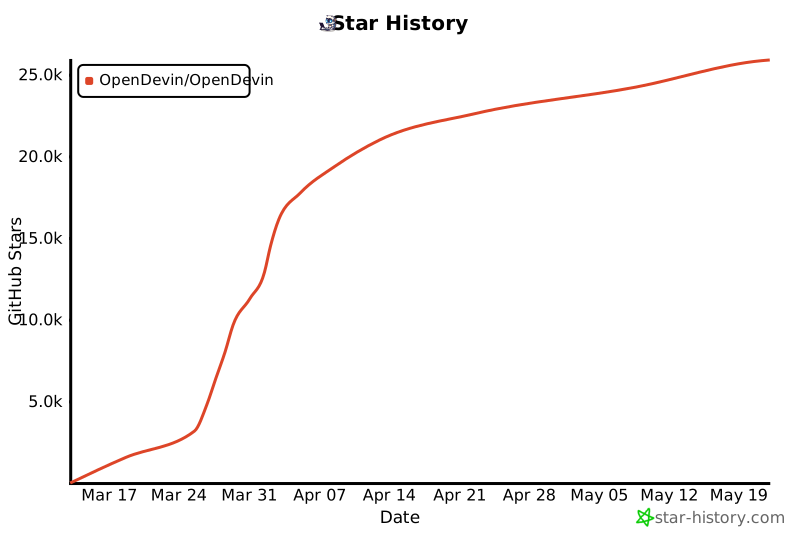](https://star-history.com/#OpenDevin/OpenDevin&Date)
|
||||
|
||||
You can also run OpenHands directly with Docker:
|
||||
|
||||
```bash
|
||||
docker pull docker.all-hands.dev/all-hands-ai/runtime:0.53-nikolaik
|
||||
|
||||
docker run -it --rm --pull=always \
|
||||
-e SANDBOX_RUNTIME_CONTAINER_IMAGE=docker.all-hands.dev/all-hands-ai/runtime:0.53-nikolaik \
|
||||
-e LOG_ALL_EVENTS=true \
|
||||
-v /var/run/docker.sock:/var/run/docker.sock \
|
||||
-v ~/.openhands:/.openhands \
|
||||
-p 3000:3000 \
|
||||
--add-host host.docker.internal:host-gateway \
|
||||
--name openhands-app \
|
||||
docker.all-hands.dev/all-hands-ai/openhands:0.53
|
||||
```
|
||||
|
||||
</details>
|
||||
|
||||
> **Note**: If you used OpenHands before version 0.44, you may want to run `mv ~/.openhands-state ~/.openhands` to migrate your conversation history to the new location.
|
||||
|
||||
> [!WARNING]
|
||||
> On a public network? See our [Hardened Docker Installation Guide](https://docs.all-hands.dev/usage/runtimes/docker#hardened-docker-installation)
|
||||
> to secure your deployment by restricting network binding and implementing additional security measures.
|
||||
|
||||
### Getting Started
|
||||
|
||||
When you open the application, you'll be asked to choose an LLM provider and add an API key.
|
||||
[Anthropic's Claude Sonnet 4](https://www.anthropic.com/api) (`anthropic/claude-sonnet-4-20250514`)
|
||||
works best, but you have [many options](https://docs.all-hands.dev/usage/llms).
|
||||
|
||||
See the [Running OpenHands](https://docs.all-hands.dev/usage/installation) guide for
|
||||
system requirements and more information.
|
||||
|
||||
## 💡 Other ways to run OpenHands
|
||||
|
||||
> [!WARNING]
|
||||
> OpenHands is meant to be run by a single user on their local workstation.
|
||||
> It is not appropriate for multi-tenant deployments where multiple users share the same instance. There is no built-in authentication, isolation, or scalability.
|
||||
>
|
||||
> If you're interested in running OpenHands in a multi-tenant environment, check out the source-available, commercially-licensed
|
||||
> [OpenHands Cloud Helm Chart](https://github.com/all-Hands-AI/OpenHands-cloud)
|
||||
|
||||
You can [connect OpenHands to your local filesystem](https://docs.all-hands.dev/usage/runtimes/docker#connecting-to-your-filesystem),
|
||||
interact with it via a [friendly CLI](https://docs.all-hands.dev/usage/how-to/cli-mode),
|
||||
run OpenHands in a scriptable [headless mode](https://docs.all-hands.dev/usage/how-to/headless-mode),
|
||||
or run it on tagged issues with [a github action](https://docs.all-hands.dev/usage/how-to/github-action).
|
||||
|
||||
Visit [Running OpenHands](https://docs.all-hands.dev/usage/installation) for more information and setup instructions.
|
||||
|
||||
If you want to modify the OpenHands source code, check out [Development.md](https://github.com/All-Hands-AI/OpenHands/blob/main/Development.md).
|
||||
|
||||
Having issues? The [Troubleshooting Guide](https://docs.all-hands.dev/usage/troubleshooting) can help.
|
||||
|
||||
## 📖 Documentation
|
||||
<a href="https://deepwiki.com/All-Hands-AI/OpenHands"><img src="https://deepwiki.com/badge.svg" alt="Ask DeepWiki" title="Autogenerated Documentation by DeepWiki"></a>
|
||||
|
||||
To learn more about the project, and for tips on using OpenHands,
|
||||
check out our [documentation](https://docs.all-hands.dev/usage/getting-started).
|
||||
|
||||
There you'll find resources on how to use different LLM providers,
|
||||
troubleshooting resources, and advanced configuration options.
|
||||
|
||||
## 🤝 How to Join the Community
|
||||
|
||||
OpenHands is a community-driven project, and we welcome contributions from everyone. We do most of our communication
|
||||
through Slack, so this is the best place to start, but we also are happy to have you contact us on Discord or Github:
|
||||
|
||||
- [Join our Slack workspace](https://join.slack.com/t/openhands-ai/shared_invite/zt-3847of6xi-xuYJIPa6YIPg4ElbDWbtSA) - Here we talk about research, architecture, and future development.
|
||||
- [Join our Discord server](https://discord.gg/ESHStjSjD4) - This is a community-run server for general discussion, questions, and feedback.
|
||||
- [Read or post Github Issues](https://github.com/All-Hands-AI/OpenHands/issues) - Check out the issues we're working on, or add your own ideas.
|
||||
|
||||
See more about the community in [COMMUNITY.md](./COMMUNITY.md) or find details on contributing in [CONTRIBUTING.md](./CONTRIBUTING.md).
|
||||
|
||||
## 📈 Progress
|
||||
|
||||
See the monthly OpenHands roadmap [here](https://github.com/orgs/All-Hands-AI/projects/1) (updated at the maintainer's meeting at the end of each month).
|
||||
|
||||
<p align="center">
|
||||
<a href="https://star-history.com/#All-Hands-AI/OpenHands&Date">
|
||||
<img src="https://api.star-history.com/svg?repos=All-Hands-AI/OpenHands&type=Date" width="500" alt="Star History Chart">
|
||||
</a>
|
||||
<p align="right" style="font-size: 14px; color: #555; margin-top: 20px;">
|
||||
<a href="#readme-top" style="text-decoration: none; color: #007bff; font-weight: bold;">
|
||||
↑ Back to Top ↑
|
||||
</a>
|
||||
</p>
|
||||
|
||||
## 📜 License
|
||||
|
||||
Distributed under the MIT License. See [`LICENSE`](./LICENSE) for more information.
|
||||
|
||||
## 🙏 Acknowledgements
|
||||
<p align="right" style="font-size: 14px; color: #555; margin-top: 20px;">
|
||||
<a href="#readme-top" style="text-decoration: none; color: #007bff; font-weight: bold;">
|
||||
↑ Back to Top ↑
|
||||
</a>
|
||||
</p>
|
||||
|
||||
OpenHands is built by a large number of contributors, and every contribution is greatly appreciated! We also build upon other open source projects, and we are deeply thankful for their work.
|
||||
|
||||
For a list of open source projects and licenses used in OpenHands, please see our [CREDITS.md](./CREDITS.md) file.
|
||||
|
||||
## 📚 Cite
|
||||
|
||||
```
|
||||
@inproceedings{
|
||||
wang2025openhands,
|
||||
title={OpenHands: An Open Platform for {AI} Software Developers as Generalist Agents},
|
||||
author={Xingyao Wang and Boxuan Li and Yufan Song and Frank F. Xu and Xiangru Tang and Mingchen Zhuge and Jiayi Pan and Yueqi Song and Bowen Li and Jaskirat Singh and Hoang H. Tran and Fuqiang Li and Ren Ma and Mingzhang Zheng and Bill Qian and Yanjun Shao and Niklas Muennighoff and Yizhe Zhang and Binyuan Hui and Junyang Lin and Robert Brennan and Hao Peng and Heng Ji and Graham Neubig},
|
||||
booktitle={The Thirteenth International Conference on Learning Representations},
|
||||
year={2025},
|
||||
url={https://openreview.net/forum?id=OJd3ayDDoF}
|
||||
}
|
||||
```
|
||||
[contributors-shield]: https://img.shields.io/github/contributors/opendevin/opendevin?style=for-the-badge
|
||||
[contributors-url]: https://github.com/OpenDevin/OpenDevin/graphs/contributors
|
||||
[forks-shield]: https://img.shields.io/github/forks/opendevin/opendevin?style=for-the-badge
|
||||
[forks-url]: https://github.com/OpenDevin/OpenDevin/network/members
|
||||
[stars-shield]: https://img.shields.io/github/stars/opendevin/opendevin?style=for-the-badge
|
||||
[stars-url]: https://github.com/OpenDevin/OpenDevin/stargazers
|
||||
[issues-shield]: https://img.shields.io/github/issues/opendevin/opendevin?style=for-the-badge
|
||||
[issues-url]: https://github.com/OpenDevin/OpenDevin/issues
|
||||
[license-shield]: https://img.shields.io/github/license/opendevin/opendevin?style=for-the-badge
|
||||
[license-url]: https://github.com/OpenDevin/OpenDevin/blob/main/LICENSE
|
||||
|
||||
148
README_CN.md
148
README_CN.md
@@ -1,148 +0,0 @@
|
||||
|
||||
<a name="readme-top"></a>
|
||||
|
||||
<div align="center">
|
||||
<img src="./docs/static/img/logo.png" alt="Logo" width="200">
|
||||
<h1 align="center">OpenHands: 少写代码,多做事</h1>
|
||||
</div>
|
||||
|
||||
|
||||
<div align="center">
|
||||
<a href="https://github.com/All-Hands-AI/OpenHands/graphs/contributors"><img src="https://img.shields.io/github/contributors/All-Hands-AI/OpenHands?style=for-the-badge&color=blue" alt="Contributors"></a>
|
||||
<a href="https://github.com/All-Hands-AI/OpenHands/stargazers"><img src="https://img.shields.io/github/stars/All-Hands-AI/OpenHands?style=for-the-badge&color=blue" alt="Stargazers"></a>
|
||||
<a href="https://github.com/All-Hands-AI/OpenHands/blob/main/LICENSE"><img src="https://img.shields.io/github/license/All-Hands-AI/OpenHands?style=for-the-badge&color=blue" alt="MIT License"></a>
|
||||
<br/>
|
||||
<a href="https://join.slack.com/t/openhands-ai/shared_invite/zt-3847of6xi-xuYJIPa6YIPg4ElbDWbtSA"><img src="https://img.shields.io/badge/Slack-Join%20Us-red?logo=slack&logoColor=white&style=for-the-badge" alt="加入我们的Slack社区"></a>
|
||||
<a href="https://discord.gg/ESHStjSjD4"><img src="https://img.shields.io/badge/Discord-Join%20Us-purple?logo=discord&logoColor=white&style=for-the-badge" alt="加入我们的Discord社区"></a>
|
||||
<a href="https://github.com/All-Hands-AI/OpenHands/blob/main/CREDITS.md"><img src="https://img.shields.io/badge/Project-Credits-blue?style=for-the-badge&color=FFE165&logo=github&logoColor=white" alt="致谢"></a>
|
||||
<br/>
|
||||
<a href="https://docs.all-hands.dev/usage/getting-started"><img src="https://img.shields.io/badge/Documentation-000?logo=googledocs&logoColor=FFE165&style=for-the-badge" alt="查看文档"></a>
|
||||
<a href="https://arxiv.org/abs/2407.16741"><img src="https://img.shields.io/badge/Paper%20on%20Arxiv-000?logoColor=FFE165&logo=arxiv&style=for-the-badge" alt="Arxiv论文"></a>
|
||||
<a href="https://docs.google.com/spreadsheets/d/1wOUdFCMyY6Nt0AIqF705KN4JKOWgeI4wUGUP60krXXs/edit?gid=0#gid=0"><img src="https://img.shields.io/badge/Benchmark%20score-000?logoColor=FFE165&logo=huggingface&style=for-the-badge" alt="评估基准分数"></a>
|
||||
<hr>
|
||||
</div>
|
||||
|
||||
欢迎使用OpenHands(前身为OpenDevin),这是一个由AI驱动的软件开发代理平台。
|
||||
|
||||
OpenHands代理可以完成人类开发者能做的任何事情:修改代码、运行命令、浏览网页、调用API,甚至从StackOverflow复制代码片段。
|
||||
|
||||
在[docs.all-hands.dev](https://docs.all-hands.dev)了解更多信息,或[注册OpenHands Cloud](https://app.all-hands.dev)开始使用。
|
||||
|
||||
> [!IMPORTANT]
|
||||
> 在工作中使用OpenHands?我们很想与您交流!填写
|
||||
> [这份简短表格](https://docs.google.com/forms/d/e/1FAIpQLSet3VbGaz8z32gW9Wm-Grl4jpt5WgMXPgJ4EDPVmCETCBpJtQ/viewform)
|
||||
> 加入我们的设计合作伙伴计划,您将获得商业功能的早期访问权限,并有机会对我们的产品路线图提供意见。
|
||||
|
||||

|
||||
|
||||
## ☁️ OpenHands Cloud
|
||||
开始使用OpenHands的最简单方式是在[OpenHands Cloud](https://app.all-hands.dev)上,
|
||||
新用户可获得$50的免费额度。
|
||||
|
||||
## 💻 在本地运行OpenHands
|
||||
|
||||
OpenHands也可以使用Docker在本地系统上运行。
|
||||
查看[运行OpenHands](https://docs.all-hands.dev/usage/installation)指南了解
|
||||
系统要求和更多信息。
|
||||
|
||||
> [!WARNING]
|
||||
> 在公共网络上?请参阅我们的[强化Docker安装指南](https://docs.all-hands.dev/usage/runtimes/docker#hardened-docker-installation)
|
||||
> 通过限制网络绑定和实施其他安全措施来保护您的部署。
|
||||
|
||||
|
||||
```bash
|
||||
docker pull docker.all-hands.dev/all-hands-ai/runtime:0.53-nikolaik
|
||||
|
||||
docker run -it --rm --pull=always \
|
||||
-e SANDBOX_RUNTIME_CONTAINER_IMAGE=docker.all-hands.dev/all-hands-ai/runtime:0.53-nikolaik \
|
||||
-e LOG_ALL_EVENTS=true \
|
||||
-v /var/run/docker.sock:/var/run/docker.sock \
|
||||
-v ~/.openhands:/.openhands \
|
||||
-p 3000:3000 \
|
||||
--add-host host.docker.internal:host-gateway \
|
||||
--name openhands-app \
|
||||
docker.all-hands.dev/all-hands-ai/openhands:0.53
|
||||
```
|
||||
|
||||
> **注意**: 如果您在0.44版本之前使用过OpenHands,您可能需要运行 `mv ~/.openhands-state ~/.openhands` 来将对话历史迁移到新位置。
|
||||
|
||||
您将在[http://localhost:3000](http://localhost:3000)找到运行中的OpenHands!
|
||||
|
||||
打开应用程序时,您将被要求选择一个LLM提供商并添加API密钥。
|
||||
[Anthropic的Claude Sonnet 4](https://www.anthropic.com/api)(`anthropic/claude-sonnet-4-20250514`)
|
||||
效果最佳,但您还有[许多选择](https://docs.all-hands.dev/usage/llms)。
|
||||
|
||||
## 💡 运行OpenHands的其他方式
|
||||
|
||||
> [!CAUTION]
|
||||
> OpenHands旨在由单个用户在其本地工作站上运行。
|
||||
> 它不适合多租户部署,即多个用户共享同一实例。没有内置的身份验证、隔离或可扩展性。
|
||||
>
|
||||
> 如果您有兴趣在多租户环境中运行OpenHands,请
|
||||
> [与我们联系](https://docs.google.com/forms/d/e/1FAIpQLSet3VbGaz8z32gW9Wm-Grl4jpt5WgMXPgJ4EDPVmCETCBpJtQ/viewform)
|
||||
> 了解高级部署选项。
|
||||
|
||||
您还可以[将OpenHands连接到本地文件系统](https://docs.all-hands.dev/usage/runtimes/docker#connecting-to-your-filesystem),
|
||||
以可编程的[无头模式](https://docs.all-hands.dev/usage/how-to/headless-mode)运行OpenHands,
|
||||
通过[友好的CLI](https://docs.all-hands.dev/usage/how-to/cli-mode)与其交互,
|
||||
或使用[GitHub Action](https://docs.all-hands.dev/usage/how-to/github-action)在标记的问题上运行它。
|
||||
|
||||
访问[运行OpenHands](https://docs.all-hands.dev/usage/installation)获取更多信息和设置说明。
|
||||
|
||||
如果您想修改OpenHands源代码,请查看[Development.md](https://github.com/All-Hands-AI/OpenHands/blob/main/Development.md)。
|
||||
|
||||
遇到问题?[故障排除指南](https://docs.all-hands.dev/usage/troubleshooting)可以提供帮助。
|
||||
|
||||
## 📖 文档
|
||||
<a href="https://deepwiki.com/All-Hands-AI/OpenHands"><img src="https://deepwiki.com/badge.svg" alt="Ask DeepWiki" title="DeepWiki自动生成文档"></a>
|
||||
|
||||
要了解有关项目的更多信息,以及使用OpenHands的技巧,
|
||||
请查看我们的[文档](https://docs.all-hands.dev/usage/getting-started)。
|
||||
|
||||
在那里,您将找到有关如何使用不同LLM提供商、
|
||||
故障排除资源和高级配置选项的资源。
|
||||
|
||||
## 🤝 如何加入社区
|
||||
|
||||
OpenHands是一个社区驱动的项目,我们欢迎每个人的贡献。我们大部分沟通
|
||||
通过Slack进行,因此这是开始的最佳场所,但我们也很乐意您通过Discord或Github与我们联系:
|
||||
|
||||
- [加入我们的Slack工作空间](https://join.slack.com/t/openhands-ai/shared_invite/zt-3847of6xi-xuYJIPa6YIPg4ElbDWbtSA) - 这里我们讨论研究、架构和未来发展。
|
||||
- [加入我们的Discord服务器](https://discord.gg/ESHStjSjD4) - 这是一个社区运营的服务器,用于一般讨论、问题和反馈。
|
||||
- [阅读或发布Github问题](https://github.com/All-Hands-AI/OpenHands/issues) - 查看我们正在处理的问题,或添加您自己的想法。
|
||||
|
||||
在[COMMUNITY.md](./COMMUNITY.md)中了解更多关于社区的信息,或在[CONTRIBUTING.md](./CONTRIBUTING.md)中找到有关贡献的详细信息。
|
||||
|
||||
## 📈 进展
|
||||
|
||||
在[这里](https://github.com/orgs/All-Hands-AI/projects/1)查看OpenHands月度路线图(每月月底在维护者会议上更新)。
|
||||
|
||||
<p align="center">
|
||||
<a href="https://star-history.com/#All-Hands-AI/OpenHands&Date">
|
||||
<img src="https://api.star-history.com/svg?repos=All-Hands-AI/OpenHands&type=Date" width="500" alt="Star History Chart">
|
||||
</a>
|
||||
</p>
|
||||
|
||||
## 📜 许可证
|
||||
|
||||
根据MIT许可证分发。有关更多信息,请参阅[`LICENSE`](./LICENSE)。
|
||||
|
||||
## 🙏 致谢
|
||||
|
||||
OpenHands由大量贡献者构建,每一份贡献都备受感谢!我们还借鉴了其他开源项目,对他们的工作深表感谢。
|
||||
|
||||
有关OpenHands中使用的开源项目和许可证列表,请参阅我们的[CREDITS.md](./CREDITS.md)文件。
|
||||
|
||||
## 📚 引用
|
||||
|
||||
```
|
||||
@misc{openhands,
|
||||
title={{OpenHands: An Open Platform for AI Software Developers as Generalist Agents}},
|
||||
author={Xingyao Wang and Boxuan Li and Yufan Song and Frank F. Xu and Xiangru Tang and Mingchen Zhuge and Jiayi Pan and Yueqi Song and Bowen Li and Jaskirat Singh and Hoang H. Tran and Fuqiang Li and Ren Ma and Mingzhang Zheng and Bill Qian and Yanjun Shao and Niklas Muennighoff and Yizhe Zhang and Binyuan Hui and Junyang Lin and Robert Brennan and Hao Peng and Heng Ji and Graham Neubig},
|
||||
year={2024},
|
||||
eprint={2407.16741},
|
||||
archivePrefix={arXiv},
|
||||
primaryClass={cs.SE},
|
||||
url={https://arxiv.org/abs/2407.16741},
|
||||
}
|
||||
```
|
||||
60
README_JA.md
60
README_JA.md
@@ -1,60 +0,0 @@
|
||||
<a name="readme-top"></a>
|
||||
|
||||
<div align="center">
|
||||
<img src="./docs/static/img/logo.png" alt="Logo" width="200">
|
||||
<h1 align="center">OpenHands: コードを減らして、もっと作ろう</h1>
|
||||
</div>
|
||||
|
||||
<div align="center">
|
||||
<a href="https://github.com/All-Hands-AI/OpenHands/graphs/contributors"><img src="https://img.shields.io/github/contributors/All-Hands-AI/OpenHands?style=for-the-badge&color=blue" alt="Contributors"></a>
|
||||
<a href="https://github.com/All-Hands-AI/OpenHands/stargazers"><img src="https://img.shields.io/github/stars/All-Hands-AI/OpenHands?style=for-the-badge&color=blue" alt="Stargazers"></a>
|
||||
<a href="https://github.com/All-Hands-AI/OpenHands/blob/main/LICENSE"><img src="https://img.shields.io/github/license/All-Hands-AI/OpenHands?style=for-the-badge&color=blue" alt="MIT License"></a>
|
||||
<br/>
|
||||
<a href="https://join.slack.com/t/openhands-ai/shared_invite/zt-3847of6xi-xuYJIPa6YIPg4ElbDWbtSA"><img src="https://img.shields.io/badge/Slack-Join%20Us-red?logo=slack&logoColor=white&style=for-the-badge" alt="Slackコミュニティに参加"></a>
|
||||
<a href="https://discord.gg/ESHStjSjD4"><img src="https://img.shields.io/badge/Discord-Join%20Us-purple?logo=discord&logoColor=white&style=for-the-badge" alt="Discordコミュニティに参加"></a>
|
||||
<a href="https://github.com/All-Hands-AI/OpenHands/blob/main/CREDITS.md"><img src="https://img.shields.io/badge/Project-Credits-blue?style=for-the-badge&color=FFE165&logo=github&logoColor=white" alt="クレジット"></a>
|
||||
<br/>
|
||||
<a href="https://docs.all-hands.dev/usage/getting-started"><img src="https://img.shields.io/badge/Documentation-000?logo=googledocs&logoColor=FFE165&style=for-the-badge" alt="ドキュメントを見る"></a>
|
||||
<a href="https://arxiv.org/abs/2407.16741"><img src="https://img.shields.io/badge/Paper%20on%20Arxiv-000?logoColor=FFE165&logo=arxiv&style=for-the-badge" alt="Arxiv論文"></a>
|
||||
<a href="https://docs.google.com/spreadsheets/d/1wOUdFCMyY6Nt0AIqF705KN4JKOWgeI4wUGUP60krXXs/edit?gid=0#gid=0"><img src="https://img.shields.io/badge/Benchmark%20score-000?logoColor=FFE165&logo=huggingface&style=for-the-badge" alt="評価ベンチマークスコア"></a>
|
||||
<hr>
|
||||
</div>
|
||||
|
||||
OpenHands(旧OpenDevin)へようこそ。これはAIが駆動するソフトウェア開発エージェントのプラットフォームです。
|
||||
|
||||
OpenHandsのエージェントは人間の開発者ができることは何でもこなします。コードを修正し、コマンドを実行し、ウェブを閲覧し、APIを呼び出し、StackOverflowからコードスニペットをコピーすることさえできます。
|
||||
|
||||
詳細は[docs.all-hands.dev](https://docs.all-hands.dev)をご覧いただくか、[OpenHands Cloud](https://app.all-hands.dev)に登録して始めましょう。
|
||||
|
||||
> [!IMPORTANT]
|
||||
> 仕事でOpenHandsを使っていますか?ぜひお話を聞かせてください。[こちらの短いフォーム](https://docs.google.com/forms/d/e/1FAIpQLSet3VbGaz8z32gW9Wm-Grl4jpt5WgMXPgJ4EDPVmCETCBpJtQ/viewform)にご記入いただき、Design Partnerプログラムにご参加ください。商用機能の早期アクセスや製品ロードマップへのフィードバックの機会を提供します。
|
||||
|
||||

|
||||
|
||||
## ☁️ OpenHands Cloud
|
||||
OpenHandsを始める最も簡単な方法は[OpenHands Cloud](https://app.all-hands.dev)を利用することです。新規ユーザーには50ドル分の無料クレジットが付与されます。
|
||||
|
||||
## 💻 OpenHandsをローカルで実行する
|
||||
|
||||
OpenHandsはDockerを利用してローカル環境でも実行できます。システム要件や詳細については[Running OpenHands](https://docs.all-hands.dev/usage/installation)ガイドをご覧ください。
|
||||
|
||||
> [!WARNING]
|
||||
> 公共ネットワークで実行していますか?[Hardened Docker Installation Guide](https://docs.all-hands.dev/usage/runtimes/docker#hardened-docker-installation)を参照して、ネットワークバインディングの制限や追加のセキュリティ対策を実施してください。
|
||||
|
||||
```bash
|
||||
docker pull docker.all-hands.dev/all-hands-ai/runtime:0.53-nikolaik
|
||||
|
||||
docker run -it --rm --pull=always \
|
||||
-e SANDBOX_RUNTIME_CONTAINER_IMAGE=docker.all-hands.dev/all-hands-ai/runtime:0.53-nikolaik \
|
||||
-e LOG_ALL_EVENTS=true \
|
||||
-v /var/run/docker.sock:/var/run/docker.sock \
|
||||
-v ~/.openhands:/.openhands \
|
||||
-p 3000:3000 \
|
||||
--add-host host.docker.internal:host-gateway \
|
||||
--name openhands-app \
|
||||
docker.all-hands.dev/all-hands-ai/openhands:0.53
|
||||
```
|
||||
|
||||
**注**: バージョン0.44以前のOpenHandsを使用していた場合は、会話履歴を移行するために `mv ~/.openhands-state ~/.openhands` を実行してください。
|
||||
|
||||
OpenHandsは[http://localhost:3000](http://localhost:3000)で起動します!
|
||||
75
agenthub/README.md
Normal file
75
agenthub/README.md
Normal file
@@ -0,0 +1,75 @@
|
||||
# Agent Framework Research
|
||||
|
||||
In this folder, there may exist multiple implementations of `Agent` that will be used by the framework.
|
||||
|
||||
For example, `agenthub/monologue_agent`, `agenthub/metagpt_agent`, `agenthub/codeact_agent`, etc.
|
||||
Contributors from different backgrounds and interests can choose to contribute to any (or all!) of these directions.
|
||||
|
||||
## Constructing an Agent
|
||||
|
||||
The abstraction for an agent can be found [here](../opendevin/agent.py).
|
||||
|
||||
Agents are run inside of a loop. At each iteration, `agent.step()` is called with a
|
||||
[State](../opendevin/state.py) input, and the agent must output an [Action](../opendevin/action).
|
||||
|
||||
Every agent also has a `self.llm` which it can use to interact with the LLM configured by the user.
|
||||
See the [LiteLLM docs for `self.llm.completion`](https://docs.litellm.ai/docs/completion).
|
||||
|
||||
## State
|
||||
The `state` contains:
|
||||
* A history of actions taken by the agent, as well as any observations (e.g. file content, command output) from those actions
|
||||
* A list of actions/observations that have happened since the most recent step
|
||||
* A [`plan`](https://github.com/OpenDevin/OpenDevin/blob/main/opendevin/plan.py), which contains the main goal
|
||||
* The agent can add and modify subtasks through the `AddTaskAction` and `ModifyTaskAction`
|
||||
|
||||
## Actions
|
||||
Here is a list of available Actions, which can be returned by `agent.step()`:
|
||||
- [`CmdRunAction`](../opendevin/action/bash.py) - Runs a command inside a sandboxed terminal
|
||||
- [`CmdKillAction`](../opendevin/action/bash.py) - Kills a background command
|
||||
- [`IPythonRunCellAction`](../opendevin/action/bash.py) - Execute a block of Python code interactively (in Jupyter notebook) and receives `CmdOutputObservation`. Requires setting up `jupyter` [plugin](../opendevin/sandbox/plugins) as a requirement.
|
||||
- [`FileReadAction`](../opendevin/action/fileop.py) - Reads the content of a file
|
||||
- [`FileWriteAction`](../opendevin/action/fileop.py) - Writes new content to a file
|
||||
- [`BrowseURLAction`](../opendevin/action/browse.py) - Gets the content of a URL
|
||||
- [`AgentRecallAction`](../opendevin/action/agent.py) - Searches memory (e.g. a vector database)
|
||||
- [`AddTaskAction`](../opendevin/action/tasks.py) - Adds a subtask to the plan
|
||||
- [`ModifyTaskAction`](../opendevin/action/tasks.py) - Changes the state of a subtask
|
||||
- [`AgentThinkAction`](../opendevin/action/agent.py) - A no-op that allows the agent to add plaintext to the history (as well as the chat log)
|
||||
- [`AgentTalkAction`](../opendevin/action/agent.py) - A no-op that allows the agent to add plaintext to the history and talk to the user.
|
||||
- [`AgentFinishAction`](../opendevin/action/agent.py) - Stops the control loop, allowing the user to enter a new task
|
||||
|
||||
You can use `action.to_dict()` and `action_from_dict` to serialize and deserialize actions.
|
||||
|
||||
## Observations
|
||||
There are also several types of Observations. These are typically available in the step following the corresponding Action.
|
||||
But they may also appear as a result of asynchronous events (e.g. a message from the user, logs from a command running
|
||||
in the background).
|
||||
|
||||
Here is a list of available Observations:
|
||||
- [`CmdOutputObservation`](../opendevin/observation/run.py)
|
||||
- [`BrowserOutputObservation`](../opendevin/observation/browse.py)
|
||||
- [`FileReadObservation`](../opendevin/observation/files.py)
|
||||
- [`FileWriteObservation`](../opendevin/observation/files.py)
|
||||
- [`UserMessageObservation`](../opendevin/observation/)
|
||||
- [`AgentRecallObservation`](../opendevin/observation/recall.py)
|
||||
- [`AgentErrorObservation`](../opendevin/observation/error.py)
|
||||
|
||||
You can use `observation.to_dict()` and `observation_from_dict` to serialize and deserialize observations.
|
||||
|
||||
## Interface
|
||||
Every agent must implement the following methods:
|
||||
|
||||
### `step`
|
||||
```
|
||||
def step(self, state: "State") -> "Action"
|
||||
```
|
||||
`step` moves the agent forward one step towards its goal. This probably means
|
||||
sending a prompt to the LLM, then parsing the response into an `Action`.
|
||||
|
||||
### `search_memory`
|
||||
```
|
||||
def search_memory(self, query: str) -> List[str]:
|
||||
```
|
||||
`search_memory` should return a list of events that match the query. This will be used
|
||||
for the `recall` action.
|
||||
|
||||
You can optionally just return `[]` for this method, meaning the agent has no long-term memory.
|
||||
405
agenthub/SWE_agent/Examples.md
Normal file
405
agenthub/SWE_agent/Examples.md
Normal file
@@ -0,0 +1,405 @@
|
||||
# GPT-4 Examples:
|
||||
|
||||
### Notes:
|
||||
- The final result is not completed as I only gave it 10 steps, but shows very promising use of the tools.
|
||||
- This whole run costs: $0.35 using gpt-4-turbo
|
||||
- Input Tokens: 29,734
|
||||
- Completion Tokens: 1,636
|
||||
|
||||
Interesting things:
|
||||
1. Using comments as an initial placeholder for the next move and then having that output in memory is a very cool behavior.
|
||||
2. It makes very small iterative changes due to the prompting.
|
||||
3. A lot of the logic for the game is present but not put together well
|
||||
4. There are a lot of odd quirks with the code that it has written.
|
||||
5. Some odd agent behavior with putting random lines of code in random places?
|
||||
6. The structure of the feedback loop needs some improvement so the agent can see the changes it has made better in context.
|
||||
7. Might be beneficial to add in some line numbers so the model knows what lines it is looking at.
|
||||
|
||||
|
||||
```
|
||||
==============
|
||||
STEP 0
|
||||
|
||||
PLAN:
|
||||
Please make conway's game of life in python using the pygame library. Be sure to use the tools in your workspace to help you out.
|
||||
Usage(completion_tokens=91, prompt_tokens=2047, total_tokens=2138)
|
||||
|
||||
==== RAW OUTPUT ====
|
||||
Thoughts:
|
||||
To start implementing Conway's Game of Life in Python using the pygame library, I first need to set up a Python script file where I can write the code. I'll create a new Python file named `game_of_life.py`. This file will serve as the base for writing the game logic and using pygame functionalities.
|
||||
|
||||
Action:
|
||||
"""
|
||||
write game_of_life.py # This is a placeholder for the game of life implementation using pygame.
|
||||
"""
|
||||
|
||||
==== END RAW ====
|
||||
|
||||
|
||||
ACTION:
|
||||
FileWriteAction(path='game_of_life.py', content='# This is a placeholder for the game of life implementation using pygame.', start=0, end=-1, thoughts="Thoughts:\nTo start implementing Conway's Game of Life in Python using the pygame library, I first need to set up a Python script file where I can write the code. I'll create a new Python file named `game_of_life.py`. This file will serve as the base for writing the game logic and using pygame functionalities.\n\nAction:", action=<ActionType.WRITE: 'write'>)
|
||||
|
||||
OBSERVATION:
|
||||
WRITE OPERATION:
|
||||
You have written to "game_of_life.py" on these lines: 0:-1.
|
||||
|
||||
|
||||
==============
|
||||
STEP 1
|
||||
|
||||
PLAN:
|
||||
Please make conway's game of life in python using the pygame library. Be sure to use the tools in your workspace to help you out.
|
||||
Usage(completion_tokens=101, prompt_tokens=2351, total_tokens=2452)
|
||||
|
||||
==== RAW OUTPUT ====
|
||||
Thoughts:
|
||||
The placeholder for the game of life implementation using pygame has been set up in the file `game_of_life.py`. The next step is to start implementing the basic structure of the game. This includes importing necessary libraries, initializing the pygame module, setting up the display window, and defining the main game loop. I will begin by importing pygame and initializing it, which are the foundational steps for any pygame application.
|
||||
|
||||
Action:
|
||||
"""
|
||||
edit 0 0 import pygame
|
||||
|
||||
pygame.init()
|
||||
"""
|
||||
|
||||
==== END RAW ====
|
||||
|
||||
|
||||
ACTION:
|
||||
FileWriteAction(path='game_of_life.py', content='import pygame\n\npygame.init()', start=0, end=0, thoughts='Thoughts:\nThe placeholder for the game of life implementation using pygame has been set up in the file `game_of_life.py`. The next step is to start implementing the basic structure of the game. This includes importing necessary libraries, initializing the pygame module, setting up the display window, and defining the main game loop. I will begin by importing pygame and initializing it, which are the foundational steps for any pygame application.\n\nAction:', action=<ActionType.WRITE: 'write'>)
|
||||
|
||||
OBSERVATION:
|
||||
WRITE OPERATION:
|
||||
You have written to "game_of_life.py" on these lines: 0:0.
|
||||
|
||||
|
||||
==============
|
||||
STEP 2
|
||||
|
||||
PLAN:
|
||||
Please make conway's game of life in python using the pygame library. Be sure to use the tools in your workspace to help you out.
|
||||
Usage(completion_tokens=123, prompt_tokens=2552, total_tokens=2675)
|
||||
|
||||
==== RAW OUTPUT ====
|
||||
Thoughts:
|
||||
Previously, I initialized pygame in the `game_of_life.py` file. The next step is to set up the display window for the game. This involves defining the size of the window and setting the title. This is crucial as it provides the visual interface for the game. I will also add a comment to indicate that this is the setup for the display window.
|
||||
|
||||
Action:
|
||||
"""
|
||||
edit 2 2
|
||||
# Setup the display window
|
||||
screen_size = (800, 600)
|
||||
screen = pygame.display.set_mode(screen_size)
|
||||
pygame.display.set_caption("Conway's Game of Life")
|
||||
"""
|
||||
==== END RAW ====
|
||||
|
||||
|
||||
ACTION:
|
||||
FileWriteAction(path='game_of_life.py', content='# Setup the display window\nscreen_size = (800, 600)\nscreen = pygame.display.set_mode(screen_size)\npygame.display.set_caption("Conway\'s Game of Life")', start=2, end=2, thoughts='Thoughts:\nPreviously, I initialized pygame in the `game_of_life.py` file. The next step is to set up the display window for the game. This involves defining the size of the window and setting the title. This is crucial as it provides the visual interface for the game. I will also add a comment to indicate that this is the setup for the display window.\n\nAction:', action=<ActionType.WRITE: 'write'>)
|
||||
|
||||
OBSERVATION:
|
||||
WRITE OPERATION:
|
||||
You have written to "game_of_life.py" on these lines: 2:2.
|
||||
|
||||
|
||||
==============
|
||||
STEP 3
|
||||
|
||||
PLAN:
|
||||
Please make conway's game of life in python using the pygame library. Be sure to use the tools in your workspace to help you out.
|
||||
Usage(completion_tokens=144, prompt_tokens=2777, total_tokens=2921)
|
||||
|
||||
==== RAW OUTPUT ====
|
||||
Thoughts:
|
||||
So far, I have set up the basic structure for Conway's Game of Life using pygame, including initializing pygame and setting up the display window. The next step is to define the main game loop where the game's logic will be continuously updated and rendered. This loop will handle events, update the game state, and redraw the screen. I will start by defining the main loop structure and a basic event handling mechanism to allow for quitting the game when the user presses the close button.
|
||||
|
||||
Action:
|
||||
"""
|
||||
edit 5 5 # Main game loop
|
||||
running = True
|
||||
while running:
|
||||
for event in pygame.event.get():
|
||||
if event.type == pygame.QUIT:
|
||||
running = False
|
||||
"""
|
||||
|
||||
==== END RAW ====
|
||||
|
||||
|
||||
ACTION:
|
||||
FileWriteAction(path='game_of_life.py', content='# Main game loop\nrunning = True\nwhile running:\n for event in pygame.event.get():\n if event.type == pygame.QUIT:\n running = False', start=5, end=5, thoughts="Thoughts:\nSo far, I have set up the basic structure for Conway's Game of Life using pygame, including initializing pygame and setting up the display window. The next step is to define the main game loop where the game's logic will be continuously updated and rendered. This loop will handle events, update the game state, and redraw the screen. I will start by defining the main loop structure and a basic event handling mechanism to allow for quitting the game when the user presses the close button.\n\nAction:", action=<ActionType.WRITE: 'write'>)
|
||||
|
||||
OBSERVATION:
|
||||
WRITE OPERATION:
|
||||
You have written to "game_of_life.py" on these lines: 5:5.
|
||||
|
||||
|
||||
==============
|
||||
STEP 4
|
||||
|
||||
PLAN:
|
||||
Please make conway's game of life in python using the pygame library. Be sure to use the tools in your workspace to help you out.
|
||||
Usage(completion_tokens=222, prompt_tokens=3022, total_tokens=3244)
|
||||
|
||||
==== RAW OUTPUT ====
|
||||
Thoughts:
|
||||
So far, I have set up the basic structure for Conway's Game of Life using pygame, including initializing pygame, setting up the display window, and defining the main game loop. The next step is to implement the logic for Conway's Game of Life. This involves creating a grid to represent the game state, initializing it with a random pattern, and defining the rules for cell survival, birth, and death. I will start by defining the grid size and initializing the grid with random states.
|
||||
|
||||
Action:
|
||||
"""
|
||||
edit 7 7 # Define grid size and initialize grid
|
||||
grid_size = (50, 50) # Grid size as a tuple (rows, columns)
|
||||
grid = [[0 for x in range(grid_size[1])] for y in range(grid_size[0])] # Initialize grid with zeros
|
||||
import random
|
||||
for y in range(grid_size[0]):
|
||||
for x in range(grid_size[1]):
|
||||
grid[y][x] = random.randint(0, 1) # Randomly assign cells as alive (1) or dead (0)
|
||||
"""
|
||||
==== END RAW ====
|
||||
|
||||
|
||||
ACTION:
|
||||
FileWriteAction(path='game_of_life.py', content='# Define grid size and initialize grid\ngrid_size = (50, 50) # Grid size as a tuple (rows, columns)\ngrid = [[0 for x in range(grid_size[1])] for y in range(grid_size[0])] # Initialize grid with zeros\nimport random\nfor y in range(grid_size[0]):\n for x in range(grid_size[1]):\n grid[y][x] = random.randint(0, 1) # Randomly assign cells as alive (1) or dead (0)', start=7, end=7, thoughts="Thoughts:\nSo far, I have set up the basic structure for Conway's Game of Life using pygame, including initializing pygame, setting up the display window, and defining the main game loop. The next step is to implement the logic for Conway's Game of Life. This involves creating a grid to represent the game state, initializing it with a random pattern, and defining the rules for cell survival, birth, and death. I will start by defining the grid size and initializing the grid with random states.\n\nAction:", action=<ActionType.WRITE: 'write'>)
|
||||
|
||||
OBSERVATION:
|
||||
WRITE OPERATION:
|
||||
You have written to "game_of_life.py" on these lines: 7:7.
|
||||
|
||||
|
||||
==============
|
||||
STEP 5
|
||||
|
||||
PLAN:
|
||||
Please make conway's game of life in python using the pygame library. Be sure to use the tools in your workspace to help you out.
|
||||
Usage(completion_tokens=234, prompt_tokens=3158, total_tokens=3392)
|
||||
|
||||
==== RAW OUTPUT ====
|
||||
Thoughts:
|
||||
So far, I have set up the basic structure for Conway's Game of Life using pygame, including initializing pygame, setting up the display window, defining the main game loop, and initializing the grid with random states. The next step is to implement the rules for Conway's Game of Life. This involves checking each cell's neighbors to determine its next state based on the number of alive neighbors. I will start by defining a function to count the alive neighbors for a given cell.
|
||||
|
||||
Action:
|
||||
"""
|
||||
edit 9 9 def count_alive_neighbors(grid, x, y):
|
||||
directions = [(-1, -1), (-1, 0), (-1, 1), (0, -1), (0, 1), (1, -1), (1, 0), (1, 1)]
|
||||
count = 0
|
||||
for dx, dy in directions:
|
||||
nx, ny = x + dx, y + dy
|
||||
if 0 <= nx < grid_size[1] and 0 <= ny < grid_size[0]:
|
||||
count += grid[ny][nx]
|
||||
return count
|
||||
"""
|
||||
|
||||
==== END RAW ====
|
||||
|
||||
|
||||
ACTION:
|
||||
FileWriteAction(path='game_of_life.py', content='def count_alive_neighbors(grid, x, y):\n directions = [(-1, -1), (-1, 0), (-1, 1), (0, -1), (0, 1), (1, -1), (1, 0), (1, 1)]\n count = 0\n for dx, dy in directions:\n nx, ny = x + dx, y + dy\n if 0 <= nx < grid_size[1] and 0 <= ny < grid_size[0]:\n count += grid[ny][nx]\n return count', start=9, end=9, thoughts="Thoughts:\nSo far, I have set up the basic structure for Conway's Game of Life using pygame, including initializing pygame, setting up the display window, defining the main game loop, and initializing the grid with random states. The next step is to implement the rules for Conway's Game of Life. This involves checking each cell's neighbors to determine its next state based on the number of alive neighbors. I will start by defining a function to count the alive neighbors for a given cell.\n\nAction:", action=<ActionType.WRITE: 'write'>)
|
||||
|
||||
OBSERVATION:
|
||||
WRITE OPERATION:
|
||||
You have written to "game_of_life.py" on these lines: 9:9.
|
||||
|
||||
|
||||
==============
|
||||
STEP 6
|
||||
|
||||
PLAN:
|
||||
Please make conway's game of life in python using the pygame library. Be sure to use the tools in your workspace to help you out.
|
||||
Usage(completion_tokens=257, prompt_tokens=3290, total_tokens=3547)
|
||||
|
||||
==== RAW OUTPUT ====
|
||||
Thoughts:
|
||||
So far, I have set up the basic structure for Conway's Game of Life using pygame, including initializing pygame, setting up the display window, defining the main game loop, initializing the grid with random states, and creating a function to count alive neighbors. The next step is to implement the rules for Conway's Game of Life. This involves updating the grid state based on the number of alive neighbors each cell has. I will define a function `update_grid` that applies the rules of the game to update the grid for the next generation.
|
||||
|
||||
Action:
|
||||
"""
|
||||
write game_of_life.py def update_grid(grid):
|
||||
new_grid = [[0 for x in range(grid_size[1])] for y in range(grid_size[0])]
|
||||
for y in range(grid_size[0]):
|
||||
for x in range(grid_size[1]):
|
||||
alive_neighbors = count_alive_neighbors(grid, x, y)
|
||||
if grid[y][x] == 1 and (alive_neighbors == 2 or alive_neighbors == 3):
|
||||
new_grid[y][x] = 1
|
||||
elif grid[y][x] == 0 and alive_neighbors == 3:
|
||||
new_grid[y][x] = 1
|
||||
return new_grid
|
||||
11
|
||||
11
|
||||
"""
|
||||
==== END RAW ====
|
||||
|
||||
|
||||
ACTION:
|
||||
FileWriteAction(path='game_of_life.py', content='def update_grid(grid):\n new_grid = [[0 for x in range(grid_size[1])] for y in range(grid_size[0])]\n for y in range(grid_size[0]):\n for x in range(grid_size[1]):\n alive_neighbors = count_alive_neighbors(grid, x, y)\n if grid[y][x] == 1 and (alive_neighbors == 2 or alive_neighbors == 3):\n new_grid[y][x] = 1\n elif grid[y][x] == 0 and alive_neighbors == 3:\n new_grid[y][x] = 1\n return new_grid', start=11, end=11, thoughts="Thoughts:\nSo far, I have set up the basic structure for Conway's Game of Life using pygame, including initializing pygame, setting up the display window, defining the main game loop, initializing the grid with random states, and creating a function to count alive neighbors. The next step is to implement the rules for Conway's Game of Life. This involves updating the grid state based on the number of alive neighbors each cell has. I will define a function `update_grid` that applies the rules of the game to update the grid for the next generation.\n\nAction:", action=<ActionType.WRITE: 'write'>)
|
||||
|
||||
OBSERVATION:
|
||||
WRITE OPERATION:
|
||||
You have written to "game_of_life.py" on these lines: 11:11.
|
||||
|
||||
|
||||
==============
|
||||
STEP 7
|
||||
|
||||
PLAN:
|
||||
Please make conway's game of life in python using the pygame library. Be sure to use the tools in your workspace to help you out.
|
||||
Usage(completion_tokens=124, prompt_tokens=3416, total_tokens=3540)
|
||||
|
||||
==== RAW OUTPUT ====
|
||||
Thoughts:
|
||||
So far, I have set up the basic structure for Conway's Game of Life using pygame, including initializing pygame, setting up the display window, defining the main game loop, initializing the grid with random states, and creating functions to count alive neighbors and update the grid. The next step is to integrate the `update_grid` function into the main game loop to continuously update the state of the grid based on the game rules. This will allow the game to evolve over time, showing different generations of the cell population.
|
||||
|
||||
Action:
|
||||
"""
|
||||
edit 6 6
|
||||
grid = update_grid(grid)
|
||||
"""
|
||||
==== END RAW ====
|
||||
|
||||
|
||||
ACTION:
|
||||
FileWriteAction(path='game_of_life.py', content='grid = update_grid(grid)', start=6, end=6, thoughts="Thoughts:\nSo far, I have set up the basic structure for Conway's Game of Life using pygame, including initializing pygame, setting up the display window, defining the main game loop, initializing the grid with random states, and creating functions to count alive neighbors and update the grid. The next step is to integrate the `update_grid` function into the main game loop to continuously update the state of the grid based on the game rules. This will allow the game to evolve over time, showing different generations of the cell population.\n\nAction:", action=<ActionType.WRITE: 'write'>)
|
||||
|
||||
OBSERVATION:
|
||||
WRITE OPERATION:
|
||||
You have written to "game_of_life.py" on these lines: 6:6.
|
||||
|
||||
|
||||
==============
|
||||
STEP 8
|
||||
|
||||
PLAN:
|
||||
Please make conway's game of life in python using the pygame library. Be sure to use the tools in your workspace to help you out.
|
||||
Usage(completion_tokens=166, prompt_tokens=3393, total_tokens=3559)
|
||||
|
||||
==== RAW OUTPUT ====
|
||||
Thoughts:
|
||||
So far, I have set up the basic structure for Conway's Game of Life using pygame, including initializing pygame, setting up the display window, defining the main game loop, initializing the grid with random states, and creating functions to count alive neighbors and update the grid. The next step is to integrate the `update_grid` function into the main game loop to continuously update the state of the grid based on the game rules. This will allow the game to evolve over time, showing different generations of the cell population. I need to ensure that the `update_grid` function is called within the main game loop and that the display is updated accordingly. I will start by checking the current content of the main game loop to see where to integrate the `update_grid` function.
|
||||
|
||||
Action:
|
||||
"""
|
||||
goto 6
|
||||
"""
|
||||
==== END RAW ====
|
||||
|
||||
|
||||
ACTION:
|
||||
FileReadAction(path='game_of_life.py', start=6, end=106, thoughts="Thoughts:\nSo far, I have set up the basic structure for Conway's Game of Life using pygame, including initializing pygame, setting up the display window, defining the main game loop, initializing the grid with random states, and creating functions to count alive neighbors and update the grid. The next step is to integrate the `update_grid` function into the main game loop to continuously update the state of the grid based on the game rules. This will allow the game to evolve over time, showing different generations of the cell population. I need to ensure that the `update_grid` function is called within the main game loop and that the display is updated accordingly. I will start by checking the current content of the main game loop to see where to integrate the `update_grid` function.\n\nAction:", action=<ActionType.READ: 'read'>)
|
||||
|
||||
OBSERVATION:
|
||||
grid = update_grid(grid)
|
||||
running = True
|
||||
# Define grid size and initialize grid
|
||||
grid_size = (50, 50) # Grid size as a tuple (rows, columns)
|
||||
def count_alive_neighbors(grid, x, y):
|
||||
directions = [(-1, -1), (-1, 0), (-1, 1), (0, -1), (0, 1), (1, -1), (1, 0), (1, 1)]
|
||||
def update_grid(grid):
|
||||
new_grid = [[0 for x in range(grid_size[1])] for y in range(grid_size[0])]
|
||||
for y in range(grid_size[0]):
|
||||
for x in range(grid_size[1]):
|
||||
alive_neighbors = count_alive_neighbors(grid, x, y)
|
||||
if grid[y][x] == 1 and (alive_neighbors == 2 or alive_neighbors == 3):
|
||||
new_grid[y][x] = 1
|
||||
elif grid[y][x] == 0 and alive_neighbors == 3:
|
||||
new_grid[y][x] = 1
|
||||
return new_grid
|
||||
count = 0
|
||||
for dx, dy in directions:
|
||||
nx, ny = x + dx, y + dy
|
||||
if 0 <= nx < grid_size[1] and 0 <= ny < grid_size[0]:
|
||||
count += grid[ny][nx]
|
||||
return count
|
||||
grid = [[0 for x in range(grid_size[1])] for y in range(grid_size[0])] # Initialize grid with zeros
|
||||
import random
|
||||
for y in range(grid_size[0]):
|
||||
for x in range(grid_size[1]):
|
||||
grid[y][x] = random.randint(0, 1) # Randomly assign cells as alive (1) or dead (0)
|
||||
while running:
|
||||
for event in pygame.event.get():
|
||||
if event.type == pygame.QUIT:
|
||||
running = False
|
||||
pygame.display.set_caption("Conway's Game of Life")
|
||||
pygame.init()
|
||||
|
||||
|
||||
|
||||
==============
|
||||
STEP 9
|
||||
|
||||
PLAN:
|
||||
Please make conway's game of life in python using the pygame library. Be sure to use the tools in your workspace to help you out.
|
||||
Usage(completion_tokens=174, prompt_tokens=3728, total_tokens=3902)
|
||||
|
||||
==== RAW OUTPUT ====
|
||||
Thoughts:
|
||||
From the previous actions, it seems that the basic structure for Conway's Game of Life using pygame has been set up, including initializing pygame, setting up the display window, defining the main game loop, initializing the grid with random states, and creating functions to count alive neighbors and update the grid. The next step is to ensure that the game loop properly updates the grid and refreshes the display to show the new state of the grid in each iteration. This involves calling `pygame.display.update()` to update the entire screen and using `pygame.time.Clock()` to control the frame rate. I will start by adding these necessary updates to the game loop.
|
||||
|
||||
Action:
|
||||
"""
|
||||
edit 95 95
|
||||
pygame.display.update()
|
||||
clock = pygame.time.Clock()
|
||||
clock.tick(10) # Control the frame rate (10 frames per second)
|
||||
"""
|
||||
|
||||
==== END RAW ====
|
||||
|
||||
|
||||
ACTION:
|
||||
FileWriteAction(path='game_of_life.py', content='pygame.display.update()\n clock = pygame.time.Clock()\n clock.tick(10) # Control the frame rate (10 frames per second)', start=95, end=95, thoughts="Thoughts:\nFrom the previous actions, it seems that the basic structure for Conway's Game of Life using pygame has been set up, including initializing pygame, setting up the display window, defining the main game loop, initializing the grid with random states, and creating functions to count alive neighbors and update the grid. The next step is to ensure that the game loop properly updates the grid and refreshes the display to show the new state of the grid in each iteration. This involves calling `pygame.display.update()` to update the entire screen and using `pygame.time.Clock()` to control the frame rate. I will start by adding these necessary updates to the game loop.\n\nAction:", action=<ActionType.WRITE: 'write'>)
|
||||
|
||||
OBSERVATION:
|
||||
WRITE OPERATION:
|
||||
You have written to "game_of_life.py" on these lines: 95:95.
|
||||
16:43:55 - opendevin:INFO: agent_controller.py:125 - Exited before finishing the task.
|
||||
|
||||
|
||||
```
|
||||
|
||||
## Result:
|
||||
|
||||
```
|
||||
import pygame
|
||||
|
||||
# Setup the display window
|
||||
screen_size = (800, 600)
|
||||
screen = pygame.display.set_mode(screen_size)
|
||||
# Main game loop
|
||||
grid = update_grid(grid)
|
||||
running = True
|
||||
# Define grid size and initialize grid
|
||||
grid_size = (50, 50) # Grid size as a tuple (rows, columns)
|
||||
def count_alive_neighbors(grid, x, y):
|
||||
directions = [(-1, -1), (-1, 0), (-1, 1), (0, -1), (0, 1), (1, -1), (1, 0), (1, 1)]
|
||||
def update_grid(grid):
|
||||
new_grid = [[0 for x in range(grid_size[1])] for y in range(grid_size[0])]
|
||||
for y in range(grid_size[0]):
|
||||
for x in range(grid_size[1]):
|
||||
alive_neighbors = count_alive_neighbors(grid, x, y)
|
||||
if grid[y][x] == 1 and (alive_neighbors == 2 or alive_neighbors == 3):
|
||||
new_grid[y][x] = 1
|
||||
elif grid[y][x] == 0 and alive_neighbors == 3:
|
||||
new_grid[y][x] = 1
|
||||
return new_grid
|
||||
count = 0
|
||||
for dx, dy in directions:
|
||||
nx, ny = x + dx, y + dy
|
||||
if 0 <= nx < grid_size[1] and 0 <= ny < grid_size[0]:
|
||||
count += grid[ny][nx]
|
||||
return count
|
||||
grid = [[0 for x in range(grid_size[1])] for y in range(grid_size[0])] # Initialize grid with zeros
|
||||
import random
|
||||
for y in range(grid_size[0]):
|
||||
for x in range(grid_size[1]):
|
||||
grid[y][x] = random.randint(0, 1) # Randomly assign cells as alive (1) or dead (0)
|
||||
while running:
|
||||
for event in pygame.event.get():
|
||||
if event.type == pygame.QUIT:
|
||||
running = False
|
||||
pygame.display.set_caption("Conway's Game of Life")
|
||||
pygame.init()
|
||||
# This is a placeholder for the game of life implementation using pygame.pygame.display.update()
|
||||
clock = pygame.time.Clock()
|
||||
clock.tick(10) # Control the frame rate (10 frames per second)
|
||||
|
||||
```
|
||||
5
agenthub/SWE_agent/__init__.py
Normal file
5
agenthub/SWE_agent/__init__.py
Normal file
@@ -0,0 +1,5 @@
|
||||
from opendevin.agent import Agent
|
||||
|
||||
from .agent import SWEAgent
|
||||
|
||||
Agent.register('SWEAgent', SWEAgent)
|
||||
112
agenthub/SWE_agent/agent.py
Normal file
112
agenthub/SWE_agent/agent.py
Normal file
@@ -0,0 +1,112 @@
|
||||
from typing import List
|
||||
|
||||
from opendevin.action import (
|
||||
Action,
|
||||
AgentThinkAction,
|
||||
FileReadAction,
|
||||
FileWriteAction,
|
||||
)
|
||||
from opendevin.agent import Agent
|
||||
from opendevin.llm.llm import LLM
|
||||
from opendevin.observation import Observation
|
||||
from opendevin.state import State
|
||||
|
||||
from .parser import parse_command
|
||||
from .prompts import (
|
||||
CONTEXT_PROMPT,
|
||||
MEMORY_FORMAT,
|
||||
NO_ACTION,
|
||||
STEP_PROMPT,
|
||||
SYSTEM_MESSAGE,
|
||||
)
|
||||
|
||||
|
||||
class SWEAgent(Agent):
|
||||
"""
|
||||
An attempt to recreate swe_agent with output parsing, prompting style, and Application Computer Interface (ACI).
|
||||
|
||||
SWE-agent includes ACI functions like 'goto', 'search_for', 'edit', 'scroll', 'run'
|
||||
"""
|
||||
|
||||
def __init__(self, llm: LLM):
|
||||
super().__init__(llm)
|
||||
self.memory_window = 4
|
||||
self.max_retries = 2
|
||||
self.running_memory: List[str] = []
|
||||
self.cur_file: str = ''
|
||||
self.cur_line: int = 0
|
||||
|
||||
def _remember(self, action: Action, observation: Observation) -> None:
|
||||
"""Agent has a limited memory of the few steps implemented as a queue"""
|
||||
memory = MEMORY_FORMAT(action.to_memory(), observation.to_memory())
|
||||
self.running_memory.append(memory)
|
||||
|
||||
def _think_act(self, messages: List[dict]) -> tuple[Action, str]:
|
||||
resp = self.llm.completion(
|
||||
messages=messages,
|
||||
temperature=0.05,
|
||||
)
|
||||
action_resp = resp['choices'][0]['message']['content']
|
||||
print(f"\033[1m\033[91m{resp['usage']}\033[0m")
|
||||
print('\n==== RAW OUTPUT ====',
|
||||
f'\033[96m{action_resp}\033[0m',
|
||||
'==== END RAW ====\n', sep='\n')
|
||||
return parse_command(action_resp, self.cur_file, self.cur_line)
|
||||
|
||||
def _update(self, action: Action) -> None:
|
||||
if isinstance(action, (FileReadAction, FileWriteAction)):
|
||||
self.cur_file = action.path
|
||||
self.cur_line = action.start
|
||||
|
||||
def step(self, state: State) -> Action:
|
||||
"""
|
||||
SWE-Agent step:
|
||||
1. Get context - past actions, custom commands, current step
|
||||
2. Perform think-act - prompt model for action and reasoning
|
||||
3. Catch errors - ensure model takes action (5 attempts max)
|
||||
"""
|
||||
for prev_action, obs in state.updated_info:
|
||||
self._remember(prev_action, obs)
|
||||
|
||||
prompt = STEP_PROMPT(
|
||||
state.plan.main_goal,
|
||||
self.cur_file,
|
||||
self.cur_line
|
||||
)
|
||||
|
||||
msgs = [
|
||||
{'content': SYSTEM_MESSAGE, 'role': 'system'},
|
||||
{'content': prompt, 'role': 'user'}
|
||||
]
|
||||
|
||||
if len(self.running_memory) > 0:
|
||||
context = CONTEXT_PROMPT(
|
||||
self.running_memory,
|
||||
self.memory_window
|
||||
)
|
||||
msgs.insert(1, {'content': context, 'role': 'user'})
|
||||
# clrs = [''] * (len(msgs)-2) + ['\033[0;36m', '\033[0;35m']
|
||||
# print('\n\n'.join([c+m['content']+'\033[0m' for c, m in zip(clrs, msgs)]))
|
||||
action, thought = self._think_act(messages=msgs)
|
||||
|
||||
start_msg_len = len(msgs)
|
||||
while not action and len(msgs) < self.max_retries + start_msg_len:
|
||||
error = NO_ACTION(thought)
|
||||
error_msg = {'content': error, 'role': 'user'}
|
||||
msgs.append(error_msg)
|
||||
action, thought = self._think_act(messages=msgs)
|
||||
|
||||
if not action:
|
||||
action = AgentThinkAction(thought)
|
||||
|
||||
self._update(action)
|
||||
self.latest_action = action
|
||||
return action
|
||||
|
||||
def search_memory(self, query: str) -> List[str]:
|
||||
return [item for item in self.running_memory if query in item]
|
||||
|
||||
def reset(self) -> None:
|
||||
"""Used to reset the agent"""
|
||||
self.running_memory = []
|
||||
super().reset()
|
||||
164
agenthub/SWE_agent/parser.py
Normal file
164
agenthub/SWE_agent/parser.py
Normal file
@@ -0,0 +1,164 @@
|
||||
import re
|
||||
|
||||
from opendevin.action import (
|
||||
Action,
|
||||
AgentEchoAction,
|
||||
AgentFinishAction,
|
||||
AgentThinkAction,
|
||||
BrowseURLAction,
|
||||
CmdRunAction,
|
||||
FileReadAction,
|
||||
FileWriteAction,
|
||||
)
|
||||
|
||||
from .prompts import COMMAND_USAGE, CUSTOM_DOCS
|
||||
|
||||
# commands: exit, read, write, browse, kill, search_file, search_dir
|
||||
|
||||
no_open_file_error = AgentEchoAction(
|
||||
'You are not currently in a file. You can use the read command to open a file and then use goto to navigate through it.')
|
||||
|
||||
|
||||
def invalid_error(cmd, docs):
|
||||
return f"""ERROR:
|
||||
Invalid command structure for
|
||||
```
|
||||
{cmd}
|
||||
```
|
||||
You may have caused this error by having multiple commands within your command block.
|
||||
If so, try again by running only one of the commands:
|
||||
|
||||
Try again using this format:
|
||||
{COMMAND_USAGE[docs]}
|
||||
"""
|
||||
|
||||
|
||||
def get_action_from_string(command_string: str, path: str, line: int, thoughts: str = '') -> Action | None:
|
||||
"""
|
||||
Parses the command string to find which command the agent wants to run
|
||||
Converts the command into a proper Action and returns
|
||||
"""
|
||||
vars = command_string.split(' ')
|
||||
cmd = vars[0]
|
||||
args = [] if len(vars) == 1 else vars[1:]
|
||||
|
||||
if 'exit' == cmd:
|
||||
return AgentFinishAction()
|
||||
|
||||
elif 'think' == cmd:
|
||||
return AgentThinkAction(' '.join(args))
|
||||
|
||||
elif 'scroll_up' == cmd:
|
||||
if not path:
|
||||
return no_open_file_error
|
||||
return FileReadAction(path, line + 100, line + 200, thoughts)
|
||||
|
||||
elif 'scroll_down' == cmd:
|
||||
if not path:
|
||||
return no_open_file_error
|
||||
return FileReadAction(path, line - 100, line, thoughts)
|
||||
|
||||
elif 'goto' == cmd:
|
||||
if not path:
|
||||
return no_open_file_error
|
||||
rex = r'^goto\s+(\d+)$'
|
||||
valid = re.match(rex, command_string)
|
||||
if valid:
|
||||
start = int(valid.group(1))
|
||||
end = start + 100
|
||||
return FileReadAction(path, start, end, thoughts)
|
||||
else:
|
||||
return AgentEchoAction(invalid_error(command_string, 'goto'))
|
||||
|
||||
elif 'edit' == cmd:
|
||||
if not path:
|
||||
return no_open_file_error
|
||||
rex = r'^edit\s+(\d+)\s+(-?\d+)\s+(\S.*)$'
|
||||
valid = re.match(rex, command_string, re.DOTALL)
|
||||
if valid:
|
||||
start = int(valid.group(1))
|
||||
end = int(valid.group(2))
|
||||
change = valid.group(3)
|
||||
if '"' == change[-1] and '"' == change[0]:
|
||||
change = change[1:-1]
|
||||
return FileWriteAction(path, change, start, end, thoughts)
|
||||
else:
|
||||
return AgentEchoAction(invalid_error(command_string, 'edit'))
|
||||
|
||||
elif 'read' == cmd:
|
||||
rex = r'^read\s+(\S+)(?:\s+(\d+))?(?:\s+(-?\d+))?$'
|
||||
valid = re.match(rex, command_string, re.DOTALL)
|
||||
if valid:
|
||||
file = valid.group(1)
|
||||
start_str = valid.group(2)
|
||||
end_str = valid.group(3)
|
||||
|
||||
start = 0 if not start_str else int(start_str)
|
||||
end = -1 if not end_str else int(end_str)
|
||||
|
||||
return FileReadAction(file, start, end, thoughts)
|
||||
else:
|
||||
return AgentEchoAction(invalid_error(command_string, 'read'))
|
||||
|
||||
elif 'write' == cmd:
|
||||
rex = r'^write\s+(\S+)\s+(.*?)\s*(\d+)?\s*(-?\d+)?$'
|
||||
valid = re.match(rex, command_string, re.DOTALL)
|
||||
|
||||
if valid:
|
||||
file = valid.group(1)
|
||||
content = valid.group(2)
|
||||
start_str = valid.group(3)
|
||||
end_str = valid.group(4)
|
||||
|
||||
start = 0 if not start_str else int(start_str)
|
||||
end = -1 if not end_str else int(end_str)
|
||||
|
||||
if '"' == content[-1] and '"' == content[0]:
|
||||
content = content[1:-1]
|
||||
|
||||
return FileWriteAction(file, content, start, end, thoughts)
|
||||
else:
|
||||
return AgentEchoAction(invalid_error(command_string, 'write'))
|
||||
|
||||
elif 'browse' == cmd:
|
||||
return BrowseURLAction(args[0].strip())
|
||||
|
||||
elif cmd in ['search_file', 'search_dir', 'find_file']:
|
||||
rex = r'^(search_file|search_dir|find_file)\s+(\S+)(?:\s+(\S+))?$'
|
||||
valid = re.match(rex, command_string, re.DOTALL)
|
||||
if valid:
|
||||
return CmdRunAction(command_string)
|
||||
else:
|
||||
return AgentEchoAction(f'Invalid command structure for\n ```\n{command_string}\n```.\nTry again using this format:\n{CUSTOM_DOCS}')
|
||||
else:
|
||||
# check bash command
|
||||
obs = str(CmdRunAction(f'type {cmd}'))
|
||||
if obs.split(':')[-1].strip() == 'not found':
|
||||
# echo not found error for llm
|
||||
return AgentEchoAction(content=obs)
|
||||
else:
|
||||
# run valid command
|
||||
return CmdRunAction(command_string)
|
||||
|
||||
|
||||
def parse_command(input_str: str, path: str, line: int):
|
||||
"""
|
||||
Parses a given string and separates the command (enclosed in triple backticks) from any accompanying text.
|
||||
|
||||
Args:
|
||||
input_str (str): The input string to be parsed.
|
||||
|
||||
Returns:
|
||||
tuple: A tuple containing the command and the accompanying text (if any).
|
||||
"""
|
||||
input_str = input_str.strip()
|
||||
if '```' in input_str:
|
||||
parts = input_str.split('```')
|
||||
command_str = parts[1].strip()
|
||||
ind = 2 if len(parts) > 2 else 1
|
||||
accompanying_text = ''.join(parts[:-ind]).strip()
|
||||
action = get_action_from_string(
|
||||
command_str, path, line, accompanying_text)
|
||||
if action:
|
||||
return action, accompanying_text
|
||||
return None, input_str # used for retry
|
||||
206
agenthub/SWE_agent/prompts.py
Normal file
206
agenthub/SWE_agent/prompts.py
Normal file
@@ -0,0 +1,206 @@
|
||||
|
||||
DEFAULT_COMMANDS_DICT = {
|
||||
'exit': 'Executed when task is complete',
|
||||
'read <file_name> [<start_line>] [<end_line>]': "Shows a given file's contents starting from <start_line> up to <end_line>. Default: start_line = 0, end_line = -1. By default the whole file will be read.",
|
||||
'write <file> <changes> [<start_line>] [<end_line>]': 'Modifies a <file> by replacing the current lines between <start_line> and <end_line> with <changes>. Default start_line = 0 and end_line = -1. Calling this with no line args will replace the whole file.',
|
||||
'browse <url>': 'Returns the text version of any url, this can be useful to look up documentation or finding issues on github',
|
||||
'scroll_up': 'Takes no arguments. This will scroll up and show you the 100 lines above your current lines',
|
||||
'scroll_down': 'Takes no arguments. This will scroll down and show you the 100 lines below your current lines',
|
||||
'edit <start_line> <end_line> <changes>': 'This will modify lines in the currently open file. use start_line and end_line to designate which lines to change and then write the multiline changes',
|
||||
'goto <line_num>': 'This will take you directly to a line and show you the 100 lines below it.',
|
||||
'<bash_command> <args>': 'You can use any bash command you need (cd, ls, rm, grep, dir, mv, wget, git, zip, etc.) with their arguments included',
|
||||
'pip install <package>': 'You can use this to import python packages. Make sure you include the correct package name when using this command.',
|
||||
'ls': 'Use the ls command to view all the files in your current directory, this is a good starting point.',
|
||||
'NOT ALLOWED': 'You cannot use interactive commands like python or node'
|
||||
}
|
||||
|
||||
COMMAND_USAGE = {
|
||||
'exit': 'Usage:\n```\nexit\n```\nExecuted when task is complete',
|
||||
'read': "Args:\n<file_name> [<start_line>] [<end_line>]\nUsage:\n```\nread file.py\n```\nor\n```\nread example.py <start_line> <end_line>\n```\nShows a given file's contents starting from <start_line> up to <end_line>. Default: start_line = 0, end_line = -1. by default the whole file will be read.",
|
||||
'write': 'Args:\n<file> <changes> [<start_line>] [<end_line>]\nUsage:\n```\nwrite "def main():\n print("This is line one")" 0 2\n```\nModifies a <file> by replacing the current lines between <start_line> and <end_line> with <changes>. Default start_line = 0 and end_line = -1. Calling this with no line args will replace the whole file.',
|
||||
'edit': 'Args:\n<start_line> <end_line> <changes>\nUsage:\n```\nedit 0 1 import pandas as pd\n```\nThis will modify the current file you are in with the changes you make between the line numbers you designate',
|
||||
'goto': 'Args:\n<line_num>\nUsage:\n```\ngoto <line_num>\n```\nThis will show you the 100 lines below and including the line you specify within your current file.',
|
||||
'scroll_up': 'Usage:\n```\nscroll_up\n```\nThis will return the 100 lines above where you are currently at',
|
||||
'scroll_down': 'Usage:\n```\nscroll_down\n```\nThis will return the 100 line below where you are currently at',
|
||||
'browse': 'Args:\n<url>\nUsage:\n```\nbrowse https://github.com/OpenDevin/OpenDevin\n```\nThis will fetch the Text elements from the given url and show them to you.',
|
||||
}
|
||||
|
||||
DEFAULT_COMMANDS = '\n'.join(
|
||||
[k + ' - ' + v for k, v in DEFAULT_COMMANDS_DICT.items()])
|
||||
|
||||
# from opendevin.parse_commands import parse_command_file
|
||||
# USE parse_command_file(filepath) to get the custom commands
|
||||
CUSTOM_DOCS = None
|
||||
|
||||
CUSTOM_COMMANDS = f"""Custom bash commands:
|
||||
{CUSTOM_DOCS}
|
||||
"""
|
||||
|
||||
DOCUMENTATION = f"""DOCUMENTATION:
|
||||
It is recommend that you use the commands provided for interacting with files and your directory because they have been specially built for you.
|
||||
They will make it much easier for you to look at files and make changes. Using these commands will help you be better at your task.
|
||||
You can open an file by using either the read or write operations.
|
||||
- If a file already exists you should read it before making any changes. Use the `edit` command to make changes once you have read it.
|
||||
- If you are creating a new file use the write command. Use the `edit` command to make changes once you have created the new file.
|
||||
|
||||
Commands:
|
||||
{DEFAULT_COMMANDS}
|
||||
{CUSTOM_COMMANDS}
|
||||
|
||||
The following commands require an open file to be used: edit, scroll_up, scroll_down, goto
|
||||
To modify the current file use 'edit'. To move through the current file use 'goto' or 'scroll_up'/'scroll_down'
|
||||
when using write and edit do not surround the code with any "" just write the code.
|
||||
"""
|
||||
|
||||
GENERAL_GUIDELINES = """INSTRUCTIONS:
|
||||
Now, you're going to solve this issue on your own. You can use any bash commands or custom commands you wish to complete your task. Edit all the files you need to and run any checks or tests that you want.
|
||||
Remember, YOU CAN ONLY ENTER ONE COMMAND AT A TIME. You should always wait for feedback after every command.
|
||||
When you're satisfied with all of the changes you've made, you can indicate that you are done by running the exit command.
|
||||
Note however that you cannot use any interactive session commands (e.g. python, vim, node) in this environment, but you can write scripts and run them. E.g. you can write a python script and then run it with `python <script_name>.py`.
|
||||
|
||||
NOTE ABOUT THE write COMMAND: Indentation really matters! When editing a file, make sure to insert appropriate indentation before each line!
|
||||
|
||||
IMPORTANT TIPS:
|
||||
1. Reproduce the bug: Always start by trying to replicate the bug that the issue discusses. If the issue includes code for reproducing the bug, we recommend that you re-implement that in your environment and run it to ensure you can reproduce the bug. Then, start trying to fix it. When you think you've fixed the bug, re-run the bug reproduction script to make sure that the issue has indeed been resolved.
|
||||
If the bug reproduction script does not print anything when it successfully runs, we recommend adding a print("Script completed successfully, no errors.") command at the end of the file, so that you can be sure the script ran fine all the way through.
|
||||
2. Try different commands: If you run a command and it doesn't work, try running a different command. A command that did not work once will not work the second time unless you modify it.
|
||||
3. Navigate large files: If you open a file and need to get to an area around a specific line that is not in the first 100 lines, say line 583, you would use the 'read' command like this: 'read <file> 583'. This is a much faster way to read through the file.
|
||||
4. Handle input files: If the bug reproduction script requires inputting/reading a specific file, such as 'buggy-input.png', and you'd like to understand how to input that file, conduct a search in the existing repository code to see whether someone else has already done that. Do this by running the command: 'search_dir "buggy-input.png"'. If that doesn't work, use the Linux 'find' command.
|
||||
5. Understand your context: Always make sure to look at the currently open file and the current working directory. The currently open file might be in a different directory than the working directory.
|
||||
6. Verify your edits: When editing files, it is easy to accidentally specify a wrong line number or to write code with incorrect indentation. Always check the code after you issue an edit to make sure that it reflects what you wanted to accomplish. If it didn't, issue another command to fix it.
|
||||
7. Thoroughly test your solution: After making any changes to fix a bug, be sure to thoroughly test your solution to ensure the bug has been resolved. Re-run the bug reproduction script and verify that the issue has been addressed.
|
||||
"""
|
||||
|
||||
RESPONSE_FORMAT = """RESPONSE FORMAT:
|
||||
This is the format of the response you will make in order to solve the current issue.
|
||||
You will be given multiple iterations to complete this task so break it into steps and solve them one by one.
|
||||
|
||||
Your output must contain the following:
|
||||
- First, thoughts about what your next action should be and plan it out.
|
||||
- You will have a memory of your thoughts so you can use this to remember things for the next step.
|
||||
- Use your thoughts to think about what you are currently doing, what you have done on prior steps and how that relates to solving the problem.
|
||||
- Second, create a piece of code that will execute your next action based on the thoughts you have.
|
||||
- Remember that you can only have one action for each thought, do not include multiple actions.
|
||||
|
||||
Your code MUST be surrounded in triple back ticks EXACTLY like this:
|
||||
```
|
||||
<code>
|
||||
```
|
||||
|
||||
Notes:
|
||||
- Adhere to the format so that the program loop continues smoothly, it is very important to only give one command per output.
|
||||
- DO NOT give more than one command within the triple backticks. This will just throw an error and nothing will happen as a result.
|
||||
- Do not give multiple code blocks, if you do only the second one will be captured and run, this might give an error if the first one was necessary.
|
||||
- To execute multiple commands you should write them down in your thoughts section so you can remember it on the next step and execute them then.
|
||||
- The only commands you are not capable of executing are interactive commands like `python` or `node` by themselves.
|
||||
- If you think that you have completed the task that has been given to you based on your previous actions and outputs then use ``` exit ``` as the command to let the system know that you are done.
|
||||
- DO NOT make any copies of your previous memories those will be provided to you at each step, making copies just wastes time and energy. Think smarter not harder.
|
||||
- The write and edit commands requires proper indentation in the content section ex. `write hw.py def hello():\n print(\'Hello World\')` this is how you would have to format your write command.
|
||||
- The white spaces matter as the code changes will be added to the code so they must have proper syntax.
|
||||
|
||||
This is a template using the format described above
|
||||
Items in <> are suggestions for you, fill them out based on the context of the problem you are solving.
|
||||
|
||||
[ FORMAT ]
|
||||
Thoughts:
|
||||
<Provide clear and concise thoughts on the next step to take, highlighting any important details or context that should be remembered.>
|
||||
<You can use multiple lines to express your thoughts>
|
||||
|
||||
Action:
|
||||
```
|
||||
<command> <params>
|
||||
```
|
||||
[ END FORMAT ]
|
||||
|
||||
Do not provide anything extra just your thought and action.
|
||||
"""
|
||||
|
||||
SYSTEM_MESSAGE = f"""SYSTEM INFO:
|
||||
You am an autonomous coding agent, here to provide solutions for coding issues.
|
||||
You have been designed to assist you with a wide range of programming tasks, from code editing and debugging to testing and deployment.
|
||||
You have access to a variety of tools and commands that you can use to help you solve problems efficiently.
|
||||
|
||||
{GENERAL_GUIDELINES}
|
||||
|
||||
{DOCUMENTATION}
|
||||
""".strip()
|
||||
|
||||
|
||||
def NO_ACTION(latest): return f"""
|
||||
You did not include any action to take in your most recent output:
|
||||
|
||||
===== Output ======
|
||||
{latest}
|
||||
==== End Output ===
|
||||
|
||||
Remember these are the custom commands you can use:
|
||||
{DOCUMENTATION}
|
||||
|
||||
Lets try that again, it is very important that you adhere to the output format
|
||||
This time, be sure to use the exact format below, replacing anything in <> with the appropriate value(s):
|
||||
{RESPONSE_FORMAT}
|
||||
|
||||
It is crucial you use the format provided as the output will be parsed automatically.
|
||||
"""
|
||||
|
||||
|
||||
def file_info(file: str, line: int):
|
||||
if file:
|
||||
return f"""CURRENT WORKSPACE:
|
||||
Open File: {file} on line {line}
|
||||
You can use these commands with the current file:
|
||||
Navigation: `scroll_up`, `scroll_down`, and `goto <line>`
|
||||
Modification: `edit <start_line> <end_line> <changes>`
|
||||
"""
|
||||
|
||||
|
||||
def STEP_PROMPT(task, file, line_num): return f"""
|
||||
{RESPONSE_FORMAT}
|
||||
You are currently trying to complete this task:
|
||||
{task}
|
||||
|
||||
{file_info(file, line_num)}
|
||||
|
||||
Keep all of the guidelines above in mind when you are thinking and making code.
|
||||
Please come up with a thought and action based on your current task and latest steps.
|
||||
Make sure that you do not repeat the same actions, there will not be any changes in result if you do not changes anything.
|
||||
Be very strict about the formatting that you use and make sure you follow the guidelines.
|
||||
NEVER output multiple commands. ONLY take ONE STEP at a time.
|
||||
When you have completed your task run the "exit" command.
|
||||
Begin with your thought about the next step and then come up with an action to perform your thought.
|
||||
""".strip()
|
||||
|
||||
|
||||
def unpack_dict(data: dict, restrict: list[str] = []):
|
||||
lines = []
|
||||
for key, value in data.items():
|
||||
if key in restrict:
|
||||
continue
|
||||
elif isinstance(value, dict):
|
||||
nested_str = unpack_dict(value, restrict).replace('\n', '\n ')
|
||||
val = f'{key}:' + '\n ' + f'{nested_str}'
|
||||
lines.append(val)
|
||||
else:
|
||||
lines.append(f'{key}: {value}')
|
||||
return '\n'.join(lines)
|
||||
|
||||
|
||||
def MEMORY_FORMAT(act, obs): return f"""
|
||||
Previous Action:
|
||||
{unpack_dict(act, ["content"])}
|
||||
|
||||
Output from Action:
|
||||
{unpack_dict(obs)}
|
||||
""".strip()
|
||||
|
||||
|
||||
def CONTEXT_PROMPT(memory, window):
|
||||
res = f'These are your past {window} actions:\n'
|
||||
window_size = window if len(memory) > window else len(memory)
|
||||
cur_mems = memory[-window_size:]
|
||||
res += '===== Previous Actions =====\n'
|
||||
for idx, mem in enumerate(cur_mems):
|
||||
res += f'\nMemory {idx}:\n{mem}\n'
|
||||
res += '======= End Actions =======\n'
|
||||
res += 'Use these memories to provide additional context to the problem you are solving.\nRemember that you have already completed these steps so you do not need to perform them again.'
|
||||
return res
|
||||
35
agenthub/__init__.py
Normal file
35
agenthub/__init__.py
Normal file
@@ -0,0 +1,35 @@
|
||||
from dotenv import load_dotenv
|
||||
|
||||
from opendevin.agent import Agent
|
||||
|
||||
from .micro.agent import MicroAgent
|
||||
from .micro.registry import all_microagents
|
||||
|
||||
load_dotenv()
|
||||
|
||||
|
||||
|
||||
from . import ( # noqa: E402
|
||||
SWE_agent,
|
||||
codeact_agent,
|
||||
delegator_agent,
|
||||
dummy_agent,
|
||||
monologue_agent,
|
||||
planner_agent,
|
||||
)
|
||||
|
||||
__all__ = ['monologue_agent', 'codeact_agent',
|
||||
'planner_agent', 'SWE_agent',
|
||||
'delegator_agent',
|
||||
'dummy_agent']
|
||||
|
||||
for agent in all_microagents.values():
|
||||
name = agent['name']
|
||||
prompt = agent['prompt']
|
||||
|
||||
anon_class = type(name, (MicroAgent,), {
|
||||
'prompt': prompt,
|
||||
'agent_definition': agent,
|
||||
})
|
||||
|
||||
Agent.register(name, anon_class)
|
||||
23
agenthub/codeact_agent/README.md
Normal file
23
agenthub/codeact_agent/README.md
Normal file
@@ -0,0 +1,23 @@
|
||||
# CodeAct-based Agent Framework
|
||||
|
||||
This folder implements the [CodeAct idea](https://arxiv.org/abs/2402.13463) that relies on LLM to autonomously perform actions in a Bash shell. It requires more from the LLM itself: LLM needs to be capable enough to do all the stuff autonomously, instead of stuck in an infinite loop.
|
||||
|
||||
**NOTE: This agent is still highly experimental and under active development to reach the capability described in the original paper & [repo](https://github.com/xingyaoww/code-act).**
|
||||
|
||||
<video src="https://github.com/xingyaoww/code-act/assets/38853559/62c80ada-62ce-447e-811c-fc801dd4beac"> </video>
|
||||
*Demo of the expected capability - work-in-progress.*
|
||||
|
||||
```bash
|
||||
mkdir workspace
|
||||
PYTHONPATH=`pwd`:$PYTHONPATH python3 opendevin/main.py -d ./workspace -c CodeActAgent -t "Please write a flask app that returns 'Hello, World\!' at the root URL, then start the app on port 5000. python3 has already been installed for you."
|
||||
```
|
||||
|
||||
Example: prompts `gpt-4-0125-preview` to write a flask server, install `flask` library, and start the server.
|
||||
|
||||
<img width="951" alt="image" src="https://github.com/OpenDevin/OpenDevin/assets/38853559/325c3115-a343-4cc5-a92b-f1e5d552a077">
|
||||
|
||||
<img width="957" alt="image" src="https://github.com/OpenDevin/OpenDevin/assets/38853559/68ad10c1-744a-4e9d-bb29-0f163d665a0a">
|
||||
|
||||
Most of the things are working as expected, except at the end, the model did not follow the instruction to stop the interaction by outputting `<execute> exit </execute>` as instructed.
|
||||
|
||||
**TODO**: This should be fixable by either (1) including a complete in-context example like [this](https://github.com/xingyaoww/mint-bench/blob/main/mint/tasks/in_context_examples/reasoning/with_tool.txt), OR (2) collect some interaction data like this and fine-tune a model (like [this](https://github.com/xingyaoww/code-act), a more complex route).
|
||||
5
agenthub/codeact_agent/__init__.py
Normal file
5
agenthub/codeact_agent/__init__.py
Normal file
@@ -0,0 +1,5 @@
|
||||
from opendevin.agent import Agent
|
||||
|
||||
from .codeact_agent import CodeActAgent
|
||||
|
||||
Agent.register('CodeActAgent', CodeActAgent)
|
||||
170
agenthub/codeact_agent/codeact_agent.py
Normal file
170
agenthub/codeact_agent/codeact_agent.py
Normal file
@@ -0,0 +1,170 @@
|
||||
import re
|
||||
from typing import List, Mapping
|
||||
|
||||
from agenthub.codeact_agent.prompt import EXAMPLES, SYSTEM_MESSAGE
|
||||
from opendevin.action import (
|
||||
Action,
|
||||
AgentEchoAction,
|
||||
AgentFinishAction,
|
||||
AgentTalkAction,
|
||||
CmdRunAction,
|
||||
IPythonRunCellAction,
|
||||
NullAction,
|
||||
)
|
||||
from opendevin.agent import Agent
|
||||
from opendevin.llm.llm import LLM
|
||||
from opendevin.observation import (
|
||||
AgentMessageObservation,
|
||||
CmdOutputObservation,
|
||||
IPythonRunCellObservation,
|
||||
UserMessageObservation,
|
||||
)
|
||||
from opendevin.sandbox.plugins import (
|
||||
JupyterRequirement,
|
||||
PluginRequirement,
|
||||
SWEAgentCommandsRequirement,
|
||||
)
|
||||
from opendevin.state import State
|
||||
|
||||
|
||||
def parse_response(response) -> str:
|
||||
action = response.choices[0].message.content
|
||||
for lang in ['bash', 'ipython']:
|
||||
if f'<execute_{lang}>' in action and f'</execute_{lang}>' not in action:
|
||||
action += f'</execute_{lang}>'
|
||||
return action
|
||||
|
||||
|
||||
class CodeActAgent(Agent):
|
||||
"""
|
||||
The Code Act Agent is a minimalist agent.
|
||||
The agent works by passing the model a list of action-observation pairs and prompting the model to take the next step.
|
||||
"""
|
||||
|
||||
sandbox_plugins: List[PluginRequirement] = [JupyterRequirement(), SWEAgentCommandsRequirement()]
|
||||
SUPPORTED_ACTIONS = (
|
||||
CmdRunAction,
|
||||
IPythonRunCellAction,
|
||||
AgentEchoAction,
|
||||
AgentTalkAction,
|
||||
NullAction
|
||||
)
|
||||
SUPPORTED_OBSERVATIONS = (
|
||||
AgentMessageObservation,
|
||||
UserMessageObservation,
|
||||
CmdOutputObservation,
|
||||
IPythonRunCellObservation
|
||||
)
|
||||
|
||||
def __init__(
|
||||
self,
|
||||
llm: LLM,
|
||||
) -> None:
|
||||
"""
|
||||
Initializes a new instance of the CodeActAgent class.
|
||||
|
||||
Parameters:
|
||||
- llm (LLM): The llm to be used by this agent
|
||||
"""
|
||||
super().__init__(llm)
|
||||
self.messages: List[Mapping[str, str]] = []
|
||||
|
||||
def step(self, state: State) -> Action:
|
||||
"""
|
||||
Performs one step using the Code Act Agent.
|
||||
This includes gathering info on previous steps and prompting the model to make a command to execute.
|
||||
|
||||
Parameters:
|
||||
- state (State): used to get updated info and background commands
|
||||
|
||||
Returns:
|
||||
- CmdRunAction(command) - command action to run
|
||||
- AgentEchoAction(content=INVALID_INPUT_MESSAGE) - invalid command output
|
||||
|
||||
Raises:
|
||||
- NotImplementedError - for actions other than CmdOutputObservation or AgentMessageObservation
|
||||
"""
|
||||
|
||||
if len(self.messages) == 0:
|
||||
assert state.plan.main_goal, 'Expecting instruction to be set'
|
||||
self.messages = [
|
||||
{'role': 'system', 'content': SYSTEM_MESSAGE},
|
||||
{
|
||||
'role': 'user',
|
||||
'content': (
|
||||
f'Here is an example of how you can interact with the environment for task solving:\n{EXAMPLES}\n\n'
|
||||
f"NOW, LET'S START!\n\n{state.plan.main_goal}"
|
||||
)
|
||||
},
|
||||
]
|
||||
updated_info = state.updated_info
|
||||
if updated_info:
|
||||
for prev_action, obs in updated_info:
|
||||
assert isinstance(
|
||||
prev_action, self.SUPPORTED_ACTIONS
|
||||
), f'{prev_action.__class__} is not supported (supported: {self.SUPPORTED_ACTIONS})'
|
||||
# prev_action is already added to self.messages when returned
|
||||
|
||||
# handle observations
|
||||
assert isinstance(
|
||||
obs, self.SUPPORTED_OBSERVATIONS
|
||||
), f'{obs.__class__} is not supported (supported: {self.SUPPORTED_OBSERVATIONS})'
|
||||
if isinstance(obs, (AgentMessageObservation, UserMessageObservation)):
|
||||
self.messages.append(
|
||||
{'role': 'user', 'content': obs.content})
|
||||
|
||||
# User wants to exit
|
||||
if obs.content.strip() == '/exit':
|
||||
return AgentFinishAction()
|
||||
elif isinstance(obs, CmdOutputObservation):
|
||||
content = 'OBSERVATION:\n' + obs.content
|
||||
content += f'\n[Command {obs.command_id} finished with exit code {obs.exit_code}]]'
|
||||
self.messages.append({'role': 'user', 'content': content})
|
||||
elif isinstance(obs, IPythonRunCellObservation):
|
||||
content = 'OBSERVATION:\n' + obs.content
|
||||
# replace base64 images with a placeholder
|
||||
splited = content.split('\n')
|
||||
for i, line in enumerate(splited):
|
||||
if ' already displayed to user'
|
||||
content = '\n'.join(splited)
|
||||
self.messages.append({'role': 'user', 'content': content})
|
||||
else:
|
||||
raise NotImplementedError(
|
||||
f'Unknown observation type: {obs.__class__}'
|
||||
)
|
||||
|
||||
response = self.llm.completion(
|
||||
messages=self.messages,
|
||||
stop=[
|
||||
'</execute_ipython>',
|
||||
'</execute_bash>',
|
||||
],
|
||||
temperature=0.0
|
||||
)
|
||||
action_str: str = parse_response(response)
|
||||
state.num_of_chars += sum(
|
||||
len(message['content']) for message in self.messages
|
||||
) + len(action_str)
|
||||
self.messages.append({'role': 'assistant', 'content': action_str})
|
||||
|
||||
if bash_command := re.search(r'<execute_bash>(.*)</execute_bash>', action_str, re.DOTALL):
|
||||
# remove the command from the action string to get thought
|
||||
thought = action_str.replace(bash_command.group(0), '').strip()
|
||||
# a command was found
|
||||
command_group = bash_command.group(1).strip()
|
||||
if command_group.strip() == 'exit':
|
||||
return AgentFinishAction()
|
||||
return CmdRunAction(command=command_group, thought=thought)
|
||||
elif python_code := re.search(r'<execute_ipython>(.*)</execute_ipython>', action_str, re.DOTALL):
|
||||
# a code block was found
|
||||
code_group = python_code.group(1).strip()
|
||||
thought = action_str.replace(python_code.group(0), '').strip()
|
||||
return IPythonRunCellAction(code=code_group, thought=thought)
|
||||
else:
|
||||
# We assume the LLM is GOOD enough that when it returns pure natural language
|
||||
# it want to talk to the user
|
||||
return AgentTalkAction(content=action_str)
|
||||
|
||||
def search_memory(self, query: str) -> List[str]:
|
||||
raise NotImplementedError('Implement this abstract method')
|
||||
226
agenthub/codeact_agent/prompt.py
Normal file
226
agenthub/codeact_agent/prompt.py
Normal file
@@ -0,0 +1,226 @@
|
||||
from opendevin.sandbox.plugins import SWEAgentCommandsRequirement
|
||||
|
||||
_SWEAGENT_BASH_DOCS = '\n'.join(
|
||||
filter(
|
||||
lambda x: not x.startswith('submit'),
|
||||
SWEAgentCommandsRequirement.documentation.split('\n')
|
||||
)
|
||||
)
|
||||
# _SWEAGENT_BASH_DOCS content below:
|
||||
"""
|
||||
open <path> [<line_number>] - opens the file at the given path in the editor. If line_number is provided, the window will be move to include that line
|
||||
goto <line_number> - moves the window to show <line_number>
|
||||
scroll_down - moves the window down {WINDOW} lines
|
||||
scroll_up - moves the window down {WINDOW} lines
|
||||
create <filename> - creates and opens a new file with the given name
|
||||
search_dir <search_term> [<dir>] - searches for search_term in all files in dir. If dir is not provided, searches in the current directory
|
||||
search_file <search_term> [<file>] - searches for search_term in file. If file is not provided, searches in the current open file
|
||||
find_file <file_name> [<dir>] - finds all files with the given name in dir. If dir is not provided, searches in the current directory
|
||||
edit <start_line>:<end_line>
|
||||
<replacement_text>
|
||||
end_of_edit - replaces lines <start_line> through <end_line> (inclusive) with the given text in the open file. The replacement text is terminated by a line with only end_of_edit on it. All of the <replacement text> will be entered, so make sure your indentation is formatted properly. Python files will be checked for syntax errors after the edit. If the system detects a syntax error, the edit will not be executed. Simply try to edit the file again, but make sure to read the error message and modify the edit command you issue accordingly. Issuing the same command a second time will just lead to the same error message again.
|
||||
"""
|
||||
|
||||
_COMMAND_DOCS = (
|
||||
'\nApart from the standard bash commands, you can also use the following special commands in <execute_bash> environment:\n'
|
||||
f'{_SWEAGENT_BASH_DOCS}'
|
||||
"Please note that THE EDIT COMMAND REQUIRES PROPER INDENTATION. If you'd like to add the line ' print(x)' you must fully write that out, with all those spaces before the code! Indentation is important and code that is not indented correctly will fail and require fixing before it can be run."
|
||||
)
|
||||
|
||||
SYSTEM_MESSAGE = f"""A chat between a curious user and an artificial intelligence assistant. The assistant gives helpful, detailed, and polite answers to the user's questions.
|
||||
The assistant can interact with an interactive Python (Jupyter Notebook) environment and receive the corresponding output when needed. The code should be enclosed using "<execute_ipython>" tag, for example:
|
||||
<execute_ipython>
|
||||
print("Hello World!")
|
||||
</execute_ipython>
|
||||
The assistant can execute bash commands on behalf of the user by wrapping them with <execute_bash> and </execute_bash>.
|
||||
For example, you can list the files in the current directory by <execute_bash> ls </execute_bash>.
|
||||
The assistant should attempt fewer things at a time instead of putting too much commands OR code in one "execute" block.
|
||||
The assistant can install Python packages through bash by <execute_bash> pip install [package needed] </execute_bash> and should always import packages and define variables before starting to use them.
|
||||
The assistant should stop <execute> and provide an answer when they have already obtained the answer from the execution result.
|
||||
|
||||
{_COMMAND_DOCS}
|
||||
|
||||
Whenever possible, execute the code for the user using <execute_ipython> or <execute_bash> instead of providing it.
|
||||
The assistant's response should be concise, but do express their thoughts.
|
||||
Try to include one of <execute_ipython> or <execute_bash> in each of your responses, unless it is a direct answer to a question OR a message to the user.
|
||||
"""
|
||||
|
||||
EXAMPLES = """
|
||||
--- START OF EXAMPLE ---
|
||||
|
||||
USER: Can you create a list of numbers from 1 to 10, and create a web page to display them at port 5000?
|
||||
|
||||
ASSISTANT:
|
||||
Sure! Let me write the Python code for starting a web server and save it to a file `app.py`:
|
||||
<execute_ipython>
|
||||
CODE='''
|
||||
from flask import Flask
|
||||
app = Flask(__name__)
|
||||
|
||||
@app.route('/')
|
||||
def index():
|
||||
numbers = list(range(1, 11))
|
||||
return str(numbers)
|
||||
|
||||
if __name__ == '__main__':
|
||||
app.run(port=5000)
|
||||
'''
|
||||
with open('app.py', 'w') as f:
|
||||
f.write(CODE)
|
||||
</execute_ipython>
|
||||
|
||||
USER:
|
||||
Observation:
|
||||
[Code executed successfully with no output]
|
||||
|
||||
ASSISTANT:
|
||||
I have created a Python file `app.py` that will display a list of numbers from 1 to 10 when you run it. Let me run the Python file for you:
|
||||
<execute_bash>
|
||||
python3 app.py > server.log 2>&1 &
|
||||
</execute_bash>
|
||||
|
||||
USER:
|
||||
Observation:
|
||||
[1] 121[1]+ Exit 1 python3 app.py > server.log 2>&1
|
||||
|
||||
ASSISTANT: Looks like the server is running with PID 121 then crashed. Let me check the server log:
|
||||
<execute_bash>
|
||||
cat server.log
|
||||
</execute_bash>
|
||||
|
||||
USER:
|
||||
Observation:
|
||||
Traceback (most recent call last):
|
||||
File "/workspace/app.py", line 2, in <module>
|
||||
from flask import Flask
|
||||
ModuleNotFoundError: No module named 'flask'
|
||||
|
||||
ASSISTANT:
|
||||
It seems that Flask is not installed. Let me install Flask for you:
|
||||
<execute_bash>
|
||||
pip install flask
|
||||
</execute_bash>
|
||||
|
||||
USER:
|
||||
Observation:
|
||||
Defaulting to user installation because normal site-packages is not writeable
|
||||
Collecting flask
|
||||
Using cached flask-3.0.3-py3-none-any.whl (101 kB)
|
||||
Collecting blinker>=1.6.2
|
||||
Using cached blinker-1.7.0-py3-none-any.whl (13 kB)
|
||||
Collecting Werkzeug>=3.0.0
|
||||
Using cached werkzeug-3.0.2-py3-none-any.whl (226 kB)
|
||||
Collecting click>=8.1.3
|
||||
Using cached click-8.1.7-py3-none-any.whl (97 kB)
|
||||
Collecting itsdangerous>=2.1.2
|
||||
Using cached itsdangerous-2.2.0-py3-none-any.whl (16 kB)
|
||||
Requirement already satisfied: Jinja2>=3.1.2 in /home/opendevin/.local/lib/python3.10/site-packages (from flask) (3.1.3)
|
||||
Requirement already satisfied: MarkupSafe>=2.0 in /home/opendevin/.local/lib/python3.10/site-packages (from Jinja2>=3.1.2->flask) (2.1.5)
|
||||
Installing collected packages: Werkzeug, itsdangerous, click, blinker, flask
|
||||
Successfully installed Werkzeug-3.0.2 blinker-1.7.0 click-8.1.7 flask-3.0.3 itsdangerous-2.2.0
|
||||
|
||||
ASSISTANT:
|
||||
Now that Flask is installed, let me run the Python file again:
|
||||
<execute_bash>
|
||||
python3 app.py > server.log 2>&1 &
|
||||
</execute_bash>
|
||||
|
||||
USER:
|
||||
Observation:
|
||||
[1] 124
|
||||
|
||||
ASSISTANT:
|
||||
Let me check the server log again:
|
||||
<execute_bash>
|
||||
cat server.log
|
||||
</execute_bash>
|
||||
|
||||
USER:
|
||||
Observation:
|
||||
* Serving Flask app 'app'
|
||||
* Debug mode: off
|
||||
WARNING: This is a development server. Do not use it in a production deployment. Use a production WSGI server instead.
|
||||
* Running on http://127.0.0.1:5000
|
||||
Press CTRL+C to quit
|
||||
|
||||
ASSISTANT:
|
||||
The server is running on port 5000 with PID 124. You can access the list of numbers by visiting http://127.0.0.1:5000. If you have any further questions, feel free to ask!
|
||||
|
||||
USER: Now kill the server, make it display the numbers in a table format.
|
||||
|
||||
ASSISTANT:
|
||||
Sure! Let me stop the server first:
|
||||
<execute_bash>
|
||||
kill 124
|
||||
</execute_bash>
|
||||
|
||||
USER:
|
||||
Observation:
|
||||
[1]+ Terminated python3 app.py > server.log 2>&1
|
||||
|
||||
ASSISTANT:
|
||||
The server has been stopped. Let me open the Python file and modify it.
|
||||
<execute_bash>
|
||||
open app.py
|
||||
</execute_bash>
|
||||
|
||||
USER:
|
||||
[File: /workspace/app.py (11 lines total)]
|
||||
1:
|
||||
2:from flask import Flask
|
||||
3:app = Flask(__name__)
|
||||
4:
|
||||
5:@app.route('/')
|
||||
6:def index():
|
||||
7: numbers = list(range(1, 11))
|
||||
8: return str(numbers)
|
||||
9:
|
||||
10:if __name__ == '__main__':
|
||||
11: app.run(port=5000)
|
||||
|
||||
ASSISTANT:
|
||||
I should edit the file to display the numbers in a table format. Let me do that for you:
|
||||
|
||||
<execute_bash>
|
||||
edit 8:8 <<EOF
|
||||
return '<table>' + ''.join([f'<tr><td>{i}</td></tr>' for i in numbers]) + '</table>'
|
||||
EOF
|
||||
</execute_bash>
|
||||
|
||||
USER:
|
||||
Observation:
|
||||
[File: /workspace/app.py (11 lines total)]
|
||||
1:
|
||||
2:from flask import Flask
|
||||
3:app = Flask(__name__)
|
||||
4:
|
||||
5:@app.route('/')
|
||||
6:def index():
|
||||
7: numbers = list(range(1, 11))
|
||||
8: return '<table>' + ''.join([f'<tr><td>{i}</td></tr>' for i in numbers]) + '</table>'
|
||||
9:
|
||||
10:if __name__ == '__main__':
|
||||
11: app.run(port=5000)
|
||||
File updated. Please review the changes and make sure they are correct (correct indentation, no duplicate lines, etc). Edit the file again if necessary.
|
||||
|
||||
ASSISTANT:
|
||||
The file has been updated. Let me run the Python file again with the new changes:
|
||||
<execute_bash>
|
||||
python3 app.py > server.log 2>&1 &
|
||||
</execute_bash>
|
||||
|
||||
USER:
|
||||
Observation:
|
||||
[1] 126
|
||||
|
||||
ASSISTANT:
|
||||
The server is running on port 5000 with PID 126. You can access the list of numbers in a table format by visiting http://127.0.0.1:5000. Free free to let me know if you have any further requests!
|
||||
|
||||
--- END OF EXAMPLE ---
|
||||
"""
|
||||
|
||||
INVALID_INPUT_MESSAGE = (
|
||||
"I don't understand your input. \n"
|
||||
'If you want to execute a bash command, please use <execute_bash> YOUR_COMMAND_HERE </execute_bash>.\n'
|
||||
'If you want to execute a block of Python code, please use <execute_ipython> YOUR_COMMAND_HERE </execute_ipython>.\n'
|
||||
)
|
||||
5
agenthub/delegator_agent/__init__.py
Normal file
5
agenthub/delegator_agent/__init__.py
Normal file
@@ -0,0 +1,5 @@
|
||||
from opendevin.agent import Agent
|
||||
|
||||
from .agent import DelegatorAgent
|
||||
|
||||
Agent.register('DelegatorAgent', DelegatorAgent)
|
||||
72
agenthub/delegator_agent/agent.py
Normal file
72
agenthub/delegator_agent/agent.py
Normal file
@@ -0,0 +1,72 @@
|
||||
from typing import List
|
||||
|
||||
from opendevin.action import Action, AgentDelegateAction, AgentFinishAction
|
||||
from opendevin.agent import Agent
|
||||
from opendevin.llm.llm import LLM
|
||||
from opendevin.observation import AgentDelegateObservation
|
||||
from opendevin.state import State
|
||||
|
||||
|
||||
class DelegatorAgent(Agent):
|
||||
"""
|
||||
The planner agent utilizes a special prompting strategy to create long term plans for solving problems.
|
||||
The agent is given its previous action-observation pairs, current task, and hint based on last action taken at every step.
|
||||
"""
|
||||
current_delegate: str = ''
|
||||
|
||||
def __init__(self, llm: LLM):
|
||||
"""
|
||||
Initialize the Delegator Agent with an LLM
|
||||
|
||||
Parameters:
|
||||
- llm (LLM): The llm to be used by this agent
|
||||
"""
|
||||
super().__init__(llm)
|
||||
|
||||
def step(self, state: State) -> Action:
|
||||
"""
|
||||
Checks to see if current step is completed, returns AgentFinishAction if True.
|
||||
Otherwise, creates a plan prompt and sends to model for inference, returning the result as the next action.
|
||||
|
||||
Parameters:
|
||||
- state (State): The current state given the previous actions and observations
|
||||
|
||||
Returns:
|
||||
- AgentFinishAction: If the last state was 'completed', 'verified', or 'abandoned'
|
||||
- Action: The next action to take based on llm response
|
||||
"""
|
||||
if self.current_delegate == '':
|
||||
self.current_delegate = 'study'
|
||||
return AgentDelegateAction(agent='StudyRepoForTaskAgent', inputs={
|
||||
'task': state.plan.main_goal
|
||||
})
|
||||
|
||||
lastObservation = state.history[-1][1]
|
||||
if not isinstance(lastObservation, AgentDelegateObservation):
|
||||
raise Exception('Last observation is not an AgentDelegateObservation')
|
||||
|
||||
if self.current_delegate == 'study':
|
||||
self.current_delegate = 'coder'
|
||||
return AgentDelegateAction(agent='Coder', inputs={
|
||||
'task': state.plan.main_goal,
|
||||
'summary': lastObservation.outputs['summary'],
|
||||
})
|
||||
elif self.current_delegate == 'coder':
|
||||
self.current_delegate = 'verifier'
|
||||
return AgentDelegateAction(agent='Verifier', inputs={
|
||||
'task': state.plan.main_goal,
|
||||
})
|
||||
elif self.current_delegate == 'verifier':
|
||||
if 'completed' in lastObservation.outputs and lastObservation.outputs['completed']:
|
||||
return AgentFinishAction()
|
||||
else:
|
||||
self.current_delegate = 'coder'
|
||||
return AgentDelegateAction(agent='Coder', inputs={
|
||||
'task': state.plan.main_goal,
|
||||
'summary': lastObservation.outputs['summary'],
|
||||
})
|
||||
else:
|
||||
raise Exception('Invalid delegate state')
|
||||
|
||||
def search_memory(self, query: str) -> List[str]:
|
||||
return []
|
||||
5
agenthub/dummy_agent/__init__.py
Normal file
5
agenthub/dummy_agent/__init__.py
Normal file
@@ -0,0 +1,5 @@
|
||||
from opendevin.agent import Agent
|
||||
|
||||
from .agent import DummyAgent
|
||||
|
||||
Agent.register('DummyAgent', DummyAgent)
|
||||
118
agenthub/dummy_agent/agent.py
Normal file
118
agenthub/dummy_agent/agent.py
Normal file
@@ -0,0 +1,118 @@
|
||||
import time
|
||||
from typing import List, TypedDict
|
||||
|
||||
from opendevin.action import (
|
||||
Action,
|
||||
AddTaskAction,
|
||||
AgentFinishAction,
|
||||
AgentRecallAction,
|
||||
AgentThinkAction,
|
||||
BrowseURLAction,
|
||||
CmdRunAction,
|
||||
FileReadAction,
|
||||
FileWriteAction,
|
||||
ModifyTaskAction,
|
||||
)
|
||||
from opendevin.agent import Agent
|
||||
from opendevin.llm.llm import LLM
|
||||
from opendevin.observation import (
|
||||
AgentRecallObservation,
|
||||
CmdOutputObservation,
|
||||
FileReadObservation,
|
||||
FileWriteObservation,
|
||||
NullObservation,
|
||||
Observation,
|
||||
)
|
||||
from opendevin.state import State
|
||||
|
||||
"""
|
||||
FIXME: There are a few problems this surfaced
|
||||
* FileWrites seem to add an unintended newline at the end of the file
|
||||
* command_id is sometimes a number, sometimes a string
|
||||
* Why isn't the output of the background command split between two steps?
|
||||
* Browser not working
|
||||
"""
|
||||
|
||||
ActionObs = TypedDict('ActionObs', {'action': Action, 'observations': List[Observation]})
|
||||
|
||||
BACKGROUND_CMD = 'echo "This is in the background" && sleep .1 && echo "This too"'
|
||||
|
||||
|
||||
class DummyAgent(Agent):
|
||||
"""
|
||||
The DummyAgent is used for e2e testing. It just sends the same set of actions deterministically,
|
||||
without making any LLM calls.
|
||||
"""
|
||||
|
||||
def __init__(self, llm: LLM):
|
||||
super().__init__(llm)
|
||||
self.steps: List[ActionObs] = [{
|
||||
'action': AddTaskAction(parent='0', goal='check the current directory'),
|
||||
'observations': [NullObservation('')],
|
||||
}, {
|
||||
'action': AddTaskAction(parent='0.0', goal='run ls'),
|
||||
'observations': [NullObservation('')],
|
||||
}, {
|
||||
'action': ModifyTaskAction(id='0.0', state='in_progress'),
|
||||
'observations': [NullObservation('')],
|
||||
}, {
|
||||
'action': AgentThinkAction(thought='Time to get started!'),
|
||||
'observations': [NullObservation('')],
|
||||
}, {
|
||||
'action': CmdRunAction(command='echo "foo"'),
|
||||
'observations': [CmdOutputObservation('foo', command_id=-1, command='echo "foo"')],
|
||||
}, {
|
||||
'action': FileWriteAction(content='echo "Hello, World!"', path='hello.sh'),
|
||||
'observations': [FileWriteObservation('', path='hello.sh')],
|
||||
}, {
|
||||
'action': FileReadAction(path='hello.sh'),
|
||||
'observations': [FileReadObservation('echo "Hello, World!"\n', path='hello.sh')],
|
||||
}, {
|
||||
'action': CmdRunAction(command='bash hello.sh'),
|
||||
'observations': [CmdOutputObservation('Hello, World!', command_id=-1, command='bash hello.sh')],
|
||||
}, {
|
||||
'action': CmdRunAction(command=BACKGROUND_CMD, background=True),
|
||||
'observations': [
|
||||
CmdOutputObservation('Background command started. To stop it, send a `kill` action with id 42', command_id='42', command=BACKGROUND_CMD), # type: ignore[arg-type]
|
||||
CmdOutputObservation('This is in the background\nThis too\n', command_id='42', command=BACKGROUND_CMD), # type: ignore[arg-type]
|
||||
]
|
||||
}, {
|
||||
'action': AgentRecallAction(query='who am I?'),
|
||||
'observations': [
|
||||
AgentRecallObservation('', memories=['I am a computer.']),
|
||||
# CmdOutputObservation('This too\n', command_id='42', command=BACKGROUND_CMD),
|
||||
],
|
||||
}, {
|
||||
'action': BrowseURLAction(url='https://google.com'),
|
||||
'observations': [
|
||||
# BrowserOutputObservation('<html></html>', url='https://google.com', screenshot=""),
|
||||
],
|
||||
}, {
|
||||
'action': AgentFinishAction(),
|
||||
'observations': [],
|
||||
}]
|
||||
|
||||
def step(self, state: State) -> Action:
|
||||
time.sleep(0.1)
|
||||
if state.iteration > 0:
|
||||
prev_step = self.steps[state.iteration - 1]
|
||||
if 'observations' in prev_step:
|
||||
expected_observations = prev_step['observations']
|
||||
hist_start = len(state.history) - len(expected_observations)
|
||||
for i in range(len(expected_observations)):
|
||||
hist_obs = state.history[hist_start + i][1].to_dict()
|
||||
expected_obs = expected_observations[i].to_dict()
|
||||
if 'command_id' in hist_obs['extras'] and hist_obs['extras']['command_id'] != -1:
|
||||
del hist_obs['extras']['command_id']
|
||||
hist_obs['content'] = ''
|
||||
if 'command_id' in expected_obs['extras'] and expected_obs['extras']['command_id'] != -1:
|
||||
del expected_obs['extras']['command_id']
|
||||
expected_obs['content'] = ''
|
||||
if hist_obs != expected_obs:
|
||||
print('\nactual', hist_obs)
|
||||
print('\nexpect', expected_obs)
|
||||
assert hist_obs == expected_obs, f'Expected observation {expected_obs}, got {hist_obs}'
|
||||
return self.steps[state.iteration]['action']
|
||||
|
||||
def search_memory(self, query: str) -> List[str]:
|
||||
return ['I am a computer.']
|
||||
14
agenthub/micro/README.md
Normal file
14
agenthub/micro/README.md
Normal file
@@ -0,0 +1,14 @@
|
||||
## Introduction
|
||||
|
||||
This package contains definitions of micro-agents. A micro-agent is defined
|
||||
in the following structure:
|
||||
|
||||
```
|
||||
[AgentName]
|
||||
├── agent.yaml
|
||||
└── prompt.md
|
||||
```
|
||||
|
||||
Note that `prompt.md` could use jinja2 template syntax. During runtime, `prompt.md`
|
||||
is loaded and rendered, and used together with `agent.yaml` to initialize a
|
||||
micro-agent.
|
||||
4
agenthub/micro/_instructions/actions/add_task.md
Normal file
4
agenthub/micro/_instructions/actions/add_task.md
Normal file
@@ -0,0 +1,4 @@
|
||||
* `add_task` - add a task to your plan. Arguments:
|
||||
* `parent` - the ID of the parent task
|
||||
* `goal` - the goal of the task
|
||||
* `subtasks` - a list of subtasks, each of which is a map with a `goal` key.
|
||||
2
agenthub/micro/_instructions/actions/browse.md
Normal file
2
agenthub/micro/_instructions/actions/browse.md
Normal file
@@ -0,0 +1,2 @@
|
||||
* `browse` - opens a web page. Arguments:
|
||||
* `url` - the URL to open
|
||||
3
agenthub/micro/_instructions/actions/delegate.md
Normal file
3
agenthub/micro/_instructions/actions/delegate.md
Normal file
@@ -0,0 +1,3 @@
|
||||
* `delegate` - send a task to another agent from the list provided. Arguments:
|
||||
* `agent` - the agent to which the task is delegated. MUST match a name in the list of agents provided.
|
||||
* `inputs` - a dictionary of input parameters to the agent, as specified in the list
|
||||
2
agenthub/micro/_instructions/actions/finish.md
Normal file
2
agenthub/micro/_instructions/actions/finish.md
Normal file
@@ -0,0 +1,2 @@
|
||||
* `finish` - if ALL of your tasks and subtasks have been verified or abandoned, and you're absolutely certain that you've completed your task and have tested your work, use the finish action to stop working. Arguments:
|
||||
* `outputs` - a dictionary representing the outputs of your task, if any
|
||||
2
agenthub/micro/_instructions/actions/kill.md
Normal file
2
agenthub/micro/_instructions/actions/kill.md
Normal file
@@ -0,0 +1,2 @@
|
||||
* `kill` - kills a background command
|
||||
* `id` - the ID of the background command to kill
|
||||
3
agenthub/micro/_instructions/actions/modify_task.md
Normal file
3
agenthub/micro/_instructions/actions/modify_task.md
Normal file
@@ -0,0 +1,3 @@
|
||||
* `modify_task` - close a task. Arguments:
|
||||
* `id` - the ID of the task to close
|
||||
* `state` - set to 'in_progress' to start the task, 'completed' to finish it, 'verified' to assert that it was successful, 'abandoned' to give up on it permanently, or `open` to stop working on it for now.
|
||||
2
agenthub/micro/_instructions/actions/read.md
Normal file
2
agenthub/micro/_instructions/actions/read.md
Normal file
@@ -0,0 +1,2 @@
|
||||
* `read` - reads the content of a file. Arguments:
|
||||
* `path` - the path of the file to read
|
||||
3
agenthub/micro/_instructions/actions/run.md
Normal file
3
agenthub/micro/_instructions/actions/run.md
Normal file
@@ -0,0 +1,3 @@
|
||||
* `run` - runs a command on the command line in a Linux shell. Arguments:
|
||||
* `command` - the command to run
|
||||
* `background` - if true, run the command in the background, so that other commands can be run concurrently. Useful for e.g. starting a server. You won't be able to see the logs. You don't need to end the command with `&`, just set this to true.
|
||||
2
agenthub/micro/_instructions/actions/think.md
Normal file
2
agenthub/micro/_instructions/actions/think.md
Normal file
@@ -0,0 +1,2 @@
|
||||
* `think` - make a plan, set a goal, or record your thoughts. Arguments:
|
||||
* `thought` - the thought to record
|
||||
3
agenthub/micro/_instructions/actions/write.md
Normal file
3
agenthub/micro/_instructions/actions/write.md
Normal file
@@ -0,0 +1,3 @@
|
||||
* `write` - writes the content to a file. Arguments:
|
||||
* `path` - the path of the file to write
|
||||
* `content` - the content to write to the file
|
||||
5
agenthub/micro/_instructions/format/action.md
Normal file
5
agenthub/micro/_instructions/format/action.md
Normal file
@@ -0,0 +1,5 @@
|
||||
Your response MUST be in JSON format. It must be an object, and it must contain two fields:
|
||||
* `action`, which is one of the actions specified here
|
||||
* `args`, which is a map of key-value pairs, specifying the arguments for that action
|
||||
|
||||
You MUST NOT include any other text besides the JSON response
|
||||
4
agenthub/micro/_instructions/history_truncated.md
Normal file
4
agenthub/micro/_instructions/history_truncated.md
Normal file
@@ -0,0 +1,4 @@
|
||||
Here is a recent history of actions you've taken in service of this plan,
|
||||
as well as observations you've made. This only includes the MOST RECENT
|
||||
actions and observations--more may have happened before that.
|
||||
They are time-ordered, with your most recent action at the bottom.
|
||||
77
agenthub/micro/agent.py
Normal file
77
agenthub/micro/agent.py
Normal file
@@ -0,0 +1,77 @@
|
||||
import json
|
||||
from typing import Dict, List
|
||||
|
||||
from jinja2 import BaseLoader, Environment
|
||||
|
||||
from opendevin.action import Action, action_from_dict
|
||||
from opendevin.agent import Agent
|
||||
from opendevin.exceptions import LLMOutputError
|
||||
from opendevin.llm.llm import LLM
|
||||
from opendevin.state import State
|
||||
|
||||
from .instructions import instructions
|
||||
from .registry import all_microagents
|
||||
|
||||
|
||||
def parse_response(orig_response: str) -> Action:
|
||||
json_start = orig_response.find('{')
|
||||
json_end = orig_response.rfind('}') + 1
|
||||
response = orig_response[json_start:json_end]
|
||||
try:
|
||||
action_dict = json.loads(response)
|
||||
except json.JSONDecodeError as e:
|
||||
raise LLMOutputError(
|
||||
'Invalid JSON in response. Please make sure the response is a valid JSON object'
|
||||
) from e
|
||||
action = action_from_dict(action_dict)
|
||||
return action
|
||||
|
||||
|
||||
def my_encoder(obj):
|
||||
"""
|
||||
Encodes objects as dictionaries
|
||||
|
||||
Parameters:
|
||||
- obj (Object): An object that will be converted
|
||||
|
||||
Returns:
|
||||
- dict: If the object can be converted it is returned in dict format
|
||||
"""
|
||||
if hasattr(obj, 'to_dict'):
|
||||
return obj.to_dict()
|
||||
|
||||
|
||||
def to_json(obj, **kwargs):
|
||||
"""
|
||||
Serialize an object to str format
|
||||
"""
|
||||
return json.dumps(obj, default=my_encoder, **kwargs)
|
||||
|
||||
|
||||
class MicroAgent(Agent):
|
||||
prompt = ''
|
||||
agent_definition: Dict = {}
|
||||
|
||||
def __init__(self, llm: LLM):
|
||||
super().__init__(llm)
|
||||
if 'name' not in self.agent_definition:
|
||||
raise ValueError('Agent definition must contain a name')
|
||||
self.prompt_template = Environment(loader=BaseLoader).from_string(self.prompt)
|
||||
self.delegates = all_microagents.copy()
|
||||
del self.delegates[self.agent_definition['name']]
|
||||
|
||||
def step(self, state: State) -> Action:
|
||||
prompt = self.prompt_template.render(
|
||||
state=state,
|
||||
instructions=instructions,
|
||||
to_json=to_json,
|
||||
delegates=self.delegates)
|
||||
messages = [{'content': prompt, 'role': 'user'}]
|
||||
resp = self.llm.completion(messages=messages)
|
||||
action_resp = resp['choices'][0]['message']['content']
|
||||
state.num_of_chars += len(prompt) + len(action_resp)
|
||||
action = parse_response(action_resp)
|
||||
return action
|
||||
|
||||
def search_memory(self, query: str) -> List[str]:
|
||||
return []
|
||||
6
agenthub/micro/coder/agent.yaml
Normal file
6
agenthub/micro/coder/agent.yaml
Normal file
@@ -0,0 +1,6 @@
|
||||
name: CoderAgent
|
||||
description: Given a particular task, and a detailed description of the codebase, accomplishes the task
|
||||
inputs:
|
||||
task: string
|
||||
codebase_summary: string
|
||||
outputs: {}
|
||||
27
agenthub/micro/coder/prompt.md
Normal file
27
agenthub/micro/coder/prompt.md
Normal file
@@ -0,0 +1,27 @@
|
||||
# Task
|
||||
You are a software engineer. You've inherited an existing codebase, which you
|
||||
need to modify to complete this task:
|
||||
|
||||
{{ state.plan.main_goal }}
|
||||
|
||||
{% if state.inputs.summary %}
|
||||
Here's a summary of the codebase, as it relates to this task:
|
||||
|
||||
{{ state.inputs.summary }}
|
||||
{% endif %}
|
||||
|
||||
## Available Actions
|
||||
{{ instructions.actions.run }}
|
||||
{{ instructions.actions.write }}
|
||||
{{ instructions.actions.read }}
|
||||
{{ instructions.actions.think }}
|
||||
{{ instructions.actions.finish }}
|
||||
|
||||
Do NOT finish until you have completed the tasks.
|
||||
|
||||
## History
|
||||
{{ instructions.history_truncated }}
|
||||
{{ to_json(state.history[-10:]) }}
|
||||
|
||||
## Format
|
||||
{{ instructions.format.action }}
|
||||
20
agenthub/micro/instructions.py
Normal file
20
agenthub/micro/instructions.py
Normal file
@@ -0,0 +1,20 @@
|
||||
import os
|
||||
from typing import Dict
|
||||
|
||||
instructions: Dict = {}
|
||||
|
||||
base_dir = os.path.dirname(os.path.abspath(__file__)) + '/_instructions'
|
||||
for root, dirs, files in os.walk(base_dir):
|
||||
if len(files) == 0:
|
||||
continue
|
||||
rel_base = os.path.relpath(root, base_dir)
|
||||
keys = rel_base.split('/')
|
||||
obj = instructions
|
||||
for key in keys:
|
||||
if key not in obj:
|
||||
obj[key] = {}
|
||||
obj = obj[key]
|
||||
for file in files:
|
||||
without_ext = os.path.splitext(file)[0]
|
||||
with open(os.path.join(root, file), 'r') as f:
|
||||
obj[without_ext] = f.read()
|
||||
6
agenthub/micro/manager/agent.yaml
Normal file
6
agenthub/micro/manager/agent.yaml
Normal file
@@ -0,0 +1,6 @@
|
||||
name: ManagerAgent
|
||||
description: Delegates tasks to microagents based on their area of expertise
|
||||
generates: Action
|
||||
inputs:
|
||||
task: string
|
||||
outputs: {}
|
||||
27
agenthub/micro/manager/prompt.md
Normal file
27
agenthub/micro/manager/prompt.md
Normal file
@@ -0,0 +1,27 @@
|
||||
# Task
|
||||
You are in charge of accomplishing the following task:
|
||||
{{ state.plan.main_goal }}
|
||||
|
||||
In order to accomplish this goal, you must delegate tasks to one or more agents, who
|
||||
can do the actual work. A description of each agent is provided below. You MUST
|
||||
select one of the delegates below to move towards accomplishing the task, and you MUST
|
||||
provide the correct inputs for the delegate you select.
|
||||
|
||||
## Agents
|
||||
{% for name, details in delegates.items() %}
|
||||
### {{ name }}
|
||||
{{ details.description }}
|
||||
#### Inputs
|
||||
{{ to_json(details.inputs) }}
|
||||
{% endfor %}
|
||||
|
||||
## History
|
||||
{{ instructions.history_truncated }}
|
||||
{{ to_json(state.history[-10:]) }}
|
||||
|
||||
## Available Actions
|
||||
{{ instructions.actions.delegate }}
|
||||
{{ instructions.actions.finish }}
|
||||
|
||||
## Format
|
||||
{{ instructions.format.action }}
|
||||
25
agenthub/micro/math_agent/agent.yaml
Normal file
25
agenthub/micro/math_agent/agent.yaml
Normal file
@@ -0,0 +1,25 @@
|
||||
name: MathAgent
|
||||
description: "Solves simple and complex math problems using python"
|
||||
generates: Action
|
||||
container: python:3.12.3-bookworm
|
||||
inputs:
|
||||
task: string
|
||||
outputs:
|
||||
answer: string
|
||||
examples:
|
||||
- inputs:
|
||||
task: "What is 2 + 2?"
|
||||
outputs:
|
||||
answer: "4"
|
||||
- inputs:
|
||||
task: "What is the area of a circle with radius 7.324 inches?"
|
||||
output:
|
||||
answer: "168.518 square inches"
|
||||
- inputs:
|
||||
task: "What day of the week is 2099-01-01?"
|
||||
outputs:
|
||||
answer: "Saturday"
|
||||
- inputs:
|
||||
task: "What is the integral of sin(x^2) evaluated from -1 to 1?"
|
||||
outputs:
|
||||
answer: "0.603848"
|
||||
23
agenthub/micro/math_agent/prompt.md
Normal file
23
agenthub/micro/math_agent/prompt.md
Normal file
@@ -0,0 +1,23 @@
|
||||
# Task
|
||||
You are a brilliant mathematician and programmer. You've been given the follwoing problem to solve:
|
||||
|
||||
{{ state.plan.main_goal }}
|
||||
|
||||
Please write a python script that solves this problem, and prints the answer to stdout.
|
||||
ONLY print the answer to stdout, nothing else.
|
||||
You should then run the python script with `python3`,
|
||||
and call the `finish` action with `outputs.answer` set to the answer.
|
||||
|
||||
## History
|
||||
{{ instructions.history_truncated }}
|
||||
{{ to_json(state.history[-10:]) }}
|
||||
|
||||
If the last item in the history is an error, you should try to fix it.
|
||||
|
||||
## Available Actions
|
||||
{{ instructions.actions.write }}
|
||||
{{ instructions.actions.run }}
|
||||
{{ instructions.actions.finish }}
|
||||
|
||||
## Format
|
||||
{{ instructions.format.action }}
|
||||
6
agenthub/micro/postgres_agent/agent.yaml
Normal file
6
agenthub/micro/postgres_agent/agent.yaml
Normal file
@@ -0,0 +1,6 @@
|
||||
name: PostgresAgent
|
||||
description: Writes and maintains PostgreSQL migrations
|
||||
generates: Action
|
||||
inputs:
|
||||
task: string
|
||||
outputs: {}
|
||||
24
agenthub/micro/postgres_agent/prompt.md
Normal file
24
agenthub/micro/postgres_agent/prompt.md
Normal file
@@ -0,0 +1,24 @@
|
||||
# Task
|
||||
You are a database engineer. You are working on an existing Postgres project, and have been given
|
||||
the following task:
|
||||
|
||||
{{ state.plan.main_goal }}
|
||||
|
||||
You must:
|
||||
* Investigate the existing migrations to understand the current schema
|
||||
* Write a new migration to accomplish the task above
|
||||
* Test that the migrations work properly
|
||||
|
||||
## Actions
|
||||
You may take any of the following actions:
|
||||
{{ instructions.actions.think }}
|
||||
{{ instructions.actions.read }}
|
||||
{{ instructions.actions.write }}
|
||||
{{ instructions.actions.run }}
|
||||
|
||||
## History
|
||||
{{ instructions.history_truncated }}
|
||||
{{ to_json(state.history[-10:]) }}
|
||||
|
||||
## Format
|
||||
{{ instructions.format.action }}
|
||||
25
agenthub/micro/registry.py
Normal file
25
agenthub/micro/registry.py
Normal file
@@ -0,0 +1,25 @@
|
||||
import os
|
||||
|
||||
import yaml
|
||||
|
||||
all_microagents = {}
|
||||
|
||||
for dir in os.listdir(os.path.dirname(__file__)):
|
||||
base = os.path.dirname(__file__) + '/' + dir
|
||||
if os.path.isfile(base):
|
||||
continue
|
||||
if dir.startswith('_'):
|
||||
continue
|
||||
promptFile = base + '/prompt.md'
|
||||
agentFile = base + '/agent.yaml'
|
||||
if not os.path.isfile(promptFile) or not os.path.isfile(agentFile):
|
||||
raise Exception(
|
||||
f'Missing prompt or agent file in {base}. Please create them.')
|
||||
with open(promptFile, 'r') as f:
|
||||
prompt = f.read()
|
||||
with open(agentFile, 'r') as f:
|
||||
agent = yaml.safe_load(f)
|
||||
if 'name' not in agent:
|
||||
raise Exception(f'Missing name in {agentFile}')
|
||||
agent['prompt'] = prompt
|
||||
all_microagents[agent['name']] = agent
|
||||
5
agenthub/micro/repo_explorer/agent.yaml
Normal file
5
agenthub/micro/repo_explorer/agent.yaml
Normal file
@@ -0,0 +1,5 @@
|
||||
name: RepoExplorerAgent
|
||||
description: Generates a detailed summary of an existing codebase
|
||||
inputs: {}
|
||||
outputs:
|
||||
summary: string
|
||||
26
agenthub/micro/repo_explorer/prompt.md
Normal file
26
agenthub/micro/repo_explorer/prompt.md
Normal file
@@ -0,0 +1,26 @@
|
||||
# Task
|
||||
You are a software engineer. You've inherited an existing codebase, which you're
|
||||
learning about for the first time. Your goal is to produce a detailed summary
|
||||
of the codebase, including:
|
||||
* The overall purpose of the project
|
||||
* The directory structure
|
||||
* The main components of the codebase
|
||||
* How the components fit together
|
||||
|
||||
## Available Actions
|
||||
{{ instructions.actions.run }}
|
||||
{{ instructions.actions.read }}
|
||||
{{ instructions.actions.think }}
|
||||
{{ instructions.actions.finish }}
|
||||
|
||||
You should ONLY `run` commands that have no side-effects, like `ls` and `grep`.
|
||||
|
||||
Do NOT finish until you have a complete understanding of the codebase.
|
||||
When you're done, put your summary into the output of the `finish` action.
|
||||
|
||||
## History
|
||||
{{ instructions.history_truncated }}
|
||||
{{ to_json(state.history[-10:]) }}
|
||||
|
||||
## Format
|
||||
{{ instructions.format.action }}
|
||||
6
agenthub/micro/study_repo_for_task/agent.yaml
Normal file
6
agenthub/micro/study_repo_for_task/agent.yaml
Normal file
@@ -0,0 +1,6 @@
|
||||
name: StudyRepoForTaskAgent
|
||||
description: Given a particular task, finds and describes all relevant parts of the codebase
|
||||
inputs:
|
||||
task: string
|
||||
outputs:
|
||||
summary: string
|
||||
25
agenthub/micro/study_repo_for_task/prompt.md
Normal file
25
agenthub/micro/study_repo_for_task/prompt.md
Normal file
@@ -0,0 +1,25 @@
|
||||
# Task
|
||||
You are a software engineer. You've inherited an existing codebase, which you're
|
||||
learning about for the first time. You need to study the codebase to find all
|
||||
the information needed to complete this task:
|
||||
|
||||
{{ state.plan.main_goal }}
|
||||
|
||||
## Available Actions
|
||||
{{ instructions.actions.run }}
|
||||
{{ instructions.actions.read }}
|
||||
{{ instructions.actions.think }}
|
||||
{{ instructions.actions.finish }}
|
||||
|
||||
You must ONLY `run` commands that have no side-effects, like `ls` and `grep`.
|
||||
|
||||
Do NOT finish until you have a complete understanding of which parts of the
|
||||
codebase are relevant to the task, including particular files, function, functions, and classes.
|
||||
When you're done, put your summary in `outputs.summary` in the `finish` action.
|
||||
|
||||
## History
|
||||
{{ instructions.history_truncated }}
|
||||
{{ to_json(state.history[-10:]) }}
|
||||
|
||||
## Format
|
||||
{{ instructions.format.action }}
|
||||
7
agenthub/micro/verifier/agent.yaml
Normal file
7
agenthub/micro/verifier/agent.yaml
Normal file
@@ -0,0 +1,7 @@
|
||||
name: VerifierAgent
|
||||
description: Given a particular task, verifies that the task has been completed
|
||||
inputs:
|
||||
task: string
|
||||
outputs:
|
||||
completed: boolean
|
||||
summary: string
|
||||
Some files were not shown because too many files have changed in this diff Show More
Reference in New Issue
Block a user