mirror of
https://github.com/invoke-ai/InvokeAI.git
synced 2026-01-15 07:28:06 -05:00
Compare commits
2136 Commits
ryan/cloth
...
v5.2.0
| Author | SHA1 | Date | |
|---|---|---|---|

|
358dbdbf84 | ||
|
|
5ec2d71be0 | ||
|
|
8f28903c81 | ||
|
|
a071f2788a | ||
|
|
d9a257ef8a | ||
|
|
23fada3eea | ||
|
|
2917e59c38 | ||
|
|
c691855a67 | ||
|
|
a00347379b | ||
|
|
ad1a8fbb8d | ||
|
|
f03b77e882 | ||
|
|
2b000cb006 | ||
|
|
af636f08b8 | ||
|
|
f8150f46a5 | ||
|
|
b613be0f5d | ||
|
|
a833d74913 | ||
|
|
02df055e8a | ||
|
|
add31ce596 | ||
|
|
7d7ad3052e | ||
|
|
3b16dbffb2 | ||
|
|
d8b0648766 | ||
|
|
ae64ee224f | ||
|
|
1251dfd7f6 | ||
|
|
804ee3a7fb | ||
|
|
fc5f9047c2 | ||
|
|
0b208220e5 | ||
|
|
916b9f7741 | ||
|
|
0947a006cc | ||
|
|
2c2df6423e | ||
|
|
c3df9d38c0 | ||
|
|
3790c254f5 | ||
|
|
abf46eaacd | ||
|
|
166548246d | ||
|
|
985dcd9862 | ||
|
|
b1df592506 | ||
|
|
a09a0eff69 | ||
|
|
e73bd09d93 | ||
|
|
6f5477a3f0 | ||
|
|
f78a542401 | ||
|
|
8613efb03a | ||
|
|
d8347d856d | ||
|
|
336e6e0c19 | ||
|
|
5bd87ca89b | ||
|
|
fe87c198eb | ||
|
|
69a4a88925 | ||
|
|
6e7491b086 | ||
|
|
3da8076a2b | ||
|
|
80360a8abb | ||
|
|
acfeb4a276 | ||
|
|
b33dbfc95f | ||
|
|
f9bc29203b | ||
|
|
cbe7717409 | ||
|
|
d6add93901 | ||
|
|
ea45dce9dc | ||
|
|
8d44363d49 | ||
|
|
9933cdb6b7 | ||
|
|
e3e9d1f27c | ||
|
|
bb59ad438a | ||
|
|
e38f5b1576 | ||
|
|
1bb49b698f | ||
|
|
fa1fbd89fe | ||
|
|
190ef6732c | ||
|
|
947cd4694b | ||
|
|
ee32d0666d | ||
|
|
bc8ad9ccbf | ||
|
|
e96b290fa9 | ||
|
|
b9f83eae6a | ||
|
|
9868e23235 | ||
|
|
0060cae17c | ||
|
|
56f0845552 | ||
|
|
da3f85dd8b | ||
|
|
7185363f17 | ||
|
|
ac08c31fbc | ||
|
|
ea54a2655a | ||
|
|
cc83dede9f | ||
|
|
8464fd2ced | ||
|
|
c3316368d9 | ||
|
|
8b2d5ab28a | ||
|
|
3f6acdc2d3 | ||
|
|
4aa20a95b2 | ||
|
|
2d82e69a33 | ||
|
|
683f9a70e7 | ||
|
|
bb6d073828 | ||
|
|
7f7d8e5177 | ||
|
|
f37c5011f4 | ||
|
|
bb947c6162 | ||
|
|
a654dad20f | ||
|
|
2bd44662f3 | ||
|
|
e7f9086006 | ||
|
|
5141be8009 | ||
|
|
eacdfc660b | ||
|
|
5fd3c39431 | ||
|
|
7daf3b7d4a | ||
|
|
908f65698d | ||
|
|
63c4ac58e9 | ||
|
|
8c125681ea | ||
|
|
118f0ba3bf | ||
|
|
b3b7d084d0 | ||
|
|
812940eb95 | ||
|
|
0559480dd6 | ||
|
|
d99e7dd4e4 | ||
|
|
e854181417 | ||
|
|
de414c09fd | ||
|
|
ce4624f72b | ||
|
|
47c7df3476 | ||
|
|
4289b5e6c3 | ||
|
|
c8d1d14662 | ||
|
|
44c588d778 | ||
|
|
d75ac56d00 | ||
|
|
714dd5f0be | ||
|
|
2f4d3cb5e6 | ||
|
|
b76555bda9 | ||
|
|
1cdd501a0a | ||
|
|
1125218bc5 | ||
|
|
683504bfb5 | ||
|
|
03cf953398 | ||
|
|
24c115663d | ||
|
|
a9e7ecad49 | ||
|
|
76f4766324 | ||
|
|
3dfc242f77 | ||
|
|
1e43389cb4 | ||
|
|
cb33de34f7 | ||
|
|
7562ea48dc | ||
|
|
83f4700f5a | ||
|
|
704e7479b2 | ||
|
|
5f44559f30 | ||
|
|
7a22819100 | ||
|
|
70495665c5 | ||
|
|
ca30acc5b4 | ||
|
|
8121843d86 | ||
|
|
bc0ded0a23 | ||
|
|
30f6034f88 | ||
|
|
7d56a8ce54 | ||
|
|
e7dc439006 | ||
|
|
bce5a93eb1 | ||
|
|
93e98a1f63 | ||
|
|
0f93deab3b | ||
|
|
3f3aba8b10 | ||
|
|
0b84f567f1 | ||
|
|
69c0d7dcc9 | ||
|
|
5307248fcf | ||
|
|
2efaea8f79 | ||
|
|
c1dfd9b7d9 | ||
|
|
c594ef89d2 | ||
|
|
563db67b80 | ||
|
|
236c065edd | ||
|
|
1f5d744d01 | ||
|
|
b36c6af0ae | ||
|
|
4e431a9d5f | ||
|
|
48a8232285 | ||
|
|
94007fef5b | ||
|
|
9e6fb3bd3f | ||
|
|
8522129639 | ||
|
|
15033b1a9d | ||
|
|
743d78f82b | ||
|
|
06a434b0a2 | ||
|
|
7f2fdae870 | ||
|
|
00be03b5b9 | ||
|
|
0f98806a25 | ||
|
|
0f1541d091 | ||
|
|
c49bbb22e5 | ||
|
|
7bd4b586a6 | ||
|
|
754f049f54 | ||
|
|
883beb90eb | ||
|
|
ad76399702 | ||
|
|
69773a791d | ||
|
|
99e88e601d | ||
|
|
4050f7deae | ||
|
|
0399b04f29 | ||
|
|
3b349b2686 | ||
|
|
aa34dbe1e1 | ||
|
|
ac2476c63c | ||
|
|
f16489f1ce | ||
|
|
3b38b69192 | ||
|
|
2c601438eb | ||
|
|
5d6a2a3709 | ||
|
|
1d7a264050 | ||
|
|
c494e0642a | ||
|
|
849b9e8d86 | ||
|
|
4a66b7ac83 | ||
|
|
751eb59afa | ||
|
|
f537cf1916 | ||
|
|
0cc6f67bb1 | ||
|
|
b2bf03fd37 | ||
|
|
14bc06ab66 | ||
|
|
9c82cc7fcb | ||
|
|
c60cab97a7 | ||
|
|
eda979341a | ||
|
|
b6c7949bb7 | ||
|
|
d691f672a2 | ||
|
|
8deeac1372 | ||
|
|
4aace24f1f | ||
|
|
b1567fe0e4 | ||
|
|
3953e60a4f | ||
|
|
3c46522595 | ||
|
|
63a2e17f6b | ||
|
|
8b1ef4b902 | ||
|
|
5f2279c984 | ||
|
|
e82d67849c | ||
|
|
3977ffaa3e | ||
|
|
9a8a858fe4 | ||
|
|
859944f848 | ||
|
|
8d1a45863c | ||
|
|
6798bbab26 | ||
|
|
2c92e8a495 | ||
|
|
216b36c75d | ||
|
|
8bf8742984 | ||
|
|
c78eeb1645 | ||
|
|
cd88723a80 | ||
|
|
dea6cbd599 | ||
|
|
0dd9f1f772 | ||
|
|
5d11c30ce6 | ||
|
|
a783539cd2 | ||
|
|
2f8f30b497 | ||
|
|
f878e5e74e | ||
|
|
bfc460a5c6 | ||
|
|
a24581ede2 | ||
|
|
56731766ca | ||
|
|
80bc4ebee3 | ||
|
|
745b6dbd5d | ||
|
|
c7628945c4 | ||
|
|
728927ecff | ||
|
|
1a7eece695 | ||
|
|
2cd14dd066 | ||
|
|
5872f05342 | ||
|
|
4ad135c6ae | ||
|
|
c72c2770fe | ||
|
|
e733a1f30e | ||
|
|
4be3a33744 | ||
|
|
1751c380db | ||
|
|
16cda33025 | ||
|
|
8308e7d186 | ||
|
|
c0aab56d08 | ||
|
|
1795f4f8a2 | ||
|
|
5bfd2ec6b7 | ||
|
|
a35b229a9d | ||
|
|
e93da5d4b2 | ||
|
|
a17ea9bfad | ||
|
|
3578010ba4 | ||
|
|
459cf52043 | ||
|
|
9bcb93f575 | ||
|
|
d1a0e99701 | ||
|
|
92b1515d9d | ||
|
|
36515e1e2a | ||
|
|
c81bb761ed | ||
|
|
1d4a58e52b | ||
|
|
62d12e6468 | ||
|
|
9541156ce5 | ||
|
|
eb5b6625ea | ||
|
|
9758e5a622 | ||
|
|
58eba8bdbd | ||
|
|
2821ba8967 | ||
|
|
2cc72b19bc | ||
|
|
8544ba3798 | ||
|
|
65fe79fa0e | ||
|
|
c99852657e | ||
|
|
ed54b89e9e | ||
|
|
d56c80af8e | ||
|
|
0a65a01db8 | ||
|
|
5f416ee4fa | ||
|
|
115c82231b | ||
|
|
ccc1d4417e | ||
|
|
5806a4bc73 | ||
|
|
734631bfe4 | ||
|
|
8d6996cdf0 | ||
|
|
965d6be1f4 | ||
|
|
e31f253b90 | ||
|
|
5a94575603 | ||
|
|
1c3d06dc83 | ||
|
|
09b19e3640 | ||
|
|
1e0a4dfa3c | ||
|
|
5a1ab4aa9c | ||
|
|
d5c872292f | ||
|
|
0d7edbce25 | ||
|
|
e20d964b59 | ||
|
|
ee95321801 | ||
|
|
179c6d206c | ||
|
|
ffecd83815 | ||
|
|
f1c538fafc | ||
|
|
ed88b096f3 | ||
|
|
a28cabdf97 | ||
|
|
db25be3ba2 | ||
|
|
3b9d1e8218 | ||
|
|
05d9ba8fa0 | ||
|
|
3eee1ba113 | ||
|
|
7882e9beae | ||
|
|
7c9779b496 | ||
|
|
5832228fea | ||
|
|
1d32e70a75 | ||
|
|
9092280583 | ||
|
|
96dd1d5102 | ||
|
|
969f8b8e8d | ||
|
|
ccb5f90556 | ||
|
|
4770d9895d | ||
|
|
aeb2275bd8 | ||
|
|
aff5524457 | ||
|
|
825c564089 | ||
|
|
9b97c57f00 | ||
|
|
4b3a201790 | ||
|
|
7e1b9567c1 | ||
|
|
56ef754292 | ||
|
|
2de99ec32d | ||
|
|
889e63d585 | ||
|
|
56de2b3a51 | ||
|
|
eb40bdb810 | ||
|
|
0840e5fa65 | ||
|
|
b79f2a4e4f | ||
|
|
76a533e67e | ||
|
|
188974988c | ||
|
|
b47aae2165 | ||
|
|
7105a22e0f | ||
|
|
eee4175e4d | ||
|
|
e0b63559d0 | ||
|
|
aa54c1f969 | ||
|
|
87fdea4cc6 | ||
|
|
53443084c5 | ||
|
|
8d2e5bfd77 | ||
|
|
05e285c95a | ||
|
|
25f19a35d7 | ||
|
|
01bbd32598 | ||
|
|
0e2761d5c6 | ||
|
|
d5b51cca56 | ||
|
|
a303777777 | ||
|
|
e90b3de706 | ||
|
|
3ce94e5b84 | ||
|
|
42e5ec3916 | ||
|
|
ffa00d1d9a | ||
|
|
1648a2af6e | ||
|
|
852e9e280a | ||
|
|
af72412d3f | ||
|
|
72f715e688 | ||
|
|
3b567bef3d | ||
|
|
3d867db315 | ||
|
|
a8c7dd74d0 | ||
|
|
2dc069d759 | ||
|
|
2a90f4f59e | ||
|
|
af5f342347 | ||
|
|
6dd53b6a32 | ||
|
|
0ca8351911 | ||
|
|
b14cbfde13 | ||
|
|
46dc633df9 | ||
|
|
d4a981fc1c | ||
|
|
e0474ce822 | ||
|
|
9e5ce6b2d4 | ||
|
|
98fa946f77 | ||
|
|
ef80d40b63 | ||
|
|
7a9f923d35 | ||
|
|
fd982fa7c2 | ||
|
|
df86ed653a | ||
|
|
0be8aacee6 | ||
|
|
4f993a4f32 | ||
|
|
0158320940 | ||
|
|
bb2dc6c78b | ||
|
|
80d7d69c2f | ||
|
|
1010c9877c | ||
|
|
8fd8994ee8 | ||
|
|
262c2f1fc7 | ||
|
|
150d3239e3 | ||
|
|
e49e5e9782 | ||
|
|
2d1e745594 | ||
|
|
b793328edd | ||
|
|
e79b316645 | ||
|
|
8297e7964c | ||
|
|
26832c1a0e | ||
|
|
c29259ccdb | ||
|
|
3d4bd71098 | ||
|
|
814be44cd7 | ||
|
|
d328eaf743 | ||
|
|
b502c05009 | ||
|
|
0f333388bb | ||
|
|
bc63e2acc5 | ||
|
|
ec7e771942 | ||
|
|
fe84013392 | ||
|
|
710f81266b | ||
|
|
446e2884bc | ||
|
|
7d9f125232 | ||
|
|
66bbd62758 | ||
|
|
0875e861f5 | ||
|
|
0267d73dfc | ||
|
|
c9ab7c5233 | ||
|
|
f06765dfba | ||
|
|
f347b26999 | ||
|
|
c665cf3525 | ||
|
|
8cf19c4124 | ||
|
|
f7112ae57b | ||
|
|
2bfb0ddff5 | ||
|
|
950c9f5d0c | ||
|
|
db283d21f9 | ||
|
|
70cca7a431 | ||
|
|
3c3938cfc8 | ||
|
|
4455fc4092 | ||
|
|
4b7e920612 | ||
|
|
433146d08f | ||
|
|
324a46d0c8 | ||
|
|
c4421241f6 | ||
|
|
43b417be6b | ||
|
|
4a135c1017 | ||
|
|
dd591abc2b | ||
|
|
0e65f295ac | ||
|
|
ab7fbb7b30 | ||
|
|
92aed5e4fc | ||
|
|
d9b0697d1f | ||
|
|
34a9409bc1 | ||
|
|
319d82751a | ||
|
|
9b90834248 | ||
|
|
a8957aa50d | ||
|
|
807f458f13 | ||
|
|
68dbe45315 | ||
|
|
bd3d1dcdf9 | ||
|
|
386c01ede1 | ||
|
|
c224971cb4 | ||
|
|
ca55ef1da5 | ||
|
|
3072d80171 | ||
|
|
d5f2f4dc4e | ||
|
|
b2552323b8 | ||
|
|
61d217e377 | ||
|
|
57a80c456a | ||
|
|
211b2f84ed | ||
|
|
ea4104c7c4 | ||
|
|
8b46c2dc53 | ||
|
|
9812b9676b | ||
|
|
6efa1597eb | ||
|
|
cd6ef3edb3 | ||
|
|
fcdbb729d3 | ||
|
|
c0657072ec | ||
|
|
7167a5d3f4 | ||
|
|
8cf0d8c8d3 | ||
|
|
48311f38ba | ||
|
|
7631d55c2a | ||
|
|
ea0dc09c64 | ||
|
|
a424552c82 | ||
|
|
ba8ef6ff0f | ||
|
|
3463a968c7 | ||
|
|
c256826015 | ||
|
|
7d38a9b7fb | ||
|
|
249da858df | ||
|
|
d332d81866 | ||
|
|
21017edcde | ||
|
|
4a8d0f4671 | ||
|
|
4ee037a7c3 | ||
|
|
9a49374e12 | ||
|
|
81a4c5c23c | ||
|
|
5217d931ae | ||
|
|
75bedf6709 | ||
|
|
bdeec54886 | ||
|
|
8d50ecdfc3 | ||
|
|
ba07e255f5 | ||
|
|
8efa0668e0 | ||
|
|
fae96f3b9f | ||
|
|
154cd7dd17 | ||
|
|
65ed771f6d | ||
|
|
00dd5dbbce | ||
|
|
5a053b645e | ||
|
|
3ca6c35212 | ||
|
|
eb0f3c42d5 | ||
|
|
843f507e16 | ||
|
|
fa6e0583bc | ||
|
|
39585ccac0 | ||
|
|
0fccd9936c | ||
|
|
841178ceb7 | ||
|
|
70a35cc25a | ||
|
|
29bd5834c8 | ||
|
|
35685194f3 | ||
|
|
ffd088a693 | ||
|
|
3abc80b88e | ||
|
|
15020e615c | ||
|
|
bd0aabb064 | ||
|
|
97013e08ef | ||
|
|
cca807ed01 | ||
|
|
c8246b99d3 | ||
|
|
aad81a83a3 | ||
|
|
00bd4561fc | ||
|
|
a6062a4229 | ||
|
|
aa9594cb42 | ||
|
|
4f6b21c6d9 | ||
|
|
9c0d357817 | ||
|
|
8b9b64d21c | ||
|
|
417ef36eb0 | ||
|
|
7c53812d22 | ||
|
|
6bbaaed8cb | ||
|
|
de809ec1d4 | ||
|
|
b95be09788 | ||
|
|
a7ce420f35 | ||
|
|
ecfab29543 | ||
|
|
10fd3e6a0d | ||
|
|
d65dd32a17 | ||
|
|
1768798883 | ||
|
|
c4737379d6 | ||
|
|
df20450988 | ||
|
|
e70059b5a6 | ||
|
|
c41534b78f | ||
|
|
8125ff3e5f | ||
|
|
6e6bbc5fa6 | ||
|
|
d5eb78a73e | ||
|
|
653de21bb1 | ||
|
|
b17f6c91f4 | ||
|
|
6e6c555765 | ||
|
|
f6b801ec22 | ||
|
|
af38757240 | ||
|
|
4ee248b736 | ||
|
|
18bb69f0d5 | ||
|
|
1d61a587ee | ||
|
|
dfac0292f4 | ||
|
|
35fa7c1a05 | ||
|
|
fd7fa6f4ab | ||
|
|
137624983c | ||
|
|
08bfc53237 | ||
|
|
94cb611c90 | ||
|
|
993a4603a1 | ||
|
|
dbfa4fbe12 | ||
|
|
bde2fd416e | ||
|
|
f920c8837c | ||
|
|
f25e28a933 | ||
|
|
752fb88210 | ||
|
|
2022c3d84f | ||
|
|
d9bd6c4e57 | ||
|
|
1be1ad9794 | ||
|
|
12e54eb249 | ||
|
|
5f2a09a9db | ||
|
|
967c561605 | ||
|
|
a9f93c1ef2 | ||
|
|
7ab7fa865f | ||
|
|
62ba277268 | ||
|
|
c0609f760f | ||
|
|
44c41e9549 | ||
|
|
dc10197615 | ||
|
|
a6f93d3862 | ||
|
|
4b8b76ff3c | ||
|
|
a177d9a782 | ||
|
|
6b91084672 | ||
|
|
5c2341c562 | ||
|
|
778ef8a752 | ||
|
|
61f26dfba8 | ||
|
|
30779029ae | ||
|
|
21048c53c2 | ||
|
|
f3f88dba47 | ||
|
|
0dcb4dbc54 | ||
|
|
19ebca95d4 | ||
|
|
e2a91ceb27 | ||
|
|
5c92884ec0 | ||
|
|
ca8ef60420 | ||
|
|
c016c77bdc | ||
|
|
f1a0073e3b | ||
|
|
9c1749920e | ||
|
|
0b9b33317f | ||
|
|
a6b41c67ac | ||
|
|
b0d44b802c | ||
|
|
35fa988bb9 | ||
|
|
3fcd3d490e | ||
|
|
b6190651ad | ||
|
|
9f6ba48c57 | ||
|
|
922b4e0ad6 | ||
|
|
d08a145811 | ||
|
|
2703c9ff0c | ||
|
|
b533f389e5 | ||
|
|
a890531acf | ||
|
|
e1305e1e54 | ||
|
|
eb2bbb3da8 | ||
|
|
000902d59e | ||
|
|
be96fc0157 | ||
|
|
ea6d08ac23 | ||
|
|
6a1aa54fba | ||
|
|
08df30377e | ||
|
|
5ab50b1193 | ||
|
|
2440d4b6df | ||
|
|
8173987a10 | ||
|
|
25526f157e | ||
|
|
bbe0ffb2e2 | ||
|
|
1b7b11f67d | ||
|
|
4f774d2f47 | ||
|
|
726ec39044 | ||
|
|
a5cfde4d7d | ||
|
|
c8317cb135 | ||
|
|
eea20f1ae6 | ||
|
|
183a67cb1e | ||
|
|
a43a045b04 | ||
|
|
2f4a5a2542 | ||
|
|
614b40ef89 | ||
|
|
1f709ebcd0 | ||
|
|
747e863044 | ||
|
|
cd3a7bdb5e | ||
|
|
3b3d47bdfb | ||
|
|
16ca540ece | ||
|
|
a4a0cc6d10 | ||
|
|
1b53638d0d | ||
|
|
98af514484 | ||
|
|
d8e59a1c27 | ||
|
|
e50f71ec53 | ||
|
|
0d0f6a14fa | ||
|
|
6b2c7bfb82 | ||
|
|
d3d1b49ff2 | ||
|
|
f37eee29a9 | ||
|
|
a4c9b0d421 | ||
|
|
2f82171dff | ||
|
|
b6748fb1e1 | ||
|
|
f0aad5882d | ||
|
|
668bf4d0b2 | ||
|
|
f5a2dc609a | ||
|
|
1ecfab09e9 | ||
|
|
7798c37ac3 | ||
|
|
49a8ba3db8 | ||
|
|
6540381fb5 | ||
|
|
2d617f6067 | ||
|
|
e690364a11 | ||
|
|
feabe24826 | ||
|
|
ceea9760eb | ||
|
|
7ddbdd56b5 | ||
|
|
07ef96ee6e | ||
|
|
add2b41322 | ||
|
|
4c58703797 | ||
|
|
1644810896 | ||
|
|
e8357afd3a | ||
|
|
93c15c9958 | ||
|
|
674e5eb4e5 | ||
|
|
97de521c70 | ||
|
|
c79d9453dd | ||
|
|
1a258e9497 | ||
|
|
0b1639c86e | ||
|
|
83240b7b66 | ||
|
|
a4b936b40e | ||
|
|
88637a7b19 | ||
|
|
bfba4b11b1 | ||
|
|
23ccf51030 | ||
|
|
633d40b930 | ||
|
|
d622960d86 | ||
|
|
be29a556c2 | ||
|
|
a2291ef898 | ||
|
|
c329fe6a86 | ||
|
|
47c8212199 | ||
|
|
168d8cbaa0 | ||
|
|
b8d37257c0 | ||
|
|
8e0ee69d0e | ||
|
|
401577ba21 | ||
|
|
f47cf39eca | ||
|
|
079d05b5d6 | ||
|
|
5fa0a9479d | ||
|
|
3b16aca83a | ||
|
|
f4ac7489ea | ||
|
|
1f667f044a | ||
|
|
ab3d239931 | ||
|
|
d651dfe138 | ||
|
|
d4a7e48109 | ||
|
|
070ce99ab9 | ||
|
|
05101f8b3c | ||
|
|
59460df41e | ||
|
|
13db18f76f | ||
|
|
f8f6fb95ea | ||
|
|
be53d82f66 | ||
|
|
a5f4ade7e9 | ||
|
|
d1ff33e9dc | ||
|
|
50f382f269 | ||
|
|
f676feaff7 | ||
|
|
cfaf7b98cc | ||
|
|
e0ce503733 | ||
|
|
362223cd20 | ||
|
|
bd028acdae | ||
|
|
641a61171e | ||
|
|
a28db7d496 | ||
|
|
61091ac2fe | ||
|
|
6000ff28fa | ||
|
|
7fe2aa751a | ||
|
|
bd7238e434 | ||
|
|
34eb807770 | ||
|
|
2962f44ade | ||
|
|
6543d7f895 | ||
|
|
aa3e96deb5 | ||
|
|
7bb2879da9 | ||
|
|
e265326d4c | ||
|
|
bc6241ca61 | ||
|
|
6dedb6e73c | ||
|
|
676ea2e481 | ||
|
|
e84801e820 | ||
|
|
6d71c61d61 | ||
|
|
227b984e3b | ||
|
|
aa9fbcd37c | ||
|
|
3ade9300b2 | ||
|
|
8064a0a820 | ||
|
|
3b33a27b1f | ||
|
|
83b1abd0a9 | ||
|
|
88aa96d2b1 | ||
|
|
0653f3ad87 | ||
|
|
fb0d6b9387 | ||
|
|
6c03cb4f7b | ||
|
|
f72a038689 | ||
|
|
958fa569f7 | ||
|
|
b5620cfdcd | ||
|
|
beadfc141e | ||
|
|
58e8887b48 | ||
|
|
b9a9478c0a | ||
|
|
91d77b57fb | ||
|
|
9e6b60afe8 | ||
|
|
fdcd26fa12 | ||
|
|
95675c0545 | ||
|
|
4dc194510c | ||
|
|
384abab8d9 | ||
|
|
bdc2aec5a4 | ||
|
|
247517849c | ||
|
|
8c524a74f0 | ||
|
|
4468caf0b4 | ||
|
|
657f32bdb5 | ||
|
|
ed7cfa73e4 | ||
|
|
4f8782f616 | ||
|
|
d6da2aa3f7 | ||
|
|
3d6f60f63e | ||
|
|
ec7b6562cd | ||
|
|
7fc0dc6d9a | ||
|
|
7db4d26837 | ||
|
|
b08a66ecaf | ||
|
|
ccbe1b233d | ||
|
|
7b9d8df1a7 | ||
|
|
bf3891092d | ||
|
|
9b0dd52792 | ||
|
|
929bda55d7 | ||
|
|
0303ebad50 | ||
|
|
fd2da6446a | ||
|
|
4225b3efd0 | ||
|
|
55e4fb5a0e | ||
|
|
8cd78f7f34 | ||
|
|
bc683f955d | ||
|
|
32344b5170 | ||
|
|
9884159812 | ||
|
|
c4541f5d3c | ||
|
|
3d1a04ccbf | ||
|
|
b05aafc999 | ||
|
|
a03bf5b585 | ||
|
|
d43b3ba5c6 | ||
|
|
b7bc6ea426 | ||
|
|
929c07a2bc | ||
|
|
a046883075 | ||
|
|
9947ef2c95 | ||
|
|
20b75c9887 | ||
|
|
4b916d217b | ||
|
|
a300b6ebdd | ||
|
|
00de20d102 | ||
|
|
573c7d2088 | ||
|
|
ffbf4aba1f | ||
|
|
8916036ed3 | ||
|
|
0fd430fc20 | ||
|
|
783441a89d | ||
|
|
568cae919a | ||
|
|
4bd7b25179 | ||
|
|
e019df032e | ||
|
|
5360740613 | ||
|
|
2934e31620 | ||
|
|
e88d3cf2f7 | ||
|
|
1545289a8f | ||
|
|
5d3749a424 | ||
|
|
7fe1135ba0 | ||
|
|
41efd813e6 | ||
|
|
3a42285a3f | ||
|
|
04232876e8 | ||
|
|
97155bcadc | ||
|
|
0e0076d819 | ||
|
|
7725baf6c8 | ||
|
|
4cf9933487 | ||
|
|
26e590ed0c | ||
|
|
35012dbee8 | ||
|
|
e8c218672f | ||
|
|
e967197fd9 | ||
|
|
f76c998791 | ||
|
|
c2fb821574 | ||
|
|
0ebe070be6 | ||
|
|
26e23a43dc | ||
|
|
52a19ceac3 | ||
|
|
2d20e9612c | ||
|
|
79683479fc | ||
|
|
d51f2c5e00 | ||
|
|
78efed4499 | ||
|
|
b1cf5e989c | ||
|
|
94668247dd | ||
|
|
02f27c750a | ||
|
|
ba3ba3c23a | ||
|
|
61d3d566de | ||
|
|
ae41651346 | ||
|
|
7ce41bf7e0 | ||
|
|
5bb0c79c14 | ||
|
|
9438ea608c | ||
|
|
81fbaf2b8b | ||
|
|
10c3c61cb2 | ||
|
|
45bc8fcd7f | ||
|
|
f5f894437c | ||
|
|
3e12ac9740 | ||
|
|
049ce1826c | ||
|
|
2ff4dae5ce | ||
|
|
705173b575 | ||
|
|
fef26a5f2f | ||
|
|
ee5d8f6caf | ||
|
|
ddda60c1a2 | ||
|
|
aac97e105a | ||
|
|
552a5b06a4 | ||
|
|
5800e60b06 | ||
|
|
42d6dd3906 | ||
|
|
31a8757e6b | ||
|
|
534e938a62 | ||
|
|
040cc28f93 | ||
|
|
bb917ae7e5 | ||
|
|
bb528d916e | ||
|
|
dc09171cdb | ||
|
|
cf9f30cc56 | ||
|
|
92b8477299 | ||
|
|
50c9410121 | ||
|
|
01a15b4d80 | ||
|
|
db61ec4322 | ||
|
|
00e56863c2 | ||
|
|
7b5befad0d | ||
|
|
04b37e64ea | ||
|
|
8518ae9ccb | ||
|
|
d0d91eaeec | ||
|
|
fc380f077f | ||
|
|
ade75b4748 | ||
|
|
c41bd59812 | ||
|
|
7a80d9ebe2 | ||
|
|
28cba5b5c3 | ||
|
|
d50abd80a6 | ||
|
|
ddfa32d101 | ||
|
|
be9c65b8a2 | ||
|
|
cd2f9b1884 | ||
|
|
25964bed18 | ||
|
|
19201768b0 | ||
|
|
e48ec1ce6d | ||
|
|
2241d115c3 | ||
|
|
e4aecf5616 | ||
|
|
00328f8bae | ||
|
|
f9232cd45f | ||
|
|
ae6bf6f5c0 | ||
|
|
d9cb718e33 | ||
|
|
ae7440b721 | ||
|
|
b1cf0306bf | ||
|
|
7aaeb95ab5 | ||
|
|
39867d11a3 | ||
|
|
dd0f75a67c | ||
|
|
0e5077a96b | ||
|
|
51df5aa94d | ||
|
|
865f419ffe | ||
|
|
dc2ed2f1c1 | ||
|
|
818a7a01cc | ||
|
|
218b216ebd | ||
|
|
eee3b7acf3 | ||
|
|
0a923cc77b | ||
|
|
07df5c2d39 | ||
|
|
153533157f | ||
|
|
3898e09b8c | ||
|
|
277498bceb | ||
|
|
08078440cb | ||
|
|
73ea5cb42a | ||
|
|
3aaaae4d1c | ||
|
|
fbe02e3d1d | ||
|
|
790195854e | ||
|
|
a1179eb227 | ||
|
|
e5792278b9 | ||
|
|
452e612235 | ||
|
|
241fc18d69 | ||
|
|
eafd3d1ec7 | ||
|
|
8506d98f34 | ||
|
|
cb53772722 | ||
|
|
5a8ce724db | ||
|
|
867026f11f | ||
|
|
a802b92684 | ||
|
|
fd19b0691a | ||
|
|
91a08086c0 | ||
|
|
afe3942024 | ||
|
|
2b3e4e123d | ||
|
|
2622f7dc02 | ||
|
|
1a598873de | ||
|
|
12cab9fc31 | ||
|
|
6fb8e45761 | ||
|
|
637960d67e | ||
|
|
d2ab668fa0 | ||
|
|
82df16d8ce | ||
|
|
dd3013d333 | ||
|
|
269db8ae19 | ||
|
|
30ea852761 | ||
|
|
c03f80b19c | ||
|
|
96930055e2 | ||
|
|
5fa7f0154f | ||
|
|
ab0e9dfcad | ||
|
|
88dcb388dc | ||
|
|
5a89bf841f | ||
|
|
5b8707a74f | ||
|
|
cfb538bdc2 | ||
|
|
9f06a9b03c | ||
|
|
561db0751b | ||
|
|
248e4a81b2 | ||
|
|
b6aba92426 | ||
|
|
7d15f9381d | ||
|
|
4f2fc65257 | ||
|
|
68237d357a | ||
|
|
bb2db3d6c3 | ||
|
|
ff94146ee8 | ||
|
|
1d09091a67 | ||
|
|
ee4c0efbf7 | ||
|
|
a4250e3ff2 | ||
|
|
67a234c1bb | ||
|
|
420045cb34 | ||
|
|
53792fafb3 | ||
|
|
615eddea6f | ||
|
|
b3d60bd56a | ||
|
|
fd42da5a36 | ||
|
|
bc55791db1 | ||
|
|
c5f3297841 | ||
|
|
cd2c2a7fde | ||
|
|
1cffcc02a5 | ||
|
|
ac9950bdbb | ||
|
|
059d57f447 | ||
|
|
581008b432 | ||
|
|
aeaeec9b9d | ||
|
|
301739c4a8 | ||
|
|
a2e2a31b95 | ||
|
|
88c276cd09 | ||
|
|
457871af93 | ||
|
|
e88d4aa0e8 | ||
|
|
c8a74f969b | ||
|
|
4240817128 | ||
|
|
80877a1f15 | ||
|
|
7fc25e7e01 | ||
|
|
9a355c5585 | ||
|
|
2975ec5467 | ||
|
|
8ab3b938c1 | ||
|
|
f82640b5df | ||
|
|
e3e50abc5a | ||
|
|
061bff2814 | ||
|
|
e5a53be42b | ||
|
|
54c94bd713 | ||
|
|
8d56becf04 | ||
|
|
dc51ccd9a6 | ||
|
|
f5eefedc49 | ||
|
|
136891ec3d | ||
|
|
c5543e42c7 | ||
|
|
edae8a1617 | ||
|
|
9c1cf3e860 | ||
|
|
b6cef9d440 | ||
|
|
ebb92bee26 | ||
|
|
d6c553ca5e | ||
|
|
8b6512cc90 | ||
|
|
a6b998c125 | ||
|
|
5275782533 | ||
|
|
ede3bd8e64 | ||
|
|
da2583b894 | ||
|
|
9210970130 | ||
|
|
2a022a811c | ||
|
|
1a53e8dc5c | ||
|
|
4e12e23b69 | ||
|
|
fd56b35982 | ||
|
|
71e0abe653 | ||
|
|
56956ccf78 | ||
|
|
6d46d82028 | ||
|
|
3ed29a16a8 | ||
|
|
b67c369bdb | ||
|
|
e774b6879e | ||
|
|
e7d95c3724 | ||
|
|
1b65884dbe | ||
|
|
eff9ddc980 | ||
|
|
400ef8cdc3 | ||
|
|
b0ec3de40a | ||
|
|
b38b8bc90c | ||
|
|
a5ab5e5146 | ||
|
|
61fc30b345 | ||
|
|
46d0ba8ce2 | ||
|
|
5a3e0d76d9 | ||
|
|
5eb919f602 | ||
|
|
2301b388e8 | ||
|
|
dbf13999a0 | ||
|
|
a37592f9f3 | ||
|
|
60d4514fd8 | ||
|
|
9709da901c | ||
|
|
44df59e9e9 | ||
|
|
fbe80ceab2 | ||
|
|
a86822db4d | ||
|
|
f024cb1d05 | ||
|
|
6b2d900b54 | ||
|
|
3d6d5affb5 | ||
|
|
99b683fc1f | ||
|
|
d5cd50c3ea | ||
|
|
d7cde0fc23 | ||
|
|
541605edb4 | ||
|
|
0194344de2 | ||
|
|
34f3cb3116 | ||
|
|
5ab4818eb6 | ||
|
|
60d2541934 | ||
|
|
8d87549ebe | ||
|
|
4cb5854990 | ||
|
|
6f4d3d0395 | ||
|
|
93e9e64b3a | ||
|
|
2bdfc340aa | ||
|
|
2a1bc3e044 | ||
|
|
b4d006d14b | ||
|
|
464603e0ea | ||
|
|
864e471e5a | ||
|
|
670e054fe0 | ||
|
|
0abd81ac80 | ||
|
|
1870daffa1 | ||
|
|
d6d27a82a6 | ||
|
|
ff0d2fcc92 | ||
|
|
a2969816fa | ||
|
|
6b20d1564d | ||
|
|
bf484bc90e | ||
|
|
fc58d34d25 | ||
|
|
c15793b794 | ||
|
|
1e32be827e | ||
|
|
8422908b70 | ||
|
|
d10ff59f9c | ||
|
|
eab1f50a6f | ||
|
|
6e346884e3 | ||
|
|
1c9fd1f19a | ||
|
|
28385d06d1 | ||
|
|
12e6f1be89 | ||
|
|
e1a66e22e9 | ||
|
|
b3569e5c0d | ||
|
|
c64693fffd | ||
|
|
ce9f17726f | ||
|
|
5f62dc6699 | ||
|
|
07cb12eef7 | ||
|
|
9e9f465552 | ||
|
|
e148cc810b | ||
|
|
160f54d1ea | ||
|
|
480856a528 | ||
|
|
97aad2ab2f | ||
|
|
2b93dbd96a | ||
|
|
ce4c79a8d9 | ||
|
|
151b4efd3f | ||
|
|
16806e5d8d | ||
|
|
8e01d295db | ||
|
|
fd00e40ca7 | ||
|
|
029158ef3a | ||
|
|
96b74f4a79 | ||
|
|
b1e85f8b60 | ||
|
|
aa418f0aba | ||
|
|
8b747b022b | ||
|
|
ed4b5dfac3 | ||
|
|
b189937bc9 | ||
|
|
e176e48fa3 | ||
|
|
4931bdace5 | ||
|
|
c3b52a1853 | ||
|
|
b201541cb0 | ||
|
|
ba54a05efd | ||
|
|
6746870591 | ||
|
|
542844c6a3 | ||
|
|
4e5f4dadf2 | ||
|
|
1c15c2cb03 | ||
|
|
a041f1f388 | ||
|
|
d0b62c88c9 | ||
|
|
0fd4dd4513 | ||
|
|
4d3ed34232 | ||
|
|
74de22349d | ||
|
|
18ad271225 | ||
|
|
f92730080c | ||
|
|
f83b500645 | ||
|
|
1349e73a1a | ||
|
|
1fdb702557 | ||
|
|
4df531b7c0 | ||
|
|
a5a077964e | ||
|
|
944719cb9c | ||
|
|
92ae679314 | ||
|
|
771c3210b7 | ||
|
|
517946f66e | ||
|
|
eb09253b4e | ||
|
|
d81cd050ef | ||
|
|
ae5ed18f12 | ||
|
|
9026180533 | ||
|
|
437ea1109b | ||
|
|
95177a7389 | ||
|
|
d01af064f9 | ||
|
|
d50ee14d0b | ||
|
|
096e8deac5 | ||
|
|
e3b6ad7076 | ||
|
|
23c93509e0 | ||
|
|
f5eb6a06b5 | ||
|
|
db99b773bc | ||
|
|
daa0064947 | ||
|
|
ea062ab01a | ||
|
|
0c81a435f4 | ||
|
|
be7254dbf8 | ||
|
|
f49cee976d | ||
|
|
c246fc98b3 | ||
|
|
45e155d392 | ||
|
|
c82e17916f | ||
|
|
d9359bac23 | ||
|
|
ae65f89999 | ||
|
|
dd8b25260d | ||
|
|
4f76f5f848 | ||
|
|
3cdc5d869f | ||
|
|
19aa747b8f | ||
|
|
e20ae31d96 | ||
|
|
09fd415527 | ||
|
|
50768a957e | ||
|
|
3942e2a501 | ||
|
|
1a51842277 | ||
|
|
d001a36e14 | ||
|
|
8c65f60e7d | ||
|
|
d48ce8168e | ||
|
|
a955ab6bee | ||
|
|
81bfd4cc08 | ||
|
|
65f1944a93 | ||
|
|
b68845f43f | ||
|
|
bb994751ee | ||
|
|
f3aad7a494 | ||
|
|
80a69e0867 | ||
|
|
e2f2bdbbc2 | ||
|
|
ecda2b1681 | ||
|
|
d00e006784 | ||
|
|
9a6411f2c8 | ||
|
|
b05b0281af | ||
|
|
fb9bce6636 | ||
|
|
92eebd6aaf | ||
|
|
4484981c97 | ||
|
|
8cff753c81 | ||
|
|
b5681f1657 | ||
|
|
abb74fa664 | ||
|
|
ff88536b4a | ||
|
|
cb20c3b313 | ||
|
|
e8335fe7c4 | ||
|
|
749ff3eb71 | ||
|
|
6877db12c9 | ||
|
|
bbdbe36ada | ||
|
|
fca09d79cc | ||
|
|
719cc12d82 | ||
|
|
b8fed9a554 | ||
|
|
e0ea8b72a6 | ||
|
|
df41564c4c | ||
|
|
42ec07daad | ||
|
|
f33e3d63d5 | ||
|
|
451ee78f31 | ||
|
|
65ea492a75 | ||
|
|
afb35d9717 | ||
|
|
f6624322d8 | ||
|
|
00a4504406 | ||
|
|
2d737f824c | ||
|
|
174c136abc | ||
|
|
eb4dcf4453 | ||
|
|
df6ee189db | ||
|
|
d558aefcc7 | ||
|
|
2adffc84d4 | ||
|
|
5b1035d64c | ||
|
|
da48a5d533 | ||
|
|
f22366a427 | ||
|
|
7def35b1c0 | ||
|
|
ace87948dd | ||
|
|
04555f3916 | ||
|
|
dce1fb0d02 | ||
|
|
1617ee0e6f | ||
|
|
ee94ac3d32 | ||
|
|
10066b349b | ||
|
|
db8084fda1 | ||
|
|
f85536de22 | ||
|
|
7c47e7cfc3 | ||
|
|
37ee1ab35b | ||
|
|
488b682489 | ||
|
|
9601d99c01 | ||
|
|
56aa6a3114 | ||
|
|
4f60cec997 | ||
|
|
e012832386 | ||
|
|
b9ce1cfc16 | ||
|
|
17dd8bb37b | ||
|
|
459d59aac4 | ||
|
|
5cb26fac9f | ||
|
|
3b8c9bb34b | ||
|
|
f9d380107c | ||
|
|
f8b60da938 | ||
|
|
f5fd25d235 | ||
|
|
0097958f62 | ||
|
|
7f8e0c00d9 | ||
|
|
1ef5db035d | ||
|
|
89ff9b8b88 | ||
|
|
bac0ce1e69 | ||
|
|
04f78a99ad | ||
|
|
f4d8809758 | ||
|
|
06dd144c92 | ||
|
|
9b3ec12a3e | ||
|
|
82d50bfcc9 | ||
|
|
7563214a6d | ||
|
|
d99dbdfe7c | ||
|
|
d9fe16bab4 | ||
|
|
db50525442 | ||
|
|
e8190f4389 | ||
|
|
e5e59bf801 | ||
|
|
dd7d4da5e3 | ||
|
|
f394584dff | ||
|
|
1a06b5f1c6 | ||
|
|
9a089495a1 | ||
|
|
c5c8859463 | ||
|
|
6a6efc4574 | ||
|
|
e6bc861ebf | ||
|
|
1499cea82e | ||
|
|
f55282f9bf | ||
|
|
452784068b | ||
|
|
e6b841126b | ||
|
|
31ce4f9283 | ||
|
|
60b3dc846e | ||
|
|
7bb2dc0075 | ||
|
|
7f437adaba | ||
|
|
5a1309cf6e | ||
|
|
f56648be3c | ||
|
|
15735dda6e | ||
|
|
1f1777f7a6 | ||
|
|
167c8ba4ec | ||
|
|
cc7ae42baa | ||
|
|
5fe844c5d9 | ||
|
|
23248dad90 | ||
|
|
caeefdf2ed | ||
|
|
d40d6291a0 | ||
|
|
fd38668f55 | ||
|
|
583654d176 | ||
|
|
59cba2f860 | ||
|
|
772f0b80a1 | ||
|
|
8d8272ee53 | ||
|
|
fef1dddd50 | ||
|
|
725da6e875 | ||
|
|
257b18230a | ||
|
|
a8de6406c5 | ||
|
|
dd2e68bf00 | ||
|
|
7825e325df | ||
|
|
33b3268f83 | ||
|
|
3dbd8212aa | ||
|
|
3694f337bc | ||
|
|
ab77997746 | ||
|
|
5fa7910664 | ||
|
|
8dbb473fde | ||
|
|
4a1240a709 | ||
|
|
664987f2aa | ||
|
|
9e391ec431 | ||
|
|
06944b3ea7 | ||
|
|
f48b949aa8 | ||
|
|
b4166083c5 | ||
|
|
56d53b18f0 | ||
|
|
20961215e7 | ||
|
|
49c75ca381 | ||
|
|
cf6751cc06 | ||
|
|
6cc828b628 | ||
|
|
ddeffb3ef1 | ||
|
|
95b606683f | ||
|
|
0598b89738 | ||
|
|
c2be63a811 | ||
|
|
639304197b | ||
|
|
c4a85cf1bf | ||
|
|
cff80524a8 | ||
|
|
2d1b13bde7 | ||
|
|
220b78d0e7 | ||
|
|
efb97c301e | ||
|
|
cd865347eb | ||
|
|
54ccb9846d | ||
|
|
22a2849683 | ||
|
|
2bae67cfe9 | ||
|
|
de8e8d9f68 | ||
|
|
eced34a72a | ||
|
|
591e8162c1 | ||
|
|
f4998bc308 | ||
|
|
39a49fb585 | ||
|
|
2b9073da36 | ||
|
|
d3aa54f7bd | ||
|
|
f0a959f6fe | ||
|
|
9a5b702013 | ||
|
|
018807d678 | ||
|
|
cf5e8bf4ea | ||
|
|
03ae65863c | ||
|
|
3b7b6d6404 | ||
|
|
e9171c80f6 | ||
|
|
0fd3881b3a | ||
|
|
01ac4c3b3e | ||
|
|
f1fcc98a09 | ||
|
|
b2823569f0 | ||
|
|
3bd98e62de | ||
|
|
318672be53 | ||
|
|
c5a05691fe | ||
|
|
04fcb9e8e6 | ||
|
|
a1534b6503 | ||
|
|
0aa4b1575d | ||
|
|
85eb6ad616 | ||
|
|
9fd2841df0 | ||
|
|
bd23dcd751 | ||
|
|
4d480093d9 | ||
|
|
bb0d2b6ce2 | ||
|
|
0d863a876b | ||
|
|
3fadfd3bbb | ||
|
|
401152f16f | ||
|
|
b69350e9ee | ||
|
|
7b429e0a54 | ||
|
|
3d23fe1fe0 | ||
|
|
d4117f5595 | ||
|
|
2686210887 | ||
|
|
9a804b7986 | ||
|
|
ef0699310d | ||
|
|
afa2da3d2d | ||
|
|
ac1132b5bc | ||
|
|
0276dac38f | ||
|
|
5a3dd83167 | ||
|
|
9f587009cd | ||
|
|
c5ed5e866e | ||
|
|
1f10bc1d63 | ||
|
|
311451b3c9 | ||
|
|
a48e5d9cb0 | ||
|
|
ad92010778 | ||
|
|
01e8988fcc | ||
|
|
d6fec0a0df | ||
|
|
37dc7ee595 | ||
|
|
6d79dc61d2 | ||
|
|
966bc67001 | ||
|
|
4c66a0dcd0 | ||
|
|
50051ee147 | ||
|
|
621f12a1bc | ||
|
|
741b22041d | ||
|
|
f358bb9364 | ||
|
|
65bbc0f00f | ||
|
|
7bf0e554ea | ||
|
|
82b1d8dab8 | ||
|
|
5dda364b2c | ||
|
|
c4e95684b5 | ||
|
|
a0d644ac42 | ||
|
|
37198159c9 | ||
|
|
7170adf3a2 | ||
|
|
cc50578faf | ||
|
|
e80d8b4365 | ||
|
|
30050a23b9 | ||
|
|
706a3c8f2b | ||
|
|
384601898a | ||
|
|
94eb5e638f | ||
|
|
5629c54d55 | ||
|
|
1303396d0e | ||
|
|
bcd5bcf8d7 | ||
|
|
787a4422cb | ||
|
|
5d52633c78 | ||
|
|
1d45444104 | ||
|
|
dd84f2ca64 | ||
|
|
b1c4a91de0 | ||
|
|
187ef3548e | ||
|
|
4abf24a2f6 | ||
|
|
2435ce34be | ||
|
|
e7841824ef | ||
|
|
10596073ac | ||
|
|
405994ee7a | ||
|
|
534d4fa495 | ||
|
|
2aa413d44f | ||
|
|
e6ebb0390e | ||
|
|
5fb9ffca6f | ||
|
|
bd62bab91f | ||
|
|
54edd3f101 | ||
|
|
a889a762b8 | ||
|
|
2163f65be7 | ||
|
|
78471b4bc3 | ||
|
|
af99238a96 | ||
|
|
4e5937036d | ||
|
|
6edc7bbd1d | ||
|
|
db437da726 | ||
|
|
95a9bacd01 | ||
|
|
e95e776733 | ||
|
|
760c7a3076 | ||
|
|
7dd1aec767 | ||
|
|
976b1a5fee | ||
|
|
b79a5e46e2 | ||
|
|
02ddfc5aac | ||
|
|
57f3107dba | ||
|
|
acde3d8952 | ||
|
|
be4983fcbb | ||
|
|
39c8bded65 | ||
|
|
e8f678adde | ||
|
|
e1666c85b7 | ||
|
|
6469cd6e24 | ||
|
|
b6032fd186 | ||
|
|
7a546349e4 | ||
|
|
375c7494b6 | ||
|
|
ac0cc91046 | ||
|
|
918254b600 | ||
|
|
814c3bed09 | ||
|
|
d94ceb25b0 | ||
|
|
619d469fa5 | ||
|
|
02c2308938 | ||
|
|
cf66e6d4ce | ||
|
|
8df40d2d94 | ||
|
|
9942d9a1dc | ||
|
|
835431ad9a | ||
|
|
b5c2b8fdec | ||
|
|
bbcc242280 | ||
|
|
e4ff850ca8 | ||
|
|
9117753a70 | ||
|
|
8095a17f0c | ||
|
|
0d1af8e26e | ||
|
|
b5834002a5 | ||
|
|
f2ba9c5d20 | ||
|
|
2fac67d8a5 | ||
|
|
36e07269e8 | ||
|
|
a35a2a6c8f | ||
|
|
050f258c8e | ||
|
|
4bad6d005a | ||
|
|
22287c9362 | ||
|
|
ee4b27c051 | ||
|
|
93c4454b8d | ||
|
|
5fc2a6a4ad | ||
|
|
c7d2766f2e | ||
|
|
06d76ed362 | ||
|
|
4a1fc2a91f | ||
|
|
0578bf0890 | ||
|
|
e3984cd006 | ||
|
|
f2e197f4e7 | ||
|
|
3cf9a53f88 | ||
|
|
c8d42e64c5 | ||
|
|
82e91afed2 | ||
|
|
13e3fc5e7a | ||
|
|
a32a2c3782 | ||
|
|
73611a7d83 | ||
|
|
7a012e4487 | ||
|
|
8935e6e7c2 | ||
|
|
8af572d502 | ||
|
|
8a0e2d9475 | ||
|
|
6d39a86dbd | ||
|
|
25d16bc779 | ||
|
|
805343f525 | ||
|
|
054c3becc0 | ||
|
|
e317f0ce29 | ||
|
|
a98d92a6c7 | ||
|
|
919f8b1386 | ||
|
|
7cd510a501 | ||
|
|
1b9aeaaea0 | ||
|
|
9b176de649 | ||
|
|
bd63cc0562 | ||
|
|
5580131017 | ||
|
|
5ae4bff91c | ||
|
|
67f06b2f6e | ||
|
|
5be89533f2 | ||
|
|
e54cc241cd | ||
|
|
a17d1f2186 | ||
|
|
23952baaff | ||
|
|
3d286ab8c3 | ||
|
|
2bb64b99e6 | ||
|
|
e26fb33ca7 | ||
|
|
6ab3e9048b | ||
|
|
7a1170f96c | ||
|
|
436ee920bb | ||
|
|
cd09b49e77 | ||
|
|
8a4b4ec4fe | ||
|
|
2b7e6b44ec | ||
|
|
989330af83 | ||
|
|
6c8971748f | ||
|
|
906d70b495 | ||
|
|
a036413f6a | ||
|
|
bb52dccc7a | ||
|
|
d19479941d | ||
|
|
820adec14a | ||
|
|
64efb6b486 | ||
|
|
479063564d | ||
|
|
ba0e4bdc62 | ||
|
|
fc34fec30a | ||
|
|
d69ab7fc86 | ||
|
|
eee0ffd6db | ||
|
|
dcf9e8f2a7 | ||
|
|
8adb0d8fa9 | ||
|
|
3d4c18abf6 | ||
|
|
eba1d054ef | ||
|
|
58b6923bc7 | ||
|
|
ad5c815ade | ||
|
|
d0c0b5e7c4 | ||
|
|
758badb05a | ||
|
|
6bad5bf2d7 | ||
|
|
fbae3fca60 | ||
|
|
fd42c82c83 | ||
|
|
35f9bd57fd | ||
|
|
90f7e4851e | ||
|
|
4ec45a22c7 | ||
|
|
c2b746a3e3 | ||
|
|
2c5e76aa8b | ||
|
|
7ea21370b2 | ||
|
|
ae5e7845bb | ||
|
|
f96a83eecf | ||
|
|
9ce74d8eff | ||
|
|
59ff96a085 | ||
|
|
b82c8d87a3 | ||
|
|
513f95e221 | ||
|
|
34729f7703 | ||
|
|
433b9d6380 | ||
|
|
0cbc684cb8 | ||
|
|
56f5698fc6 | ||
|
|
6e4dc2a69a | ||
|
|
137e9aa820 | ||
|
|
13e8710de9 | ||
|
|
767337fb8e | ||
|
|
d4a0e7899b | ||
|
|
181f54afd3 | ||
|
|
7900a7e2c0 | ||
|
|
ffb9b94719 | ||
|
|
115d938e8e | ||
|
|
53b6959bd5 | ||
|
|
184baaf579 | ||
|
|
eeaa17fbee | ||
|
|
beb4d73f04 | ||
|
|
8c9472cf4e | ||
|
|
ebaa6769b0 | ||
|
|
74de066363 | ||
|
|
148ca3b7d8 | ||
|
|
05ca8951a6 | ||
|
|
95b94a2aa7 | ||
|
|
8661152a73 | ||
|
|
145775021d | ||
|
|
2fd9575cd3 | ||
|
|
749cdcc39e | ||
|
|
9fc4008bfc | ||
|
|
f80127772e | ||
|
|
37b02ba467 | ||
|
|
971da20198 | ||
|
|
f55711c14b | ||
|
|
2f6e4c4a4a | ||
|
|
a0fc840835 | ||
|
|
b65866cb2e | ||
|
|
dffa0bb2fe | ||
|
|
8e56452df8 | ||
|
|
839e24e597 | ||
|
|
44c68f8551 | ||
|
|
5b17bbaac2 | ||
|
|
a9ec37ea79 | ||
|
|
8ed4351a9a | ||
|
|
c7b88219d3 | ||
|
|
8189af0f41 | ||
|
|
083b7d99c8 | ||
|
|
682c2f5c75 | ||
|
|
e56b5e6966 | ||
|
|
5a8fb2af90 | ||
|
|
8d08d456b6 | ||
|
|
a6c2497b35 | ||
|
|
0fcd203b6c | ||
|
|
e91562c245 | ||
|
|
9a0a48a939 | ||
|
|
c28224d574 | ||
|
|
a2840d31bd | ||
|
|
847d1c534c | ||
|
|
dc51374601 | ||
|
|
9680bd61fe | ||
|
|
fdb27d836d | ||
|
|
4d0567823a | ||
|
|
d0cfe632c9 | ||
|
|
03809763a6 | ||
|
|
41ff92592c | ||
|
|
3c754032c9 | ||
|
|
92a1d41eac | ||
|
|
8a0f723b28 | ||
|
|
f5474f18d6 | ||
|
|
2c729946a2 | ||
|
|
e7933cdae1 | ||
|
|
a012cc7041 | ||
|
|
fc2bb5014c | ||
|
|
002fddbf6e | ||
|
|
5d1b6452b0 | ||
|
|
1ea31f6952 | ||
|
|
b19bbc9212 | ||
|
|
16ce3da31f | ||
|
|
91bf5ac9a2 | ||
|
|
9d51882192 | ||
|
|
ac99d61e17 | ||
|
|
b21c28e8fe | ||
|
|
361d3383fc | ||
|
|
54ff94ec38 | ||
|
|
07beb170be | ||
|
|
eafa536c56 | ||
|
|
abdb5abbc1 | ||
|
|
a1dbf426ec | ||
|
|
30ba131704 | ||
|
|
e3f0fb539e | ||
|
|
d6667c773b | ||
|
|
3bd180882c | ||
|
|
1bb7f40b0a | ||
|
|
93d1140a31 | ||
|
|
4235885d47 | ||
|
|
6dc8f5b42e | ||
|
|
bf8d2250ca | ||
|
|
1b2d045be1 | ||
|
|
04df9f5873 | ||
|
|
849b775e55 | ||
|
|
728e21b5ae | ||
|
|
d3a183fe1d | ||
|
|
9ab9d0948f | ||
|
|
7bb6f18175 | ||
|
|
ac0f93f2c2 | ||
|
|
8a75b1411a | ||
|
|
0d552d0ba6 | ||
|
|
6ee0064ce0 | ||
|
|
5c6cd1e897 | ||
|
|
5fcaae39df | ||
|
|
7899c0ef78 | ||
|
|
543af856de | ||
|
|
3e21106336 | ||
|
|
9295985082 | ||
|
|
3ccd58af50 | ||
|
|
3f56c93b8c | ||
|
|
1311276a27 | ||
|
|
327788b1d6 | ||
|
|
1c6015ca73 | ||
|
|
4eaedbb981 | ||
|
|
2c52b77187 | ||
|
|
70527bf931 | ||
|
|
2911de8d7b | ||
|
|
62037ce577 | ||
|
|
e5bff7646a | ||
|
|
ce4b1f7f8d | ||
|
|
09bf3e7d29 | ||
|
|
18d61c2408 | ||
|
|
efac5c8f06 | ||
|
|
dd9f71203d | ||
|
|
3b51509f18 | ||
|
|
324033bdf8 | ||
|
|
d5c32dc2e7 | ||
|
|
b8c8276645 | ||
|
|
c6bf9193e2 | ||
|
|
17911ecf64 | ||
|
|
13bb45934c | ||
|
|
54ba852e71 | ||
|
|
bc85ef6e65 | ||
|
|
856b0f81d5 | ||
|
|
060fe11663 | ||
|
|
9dab54c1ed | ||
|
|
0f7a422153 | ||
|
|
058bf94c93 | ||
|
|
1a0600772f | ||
|
|
d54c18f8c3 | ||
|
|
5fc0bc5136 | ||
|
|
6f0a2d1104 | ||
|
|
9be3e0050d | ||
|
|
11596e45d1 | ||
|
|
ca3913a3c8 | ||
|
|
a6c900ef83 | ||
|
|
209f9e26a0 | ||
|
|
f9eb25b861 | ||
|
|
a3a5e81fdb | ||
|
|
0d73d9dfd3 | ||
|
|
7cdea43a37 | ||
|
|
638d16ce6e | ||
|
|
9a860dbab5 | ||
|
|
5c2a48bba8 | ||
|
|
05338bdba3 | ||
|
|
b32eeada1b | ||
|
|
acc1fefa77 | ||
|
|
a850ffa537 | ||
|
|
2bcb53fe03 | ||
|
|
94fc73ed95 | ||
|
|
df9f998671 | ||
|
|
be3ad43a07 | ||
|
|
5aa155c39f | ||
|
|
c21a21c2aa | ||
|
|
91bcdc10eb | ||
|
|
f18c8e2239 | ||
|
|
2db7608401 | ||
|
|
506632206c | ||
|
|
234a1b6571 | ||
|
|
c9d45d864f | ||
|
|
c0177516f2 | ||
|
|
accf2b5831 | ||
|
|
2f14f83a9a | ||
|
|
262968d0c9 | ||
|
|
244ac735af | ||
|
|
b919bcfc8c | ||
|
|
c21e44cf6b | ||
|
|
593ff0be75 | ||
|
|
6fd042df96 | ||
|
|
c3e1cf7230 | ||
|
|
5b3d86ab14 | ||
|
|
5d4bbbd806 | ||
|
|
cfc6d9e439 | ||
|
|
d10954f47a | ||
|
|
c3e1198448 | ||
|
|
fe9f042111 | ||
|
|
32e86ba72d | ||
|
|
28cd39d152 | ||
|
|
25f3e25555 | ||
|
|
699fbb4e55 | ||
|
|
5fa93de8c4 | ||
|
|
74e976aae4 | ||
|
|
dd829e9d6a | ||
|
|
56bca03fbe | ||
|
|
d0572730a8 | ||
|
|
eb816936ed | ||
|
|
e1b9cac1df | ||
|
|
d927b631c5 | ||
|
|
17dc5d98d1 | ||
|
|
cda086093d | ||
|
|
bda579577c | ||
|
|
a16b555d47 | ||
|
|
6667c39c73 | ||
|
|
5219ac12a6 | ||
|
|
445f813fb9 | ||
|
|
87f9e59cfb | ||
|
|
8b03b39aa8 | ||
|
|
e59b6bb971 | ||
|
|
24a7ed467c | ||
|
|
f01f1033ac | ||
|
|
d35f515413 | ||
|
|
125b459e56 | ||
|
|
33edee1ba6 | ||
|
|
d20335dabc | ||
|
|
d10d258213 | ||
|
|
d57ba1ed8b | ||
|
|
2d0e34e57b | ||
|
|
a005d06255 | ||
|
|
a301ef5a5a | ||
|
|
9422df2737 | ||
|
|
6dabe4d3ca | ||
|
|
00e4652d30 | ||
|
|
b6434c5318 | ||
|
|
3f7f9f8d61 | ||
|
|
f3bb592544 | ||
|
|
69f080fb75 | ||
|
|
04272a7cc8 | ||
|
|
8d35af946e | ||
|
|
24065ec6b6 | ||
|
|
627b0bf644 | ||
|
|
b43da46b82 | ||
|
|
4255a01c64 | ||
|
|
23adbd4002 | ||
|
|
fb5a24fcc6 | ||
|
|
cfdd5a1900 | ||
|
|
2313f326df | ||
|
|
2e092a2313 | ||
|
|
763ef06c18 | ||
|
|
8292f6cd42 | ||
|
|
278bba499e | ||
|
|
dd99ed28e0 | ||
|
|
9a8aca69bf | ||
|
|
7ad62512eb | ||
|
|
bd466661ec | ||
|
|
7ebb509d05 | ||
|
|
0aa13c046c | ||
|
|
a7a33d73f5 | ||
|
|
ffa39857d3 | ||
|
|
e85c3bc465 | ||
|
|
8185ba7054 | ||
|
|
d501865bec | ||
|
|
d62310bb5f | ||
|
|
1835bff196 | ||
|
|
87261bdbc9 | ||
|
|
4e4b6c6dbc | ||
|
|
5e8cf9fb6a | ||
|
|
c738fe051f | ||
|
|
29fe1533f2 | ||
|
|
77090070bd | ||
|
|
6ba9b1b6b0 | ||
|
|
c578b8df1e | ||
|
|
cad9a41433 | ||
|
|
5fefb3b0f4 | ||
|
|
5284a870b0 | ||
|
|
e064377c05 | ||
|
|
3e569c8312 | ||
|
|
16825ee6e9 | ||
|
|
3f5340fa53 | ||
|
|
f2a1a39b33 | ||
|
|
326de55d3e | ||
|
|
b2df909570 | ||
|
|
026ac36b06 | ||
|
|
92125e5fd2 | ||
|
|
c0c139da88 | ||
|
|
404ad6a7fd | ||
|
|
fc39086fb4 | ||
|
|
cd215700fe | ||
|
|
e97fd85904 | ||
|
|
0a263fa5b1 | ||
|
|
fae3836a8d | ||
|
|
b3d2eb4178 | ||
|
|
576f1cbb75 | ||
|
|
50085b40bb | ||
|
|
cff382715a | ||
|
|
54d54d1bf2 | ||
|
|
e84ea68282 | ||
|
|
160dd36782 | ||
|
|
65bb46bcca | ||
|
|
2d185fb766 | ||
|
|
2ba9b02932 | ||
|
|
849da67cc7 | ||
|
|
3ea6c9666e | ||
|
|
cf633e4ef2 | ||
|
|
bbf934d980 | ||
|
|
620f733110 | ||
|
|
67928609a3 | ||
|
|
5f15afb7db | ||
|
|
635d2f480d | ||
|
|
70c278c810 | ||
|
|
56b9906e2e | ||
|
|
a808ce81fd | ||
|
|
83f82c5ddf | ||
|
|
101de8c25d | ||
|
|
3339a4baf0 | ||
|
|
dff4a88baa | ||
|
|
a21f6c4964 | ||
|
|
97562504b7 | ||
|
|
75d8ac378c | ||
|
|
b9dd354e2b | ||
|
|
33c2fbd201 | ||
|
|
5063be92bf | ||
|
|
1047584b3e | ||
|
|
6764dcfdaa | ||
|
|
012864ceb1 | ||
|
|
a0bf20bcee | ||
|
|
14ab339b33 | ||
|
|
25c91efbb6 | ||
|
|
1c1f2c6664 | ||
|
|
d7c22b3bf7 | ||
|
|
185f2a395f | ||
|
|
0c5649491e | ||
|
|
94aba5892a | ||
|
|
ef093dde29 | ||
|
|
34451e5f27 | ||
|
|
1f9bdd1a9a | ||
|
|
c27d59baf7 | ||
|
|
f130ddec7c | ||
|
|
a0a259eef1 | ||
|
|
b66f19d4d1 | ||
|
|
4105a78b83 | ||
|
|
19a68afb3a | ||
|
|
fd68a2475b | ||
|
|
28ff7ba830 | ||
|
|
5d0b248fdb | ||
|
|
01a4e0f6ef | ||
|
|
91e0731506 | ||
|
|
d1f904d41f | ||
|
|
269388c9f4 | ||
|
|
b8486379ce | ||
|
|
400eb94d3b | ||
|
|
e210c96485 | ||
|
|
5f567f41f4 | ||
|
|
5fed573a29 | ||
|
|
cfac7c8189 | ||
|
|
1787de6836 | ||
|
|
ac96f187bd | ||
|
|
72398350b4 | ||
|
|
df9445c351 | ||
|
|
87b7a2e39b | ||
|
|
f7e46622a1 | ||
|
|
71f18353a9 | ||
|
|
4228de707b | ||
|
|
b6a05629ef | ||
|
|
fbaa820643 | ||
|
|
db2a2d5e38 | ||
|
|
8ba6e6b1f8 | ||
|
|
57168d719b | ||
|
|
dee6d2c98e | ||
|
|
e49105ece5 | ||
|
|
0c5e11f521 | ||
|
|
a63f842a13 | ||
|
|
4bd7fda694 | ||
|
|
81f0886d6f | ||
|
|
2eb87f3306 | ||
|
|
723f3ab0a9 | ||
|
|
1bd90e0fd4 | ||
|
|
436f18ff55 | ||
|
|
cde9696214 | ||
|
|
2d9042fb93 | ||
|
|
9ed53af520 | ||
|
|
56fda669fd | ||
|
|
1d8545a76c | ||
|
|
5f59a828f9 | ||
|
|
1fa6bddc89 | ||
|
|
d3a5ca5247 | ||
|
|
f01f56a98e | ||
|
|
99b0f79784 | ||
|
|
e1eb104345 | ||
|
|
5c2f95ef50 | ||
|
|
b63df9bab9 | ||
|
|
a52c899c6d | ||
|
|
eeabb7ebe5 | ||
|
|
8b1cef978c | ||
|
|
152da482cd | ||
|
|
3cf0365a35 | ||
|
|
5870742bb9 | ||
|
|
01d8c62c57 | ||
|
|
55a242b2d6 | ||
|
|
45263b339f | ||
|
|
3319491861 | ||
|
|
e687afac90 | ||
|
|
b39031ea53 | ||
|
|
0b77511271 | ||
|
|
c99cd989c1 | ||
|
|
317fdadb21 | ||
|
|
4e294f9e3e | ||
|
|
526e0f30a0 | ||
|
|
231e5ec94a | ||
|
|
e5bb6f9693 | ||
|
|
da7dee44c6 | ||
|
|
83144f4fe3 | ||
|
|
c451f52ea3 | ||
|
|
8a2c78f2e1 | ||
|
|
bcc78bde9b | ||
|
|
054bb6fe0a | ||
|
|
4f4aa6d92e | ||
|
|
eac51ac6f5 | ||
|
|
9f349a7c0a | ||
|
|
918afa5b15 | ||
|
|
eb1113f95c | ||
|
|
4f4ba7b462 | ||
|
|
2298be0e6b | ||
|
|
63494dfca7 | ||
|
|
36a1d39454 | ||
|
|
a6f6d5c400 | ||
|
|
e85f221aca | ||
|
|
d4797e37dc | ||
|
|
3e7923d072 | ||
|
|
a85d69ce3d | ||
|
|
96db006c99 | ||
|
|
8ca57d03d8 | ||
|
|
6c404ce5f8 | ||
|
|
584e07182b | ||
|
|
f787e9acf6 | ||
|
|
5a24b89e54 | ||
|
|
9b482e2a4f | ||
|
|
df4dbe2d57 | ||
|
|
713bd11177 | ||
|
|
182571df4b | ||
|
|
29bfe492b6 | ||
|
|
3fb4e3050c | ||
|
|
39c7ec3cd9 | ||
|
|
26bfbdec7f | ||
|
|
7a3eaa8da9 | ||
|
|
599db7296f | ||
|
|
042aab4295 | ||
|
|
24f298283f | ||
|
|
68dac6349d | ||
|
|
b675fc19e8 | ||
|
|
659019cfd6 | ||
|
|
dcd61e1f82 | ||
|
|
f5c99b1488 | ||
|
|
810be3e1d4 | ||
|
|
60d754d1df | ||
|
|
bd07c86db9 | ||
|
|
bcbf8b6bd8 | ||
|
|
356661459b | ||
|
|
deb917825e | ||
|
|
15415c6d85 | ||
|
|
76b0380b5f | ||
|
|
2d58754789 | ||
|
|
9cdf1f599c | ||
|
|
268be97ba0 | ||
|
|
a9014673a0 | ||
|
|
d36c43a10f | ||
|
|
54a5c4e482 | ||
|
|
5e09a244e3 | ||
|
|
88648dca1a | ||
|
|
8840df2b00 | ||
|
|
af159acbdf | ||
|
|
471719bbbe | ||
|
|
b126f2ffd5 | ||
|
|
9938f12ef0 | ||
|
|
982c266073 | ||
|
|
5c37391883 | ||
|
|
ddeafc6833 | ||
|
|
41b2d5d013 | ||
|
|
29d6f48901 | ||
|
|
d5c9f4e47f | ||
|
|
24d73387d8 | ||
|
|
e0d3927265 | ||
|
|
e5f7c2a9b7 | ||
|
|
b0760710d5 | ||
|
|
764accc921 | ||
|
|
6a01fce9c1 | ||
|
|
9c732ac3b1 | ||
|
|
b70891c661 | ||
|
|
4dbf851741 | ||
|
|
6c927a9fd4 | ||
|
|
096f001634 | ||
|
|
4837e578b2 | ||
|
|
1e547ef912 | ||
|
|
f6b8970bd1 | ||
|
|
29325a7214 | ||
|
|
8ecf72838d | ||
|
|
c3ab8a6aa8 | ||
|
|
1931aa3e70 | ||
|
|
d3d8055055 | ||
|
|
476b0a0403 | ||
|
|
f66584713c | ||
|
|
33624fc2fa | ||
|
|
41c3e73a3c | ||
|
|
97553a7de2 | ||
|
|
12ba15bfa9 | ||
|
|
09d1e190e7 | ||
|
|
8eb5d08499 | ||
|
|
9be6acde7d | ||
|
|
5f83bb0069 | ||
|
|
b138882abc | ||
|
|
0cd7cdb52e | ||
|
|
1d8b7e2bcf | ||
|
|
6461f4758d | ||
|
|
3189ab6863 | ||
|
|
3f9a674d4b | ||
|
|
587f59b25b | ||
|
|
4952eada87 | ||
|
|
581029ebaa | ||
|
|
42d68780de | ||
|
|
28032a2f80 | ||
|
|
e381e021e9 | ||
|
|
641af64f93 | ||
|
|
a7b83c8b5b | ||
|
|
4cc41e0188 | ||
|
|
442fc02429 | ||
|
|
9a4d075074 | ||
|
|
17ff8196cb | ||
|
|
68f993998a | ||
|
|
7da6120b39 | ||
|
|
6cd40965c4 | ||
|
|
408a1d6dbb | ||
|
|
0b0abfbe8f | ||
|
|
cc96dcf0ed | ||
|
|
2604fd9fde | ||
|
|
140670d00e | ||
|
|
70233fae5d | ||
|
|
6f457a6c4c | ||
|
|
5c319f5356 | ||
|
|
991a04f090 | ||
|
|
c39fa75113 | ||
|
|
f7863e17ce | ||
|
|
7c526390ed | ||
|
|
2cff20f87a | ||
|
|
90ec757802 | ||
|
|
4b85dfcefe | ||
|
|
21deefdc41 | ||
|
|
857d74bbfe | ||
|
|
fd7a635777 | ||
|
|
af9110e964 | ||
|
|
a61209206b | ||
|
|
e05cc62e5f | ||
|
|
4d4f921a4e | ||
|
|
98db8f395b | ||
|
|
f465a956a3 | ||
|
|
9edb02d7ef | ||
|
|
6c4cf58a31 | ||
|
|
08993c0d29 | ||
|
|
4f8a4b0f22 | ||
|
|
a743f3c9b5 | ||
|
|
217fe40d99 | ||
|
|
b76bf50b93 | ||
|
|
571ba87e13 | ||
|
|
f27b6e2b44 | ||
|
|
981475a624 | ||
|
|
27ac61a4fb | ||
|
|
675ffc2757 | ||
|
|
44b21f10f1 | ||
|
|
c6d49e8b1f | ||
|
|
e6a512aa86 | ||
|
|
c3a6a6fb22 | ||
|
|
b9dc3460ba | ||
|
|
63581ec980 | ||
|
|
08b1feeed7 | ||
|
|
f5cfdcf32d | ||
|
|
e78fb428f0 | ||
|
|
31e270e32c | ||
|
|
b5832768dc | ||
|
|
4ce64b69cb | ||
|
|
5a9173f766 | ||
|
|
0bb7ed44f6 | ||
|
|
332bc9da5b | ||
|
|
08def3da95 | ||
|
|
daf899f9c4 | ||
|
|
13fb2d1f49 | ||
|
|
95dde802ea | ||
|
|
fca119773b | ||
|
|
0193267a53 | ||
|
|
b4cf78a95d | ||
|
|
73386826d6 | ||
|
|
9f448fecb7 | ||
|
|
bcd1483a14 | ||
|
|
e206890e25 | ||
|
|
0a7048f650 | ||
|
|
e8ecf5e155 | ||
|
|
33e8604b57 | ||
|
|
cec7399366 | ||
|
|
bdae81e429 | ||
|
|
67c32f3d6c | ||
|
|
94d64b8a78 | ||
|
|
fa3c0c81b3 | ||
|
|
66547b99c1 | ||
|
|
328e58be4c | ||
|
|
18f89ed5ed | ||
|
|
5701c79fab | ||
|
|
2da9f913f3 | ||
|
|
6b10b59abe | ||
|
|
918f77bce0 | ||
|
|
f170697ebe | ||
|
|
556c6a1d84 | ||
|
|
aca2a2fa13 | ||
|
|
ff6398f7d8 | ||
|
|
cf996472b9 | ||
|
|
156d14c349 | ||
|
|
86f705bf48 | ||
|
|
1fd9631f2d | ||
|
|
2227a2357f | ||
|
|
58e7ab157d | ||
|
|
8d16fa6a49 | ||
|
|
55e810efa3 | ||
|
|
2755316021 | ||
|
|
6525f18610 | ||
|
|
2ad13ac7eb | ||
|
|
693a3eaff5 | ||
|
|
ffca792d5b | ||
|
|
86a92bb6b5 | ||
|
|
171a4e6d80 | ||
|
|
e3a75a8adf | ||
|
|
ee7503ce13 | ||
|
|
8500bac3ca | ||
|
|
310719eb4c | ||
|
|
e8e24822ec | ||
|
|
c57a7afb87 | ||
|
|
84d028898c | ||
|
|
ed0174fbc6 | ||
|
|
9e582563eb | ||
|
|
faa88f72bf | ||
|
|
0d69a31df0 | ||
|
|
daa5a88eb2 | ||
|
|
5b84e117b2 | ||
|
|
eb257d2d28 | ||
|
|
5810cee6c9 | ||
|
|
eef88d1f83 | ||
|
|
78f6850fc0 | ||
|
|
bd8890be11 | ||
|
|
adf1a977ea | ||
|
|
e1509bcb45 | ||
|
|
edcaf8287d | ||
|
|
39bd30f2a0 | ||
|
|
102b47190f | ||
|
|
269fe2e3bb | ||
|
|
b32aa1c77f | ||
|
|
6656544ed5 | ||
|
|
4c75b93410 | ||
|
|
5be0de967d | ||
|
|
f8e27b837b | ||
|
|
47414be1e6 | ||
|
|
74cef38bcf | ||
|
|
bb876b8d4e | ||
|
|
e5d9ca013e | ||
|
|
4166c756ce | ||
|
|
4f0dfbd34d | ||
|
|
46c632e7cc | ||
|
|
653f63ae71 | ||
|
|
8a9e2f57a4 | ||
|
|
31949ed2f2 | ||
|
|
0ccb304b8b | ||
|
|
ab0bfa709a | ||
|
|
6af659b1da | ||
|
|
416d29fb83 | ||
|
|
19c00241c6 | ||
|
|
c323a760a5 | ||
|
|
9d1fcba415 | ||
|
|
ca21996a97 | ||
|
|
62aa064e56 | ||
|
|
87eb018380 | ||
|
|
5003e5d763 | ||
|
|
58f3072b91 | ||
|
|
9e7b470189 |
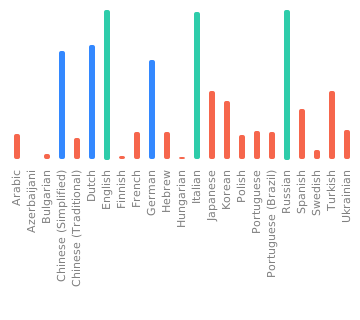
37
.github/workflows/build-container.yml
vendored
37
.github/workflows/build-container.yml
vendored
@@ -13,6 +13,12 @@ on:
|
||||
tags:
|
||||
- 'v*.*.*'
|
||||
workflow_dispatch:
|
||||
inputs:
|
||||
push-to-registry:
|
||||
description: Push the built image to the container registry
|
||||
required: false
|
||||
type: boolean
|
||||
default: false
|
||||
|
||||
permissions:
|
||||
contents: write
|
||||
@@ -50,16 +56,15 @@ jobs:
|
||||
df -h
|
||||
|
||||
- name: Checkout
|
||||
uses: actions/checkout@v3
|
||||
uses: actions/checkout@v4
|
||||
|
||||
- name: Docker meta
|
||||
id: meta
|
||||
uses: docker/metadata-action@v4
|
||||
uses: docker/metadata-action@v5
|
||||
with:
|
||||
github-token: ${{ secrets.GITHUB_TOKEN }}
|
||||
images: |
|
||||
ghcr.io/${{ github.repository }}
|
||||
${{ env.DOCKERHUB_REPOSITORY }}
|
||||
tags: |
|
||||
type=ref,event=branch
|
||||
type=ref,event=tag
|
||||
@@ -72,49 +77,33 @@ jobs:
|
||||
suffix=-${{ matrix.gpu-driver }},onlatest=false
|
||||
|
||||
- name: Set up QEMU
|
||||
uses: docker/setup-qemu-action@v2
|
||||
uses: docker/setup-qemu-action@v3
|
||||
|
||||
- name: Set up Docker Buildx
|
||||
uses: docker/setup-buildx-action@v2
|
||||
uses: docker/setup-buildx-action@v3
|
||||
with:
|
||||
platforms: ${{ env.PLATFORMS }}
|
||||
|
||||
- name: Login to GitHub Container Registry
|
||||
if: github.event_name != 'pull_request'
|
||||
uses: docker/login-action@v2
|
||||
uses: docker/login-action@v3
|
||||
with:
|
||||
registry: ghcr.io
|
||||
username: ${{ github.repository_owner }}
|
||||
password: ${{ secrets.GITHUB_TOKEN }}
|
||||
|
||||
# - name: Login to Docker Hub
|
||||
# if: github.event_name != 'pull_request' && vars.DOCKERHUB_REPOSITORY != ''
|
||||
# uses: docker/login-action@v2
|
||||
# with:
|
||||
# username: ${{ secrets.DOCKERHUB_USERNAME }}
|
||||
# password: ${{ secrets.DOCKERHUB_TOKEN }}
|
||||
|
||||
- name: Build container
|
||||
timeout-minutes: 40
|
||||
id: docker_build
|
||||
uses: docker/build-push-action@v4
|
||||
uses: docker/build-push-action@v6
|
||||
with:
|
||||
context: .
|
||||
file: docker/Dockerfile
|
||||
platforms: ${{ env.PLATFORMS }}
|
||||
push: ${{ github.ref == 'refs/heads/main' || github.ref_type == 'tag' }}
|
||||
push: ${{ github.ref == 'refs/heads/main' || github.ref_type == 'tag' || github.event.inputs.push-to-registry }}
|
||||
tags: ${{ steps.meta.outputs.tags }}
|
||||
labels: ${{ steps.meta.outputs.labels }}
|
||||
cache-from: |
|
||||
type=gha,scope=${{ github.ref_name }}-${{ matrix.gpu-driver }}
|
||||
type=gha,scope=main-${{ matrix.gpu-driver }}
|
||||
cache-to: type=gha,mode=max,scope=${{ github.ref_name }}-${{ matrix.gpu-driver }}
|
||||
|
||||
# - name: Docker Hub Description
|
||||
# if: github.ref == 'refs/heads/main' || github.ref == 'refs/tags/*' && vars.DOCKERHUB_REPOSITORY != ''
|
||||
# uses: peter-evans/dockerhub-description@v3
|
||||
# with:
|
||||
# username: ${{ secrets.DOCKERHUB_USERNAME }}
|
||||
# password: ${{ secrets.DOCKERHUB_TOKEN }}
|
||||
# repository: ${{ vars.DOCKERHUB_REPOSITORY }}
|
||||
# short-description: ${{ github.event.repository.description }}
|
||||
|
||||
2
.github/workflows/python-checks.yml
vendored
2
.github/workflows/python-checks.yml
vendored
@@ -62,7 +62,7 @@ jobs:
|
||||
|
||||
- name: install ruff
|
||||
if: ${{ steps.changed-files.outputs.python_any_changed == 'true' || inputs.always_run == true }}
|
||||
run: pip install ruff
|
||||
run: pip install ruff==0.6.0
|
||||
shell: bash
|
||||
|
||||
- name: ruff check
|
||||
|
||||
2
.github/workflows/python-tests.yml
vendored
2
.github/workflows/python-tests.yml
vendored
@@ -60,7 +60,7 @@ jobs:
|
||||
extra-index-url: 'https://download.pytorch.org/whl/cpu'
|
||||
github-env: $GITHUB_ENV
|
||||
- platform: macos-default
|
||||
os: macOS-12
|
||||
os: macOS-14
|
||||
github-env: $GITHUB_ENV
|
||||
- platform: windows-cpu
|
||||
os: windows-2022
|
||||
|
||||
6
Makefile
6
Makefile
@@ -19,6 +19,7 @@ help:
|
||||
@echo "installer-zip Build the installer .zip file for the current version"
|
||||
@echo "tag-release Tag the GitHub repository with the current version (use at release time only!)"
|
||||
@echo "openapi Generate the OpenAPI schema for the app, outputting to stdout"
|
||||
@echo "docs Serve the mkdocs site with live reload"
|
||||
|
||||
# Runs ruff, fixing any safely-fixable errors and formatting
|
||||
ruff:
|
||||
@@ -74,3 +75,8 @@ tag-release:
|
||||
# Generate the OpenAPI Schema for the app
|
||||
openapi:
|
||||
python scripts/generate_openapi_schema.py
|
||||
|
||||
# Serve the mkdocs site w/ live reload
|
||||
.PHONY: docs
|
||||
docs:
|
||||
mkdocs serve
|
||||
12
README.md
12
README.md
@@ -105,7 +105,7 @@ Invoke features an organized gallery system for easily storing, accessing, and r
|
||||
### Other features
|
||||
|
||||
- Support for both ckpt and diffusers models
|
||||
- SD1.5, SD2.0, and SDXL support
|
||||
- SD1.5, SD2.0, SDXL, and FLUX support
|
||||
- Upscaling Tools
|
||||
- Embedding Manager & Support
|
||||
- Model Manager & Support
|
||||
@@ -126,15 +126,15 @@ Invoke is a combined effort of [passionate and talented people from across the w
|
||||
|
||||
Original portions of the software are Copyright © 2024 by respective contributors.
|
||||
|
||||
[features docs]: https://invoke-ai.github.io/InvokeAI/features/
|
||||
[faq]: https://invoke-ai.github.io/InvokeAI/help/FAQ/
|
||||
[contributors]: https://invoke-ai.github.io/InvokeAI/other/CONTRIBUTORS/
|
||||
[features docs]: https://invoke-ai.github.io/InvokeAI/features/database/
|
||||
[faq]: https://invoke-ai.github.io/InvokeAI/faq/
|
||||
[contributors]: https://invoke-ai.github.io/InvokeAI/contributing/contributors/
|
||||
[invoke.com]: https://www.invoke.com/about
|
||||
[github issues]: https://github.com/invoke-ai/InvokeAI/issues
|
||||
[docs home]: https://invoke-ai.github.io/InvokeAI
|
||||
[installation docs]: https://invoke-ai.github.io/InvokeAI/installation/INSTALLATION/
|
||||
[installation docs]: https://invoke-ai.github.io/InvokeAI/installation/
|
||||
[#dev-chat]: https://discord.com/channels/1020123559063990373/1049495067846524939
|
||||
[contributing docs]: https://invoke-ai.github.io/InvokeAI/contributing/CONTRIBUTING/
|
||||
[contributing docs]: https://invoke-ai.github.io/InvokeAI/contributing/
|
||||
[CI checks on main badge]: https://flat.badgen.net/github/checks/invoke-ai/InvokeAI/main?label=CI%20status%20on%20main&cache=900&icon=github
|
||||
[CI checks on main link]: https://github.com/invoke-ai/InvokeAI/actions?query=branch%3Amain
|
||||
[discord badge]: https://flat.badgen.net/discord/members/ZmtBAhwWhy?icon=discord
|
||||
|
||||
@@ -40,7 +40,7 @@ RUN --mount=type=cache,target=/root/.cache/pip \
|
||||
elif [ "$GPU_DRIVER" = "rocm" ]; then \
|
||||
extra_index_url_arg="--extra-index-url https://download.pytorch.org/whl/rocm5.6"; \
|
||||
else \
|
||||
extra_index_url_arg="--extra-index-url https://download.pytorch.org/whl/cu121"; \
|
||||
extra_index_url_arg="--extra-index-url https://download.pytorch.org/whl/cu124"; \
|
||||
fi &&\
|
||||
|
||||
# xformers + triton fails to install on arm64
|
||||
@@ -55,6 +55,7 @@ RUN --mount=type=cache,target=/root/.cache/pip \
|
||||
FROM node:20-slim AS web-builder
|
||||
ENV PNPM_HOME="/pnpm"
|
||||
ENV PATH="$PNPM_HOME:$PATH"
|
||||
RUN corepack use pnpm@8.x
|
||||
RUN corepack enable
|
||||
|
||||
WORKDIR /build
|
||||
|
||||
@@ -1,20 +1,22 @@
|
||||
# Invoke in Docker
|
||||
|
||||
- Ensure that Docker can use the GPU on your system
|
||||
- This documentation assumes Linux, but should work similarly under Windows with WSL2
|
||||
First things first:
|
||||
|
||||
- Ensure that Docker can use your [NVIDIA][nvidia docker docs] or [AMD][amd docker docs] GPU.
|
||||
- This document assumes a Linux system, but should work similarly under Windows with WSL2.
|
||||
- We don't recommend running Invoke in Docker on macOS at this time. It works, but very slowly.
|
||||
|
||||
## Quickstart :lightning:
|
||||
## Quickstart
|
||||
|
||||
No `docker compose`, no persistence, just a simple one-liner using the official images:
|
||||
No `docker compose`, no persistence, single command, using the official images:
|
||||
|
||||
**CUDA:**
|
||||
**CUDA (NVIDIA GPU):**
|
||||
|
||||
```bash
|
||||
docker run --runtime=nvidia --gpus=all --publish 9090:9090 ghcr.io/invoke-ai/invokeai
|
||||
```
|
||||
|
||||
**ROCm:**
|
||||
**ROCm (AMD GPU):**
|
||||
|
||||
```bash
|
||||
docker run --device /dev/kfd --device /dev/dri --publish 9090:9090 ghcr.io/invoke-ai/invokeai:main-rocm
|
||||
@@ -22,12 +24,20 @@ docker run --device /dev/kfd --device /dev/dri --publish 9090:9090 ghcr.io/invok
|
||||
|
||||
Open `http://localhost:9090` in your browser once the container finishes booting, install some models, and generate away!
|
||||
|
||||
> [!TIP]
|
||||
> To persist your data (including downloaded models) outside of the container, add a `--volume/-v` flag to the above command, e.g.: `docker run --volume /some/local/path:/invokeai <...the rest of the command>`
|
||||
### Data persistence
|
||||
|
||||
To persist your generated images and downloaded models outside of the container, add a `--volume/-v` flag to the above command, e.g.:
|
||||
|
||||
```bash
|
||||
docker run --volume /some/local/path:/invokeai {...etc...}
|
||||
```
|
||||
|
||||
`/some/local/path/invokeai` will contain all your data.
|
||||
It can *usually* be reused between different installs of Invoke. Tread with caution and read the release notes!
|
||||
|
||||
## Customize the container
|
||||
|
||||
We ship the `run.sh` script, which is a convenient wrapper around `docker compose` for cases where custom image build args are needed. Alternatively, the familiar `docker compose` commands work just as well.
|
||||
The included `run.sh` script is a convenience wrapper around `docker compose`. It can be helpful for passing additional build arguments to `docker compose`. Alternatively, the familiar `docker compose` commands work just as well.
|
||||
|
||||
```bash
|
||||
cd docker
|
||||
@@ -38,11 +48,14 @@ cp .env.sample .env
|
||||
|
||||
It will take a few minutes to build the image the first time. Once the application starts up, open `http://localhost:9090` in your browser to invoke!
|
||||
|
||||
>[!TIP]
|
||||
>When using the `run.sh` script, the container will continue running after Ctrl+C. To shut it down, use the `docker compose down` command.
|
||||
|
||||
## Docker setup in detail
|
||||
|
||||
#### Linux
|
||||
|
||||
1. Ensure builkit is enabled in the Docker daemon settings (`/etc/docker/daemon.json`)
|
||||
1. Ensure buildkit is enabled in the Docker daemon settings (`/etc/docker/daemon.json`)
|
||||
2. Install the `docker compose` plugin using your package manager, or follow a [tutorial](https://docs.docker.com/compose/install/linux/#install-using-the-repository).
|
||||
- The deprecated `docker-compose` (hyphenated) CLI probably won't work. Update to a recent version.
|
||||
3. Ensure docker daemon is able to access the GPU.
|
||||
@@ -98,25 +111,7 @@ GPU_DRIVER=cuda
|
||||
|
||||
Any environment variables supported by InvokeAI can be set here. See the [Configuration docs](https://invoke-ai.github.io/InvokeAI/features/CONFIGURATION/) for further detail.
|
||||
|
||||
## Even More Customizing!
|
||||
---
|
||||
|
||||
See the `docker-compose.yml` file. The `command` instruction can be uncommented and used to run arbitrary startup commands. Some examples below.
|
||||
|
||||
### Reconfigure the runtime directory
|
||||
|
||||
Can be used to download additional models from the supported model list
|
||||
|
||||
In conjunction with `INVOKEAI_ROOT` can be also used to initialize a runtime directory
|
||||
|
||||
```yaml
|
||||
command:
|
||||
- invokeai-configure
|
||||
- --yes
|
||||
```
|
||||
|
||||
Or install models:
|
||||
|
||||
```yaml
|
||||
command:
|
||||
- invokeai-model-install
|
||||
```
|
||||
[nvidia docker docs]: https://docs.nvidia.com/datacenter/cloud-native/container-toolkit/latest/install-guide.html
|
||||
[amd docker docs]: https://rocm.docs.amd.com/projects/install-on-linux/en/latest/how-to/docker.html
|
||||
|
||||
@@ -1,7 +1,7 @@
|
||||
# Copyright (c) 2023 Eugene Brodsky https://github.com/ebr
|
||||
|
||||
x-invokeai: &invokeai
|
||||
image: "local/invokeai:latest"
|
||||
image: "ghcr.io/invoke-ai/invokeai:latest"
|
||||
build:
|
||||
context: ..
|
||||
dockerfile: docker/Dockerfile
|
||||
|
||||
@@ -1,815 +0,0 @@
|
||||
---
|
||||
title: Changelog
|
||||
---
|
||||
|
||||
# :octicons-log-16: **Changelog**
|
||||
|
||||
## v2.3.5 <small>(22 May 2023)</small>
|
||||
|
||||
This release (along with the post1 and post2 follow-on releases) expands support for additional LoRA and LyCORIS models, upgrades diffusers versions, and fixes a few bugs.
|
||||
|
||||
### LoRA and LyCORIS Support Improvement
|
||||
|
||||
A number of LoRA/LyCORIS fine-tune files (those which alter the text encoder as well as the unet model) were not having the desired effect in InvokeAI. This bug has now been fixed. Full documentation of LoRA support is available at InvokeAI LoRA Support.
|
||||
Previously, InvokeAI did not distinguish between LoRA/LyCORIS models based on Stable Diffusion v1.5 vs those based on v2.0 and 2.1, leading to a crash when an incompatible model was loaded. This has now been fixed. In addition, the web pulldown menus for LoRA and Textual Inversion selection have been enhanced to show only those files that are compatible with the currently-selected Stable Diffusion model.
|
||||
Support for the newer LoKR LyCORIS files has been added.
|
||||
|
||||
### Library Updates and Speed/Reproducibility Advancements
|
||||
The major enhancement in this version is that NVIDIA users no longer need to decide between speed and reproducibility. Previously, if you activated the Xformers library, you would see improvements in speed and memory usage, but multiple images generated with the same seed and other parameters would be slightly different from each other. This is no longer the case. Relative to 2.3.5 you will see improved performance when running without Xformers, and even better performance when Xformers is activated. In both cases, images generated with the same settings will be identical.
|
||||
|
||||
Here are the new library versions:
|
||||
Library Version
|
||||
Torch 2.0.0
|
||||
Diffusers 0.16.1
|
||||
Xformers 0.0.19
|
||||
Compel 1.1.5
|
||||
Other Improvements
|
||||
|
||||
### Performance Improvements
|
||||
|
||||
When a model is loaded for the first time, InvokeAI calculates its checksum for incorporation into the PNG metadata. This process could take up to a minute on network-mounted disks and WSL mounts. This release noticeably speeds up the process.
|
||||
|
||||
### Bug Fixes
|
||||
|
||||
The "import models from directory" and "import from URL" functionality in the console-based model installer has now been fixed.
|
||||
When running the WebUI, we have reduced the number of times that InvokeAI reaches out to HuggingFace to fetch the list of embeddable Textual Inversion models. We have also caught and fixed a problem with the updater not correctly detecting when another instance of the updater is running
|
||||
|
||||
|
||||
## v2.3.4 <small>(7 April 2023)</small>
|
||||
|
||||
What's New in 2.3.4
|
||||
|
||||
This features release adds support for LoRA (Low-Rank Adaptation) and LyCORIS (Lora beYond Conventional) models, as well as some minor bug fixes.
|
||||
### LoRA and LyCORIS Support
|
||||
|
||||
LoRA files contain fine-tuning weights that enable particular styles, subjects or concepts to be applied to generated images. LyCORIS files are an extended variant of LoRA. InvokeAI supports the most common LoRA/LyCORIS format, which ends in the suffix .safetensors. You will find numerous LoRA and LyCORIS models for download at Civitai, and a small but growing number at Hugging Face. Full documentation of LoRA support is available at InvokeAI LoRA Support.( Pre-release note: this page will only be available after release)
|
||||
|
||||
To use LoRA/LyCORIS models in InvokeAI:
|
||||
|
||||
Download the .safetensors files of your choice and place in /path/to/invokeai/loras. This directory was not present in earlier version of InvokeAI but will be created for you the first time you run the command-line or web client. You can also create the directory manually.
|
||||
|
||||
Add withLora(lora-file,weight) to your prompts. The weight is optional and will default to 1.0. A few examples, assuming that a LoRA file named loras/sushi.safetensors is present:
|
||||
|
||||
family sitting at dinner table eating sushi withLora(sushi,0.9)
|
||||
family sitting at dinner table eating sushi withLora(sushi, 0.75)
|
||||
family sitting at dinner table eating sushi withLora(sushi)
|
||||
|
||||
Multiple withLora() prompt fragments are allowed. The weight can be arbitrarily large, but the useful range is roughly 0.5 to 1.0. Higher weights make the LoRA's influence stronger. Negative weights are also allowed, which can lead to some interesting effects.
|
||||
|
||||
Generate as you usually would! If you find that the image is too "crisp" try reducing the overall CFG value or reducing individual LoRA weights. As is the case with all fine-tunes, you'll get the best results when running the LoRA on top of the model similar to, or identical with, the one that was used during the LoRA's training. Don't try to load a SD 1.x-trained LoRA into a SD 2.x model, and vice versa. This will trigger a non-fatal error message and generation will not proceed.
|
||||
|
||||
You can change the location of the loras directory by passing the --lora_directory option to `invokeai.
|
||||
|
||||
### New WebUI LoRA and Textual Inversion Buttons
|
||||
|
||||
This version adds two new web interface buttons for inserting LoRA and Textual Inversion triggers into the prompt as shown in the screenshot below.
|
||||
|
||||
Clicking on one or the other of the buttons will bring up a menu of available LoRA/LyCORIS or Textual Inversion trigger terms. Select a menu item to insert the properly-formatted withLora() or <textual-inversion> prompt fragment into the positive prompt. The number in parentheses indicates the number of trigger terms currently in the prompt. You may click the button again and deselect the LoRA or trigger to remove it from the prompt, or simply edit the prompt directly.
|
||||
|
||||
Currently terms are inserted into the positive prompt textbox only. However, some textual inversion embeddings are designed to be used with negative prompts. To move a textual inversion trigger into the negative prompt, simply cut and paste it.
|
||||
|
||||
By default the Textual Inversion menu only shows locally installed models found at startup time in /path/to/invokeai/embeddings. However, InvokeAI has the ability to dynamically download and install additional Textual Inversion embeddings from the HuggingFace Concepts Library. You may choose to display the most popular of these (with five or more likes) in the Textual Inversion menu by going to Settings and turning on "Show Textual Inversions from HF Concepts Library." When this option is activated, the locally-installed TI embeddings will be shown first, followed by uninstalled terms from Hugging Face. See The Hugging Face Concepts Library and Importing Textual Inversion files for more information.
|
||||
### Minor features and fixes
|
||||
|
||||
This release changes model switching behavior so that the command-line and Web UIs save the last model used and restore it the next time they are launched. It also improves the behavior of the installer so that the pip utility is kept up to date.
|
||||
|
||||
### Known Bugs in 2.3.4
|
||||
|
||||
These are known bugs in the release.
|
||||
|
||||
The Ancestral DPMSolverMultistepScheduler (k_dpmpp_2a) sampler is not yet implemented for diffusers models and will disappear from the WebUI Sampler menu when a diffusers model is selected.
|
||||
Windows Defender will sometimes raise Trojan or backdoor alerts for the codeformer.pth face restoration model, as well as the CIDAS/clipseg and runwayml/stable-diffusion-v1.5 models. These are false positives and can be safely ignored. InvokeAI performs a malware scan on all models as they are loaded. For additional security, you should use safetensors models whenever they are available.
|
||||
|
||||
|
||||
## v2.3.3 <small>(28 March 2023)</small>
|
||||
|
||||
This is a bugfix and minor feature release.
|
||||
### Bugfixes
|
||||
|
||||
Since version 2.3.2 the following bugs have been fixed:
|
||||
Bugs
|
||||
|
||||
When using legacy checkpoints with an external VAE, the VAE file is now scanned for malware prior to loading. Previously only the main model weights file was scanned.
|
||||
Textual inversion will select an appropriate batchsize based on whether xformers is active, and will default to xformers enabled if the library is detected.
|
||||
The batch script log file names have been fixed to be compatible with Windows.
|
||||
Occasional corruption of the .next_prefix file (which stores the next output file name in sequence) on Windows systems is now detected and corrected.
|
||||
Support loading of legacy config files that have no personalization (textual inversion) section.
|
||||
An infinite loop when opening the developer's console from within the invoke.sh script has been corrected.
|
||||
Documentation fixes, including a recipe for detecting and fixing problems with the AMD GPU ROCm driver.
|
||||
|
||||
Enhancements
|
||||
|
||||
It is now possible to load and run several community-contributed SD-2.0 based models, including the often-requested "Illuminati" model.
|
||||
The "NegativePrompts" embedding file, and others like it, can now be loaded by placing it in the InvokeAI embeddings directory.
|
||||
If no --model is specified at launch time, InvokeAI will remember the last model used and restore it the next time it is launched.
|
||||
On Linux systems, the invoke.sh launcher now uses a prettier console-based interface. To take advantage of it, install the dialog package using your package manager (e.g. sudo apt install dialog).
|
||||
When loading legacy models (safetensors/ckpt) you can specify a custom config file and/or a VAE by placing like-named files in the same directory as the model following this example:
|
||||
|
||||
my-favorite-model.ckpt
|
||||
my-favorite-model.yaml
|
||||
my-favorite-model.vae.pt # or my-favorite-model.vae.safetensors
|
||||
|
||||
### Known Bugs in 2.3.3
|
||||
|
||||
These are known bugs in the release.
|
||||
|
||||
The Ancestral DPMSolverMultistepScheduler (k_dpmpp_2a) sampler is not yet implemented for diffusers models and will disappear from the WebUI Sampler menu when a diffusers model is selected.
|
||||
Windows Defender will sometimes raise Trojan or backdoor alerts for the codeformer.pth face restoration model, as well as the CIDAS/clipseg and runwayml/stable-diffusion-v1.5 models. These are false positives and can be safely ignored. InvokeAI performs a malware scan on all models as they are loaded. For additional security, you should use safetensors models whenever they are available.
|
||||
|
||||
|
||||
## v2.3.2 <small>(11 March 2023)</small>
|
||||
This is a bugfix and minor feature release.
|
||||
|
||||
### Bugfixes
|
||||
|
||||
Since version 2.3.1 the following bugs have been fixed:
|
||||
|
||||
Black images appearing for potential NSFW images when generating with legacy checkpoint models and both --no-nsfw_checker and --ckpt_convert turned on.
|
||||
Black images appearing when generating from models fine-tuned on Stable-Diffusion-2-1-base. When importing V2-derived models, you may be asked to select whether the model was derived from a "base" model (512 pixels) or the 768-pixel SD-2.1 model.
|
||||
The "Use All" button was not restoring the Hi-Res Fix setting on the WebUI
|
||||
When using the model installer console app, models failed to import correctly when importing from directories with spaces in their names. A similar issue with the output directory was also fixed.
|
||||
Crashes that occurred during model merging.
|
||||
Restore previous naming of Stable Diffusion base and 768 models.
|
||||
Upgraded to latest versions of diffusers, transformers, safetensors and accelerate libraries upstream. We hope that this will fix the assertion NDArray > 2**32 issue that MacOS users have had when generating images larger than 768x768 pixels. Please report back.
|
||||
|
||||
As part of the upgrade to diffusers, the location of the diffusers-based models has changed from models/diffusers to models/hub. When you launch InvokeAI for the first time, it will prompt you to OK a one-time move. This should be quick and harmless, but if you have modified your models/diffusers directory in some way, for example using symlinks, you may wish to cancel the migration and make appropriate adjustments.
|
||||
New "Invokeai-batch" script
|
||||
|
||||
### Invoke AI Batch
|
||||
2.3.2 introduces a new command-line only script called invokeai-batch that can be used to generate hundreds of images from prompts and settings that vary systematically. This can be used to try the same prompt across multiple combinations of models, steps, CFG settings and so forth. It also allows you to template prompts and generate a combinatorial list like:
|
||||
|
||||
a shack in the mountains, photograph
|
||||
a shack in the mountains, watercolor
|
||||
a shack in the mountains, oil painting
|
||||
a chalet in the mountains, photograph
|
||||
a chalet in the mountains, watercolor
|
||||
a chalet in the mountains, oil painting
|
||||
a shack in the desert, photograph
|
||||
...
|
||||
|
||||
If you have a system with multiple GPUs, or a single GPU with lots of VRAM, you can parallelize generation across the combinatorial set, reducing wait times and using your system's resources efficiently (make sure you have good GPU cooling).
|
||||
|
||||
To try invokeai-batch out. Launch the "developer's console" using the invoke launcher script, or activate the invokeai virtual environment manually. From the console, give the command invokeai-batch --help in order to learn how the script works and create your first template file for dynamic prompt generation.
|
||||
|
||||
|
||||
### Known Bugs in 2.3.2
|
||||
|
||||
These are known bugs in the release.
|
||||
|
||||
The Ancestral DPMSolverMultistepScheduler (k_dpmpp_2a) sampler is not yet implemented for diffusers models and will disappear from the WebUI Sampler menu when a diffusers model is selected.
|
||||
Windows Defender will sometimes raise a Trojan alert for the codeformer.pth face restoration model. As far as we have been able to determine, this is a false positive and can be safely whitelisted.
|
||||
|
||||
|
||||
## v2.3.1 <small>(22 February 2023)</small>
|
||||
This is primarily a bugfix release, but it does provide several new features that will improve the user experience.
|
||||
|
||||
### Enhanced support for model management
|
||||
|
||||
InvokeAI now makes it convenient to add, remove and modify models. You can individually import models that are stored on your local system, scan an entire folder and its subfolders for models and import them automatically, and even directly import models from the internet by providing their download URLs. You also have the option of designating a local folder to scan for new models each time InvokeAI is restarted.
|
||||
|
||||
There are three ways of accessing the model management features:
|
||||
|
||||
From the WebUI, click on the cube to the right of the model selection menu. This will bring up a form that allows you to import models individually from your local disk or scan a directory for models to import.
|
||||
|
||||
Using the Model Installer App
|
||||
|
||||
Choose option (5) download and install models from the invoke launcher script to start a new console-based application for model management. You can use this to select from a curated set of starter models, or import checkpoint, safetensors, and diffusers models from a local disk or the internet. The example below shows importing two checkpoint URLs from popular SD sites and a HuggingFace diffusers model using its Repository ID. It also shows how to designate a folder to be scanned at startup time for new models to import.
|
||||
|
||||
Command-line users can start this app using the command invokeai-model-install.
|
||||
|
||||
Using the Command Line Client (CLI)
|
||||
|
||||
The !install_model and !convert_model commands have been enhanced to allow entering of URLs and local directories to scan and import. The first command installs .ckpt and .safetensors files as-is. The second one converts them into the faster diffusers format before installation.
|
||||
|
||||
Internally InvokeAI is able to probe the contents of a .ckpt or .safetensors file to distinguish among v1.x, v2.x and inpainting models. This means that you do not need to include "inpaint" in your model names to use an inpainting model. Note that Stable Diffusion v2.x models will be autoconverted into a diffusers model the first time you use it.
|
||||
|
||||
Please see INSTALLING MODELS for more information on model management.
|
||||
|
||||
### An Improved Installer Experience
|
||||
|
||||
The installer now launches a console-based UI for setting and changing commonly-used startup options:
|
||||
|
||||
After selecting the desired options, the installer installs several support models needed by InvokeAI's face reconstruction and upscaling features and then launches the interface for selecting and installing models shown earlier. At any time, you can edit the startup options by launching invoke.sh/invoke.bat and entering option (6) change InvokeAI startup options
|
||||
|
||||
Command-line users can launch the new configure app using invokeai-configure.
|
||||
|
||||
This release also comes with a renewed updater. To do an update without going through a whole reinstallation, launch invoke.sh or invoke.bat and choose option (9) update InvokeAI . This will bring you to a screen that prompts you to update to the latest released version, to the most current development version, or any released or unreleased version you choose by selecting the tag or branch of the desired version.
|
||||
|
||||
Command-line users can run this interface by typing invokeai-configure
|
||||
|
||||
### Image Symmetry Options
|
||||
|
||||
There are now features to generate horizontal and vertical symmetry during generation. The way these work is to wait until a selected step in the generation process and then to turn on a mirror image effect. In addition to generating some cool images, you can also use this to make side-by-side comparisons of how an image will look with more or fewer steps. Access this option from the WebUI by selecting Symmetry from the image generation settings, or within the CLI by using the options --h_symmetry_time_pct and --v_symmetry_time_pct (these can be abbreviated to --h_sym and --v_sym like all other options).
|
||||
|
||||
### A New Unified Canvas Look
|
||||
|
||||
This release introduces a beta version of the WebUI Unified Canvas. To try it out, open up the settings dialogue in the WebUI (gear icon) and select Use Canvas Beta Layout:
|
||||
|
||||
Refresh the screen and go to to Unified Canvas (left side of screen, third icon from the top). The new layout is designed to provide more space to work in and to keep the image controls close to the image itself:
|
||||
|
||||
Model conversion and merging within the WebUI
|
||||
|
||||
The WebUI now has an intuitive interface for model merging, as well as for permanent conversion of models from legacy .ckpt/.safetensors formats into diffusers format. These options are also available directly from the invoke.sh/invoke.bat scripts.
|
||||
An easier way to contribute translations to the WebUI
|
||||
|
||||
We have migrated our translation efforts to Weblate, a FOSS translation product. Maintaining the growing project's translations is now far simpler for the maintainers and community. Please review our brief translation guide for more information on how to contribute.
|
||||
Numerous internal bugfixes and performance issues
|
||||
|
||||
### Bug Fixes
|
||||
This releases quashes multiple bugs that were reported in 2.3.0. Major internal changes include upgrading to diffusers 0.13.0, and using the compel library for prompt parsing. See Detailed Change Log for a detailed list of bugs caught and squished.
|
||||
Summary of InvokeAI command line scripts (all accessible via the launcher menu)
|
||||
Command Description
|
||||
invokeai Command line interface
|
||||
invokeai --web Web interface
|
||||
invokeai-model-install Model installer with console forms-based front end
|
||||
invokeai-ti --gui Textual inversion, with a console forms-based front end
|
||||
invokeai-merge --gui Model merging, with a console forms-based front end
|
||||
invokeai-configure Startup configuration; can also be used to reinstall support models
|
||||
invokeai-update InvokeAI software updater
|
||||
|
||||
### Known Bugs in 2.3.1
|
||||
|
||||
These are known bugs in the release.
|
||||
MacOS users generating 768x768 pixel images or greater using diffusers models may experience a hard crash with assertion NDArray > 2**32 This appears to be an issu...
|
||||
|
||||
|
||||
|
||||
## v2.3.0 <small>(15 January 2023)</small>
|
||||
|
||||
**Transition to diffusers
|
||||
|
||||
Version 2.3 provides support for both the traditional `.ckpt` weight
|
||||
checkpoint files as well as the HuggingFace `diffusers` format. This
|
||||
introduces several changes you should know about.
|
||||
|
||||
1. The models.yaml format has been updated. There are now two
|
||||
different type of configuration stanza. The traditional ckpt
|
||||
one will look like this, with a `format` of `ckpt` and a
|
||||
`weights` field that points to the absolute or ROOTDIR-relative
|
||||
location of the ckpt file.
|
||||
|
||||
```
|
||||
inpainting-1.5:
|
||||
description: RunwayML SD 1.5 model optimized for inpainting (4.27 GB)
|
||||
repo_id: runwayml/stable-diffusion-inpainting
|
||||
format: ckpt
|
||||
width: 512
|
||||
height: 512
|
||||
weights: models/ldm/stable-diffusion-v1/sd-v1-5-inpainting.ckpt
|
||||
config: configs/stable-diffusion/v1-inpainting-inference.yaml
|
||||
vae: models/ldm/stable-diffusion-v1/vae-ft-mse-840000-ema-pruned.ckpt
|
||||
```
|
||||
|
||||
A configuration stanza for a diffusers model hosted at HuggingFace will look like this,
|
||||
with a `format` of `diffusers` and a `repo_id` that points to the
|
||||
repository ID of the model on HuggingFace:
|
||||
|
||||
```
|
||||
stable-diffusion-2.1:
|
||||
description: Stable Diffusion version 2.1 diffusers model (5.21 GB)
|
||||
repo_id: stabilityai/stable-diffusion-2-1
|
||||
format: diffusers
|
||||
```
|
||||
|
||||
A configuration stanza for a diffuers model stored locally should
|
||||
look like this, with a `format` of `diffusers`, but a `path` field
|
||||
that points at the directory that contains `model_index.json`:
|
||||
|
||||
```
|
||||
waifu-diffusion:
|
||||
description: Latest waifu diffusion 1.4
|
||||
format: diffusers
|
||||
path: models/diffusers/hakurei-haifu-diffusion-1.4
|
||||
```
|
||||
|
||||
2. In order of precedence, InvokeAI will now use HF_HOME, then
|
||||
XDG_CACHE_HOME, then finally default to `ROOTDIR/models` to
|
||||
store HuggingFace diffusers models.
|
||||
|
||||
Consequently, the format of the models directory has changed to
|
||||
mimic the HuggingFace cache directory. When HF_HOME and XDG_HOME
|
||||
are not set, diffusers models are now automatically downloaded
|
||||
and retrieved from the directory `ROOTDIR/models/diffusers`,
|
||||
while other models are stored in the directory
|
||||
`ROOTDIR/models/hub`. This organization is the same as that used
|
||||
by HuggingFace for its cache management.
|
||||
|
||||
This allows you to share diffusers and ckpt model files easily with
|
||||
other machine learning applications that use the HuggingFace
|
||||
libraries. To do this, set the environment variable HF_HOME
|
||||
before starting up InvokeAI to tell it what directory to
|
||||
cache models in. To tell InvokeAI to use the standard HuggingFace
|
||||
cache directory, you would set HF_HOME like this (Linux/Mac):
|
||||
|
||||
`export HF_HOME=~/.cache/huggingface`
|
||||
|
||||
Both HuggingFace and InvokeAI will fall back to the XDG_CACHE_HOME
|
||||
environment variable if HF_HOME is not set; this path
|
||||
takes precedence over `ROOTDIR/models` to allow for the same sharing
|
||||
with other machine learning applications that use HuggingFace
|
||||
libraries.
|
||||
|
||||
3. If you upgrade to InvokeAI 2.3.* from an earlier version, there
|
||||
will be a one-time migration from the old models directory format
|
||||
to the new one. You will see a message about this the first time
|
||||
you start `invoke.py`.
|
||||
|
||||
4. Both the front end back ends of the model manager have been
|
||||
rewritten to accommodate diffusers. You can import models using
|
||||
their local file path, using their URLs, or their HuggingFace
|
||||
repo_ids. On the command line, all these syntaxes work:
|
||||
|
||||
```
|
||||
!import_model stabilityai/stable-diffusion-2-1-base
|
||||
!import_model /opt/sd-models/sd-1.4.ckpt
|
||||
!import_model https://huggingface.co/Fictiverse/Stable_Diffusion_PaperCut_Model/blob/main/PaperCut_v1.ckpt
|
||||
```
|
||||
|
||||
**KNOWN BUGS (15 January 2023)
|
||||
|
||||
1. On CUDA systems, the 768 pixel stable-diffusion-2.0 and
|
||||
stable-diffusion-2.1 models can only be run as `diffusers` models
|
||||
when the `xformer` library is installed and configured. Without
|
||||
`xformers`, InvokeAI returns black images.
|
||||
|
||||
2. Inpainting and outpainting have regressed in quality.
|
||||
|
||||
Both these issues are being actively worked on.
|
||||
|
||||
## v2.2.4 <small>(11 December 2022)</small>
|
||||
|
||||
**the `invokeai` directory**
|
||||
|
||||
Previously there were two directories to worry about, the directory that
|
||||
contained the InvokeAI source code and the launcher scripts, and the `invokeai`
|
||||
directory that contained the models files, embeddings, configuration and
|
||||
outputs. With the 2.2.4 release, this dual system is done away with, and
|
||||
everything, including the `invoke.bat` and `invoke.sh` launcher scripts, now
|
||||
live in a directory named `invokeai`. By default this directory is located in
|
||||
your home directory (e.g. `\Users\yourname` on Windows), but you can select
|
||||
where it goes at install time.
|
||||
|
||||
After installation, you can delete the install directory (the one that the zip
|
||||
file creates when it unpacks). Do **not** delete or move the `invokeai`
|
||||
directory!
|
||||
|
||||
**Initialization file `invokeai/invokeai.init`**
|
||||
|
||||
You can place frequently-used startup options in this file, such as the default
|
||||
number of steps or your preferred sampler. To keep everything in one place, this
|
||||
file has now been moved into the `invokeai` directory and is named
|
||||
`invokeai.init`.
|
||||
|
||||
**To update from Version 2.2.3**
|
||||
|
||||
The easiest route is to download and unpack one of the 2.2.4 installer files.
|
||||
When it asks you for the location of the `invokeai` runtime directory, respond
|
||||
with the path to the directory that contains your 2.2.3 `invokeai`. That is, if
|
||||
`invokeai` lives at `C:\Users\fred\invokeai`, then answer with `C:\Users\fred`
|
||||
and answer "Y" when asked if you want to reuse the directory.
|
||||
|
||||
The `update.sh` (`update.bat`) script that came with the 2.2.3 source installer
|
||||
does not know about the new directory layout and won't be fully functional.
|
||||
|
||||
**To update to 2.2.5 (and beyond) there's now an update path**
|
||||
|
||||
As they become available, you can update to more recent versions of InvokeAI
|
||||
using an `update.sh` (`update.bat`) script located in the `invokeai` directory.
|
||||
Running it without any arguments will install the most recent version of
|
||||
InvokeAI. Alternatively, you can get set releases by running the `update.sh`
|
||||
script with an argument in the command shell. This syntax accepts the path to
|
||||
the desired release's zip file, which you can find by clicking on the green
|
||||
"Code" button on this repository's home page.
|
||||
|
||||
**Other 2.2.4 Improvements**
|
||||
|
||||
- Fix InvokeAI GUI initialization by @addianto in #1687
|
||||
- fix link in documentation by @lstein in #1728
|
||||
- Fix broken link by @ShawnZhong in #1736
|
||||
- Remove reference to binary installer by @lstein in #1731
|
||||
- documentation fixes for 2.2.3 by @lstein in #1740
|
||||
- Modify installer links to point closer to the source installer by @ebr in
|
||||
#1745
|
||||
- add documentation warning about 1650/60 cards by @lstein in #1753
|
||||
- Fix Linux source URL in installation docs by @andybearman in #1756
|
||||
- Make install instructions discoverable in readme by @damian0815 in #1752
|
||||
- typo fix by @ofirkris in #1755
|
||||
- Non-interactive model download (support HUGGINGFACE_TOKEN) by @ebr in #1578
|
||||
- fix(srcinstall): shell installer - cp scripts instead of linking by @tildebyte
|
||||
in #1765
|
||||
- stability and usage improvements to binary & source installers by @lstein in
|
||||
#1760
|
||||
- fix off-by-one bug in cross-attention-control by @damian0815 in #1774
|
||||
- Eventually update APP_VERSION to 2.2.3 by @spezialspezial in #1768
|
||||
- invoke script cds to its location before running by @lstein in #1805
|
||||
- Make PaperCut and VoxelArt models load again by @lstein in #1730
|
||||
- Fix --embedding_directory / --embedding_path not working by @blessedcoolant in
|
||||
#1817
|
||||
- Clean up readme by @hipsterusername in #1820
|
||||
- Optimized Docker build with support for external working directory by @ebr in
|
||||
#1544
|
||||
- disable pushing the cloud container by @mauwii in #1831
|
||||
- Fix docker push github action and expand with additional metadata by @ebr in
|
||||
#1837
|
||||
- Fix Broken Link To Notebook by @VedantMadane in #1821
|
||||
- Account for flat models by @spezialspezial in #1766
|
||||
- Update invoke.bat.in isolate environment variables by @lynnewu in #1833
|
||||
- Arch Linux Specific PatchMatch Instructions & fixing conda install on linux by
|
||||
@SammCheese in #1848
|
||||
- Make force free GPU memory work in img2img by @addianto in #1844
|
||||
- New installer by @lstein
|
||||
|
||||
## v2.2.3 <small>(2 December 2022)</small>
|
||||
|
||||
!!! Note
|
||||
|
||||
This point release removes references to the binary installer from the
|
||||
installation guide. The binary installer is not stable at the current
|
||||
time. First time users are encouraged to use the "source" installer as
|
||||
described in [Installing InvokeAI with the Source Installer](installation/deprecated_documentation/INSTALL_SOURCE.md)
|
||||
|
||||
With InvokeAI 2.2, this project now provides enthusiasts and professionals a
|
||||
robust workflow solution for creating AI-generated and human facilitated
|
||||
compositions. Additional enhancements have been made as well, improving safety,
|
||||
ease of use, and installation.
|
||||
|
||||
Optimized for efficiency, InvokeAI needs only ~3.5GB of VRAM to generate a
|
||||
512x768 image (and less for smaller images), and is compatible with
|
||||
Windows/Linux/Mac (M1 & M2).
|
||||
|
||||
You can see the [release video](https://youtu.be/hIYBfDtKaus) here, which
|
||||
introduces the main WebUI enhancement for version 2.2 -
|
||||
[The Unified Canvas](features/UNIFIED_CANVAS.md). This new workflow is the
|
||||
biggest enhancement added to the WebUI to date, and unlocks a stunning amount of
|
||||
potential for users to create and iterate on their creations. The following
|
||||
sections describe what's new for InvokeAI.
|
||||
|
||||
## v2.2.2 <small>(30 November 2022)</small>
|
||||
|
||||
!!! note
|
||||
|
||||
The binary installer is not ready for prime time. First time users are recommended to install via the "source" installer accessible through the links at the bottom of this page.****
|
||||
|
||||
With InvokeAI 2.2, this project now provides enthusiasts and professionals a
|
||||
robust workflow solution for creating AI-generated and human facilitated
|
||||
compositions. Additional enhancements have been made as well, improving safety,
|
||||
ease of use, and installation.
|
||||
|
||||
Optimized for efficiency, InvokeAI needs only ~3.5GB of VRAM to generate a
|
||||
512x768 image (and less for smaller images), and is compatible with
|
||||
Windows/Linux/Mac (M1 & M2).
|
||||
|
||||
You can see the [release video](https://youtu.be/hIYBfDtKaus) here, which
|
||||
introduces the main WebUI enhancement for version 2.2 -
|
||||
[The Unified Canvas](https://invoke-ai.github.io/InvokeAI/features/UNIFIED_CANVAS/).
|
||||
This new workflow is the biggest enhancement added to the WebUI to date, and
|
||||
unlocks a stunning amount of potential for users to create and iterate on their
|
||||
creations. The following sections describe what's new for InvokeAI.
|
||||
|
||||
## v2.2.0 <small>(2 December 2022)</small>
|
||||
|
||||
With InvokeAI 2.2, this project now provides enthusiasts and professionals a
|
||||
robust workflow solution for creating AI-generated and human facilitated
|
||||
compositions. Additional enhancements have been made as well, improving safety,
|
||||
ease of use, and installation.
|
||||
|
||||
Optimized for efficiency, InvokeAI needs only ~3.5GB of VRAM to generate a
|
||||
512x768 image (and less for smaller images), and is compatible with
|
||||
Windows/Linux/Mac (M1 & M2).
|
||||
|
||||
You can see the [release video](https://youtu.be/hIYBfDtKaus) here, which
|
||||
introduces the main WebUI enhancement for version 2.2 -
|
||||
[The Unified Canvas](features/UNIFIED_CANVAS.md). This new workflow is the
|
||||
biggest enhancement added to the WebUI to date, and unlocks a stunning amount of
|
||||
potential for users to create and iterate on their creations. The following
|
||||
sections describe what's new for InvokeAI.
|
||||
|
||||
## v2.1.3 <small>(13 November 2022)</small>
|
||||
|
||||
- A choice of installer scripts that automate installation and configuration.
|
||||
See
|
||||
[Installation](installation/INSTALLATION.md).
|
||||
- A streamlined manual installation process that works for both Conda and
|
||||
PIP-only installs. See
|
||||
[Manual Installation](installation/020_INSTALL_MANUAL.md).
|
||||
- The ability to save frequently-used startup options (model to load, steps,
|
||||
sampler, etc) in a `.invokeai` file. See
|
||||
[Client](deprecated/CLI.md)
|
||||
- Support for AMD GPU cards (non-CUDA) on Linux machines.
|
||||
- Multiple bugs and edge cases squashed.
|
||||
|
||||
## v2.1.0 <small>(2 November 2022)</small>
|
||||
|
||||
- update mac instructions to use invokeai for env name by @willwillems in #1030
|
||||
- Update .gitignore by @blessedcoolant in #1040
|
||||
- reintroduce fix for m1 from #579 missing after merge by @skurovec in #1056
|
||||
- Update Stable_Diffusion_AI_Notebook.ipynb (Take 2) by @ChloeL19 in #1060
|
||||
- Print out the device type which is used by @manzke in #1073
|
||||
- Hires Addition by @hipsterusername in #1063
|
||||
- fix for "1 leaked semaphore objects to clean up at shutdown" on M1 by
|
||||
@skurovec in #1081
|
||||
- Forward dream.py to invoke.py using the same interpreter, add deprecation
|
||||
warning by @db3000 in #1077
|
||||
- fix noisy images at high step counts by @lstein in #1086
|
||||
- Generalize facetool strength argument by @db3000 in #1078
|
||||
- Enable fast switching among models at the invoke> command line by @lstein in
|
||||
#1066
|
||||
- Fix Typo, committed changing ldm environment to invokeai by @jdries3 in #1095
|
||||
- Update generate.py by @unreleased in #1109
|
||||
- Update 'ldm' env to 'invokeai' in troubleshooting steps by @19wolf in #1125
|
||||
- Fixed documentation typos and resolved merge conflicts by @rupeshs in #1123
|
||||
- Fix broken doc links, fix malaprop in the project subtitle by @majick in #1131
|
||||
- Only output facetool parameters if enhancing faces by @db3000 in #1119
|
||||
- Update gitignore to ignore codeformer weights at new location by
|
||||
@spezialspezial in #1136
|
||||
- fix links to point to invoke-ai.github.io #1117 by @mauwii in #1143
|
||||
- Rework-mkdocs by @mauwii in #1144
|
||||
- add option to CLI and pngwriter that allows user to set PNG compression level
|
||||
by @lstein in #1127
|
||||
- Fix img2img DDIM index out of bound by @wfng92 in #1137
|
||||
- Fix gh actions by @mauwii in #1128
|
||||
- update mac instructions to use invokeai for env name by @willwillems in #1030
|
||||
- Update .gitignore by @blessedcoolant in #1040
|
||||
- reintroduce fix for m1 from #579 missing after merge by @skurovec in #1056
|
||||
- Update Stable_Diffusion_AI_Notebook.ipynb (Take 2) by @ChloeL19 in #1060
|
||||
- Print out the device type which is used by @manzke in #1073
|
||||
- Hires Addition by @hipsterusername in #1063
|
||||
- fix for "1 leaked semaphore objects to clean up at shutdown" on M1 by
|
||||
@skurovec in #1081
|
||||
- Forward dream.py to invoke.py using the same interpreter, add deprecation
|
||||
warning by @db3000 in #1077
|
||||
- fix noisy images at high step counts by @lstein in #1086
|
||||
- Generalize facetool strength argument by @db3000 in #1078
|
||||
- Enable fast switching among models at the invoke> command line by @lstein in
|
||||
#1066
|
||||
- Fix Typo, committed changing ldm environment to invokeai by @jdries3 in #1095
|
||||
- Fixed documentation typos and resolved merge conflicts by @rupeshs in #1123
|
||||
- Only output facetool parameters if enhancing faces by @db3000 in #1119
|
||||
- add option to CLI and pngwriter that allows user to set PNG compression level
|
||||
by @lstein in #1127
|
||||
- Fix img2img DDIM index out of bound by @wfng92 in #1137
|
||||
- Add text prompt to inpaint mask support by @lstein in #1133
|
||||
- Respect http[s] protocol when making socket.io middleware by @damian0815 in
|
||||
#976
|
||||
- WebUI: Adds Codeformer support by @psychedelicious in #1151
|
||||
- Skips normalizing prompts for web UI metadata by @psychedelicious in #1165
|
||||
- Add Asymmetric Tiling by @carson-katri in #1132
|
||||
- Web UI: Increases max CFG Scale to 200 by @psychedelicious in #1172
|
||||
- Corrects color channels in face restoration; Fixes #1167 by @psychedelicious
|
||||
in #1175
|
||||
- Flips channels using array slicing instead of using OpenCV by @psychedelicious
|
||||
in #1178
|
||||
- Fix typo in docs: s/Formally/Formerly by @noodlebox in #1176
|
||||
- fix clipseg loading problems by @lstein in #1177
|
||||
- Correct color channels in upscale using array slicing by @wfng92 in #1181
|
||||
- Web UI: Filters existing images when adding new images; Fixes #1085 by
|
||||
@psychedelicious in #1171
|
||||
- fix a number of bugs in textual inversion by @lstein in #1190
|
||||
- Improve !fetch, add !replay command by @ArDiouscuros in #882
|
||||
- Fix generation of image with s>1000 by @holstvoogd in #951
|
||||
- Web UI: Gallery improvements by @psychedelicious in #1198
|
||||
- Update CLI.md by @krummrey in #1211
|
||||
- outcropping improvements by @lstein in #1207
|
||||
- add support for loading VAE autoencoders by @lstein in #1216
|
||||
- remove duplicate fix_func for MPS by @wfng92 in #1210
|
||||
- Metadata storage and retrieval fixes by @lstein in #1204
|
||||
- nix: add shell.nix file by @Cloudef in #1170
|
||||
- Web UI: Changes vite dist asset paths to relative by @psychedelicious in #1185
|
||||
- Web UI: Removes isDisabled from PromptInput by @psychedelicious in #1187
|
||||
- Allow user to generate images with initial noise as on M1 / mps system by
|
||||
@ArDiouscuros in #981
|
||||
- feat: adding filename format template by @plucked in #968
|
||||
- Web UI: Fixes broken bundle by @psychedelicious in #1242
|
||||
- Support runwayML custom inpainting model by @lstein in #1243
|
||||
- Update IMG2IMG.md by @talitore in #1262
|
||||
- New dockerfile - including a build- and a run- script as well as a GH-Action
|
||||
by @mauwii in #1233
|
||||
- cut over from karras to model noise schedule for higher steps by @lstein in
|
||||
#1222
|
||||
- Prompt tweaks by @lstein in #1268
|
||||
- Outpainting implementation by @Kyle0654 in #1251
|
||||
- fixing aspect ratio on hires by @tjennings in #1249
|
||||
- Fix-build-container-action by @mauwii in #1274
|
||||
- handle all unicode characters by @damian0815 in #1276
|
||||
- adds models.user.yml to .gitignore by @JakeHL in #1281
|
||||
- remove debug branch, set fail-fast to false by @mauwii in #1284
|
||||
- Protect-secrets-on-pr by @mauwii in #1285
|
||||
- Web UI: Adds initial inpainting implementation by @psychedelicious in #1225
|
||||
- fix environment-mac.yml - tested on x64 and arm64 by @mauwii in #1289
|
||||
- Use proper authentication to download model by @mauwii in #1287
|
||||
- Prevent indexing error for mode RGB by @spezialspezial in #1294
|
||||
- Integrate sd-v1-5 model into test matrix (easily expandable), remove
|
||||
unecesarry caches by @mauwii in #1293
|
||||
- add --no-interactive to configure_invokeai step by @mauwii in #1302
|
||||
- 1-click installer and updater. Uses micromamba to install git and conda into a
|
||||
contained environment (if necessary) before running the normal installation
|
||||
script by @cmdr2 in #1253
|
||||
- configure_invokeai.py script downloads the weight files by @lstein in #1290
|
||||
|
||||
## v2.0.1 <small>(13 October 2022)</small>
|
||||
|
||||
- fix noisy images at high step count when using k\* samplers
|
||||
- dream.py script now calls invoke.py module directly rather than via a new
|
||||
python process (which could break the environment)
|
||||
|
||||
## v2.0.0 <small>(9 October 2022)</small>
|
||||
|
||||
- `dream.py` script renamed `invoke.py`. A `dream.py` script wrapper remains for
|
||||
backward compatibility.
|
||||
- Completely new WebGUI - launch with `python3 scripts/invoke.py --web`
|
||||
- img2img runs on all k\* samplers
|
||||
- Support for
|
||||
[negative prompts](features/PROMPTS.md#negative-and-unconditioned-prompts)
|
||||
- Support for CodeFormer face reconstruction
|
||||
- Support for Textual Inversion on Macintoshes
|
||||
- Support in both WebGUI and CLI for
|
||||
[post-processing of previously-generated images](features/POSTPROCESS.md)
|
||||
using facial reconstruction, ESRGAN upscaling, outcropping (similar to DALL-E
|
||||
infinite canvas), and "embiggen" upscaling. See the `!fix` command.
|
||||
- New `--hires` option on `invoke>` line allows
|
||||
[larger images to be created without duplicating elements](deprecated/CLI.md#this-is-an-example-of-txt2img),
|
||||
at the cost of some performance.
|
||||
- New `--perlin` and `--threshold` options allow you to add and control
|
||||
variation during image generation (see
|
||||
[Thresholding and Perlin Noise Initialization](features/OTHER.md#thresholding-and-perlin-noise-initialization-options))
|
||||
- Extensive metadata now written into PNG files, allowing reliable regeneration
|
||||
of images and tweaking of previous settings.
|
||||
- Command-line completion in `invoke.py` now works on Windows, Linux and Mac
|
||||
platforms.
|
||||
- Improved [command-line completion behavior](deprecated/CLI.md) New commands
|
||||
added:
|
||||
- List command-line history with `!history`
|
||||
- Search command-line history with `!search`
|
||||
- Clear history with `!clear`
|
||||
- Deprecated `--full_precision` / `-F`. Simply omit it and `invoke.py` will auto
|
||||
configure. To switch away from auto use the new flag like
|
||||
`--precision=float32`.
|
||||
|
||||
## v1.14 <small>(11 September 2022)</small>
|
||||
|
||||
- Memory optimizations for small-RAM cards. 512x512 now possible on 4 GB GPUs.
|
||||
- Full support for Apple hardware with M1 or M2 chips.
|
||||
- Add "seamless mode" for circular tiling of image. Generates beautiful effects.
|
||||
([prixt](https://github.com/prixt)).
|
||||
- Inpainting support.
|
||||
- Improved web server GUI.
|
||||
- Lots of code and documentation cleanups.
|
||||
|
||||
## v1.13 <small>(3 September 2022)</small>
|
||||
|
||||
- Support image variations (see [VARIATIONS](deprecated/VARIATIONS.md)
|
||||
([Kevin Gibbons](https://github.com/bakkot) and many contributors and
|
||||
reviewers)
|
||||
- Supports a Google Colab notebook for a standalone server running on Google
|
||||
hardware [Arturo Mendivil](https://github.com/artmen1516)
|
||||
- WebUI supports GFPGAN/ESRGAN facial reconstruction and upscaling
|
||||
[Kevin Gibbons](https://github.com/bakkot)
|
||||
- WebUI supports incremental display of in-progress images during generation
|
||||
[Kevin Gibbons](https://github.com/bakkot)
|
||||
- A new configuration file scheme that allows new models (including upcoming
|
||||
stable-diffusion-v1.5) to be added without altering the code.
|
||||
([David Wager](https://github.com/maddavid12))
|
||||
- Can specify --grid on invoke.py command line as the default.
|
||||
- Miscellaneous internal bug and stability fixes.
|
||||
- Works on M1 Apple hardware.
|
||||
- Multiple bug fixes.
|
||||
|
||||
---
|
||||
|
||||
## v1.12 <small>(28 August 2022)</small>
|
||||
|
||||
- Improved file handling, including ability to read prompts from standard input.
|
||||
(kudos to [Yunsaki](https://github.com/yunsaki)
|
||||
- The web server is now integrated with the invoke.py script. Invoke by adding
|
||||
--web to the invoke.py command arguments.
|
||||
- Face restoration and upscaling via GFPGAN and Real-ESGAN are now automatically
|
||||
enabled if the GFPGAN directory is located as a sibling to Stable Diffusion.
|
||||
VRAM requirements are modestly reduced. Thanks to both
|
||||
[Blessedcoolant](https://github.com/blessedcoolant) and
|
||||
[Oceanswave](https://github.com/oceanswave) for their work on this.
|
||||
- You can now swap samplers on the invoke> command line.
|
||||
[Blessedcoolant](https://github.com/blessedcoolant)
|
||||
|
||||
---
|
||||
|
||||
## v1.11 <small>(26 August 2022)</small>
|
||||
|
||||
- NEW FEATURE: Support upscaling and face enhancement using the GFPGAN module.
|
||||
(kudos to [Oceanswave](https://github.com/Oceanswave)
|
||||
- You now can specify a seed of -1 to use the previous image's seed, -2 to use
|
||||
the seed for the image generated before that, etc. Seed memory only extends
|
||||
back to the previous command, but will work on all images generated with the
|
||||
-n# switch.
|
||||
- Variant generation support temporarily disabled pending more general solution.
|
||||
- Created a feature branch named **yunsaki-morphing-invoke** which adds
|
||||
experimental support for iteratively modifying the prompt and its parameters.
|
||||
Please
|
||||
see[Pull Request #86](https://github.com/lstein/stable-diffusion/pull/86) for
|
||||
a synopsis of how this works. Note that when this feature is eventually added
|
||||
to the main branch, it will may be modified significantly.
|
||||
|
||||
---
|
||||
|
||||
## v1.10 <small>(25 August 2022)</small>
|
||||
|
||||
- A barebones but fully functional interactive web server for online generation
|
||||
of txt2img and img2img.
|
||||
|
||||
---
|
||||
|
||||
## v1.09 <small>(24 August 2022)</small>
|
||||
|
||||
- A new -v option allows you to generate multiple variants of an initial image
|
||||
in img2img mode. (kudos to [Oceanswave](https://github.com/Oceanswave).
|
||||
[ See this discussion in the PR for examples and details on use](https://github.com/lstein/stable-diffusion/pull/71#issuecomment-1226700810))
|
||||
- Added ability to personalize text to image generation (kudos to
|
||||
[Oceanswave](https://github.com/Oceanswave) and
|
||||
[nicolai256](https://github.com/nicolai256))
|
||||
- Enabled all of the samplers from k_diffusion
|
||||
|
||||
---
|
||||
|
||||
## v1.08 <small>(24 August 2022)</small>
|
||||
|
||||
- Escape single quotes on the invoke> command before trying to parse. This
|
||||
avoids parse errors.
|
||||
- Removed instruction to get Python3.8 as first step in Windows install.
|
||||
Anaconda3 does it for you.
|
||||
- Added bounds checks for numeric arguments that could cause crashes.
|
||||
- Cleaned up the copyright and license agreement files.
|
||||
|
||||
---
|
||||
|
||||
## v1.07 <small>(23 August 2022)</small>
|
||||
|
||||
- Image filenames will now never fill gaps in the sequence, but will be assigned
|
||||
the next higher name in the chosen directory. This ensures that the alphabetic
|
||||
and chronological sort orders are the same.
|
||||
|
||||
---
|
||||
|
||||
## v1.06 <small>(23 August 2022)</small>
|
||||
|
||||
- Added weighted prompt support contributed by
|
||||
[xraxra](https://github.com/xraxra)
|
||||
- Example of using weighted prompts to tweak a demonic figure contributed by
|
||||
[bmaltais](https://github.com/bmaltais)
|
||||
|
||||
---
|
||||
|
||||
## v1.05 <small>(22 August 2022 - after the drop)</small>
|
||||
|
||||
- Filenames now use the following formats: 000010.95183149.png -- Two files
|
||||
produced by the same command (e.g. -n2), 000010.26742632.png -- distinguished
|
||||
by a different seed.
|
||||
|
||||
000011.455191342.01.png -- Two files produced by the same command using
|
||||
000011.455191342.02.png -- a batch size>1 (e.g. -b2). They have the same seed.
|
||||
|
||||
000011.4160627868.grid#1-4.png -- a grid of four images (-g); the whole grid
|
||||
can be regenerated with the indicated key
|
||||
|
||||
- It should no longer be possible for one image to overwrite another
|
||||
- You can use the "cd" and "pwd" commands at the invoke> prompt to set and
|
||||
retrieve the path of the output directory.
|
||||
|
||||
---
|
||||
|
||||
## v1.04 <small>(22 August 2022 - after the drop)</small>
|
||||
|
||||
- Updated README to reflect installation of the released weights.
|
||||
- Suppressed very noisy and inconsequential warning when loading the frozen CLIP
|
||||
tokenizer.
|
||||
|
||||
---
|
||||
|
||||
## v1.03 <small>(22 August 2022)</small>
|
||||
|
||||
- The original txt2img and img2img scripts from the CompViz repository have been
|
||||
moved into a subfolder named "orig_scripts", to reduce confusion.
|
||||
|
||||
---
|
||||
|
||||
## v1.02 <small>(21 August 2022)</small>
|
||||
|
||||
- A copy of the prompt and all of its switches and options is now stored in the
|
||||
corresponding image in a tEXt metadata field named "Dream". You can read the
|
||||
prompt using scripts/images2prompt.py, or an image editor that allows you to
|
||||
explore the full metadata. **Please run "conda env update" to load the k_lms
|
||||
dependencies!!**
|
||||
|
||||
---
|
||||
|
||||
## v1.01 <small>(21 August 2022)</small>
|
||||
|
||||
- added k_lms sampling. **Please run "conda env update" to load the k_lms
|
||||
dependencies!!**
|
||||
- use half precision arithmetic by default, resulting in faster execution and
|
||||
lower memory requirements Pass argument --full_precision to invoke.py to get
|
||||
slower but more accurate image generation
|
||||
|
||||
---
|
||||
|
||||
## Links
|
||||
|
||||
- **[Read Me](index.md)**
|
||||
@@ -90,10 +90,9 @@ Following the table are additional explanations for certain settings.
|
||||
<!-- prettier-ignore-start -->
|
||||
::: invokeai.app.services.config.config_default.InvokeAIAppConfig
|
||||
options:
|
||||
heading_level: 4
|
||||
show_root_heading: false
|
||||
members: false
|
||||
show_docstring_description: false
|
||||
group_by_category: true
|
||||
show_category_heading: false
|
||||
<!-- prettier-ignore-end -->
|
||||
|
||||
@@ -155,12 +154,12 @@ log_handlers:
|
||||
locally or to a remote logging machine. `syslog` offers a variety
|
||||
of configuration options:
|
||||
|
||||
```
|
||||
syslog=/dev/log` - log to the /dev/log device
|
||||
syslog=localhost` - log to the network logger running on the local machine
|
||||
syslog=localhost:512` - same as above, but using a non-standard port
|
||||
syslog=fredserver,facility=LOG_USER,socktype=SOCK_DRAM`
|
||||
- Log to LAN-connected server "fredserver" using the facility LOG_USER and datagram packets.
|
||||
```yaml
|
||||
syslog=/dev/log` - log to the /dev/log device
|
||||
syslog=localhost` - log to the network logger running on the local machine
|
||||
syslog=localhost:512` - same as above, but using a non-standard port
|
||||
syslog=fredserver,facility=LOG_USER,socktype=SOCK_DRAM`
|
||||
- Log to LAN-connected server "fredserver" using the facility LOG_USER and datagram packets.
|
||||
```
|
||||
|
||||
- `http` can be used to log to a remote web server. The server must be
|
||||
@@ -169,8 +168,8 @@ log_handlers:
|
||||
indicating whether the message should be submitted using the GET or
|
||||
POST method.
|
||||
|
||||
```
|
||||
http=http://my.server/path/to/logger,method=POST
|
||||
```yaml
|
||||
http=http://my.server/path/to/logger,method=POST
|
||||
```
|
||||
|
||||
The `log_format` option provides several alternative formats:
|
||||
@@ -144,7 +144,7 @@ As you might have noticed, we added two new arguments to the `InputField`
|
||||
definition for `width` and `height`, called `gt` and `le`. They stand for
|
||||
_greater than or equal to_ and _less than or equal to_.
|
||||
|
||||
These impose contraints on those fields, and will raise an exception if the
|
||||
These impose constraints on those fields, and will raise an exception if the
|
||||
values do not meet the constraints. Field constraints are provided by
|
||||
**pydantic**, so anything you see in the **pydantic docs** will work.
|
||||
|
||||
|
||||
@@ -1,21 +1,10 @@
|
||||
# Local Development
|
||||
|
||||
If you are looking to contribute you will need to have a local development
|
||||
environment. See the
|
||||
[Developer Install](../installation/020_INSTALL_MANUAL.md#developer-install) for
|
||||
full details.
|
||||
|
||||
Broadly this involves cloning the repository, installing the pre-reqs, and
|
||||
InvokeAI (in editable form). Assuming this is working, choose your area of
|
||||
focus.
|
||||
If you want to contribute, you will need to set up a [local development environment](./dev-environment.md).
|
||||
|
||||
## Documentation
|
||||
|
||||
We use [mkdocs](https://www.mkdocs.org) for our documentation with the
|
||||
[material theme](https://squidfunk.github.io/mkdocs-material/). Documentation is
|
||||
written in markdown files under the `./docs` folder and then built into a static
|
||||
website for hosting with GitHub Pages at
|
||||
[invoke-ai.github.io/InvokeAI](https://invoke-ai.github.io/InvokeAI).
|
||||
We use [mkdocs](https://www.mkdocs.org) for our documentation with the [material theme](https://squidfunk.github.io/mkdocs-material/). Documentation is written in markdown files under the `./docs` folder and then built into a static website for hosting with GitHub Pages at [invoke-ai.github.io/InvokeAI](https://invoke-ai.github.io/InvokeAI).
|
||||
|
||||
To contribute to the documentation you'll need to install the dependencies. Note
|
||||
the use of `"`.
|
||||
@@ -50,6 +39,7 @@ and will be required for testing the changes you make to the code.
|
||||
### Tests
|
||||
|
||||
See the [tests documentation](./TESTS.md) for information about running and writing tests.
|
||||
|
||||
### Reloading Changes
|
||||
|
||||
Experimenting with changes to the Python source code is a drag if you have to re-start the server —
|
||||
@@ -63,7 +53,6 @@ running server on the fly.
|
||||
This will allow you to avoid restarting the server (and reloading models) in most cases, but there are some caveats; see
|
||||
the [jurigged documentation](https://github.com/breuleux/jurigged#caveats) for details.
|
||||
|
||||
|
||||
## Front End
|
||||
|
||||
<!--#TODO: get input from blessedcoolant here, for the moment inserted the frontend README via snippets extension.-->
|
||||
@@ -250,7 +239,7 @@ Consult the
|
||||
get it set up.
|
||||
|
||||
Suggest using VSCode's included settings sync so that your remote dev host has
|
||||
all the same app settings and extensions automagically.
|
||||
all the same app settings and extensions automatically.
|
||||
|
||||
##### One remote dev gotcha
|
||||
|
||||
|
||||
@@ -2,7 +2,7 @@
|
||||
|
||||
## **What do I need to know to help?**
|
||||
|
||||
If you are looking to help to with a code contribution, InvokeAI uses several different technologies under the hood: Python (Pydantic, FastAPI, diffusers) and Typescript (React, Redux Toolkit, ChakraUI, Mantine, Konva). Familiarity with StableDiffusion and image generation concepts is helpful, but not essential.
|
||||
If you are looking to help with a code contribution, InvokeAI uses several different technologies under the hood: Python (Pydantic, FastAPI, diffusers) and Typescript (React, Redux Toolkit, ChakraUI, Mantine, Konva). Familiarity with StableDiffusion and image generation concepts is helpful, but not essential.
|
||||
|
||||
|
||||
## **Get Started**
|
||||
|
||||
@@ -1,13 +1,13 @@
|
||||
# Documentation
|
||||
|
||||
Documentation is an important part of any open source project. It provides a clear and concise way to communicate how the software works, how to use it, and how to troubleshoot issues. Without proper documentation, it can be difficult for users to understand the purpose and functionality of the project.
|
||||
Documentation is an important part of any open source project. It provides a clear and concise way to communicate how the software works, how to use it, and how to troubleshoot issues. Without proper documentation, it can be difficult for users to understand the purpose and functionality of the project.
|
||||
|
||||
## Contributing
|
||||
|
||||
All documentation is maintained in the InvokeAI GitHub repository. If you come across documentation that is out of date or incorrect, please submit a pull request with the necessary changes.
|
||||
All documentation is maintained in our [GitHub repository](https://github.com/invoke-ai/InvokeAI). If you come across documentation that is out of date or incorrect, please submit a pull request with the necessary changes.
|
||||
|
||||
When updating or creating documentation, please keep in mind InvokeAI is a tool for everyone, not just those who have familiarity with generative art.
|
||||
When updating or creating documentation, please keep in mind Invoke is a tool for everyone, not just those who have familiarity with generative art.
|
||||
|
||||
## Help & Questions
|
||||
|
||||
Please ping @imic or @hipsterusername in the [Discord](https://discord.com/channels/1020123559063990373/1049495067846524939) if you have any questions.
|
||||
Please ping @hipsterusername on [Discord](https://discord.gg/ZmtBAhwWhy) if you have any questions.
|
||||
|
||||
@@ -1,47 +1,56 @@
|
||||
# New Contributor Guide
|
||||
|
||||
If you're a new contributor to InvokeAI or Open Source Projects, this is the guide for you.
|
||||
If you're a new contributor to InvokeAI or Open Source Projects, this is the guide for you.
|
||||
|
||||
## New Contributor Checklist
|
||||
- [x] Set up your local development environment & fork of InvokAI by following [the steps outlined here](../../installation/020_INSTALL_MANUAL.md#developer-install)
|
||||
- [x] Set up your local tooling with [this guide](InvokeAI/contributing/LOCAL_DEVELOPMENT/#developing-invokeai-in-vscode). Feel free to skip this step if you already have tooling you're comfortable with.
|
||||
|
||||
- [x] Set up your local development environment & fork of InvokAI by following [the steps outlined here](../dev-environment.md)
|
||||
- [x] Set up your local tooling with [this guide](InvokeAI/contributing/LOCAL_DEVELOPMENT/#developing-invokeai-in-vscode). Feel free to skip this step if you already have tooling you're comfortable with.
|
||||
- [x] Familiarize yourself with [Git](https://www.atlassian.com/git) & our project structure by reading through the [development documentation](development.md)
|
||||
- [x] Join the [#dev-chat](https://discord.com/channels/1020123559063990373/1049495067846524939) channel of the Discord
|
||||
- [x] Choose an issue to work on! This can be achieved by asking in the #dev-chat channel, tackling a [good first issue](https://github.com/invoke-ai/InvokeAI/contribute) or finding an item on the [roadmap](https://github.com/orgs/invoke-ai/projects/7). If nothing in any of those places catches your eye, feel free to work on something of interest to you!
|
||||
- [x] Choose an issue to work on! This can be achieved by asking in the #dev-chat channel, tackling a [good first issue](https://github.com/invoke-ai/InvokeAI/contribute) or finding an item on the [roadmap](https://github.com/orgs/invoke-ai/projects/7). If nothing in any of those places catches your eye, feel free to work on something of interest to you!
|
||||
- [x] Make your first Pull Request with the guide below
|
||||
- [x] Happy development! Don't be afraid to ask for help - we're happy to help you contribute!
|
||||
|
||||
|
||||
## How do I make a contribution?
|
||||
|
||||
Never made an open source contribution before? Wondering how contributions work in our project? Here's a quick rundown!
|
||||
|
||||
Before starting these steps, ensure you have your local environment [configured for development](../LOCAL_DEVELOPMENT.md).
|
||||
|
||||
1. Find a [good first issue](https://github.com/invoke-ai/InvokeAI/contribute) that you are interested in addressing or a feature that you would like to add. Then, reach out to our team in the [#dev-chat](https://discord.com/channels/1020123559063990373/1049495067846524939) channel of the Discord to ensure you are setup for success.
|
||||
1. Find a [good first issue](https://github.com/invoke-ai/InvokeAI/contribute) that you are interested in addressing or a feature that you would like to add. Then, reach out to our team in the [#dev-chat](https://discord.com/channels/1020123559063990373/1049495067846524939) channel of the Discord to ensure you are setup for success.
|
||||
2. Fork the [InvokeAI](https://github.com/invoke-ai/InvokeAI) repository to your GitHub profile. This means that you will have a copy of the repository under **your-GitHub-username/InvokeAI**.
|
||||
3. Clone the repository to your local machine using:
|
||||
```bash
|
||||
git clone https://github.com/your-GitHub-username/InvokeAI.git
|
||||
```
|
||||
If you're unfamiliar with using Git through the commandline, [GitHub Desktop](https://desktop.github.com) is a easy-to-use alternative with a UI. You can do all the same steps listed here, but through the interface.
|
||||
4. Create a new branch for your fix using:
|
||||
```bash
|
||||
git checkout -b branch-name-here
|
||||
```
|
||||
|
||||
```bash
|
||||
git clone https://github.com/your-GitHub-username/InvokeAI.git
|
||||
```
|
||||
|
||||
If you're unfamiliar with using Git through the commandline, [GitHub Desktop](https://desktop.github.com) is a easy-to-use alternative with a UI. You can do all the same steps listed here, but through the interface. 4. Create a new branch for your fix using:
|
||||
|
||||
```bash
|
||||
git checkout -b branch-name-here
|
||||
```
|
||||
|
||||
5. Make the appropriate changes for the issue you are trying to address or the feature that you want to add.
|
||||
6. Add the file contents of the changed files to the "snapshot" git uses to manage the state of the project, also known as the index:
|
||||
```bash
|
||||
git add -A
|
||||
```
|
||||
|
||||
```bash
|
||||
git add -A
|
||||
```
|
||||
|
||||
7. Store the contents of the index with a descriptive message.
|
||||
```bash
|
||||
git commit -m "Insert a short message of the changes made here"
|
||||
```
|
||||
|
||||
```bash
|
||||
git commit -m "Insert a short message of the changes made here"
|
||||
```
|
||||
|
||||
8. Push the changes to the remote repository using
|
||||
```bash
|
||||
git push origin branch-name-here
|
||||
```
|
||||
|
||||
```bash
|
||||
git push origin branch-name-here
|
||||
```
|
||||
|
||||
9. Submit a pull request to the **main** branch of the InvokeAI repository. If you're not sure how to, [follow this guide](https://docs.github.com/en/pull-requests/collaborating-with-pull-requests/proposing-changes-to-your-work-with-pull-requests/creating-a-pull-request)
|
||||
10. Title the pull request with a short description of the changes made and the issue or bug number associated with your change. For example, you can title an issue like so "Added more log outputting to resolve #1234".
|
||||
11. In the description of the pull request, explain the changes that you made, any issues you think exist with the pull request you made, and any questions you have for the maintainer. It's OK if your pull request is not perfect (no pull request is), the reviewer will be able to help you fix any problems and improve it!
|
||||
@@ -49,20 +58,20 @@ git push origin branch-name-here
|
||||
13. Make changes to the pull request if the reviewer(s) recommend them.
|
||||
14. Celebrate your success after your pull request is merged!
|
||||
|
||||
If you’d like to learn more about contributing to Open Source projects, here is a [Getting Started Guide](https://opensource.com/article/19/7/create-pull-request-github).
|
||||
If you’d like to learn more about contributing to Open Source projects, here is a [Getting Started Guide](https://opensource.com/article/19/7/create-pull-request-github).
|
||||
|
||||
## Best Practices
|
||||
|
||||
## Best Practices:
|
||||
* Keep your pull requests small. Smaller pull requests are more likely to be accepted and merged
|
||||
* Comments! Commenting your code helps reviewers easily understand your contribution
|
||||
* Use Python and Typescript’s typing systems, and consider using an editor with [LSP](https://microsoft.github.io/language-server-protocol/) support to streamline development
|
||||
* Make all communications public. This ensure knowledge is shared with the whole community
|
||||
- Keep your pull requests small. Smaller pull requests are more likely to be accepted and merged
|
||||
|
||||
- Comments! Commenting your code helps reviewers easily understand your contribution
|
||||
- Use Python and Typescript’s typing systems, and consider using an editor with [LSP](https://microsoft.github.io/language-server-protocol/) support to streamline development
|
||||
- Make all communications public. This ensure knowledge is shared with the whole community
|
||||
|
||||
## **Where can I go for help?**
|
||||
|
||||
If you need help, you can ask questions in the [#dev-chat](https://discord.com/channels/1020123559063990373/1049495067846524939) channel of the Discord.
|
||||
|
||||
For frontend related work, **@pyschedelicious** is the best person to reach out to.
|
||||
For frontend related work, **@pyschedelicious** is the best person to reach out to.
|
||||
|
||||
For backend related work, please reach out to **@blessedcoolant**, **@lstein**, **@StAlKeR7779** or **@pyschedelicious**.
|
||||
|
||||
@@ -16,4 +16,4 @@ Please check Weblate's [documentation](https://docs.weblate.org/en/latest/index
|
||||
|
||||
## Thanks
|
||||
|
||||
Thanks to the InvokeAI community for their efforts to translate the project!
|
||||
Thanks to the InvokeAI community for their efforts to translate the project!
|
||||
|
||||
@@ -1,6 +1,6 @@
|
||||
# Tutorials
|
||||
|
||||
Tutorials help new & existing users expand their abilty to use InvokeAI to the full extent of our features and services.
|
||||
Tutorials help new & existing users expand their ability to use InvokeAI to the full extent of our features and services.
|
||||
|
||||
Currently, we have a set of tutorials available on our [YouTube channel](https://www.youtube.com/@invokeai), but as InvokeAI continues to evolve with new updates, we want to ensure that we are giving our users the resources they need to succeed.
|
||||
|
||||
@@ -8,4 +8,4 @@ Tutorials can be in the form of videos or article walkthroughs on a subject of y
|
||||
|
||||
## Contributing
|
||||
|
||||
Please reach out to @imic or @hipsterusername on [Discord](https://discord.gg/ZmtBAhwWhy) to help create tutorials for InvokeAI.
|
||||
Please reach out to @imic or @hipsterusername on [Discord](https://discord.gg/ZmtBAhwWhy) to help create tutorials for InvokeAI.
|
||||
|
||||
54
docs/contributing/contributors.md
Normal file
54
docs/contributing/contributors.md
Normal file
@@ -0,0 +1,54 @@
|
||||
---
|
||||
title: Contributors
|
||||
---
|
||||
|
||||
We thank [all contributors](https://github.com/invoke-ai/InvokeAI/graphs/contributors) for their time and hard work!
|
||||
|
||||
## **Original Author**
|
||||
|
||||
- [Lincoln D. Stein](mailto:lincoln.stein@gmail.com)
|
||||
|
||||
## **Current Core Team**
|
||||
|
||||
- @lstein (Lincoln Stein) - Co-maintainer
|
||||
- @blessedcoolant - Co-maintainer
|
||||
- @hipsterusername (Kent Keirsey) - Co-maintainer, CEO, Positive Vibes
|
||||
- @psychedelicious (Spencer Mabrito) - Web Team Leader
|
||||
- @joshistoast (Josh Corbett) - Web Development
|
||||
- @cheerio (Mary Rogers) - Lead Engineer & Web App Development
|
||||
- @ebr (Eugene Brodsky) - Cloud/DevOps/Sofware engineer; your friendly neighbourhood cluster-autoscaler
|
||||
- @sunija - Standalone version
|
||||
- @brandon (Brandon Rising) - Platform, Infrastructure, Backend Systems
|
||||
- @ryanjdick (Ryan Dick) - Machine Learning & Training
|
||||
- @JPPhoto - Core image generation nodes
|
||||
- @dunkeroni - Image generation backend
|
||||
- @SkunkWorxDark - Image generation backend
|
||||
- @glimmerleaf (Devon Hopkins) - Community Wizard
|
||||
- @gogurt enjoyer - Discord moderator and end user support
|
||||
- @whosawhatsis - Discord moderator and end user support
|
||||
- @dwringer - Discord moderator and end user support
|
||||
- @526christian - Discord moderator and end user support
|
||||
- @harvester62 - Discord moderator and end user support
|
||||
|
||||
## **Honored Team Alumni**
|
||||
|
||||
- @StAlKeR7779 (Sergey Borisov) - Torch stack, ONNX, model management, optimization
|
||||
- @damian0815 - Attention Systems and Compel Maintainer
|
||||
- @netsvetaev (Artur) - Localization support
|
||||
- @Kyle0654 (Kyle Schouviller) - Node Architect and General Backend Wizard
|
||||
- @tildebyte - Installation and configuration
|
||||
- @mauwii (Matthias Wilde) - Installation, release, continuous integration
|
||||
- @chainchompa (Jennifer Player) - Web Development & Chain-Chomping
|
||||
- @millu (Millun Atluri) - Community Wizard, Documentation, Node-wrangler,
|
||||
- @genomancer (Gregg Helt) - Controlnet support
|
||||
- @keturn (Kevin Turner) - Diffusers
|
||||
|
||||
## **Original CompVis (Stable Diffusion) Authors**
|
||||
|
||||
- [Robin Rombach](https://github.com/rromb)
|
||||
- [Patrick von Platen](https://github.com/patrickvonplaten)
|
||||
- [ablattmann](https://github.com/ablattmann)
|
||||
- [Patrick Esser](https://github.com/pesser)
|
||||
- [owenvincent](https://github.com/owenvincent)
|
||||
- [apolinario](https://github.com/apolinario)
|
||||
- [Charles Packer](https://github.com/cpacker)
|
||||
99
docs/contributing/dev-environment.md
Normal file
99
docs/contributing/dev-environment.md
Normal file
@@ -0,0 +1,99 @@
|
||||
# Dev Environment
|
||||
|
||||
To make changes to Invoke's backend, frontend, or documentation, you'll need to set up a dev environment.
|
||||
|
||||
If you just want to use Invoke, you should use the [installer][installer link].
|
||||
|
||||
!!! info "Why do I need the frontend toolchain?"
|
||||
|
||||
The repo doesn't contain a build of the frontend. You'll be responsible for rebuilding it every time you pull in new changes, or run it in dev mode (which incurs a substantial performance penalty).
|
||||
|
||||
!!! warning
|
||||
|
||||
Invoke uses a SQLite database. When you run the application as a dev install, you accept responsibility for your database. This means making regular backups (especially before pulling) and/or fixing it yourself in the event that a PR introduces a schema change.
|
||||
|
||||
If you don't need to persist your db, you can use an ephemeral in-memory database by setting `use_memory_db: true` in your `invokeai.yaml` file. You'll also want to set `scan_models_on_startup: true` so that your models are registered on startup.
|
||||
|
||||
## Setup
|
||||
|
||||
1. Run through the [requirements][requirements link].
|
||||
1. [Fork and clone][forking link] the [InvokeAI repo][repo link].
|
||||
1. Create an directory for user data (images, models, db, etc). This is typically at `~/invokeai`, but if you already have a non-dev install, you may want to create a separate directory for the dev install.
|
||||
1. Create a python virtual environment inside the directory you just created:
|
||||
|
||||
```sh
|
||||
python3 -m venv .venv --prompt InvokeAI-Dev
|
||||
```
|
||||
|
||||
1. Activate the venv (you'll need to do this every time you want to run the app):
|
||||
|
||||
```sh
|
||||
source .venv/bin/activate
|
||||
```
|
||||
|
||||
1. Install the repo as an [editable install][editable install link]:
|
||||
|
||||
```sh
|
||||
pip install -e ".[dev,test,xformers]" --use-pep517 --extra-index-url https://download.pytorch.org/whl/cu121
|
||||
```
|
||||
|
||||
Refer to the [manual installation][manual install link]] instructions for more determining the correct install options. `xformers` is optional, but `dev` and `test` are not.
|
||||
|
||||
1. Install the frontend dev toolchain:
|
||||
|
||||
- [`nodejs`](https://nodejs.org/) (recommend v20 LTS)
|
||||
- [`pnpm`](https://pnpm.io/installation#installing-a-specific-version) (must be v8 - not v9!)
|
||||
|
||||
1. Do a production build of the frontend:
|
||||
|
||||
```sh
|
||||
pnpm build
|
||||
```
|
||||
|
||||
1. Start the application:
|
||||
|
||||
```sh
|
||||
python scripts/invokeai-web.py
|
||||
```
|
||||
|
||||
1. Access the UI at `localhost:9090`.
|
||||
|
||||
## Updating the UI
|
||||
|
||||
You'll need to run `pnpm build` every time you pull in new changes. Another option is to skip the build and instead run the app in dev mode:
|
||||
|
||||
```sh
|
||||
pnpm dev
|
||||
```
|
||||
|
||||
This starts a dev server at `localhost:5173`, which you will use instead of `localhost:9090`.
|
||||
|
||||
The dev mode is substantially slower than the production build but may be more convenient if you just need to test things out.
|
||||
|
||||
## Documentation
|
||||
|
||||
The documentation is built with `mkdocs`. To preview it locally, you need a additional set of packages installed.
|
||||
|
||||
```sh
|
||||
# after activating the venv
|
||||
pip install -e ".[docs]"
|
||||
```
|
||||
|
||||
Then, you can start a live docs dev server, which will auto-refresh when you edit the docs:
|
||||
|
||||
```sh
|
||||
mkdocs serve
|
||||
```
|
||||
|
||||
On macOS and Linux, there is a `make` target for this:
|
||||
|
||||
```sh
|
||||
make docs
|
||||
```
|
||||
|
||||
[installer link]: ../installation/installer.md
|
||||
[forking link]: https://docs.github.com/en/pull-requests/collaborating-with-pull-requests/working-with-forks/fork-a-repo
|
||||
[requirements link]: ../installation/requirements.md
|
||||
[repo link]: https://github.com/invoke-ai/InvokeAI
|
||||
[manual install link]: ../installation/manual.md
|
||||
[editable install link]: https://pip.pypa.io/en/latest/cli/pip_install/#cmdoption-e
|
||||
@@ -4,52 +4,42 @@ Invoke's UI is made possible by many contributors and open-source libraries. Tha
|
||||
|
||||
## Dev environment
|
||||
|
||||
### Setup
|
||||
Follow the [dev environment](../dev-environment.md) guide to get set up. Run the UI using `pnpm dev`.
|
||||
|
||||
1. Install [node] and [pnpm].
|
||||
1. Run `pnpm i` to install all packages.
|
||||
|
||||
#### Run in dev mode
|
||||
|
||||
1. From `invokeai/frontend/web/`, run `pnpm dev`.
|
||||
1. From repo root, run `python scripts/invokeai-web.py`.
|
||||
1. Point your browser to the dev server address, e.g. <http://localhost:5173/>
|
||||
|
||||
### Package scripts
|
||||
## Package scripts
|
||||
|
||||
- `dev`: run the frontend in dev mode, enabling hot reloading
|
||||
- `build`: run all checks (madge, eslint, prettier, tsc) and then build the frontend
|
||||
- `typegen`: generate types from the OpenAPI schema (see [Type generation])
|
||||
- `build`: run all checks (dpdm, eslint, prettier, tsc, knip) and then build the frontend
|
||||
- `lint:dpdm`: check circular dependencies
|
||||
- `lint:eslint`: check code quality
|
||||
- `lint:prettier`: check code formatting
|
||||
- `lint:tsc`: check type issues
|
||||
- `lint:knip`: check for unused exports or objects (failures here are just suggestions, not hard fails)
|
||||
- `lint:knip`: check for unused exports or objects
|
||||
- `lint`: run all checks concurrently
|
||||
- `fix`: run `eslint` and `prettier`, fixing fixable issues
|
||||
- `test:ui`: run `vitest` with the fancy web UI
|
||||
|
||||
### Type generation
|
||||
## Type generation
|
||||
|
||||
We use [openapi-typescript] to generate types from the app's OpenAPI schema.
|
||||
We use [openapi-typescript] to generate types from the app's OpenAPI schema. The generated types are committed to the repo in [schema.ts].
|
||||
|
||||
The generated types are committed to the repo in [schema.ts].
|
||||
If you make backend changes, it's important to regenerate the frontend types:
|
||||
|
||||
```sh
|
||||
# from the repo root, start the server
|
||||
python scripts/invokeai-web.py
|
||||
# from invokeai/frontend/web/, run the script
|
||||
pnpm typegen
|
||||
cd invokeai/frontend/web && python ../../../scripts/generate_openapi_schema.py | pnpm typegen
|
||||
```
|
||||
|
||||
### Localization
|
||||
On macOS and Linux, you can run `make frontend-typegen` as a shortcut for the above snippet.
|
||||
|
||||
## Localization
|
||||
|
||||
We use [i18next] for localization, but translation to languages other than English happens on our [Weblate] project.
|
||||
|
||||
Only the English source strings should be changed on this repo.
|
||||
Only the English source strings (i.e. `en.json`) should be changed on this repo.
|
||||
|
||||
### VSCode
|
||||
## VSCode
|
||||
|
||||
#### Example debugger config
|
||||
### Example debugger config
|
||||
|
||||
```jsonc
|
||||
{
|
||||
@@ -66,7 +56,7 @@ Only the English source strings should be changed on this repo.
|
||||
}
|
||||
```
|
||||
|
||||
#### Remote dev
|
||||
### Remote dev
|
||||
|
||||
We've noticed an intermittent timeout issue with the VSCode remote dev port forwarding.
|
||||
|
||||
@@ -82,7 +72,7 @@ Thanks for your interest in contributing to the Invoke Web UI!
|
||||
|
||||
Please follow these guidelines when contributing.
|
||||
|
||||
### Check in before investing your time
|
||||
## Check in before investing your time
|
||||
|
||||
Please check in before you invest your time on anything besides a trivial fix, in case it conflicts with ongoing work or isn't aligned with the vision for the app.
|
||||
|
||||
@@ -90,7 +80,7 @@ If a feature request or issue doesn't already exist for the thing you want to wo
|
||||
|
||||
Ping `@psychedelicious` on [discord] in the `#frontend-dev` channel or in the feature request / issue you want to work on - we're happy to chat.
|
||||
|
||||
### Code conventions
|
||||
## Code conventions
|
||||
|
||||
- This is a fairly complex app with a deep component tree. Please use memoization (`useCallback`, `useMemo`, `memo`) with enthusiasm.
|
||||
- If you need to add some global, ephemeral state, please use [nanostores] if possible.
|
||||
@@ -98,7 +88,7 @@ Ping `@psychedelicious` on [discord] in the `#frontend-dev` channel or in the fe
|
||||
- Feel free to use `lodash` (via `lodash-es`) to make the intent of your code clear.
|
||||
- Please add comments describing the "why", not the "how" (unless it is really arcane).
|
||||
|
||||
### Commit format
|
||||
## Commit format
|
||||
|
||||
Please use the [conventional commits] spec for the web UI, with a scope of "ui":
|
||||
|
||||
@@ -107,27 +97,32 @@ Please use the [conventional commits] spec for the web UI, with a scope of "ui":
|
||||
- `feat(ui): add some cool new feature`
|
||||
- `fix(ui): fix some bug`
|
||||
|
||||
### Submitting a PR
|
||||
## Tests
|
||||
|
||||
We don't do any UI testing at this time, but consider adding tests for sensitive logic.
|
||||
|
||||
We use `vitest`, and tests should be next to the file they are testing. If the logic is in `something.ts`, the tests should be in `something.test.ts`.
|
||||
|
||||
In some situations, we may want to test types. For example, if you use `zod` to create a schema that should match a generated type, it's best to add a test to confirm that the types match. Use `tsafe`'s assert for this.
|
||||
|
||||
## Submitting a PR
|
||||
|
||||
- Ensure your branch is tidy. Use an interactive rebase to clean up the commit history and reword the commit messages if they are not descriptive.
|
||||
- Run `pnpm lint`. Some issues are auto-fixable with `pnpm fix`.
|
||||
- Fill out the PR form when creating the PR.
|
||||
- It doesn't need to be super detailed, but a screenshot or video is nice if you changed something visually.
|
||||
- If a section isn't relevant, delete it. There are no UI tests at this time.
|
||||
- If a section isn't relevant, delete it.
|
||||
|
||||
## Other docs
|
||||
|
||||
- [Workflows - Design and Implementation]
|
||||
- [State Management]
|
||||
|
||||
[node]: https://nodejs.org/en/download/
|
||||
[pnpm]: https://github.com/pnpm/pnpm
|
||||
[discord]: https://discord.gg/ZmtBAhwWhy
|
||||
[i18next]: https://github.com/i18next/react-i18next
|
||||
[Weblate]: https://hosted.weblate.org/engage/invokeai/
|
||||
[openapi-typescript]: https://github.com/drwpow/openapi-typescript
|
||||
[Type generation]: #type-generation
|
||||
[openapi-typescript]: https://github.com/openapi-ts/openapi-typescript
|
||||
[schema.ts]: https://github.com/invoke-ai/InvokeAI/blob/main/invokeai/frontend/web/src/services/api/schema.ts
|
||||
[conventional commits]: https://www.conventionalcommits.org/en/v1.0.0/
|
||||
[Workflows - Design and Implementation]: ./WORKFLOWS.md
|
||||
[State Management]: ./STATE_MGMT.md
|
||||
[Workflows - Design and Implementation]: ./workflows.md
|
||||
[State Management]: ./state-management.md
|
||||
@@ -4,7 +4,7 @@ The app makes heavy use of Redux Toolkit, its Query library, and `nanostores`.
|
||||
|
||||
## Redux
|
||||
|
||||
TODO
|
||||
We use RTK extensively - slices, entity adapters, queries, reselect, the whole 9 yards. Their [docs](https://redux-toolkit.js.org/) are excellent.
|
||||
|
||||
## `nanostores`
|
||||
|
||||
@@ -1,41 +1,42 @@
|
||||
# Contributing
|
||||
|
||||
Invoke AI originated as a project built by the community, and that vision carries forward today as we aim to build the best pro-grade tools available. We work together to incorporate the latest in AI/ML research, making these tools available in over 20 languages to artists and creatives around the world as part of our fully permissive OSS project designed for individual users to self-host and use.
|
||||
Invoke originated as a project built by the community, and that vision carries forward today as we aim to build the best pro-grade tools available. We work together to incorporate the latest in AI/ML research, making these tools available in over 20 languages to artists and creatives around the world as part of our fully permissive OSS project designed for individual users to self-host and use.
|
||||
|
||||
|
||||
# Methods of Contributing to Invoke AI
|
||||
Anyone who wishes to contribute to InvokeAI, whether features, bug fixes, code cleanup, testing, code reviews, documentation or translation is very much encouraged to do so.
|
||||
We welcome contributions, whether features, bug fixes, code cleanup, testing, code reviews, documentation or translation. Please check in with us before diving in to code to ensure your work aligns with our vision.
|
||||
|
||||
## Development
|
||||
If you’d like to help with development, please see our [development guide](contribution_guides/development.md).
|
||||
|
||||
If you’d like to help with development, please see our [development guide](contribution_guides/development.md).
|
||||
|
||||
**New Contributors:** If you’re unfamiliar with contributing to open source projects, take a look at our [new contributor guide](contribution_guides/newContributorChecklist.md).
|
||||
|
||||
## Nodes
|
||||
|
||||
If you’d like to add a Node, please see our [nodes contribution guide](../nodes/contributingNodes.md).
|
||||
|
||||
## Support and Triaging
|
||||
Helping support other users in [Discord](https://discord.gg/ZmtBAhwWhy) and on Github are valuable forms of contribution that we greatly appreciate.
|
||||
|
||||
We receive many issues and requests for help from users. We're limited in bandwidth relative to our the user base, so providing answers to questions or helping identify causes of issues is very helpful. By doing this, you enable us to spend time on the highest priority work.
|
||||
Helping support other users in [Discord](https://discord.gg/ZmtBAhwWhy) and on Github are valuable forms of contribution that we greatly appreciate.
|
||||
|
||||
We receive many issues and requests for help from users. We're limited in bandwidth relative to our the user base, so providing answers to questions or helping identify causes of issues is very helpful. By doing this, you enable us to spend time on the highest priority work.
|
||||
|
||||
## Documentation
|
||||
|
||||
If you’d like to help with documentation, please see our [documentation guide](contribution_guides/documentation.md).
|
||||
|
||||
## Translation
|
||||
|
||||
If you'd like to help with translation, please see our [translation guide](contribution_guides/translation.md).
|
||||
|
||||
## Tutorials
|
||||
Please reach out to @imic or @hipsterusername on [Discord](https://discord.gg/ZmtBAhwWhy) to help create tutorials for InvokeAI.
|
||||
## Tutorials
|
||||
|
||||
We hope you enjoy using our software as much as we enjoy creating it, and we hope that some of those of you who are reading this will elect to become part of our contributor community.
|
||||
Please reach out to @hipsterusername on [Discord](https://discord.gg/ZmtBAhwWhy) to help create tutorials for InvokeAI.
|
||||
|
||||
|
||||
# Contributors
|
||||
## Contributors
|
||||
|
||||
This project is a combined effort of dedicated people from across the world. [Check out the list of all these amazing people](https://invoke-ai.github.io/InvokeAI/other/CONTRIBUTORS/). We thank them for their time, hard work and effort.
|
||||
|
||||
# Code of Conduct
|
||||
## Code of Conduct
|
||||
|
||||
The InvokeAI community is a welcoming place, and we want your help in maintaining that. Please review our [Code of Conduct](https://github.com/invoke-ai/InvokeAI/blob/main/CODE_OF_CONDUCT.md) to learn more - it's essential to maintaining a respectful and inclusive environment.
|
||||
|
||||
@@ -49,12 +50,3 @@ By making a contribution to this project, you certify that:
|
||||
This disclaimer is not a license and does not grant any rights or permissions. You must obtain necessary permissions and licenses, including from third parties, before contributing to this project.
|
||||
|
||||
This disclaimer is provided "as is" without warranty of any kind, whether expressed or implied, including but not limited to the warranties of merchantability, fitness for a particular purpose, or non-infringement. In no event shall the authors or copyright holders be liable for any claim, damages, or other liability, whether in an action of contract, tort, or otherwise, arising from, out of, or in connection with the contribution or the use or other dealings in the contribution.
|
||||
# Support
|
||||
|
||||
For support, please use this repository's [GitHub Issues](https://github.com/invoke-ai/InvokeAI/issues), or join the [Discord](https://discord.gg/ZmtBAhwWhy).
|
||||
|
||||
Original portions of the software are Copyright (c) 2023 by respective contributors.
|
||||
|
||||
---
|
||||
|
||||
Remember, your contributions help make this project great. We're excited to see what you'll bring to our community!
|
||||
@@ -2,7 +2,7 @@
|
||||
|
||||
!!! info "How to Reinstall"
|
||||
|
||||
Many issues can be resolved by re-installing the application. You won't lose any data by re-installing. We suggest downloading the [latest release](https://github.com/invoke-ai/InvokeAI/releases/latest) and using it to re-install the application. Consult the [installer guide](../installation/010_INSTALL_AUTOMATED.md) for more information.
|
||||
Many issues can be resolved by re-installing the application. You won't lose any data by re-installing. We suggest downloading the [latest release](https://github.com/invoke-ai/InvokeAI/releases/latest) and using it to re-install the application. Consult the [installer guide](./installation/installer.md) for more information.
|
||||
|
||||
When you run the installer, you'll have an option to select the version to install. If you aren't ready to upgrade, you choose the current version to fix a broken install.
|
||||
|
||||
@@ -92,7 +92,7 @@ Most example images with prompts that you'll find on the internet have been gene
|
||||
|
||||
During a zip file installation or an update, installation stops with an error like this:
|
||||
|
||||
{:width="800px"}
|
||||
{:width="800px"}
|
||||
|
||||
To resolve this, re-install the application as described above.
|
||||
|
||||
@@ -164,7 +164,7 @@ If you encounter this error, the solution is to remove the package from the `pip
|
||||
- Choose the developer console option
|
||||
- Run this command: `pip cache remove controlnet_aux`
|
||||
- Close the terminal window
|
||||
- Download and run the [installer](https://github.com/invoke-ai/InvokeAI/releases/latest), selecting your current install location
|
||||
- Download and run the [installer][latest release], selecting your current install location
|
||||
|
||||
## Out of Memory Issues
|
||||
|
||||
@@ -196,6 +196,22 @@ tips to reduce the problem:
|
||||
=== "12GB VRAM GPU"
|
||||
|
||||
This should be sufficient to generate larger images up to about 1280x1280.
|
||||
|
||||
## Checkpoint Models Load Slowly or Use Too Much RAM
|
||||
|
||||
The difference between diffusers models (a folder containing multiple
|
||||
subfolders) and checkpoint models (a file ending with .safetensors or
|
||||
.ckpt) is that InvokeAI is able to load diffusers models into memory
|
||||
incrementally, while checkpoint models must be loaded all at
|
||||
once. With very large models, or systems with limited RAM, you may
|
||||
experience slowdowns and other memory-related issues when loading
|
||||
checkpoint models.
|
||||
|
||||
To solve this, go to the Model Manager tab (the cube), select the
|
||||
checkpoint model that's giving you trouble, and press the "Convert"
|
||||
button in the upper right of your browser window. This will conver the
|
||||
checkpoint into a diffusers model, after which loading should be
|
||||
faster and less memory-intensive.
|
||||
|
||||
## Memory Leak (Linux)
|
||||
|
||||
@@ -235,10 +251,10 @@ To better understand how the `glibc` memory allocator works, see these reference
|
||||
|
||||
Note the differences between memory allocated as chunks in an arena vs. memory allocated with `mmap`. Under `glibc`'s default configuration, most model tensors get allocated as chunks in an arena making them vulnerable to the problem of fragmentation.
|
||||
|
||||
[model install docs]: ../installation/050_INSTALLING_MODELS.md
|
||||
[system requirements]: ../installation/INSTALL_REQUIREMENTS.md
|
||||
[model install docs]: ./installation/models.md
|
||||
[system requirements]: ./installation/requirements.md
|
||||
[latest release]: https://github.com/invoke-ai/InvokeAI/releases/latest
|
||||
[create an issue]: https://github.com/invoke-ai/InvokeAI/issues
|
||||
[discord]: https://discord.gg/ZmtBAhwWhy
|
||||
[configuration docs]: ../features/CONFIGURATION.md
|
||||
[configuration docs]: ./configuration.md
|
||||
[access token]: https://huggingface.co/docs/hub/security-tokens#how-to-manage-user-access-tokens
|
||||
@@ -1,181 +0,0 @@
|
||||
---
|
||||
title: Control Adapters
|
||||
---
|
||||
|
||||
# :material-loupe: Control Adapters
|
||||
|
||||
## ControlNet
|
||||
|
||||
ControlNet is a powerful set of features developed by the open-source
|
||||
community (notably, Stanford researcher
|
||||
[**@ilyasviel**](https://github.com/lllyasviel)) that allows you to
|
||||
apply a secondary neural network model to your image generation
|
||||
process in Invoke.
|
||||
|
||||
With ControlNet, you can get more control over the output of your
|
||||
image generation, providing you with a way to direct the network
|
||||
towards generating images that better fit your desired style or
|
||||
outcome.
|
||||
|
||||
ControlNet works by analyzing an input image, pre-processing that
|
||||
image to identify relevant information that can be interpreted by each
|
||||
specific ControlNet model, and then inserting that control information
|
||||
into the generation process. This can be used to adjust the style,
|
||||
composition, or other aspects of the image to better achieve a
|
||||
specific result.
|
||||
|
||||
#### Installation
|
||||
|
||||
InvokeAI provides access to a series of ControlNet models that provide
|
||||
different effects or styles in your generated images.
|
||||
|
||||
To install ControlNet Models:
|
||||
|
||||
1. The easiest way to install them is
|
||||
to use the InvokeAI model installer application. Use the
|
||||
`invoke.sh`/`invoke.bat` launcher to select item [4] and then navigate
|
||||
to the CONTROLNETS section. Select the models you wish to install and
|
||||
press "APPLY CHANGES". You may also enter additional HuggingFace
|
||||
repo_ids in the "Additional models" textbox.
|
||||
2. Using the "Add Model" function of the model manager, enter the HuggingFace Repo ID of the ControlNet. The ID is in the format "author/repoName"
|
||||
|
||||
|
||||
_Be aware that some ControlNet models require additional code
|
||||
functionality in order to work properly, so just installing a
|
||||
third-party ControlNet model may not have the desired effect._ Please
|
||||
read and follow the documentation for installing a third party model
|
||||
not currently included among InvokeAI's default list.
|
||||
|
||||
Currently InvokeAI **only** supports 🤗 Diffusers-format ControlNet models. These are
|
||||
folders that contain the files `config.json` and/or
|
||||
`diffusion_pytorch_model.safetensors` and
|
||||
`diffusion_pytorch_model.fp16.safetensors`. The name of the folder is
|
||||
the name of the model.
|
||||
|
||||
🤗 Diffusers-format ControlNet models are available at HuggingFace
|
||||
(http://huggingface.co) and accessed via their repo IDs (identifiers
|
||||
in the format "author/modelname").
|
||||
|
||||
#### ControlNet Models
|
||||
The models currently supported include:
|
||||
|
||||
**Canny**:
|
||||
|
||||
When the Canny model is used in ControlNet, Invoke will attempt to generate images that match the edges detected.
|
||||
|
||||
Canny edge detection works by detecting the edges in an image by looking for abrupt changes in intensity. It is known for its ability to detect edges accurately while reducing noise and false edges, and the preprocessor can identify more information by decreasing the thresholds.
|
||||
|
||||
**M-LSD**:
|
||||
|
||||
M-LSD is another edge detection algorithm used in ControlNet. It stands for Multi-Scale Line Segment Detector.
|
||||
|
||||
It detects straight line segments in an image by analyzing the local structure of the image at multiple scales. It can be useful for architectural imagery, or anything where straight-line structural information is needed for the resulting output.
|
||||
|
||||
**Lineart**:
|
||||
|
||||
The Lineart model in ControlNet generates line drawings from an input image. The resulting pre-processed image is a simplified version of the original, with only the outlines of objects visible.The Lineart model in ControlNet is known for its ability to accurately capture the contours of the objects in an input sketch.
|
||||
|
||||
**Lineart Anime**:
|
||||
|
||||
A variant of the Lineart model that generates line drawings with a distinct style inspired by anime and manga art styles.
|
||||
|
||||
**Depth**:
|
||||
A model that generates depth maps of images, allowing you to create more realistic 3D models or to simulate depth effects in post-processing.
|
||||
|
||||
**Normal Map (BAE):**
|
||||
A model that generates normal maps from input images, allowing for more realistic lighting effects in 3D rendering.
|
||||
|
||||
**Image Segmentation**:
|
||||
A model that divides input images into segments or regions, each of which corresponds to a different object or part of the image. (More details coming soon)
|
||||
|
||||
**QR Code Monster**:
|
||||
A model that helps generate creative QR codes that still scan. Can also be used to create images with text, logos or shapes within them.
|
||||
|
||||
**Openpose**:
|
||||
The OpenPose control model allows for the identification of the general pose of a character by pre-processing an existing image with a clear human structure. With advanced options, Openpose can also detect the face or hands in the image.
|
||||
|
||||
*Note:* The DWPose Processor has replaced the OpenPose processor in Invoke. Workflows and generations that relied on the OpenPose Processor will need to be updated to use the DWPose Processor instead.
|
||||
|
||||
**Mediapipe Face**:
|
||||
|
||||
The MediaPipe Face identification processor is able to clearly identify facial features in order to capture vivid expressions of human faces.
|
||||
|
||||
**Tile**:
|
||||
|
||||
The Tile model fills out details in the image to match the image, rather than the prompt. The Tile Model is a versatile tool that offers a range of functionalities. Its primary capabilities can be boiled down to two main behaviors:
|
||||
|
||||
- It can reinterpret specific details within an image and create fresh, new elements.
|
||||
- It has the ability to disregard global instructions if there's a discrepancy between them and the local context or specific parts of the image. In such cases, it uses the local context to guide the process.
|
||||
|
||||
The Tile Model can be a powerful tool in your arsenal for enhancing image quality and details. If there are undesirable elements in your images, such as blurriness caused by resizing, this model can effectively eliminate these issues, resulting in cleaner, crisper images. Moreover, it can generate and add refined details to your images, improving their overall quality and appeal.
|
||||
|
||||
**Pix2Pix (experimental)**
|
||||
|
||||
With Pix2Pix, you can input an image into the controlnet, and then "instruct" the model to change it using your prompt. For example, you can say "Make it winter" to add more wintry elements to a scene.
|
||||
|
||||
Each of these models can be adjusted and combined with other ControlNet models to achieve different results, giving you even more control over your image generation process.
|
||||
|
||||
|
||||
### Using ControlNet
|
||||
|
||||
To use ControlNet, you can simply select the desired model and adjust both the ControlNet and Pre-processor settings to achieve the desired result. You can also use multiple ControlNet models at the same time, allowing you to achieve even more complex effects or styles in your generated images.
|
||||
|
||||
|
||||
Each ControlNet has two settings that are applied to the ControlNet.
|
||||
|
||||
Weight - Strength of the Controlnet model applied to the generation for the section, defined by start/end.
|
||||
|
||||
Start/End - 0 represents the start of the generation, 1 represents the end. The Start/end setting controls what steps during the generation process have the ControlNet applied.
|
||||
|
||||
Additionally, each ControlNet section can be expanded in order to manipulate settings for the image pre-processor that adjusts your uploaded image before using it in when you Invoke.
|
||||
|
||||
## T2I-Adapter
|
||||
[T2I-Adapter](https://github.com/TencentARC/T2I-Adapter) is a tool similar to ControlNet that allows for control over the generation process by providing control information during the generation process. T2I-Adapter models tend to be smaller and more efficient than ControlNets.
|
||||
|
||||
##### Installation
|
||||
To install T2I-Adapter Models:
|
||||
|
||||
1. The easiest way to install models is
|
||||
to use the InvokeAI model installer application. Use the
|
||||
`invoke.sh`/`invoke.bat` launcher to select item [5] and then navigate
|
||||
to the T2I-Adapters section. Select the models you wish to install and
|
||||
press "APPLY CHANGES". You may also enter additional HuggingFace
|
||||
repo_ids in the "Additional models" textbox.
|
||||
2. Using the "Add Model" function of the model manager, enter the HuggingFace Repo ID of the T2I-Adapter. The ID is in the format "author/repoName"
|
||||
|
||||
#### Usage
|
||||
Each T2I Adapter has two settings that are applied.
|
||||
|
||||
Weight - Strength of the model applied to the generation for the section, defined by start/end.
|
||||
|
||||
Start/End - 0 represents the start of the generation, 1 represents the end. The Start/end setting controls what steps during the generation process have the ControlNet applied.
|
||||
|
||||
Additionally, each section can be expanded with the "Show Advanced" button in order to manipulate settings for the image pre-processor that adjusts your uploaded image before using it in during the generation process.
|
||||
|
||||
|
||||
## IP-Adapter
|
||||
|
||||
[IP-Adapter](https://ip-adapter.github.io) is a tooling that allows for image prompt capabilities with text-to-image diffusion models. IP-Adapter works by analyzing the given image prompt to extract features, then passing those features to the UNet along with any other conditioning provided.
|
||||
|
||||

|
||||
|
||||

|
||||
|
||||
#### Installation
|
||||
There are several ways to install IP-Adapter models with an existing InvokeAI installation:
|
||||
|
||||
1. Through the command line interface launched from the invoke.sh / invoke.bat scripts, option [4] to download models.
|
||||
2. Through the Model Manager UI with models from the *Tools* section of [models.invoke.ai](https://models.invoke.ai). To do this, copy the repo ID from the desired model page, and paste it in the Add Model field of the model manager. **Note** Both the IP-Adapter and the Image Encoder must be installed for IP-Adapter to work. For example, the [SD 1.5 IP-Adapter](https://models.invoke.ai/InvokeAI/ip_adapter_plus_sd15) and [SD1.5 Image Encoder](https://models.invoke.ai/InvokeAI/ip_adapter_sd_image_encoder) must be installed to use IP-Adapter with SD1.5 based models.
|
||||
3. **Advanced -- Not recommended ** Manually downloading the IP-Adapter and Image Encoder files - Image Encoder folders shouid be placed in the `models\any\clip_vision` folders. IP Adapter Model folders should be placed in the relevant `ip-adapter` folder of relevant base model folder of Invoke root directory. For example, for the SDXL IP-Adapter, files should be added to the `model/sdxl/ip_adapter/` folder.
|
||||
|
||||
#### Using IP-Adapter
|
||||
|
||||
IP-Adapter can be used by navigating to the *Control Adapters* options and enabling IP-Adapter.
|
||||
|
||||
IP-Adapter requires an image to be used as the Image Prompt. It can also be used in conjunction with text prompts, Image-to-Image, Inpainting, Outpainting, ControlNets and LoRAs.
|
||||
|
||||
|
||||
Each IP-Adapter has two settings that are applied to the IP-Adapter:
|
||||
|
||||
* Weight - Strength of the IP-Adapter model applied to the generation for the section, defined by start/end
|
||||
* Start/End - 0 represents the start of the generation, 1 represents the end. The Start/end setting controls what steps during the generation process have the IP-Adapter applied.
|
||||
@@ -1,151 +0,0 @@
|
||||
---
|
||||
title: Image-to-Image
|
||||
---
|
||||
|
||||
# :material-image-multiple: Image-to-Image
|
||||
|
||||
InvokeAI provides an "img2img" feature that lets you seed your
|
||||
creations with an initial drawing or photo. This is a really cool
|
||||
feature that tells stable diffusion to build the prompt on top of the
|
||||
image you provide, preserving the original's basic shape and layout.
|
||||
|
||||
For a walkthrough of using Image-to-Image in the Web UI, see [InvokeAI
|
||||
Web Server](./WEB.md#image-to-image).
|
||||
|
||||
The main difference between `img2img` and `prompt2img` is the starting point.
|
||||
While `prompt2img` always starts with pure gaussian noise and progressively
|
||||
refines it over the requested number of steps, `img2img` skips some of these
|
||||
earlier steps (how many it skips is indirectly controlled by the `--strength`
|
||||
parameter), and uses instead your initial image mixed with gaussian noise as the
|
||||
starting image.
|
||||
|
||||
**Let's start** by thinking about vanilla `prompt2img`, just generating an image
|
||||
from a prompt. If the step count is 10, then the "latent space" (Stable
|
||||
Diffusion's internal representation of the image) for the prompt "fire" with
|
||||
seed `1592514025` develops something like this:
|
||||
|
||||
!!! example ""
|
||||
|
||||
<figure markdown>
|
||||
{ width=720 }
|
||||
</figure>
|
||||
|
||||
Put simply: starting from a frame of fuzz/static, SD finds details in each frame
|
||||
that it thinks look like "fire" and brings them a little bit more into focus,
|
||||
gradually scrubbing out the fuzz until a clear image remains.
|
||||
|
||||
**When you use `img2img`** some of the earlier steps are cut, and instead an
|
||||
initial image of your choice is used. But because of how the maths behind Stable
|
||||
Diffusion works, this image needs to be mixed with just the right amount of
|
||||
noise (fuzz/static) for where it is being inserted. This is where the strength
|
||||
parameter comes in. Depending on the set strength, your image will be inserted
|
||||
into the sequence at the appropriate point, with just the right amount of noise.
|
||||
|
||||
### A concrete example
|
||||
|
||||
!!! example "I want SD to draw a fire based on this hand-drawn image"
|
||||
|
||||
{ align=left }
|
||||
|
||||
Let's only do 10 steps, to make it easier to see what's happening. If strength
|
||||
is `0.7`, this is what the internal steps the algorithm has to take will look
|
||||
like:
|
||||
|
||||
<figure markdown>
|
||||

|
||||
</figure>
|
||||
|
||||
With strength `0.4`, the steps look more like this:
|
||||
|
||||
<figure markdown>
|
||||

|
||||
</figure>
|
||||
|
||||
Notice how much more fuzzy the starting image is for strength `0.7` compared to
|
||||
`0.4`, and notice also how much longer the sequence is with `0.7`:
|
||||
|
||||
| | strength = 0.7 | strength = 0.4 |
|
||||
| --------------------------- | ------------------------------------------------------------- | ------------------------------------------------------------- |
|
||||
| initial image that SD sees |  |  |
|
||||
| steps argument to `invoke>` | `-S10` | `-S10` |
|
||||
| steps actually taken | `7` | `4` |
|
||||
| latent space at each step |  |  |
|
||||
| output |  |  |
|
||||
|
||||
Both of the outputs look kind of like what I was thinking of. With the strength
|
||||
higher, my input becomes more vague, _and_ Stable Diffusion has more steps to
|
||||
refine its output. But it's not really making what I want, which is a picture of
|
||||
cheery open fire. With the strength lower, my input is more clear, _but_ Stable
|
||||
Diffusion has less chance to refine itself, so the result ends up inheriting all
|
||||
the problems of my bad drawing.
|
||||
|
||||
If you want to try this out yourself, all of these are using a seed of
|
||||
`1592514025` with a width/height of `384`, step count `10`, the
|
||||
`k_lms` sampler, and the single-word prompt `"fire"`.
|
||||
|
||||
### Compensating for the reduced step count
|
||||
|
||||
After putting this guide together I was curious to see how the difference would
|
||||
be if I increased the step count to compensate, so that SD could have the same
|
||||
amount of steps to develop the image regardless of the strength. So I ran the
|
||||
generation again using the same seed, but this time adapting the step count to
|
||||
give each generation 20 steps.
|
||||
|
||||
Here's strength `0.4` (note step count `50`, which is `20 ÷ 0.4` to make sure SD
|
||||
does `20` steps from my image):
|
||||
|
||||
<figure markdown>
|
||||

|
||||
</figure>
|
||||
|
||||
and here is strength `0.7` (note step count `30`, which is roughly `20 ÷ 0.7` to
|
||||
make sure SD does `20` steps from my image):
|
||||
|
||||
<figure markdown>
|
||||

|
||||
</figure>
|
||||
|
||||
In both cases the image is nice and clean and "finished", but because at
|
||||
strength `0.7` Stable Diffusion has been give so much more freedom to improve on
|
||||
my badly-drawn flames, they've come out looking much better. You can really see
|
||||
the difference when looking at the latent steps. There's more noise on the first
|
||||
image with strength `0.7`:
|
||||
|
||||
<figure markdown>
|
||||

|
||||
</figure>
|
||||
|
||||
than there is for strength `0.4`:
|
||||
|
||||
<figure markdown>
|
||||

|
||||
</figure>
|
||||
|
||||
and that extra noise gives the algorithm more choices when it is evaluating how
|
||||
to denoise any particular pixel in the image.
|
||||
|
||||
Unfortunately, it seems that `img2img` is very sensitive to the step count.
|
||||
Here's strength `0.7` with a step count of `29` (SD did 19 steps from my image):
|
||||
|
||||
<figure markdown>
|
||||

|
||||
</figure>
|
||||
|
||||
By comparing the latents we can sort of see that something got interpreted
|
||||
differently enough on the third or fourth step to lead to a rather different
|
||||
interpretation of the flames.
|
||||
|
||||
<figure markdown>
|
||||

|
||||
</figure>
|
||||
|
||||
<figure markdown>
|
||||

|
||||
</figure>
|
||||
|
||||
This is the result of a difference in the de-noising "schedule" - basically the
|
||||
noise has to be cleaned by a certain degree each step or the model won't
|
||||
"converge" on the image properly (see
|
||||
[stable diffusion blog](https://huggingface.co/blog/stable_diffusion) for more
|
||||
about that). A different step count means a different schedule, which means
|
||||
things get interpreted slightly differently at every step.
|
||||
@@ -1,171 +0,0 @@
|
||||
---
|
||||
title: Controlling Logging
|
||||
---
|
||||
|
||||
# :material-image-off: Controlling Logging
|
||||
|
||||
## Controlling How InvokeAI Logs Status Messages
|
||||
|
||||
InvokeAI logs status messages using a configurable logging system. You
|
||||
can log to the terminal window, to a designated file on the local
|
||||
machine, to the syslog facility on a Linux or Mac, or to a properly
|
||||
configured web server. You can configure several logs at the same
|
||||
time, and control the level of message logged and the logging format
|
||||
(to a limited extent).
|
||||
|
||||
Three command-line options control logging:
|
||||
|
||||
### `--log_handlers <handler1> <handler2> ...`
|
||||
|
||||
This option activates one or more log handlers. Options are "console",
|
||||
"file", "syslog" and "http". To specify more than one, separate them
|
||||
by spaces:
|
||||
|
||||
```bash
|
||||
invokeai-web --log_handlers console syslog=/dev/log file=C:\Users\fred\invokeai.log
|
||||
```
|
||||
|
||||
The format of these options is described below.
|
||||
|
||||
### `--log_format {plain|color|legacy|syslog}`
|
||||
|
||||
This controls the format of log messages written to the console. Only
|
||||
the "console" log handler is currently affected by this setting.
|
||||
|
||||
* "plain" provides formatted messages like this:
|
||||
|
||||
```bash
|
||||
|
||||
[2023-05-24 23:18:2[2023-05-24 23:18:50,352]::[InvokeAI]::DEBUG --> this is a debug message
|
||||
[2023-05-24 23:18:50,352]::[InvokeAI]::INFO --> this is an informational messages
|
||||
[2023-05-24 23:18:50,352]::[InvokeAI]::WARNING --> this is a warning
|
||||
[2023-05-24 23:18:50,352]::[InvokeAI]::ERROR --> this is an error
|
||||
[2023-05-24 23:18:50,352]::[InvokeAI]::CRITICAL --> this is a critical error
|
||||
```
|
||||
|
||||
* "color" produces similar output, but the text will be color coded to
|
||||
indicate the severity of the message.
|
||||
|
||||
* "legacy" produces output similar to InvokeAI versions 2.3 and earlier:
|
||||
|
||||
```bash
|
||||
### this is a critical error
|
||||
*** this is an error
|
||||
** this is a warning
|
||||
>> this is an informational messages
|
||||
| this is a debug message
|
||||
```
|
||||
|
||||
* "syslog" produces messages suitable for syslog entries:
|
||||
|
||||
```bash
|
||||
InvokeAI [2691178] <CRITICAL> this is a critical error
|
||||
InvokeAI [2691178] <ERROR> this is an error
|
||||
InvokeAI [2691178] <WARNING> this is a warning
|
||||
InvokeAI [2691178] <INFO> this is an informational messages
|
||||
InvokeAI [2691178] <DEBUG> this is a debug message
|
||||
```
|
||||
|
||||
(note that the date, time and hostname will be added by the syslog
|
||||
system)
|
||||
|
||||
### `--log_level {debug|info|warning|error|critical}`
|
||||
|
||||
Providing this command-line option will cause only messages at the
|
||||
specified level or above to be emitted.
|
||||
|
||||
## Console logging
|
||||
|
||||
When "console" is provided to `--log_handlers`, messages will be
|
||||
written to the command line window in which InvokeAI was launched. By
|
||||
default, the color formatter will be used unless overridden by
|
||||
`--log_format`.
|
||||
|
||||
## File logging
|
||||
|
||||
When "file" is provided to `--log_handlers`, entries will be written
|
||||
to the file indicated in the path argument. By default, the "plain"
|
||||
format will be used:
|
||||
|
||||
```bash
|
||||
invokeai-web --log_handlers file=/var/log/invokeai.log
|
||||
```
|
||||
|
||||
## Syslog logging
|
||||
|
||||
When "syslog" is requested, entries will be sent to the syslog
|
||||
system. There are a variety of ways to control where the log message
|
||||
is sent:
|
||||
|
||||
* Send to the local machine using the `/dev/log` socket:
|
||||
|
||||
```
|
||||
invokeai-web --log_handlers syslog=/dev/log
|
||||
```
|
||||
|
||||
* Send to the local machine using a UDP message:
|
||||
|
||||
```
|
||||
invokeai-web --log_handlers syslog=localhost
|
||||
```
|
||||
|
||||
* Send to the local machine using a UDP message on a nonstandard
|
||||
port:
|
||||
|
||||
```
|
||||
invokeai-web --log_handlers syslog=localhost:512
|
||||
```
|
||||
|
||||
* Send to a remote machine named "loghost" on the local LAN using
|
||||
facility LOG_USER and UDP packets:
|
||||
|
||||
```
|
||||
invokeai-web --log_handlers syslog=loghost,facility=LOG_USER,socktype=SOCK_DGRAM
|
||||
```
|
||||
|
||||
This can be abbreviated `syslog=loghost`, as LOG_USER and SOCK_DGRAM
|
||||
are defaults.
|
||||
|
||||
* Send to a remote machine named "loghost" using the facility LOCAL0
|
||||
and using a TCP socket:
|
||||
|
||||
```
|
||||
invokeai-web --log_handlers syslog=loghost,facility=LOG_LOCAL0,socktype=SOCK_STREAM
|
||||
```
|
||||
|
||||
If no arguments are specified (just a bare "syslog"), then the logging
|
||||
system will look for a UNIX socket named `/dev/log`, and if not found
|
||||
try to send a UDP message to `localhost`. The Macintosh OS used to
|
||||
support logging to a socket named `/var/run/syslog`, but this feature
|
||||
has since been disabled.
|
||||
|
||||
## Web logging
|
||||
|
||||
If you have access to a web server that is configured to log messages
|
||||
when a particular URL is requested, you can log using the "http"
|
||||
method:
|
||||
|
||||
```
|
||||
invokeai-web --log_handlers http=http://my.server/path/to/logger,method=POST
|
||||
```
|
||||
|
||||
The optional [,method=] part can be used to specify whether the URL
|
||||
accepts GET (default) or POST messages.
|
||||
|
||||
Currently password authentication and SSL are not supported.
|
||||
|
||||
## Using the configuration file
|
||||
|
||||
You can set and forget logging options by adding a "Logging" section
|
||||
to `invokeai.yaml`:
|
||||
|
||||
```
|
||||
InvokeAI:
|
||||
[... other settings...]
|
||||
Logging:
|
||||
log_handlers:
|
||||
- console
|
||||
- syslog=/dev/log
|
||||
log_level: info
|
||||
log_format: color
|
||||
```
|
||||
@@ -1,50 +0,0 @@
|
||||
---
|
||||
title: LoRAs & LCM-LoRAs
|
||||
---
|
||||
|
||||
# :material-library-shelves: LoRAs & LCM-LoRAs
|
||||
|
||||
With the advances in research, many new capabilities are available to customize the knowledge and understanding of novel concepts not originally contained in the base model.
|
||||
|
||||
## LoRAs
|
||||
|
||||
Low-Rank Adaptation (LoRA) files are models that customize the output of Stable Diffusion
|
||||
image generation. Larger than embeddings, but much smaller than full
|
||||
models, they augment SD with improved understanding of subjects and
|
||||
artistic styles.
|
||||
|
||||
Unlike TI files, LoRAs do not introduce novel vocabulary into the
|
||||
model's known tokens. Instead, LoRAs augment the model's weights that
|
||||
are applied to generate imagery. LoRAs may be supplied with a
|
||||
"trigger" word that they have been explicitly trained on, or may
|
||||
simply apply their effect without being triggered.
|
||||
|
||||
LoRAs are typically stored in .safetensors files, which are the most
|
||||
secure way to store and transmit these types of weights.
|
||||
|
||||
To use these when generating, open the LoRA menu item in the options
|
||||
panel, select the LoRAs you want to apply and ensure that they have
|
||||
the appropriate weight recommended by the model provider. Typically,
|
||||
most LoRAs perform best at a weight of .75-1.
|
||||
|
||||
|
||||
## LCM-LoRAs
|
||||
Latent Consistency Models (LCMs) allowed a reduced number of steps to be used to generate images with Stable Diffusion. These are created by distilling base models, creating models that only require a small number of steps to generate images. However, LCMs require that any fine-tune of a base model be distilled to be used as an LCM.
|
||||
|
||||
LCM-LoRAs are models that provide the benefit of LCMs but are able to be used as LoRAs and applied to any fine tune of a base model. LCM-LoRAs are created by training a small number of adapters, rather than distilling the entire fine-tuned base model. The resulting LoRA can be used the same way as a standard LoRA, but with a greatly reduced step count. This enables SDXL images to be generated up to 10x faster than without the use of LCM-LoRAs.
|
||||
|
||||
|
||||
**Using LCM-LoRAs**
|
||||
|
||||
LCM-LoRAs are natively supported in InvokeAI throughout the application. To get started, install any diffusers format LCM-LoRAs using the model manager and select it in the LoRA field.
|
||||
|
||||
There are a number parameter differences when using LCM-LoRAs and standard generation:
|
||||
|
||||
- When using LCM-LoRAs, the LoRA strength should be lower than if using a standard LoRA, with 0.35 recommended as a starting point.
|
||||
- The LCM scheduler should be used for generation
|
||||
- CFG-Scale should be reduced to ~1
|
||||
- Steps should be reduced in the range of 4-8
|
||||
|
||||
Standard LoRAs can also be used alongside LCM-LoRAs, but will also require a lower strength, with 0.45 being recommended as a starting point.
|
||||
|
||||
More information can be found here: https://huggingface.co/blog/lcm_lora#fast-inference-with-sdxl-lcm-loras
|
||||
@@ -1,77 +0,0 @@
|
||||
---
|
||||
title: Model Merging
|
||||
---
|
||||
|
||||
InvokeAI provides the ability to merge two or three diffusers-type models into a new merged model. The
|
||||
resulting model will combine characteristics of the original, and can
|
||||
be used to teach an old model new tricks.
|
||||
|
||||
## How to Merge Models
|
||||
|
||||
Model Merging can be be done by navigating to the Model Manager and clicking the "Merge Models" tab. From there, you can select the models and settings you want to use to merge th models.
|
||||
|
||||
## Settings
|
||||
|
||||
* Model Selection: there are three multiple choice fields that
|
||||
display all the diffusers-style models that InvokeAI knows about.
|
||||
If you do not see the model you are looking for, then it is probably
|
||||
a legacy checkpoint model and needs to be converted using the
|
||||
"Convert" option in the Web-based Model Manager tab.
|
||||
|
||||
You must select at least two models to merge. The third can be left
|
||||
at "None" if you desire.
|
||||
|
||||
* Alpha: This is the ratio to use when combining models. It ranges
|
||||
from 0 to 1. The higher the value, the more weight is given to the
|
||||
2d and (optionally) 3d models. So if you have two models named "A"
|
||||
and "B", an alpha value of 0.25 will give you a merged model that is
|
||||
25% A and 75% B.
|
||||
|
||||
* Interpolation Method: This is the method used to combine
|
||||
weights. The options are "weighted_sum" (the default), "sigmoid",
|
||||
"inv_sigmoid" and "add_difference". Each produces slightly different
|
||||
results. When three models are in use, only "add_difference" is
|
||||
available.
|
||||
|
||||
* Save Location: The location you want the merged model to be saved in. Default is in the InvokeAI root folder
|
||||
|
||||
* Name for merged model: This is the name for the new model. Please
|
||||
use InvokeAI conventions - only alphanumeric letters and the
|
||||
characters ".+-".
|
||||
|
||||
* Ignore Mismatches / Force: Not all models are compatible with each other. The merge
|
||||
script will check for compatibility and refuse to merge ones that
|
||||
are incompatible. Set this checkbox to try merging anyway.
|
||||
|
||||
|
||||
|
||||
You may run the merge script by starting the invoke launcher
|
||||
(`invoke.sh` or `invoke.bat`) and choosing the option (4) for _merge
|
||||
models_. This will launch a text-based interactive user interface that
|
||||
prompts you to select the models to merge, how to merge them, and the
|
||||
merged model name.
|
||||
|
||||
Alternatively you may activate InvokeAI's virtual environment from the
|
||||
command line, and call the script via `merge_models --gui` to open up
|
||||
a version that has a nice graphical front end. To get the commandline-
|
||||
only version, omit `--gui`.
|
||||
|
||||
The user interface for the text-based interactive script is
|
||||
straightforward. It shows you a series of setting fields. Use control-N (^N)
|
||||
to move to the next field, and control-P (^P) to move to the previous
|
||||
one. You can also use TAB and shift-TAB to move forward and
|
||||
backward. Once you are in a multiple choice field, use the up and down
|
||||
cursor arrows to move to your desired selection, and press <SPACE> or
|
||||
<ENTER> to select it. Change text fields by typing in them, and adjust
|
||||
scrollbars using the left and right arrow keys.
|
||||
|
||||
Once you are happy with your settings, press the OK button. Note that
|
||||
there may be two pages of settings, depending on the height of your
|
||||
screen, and the OK button may be on the second page. Advance past the
|
||||
last field of the first page to get to the second page, and reverse
|
||||
this to get back.
|
||||
|
||||
If the merge runs successfully, it will create a new diffusers model
|
||||
under the selected name and register it with InvokeAI.
|
||||
|
||||
|
||||
@@ -1,51 +0,0 @@
|
||||
---
|
||||
title: Others
|
||||
---
|
||||
|
||||
# :fontawesome-regular-share-from-square: Others
|
||||
|
||||
## **Google Colab**
|
||||
|
||||
[{ align="right" }](https://colab.research.google.com/github/lstein/stable-diffusion/blob/main/notebooks/Stable_Diffusion_AI_Notebook.ipynb)
|
||||
|
||||
Open and follow instructions to use an isolated environment running Dream.
|
||||
|
||||
Output Example:
|
||||
|
||||

|
||||
|
||||
---
|
||||
|
||||
## **Invisible Watermark**
|
||||
|
||||
In keeping with the principles for responsible AI generation, and to
|
||||
help AI researchers avoid synthetic images contaminating their
|
||||
training sets, InvokeAI adds an invisible watermark to each of the
|
||||
final images it generates. The watermark consists of the text
|
||||
"InvokeAI" and can be viewed using the
|
||||
[invisible-watermarks](https://github.com/ShieldMnt/invisible-watermark)
|
||||
tool.
|
||||
|
||||
Watermarking is controlled using the `invisible-watermark` setting in
|
||||
`invokeai.yaml`. To turn it off, add the following line under the `Features`
|
||||
category.
|
||||
|
||||
```
|
||||
invisible_watermark: false
|
||||
```
|
||||
|
||||
|
||||
## **Weighted Prompts**
|
||||
|
||||
You may weight different sections of the prompt to tell the sampler to attach different levels of
|
||||
priority to them, by adding `:<percent>` to the end of the section you wish to up- or downweight. For
|
||||
example consider this prompt:
|
||||
|
||||
```bash
|
||||
(tabby cat):0.25 (white duck):0.75 hybrid
|
||||
```
|
||||
|
||||
This will tell the sampler to invest 25% of its effort on the tabby cat aspect of the image and 75%
|
||||
on the white duck aspect (surprisingly, this example actually works). The prompt weights can use any
|
||||
combination of integers and floating point numbers, and they do not need to add up to 1.
|
||||
|
||||
@@ -1,41 +0,0 @@
|
||||
---
|
||||
title: Postprocessing
|
||||
---
|
||||
|
||||
# :material-image-edit: Postprocessing
|
||||
|
||||
This sections details the ability to improve faces and upscale images.
|
||||
|
||||
## Face Fixing
|
||||
|
||||
As of InvokeAI 3.0, the easiest way to improve faces created during image generation is through the Inpainting functionality of the Unified Canvas. Simply add the image containing the faces that you would like to improve to the canvas, mask the face to be improved and run the invocation. For best results, make sure to use an inpainting specific model; these are usually identified by the "-inpainting" term in the model name.
|
||||
|
||||
## Upscaling
|
||||
|
||||
Open the upscaling dialog by clicking on the "expand" icon located
|
||||
above the image display area in the Web UI:
|
||||
|
||||
<figure markdown>
|
||||

|
||||
</figure>
|
||||
|
||||
The default upscaling option is Real-ESRGAN x2 Plus, which will scale your image by a factor of two. This means upscaling a 512x512 image will result in a new 1024x1024 image.
|
||||
|
||||
Other options are the x4 upscalers, which will scale your image by a factor of 4.
|
||||
|
||||
|
||||
!!! note
|
||||
|
||||
Real-ESRGAN is memory intensive. In order to avoid crashes and memory overloads
|
||||
during the Stable Diffusion process, these effects are applied after Stable Diffusion has completed
|
||||
its work.
|
||||
|
||||
In single image generations, you will see the output right away but when you are using multiple
|
||||
iterations, the images will first be generated and then upscaled after that
|
||||
process is complete. While the image generation is taking place, you will still be able to preview
|
||||
the base images.
|
||||
|
||||
## How to disable
|
||||
|
||||
If, for some reason, you do not wish to load the ESRGAN libraries,
|
||||
you can disable them on the invoke.py command line with the `--no_esrgan` options.
|
||||
@@ -1,274 +0,0 @@
|
||||
---
|
||||
title: Prompting-Features
|
||||
---
|
||||
|
||||
# :octicons-command-palette-24: Prompting-Features
|
||||
|
||||
## **Prompt Syntax Features**
|
||||
|
||||
The InvokeAI prompting language has the following features:
|
||||
|
||||
### Attention weighting
|
||||
|
||||
Append a word or phrase with `-` or `+`, or a weight between `0` and `2`
|
||||
(`1`=default), to decrease or increase "attention" (= a mix of per-token CFG
|
||||
weighting multiplier and, for `-`, a weighted blend with the prompt without the
|
||||
term).
|
||||
|
||||
The following syntax is recognised:
|
||||
|
||||
- single words without parentheses: `a tall thin man picking apricots+`
|
||||
- single or multiple words with parentheses:
|
||||
`a tall thin man picking (apricots)+` `a tall thin man picking (apricots)-`
|
||||
`a tall thin man (picking apricots)+` `a tall thin man (picking apricots)-`
|
||||
- more effect with more symbols `a tall thin man (picking apricots)++`
|
||||
- nesting `a tall thin man (picking apricots+)++` (`apricots` effectively gets
|
||||
`+++`)
|
||||
- all of the above with explicit numbers `a tall thin man picking (apricots)1.1`
|
||||
`a tall thin man (picking (apricots)1.3)1.1`. (`+` is equivalent to 1.1, `++`
|
||||
is pow(1.1,2), `+++` is pow(1.1,3), etc; `-` means 0.9, `--` means pow(0.9,2),
|
||||
etc.)
|
||||
|
||||
You can use this to increase or decrease the amount of something. Starting from
|
||||
this prompt of `a man picking apricots from a tree`, let's see what happens if
|
||||
we increase and decrease how much attention we want Stable Diffusion to pay to
|
||||
the word `apricots`:
|
||||
|
||||
<figure markdown>
|
||||
|
||||

|
||||
|
||||
</figure>
|
||||
|
||||
Using `-` to reduce apricot-ness:
|
||||
|
||||
| `a man picking apricots- from a tree` | `a man picking apricots-- from a tree` | `a man picking apricots--- from a tree` |
|
||||
| ------------------------------------------------------------------------------------------------------------------------------ | --------------------------------------------------------------------------------------------------------------------------------------------- | ------------------------------------------------------------------------------------------------------------------------------------------ |
|
||||
|  |  |  |
|
||||
|
||||
Using `+` to increase apricot-ness:
|
||||
|
||||
| `a man picking apricots+ from a tree` | `a man picking apricots++ from a tree` | `a man picking apricots+++ from a tree` | `a man picking apricots++++ from a tree` | `a man picking apricots+++++ from a tree` |
|
||||
| ------------------------------------------------------------------------------------------------------------------------------------------ | --------------------------------------------------------------------------------------------------------------------------------------------------- | ----------------------------------------------------------------------------------------------------------------------------------------------------------- | ---------------------------------------------------------------------------------------------------------------------------------------------------------------------------------- | ------------------------------------------------------------------------------------------------------------------------------------------------------------------------------------------------------------------- |
|
||||
|  |  |  |  |  |
|
||||
|
||||
You can also change the balance between different parts of a prompt. For
|
||||
example, below is a `mountain man`:
|
||||
|
||||
<figure markdown>
|
||||
|
||||

|
||||
|
||||
</figure>
|
||||
|
||||
And here he is with more mountain:
|
||||
|
||||
| `mountain+ man` | `mountain++ man` | `mountain+++ man` |
|
||||
| ---------------------------------------------- | ---------------------------------------------- | ---------------------------------------------- |
|
||||
|  |  |  |
|
||||
|
||||
Or, alternatively, with more man:
|
||||
|
||||
| `mountain man+` | `mountain man++` | `mountain man+++` | `mountain man++++` |
|
||||
| ---------------------------------------------- | ---------------------------------------------- | ---------------------------------------------- | ---------------------------------------------- |
|
||||
|  |  |  |  |
|
||||
|
||||
### Prompt Blending
|
||||
|
||||
- `("a tall thin man picking apricots", "a tall thin man picking pears").blend(1,1)`
|
||||
- The existing prompt blending using `:<weight>` will continue to be supported -
|
||||
`("a tall thin man picking apricots", "a tall thin man picking pears").blend(1,1)`
|
||||
is equivalent to
|
||||
`a tall thin man picking apricots:1 a tall thin man picking pears:1` in the
|
||||
old syntax.
|
||||
- Attention weights can be nested inside blends.
|
||||
- Non-normalized blends are supported by passing `no_normalize` as an additional
|
||||
argument to the blend weights, eg
|
||||
`("a tall thin man picking apricots", "a tall thin man picking pears").blend(1,-1,no_normalize)`.
|
||||
very fun to explore local maxima in the feature space, but also easy to
|
||||
produce garbage output.
|
||||
|
||||
See the section below on "Prompt Blending" for more information about how this
|
||||
works.
|
||||
|
||||
### Prompt Conjunction
|
||||
Join multiple clauses together to create a conjoined prompt. Each clause will be passed to CLIP separately.
|
||||
|
||||
For example, the prompt:
|
||||
|
||||
```bash
|
||||
"A mystical valley surround by towering granite cliffs, watercolor, warm"
|
||||
```
|
||||
|
||||
Can be used with .and():
|
||||
```bash
|
||||
("A mystical valley", "surround by towering granite cliffs", "watercolor", "warm").and()
|
||||
```
|
||||
|
||||
Each will give you different results - try them out and see what you prefer!
|
||||
|
||||
|
||||
### Escaping parentheses and speech marks
|
||||
|
||||
If the model you are using has parentheses () or speech marks "" as part of its
|
||||
syntax, you will need to "escape" these using a backslash, so that`(my_keyword)`
|
||||
becomes `\(my_keyword\)`. Otherwise, the prompt parser will attempt to interpret
|
||||
the parentheses as part of the prompt syntax and it will get confused.
|
||||
|
||||
---
|
||||
|
||||
## **Prompt Blending**
|
||||
|
||||
You may blend together prompts to explore the AI's
|
||||
latent semantic space and generate interesting (and often surprising!)
|
||||
variations. The syntax is:
|
||||
|
||||
```bash
|
||||
("prompt #1", "prompt #2").blend(0.25, 0.75)
|
||||
```
|
||||
|
||||
This will tell the sampler to blend 25% of the concept of prompt #1 with 75%
|
||||
of the concept of prompt #2. It is recommended to keep the sum of the weights to around 1.0, but interesting things might happen if you go outside of this range.
|
||||
|
||||
Because you are exploring the "mind" of the AI, the AI's way of mixing two
|
||||
concepts may not match yours, leading to surprising effects. To illustrate, here
|
||||
are three images generated using various combinations of blend weights. As
|
||||
usual, unless you fix the seed, the prompts will give you different results each
|
||||
time you run them.
|
||||
|
||||
Let's examine how this affects image generation results:
|
||||
|
||||
|
||||
```bash
|
||||
"blue sphere, red cube, hybrid"
|
||||
```
|
||||
|
||||
This example doesn't use blending at all and represents the default way of mixing
|
||||
concepts.
|
||||
|
||||
<figure markdown>
|
||||
|
||||

|
||||
|
||||
</figure>
|
||||
|
||||
It's interesting to see how the AI expressed the concept of "cube" within the sphere. If you look closely, there is depth there, so the enclosing frame is actually a cube.
|
||||
|
||||
<figure markdown>
|
||||
|
||||
```bash
|
||||
("blue sphere", "red cube").blend(0.25, 0.75)
|
||||
```
|
||||
|
||||

|
||||
|
||||
</figure>
|
||||
|
||||
Now that's interesting. We get an image with a resemblance of a red cube, with a hint of blue shadows which represents a melding of concepts within the AI's "latent space" of semantic representations.
|
||||
|
||||
<figure markdown>
|
||||
|
||||
```bash
|
||||
("blue sphere", "red cube").blend(0.75, 0.25)
|
||||
```
|
||||
|
||||

|
||||
|
||||
</figure>
|
||||
|
||||
Definitely more blue-spherey.
|
||||
|
||||
<figure markdown>
|
||||
|
||||
```bash
|
||||
("blue sphere", "red cube").blend(0.5, 0.5)
|
||||
```
|
||||
</figure>
|
||||
|
||||
<figure markdown>
|
||||

|
||||
</figure>
|
||||
|
||||
|
||||
Whoa...! I see blue and red, and if I squint, spheres and cubes.
|
||||
|
||||
|
||||
|
||||
## Dynamic Prompts
|
||||
|
||||
Dynamic Prompts are a powerful feature designed to produce a variety of prompts based on user-defined options. Using a special syntax, you can construct a prompt with multiple possibilities, and the system will automatically generate a series of permutations based on your settings. This is extremely beneficial for ideation, exploring various scenarios, or testing different concepts swiftly and efficiently.
|
||||
|
||||
### Structure of a Dynamic Prompt
|
||||
|
||||
A Dynamic Prompt comprises of regular text, supplemented with alternatives enclosed within curly braces {} and separated by a vertical bar |. For example: {option1|option2|option3}. The system will then select one of the options to include in the final prompt. This flexible system allows for options to be placed throughout the text as needed.
|
||||
|
||||
Furthermore, Dynamic Prompts can designate multiple selections from a single group of options. This feature is triggered by prefixing the options with a numerical value followed by $$. For example, in {2$$option1|option2|option3}, the system will select two distinct options from the set.
|
||||
### Creating Dynamic Prompts
|
||||
|
||||
To create a Dynamic Prompt, follow these steps:
|
||||
|
||||
Draft your sentence or phrase, identifying words or phrases with multiple possible options.
|
||||
Encapsulate the different options within curly braces {}.
|
||||
Within the braces, separate each option using a vertical bar |.
|
||||
If you want to include multiple options from a single group, prefix with the desired number and $$.
|
||||
|
||||
For instance: A {house|apartment|lodge|cottage} in {summer|winter|autumn|spring} designed in {style1|style2|style3}.
|
||||
### How Dynamic Prompts Work
|
||||
|
||||
Once a Dynamic Prompt is configured, the system generates an array of combinations using the options provided. Each group of options in curly braces is treated independently, with the system selecting one option from each group. For a prefixed set (e.g., 2$$), the system will select two distinct options.
|
||||
|
||||
For example, the following prompts could be generated from the above Dynamic Prompt:
|
||||
|
||||
A house in summer designed in style1, style2
|
||||
A lodge in autumn designed in style3, style1
|
||||
A cottage in winter designed in style2, style3
|
||||
And many more!
|
||||
|
||||
When the `Combinatorial` setting is on, Invoke will disable the "Images" selection, and generate every combination up until the setting for Max Prompts is reached.
|
||||
When the `Combinatorial` setting is off, Invoke will randomly generate combinations up until the setting for Images has been reached.
|
||||
|
||||
|
||||
|
||||
### Tips and Tricks for Using Dynamic Prompts
|
||||
|
||||
Below are some useful strategies for creating Dynamic Prompts:
|
||||
|
||||
Utilize Dynamic Prompts to generate a wide spectrum of prompts, perfect for brainstorming and exploring diverse ideas.
|
||||
Ensure that the options within a group are contextually relevant to the part of the sentence where they are used. For instance, group building types together, and seasons together.
|
||||
Apply the 2$$ prefix when you want to incorporate more than one option from a single group. This becomes quite handy when mixing and matching different elements.
|
||||
Experiment with different quantities for the prefix. For example, 3$$ will select three distinct options.
|
||||
Be aware of coherence in your prompts. Although the system can generate all possible combinations, not all may semantically make sense. Therefore, carefully choose the options for each group.
|
||||
Always review and fine-tune the generated prompts as needed. While Dynamic Prompts can help you generate a multitude of combinations, the final polishing and refining remain in your hands.
|
||||
|
||||
|
||||
## SDXL Prompting
|
||||
|
||||
Prompting with SDXL is slightly different than prompting with SD1.5 or SD2.1 models - SDXL expects a prompt _and_ a style.
|
||||
|
||||
|
||||
### Prompting
|
||||
<figure markdown>
|
||||
|
||||

|
||||
|
||||
</figure>
|
||||
|
||||
In the prompt box, enter a positive or negative prompt as you normally would.
|
||||
|
||||
For the style box you can enter a style that you want the image to be generated in. You can use styles from this example list, or any other style you wish: anime, photographic, digital art, comic book, fantasy art, analog film, neon punk, isometric, low poly, origami, line art, cinematic, 3d model, pixel art, etc.
|
||||
|
||||
|
||||
### Concatenated Prompts
|
||||
|
||||
|
||||
InvokeAI also has the option to concatenate the prompt and style inputs, by pressing the "link" button in the Positive Prompt box.
|
||||
|
||||
This concatenates the prompt & style inputs, and passes the joined prompt and style to the SDXL model.
|
||||

|
||||
|
||||
|
||||
|
||||
|
||||
|
||||
|
||||
|
||||
@@ -1,55 +0,0 @@
|
||||
## Using Textual Inversion Files
|
||||
|
||||
Textual inversion (TI) files are small models that customize the output of
|
||||
Stable Diffusion image generation. They can augment SD with specialized subjects
|
||||
and artistic styles. They are also known as "embeds" in the machine learning
|
||||
world.
|
||||
|
||||
Each TI file introduces one or more vocabulary terms to the SD model. These are
|
||||
known in InvokeAI as "triggers." Triggers are denoted using angle brackets
|
||||
as in "<trigger-phrase>". The two most common type of
|
||||
TI files that you'll encounter are `.pt` and `.bin` files, which are produced by
|
||||
different TI training packages. InvokeAI supports both formats, but its
|
||||
[built-in TI training system](TRAINING.md) produces `.pt`.
|
||||
|
||||
[Hugging Face](https://huggingface.co/sd-concepts-library) has
|
||||
amassed a large library of >800 community-contributed TI files covering a
|
||||
broad range of subjects and styles. You can also install your own or others' TI files
|
||||
by placing them in the designated directory for the compatible model type
|
||||
|
||||
### An Example
|
||||
|
||||
Here are a few examples to illustrate how it works. All these images
|
||||
were generated using the legacy command-line client and the Stable
|
||||
Diffusion 1.5 model:
|
||||
|
||||
| Japanese gardener | Japanese gardener <ghibli-face> | Japanese gardener <hoi4-leaders> | Japanese gardener <cartoona-animals> |
|
||||
| :--------------------------------: | :-----------------------------------: | :------------------------------------: | :----------------------------------------: |
|
||||
|  |  |  |  |
|
||||
|
||||
You can also combine styles and concepts:
|
||||
|
||||
<figure markdown>
|
||||
| A portrait of <alf> in <cartoona-animal> style |
|
||||
| :--------------------------------------------------------: |
|
||||
|  |
|
||||
</figure>
|
||||
|
||||
|
||||
## Installing your Own TI Files
|
||||
|
||||
You may install any number of `.pt` and `.bin` files simply by copying them into
|
||||
the `embedding` directory of the corresponding InvokeAI models directory (usually `invokeai`
|
||||
in your home directory). For example, you can simply move a Stable Diffusion 1.5 embedding file to
|
||||
the `sd-1/embedding` folder. Be careful not to overwrite one file with another.
|
||||
For example, TI files generated by the Hugging Face toolkit share the named
|
||||
`learned_embedding.bin`. You can rename these, or use subdirectories to keep them distinct.
|
||||
|
||||
At startup time, InvokeAI will scan the various `embedding` directories and load any TI
|
||||
files it finds there for compatible models. At startup you will see a message similar to this one:
|
||||
|
||||
```bash
|
||||
>> Current embedding manager terms: <HOI4-Leader>, <princess-knight>
|
||||
```
|
||||
To use these when generating, simply type the `<` key in your prompt to open the Textual Inversion WebUI and
|
||||
select the embedding you'd like to use. This UI has type-ahead support, so you can easily find supported embeddings.
|
||||
@@ -1,9 +0,0 @@
|
||||
---
|
||||
title: Training
|
||||
---
|
||||
|
||||
# :material-file-document: Training
|
||||
|
||||
Invoke Training has moved to its own repository, with a dedicated UI for accessing common scripts like Textual Inversion and LoRA training.
|
||||
|
||||
You can find more by visiting the repo at https://github.com/invoke-ai/invoke-training
|
||||
@@ -1,283 +0,0 @@
|
||||
---
|
||||
title: Unified Canvas
|
||||
---
|
||||
|
||||
The Unified Canvas is a tool designed to streamline and simplify the process of
|
||||
composing an image using Stable Diffusion. It offers artists all of the
|
||||
available Stable Diffusion generation modes (Text To Image, Image To Image,
|
||||
Inpainting, and Outpainting) as a single unified workflow. The flexibility of
|
||||
the tool allows you to tweak and edit image generations, extend images beyond
|
||||
their initial size, and to create new content in a freeform way both inside and
|
||||
outside of existing images.
|
||||
|
||||
This document explains the basics of using the Unified Canvas, introducing you
|
||||
to its features and tools one by one. It also describes some of the more
|
||||
advanced tools available to power users of the Canvas.
|
||||
|
||||
## Basics
|
||||
|
||||
The Unified Canvas consists of two layers: the **Base Layer** and the **Mask
|
||||
Layer**. You can swap from one layer to the other by selecting the layer you
|
||||
want in the drop-down menu on the top left corner of the Unified Canvas, or by
|
||||
pressing the (Q) hotkey.
|
||||
|
||||
### Base Layer
|
||||
|
||||
The **Base Layer** is the image content currently managed by the Canvas, and can
|
||||
be exported at any time to the gallery by using the **Save to Gallery** option.
|
||||
When the Base Layer is selected, the Brush (B) and Eraser (E) tools will
|
||||
directly manipulate the base layer. Any images uploaded to the Canvas, or sent
|
||||
to the Unified Canvas from the gallery, will clear out all existing content and
|
||||
set the Base layer to the new image.
|
||||
|
||||
### Staging Area
|
||||
|
||||
When you generate images, they will display in the Canvas's **Staging Area**,
|
||||
alongside the Staging Area toolbar buttons. While the Staging Area is active,
|
||||
you cannot interact with the Canvas itself.
|
||||
|
||||
<figure markdown>
|
||||
|
||||

|
||||
|
||||
</figure>
|
||||
|
||||
Accepting generations will commit the new generation to the **Base Layer**. You
|
||||
can review all generated images using the Prev/Next arrows, save any individual
|
||||
generations to your gallery (without committing to the Base layer) or discard
|
||||
generations. While you can Undo a discard in an individual Canvas session, any
|
||||
generations that are not saved will be lost when the Canvas resets.
|
||||
|
||||
### Mask Layer
|
||||
|
||||
The **Mask Layer** consists of any masked sections that have been created to
|
||||
inform Inpainting generations. You can paint a new mask, or edit an existing
|
||||
mask, using the Brush tool and the Eraser with the Mask layer set as your Active
|
||||
layer. Any masked areas will only affect generation inside of the current
|
||||
bounding box.
|
||||
|
||||
### Bounding Box
|
||||
|
||||
When generating a new image, Invoke will process and apply new images within the
|
||||
area denoted by the **Bounding Box**. The Width & Height settings of the
|
||||
Bounding Box, as well as its location within the Unified Canvas and pixels or
|
||||
empty space that it encloses, determine how new invocations are generated - see
|
||||
[Inpainting & Outpainting](#inpainting-and-outpainting) below. The Bounding Box
|
||||
can be moved and resized using the Move (V) tool. It can also be resized using
|
||||
the Bounding Box options in the Options Panel. By using these controls you can
|
||||
generate larger or smaller images, control which sections of the image are being
|
||||
processed, as well as control Bounding Box tools like the Bounding Box
|
||||
fill/erase.
|
||||
|
||||
### <a name="inpainting-and-outpainting"></a> Inpainting & Outpainting
|
||||
|
||||
"Inpainting" means asking the AI to refine part of an image while leaving the
|
||||
rest alone. For example, updating a portrait of your grandmother to have her
|
||||
wear a biker's jacket.
|
||||
|
||||
| masked original | inpaint result |
|
||||
| :-------------------------------------------------------------: | :----------------------------------------------------------------------------------------: |
|
||||
|  |  |
|
||||
|
||||
"Outpainting" means asking the AI to expand the original image beyond its
|
||||
original borders, making a bigger image that's still based on the original. For
|
||||
example, extending the above image of your Grandmother in a biker's jacket to
|
||||
include her wearing jeans (and while we're at it, a motorcycle!)
|
||||
|
||||
<figure markdown>
|
||||
|
||||

|
||||
|
||||
</figure>
|
||||
|
||||
When you are using the Unified Canvas, Invoke decides automatically whether to
|
||||
do Inpainting, Outpainting, ImageToImage, or TextToImage by looking inside the
|
||||
area enclosed by the Bounding Box. It chooses the appropriate type of generation
|
||||
based on whether the Bounding Box contains empty (transparent) areas on the Base
|
||||
layer, or whether it contains colored areas from previous generations (or from
|
||||
painted brushstrokes) on the Base layer, and/or whether the Mask layer contains
|
||||
any brushstrokes. See [Generation Methods](#generation-methods) below for more
|
||||
information.
|
||||
|
||||
## Getting Started
|
||||
|
||||
To get started with the Unified Canvas, you will want to generate a new base
|
||||
layer using Txt2Img or importing an initial image. We'll refer to either of
|
||||
these methods as the "initial image" in the below guide.
|
||||
|
||||
From there, you can consider the following techniques to augment your image:
|
||||
|
||||
- **New Images**: Move the bounding box to an empty area of the Canvas, type in
|
||||
your prompt, and Invoke, to generate a new image using the Text to Image
|
||||
function.
|
||||
- **Image Correction**: Use the color picker and brush tool to paint corrections
|
||||
on the image, switch to the Mask layer, and brush a mask over your painted
|
||||
area to use **Inpainting**. You can also use the **ImageToImage** generation
|
||||
method to invoke new interpretations of the image.
|
||||
- **Image Expansion**: Move the bounding box to include a portion of your
|
||||
initial image, and a portion of transparent/empty pixels, then Invoke using a
|
||||
prompt that describes what you'd like to see in that area. This will Outpaint
|
||||
the image. You'll typically find more coherent results if you keep about
|
||||
50-60% of the original image in the bounding box. Make sure that the Image To
|
||||
Image Strength slider is set to a high value - you may need to set it higher
|
||||
than you are used to.
|
||||
- **New Content on Existing Images**: If you want to add new details or objects
|
||||
into your image, use the brush tool to paint a sketch of what you'd like to
|
||||
see on the image, switch to the Mask layer, and brush a mask over your painted
|
||||
area to use **Inpainting**. If the masked area is small, consider using a
|
||||
smaller bounding box to take advantage of Invoke's automatic Scaling features,
|
||||
which can help to produce better details.
|
||||
- **And more**: There are a number of creative ways to use the Canvas, and the
|
||||
above are just starting points. We're excited to see what you come up with!
|
||||
|
||||
## <a name="generation-methods"></a> Generation Methods
|
||||
|
||||
The Canvas can use all generation methods available (Txt2Img, Img2Img,
|
||||
Inpainting, and Outpainting), and these will be automatically selected and used
|
||||
based on the current selection area within the Bounding Box.
|
||||
|
||||
### Text to Image
|
||||
|
||||
If the Bounding Box is placed over an area of Canvas with an **empty Base
|
||||
Layer**, invoking a new image will use **TextToImage**. This generates an
|
||||
entirely new image based on your prompt.
|
||||
|
||||
### Image to Image
|
||||
|
||||
If the Bounding Box is placed over an area of Canvas with an **existing Base
|
||||
Layer area with no transparent pixels or masks**, invoking a new image will use
|
||||
**ImageToImage**. This uses the image within the bounding box and your prompt to
|
||||
interpret a new image. The image will be closer to your original image at lower
|
||||
Image to Image strengths.
|
||||
|
||||
### Inpainting
|
||||
|
||||
If the Bounding Box is placed over an area of Canvas with an **existing Base
|
||||
Layer and any pixels selected using the Mask layer**, invoking a new image will
|
||||
use **Inpainting**. Inpainting uses the existing colors/forms in the masked area
|
||||
in order to generate a new image for the masked area only. The unmasked portion
|
||||
of the image will remain the same. Image to Image strength applies to the
|
||||
inpainted area.
|
||||
|
||||
If you desire something completely different from the original image in your new
|
||||
generation (i.e., if you want Invoke to ignore existing colors/forms), consider
|
||||
toggling the Inpaint Replace setting on, and use high values for both Inpaint
|
||||
Replace and Image To Image Strength.
|
||||
|
||||
!!! note
|
||||
|
||||
By default, the **Scale Before Processing** option — which
|
||||
inpaints more coherent details by generating at a larger resolution and then
|
||||
scaling — is only activated when the Bounding Box is relatively small.
|
||||
To get the best inpainting results you should therefore resize your Bounding
|
||||
Box to the smallest area that contains your mask and enough surrounding detail
|
||||
to help Stable Diffusion understand the context of what you want it to draw.
|
||||
You should also update your prompt so that it describes _just_ the area within
|
||||
the Bounding Box.
|
||||
|
||||
### Outpainting
|
||||
|
||||
If the Bounding Box is placed over an area of Canvas partially filled by an
|
||||
existing Base Layer area and partially by transparent pixels or masks, invoking
|
||||
a new image will use **Outpainting**, as well as **Inpainting** any masked
|
||||
areas.
|
||||
|
||||
---
|
||||
|
||||
## Advanced Features
|
||||
|
||||
Features with non-obvious behavior are detailed below, in order to provide
|
||||
clarity on the intent and common use cases we expect for utilizing them.
|
||||
|
||||
### Toolbar
|
||||
|
||||
#### Mask Options
|
||||
|
||||
- **Enable Mask** - This flag can be used to Enable or Disable the currently
|
||||
painted mask. If you have painted a mask, but you don't want it affect the
|
||||
next invocation, but you _also_ don't want to delete it, then you can set this
|
||||
option to Disable. When you want the mask back, set this back to Enable.
|
||||
- **Preserve Masked Area** - When enabled, Preserve Masked Area inverts the
|
||||
effect of the Mask on the Inpainting process. Pixels in masked areas will be
|
||||
kept unchanged, and unmasked areas will be regenerated.
|
||||
|
||||
#### Creative Tools
|
||||
|
||||
- **Brush - Base/Mask Modes** - The Brush tool switches automatically between
|
||||
different modes of operation for the Base and Mask layers respectively.
|
||||
- On the Base layer, the brush will directly paint on the Canvas using the
|
||||
color selected on the Brush Options menu.
|
||||
- On the Mask layer, the brush will create a new mask. If you're finding the
|
||||
mask difficult to see over the existing content of the Unified Canvas, you
|
||||
can change the color it is drawn with using the color selector on the Mask
|
||||
Options dropdown.
|
||||
- **Erase Bounding Box** - On the Base layer, erases all pixels within the
|
||||
Bounding Box.
|
||||
- **Fill Bounding Box** - On the Base layer, fills all pixels within the
|
||||
Bounding Box with the currently selected color.
|
||||
|
||||
#### Canvas Tools
|
||||
|
||||
- **Move Tool** - Allows for manipulation of the Canvas view (by dragging on the
|
||||
Canvas, outside the bounding box), the Bounding Box (by dragging the edges of
|
||||
the box), or the Width/Height of the Bounding Box (by dragging one of the 9
|
||||
directional handles).
|
||||
- **Reset View** - Click to re-orients the view to the center of the Bounding
|
||||
Box.
|
||||
- **Merge Visible** - If your browser is having performance problems drawing the
|
||||
image in the Unified Canvas, click this to consolidate all of the information
|
||||
currently being rendered by your browser into a merged copy of the image. This
|
||||
lowers the resource requirements and should improve performance.
|
||||
|
||||
### Compositing / Seam Correction
|
||||
|
||||
When doing Inpainting or Outpainting, Invoke needs to merge the pixels generated
|
||||
by Stable Diffusion into your existing image. This is achieved through compositing - the area around the the boundary between your image and the new generation is
|
||||
automatically blended to produce a seamless output. In a fully automatic
|
||||
process, a mask is generated to cover the boundary, and then the area of the boundary is
|
||||
Inpainted.
|
||||
|
||||
Although the default options should work well most of the time, sometimes it can
|
||||
help to alter the parameters that control the Compositing. A larger blur and
|
||||
a blur setting have been noted as producing
|
||||
consistently strong results . Strength of 0.7 is best for reducing hard seams.
|
||||
|
||||
- **Mode** - What part of the image will have the the Compositing applied to it.
|
||||
- **Mask edge** will apply Compositing to the edge of the masked area
|
||||
- **Mask** will apply Compositing to the entire masked area
|
||||
- **Unmasked** will apply Compositing to the entire image
|
||||
- **Steps** - Number of generation steps that will occur during the Coherence Pass, similar to Denoising Steps. Higher step counts will generally have better results.
|
||||
- **Strength** - How much noise is added for the Coherence Pass, similar to Denoising Strength. A strength of 0 will result in an unchanged image, while a strength of 1 will result in an image with a completely new area as defined by the Mode setting.
|
||||
- **Blur** - Adjusts the pixel radius of the the mask. A larger blur radius will cause the mask to extend past the visibly masked area, while too small of a blur radius will result in a mask that is smaller than the visibly masked area.
|
||||
- **Blur Method** - The method of blur applied to the masked area.
|
||||
|
||||
|
||||
### Infill & Scaling
|
||||
|
||||
- **Scale Before Processing & W/H**: When generating images with a bounding box
|
||||
smaller than the optimized W/H of the model (e.g., 512x512 for SD1.5), this
|
||||
feature first generates at a larger size with the same aspect ratio, and then
|
||||
scales that image down to fill the selected area. This is particularly useful
|
||||
when inpainting very small details. Scaling is optional but is enabled by
|
||||
default.
|
||||
- **Inpaint Replace**: When Inpainting, the default method is to utilize the
|
||||
existing RGB values of the Base layer to inform the generation process. If
|
||||
Inpaint Replace is enabled, noise is generated and blended with the existing
|
||||
pixels (completely replacing the original RGB values at an Inpaint Replace
|
||||
value of 1). This can help generate more variation from the pixels on the Base
|
||||
layers.
|
||||
- When using Inpaint Replace you should use a higher Image To Image Strength
|
||||
value, especially at higher Inpaint Replace values
|
||||
- **Infill Method**: Invoke currently supports two methods for producing RGB
|
||||
values for use in the Outpainting process: Patchmatch and Tile. We believe
|
||||
that Patchmatch is the superior method, however we provide support for Tile in
|
||||
case Patchmatch cannot be installed or is unavailable on your computer.
|
||||
- **Tile Size**: The Tile method for Outpainting sources small portions of the
|
||||
original image and randomly place these into the areas being Outpainted. This
|
||||
value sets the size of those tiles.
|
||||
|
||||
## Hot Keys
|
||||
|
||||
The Unified Canvas is a tool that excels when you use hotkeys. You can view the
|
||||
full list of keyboard shortcuts, updated with all new features, by clicking the
|
||||
Keyboard Shortcuts icon at the top right of the InvokeAI WebUI.
|
||||
@@ -1,336 +0,0 @@
|
||||
---
|
||||
title: Command-line Utilities
|
||||
---
|
||||
|
||||
# :material-file-document: Utilities
|
||||
|
||||
# Command-line Utilities
|
||||
|
||||
InvokeAI comes with several scripts that are accessible via the
|
||||
command line. To access these commands, start the "developer's
|
||||
console" from the launcher (`invoke.bat` menu item [7]). Users who are
|
||||
familiar with Python can alternatively activate InvokeAI's virtual
|
||||
environment (typically, but not necessarily `invokeai/.venv`).
|
||||
|
||||
In the developer's console, type the script's name to run it. To get a
|
||||
synopsis of what a utility does and the command-line arguments it
|
||||
accepts, pass it the `-h` argument, e.g.
|
||||
|
||||
```bash
|
||||
invokeai-merge -h
|
||||
```
|
||||
## **invokeai-web**
|
||||
|
||||
This script launches the web server and is effectively identical to
|
||||
selecting option [1] in the launcher. An advantage of launching the
|
||||
server from the command line is that you can override any setting
|
||||
configuration option in `invokeai.yaml` using like-named command-line
|
||||
arguments. For example, to temporarily change the size of the RAM
|
||||
cache to 7 GB, you can launch as follows:
|
||||
|
||||
```bash
|
||||
invokeai-web --ram 7
|
||||
```
|
||||
|
||||
## **invokeai-merge**
|
||||
|
||||
This is the model merge script, the same as launcher option [3]. Call
|
||||
it with the `--gui` command-line argument to start the interactive
|
||||
console-based GUI. Alternatively, you can run it non-interactively
|
||||
using command-line arguments as illustrated in the example below which
|
||||
merges models named `stable-diffusion-1.5` and `inkdiffusion` into a new model named
|
||||
`my_new_model`:
|
||||
|
||||
```bash
|
||||
invokeai-merge --force --base-model sd-1 --models stable-diffusion-1.5 inkdiffusion --merged_model_name my_new_model
|
||||
```
|
||||
|
||||
## **invokeai-ti**
|
||||
|
||||
This is the textual inversion training script that is run by launcher
|
||||
option [2]. Call it with `--gui` to run the interactive console-based
|
||||
front end. It can also be run non-interactively. It has about a
|
||||
zillion arguments, but a typical training session can be launched
|
||||
with:
|
||||
|
||||
```bash
|
||||
invokeai-ti --model stable-diffusion-1.5 \
|
||||
--placeholder_token 'jello' \
|
||||
--learnable_property object \
|
||||
--num_train_epochs 50 \
|
||||
--train_data_dir /path/to/training/images \
|
||||
--output_dir /path/to/trained/model
|
||||
```
|
||||
|
||||
(Note that \\ is the Linux/Mac long-line continuation character. Use ^
|
||||
in Windows).
|
||||
|
||||
## **invokeai-install**
|
||||
|
||||
This is the console-based model install script that is run by launcher
|
||||
option [4]. If called without arguments, it will launch the
|
||||
interactive console-based interface. It can also be used
|
||||
non-interactively to list, add and remove models as shown by these
|
||||
examples:
|
||||
|
||||
* This will download and install three models from CivitAI, HuggingFace,
|
||||
and local disk:
|
||||
|
||||
```bash
|
||||
invokeai-install --add https://civitai.com/api/download/models/161302 ^
|
||||
gsdf/Counterfeit-V3.0 ^
|
||||
D:\Models\merge_model_two.safetensors
|
||||
```
|
||||
(Note that ^ is the Windows long-line continuation character. Use \\ on
|
||||
Linux/Mac).
|
||||
|
||||
* This will list installed models of type `main`:
|
||||
|
||||
```bash
|
||||
invokeai-model-install --list-models main
|
||||
```
|
||||
|
||||
* This will delete the models named `voxel-ish` and `realisticVision`:
|
||||
|
||||
```bash
|
||||
invokeai-model-install --delete voxel-ish realisticVision
|
||||
```
|
||||
|
||||
## **invokeai-configure**
|
||||
|
||||
This is the console-based configure script that ran when InvokeAI was
|
||||
first installed. You can run it again at any time to change the
|
||||
configuration, repair a broken install.
|
||||
|
||||
Called without any arguments, `invokeai-configure` enters interactive
|
||||
mode with two screens. The first screen is a form that provides access
|
||||
to most of InvokeAI's configuration options. The second screen lets
|
||||
you download, add, and delete models interactively. When you exit the
|
||||
second screen, the script will add any missing "support models"
|
||||
needed for core functionality, and any selected "sd weights" which are
|
||||
the model checkpoint/diffusers files.
|
||||
|
||||
This behavior can be changed via a series of command-line
|
||||
arguments. Here are some of the useful ones:
|
||||
|
||||
* `invokeai-configure --skip-sd-weights --skip-support-models`
|
||||
This will run just the configuration part of the utility, skipping
|
||||
downloading of support models and stable diffusion weights.
|
||||
|
||||
* `invokeai-configure --yes`
|
||||
This will run the configure script non-interactively. It will set the
|
||||
configuration options to their default values, install/repair support
|
||||
models, and download the "recommended" set of SD models.
|
||||
|
||||
* `invokeai-configure --yes --default_only`
|
||||
This will run the configure script non-interactively. In contrast to
|
||||
the previous command, it will only download the default SD model,
|
||||
Stable Diffusion v1.5
|
||||
|
||||
* `invokeai-configure --yes --default_only --skip-sd-weights`
|
||||
This is similar to the previous command, but will not download any
|
||||
SD models at all. It is usually used to repair a broken install.
|
||||
|
||||
By default, `invokeai-configure` runs on the currently active InvokeAI
|
||||
root folder. To run it against a different root, pass it the `--root
|
||||
</path/to/root>` argument.
|
||||
|
||||
Lastly, you can use `invokeai-configure` to create a working root
|
||||
directory entirely from scratch. Assuming you wish to make a root directory
|
||||
named `InvokeAI-New`, run this command:
|
||||
|
||||
```bash
|
||||
invokeai-configure --root InvokeAI-New --yes --default_only
|
||||
```
|
||||
This will create a minimally functional root directory. You can now
|
||||
launch the web server against it with `invokeai-web --root InvokeAI-New`.
|
||||
|
||||
## **invokeai-update**
|
||||
|
||||
This is the interactive console-based script that is run by launcher
|
||||
menu item [8] to update to a new version of InvokeAI. It takes no
|
||||
command-line arguments.
|
||||
|
||||
## **invokeai-metadata**
|
||||
|
||||
This is a script which takes a list of InvokeAI-generated images and
|
||||
outputs their metadata in the same JSON format that you get from the
|
||||
`</>` button in the Web GUI. For example:
|
||||
|
||||
```bash
|
||||
$ invokeai-metadata ffe2a115-b492-493c-afff-7679aa034b50.png
|
||||
ffe2a115-b492-493c-afff-7679aa034b50.png:
|
||||
{
|
||||
"app_version": "3.1.0",
|
||||
"cfg_scale": 8.0,
|
||||
"clip_skip": 0,
|
||||
"controlnets": [],
|
||||
"generation_mode": "sdxl_txt2img",
|
||||
"height": 1024,
|
||||
"loras": [],
|
||||
"model": {
|
||||
"base_model": "sdxl",
|
||||
"model_name": "stable-diffusion-xl-base-1.0",
|
||||
"model_type": "main"
|
||||
},
|
||||
"negative_prompt": "",
|
||||
"negative_style_prompt": "",
|
||||
"positive_prompt": "military grade sushi dinner for shock troopers",
|
||||
"positive_style_prompt": "",
|
||||
"rand_device": "cpu",
|
||||
"refiner_cfg_scale": 7.5,
|
||||
"refiner_model": {
|
||||
"base_model": "sdxl-refiner",
|
||||
"model_name": "sd_xl_refiner_1.0",
|
||||
"model_type": "main"
|
||||
},
|
||||
"refiner_negative_aesthetic_score": 2.5,
|
||||
"refiner_positive_aesthetic_score": 6.0,
|
||||
"refiner_scheduler": "euler",
|
||||
"refiner_start": 0.8,
|
||||
"refiner_steps": 20,
|
||||
"scheduler": "euler",
|
||||
"seed": 387129902,
|
||||
"steps": 25,
|
||||
"width": 1024
|
||||
}
|
||||
```
|
||||
|
||||
You may list multiple files on the command line.
|
||||
|
||||
## **invokeai-import-images**
|
||||
|
||||
InvokeAI uses a database to store information about images it
|
||||
generated, and just copying the image files from one InvokeAI root
|
||||
directory to another does not automatically import those images into
|
||||
the destination's gallery. This script allows you to bulk import
|
||||
images generated by one instance of InvokeAI into a gallery maintained
|
||||
by another. It also works on images generated by older versions of
|
||||
InvokeAI, going way back to version 1.
|
||||
|
||||
This script has an interactive mode only. The following example shows
|
||||
it in action:
|
||||
|
||||
```bash
|
||||
$ invokeai-import-images
|
||||
===============================================================================
|
||||
This script will import images generated by earlier versions of
|
||||
InvokeAI into the currently installed root directory:
|
||||
/home/XXXX/invokeai-main
|
||||
If this is not what you want to do, type ctrl-C now to cancel.
|
||||
===============================================================================
|
||||
= Configuration & Settings
|
||||
Found invokeai.yaml file at /home/XXXX/invokeai-main/invokeai.yaml:
|
||||
Database : /home/XXXX/invokeai-main/databases/invokeai.db
|
||||
Outputs : /home/XXXX/invokeai-main/outputs/images
|
||||
|
||||
Use these paths for import (yes) or choose different ones (no) [Yn]:
|
||||
Inputs: Specify absolute path containing InvokeAI .png images to import: /home/XXXX/invokeai-2.3/outputs/images/
|
||||
Include files from subfolders recursively [yN]?
|
||||
|
||||
Options for board selection for imported images:
|
||||
1) Select an existing board name. (found 4)
|
||||
2) Specify a board name to create/add to.
|
||||
3) Create/add to board named 'IMPORT'.
|
||||
4) Create/add to board named 'IMPORT' with the current datetime string appended (.e.g IMPORT_20230919T203519Z).
|
||||
5) Create/add to board named 'IMPORT' with a the original file app_version appended (.e.g IMPORT_2.2.5).
|
||||
Specify desired board option: 3
|
||||
|
||||
===============================================================================
|
||||
= Import Settings Confirmation
|
||||
|
||||
Database File Path : /home/XXXX/invokeai-main/databases/invokeai.db
|
||||
Outputs/Images Directory : /home/XXXX/invokeai-main/outputs/images
|
||||
Import Image Source Directory : /home/XXXX/invokeai-2.3/outputs/images/
|
||||
Recurse Source SubDirectories : No
|
||||
Count of .png file(s) found : 5785
|
||||
Board name option specified : IMPORT
|
||||
Database backup will be taken at : /home/XXXX/invokeai-main/databases/backup
|
||||
|
||||
Notes about the import process:
|
||||
- Source image files will not be modified, only copied to the outputs directory.
|
||||
- If the same file name already exists in the destination, the file will be skipped.
|
||||
- If the same file name already has a record in the database, the file will be skipped.
|
||||
- Invoke AI metadata tags will be updated/written into the imported copy only.
|
||||
- On the imported copy, only Invoke AI known tags (latest and legacy) will be retained (dream, sd-metadata, invokeai, invokeai_metadata)
|
||||
- A property 'imported_app_version' will be added to metadata that can be viewed in the UI's metadata viewer.
|
||||
- The new 3.x InvokeAI outputs folder structure is flat so recursively found source imges will all be placed into the single outputs/images folder.
|
||||
|
||||
Do you wish to continue with the import [Yn] ?
|
||||
|
||||
Making DB Backup at /home/lstein/invokeai-main/databases/backup/backup-20230919T203519Z-invokeai.db...Done!
|
||||
|
||||
===============================================================================
|
||||
Importing /home/XXXX/invokeai-2.3/outputs/images/17d09907-297d-4db3-a18a-60b337feac66.png
|
||||
... (5785 more lines) ...
|
||||
===============================================================================
|
||||
= Import Complete - Elpased Time: 0.28 second(s)
|
||||
|
||||
Source File(s) : 5785
|
||||
Total Imported : 5783
|
||||
Skipped b/c file already exists on disk : 1
|
||||
Skipped b/c file already exists in db : 0
|
||||
Errors during import : 1
|
||||
```
|
||||
## **invokeai-db-maintenance**
|
||||
|
||||
This script helps maintain the integrity of your InvokeAI database by
|
||||
finding and fixing three problems that can arise over time:
|
||||
|
||||
1. An image was manually deleted from the outputs directory, leaving a
|
||||
dangling image record in the InvokeAI database. This will cause a
|
||||
black image to appear in the gallery. This is an "orphaned database
|
||||
image record." The script can fix this by running a "clean"
|
||||
operation on the database, removing the orphaned entries.
|
||||
|
||||
2. An image is present in the outputs directory but there is no
|
||||
corresponding entry in the database. This can happen when the image
|
||||
is added manually to the outputs directory, or if a crash occurred
|
||||
after the image was generated but before the database was
|
||||
completely updated. The symptom is that the image is present in the
|
||||
outputs folder but doesn't appear in the InvokeAI gallery. This is
|
||||
called an "orphaned image file." The script can fix this problem by
|
||||
running an "archive" operation in which orphaned files are moved
|
||||
into a directory named `outputs/images-archive`. If you wish, you
|
||||
can then run `invokeai-image-import` to reimport these images back
|
||||
into the database.
|
||||
|
||||
3. The thumbnail for an image is missing, again causing a black
|
||||
gallery thumbnail. This is fixed by running the "thumbnaiils"
|
||||
operation, which simply regenerates and re-registers the missing
|
||||
thumbnail.
|
||||
|
||||
You can find and fix all three of these problems in a single go by
|
||||
executing this command:
|
||||
|
||||
```bash
|
||||
invokeai-db-maintenance --operation all
|
||||
```
|
||||
|
||||
Or you can run just the clean and thumbnail operations like this:
|
||||
|
||||
```bash
|
||||
invokeai-db-maintenance -operation clean, thumbnail
|
||||
```
|
||||
|
||||
If called without any arguments, the script will ask you which
|
||||
operations you wish to perform.
|
||||
|
||||
## **invokeai-migrate3**
|
||||
|
||||
This script will migrate settings and models (but not images!) from an
|
||||
InvokeAI v2.3 root folder to an InvokeAI 3.X folder. Call it with the
|
||||
source and destination root folders like this:
|
||||
|
||||
```bash
|
||||
invokeai-migrate3 --from ~/invokeai-2.3 --to invokeai-3.1.1
|
||||
```
|
||||
|
||||
Both directories must previously have been properly created and
|
||||
initialized by `invokeai-configure`. If you wish to migrate the images
|
||||
contained in the older root as well, you can use the
|
||||
`invokeai-image-migrate` script described earlier.
|
||||
|
||||
---
|
||||
|
||||
Copyright (c) 2023, Lincoln Stein and the InvokeAI Development Team
|
||||
@@ -1,96 +0,0 @@
|
||||
---
|
||||
title: Watermarking, NSFW Image Checking
|
||||
---
|
||||
|
||||
# :material-image-off: Invisible Watermark and the NSFW Checker
|
||||
|
||||
## Watermarking
|
||||
|
||||
InvokeAI does not apply watermarking to images by default. However,
|
||||
many computer scientists working in the field of generative AI worry
|
||||
that a flood of computer-generated imagery will contaminate the image
|
||||
data sets needed to train future generations of generative models.
|
||||
|
||||
InvokeAI offers an optional watermarking mode that writes a small bit
|
||||
of text, **InvokeAI**, into each image that it generates using an
|
||||
"invisible" watermarking library that spreads the information
|
||||
throughout the image in a way that is not perceptible to the human
|
||||
eye. If you are planning to share your generated images on
|
||||
internet-accessible services, we encourage you to activate the
|
||||
invisible watermark mode in order to help preserve the digital image
|
||||
environment.
|
||||
|
||||
The downside of watermarking is that it increases the size of the
|
||||
image moderately, and has been reported by some individuals to degrade
|
||||
image quality. Your mileage may vary.
|
||||
|
||||
To read the watermark in an image, activate the InvokeAI virtual
|
||||
environment (called the "developer's console" in the launcher) and run
|
||||
the command:
|
||||
|
||||
```
|
||||
invisible-watermark -a decode -t bytes -m dwtDct -l 64 /path/to/image.png
|
||||
```
|
||||
|
||||
## The NSFW ("Safety") Checker
|
||||
|
||||
Stable Diffusion 1.5-based image generation models will produce sexual
|
||||
imagery if deliberately prompted, and will occasionally produce such
|
||||
images when this is not intended. Such images are colloquially known
|
||||
as "Not Safe for Work" (NSFW). This behavior is due to the nature of
|
||||
the training set that Stable Diffusion was trained on, which culled
|
||||
millions of "aesthetic" images from the Internet.
|
||||
|
||||
You may not wish to be exposed to these images, and in some
|
||||
jurisdictions it may be illegal to publicly distribute such imagery,
|
||||
including mounting a publicly-available server that provides
|
||||
unfiltered images to the public. Furthermore, the [Stable Diffusion
|
||||
weights
|
||||
License](https://github.com/invoke-ai/InvokeAI/blob/main/LICENSE-SD1+SD2.txt),
|
||||
and the [Stable Diffusion XL
|
||||
License][https://github.com/invoke-ai/InvokeAI/blob/main/LICENSE-SDXL.txt]
|
||||
both forbid the models from being used to "exploit any of the
|
||||
vulnerabilities of a specific group of persons."
|
||||
|
||||
For these reasons Stable Diffusion offers a "safety checker," a
|
||||
machine learning model trained to recognize potentially disturbing
|
||||
imagery. When a potentially NSFW image is detected, the checker will
|
||||
blur the image and paste a warning icon on top. The checker can be
|
||||
turned on and off in the Web interface under Settings.
|
||||
|
||||
## Caveats
|
||||
|
||||
There are a number of caveats that you need to be aware of.
|
||||
|
||||
### Accuracy
|
||||
|
||||
The checker is [not perfect](https://arxiv.org/abs/2210.04610).It will
|
||||
occasionally flag innocuous images (false positives), and will
|
||||
frequently miss violent and gory imagery (false negatives). It rarely
|
||||
fails to flag sexual imagery, but this has been known to happen. For
|
||||
these reasons, the InvokeAI team prefers to refer to the software as a
|
||||
"NSFW Checker" rather than "safety checker."
|
||||
|
||||
### Memory Usage and Performance
|
||||
|
||||
The NSFW checker consumes an additional 1.2G of GPU VRAM on top of the
|
||||
3.4G of VRAM used by Stable Diffusion v1.5 (this is with
|
||||
half-precision arithmetic). This means that the checker will not run
|
||||
successfully on GPU cards with less than 6GB VRAM, and will reduce the
|
||||
size of the images that you can produce.
|
||||
|
||||
The checker also introduces a slight performance penalty. Images will
|
||||
take ~1 second longer to generate when the checker is
|
||||
activated. Generally this is not noticeable.
|
||||
|
||||
### Intermediate Images in the Web UI
|
||||
|
||||
The checker only operates on the final image produced by the Stable
|
||||
Diffusion algorithm. If you are using the Web UI and have enabled the
|
||||
display of intermediate images, you will briefly be exposed to a
|
||||
low-resolution (mosaicized) version of the final image before it is
|
||||
flagged by the checker and replaced by a fully blurred version. You
|
||||
are encouraged to turn **off** intermediate image rendering when you
|
||||
are using the checker. Future versions of InvokeAI will apply
|
||||
additional blurring to intermediate images when the checker is active.
|
||||
|
||||
@@ -1,325 +0,0 @@
|
||||
---
|
||||
title: InvokeAI Web Server
|
||||
---
|
||||
|
||||
# :material-web: InvokeAI Web Server
|
||||
|
||||
## Quick guided walkthrough of the WebUI's features
|
||||
|
||||
While most of the WebUI's features are intuitive, here is a guided walkthrough
|
||||
through its various components.
|
||||
|
||||
### Launching the WebUI
|
||||
|
||||
To run the InvokeAI web server, start the `invoke.sh`/`invoke.bat`
|
||||
script and select option (1). Alternatively, with the InvokeAI
|
||||
environment active, run `invokeai-web`:
|
||||
|
||||
```bash
|
||||
invokeai-web
|
||||
```
|
||||
|
||||
You can then connect to the server by pointing your web browser at
|
||||
http://localhost:9090. To reach the server from a different machine on your LAN,
|
||||
you may launch the web server with the `--host` argument and either the IP
|
||||
address of the host you are running it on, or the wildcard `0.0.0.0`. For
|
||||
example:
|
||||
|
||||
```bash
|
||||
invoke.sh --host 0.0.0.0
|
||||
```
|
||||
|
||||
or
|
||||
|
||||
```bash
|
||||
invokeai-web --host 0.0.0.0
|
||||
```
|
||||
|
||||
### The InvokeAI Web Interface
|
||||
|
||||
{:width="640px"}
|
||||
|
||||
The screenshot above shows the Text to Image tab of the WebUI. There are three
|
||||
main sections:
|
||||
|
||||
1. A **control panel** on the left, which contains various settings
|
||||
for text to image generation. The most important part is the text
|
||||
field (currently showing `fantasy painting, horned demon`) for
|
||||
entering the positive text prompt, another text field right below it for an
|
||||
optional negative text prompt (concepts to exclude), and a _Invoke_ button
|
||||
to begin the image rendering process.
|
||||
|
||||
2. The **current image** section in the middle, which shows a large
|
||||
format version of the image you are currently working on. A series
|
||||
of buttons at the top lets you modify and manipulate the image in
|
||||
various ways.
|
||||
|
||||
3. A **gallery** section on the right that contains a history of the images you
|
||||
have generated. These images are read and written to the directory specified
|
||||
in the `INVOKEAIROOT/invokeai.yaml` initialization file, usually a directory
|
||||
named `outputs` in `INVOKEAIROOT`.
|
||||
|
||||
In addition to these three elements, there are a series of icons for changing
|
||||
global settings, reporting bugs, and changing the theme on the upper right.
|
||||
|
||||
There are also a series of icons to the left of the control panel (see
|
||||
highlighted area in the screenshot below) which select among a series of tabs
|
||||
for performing different types of operations.
|
||||
|
||||
<figure markdown>
|
||||
{:width="512px"}
|
||||
</figure>
|
||||
|
||||
From top to bottom, these are:
|
||||
|
||||
1. Text to Image - generate images from text
|
||||
2. Image to Image - from an uploaded starting image (drawing or photograph)
|
||||
generate a new one, modified by the text prompt
|
||||
3. Unified Canvas - Interactively combine multiple images, extend them
|
||||
with outpainting,and modify interior portions of the image with
|
||||
inpainting, erase portions of a starting image and have the AI fill in
|
||||
the erased region from a text prompt.
|
||||
4. Node Editor - (experimental) this panel allows you to create
|
||||
pipelines of common operations and combine them into workflows.
|
||||
5. Model Manager - this panel allows you to import and configure new
|
||||
models using URLs, local paths, or HuggingFace diffusers repo_ids.
|
||||
|
||||
## Walkthrough
|
||||
|
||||
The following walkthrough will exercise most (but not all) of the WebUI's
|
||||
feature set.
|
||||
|
||||
### Text to Image
|
||||
|
||||
1. Launch the WebUI using launcher option [1] and connect to it with
|
||||
your browser by accessing `http://localhost:9090`. If the browser
|
||||
and server are running on different machines on your LAN, add the
|
||||
option `--host 0.0.0.0` to the `invoke.sh` launch command line and connect to
|
||||
the machine hosting the web server using its IP address or domain
|
||||
name.
|
||||
|
||||
2. If all goes well, the WebUI should come up and you'll see a green dot
|
||||
meaning `connected` on the upper right.
|
||||
|
||||
{ align=right width=300px }
|
||||
|
||||
#### Basics
|
||||
|
||||
1. Generate an image by typing _bluebird_ into the large prompt field
|
||||
on the upper left and then clicking on the Invoke button or pressing
|
||||
the return button.
|
||||
After a short wait, you'll see a large image of a bluebird in the
|
||||
image panel, and a new thumbnail in the gallery on the right.
|
||||
|
||||
If you need more room on the screen, you can turn the gallery off
|
||||
by typing the **g** hotkey. You can turn it back on later by clicking the
|
||||
image icon that appears in the gallery's place. The list of hotkeys can
|
||||
be found by clicking on the keyboard icon above the image gallery.
|
||||
|
||||
2. Generate a bunch of bluebird images by increasing the number of
|
||||
requested images by adjusting the Images counter just below the Invoke
|
||||
button. As each is generated, it will be added to the gallery. You can
|
||||
switch the active image by clicking on the gallery thumbnails.
|
||||
|
||||
If you'd like to watch the image generation progress, click the hourglass
|
||||
icon above the main image area. As generation progresses, you'll see
|
||||
increasingly detailed versions of the ultimate image.
|
||||
|
||||
3. Try playing with different settings, including changing the main
|
||||
model, the image width and height, the Scheduler, the Steps and
|
||||
the CFG scale.
|
||||
|
||||
The _Model_ changes the main model. Thousands of custom models are
|
||||
now available, which generate a variety of image styles and
|
||||
subjects. While InvokeAI comes with a few starter models, it is
|
||||
easy to import new models into the application. See [Installing
|
||||
Models](../installation/050_INSTALLING_MODELS.md) for more details.
|
||||
|
||||
Image _Width_ and _Height_ do what you'd expect. However, be aware that
|
||||
larger images consume more VRAM memory and take longer to generate.
|
||||
|
||||
The _Scheduler_ controls how the AI selects the image to display. Some
|
||||
samplers are more "creative" than others and will produce a wider range of
|
||||
variations (see next section). Some samplers run faster than others.
|
||||
|
||||
_Steps_ controls how many noising/denoising/sampling steps the AI will take.
|
||||
The higher this value, the more refined the image will be, but the longer
|
||||
the image will take to generate. A typical strategy is to generate images
|
||||
with a low number of steps in order to select one to work on further, and
|
||||
then regenerate it using a higher number of steps.
|
||||
|
||||
The _CFG Scale_ controls how hard the AI tries to match the generated image
|
||||
to the input prompt. You can go as high or low as you like, but generally
|
||||
values greater than 20 won't improve things much, and values lower than 5
|
||||
will produce unexpected images. There are complex interactions between
|
||||
_Steps_, _CFG Scale_ and the _Scheduler_, so experiment to find out what works
|
||||
for you.
|
||||
|
||||
The _Seed_ controls the series of values returned by InvokeAI's
|
||||
random number generator. Each unique seed value will generate a different
|
||||
image. To regenerate a previous image, simply use the original image's
|
||||
seed value. A slider to the right of the _Seed_ field will change the
|
||||
seed each time an image is generated.
|
||||
|
||||
{ align=right width=400px }
|
||||
|
||||
4. To regenerate a previously-generated image, select the image you
|
||||
want and click the asterisk ("*") button at the top of the
|
||||
image. This loads the text prompt and other original settings into
|
||||
the control panel. If you then press _Invoke_ it will regenerate
|
||||
the image exactly. You can also selectively modify the prompt or
|
||||
other settings to tweak the image.
|
||||
|
||||
Alternatively, you may click on the "sprouting plant icon" to load
|
||||
just the image's seed, and leave other settings unchanged or the
|
||||
quote icon to load just the positive and negative prompts.
|
||||
|
||||
5. To regenerate a Stable Diffusion image that was generated by another SD
|
||||
package, you need to know its text prompt and its _Seed_. Copy-paste the
|
||||
prompt into the prompt box, unset the _Randomize Seed_ control in the
|
||||
control panel, and copy-paste the desired _Seed_ into its text field. When
|
||||
you Invoke, you will get something similar to the original image. It will
|
||||
not be exact unless you also set the correct values for the original
|
||||
sampler, CFG, steps and dimensions, but it will (usually) be close.
|
||||
|
||||
6. To save an image, right click on it to bring up a menu that will
|
||||
let you download the image, save it to a named image gallery, and
|
||||
copy it to the clipboard, among other things.
|
||||
|
||||
#### Upscaling
|
||||
|
||||
{ align=right width=400px }
|
||||
|
||||
"Upscaling" is the process of increasing the size of an image while
|
||||
retaining the sharpness. InvokeAI uses an external library called
|
||||
"ESRGAN" to do this. To invoke upscaling, simply select an image
|
||||
and press the "expanding arrows" button above it. You can select
|
||||
between 2X and 4X upscaling, and adjust the upscaling strength,
|
||||
which has much the same meaning as in facial reconstruction. Try
|
||||
running this on one of your previously-generated images.
|
||||
|
||||
### Image to Image
|
||||
|
||||
InvokeAI lets you take an existing image and use it as the basis for a new
|
||||
creation. You can use any sort of image, including a photograph, a scanned
|
||||
sketch, or a digital drawing, as long as it is in PNG or JPEG format.
|
||||
|
||||
For this tutorial, we'll use the file named
|
||||
[Lincoln-and-Parrot-512.png](../assets/Lincoln-and-Parrot-512.png).
|
||||
|
||||
1. Click on the _Image to Image_ tab icon, which is the second icon
|
||||
from the top on the left-hand side of the screen. This will bring
|
||||
you to a screen similar to the one shown here:
|
||||
|
||||
{ width="640px" }
|
||||
|
||||
2. Drag-and-drop the Lincoln-and-Parrot image into the Image panel, or click
|
||||
the blank area to get an upload dialog. The image will load into an area
|
||||
marked _Initial Image_. (The WebUI will also load the most
|
||||
recently-generated image from the gallery into a section on the left, but
|
||||
this image will be replaced in the next step.)
|
||||
|
||||
3. Go to the prompt box and type _old sea captain with raven on shoulder_ and
|
||||
press Invoke. A derived image will appear to the right of the original one:
|
||||
|
||||
{:width="640px"}
|
||||
|
||||
4. Experiment with the different settings. The most influential one in Image to
|
||||
Image is _Denoising Strength_ located about midway down the control
|
||||
panel. By default it is set to 0.75, but can range from 0.0 to 0.99. The
|
||||
higher the value, the more of the original image the AI will replace. A
|
||||
value of 0 will leave the initial image completely unchanged, while 0.99
|
||||
will replace it completely. However, the _Scheduler_ and _CFG Scale_ also
|
||||
influence the final result. You can also generate variations in the same way
|
||||
as described in Text to Image.
|
||||
|
||||
5. What if we only want to change certain part(s) of the image and
|
||||
leave the rest intact? This is called Inpainting, and you can do
|
||||
it in the [Unified Canvas](UNIFIED_CANVAS.md). The Unified Canvas
|
||||
also allows you to extend borders of the image and fill in the
|
||||
blank areas, a process called outpainting.
|
||||
|
||||
6. Would you like to modify a previously-generated image using the Image to
|
||||
Image facility? Easy! While in the Image to Image panel, drag and drop any
|
||||
image in the gallery into the Initial Image area, and it will be ready for
|
||||
use. You can do the same thing with the main image display. Click on the
|
||||
_Send to_ icon to get a menu of
|
||||
commands and choose "Send to Image to Image".
|
||||
|
||||

|
||||
|
||||
### Textual Inversion, LoRA and ControlNet
|
||||
|
||||
InvokeAI supports several different types of model files that
|
||||
extending the capabilities of the main model by adding artistic
|
||||
styles, special effects, or subjects. By mixing and matching textual
|
||||
inversion, LoRA and ControlNet models, you can achieve many
|
||||
interesting and beautiful effects.
|
||||
|
||||
We will give an example using a LoRA model named "Ink Scenery". This
|
||||
LoRA, which can be downloaded from Civitai (civitai.com), is
|
||||
specialized to paint landscapes that look like they were made with
|
||||
dripping india ink. To install this LoRA, we first download it and
|
||||
put it into the `autoimport/lora` folder located inside the
|
||||
`invokeai` root directory. After restarting the web server, the
|
||||
LoRA will now become available for use.
|
||||
|
||||
To see this LoRA at work, we'll first generate an image without it
|
||||
using the standard `stable-diffusion-v1-5` model. Choose this
|
||||
model and enter the prompt "mountains, ink". Here is a typical
|
||||
generated image, a mountain range rendered in ink and watercolor
|
||||
wash:
|
||||
|
||||
{ width=512px }
|
||||
|
||||
Now let's install and activate the Ink Scenery LoRA. Go to
|
||||
https://civitai.com/models/78605/ink-scenery-or and download the LoRA
|
||||
model file to `invokeai/autoimport/lora` and restart the web
|
||||
server. (Alternatively, you can use [InvokeAI's Web Model
|
||||
Manager](../installation/050_INSTALLING_MODELS.md) to download and
|
||||
install the LoRA directly by typing its URL into the _Import
|
||||
Models_->_Location_ field).
|
||||
|
||||
Scroll down the control panel until you get to the LoRA accordion
|
||||
section, and open it:
|
||||
|
||||
{ width=512px }
|
||||
|
||||
Click the popup menu and select "Ink scenery". (If it isn't there, then
|
||||
the model wasn't installed to the right place, or perhaps you forgot
|
||||
to restart the web server.) The LoRA section will change to look like this:
|
||||
|
||||
{ width=512px }
|
||||
|
||||
Note that there is now a slider control for _Ink scenery_. The slider
|
||||
controls how much influence the LoRA model will have on the generated
|
||||
image.
|
||||
|
||||
Run the "mountains, ink" prompt again and observe the change in style:
|
||||
|
||||
{ width=512px }
|
||||
|
||||
Try adjusting the weight slider for larger and smaller weights and
|
||||
generate the image after each adjustment. The higher the weight, the
|
||||
more influence the LoRA will have.
|
||||
|
||||
To remove the LoRA completely, just click on its trash can icon.
|
||||
|
||||
Multiple LoRAs can be added simultaneously and combined with textual
|
||||
inversions and ControlNet models. Please see [Textual Inversions and
|
||||
LoRAs](CONCEPTS.md) and [Using ControlNet](CONTROLNET.md) for details.
|
||||
|
||||
## Summary
|
||||
|
||||
This walkthrough just skims the surface of the many things InvokeAI
|
||||
can do. Please see [Features](index.md) for more detailed reference
|
||||
guides.
|
||||
|
||||
## Acknowledgements
|
||||
|
||||
A huge shout-out to the core team working to make the Web GUI a reality,
|
||||
including [psychedelicious](https://github.com/psychedelicious),
|
||||
[Kyle0654](https://github.com/Kyle0654) and
|
||||
[blessedcoolant](https://github.com/blessedcoolant).
|
||||
[hipsterusername](https://github.com/hipsterusername) was the team's unofficial
|
||||
cheerleader and added tooltips/docs.
|
||||
@@ -1,75 +0,0 @@
|
||||
---
|
||||
title: WebUI Hotkey List
|
||||
---
|
||||
|
||||
# :material-keyboard: **WebUI Hotkey List**
|
||||
|
||||
## App Hotkeys
|
||||
|
||||
| Setting | Hotkey |
|
||||
| --------------- | ------------------ |
|
||||
| ++ctrl+enter++ | Invoke |
|
||||
| ++shift+x++ | Cancel |
|
||||
| ++alt+a++ | Focus Prompt |
|
||||
| ++o++ | Toggle Options |
|
||||
| ++shift+o++ | Pin Options |
|
||||
| ++z++ | Toggle Viewer |
|
||||
| ++g++ | Toggle Gallery |
|
||||
| ++f++ | Maximize Workspace |
|
||||
| ++1++ - ++5++ | Change Tabs |
|
||||
| ++"`"++ | Toggle Console |
|
||||
|
||||
## General Hotkeys
|
||||
|
||||
| Setting | Hotkey |
|
||||
| -------------- | ---------------------- |
|
||||
| ++p++ | Set Prompt |
|
||||
| ++s++ | Set Seed |
|
||||
| ++a++ | Set Parameters |
|
||||
| ++shift+r++ | Restore Faces |
|
||||
| ++shift+u++ | Upscale |
|
||||
| ++i++ | Show Info |
|
||||
| ++shift+i++ | Send To Image To Image |
|
||||
| ++del++ | Delete Image |
|
||||
| ++esc++ | Close Panels |
|
||||
|
||||
## Gallery Hotkeys
|
||||
|
||||
| Setting | Hotkey |
|
||||
| ----------------------| --------------------------- |
|
||||
| ++arrow-left++ | Previous Image |
|
||||
| ++arrow-right++ | Next Image |
|
||||
| ++shift+g++ | Toggle Gallery Pin |
|
||||
| ++shift+arrow-up++ | Increase Gallery Image Size |
|
||||
| ++shift+arrow-down++ | Decrease Gallery Image Size |
|
||||
|
||||
## Unified Canvas Hotkeys
|
||||
|
||||
| Setting | Hotkey |
|
||||
| --------------------------------- | ---------------------- |
|
||||
| ++b++ | Select Brush |
|
||||
| ++e++ | Select Eraser |
|
||||
| ++bracket-left++ | Decrease Brush Size |
|
||||
| ++bracket-right++ | Increase Brush Size |
|
||||
| ++shift+bracket-left++ | Decrease Brush Opacity |
|
||||
| ++shift+bracket-right++ | Increase Brush Opacity |
|
||||
| ++v++ | Move Tool |
|
||||
| ++shift+f++ | Fill Bounding Box |
|
||||
| ++del++ / ++backspace++ | Erase Bounding Box |
|
||||
| ++c++ | Select Color Picker |
|
||||
| ++n++ | Toggle Snap |
|
||||
| ++"Hold Space"++ | Quick Toggle Move |
|
||||
| ++q++ | Toggle Layer |
|
||||
| ++shift+c++ | Clear Mask |
|
||||
| ++h++ | Hide Mask |
|
||||
| ++shift+h++ | Show/Hide Bounding Box |
|
||||
| ++shift+m++ | Merge Visible |
|
||||
| ++shift+s++ | Save To Gallery |
|
||||
| ++ctrl+c++ | Copy To Clipboard |
|
||||
| ++shift+d++ | Download Image |
|
||||
| ++ctrl+z++ | Undo |
|
||||
| ++ctrl+y++ / ++ctrl+shift+z++ | Redo |
|
||||
| ++r++ | Reset View |
|
||||
| ++arrow-left++ | Previous Staging Image |
|
||||
| ++arrow-right++ | Next Staging Image |
|
||||
| ++enter++ | Accept Staging Image |
|
||||
@@ -2,13 +2,11 @@
|
||||
title: Database
|
||||
---
|
||||
|
||||
# Invoke's SQLite Database
|
||||
|
||||
Invoke uses a SQLite database to store image, workflow, model, and execution data.
|
||||
|
||||
We take great care to ensure your data is safe, by utilizing transactions and a database migration system.
|
||||
|
||||
Even so, when testing an prerelease version of the app, we strongly suggest either backing up your database or using an in-memory database. This ensures any prelease hiccups or databases schema changes will not cause problems for your data.
|
||||
Even so, when testing a prerelease version of the app, we strongly suggest either backing up your database or using an in-memory database. This ensures any prelease hiccups or databases schema changes will not cause problems for your data.
|
||||
|
||||
## Database Backup
|
||||
|
||||
@@ -24,12 +22,10 @@ SQLite can run on an in-memory database. Your existing database is untouched whe
|
||||
|
||||
This is very useful for testing, as there is no chance of a database change modifying your "physical" database.
|
||||
|
||||
To run Invoke with a memory database, edit your `invokeai.yaml` file, and add `use_memory_db: true` to the `Paths:` stanza:
|
||||
To run Invoke with a memory database, edit your `invokeai.yaml` file and add `use_memory_db: true`:
|
||||
|
||||
```yaml
|
||||
InvokeAI:
|
||||
Development:
|
||||
use_memory_db: true
|
||||
use_memory_db: true
|
||||
```
|
||||
|
||||
Delete this line (or set it to `false`) to use your main database.
|
||||
@@ -70,7 +70,7 @@ Each image also has a context menu (ctrl+click / right-click).
|
||||
- ***Use Prompt **** this will load only the image's text prompts into the left-hand control panel
|
||||
- ***Use Seed **** this will load only the image's Seed into the left-hand control panel
|
||||
- ***Use All **** this will load all of the image's generation information into the left-hand control panel
|
||||
- ***Send to Image to Image*** this will put the image into the left-hand panel in the Image to Image tab ana automatically open it
|
||||
- ***Send to Image to Image*** this will put the image into the left-hand panel in the Image to Image tab and automatically open it
|
||||
- ***Send to Unified Canvas*** This will (bold)replace whatever is already present(bold) in the Unified Canvas tab with the image and automatically open the tab
|
||||
- ***Change Board*** this will oipen a small window that will let you move the image to a different board. This is the same as dragging the image to that board's thumbnail.
|
||||
- ***Star Image*** this will add the image to the board's list of starred images that are always kept at the top of the gallery. This is the same as clicking on the star on the top right-hand side of the image that appears when you hover over the image with the mouse
|
||||
@@ -1,62 +0,0 @@
|
||||
---
|
||||
title: Overview
|
||||
---
|
||||
|
||||
Here you can find the documentation for InvokeAI's various features.
|
||||
|
||||
## The [Getting Started Guide](../help/gettingStartedWithAI)
|
||||
A getting started guide for those new to AI image generation.
|
||||
|
||||
## The Basics
|
||||
### * The [Web User Interface](WEB.md)
|
||||
Guide to the Web interface. Also see the [WebUI Hotkeys Reference Guide](WEBUIHOTKEYS.md)
|
||||
|
||||
### * The [Unified Canvas](UNIFIED_CANVAS.md)
|
||||
Build complex scenes by combine and modifying multiple images in a stepwise
|
||||
fashion. This feature combines img2img, inpainting and outpainting in
|
||||
a single convenient digital artist-optimized user interface.
|
||||
|
||||
## Image Generation
|
||||
### * [Prompt Engineering](PROMPTS.md)
|
||||
Get the images you want with the InvokeAI prompt engineering language.
|
||||
|
||||
### * The [LoRA, LyCORIS, LCM-LoRA Models](CONCEPTS.md)
|
||||
Add custom subjects and styles using a variety of fine-tuned models.
|
||||
|
||||
### * [ControlNet](CONTROLNET.md)
|
||||
Learn how to install and use ControlNet models for fine control over
|
||||
image output.
|
||||
|
||||
### * [Image-to-Image Guide](IMG2IMG.md)
|
||||
Use a seed image to build new creations.
|
||||
|
||||
## Model Management
|
||||
|
||||
### * [Model Installation](../installation/050_INSTALLING_MODELS.md)
|
||||
Learn how to import third-party models and switch among them. This
|
||||
guide also covers optimizing models to load quickly.
|
||||
|
||||
### * [Merging Models](MODEL_MERGING.md)
|
||||
Teach an old model new tricks. Merge 2-3 models together to create a
|
||||
new model that combines characteristics of the originals.
|
||||
|
||||
### * [Textual Inversion](TEXTUAL_INVERSIONS.md)
|
||||
Personalize models by adding your own style or subjects.
|
||||
|
||||
## Other Features
|
||||
|
||||
### * [The NSFW Checker](WATERMARK+NSFW.md)
|
||||
Prevent InvokeAI from displaying unwanted racy images.
|
||||
|
||||
### * [Controlling Logging](LOGGING.md)
|
||||
Control how InvokeAI logs status messages.
|
||||
|
||||
### * [Command-line Utilities](UTILITIES.md)
|
||||
A list of the command-line utilities available with InvokeAI.
|
||||
|
||||
<!-- OUT OF DATE
|
||||
### * [Miscellaneous](OTHER.md)
|
||||
Run InvokeAI on Google Colab, generate images with repeating patterns,
|
||||
batch process a file of prompts, increase the "creativity" of image
|
||||
generation by adding initial noise, and more!
|
||||
-->
|
||||
3
docs/img/invoke-symbol-wht-lrg.svg
Executable file
3
docs/img/invoke-symbol-wht-lrg.svg
Executable file

@@ -0,0 +1,3 @@
|
||||
<svg width="66" height="66" viewBox="0 0 66 66" fill="none" xmlns="http://www.w3.org/2000/svg">
|
||||
<path d="M43.9137 16H63.1211V3H3.12109V16H22.3285L43.9137 50H63.1211V63H3.12109V50H22.3285" stroke="white" stroke-width="5"/>
|
||||
</svg>
|
||||
|
After Width: | Height: | Size: 229 B |
170
docs/index.md
170
docs/index.md
@@ -1,181 +1,75 @@
|
||||
---
|
||||
title: Home
|
||||
title: Invoke
|
||||
---
|
||||
|
||||
<!--
|
||||
The Docs you find here (/docs/*) are built and deployed via mkdocs. If you want to run a local version to verify your changes, it's as simple as::
|
||||
The docs are generated with using mkdocs: https://www.mkdocs.org/
|
||||
|
||||
```bash
|
||||
pip install -r docs/requirements-mkdocs.txt
|
||||
mkdocs serve
|
||||
To preview the docs locally, first install the requirements:
|
||||
```sh
|
||||
pip install -e ".[docs]"
|
||||
```
|
||||
|
||||
Then run the mkdocs server with `mkdocs serve`, or, on Unix systems, `make docs`.
|
||||
-->
|
||||
|
||||
<!-- CSS styling -->
|
||||
<link rel="stylesheet" href="https://cdn.jsdelivr.net/npm/@fortawesome/fontawesome-free@6.2.1/css/fontawesome.min.css">
|
||||
<style>
|
||||
.button {
|
||||
width: 100%;
|
||||
max-width: 100%;
|
||||
height: 50px;
|
||||
background-color: #35A4DB;
|
||||
color: #fff;
|
||||
font-size: 16px;
|
||||
border: none;
|
||||
cursor: pointer;
|
||||
border-radius: 0.2rem;
|
||||
}
|
||||
|
||||
.button-container {
|
||||
display: grid;
|
||||
grid-template-columns: repeat(auto-fit, minmax(200px, 1fr));
|
||||
gap: 20px;
|
||||
justify-content: center;
|
||||
}
|
||||
|
||||
.button:hover {
|
||||
background-color: #526CFE;
|
||||
}
|
||||
</style>
|
||||
|
||||
|
||||
|
||||
<div align="center" markdown>
|
||||
|
||||
|
||||
[](https://github.com/invoke-ai/InvokeAI)
|
||||
|
||||
[![discord badge]][discord link]
|
||||
|
||||
[![latest release badge]][latest release link]
|
||||
[![github stars badge]][github stars link]
|
||||
[![github forks badge]][github forks link]
|
||||
|
||||
<!-- [![CI checks on main badge]][ci checks on main link]
|
||||
[![CI checks on dev badge]][ci checks on dev link]
|
||||
[![latest commit to dev badge]][latest commit to dev link] -->
|
||||
|
||||
[![latest commit to main badge]][latest commit to main link]
|
||||
[![github open issues badge]][github open issues link]
|
||||
[![github open prs badge]][github open prs link]
|
||||
|
||||
[ci checks on dev badge]:
|
||||
https://flat.badgen.net/github/checks/invoke-ai/InvokeAI/development?label=CI%20status%20on%20dev&cache=900&icon=github
|
||||
[ci checks on dev link]:
|
||||
https://github.com/invoke-ai/InvokeAI/actions?query=branch%3Adevelopment
|
||||
[ci checks on main badge]:
|
||||
https://flat.badgen.net/github/checks/invoke-ai/InvokeAI/main?label=CI%20status%20on%20main&cache=900&icon=github
|
||||
[ci checks on main link]:
|
||||
https://github.com/invoke-ai/InvokeAI/actions/workflows/test-invoke-conda.yml
|
||||
[discord badge]: https://flat.badgen.net/discord/members/ZmtBAhwWhy?icon=discord
|
||||
[discord link]: https://discord.gg/ZmtBAhwWhy
|
||||
[github forks badge]:
|
||||
https://flat.badgen.net/github/forks/invoke-ai/InvokeAI?icon=github
|
||||
[github forks link]:
|
||||
https://useful-forks.github.io/?repo=lstein%2Fstable-diffusion
|
||||
[github open issues badge]:
|
||||
https://flat.badgen.net/github/open-issues/invoke-ai/InvokeAI?icon=github
|
||||
[github open issues link]:
|
||||
https://github.com/invoke-ai/InvokeAI/issues?q=is%3Aissue+is%3Aopen
|
||||
[github open prs badge]:
|
||||
https://flat.badgen.net/github/open-prs/invoke-ai/InvokeAI?icon=github
|
||||
[github open prs link]:
|
||||
https://github.com/invoke-ai/InvokeAI/pulls?q=is%3Apr+is%3Aopen
|
||||
[github stars badge]:
|
||||
https://flat.badgen.net/github/stars/invoke-ai/InvokeAI?icon=github
|
||||
[github forks badge]: https://flat.badgen.net/github/forks/invoke-ai/InvokeAI?icon=github
|
||||
[github forks link]: https://useful-forks.github.io/?repo=lstein%2Fstable-diffusion
|
||||
[github open issues badge]: https://flat.badgen.net/github/open-issues/invoke-ai/InvokeAI?icon=github
|
||||
[github open issues link]: https://github.com/invoke-ai/InvokeAI/issues?q=is%3Aissue+is%3Aopen
|
||||
[github open prs badge]: https://flat.badgen.net/github/open-prs/invoke-ai/InvokeAI?icon=github
|
||||
[github open prs link]: https://github.com/invoke-ai/InvokeAI/pulls?q=is%3Apr+is%3Aopen
|
||||
[github stars badge]: https://flat.badgen.net/github/stars/invoke-ai/InvokeAI?icon=github
|
||||
[github stars link]: https://github.com/invoke-ai/InvokeAI/stargazers
|
||||
<!-- [latest commit to dev badge]:
|
||||
https://flat.badgen.net/github/last-commit/invoke-ai/InvokeAI/development?icon=github&color=yellow&label=last%20dev%20commit&cache=900
|
||||
[latest commit to dev link]:
|
||||
https://github.com/invoke-ai/InvokeAI/commits/main -->
|
||||
[latest release badge]:
|
||||
https://flat.badgen.net/github/release/invoke-ai/InvokeAI/development?icon=github
|
||||
[latest commit to main badge]: https://flat.badgen.net/github/last-commit/invoke-ai/InvokeAI/main?icon=github&color=yellow&label=last%20commit&cache=900
|
||||
[latest commit to main link]: https://github.com/invoke-ai/InvokeAI/commits/main
|
||||
[latest release badge]: https://flat.badgen.net/github/release/invoke-ai/InvokeAI/development?icon=github
|
||||
[latest release link]: https://github.com/invoke-ai/InvokeAI/releases
|
||||
|
||||
</div>
|
||||
|
||||
<a href="https://github.com/invoke-ai/InvokeAI">InvokeAI</a> is an
|
||||
implementation of Stable Diffusion, the open source text-to-image and
|
||||
image-to-image generator. It provides a streamlined process with various new
|
||||
features and options to aid the image generation process. It runs on Windows,
|
||||
Mac and Linux machines, and runs on GPU cards with as little as 4 GB of RAM.
|
||||
<a href="https://github.com/invoke-ai/InvokeAI">Invoke</a> is a leading creative engine built to empower professionals and enthusiasts alike. Generate and create stunning visual media using the latest AI-driven technologies. Invoke offers an industry leading web-based UI, and serves as the foundation for multiple commercial products.
|
||||
|
||||
<div align="center"><img src="assets/invoke-web-server-1.png" width=640></div>
|
||||
|
||||
## :octicons-link-24: Quick Links
|
||||
## Installation
|
||||
|
||||
<div class="button-container">
|
||||
<a href="installation/INSTALLATION"> <button class="button">Installation</button> </a>
|
||||
<a href="features/"> <button class="button">Features</button> </a>
|
||||
<a href="help/gettingStartedWithAI/"> <button class="button">Getting Started</button> </a>
|
||||
<a href="help/FAQ/"> <button class="button">FAQ</button> </a>
|
||||
<a href="contributing/CONTRIBUTING/"> <button class="button">Contributing</button> </a>
|
||||
<a href="https://github.com/invoke-ai/InvokeAI/"> <button class="button">Code and Downloads</button> </a>
|
||||
<a href="https://github.com/invoke-ai/InvokeAI/issues"> <button class="button">Bug Reports </button> </a>
|
||||
<a href="https://discord.gg/ZmtBAhwWhy"> <button class="button"> Join the Discord Server!</button> </a>
|
||||
</div>
|
||||
The [installer script](installation/installer.md) is the easiest way to install and update the application.
|
||||
|
||||
You can also install Invoke as python package [via PyPI](installation/manual.md) or [docker](installation/docker.md).
|
||||
|
||||
## :octicons-gift-24: InvokeAI Features
|
||||
See the [installation section](./installation/index.md) for more information.
|
||||
|
||||
### Installation
|
||||
- [Automated Installer](installation/010_INSTALL_AUTOMATED.md)
|
||||
- [Manual Installation](installation/020_INSTALL_MANUAL.md)
|
||||
- [Docker Installation](installation/040_INSTALL_DOCKER.md)
|
||||
## Help
|
||||
|
||||
### The InvokeAI Web Interface
|
||||
- [WebUI overview](features/WEB.md)
|
||||
- [WebUI hotkey reference guide](features/WEBUIHOTKEYS.md)
|
||||
- [WebUI Unified Canvas for Img2Img, inpainting and outpainting](features/UNIFIED_CANVAS.md)
|
||||
Please first check the [FAQ](./faq.md) to see if there is a fix for your issue or answer to your question.
|
||||
|
||||
<!-- separator -->
|
||||
If you still have a problem, [create an issue](https://github.com/invoke-ai/InvokeAI/issues) or ask for help on [Discord](https://discord.gg/ZmtBAhwWhy).
|
||||
|
||||
### Image Management
|
||||
- [Image2Image](features/IMG2IMG.md)
|
||||
- [Adding custom styles and subjects](features/CONCEPTS.md)
|
||||
- [Upscaling and Face Reconstruction](features/POSTPROCESS.md)
|
||||
- [Other Features](features/OTHER.md)
|
||||
## Training
|
||||
|
||||
<!-- separator -->
|
||||
### Model Management
|
||||
- [Installing](installation/050_INSTALLING_MODELS.md)
|
||||
- [Model Merging](features/MODEL_MERGING.md)
|
||||
- [ControlNet Models](features/CONTROLNET.md)
|
||||
- [Style/Subject Concepts and Embeddings](features/CONCEPTS.md)
|
||||
- [Watermarking and the Not Safe for Work (NSFW) Checker](features/WATERMARK+NSFW.md)
|
||||
<!-- seperator -->
|
||||
### Prompt Engineering
|
||||
- [Prompt Syntax](features/PROMPTS.md)
|
||||
Invoke Training has moved to its own repository, with a dedicated UI for accessing common scripts like Textual Inversion and LoRA training.
|
||||
|
||||
### InvokeAI Configuration
|
||||
- [Guide to InvokeAI Runtime Settings](features/CONFIGURATION.md)
|
||||
- [Database Maintenance and other Command Line Utilities](features/UTILITIES.md)
|
||||
You can find more by visiting the repo at <https://github.com/invoke-ai/invoke-training>.
|
||||
|
||||
## :material-target: Troubleshooting
|
||||
## Contributing
|
||||
|
||||
Please check out our **[:material-frequently-asked-questions:
|
||||
FAQ](help/FAQ/)** to
|
||||
get solutions for common installation problems and other issues.
|
||||
|
||||
## :octicons-repo-push-24: Contributing
|
||||
|
||||
Anyone who wishes to contribute to this project, whether documentation,
|
||||
features, bug fixes, code cleanup, testing, or code reviews, is very much
|
||||
encouraged to do so.
|
||||
|
||||
[Please take a look at our Contribution documentation to learn more about contributing to InvokeAI.
|
||||
](contributing/CONTRIBUTING.md)
|
||||
|
||||
## :octicons-person-24: Contributors
|
||||
|
||||
This software is a combined effort of various people from across the world.
|
||||
[Check out the list of all these amazing people](other/CONTRIBUTORS.md). We
|
||||
thank them for their time, hard work and effort.
|
||||
|
||||
## :octicons-question-24: Support
|
||||
|
||||
For support, please use this repository's GitHub Issues tracking service. Feel
|
||||
free to send me an email if you use and like the script.
|
||||
|
||||
Original portions of the software are Copyright (c) 2022-23
|
||||
by [The InvokeAI Team](https://github.com/invoke-ai).
|
||||
We welcome contributions, big and small. Please review our [contributing guide](contributing/index.md) if you'd like make a contribution.
|
||||
|
||||
This software is a combined effort of [people across the world](contributing/contributors.md). We thank them for their time, hard work and effort!
|
||||
|
||||
@@ -1,110 +0,0 @@
|
||||
---
|
||||
title: Installing PyPatchMatch
|
||||
---
|
||||
|
||||
# :material-image-size-select-large: Installing PyPatchMatch
|
||||
|
||||
pypatchmatch is a Python module for inpainting images. It is not needed to run
|
||||
InvokeAI, but it greatly improves the quality of inpainting and outpainting and
|
||||
is recommended.
|
||||
|
||||
Unfortunately, it is a C++ optimized module and installation can be somewhat
|
||||
challenging. This guide leads you through the steps.
|
||||
|
||||
## Windows
|
||||
|
||||
You're in luck! On Windows platforms PyPatchMatch will install automatically on
|
||||
Windows systems with no extra intervention.
|
||||
|
||||
## Macintosh
|
||||
|
||||
You need to have opencv installed so that pypatchmatch can be built:
|
||||
|
||||
```bash
|
||||
brew install opencv
|
||||
```
|
||||
|
||||
The next time you start `invoke`, after successfully installing opencv, pypatchmatch will be built.
|
||||
|
||||
## Linux
|
||||
|
||||
Prior to installing PyPatchMatch, you need to take the following steps:
|
||||
|
||||
### Debian Based Distros
|
||||
|
||||
1. Install the `build-essential` tools:
|
||||
|
||||
```sh
|
||||
sudo apt update
|
||||
sudo apt install build-essential
|
||||
```
|
||||
|
||||
2. Install `opencv`:
|
||||
|
||||
```sh
|
||||
sudo apt install python3-opencv libopencv-dev
|
||||
```
|
||||
|
||||
3. Activate the environment you use for invokeai, either with `conda` or with a
|
||||
virtual environment.
|
||||
|
||||
4. Install pypatchmatch:
|
||||
|
||||
```sh
|
||||
pip install pypatchmatch
|
||||
```
|
||||
|
||||
5. Confirm that pypatchmatch is installed. At the command-line prompt enter
|
||||
`python`, and then at the `>>>` line type
|
||||
`from patchmatch import patch_match`: It should look like the following:
|
||||
|
||||
```py
|
||||
Python 3.10.12 (main, Jun 11 2023, 05:26:28) [GCC 11.4.0] on linux
|
||||
Type "help", "copyright", "credits" or "license" for more information.
|
||||
>>> from patchmatch import patch_match
|
||||
Compiling and loading c extensions from "/home/lstein/Projects/InvokeAI/.invokeai-env/src/pypatchmatch/patchmatch".
|
||||
rm -rf build/obj libpatchmatch.so
|
||||
mkdir: created directory 'build/obj'
|
||||
mkdir: created directory 'build/obj/csrc/'
|
||||
[dep] csrc/masked_image.cpp ...
|
||||
[dep] csrc/nnf.cpp ...
|
||||
[dep] csrc/inpaint.cpp ...
|
||||
[dep] csrc/pyinterface.cpp ...
|
||||
[CC] csrc/pyinterface.cpp ...
|
||||
[CC] csrc/inpaint.cpp ...
|
||||
[CC] csrc/nnf.cpp ...
|
||||
[CC] csrc/masked_image.cpp ...
|
||||
[link] libpatchmatch.so ...
|
||||
```
|
||||
|
||||
### Arch Based Distros
|
||||
|
||||
1. Install the `base-devel` package:
|
||||
|
||||
```sh
|
||||
sudo pacman -Syu
|
||||
sudo pacman -S --needed base-devel
|
||||
```
|
||||
|
||||
2. Install `opencv` and `blas`:
|
||||
|
||||
```sh
|
||||
sudo pacman -S opencv blas
|
||||
```
|
||||
|
||||
or for CUDA support
|
||||
|
||||
```sh
|
||||
sudo pacman -S opencv-cuda blas
|
||||
```
|
||||
|
||||
3. Fix the naming of the `opencv` package configuration file:
|
||||
|
||||
```sh
|
||||
cd /usr/lib/pkgconfig/
|
||||
ln -sf opencv4.pc opencv.pc
|
||||
```
|
||||
|
||||
[**Next, Follow Steps 4-6 from the Debian Section above**](#linux)
|
||||
|
||||
If you see no errors you're ready to go!
|
||||
@@ -1,48 +0,0 @@
|
||||
# Installation and Updating Overview
|
||||
|
||||
Before installing, review the [installation requirements] to ensure your system is set up properly.
|
||||
|
||||
See the [FAQ] for frequently-encountered installation issues.
|
||||
|
||||
If you need more help, join our [discord] or [create an issue].
|
||||
|
||||
<h2>Automatic Install & Updates </h2>
|
||||
|
||||
✅ The automatic install is the best way to run InvokeAI. Check out the [installation guide] to get started.
|
||||
|
||||
⬆️ The same installer is also the best way to update InvokeAI - Simply rerun it for the same folder you installed to.
|
||||
|
||||
The installation process simply manages installation for the core libraries & application dependencies that run Invoke.
|
||||
Any models, images, or other assets in the Invoke root folder won't be affected by the installation process.
|
||||
|
||||
<h2>Manual Install</h2>
|
||||
|
||||
If you are familiar with python and want more control over the packages that are installed, you can [install InvokeAI manually via PyPI].
|
||||
|
||||
Updates are managed by reinstalling the latest version through PyPi.
|
||||
|
||||
<h2>Developer Install</h2>
|
||||
|
||||
If you want to contribute to InvokeAI, consult the [developer install guide].
|
||||
|
||||
<h2>Docker Install</h2>
|
||||
|
||||
This method is recommended for those familiar with running Docker containers.
|
||||
|
||||
We offer a method for creating Docker containers containing InvokeAI and its dependencies. This method is recommended for individuals with experience with Docker containers and understand the pluses and minuses of a container-based install.
|
||||
|
||||
See the [docker installation guide].
|
||||
|
||||
<h2>Other Installation Guides</h2>
|
||||
|
||||
- [PyPatchMatch](060_INSTALL_PATCHMATCH.md)
|
||||
- [Installing Models](050_INSTALLING_MODELS.md)
|
||||
|
||||
[install InvokeAI manually via PyPI]: 020_INSTALL_MANUAL.md
|
||||
[developer install guide]: INSTALL_DEVELOPMENT.md
|
||||
[docker installation guide]: 040_INSTALL_DOCKER.md
|
||||
[installation guide]: 010_INSTALL_AUTOMATED.md
|
||||
[FAQ]: ../help/FAQ.md
|
||||
[discord]: discord.gg/invoke-ai
|
||||
[create an issue]: https://github.com/invoke-ai/InvokeAI/issues
|
||||
[installation requirements]: INSTALL_REQUIREMENTS.md
|
||||
@@ -1,37 +0,0 @@
|
||||
# Developer Install
|
||||
|
||||
!!! warning
|
||||
|
||||
InvokeAI uses a SQLite database. By running on `main`, you accept responsibility for your database. This
|
||||
means making regular backups (especially before pulling) and/or fixing it yourself in the event that a
|
||||
PR introduces a schema change.
|
||||
|
||||
If you don't need persistent backend storage, you can use an ephemeral in-memory database by setting
|
||||
`use_memory_db: true` in your `invokeai.yaml` file. You'll also want to set `scan_models_on_startup: true`
|
||||
so that your models are registered on startup.
|
||||
|
||||
If this is untenable, you should run the application via the official installer or a manual install of the
|
||||
python package from PyPI. These releases will not break your database.
|
||||
|
||||
If you have an interest in how InvokeAI works, or you would like to add features or bugfixes, you are encouraged to install the source code for InvokeAI.
|
||||
|
||||
!!! info "Why do I need the frontend toolchain?"
|
||||
|
||||
The repo doesn't contain a build of the frontend. You'll be responsible for rebuilding it (or running it in dev mode) to use the app, as described in the [frontend dev toolchain] docs.
|
||||
|
||||
<h2> Installation </h2>
|
||||
|
||||
1. [Fork and clone] the [InvokeAI repo].
|
||||
1. Follow the [manual installation] docs to create a new virtual environment for the development install.
|
||||
- Create a new folder outside the repo root for the installation and create the venv inside that folder.
|
||||
- When installing the InvokeAI package, add `-e` to the command so you get an [editable install].
|
||||
1. Install the [frontend dev toolchain] and do a production build of the UI as described.
|
||||
1. You can now run the app as described in the [manual installation] docs.
|
||||
|
||||
As described in the [frontend dev toolchain] docs, you can run the UI using a dev server. If you do this, you won't need to continually rebuild the frontend. Instead, you run the dev server and use the app with the server URL it provides.
|
||||
|
||||
[Fork and clone]: https://docs.github.com/en/pull-requests/collaborating-with-pull-requests/working-with-forks/fork-a-repo
|
||||
[InvokeAI repo]: https://github.com/invoke-ai/InvokeAI
|
||||
[frontend dev toolchain]: ../contributing/frontend/OVERVIEW.md
|
||||
[manual installation]: ./020_INSTALL_MANUAL.md
|
||||
[editable install]: https://pip.pypa.io/en/latest/cli/pip_install/#cmdoption-e
|
||||
@@ -1,12 +1,10 @@
|
||||
---
|
||||
title: Installing with Docker
|
||||
title: Docker
|
||||
---
|
||||
|
||||
# :fontawesome-brands-docker: Docker
|
||||
|
||||
!!! warning "macOS users"
|
||||
|
||||
Docker can not access the GPU on macOS, so your generation speeds will be slow. [Install InvokeAI](INSTALLATION.md) instead.
|
||||
Docker can not access the GPU on macOS, so your generation speeds will be slow. Use the [installer](./installer.md) instead.
|
||||
|
||||
!!! tip "Linux and Windows Users"
|
||||
|
||||
@@ -22,7 +20,7 @@ Ensure your Docker setup is able to use your GPU. Then:
|
||||
docker run --runtime=nvidia --gpus=all --publish 9090:9090 ghcr.io/invoke-ai/invokeai
|
||||
```
|
||||
|
||||
Once the container starts up, open http://localhost:9090 in your browser, install some models, and start generating.
|
||||
Once the container starts up, open <http://localhost:9090> in your browser, install some models, and start generating.
|
||||
|
||||
## Build-It-Yourself
|
||||
|
||||
@@ -49,18 +47,18 @@ increase Swap and Disk image size too.
|
||||
|
||||
Set up your environment variables. In the `docker` directory, make a copy of `.env.sample` and name it `.env`. Make changes as necessary.
|
||||
|
||||
Any environment variables supported by InvokeAI can be set here - please see the [CONFIGURATION](../features/CONFIGURATION.md) for further detail.
|
||||
Any environment variables supported by InvokeAI can be set here - please see the [CONFIGURATION](../configuration.md) for further detail.
|
||||
|
||||
At a minimum, you might want to set the `INVOKEAI_ROOT` environment variable
|
||||
to point to the location where you wish to store your InvokeAI models, configuration, and outputs.
|
||||
|
||||
<figure markdown>
|
||||
|
||||
| Environment-Variable <img width="220" align="right"/> | Default value <img width="360" align="right"/> | Description |
|
||||
| ----------------------------------------------------- | ---------------------------------------------- | ------------------------------------------------------------------------------------------------------------------------------------------------------------------------------------------------- |
|
||||
| `INVOKEAI_ROOT` | `~/invokeai` | **Required** - the location of your InvokeAI root directory. It will be created if it does not exist.
|
||||
| `HUGGING_FACE_HUB_TOKEN` | | InvokeAI will work without it, but some of the integrations with HuggingFace (like downloading from models from private repositories) may not work|
|
||||
| `GPU_DRIVER` | `cuda` | Optionally change this to `rocm` to build the image for AMD GPUs. NOTE: Use the `build.sh` script to build the image for this to take effect.
|
||||
| Environment-Variable <img width="220" align="right"/> | Default value <img width="360" align="right"/> | Description |
|
||||
| ----------------------------------------------------- | ---------------------------------------------- | -------------------------------------------------------------------------------------------------------------------------------------------------- |
|
||||
| `INVOKEAI_ROOT` | `~/invokeai` | **Required** - the location of your InvokeAI root directory. It will be created if it does not exist. |
|
||||
| `HUGGING_FACE_HUB_TOKEN` | | InvokeAI will work without it, but some of the integrations with HuggingFace (like downloading from models from private repositories) may not work |
|
||||
| `GPU_DRIVER` | `cuda` | Optionally change this to `rocm` to build the image for AMD GPUs. NOTE: Use the `build.sh` script to build the image for this to take effect. |
|
||||
|
||||
</figure>
|
||||
|
||||
@@ -69,8 +67,8 @@ to point to the location where you wish to store your InvokeAI models, configura
|
||||
Use the standard `docker compose build` command from within the `docker` directory.
|
||||
|
||||
If using an AMD GPU:
|
||||
a: set the `GPU_DRIVER=rocm` environment variable in `docker-compose.yml` and continue using `docker compose build` as usual, or
|
||||
b: set `GPU_DRIVER=rocm` in the `.env` file and use the `build.sh` script, provided for convenience
|
||||
a: set the `GPU_DRIVER=rocm` environment variable in `docker-compose.yml` and continue using `docker compose build` as usual, or
|
||||
b: set `GPU_DRIVER=rocm` in the `.env` file and use the `build.sh` script, provided for convenience
|
||||
|
||||
#### Run the Container
|
||||
|
||||
@@ -82,8 +80,8 @@ Once the container starts up (and configures the InvokeAI root directory if this
|
||||
|
||||
- Q: I am running on Windows under WSL2, and am seeing a "no such file or directory" error.
|
||||
- A: Your `docker-entrypoint.sh` might have has Windows (CRLF) line endings, depending how you cloned the repository.
|
||||
To solve this, change the line endings in the `docker-entrypoint.sh` file to `LF`. You can do this in VSCode
|
||||
(`Ctrl+P` and search for "line endings"), or by using the `dos2unix` utility in WSL.
|
||||
Finally, you may delete `docker-entrypoint.sh` followed by `git pull; git checkout docker/docker-entrypoint.sh`
|
||||
to reset the file to its most recent version.
|
||||
For more information on this issue, see [Docker Desktop documentation](https://docs.docker.com/desktop/troubleshoot/topics/#avoid-unexpected-syntax-errors-use-unix-style-line-endings-for-files-in-containers)
|
||||
To solve this, change the line endings in the `docker-entrypoint.sh` file to `LF`. You can do this in VSCode
|
||||
(`Ctrl+P` and search for "line endings"), or by using the `dos2unix` utility in WSL.
|
||||
Finally, you may delete `docker-entrypoint.sh` followed by `git pull; git checkout docker/docker-entrypoint.sh`
|
||||
to reset the file to its most recent version.
|
||||
For more information on this issue, see [Docker Desktop documentation](https://docs.docker.com/desktop/troubleshoot/topics/#avoid-unexpected-syntax-errors-use-unix-style-line-endings-for-files-in-containers)
|
||||
36
docs/installation/index.md
Normal file
36
docs/installation/index.md
Normal file
@@ -0,0 +1,36 @@
|
||||
# Installation and Updating Overview
|
||||
|
||||
Before installing, review the [installation requirements](./requirements.md) to ensure your system is set up properly.
|
||||
|
||||
See the [FAQ](../faq.md) for frequently-encountered installation issues.
|
||||
|
||||
If you need more help, join our [discord](https://discord.gg/ZmtBAhwWhy) or [create a GitHub issue](https://github.com/invoke-ai/InvokeAI/issues).
|
||||
|
||||
## Automated Installer & Updates
|
||||
|
||||
✅ The automated [installer](./installer.md) is the best way to install Invoke.
|
||||
|
||||
⬆️ The same installer is also the best way to update Invoke - simply rerun it for the same folder you installed to.
|
||||
|
||||
The installation process simply manages installation for the core libraries & application dependencies that run Invoke.
|
||||
|
||||
Models, images, or other assets in the Invoke root folder won't be affected by the installation process.
|
||||
|
||||
## Manual Install
|
||||
|
||||
If you are familiar with python and want more control over the packages that are installed, you can [install Invoke manually via PyPI](./manual.md).
|
||||
|
||||
Updates are managed by reinstalling the latest version through PyPi.
|
||||
|
||||
## Developer Install
|
||||
|
||||
If you want to contribute to InvokeAI, you'll need to set up a [dev environment](../contributing/dev-environment.md).
|
||||
|
||||
## Docker
|
||||
|
||||
Invoke publishes docker images. See the [docker installation guide](./docker.md) for details.
|
||||
|
||||
## Other Installation Guides
|
||||
|
||||
- [PyPatchMatch](./patchmatch.md)
|
||||
- [Installing Models](./models.md)
|
||||
@@ -1,8 +1,10 @@
|
||||
# Automatic Install & Updates
|
||||
|
||||
**The same packaged installer file can be used for both new installs and updates.**
|
||||
Using the installer for updates will leave everything you've added since installation, and just update the core libraries used to run Invoke.
|
||||
Simply use the same path you installed to originally.
|
||||
!!! tip "Use the installer to update"
|
||||
|
||||
Using the installer for updates will not erase any of your data (images, models, boards, etc). It only updates the core libraries used to run Invoke.
|
||||
|
||||
Simply use the same path you installed to originally to update your existing installation.
|
||||
|
||||
Both release and pre-release versions can be installed using the installer. It also supports install through a wheel if needed.
|
||||
|
||||
@@ -72,12 +74,18 @@ Find the install location you selected earlier. Double-click the launcher script
|
||||
|
||||
Choose the first option to run the UI. After a series of startup messages, you'll see something like this:
|
||||
|
||||
```
|
||||
```sh
|
||||
Uvicorn running on http://127.0.0.1:9090 (Press CTRL+C to quit)
|
||||
```
|
||||
|
||||
Copy the URL into your browser and you should see the UI.
|
||||
|
||||
## Improved Outpainting with PatchMatch
|
||||
|
||||
PatchMatch is an extra add-on that can improve outpainting. Windows users are in luck - it works out of the box.
|
||||
|
||||
On macOS and Linux, a few extra steps are needed to set it up. See the [PatchMatch installation guide](./patchmatch.md).
|
||||
|
||||
## First-time Setup
|
||||
|
||||
You will need to [install some models] before you can generate.
|
||||
@@ -86,7 +94,7 @@ Check the [configuration docs] for details on configuring the application.
|
||||
|
||||
## Updating
|
||||
|
||||
Updating is exactly the same as installing - download the latest installer, choose the latest version and off you go.
|
||||
Updating is exactly the same as installing - download the latest installer, choose the latest version, enter your existing installation path, and the app will update. None of your data (images, models, boards, etc) will be erased.
|
||||
|
||||
!!! info "Dependency Resolution Issues"
|
||||
|
||||
@@ -98,10 +106,10 @@ Updating is exactly the same as installing - download the latest installer, choo
|
||||
|
||||
If you have installation issues, please review the [FAQ]. You can also [create an issue] or ask for help on [discord].
|
||||
|
||||
[installation requirements]: INSTALL_REQUIREMENTS.md
|
||||
[FAQ]: ../help/FAQ.md
|
||||
[install some models]: 050_INSTALLING_MODELS.md
|
||||
[configuration docs]: ../features/CONFIGURATION.md
|
||||
[installation requirements]: ./requirements.md
|
||||
[FAQ]: ../faq.md
|
||||
[install some models]: ./models.md
|
||||
[configuration docs]: ../configuration.md
|
||||
[latest release]: https://github.com/invoke-ai/InvokeAI/releases/latest
|
||||
[create an issue]: https://github.com/invoke-ai/InvokeAI/issues
|
||||
[discord]: https://discord.gg/ZmtBAhwWhy
|
||||
@@ -1,40 +1,36 @@
|
||||
# Manual Install
|
||||
|
||||
!!! warning "This is for Advanced Users"
|
||||
!!! warning
|
||||
|
||||
**Python experience is mandatory.**
|
||||
|
||||
## Introduction
|
||||
If you want to use Invoke locally, you should probably use the [installer](./installer.md).
|
||||
|
||||
If you want to contribute to Invoke, instead follow the [dev environment](../contributing/dev-environment.md) guide.
|
||||
|
||||
InvokeAI is distributed as a python package on PyPI, installable with `pip`. There are a few things that are handled by the installer and launcher that you'll need to manage manually, described in this guide.
|
||||
|
||||
### Requirements
|
||||
## Requirements
|
||||
|
||||
Before you start, go through the [installation requirements](./INSTALL_REQUIREMENTS.md).
|
||||
Before you start, go through the [installation requirements](./requirements.md).
|
||||
|
||||
### Installation Walkthrough
|
||||
## Walkthrough
|
||||
|
||||
1. Create a directory to contain your InvokeAI library, configuration
|
||||
files, and models. This is known as the "runtime" or "root"
|
||||
directory, and often lives in your home directory under the name `invokeai`.
|
||||
|
||||
We will refer to this directory as `INVOKEAI_ROOT`. For convenience, create an environment variable pointing to the directory.
|
||||
1. Create a directory to contain your InvokeAI library, configuration files, and models. This is known as the "runtime" or "root" directory, and typically lives in your home directory under the name `invokeai`.
|
||||
|
||||
=== "Linux/macOS"
|
||||
|
||||
```bash
|
||||
export INVOKEAI_ROOT=~/invokeai
|
||||
mkdir $INVOKEAI_ROOT
|
||||
mkdir ~/invokeai
|
||||
```
|
||||
|
||||
=== "Windows (PowerShell)"
|
||||
|
||||
```bash
|
||||
Set-Variable -Name INVOKEAI_ROOT -Value $Home/invokeai
|
||||
mkdir $INVOKEAI_ROOT
|
||||
mkdir $Home/invokeai
|
||||
```
|
||||
|
||||
1. Enter the root (invokeai) directory and create a virtual Python environment within it named `.venv`.
|
||||
1. Enter the root directory and create a virtual Python environment within it named `.venv`.
|
||||
|
||||
!!! warning "Virtual Environment Location"
|
||||
|
||||
@@ -42,10 +38,19 @@ Before you start, go through the [installation requirements](./INSTALL_REQUIREME
|
||||
|
||||
If you choose a different location for the venv, then you _must_ set the `INVOKEAI_ROOT` environment variable or specify the root directory using the `--root` CLI arg.
|
||||
|
||||
```terminal
|
||||
cd $INVOKEAI_ROOT
|
||||
python3 -m venv .venv --prompt InvokeAI
|
||||
```
|
||||
=== "Linux/macOS"
|
||||
|
||||
```bash
|
||||
cd ~/invokeai
|
||||
python3 -m venv .venv --prompt InvokeAI
|
||||
```
|
||||
|
||||
=== "Windows (PowerShell)"
|
||||
|
||||
```bash
|
||||
cd $Home/invokeai
|
||||
python3 -m venv .venv --prompt InvokeAI
|
||||
```
|
||||
|
||||
1. Activate the new environment:
|
||||
|
||||
@@ -63,13 +68,11 @@ Before you start, go through the [installation requirements](./INSTALL_REQUIREME
|
||||
|
||||
!!! info "Permissions Error (Windows)"
|
||||
|
||||
If you get a permissions error at this point, run this command and try again
|
||||
If you get a permissions error at this point, run this command and try again.
|
||||
|
||||
`Set-ExecutionPolicy -ExecutionPolicy RemoteSigned -Scope CurrentUser`
|
||||
|
||||
The command-line prompt should change to to show `(InvokeAI)` at the beginning of the prompt.
|
||||
|
||||
The following steps should be run while inside the `INVOKEAI_ROOT` directory.
|
||||
The command-line prompt should change to to show `(InvokeAI)`, indicating the venv is active.
|
||||
|
||||
1. Make sure that pip is installed in your virtual environment and up to date:
|
||||
|
||||
@@ -81,21 +84,17 @@ Before you start, go through the [installation requirements](./INSTALL_REQUIREME
|
||||
|
||||
- You may need to provide an [extra index URL](https://pip.pypa.io/en/stable/cli/pip_install/#cmdoption-extra-index-url). Select your platform configuration using [this tool on the PyTorch website](https://pytorch.org/get-started/locally/). Copy the `--extra-index-url` string from this and append it to your install command.
|
||||
|
||||
!!! example "Install with an extra index URL"
|
||||
```bash
|
||||
pip install InvokeAI --use-pep517 --extra-index-url https://download.pytorch.org/whl/cu121
|
||||
```
|
||||
|
||||
```bash
|
||||
pip install InvokeAI --use-pep517 --extra-index-url https://download.pytorch.org/whl/cu121
|
||||
```
|
||||
- If you have a CUDA GPU and want to install with `xformers`, you need to add an option to the package name. Note that `xformers` is not strictly necessary. PyTorch includes an implementation of the SDP attention algorithm with similar performance for most GPUs.
|
||||
|
||||
- If you have a CUDA GPU and want to install with `xformers`, you need to add an option to the package name. Note that `xformers` is not necessary. PyTorch includes an implementation of the SDP attention algorithm with the same performance.
|
||||
```bash
|
||||
pip install "InvokeAI[xformers]" --use-pep517
|
||||
```
|
||||
|
||||
!!! example "Install with `xformers`"
|
||||
|
||||
```bash
|
||||
pip install "InvokeAI[xformers]" --use-pep517
|
||||
```
|
||||
|
||||
1. Deactivate and reactivate your runtime directory so that the invokeai-specific commands become available in the environment:
|
||||
1. Deactivate and reactivate your venv so that the invokeai-specific commands become available in the environment:
|
||||
|
||||
=== "Linux/macOS"
|
||||
|
||||
@@ -1,4 +1,4 @@
|
||||
# Installing Models
|
||||
# Models
|
||||
|
||||
## Checkpoint and Diffusers Models
|
||||
|
||||
@@ -15,7 +15,7 @@ Today, there are thousands of models, fine tuned to excel at specific styles, ge
|
||||
- `safetensors`: Single file, like `.ckpt` files. Prevents malware from lurking in a model.
|
||||
- `diffusers`: Splits the model components into separate files, allowing very fast loading.
|
||||
|
||||
InvokeAI supports all three formats. Our backend will convert models to `diffusers` format before running them. This is a transparent process.
|
||||
InvokeAI supports all three formats.
|
||||
|
||||
## Starter Models
|
||||
|
||||
@@ -27,7 +27,7 @@ Some models carry license terms that limit their use in commercial applications
|
||||
|
||||
## Other Models
|
||||
|
||||
You can install other models using the Model Manager. You'll find tabs for the following install methods:
|
||||
There are a few ways to install other models:
|
||||
|
||||
- **URL or Local Path**: Provide the path to a model on your computer, or a direct link to the model. Some sites require you to use an API token to download models, which you can [set up in the config file].
|
||||
- **HuggingFace**: Paste a HF Repo ID to install it. If there are multiple models in the repo, you'll get a list to choose from. Repo IDs look like this: `XpucT/Deliberate`. There is a copy button on each repo to copy the ID.
|
||||
@@ -49,4 +49,4 @@ In this situation, you may need to provide some additional information to identi
|
||||
|
||||
Add `:v2` to the repo ID and use that when installing the model: `monster-labs/control_v1p_sd15_qrcode_monster:v2`
|
||||
|
||||
[set up in the config file]: ../../features/CONFIGURATION#model-marketplace-api-keys
|
||||
[set up in the config file]: ../configuration.md#model-marketplace-api-keys
|
||||
121
docs/installation/patchmatch.md
Normal file
121
docs/installation/patchmatch.md
Normal file
@@ -0,0 +1,121 @@
|
||||
---
|
||||
title: Installing PyPatchMatch
|
||||
---
|
||||
|
||||
PatchMatch is an algorithm used to infill images. It can greatly improve outpainting results. PyPatchMatch is a python wrapper around a C++ implementation of the algorithm.
|
||||
|
||||
It uses the image data around the target area as a reference to generate new image data of a similar character and quality.
|
||||
|
||||
## Why Use PatchMatch
|
||||
|
||||
In the context of image generation, "outpainting" refers to filling in a transparent area using AI-generated image data. But the AI can't generate without some initial data. We need to first fill in the transparent area with _something_.
|
||||
|
||||
The first step in "outpainting" then, is to fill in the transparent area with something. Generally, you get better results when that initial infill resembles the rest of the image.
|
||||
|
||||
Because PatchMatch generates image data so similar to the rest of the image, it works very well as the first step in outpainting, typically producing better results than other infill methods supported by Invoke (e.g. LaMA, cv2 infill, random tiles).
|
||||
|
||||
### Performance Caveat
|
||||
|
||||
PatchMatch is CPU-bound, and the amount of time it takes increases proportionally as the infill area increases. While the numbers certainly vary depending on system specs, you can expect a noticeable slowdown once you start infilling areas around 512x512 pixels. 1024x1024 pixels can take several seconds to infill.
|
||||
|
||||
## Installation
|
||||
|
||||
Unfortunately, installation can be somewhat challenging, as it requires some things that `pip` cannot install for you.
|
||||
|
||||
## Windows
|
||||
|
||||
You're in luck! On Windows platforms PyPatchMatch will install automatically on
|
||||
Windows systems with no extra intervention.
|
||||
|
||||
## Macintosh
|
||||
|
||||
You need to have opencv installed so that pypatchmatch can be built:
|
||||
|
||||
```bash
|
||||
brew install opencv
|
||||
```
|
||||
|
||||
The next time you start `invoke`, after successfully installing opencv, pypatchmatch will be built.
|
||||
|
||||
## Linux
|
||||
|
||||
Prior to installing PyPatchMatch, you need to take the following steps:
|
||||
|
||||
### Debian Based Distros
|
||||
|
||||
1. Install the `build-essential` tools:
|
||||
|
||||
```sh
|
||||
sudo apt update
|
||||
sudo apt install build-essential
|
||||
```
|
||||
|
||||
2. Install `opencv`:
|
||||
|
||||
```sh
|
||||
sudo apt install python3-opencv libopencv-dev
|
||||
```
|
||||
|
||||
3. Activate the environment you use for invokeai, either with `conda` or with a
|
||||
virtual environment.
|
||||
|
||||
4. Install pypatchmatch:
|
||||
|
||||
```sh
|
||||
pip install pypatchmatch
|
||||
```
|
||||
|
||||
5. Confirm that pypatchmatch is installed. At the command-line prompt enter
|
||||
`python`, and then at the `>>>` line type
|
||||
`from patchmatch import patch_match`: It should look like the following:
|
||||
|
||||
```py
|
||||
Python 3.10.12 (main, Jun 11 2023, 05:26:28) [GCC 11.4.0] on linux
|
||||
Type "help", "copyright", "credits" or "license" for more information.
|
||||
>>> from patchmatch import patch_match
|
||||
Compiling and loading c extensions from "/home/lstein/Projects/InvokeAI/.invokeai-env/src/pypatchmatch/patchmatch".
|
||||
rm -rf build/obj libpatchmatch.so
|
||||
mkdir: created directory 'build/obj'
|
||||
mkdir: created directory 'build/obj/csrc/'
|
||||
[dep] csrc/masked_image.cpp ...
|
||||
[dep] csrc/nnf.cpp ...
|
||||
[dep] csrc/inpaint.cpp ...
|
||||
[dep] csrc/pyinterface.cpp ...
|
||||
[CC] csrc/pyinterface.cpp ...
|
||||
[CC] csrc/inpaint.cpp ...
|
||||
[CC] csrc/nnf.cpp ...
|
||||
[CC] csrc/masked_image.cpp ...
|
||||
[link] libpatchmatch.so ...
|
||||
```
|
||||
|
||||
### Arch Based Distros
|
||||
|
||||
1. Install the `base-devel` package:
|
||||
|
||||
```sh
|
||||
sudo pacman -Syu
|
||||
sudo pacman -S --needed base-devel
|
||||
```
|
||||
|
||||
2. Install `opencv` and `blas`:
|
||||
|
||||
```sh
|
||||
sudo pacman -S opencv blas
|
||||
```
|
||||
|
||||
or for CUDA support
|
||||
|
||||
```sh
|
||||
sudo pacman -S opencv-cuda blas
|
||||
```
|
||||
|
||||
3. Fix the naming of the `opencv` package configuration file:
|
||||
|
||||
```sh
|
||||
cd /usr/lib/pkgconfig/
|
||||
ln -sf opencv4.pc opencv.pc
|
||||
```
|
||||
|
||||
[**Next, Follow Steps 4-6 from the Debian Section above**](#linux)
|
||||
|
||||
If you see no errors you're ready to go!
|
||||
@@ -177,5 +177,5 @@ An alternative to installing ROCm locally is to use a [ROCm docker container] to
|
||||
[Nvidia Container Runtime]: https://developer.nvidia.com/container-runtime
|
||||
[linux install instructions]: https://docs.python-guide.org/starting/install3/linux/
|
||||
[Microsoft Visual C++ Redistributable]: https://learn.microsoft.com/en-US/cpp/windows/latest-supported-vc-redist?view=msvc-170
|
||||
[an official installer]: https://www.python.org/downloads/release/python-3118/
|
||||
[an official installer]: https://www.python.org/downloads/
|
||||
[CUDA Toolkit Downloads]: https://developer.nvidia.com/cuda-downloads
|
||||
@@ -1,10 +0,0 @@
|
||||
document.addEventListener("DOMContentLoaded", function () {
|
||||
var script = document.createElement("script");
|
||||
script.src = "https://widget.kapa.ai/kapa-widget.bundle.js";
|
||||
script.setAttribute("data-website-id", "b5973bb1-476b-451e-8cf4-98de86745a10");
|
||||
script.setAttribute("data-project-name", "Invoke.AI");
|
||||
script.setAttribute("data-project-color", "#11213C");
|
||||
script.setAttribute("data-project-logo", "https://avatars.githubusercontent.com/u/113954515?s=280&v=4");
|
||||
script.async = true;
|
||||
document.head.appendChild(script);
|
||||
});
|
||||
@@ -1,7 +0,0 @@
|
||||
document$.subscribe(function() {
|
||||
var tables = document.querySelectorAll("article table:not([class])")
|
||||
tables.forEach(function(table) {
|
||||
new Tablesort(table)
|
||||
})
|
||||
})
|
||||
|
||||
@@ -57,7 +57,7 @@ to footgun.
|
||||
|
||||
In v4.0.0, this object has been refactored to be much simpler.
|
||||
|
||||
See [INVOCATION_API](./INVOCATION_API.md) for full details of the API.
|
||||
See the [invocation API docs](./invocation-api.md) for full details of the API.
|
||||
|
||||
!!! warning ""
|
||||
|
||||
|
||||
@@ -10,7 +10,7 @@ The suggested method is to use `git clone` to clone the repository the node is f
|
||||
|
||||
If you'd prefer, you can also just download the whole node folder from the linked repository and add it to the `nodes` folder.
|
||||
|
||||
To use a community workflow, download the the `.json` node graph file and load it into Invoke AI via the **Load Workflow** button in the Workflow Editor.
|
||||
To use a community workflow, download the `.json` node graph file and load it into Invoke AI via the **Load Workflow** button in the Workflow Editor.
|
||||
|
||||
- Community Nodes
|
||||
+ [Adapters-Linked](#adapters-linked-nodes)
|
||||
@@ -21,6 +21,7 @@ To use a community workflow, download the the `.json` node graph file and load i
|
||||
+ [Clothing Mask](#clothing-mask)
|
||||
+ [Contrast Limited Adaptive Histogram Equalization](#contrast-limited-adaptive-histogram-equalization)
|
||||
+ [Depth Map from Wavefront OBJ](#depth-map-from-wavefront-obj)
|
||||
+ [Enhance Detail](#enhance-detail)
|
||||
+ [Film Grain](#film-grain)
|
||||
+ [Generative Grammar-Based Prompt Nodes](#generative-grammar-based-prompt-nodes)
|
||||
+ [GPT2RandomPromptMaker](#gpt2randompromptmaker)
|
||||
@@ -39,7 +40,9 @@ To use a community workflow, download the the `.json` node graph file and load i
|
||||
+ [Match Histogram](#match-histogram)
|
||||
+ [Metadata-Linked](#metadata-linked-nodes)
|
||||
+ [Negative Image](#negative-image)
|
||||
+ [Nightmare Promptgen](#nightmare-promptgen)
|
||||
+ [Nightmare Promptgen](#nightmare-promptgen)
|
||||
+ [Ollama](#ollama-node)
|
||||
+ [One Button Prompt](#one-button-prompt)
|
||||
+ [Oobabooga](#oobabooga)
|
||||
+ [Prompt Tools](#prompt-tools)
|
||||
+ [Remote Image](#remote-image)
|
||||
@@ -79,7 +82,7 @@ Note: These are inherited from the core nodes so any update to the core nodes sh
|
||||
|
||||
**Example Usage:**
|
||||
</br>
|
||||
<img src="https://github.com/skunkworxdark/autostereogram_nodes/blob/main/images/spider.png" width="200" /> -> <img src="https://github.com/skunkworxdark/autostereogram_nodes/blob/main/images/spider-depth.png" width="200" /> -> <img src="https://github.com/skunkworxdark/autostereogram_nodes/raw/main/images/spider-dots.png" width="200" /> <img src="https://github.com/skunkworxdark/autostereogram_nodes/raw/main/images/spider-pattern.png" width="200" />
|
||||
<img src="https://raw.githubusercontent.com/skunkworxdark/autostereogram_nodes/refs/heads/main/images/spider.png" width="200" /> -> <img src="https://raw.githubusercontent.com/skunkworxdark/autostereogram_nodes/refs/heads/main/images/spider-depth.png" width="200" /> -> <img src="https://raw.githubusercontent.com/skunkworxdark/autostereogram_nodes/refs/heads/main/images/spider-dots.png" width="200" /> <img src="https://raw.githubusercontent.com/skunkworxdark/autostereogram_nodes/refs/heads/main/images/spider-pattern.png" width="200" />
|
||||
|
||||
--------------------------------
|
||||
### Average Images
|
||||
@@ -140,6 +143,17 @@ To be imported, an .obj must use triangulated meshes, so make sure to enable tha
|
||||
**Example Usage:**
|
||||
</br><img src="https://raw.githubusercontent.com/dwringer/depth-from-obj-node/main/depth_from_obj_usage.jpg" width="500" />
|
||||
|
||||
--------------------------------
|
||||
### Enhance Detail
|
||||
|
||||
**Description:** A single node that can enhance the detail in an image. Increase or decrease details in an image using a guided filter (as opposed to the typical Gaussian blur used by most sharpening filters.) Based on the `Enhance Detail` ComfyUI node from https://github.com/spacepxl/ComfyUI-Image-Filters
|
||||
|
||||
**Node Link:** https://github.com/skunkworxdark/enhance-detail-node
|
||||
|
||||
**Example Usage:**
|
||||
</br>
|
||||
<img src="https://raw.githubusercontent.com/skunkworxdark/enhance-detail-node/refs/heads/main/images/Comparison.png" />
|
||||
|
||||
--------------------------------
|
||||
### Film Grain
|
||||
|
||||
@@ -306,7 +320,7 @@ View:
|
||||
**Node Link:** https://github.com/helix4u/load_video_frame
|
||||
|
||||
**Output Example:**
|
||||
<img src="https://raw.githubusercontent.com/helix4u/load_video_frame/main/_git_assets/testmp4_embed_converted.gif" width="500" />
|
||||
<img src="https://raw.githubusercontent.com/helix4u/load_video_frame/refs/heads/main/_git_assets/dance1736978273.gif" width="500" />
|
||||
|
||||
--------------------------------
|
||||
### Make 3D
|
||||
@@ -347,7 +361,7 @@ See full docs here: https://github.com/skunkworxdark/Prompt-tools-nodes/edit/mai
|
||||
|
||||
**Output Examples**
|
||||
|
||||
<img src="https://github.com/skunkworxdark/match_histogram/assets/21961335/ed12f329-a0ef-444a-9bae-129ed60d6097" width="300" />
|
||||
<img src="https://github.com/skunkworxdark/match_histogram/assets/21961335/ed12f329-a0ef-444a-9bae-129ed60d6097" />
|
||||
|
||||
--------------------------------
|
||||
### Metadata Linked Nodes
|
||||
@@ -389,6 +403,34 @@ View:
|
||||
|
||||
**Node Link:** [https://github.com/gogurtenjoyer/nightmare-promptgen](https://github.com/gogurtenjoyer/nightmare-promptgen)
|
||||
|
||||
--------------------------------
|
||||
### Ollama Node
|
||||
|
||||
**Description:** Uses Ollama API to expand text prompts for text-to-image generation using local LLMs. Works great for expanding basic prompts into detailed natural language prompts for Flux. Also provides a toggle to unload the LLM model immediately after expanding, to free up VRAM for Invoke to continue the image generation workflow.
|
||||
|
||||
**Node Link:** https://github.com/Jonseed/Ollama-Node
|
||||
|
||||
**Example Node Graph:** https://github.com/Jonseed/Ollama-Node/blob/main/Ollama-Node-Flux-example.json
|
||||
|
||||
**View:**
|
||||
|
||||
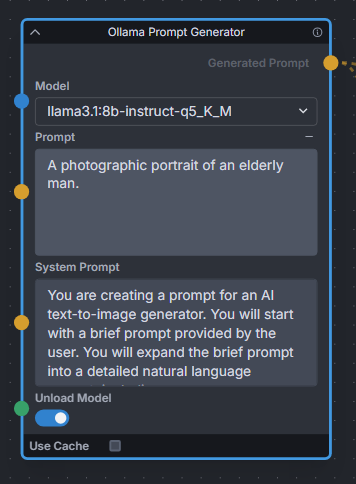
|
||||
|
||||
--------------------------------
|
||||
### One Button Prompt
|
||||
|
||||
<img src="https://raw.githubusercontent.com/AIrjen/OneButtonPrompt_X_InvokeAI/refs/heads/main/images/background.png" width="800" />
|
||||
|
||||
**Description:** an extensive suite of auto prompt generation and prompt helper nodes based on extensive logic. Get creative with the best prompt generator in the world.
|
||||
|
||||
The main node generates interesting prompts based on a set of parameters. There are also some additional nodes such as Auto Negative Prompt, One Button Artify, Create Prompt Variant and other cool prompt toys to play around with.
|
||||
|
||||
**Node Link:** [https://github.com/AIrjen/OneButtonPrompt_X_InvokeAI](https://github.com/AIrjen/OneButtonPrompt_X_InvokeAI)
|
||||
|
||||
**Nodes:**
|
||||
|
||||
<img src="https://raw.githubusercontent.com/AIrjen/OneButtonPrompt_X_InvokeAI/refs/heads/main/images/OBP_nodes_invokeai.png" width="800" />
|
||||
|
||||
--------------------------------
|
||||
### Oobabooga
|
||||
|
||||
@@ -427,7 +469,7 @@ This node works best with SDXL models, especially as the style can be described
|
||||
5. `Prompt Strength Combine` - Combines weighted prompts for .and()/.blend()
|
||||
6. `CSV To Index String` - Gets a string from a CSV by index. Includes a Random index option
|
||||
|
||||
The following Nodes are now included in v3.2 of Invoke and are nolonger in this set of tools.<br>
|
||||
The following Nodes are now included in v3.2 of Invoke and are no longer in this set of tools.<br>
|
||||
- `Prompt Join` -> `String Join`
|
||||
- `Prompt Join Three` -> `String Join Three`
|
||||
- `Prompt Replace` -> `String Replace`
|
||||
@@ -440,7 +482,7 @@ See full docs here: https://github.com/skunkworxdark/Prompt-tools-nodes/edit/mai
|
||||
|
||||
**Workflow Examples**
|
||||
|
||||
<img src="https://github.com/skunkworxdark/prompt-tools/blob/main/images/CSVToIndexStringNode.png" width="300" />
|
||||
<img src="https://raw.githubusercontent.com/skunkworxdark/prompt-tools/refs/heads/main/images/CSVToIndexStringNode.png"/>
|
||||
|
||||
--------------------------------
|
||||
### Remote Image
|
||||
@@ -456,7 +498,7 @@ See full docs here: https://github.com/skunkworxdark/Prompt-tools-nodes/edit/mai
|
||||
|
||||
### BriaAI Remove Background
|
||||
|
||||
**Description**: Implements one click background removal with BriaAI's new version 1.4 model which seems to be be producing better results than any other previous background removal tool.
|
||||
**Description**: Implements one click background removal with BriaAI's new version 1.4 model which seems to be producing better results than any other previous background removal tool.
|
||||
|
||||
**Node Link:** https://github.com/blessedcoolant/invoke_bria_rmbg
|
||||
|
||||
@@ -578,7 +620,7 @@ See full docs here: https://github.com/skunkworxdark/XYGrid_nodes/edit/main/READ
|
||||
|
||||
**Output Examples**
|
||||
|
||||
<img src="https://github.com/skunkworxdark/XYGrid_nodes/blob/main/images/collage.png" width="300" />
|
||||
<img src="https://raw.githubusercontent.com/skunkworxdark/XYGrid_nodes/refs/heads/main/images/collage.png" />
|
||||
|
||||
|
||||
--------------------------------
|
||||
|
||||
@@ -1,18 +0,0 @@
|
||||
# Example Workflows
|
||||
|
||||
We've curated some example workflows for you to get started with Workflows in InvokeAI! These can also be found in the Workflow Library, located in the Workflow Editor of Invoke.
|
||||
|
||||
To use them, right click on your desired workflow, follow the link to GitHub and click the "⬇" button to download the raw file. You can then use the "Load Workflow" functionality in InvokeAI to load the workflow and start generating images!
|
||||
|
||||
If you're interested in finding more workflows, checkout the [#share-your-workflows](https://discord.com/channels/1020123559063990373/1130291608097661000) channel in the InvokeAI Discord.
|
||||
|
||||
* [SD1.5 / SD2 Text to Image](https://github.com/invoke-ai/InvokeAI/blob/main/docs/workflows/Text_to_Image.json)
|
||||
* [SDXL Text to Image](https://github.com/invoke-ai/InvokeAI/blob/main/docs/workflows/SDXL_Text_to_Image.json)
|
||||
* [SDXL Text to Image with Refiner](https://github.com/invoke-ai/InvokeAI/blob/main/docs/workflows/SDXL_w_Refiner_Text_to_Image.json)
|
||||
* [Multi ControlNet (Canny & Depth)](https://github.com/invoke-ai/InvokeAI/blob/main/docs/workflows/Multi_ControlNet_Canny_and_Depth.json)
|
||||
* [Tiled Upscaling with ControlNet](https://github.com/invoke-ai/InvokeAI/blob/main/docs/workflows/ESRGAN_img2img_upscale_w_Canny_ControlNet.json)
|
||||
* [Prompt From File](https://github.com/invoke-ai/InvokeAI/blob/main/docs/workflows/Prompt_from_File.json)
|
||||
* [Face Detailer with IP-Adapter & ControlNet](https://github.com/invoke-ai/InvokeAI/blob/main/docs/workflows/Face_Detailer_with_IP-Adapter_and_Canny.json)
|
||||
* [FaceMask](https://github.com/invoke-ai/InvokeAI/blob/main/docs/workflows/FaceMask.json)
|
||||
* [FaceOff with 2x Face Scaling](https://github.com/invoke-ai/InvokeAI/blob/main/docs/workflows/FaceOff_FaceScale2x.json)
|
||||
* [QR Code Monster](https://github.com/invoke-ai/InvokeAI/blob/main/docs/workflows/QR_Code_Monster.json)
|
||||
@@ -1,30 +1,33 @@
|
||||
# Invocation API
|
||||
|
||||
Each invocation's `invoke` method is provided a single arg - the Invocation
|
||||
Context.
|
||||
Each invocation's `invoke` method is provided a single arg - the Invocation Context.
|
||||
|
||||
This object provides access to various methods, used to interact with the
|
||||
application. Loading and saving images, logging messages, etc.
|
||||
This object provides an API the invocation can use to interact with application services, for example:
|
||||
|
||||
!!! warning ""
|
||||
|
||||
This API may shift slightly until the release of v4.0.0 as we work through a few final updates to the Model Manager.
|
||||
- Saving images
|
||||
- Logging messages
|
||||
- Loading models
|
||||
|
||||
```py
|
||||
class MyInvocation(BaseInvocation):
|
||||
...
|
||||
def invoke(self, context: InvocationContext) -> ImageOutput:
|
||||
image_pil = context.images.get_pil(image_name)
|
||||
# Load an image
|
||||
image_pil = context.images.get_pil(self.image.image_name)
|
||||
# Do something to the image
|
||||
image_dto = context.images.save(image_pil)
|
||||
output_image = do_something_cool(image_pil)
|
||||
# Save the image
|
||||
image_dto = context.images.save(output_image)
|
||||
# Log a message
|
||||
context.logger.info(f"Did something cool, image saved!")
|
||||
# Return the output
|
||||
return ImageOutput.build(image_dto)
|
||||
...
|
||||
```
|
||||
|
||||
The full API is documented below.
|
||||
|
||||
## Invocation Mixins
|
||||
## Mixins
|
||||
|
||||
Two important mixins are provided to facilitate working with metadata and gallery boards.
|
||||
|
||||
@@ -1,6 +1,7 @@
|
||||
# Nodes
|
||||
|
||||
## What are Nodes?
|
||||
|
||||
An Node is simply a single operation that takes in inputs and returns
|
||||
out outputs. Multiple nodes can be linked together to create more
|
||||
complex functionality. All InvokeAI features are added through nodes.
|
||||
@@ -13,14 +14,10 @@ Individual nodes are made up of the following:
|
||||
- Outputs: Edge points on the right side of the node window where you connect to inputs on other nodes.
|
||||
- Options: Various options which are either manually configured, or overridden by connecting an output from another node to the input.
|
||||
|
||||
With nodes, you can can easily extend the image generation capabilities of InvokeAI, and allow you build workflows that suit your needs.
|
||||
|
||||
With nodes, you can can easily extend the image generation capabilities of InvokeAI, and allow you build workflows that suit your needs.
|
||||
|
||||
You can read more about nodes and the node editor [here](../nodes/NODES.md).
|
||||
|
||||
To get started with nodes, take a look at some of our examples for [common workflows](../nodes/exampleWorkflows.md)
|
||||
You can read more about nodes and the node editor [here](../nodes/NODES.md).
|
||||
|
||||
## Downloading New Nodes
|
||||
To download a new node, visit our list of [Community Nodes](../nodes/communityNodes.md). These are nodes that have been created by the community, for the community.
|
||||
|
||||
|
||||
To download a new node, visit our list of [Community Nodes](../nodes/communityNodes.md). These are nodes that have been created by the community, for the community.
|
||||
|
||||
@@ -1,380 +0,0 @@
|
||||
---
|
||||
title: Contributors
|
||||
---
|
||||
|
||||
# :octicons-person-24: Contributors
|
||||
|
||||
The list of all the amazing people who have contributed to the various features that you get to
|
||||
experience in this fork.
|
||||
|
||||
We thank them for all of their time and hard work.
|
||||
|
||||
## **Original Author**
|
||||
|
||||
- [Lincoln D. Stein](mailto:lincoln.stein@gmail.com)
|
||||
|
||||
## **Current Core Team**
|
||||
|
||||
* @lstein (Lincoln Stein) - Co-maintainer
|
||||
* @blessedcoolant - Co-maintainer
|
||||
* @hipsterusername (Kent Keirsey) - Co-maintainer, CEO, Positive Vibes
|
||||
* @psychedelicious (Spencer Mabrito) - Web Team Leader
|
||||
* @chainchompa (Jennifer Player) - Web Development & Chain-Chomping
|
||||
* @josh is toast (Josh Corbett) - Web Development
|
||||
* @cheerio (Mary Rogers) - Lead Engineer & Web App Development
|
||||
* @ebr (Eugene Brodsky) - Cloud/DevOps/Sofware engineer; your friendly neighbourhood cluster-autoscaler
|
||||
* @sunija - Standalone version
|
||||
* @genomancer (Gregg Helt) - Controlnet support
|
||||
* @brandon (Brandon Rising) - Platform, Infrastructure, Backend Systems
|
||||
* @ryanjdick (Ryan Dick) - Machine Learning & Training
|
||||
* @JPPhoto - Core image generation nodes
|
||||
* @dunkeroni - Image generation backend
|
||||
* @SkunkWorxDark - Image generation backend
|
||||
* @keturn (Kevin Turner) - Diffusers
|
||||
* @millu (Millun Atluri) - Community Wizard, Documentation, Node-wrangler,
|
||||
* @glimmerleaf (Devon Hopkins) - Community Wizard
|
||||
* @gogurt enjoyer - Discord moderator and end user support
|
||||
* @whosawhatsis - Discord moderator and end user support
|
||||
* @dwinrger - Discord moderator and end user support
|
||||
* @526christian - Discord moderator and end user support
|
||||
* @harvester62 - Discord moderator and end user support
|
||||
|
||||
|
||||
## **Honored Team Alumni**
|
||||
|
||||
* @StAlKeR7779 (Sergey Borisov) - Torch stack, ONNX, model management, optimization
|
||||
* @damian0815 - Attention Systems and Compel Maintainer
|
||||
* @netsvetaev (Artur) - Localization support
|
||||
* @Kyle0654 (Kyle Schouviller) - Node Architect and General Backend Wizard
|
||||
* @tildebyte - Installation and configuration
|
||||
* @mauwii (Matthias Wilde) - Installation, release, continuous integration
|
||||
|
||||
|
||||
## **Full List of Contributors by Commit Name**
|
||||
|
||||
- 이승석
|
||||
- AbdBarho
|
||||
- ablattmann
|
||||
- AdamOStark
|
||||
- Adam Rice
|
||||
- Airton Silva
|
||||
- Aldo Hoeben
|
||||
- Alexander Eichhorn
|
||||
- Alexandre D. Roberge
|
||||
- Alexandre Macabies
|
||||
- Alfie John
|
||||
- Andreas Rozek
|
||||
- Andre LaBranche
|
||||
- Andy Bearman
|
||||
- Andy Luhrs
|
||||
- Andy Pilate
|
||||
- Anonymous
|
||||
- Anthony Monthe
|
||||
- Any-Winter-4079
|
||||
- apolinario
|
||||
- Ar7ific1al
|
||||
- ArDiouscuros
|
||||
- Armando C. Santisbon
|
||||
- Arnold Cordewiner
|
||||
- Arthur Holstvoogd
|
||||
- artmen1516
|
||||
- Artur
|
||||
- Arturo Mendivil
|
||||
- Ben Alkov
|
||||
- Benjamin Warner
|
||||
- Bernard Maltais
|
||||
- blessedcoolant
|
||||
- blhook
|
||||
- BlueAmulet
|
||||
- Bouncyknighter
|
||||
- Brandon
|
||||
- Brandon Rising
|
||||
- Brent Ozar
|
||||
- Brian Racer
|
||||
- bsilvereagle
|
||||
- c67e708d
|
||||
- camenduru
|
||||
- CapableWeb
|
||||
- Carson Katri
|
||||
- chainchompa
|
||||
- Chloe
|
||||
- Chris Dawson
|
||||
- Chris Hayes
|
||||
- Chris Jones
|
||||
- chromaticist
|
||||
- Claus F. Strasburger
|
||||
- cmdr2
|
||||
- cody
|
||||
- Conor Reid
|
||||
- Cora Johnson-Roberson
|
||||
- coreco
|
||||
- cosmii02
|
||||
- cpacker
|
||||
- Cragin Godley
|
||||
- creachec
|
||||
- CrypticWit
|
||||
- d8ahazard
|
||||
- damian
|
||||
- damian0815
|
||||
- Damian at mba
|
||||
- Damian Stewart
|
||||
- Daniel Manzke
|
||||
- Danny Beer
|
||||
- Dan Sully
|
||||
- Darren Ringer
|
||||
- David Burnett
|
||||
- David Ford
|
||||
- David Regla
|
||||
- David Sisco
|
||||
- David Wager
|
||||
- Daya Adianto
|
||||
- db3000
|
||||
- DekitaRPG
|
||||
- Denis Olshin
|
||||
- Dennis
|
||||
- dependabot[bot]
|
||||
- Dmitry Parnas
|
||||
- Dobrynia100
|
||||
- Dominic Letz
|
||||
- DrGunnarMallon
|
||||
- Drun555
|
||||
- dunkeroni
|
||||
- Edward Johan
|
||||
- elliotsayes
|
||||
- Elrik
|
||||
- ElrikUnderlake
|
||||
- Eric Khun
|
||||
- Eric Wolf
|
||||
- Eugene
|
||||
- Eugene Brodsky
|
||||
- ExperimentalCyborg
|
||||
- Fabian Bahl
|
||||
- Fabio 'MrWHO' Torchetti
|
||||
- Fattire
|
||||
- fattire
|
||||
- Felipe Nogueira
|
||||
- Félix Sanz
|
||||
- figgefigge
|
||||
- Gabriel Mackievicz Telles
|
||||
- gabrielrotbart
|
||||
- gallegonovato
|
||||
- Gérald LONLAS
|
||||
- Gille
|
||||
- GitHub Actions Bot
|
||||
- glibesyck
|
||||
- gogurtenjoyer
|
||||
- Gohsuke Shimada
|
||||
- greatwolf
|
||||
- greentext2
|
||||
- Gregg Helt
|
||||
- H4rk
|
||||
- Håvard Gulldahl
|
||||
- henry
|
||||
- Henry van Megen
|
||||
- hipsterusername
|
||||
- hj
|
||||
- Hosted Weblate
|
||||
- Iman Karim
|
||||
- ismail ihsan bülbül
|
||||
- ItzAttila
|
||||
- Ivan Efimov
|
||||
- jakehl
|
||||
- Jakub Kolčář
|
||||
- JamDon2
|
||||
- James Reynolds
|
||||
- Jan Skurovec
|
||||
- Jari Vetoniemi
|
||||
- Jason Toffaletti
|
||||
- Jaulustus
|
||||
- Jeff Mahoney
|
||||
- Jennifer Player
|
||||
- jeremy
|
||||
- Jeremy Clark
|
||||
- JigenD
|
||||
- Jim Hays
|
||||
- Johan Roxendal
|
||||
- Johnathon Selstad
|
||||
- Jonathan
|
||||
- Jordan Hewitt
|
||||
- Joseph Dries III
|
||||
- Josh Corbett
|
||||
- JPPhoto
|
||||
- jspraul
|
||||
- junzi
|
||||
- Justin Wong
|
||||
- Juuso V
|
||||
- Kaspar Emanuel
|
||||
- Katsuyuki-Karasawa
|
||||
- Keerigan45
|
||||
- Kent Keirsey
|
||||
- Kevin Brack
|
||||
- Kevin Coakley
|
||||
- Kevin Gibbons
|
||||
- Kevin Schaul
|
||||
- Kevin Turner
|
||||
- Kieran Klaassen
|
||||
- krummrey
|
||||
- Kyle
|
||||
- Kyle Lacy
|
||||
- Kyle Schouviller
|
||||
- Lawrence Norton
|
||||
- LemonDouble
|
||||
- Leo Pasanen
|
||||
- Lincoln Stein
|
||||
- LoganPederson
|
||||
- Lynne Whitehorn
|
||||
- majick
|
||||
- Marco Labarile
|
||||
- Marta Nahorniuk
|
||||
- Martin Kristiansen
|
||||
- Mary Hipp
|
||||
- maryhipp
|
||||
- Mary Hipp Rogers
|
||||
- mastercaster
|
||||
- mastercaster9000
|
||||
- Matthias Wild
|
||||
- mauwii
|
||||
- michaelk71
|
||||
- mickr777
|
||||
- Mihai
|
||||
- Mihail Dumitrescu
|
||||
- Mikhail Tishin
|
||||
- Millun Atluri
|
||||
- Minjune Song
|
||||
- Mitchell Allain
|
||||
- mitien
|
||||
- mofuzz
|
||||
- Muhammad Usama
|
||||
- Name
|
||||
- _nderscore
|
||||
- Neil Wang
|
||||
- nekowaiz
|
||||
- nemuruibai
|
||||
- Netzer R
|
||||
- Nicholas Koh
|
||||
- Nicholas Körfer
|
||||
- nicolai256
|
||||
- Niek van der Maas
|
||||
- noodlebox
|
||||
- Nuno Coração
|
||||
- ofirkris
|
||||
- Olivier Louvignes
|
||||
- owenvincent
|
||||
- pand4z31
|
||||
- Patrick Esser
|
||||
- Patrick Tien
|
||||
- Patrick von Platen
|
||||
- Paul Curry
|
||||
- Paul Sajna
|
||||
- pejotr
|
||||
- Peter Baylies
|
||||
- Peter Lin
|
||||
- plucked
|
||||
- prixt
|
||||
- psychedelicious
|
||||
- psychedelicious@windows
|
||||
- Rainer Bernhardt
|
||||
- Riccardo Giovanetti
|
||||
- Rich Jones
|
||||
- rmagur1203
|
||||
- Rob Baines
|
||||
- Robert Bolender
|
||||
- Robin Rombach
|
||||
- Rohan Barar
|
||||
- Rohinish
|
||||
- rpagliuca
|
||||
- rromb
|
||||
- Rupesh Sreeraman
|
||||
- Ryan
|
||||
- Ryan Cao
|
||||
- Ryan Dick
|
||||
- Saifeddine
|
||||
- Saifeddine ALOUI
|
||||
- Sam
|
||||
- SammCheese
|
||||
- Sam McLeod
|
||||
- Sammy
|
||||
- sammyf
|
||||
- Samuel Husso
|
||||
- Saurav Maheshkar
|
||||
- Scott Lahteine
|
||||
- Sean McLellan
|
||||
- Sebastian Aigner
|
||||
- Sergey Borisov
|
||||
- Sergey Krashevich
|
||||
- Shapor Naghibzadeh
|
||||
- Shawn Zhong
|
||||
- Simona Liliac
|
||||
- Simon Vans-Colina
|
||||
- skunkworxdark
|
||||
- slashtechno
|
||||
- SoheilRezaei
|
||||
- Song, Pengcheng
|
||||
- spezialspezial
|
||||
- ssantos
|
||||
- StAlKeR7779
|
||||
- Stefan Tobler
|
||||
- Stephan Koglin-Fischer
|
||||
- SteveCaruso
|
||||
- Steve Martinelli
|
||||
- Steven Frank
|
||||
- Surisen
|
||||
- System X - Files
|
||||
- Taylor Kems
|
||||
- techicode
|
||||
- techybrain-dev
|
||||
- tesseractcat
|
||||
- thealanle
|
||||
- Thomas
|
||||
- tildebyte
|
||||
- Tim Cabbage
|
||||
- Tom
|
||||
- Tom Elovi Spruce
|
||||
- Tom Gouville
|
||||
- tomosuto
|
||||
- Travco
|
||||
- Travis Palmer
|
||||
- tyler
|
||||
- unknown
|
||||
- user1
|
||||
- vedant-3010
|
||||
- Vedant Madane
|
||||
- veprogames
|
||||
- wa.code
|
||||
- wfng92
|
||||
- whjms
|
||||
- whosawhatsis
|
||||
- Will
|
||||
- William Becher
|
||||
- William Chong
|
||||
- Wilson E. Alvarez
|
||||
- woweenie
|
||||
- Wubbbi
|
||||
- xra
|
||||
- Yeung Yiu Hung
|
||||
- ymgenesis
|
||||
- Yorzaren
|
||||
- Yosuke Shinya
|
||||
- yun saki
|
||||
- ZachNagengast
|
||||
- Zadagu
|
||||
- zeptofine
|
||||
- Zerdoumi
|
||||
- Васянатор
|
||||
- 冯不游
|
||||
- 唐澤 克幸
|
||||
|
||||
## **Original CompVis (Stable Diffusion) Authors**
|
||||
|
||||
- [Robin Rombach](https://github.com/rromb)
|
||||
- [Patrick von Platen](https://github.com/patrickvonplaten)
|
||||
- [ablattmann](https://github.com/ablattmann)
|
||||
- [Patrick Esser](https://github.com/pesser)
|
||||
- [owenvincent](https://github.com/owenvincent)
|
||||
- [apolinario](https://github.com/apolinario)
|
||||
- [Charles Packer](https://github.com/cpacker)
|
||||
|
||||
---
|
||||
|
||||
_If you have contributed and don't see your name on the list of contributors, please let one of the
|
||||
collaborators know about the omission, or feel free to make a pull request._
|
||||
@@ -1,255 +0,0 @@
|
||||
---
|
||||
title: CompViz-Readme
|
||||
---
|
||||
|
||||
# _README from [CompViz/stable-diffusion](https://github.com/CompVis/stable-diffusion)_
|
||||
|
||||
_Stable Diffusion was made possible thanks to a collaboration with
|
||||
[Stability AI](https://stability.ai/) and [Runway](https://runwayml.com/) and
|
||||
builds upon our previous work:_
|
||||
|
||||
[**High-Resolution Image Synthesis with Latent Diffusion Models**](https://ommer-lab.com/research/latent-diffusion-models/)<br/>
|
||||
[Robin Rombach](https://github.com/rromb)\*,
|
||||
[Andreas Blattmann](https://github.com/ablattmann)\*,
|
||||
[Dominik Lorenz](https://github.com/qp-qp)\,
|
||||
[Patrick Esser](https://github.com/pesser),
|
||||
[Björn Ommer](https://hci.iwr.uni-heidelberg.de/Staff/bommer)<br/>
|
||||
|
||||
## **CVPR '22 Oral**
|
||||
|
||||
which is available on [GitHub](https://github.com/CompVis/latent-diffusion). PDF
|
||||
at [arXiv](https://arxiv.org/abs/2112.10752). Please also visit our
|
||||
[Project page](https://ommer-lab.com/research/latent-diffusion-models/).
|
||||
|
||||

|
||||
[Stable Diffusion](#stable-diffusion-v1) is a latent text-to-image diffusion
|
||||
model. Thanks to a generous compute donation from
|
||||
[Stability AI](https://stability.ai/) and support from
|
||||
[LAION](https://laion.ai/), we were able to train a Latent Diffusion Model on
|
||||
512x512 images from a subset of the [LAION-5B](https://laion.ai/blog/laion-5b/)
|
||||
database. Similar to Google's [Imagen](https://arxiv.org/abs/2205.11487), this
|
||||
model uses a frozen CLIP ViT-L/14 text encoder to condition the model on text
|
||||
prompts. With its 860M UNet and 123M text encoder, the model is relatively
|
||||
lightweight and runs on a GPU with at least 10GB VRAM. See
|
||||
[this section](#stable-diffusion-v1) below and the
|
||||
[model card](https://huggingface.co/CompVis/stable-diffusion).
|
||||
|
||||
## Requirements
|
||||
|
||||
A suitable [conda](https://conda.io/) environment named `ldm` can be created and
|
||||
activated with:
|
||||
|
||||
```
|
||||
conda env create
|
||||
conda activate ldm
|
||||
```
|
||||
|
||||
Note that the first line may be abbreviated `conda env create`, since conda will
|
||||
look for `environment.yml` by default.
|
||||
|
||||
You can also update an existing
|
||||
[latent diffusion](https://github.com/CompVis/latent-diffusion) environment by
|
||||
running
|
||||
|
||||
```bash
|
||||
conda install pytorch torchvision -c pytorch
|
||||
pip install transformers==4.19.2
|
||||
pip install -e .
|
||||
```
|
||||
|
||||
## Stable Diffusion v1
|
||||
|
||||
Stable Diffusion v1 refers to a specific configuration of the model architecture
|
||||
that uses a downsampling-factor 8 autoencoder with an 860M UNet and CLIP
|
||||
ViT-L/14 text encoder for the diffusion model. The model was pretrained on
|
||||
256x256 images and then finetuned on 512x512 images.
|
||||
|
||||
\*Note: Stable Diffusion v1 is a general text-to-image diffusion model and
|
||||
therefore mirrors biases and (mis-)conceptions that are present in its training
|
||||
data. Details on the training procedure and data, as well as the intended use of
|
||||
the model can be found in the corresponding
|
||||
[model card](https://huggingface.co/CompVis/stable-diffusion). Research into the
|
||||
safe deployment of general text-to-image models is an ongoing effort. To prevent
|
||||
misuse and harm, we currently provide access to the checkpoints only for
|
||||
[academic research purposes upon request](https://stability.ai/academia-access-form).
|
||||
**This is an experiment in safe and community-driven publication of a capable
|
||||
and general text-to-image model. We are working on a public release with a more
|
||||
permissive license that also incorporates ethical considerations.\***
|
||||
|
||||
[Request access to Stable Diffusion v1 checkpoints for academic research](https://stability.ai/academia-access-form)
|
||||
|
||||
### Weights
|
||||
|
||||
We currently provide three checkpoints, `sd-v1-1.ckpt`, `sd-v1-2.ckpt` and
|
||||
`sd-v1-3.ckpt`, which were trained as follows,
|
||||
|
||||
- `sd-v1-1.ckpt`: 237k steps at resolution `256x256` on
|
||||
[laion2B-en](https://huggingface.co/datasets/laion/laion2B-en). 194k steps at
|
||||
resolution `512x512` on
|
||||
[laion-high-resolution](https://huggingface.co/datasets/laion/laion-high-resolution)
|
||||
(170M examples from LAION-5B with resolution `>= 1024x1024`).
|
||||
- `sd-v1-2.ckpt`: Resumed from `sd-v1-1.ckpt`. 515k steps at resolution
|
||||
`512x512` on "laion-improved-aesthetics" (a subset of laion2B-en, filtered to
|
||||
images with an original size `>= 512x512`, estimated aesthetics score `> 5.0`,
|
||||
and an estimated watermark probability `< 0.5`. The watermark estimate is from
|
||||
the LAION-5B metadata, the aesthetics score is estimated using an
|
||||
[improved aesthetics estimator](https://github.com/christophschuhmann/improved-aesthetic-predictor)).
|
||||
- `sd-v1-3.ckpt`: Resumed from `sd-v1-2.ckpt`. 195k steps at resolution
|
||||
`512x512` on "laion-improved-aesthetics" and 10\% dropping of the
|
||||
text-conditioning to improve
|
||||
[classifier-free guidance sampling](https://arxiv.org/abs/2207.12598).
|
||||
|
||||
Evaluations with different classifier-free guidance scales (1.5, 2.0, 3.0, 4.0,
|
||||
5.0, 6.0, 7.0, 8.0) and 50 PLMS sampling steps show the relative improvements of
|
||||
the checkpoints: 
|
||||
|
||||
### Text-to-Image with Stable Diffusion
|
||||
|
||||

|
||||

|
||||
|
||||
Stable Diffusion is a latent diffusion model conditioned on the (non-pooled)
|
||||
text embeddings of a CLIP ViT-L/14 text encoder.
|
||||
|
||||
#### Sampling Script
|
||||
|
||||
After [obtaining the weights](#weights), link them
|
||||
|
||||
```
|
||||
mkdir -p models/ldm/stable-diffusion-v1/
|
||||
ln -s <path/to/model.ckpt> models/ldm/stable-diffusion-v1/model.ckpt
|
||||
```
|
||||
|
||||
and sample with
|
||||
|
||||
```
|
||||
python scripts/txt2img.py --prompt "a photograph of an astronaut riding a horse" --plms
|
||||
```
|
||||
|
||||
By default, this uses a guidance scale of `--scale 7.5`,
|
||||
[Katherine Crowson's implementation](https://github.com/CompVis/latent-diffusion/pull/51)
|
||||
of the [PLMS](https://arxiv.org/abs/2202.09778) sampler, and renders images of
|
||||
size 512x512 (which it was trained on) in 50 steps. All supported arguments are
|
||||
listed below (type `python scripts/txt2img.py --help`).
|
||||
|
||||
```commandline
|
||||
usage: txt2img.py [-h] [--prompt [PROMPT]] [--outdir [OUTDIR]] [--skip_grid] [--skip_save] [--ddim_steps DDIM_STEPS] [--plms] [--laion400m] [--fixed_code] [--ddim_eta DDIM_ETA] [--n_iter N_ITER] [--H H] [--W W] [--C C] [--f F] [--n_samples N_SAMPLES] [--n_rows N_ROWS]
|
||||
[--scale SCALE] [--from-file FROM_FILE] [--config CONFIG] [--ckpt CKPT] [--seed SEED] [--precision {full,autocast}]
|
||||
|
||||
optional arguments:
|
||||
-h, --help show this help message and exit
|
||||
--prompt [PROMPT] the prompt to render
|
||||
--outdir [OUTDIR] dir to write results to
|
||||
--skip_grid do not save a grid, only individual samples. Helpful when evaluating lots of samples
|
||||
--skip_save do not save individual samples. For speed measurements.
|
||||
--ddim_steps DDIM_STEPS
|
||||
number of ddim sampling steps
|
||||
--plms use plms sampling
|
||||
--laion400m uses the LAION400M model
|
||||
--fixed_code if enabled, uses the same starting code across samples
|
||||
--ddim_eta DDIM_ETA ddim eta (eta=0.0 corresponds to deterministic sampling
|
||||
--n_iter N_ITER sample this often
|
||||
--H H image height, in pixel space
|
||||
--W W image width, in pixel space
|
||||
--C C latent channels
|
||||
--f F downsampling factor
|
||||
--n_samples N_SAMPLES
|
||||
how many samples to produce for each given prompt. A.k.a. batch size
|
||||
(note that the seeds for each image in the batch will be unavailable)
|
||||
--n_rows N_ROWS rows in the grid (default: n_samples)
|
||||
--scale SCALE unconditional guidance scale: eps = eps(x, empty) + scale * (eps(x, cond) - eps(x, empty))
|
||||
--from-file FROM_FILE
|
||||
if specified, load prompts from this file
|
||||
--config CONFIG path to config which constructs model
|
||||
--ckpt CKPT path to checkpoint of model
|
||||
--seed SEED the seed (for reproducible sampling)
|
||||
--precision {full,autocast}
|
||||
evaluate at this precision
|
||||
|
||||
```
|
||||
|
||||
Note: The inference config for all v1 versions is designed to be used with
|
||||
EMA-only checkpoints. For this reason `use_ema=False` is set in the
|
||||
configuration, otherwise the code will try to switch from non-EMA to EMA
|
||||
weights. If you want to examine the effect of EMA vs no EMA, we provide "full"
|
||||
checkpoints which contain both types of weights. For these, `use_ema=False` will
|
||||
load and use the non-EMA weights.
|
||||
|
||||
#### Diffusers Integration
|
||||
|
||||
Another way to download and sample Stable Diffusion is by using the
|
||||
[diffusers library](https://github.com/huggingface/diffusers/tree/main#new--stable-diffusion-is-now-fully-compatible-with-diffusers)
|
||||
|
||||
```py
|
||||
# make sure you're logged in with `huggingface-cli login`
|
||||
from torch import autocast
|
||||
from diffusers import StableDiffusionPipeline, LMSDiscreteScheduler
|
||||
|
||||
pipe = StableDiffusionPipeline.from_pretrained(
|
||||
"CompVis/stable-diffusion-v1-3-diffusers",
|
||||
use_auth_token=True
|
||||
)
|
||||
|
||||
prompt = "a photo of an astronaut riding a horse on mars"
|
||||
with autocast("cuda"):
|
||||
image = pipe(prompt)["sample"][0]
|
||||
|
||||
image.save("astronaut_rides_horse.png")
|
||||
```
|
||||
|
||||
### Image Modification with Stable Diffusion
|
||||
|
||||
By using a diffusion-denoising mechanism as first proposed by
|
||||
[SDEdit](https://arxiv.org/abs/2108.01073), the model can be used for different
|
||||
tasks such as text-guided image-to-image translation and upscaling. Similar to
|
||||
the txt2img sampling script, we provide a script to perform image modification
|
||||
with Stable Diffusion.
|
||||
|
||||
The following describes an example where a rough sketch made in
|
||||
[Pinta](https://www.pinta-project.com/) is converted into a detailed artwork.
|
||||
|
||||
```
|
||||
python scripts/img2img.py --prompt "A fantasy landscape, trending on artstation" --init-img <path-to-img.jpg> --strength 0.8
|
||||
```
|
||||
|
||||
Here, strength is a value between 0.0 and 1.0, that controls the amount of noise
|
||||
that is added to the input image. Values that approach 1.0 allow for lots of
|
||||
variations but will also produce images that are not semantically consistent
|
||||
with the input. See the following example.
|
||||
|
||||
**Input**
|
||||
|
||||

|
||||
|
||||
**Outputs**
|
||||
|
||||

|
||||

|
||||
|
||||
This procedure can, for example, also be used to upscale samples from the base
|
||||
model.
|
||||
|
||||
## Comments
|
||||
|
||||
- Our codebase for the diffusion models builds heavily on
|
||||
[OpenAI's ADM codebase](https://github.com/openai/guided-diffusion) and
|
||||
[https://github.com/lucidrains/denoising-diffusion-pytorch](https://github.com/lucidrains/denoising-diffusion-pytorch).
|
||||
Thanks for open-sourcing!
|
||||
|
||||
- The implementation of the transformer encoder is from
|
||||
[x-transformers](https://github.com/lucidrains/x-transformers) by
|
||||
[lucidrains](https://github.com/lucidrains?tab=repositories).
|
||||
|
||||
## BibTeX
|
||||
|
||||
```
|
||||
@misc{rombach2021highresolution,
|
||||
title={High-Resolution Image Synthesis with Latent Diffusion Models},
|
||||
author={Robin Rombach and Andreas Blattmann and Dominik Lorenz and Patrick Esser and Björn Ommer},
|
||||
year={2021},
|
||||
eprint={2112.10752},
|
||||
archivePrefix={arXiv},
|
||||
primaryClass={cs.CV}
|
||||
}
|
||||
|
||||
```
|
||||
File diff suppressed because it is too large
Load Diff
File diff suppressed because it is too large
Load Diff
File diff suppressed because it is too large
Load Diff
File diff suppressed because it is too large
Load Diff
File diff suppressed because it is too large
Load Diff
@@ -1,975 +0,0 @@
|
||||
{
|
||||
"name": "Prompt from File",
|
||||
"author": "InvokeAI",
|
||||
"description": "Sample workflow using Prompt from File node",
|
||||
"version": "0.1.0",
|
||||
"contact": "invoke@invoke.ai",
|
||||
"tags": "text2image, prompt from file, default",
|
||||
"notes": "",
|
||||
"exposedFields": [
|
||||
{
|
||||
"nodeId": "d6353b7f-b447-4e17-8f2e-80a88c91d426",
|
||||
"fieldName": "model"
|
||||
},
|
||||
{
|
||||
"nodeId": "1b7e0df8-8589-4915-a4ea-c0088f15d642",
|
||||
"fieldName": "file_path"
|
||||
}
|
||||
],
|
||||
"meta": {
|
||||
"category": "default",
|
||||
"version": "2.0.0"
|
||||
},
|
||||
"id": "d1609af5-eb0a-4f73-b573-c9af96a8d6bf",
|
||||
"nodes": [
|
||||
{
|
||||
"id": "c2eaf1ba-5708-4679-9e15-945b8b432692",
|
||||
"type": "invocation",
|
||||
"data": {
|
||||
"id": "c2eaf1ba-5708-4679-9e15-945b8b432692",
|
||||
"type": "compel",
|
||||
"label": "",
|
||||
"isOpen": false,
|
||||
"notes": "",
|
||||
"isIntermediate": true,
|
||||
"useCache": true,
|
||||
"version": "1.0.0",
|
||||
"nodePack": "invokeai",
|
||||
"inputs": {
|
||||
"prompt": {
|
||||
"id": "dcdf3f6d-9b96-4bcd-9b8d-f992fefe4f62",
|
||||
"name": "prompt",
|
||||
"fieldKind": "input",
|
||||
"label": "",
|
||||
"type": {
|
||||
"isCollection": false,
|
||||
"isCollectionOrScalar": false,
|
||||
"name": "StringField"
|
||||
},
|
||||
"value": ""
|
||||
},
|
||||
"clip": {
|
||||
"id": "3f1981c9-d8a9-42eb-a739-4f120eb80745",
|
||||
"name": "clip",
|
||||
"fieldKind": "input",
|
||||
"label": "",
|
||||
"type": {
|
||||
"isCollection": false,
|
||||
"isCollectionOrScalar": false,
|
||||
"name": "ClipField"
|
||||
}
|
||||
}
|
||||
},
|
||||
"outputs": {
|
||||
"conditioning": {
|
||||
"id": "46205e6c-c5e2-44cb-9c82-1cd20b95674a",
|
||||
"name": "conditioning",
|
||||
"fieldKind": "output",
|
||||
"type": {
|
||||
"isCollection": false,
|
||||
"isCollectionOrScalar": false,
|
||||
"name": "ConditioningField"
|
||||
}
|
||||
}
|
||||
}
|
||||
},
|
||||
"width": 320,
|
||||
"height": 32,
|
||||
"position": {
|
||||
"x": 925,
|
||||
"y": -200
|
||||
}
|
||||
},
|
||||
{
|
||||
"id": "1b7e0df8-8589-4915-a4ea-c0088f15d642",
|
||||
"type": "invocation",
|
||||
"data": {
|
||||
"id": "1b7e0df8-8589-4915-a4ea-c0088f15d642",
|
||||
"type": "prompt_from_file",
|
||||
"label": "Prompts from File",
|
||||
"isOpen": true,
|
||||
"notes": "",
|
||||
"isIntermediate": true,
|
||||
"useCache": true,
|
||||
"version": "1.0.1",
|
||||
"nodePack": "invokeai",
|
||||
"inputs": {
|
||||
"file_path": {
|
||||
"id": "37e37684-4f30-4ec8-beae-b333e550f904",
|
||||
"name": "file_path",
|
||||
"fieldKind": "input",
|
||||
"label": "Prompts File Path",
|
||||
"type": {
|
||||
"isCollection": false,
|
||||
"isCollectionOrScalar": false,
|
||||
"name": "StringField"
|
||||
},
|
||||
"value": ""
|
||||
},
|
||||
"pre_prompt": {
|
||||
"id": "7de02feb-819a-4992-bad3-72a30920ddea",
|
||||
"name": "pre_prompt",
|
||||
"fieldKind": "input",
|
||||
"label": "",
|
||||
"type": {
|
||||
"isCollection": false,
|
||||
"isCollectionOrScalar": false,
|
||||
"name": "StringField"
|
||||
},
|
||||
"value": ""
|
||||
},
|
||||
"post_prompt": {
|
||||
"id": "95f191d8-a282-428e-bd65-de8cb9b7513a",
|
||||
"name": "post_prompt",
|
||||
"fieldKind": "input",
|
||||
"label": "",
|
||||
"type": {
|
||||
"isCollection": false,
|
||||
"isCollectionOrScalar": false,
|
||||
"name": "StringField"
|
||||
},
|
||||
"value": ""
|
||||
},
|
||||
"start_line": {
|
||||
"id": "efee9a48-05ab-4829-8429-becfa64a0782",
|
||||
"name": "start_line",
|
||||
"fieldKind": "input",
|
||||
"label": "",
|
||||
"type": {
|
||||
"isCollection": false,
|
||||
"isCollectionOrScalar": false,
|
||||
"name": "IntegerField"
|
||||
},
|
||||
"value": 1
|
||||
},
|
||||
"max_prompts": {
|
||||
"id": "abebb428-3d3d-49fd-a482-4e96a16fff08",
|
||||
"name": "max_prompts",
|
||||
"fieldKind": "input",
|
||||
"label": "",
|
||||
"type": {
|
||||
"isCollection": false,
|
||||
"isCollectionOrScalar": false,
|
||||
"name": "IntegerField"
|
||||
},
|
||||
"value": 1
|
||||
}
|
||||
},
|
||||
"outputs": {
|
||||
"collection": {
|
||||
"id": "77d5d7f1-9877-4ab1-9a8c-33e9ffa9abf3",
|
||||
"name": "collection",
|
||||
"fieldKind": "output",
|
||||
"type": {
|
||||
"isCollection": true,
|
||||
"isCollectionOrScalar": false,
|
||||
"name": "StringField"
|
||||
}
|
||||
}
|
||||
}
|
||||
},
|
||||
"width": 320,
|
||||
"height": 580,
|
||||
"position": {
|
||||
"x": 475,
|
||||
"y": -400
|
||||
}
|
||||
},
|
||||
{
|
||||
"id": "1b89067c-3f6b-42c8-991f-e3055789b251",
|
||||
"type": "invocation",
|
||||
"data": {
|
||||
"id": "1b89067c-3f6b-42c8-991f-e3055789b251",
|
||||
"type": "iterate",
|
||||
"label": "",
|
||||
"isOpen": false,
|
||||
"notes": "",
|
||||
"isIntermediate": true,
|
||||
"useCache": true,
|
||||
"version": "1.1.0",
|
||||
"inputs": {
|
||||
"collection": {
|
||||
"id": "4c564bf8-5ed6-441e-ad2c-dda265d5785f",
|
||||
"name": "collection",
|
||||
"fieldKind": "input",
|
||||
"label": "",
|
||||
"type": {
|
||||
"isCollection": true,
|
||||
"isCollectionOrScalar": false,
|
||||
"name": "CollectionField"
|
||||
}
|
||||
}
|
||||
},
|
||||
"outputs": {
|
||||
"item": {
|
||||
"id": "36340f9a-e7a5-4afa-b4b5-313f4e292380",
|
||||
"name": "item",
|
||||
"fieldKind": "output",
|
||||
"type": {
|
||||
"isCollection": false,
|
||||
"isCollectionOrScalar": false,
|
||||
"name": "CollectionItemField"
|
||||
}
|
||||
},
|
||||
"index": {
|
||||
"id": "1beca95a-2159-460f-97ff-c8bab7d89336",
|
||||
"name": "index",
|
||||
"fieldKind": "output",
|
||||
"type": {
|
||||
"isCollection": false,
|
||||
"isCollectionOrScalar": false,
|
||||
"name": "IntegerField"
|
||||
}
|
||||
},
|
||||
"total": {
|
||||
"id": "ead597b8-108e-4eda-88a8-5c29fa2f8df9",
|
||||
"name": "total",
|
||||
"fieldKind": "output",
|
||||
"type": {
|
||||
"isCollection": false,
|
||||
"isCollectionOrScalar": false,
|
||||
"name": "IntegerField"
|
||||
}
|
||||
}
|
||||
}
|
||||
},
|
||||
"width": 320,
|
||||
"height": 32,
|
||||
"position": {
|
||||
"x": 925,
|
||||
"y": -400
|
||||
}
|
||||
},
|
||||
{
|
||||
"id": "d6353b7f-b447-4e17-8f2e-80a88c91d426",
|
||||
"type": "invocation",
|
||||
"data": {
|
||||
"id": "d6353b7f-b447-4e17-8f2e-80a88c91d426",
|
||||
"type": "main_model_loader",
|
||||
"label": "",
|
||||
"isOpen": true,
|
||||
"notes": "",
|
||||
"isIntermediate": true,
|
||||
"useCache": true,
|
||||
"version": "1.0.0",
|
||||
"nodePack": "invokeai",
|
||||
"inputs": {
|
||||
"model": {
|
||||
"id": "3f264259-3418-47d5-b90d-b6600e36ae46",
|
||||
"name": "model",
|
||||
"fieldKind": "input",
|
||||
"label": "",
|
||||
"type": {
|
||||
"isCollection": false,
|
||||
"isCollectionOrScalar": false,
|
||||
"name": "MainModelField"
|
||||
},
|
||||
"value": {
|
||||
"model_name": "stable-diffusion-v1-5",
|
||||
"base_model": "sd-1",
|
||||
"model_type": "main"
|
||||
}
|
||||
}
|
||||
},
|
||||
"outputs": {
|
||||
"unet": {
|
||||
"id": "8e182ea2-9d0a-4c02-9407-27819288d4b5",
|
||||
"name": "unet",
|
||||
"fieldKind": "output",
|
||||
"type": {
|
||||
"isCollection": false,
|
||||
"isCollectionOrScalar": false,
|
||||
"name": "UNetField"
|
||||
}
|
||||
},
|
||||
"clip": {
|
||||
"id": "d67d9d30-058c-46d5-bded-3d09d6d1aa39",
|
||||
"name": "clip",
|
||||
"fieldKind": "output",
|
||||
"type": {
|
||||
"isCollection": false,
|
||||
"isCollectionOrScalar": false,
|
||||
"name": "ClipField"
|
||||
}
|
||||
},
|
||||
"vae": {
|
||||
"id": "89641601-0429-4448-98d5-190822d920d8",
|
||||
"name": "vae",
|
||||
"fieldKind": "output",
|
||||
"type": {
|
||||
"isCollection": false,
|
||||
"isCollectionOrScalar": false,
|
||||
"name": "VaeField"
|
||||
}
|
||||
}
|
||||
}
|
||||
},
|
||||
"width": 320,
|
||||
"height": 227,
|
||||
"position": {
|
||||
"x": 0,
|
||||
"y": -375
|
||||
}
|
||||
},
|
||||
{
|
||||
"id": "fc9d0e35-a6de-4a19-84e1-c72497c823f6",
|
||||
"type": "invocation",
|
||||
"data": {
|
||||
"id": "fc9d0e35-a6de-4a19-84e1-c72497c823f6",
|
||||
"type": "compel",
|
||||
"label": "",
|
||||
"isOpen": false,
|
||||
"notes": "",
|
||||
"isIntermediate": true,
|
||||
"useCache": true,
|
||||
"version": "1.0.0",
|
||||
"nodePack": "invokeai",
|
||||
"inputs": {
|
||||
"prompt": {
|
||||
"id": "dcdf3f6d-9b96-4bcd-9b8d-f992fefe4f62",
|
||||
"name": "prompt",
|
||||
"fieldKind": "input",
|
||||
"label": "",
|
||||
"type": {
|
||||
"isCollection": false,
|
||||
"isCollectionOrScalar": false,
|
||||
"name": "StringField"
|
||||
},
|
||||
"value": ""
|
||||
},
|
||||
"clip": {
|
||||
"id": "3f1981c9-d8a9-42eb-a739-4f120eb80745",
|
||||
"name": "clip",
|
||||
"fieldKind": "input",
|
||||
"label": "",
|
||||
"type": {
|
||||
"isCollection": false,
|
||||
"isCollectionOrScalar": false,
|
||||
"name": "ClipField"
|
||||
}
|
||||
}
|
||||
},
|
||||
"outputs": {
|
||||
"conditioning": {
|
||||
"id": "46205e6c-c5e2-44cb-9c82-1cd20b95674a",
|
||||
"name": "conditioning",
|
||||
"fieldKind": "output",
|
||||
"type": {
|
||||
"isCollection": false,
|
||||
"isCollectionOrScalar": false,
|
||||
"name": "ConditioningField"
|
||||
}
|
||||
}
|
||||
}
|
||||
},
|
||||
"width": 320,
|
||||
"height": 32,
|
||||
"position": {
|
||||
"x": 925,
|
||||
"y": -275
|
||||
}
|
||||
},
|
||||
{
|
||||
"id": "0eb5f3f5-1b91-49eb-9ef0-41d67c7eae77",
|
||||
"type": "invocation",
|
||||
"data": {
|
||||
"id": "0eb5f3f5-1b91-49eb-9ef0-41d67c7eae77",
|
||||
"type": "noise",
|
||||
"label": "",
|
||||
"isOpen": false,
|
||||
"notes": "",
|
||||
"isIntermediate": true,
|
||||
"useCache": true,
|
||||
"version": "1.0.1",
|
||||
"nodePack": "invokeai",
|
||||
"inputs": {
|
||||
"seed": {
|
||||
"id": "b722d84a-eeee-484f-bef2-0250c027cb67",
|
||||
"name": "seed",
|
||||
"fieldKind": "input",
|
||||
"label": "",
|
||||
"type": {
|
||||
"isCollection": false,
|
||||
"isCollectionOrScalar": false,
|
||||
"name": "IntegerField"
|
||||
},
|
||||
"value": 0
|
||||
},
|
||||
"width": {
|
||||
"id": "d5f8ce11-0502-4bfc-9a30-5757dddf1f94",
|
||||
"name": "width",
|
||||
"fieldKind": "input",
|
||||
"label": "",
|
||||
"type": {
|
||||
"isCollection": false,
|
||||
"isCollectionOrScalar": false,
|
||||
"name": "IntegerField"
|
||||
},
|
||||
"value": 512
|
||||
},
|
||||
"height": {
|
||||
"id": "f187d5ff-38a5-4c3f-b780-fc5801ef34af",
|
||||
"name": "height",
|
||||
"fieldKind": "input",
|
||||
"label": "",
|
||||
"type": {
|
||||
"isCollection": false,
|
||||
"isCollectionOrScalar": false,
|
||||
"name": "IntegerField"
|
||||
},
|
||||
"value": 512
|
||||
},
|
||||
"use_cpu": {
|
||||
"id": "12f112b8-8b76-4816-b79e-662edc9f9aa5",
|
||||
"name": "use_cpu",
|
||||
"fieldKind": "input",
|
||||
"label": "",
|
||||
"type": {
|
||||
"isCollection": false,
|
||||
"isCollectionOrScalar": false,
|
||||
"name": "BooleanField"
|
||||
},
|
||||
"value": true
|
||||
}
|
||||
},
|
||||
"outputs": {
|
||||
"noise": {
|
||||
"id": "08576ad1-96d9-42d2-96ef-6f5c1961933f",
|
||||
"name": "noise",
|
||||
"fieldKind": "output",
|
||||
"type": {
|
||||
"isCollection": false,
|
||||
"isCollectionOrScalar": false,
|
||||
"name": "LatentsField"
|
||||
}
|
||||
},
|
||||
"width": {
|
||||
"id": "f3e1f94a-258d-41ff-9789-bd999bd9f40d",
|
||||
"name": "width",
|
||||
"fieldKind": "output",
|
||||
"type": {
|
||||
"isCollection": false,
|
||||
"isCollectionOrScalar": false,
|
||||
"name": "IntegerField"
|
||||
}
|
||||
},
|
||||
"height": {
|
||||
"id": "6cefc357-4339-415e-a951-49b9c2be32f4",
|
||||
"name": "height",
|
||||
"fieldKind": "output",
|
||||
"type": {
|
||||
"isCollection": false,
|
||||
"isCollectionOrScalar": false,
|
||||
"name": "IntegerField"
|
||||
}
|
||||
}
|
||||
}
|
||||
},
|
||||
"width": 320,
|
||||
"height": 32,
|
||||
"position": {
|
||||
"x": 925,
|
||||
"y": 25
|
||||
}
|
||||
},
|
||||
{
|
||||
"id": "dfc20e07-7aef-4fc0-a3a1-7bf68ec6a4e5",
|
||||
"type": "invocation",
|
||||
"data": {
|
||||
"id": "dfc20e07-7aef-4fc0-a3a1-7bf68ec6a4e5",
|
||||
"type": "rand_int",
|
||||
"label": "",
|
||||
"isOpen": false,
|
||||
"notes": "",
|
||||
"isIntermediate": true,
|
||||
"useCache": false,
|
||||
"version": "1.0.0",
|
||||
"nodePack": "invokeai",
|
||||
"inputs": {
|
||||
"low": {
|
||||
"id": "b9fc6cf1-469c-4037-9bf0-04836965826f",
|
||||
"name": "low",
|
||||
"fieldKind": "input",
|
||||
"label": "",
|
||||
"type": {
|
||||
"isCollection": false,
|
||||
"isCollectionOrScalar": false,
|
||||
"name": "IntegerField"
|
||||
},
|
||||
"value": 0
|
||||
},
|
||||
"high": {
|
||||
"id": "06eac725-0f60-4ba2-b8cd-7ad9f757488c",
|
||||
"name": "high",
|
||||
"fieldKind": "input",
|
||||
"label": "",
|
||||
"type": {
|
||||
"isCollection": false,
|
||||
"isCollectionOrScalar": false,
|
||||
"name": "IntegerField"
|
||||
},
|
||||
"value": 2147483647
|
||||
}
|
||||
},
|
||||
"outputs": {
|
||||
"value": {
|
||||
"id": "df08c84e-7346-4e92-9042-9e5cb773aaff",
|
||||
"name": "value",
|
||||
"fieldKind": "output",
|
||||
"type": {
|
||||
"isCollection": false,
|
||||
"isCollectionOrScalar": false,
|
||||
"name": "IntegerField"
|
||||
}
|
||||
}
|
||||
}
|
||||
},
|
||||
"width": 320,
|
||||
"height": 32,
|
||||
"position": {
|
||||
"x": 925,
|
||||
"y": -50
|
||||
}
|
||||
},
|
||||
{
|
||||
"id": "491ec988-3c77-4c37-af8a-39a0c4e7a2a1",
|
||||
"type": "invocation",
|
||||
"data": {
|
||||
"id": "491ec988-3c77-4c37-af8a-39a0c4e7a2a1",
|
||||
"type": "l2i",
|
||||
"label": "",
|
||||
"isOpen": true,
|
||||
"notes": "",
|
||||
"isIntermediate": true,
|
||||
"useCache": true,
|
||||
"version": "1.2.0",
|
||||
"nodePack": "invokeai",
|
||||
"inputs": {
|
||||
"metadata": {
|
||||
"id": "022e4b33-562b-438d-b7df-41c3fd931f40",
|
||||
"name": "metadata",
|
||||
"fieldKind": "input",
|
||||
"label": "",
|
||||
"type": {
|
||||
"isCollection": false,
|
||||
"isCollectionOrScalar": false,
|
||||
"name": "MetadataField"
|
||||
}
|
||||
},
|
||||
"latents": {
|
||||
"id": "67cb6c77-a394-4a66-a6a9-a0a7dcca69ec",
|
||||
"name": "latents",
|
||||
"fieldKind": "input",
|
||||
"label": "",
|
||||
"type": {
|
||||
"isCollection": false,
|
||||
"isCollectionOrScalar": false,
|
||||
"name": "LatentsField"
|
||||
}
|
||||
},
|
||||
"vae": {
|
||||
"id": "7b3fd9ad-a4ef-4e04-89fa-3832a9902dbd",
|
||||
"name": "vae",
|
||||
"fieldKind": "input",
|
||||
"label": "",
|
||||
"type": {
|
||||
"isCollection": false,
|
||||
"isCollectionOrScalar": false,
|
||||
"name": "VaeField"
|
||||
}
|
||||
},
|
||||
"tiled": {
|
||||
"id": "5ac5680d-3add-4115-8ec0-9ef5bb87493b",
|
||||
"name": "tiled",
|
||||
"fieldKind": "input",
|
||||
"label": "",
|
||||
"type": {
|
||||
"isCollection": false,
|
||||
"isCollectionOrScalar": false,
|
||||
"name": "BooleanField"
|
||||
},
|
||||
"value": false
|
||||
},
|
||||
"fp32": {
|
||||
"id": "db8297f5-55f8-452f-98cf-6572c2582152",
|
||||
"name": "fp32",
|
||||
"fieldKind": "input",
|
||||
"label": "",
|
||||
"type": {
|
||||
"isCollection": false,
|
||||
"isCollectionOrScalar": false,
|
||||
"name": "BooleanField"
|
||||
},
|
||||
"value": false
|
||||
}
|
||||
},
|
||||
"outputs": {
|
||||
"image": {
|
||||
"id": "d8778d0c-592a-4960-9280-4e77e00a7f33",
|
||||
"name": "image",
|
||||
"fieldKind": "output",
|
||||
"type": {
|
||||
"isCollection": false,
|
||||
"isCollectionOrScalar": false,
|
||||
"name": "ImageField"
|
||||
}
|
||||
},
|
||||
"width": {
|
||||
"id": "c8b0a75a-f5de-4ff2-9227-f25bb2b97bec",
|
||||
"name": "width",
|
||||
"fieldKind": "output",
|
||||
"type": {
|
||||
"isCollection": false,
|
||||
"isCollectionOrScalar": false,
|
||||
"name": "IntegerField"
|
||||
}
|
||||
},
|
||||
"height": {
|
||||
"id": "83c05fbf-76b9-49ab-93c4-fa4b10e793e4",
|
||||
"name": "height",
|
||||
"fieldKind": "output",
|
||||
"type": {
|
||||
"isCollection": false,
|
||||
"isCollectionOrScalar": false,
|
||||
"name": "IntegerField"
|
||||
}
|
||||
}
|
||||
}
|
||||
},
|
||||
"width": 320,
|
||||
"height": 267,
|
||||
"position": {
|
||||
"x": 2037.861329274915,
|
||||
"y": -329.8393457509562
|
||||
}
|
||||
},
|
||||
{
|
||||
"id": "2fb1577f-0a56-4f12-8711-8afcaaaf1d5e",
|
||||
"type": "invocation",
|
||||
"data": {
|
||||
"id": "2fb1577f-0a56-4f12-8711-8afcaaaf1d5e",
|
||||
"type": "denoise_latents",
|
||||
"label": "",
|
||||
"isOpen": true,
|
||||
"notes": "",
|
||||
"isIntermediate": true,
|
||||
"useCache": true,
|
||||
"version": "1.5.0",
|
||||
"nodePack": "invokeai",
|
||||
"inputs": {
|
||||
"positive_conditioning": {
|
||||
"id": "751fb35b-3f23-45ce-af1c-053e74251337",
|
||||
"name": "positive_conditioning",
|
||||
"fieldKind": "input",
|
||||
"label": "",
|
||||
"type": {
|
||||
"isCollection": false,
|
||||
"isCollectionOrScalar": false,
|
||||
"name": "ConditioningField"
|
||||
}
|
||||
},
|
||||
"negative_conditioning": {
|
||||
"id": "b9dc06b6-7481-4db1-a8c2-39d22a5eacff",
|
||||
"name": "negative_conditioning",
|
||||
"fieldKind": "input",
|
||||
"label": "",
|
||||
"type": {
|
||||
"isCollection": false,
|
||||
"isCollectionOrScalar": false,
|
||||
"name": "ConditioningField"
|
||||
}
|
||||
},
|
||||
"noise": {
|
||||
"id": "6e15e439-3390-48a4-8031-01e0e19f0e1d",
|
||||
"name": "noise",
|
||||
"fieldKind": "input",
|
||||
"label": "",
|
||||
"type": {
|
||||
"isCollection": false,
|
||||
"isCollectionOrScalar": false,
|
||||
"name": "LatentsField"
|
||||
}
|
||||
},
|
||||
"steps": {
|
||||
"id": "bfdfb3df-760b-4d51-b17b-0abb38b976c2",
|
||||
"name": "steps",
|
||||
"fieldKind": "input",
|
||||
"label": "",
|
||||
"type": {
|
||||
"isCollection": false,
|
||||
"isCollectionOrScalar": false,
|
||||
"name": "IntegerField"
|
||||
},
|
||||
"value": 10
|
||||
},
|
||||
"cfg_scale": {
|
||||
"id": "47770858-322e-41af-8494-d8b63ed735f3",
|
||||
"name": "cfg_scale",
|
||||
"fieldKind": "input",
|
||||
"label": "",
|
||||
"type": {
|
||||
"isCollection": false,
|
||||
"isCollectionOrScalar": true,
|
||||
"name": "FloatField"
|
||||
},
|
||||
"value": 7.5
|
||||
},
|
||||
"denoising_start": {
|
||||
"id": "2ba78720-ee02-4130-a348-7bc3531f790b",
|
||||
"name": "denoising_start",
|
||||
"fieldKind": "input",
|
||||
"label": "",
|
||||
"type": {
|
||||
"isCollection": false,
|
||||
"isCollectionOrScalar": false,
|
||||
"name": "FloatField"
|
||||
},
|
||||
"value": 0
|
||||
},
|
||||
"denoising_end": {
|
||||
"id": "a874dffb-d433-4d1a-9f59-af4367bb05e4",
|
||||
"name": "denoising_end",
|
||||
"fieldKind": "input",
|
||||
"label": "",
|
||||
"type": {
|
||||
"isCollection": false,
|
||||
"isCollectionOrScalar": false,
|
||||
"name": "FloatField"
|
||||
},
|
||||
"value": 1
|
||||
},
|
||||
"scheduler": {
|
||||
"id": "36e021ad-b762-4fe4-ad4d-17f0291c40b2",
|
||||
"name": "scheduler",
|
||||
"fieldKind": "input",
|
||||
"label": "",
|
||||
"type": {
|
||||
"isCollection": false,
|
||||
"isCollectionOrScalar": false,
|
||||
"name": "SchedulerField"
|
||||
},
|
||||
"value": "euler"
|
||||
},
|
||||
"unet": {
|
||||
"id": "98d3282d-f9f6-4b5e-b9e8-58658f1cac78",
|
||||
"name": "unet",
|
||||
"fieldKind": "input",
|
||||
"label": "",
|
||||
"type": {
|
||||
"isCollection": false,
|
||||
"isCollectionOrScalar": false,
|
||||
"name": "UNetField"
|
||||
}
|
||||
},
|
||||
"control": {
|
||||
"id": "f2ea3216-43d5-42b4-887f-36e8f7166d53",
|
||||
"name": "control",
|
||||
"fieldKind": "input",
|
||||
"label": "",
|
||||
"type": {
|
||||
"isCollection": false,
|
||||
"isCollectionOrScalar": true,
|
||||
"name": "ControlField"
|
||||
}
|
||||
},
|
||||
"ip_adapter": {
|
||||
"id": "d0780610-a298-47c8-a54e-70e769e0dfe2",
|
||||
"name": "ip_adapter",
|
||||
"fieldKind": "input",
|
||||
"label": "",
|
||||
"type": {
|
||||
"isCollection": false,
|
||||
"isCollectionOrScalar": true,
|
||||
"name": "IPAdapterField"
|
||||
}
|
||||
},
|
||||
"t2i_adapter": {
|
||||
"id": "fdb40970-185e-4ea8-8bb5-88f06f91f46a",
|
||||
"name": "t2i_adapter",
|
||||
"fieldKind": "input",
|
||||
"label": "",
|
||||
"type": {
|
||||
"isCollection": false,
|
||||
"isCollectionOrScalar": true,
|
||||
"name": "T2IAdapterField"
|
||||
}
|
||||
},
|
||||
"cfg_rescale_multiplier": {
|
||||
"id": "3af2d8c5-de83-425c-a100-49cb0f1f4385",
|
||||
"name": "cfg_rescale_multiplier",
|
||||
"fieldKind": "input",
|
||||
"label": "",
|
||||
"type": {
|
||||
"isCollection": false,
|
||||
"isCollectionOrScalar": false,
|
||||
"name": "FloatField"
|
||||
},
|
||||
"value": 0
|
||||
},
|
||||
"latents": {
|
||||
"id": "e05b538a-1b5a-4aa5-84b1-fd2361289a81",
|
||||
"name": "latents",
|
||||
"fieldKind": "input",
|
||||
"label": "",
|
||||
"type": {
|
||||
"isCollection": false,
|
||||
"isCollectionOrScalar": false,
|
||||
"name": "LatentsField"
|
||||
}
|
||||
},
|
||||
"denoise_mask": {
|
||||
"id": "463a419e-df30-4382-8ffb-b25b25abe425",
|
||||
"name": "denoise_mask",
|
||||
"fieldKind": "input",
|
||||
"label": "",
|
||||
"type": {
|
||||
"isCollection": false,
|
||||
"isCollectionOrScalar": false,
|
||||
"name": "DenoiseMaskField"
|
||||
}
|
||||
}
|
||||
},
|
||||
"outputs": {
|
||||
"latents": {
|
||||
"id": "559ee688-66cf-4139-8b82-3d3aa69995ce",
|
||||
"name": "latents",
|
||||
"fieldKind": "output",
|
||||
"type": {
|
||||
"isCollection": false,
|
||||
"isCollectionOrScalar": false,
|
||||
"name": "LatentsField"
|
||||
}
|
||||
},
|
||||
"width": {
|
||||
"id": "0b4285c2-e8b9-48e5-98f6-0a49d3f98fd2",
|
||||
"name": "width",
|
||||
"fieldKind": "output",
|
||||
"type": {
|
||||
"isCollection": false,
|
||||
"isCollectionOrScalar": false,
|
||||
"name": "IntegerField"
|
||||
}
|
||||
},
|
||||
"height": {
|
||||
"id": "8b0881b9-45e5-47d5-b526-24b6661de0ee",
|
||||
"name": "height",
|
||||
"fieldKind": "output",
|
||||
"type": {
|
||||
"isCollection": false,
|
||||
"isCollectionOrScalar": false,
|
||||
"name": "IntegerField"
|
||||
}
|
||||
}
|
||||
}
|
||||
},
|
||||
"width": 320,
|
||||
"height": 705,
|
||||
"position": {
|
||||
"x": 1570.9941088179146,
|
||||
"y": -407.6505491604564
|
||||
}
|
||||
}
|
||||
],
|
||||
"edges": [
|
||||
{
|
||||
"id": "1b89067c-3f6b-42c8-991f-e3055789b251-fc9d0e35-a6de-4a19-84e1-c72497c823f6-collapsed",
|
||||
"source": "1b89067c-3f6b-42c8-991f-e3055789b251",
|
||||
"target": "fc9d0e35-a6de-4a19-84e1-c72497c823f6",
|
||||
"type": "collapsed"
|
||||
},
|
||||
{
|
||||
"id": "dfc20e07-7aef-4fc0-a3a1-7bf68ec6a4e5-0eb5f3f5-1b91-49eb-9ef0-41d67c7eae77-collapsed",
|
||||
"source": "dfc20e07-7aef-4fc0-a3a1-7bf68ec6a4e5",
|
||||
"target": "0eb5f3f5-1b91-49eb-9ef0-41d67c7eae77",
|
||||
"type": "collapsed"
|
||||
},
|
||||
{
|
||||
"id": "reactflow__edge-1b7e0df8-8589-4915-a4ea-c0088f15d642collection-1b89067c-3f6b-42c8-991f-e3055789b251collection",
|
||||
"source": "1b7e0df8-8589-4915-a4ea-c0088f15d642",
|
||||
"target": "1b89067c-3f6b-42c8-991f-e3055789b251",
|
||||
"type": "default",
|
||||
"sourceHandle": "collection",
|
||||
"targetHandle": "collection"
|
||||
},
|
||||
{
|
||||
"id": "reactflow__edge-d6353b7f-b447-4e17-8f2e-80a88c91d426clip-fc9d0e35-a6de-4a19-84e1-c72497c823f6clip",
|
||||
"source": "d6353b7f-b447-4e17-8f2e-80a88c91d426",
|
||||
"target": "fc9d0e35-a6de-4a19-84e1-c72497c823f6",
|
||||
"type": "default",
|
||||
"sourceHandle": "clip",
|
||||
"targetHandle": "clip"
|
||||
},
|
||||
{
|
||||
"id": "reactflow__edge-1b89067c-3f6b-42c8-991f-e3055789b251item-fc9d0e35-a6de-4a19-84e1-c72497c823f6prompt",
|
||||
"source": "1b89067c-3f6b-42c8-991f-e3055789b251",
|
||||
"target": "fc9d0e35-a6de-4a19-84e1-c72497c823f6",
|
||||
"type": "default",
|
||||
"sourceHandle": "item",
|
||||
"targetHandle": "prompt"
|
||||
},
|
||||
{
|
||||
"id": "reactflow__edge-d6353b7f-b447-4e17-8f2e-80a88c91d426clip-c2eaf1ba-5708-4679-9e15-945b8b432692clip",
|
||||
"source": "d6353b7f-b447-4e17-8f2e-80a88c91d426",
|
||||
"target": "c2eaf1ba-5708-4679-9e15-945b8b432692",
|
||||
"type": "default",
|
||||
"sourceHandle": "clip",
|
||||
"targetHandle": "clip"
|
||||
},
|
||||
{
|
||||
"id": "reactflow__edge-dfc20e07-7aef-4fc0-a3a1-7bf68ec6a4e5value-0eb5f3f5-1b91-49eb-9ef0-41d67c7eae77seed",
|
||||
"source": "dfc20e07-7aef-4fc0-a3a1-7bf68ec6a4e5",
|
||||
"target": "0eb5f3f5-1b91-49eb-9ef0-41d67c7eae77",
|
||||
"type": "default",
|
||||
"sourceHandle": "value",
|
||||
"targetHandle": "seed"
|
||||
},
|
||||
{
|
||||
"id": "reactflow__edge-fc9d0e35-a6de-4a19-84e1-c72497c823f6conditioning-2fb1577f-0a56-4f12-8711-8afcaaaf1d5epositive_conditioning",
|
||||
"source": "fc9d0e35-a6de-4a19-84e1-c72497c823f6",
|
||||
"target": "2fb1577f-0a56-4f12-8711-8afcaaaf1d5e",
|
||||
"type": "default",
|
||||
"sourceHandle": "conditioning",
|
||||
"targetHandle": "positive_conditioning"
|
||||
},
|
||||
{
|
||||
"id": "reactflow__edge-c2eaf1ba-5708-4679-9e15-945b8b432692conditioning-2fb1577f-0a56-4f12-8711-8afcaaaf1d5enegative_conditioning",
|
||||
"source": "c2eaf1ba-5708-4679-9e15-945b8b432692",
|
||||
"target": "2fb1577f-0a56-4f12-8711-8afcaaaf1d5e",
|
||||
"type": "default",
|
||||
"sourceHandle": "conditioning",
|
||||
"targetHandle": "negative_conditioning"
|
||||
},
|
||||
{
|
||||
"id": "reactflow__edge-0eb5f3f5-1b91-49eb-9ef0-41d67c7eae77noise-2fb1577f-0a56-4f12-8711-8afcaaaf1d5enoise",
|
||||
"source": "0eb5f3f5-1b91-49eb-9ef0-41d67c7eae77",
|
||||
"target": "2fb1577f-0a56-4f12-8711-8afcaaaf1d5e",
|
||||
"type": "default",
|
||||
"sourceHandle": "noise",
|
||||
"targetHandle": "noise"
|
||||
},
|
||||
{
|
||||
"id": "reactflow__edge-d6353b7f-b447-4e17-8f2e-80a88c91d426unet-2fb1577f-0a56-4f12-8711-8afcaaaf1d5eunet",
|
||||
"source": "d6353b7f-b447-4e17-8f2e-80a88c91d426",
|
||||
"target": "2fb1577f-0a56-4f12-8711-8afcaaaf1d5e",
|
||||
"type": "default",
|
||||
"sourceHandle": "unet",
|
||||
"targetHandle": "unet"
|
||||
},
|
||||
{
|
||||
"id": "reactflow__edge-2fb1577f-0a56-4f12-8711-8afcaaaf1d5elatents-491ec988-3c77-4c37-af8a-39a0c4e7a2a1latents",
|
||||
"source": "2fb1577f-0a56-4f12-8711-8afcaaaf1d5e",
|
||||
"target": "491ec988-3c77-4c37-af8a-39a0c4e7a2a1",
|
||||
"type": "default",
|
||||
"sourceHandle": "latents",
|
||||
"targetHandle": "latents"
|
||||
},
|
||||
{
|
||||
"id": "reactflow__edge-d6353b7f-b447-4e17-8f2e-80a88c91d426vae-491ec988-3c77-4c37-af8a-39a0c4e7a2a1vae",
|
||||
"source": "d6353b7f-b447-4e17-8f2e-80a88c91d426",
|
||||
"target": "491ec988-3c77-4c37-af8a-39a0c4e7a2a1",
|
||||
"type": "default",
|
||||
"sourceHandle": "vae",
|
||||
"targetHandle": "vae"
|
||||
}
|
||||
]
|
||||
}
|
||||
@@ -1,758 +0,0 @@
|
||||
{
|
||||
"name": "QR Code Monster",
|
||||
"author": "InvokeAI",
|
||||
"description": "Sample workflow for create images with QR code Monster ControlNet",
|
||||
"version": "1.0.1",
|
||||
"contact": "invoke@invoke.ai",
|
||||
"tags": "qrcode, controlnet, default",
|
||||
"notes": "",
|
||||
"exposedFields": [
|
||||
{
|
||||
"nodeId": "a6cc0986-f928-4a7e-8d44-ba2d4b36f54a",
|
||||
"fieldName": "image"
|
||||
},
|
||||
{
|
||||
"nodeId": "aca3b054-bfba-4392-bd20-6476f59504df",
|
||||
"fieldName": "prompt"
|
||||
},
|
||||
{
|
||||
"nodeId": "3db7cee0-31e2-4a3d-94a1-268cb16177dd",
|
||||
"fieldName": "prompt"
|
||||
}
|
||||
],
|
||||
"meta": {
|
||||
"version": "1.0.0"
|
||||
},
|
||||
"nodes": [
|
||||
{
|
||||
"id": "3db7cee0-31e2-4a3d-94a1-268cb16177dd",
|
||||
"type": "invocation",
|
||||
"data": {
|
||||
"id": "3db7cee0-31e2-4a3d-94a1-268cb16177dd",
|
||||
"type": "compel",
|
||||
"inputs": {
|
||||
"prompt": {
|
||||
"id": "6a1fe244-5656-4f8c-91d1-1fb474e28807",
|
||||
"name": "prompt",
|
||||
"type": "string",
|
||||
"fieldKind": "input",
|
||||
"label": "Negative Prompt",
|
||||
"value": ""
|
||||
},
|
||||
"clip": {
|
||||
"id": "f24688f3-29b8-4a2d-8603-046e5a5c7250",
|
||||
"name": "clip",
|
||||
"type": "ClipField",
|
||||
"fieldKind": "input",
|
||||
"label": ""
|
||||
}
|
||||
},
|
||||
"outputs": {
|
||||
"conditioning": {
|
||||
"id": "700528eb-3f8b-4745-b540-34f919b5b228",
|
||||
"name": "conditioning",
|
||||
"type": "ConditioningField",
|
||||
"fieldKind": "output"
|
||||
}
|
||||
},
|
||||
"label": "Prompt",
|
||||
"isOpen": true,
|
||||
"notes": "",
|
||||
"embedWorkflow": false,
|
||||
"isIntermediate": true,
|
||||
"useCache": true,
|
||||
"version": "1.0.0"
|
||||
},
|
||||
"width": 320,
|
||||
"height": 261,
|
||||
"position": {
|
||||
"x": 773.0502679628016,
|
||||
"y": 1622.4836086770556
|
||||
}
|
||||
},
|
||||
{
|
||||
"id": "610384f1-6f0c-4847-a9a2-37ce7f456ed1",
|
||||
"type": "invocation",
|
||||
"data": {
|
||||
"id": "610384f1-6f0c-4847-a9a2-37ce7f456ed1",
|
||||
"type": "main_model_loader",
|
||||
"inputs": {
|
||||
"model": {
|
||||
"id": "cb36b6d3-6c1f-4911-a200-646745b0ff74",
|
||||
"name": "model",
|
||||
"type": "MainModelField",
|
||||
"fieldKind": "input",
|
||||
"label": "",
|
||||
"value": {
|
||||
"model_name": "stable-diffusion-v1-5",
|
||||
"base_model": "sd-1",
|
||||
"model_type": "main"
|
||||
}
|
||||
}
|
||||
},
|
||||
"outputs": {
|
||||
"unet": {
|
||||
"id": "7246895b-b252-49bc-b952-8d801b4672f7",
|
||||
"name": "unet",
|
||||
"type": "UNetField",
|
||||
"fieldKind": "output"
|
||||
},
|
||||
"clip": {
|
||||
"id": "3c2aedb8-30d5-4d4b-99df-d06a0d7bedc6",
|
||||
"name": "clip",
|
||||
"type": "ClipField",
|
||||
"fieldKind": "output"
|
||||
},
|
||||
"vae": {
|
||||
"id": "b9743815-5501-4bbb-8bde-8bd6ba298a4e",
|
||||
"name": "vae",
|
||||
"type": "VaeField",
|
||||
"fieldKind": "output"
|
||||
}
|
||||
},
|
||||
"label": "",
|
||||
"isOpen": true,
|
||||
"notes": "",
|
||||
"embedWorkflow": false,
|
||||
"isIntermediate": true,
|
||||
"useCache": true,
|
||||
"version": "1.0.0"
|
||||
},
|
||||
"width": 320,
|
||||
"height": 226,
|
||||
"position": {
|
||||
"x": 211.58866462619744,
|
||||
"y": 1376.0542388105248
|
||||
}
|
||||
},
|
||||
{
|
||||
"id": "aca3b054-bfba-4392-bd20-6476f59504df",
|
||||
"type": "invocation",
|
||||
"data": {
|
||||
"id": "aca3b054-bfba-4392-bd20-6476f59504df",
|
||||
"type": "compel",
|
||||
"inputs": {
|
||||
"prompt": {
|
||||
"id": "6a1fe244-5656-4f8c-91d1-1fb474e28807",
|
||||
"name": "prompt",
|
||||
"type": "string",
|
||||
"fieldKind": "input",
|
||||
"label": "Positive Prompt",
|
||||
"value": ""
|
||||
},
|
||||
"clip": {
|
||||
"id": "f24688f3-29b8-4a2d-8603-046e5a5c7250",
|
||||
"name": "clip",
|
||||
"type": "ClipField",
|
||||
"fieldKind": "input",
|
||||
"label": ""
|
||||
}
|
||||
},
|
||||
"outputs": {
|
||||
"conditioning": {
|
||||
"id": "700528eb-3f8b-4745-b540-34f919b5b228",
|
||||
"name": "conditioning",
|
||||
"type": "ConditioningField",
|
||||
"fieldKind": "output"
|
||||
}
|
||||
},
|
||||
"label": "",
|
||||
"isOpen": true,
|
||||
"notes": "",
|
||||
"embedWorkflow": false,
|
||||
"isIntermediate": true,
|
||||
"useCache": true,
|
||||
"version": "1.0.0"
|
||||
},
|
||||
"width": 320,
|
||||
"height": 261,
|
||||
"position": {
|
||||
"x": 770.6491131680111,
|
||||
"y": 1316.379247112241
|
||||
}
|
||||
},
|
||||
{
|
||||
"id": "a6cc0986-f928-4a7e-8d44-ba2d4b36f54a",
|
||||
"type": "invocation",
|
||||
"data": {
|
||||
"id": "a6cc0986-f928-4a7e-8d44-ba2d4b36f54a",
|
||||
"type": "image",
|
||||
"inputs": {
|
||||
"image": {
|
||||
"id": "89ba5d58-28c9-4e04-a5df-79fb7a6f3531",
|
||||
"name": "image",
|
||||
"type": "ImageField",
|
||||
"fieldKind": "input",
|
||||
"label": "QR Code / Hidden Image"
|
||||
}
|
||||
},
|
||||
"outputs": {
|
||||
"image": {
|
||||
"id": "54335653-0e17-42da-b9e8-83c5fb5af670",
|
||||
"name": "image",
|
||||
"type": "ImageField",
|
||||
"fieldKind": "output"
|
||||
},
|
||||
"width": {
|
||||
"id": "a3c65953-39ea-4d97-8858-d65154ff9d11",
|
||||
"name": "width",
|
||||
"type": "integer",
|
||||
"fieldKind": "output"
|
||||
},
|
||||
"height": {
|
||||
"id": "2c7db511-ebc9-4286-a46b-bc11e0fd779f",
|
||||
"name": "height",
|
||||
"type": "integer",
|
||||
"fieldKind": "output"
|
||||
}
|
||||
},
|
||||
"label": "",
|
||||
"isOpen": true,
|
||||
"notes": "",
|
||||
"embedWorkflow": false,
|
||||
"isIntermediate": true,
|
||||
"useCache": true,
|
||||
"version": "1.0.0"
|
||||
},
|
||||
"width": 320,
|
||||
"height": 225,
|
||||
"position": {
|
||||
"x": 700.5034176864369,
|
||||
"y": 1981.749600549388
|
||||
}
|
||||
},
|
||||
{
|
||||
"id": "280fd8a7-3b0c-49fe-8be4-6246e08b6c9a",
|
||||
"type": "invocation",
|
||||
"data": {
|
||||
"id": "280fd8a7-3b0c-49fe-8be4-6246e08b6c9a",
|
||||
"type": "noise",
|
||||
"inputs": {
|
||||
"seed": {
|
||||
"id": "7c6c76dd-127b-4829-b1ec-430790cb7ed7",
|
||||
"name": "seed",
|
||||
"type": "integer",
|
||||
"fieldKind": "input",
|
||||
"label": "",
|
||||
"value": 0
|
||||
},
|
||||
"width": {
|
||||
"id": "8ec6a525-a421-40d8-a17e-39e7b6836438",
|
||||
"name": "width",
|
||||
"type": "integer",
|
||||
"fieldKind": "input",
|
||||
"label": "",
|
||||
"value": 512
|
||||
},
|
||||
"height": {
|
||||
"id": "6af1e58a-e2ee-4ec4-9f06-d8d0412922ca",
|
||||
"name": "height",
|
||||
"type": "integer",
|
||||
"fieldKind": "input",
|
||||
"label": "",
|
||||
"value": 512
|
||||
},
|
||||
"use_cpu": {
|
||||
"id": "26662e99-5720-43a6-a5d8-06c9dab0e261",
|
||||
"name": "use_cpu",
|
||||
"type": "boolean",
|
||||
"fieldKind": "input",
|
||||
"label": "",
|
||||
"value": true
|
||||
}
|
||||
},
|
||||
"outputs": {
|
||||
"noise": {
|
||||
"id": "cb4c4dfc-a744-49eb-af4f-677448e28407",
|
||||
"name": "noise",
|
||||
"type": "LatentsField",
|
||||
"fieldKind": "output"
|
||||
},
|
||||
"width": {
|
||||
"id": "97e87be6-e81f-40a3-a522-28ebe4aad0ac",
|
||||
"name": "width",
|
||||
"type": "integer",
|
||||
"fieldKind": "output"
|
||||
},
|
||||
"height": {
|
||||
"id": "80784420-f1e1-47b0-bd1d-1d381a15e22d",
|
||||
"name": "height",
|
||||
"type": "integer",
|
||||
"fieldKind": "output"
|
||||
}
|
||||
},
|
||||
"label": "",
|
||||
"isOpen": false,
|
||||
"notes": "",
|
||||
"embedWorkflow": false,
|
||||
"isIntermediate": true,
|
||||
"useCache": true,
|
||||
"version": "1.0.0"
|
||||
},
|
||||
"width": 320,
|
||||
"height": 32,
|
||||
"position": {
|
||||
"x": 1182.460291960481,
|
||||
"y": 1759.592972960265
|
||||
}
|
||||
},
|
||||
{
|
||||
"id": "2ac03cf6-0326-454a-bed0-d8baef2bf30d",
|
||||
"type": "invocation",
|
||||
"data": {
|
||||
"id": "2ac03cf6-0326-454a-bed0-d8baef2bf30d",
|
||||
"type": "controlnet",
|
||||
"inputs": {
|
||||
"image": {
|
||||
"id": "1f683889-9f14-40c8-af29-4b991b211a3a",
|
||||
"name": "image",
|
||||
"type": "ImageField",
|
||||
"fieldKind": "input",
|
||||
"label": ""
|
||||
},
|
||||
"control_model": {
|
||||
"id": "a933b21d-22c1-4e06-818f-15416b971282",
|
||||
"name": "control_model",
|
||||
"type": "ControlNetModelField",
|
||||
"fieldKind": "input",
|
||||
"label": "",
|
||||
"value": {
|
||||
"model_name": "qrcode_monster",
|
||||
"base_model": "sd-1"
|
||||
}
|
||||
},
|
||||
"control_weight": {
|
||||
"id": "198a0825-e55e-4496-bc54-c3d7b02f3d75",
|
||||
"name": "control_weight",
|
||||
"type": "FloatPolymorphic",
|
||||
"fieldKind": "input",
|
||||
"label": "",
|
||||
"value": 1.4
|
||||
},
|
||||
"begin_step_percent": {
|
||||
"id": "c85ce42f-22af-42a0-8993-676002fb275e",
|
||||
"name": "begin_step_percent",
|
||||
"type": "float",
|
||||
"fieldKind": "input",
|
||||
"label": "",
|
||||
"value": 0
|
||||
},
|
||||
"end_step_percent": {
|
||||
"id": "a61a65c4-9e6f-4fe2-96a5-1294d17ec6e4",
|
||||
"name": "end_step_percent",
|
||||
"type": "float",
|
||||
"fieldKind": "input",
|
||||
"label": "",
|
||||
"value": 1
|
||||
},
|
||||
"control_mode": {
|
||||
"id": "1aa45cfa-0249-46b7-bf24-3e38e92f5fa0",
|
||||
"name": "control_mode",
|
||||
"type": "enum",
|
||||
"fieldKind": "input",
|
||||
"label": "",
|
||||
"value": "balanced"
|
||||
},
|
||||
"resize_mode": {
|
||||
"id": "a89d3cb9-a141-4cea-bb49-977bf267377b",
|
||||
"name": "resize_mode",
|
||||
"type": "enum",
|
||||
"fieldKind": "input",
|
||||
"label": "",
|
||||
"value": "just_resize"
|
||||
}
|
||||
},
|
||||
"outputs": {
|
||||
"control": {
|
||||
"id": "c9a1fc7e-cb25-45a9-adff-1a97c9ff04d6",
|
||||
"name": "control",
|
||||
"type": "ControlField",
|
||||
"fieldKind": "output"
|
||||
}
|
||||
},
|
||||
"label": "",
|
||||
"isOpen": true,
|
||||
"notes": "",
|
||||
"embedWorkflow": false,
|
||||
"isIntermediate": true,
|
||||
"useCache": true,
|
||||
"version": "1.0.0"
|
||||
},
|
||||
"width": 320,
|
||||
"height": 508,
|
||||
"position": {
|
||||
"x": 1165.434407461108,
|
||||
"y": 1862.916856351665
|
||||
}
|
||||
},
|
||||
{
|
||||
"id": "28542b66-5a00-4780-a318-0a036d2df914",
|
||||
"type": "invocation",
|
||||
"data": {
|
||||
"id": "28542b66-5a00-4780-a318-0a036d2df914",
|
||||
"type": "l2i",
|
||||
"inputs": {
|
||||
"metadata": {
|
||||
"id": "a38e8f55-7f2c-4fcc-a71f-d51e2eb0374a",
|
||||
"name": "metadata",
|
||||
"type": "MetadataField",
|
||||
"fieldKind": "input",
|
||||
"label": ""
|
||||
},
|
||||
"latents": {
|
||||
"id": "80e97bc8-e716-4175-9115-5b58495aa30c",
|
||||
"name": "latents",
|
||||
"type": "LatentsField",
|
||||
"fieldKind": "input",
|
||||
"label": ""
|
||||
},
|
||||
"vae": {
|
||||
"id": "5641bce6-ac2b-47eb-bb32-2f290026b7e1",
|
||||
"name": "vae",
|
||||
"type": "VaeField",
|
||||
"fieldKind": "input",
|
||||
"label": ""
|
||||
},
|
||||
"tiled": {
|
||||
"id": "9e75eb16-ae48-47ed-b180-e0409d377436",
|
||||
"name": "tiled",
|
||||
"type": "boolean",
|
||||
"fieldKind": "input",
|
||||
"label": "",
|
||||
"value": false
|
||||
},
|
||||
"fp32": {
|
||||
"id": "0518b0ce-ee37-437b-8437-cc2976a3279f",
|
||||
"name": "fp32",
|
||||
"type": "boolean",
|
||||
"fieldKind": "input",
|
||||
"label": "",
|
||||
"value": false
|
||||
}
|
||||
},
|
||||
"outputs": {
|
||||
"image": {
|
||||
"id": "ec2ff985-a7eb-401f-92c4-1217cddad6a2",
|
||||
"name": "image",
|
||||
"type": "ImageField",
|
||||
"fieldKind": "output"
|
||||
},
|
||||
"width": {
|
||||
"id": "ba1d1720-6d67-4eca-9e9d-b97d08636774",
|
||||
"name": "width",
|
||||
"type": "integer",
|
||||
"fieldKind": "output"
|
||||
},
|
||||
"height": {
|
||||
"id": "10bcf8f4-6394-422f-b0c0-51680f3bfb25",
|
||||
"name": "height",
|
||||
"type": "integer",
|
||||
"fieldKind": "output"
|
||||
}
|
||||
},
|
||||
"label": "",
|
||||
"isOpen": true,
|
||||
"notes": "",
|
||||
"embedWorkflow": false,
|
||||
"isIntermediate": true,
|
||||
"useCache": true,
|
||||
"version": "1.0.0"
|
||||
},
|
||||
"width": 320,
|
||||
"height": 267,
|
||||
"position": {
|
||||
"x": 2110.8415693683014,
|
||||
"y": 1487.253341116115
|
||||
}
|
||||
},
|
||||
{
|
||||
"id": "9755ae4c-ef30-4db3-80f6-a31f98979a11",
|
||||
"type": "invocation",
|
||||
"data": {
|
||||
"id": "9755ae4c-ef30-4db3-80f6-a31f98979a11",
|
||||
"type": "denoise_latents",
|
||||
"inputs": {
|
||||
"positive_conditioning": {
|
||||
"id": "8e6aceaa-a986-4ab2-9c04-5b1027b3daf6",
|
||||
"name": "positive_conditioning",
|
||||
"type": "ConditioningField",
|
||||
"fieldKind": "input",
|
||||
"label": ""
|
||||
},
|
||||
"negative_conditioning": {
|
||||
"id": "fbbaa712-ca1a-420b-9016-763f2a29d68c",
|
||||
"name": "negative_conditioning",
|
||||
"type": "ConditioningField",
|
||||
"fieldKind": "input",
|
||||
"label": ""
|
||||
},
|
||||
"noise": {
|
||||
"id": "a3b3d5d2-c0f9-4b89-a9b3-8de9418f7bb5",
|
||||
"name": "noise",
|
||||
"type": "LatentsField",
|
||||
"fieldKind": "input",
|
||||
"label": ""
|
||||
},
|
||||
"steps": {
|
||||
"id": "e491e664-2f8c-4f49-b3e4-57b051fbb9c5",
|
||||
"name": "steps",
|
||||
"type": "integer",
|
||||
"fieldKind": "input",
|
||||
"label": "",
|
||||
"value": 10
|
||||
},
|
||||
"cfg_scale": {
|
||||
"id": "f0318abd-ed65-4cad-86a7-48d1c19a6d14",
|
||||
"name": "cfg_scale",
|
||||
"type": "FloatPolymorphic",
|
||||
"fieldKind": "input",
|
||||
"label": "",
|
||||
"value": 7.5
|
||||
},
|
||||
"denoising_start": {
|
||||
"id": "f7c24c51-496f-44c4-836a-c734e529fec0",
|
||||
"name": "denoising_start",
|
||||
"type": "float",
|
||||
"fieldKind": "input",
|
||||
"label": "",
|
||||
"value": 0
|
||||
},
|
||||
"denoising_end": {
|
||||
"id": "54f7656a-fb0d-4d9e-a459-f700f7dccd2e",
|
||||
"name": "denoising_end",
|
||||
"type": "float",
|
||||
"fieldKind": "input",
|
||||
"label": "",
|
||||
"value": 1
|
||||
},
|
||||
"scheduler": {
|
||||
"id": "363ee440-040d-499b-bf84-bf5391b08681",
|
||||
"name": "scheduler",
|
||||
"type": "Scheduler",
|
||||
"fieldKind": "input",
|
||||
"label": "",
|
||||
"value": "euler"
|
||||
},
|
||||
"unet": {
|
||||
"id": "5c93d4e5-1064-4700-ab1d-d12e1e9b5ba7",
|
||||
"name": "unet",
|
||||
"type": "UNetField",
|
||||
"fieldKind": "input",
|
||||
"label": ""
|
||||
},
|
||||
"control": {
|
||||
"id": "e1948eb3-7407-43b0-93e3-139470f186b7",
|
||||
"name": "control",
|
||||
"type": "ControlPolymorphic",
|
||||
"fieldKind": "input",
|
||||
"label": ""
|
||||
},
|
||||
"ip_adapter": {
|
||||
"id": "5675b2c3-adfb-49ee-b33c-26bdbfab1fed",
|
||||
"name": "ip_adapter",
|
||||
"type": "IPAdapterPolymorphic",
|
||||
"fieldKind": "input",
|
||||
"label": ""
|
||||
},
|
||||
"t2i_adapter": {
|
||||
"id": "89cd4ab3-3bfc-4063-9de5-91d42305c651",
|
||||
"name": "t2i_adapter",
|
||||
"type": "T2IAdapterPolymorphic",
|
||||
"fieldKind": "input",
|
||||
"label": ""
|
||||
},
|
||||
"latents": {
|
||||
"id": "ec01df90-5042-418d-b6d6-86b251c13770",
|
||||
"name": "latents",
|
||||
"type": "LatentsField",
|
||||
"fieldKind": "input",
|
||||
"label": ""
|
||||
},
|
||||
"denoise_mask": {
|
||||
"id": "561cde00-cb20-42ae-9bd3-4f477f73fbe1",
|
||||
"name": "denoise_mask",
|
||||
"type": "DenoiseMaskField",
|
||||
"fieldKind": "input",
|
||||
"label": ""
|
||||
}
|
||||
},
|
||||
"outputs": {
|
||||
"latents": {
|
||||
"id": "f9addefe-efcc-4e01-8945-6ebbc934b002",
|
||||
"name": "latents",
|
||||
"type": "LatentsField",
|
||||
"fieldKind": "output"
|
||||
},
|
||||
"width": {
|
||||
"id": "6d48f78b-d681-422a-8677-0111bd0625f1",
|
||||
"name": "width",
|
||||
"type": "integer",
|
||||
"fieldKind": "output"
|
||||
},
|
||||
"height": {
|
||||
"id": "f25997b8-6316-44ce-b696-b82e4ed51ae5",
|
||||
"name": "height",
|
||||
"type": "integer",
|
||||
"fieldKind": "output"
|
||||
}
|
||||
},
|
||||
"label": "",
|
||||
"isOpen": true,
|
||||
"notes": "",
|
||||
"embedWorkflow": false,
|
||||
"isIntermediate": true,
|
||||
"useCache": true,
|
||||
"version": "1.4.0"
|
||||
},
|
||||
"width": 320,
|
||||
"height": 646,
|
||||
"position": {
|
||||
"x": 1597.9598293300219,
|
||||
"y": 1420.4637727891632
|
||||
}
|
||||
},
|
||||
{
|
||||
"id": "59349822-af20-4e0e-a53f-3ba135d00c3f",
|
||||
"type": "invocation",
|
||||
"data": {
|
||||
"id": "59349822-af20-4e0e-a53f-3ba135d00c3f",
|
||||
"type": "rand_int",
|
||||
"inputs": {
|
||||
"low": {
|
||||
"id": "051f22f9-2d4f-414f-bc51-84af2d626efa",
|
||||
"name": "low",
|
||||
"type": "integer",
|
||||
"fieldKind": "input",
|
||||
"label": "",
|
||||
"value": 0
|
||||
},
|
||||
"high": {
|
||||
"id": "77206186-f264-4224-9589-f925cf903dc9",
|
||||
"name": "high",
|
||||
"type": "integer",
|
||||
"fieldKind": "input",
|
||||
"label": "",
|
||||
"value": 2147483647
|
||||
}
|
||||
},
|
||||
"outputs": {
|
||||
"value": {
|
||||
"id": "a7ed9387-3a24-4d34-b7c5-f713bd544ab1",
|
||||
"name": "value",
|
||||
"type": "integer",
|
||||
"fieldKind": "output"
|
||||
}
|
||||
},
|
||||
"label": "",
|
||||
"isOpen": false,
|
||||
"notes": "",
|
||||
"embedWorkflow": false,
|
||||
"isIntermediate": true,
|
||||
"useCache": false,
|
||||
"version": "1.0.0"
|
||||
},
|
||||
"width": 320,
|
||||
"height": 32,
|
||||
"position": {
|
||||
"x": 1178.16746986153,
|
||||
"y": 1663.9433412808876
|
||||
}
|
||||
}
|
||||
],
|
||||
"edges": [
|
||||
{
|
||||
"source": "59349822-af20-4e0e-a53f-3ba135d00c3f",
|
||||
"target": "280fd8a7-3b0c-49fe-8be4-6246e08b6c9a",
|
||||
"id": "59349822-af20-4e0e-a53f-3ba135d00c3f-280fd8a7-3b0c-49fe-8be4-6246e08b6c9a-collapsed",
|
||||
"type": "collapsed"
|
||||
},
|
||||
{
|
||||
"source": "610384f1-6f0c-4847-a9a2-37ce7f456ed1",
|
||||
"sourceHandle": "clip",
|
||||
"target": "aca3b054-bfba-4392-bd20-6476f59504df",
|
||||
"targetHandle": "clip",
|
||||
"id": "reactflow__edge-610384f1-6f0c-4847-a9a2-37ce7f456ed1clip-aca3b054-bfba-4392-bd20-6476f59504dfclip",
|
||||
"type": "default"
|
||||
},
|
||||
{
|
||||
"source": "610384f1-6f0c-4847-a9a2-37ce7f456ed1",
|
||||
"sourceHandle": "clip",
|
||||
"target": "3db7cee0-31e2-4a3d-94a1-268cb16177dd",
|
||||
"targetHandle": "clip",
|
||||
"id": "reactflow__edge-610384f1-6f0c-4847-a9a2-37ce7f456ed1clip-3db7cee0-31e2-4a3d-94a1-268cb16177ddclip",
|
||||
"type": "default"
|
||||
},
|
||||
{
|
||||
"source": "a6cc0986-f928-4a7e-8d44-ba2d4b36f54a",
|
||||
"sourceHandle": "image",
|
||||
"target": "2ac03cf6-0326-454a-bed0-d8baef2bf30d",
|
||||
"targetHandle": "image",
|
||||
"id": "reactflow__edge-a6cc0986-f928-4a7e-8d44-ba2d4b36f54aimage-2ac03cf6-0326-454a-bed0-d8baef2bf30dimage",
|
||||
"type": "default"
|
||||
},
|
||||
{
|
||||
"source": "610384f1-6f0c-4847-a9a2-37ce7f456ed1",
|
||||
"sourceHandle": "vae",
|
||||
"target": "28542b66-5a00-4780-a318-0a036d2df914",
|
||||
"targetHandle": "vae",
|
||||
"id": "reactflow__edge-610384f1-6f0c-4847-a9a2-37ce7f456ed1vae-28542b66-5a00-4780-a318-0a036d2df914vae",
|
||||
"type": "default"
|
||||
},
|
||||
{
|
||||
"source": "280fd8a7-3b0c-49fe-8be4-6246e08b6c9a",
|
||||
"sourceHandle": "noise",
|
||||
"target": "9755ae4c-ef30-4db3-80f6-a31f98979a11",
|
||||
"targetHandle": "noise",
|
||||
"id": "reactflow__edge-280fd8a7-3b0c-49fe-8be4-6246e08b6c9anoise-9755ae4c-ef30-4db3-80f6-a31f98979a11noise",
|
||||
"type": "default"
|
||||
},
|
||||
{
|
||||
"source": "3db7cee0-31e2-4a3d-94a1-268cb16177dd",
|
||||
"sourceHandle": "conditioning",
|
||||
"target": "9755ae4c-ef30-4db3-80f6-a31f98979a11",
|
||||
"targetHandle": "negative_conditioning",
|
||||
"id": "reactflow__edge-3db7cee0-31e2-4a3d-94a1-268cb16177ddconditioning-9755ae4c-ef30-4db3-80f6-a31f98979a11negative_conditioning",
|
||||
"type": "default"
|
||||
},
|
||||
{
|
||||
"source": "aca3b054-bfba-4392-bd20-6476f59504df",
|
||||
"sourceHandle": "conditioning",
|
||||
"target": "9755ae4c-ef30-4db3-80f6-a31f98979a11",
|
||||
"targetHandle": "positive_conditioning",
|
||||
"id": "reactflow__edge-aca3b054-bfba-4392-bd20-6476f59504dfconditioning-9755ae4c-ef30-4db3-80f6-a31f98979a11positive_conditioning",
|
||||
"type": "default"
|
||||
},
|
||||
{
|
||||
"source": "610384f1-6f0c-4847-a9a2-37ce7f456ed1",
|
||||
"sourceHandle": "unet",
|
||||
"target": "9755ae4c-ef30-4db3-80f6-a31f98979a11",
|
||||
"targetHandle": "unet",
|
||||
"id": "reactflow__edge-610384f1-6f0c-4847-a9a2-37ce7f456ed1unet-9755ae4c-ef30-4db3-80f6-a31f98979a11unet",
|
||||
"type": "default"
|
||||
},
|
||||
{
|
||||
"source": "2ac03cf6-0326-454a-bed0-d8baef2bf30d",
|
||||
"sourceHandle": "control",
|
||||
"target": "9755ae4c-ef30-4db3-80f6-a31f98979a11",
|
||||
"targetHandle": "control",
|
||||
"id": "reactflow__edge-2ac03cf6-0326-454a-bed0-d8baef2bf30dcontrol-9755ae4c-ef30-4db3-80f6-a31f98979a11control",
|
||||
"type": "default"
|
||||
},
|
||||
{
|
||||
"source": "9755ae4c-ef30-4db3-80f6-a31f98979a11",
|
||||
"sourceHandle": "latents",
|
||||
"target": "28542b66-5a00-4780-a318-0a036d2df914",
|
||||
"targetHandle": "latents",
|
||||
"id": "reactflow__edge-9755ae4c-ef30-4db3-80f6-a31f98979a11latents-28542b66-5a00-4780-a318-0a036d2df914latents",
|
||||
"type": "default"
|
||||
},
|
||||
{
|
||||
"source": "59349822-af20-4e0e-a53f-3ba135d00c3f",
|
||||
"sourceHandle": "value",
|
||||
"target": "280fd8a7-3b0c-49fe-8be4-6246e08b6c9a",
|
||||
"targetHandle": "seed",
|
||||
"id": "reactflow__edge-59349822-af20-4e0e-a53f-3ba135d00c3fvalue-280fd8a7-3b0c-49fe-8be4-6246e08b6c9aseed",
|
||||
"type": "default"
|
||||
}
|
||||
]
|
||||
}
|
||||
File diff suppressed because it is too large
Load Diff
File diff suppressed because it is too large
Load Diff
@@ -1,798 +0,0 @@
|
||||
{
|
||||
"name": "Text to Image - SD1.5",
|
||||
"author": "InvokeAI",
|
||||
"description": "Sample text to image workflow for Stable Diffusion 1.5/2",
|
||||
"version": "1.1.0",
|
||||
"contact": "invoke@invoke.ai",
|
||||
"tags": "text2image, SD1.5, SD2, default",
|
||||
"notes": "",
|
||||
"exposedFields": [
|
||||
{
|
||||
"nodeId": "c8d55139-f380-4695-b7f2-8b3d1e1e3db8",
|
||||
"fieldName": "model"
|
||||
},
|
||||
{
|
||||
"nodeId": "7d8bf987-284f-413a-b2fd-d825445a5d6c",
|
||||
"fieldName": "prompt"
|
||||
},
|
||||
{
|
||||
"nodeId": "93dc02a4-d05b-48ed-b99c-c9b616af3402",
|
||||
"fieldName": "prompt"
|
||||
},
|
||||
{
|
||||
"nodeId": "55705012-79b9-4aac-9f26-c0b10309785b",
|
||||
"fieldName": "width"
|
||||
},
|
||||
{
|
||||
"nodeId": "55705012-79b9-4aac-9f26-c0b10309785b",
|
||||
"fieldName": "height"
|
||||
}
|
||||
],
|
||||
"meta": {
|
||||
"category": "default",
|
||||
"version": "2.0.0"
|
||||
},
|
||||
"nodes": [
|
||||
{
|
||||
"id": "93dc02a4-d05b-48ed-b99c-c9b616af3402",
|
||||
"type": "invocation",
|
||||
"data": {
|
||||
"id": "93dc02a4-d05b-48ed-b99c-c9b616af3402",
|
||||
"type": "compel",
|
||||
"label": "Negative Compel Prompt",
|
||||
"isOpen": true,
|
||||
"notes": "",
|
||||
"isIntermediate": true,
|
||||
"useCache": true,
|
||||
"version": "1.0.0",
|
||||
"nodePack": "invokeai",
|
||||
"inputs": {
|
||||
"prompt": {
|
||||
"id": "7739aff6-26cb-4016-8897-5a1fb2305e4e",
|
||||
"name": "prompt",
|
||||
"fieldKind": "input",
|
||||
"label": "Negative Prompt",
|
||||
"type": {
|
||||
"isCollection": false,
|
||||
"isCollectionOrScalar": false,
|
||||
"name": "StringField"
|
||||
},
|
||||
"value": ""
|
||||
},
|
||||
"clip": {
|
||||
"id": "48d23dce-a6ae-472a-9f8c-22a714ea5ce0",
|
||||
"name": "clip",
|
||||
"fieldKind": "input",
|
||||
"label": "",
|
||||
"type": {
|
||||
"isCollection": false,
|
||||
"isCollectionOrScalar": false,
|
||||
"name": "ClipField"
|
||||
}
|
||||
}
|
||||
},
|
||||
"outputs": {
|
||||
"conditioning": {
|
||||
"id": "37cf3a9d-f6b7-4b64-8ff6-2558c5ecc447",
|
||||
"name": "conditioning",
|
||||
"fieldKind": "output",
|
||||
"type": {
|
||||
"isCollection": false,
|
||||
"isCollectionOrScalar": false,
|
||||
"name": "ConditioningField"
|
||||
}
|
||||
}
|
||||
}
|
||||
},
|
||||
"width": 320,
|
||||
"height": 259,
|
||||
"position": {
|
||||
"x": 1000,
|
||||
"y": 350
|
||||
}
|
||||
},
|
||||
{
|
||||
"id": "55705012-79b9-4aac-9f26-c0b10309785b",
|
||||
"type": "invocation",
|
||||
"data": {
|
||||
"id": "55705012-79b9-4aac-9f26-c0b10309785b",
|
||||
"type": "noise",
|
||||
"label": "",
|
||||
"isOpen": true,
|
||||
"notes": "",
|
||||
"isIntermediate": true,
|
||||
"useCache": true,
|
||||
"version": "1.0.1",
|
||||
"nodePack": "invokeai",
|
||||
"inputs": {
|
||||
"seed": {
|
||||
"id": "6431737c-918a-425d-a3b4-5d57e2f35d4d",
|
||||
"name": "seed",
|
||||
"fieldKind": "input",
|
||||
"label": "",
|
||||
"type": {
|
||||
"isCollection": false,
|
||||
"isCollectionOrScalar": false,
|
||||
"name": "IntegerField"
|
||||
},
|
||||
"value": 0
|
||||
},
|
||||
"width": {
|
||||
"id": "38fc5b66-fe6e-47c8-bba9-daf58e454ed7",
|
||||
"name": "width",
|
||||
"fieldKind": "input",
|
||||
"label": "",
|
||||
"type": {
|
||||
"isCollection": false,
|
||||
"isCollectionOrScalar": false,
|
||||
"name": "IntegerField"
|
||||
},
|
||||
"value": 512
|
||||
},
|
||||
"height": {
|
||||
"id": "16298330-e2bf-4872-a514-d6923df53cbb",
|
||||
"name": "height",
|
||||
"fieldKind": "input",
|
||||
"label": "",
|
||||
"type": {
|
||||
"isCollection": false,
|
||||
"isCollectionOrScalar": false,
|
||||
"name": "IntegerField"
|
||||
},
|
||||
"value": 512
|
||||
},
|
||||
"use_cpu": {
|
||||
"id": "c7c436d3-7a7a-4e76-91e4-c6deb271623c",
|
||||
"name": "use_cpu",
|
||||
"fieldKind": "input",
|
||||
"label": "",
|
||||
"type": {
|
||||
"isCollection": false,
|
||||
"isCollectionOrScalar": false,
|
||||
"name": "BooleanField"
|
||||
},
|
||||
"value": true
|
||||
}
|
||||
},
|
||||
"outputs": {
|
||||
"noise": {
|
||||
"id": "50f650dc-0184-4e23-a927-0497a96fe954",
|
||||
"name": "noise",
|
||||
"fieldKind": "output",
|
||||
"type": {
|
||||
"isCollection": false,
|
||||
"isCollectionOrScalar": false,
|
||||
"name": "LatentsField"
|
||||
}
|
||||
},
|
||||
"width": {
|
||||
"id": "bb8a452b-133d-42d1-ae4a-3843d7e4109a",
|
||||
"name": "width",
|
||||
"fieldKind": "output",
|
||||
"type": {
|
||||
"isCollection": false,
|
||||
"isCollectionOrScalar": false,
|
||||
"name": "IntegerField"
|
||||
}
|
||||
},
|
||||
"height": {
|
||||
"id": "35cfaa12-3b8b-4b7a-a884-327ff3abddd9",
|
||||
"name": "height",
|
||||
"fieldKind": "output",
|
||||
"type": {
|
||||
"isCollection": false,
|
||||
"isCollectionOrScalar": false,
|
||||
"name": "IntegerField"
|
||||
}
|
||||
}
|
||||
}
|
||||
},
|
||||
"width": 320,
|
||||
"height": 388,
|
||||
"position": {
|
||||
"x": 600,
|
||||
"y": 325
|
||||
}
|
||||
},
|
||||
{
|
||||
"id": "c8d55139-f380-4695-b7f2-8b3d1e1e3db8",
|
||||
"type": "invocation",
|
||||
"data": {
|
||||
"id": "c8d55139-f380-4695-b7f2-8b3d1e1e3db8",
|
||||
"type": "main_model_loader",
|
||||
"label": "",
|
||||
"isOpen": true,
|
||||
"notes": "",
|
||||
"isIntermediate": true,
|
||||
"useCache": true,
|
||||
"version": "1.0.0",
|
||||
"nodePack": "invokeai",
|
||||
"inputs": {
|
||||
"model": {
|
||||
"id": "993eabd2-40fd-44fe-bce7-5d0c7075ddab",
|
||||
"name": "model",
|
||||
"fieldKind": "input",
|
||||
"label": "",
|
||||
"type": {
|
||||
"isCollection": false,
|
||||
"isCollectionOrScalar": false,
|
||||
"name": "MainModelField"
|
||||
},
|
||||
"value": {
|
||||
"model_name": "stable-diffusion-v1-5",
|
||||
"base_model": "sd-1",
|
||||
"model_type": "main"
|
||||
}
|
||||
}
|
||||
},
|
||||
"outputs": {
|
||||
"unet": {
|
||||
"id": "5c18c9db-328d-46d0-8cb9-143391c410be",
|
||||
"name": "unet",
|
||||
"fieldKind": "output",
|
||||
"type": {
|
||||
"isCollection": false,
|
||||
"isCollectionOrScalar": false,
|
||||
"name": "UNetField"
|
||||
}
|
||||
},
|
||||
"clip": {
|
||||
"id": "6effcac0-ec2f-4bf5-a49e-a2c29cf921f4",
|
||||
"name": "clip",
|
||||
"fieldKind": "output",
|
||||
"type": {
|
||||
"isCollection": false,
|
||||
"isCollectionOrScalar": false,
|
||||
"name": "ClipField"
|
||||
}
|
||||
},
|
||||
"vae": {
|
||||
"id": "57683ba3-f5f5-4f58-b9a2-4b83dacad4a1",
|
||||
"name": "vae",
|
||||
"fieldKind": "output",
|
||||
"type": {
|
||||
"isCollection": false,
|
||||
"isCollectionOrScalar": false,
|
||||
"name": "VaeField"
|
||||
}
|
||||
}
|
||||
}
|
||||
},
|
||||
"width": 320,
|
||||
"height": 226,
|
||||
"position": {
|
||||
"x": 600,
|
||||
"y": 25
|
||||
}
|
||||
},
|
||||
{
|
||||
"id": "7d8bf987-284f-413a-b2fd-d825445a5d6c",
|
||||
"type": "invocation",
|
||||
"data": {
|
||||
"id": "7d8bf987-284f-413a-b2fd-d825445a5d6c",
|
||||
"type": "compel",
|
||||
"label": "Positive Compel Prompt",
|
||||
"isOpen": true,
|
||||
"notes": "",
|
||||
"isIntermediate": true,
|
||||
"useCache": true,
|
||||
"version": "1.0.0",
|
||||
"nodePack": "invokeai",
|
||||
"inputs": {
|
||||
"prompt": {
|
||||
"id": "7739aff6-26cb-4016-8897-5a1fb2305e4e",
|
||||
"name": "prompt",
|
||||
"fieldKind": "input",
|
||||
"label": "Positive Prompt",
|
||||
"type": {
|
||||
"isCollection": false,
|
||||
"isCollectionOrScalar": false,
|
||||
"name": "StringField"
|
||||
},
|
||||
"value": "Super cute tiger cub, national geographic award-winning photograph"
|
||||
},
|
||||
"clip": {
|
||||
"id": "48d23dce-a6ae-472a-9f8c-22a714ea5ce0",
|
||||
"name": "clip",
|
||||
"fieldKind": "input",
|
||||
"label": "",
|
||||
"type": {
|
||||
"isCollection": false,
|
||||
"isCollectionOrScalar": false,
|
||||
"name": "ClipField"
|
||||
}
|
||||
}
|
||||
},
|
||||
"outputs": {
|
||||
"conditioning": {
|
||||
"id": "37cf3a9d-f6b7-4b64-8ff6-2558c5ecc447",
|
||||
"name": "conditioning",
|
||||
"fieldKind": "output",
|
||||
"type": {
|
||||
"isCollection": false,
|
||||
"isCollectionOrScalar": false,
|
||||
"name": "ConditioningField"
|
||||
}
|
||||
}
|
||||
}
|
||||
},
|
||||
"width": 320,
|
||||
"height": 259,
|
||||
"position": {
|
||||
"x": 1000,
|
||||
"y": 25
|
||||
}
|
||||
},
|
||||
{
|
||||
"id": "ea94bc37-d995-4a83-aa99-4af42479f2f2",
|
||||
"type": "invocation",
|
||||
"data": {
|
||||
"id": "ea94bc37-d995-4a83-aa99-4af42479f2f2",
|
||||
"type": "rand_int",
|
||||
"label": "Random Seed",
|
||||
"isOpen": false,
|
||||
"notes": "",
|
||||
"isIntermediate": true,
|
||||
"useCache": false,
|
||||
"version": "1.0.0",
|
||||
"nodePack": "invokeai",
|
||||
"inputs": {
|
||||
"low": {
|
||||
"id": "3ec65a37-60ba-4b6c-a0b2-553dd7a84b84",
|
||||
"name": "low",
|
||||
"fieldKind": "input",
|
||||
"label": "",
|
||||
"type": {
|
||||
"isCollection": false,
|
||||
"isCollectionOrScalar": false,
|
||||
"name": "IntegerField"
|
||||
},
|
||||
"value": 0
|
||||
},
|
||||
"high": {
|
||||
"id": "085f853a-1a5f-494d-8bec-e4ba29a3f2d1",
|
||||
"name": "high",
|
||||
"fieldKind": "input",
|
||||
"label": "",
|
||||
"type": {
|
||||
"isCollection": false,
|
||||
"isCollectionOrScalar": false,
|
||||
"name": "IntegerField"
|
||||
},
|
||||
"value": 2147483647
|
||||
}
|
||||
},
|
||||
"outputs": {
|
||||
"value": {
|
||||
"id": "812ade4d-7699-4261-b9fc-a6c9d2ab55ee",
|
||||
"name": "value",
|
||||
"fieldKind": "output",
|
||||
"type": {
|
||||
"isCollection": false,
|
||||
"isCollectionOrScalar": false,
|
||||
"name": "IntegerField"
|
||||
}
|
||||
}
|
||||
}
|
||||
},
|
||||
"width": 320,
|
||||
"height": 32,
|
||||
"position": {
|
||||
"x": 600,
|
||||
"y": 275
|
||||
}
|
||||
},
|
||||
{
|
||||
"id": "eea2702a-19fb-45b5-9d75-56b4211ec03c",
|
||||
"type": "invocation",
|
||||
"data": {
|
||||
"id": "eea2702a-19fb-45b5-9d75-56b4211ec03c",
|
||||
"type": "denoise_latents",
|
||||
"label": "",
|
||||
"isOpen": true,
|
||||
"notes": "",
|
||||
"isIntermediate": true,
|
||||
"useCache": true,
|
||||
"version": "1.5.0",
|
||||
"nodePack": "invokeai",
|
||||
"inputs": {
|
||||
"positive_conditioning": {
|
||||
"id": "90b7f4f8-ada7-4028-8100-d2e54f192052",
|
||||
"name": "positive_conditioning",
|
||||
"fieldKind": "input",
|
||||
"label": "",
|
||||
"type": {
|
||||
"isCollection": false,
|
||||
"isCollectionOrScalar": false,
|
||||
"name": "ConditioningField"
|
||||
}
|
||||
},
|
||||
"negative_conditioning": {
|
||||
"id": "9393779e-796c-4f64-b740-902a1177bf53",
|
||||
"name": "negative_conditioning",
|
||||
"fieldKind": "input",
|
||||
"label": "",
|
||||
"type": {
|
||||
"isCollection": false,
|
||||
"isCollectionOrScalar": false,
|
||||
"name": "ConditioningField"
|
||||
}
|
||||
},
|
||||
"noise": {
|
||||
"id": "8e17f1e5-4f98-40b1-b7f4-86aeeb4554c1",
|
||||
"name": "noise",
|
||||
"fieldKind": "input",
|
||||
"label": "",
|
||||
"type": {
|
||||
"isCollection": false,
|
||||
"isCollectionOrScalar": false,
|
||||
"name": "LatentsField"
|
||||
}
|
||||
},
|
||||
"steps": {
|
||||
"id": "9b63302d-6bd2-42c9-ac13-9b1afb51af88",
|
||||
"name": "steps",
|
||||
"fieldKind": "input",
|
||||
"label": "",
|
||||
"type": {
|
||||
"isCollection": false,
|
||||
"isCollectionOrScalar": false,
|
||||
"name": "IntegerField"
|
||||
},
|
||||
"value": 50
|
||||
},
|
||||
"cfg_scale": {
|
||||
"id": "87dd04d3-870e-49e1-98bf-af003a810109",
|
||||
"name": "cfg_scale",
|
||||
"fieldKind": "input",
|
||||
"label": "",
|
||||
"type": {
|
||||
"isCollection": false,
|
||||
"isCollectionOrScalar": true,
|
||||
"name": "FloatField"
|
||||
},
|
||||
"value": 7.5
|
||||
},
|
||||
"denoising_start": {
|
||||
"id": "f369d80f-4931-4740-9bcd-9f0620719fab",
|
||||
"name": "denoising_start",
|
||||
"fieldKind": "input",
|
||||
"label": "",
|
||||
"type": {
|
||||
"isCollection": false,
|
||||
"isCollectionOrScalar": false,
|
||||
"name": "FloatField"
|
||||
},
|
||||
"value": 0
|
||||
},
|
||||
"denoising_end": {
|
||||
"id": "747d10e5-6f02-445c-994c-0604d814de8c",
|
||||
"name": "denoising_end",
|
||||
"fieldKind": "input",
|
||||
"label": "",
|
||||
"type": {
|
||||
"isCollection": false,
|
||||
"isCollectionOrScalar": false,
|
||||
"name": "FloatField"
|
||||
},
|
||||
"value": 1
|
||||
},
|
||||
"scheduler": {
|
||||
"id": "1de84a4e-3a24-4ec8-862b-16ce49633b9b",
|
||||
"name": "scheduler",
|
||||
"fieldKind": "input",
|
||||
"label": "",
|
||||
"type": {
|
||||
"isCollection": false,
|
||||
"isCollectionOrScalar": false,
|
||||
"name": "SchedulerField"
|
||||
},
|
||||
"value": "unipc"
|
||||
},
|
||||
"unet": {
|
||||
"id": "ffa6fef4-3ce2-4bdb-9296-9a834849489b",
|
||||
"name": "unet",
|
||||
"fieldKind": "input",
|
||||
"label": "",
|
||||
"type": {
|
||||
"isCollection": false,
|
||||
"isCollectionOrScalar": false,
|
||||
"name": "UNetField"
|
||||
}
|
||||
},
|
||||
"control": {
|
||||
"id": "077b64cb-34be-4fcc-83f2-e399807a02bd",
|
||||
"name": "control",
|
||||
"fieldKind": "input",
|
||||
"label": "",
|
||||
"type": {
|
||||
"isCollection": false,
|
||||
"isCollectionOrScalar": true,
|
||||
"name": "ControlField"
|
||||
}
|
||||
},
|
||||
"ip_adapter": {
|
||||
"id": "1d6948f7-3a65-4a65-a20c-768b287251aa",
|
||||
"name": "ip_adapter",
|
||||
"fieldKind": "input",
|
||||
"label": "",
|
||||
"type": {
|
||||
"isCollection": false,
|
||||
"isCollectionOrScalar": true,
|
||||
"name": "IPAdapterField"
|
||||
}
|
||||
},
|
||||
"t2i_adapter": {
|
||||
"id": "75e67b09-952f-4083-aaf4-6b804d690412",
|
||||
"name": "t2i_adapter",
|
||||
"fieldKind": "input",
|
||||
"label": "",
|
||||
"type": {
|
||||
"isCollection": false,
|
||||
"isCollectionOrScalar": true,
|
||||
"name": "T2IAdapterField"
|
||||
}
|
||||
},
|
||||
"cfg_rescale_multiplier": {
|
||||
"id": "9101f0a6-5fe0-4826-b7b3-47e5d506826c",
|
||||
"name": "cfg_rescale_multiplier",
|
||||
"fieldKind": "input",
|
||||
"label": "",
|
||||
"type": {
|
||||
"isCollection": false,
|
||||
"isCollectionOrScalar": false,
|
||||
"name": "FloatField"
|
||||
},
|
||||
"value": 0
|
||||
},
|
||||
"latents": {
|
||||
"id": "334d4ba3-5a99-4195-82c5-86fb3f4f7d43",
|
||||
"name": "latents",
|
||||
"fieldKind": "input",
|
||||
"label": "",
|
||||
"type": {
|
||||
"isCollection": false,
|
||||
"isCollectionOrScalar": false,
|
||||
"name": "LatentsField"
|
||||
}
|
||||
},
|
||||
"denoise_mask": {
|
||||
"id": "0d3dbdbf-b014-4e95-8b18-ff2ff9cb0bfa",
|
||||
"name": "denoise_mask",
|
||||
"fieldKind": "input",
|
||||
"label": "",
|
||||
"type": {
|
||||
"isCollection": false,
|
||||
"isCollectionOrScalar": false,
|
||||
"name": "DenoiseMaskField"
|
||||
}
|
||||
}
|
||||
},
|
||||
"outputs": {
|
||||
"latents": {
|
||||
"id": "70fa5bbc-0c38-41bb-861a-74d6d78d2f38",
|
||||
"name": "latents",
|
||||
"fieldKind": "output",
|
||||
"type": {
|
||||
"isCollection": false,
|
||||
"isCollectionOrScalar": false,
|
||||
"name": "LatentsField"
|
||||
}
|
||||
},
|
||||
"width": {
|
||||
"id": "98ee0e6c-82aa-4e8f-8be5-dc5f00ee47f0",
|
||||
"name": "width",
|
||||
"fieldKind": "output",
|
||||
"type": {
|
||||
"isCollection": false,
|
||||
"isCollectionOrScalar": false,
|
||||
"name": "IntegerField"
|
||||
}
|
||||
},
|
||||
"height": {
|
||||
"id": "e8cb184a-5e1a-47c8-9695-4b8979564f5d",
|
||||
"name": "height",
|
||||
"fieldKind": "output",
|
||||
"type": {
|
||||
"isCollection": false,
|
||||
"isCollectionOrScalar": false,
|
||||
"name": "IntegerField"
|
||||
}
|
||||
}
|
||||
}
|
||||
},
|
||||
"width": 320,
|
||||
"height": 703,
|
||||
"position": {
|
||||
"x": 1400,
|
||||
"y": 25
|
||||
}
|
||||
},
|
||||
{
|
||||
"id": "58c957f5-0d01-41fc-a803-b2bbf0413d4f",
|
||||
"type": "invocation",
|
||||
"data": {
|
||||
"id": "58c957f5-0d01-41fc-a803-b2bbf0413d4f",
|
||||
"type": "l2i",
|
||||
"label": "",
|
||||
"isOpen": true,
|
||||
"notes": "",
|
||||
"isIntermediate": false,
|
||||
"useCache": true,
|
||||
"version": "1.2.0",
|
||||
"nodePack": "invokeai",
|
||||
"inputs": {
|
||||
"metadata": {
|
||||
"id": "ab375f12-0042-4410-9182-29e30db82c85",
|
||||
"name": "metadata",
|
||||
"fieldKind": "input",
|
||||
"label": "",
|
||||
"type": {
|
||||
"isCollection": false,
|
||||
"isCollectionOrScalar": false,
|
||||
"name": "MetadataField"
|
||||
}
|
||||
},
|
||||
"latents": {
|
||||
"id": "3a7e7efd-bff5-47d7-9d48-615127afee78",
|
||||
"name": "latents",
|
||||
"fieldKind": "input",
|
||||
"label": "",
|
||||
"type": {
|
||||
"isCollection": false,
|
||||
"isCollectionOrScalar": false,
|
||||
"name": "LatentsField"
|
||||
}
|
||||
},
|
||||
"vae": {
|
||||
"id": "a1f5f7a1-0795-4d58-b036-7820c0b0ef2b",
|
||||
"name": "vae",
|
||||
"fieldKind": "input",
|
||||
"label": "",
|
||||
"type": {
|
||||
"isCollection": false,
|
||||
"isCollectionOrScalar": false,
|
||||
"name": "VaeField"
|
||||
}
|
||||
},
|
||||
"tiled": {
|
||||
"id": "da52059a-0cee-4668-942f-519aa794d739",
|
||||
"name": "tiled",
|
||||
"fieldKind": "input",
|
||||
"label": "",
|
||||
"type": {
|
||||
"isCollection": false,
|
||||
"isCollectionOrScalar": false,
|
||||
"name": "BooleanField"
|
||||
},
|
||||
"value": false
|
||||
},
|
||||
"fp32": {
|
||||
"id": "c4841df3-b24e-4140-be3b-ccd454c2522c",
|
||||
"name": "fp32",
|
||||
"fieldKind": "input",
|
||||
"label": "",
|
||||
"type": {
|
||||
"isCollection": false,
|
||||
"isCollectionOrScalar": false,
|
||||
"name": "BooleanField"
|
||||
},
|
||||
"value": true
|
||||
}
|
||||
},
|
||||
"outputs": {
|
||||
"image": {
|
||||
"id": "72d667d0-cf85-459d-abf2-28bd8b823fe7",
|
||||
"name": "image",
|
||||
"fieldKind": "output",
|
||||
"type": {
|
||||
"isCollection": false,
|
||||
"isCollectionOrScalar": false,
|
||||
"name": "ImageField"
|
||||
}
|
||||
},
|
||||
"width": {
|
||||
"id": "c8c907d8-1066-49d1-b9a6-83bdcd53addc",
|
||||
"name": "width",
|
||||
"fieldKind": "output",
|
||||
"type": {
|
||||
"isCollection": false,
|
||||
"isCollectionOrScalar": false,
|
||||
"name": "IntegerField"
|
||||
}
|
||||
},
|
||||
"height": {
|
||||
"id": "230f359c-b4ea-436c-b372-332d7dcdca85",
|
||||
"name": "height",
|
||||
"fieldKind": "output",
|
||||
"type": {
|
||||
"isCollection": false,
|
||||
"isCollectionOrScalar": false,
|
||||
"name": "IntegerField"
|
||||
}
|
||||
}
|
||||
}
|
||||
},
|
||||
"width": 320,
|
||||
"height": 266,
|
||||
"position": {
|
||||
"x": 1800,
|
||||
"y": 25
|
||||
}
|
||||
}
|
||||
],
|
||||
"edges": [
|
||||
{
|
||||
"id": "reactflow__edge-ea94bc37-d995-4a83-aa99-4af42479f2f2value-55705012-79b9-4aac-9f26-c0b10309785bseed",
|
||||
"source": "ea94bc37-d995-4a83-aa99-4af42479f2f2",
|
||||
"target": "55705012-79b9-4aac-9f26-c0b10309785b",
|
||||
"type": "default",
|
||||
"sourceHandle": "value",
|
||||
"targetHandle": "seed"
|
||||
},
|
||||
{
|
||||
"id": "reactflow__edge-c8d55139-f380-4695-b7f2-8b3d1e1e3db8clip-7d8bf987-284f-413a-b2fd-d825445a5d6cclip",
|
||||
"source": "c8d55139-f380-4695-b7f2-8b3d1e1e3db8",
|
||||
"target": "7d8bf987-284f-413a-b2fd-d825445a5d6c",
|
||||
"type": "default",
|
||||
"sourceHandle": "clip",
|
||||
"targetHandle": "clip"
|
||||
},
|
||||
{
|
||||
"id": "reactflow__edge-c8d55139-f380-4695-b7f2-8b3d1e1e3db8clip-93dc02a4-d05b-48ed-b99c-c9b616af3402clip",
|
||||
"source": "c8d55139-f380-4695-b7f2-8b3d1e1e3db8",
|
||||
"target": "93dc02a4-d05b-48ed-b99c-c9b616af3402",
|
||||
"type": "default",
|
||||
"sourceHandle": "clip",
|
||||
"targetHandle": "clip"
|
||||
},
|
||||
{
|
||||
"id": "reactflow__edge-55705012-79b9-4aac-9f26-c0b10309785bnoise-eea2702a-19fb-45b5-9d75-56b4211ec03cnoise",
|
||||
"source": "55705012-79b9-4aac-9f26-c0b10309785b",
|
||||
"target": "eea2702a-19fb-45b5-9d75-56b4211ec03c",
|
||||
"type": "default",
|
||||
"sourceHandle": "noise",
|
||||
"targetHandle": "noise"
|
||||
},
|
||||
{
|
||||
"id": "reactflow__edge-7d8bf987-284f-413a-b2fd-d825445a5d6cconditioning-eea2702a-19fb-45b5-9d75-56b4211ec03cpositive_conditioning",
|
||||
"source": "7d8bf987-284f-413a-b2fd-d825445a5d6c",
|
||||
"target": "eea2702a-19fb-45b5-9d75-56b4211ec03c",
|
||||
"type": "default",
|
||||
"sourceHandle": "conditioning",
|
||||
"targetHandle": "positive_conditioning"
|
||||
},
|
||||
{
|
||||
"id": "reactflow__edge-93dc02a4-d05b-48ed-b99c-c9b616af3402conditioning-eea2702a-19fb-45b5-9d75-56b4211ec03cnegative_conditioning",
|
||||
"source": "93dc02a4-d05b-48ed-b99c-c9b616af3402",
|
||||
"target": "eea2702a-19fb-45b5-9d75-56b4211ec03c",
|
||||
"type": "default",
|
||||
"sourceHandle": "conditioning",
|
||||
"targetHandle": "negative_conditioning"
|
||||
},
|
||||
{
|
||||
"id": "reactflow__edge-c8d55139-f380-4695-b7f2-8b3d1e1e3db8unet-eea2702a-19fb-45b5-9d75-56b4211ec03cunet",
|
||||
"source": "c8d55139-f380-4695-b7f2-8b3d1e1e3db8",
|
||||
"target": "eea2702a-19fb-45b5-9d75-56b4211ec03c",
|
||||
"type": "default",
|
||||
"sourceHandle": "unet",
|
||||
"targetHandle": "unet"
|
||||
},
|
||||
{
|
||||
"id": "reactflow__edge-eea2702a-19fb-45b5-9d75-56b4211ec03clatents-58c957f5-0d01-41fc-a803-b2bbf0413d4flatents",
|
||||
"source": "eea2702a-19fb-45b5-9d75-56b4211ec03c",
|
||||
"target": "58c957f5-0d01-41fc-a803-b2bbf0413d4f",
|
||||
"type": "default",
|
||||
"sourceHandle": "latents",
|
||||
"targetHandle": "latents"
|
||||
},
|
||||
{
|
||||
"id": "reactflow__edge-c8d55139-f380-4695-b7f2-8b3d1e1e3db8vae-58c957f5-0d01-41fc-a803-b2bbf0413d4fvae",
|
||||
"source": "c8d55139-f380-4695-b7f2-8b3d1e1e3db8",
|
||||
"target": "58c957f5-0d01-41fc-a803-b2bbf0413d4f",
|
||||
"type": "default",
|
||||
"sourceHandle": "vae",
|
||||
"targetHandle": "vae"
|
||||
}
|
||||
]
|
||||
}
|
||||
6
flake.lock
generated
6
flake.lock
generated
@@ -2,11 +2,11 @@
|
||||
"nodes": {
|
||||
"nixpkgs": {
|
||||
"locked": {
|
||||
"lastModified": 1690630721,
|
||||
"narHash": "sha256-Y04onHyBQT4Erfr2fc82dbJTfXGYrf4V0ysLUYnPOP8=",
|
||||
"lastModified": 1727955264,
|
||||
"narHash": "sha256-lrd+7mmb5NauRoMa8+J1jFKYVa+rc8aq2qc9+CxPDKc=",
|
||||
"owner": "NixOS",
|
||||
"repo": "nixpkgs",
|
||||
"rev": "d2b52322f35597c62abf56de91b0236746b2a03d",
|
||||
"rev": "71cd616696bd199ef18de62524f3df3ffe8b9333",
|
||||
"type": "github"
|
||||
},
|
||||
"original": {
|
||||
|
||||
@@ -34,7 +34,7 @@
|
||||
cudaPackages.cudnn
|
||||
cudaPackages.cuda_nvrtc
|
||||
cudatoolkit
|
||||
pkgconfig
|
||||
pkg-config
|
||||
libconfig
|
||||
cmake
|
||||
blas
|
||||
@@ -66,7 +66,7 @@
|
||||
black
|
||||
|
||||
# Frontend.
|
||||
yarn
|
||||
pnpm_8
|
||||
nodejs
|
||||
];
|
||||
LD_LIBRARY_PATH = pkgs.lib.makeLibraryPath buildInputs;
|
||||
|
||||
@@ -282,12 +282,6 @@ class InvokeAiInstance:
|
||||
shutil.copy(src, dest)
|
||||
os.chmod(dest, 0o0755)
|
||||
|
||||
def update(self):
|
||||
pass
|
||||
|
||||
def remove(self):
|
||||
pass
|
||||
|
||||
|
||||
### Utility functions ###
|
||||
|
||||
@@ -402,7 +396,7 @@ def get_torch_source() -> Tuple[str | None, str | None]:
|
||||
:rtype: list
|
||||
"""
|
||||
|
||||
from messages import select_gpu
|
||||
from messages import GpuType, select_gpu
|
||||
|
||||
# device can be one of: "cuda", "rocm", "cpu", "cuda_and_dml, autodetect"
|
||||
device = select_gpu()
|
||||
@@ -412,16 +406,22 @@ def get_torch_source() -> Tuple[str | None, str | None]:
|
||||
url = None
|
||||
optional_modules: str | None = None
|
||||
if OS == "Linux":
|
||||
if device.value == "rocm":
|
||||
if device == GpuType.ROCM:
|
||||
url = "https://download.pytorch.org/whl/rocm5.6"
|
||||
elif device.value == "cpu":
|
||||
elif device == GpuType.CPU:
|
||||
url = "https://download.pytorch.org/whl/cpu"
|
||||
elif device.value == "cuda":
|
||||
# CUDA uses the default PyPi index
|
||||
elif device == GpuType.CUDA:
|
||||
url = "https://download.pytorch.org/whl/cu124"
|
||||
optional_modules = "[onnx-cuda]"
|
||||
elif device == GpuType.CUDA_WITH_XFORMERS:
|
||||
url = "https://download.pytorch.org/whl/cu124"
|
||||
optional_modules = "[xformers,onnx-cuda]"
|
||||
elif OS == "Windows":
|
||||
if device.value == "cuda":
|
||||
url = "https://download.pytorch.org/whl/cu121"
|
||||
if device == GpuType.CUDA:
|
||||
url = "https://download.pytorch.org/whl/cu124"
|
||||
optional_modules = "[onnx-cuda]"
|
||||
elif device == GpuType.CUDA_WITH_XFORMERS:
|
||||
url = "https://download.pytorch.org/whl/cu124"
|
||||
optional_modules = "[xformers,onnx-cuda]"
|
||||
elif device.value == "cpu":
|
||||
# CPU uses the default PyPi index, no optional modules
|
||||
|
||||
@@ -206,6 +206,7 @@ def dest_path(dest: Optional[str | Path] = None) -> Path | None:
|
||||
|
||||
|
||||
class GpuType(Enum):
|
||||
CUDA_WITH_XFORMERS = "xformers"
|
||||
CUDA = "cuda"
|
||||
ROCM = "rocm"
|
||||
CPU = "cpu"
|
||||
@@ -221,11 +222,15 @@ def select_gpu() -> GpuType:
|
||||
return GpuType.CPU
|
||||
|
||||
nvidia = (
|
||||
"an [gold1 b]NVIDIA[/] GPU (using CUDA™)",
|
||||
"an [gold1 b]NVIDIA[/] RTX 3060 or newer GPU using CUDA",
|
||||
GpuType.CUDA,
|
||||
)
|
||||
vintage_nvidia = (
|
||||
"an [gold1 b]NVIDIA[/] RTX 20xx or older GPU using CUDA+xFormers",
|
||||
GpuType.CUDA_WITH_XFORMERS,
|
||||
)
|
||||
amd = (
|
||||
"an [gold1 b]AMD[/] GPU (using ROCm™)",
|
||||
"an [gold1 b]AMD[/] GPU using ROCm",
|
||||
GpuType.ROCM,
|
||||
)
|
||||
cpu = (
|
||||
@@ -235,14 +240,13 @@ def select_gpu() -> GpuType:
|
||||
|
||||
options = []
|
||||
if OS == "Windows":
|
||||
options = [nvidia, cpu]
|
||||
options = [nvidia, vintage_nvidia, cpu]
|
||||
if OS == "Linux":
|
||||
options = [nvidia, amd, cpu]
|
||||
options = [nvidia, vintage_nvidia, amd, cpu]
|
||||
elif OS == "Darwin":
|
||||
options = [cpu]
|
||||
|
||||
if len(options) == 1:
|
||||
print(f'Your platform [gold1]{OS}-{ARCH}[/] only supports the "{options[0][1]}" driver. Proceeding with that.')
|
||||
return options[0][1]
|
||||
|
||||
options = {str(i): opt for i, opt in enumerate(options, 1)}
|
||||
|
||||
@@ -17,7 +17,7 @@
|
||||
set -eu
|
||||
|
||||
# Ensure we're in the correct folder in case user's CWD is somewhere else
|
||||
scriptdir=$(dirname "$0")
|
||||
scriptdir=$(dirname $(readlink -f "$0"))
|
||||
cd "$scriptdir"
|
||||
|
||||
. .venv/bin/activate
|
||||
|
||||
@@ -1,5 +1,6 @@
|
||||
# Copyright (c) 2022 Kyle Schouviller (https://github.com/kyle0654)
|
||||
|
||||
import asyncio
|
||||
from logging import Logger
|
||||
|
||||
import torch
|
||||
@@ -31,6 +32,8 @@ from invokeai.app.services.session_processor.session_processor_default import (
|
||||
)
|
||||
from invokeai.app.services.session_queue.session_queue_sqlite import SqliteSessionQueue
|
||||
from invokeai.app.services.shared.sqlite.sqlite_util import init_db
|
||||
from invokeai.app.services.style_preset_images.style_preset_images_disk import StylePresetImageFileStorageDisk
|
||||
from invokeai.app.services.style_preset_records.style_preset_records_sqlite import SqliteStylePresetRecordsStorage
|
||||
from invokeai.app.services.urls.urls_default import LocalUrlService
|
||||
from invokeai.app.services.workflow_records.workflow_records_sqlite import SqliteWorkflowRecordsStorage
|
||||
from invokeai.backend.stable_diffusion.diffusion.conditioning_data import ConditioningFieldData
|
||||
@@ -63,7 +66,12 @@ class ApiDependencies:
|
||||
invoker: Invoker
|
||||
|
||||
@staticmethod
|
||||
def initialize(config: InvokeAIAppConfig, event_handler_id: int, logger: Logger = logger) -> None:
|
||||
def initialize(
|
||||
config: InvokeAIAppConfig,
|
||||
event_handler_id: int,
|
||||
loop: asyncio.AbstractEventLoop,
|
||||
logger: Logger = logger,
|
||||
) -> None:
|
||||
logger.info(f"InvokeAI version {__version__}")
|
||||
logger.info(f"Root directory = {str(config.root_path)}")
|
||||
|
||||
@@ -74,6 +82,7 @@ class ApiDependencies:
|
||||
image_files = DiskImageFileStorage(f"{output_folder}/images")
|
||||
|
||||
model_images_folder = config.models_path
|
||||
style_presets_folder = config.style_presets_path
|
||||
|
||||
db = init_db(config=config, logger=logger, image_files=image_files)
|
||||
|
||||
@@ -84,7 +93,7 @@ class ApiDependencies:
|
||||
board_images = BoardImagesService()
|
||||
board_records = SqliteBoardRecordStorage(db=db)
|
||||
boards = BoardService()
|
||||
events = FastAPIEventService(event_handler_id)
|
||||
events = FastAPIEventService(event_handler_id, loop=loop)
|
||||
bulk_download = BulkDownloadService()
|
||||
image_records = SqliteImageRecordStorage(db=db)
|
||||
images = ImageService()
|
||||
@@ -109,6 +118,8 @@ class ApiDependencies:
|
||||
session_queue = SqliteSessionQueue(db=db)
|
||||
urls = LocalUrlService()
|
||||
workflow_records = SqliteWorkflowRecordsStorage(db=db)
|
||||
style_preset_records = SqliteStylePresetRecordsStorage(db=db)
|
||||
style_preset_image_files = StylePresetImageFileStorageDisk(style_presets_folder / "images")
|
||||
|
||||
services = InvocationServices(
|
||||
board_image_records=board_image_records,
|
||||
@@ -134,6 +145,8 @@ class ApiDependencies:
|
||||
workflow_records=workflow_records,
|
||||
tensors=tensors,
|
||||
conditioning=conditioning,
|
||||
style_preset_records=style_preset_records,
|
||||
style_preset_image_files=style_preset_image_files,
|
||||
)
|
||||
|
||||
ApiDependencies.invoker = Invoker(services)
|
||||
|
||||
@@ -98,7 +98,7 @@ async def get_app_deps() -> AppDependencyVersions:
|
||||
|
||||
@app_router.get("/config", operation_id="get_config", status_code=200, response_model=AppConfig)
|
||||
async def get_config() -> AppConfig:
|
||||
infill_methods = ["tile", "lama", "cv2", "color"] # TODO: add mosaic back
|
||||
infill_methods = ["lama", "tile", "cv2", "color"] # TODO: add mosaic back
|
||||
if PatchMatch.patchmatch_available():
|
||||
infill_methods.append("patchmatch")
|
||||
|
||||
|
||||
@@ -5,9 +5,10 @@ from fastapi.routing import APIRouter
|
||||
from pydantic import BaseModel, Field
|
||||
|
||||
from invokeai.app.api.dependencies import ApiDependencies
|
||||
from invokeai.app.services.board_records.board_records_common import BoardChanges
|
||||
from invokeai.app.services.board_records.board_records_common import BoardChanges, BoardRecordOrderBy
|
||||
from invokeai.app.services.boards.boards_common import BoardDTO
|
||||
from invokeai.app.services.shared.pagination import OffsetPaginatedResults
|
||||
from invokeai.app.services.shared.sqlite.sqlite_common import SQLiteDirection
|
||||
|
||||
boards_router = APIRouter(prefix="/v1/boards", tags=["boards"])
|
||||
|
||||
@@ -115,6 +116,8 @@ async def delete_board(
|
||||
response_model=Union[OffsetPaginatedResults[BoardDTO], list[BoardDTO]],
|
||||
)
|
||||
async def list_boards(
|
||||
order_by: BoardRecordOrderBy = Query(default=BoardRecordOrderBy.CreatedAt, description="The attribute to order by"),
|
||||
direction: SQLiteDirection = Query(default=SQLiteDirection.Descending, description="The direction to order by"),
|
||||
all: Optional[bool] = Query(default=None, description="Whether to list all boards"),
|
||||
offset: Optional[int] = Query(default=None, description="The page offset"),
|
||||
limit: Optional[int] = Query(default=None, description="The number of boards per page"),
|
||||
@@ -122,9 +125,9 @@ async def list_boards(
|
||||
) -> Union[OffsetPaginatedResults[BoardDTO], list[BoardDTO]]:
|
||||
"""Gets a list of boards"""
|
||||
if all:
|
||||
return ApiDependencies.invoker.services.boards.get_all(include_archived)
|
||||
return ApiDependencies.invoker.services.boards.get_all(order_by, direction, include_archived)
|
||||
elif offset is not None and limit is not None:
|
||||
return ApiDependencies.invoker.services.boards.get_many(offset, limit, include_archived)
|
||||
return ApiDependencies.invoker.services.boards.get_many(order_by, direction, offset, limit, include_archived)
|
||||
else:
|
||||
raise HTTPException(
|
||||
status_code=400,
|
||||
|
||||
@@ -218,9 +218,8 @@ async def get_image_workflow(
|
||||
raise HTTPException(status_code=404)
|
||||
|
||||
|
||||
@images_router.api_route(
|
||||
@images_router.get(
|
||||
"/i/{image_name}/full",
|
||||
methods=["GET", "HEAD"],
|
||||
operation_id="get_image_full",
|
||||
response_class=Response,
|
||||
responses={
|
||||
@@ -231,6 +230,18 @@ async def get_image_workflow(
|
||||
404: {"description": "Image not found"},
|
||||
},
|
||||
)
|
||||
@images_router.head(
|
||||
"/i/{image_name}/full",
|
||||
operation_id="get_image_full_head",
|
||||
response_class=Response,
|
||||
responses={
|
||||
200: {
|
||||
"description": "Return the full-resolution image",
|
||||
"content": {"image/png": {}},
|
||||
},
|
||||
404: {"description": "Image not found"},
|
||||
},
|
||||
)
|
||||
async def get_image_full(
|
||||
image_name: str = Path(description="The name of full-resolution image file to get"),
|
||||
) -> Response:
|
||||
@@ -242,6 +253,7 @@ async def get_image_full(
|
||||
content = f.read()
|
||||
response = Response(content, media_type="image/png")
|
||||
response.headers["Cache-Control"] = f"max-age={IMAGE_MAX_AGE}"
|
||||
response.headers["Content-Disposition"] = f'inline; filename="{image_name}"'
|
||||
return response
|
||||
except Exception:
|
||||
raise HTTPException(status_code=404)
|
||||
|
||||
@@ -3,8 +3,10 @@
|
||||
|
||||
import io
|
||||
import pathlib
|
||||
import shutil
|
||||
import traceback
|
||||
from copy import deepcopy
|
||||
from enum import Enum
|
||||
from tempfile import TemporaryDirectory
|
||||
from typing import List, Optional, Type
|
||||
|
||||
@@ -17,6 +19,7 @@ from starlette.exceptions import HTTPException
|
||||
from typing_extensions import Annotated
|
||||
|
||||
from invokeai.app.api.dependencies import ApiDependencies
|
||||
from invokeai.app.services.config import get_config
|
||||
from invokeai.app.services.model_images.model_images_common import ModelImageFileNotFoundException
|
||||
from invokeai.app.services.model_install.model_install_common import ModelInstallJob
|
||||
from invokeai.app.services.model_records import (
|
||||
@@ -31,10 +34,16 @@ from invokeai.backend.model_manager.config import (
|
||||
ModelFormat,
|
||||
ModelType,
|
||||
)
|
||||
from invokeai.backend.model_manager.load.model_cache.model_cache_base import CacheStats
|
||||
from invokeai.backend.model_manager.metadata.fetch.huggingface import HuggingFaceMetadataFetch
|
||||
from invokeai.backend.model_manager.metadata.metadata_base import ModelMetadataWithFiles, UnknownMetadataException
|
||||
from invokeai.backend.model_manager.search import ModelSearch
|
||||
from invokeai.backend.model_manager.starter_models import STARTER_MODELS, StarterModel, StarterModelWithoutDependencies
|
||||
from invokeai.backend.model_manager.starter_models import (
|
||||
STARTER_BUNDLES,
|
||||
STARTER_MODELS,
|
||||
StarterModel,
|
||||
StarterModelWithoutDependencies,
|
||||
)
|
||||
|
||||
model_manager_router = APIRouter(prefix="/v2/models", tags=["model_manager"])
|
||||
|
||||
@@ -50,6 +59,13 @@ class ModelsList(BaseModel):
|
||||
model_config = ConfigDict(use_enum_values=True)
|
||||
|
||||
|
||||
class CacheType(str, Enum):
|
||||
"""Cache type - one of vram or ram."""
|
||||
|
||||
RAM = "RAM"
|
||||
VRAM = "VRAM"
|
||||
|
||||
|
||||
def add_cover_image_to_model_config(config: AnyModelConfig, dependencies: Type[ApiDependencies]) -> AnyModelConfig:
|
||||
"""Add a cover image URL to a model configuration."""
|
||||
cover_image = dependencies.invoker.services.model_images.get_url(config.key)
|
||||
@@ -781,19 +797,125 @@ async def convert_model(
|
||||
return new_config
|
||||
|
||||
|
||||
@model_manager_router.get("/starter_models", operation_id="get_starter_models", response_model=list[StarterModel])
|
||||
async def get_starter_models() -> list[StarterModel]:
|
||||
class StarterModelResponse(BaseModel):
|
||||
starter_models: list[StarterModel]
|
||||
starter_bundles: dict[str, list[StarterModel]]
|
||||
|
||||
|
||||
def get_is_installed(
|
||||
starter_model: StarterModel | StarterModelWithoutDependencies, installed_models: list[AnyModelConfig]
|
||||
) -> bool:
|
||||
for model in installed_models:
|
||||
if model.source == starter_model.source:
|
||||
return True
|
||||
if model.name == starter_model.name and model.base == starter_model.base and model.type == starter_model.type:
|
||||
return True
|
||||
return False
|
||||
|
||||
|
||||
@model_manager_router.get("/starter_models", operation_id="get_starter_models", response_model=StarterModelResponse)
|
||||
async def get_starter_models() -> StarterModelResponse:
|
||||
installed_models = ApiDependencies.invoker.services.model_manager.store.search_by_attr()
|
||||
installed_model_sources = {m.source for m in installed_models}
|
||||
starter_models = deepcopy(STARTER_MODELS)
|
||||
starter_bundles = deepcopy(STARTER_BUNDLES)
|
||||
for model in starter_models:
|
||||
if model.source in installed_model_sources:
|
||||
model.is_installed = True
|
||||
model.is_installed = get_is_installed(model, installed_models)
|
||||
# Remove already-installed dependencies
|
||||
missing_deps: list[StarterModelWithoutDependencies] = []
|
||||
|
||||
for dep in model.dependencies or []:
|
||||
if dep.source not in installed_model_sources:
|
||||
if not get_is_installed(dep, installed_models):
|
||||
missing_deps.append(dep)
|
||||
model.dependencies = missing_deps
|
||||
|
||||
return starter_models
|
||||
for bundle in starter_bundles.values():
|
||||
for model in bundle:
|
||||
model.is_installed = get_is_installed(model, installed_models)
|
||||
# Remove already-installed dependencies
|
||||
missing_deps: list[StarterModelWithoutDependencies] = []
|
||||
for dep in model.dependencies or []:
|
||||
if not get_is_installed(dep, installed_models):
|
||||
missing_deps.append(dep)
|
||||
model.dependencies = missing_deps
|
||||
|
||||
return StarterModelResponse(starter_models=starter_models, starter_bundles=starter_bundles)
|
||||
|
||||
|
||||
@model_manager_router.get(
|
||||
"/model_cache",
|
||||
operation_id="get_cache_size",
|
||||
response_model=float,
|
||||
summary="Get maximum size of model manager RAM or VRAM cache.",
|
||||
)
|
||||
async def get_cache_size(cache_type: CacheType = Query(description="The cache type", default=CacheType.RAM)) -> float:
|
||||
"""Return the current RAM or VRAM cache size setting (in GB)."""
|
||||
cache = ApiDependencies.invoker.services.model_manager.load.ram_cache
|
||||
value = 0.0
|
||||
if cache_type == CacheType.RAM:
|
||||
value = cache.max_cache_size
|
||||
elif cache_type == CacheType.VRAM:
|
||||
value = cache.max_vram_cache_size
|
||||
return value
|
||||
|
||||
|
||||
@model_manager_router.put(
|
||||
"/model_cache",
|
||||
operation_id="set_cache_size",
|
||||
response_model=float,
|
||||
summary="Set maximum size of model manager RAM or VRAM cache, optionally writing new value out to invokeai.yaml config file.",
|
||||
)
|
||||
async def set_cache_size(
|
||||
value: float = Query(description="The new value for the maximum cache size"),
|
||||
cache_type: CacheType = Query(description="The cache type", default=CacheType.RAM),
|
||||
persist: bool = Query(description="Write new value out to invokeai.yaml", default=False),
|
||||
) -> float:
|
||||
"""Set the current RAM or VRAM cache size setting (in GB). ."""
|
||||
cache = ApiDependencies.invoker.services.model_manager.load.ram_cache
|
||||
app_config = get_config()
|
||||
# Record initial state.
|
||||
vram_old = app_config.vram
|
||||
ram_old = app_config.ram
|
||||
|
||||
# Prepare target state.
|
||||
vram_new = vram_old
|
||||
ram_new = ram_old
|
||||
if cache_type == CacheType.RAM:
|
||||
ram_new = value
|
||||
elif cache_type == CacheType.VRAM:
|
||||
vram_new = value
|
||||
else:
|
||||
raise ValueError(f"Unexpected {cache_type=}.")
|
||||
|
||||
config_path = app_config.config_file_path
|
||||
new_config_path = config_path.with_suffix(".yaml.new")
|
||||
|
||||
try:
|
||||
# Try to apply the target state.
|
||||
cache.max_vram_cache_size = vram_new
|
||||
cache.max_cache_size = ram_new
|
||||
app_config.ram = ram_new
|
||||
app_config.vram = vram_new
|
||||
if persist:
|
||||
app_config.write_file(new_config_path)
|
||||
shutil.move(new_config_path, config_path)
|
||||
except Exception as e:
|
||||
# If there was a failure, restore the initial state.
|
||||
cache.max_cache_size = ram_old
|
||||
cache.max_vram_cache_size = vram_old
|
||||
app_config.ram = ram_old
|
||||
app_config.vram = vram_old
|
||||
|
||||
raise RuntimeError("Failed to update cache size") from e
|
||||
return value
|
||||
|
||||
|
||||
@model_manager_router.get(
|
||||
"/stats",
|
||||
operation_id="get_stats",
|
||||
response_model=Optional[CacheStats],
|
||||
summary="Get model manager RAM cache performance statistics.",
|
||||
)
|
||||
async def get_stats() -> Optional[CacheStats]:
|
||||
"""Return performance statistics on the model manager's RAM cache. Will return null if no models have been loaded."""
|
||||
|
||||
return ApiDependencies.invoker.services.model_manager.load.ram_cache.stats
|
||||
|
||||
@@ -11,9 +11,11 @@ from invokeai.app.services.session_queue.session_queue_common import (
|
||||
Batch,
|
||||
BatchStatus,
|
||||
CancelByBatchIDsResult,
|
||||
CancelByDestinationResult,
|
||||
ClearResult,
|
||||
EnqueueBatchResult,
|
||||
PruneResult,
|
||||
SessionQueueCountsByDestination,
|
||||
SessionQueueItem,
|
||||
SessionQueueItemDTO,
|
||||
SessionQueueStatus,
|
||||
@@ -105,6 +107,21 @@ async def cancel_by_batch_ids(
|
||||
return ApiDependencies.invoker.services.session_queue.cancel_by_batch_ids(queue_id=queue_id, batch_ids=batch_ids)
|
||||
|
||||
|
||||
@session_queue_router.put(
|
||||
"/{queue_id}/cancel_by_destination",
|
||||
operation_id="cancel_by_destination",
|
||||
responses={200: {"model": CancelByBatchIDsResult}},
|
||||
)
|
||||
async def cancel_by_destination(
|
||||
queue_id: str = Path(description="The queue id to perform this operation on"),
|
||||
destination: str = Query(description="The destination to cancel all queue items for"),
|
||||
) -> CancelByDestinationResult:
|
||||
"""Immediately cancels all queue items with the given origin"""
|
||||
return ApiDependencies.invoker.services.session_queue.cancel_by_destination(
|
||||
queue_id=queue_id, destination=destination
|
||||
)
|
||||
|
||||
|
||||
@session_queue_router.put(
|
||||
"/{queue_id}/clear",
|
||||
operation_id="clear",
|
||||
@@ -226,3 +243,18 @@ async def cancel_queue_item(
|
||||
"""Deletes a queue item"""
|
||||
|
||||
return ApiDependencies.invoker.services.session_queue.cancel_queue_item(item_id)
|
||||
|
||||
|
||||
@session_queue_router.get(
|
||||
"/{queue_id}/counts_by_destination",
|
||||
operation_id="counts_by_destination",
|
||||
responses={200: {"model": SessionQueueCountsByDestination}},
|
||||
)
|
||||
async def counts_by_destination(
|
||||
queue_id: str = Path(description="The queue id to query"),
|
||||
destination: str = Query(description="The destination to query"),
|
||||
) -> SessionQueueCountsByDestination:
|
||||
"""Gets the counts of queue items by destination"""
|
||||
return ApiDependencies.invoker.services.session_queue.get_counts_by_destination(
|
||||
queue_id=queue_id, destination=destination
|
||||
)
|
||||
|
||||
274
invokeai/app/api/routers/style_presets.py
Normal file
274
invokeai/app/api/routers/style_presets.py
Normal file
@@ -0,0 +1,274 @@
|
||||
import csv
|
||||
import io
|
||||
import json
|
||||
import traceback
|
||||
from typing import Optional
|
||||
|
||||
import pydantic
|
||||
from fastapi import APIRouter, File, Form, HTTPException, Path, Response, UploadFile
|
||||
from fastapi.responses import FileResponse
|
||||
from PIL import Image
|
||||
from pydantic import BaseModel, Field
|
||||
|
||||
from invokeai.app.api.dependencies import ApiDependencies
|
||||
from invokeai.app.api.routers.model_manager import IMAGE_MAX_AGE
|
||||
from invokeai.app.services.style_preset_images.style_preset_images_common import StylePresetImageFileNotFoundException
|
||||
from invokeai.app.services.style_preset_records.style_preset_records_common import (
|
||||
InvalidPresetImportDataError,
|
||||
PresetData,
|
||||
PresetType,
|
||||
StylePresetChanges,
|
||||
StylePresetNotFoundError,
|
||||
StylePresetRecordWithImage,
|
||||
StylePresetWithoutId,
|
||||
UnsupportedFileTypeError,
|
||||
parse_presets_from_file,
|
||||
)
|
||||
|
||||
|
||||
class StylePresetFormData(BaseModel):
|
||||
name: str = Field(description="Preset name")
|
||||
positive_prompt: str = Field(description="Positive prompt")
|
||||
negative_prompt: str = Field(description="Negative prompt")
|
||||
type: PresetType = Field(description="Preset type")
|
||||
|
||||
|
||||
style_presets_router = APIRouter(prefix="/v1/style_presets", tags=["style_presets"])
|
||||
|
||||
|
||||
@style_presets_router.get(
|
||||
"/i/{style_preset_id}",
|
||||
operation_id="get_style_preset",
|
||||
responses={
|
||||
200: {"model": StylePresetRecordWithImage},
|
||||
},
|
||||
)
|
||||
async def get_style_preset(
|
||||
style_preset_id: str = Path(description="The style preset to get"),
|
||||
) -> StylePresetRecordWithImage:
|
||||
"""Gets a style preset"""
|
||||
try:
|
||||
image = ApiDependencies.invoker.services.style_preset_image_files.get_url(style_preset_id)
|
||||
style_preset = ApiDependencies.invoker.services.style_preset_records.get(style_preset_id)
|
||||
return StylePresetRecordWithImage(image=image, **style_preset.model_dump())
|
||||
except StylePresetNotFoundError:
|
||||
raise HTTPException(status_code=404, detail="Style preset not found")
|
||||
|
||||
|
||||
@style_presets_router.patch(
|
||||
"/i/{style_preset_id}",
|
||||
operation_id="update_style_preset",
|
||||
responses={
|
||||
200: {"model": StylePresetRecordWithImage},
|
||||
},
|
||||
)
|
||||
async def update_style_preset(
|
||||
image: Optional[UploadFile] = File(description="The image file to upload", default=None),
|
||||
style_preset_id: str = Path(description="The id of the style preset to update"),
|
||||
data: str = Form(description="The data of the style preset to update"),
|
||||
) -> StylePresetRecordWithImage:
|
||||
"""Updates a style preset"""
|
||||
if image is not None:
|
||||
if not image.content_type or not image.content_type.startswith("image"):
|
||||
raise HTTPException(status_code=415, detail="Not an image")
|
||||
|
||||
contents = await image.read()
|
||||
try:
|
||||
pil_image = Image.open(io.BytesIO(contents))
|
||||
|
||||
except Exception:
|
||||
ApiDependencies.invoker.services.logger.error(traceback.format_exc())
|
||||
raise HTTPException(status_code=415, detail="Failed to read image")
|
||||
|
||||
try:
|
||||
ApiDependencies.invoker.services.style_preset_image_files.save(style_preset_id, pil_image)
|
||||
except ValueError as e:
|
||||
raise HTTPException(status_code=409, detail=str(e))
|
||||
else:
|
||||
try:
|
||||
ApiDependencies.invoker.services.style_preset_image_files.delete(style_preset_id)
|
||||
except StylePresetImageFileNotFoundException:
|
||||
pass
|
||||
|
||||
try:
|
||||
parsed_data = json.loads(data)
|
||||
validated_data = StylePresetFormData(**parsed_data)
|
||||
|
||||
name = validated_data.name
|
||||
type = validated_data.type
|
||||
positive_prompt = validated_data.positive_prompt
|
||||
negative_prompt = validated_data.negative_prompt
|
||||
|
||||
except pydantic.ValidationError:
|
||||
raise HTTPException(status_code=400, detail="Invalid preset data")
|
||||
|
||||
preset_data = PresetData(positive_prompt=positive_prompt, negative_prompt=negative_prompt)
|
||||
changes = StylePresetChanges(name=name, preset_data=preset_data, type=type)
|
||||
|
||||
style_preset_image = ApiDependencies.invoker.services.style_preset_image_files.get_url(style_preset_id)
|
||||
style_preset = ApiDependencies.invoker.services.style_preset_records.update(
|
||||
style_preset_id=style_preset_id, changes=changes
|
||||
)
|
||||
return StylePresetRecordWithImage(image=style_preset_image, **style_preset.model_dump())
|
||||
|
||||
|
||||
@style_presets_router.delete(
|
||||
"/i/{style_preset_id}",
|
||||
operation_id="delete_style_preset",
|
||||
)
|
||||
async def delete_style_preset(
|
||||
style_preset_id: str = Path(description="The style preset to delete"),
|
||||
) -> None:
|
||||
"""Deletes a style preset"""
|
||||
try:
|
||||
ApiDependencies.invoker.services.style_preset_image_files.delete(style_preset_id)
|
||||
except StylePresetImageFileNotFoundException:
|
||||
pass
|
||||
|
||||
ApiDependencies.invoker.services.style_preset_records.delete(style_preset_id)
|
||||
|
||||
|
||||
@style_presets_router.post(
|
||||
"/",
|
||||
operation_id="create_style_preset",
|
||||
responses={
|
||||
200: {"model": StylePresetRecordWithImage},
|
||||
},
|
||||
)
|
||||
async def create_style_preset(
|
||||
image: Optional[UploadFile] = File(description="The image file to upload", default=None),
|
||||
data: str = Form(description="The data of the style preset to create"),
|
||||
) -> StylePresetRecordWithImage:
|
||||
"""Creates a style preset"""
|
||||
|
||||
try:
|
||||
parsed_data = json.loads(data)
|
||||
validated_data = StylePresetFormData(**parsed_data)
|
||||
|
||||
name = validated_data.name
|
||||
type = validated_data.type
|
||||
positive_prompt = validated_data.positive_prompt
|
||||
negative_prompt = validated_data.negative_prompt
|
||||
|
||||
except pydantic.ValidationError:
|
||||
raise HTTPException(status_code=400, detail="Invalid preset data")
|
||||
|
||||
preset_data = PresetData(positive_prompt=positive_prompt, negative_prompt=negative_prompt)
|
||||
style_preset = StylePresetWithoutId(name=name, preset_data=preset_data, type=type)
|
||||
new_style_preset = ApiDependencies.invoker.services.style_preset_records.create(style_preset=style_preset)
|
||||
|
||||
if image is not None:
|
||||
if not image.content_type or not image.content_type.startswith("image"):
|
||||
raise HTTPException(status_code=415, detail="Not an image")
|
||||
|
||||
contents = await image.read()
|
||||
try:
|
||||
pil_image = Image.open(io.BytesIO(contents))
|
||||
|
||||
except Exception:
|
||||
ApiDependencies.invoker.services.logger.error(traceback.format_exc())
|
||||
raise HTTPException(status_code=415, detail="Failed to read image")
|
||||
|
||||
try:
|
||||
ApiDependencies.invoker.services.style_preset_image_files.save(new_style_preset.id, pil_image)
|
||||
except ValueError as e:
|
||||
raise HTTPException(status_code=409, detail=str(e))
|
||||
|
||||
preset_image = ApiDependencies.invoker.services.style_preset_image_files.get_url(new_style_preset.id)
|
||||
return StylePresetRecordWithImage(image=preset_image, **new_style_preset.model_dump())
|
||||
|
||||
|
||||
@style_presets_router.get(
|
||||
"/",
|
||||
operation_id="list_style_presets",
|
||||
responses={
|
||||
200: {"model": list[StylePresetRecordWithImage]},
|
||||
},
|
||||
)
|
||||
async def list_style_presets() -> list[StylePresetRecordWithImage]:
|
||||
"""Gets a page of style presets"""
|
||||
style_presets_with_image: list[StylePresetRecordWithImage] = []
|
||||
style_presets = ApiDependencies.invoker.services.style_preset_records.get_many()
|
||||
for preset in style_presets:
|
||||
image = ApiDependencies.invoker.services.style_preset_image_files.get_url(preset.id)
|
||||
style_preset_with_image = StylePresetRecordWithImage(image=image, **preset.model_dump())
|
||||
style_presets_with_image.append(style_preset_with_image)
|
||||
|
||||
return style_presets_with_image
|
||||
|
||||
|
||||
@style_presets_router.get(
|
||||
"/i/{style_preset_id}/image",
|
||||
operation_id="get_style_preset_image",
|
||||
responses={
|
||||
200: {
|
||||
"description": "The style preset image was fetched successfully",
|
||||
},
|
||||
400: {"description": "Bad request"},
|
||||
404: {"description": "The style preset image could not be found"},
|
||||
},
|
||||
status_code=200,
|
||||
)
|
||||
async def get_style_preset_image(
|
||||
style_preset_id: str = Path(description="The id of the style preset image to get"),
|
||||
) -> FileResponse:
|
||||
"""Gets an image file that previews the model"""
|
||||
|
||||
try:
|
||||
path = ApiDependencies.invoker.services.style_preset_image_files.get_path(style_preset_id)
|
||||
|
||||
response = FileResponse(
|
||||
path,
|
||||
media_type="image/png",
|
||||
filename=style_preset_id + ".png",
|
||||
content_disposition_type="inline",
|
||||
)
|
||||
response.headers["Cache-Control"] = f"max-age={IMAGE_MAX_AGE}"
|
||||
return response
|
||||
except Exception:
|
||||
raise HTTPException(status_code=404)
|
||||
|
||||
|
||||
@style_presets_router.get(
|
||||
"/export",
|
||||
operation_id="export_style_presets",
|
||||
responses={200: {"content": {"text/csv": {}}, "description": "A CSV file with the requested data."}},
|
||||
status_code=200,
|
||||
)
|
||||
async def export_style_presets():
|
||||
# Create an in-memory stream to store the CSV data
|
||||
output = io.StringIO()
|
||||
writer = csv.writer(output)
|
||||
|
||||
# Write the header
|
||||
writer.writerow(["name", "prompt", "negative_prompt"])
|
||||
|
||||
style_presets = ApiDependencies.invoker.services.style_preset_records.get_many(type=PresetType.User)
|
||||
|
||||
for preset in style_presets:
|
||||
writer.writerow([preset.name, preset.preset_data.positive_prompt, preset.preset_data.negative_prompt])
|
||||
|
||||
csv_data = output.getvalue()
|
||||
output.close()
|
||||
|
||||
return Response(
|
||||
content=csv_data,
|
||||
media_type="text/csv",
|
||||
headers={"Content-Disposition": "attachment; filename=prompt_templates.csv"},
|
||||
)
|
||||
|
||||
|
||||
@style_presets_router.post(
|
||||
"/import",
|
||||
operation_id="import_style_presets",
|
||||
)
|
||||
async def import_style_presets(file: UploadFile = File(description="The file to import")):
|
||||
try:
|
||||
style_presets = await parse_presets_from_file(file)
|
||||
ApiDependencies.invoker.services.style_preset_records.create_many(style_presets)
|
||||
except InvalidPresetImportDataError as e:
|
||||
ApiDependencies.invoker.services.logger.error(traceback.format_exc())
|
||||
raise HTTPException(status_code=400, detail=str(e))
|
||||
except UnsupportedFileTypeError as e:
|
||||
ApiDependencies.invoker.services.logger.error(traceback.format_exc())
|
||||
raise HTTPException(status_code=415, detail=str(e))
|
||||
@@ -83,7 +83,7 @@ async def create_workflow(
|
||||
)
|
||||
async def list_workflows(
|
||||
page: int = Query(default=0, description="The page to get"),
|
||||
per_page: int = Query(default=10, description="The number of workflows per page"),
|
||||
per_page: Optional[int] = Query(default=None, description="The number of workflows per page"),
|
||||
order_by: WorkflowRecordOrderBy = Query(
|
||||
default=WorkflowRecordOrderBy.Name, description="The attribute to order by"
|
||||
),
|
||||
@@ -93,5 +93,5 @@ async def list_workflows(
|
||||
) -> PaginatedResults[WorkflowRecordListItemDTO]:
|
||||
"""Gets a page of workflows"""
|
||||
return ApiDependencies.invoker.services.workflow_records.get_many(
|
||||
page=page, per_page=per_page, order_by=order_by, direction=direction, query=query, category=category
|
||||
order_by=order_by, direction=direction, page=page, per_page=per_page, query=query, category=category
|
||||
)
|
||||
|
||||
@@ -20,8 +20,8 @@ from invokeai.app.services.events.events_common import (
|
||||
DownloadStartedEvent,
|
||||
FastAPIEvent,
|
||||
InvocationCompleteEvent,
|
||||
InvocationDenoiseProgressEvent,
|
||||
InvocationErrorEvent,
|
||||
InvocationProgressEvent,
|
||||
InvocationStartedEvent,
|
||||
ModelEventBase,
|
||||
ModelInstallCancelledEvent,
|
||||
@@ -55,7 +55,7 @@ class BulkDownloadSubscriptionEvent(BaseModel):
|
||||
|
||||
QUEUE_EVENTS = {
|
||||
InvocationStartedEvent,
|
||||
InvocationDenoiseProgressEvent,
|
||||
InvocationProgressEvent,
|
||||
InvocationCompleteEvent,
|
||||
InvocationErrorEvent,
|
||||
QueueItemStatusChangedEvent,
|
||||
|
||||
@@ -7,13 +7,14 @@ from pathlib import Path
|
||||
|
||||
import torch
|
||||
import uvicorn
|
||||
from fastapi import FastAPI
|
||||
from fastapi import FastAPI, Request
|
||||
from fastapi.middleware.cors import CORSMiddleware
|
||||
from fastapi.middleware.gzip import GZipMiddleware
|
||||
from fastapi.openapi.docs import get_redoc_html, get_swagger_ui_html
|
||||
from fastapi.responses import HTMLResponse
|
||||
from fastapi.responses import HTMLResponse, RedirectResponse
|
||||
from fastapi_events.handlers.local import local_handler
|
||||
from fastapi_events.middleware import EventHandlerASGIMiddleware
|
||||
from starlette.middleware.base import BaseHTTPMiddleware, RequestResponseEndpoint
|
||||
from torch.backends.mps import is_available as is_mps_available
|
||||
|
||||
# for PyCharm:
|
||||
@@ -30,6 +31,7 @@ from invokeai.app.api.routers import (
|
||||
images,
|
||||
model_manager,
|
||||
session_queue,
|
||||
style_presets,
|
||||
utilities,
|
||||
workflows,
|
||||
)
|
||||
@@ -55,11 +57,13 @@ mimetypes.add_type("text/css", ".css")
|
||||
torch_device_name = TorchDevice.get_torch_device_name()
|
||||
logger.info(f"Using torch device: {torch_device_name}")
|
||||
|
||||
loop = asyncio.new_event_loop()
|
||||
|
||||
|
||||
@asynccontextmanager
|
||||
async def lifespan(app: FastAPI):
|
||||
# Add startup event to load dependencies
|
||||
ApiDependencies.initialize(config=app_config, event_handler_id=event_handler_id, logger=logger)
|
||||
ApiDependencies.initialize(config=app_config, event_handler_id=event_handler_id, loop=loop, logger=logger)
|
||||
yield
|
||||
# Shut down threads
|
||||
ApiDependencies.shutdown()
|
||||
@@ -75,6 +79,29 @@ app = FastAPI(
|
||||
lifespan=lifespan,
|
||||
)
|
||||
|
||||
|
||||
class RedirectRootWithQueryStringMiddleware(BaseHTTPMiddleware):
|
||||
"""When a request is made to the root path with a query string, redirect to the root path without the query string.
|
||||
|
||||
For example, to force a Gradio app to use dark mode, users may append `?__theme=dark` to the URL. Their browser may
|
||||
have this query string saved in history or a bookmark, so when the user navigates to `http://127.0.0.1:9090/`, the
|
||||
browser takes them to `http://127.0.0.1:9090/?__theme=dark`.
|
||||
|
||||
This breaks the static file serving in the UI, so we redirect the user to the root path without the query string.
|
||||
"""
|
||||
|
||||
async def dispatch(self, request: Request, call_next: RequestResponseEndpoint):
|
||||
if request.url.path == "/" and request.url.query:
|
||||
return RedirectResponse(url="/")
|
||||
|
||||
response = await call_next(request)
|
||||
return response
|
||||
|
||||
|
||||
# Add the middleware
|
||||
app.add_middleware(RedirectRootWithQueryStringMiddleware)
|
||||
|
||||
|
||||
# Add event handler
|
||||
event_handler_id: int = id(app)
|
||||
app.add_middleware(
|
||||
@@ -106,6 +133,7 @@ app.include_router(board_images.board_images_router, prefix="/api")
|
||||
app.include_router(app_info.app_router, prefix="/api")
|
||||
app.include_router(session_queue.session_queue_router, prefix="/api")
|
||||
app.include_router(workflows.workflows_router, prefix="/api")
|
||||
app.include_router(style_presets.style_presets_router, prefix="/api")
|
||||
|
||||
app.openapi = get_openapi_func(app)
|
||||
|
||||
@@ -184,8 +212,6 @@ def invoke_api() -> None:
|
||||
|
||||
check_cudnn(logger)
|
||||
|
||||
# Start our own event loop for eventing usage
|
||||
loop = asyncio.new_event_loop()
|
||||
config = uvicorn.Config(
|
||||
app=app,
|
||||
host=app_config.host,
|
||||
|
||||
@@ -20,7 +20,6 @@ from typing import (
|
||||
Type,
|
||||
TypeVar,
|
||||
Union,
|
||||
cast,
|
||||
)
|
||||
|
||||
import semver
|
||||
@@ -61,11 +60,15 @@ class Classification(str, Enum, metaclass=MetaEnum):
|
||||
- `Stable`: The invocation, including its inputs/outputs and internal logic, is stable. You may build workflows with it, having confidence that they will not break because of a change in this invocation.
|
||||
- `Beta`: The invocation is not yet stable, but is planned to be stable in the future. Workflows built around this invocation may break, but we are committed to supporting this invocation long-term.
|
||||
- `Prototype`: The invocation is not yet stable and may be removed from the application at any time. Workflows built around this invocation may break, and we are *not* committed to supporting this invocation.
|
||||
- `Deprecated`: The invocation is deprecated and may be removed in a future version.
|
||||
- `Internal`: The invocation is not intended for use by end-users. It may be changed or removed at any time, but is exposed for users to play with.
|
||||
"""
|
||||
|
||||
Stable = "stable"
|
||||
Beta = "beta"
|
||||
Prototype = "prototype"
|
||||
Deprecated = "deprecated"
|
||||
Internal = "internal"
|
||||
|
||||
|
||||
class UIConfigBase(BaseModel):
|
||||
@@ -80,7 +83,7 @@ class UIConfigBase(BaseModel):
|
||||
version: str = Field(
|
||||
description='The node\'s version. Should be a valid semver string e.g. "1.0.0" or "3.8.13".',
|
||||
)
|
||||
node_pack: Optional[str] = Field(default=None, description="Whether or not this is a custom node")
|
||||
node_pack: str = Field(description="The node pack that this node belongs to, will be 'invokeai' for built-in nodes")
|
||||
classification: Classification = Field(default=Classification.Stable, description="The node's classification")
|
||||
|
||||
model_config = ConfigDict(
|
||||
@@ -230,18 +233,16 @@ class BaseInvocation(ABC, BaseModel):
|
||||
@staticmethod
|
||||
def json_schema_extra(schema: dict[str, Any], model_class: Type[BaseInvocation]) -> None:
|
||||
"""Adds various UI-facing attributes to the invocation's OpenAPI schema."""
|
||||
uiconfig = cast(UIConfigBase | None, getattr(model_class, "UIConfig", None))
|
||||
if uiconfig is not None:
|
||||
if uiconfig.title is not None:
|
||||
schema["title"] = uiconfig.title
|
||||
if uiconfig.tags is not None:
|
||||
schema["tags"] = uiconfig.tags
|
||||
if uiconfig.category is not None:
|
||||
schema["category"] = uiconfig.category
|
||||
if uiconfig.node_pack is not None:
|
||||
schema["node_pack"] = uiconfig.node_pack
|
||||
schema["classification"] = uiconfig.classification
|
||||
schema["version"] = uiconfig.version
|
||||
if title := model_class.UIConfig.title:
|
||||
schema["title"] = title
|
||||
if tags := model_class.UIConfig.tags:
|
||||
schema["tags"] = tags
|
||||
if category := model_class.UIConfig.category:
|
||||
schema["category"] = category
|
||||
if node_pack := model_class.UIConfig.node_pack:
|
||||
schema["node_pack"] = node_pack
|
||||
schema["classification"] = model_class.UIConfig.classification
|
||||
schema["version"] = model_class.UIConfig.version
|
||||
if "required" not in schema or not isinstance(schema["required"], list):
|
||||
schema["required"] = []
|
||||
schema["class"] = "invocation"
|
||||
@@ -312,7 +313,7 @@ class BaseInvocation(ABC, BaseModel):
|
||||
json_schema_extra={"field_kind": FieldKind.NodeAttribute},
|
||||
)
|
||||
|
||||
UIConfig: ClassVar[Type[UIConfigBase]]
|
||||
UIConfig: ClassVar[UIConfigBase]
|
||||
|
||||
model_config = ConfigDict(
|
||||
protected_namespaces=(),
|
||||
@@ -441,30 +442,25 @@ def invocation(
|
||||
validate_fields(cls.model_fields, invocation_type)
|
||||
|
||||
# Add OpenAPI schema extras
|
||||
uiconfig_name = cls.__qualname__ + ".UIConfig"
|
||||
if not hasattr(cls, "UIConfig") or cls.UIConfig.__qualname__ != uiconfig_name:
|
||||
cls.UIConfig = type(uiconfig_name, (UIConfigBase,), {})
|
||||
cls.UIConfig.title = title
|
||||
cls.UIConfig.tags = tags
|
||||
cls.UIConfig.category = category
|
||||
cls.UIConfig.classification = classification
|
||||
|
||||
# Grab the node pack's name from the module name, if it's a custom node
|
||||
is_custom_node = cls.__module__.rsplit(".", 1)[0] == "invokeai.app.invocations"
|
||||
if is_custom_node:
|
||||
cls.UIConfig.node_pack = cls.__module__.split(".")[0]
|
||||
else:
|
||||
cls.UIConfig.node_pack = None
|
||||
uiconfig: dict[str, Any] = {}
|
||||
uiconfig["title"] = title
|
||||
uiconfig["tags"] = tags
|
||||
uiconfig["category"] = category
|
||||
uiconfig["classification"] = classification
|
||||
# The node pack is the module name - will be "invokeai" for built-in nodes
|
||||
uiconfig["node_pack"] = cls.__module__.split(".")[0]
|
||||
|
||||
if version is not None:
|
||||
try:
|
||||
semver.Version.parse(version)
|
||||
except ValueError as e:
|
||||
raise InvalidVersionError(f'Invalid version string for node "{invocation_type}": "{version}"') from e
|
||||
cls.UIConfig.version = version
|
||||
uiconfig["version"] = version
|
||||
else:
|
||||
logger.warn(f'No version specified for node "{invocation_type}", using "1.0.0"')
|
||||
cls.UIConfig.version = "1.0.0"
|
||||
uiconfig["version"] = "1.0.0"
|
||||
|
||||
cls.UIConfig = UIConfigBase(**uiconfig)
|
||||
|
||||
if use_cache is not None:
|
||||
cls.model_fields["use_cache"].default = use_cache
|
||||
|
||||
34
invokeai/app/invocations/canny.py
Normal file
34
invokeai/app/invocations/canny.py
Normal file
@@ -0,0 +1,34 @@
|
||||
import cv2
|
||||
|
||||
from invokeai.app.invocations.baseinvocation import BaseInvocation, invocation
|
||||
from invokeai.app.invocations.fields import ImageField, InputField, WithBoard, WithMetadata
|
||||
from invokeai.app.invocations.primitives import ImageOutput
|
||||
from invokeai.app.services.shared.invocation_context import InvocationContext
|
||||
from invokeai.backend.image_util.util import cv2_to_pil, pil_to_cv2
|
||||
|
||||
|
||||
@invocation(
|
||||
"canny_edge_detection",
|
||||
title="Canny Edge Detection",
|
||||
tags=["controlnet", "canny"],
|
||||
category="controlnet",
|
||||
version="1.0.0",
|
||||
)
|
||||
class CannyEdgeDetectionInvocation(BaseInvocation, WithMetadata, WithBoard):
|
||||
"""Geneartes an edge map using a cv2's Canny algorithm."""
|
||||
|
||||
image: ImageField = InputField(description="The image to process")
|
||||
low_threshold: int = InputField(
|
||||
default=100, ge=0, le=255, description="The low threshold of the Canny pixel gradient (0-255)"
|
||||
)
|
||||
high_threshold: int = InputField(
|
||||
default=200, ge=0, le=255, description="The high threshold of the Canny pixel gradient (0-255)"
|
||||
)
|
||||
|
||||
def invoke(self, context: InvocationContext) -> ImageOutput:
|
||||
image = context.images.get_pil(self.image.image_name, "RGB")
|
||||
np_img = pil_to_cv2(image)
|
||||
edge_map = cv2.Canny(np_img, self.low_threshold, self.high_threshold)
|
||||
edge_map_pil = cv2_to_pil(edge_map)
|
||||
image_dto = context.images.save(image=edge_map_pil)
|
||||
return ImageOutput.build(image_dto)
|
||||
41
invokeai/app/invocations/color_map.py
Normal file
41
invokeai/app/invocations/color_map.py
Normal file
@@ -0,0 +1,41 @@
|
||||
import cv2
|
||||
|
||||
from invokeai.app.invocations.baseinvocation import BaseInvocation, invocation
|
||||
from invokeai.app.invocations.fields import FieldDescriptions, ImageField, InputField, WithBoard, WithMetadata
|
||||
from invokeai.app.invocations.primitives import ImageOutput
|
||||
from invokeai.app.services.shared.invocation_context import InvocationContext
|
||||
from invokeai.backend.image_util.util import np_to_pil, pil_to_np
|
||||
|
||||
|
||||
@invocation(
|
||||
"color_map",
|
||||
title="Color Map",
|
||||
tags=["controlnet"],
|
||||
category="controlnet",
|
||||
version="1.0.0",
|
||||
)
|
||||
class ColorMapInvocation(BaseInvocation, WithMetadata, WithBoard):
|
||||
"""Generates a color map from the provided image."""
|
||||
|
||||
image: ImageField = InputField(description="The image to process")
|
||||
tile_size: int = InputField(default=64, ge=1, description=FieldDescriptions.tile_size)
|
||||
|
||||
def invoke(self, context: InvocationContext) -> ImageOutput:
|
||||
image = context.images.get_pil(self.image.image_name, "RGB")
|
||||
|
||||
np_image = pil_to_np(image)
|
||||
height, width = np_image.shape[:2]
|
||||
|
||||
width_tile_size = min(self.tile_size, width)
|
||||
height_tile_size = min(self.tile_size, height)
|
||||
|
||||
color_map = cv2.resize(
|
||||
np_image,
|
||||
(width // width_tile_size, height // height_tile_size),
|
||||
interpolation=cv2.INTER_CUBIC,
|
||||
)
|
||||
color_map = cv2.resize(color_map, (width, height), interpolation=cv2.INTER_NEAREST)
|
||||
color_map_pil = np_to_pil(color_map)
|
||||
|
||||
image_dto = context.images.save(image=color_map_pil)
|
||||
return ImageOutput.build(image_dto)
|
||||
@@ -19,7 +19,8 @@ from invokeai.app.invocations.model import CLIPField
|
||||
from invokeai.app.invocations.primitives import ConditioningOutput
|
||||
from invokeai.app.services.shared.invocation_context import InvocationContext
|
||||
from invokeai.app.util.ti_utils import generate_ti_list
|
||||
from invokeai.backend.lora import LoRAModelRaw
|
||||
from invokeai.backend.lora.lora_model_raw import LoRAModelRaw
|
||||
from invokeai.backend.lora.lora_patcher import LoRAPatcher
|
||||
from invokeai.backend.model_patcher import ModelPatcher
|
||||
from invokeai.backend.stable_diffusion.diffusion.conditioning_data import (
|
||||
BasicConditioningInfo,
|
||||
@@ -55,7 +56,6 @@ class CompelInvocation(BaseInvocation):
|
||||
clip: CLIPField = InputField(
|
||||
title="CLIP",
|
||||
description=FieldDescriptions.clip,
|
||||
input=Input.Connection,
|
||||
)
|
||||
mask: Optional[TensorField] = InputField(
|
||||
default=None, description="A mask defining the region that this conditioning prompt applies to."
|
||||
@@ -80,12 +80,13 @@ class CompelInvocation(BaseInvocation):
|
||||
|
||||
with (
|
||||
# apply all patches while the model is on the target device
|
||||
text_encoder_info.model_on_device() as (model_state_dict, text_encoder),
|
||||
text_encoder_info.model_on_device() as (cached_weights, text_encoder),
|
||||
tokenizer_info as tokenizer,
|
||||
ModelPatcher.apply_lora_text_encoder(
|
||||
text_encoder,
|
||||
loras=_lora_loader(),
|
||||
model_state_dict=model_state_dict,
|
||||
LoRAPatcher.apply_lora_patches(
|
||||
model=text_encoder,
|
||||
patches=_lora_loader(),
|
||||
prefix="lora_te_",
|
||||
cached_weights=cached_weights,
|
||||
),
|
||||
# Apply CLIP Skip after LoRA to prevent LoRA application from failing on skipped layers.
|
||||
ModelPatcher.apply_clip_skip(text_encoder, self.clip.skipped_layers),
|
||||
@@ -175,13 +176,13 @@ class SDXLPromptInvocationBase:
|
||||
|
||||
with (
|
||||
# apply all patches while the model is on the target device
|
||||
text_encoder_info.model_on_device() as (state_dict, text_encoder),
|
||||
text_encoder_info.model_on_device() as (cached_weights, text_encoder),
|
||||
tokenizer_info as tokenizer,
|
||||
ModelPatcher.apply_lora(
|
||||
LoRAPatcher.apply_lora_patches(
|
||||
text_encoder,
|
||||
loras=_lora_loader(),
|
||||
patches=_lora_loader(),
|
||||
prefix=lora_prefix,
|
||||
model_state_dict=state_dict,
|
||||
cached_weights=cached_weights,
|
||||
),
|
||||
# Apply CLIP Skip after LoRA to prevent LoRA application from failing on skipped layers.
|
||||
ModelPatcher.apply_clip_skip(text_encoder, clip_field.skipped_layers),
|
||||
|
||||
25
invokeai/app/invocations/content_shuffle.py
Normal file
25
invokeai/app/invocations/content_shuffle.py
Normal file
@@ -0,0 +1,25 @@
|
||||
from invokeai.app.invocations.baseinvocation import BaseInvocation, invocation
|
||||
from invokeai.app.invocations.fields import ImageField, InputField, WithBoard, WithMetadata
|
||||
from invokeai.app.invocations.primitives import ImageOutput
|
||||
from invokeai.app.services.shared.invocation_context import InvocationContext
|
||||
from invokeai.backend.image_util.content_shuffle import content_shuffle
|
||||
|
||||
|
||||
@invocation(
|
||||
"content_shuffle",
|
||||
title="Content Shuffle",
|
||||
tags=["controlnet", "normal"],
|
||||
category="controlnet",
|
||||
version="1.0.0",
|
||||
)
|
||||
class ContentShuffleInvocation(BaseInvocation, WithMetadata, WithBoard):
|
||||
"""Shuffles the image, similar to a 'liquify' filter."""
|
||||
|
||||
image: ImageField = InputField(description="The image to process")
|
||||
scale_factor: int = InputField(default=256, ge=0, description="The scale factor used for the shuffle")
|
||||
|
||||
def invoke(self, context: InvocationContext) -> ImageOutput:
|
||||
image = context.images.get_pil(self.image.image_name, "RGB")
|
||||
output_image = content_shuffle(input_image=image, scale_factor=self.scale_factor)
|
||||
image_dto = context.images.save(image=output_image)
|
||||
return ImageOutput.build(image_dto)
|
||||
@@ -21,6 +21,8 @@ from controlnet_aux import (
|
||||
from controlnet_aux.util import HWC3, ade_palette
|
||||
from PIL import Image
|
||||
from pydantic import BaseModel, Field, field_validator, model_validator
|
||||
from transformers import pipeline
|
||||
from transformers.pipelines import DepthEstimationPipeline
|
||||
|
||||
from invokeai.app.invocations.baseinvocation import (
|
||||
BaseInvocation,
|
||||
@@ -44,13 +46,12 @@ from invokeai.app.invocations.util import validate_begin_end_step, validate_weig
|
||||
from invokeai.app.services.shared.invocation_context import InvocationContext
|
||||
from invokeai.app.util.controlnet_utils import CONTROLNET_MODE_VALUES, CONTROLNET_RESIZE_VALUES, heuristic_resize
|
||||
from invokeai.backend.image_util.canny import get_canny_edges
|
||||
from invokeai.backend.image_util.depth_anything import DEPTH_ANYTHING_MODELS, DepthAnythingDetector
|
||||
from invokeai.backend.image_util.depth_anything.depth_anything_pipeline import DepthAnythingPipeline
|
||||
from invokeai.backend.image_util.dw_openpose import DWPOSE_MODELS, DWOpenposeDetector
|
||||
from invokeai.backend.image_util.hed import HEDProcessor
|
||||
from invokeai.backend.image_util.lineart import LineartProcessor
|
||||
from invokeai.backend.image_util.lineart_anime import LineartAnimeProcessor
|
||||
from invokeai.backend.image_util.util import np_to_pil, pil_to_np
|
||||
from invokeai.backend.util.devices import TorchDevice
|
||||
|
||||
|
||||
class ControlField(BaseModel):
|
||||
@@ -173,6 +174,7 @@ class ImageProcessorInvocation(BaseInvocation, WithMetadata, WithBoard):
|
||||
tags=["controlnet", "canny"],
|
||||
category="controlnet",
|
||||
version="1.3.3",
|
||||
classification=Classification.Deprecated,
|
||||
)
|
||||
class CannyImageProcessorInvocation(ImageProcessorInvocation):
|
||||
"""Canny edge detection for ControlNet"""
|
||||
@@ -207,6 +209,7 @@ class CannyImageProcessorInvocation(ImageProcessorInvocation):
|
||||
tags=["controlnet", "hed", "softedge"],
|
||||
category="controlnet",
|
||||
version="1.2.3",
|
||||
classification=Classification.Deprecated,
|
||||
)
|
||||
class HedImageProcessorInvocation(ImageProcessorInvocation):
|
||||
"""Applies HED edge detection to image"""
|
||||
@@ -236,6 +239,7 @@ class HedImageProcessorInvocation(ImageProcessorInvocation):
|
||||
tags=["controlnet", "lineart"],
|
||||
category="controlnet",
|
||||
version="1.2.3",
|
||||
classification=Classification.Deprecated,
|
||||
)
|
||||
class LineartImageProcessorInvocation(ImageProcessorInvocation):
|
||||
"""Applies line art processing to image"""
|
||||
@@ -258,6 +262,7 @@ class LineartImageProcessorInvocation(ImageProcessorInvocation):
|
||||
tags=["controlnet", "lineart", "anime"],
|
||||
category="controlnet",
|
||||
version="1.2.3",
|
||||
classification=Classification.Deprecated,
|
||||
)
|
||||
class LineartAnimeImageProcessorInvocation(ImageProcessorInvocation):
|
||||
"""Applies line art anime processing to image"""
|
||||
@@ -281,6 +286,7 @@ class LineartAnimeImageProcessorInvocation(ImageProcessorInvocation):
|
||||
tags=["controlnet", "midas"],
|
||||
category="controlnet",
|
||||
version="1.2.4",
|
||||
classification=Classification.Deprecated,
|
||||
)
|
||||
class MidasDepthImageProcessorInvocation(ImageProcessorInvocation):
|
||||
"""Applies Midas depth processing to image"""
|
||||
@@ -313,6 +319,7 @@ class MidasDepthImageProcessorInvocation(ImageProcessorInvocation):
|
||||
tags=["controlnet"],
|
||||
category="controlnet",
|
||||
version="1.2.3",
|
||||
classification=Classification.Deprecated,
|
||||
)
|
||||
class NormalbaeImageProcessorInvocation(ImageProcessorInvocation):
|
||||
"""Applies NormalBae processing to image"""
|
||||
@@ -329,7 +336,12 @@ class NormalbaeImageProcessorInvocation(ImageProcessorInvocation):
|
||||
|
||||
|
||||
@invocation(
|
||||
"mlsd_image_processor", title="MLSD Processor", tags=["controlnet", "mlsd"], category="controlnet", version="1.2.3"
|
||||
"mlsd_image_processor",
|
||||
title="MLSD Processor",
|
||||
tags=["controlnet", "mlsd"],
|
||||
category="controlnet",
|
||||
version="1.2.3",
|
||||
classification=Classification.Deprecated,
|
||||
)
|
||||
class MlsdImageProcessorInvocation(ImageProcessorInvocation):
|
||||
"""Applies MLSD processing to image"""
|
||||
@@ -352,7 +364,12 @@ class MlsdImageProcessorInvocation(ImageProcessorInvocation):
|
||||
|
||||
|
||||
@invocation(
|
||||
"pidi_image_processor", title="PIDI Processor", tags=["controlnet", "pidi"], category="controlnet", version="1.2.3"
|
||||
"pidi_image_processor",
|
||||
title="PIDI Processor",
|
||||
tags=["controlnet", "pidi"],
|
||||
category="controlnet",
|
||||
version="1.2.3",
|
||||
classification=Classification.Deprecated,
|
||||
)
|
||||
class PidiImageProcessorInvocation(ImageProcessorInvocation):
|
||||
"""Applies PIDI processing to image"""
|
||||
@@ -380,6 +397,7 @@ class PidiImageProcessorInvocation(ImageProcessorInvocation):
|
||||
tags=["controlnet", "contentshuffle"],
|
||||
category="controlnet",
|
||||
version="1.2.3",
|
||||
classification=Classification.Deprecated,
|
||||
)
|
||||
class ContentShuffleImageProcessorInvocation(ImageProcessorInvocation):
|
||||
"""Applies content shuffle processing to image"""
|
||||
@@ -410,6 +428,7 @@ class ContentShuffleImageProcessorInvocation(ImageProcessorInvocation):
|
||||
tags=["controlnet", "zoe", "depth"],
|
||||
category="controlnet",
|
||||
version="1.2.3",
|
||||
classification=Classification.Deprecated,
|
||||
)
|
||||
class ZoeDepthImageProcessorInvocation(ImageProcessorInvocation):
|
||||
"""Applies Zoe depth processing to image"""
|
||||
@@ -426,6 +445,7 @@ class ZoeDepthImageProcessorInvocation(ImageProcessorInvocation):
|
||||
tags=["controlnet", "mediapipe", "face"],
|
||||
category="controlnet",
|
||||
version="1.2.4",
|
||||
classification=Classification.Deprecated,
|
||||
)
|
||||
class MediapipeFaceProcessorInvocation(ImageProcessorInvocation):
|
||||
"""Applies mediapipe face processing to image"""
|
||||
@@ -453,6 +473,7 @@ class MediapipeFaceProcessorInvocation(ImageProcessorInvocation):
|
||||
tags=["controlnet", "leres", "depth"],
|
||||
category="controlnet",
|
||||
version="1.2.3",
|
||||
classification=Classification.Deprecated,
|
||||
)
|
||||
class LeresImageProcessorInvocation(ImageProcessorInvocation):
|
||||
"""Applies leres processing to image"""
|
||||
@@ -482,6 +503,7 @@ class LeresImageProcessorInvocation(ImageProcessorInvocation):
|
||||
tags=["controlnet", "tile"],
|
||||
category="controlnet",
|
||||
version="1.2.3",
|
||||
classification=Classification.Deprecated,
|
||||
)
|
||||
class TileResamplerProcessorInvocation(ImageProcessorInvocation):
|
||||
"""Tile resampler processor"""
|
||||
@@ -522,6 +544,7 @@ class TileResamplerProcessorInvocation(ImageProcessorInvocation):
|
||||
tags=["controlnet", "segmentanything"],
|
||||
category="controlnet",
|
||||
version="1.2.4",
|
||||
classification=Classification.Deprecated,
|
||||
)
|
||||
class SegmentAnythingProcessorInvocation(ImageProcessorInvocation):
|
||||
"""Applies segment anything processing to image"""
|
||||
@@ -569,6 +592,7 @@ class SamDetectorReproducibleColors(SamDetector):
|
||||
tags=["controlnet"],
|
||||
category="controlnet",
|
||||
version="1.2.3",
|
||||
classification=Classification.Deprecated,
|
||||
)
|
||||
class ColorMapImageProcessorInvocation(ImageProcessorInvocation):
|
||||
"""Generates a color map from the provided image"""
|
||||
@@ -592,7 +616,14 @@ class ColorMapImageProcessorInvocation(ImageProcessorInvocation):
|
||||
return color_map
|
||||
|
||||
|
||||
DEPTH_ANYTHING_MODEL_SIZES = Literal["large", "base", "small"]
|
||||
DEPTH_ANYTHING_MODEL_SIZES = Literal["large", "base", "small", "small_v2"]
|
||||
# DepthAnything V2 Small model is licensed under Apache 2.0 but not the base and large models.
|
||||
DEPTH_ANYTHING_MODELS = {
|
||||
"large": "LiheYoung/depth-anything-large-hf",
|
||||
"base": "LiheYoung/depth-anything-base-hf",
|
||||
"small": "LiheYoung/depth-anything-small-hf",
|
||||
"small_v2": "depth-anything/Depth-Anything-V2-Small-hf",
|
||||
}
|
||||
|
||||
|
||||
@invocation(
|
||||
@@ -600,28 +631,34 @@ DEPTH_ANYTHING_MODEL_SIZES = Literal["large", "base", "small"]
|
||||
title="Depth Anything Processor",
|
||||
tags=["controlnet", "depth", "depth anything"],
|
||||
category="controlnet",
|
||||
version="1.1.2",
|
||||
version="1.1.3",
|
||||
classification=Classification.Deprecated,
|
||||
)
|
||||
class DepthAnythingImageProcessorInvocation(ImageProcessorInvocation):
|
||||
"""Generates a depth map based on the Depth Anything algorithm"""
|
||||
|
||||
model_size: DEPTH_ANYTHING_MODEL_SIZES = InputField(
|
||||
default="small", description="The size of the depth model to use"
|
||||
default="small_v2", description="The size of the depth model to use"
|
||||
)
|
||||
resolution: int = InputField(default=512, ge=1, description=FieldDescriptions.image_res)
|
||||
|
||||
def run_processor(self, image: Image.Image) -> Image.Image:
|
||||
def loader(model_path: Path):
|
||||
return DepthAnythingDetector.load_model(
|
||||
model_path, model_size=self.model_size, device=TorchDevice.choose_torch_device()
|
||||
)
|
||||
def load_depth_anything(model_path: Path):
|
||||
depth_anything_pipeline = pipeline(model=str(model_path), task="depth-estimation", local_files_only=True)
|
||||
assert isinstance(depth_anything_pipeline, DepthEstimationPipeline)
|
||||
return DepthAnythingPipeline(depth_anything_pipeline)
|
||||
|
||||
with self._context.models.load_remote_model(
|
||||
source=DEPTH_ANYTHING_MODELS[self.model_size], loader=loader
|
||||
) as model:
|
||||
depth_anything_detector = DepthAnythingDetector(model, TorchDevice.choose_torch_device())
|
||||
processed_image = depth_anything_detector(image=image, resolution=self.resolution)
|
||||
return processed_image
|
||||
source=DEPTH_ANYTHING_MODELS[self.model_size], loader=load_depth_anything
|
||||
) as depth_anything_detector:
|
||||
assert isinstance(depth_anything_detector, DepthAnythingPipeline)
|
||||
depth_map = depth_anything_detector.generate_depth(image)
|
||||
|
||||
# Resizing to user target specified size
|
||||
new_height = int(image.size[1] * (self.resolution / image.size[0]))
|
||||
depth_map = depth_map.resize((self.resolution, new_height))
|
||||
|
||||
return depth_map
|
||||
|
||||
|
||||
@invocation(
|
||||
@@ -630,6 +667,7 @@ class DepthAnythingImageProcessorInvocation(ImageProcessorInvocation):
|
||||
tags=["controlnet", "dwpose", "openpose"],
|
||||
category="controlnet",
|
||||
version="1.1.1",
|
||||
classification=Classification.Deprecated,
|
||||
)
|
||||
class DWOpenposeImageProcessorInvocation(ImageProcessorInvocation):
|
||||
"""Generates an openpose pose from an image using DWPose"""
|
||||
|
||||
@@ -28,7 +28,10 @@ from invokeai.backend.stable_diffusion.diffusers_pipeline import image_resized_t
|
||||
class GradientMaskOutput(BaseInvocationOutput):
|
||||
"""Outputs a denoise mask and an image representing the total gradient of the mask."""
|
||||
|
||||
denoise_mask: DenoiseMaskField = OutputField(description="Mask for denoise model run")
|
||||
denoise_mask: DenoiseMaskField = OutputField(
|
||||
description="Mask for denoise model run. Values of 0.0 represent the regions to be fully denoised, and 1.0 "
|
||||
+ "represent the regions to be preserved."
|
||||
)
|
||||
expanded_mask_area: ImageField = OutputField(
|
||||
description="Image representing the total gradient area of the mask. For paste-back purposes."
|
||||
)
|
||||
@@ -39,7 +42,7 @@ class GradientMaskOutput(BaseInvocationOutput):
|
||||
title="Create Gradient Mask",
|
||||
tags=["mask", "denoise"],
|
||||
category="latents",
|
||||
version="1.1.0",
|
||||
version="1.2.0",
|
||||
)
|
||||
class CreateGradientMaskInvocation(BaseInvocation):
|
||||
"""Creates mask for denoising model run."""
|
||||
@@ -93,6 +96,7 @@ class CreateGradientMaskInvocation(BaseInvocation):
|
||||
|
||||
# redistribute blur so that the original edges are 0 and blur outwards to 1
|
||||
blur_tensor = (blur_tensor - 0.5) * 2
|
||||
blur_tensor[blur_tensor < 0] = 0.0
|
||||
|
||||
threshold = 1 - self.minimum_denoise
|
||||
|
||||
|
||||
@@ -36,10 +36,11 @@ from invokeai.app.invocations.t2i_adapter import T2IAdapterField
|
||||
from invokeai.app.services.shared.invocation_context import InvocationContext
|
||||
from invokeai.app.util.controlnet_utils import prepare_control_image
|
||||
from invokeai.backend.ip_adapter.ip_adapter import IPAdapter
|
||||
from invokeai.backend.lora import LoRAModelRaw
|
||||
from invokeai.backend.model_manager import BaseModelType
|
||||
from invokeai.backend.lora.lora_model_raw import LoRAModelRaw
|
||||
from invokeai.backend.lora.lora_patcher import LoRAPatcher
|
||||
from invokeai.backend.model_manager import BaseModelType, ModelVariantType
|
||||
from invokeai.backend.model_patcher import ModelPatcher
|
||||
from invokeai.backend.stable_diffusion import PipelineIntermediateState, set_seamless
|
||||
from invokeai.backend.stable_diffusion import PipelineIntermediateState
|
||||
from invokeai.backend.stable_diffusion.denoise_context import DenoiseContext, DenoiseInputs
|
||||
from invokeai.backend.stable_diffusion.diffusers_pipeline import (
|
||||
ControlNetData,
|
||||
@@ -60,8 +61,13 @@ from invokeai.backend.stable_diffusion.diffusion_backend import StableDiffusionB
|
||||
from invokeai.backend.stable_diffusion.extension_callback_type import ExtensionCallbackType
|
||||
from invokeai.backend.stable_diffusion.extensions.controlnet import ControlNetExt
|
||||
from invokeai.backend.stable_diffusion.extensions.freeu import FreeUExt
|
||||
from invokeai.backend.stable_diffusion.extensions.inpaint import InpaintExt
|
||||
from invokeai.backend.stable_diffusion.extensions.inpaint_model import InpaintModelExt
|
||||
from invokeai.backend.stable_diffusion.extensions.lora import LoRAExt
|
||||
from invokeai.backend.stable_diffusion.extensions.preview import PreviewExt
|
||||
from invokeai.backend.stable_diffusion.extensions.rescale_cfg import RescaleCFGExt
|
||||
from invokeai.backend.stable_diffusion.extensions.seamless import SeamlessExt
|
||||
from invokeai.backend.stable_diffusion.extensions.t2i_adapter import T2IAdapterExt
|
||||
from invokeai.backend.stable_diffusion.extensions_manager import ExtensionsManager
|
||||
from invokeai.backend.stable_diffusion.schedulers import SCHEDULER_MAP
|
||||
from invokeai.backend.stable_diffusion.schedulers.schedulers import SCHEDULER_NAME_VALUES
|
||||
@@ -180,7 +186,7 @@ class DenoiseLatentsInvocation(BaseInvocation):
|
||||
)
|
||||
denoise_mask: Optional[DenoiseMaskField] = InputField(
|
||||
default=None,
|
||||
description=FieldDescriptions.mask,
|
||||
description=FieldDescriptions.denoise_mask,
|
||||
input=Input.Connection,
|
||||
ui_order=8,
|
||||
)
|
||||
@@ -498,6 +504,33 @@ class DenoiseLatentsInvocation(BaseInvocation):
|
||||
)
|
||||
)
|
||||
|
||||
@staticmethod
|
||||
def parse_t2i_adapter_field(
|
||||
exit_stack: ExitStack,
|
||||
context: InvocationContext,
|
||||
t2i_adapters: Optional[Union[T2IAdapterField, list[T2IAdapterField]]],
|
||||
ext_manager: ExtensionsManager,
|
||||
) -> None:
|
||||
if t2i_adapters is None:
|
||||
return
|
||||
|
||||
# Handle the possibility that t2i_adapters could be a list or a single T2IAdapterField.
|
||||
if isinstance(t2i_adapters, T2IAdapterField):
|
||||
t2i_adapters = [t2i_adapters]
|
||||
|
||||
for t2i_adapter_field in t2i_adapters:
|
||||
ext_manager.add_extension(
|
||||
T2IAdapterExt(
|
||||
node_context=context,
|
||||
model_id=t2i_adapter_field.t2i_adapter_model,
|
||||
image=context.images.get_pil(t2i_adapter_field.image.image_name),
|
||||
weight=t2i_adapter_field.weight,
|
||||
begin_step_percent=t2i_adapter_field.begin_step_percent,
|
||||
end_step_percent=t2i_adapter_field.end_step_percent,
|
||||
resize_mode=t2i_adapter_field.resize_mode,
|
||||
)
|
||||
)
|
||||
|
||||
def prep_ip_adapter_image_prompts(
|
||||
self,
|
||||
context: InvocationContext,
|
||||
@@ -707,7 +740,7 @@ class DenoiseLatentsInvocation(BaseInvocation):
|
||||
else:
|
||||
masked_latents = torch.where(mask < 0.5, 0.0, latents)
|
||||
|
||||
return 1 - mask, masked_latents, self.denoise_mask.gradient
|
||||
return mask, masked_latents, self.denoise_mask.gradient
|
||||
|
||||
@staticmethod
|
||||
def prepare_noise_and_latents(
|
||||
@@ -765,10 +798,6 @@ class DenoiseLatentsInvocation(BaseInvocation):
|
||||
dtype = TorchDevice.choose_torch_dtype()
|
||||
|
||||
seed, noise, latents = self.prepare_noise_and_latents(context, self.noise, self.latents)
|
||||
latents = latents.to(device=device, dtype=dtype)
|
||||
if noise is not None:
|
||||
noise = noise.to(device=device, dtype=dtype)
|
||||
|
||||
_, _, latent_height, latent_width = latents.shape
|
||||
|
||||
conditioning_data = self.get_conditioning_data(
|
||||
@@ -801,21 +830,6 @@ class DenoiseLatentsInvocation(BaseInvocation):
|
||||
denoising_end=self.denoising_end,
|
||||
)
|
||||
|
||||
denoise_ctx = DenoiseContext(
|
||||
inputs=DenoiseInputs(
|
||||
orig_latents=latents,
|
||||
timesteps=timesteps,
|
||||
init_timestep=init_timestep,
|
||||
noise=noise,
|
||||
seed=seed,
|
||||
scheduler_step_kwargs=scheduler_step_kwargs,
|
||||
conditioning_data=conditioning_data,
|
||||
attention_processor_cls=CustomAttnProcessor2_0,
|
||||
),
|
||||
unet=None,
|
||||
scheduler=scheduler,
|
||||
)
|
||||
|
||||
# get the unet's config so that we can pass the base to sd_step_callback()
|
||||
unet_config = context.models.get_config(self.unet.unet.key)
|
||||
|
||||
@@ -833,6 +847,50 @@ class DenoiseLatentsInvocation(BaseInvocation):
|
||||
if self.unet.freeu_config:
|
||||
ext_manager.add_extension(FreeUExt(self.unet.freeu_config))
|
||||
|
||||
### lora
|
||||
if self.unet.loras:
|
||||
for lora_field in self.unet.loras:
|
||||
ext_manager.add_extension(
|
||||
LoRAExt(
|
||||
node_context=context,
|
||||
model_id=lora_field.lora,
|
||||
weight=lora_field.weight,
|
||||
)
|
||||
)
|
||||
### seamless
|
||||
if self.unet.seamless_axes:
|
||||
ext_manager.add_extension(SeamlessExt(self.unet.seamless_axes))
|
||||
|
||||
### inpaint
|
||||
mask, masked_latents, is_gradient_mask = self.prep_inpaint_mask(context, latents)
|
||||
# NOTE: We used to identify inpainting models by inpecting the shape of the loaded UNet model weights. Now we
|
||||
# use the ModelVariantType config. During testing, there was a report of a user with models that had an
|
||||
# incorrect ModelVariantType value. Re-installing the model fixed the issue. If this issue turns out to be
|
||||
# prevalent, we will have to revisit how we initialize the inpainting extensions.
|
||||
if unet_config.variant == ModelVariantType.Inpaint:
|
||||
ext_manager.add_extension(InpaintModelExt(mask, masked_latents, is_gradient_mask))
|
||||
elif mask is not None:
|
||||
ext_manager.add_extension(InpaintExt(mask, is_gradient_mask))
|
||||
|
||||
# Initialize context for modular denoise
|
||||
latents = latents.to(device=device, dtype=dtype)
|
||||
if noise is not None:
|
||||
noise = noise.to(device=device, dtype=dtype)
|
||||
denoise_ctx = DenoiseContext(
|
||||
inputs=DenoiseInputs(
|
||||
orig_latents=latents,
|
||||
timesteps=timesteps,
|
||||
init_timestep=init_timestep,
|
||||
noise=noise,
|
||||
seed=seed,
|
||||
scheduler_step_kwargs=scheduler_step_kwargs,
|
||||
conditioning_data=conditioning_data,
|
||||
attention_processor_cls=CustomAttnProcessor2_0,
|
||||
),
|
||||
unet=None,
|
||||
scheduler=scheduler,
|
||||
)
|
||||
|
||||
# context for loading additional models
|
||||
with ExitStack() as exit_stack:
|
||||
# later should be smth like:
|
||||
@@ -840,6 +898,7 @@ class DenoiseLatentsInvocation(BaseInvocation):
|
||||
# ext = extension_field.to_extension(exit_stack, context, ext_manager)
|
||||
# ext_manager.add_extension(ext)
|
||||
self.parse_controlnet_field(exit_stack, context, self.control, ext_manager)
|
||||
self.parse_t2i_adapter_field(exit_stack, context, self.t2i_adapter, ext_manager)
|
||||
|
||||
# ext: t2i/ip adapter
|
||||
ext_manager.run_callback(ExtensionCallbackType.SETUP, denoise_ctx)
|
||||
@@ -871,6 +930,10 @@ class DenoiseLatentsInvocation(BaseInvocation):
|
||||
seed, noise, latents = self.prepare_noise_and_latents(context, self.noise, self.latents)
|
||||
|
||||
mask, masked_latents, gradient_mask = self.prep_inpaint_mask(context, latents)
|
||||
# At this point, the mask ranges from 0 (leave unchanged) to 1 (inpaint).
|
||||
# We invert the mask here for compatibility with the old backend implementation.
|
||||
if mask is not None:
|
||||
mask = 1 - mask
|
||||
|
||||
# TODO(ryand): I have hard-coded `do_classifier_free_guidance=True` to mirror the behaviour of ControlNets,
|
||||
# below. Investigate whether this is appropriate.
|
||||
@@ -913,14 +976,15 @@ class DenoiseLatentsInvocation(BaseInvocation):
|
||||
assert isinstance(unet_info.model, UNet2DConditionModel)
|
||||
with (
|
||||
ExitStack() as exit_stack,
|
||||
unet_info.model_on_device() as (model_state_dict, unet),
|
||||
unet_info.model_on_device() as (cached_weights, unet),
|
||||
ModelPatcher.apply_freeu(unet, self.unet.freeu_config),
|
||||
set_seamless(unet, self.unet.seamless_axes), # FIXME
|
||||
SeamlessExt.static_patch_model(unet, self.unet.seamless_axes), # FIXME
|
||||
# Apply the LoRA after unet has been moved to its target device for faster patching.
|
||||
ModelPatcher.apply_lora_unet(
|
||||
unet,
|
||||
loras=_lora_loader(),
|
||||
model_state_dict=model_state_dict,
|
||||
LoRAPatcher.apply_lora_patches(
|
||||
model=unet,
|
||||
patches=_lora_loader(),
|
||||
prefix="lora_unet_",
|
||||
cached_weights=cached_weights,
|
||||
),
|
||||
):
|
||||
assert isinstance(unet, UNet2DConditionModel)
|
||||
|
||||
45
invokeai/app/invocations/depth_anything.py
Normal file
45
invokeai/app/invocations/depth_anything.py
Normal file
@@ -0,0 +1,45 @@
|
||||
from typing import Literal
|
||||
|
||||
from invokeai.app.invocations.baseinvocation import BaseInvocation, invocation
|
||||
from invokeai.app.invocations.fields import ImageField, InputField, WithBoard, WithMetadata
|
||||
from invokeai.app.invocations.primitives import ImageOutput
|
||||
from invokeai.app.services.shared.invocation_context import InvocationContext
|
||||
from invokeai.backend.image_util.depth_anything.depth_anything_pipeline import DepthAnythingPipeline
|
||||
|
||||
DEPTH_ANYTHING_MODEL_SIZES = Literal["large", "base", "small", "small_v2"]
|
||||
# DepthAnything V2 Small model is licensed under Apache 2.0 but not the base and large models.
|
||||
DEPTH_ANYTHING_MODELS = {
|
||||
"large": "LiheYoung/depth-anything-large-hf",
|
||||
"base": "LiheYoung/depth-anything-base-hf",
|
||||
"small": "LiheYoung/depth-anything-small-hf",
|
||||
"small_v2": "depth-anything/Depth-Anything-V2-Small-hf",
|
||||
}
|
||||
|
||||
|
||||
@invocation(
|
||||
"depth_anything_depth_estimation",
|
||||
title="Depth Anything Depth Estimation",
|
||||
tags=["controlnet", "depth", "depth anything"],
|
||||
category="controlnet",
|
||||
version="1.0.0",
|
||||
)
|
||||
class DepthAnythingDepthEstimationInvocation(BaseInvocation, WithMetadata, WithBoard):
|
||||
"""Generates a depth map using a Depth Anything model."""
|
||||
|
||||
image: ImageField = InputField(description="The image to process")
|
||||
model_size: DEPTH_ANYTHING_MODEL_SIZES = InputField(
|
||||
default="small_v2", description="The size of the depth model to use"
|
||||
)
|
||||
|
||||
def invoke(self, context: InvocationContext) -> ImageOutput:
|
||||
model_url = DEPTH_ANYTHING_MODELS[self.model_size]
|
||||
image = context.images.get_pil(self.image.image_name, "RGB")
|
||||
|
||||
loaded_model = context.models.load_remote_model(model_url, DepthAnythingPipeline.load_model)
|
||||
|
||||
with loaded_model as depth_anything_detector:
|
||||
assert isinstance(depth_anything_detector, DepthAnythingPipeline)
|
||||
depth_map = depth_anything_detector.generate_depth(image)
|
||||
|
||||
image_dto = context.images.save(image=depth_map)
|
||||
return ImageOutput.build(image_dto)
|
||||
50
invokeai/app/invocations/dw_openpose.py
Normal file
50
invokeai/app/invocations/dw_openpose.py
Normal file
@@ -0,0 +1,50 @@
|
||||
import onnxruntime as ort
|
||||
|
||||
from invokeai.app.invocations.baseinvocation import BaseInvocation, invocation
|
||||
from invokeai.app.invocations.fields import ImageField, InputField, WithBoard, WithMetadata
|
||||
from invokeai.app.invocations.primitives import ImageOutput
|
||||
from invokeai.app.services.shared.invocation_context import InvocationContext
|
||||
from invokeai.backend.image_util.dw_openpose import DWOpenposeDetector2
|
||||
|
||||
|
||||
@invocation(
|
||||
"dw_openpose_detection",
|
||||
title="DW Openpose Detection",
|
||||
tags=["controlnet", "dwpose", "openpose"],
|
||||
category="controlnet",
|
||||
version="1.1.1",
|
||||
)
|
||||
class DWOpenposeDetectionInvocation(BaseInvocation, WithMetadata, WithBoard):
|
||||
"""Generates an openpose pose from an image using DWPose"""
|
||||
|
||||
image: ImageField = InputField(description="The image to process")
|
||||
draw_body: bool = InputField(default=True)
|
||||
draw_face: bool = InputField(default=False)
|
||||
draw_hands: bool = InputField(default=False)
|
||||
|
||||
def invoke(self, context: InvocationContext) -> ImageOutput:
|
||||
image = context.images.get_pil(self.image.image_name, "RGB")
|
||||
|
||||
onnx_det_path = context.models.download_and_cache_model(DWOpenposeDetector2.get_model_url_det())
|
||||
onnx_pose_path = context.models.download_and_cache_model(DWOpenposeDetector2.get_model_url_pose())
|
||||
|
||||
loaded_session_det = context.models.load_local_model(
|
||||
onnx_det_path, DWOpenposeDetector2.create_onnx_inference_session
|
||||
)
|
||||
loaded_session_pose = context.models.load_local_model(
|
||||
onnx_pose_path, DWOpenposeDetector2.create_onnx_inference_session
|
||||
)
|
||||
|
||||
with loaded_session_det as session_det, loaded_session_pose as session_pose:
|
||||
assert isinstance(session_det, ort.InferenceSession)
|
||||
assert isinstance(session_pose, ort.InferenceSession)
|
||||
detector = DWOpenposeDetector2(session_det=session_det, session_pose=session_pose)
|
||||
detected_image = detector.run(
|
||||
image,
|
||||
draw_face=self.draw_face,
|
||||
draw_hands=self.draw_hands,
|
||||
draw_body=self.draw_body,
|
||||
)
|
||||
image_dto = context.images.save(image=detected_image)
|
||||
|
||||
return ImageOutput.build(image_dto)
|
||||
@@ -1,7 +1,7 @@
|
||||
from enum import Enum
|
||||
from typing import Any, Callable, Optional, Tuple
|
||||
|
||||
from pydantic import BaseModel, ConfigDict, Field, RootModel, TypeAdapter
|
||||
from pydantic import BaseModel, ConfigDict, Field, RootModel, TypeAdapter, model_validator
|
||||
from pydantic.fields import _Unset
|
||||
from pydantic_core import PydanticUndefined
|
||||
|
||||
@@ -40,14 +40,18 @@ class UIType(str, Enum, metaclass=MetaEnum):
|
||||
|
||||
# region Model Field Types
|
||||
MainModel = "MainModelField"
|
||||
FluxMainModel = "FluxMainModelField"
|
||||
SDXLMainModel = "SDXLMainModelField"
|
||||
SDXLRefinerModel = "SDXLRefinerModelField"
|
||||
ONNXModel = "ONNXModelField"
|
||||
VAEModel = "VAEModelField"
|
||||
FluxVAEModel = "FluxVAEModelField"
|
||||
LoRAModel = "LoRAModelField"
|
||||
ControlNetModel = "ControlNetModelField"
|
||||
IPAdapterModel = "IPAdapterModelField"
|
||||
T2IAdapterModel = "T2IAdapterModelField"
|
||||
T5EncoderModel = "T5EncoderModelField"
|
||||
CLIPEmbedModel = "CLIPEmbedModelField"
|
||||
SpandrelImageToImageModel = "SpandrelImageToImageModelField"
|
||||
# endregion
|
||||
|
||||
@@ -125,13 +129,17 @@ class FieldDescriptions:
|
||||
negative_cond = "Negative conditioning tensor"
|
||||
noise = "Noise tensor"
|
||||
clip = "CLIP (tokenizer, text encoder, LoRAs) and skipped layer count"
|
||||
t5_encoder = "T5 tokenizer and text encoder"
|
||||
clip_embed_model = "CLIP Embed loader"
|
||||
unet = "UNet (scheduler, LoRAs)"
|
||||
transformer = "Transformer"
|
||||
vae = "VAE"
|
||||
cond = "Conditioning tensor"
|
||||
controlnet_model = "ControlNet model to load"
|
||||
vae_model = "VAE model to load"
|
||||
lora_model = "LoRA model to load"
|
||||
main_model = "Main model (UNet, VAE, CLIP) to load"
|
||||
flux_model = "Flux model (Transformer) to load"
|
||||
sdxl_main_model = "SDXL Main model (UNet, VAE, CLIP1, CLIP2) to load"
|
||||
sdxl_refiner_model = "SDXL Refiner Main Modde (UNet, VAE, CLIP2) to load"
|
||||
onnx_main_model = "ONNX Main model (UNet, VAE, CLIP) to load"
|
||||
@@ -173,7 +181,7 @@ class FieldDescriptions:
|
||||
)
|
||||
num_1 = "The first number"
|
||||
num_2 = "The second number"
|
||||
mask = "The mask to use for the operation"
|
||||
denoise_mask = "A mask of the region to apply the denoising process to. Values of 0.0 represent the regions to be fully denoised, and 1.0 represent the regions to be preserved."
|
||||
board = "The board to save the image to"
|
||||
image = "The image to process"
|
||||
tile_size = "Tile size"
|
||||
@@ -184,6 +192,7 @@ class FieldDescriptions:
|
||||
freeu_s2 = 'Scaling factor for stage 2 to attenuate the contributions of the skip features. This is done to mitigate the "oversmoothing effect" in the enhanced denoising process.'
|
||||
freeu_b1 = "Scaling factor for stage 1 to amplify the contributions of backbone features."
|
||||
freeu_b2 = "Scaling factor for stage 2 to amplify the contributions of backbone features."
|
||||
instantx_control_mode = "The control mode for InstantX ControlNet union models. Ignored for other ControlNet models. The standard mapping is: canny (0), tile (1), depth (2), blur (3), pose (4), gray (5), low quality (6). Negative values will be treated as 'None'."
|
||||
|
||||
|
||||
class ImageField(BaseModel):
|
||||
@@ -231,6 +240,12 @@ class ColorField(BaseModel):
|
||||
return (self.r, self.g, self.b, self.a)
|
||||
|
||||
|
||||
class FluxConditioningField(BaseModel):
|
||||
"""A conditioning tensor primitive value"""
|
||||
|
||||
conditioning_name: str = Field(description="The name of conditioning tensor")
|
||||
|
||||
|
||||
class ConditioningField(BaseModel):
|
||||
"""A conditioning tensor primitive value"""
|
||||
|
||||
@@ -242,6 +257,31 @@ class ConditioningField(BaseModel):
|
||||
)
|
||||
|
||||
|
||||
class BoundingBoxField(BaseModel):
|
||||
"""A bounding box primitive value."""
|
||||
|
||||
x_min: int = Field(ge=0, description="The minimum x-coordinate of the bounding box (inclusive).")
|
||||
x_max: int = Field(ge=0, description="The maximum x-coordinate of the bounding box (exclusive).")
|
||||
y_min: int = Field(ge=0, description="The minimum y-coordinate of the bounding box (inclusive).")
|
||||
y_max: int = Field(ge=0, description="The maximum y-coordinate of the bounding box (exclusive).")
|
||||
|
||||
score: Optional[float] = Field(
|
||||
default=None,
|
||||
ge=0.0,
|
||||
le=1.0,
|
||||
description="The score associated with the bounding box. In the range [0, 1]. This value is typically set "
|
||||
"when the bounding box was produced by a detector and has an associated confidence score.",
|
||||
)
|
||||
|
||||
@model_validator(mode="after")
|
||||
def check_coords(self):
|
||||
if self.x_min > self.x_max:
|
||||
raise ValueError(f"x_min ({self.x_min}) is greater than x_max ({self.x_max}).")
|
||||
if self.y_min > self.y_max:
|
||||
raise ValueError(f"y_min ({self.y_min}) is greater than y_max ({self.y_max}).")
|
||||
return self
|
||||
|
||||
|
||||
class MetadataField(RootModel[dict[str, Any]]):
|
||||
"""
|
||||
Pydantic model for metadata with custom root of type dict[str, Any].
|
||||
|
||||
99
invokeai/app/invocations/flux_controlnet.py
Normal file
99
invokeai/app/invocations/flux_controlnet.py
Normal file
@@ -0,0 +1,99 @@
|
||||
from pydantic import BaseModel, Field, field_validator, model_validator
|
||||
|
||||
from invokeai.app.invocations.baseinvocation import (
|
||||
BaseInvocation,
|
||||
BaseInvocationOutput,
|
||||
Classification,
|
||||
invocation,
|
||||
invocation_output,
|
||||
)
|
||||
from invokeai.app.invocations.fields import FieldDescriptions, ImageField, InputField, OutputField, UIType
|
||||
from invokeai.app.invocations.model import ModelIdentifierField
|
||||
from invokeai.app.invocations.util import validate_begin_end_step, validate_weights
|
||||
from invokeai.app.services.shared.invocation_context import InvocationContext
|
||||
from invokeai.app.util.controlnet_utils import CONTROLNET_RESIZE_VALUES
|
||||
|
||||
|
||||
class FluxControlNetField(BaseModel):
|
||||
image: ImageField = Field(description="The control image")
|
||||
control_model: ModelIdentifierField = Field(description="The ControlNet model to use")
|
||||
control_weight: float | list[float] = Field(default=1, description="The weight given to the ControlNet")
|
||||
begin_step_percent: float = Field(
|
||||
default=0, ge=0, le=1, description="When the ControlNet is first applied (% of total steps)"
|
||||
)
|
||||
end_step_percent: float = Field(
|
||||
default=1, ge=0, le=1, description="When the ControlNet is last applied (% of total steps)"
|
||||
)
|
||||
resize_mode: CONTROLNET_RESIZE_VALUES = Field(default="just_resize", description="The resize mode to use")
|
||||
instantx_control_mode: int | None = Field(default=-1, description=FieldDescriptions.instantx_control_mode)
|
||||
|
||||
@field_validator("control_weight")
|
||||
@classmethod
|
||||
def validate_control_weight(cls, v: float | list[float]) -> float | list[float]:
|
||||
validate_weights(v)
|
||||
return v
|
||||
|
||||
@model_validator(mode="after")
|
||||
def validate_begin_end_step_percent(self):
|
||||
validate_begin_end_step(self.begin_step_percent, self.end_step_percent)
|
||||
return self
|
||||
|
||||
|
||||
@invocation_output("flux_controlnet_output")
|
||||
class FluxControlNetOutput(BaseInvocationOutput):
|
||||
"""FLUX ControlNet info"""
|
||||
|
||||
control: FluxControlNetField = OutputField(description=FieldDescriptions.control)
|
||||
|
||||
|
||||
@invocation(
|
||||
"flux_controlnet",
|
||||
title="FLUX ControlNet",
|
||||
tags=["controlnet", "flux"],
|
||||
category="controlnet",
|
||||
version="1.0.0",
|
||||
classification=Classification.Prototype,
|
||||
)
|
||||
class FluxControlNetInvocation(BaseInvocation):
|
||||
"""Collect FLUX ControlNet info to pass to other nodes."""
|
||||
|
||||
image: ImageField = InputField(description="The control image")
|
||||
control_model: ModelIdentifierField = InputField(
|
||||
description=FieldDescriptions.controlnet_model, ui_type=UIType.ControlNetModel
|
||||
)
|
||||
control_weight: float | list[float] = InputField(
|
||||
default=1.0, ge=-1, le=2, description="The weight given to the ControlNet"
|
||||
)
|
||||
begin_step_percent: float = InputField(
|
||||
default=0, ge=0, le=1, description="When the ControlNet is first applied (% of total steps)"
|
||||
)
|
||||
end_step_percent: float = InputField(
|
||||
default=1, ge=0, le=1, description="When the ControlNet is last applied (% of total steps)"
|
||||
)
|
||||
resize_mode: CONTROLNET_RESIZE_VALUES = InputField(default="just_resize", description="The resize mode used")
|
||||
# Note: We default to -1 instead of None, because in the workflow editor UI None is not currently supported.
|
||||
instantx_control_mode: int | None = InputField(default=-1, description=FieldDescriptions.instantx_control_mode)
|
||||
|
||||
@field_validator("control_weight")
|
||||
@classmethod
|
||||
def validate_control_weight(cls, v: float | list[float]) -> float | list[float]:
|
||||
validate_weights(v)
|
||||
return v
|
||||
|
||||
@model_validator(mode="after")
|
||||
def validate_begin_end_step_percent(self):
|
||||
validate_begin_end_step(self.begin_step_percent, self.end_step_percent)
|
||||
return self
|
||||
|
||||
def invoke(self, context: InvocationContext) -> FluxControlNetOutput:
|
||||
return FluxControlNetOutput(
|
||||
control=FluxControlNetField(
|
||||
image=self.image,
|
||||
control_model=self.control_model,
|
||||
control_weight=self.control_weight,
|
||||
begin_step_percent=self.begin_step_percent,
|
||||
end_step_percent=self.end_step_percent,
|
||||
resize_mode=self.resize_mode,
|
||||
instantx_control_mode=self.instantx_control_mode,
|
||||
),
|
||||
)
|
||||
Some files were not shown because too many files have changed in this diff Show More
Reference in New Issue
Block a user